

- What Is a Threat Model? A Structured Way to Identify Threats, Vulnerabilities, and Defenses
- Why Threat Modeling Matters Before Systems Go Live
- What Information Goes Into a Threat Model
- How Teams Build a Threat Model
- Common Frameworks for Threat Modeling
- Best Practices That Keep a Threat Model Useful
- FAQ
- How 1Byte Supports Safer Hosting and Cloud Planning
- Conclusion
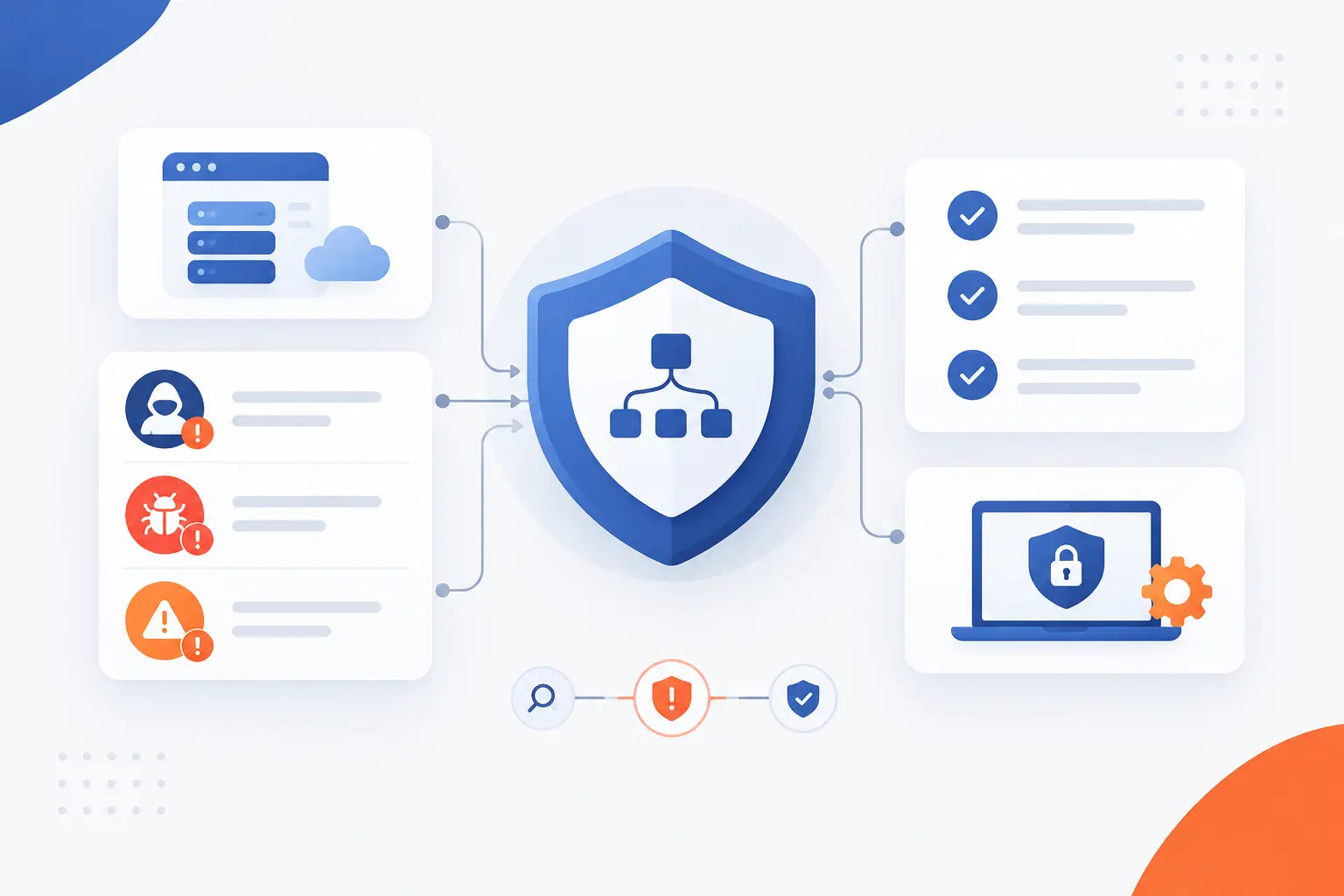
A threat model is a structured picture of what you are building, what could go wrong, who might attack it, and what defenses should exist before real damage happens. If you came here asking “what is a threat model,” the shortest answer is this: it is a practical security plan based on likely threats, not vague fear. We use it to connect assets, attackers, weaknesses, and safeguards in one understandable view. In our work at 1Byte, we like threat modeling because it turns security from a last-minute checklist into a design conversation.
A good threat model does not need to be fancy. It can begin as a diagram, a short table, or a shared document that names sensitive data, entry points, trust boundaries, and controls. The point is to ask hard questions early: Can someone impersonate a user? Can data be changed in transit? Can a misconfigured server expose customer records? Once those questions are visible, teams can choose fixes with a clear head.
What Is a Threat Model? A Structured Way to Identify Threats, Vulnerabilities, and Defenses

A threat model is a structured analysis that identifies valuable assets, possible attackers, weaknesses, and defenses in a system. It explains what needs protection, how an attacker could reach it, and which controls reduce the risk. The definition matters because a threat is not the same as a vulnerability: a threat is a possible harmful event, while a vulnerability is the weakness that may allow it. In practice, a threat model helps teams decide which security work deserves attention first.
We see the clearest threat models answer four direct questions: What are we building? What can go wrong? What are we doing about it? Did we reduce the risk enough? That pattern works because it stays close to engineering reality. NIST’s Secure Software Development Framework recommends adding secure practices into software life cycles to reduce vulnerabilities and address root causes, which is exactly where threat modeling earns its keep through secure software practices.
FURTHER READING: |
| 1. How Does 2FA Work and Why Does It Protect You |
| 2. What Is Business Email Compromise and How It Works |
| 3. Cloud Mail Security Guide for Safer Business Email |
How Threat Modeling Applies to Software Applications, Networks, and Devices
Threat modeling applies to any system where valuable data, access, or operations could be abused. For a software application, the model may examine login flows, payment pages, APIs, file uploads, admin dashboards, and session handling. For a network, it may focus on exposed services, firewall rules, routing paths, VPN access, and management interfaces. For a device, it may include firmware updates, physical ports, default credentials, sensors, and communication with cloud services.
Consider a simple online store. The application stores customer profiles and order data, the network connects web servers to databases, and devices may include staff laptops or point-of-sale terminals. A threat model ties those pieces together. If an attacker steals an employee password, can they reach the admin panel? If a plugin has a flaw, can it write to the database? If a server is misconfigured, can a private backup become public? These questions are concrete enough for developers, administrators, and business owners to discuss together.
Why Threat Modeling Matters Before Systems Go Live

Threat modeling matters before launch because design flaws are easier to fix before customers, attackers, and compliance auditors arrive. It helps teams catch risky assumptions while the architecture is still flexible. That timing is not theoretical: once code, hosting, access rules, and business processes are locked in, each fix can touch more people and more systems. Our view is simple: the cheapest serious security fix is often the one made while the system is still a diagram.
The need is also visible in breach data. Verizon’s 2026 Data Breach Investigations Report says 31% of breaches now start with software vulnerabilities, making this a design and maintenance issue rather than only a monitoring issue. IBM’s 2026 research puts the global average breach cost at $4.99 million, which is a blunt reminder that preventable security gaps can become business problems fast.
Better Visibility Into Risks and Likely Attackers
Threat modeling gives teams a clearer view of which risks matter and who is likely to exploit them. A public brochure site, a SaaS billing platform, and a cloud database holding medical records do not face the same pressure. Attackers differ too. Some are opportunistic bots scanning the internet, while others are insiders, competitors, fraud groups, or targeted criminals.
That distinction changes priorities. A bot may hammer WordPress login pages and old plugins. A fraud group may test stolen cards or abuse refund workflows. A malicious insider may already have valid access, so the model must consider logging, separation of duties, and approval flows. We prefer this practical framing because it keeps teams away from movie-plot attacks and closer to risks that fit their real environment.
Earlier Fixes With Less Cost and Rework
Threat modeling reduces rework by finding security problems before they become expensive architecture changes. If a team discovers late that sensitive data crosses an untrusted boundary without encryption, the fix may require code changes, infrastructure changes, testing, and migration planning. If the same problem appears during design, the team may only need to change the data flow.
This is where we often see the biggest win. A small design review can prevent a painful rebuild. For example, deciding early to separate public web traffic from database access is simpler than splitting a flat network after a security incident. The same is true for access control. Adding role-based permissions at the start is cleaner than patching admin checks across scattered code paths later.
Stronger Security Posture and Compliance
Threat modeling strengthens security posture because it documents risks, decisions, and controls in a way teams can revisit. That record helps developers, system administrators, managers, and auditors understand why certain safeguards exist. It also makes security less dependent on one person’s memory. When a new developer joins, the model explains where the sharp edges are.
Compliance teams often need evidence that risks were identified and handled. NIST’s Cybersecurity Framework includes risk assessment activities where organizations identify vulnerabilities, internal and external dangers, likelihood, impact, and prioritization through risk guidance. A threat model is not a compliance certificate by itself. Still, it can become strong supporting evidence because it shows how security decisions were made.
What Information Goes Into a Threat Model

A threat model includes the assets being protected, the way data moves, the trust boundaries it crosses, the attackers who may care, and the controls that reduce risk. It should describe both the system and the assumptions behind the system. The best models are specific enough to guide fixes, yet simple enough that the team actually uses them. If a document is so complex that nobody updates it, it is decoration, not security.
We usually treat a threat model as a living map. It names the “crown jewels,” shows how users and services interact, records likely abuse paths, and tracks mitigation work. It should also connect technical risks to business impact. A leaked test database, a stolen administrator account, and a disabled checkout page are different problems, and the model should make those differences visible.
Critical Assets, Sensitive Data, and Crown Jewels
The first information in a threat model is the list of assets that would cause harm if exposed, changed, or disabled. These assets may include customer records, passwords, API keys, payment tokens, backups, source code, admin accounts, internal dashboards, and brand-critical domains. We call them crown jewels because they deserve stronger attention than low-value files or public content.
The key is to be honest about value. A marketing image folder may not need the same protection as a production database. A domain registrar account, however, can be as critical as a server because it controls where users are sent. An attacker who takes over DNS can redirect traffic, intercept email, or impersonate the business. This is why threat modeling should include digital ownership, not just application code.
Data Flows, Trust Boundaries, and External Entities
A useful threat model shows how data moves and where trust changes. Data flows might include browser-to-server requests, API calls, database queries, file uploads, backups, webhook events, email messages, and administrator actions. Trust boundaries appear when data crosses from one control zone into another, such as from the public internet into a private network. External entities include users, vendors, payment processors, identity providers, APIs, and devices outside direct control.
Diagrams help here because text alone can hide weak points. A simple data flow diagram can show that a public upload service writes to storage later read by an internal process. That may raise questions about malware scanning, file type validation, and permissions. Another diagram may show that an external analytics script runs inside customer browsers, which creates a different set of privacy and supply chain concerns.
Threat Actors, Attack Vectors, and Vulnerabilities
A threat model should name likely attackers, the routes they may use, and the weaknesses that could help them. Threat actors can include anonymous internet scanners, credential thieves, malicious insiders, ransomware groups, or abusive legitimate users. Attack vectors are the paths they take, such as phishing, credential stuffing, exposed admin panels, vulnerable plugins, insecure APIs, or cloud misconfiguration. Vulnerabilities are the specific weaknesses that make those paths realistic.
This is where real-world examples keep the model grounded. If a site allows password reset by email, an attacker may target the email account. If a server exposes SSH to the internet, bots may try password attacks all day. If a file upload accepts active scripts, an attacker may try to execute code. The model does not need to predict every trick. It needs to capture enough likely paths to guide sensible controls.
Security Controls, Safeguards, and Corrective Actions
A threat model must connect each serious risk to a control, a decision, or an accepted exception. Controls may prevent harm, detect suspicious behavior, limit blast radius, or support recovery. Examples include multi-factor authentication, input validation, encryption, least-privilege access, network segmentation, backups, logging, alerting, patching, and incident response procedures. Corrective actions are the tasks that close the gap.
We like to label each action clearly. “Fix authentication” is too vague. “Require multi-factor authentication for administrator accounts” is better. “Move database access behind a private network and restrict it to application servers” is better still. A model becomes useful when findings turn into tickets, owners, and review dates. Otherwise, everyone nods in the meeting, and nothing changes.
How Teams Build a Threat Model

Teams build a threat model by defining scope, mapping the system, asking what can go wrong, matching attackers to assets, ranking risks, and turning findings into actions. The process should be collaborative, not a security-team monologue. Developers know the code paths, operations teams know deployment reality, and business owners know which outcomes would hurt most. Good threat modeling brings those views into the same room.
We recommend keeping the first pass short. Choose one application, one workflow, or one upcoming feature. Draw the system, ask direct questions, rank what you find, and create follow-up work. The model can grow later. Starting small builds the habit without drowning the team.
Define the Scope and Map What You Are Building
Start by choosing the system, feature, workflow, or environment you want to model. Scope prevents the discussion from turning into “all security everywhere.” A login system, checkout flow, customer portal, WordPress site, API gateway, or cloud server migration can all be good starting points. Write down what is included and what is outside the model for now.
Then map the system. Show users, services, databases, admin interfaces, third-party providers, networks, and storage. Mark where sensitive data is created, processed, stored, and deleted. If the team cannot draw the system, that is already a finding. You cannot defend what nobody can explain.
Ask What Can Go Wrong
Ask what can go wrong by walking through the model from an attacker’s point of view. Could someone impersonate a customer? Could data be modified without permission? Could a user deny an action because logs are missing? Could private information leak through an API response? Could the service be knocked offline?
This step should feel uncomfortable in a useful way. We are not trying to embarrass the builder. We are trying to make hidden assumptions visible. If the team says, “Nobody would know that URL,” ask what happens if they do. If someone says, “Only admins use that panel,” ask how admin access is protected. Strong systems survive direct questions.
Match Likely Adversaries to Valuable Assets
Match likely adversaries to valuable assets so the model reflects realistic motivation. Not every attacker wants the same thing. A spammer may want web forms and email reputation. A fraudster may want account access and payment workflows. A ransomware group may want privileged credentials and backups.
This matching helps prevent overengineering. A small static website does not need the same controls as a multi-tenant platform holding financial data. Yet it may still need domain account protection, TLS, backups, and update discipline. The right question is not “Can we imagine an attack?” The right question is “Which attacks are plausible enough to plan for?”
Prioritize Risks by Likelihood and Impact
Prioritize risks by estimating how likely each issue is and how much damage it could cause. A high-impact, likely flaw should move to the top of the work list. A low-impact, unlikely scenario may be accepted, monitored, or deferred. The ranking does not have to be perfect. It has to be consistent enough to guide action.
We usually prefer simple scales over false precision. High, medium, and low can work if the team defines what those words mean. For example, high impact may mean customer data exposure, system-wide admin compromise, legal reporting duties, or extended downtime. High likelihood may mean the issue is internet-facing, easy to exploit, and common in real incidents.
Turn Findings Into Mitigation, Detection, and Review
Turn each meaningful finding into a mitigation, detection plan, or review decision. Mitigation reduces the chance or impact of harm. Detection helps you notice when something suspicious happens. Review ensures the model changes when the system changes.
A finding such as “administrator access depends only on passwords” may become a mitigation task to require multi-factor authentication. A finding such as “failed login spikes are invisible” may become a detection task for alerting. A finding such as “new payment provider integration changes data flow” may become a scheduled review. This is the moment where threat modeling becomes work that protects users, not just analysis that fills a document.
Common Frameworks for Threat Modeling

Common threat modeling frameworks give teams repeatable ways to find and organize security problems. STRIDE categorizes technical risks, PASTA connects technical attacks to business impact, DREAD scores risk, and attack trees show paths to a goal. Trike and VAST suit teams that want more formal or scaled approaches. Our advice is to pick the simplest framework that helps your team act.
| Framework | Best Fit | Typical Output |
|---|---|---|
| STRIDE | Application and architecture reviews | Categorized risks and mitigations |
| PASTA | Business-risk-driven analysis | Attack scenarios tied to impact |
| DREAD | Risk scoring discussions | Ranked findings |
| Attack Trees | Goal-based attacker path mapping | Visual attack paths |
| Trike and VAST | Formal or large-scale programs | Repeatable models and workflows |
STRIDE for Categorizing Common Security Threats
STRIDE is useful when teams need a straightforward way to categorize technical security concerns. The acronym covers spoofing, tampering, repudiation, information disclosure, denial of service, and elevation of privilege. Those categories push teams to think beyond one favorite issue, such as injection or weak passwords. A published study on applying STRIDE to AI and machine learning systems describes STRIDE as a mature approach and maps its categories to security properties through a research example.
Here is how it works in practice. For a login page, spoofing asks whether someone can pretend to be another user. Tampering asks whether requests or records can be changed. Repudiation asks whether actions are logged well enough. Information disclosure asks whether private data leaks. Denial of service asks whether the service can be exhausted. Elevation of privilege asks whether a normal user can become an admin.
PASTA and DREAD for Risk-Centered Analysis
PASTA and DREAD help teams move from “possible issue” to “which issue matters more.” PASTA, short for Process for Attack Simulation and Threat Analysis, is risk-centered and works well when business impact must be part of the discussion. DREAD is older and often used as a scoring method for damage, reproducibility, exploitability, affected users, and discoverability. We treat DREAD carefully because scoring can create a false sense of mathematical certainty.
PASTA is helpful for mature teams that want to link technical attack paths to business outcomes. For example, an attack on a billing API may affect revenue, customer trust, and financial reporting. DREAD can still be useful in workshops because it forces people to compare risks. But if the team spends more time arguing over scores than fixing serious issues, the method is getting in the way.
Attack Trees, Trike, and VAST for Different Use Cases
Attack trees, Trike, and VAST serve different modeling needs when STRIDE or PASTA is not enough. An attack tree starts with an attacker’s goal, such as “steal customer records,” then branches into possible paths. Trike focuses on risk and requirements, which can suit more formal security programs. VAST, often described as Visual, Agile, and Simple Threat modeling, is aimed at scaling modeling across many teams and applications.
Attack trees are especially good for explaining risk to mixed audiences. A branch might show that stealing data requires either database access, backup access, or admin portal access. Each branch then breaks into smaller steps. MITRE ATT&CK can also help teams think about real attacker behavior because its enterprise matrix organizes adversary tactics and techniques across common platforms. We would not use ATT&CK as a complete threat model by itself, but it is excellent inspiration for detection and attacker-path discussions.
Best Practices That Keep a Threat Model Useful

A useful threat model stays small enough to maintain, visual enough to understand, and current enough to reflect the real system. The mistake we see too often is treating the model as a one-time document created for a release gate. Systems change. Attackers change. Teams change. A stale model can be worse than no model because it gives false comfort.
Our best practice is to connect threat modeling to normal engineering work. Review it during design, update it when architecture changes, and convert findings into tracked tasks. CISA’s secure-by-design guidance encourages teams to use a tailored model during during development, which matches how we think about durable security work.
Start Small Instead of Modeling Everything at Once
Start with one important workflow instead of trying to model the whole company. A focused model for login, checkout, administrator access, or backup recovery will produce better findings than a giant vague model. Choose an area with sensitive data, internet exposure, recent change, or painful business impact. Then expand after the team learns the rhythm.
This approach also lowers friction. Developers are more likely to participate when the session is bounded and useful. A short meeting with a clear diagram can uncover weak assumptions quickly. After a few rounds, threat modeling becomes less intimidating. It turns into a normal design habit, like reviewing database schema or API behavior.
Use Diagrams, Mind Maps, or Attack Maps to Visualize Risk
Use visuals because security risk is easier to discuss when everyone can see the same system. A data flow diagram shows how information moves. A mind map helps collect assets, actors, controls, and open questions. An attack map shows how an attacker might chain small weaknesses into a serious result.
We are fond of simple drawings. Boxes, arrows, and boundary lines beat a polished diagram nobody understands. Mark the public internet, private networks, databases, third-party services, admin paths, and sensitive data stores. Then ask where trust changes. Many good findings come from one arrow crossing a boundary that nobody had noticed before.
Repeat the Process as New Features and Threats Appear
Repeat threat modeling whenever meaningful changes alter data, access, exposure, or business impact. New features can add endpoints, roles, integrations, file types, background jobs, or external dependencies. Infrastructure changes can move workloads, open ports, change permissions, or alter backup behavior. Each change may create a new path for abuse.
The model does not need a full rewrite every time. Update the affected diagram, revisit the assumptions, and check whether existing controls still fit. We like lightweight review triggers: new authentication flow, new payment path, new admin feature, new cloud environment, or new vendor integration. If a change can affect who can access what, it deserves another look.
FAQ
This FAQ answers the beginner questions we hear most often about threat modeling. Each answer gives the direct point first, then adds practical context. If you remember one theme, remember this: threat modeling is a decision tool. It helps teams choose the right security work before risk becomes an incident.
What Is the Goal of Threat Modeling?
The goal of threat modeling is to find likely security problems early and choose practical defenses. It helps teams protect important assets by connecting threats, vulnerabilities, and controls. A strong model also documents why decisions were made, which helps future reviews.
When Should Threat Modeling Be Done?
Threat modeling should be done during design and repeated when meaningful changes happen. The best time is before launch, before major architecture changes, and before sensitive features go live. It can also be done after release, but fixes may cost more once systems are in production.
Who Should Complete a Threat Model?
A threat model should be completed by a small cross-functional group, not one isolated person. Developers, system administrators, security staff, product owners, and business stakeholders each see different risks. For small teams, one technical owner can lead, but the review should still include people who understand the system and its impact.
What Is the STRIDE Threat Modeling Framework?
STRIDE is a framework that categorizes common security issues into spoofing, tampering, repudiation, information disclosure, denial of service, and elevation of privilege. It is popular because it gives teams a memorable checklist for reviewing applications and architectures. Beginners often start with STRIDE because it is easier to apply than heavier risk frameworks.
What Does a Threat Model Example Look Like?
A simple threat model example might show a web app, users, an admin panel, an API, a database, and a payment provider. It would list assets such as customer data and API keys, then identify risks like stolen admin credentials, exposed backups, or unsafe file uploads. The final part would assign controls such as multi-factor authentication, private database access, upload validation, encryption, logging, and backup testing.
How 1Byte Supports Safer Hosting and Cloud Planning
1Byte supports safer hosting and cloud planning by helping customers think through public assets, hosting choices, and cloud responsibility before deployment. We do not claim that hosting alone creates security. Security comes from matching the workload to the right environment, protecting access, using certificates, managing updates, and reviewing risks. As an AWS Partner, we also think cloud planning should start with a clear split between provider duties and customer duties.
| 1Byte Service Area | How It Connects to Risk Planning | Typical Question to Ask |
|---|---|---|
| Domain registration and SSL certificates | Protects public identity and encrypted access | Who controls the domain and certificates? |
| WordPress hosting and shared hosting | Fits common websites that need disciplined updates and access control | What plugins, users, and data need protection? |
| Cloud hosting and cloud servers | Supports workloads needing more planning around roles, networks, and isolation | Which controls belong to us and which belong to the provider? |
Secure Domain Registration and SSL Certificates for Public-Facing Assets
Domain registration and SSL certificates belong in a threat model because they protect how users find and trust your public services. A domain account can be a crown jewel. If an attacker controls it, they may redirect traffic, disrupt email, or damage the brand. SSL certificates help protect traffic between users and your site, but the surrounding account access and renewal process still need attention.
At 1Byte, we encourage customers to treat domains as security assets, not just marketing names. That means asking who can change DNS records, who receives renewal notices, and what happens if the account owner leaves the company. ICANN explains that registrants have rights and responsibilities around registration, management, transfer, renewal, and protection in its domain-holder responsibilities. Those details matter because a forgotten domain process can become an avoidable outage or takeover path.
WordPress Hosting and Shared Hosting With a Security-First Foundation
WordPress hosting and shared hosting should be threat-modeled around updates, accounts, plugins, themes, forms, and stored data. These environments are often used for business websites, landing pages, blogs, and smaller applications. The risk is usually not exotic. It is more often weak passwords, outdated software, excessive permissions, unsafe plugins, or exposed admin paths.
We like WordPress because it is practical and familiar, but familiarity can make teams careless. A useful model asks who can log in, which plugins run code, what data forms collect, and how backups are protected. WordPress’s own documentation says improving software security is ongoing and advises keeping WordPress up to date through official guidance. That advice belongs directly inside the threat model as a maintenance control.
Cloud Hosting and Cloud Servers for Higher-Risk Workloads
Cloud hosting and cloud servers need threat models that cover identity, network exposure, operating system updates, application permissions, data storage, backups, and monitoring. Higher-risk workloads often involve sensitive data, custom applications, APIs, or business processes that cannot tolerate careless access. The flexibility is useful, but it also means customers must make more security decisions. That is where a written model prevents guesswork.
As an AWS Partner, 1Byte views cloud planning through shared responsibility. The provider may manage parts of the underlying infrastructure, while the customer still has duties around applications, data, accounts, and configurations. AWS explains that responsibility for IT controls is distributed between AWS and customers under cloud duties. A threat model should make that split explicit, especially for cloud servers where operating system patching, firewall choices, and application hardening can sit with the customer.







Conclusion
A threat model is a clear, structured way to understand what you are protecting, what can go wrong, who might cause harm, and which defenses deserve priority. It is not paperwork for its own sake. Done well, it is a practical thinking tool that helps teams fix design flaws before those flaws become incidents.
Our strongest opinion is this: start before the system goes live, and keep the model alive after launch. A small, honest model beats a beautiful document nobody updates. Draw the system, mark the assets, ask what can go wrong, rank the risks, and turn the answers into action. If you are planning a new website, cloud server, WordPress project, or public-facing application, your next useful step is simple: choose one workflow and build its first threat model this week.