

- Square vs Stripe at a Glance
- Square vs Stripe Pricing and Transaction Fees
- Square vs Stripe Hardware and Point of Sale Tools
- Square vs Stripe Online Payments, Ecommerce, and WordPress
- Square vs Stripe Setup, Customization, and Scalability
- Square vs Stripe Payment Methods and Global Reach
- Square vs Stripe Business Tools, Reporting, and Inventory
- Square vs Stripe Security, Compliance, and Fraud Protection
- How to Choose Between Square and Stripe
- FAQ About Square vs Stripe
- How 1Byte supports payment-ready businesses with cloud computing and web hosting
- Final Verdict on Square vs Stripe
When we compare Square vs Stripe, we do not start with brand awareness. At 1Byte, we start with sales motion: a front counter, a booking calendar, a WooCommerce cart, or a global checkout with local methods. Square usually wins when a business wants one merchant-facing system that already understands POS, staff, appointments, and basic ecommerce. Stripe usually wins when a business wants payments as programmable infrastructure it can shape around its own site, app, or platform.
The reason this choice matters is simple. The payments industry generated $2.5 trillion in revenue from $2.0 quadrillion in value flows in 2024, so even small merchants now sit inside a fast-moving ecosystem where checkout speed, fraud controls, and cross-channel reporting influence margins. We see that pressure in real cases too: Square highlights restaurants like Anajak Thai using Handheld and reservations integrations for smoother service, while Stripe showcases URBN using Payments and Terminal to unify ecommerce and stores.
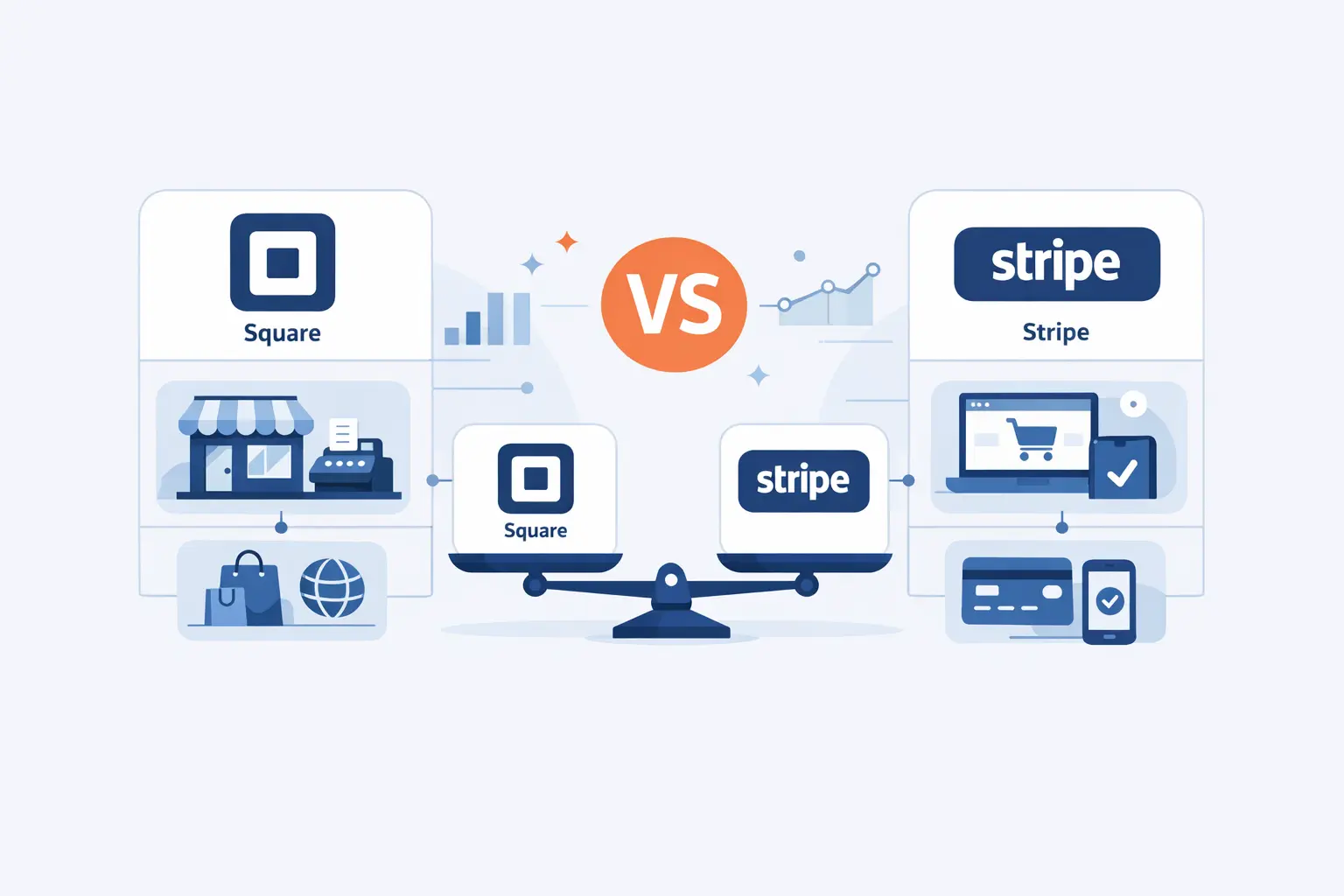
Square vs Stripe at a Glance

At a glance, Square and Stripe are not interchangeable tools with different logos. Square behaves like a merchant operating system that happens to process payments extremely well. Stripe behaves like a payments platform that can extend into billing, fraud, onboarding, and unified commerce. Once we accept that distinction, the rest of the comparison becomes much less muddy.
1. Core difference in how Square and Stripe are built
The core design choice is simple. Square keeps orders, catalog, staff tools, invoicing, and POS workflows closer to one native merchant data model. Stripe assumes many merchants will keep products, carts, subscriptions, or platform logic in external software and plug payments into that architecture through hosted surfaces or APIs. From our side, Square feels more prescriptive and faster to adopt, while Stripe feels more composable and future-flexible.
2. Square strengths in hardware and built-in business tools
Square’s strengths show up where commerce hits the ground: card readers, registers, shifts, item libraries, bookings, invoices, restaurant modes, retail inventory, and easy-to-understand reporting. Small teams benefit because fewer moving parts means fewer points of failure. We especially like Square when the owner also manages staff and the back office, since the same environment handles more of the business without extra assembly.
3. Stripe strengths in checkout customization and global payments
Stripe’s strengths appear when checkout needs to adapt to the business rather than the other way around. Hosted Checkout, Payment Links, Elements, Payment Element, Terminal, Connect, and Billing give merchants several ways to start simple and later go deep. Add local payment methods and wider international coverage, and Stripe becomes especially compelling for ecommerce brands, SaaS companies, and platforms with nonstandard flows.
Square vs Stripe Pricing and Transaction Fees

Price comparisons become misleading when we only stare at the main card rate. Processing fees matter, of course, but payout speed, disputes, ACH, hardware, recurring billing, and add-on software often shape the real cost more than a few basis points on a single transaction. That is why we always separate headline pricing from total operating cost.
1. Online, in-person, and keyed-in transaction rates
On standard U.S. merchant pricing, Square currently charges 2.6% + 15¢ in person, 3.3% + 30¢ online or invoices, and 3.5% + 15¢ for manual entry. Paid Square tiers can lower some of those rates, but the bigger takeaway is clarity: a merchant can glance at the fee table and quickly map it to the way they sell. That simplicity is one of Square’s strongest advantages for owner-operators.
Stripe’s standard U.S. pricing is 2.9% + 30¢ online, 2.7% + 5¢ in person, 0.8% ACH with a $5 cap, and 1.5% for Instant Payouts in the U.S.. In practice, Stripe is often a touch more appealing for bank-based online payments and just as competitive for card-present volume, but its pricing menu is spread across more products and options. We usually describe that as flexible, not effortless.
2. Chargebacks, refunds, ACH, and instant payouts
Chargeback handling creates one of the clearest hidden differences. Square says it does not charge a separate dispute-management fee and covers the fee for chargebacks it helps challenge, while Stripe’s standard pricing page lists a dispute fee and separate tools for prevention and AI-assisted evidence submission. On bank transfers, both give low-cost paths, but Stripe’s ACH option is especially attractive for online invoices and recurring payments, whereas Square’s ACH and transfer settings are easiest to use if you already live inside Square’s dashboard.
3. Hardware, billing, invoicing, and other add-on costs
Add-on costs are where a cheap processor can become an expensive stack. Square pushes more business functions into the same account, so hardware purchases, vertical plans, payroll, kiosk tools, marketing, or kitchen display subscriptions can raise total cost. Stripe goes the other direction: core card processing is lean, yet recurring billing, tax, advanced invoicing, or marketplace workflows can add product-level charges on top of payments. From our perspective, Square usually concentrates costs into one merchant suite, while Stripe spreads them across modular services.
Square vs Stripe Hardware and Point of Sale Tools

POS is where the two platforms look least alike. Square has spent years polishing merchant hardware and vertical workflows. Stripe has improved its in-person story dramatically, but it still approaches the counter as an extension of a broader payments platform. That difference shows up in setup time, device choice, and who needs a developer nearby.
1. Square readers, terminals, registers, and industry-specific POS options
Square’s lineup currently runs from $59 for the reader, $149 for Square Stand, $299 for Square Terminal, and $899 for Square Register. Because those devices tie directly into Square’s POS software, the hardware feels like part of one coherent system rather than a separate layer to integrate. That matters for shops that want the counter, receipts, catalog, taxes, and staff controls to behave predictably on day one.
Square also deserves credit for how far it has pushed industry specificity. Its current Point of Sale app supports dedicated modes for quick service, full service, bar, retail, bookings, services, and standard selling, and Square’s own restaurant references show operators using Handheld plus reservations integrations to sharpen tableside service. For retailers, salons, and appointment-led teams, that built-in specialization is a real operational advantage.
2. Stripe Terminal and custom in-person payment setups
Stripe’s official Terminal catalog shows $59 for Stripe Reader M2, $249 for BBPOS WisePOS E, and $349 for Stripe Reader S700. Yet the bigger story is not device price. Terminal supports SDKs for JavaScript, iOS, Android, and React Native, plus server-driven integrations, third-party POS options, Tap to Pay, and centralized device ordering from the Dashboard. For teams that already own the software experience, that flexibility is gold.
A retailer with complex omnichannel logic often values that freedom more than a turnkey POS. Stripe’s URBN case study is a good illustration: the company used Stripe Payments and Terminal to connect ecommerce, buy-online-pick-up-in-store flows, and store transactions without throwing away its broader enterprise architecture. We would not recommend Stripe Terminal for a tiny café that just needs to ring up lattes, but we absolutely would consider it for a business that wants payments embedded into its own software roadmap.
3. Best fit for retail, restaurants, and appointment-based businesses
For retail, restaurants, and appointment-based operations, Square is usually the cleaner fit because its inventory, bookings, menus, and staff workflows already speak the language of those businesses. Restaurants like Anajak Thai and service businesses highlighted in Square Appointments stories show why that matters: the merchant is not buying payments alone, but a day-to-day operating layer around payments. Meanwhile, Stripe Terminal is a stronger fit when the business already has a custom POS, central order system, or omnichannel strategy that needs payments to plug into existing logic.
Square vs Stripe Online Payments, Ecommerce, and WordPress

For online payments, the difference becomes more nuanced. Square is better than many people assume, especially for merchants who want payment links, invoices, a basic store, and WooCommerce sync without hiring a developer. Stripe is still the benchmark when checkout design, localized payment options, and API depth matter most.
1. Payment links, online stores, and invoicing tools
Square makes no-code online selling easy with Payment Links, Square Online, and invoices that sit close to the same dashboard as the POS. Stripe also offers Payment Links and invoicing, but we find its sweet spot slightly different: it is superb for quick launch pages and payment collection, yet it becomes especially powerful when those tools are stepping stones to a richer online flow. For a solo consultant or local shop, Square often feels more complete out of the box.
2. Checkout customization, APIs, and hosted payment options
Checkout customization is where Stripe pulls away. Stripe Checkout can be hosted or embedded, Elements can power custom flows, and the Payment Element can surface relevant payment methods dynamically while handling much of the compliance and UI burden. Technically, that matters because tokenization and hosted payment UIs keep sensitive card data away from your own application servers more cleanly. Square does provide a hosted Checkout API and the Web Payments SDK for PCI-compliant inputs, so developers are not stuck; still, Square’s developer options remain more opinionated and less globally expansive than Stripe’s.
3. WordPress, ecommerce platforms, and app integrations
On the WordPress side, Square’s official WooCommerce extension shows 80K+ active installs, and its appeal is practical: it syncs catalog, inventory, orders, and customer data with the Square POS many merchants already use in person. When a boutique or café wants WooCommerce to behave like an online window into the same business, Square makes that connection unusually straightforward.
Stripe has the bigger gravity well inside WordPress commerce, with 700K+ active installs for its WooCommerce extension. That ecosystem weight matters because store owners usually find more payment-method coverage, more community examples, and more plugin-level familiarity around Stripe, especially when subscriptions, wallets, buy-now-pay-later options, or international checkouts enter the picture.
Square vs Stripe Setup, Customization, and Scalability

Setup and scale sound like opposite phases, but they are closely related. The smoother the initial setup, the faster a business launches. The more flexible the architecture, the less painful growth becomes. Square and Stripe make different tradeoffs along that curve.
1. Fast setup and beginner-friendly workflows with Square
Square’s onboarding is fast because the product is more opinionated. Merchants can sign up, connect a bank account, load items, choose hardware, and start using purpose-built modes for retail, services, or food and beverage without designing a checkout stack from scratch. In our experience, that makes Square feel calmer for founders who want to sell this week, not architect a payments platform this quarter.
2. Developer control, no-code options, and flexibility with Stripe
Stripe is no longer just an API playground for engineers. A merchant can start with Payment Links, Checkout, or other no-code and low-code surfaces, then move into Elements, Payment Intents, Connect, or embedded onboarding as requirements become more complex. That staircase is one of Stripe’s best qualities: beginners are not locked out, but developers are not boxed in either.
3. How each platform scales as your business grows
Scale exposes architectural choices. Square scales nicely for multichannel SMB operations, additional locations, and deeper use of its own ecosystem. Stripe scales more naturally when growth means new countries, more payment methods, platform onboarding, embedded finance, or a custom commerce stack spanning many systems. If your growth path is mostly operational, Square may be enough. If your growth path is structural, Stripe usually ages better.
Square vs Stripe Payment Methods and Global Reach

Payment coverage is one of the most important hidden separators in Square vs Stripe. A local seller can live happily with cards, wallets, invoices, and maybe bank transfers. A multinational or fast-growing online store usually needs a far wider catalog of methods, currencies, and regulatory handling. This is where Stripe’s global DNA becomes hard to ignore.
1. Cards, digital wallets, bank transfers, and local payment methods
Square covers the basics well: cards, Apple Pay, Google Pay, Cash App Pay, Afterpay in supported markets, gift cards, and ACH in certain flows. Stripe covers those basics too, then adds a much deeper bench of local and regional methods such as iDEAL, Bancontact, BLIK, Klarna, PayPal, Pix, SEPA, and more through one platform. If your customers expect to pay the way their country already pays, Stripe usually opens more doors.
2. Supported countries, currencies, and cross-border sales
Square remains concentrated in a smaller set of seller countries and generally expects merchants to process in the country where the account was created and in that country’s official currency. Stripe supports businesses in many more markets, lets merchants sell worldwide, and layers local payment methods and multicurrency capabilities on top. A domestic-first merchant may never care. Cross-border ecommerce cares immediately.
3. When international reach matters more than POS simplicity
International reach matters more than POS simplicity when checkout localization drives conversion. A U.S. software company selling subscriptions in Europe or Asia will often benefit more from Stripe’s local methods, currency handling, and broader onboarding footprint than from Square’s easier counter setup. By contrast, a barber, bakery, or neighborhood retailer with mostly local demand can sensibly pick Square and never feel constrained.
Square vs Stripe Business Tools, Reporting, and Inventory

Payments do not live alone. Merchants also need reports, catalog controls, customer history, staff permissions, and recurring revenue tools. Here, Square often feels like business software with payments built in. Stripe often feels like payments infrastructure that can expand into adjacent operations when needed.
1. Dashboards, analytics, and reporting
Square’s dashboards are friendlier for most nontechnical operators. Sales, shifts, items, customers, and payouts are closer to one operational view, and Square’s retail tools emphasize real-time stock movement and easy-to-read reports. Stripe’s reporting has become much stronger, especially when a business wants unified data across online and in-person channels, but it still assumes the merchant may also rely on external analytics or internal data teams.
2. Inventory management and industry-specific tools
Inventory is another area where Square punches above its payment-processor label. Retail workflows, stock tracking, multi-location updates, barcode tools, bookings, and service flows all sit closer to the native product. Stripe can absolutely support commerce-heavy businesses, but inventory logic often lives in the store platform or custom application rather than inside Stripe itself. That split is fine for developers; it is less fine for a merchant who wants one dashboard to rule the day.
3. Subscriptions, invoicing, and broader business tools
Subscriptions flip the script somewhat. Stripe Billing is one of the clearest reasons digital businesses choose Stripe, because it supports recurring billing, usage-based models, invoicing, customer portals, and more advanced contract logic. Square can handle subscriptions, invoices, and service payments well enough for many small firms, but once pricing logic grows more complex, Stripe usually has the deeper toolkit.
Square vs Stripe Security, Compliance, and Fraud Protection

Security is not glamorous, but it is where fragile checkout setups get exposed. Both companies handle serious payment infrastructure, and both invest heavily in encryption, compliance, and fraud controls. The more useful question is not whether either platform is secure. It is how much of the security burden each one removes from your team.
1. PCI compliance, encryption, and secure checkout
Square handles PCI compliance on behalf of merchants that use Square for storage, processing, and transmission of card data, which is exactly the kind of simplification small sellers value. Stripe also reduces the burden substantially when you use Checkout or Elements, and its hosted surfaces are designed to keep sensitive card details off your server. In plain English, both can be safe; Stripe simply gives you more room to customize, which also means more room to misconfigure if your implementation is sloppy.
2. Fraud rules, risk tools, and identity verification
Fraud tooling follows the same pattern. Stripe Radar uses network-wide signals and works especially well for merchants that want dynamic controls, adaptive authentication, and identity or onboarding workflows around payments. Square’s Risk Manager gives merchants useful alerts, decline rules, allow and block lists, AVS and CVV checks, and optional 3D Secure rules from the dashboard. We see Square as the more approachable control panel and Stripe as the more expansive risk platform.
3. Chargeback management and dispute support
Dispute support is another practical difference. Square emphasizes guided dispute management inside the dashboard and says it does not charge an added dispute-management fee. Stripe provides guided dispute workflows too, plus prevention and AI-assisted tools, but standard pricing still lists a dispute fee. For a merchant that gets only occasional chargebacks, the operational ease may matter more than the pure fee line, yet the fee line still deserves a close look.
How to Choose Between Square and Stripe

Decision-making gets easier once we stop asking which brand is better in the abstract. The better platform is the one that removes the most friction from your actual business model. We usually weigh three things first: where sales happen, how much customization the team can support, and how likely cross-border complexity is in the next two years.
1. Choose Square for all-in-one selling in person and online
Choose Square when you sell face to face, want hardware and software from one vendor, and prefer to manage inventory, staff, appointments, invoices, and basic ecommerce in one merchant system. That recommendation becomes even stronger for restaurants, salons, and retail shops because Square’s vertical workflows reduce setup strain. If your team would rather learn one dashboard than coordinate several tools, Square is usually the saner choice.
2. Choose Stripe for customized online payments and global scale
Choose Stripe when online revenue is the priority and checkout needs to be tailored, localized, or embedded into a broader product experience. The case becomes stronger again if subscriptions, marketplaces, many payment methods, or international growth sit near the roadmap. Stripe can start small, but its real edge shows when payments are not just a function of the business; they are part of the business model.
3. Match the platform to your business model, team, and customers
The most useful tie-breaker is not price alone. Ask where customers actually pay, what your staff can support, and whether local POS simplicity or global checkout flexibility creates more value over the next two years. We occasionally see hybrid setups with Square in store and Stripe online, but they usually introduce reconciliation work around reporting, customer records, and support. We have seen merchants pick the cheaper headline fee and lose far more to awkward workflows, extra plugins, or limited growth paths.
FAQ About Square vs Stripe

The short answers below reflect the current U.S.-centric small-business picture, not every custom contract or international edge case. For high-volume merchants, both companies can move into custom pricing, and those negotiations can change the economics quickly. Even so, the patterns below are the ones we think matter most for first-time decision makers.
1. Is it better to use Stripe or Square
Neither is categorically better. Square is better for many local retailers, restaurants, and service businesses that want an all-in-one operational system. Stripe is better for many ecommerce, SaaS, and internationally minded businesses that need more control over checkout, payment methods, and platform architecture. We would choose based on selling motion first and fee tables second.
2. How much is the Stripe fee for a $100 sale
For a standard domestic online card payment, Stripe’s fee on a $100 sale is $3.20, so the merchant keeps $96.80 before any product-specific add-ons or taxes. If that same $100 payment is taken in person through Stripe Terminal, the fee is $2.75.
3. Is Square or Stripe cheaper for in-person payments
For a standard domestic in-person card sale, Stripe and Square are effectively tied in the U.S. today: each works out to $2.75 on a $100 transaction before any hardware or software add-ons. That is why we tell merchants not to stop at the headline swipe rate; the bigger cost question is whether you also need hardware, subscriptions, inventory tools, or developer time.
4. Which platform is more user-friendly
For most beginners, Square is more user-friendly because its dashboards, hardware, and business tools are designed to work together with less setup. Stripe has become much easier thanks to Payment Links, Checkout, and better dashboards, but it still feels more technical once you move beyond the basics. If the owner will manage the system personally, Square usually feels more intuitive.
5. Which platform is better for international payments
Stripe is generally better for international payments because it supports businesses in more seller markets, supports a deeper set of local payment methods, and handles global checkout use cases more gracefully. Square can still accept some international cards in supported countries, but its model is more domestic and account-country bound. For cross-border ecommerce, we would put Stripe clearly ahead.
6. Can Square or Stripe work with WordPress and ecommerce sites
Yes. Both can work with WordPress and ecommerce sites, especially through WooCommerce. Square is attractive when you want your store, catalog, and POS data to stay tightly aligned. Stripe is attractive when you want broader payment method coverage and deeper plugin ecosystem support across stores, forms, subscriptions, and custom checkout experiences.
How 1Byte supports payment-ready businesses with cloud computing and web hosting

At 1Byte, we rarely see payment decisions fail because the gateway was incapable. More often, the weak point is the layer around the gateway: domain setup, TLS, hosting performance, plugin compatibility, staging discipline, and cloud architecture. That is why we treat payment readiness as an infrastructure question as much as a processor question.
1. Domain registration and SSL certificates for secure checkout
Before a cart converts, the foundation has to be trustworthy. We help merchants start with clean domain configuration and dependable SSL because modern payment flows rely on secure contexts, and popular WordPress commerce extensions expect a valid certificate before they will behave properly. In plain terms, secure checkout begins long before the customer enters a card number.
2. WordPress hosting and shared hosting for fast online store launches
From there, we focus on launch speed without sacrificing stability. Our WordPress hosting and shared hosting plans are a good fit for businesses that want to deploy WooCommerce, test Square or Stripe integrations in staging, exclude cart and checkout pages from aggressive full-page caching, and go live without becoming accidental sysadmins. We like simple stacks when a merchant is still validating demand because fewer layers mean faster debugging when a webhook, plugin update, or checkout redirect misbehaves.
3. Cloud hosting and cloud servers with AWS Partner support for growth
Once growth starts to bend the curve, we move the conversation to cloud hosting and cloud servers. That is where load isolation, autoscaling patterns, background jobs, observability, storage strategy, and network design begin to matter more than brochure features. As 1Byte, we think in terms of resilient infrastructure that can support busier checkouts, richer applications, and expansion without a painful re-platform later on.
Final Verdict on Square vs Stripe
1. Best fit for brick-and-mortar and service-based businesses
For brick-and-mortar and service-based businesses, our default lean is Square. The combination of hardware, industry modes, built-in invoicing and appointments, and merchant-friendly dashboards removes a remarkable amount of friction for real-world operators. If your business is anchored in stores, chairs, tables, or job sites, Square tends to get you productive faster and keep staff training lighter.
2. Best fit for ecommerce, subscriptions, and international growth
For ecommerce brands, subscription businesses, software companies, and sellers with international ambitions, our default lean is Stripe. Its online checkout stack is deeper, its global method coverage is broader, and its long-term architecture gives ambitious teams more room to customize, localize, and scale. When the website is the main storefront, Stripe usually gives the stronger runway.







3. Choose the platform that matches how you sell today and how you plan to grow
In the end, the best Square vs Stripe choice is the one that matches how you sell today without trapping how you want to grow tomorrow. We would rather see a merchant pick the platform that fits its workflow cleanly than chase a tiny fee difference and inherit months of operational drag. So here is our next-step question: are you optimizing first for simpler operations or for more flexible payments infrastructure?