

- Cloud Web Security Is the Practice of Protecting Data, Applications, and Access in the Cloud
- Why Businesses Rely on It
- The Security Risks That Shape a Cloud Strategy
- The Core Building Blocks of Cloud Protection
- How Security Responsibilities Change by Service Model
- How Cloud Web Security Is Managed Across Environments
- FAQ
- How 1Byte Supports Secure Cloud Websites
- Conclusion
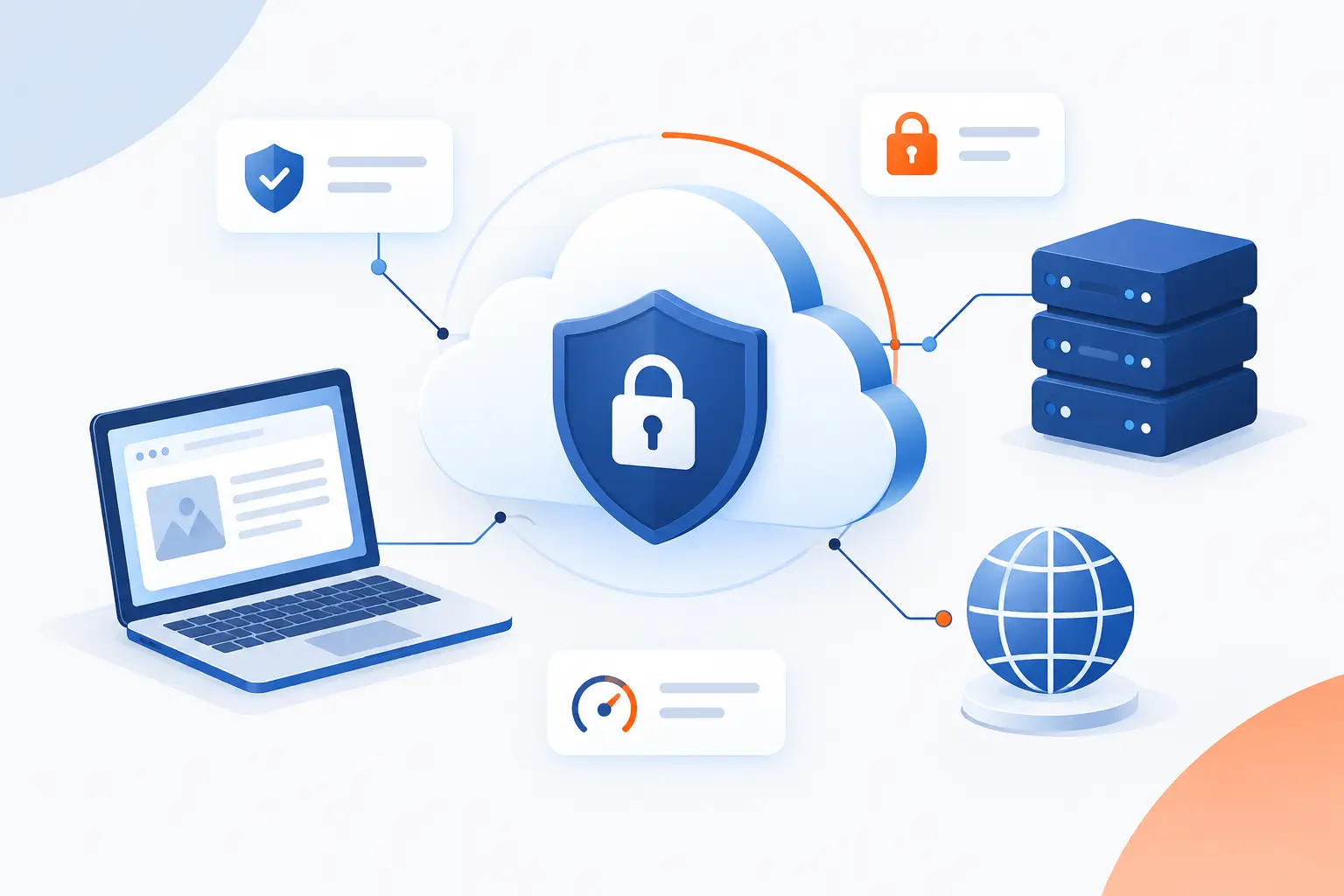
Cloud web security is the way businesses protect websites, web apps, data, users, and cloud infrastructure from online threats. It covers the controls that keep customer information private, stop unauthorized access, block attacks, and keep services available. At 1Byte, we see it as a practical discipline rather than a single product: it combines identity, encryption, network filtering, monitoring, backup, and careful configuration. The goal is simple: let people use cloud-based websites safely without exposing the business to avoidable risk.
This matters because most modern websites no longer live on one server in one room. They depend on cloud servers, managed platforms, APIs, storage, DNS, certificates, user accounts, third-party tools, and remote teams. That flexibility is useful, but it also creates more doors to lock. Good cloud web security makes sure those doors have the right locks, logs, alarms, and recovery plans.
Cloud Web Security Is the Practice of Protecting Data, Applications, and Access in the Cloud

Cloud web security is the practice of protecting cloud-hosted websites, applications, APIs, data, identities, and network traffic from misuse, disruption, and theft. It includes preventive controls, such as encryption and access rules, plus detective controls, such as logging and threat monitoring. It also includes recovery controls, such as backups and failover plans. We define it this way because a secure website is never just a secure codebase, and a secure cloud account is never just a strong password.
In older hosting setups, security often focused on a single server, a firewall, and perhaps a few application patches. In cloud environments, the picture is broader. A public-facing website may use object storage for images, a managed database for orders, a content delivery layer for traffic, and identity services for administrators. If one piece is misconfigured, the whole system can suffer.
That is why cloud web security is best understood as a set of connected responsibilities. The website owner must know who can log in, what data is stored, which systems are public, which systems are private, and how incidents will be handled. The provider secures the underlying platform, but the customer still has real work to do. We like this model because it forces clarity. It asks, “Who owns this risk?” before trouble starts.
FURTHER READING: |
| 1. What Is Secure Remote Access? How It Works and Risks |
| 2. What Is DNS Poisoning? How It Works and Prevention |
| 3. What Is Spear Fishing Cyber and How It Steals Data |
Why Businesses Rely on It

Businesses rely on cloud web security because websites and online services now carry real revenue, private data, brand trust, and operational continuity. If a website goes down, leaks data, or serves malicious content, the damage can spread fast. The same risk applies to a small online store and a larger software platform, only the scale differs. In our view, the best reason to invest early is not fear, but control.
Cloud environments give businesses speed and flexibility, but that flexibility must be governed. A developer can deploy a new service in minutes. A marketing team can connect a new form tool just as quickly. Without clear controls, those useful changes can create exposed databases, weak permissions, unpatched apps, or forgotten test systems.
Protecting Sensitive Data and Meeting Compliance Duties
Sensitive data needs layered protection because one weak setting can expose customer records, payment details, internal files, or login credentials. Encryption, access control, logging, data minimization, and retention rules work together to reduce that risk. Compliance frameworks differ by industry, but most ask the same basic question: can the business prove that important data is protected?
The financial impact makes this more than a paperwork issue. IBM reported that the global average cost of a data breach was USD 4.44 million in its 2025 research, which is why boards now ask sharper questions about data handling. We do not think every business should copy enterprise controls blindly. We do think every business should know where sensitive data lives and who can reach it.
For a cloud-hosted website, this might mean encrypting database storage, forcing HTTPS, limiting admin accounts, and keeping audit logs. It also means avoiding the “just in case” habit of collecting too much data. The safest record is often the one you never stored.
Keeping Web Applications and APIs Available
Availability matters because a secure website that customers cannot reach still fails the business. Cloud web security protects uptime by filtering malicious traffic, reducing bot abuse, separating public and private systems, and preparing fallback paths. The point is not just to stop break-ins. It is also to keep legitimate users moving.
APIs deserve special attention because they often connect the website to payment systems, mobile apps, dashboards, inventory tools, and customer portals. OWASP lists broken object-level authorization as the top item in its risk catalog, which matches what we see in practice: many failures happen when an app trusts a request too much. A user should never be able to change an ID in a request and see someone else’s data.
Availability work is also practical. Rate limits reduce brute-force attempts. Web application rules block common exploit patterns. Health checks detect broken services before customers flood the inbox. None of that is glamorous, but it is the plumbing that keeps the lights on.
Reducing Damage From DDoS, Ransomware, and Other Threats
Cloud web security reduces damage by limiting how far an attack can spread and how long it can interrupt service. DDoS defenses absorb or filter junk traffic. Ransomware preparation uses backups, least privilege, patching, and monitoring to reduce blast radius. Web exploit protection blocks common attack paths before they reach the application.
DDoS attacks are a good example of why cloud-scale defenses matter. Cloudflare reported that the total number of DDoS attacks more than doubled across 2025 in its 2026 threat report. A single origin server is rarely built to absorb that kind of flood. A protected edge, traffic filtering, and origin shielding give the website a fighting chance.
Ransomware is different, but the lesson is similar. If one stolen account can reach every file, every backup, and every server, the attacker wins too easily. Segmentation, separate backup access, and tested restoration plans change that equation.
Supporting Business Continuity, Recovery, and Customer Trust
Business continuity depends on knowing how the website will keep running or recover when something breaks. Cloud web security supports that through backups, failover designs, incident plans, monitoring, and tested recovery steps. Trust is built when customers can use a site safely and see that the business handles trouble responsibly.
We have a strong opinion here: a backup that has never been restored is more like a hope than a plan. Recovery must be tested. Teams should know who declares an incident, who contacts customers, who restores systems, and who checks that the restored system is clean.
Customer trust also depends on visible basics. A valid SSL certificate, a clean login flow, accurate domain records, and stable performance all send the same quiet message: this business cares. The opposite message is louder.
The Security Risks That Shape a Cloud Strategy

The main risks that shape a cloud strategy are data exposure, misconfiguration, weak access control, vulnerable applications, abusive automation, and poor visibility. These risks matter because cloud systems are easy to create and easy to overlook. A strong strategy starts by identifying the most likely ways a website can be attacked or accidentally exposed. We prefer this risk-first approach because tools make more sense after the problem is clear.
Every business has a different risk profile. A brochure site worries most about defacement, malware, form spam, and credential theft. An eCommerce site must add payment flow abuse, customer data exposure, and availability risks. A SaaS platform must also think about tenant isolation, API authorization, audit trails, and compliance evidence.
Data Breaches, Leakage, and Exfiltration
Data breaches happen when unauthorized people gain access to information they should not see. Leakage can be accidental, such as a public storage bucket, or malicious, such as an attacker exporting a customer database. Exfiltration is the act of moving stolen data out of the environment.
Cloud systems can increase exposure because data often moves between services. A website may send files to storage, logs to analytics, backups to another region, and form entries to a third-party tool. Each connection needs a purpose and a permission boundary.
The simplest useful habit is mapping data flows. Know what data enters the website, where it is stored, where it is copied, and when it is deleted. This does not require a 200-page document. A clear diagram and an owner for each store can prevent painful surprises.
Misconfigurations and Weak Default Settings
Misconfigurations are one of the easiest ways to turn a good cloud setup into a risky one. Public storage, open management ports, overly broad permissions, disabled logging, and unchanged defaults are common examples. They are dangerous because attackers can find exposed services quickly.
CISA warns that publicly exposed default credentials, outdated software, and misconfigured systems are often discoverable through internet scanning. That is a polite way of saying that obscurity is not a defense. If a service is online, assume someone can find it.
Our practical view is that configuration should be treated like code when possible. Review it, version it, scan it, and keep it consistent. Manual clicking in dashboards has its place, but it should not be the only record of how production is protected.
Unauthorized Access, Insider Abuse, and Stolen Credentials
Unauthorized access usually starts with weak identity controls, stolen credentials, excessive permissions, or poor account hygiene. Attackers love valid logins because they look less suspicious than malware. Insiders, whether careless or malicious, can cause similar harm when permissions are too broad.
Microsoft states that more than 99.9% of compromised accounts lacked MFA in its partner guidance. That figure reinforces a simple rule we rarely compromise on: administrator accounts should use multifactor authentication. Passwords alone are no longer enough.
Least privilege is the next step. A content editor should not have database admin rights. A contractor should not keep access after a project ends. A service account should not have broad permissions just because it was easier during setup.
Unsecured APIs, Malicious Bots, and Web Exploits
Unsecured APIs and web exploits target the logic that makes a website useful. Attackers test login forms, search fields, file uploads, checkout flows, and API endpoints for weak validation or broken access checks. Bots automate that testing at scale.
Common problems include injection flaws, cross-site scripting, broken authentication, and missing rate limits. APIs add another layer because they often expose direct access to data or actions. If an endpoint trusts the client too much, the attacker has room to maneuver.
Bot traffic is not always bad. Search engines and monitoring tools are bots too. The trick is to separate useful automation from credential stuffing, scraping, spam, and denial-of-wallet attacks that drive up resource usage. Cloud web security controls should make that distinction carefully.
The Core Building Blocks of Cloud Protection

The core building blocks of cloud protection are encryption, identity control, traffic filtering, application defense, monitoring, governance, and workload hardening. Each block solves a different problem. Encryption protects data, identity decides who can act, filtering controls traffic, and monitoring tells the team what is happening. We think of these as layers, because no single layer catches everything.
A beginner mistake is buying one tool and calling the job done. A firewall cannot fix weak passwords. MFA cannot patch vulnerable code. Backups cannot stop data from leaking. Good cloud web security works because these controls overlap.
Encryption for Data at Rest, in Motion, and in Use
Encryption protects data by making it unreadable without the right keys. Data at rest means stored data, such as files, disks, databases, and backups. Data in motion means traffic moving between browsers, APIs, servers, and services.
For websites, HTTPS is the most visible form of encryption in motion. It protects login forms, checkout pages, admin panels, and session cookies from casual interception. Database and storage encryption protect information if underlying media or snapshots are accessed improperly.
Data in use is harder. It refers to data while applications process it in memory. Some advanced cloud services support confidential computing approaches, but most websites should start with the basics: reduce sensitive fields, limit access, rotate keys, and separate duties. The best encryption plan also includes key management. If everyone can access the keys, encryption loses much of its value.
Identity and Access Management With SSO and MFA
Identity and access management controls who can sign in and what they can do after signing in. SSO centralizes login through one identity provider. MFA adds a second proof, such as an app prompt, hardware key, or one-time code.
The biggest value is control. When staff join, change roles, or leave, access can be updated in one place. That reduces old accounts, shared passwords, and forgotten admin users. It also gives the business a clearer audit trail.
Permissions should follow job needs. Developers may need deployment access. Finance users may need billing access. Content teams may need CMS access. Very few people need full administrator rights all day. In our experience, temporary elevated access is safer than permanent superuser status.
Firewalls, WAAP, and DDoS Mitigation
Firewalls, WAAP, and DDoS mitigation control traffic before it damages the website or reaches sensitive systems. A network firewall filters by ports, protocols, and addresses. A web application and API protection layer inspects HTTP requests for abusive patterns. DDoS mitigation absorbs or blocks floods of traffic.
These controls should sit as close to the edge as practical. If malicious traffic reaches the origin server first, the server still spends CPU, memory, and bandwidth dealing with it. Edge filtering reduces that burden.
Rules should be tuned with care. Too loose, and attacks slip through. Too strict, and real customers get blocked. We prefer starting with known-good defaults, watching logs, and tightening rules based on evidence. Guesswork causes either gaps or false alarms.
Threat Detection, Monitoring, and Analytics
Threat detection turns logs and signals into warnings that humans or automated systems can act on. Monitoring tracks performance, availability, access events, configuration changes, and suspicious behavior. Analytics help connect patterns across systems.
Useful monitoring answers practical questions. Who logged in? What changed? Which endpoint is receiving strange traffic? Did a backup fail? Did a server start sending unusual outbound traffic? These questions matter during normal operations and even more during an incident.
Logs need protection too. Attackers often try to hide their tracks. Store important logs away from the system being monitored, restrict who can delete them, and keep them long enough to investigate. A clean dashboard is nice. A trustworthy audit trail is better.
Posture Management, Governance, and Workload Security
Posture management checks whether cloud resources match the organization’s expected security state. Governance defines the rules, owners, and approval paths. Workload security protects running servers, containers, applications, and managed services.
This is where cloud web security becomes operational discipline. Teams need policies for public exposure, tagging, patching, secrets, backups, encryption, and account permissions. Then they need ways to check whether those policies are followed.
Workload protection includes patching operating systems, hardening server images, scanning containers, limiting outbound traffic, and removing unused software. The goal is not perfection. The goal is fewer weak spots and faster correction when drift happens.
How Security Responsibilities Change by Service Model

Security responsibilities change by service model because the provider manages more or fewer layers depending on what the customer buys. In IaaS, the customer controls more of the operating system and application stack. In SaaS, the provider controls most of the platform, while the customer manages users, data, settings, and usage. This distinction matters because many breaches begin with assumptions about who was supposed to secure what.
| Model | Provider usually manages | Customer usually manages | Best fit |
|---|---|---|---|
| IaaS | Physical facilities, hardware, core networking | Operating systems, apps, data, access rules | Custom systems needing control |
| PaaS | Runtime, platform services, much of the infrastructure | Code, data, identities, app configuration | Faster app deployment |
| SaaS | Application platform and underlying stack | User access, data use, settings, integrations | Ready-to-use business tools |
| Hybrid and multi-cloud | Varies by provider and system | Consistency, visibility, integration, governance | Mixed environments |
The model does not remove responsibility. It shifts it. AWS describes this as a provider-customer split, where the provider is responsible for the infrastructure of the service and the customer remains responsible for choices such as data, configuration, and access. That split is one of the first things we want customers to understand.
IaaS Security
IaaS security gives the customer the most control and the most hands-on responsibility. The provider supplies core infrastructure, while the customer manages servers, operating systems, installed software, network rules, identity permissions, data, and application security. This model is powerful, but it is unforgiving when basics are skipped.
A cloud server used for a website needs hardened SSH access, regular patching, firewall rules, malware monitoring, log collection, and backup planning. If a database runs on the same server, the risk increases. If the server is public on too many ports, the risk increases again.
IaaS is a good fit when the business needs custom software, specific server settings, or direct control. It is less ideal for teams that do not have time to manage operating systems. Control is useful only when someone owns the maintenance.
PaaS Security
PaaS security shifts more platform maintenance to the provider, but the customer still owns the application and its data. The provider usually manages the runtime, scaling layer, and underlying infrastructure. The customer manages code quality, secrets, access, configuration, and business logic.
This model reduces server maintenance, which can be a relief. Yet it does not fix insecure code. A broken authorization check in an app remains broken whether it runs on a server, a container platform, or a managed app service.
PaaS also makes configuration discipline important. Environment variables, deployment permissions, public endpoints, and service connections need review. We like PaaS for teams that want to ship applications without babysitting servers, but it still needs security ownership.
SaaS Security
SaaS security focuses on user access, data handling, settings, integrations, and vendor oversight. The provider runs the application and platform. The customer decides who can use it, what data is uploaded, which integrations are allowed, and how accounts are governed.
Many SaaS incidents come from weak administration. Too many users have high privileges. Old accounts remain active. Sensitive data is shared too broadly. OAuth integrations are approved without review. These are customer-side issues, even when the provider’s platform is sound.
The practical controls are familiar: SSO, MFA, role-based permissions, access reviews, audit logs, and careful integration approvals. SaaS feels simple because there is no server to patch. That simplicity should not become complacency.
Hybrid and Multi-Cloud Security
Hybrid and multi-cloud security is about consistency across different platforms and locations. A business may run some systems on cloud servers, some in a data center, and some through SaaS applications. The challenge is making policies, monitoring, and identity work across all of them.
The risk is fragmentation. One environment uses MFA, another does not. One cloud account sends logs to a central system, another stores them locally. One team tags assets, another names resources casually. Small inconsistencies become blind spots.
We prefer a common baseline. Define minimum requirements for identity, encryption, logging, backup, patching, and public exposure. Then adapt the implementation to each platform. Consistency does not mean every system is identical. It means every system meets the same standard.
How Cloud Web Security Is Managed Across Environments

Cloud web security is managed across environments by clarifying responsibility, applying consistent policy, centralizing visibility, automating response where safe, and planning recovery before failure. This is the management layer above individual tools. It turns separate controls into an operating model. Without it, teams can own many tools and still miss obvious risk.
We have learned that good management depends on repeatable habits. Document what exists. Assign ownership. Review access. Watch logs. Test backups. Patch known issues. The list sounds ordinary because ordinary work prevents many extraordinary problems.
Understanding the Shared Responsibility Model
The shared responsibility model means the provider and customer each secure different parts of the cloud service. The provider usually secures the physical facilities, hardware, and managed platform layers. The customer usually secures accounts, data, application settings, code, and access choices.
The exact split changes by service. In IaaS, the customer handles more. In SaaS, the provider handles more. In every model, the customer still makes decisions that affect risk. A weak administrator password is still weak in any cloud.
The model is useful because it removes excuses. If a provider owns a layer, ask for documentation. If the customer owns a layer, assign an internal owner. Gray areas should be clarified before an audit or incident forces the issue.
Applying Consistent Policies Across Clouds and Data Centers
Consistent policies make mixed environments easier to control and audit. A business should define minimum rules for authentication, encryption, logging, backups, internet exposure, patching, and privileged access. Then those rules should apply wherever the website and supporting systems run.
NIST’s zero trust guidance says access decisions should not rely on network location alone, and its model is built around the idea that systems should assume no implicit trust. We think that principle is especially useful for hybrid environments. Being “inside the network” should not be a free pass.
Policy consistency also helps teams move faster safely. If every project knows the baseline, fewer decisions are reinvented. Developers can build within guardrails. Administrators can review against known standards. Leadership can see risk in a common language.
Using Centralized Visibility, Monitoring, and Automated Response
Centralized visibility lets teams see events across cloud accounts, servers, applications, and user systems in one place. Monitoring should collect login events, configuration changes, application errors, network signals, backup results, and alert history. Automated response can then handle clear, low-risk actions quickly.
Good automation is specific. Disable a suspicious access key. Quarantine a server. Block a known abusive IP range. Open a ticket when a public database appears. Bad automation is vague and noisy, which teaches teams to ignore alerts.
We recommend starting with visibility before heavy automation. If the team cannot explain what an alert means, automating the response may create confusion. Once patterns are well understood, automation can reduce delay and enforce discipline.
Planning for Backup, Failover, and Recovery
Backup, failover, and recovery planning decides how the business will keep operating after a failure or attack. Backups protect data. Failover provides an alternate path when a system becomes unavailable. Recovery procedures bring systems back to a known-good state.
A practical plan defines recovery time objectives and recovery point objectives. The first asks how long the business can tolerate downtime. The second asks how much data loss is acceptable. A blog and a banking platform will answer differently.
Testing is the honest part. Restore a backup into a safe environment. Confirm the application works. Check permissions after restoration. Make sure backup accounts are not exposed to the same compromise path as production. A calm test is cheaper than a panicked lesson.
FAQ
The most common questions about cloud web security come down to scope, responsibility, and practical tradeoffs. People want to know what is protected, who manages each layer, and whether cloud systems are safer than on-premises systems. The short answer is that the cloud can be very secure, but only when configured and managed well. Tools matter, but responsibility matters more.
What Is Cloud Data Security
Cloud data security is the practice of protecting data stored, processed, or transmitted through cloud services. It includes encryption, access control, backup, retention rules, monitoring, and secure deletion. For a website, it covers customer records, files, logs, databases, and backups.
What Are the Main Three Cloud Service Models
The main three cloud service models are IaaS, PaaS, and SaaS. IaaS gives customers more infrastructure control, PaaS provides a managed application platform, and SaaS delivers a ready-to-use application. The security responsibility shifts with each model, so teams should read the provider’s responsibility documentation before deployment.
Is the Cloud More Secure Than On-Premises Infrastructure
The cloud can be more secure than on-premises infrastructure, but it is not automatically more secure. Major providers invest heavily in physical controls, platform engineering, monitoring, and resilience. Customers still need to configure access, protect data, patch what they own, and monitor their applications.
What Does the Shared Responsibility Model Mean
The shared responsibility model means the provider secures some layers and the customer secures others. The exact split depends on whether the service is IaaS, PaaS, or SaaS. Customers should treat this model as a checklist, not a slogan, because unclear ownership creates real risk.
How 1Byte Supports Secure Cloud Websites
1Byte supports secure cloud websites through domain registration, SSL certificates, WordPress hosting, shared hosting, cloud hosting, and cloud servers, with the added context that 1Byte is an AWS Partner. These services connect to cloud web security in practical ways: trusted naming, encrypted connections, managed hosting choices, and infrastructure control. We do not believe every website needs the same setup. We believe every website needs the right setup for its risk, traffic, and technical needs.
| Service area | How it supports safer websites | Best suited for |
|---|---|---|
| Domain registration and SSL certificates | Trusted site identity and encrypted browser connections | Any public website |
| WordPress hosting and shared hosting | Practical hosting foundations for common sites | Blogs, business sites, small projects |
| Cloud hosting and cloud servers | More control over resources and architecture choices | Growing sites and custom workloads |
Our role is to connect these pieces to the website’s real operating needs. A simple business site may start with a domain, SSL certificate, and shared hosting. A heavier application may need cloud hosting or cloud servers. The right answer depends on the workload, not the buzzwords.
Domain Registration and SSL Certificates for Trusted Connections
Domain registration and SSL certificates support trust by helping visitors reach the correct site through encrypted connections. A domain gives the website its public name. An SSL certificate helps browsers verify the site and protect data moving between the visitor and the server.
This is often the first visible layer of cloud web security. If a browser warns users about a certificate problem, trust drops immediately. If a domain expires or points to the wrong place, the whole online presence can fail.
We see these as basic building blocks, not optional extras. A good website experience starts before the homepage loads. It starts when the user types the domain and the browser establishes a trusted connection.
WordPress Hosting and Shared Hosting With Practical Site Protection
WordPress hosting and shared hosting support practical site protection for common website needs. They suit businesses that want a clear hosting path without managing every server detail. The main security task is keeping the site, accounts, themes, plugins, and content workflows under control.
WordPress is flexible, which is why many businesses use it. That flexibility also means owners should be careful with plugins, administrator accounts, and update habits. Shared hosting can be a sensible fit for smaller sites when the workload does not require dedicated infrastructure control.
Our view is simple: choose the hosting model that matches the site’s complexity. Do not buy more control than the team can manage. Do not accept less control than the application requires.
Cloud Hosting and Cloud Servers for Scalable Security and Control
Cloud hosting and cloud servers support websites that need more control over resources, architecture, and security choices. They are useful when a site has custom application needs, variable traffic, or stricter separation requirements. They also require stronger operational discipline.
With more control comes more responsibility. Teams must think about firewall rules, operating system updates, access keys, backups, monitoring, and application hardening. That is not a downside. It is the tradeoff that makes advanced setups possible.
Because 1Byte is an AWS Partner, we understand the value of pairing cloud infrastructure choices with clear responsibility boundaries. The best setup is the one a team can operate confidently, review regularly, and recover when something goes wrong.






Conclusion
Cloud web security is the practical work of protecting cloud-hosted websites, applications, data, access, and availability. It is not one checkbox and not one product. It is a layered approach that combines encryption, identity, filtering, monitoring, governance, and recovery planning.
For beginners, the smartest path is to start with the basics. Use HTTPS. Turn on MFA. Limit admin access. Patch what you own. Back up data. Watch logs. Review public exposure. Then improve each layer as the website grows.
Our opinion at 1Byte is that good security should feel understandable, not mysterious. A business should know what it owns, what its provider owns, and what happens when something breaks. If you are planning a new website or reviewing an existing one, start by asking this: which part of your cloud web security would you trust during a real incident?