

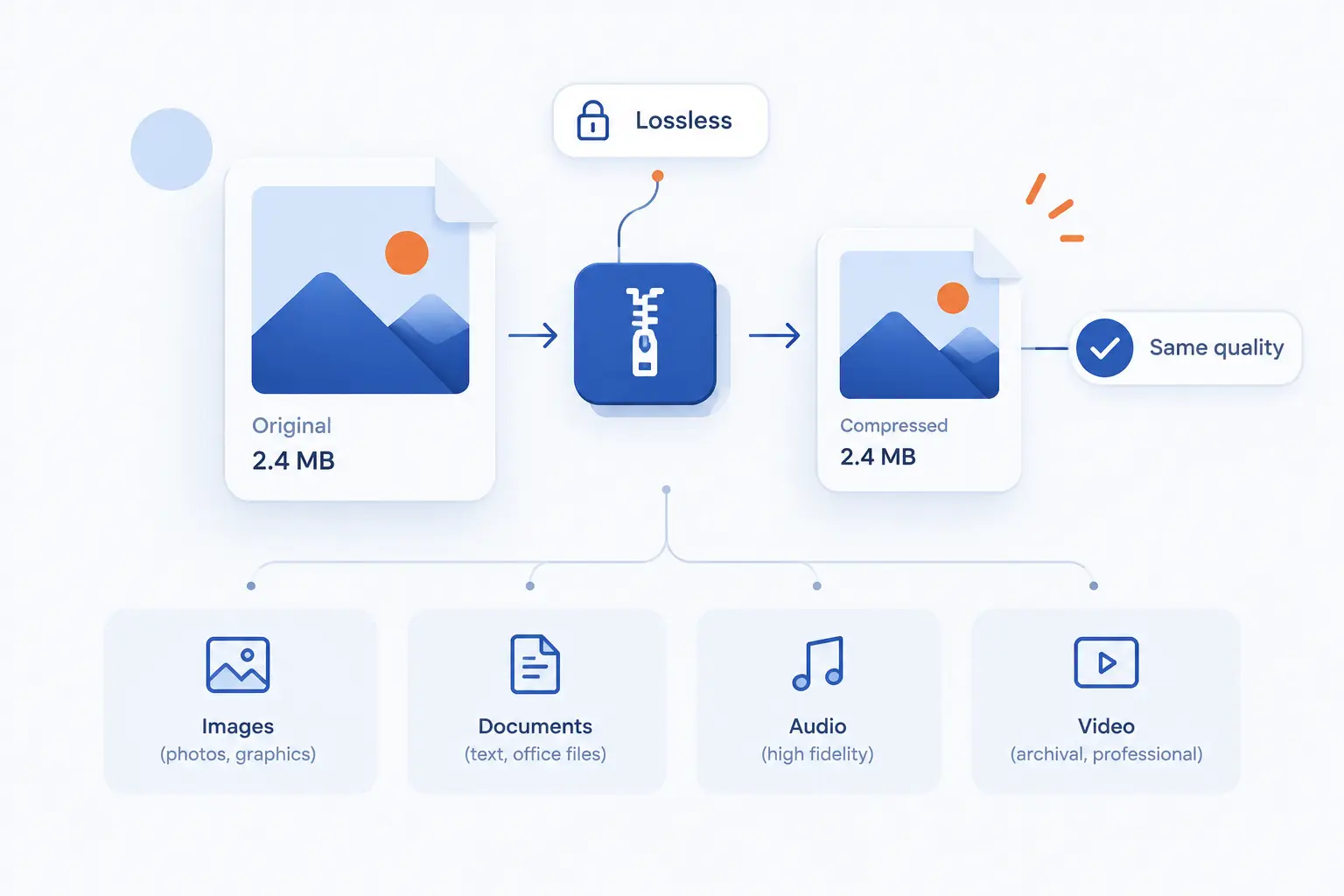
- Lossless Compression Shrinks Data While Allowing Perfect Reconstruction
- How Lossless Compression Works
- Common Compression Algorithms Behind Lossless Results
- Where Lossless Compression Is Used
- Lossless Compression vs Lossy Compression
- Benefits and Limits to Know Before You Choose
- FAQ
- How 1Byte Supports Websites Using High-Quality Media
- Conclusion
Lossless compression is a way to shrink a file while keeping every bit of the original data recoverable. When the file is decompressed, it should come back exactly as it was before compression. That makes it different from lossy compression, which throws away some information to make files smaller. We use lossless compression when accuracy matters more than the smallest possible file size, such as code, documents, databases, archives, medical images, screenshots, and master media files.
At 1Byte, we see lossless compression as one of those quiet technologies that keeps the web practical. It helps websites send text, scripts, stylesheets, images, archives, and some audio more efficiently without damaging the source. Still, it is not magic. If a file is already highly compressed, encrypted, or random-looking, lossless compression may save very little space.
Lossless Compression Shrinks Data While Allowing Perfect Reconstruction
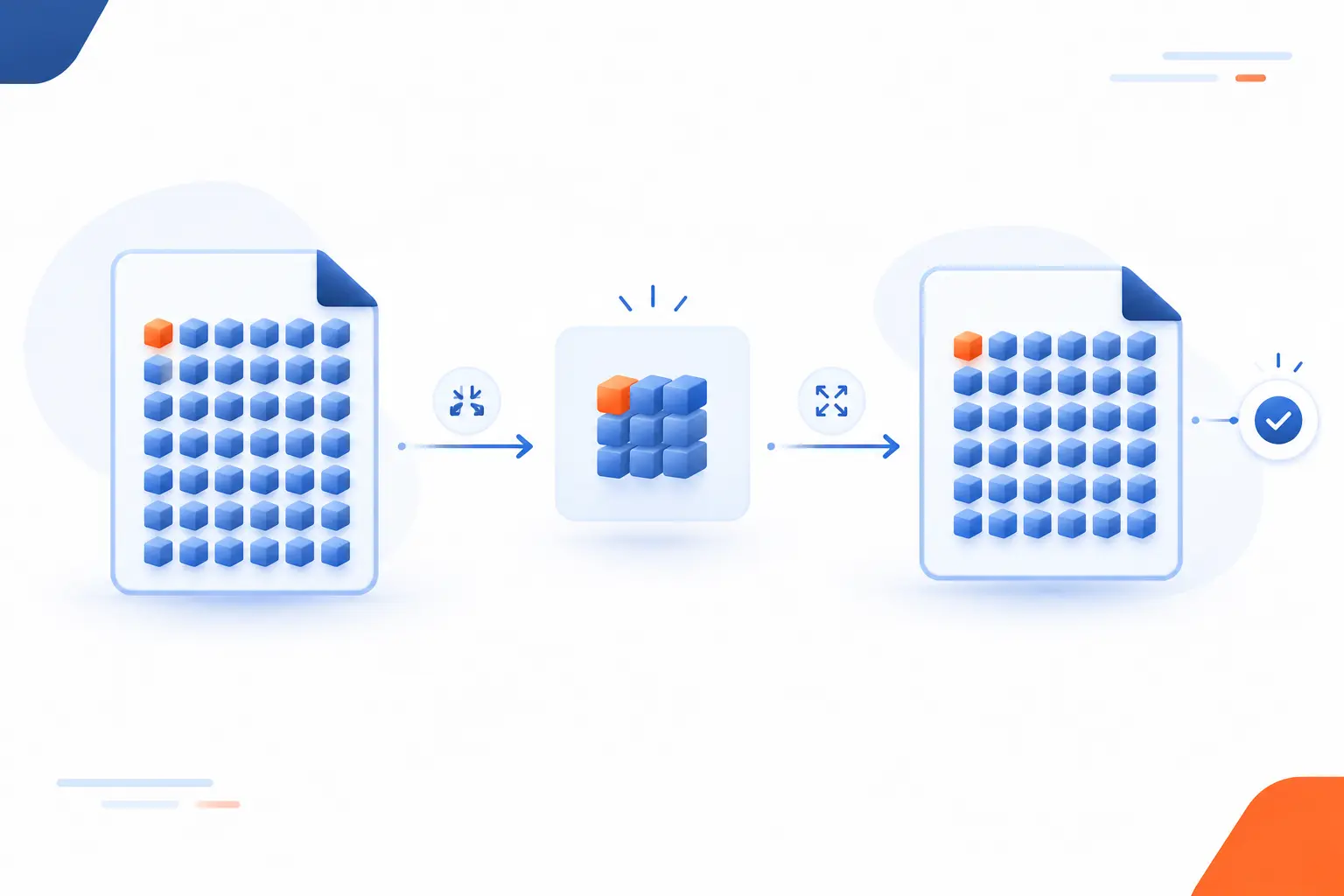
Lossless compression means reducing data size in a reversible way, so decompression can recreate the exact original file. Nothing meaningful is guessed, discarded, or approximated. The compressed version stores a shorter representation of patterns already present in the data. A standards-track description of FLAC says the format reduces storage needs without removing or irreversibly altering data, which captures the central promise of the method in a practical media context through its formal audio specification.
A simple example is a text file that repeats the phrase “product image” hundreds of times. Instead of storing the full phrase every time, a compressor can store the phrase once and then use compact references for later appearances. When the file is opened again, the decompressor follows those references and rebuilds the original text. That is why lossless compression works especially well on structured and repetitive data.
We like to describe it as smart packing rather than editing. The suitcase gets smaller because the items are folded better, not because anything is thrown away. If your business depends on exact records, source files, or audit trails, that distinction is not academic. It is the whole point.
FURTHER READING: |
| 1. Why Website Performance Matters for SEO and Sales |
| 2. What Is Cross Site Scripting and How Does It Work |
| 3. How to Build a Website From Scratch in 10 Steps |
How Lossless Compression Works
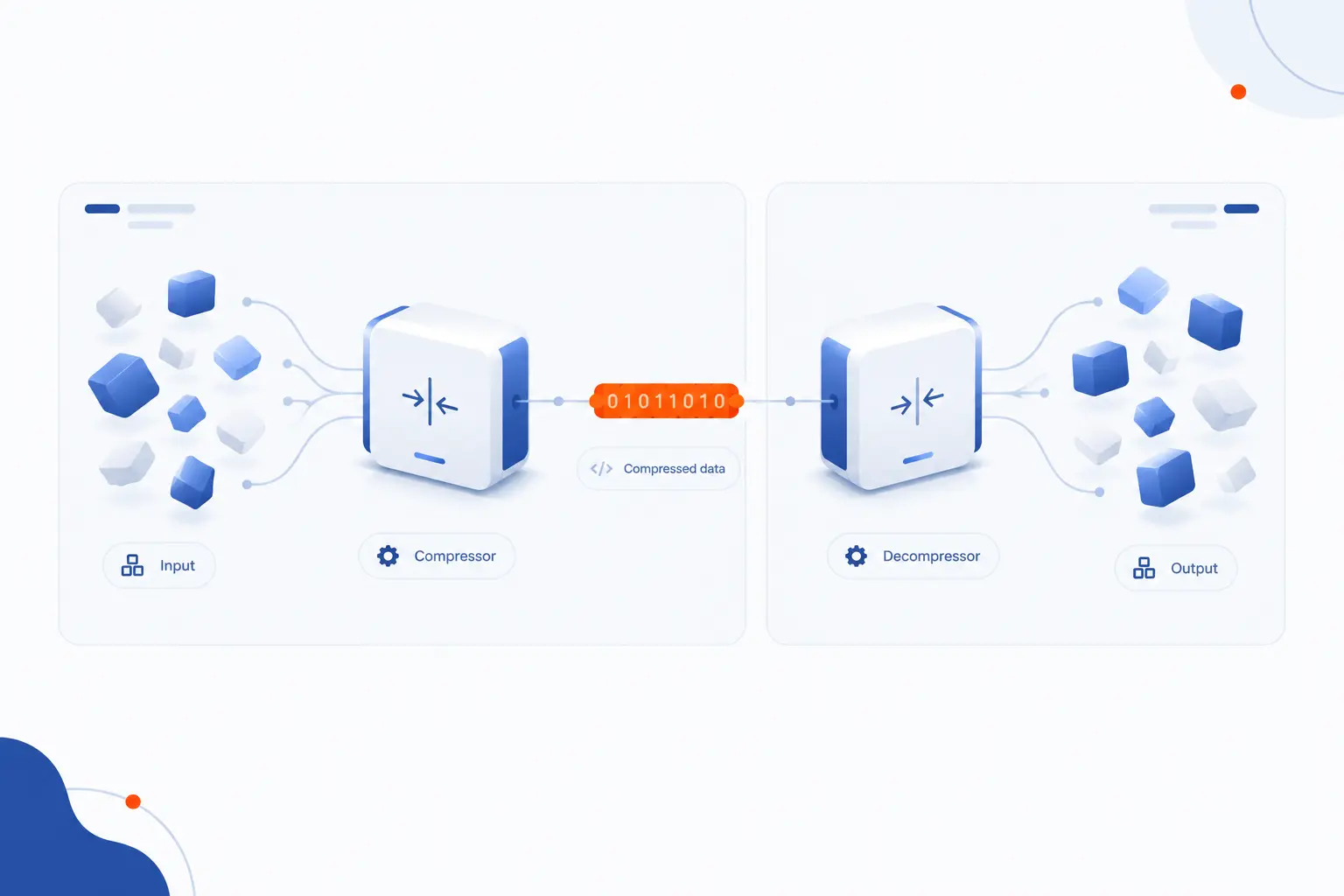
Lossless compression works by replacing inefficient representations with shorter reversible ones. The compressor analyzes the input, finds repeated or predictable material, and writes a compact code that still contains enough information to restore the original. The decompressor then reads that code and reverses the process. Most real systems combine several techniques, because text, images, audio, and application files have different kinds of redundancy.
It Finds Redundancy and Repeating Patterns
The first job of lossless compression is to find information that appears more than once or can be predicted from nearby data. In text, that might be repeated words, spaces, tags, field names, or JSON keys. In images, it might be long areas of similar color. In logs, it might be timestamps, IP prefixes, status codes, or repeated request paths.
This is why a plain HTML file often compresses well. It contains repeated tags such as <div>, <p>, class, and href. A minified JavaScript file may still include repeated function names, punctuation, imports, and object structures. The compressor notices these patterns and represents them more compactly.
The key idea is that compression exploits predictability. If data looks orderly, there is room to describe it more efficiently. If it looks random, there is less to work with.
It Encodes Common Data More Efficiently
After finding patterns, lossless compression gives shorter codes to common items and longer codes to rare ones. This is the idea behind entropy coding methods such as Huffman coding. If the letter “e” appears often, it should not cost as many bits as a rare symbol. The same principle applies to bytes, tokens, match lengths, and other internal symbols.
Dictionary-based compressors take another route. They replace repeated strings with references to earlier occurrences. For example, a compressor may store “customer_id” once, then later say, in effect, “repeat the earlier string at this location.” The reader never sees that shortcut, because decompression expands it back into the original text.
Many common formats combine both ideas. DEFLATE, for example, uses LZ77-style matching with Huffman coding, and its specification describes a 32K sliding window that lets the encoder refer back to recent data.
It Rebuilds the Exact Original File During Decompression
Decompression rebuilds the exact original by following the encoded instructions in reverse. If the compressed stream says a sequence was copied from earlier data, the decompressor copies it back. If the stream uses short codes for frequent symbols, the decompressor maps those codes back to the original symbols. The process is deterministic, which means the same valid compressed input should decode to the same original output.
This matters because “close enough” is not acceptable for many file types. A single changed byte can break a ZIP archive, corrupt a database backup, alter source code, or invalidate a cryptographic checksum. With lossless compression, success is measured by exact reconstruction, not visual or audible similarity.
That is also why compressed files often include headers, checks, or metadata. These pieces help software identify the format, decode the stream correctly, and sometimes detect damage. The compression method and container format work together.
Common Compression Algorithms Behind Lossless Results
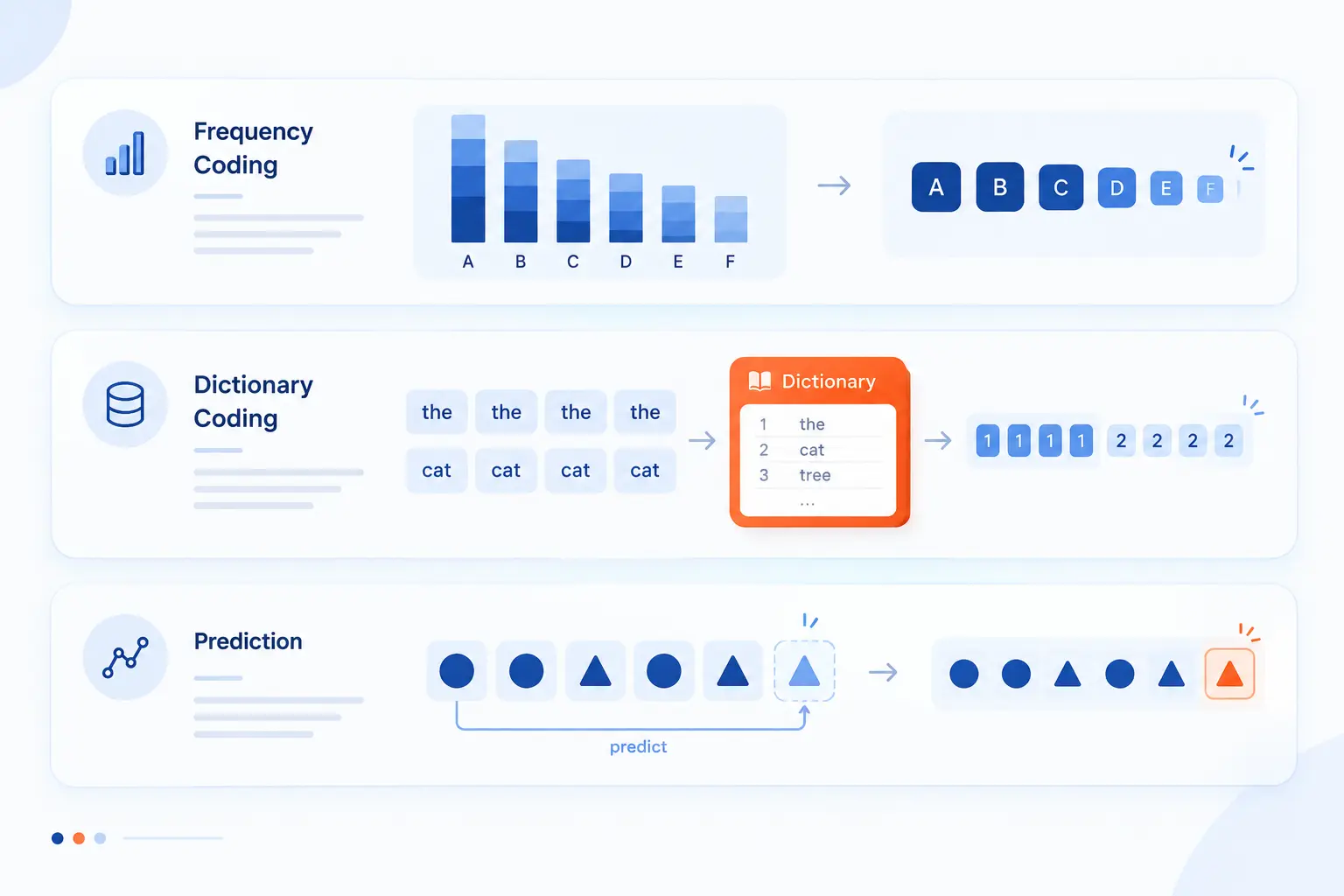
Lossless compression is not one algorithm, but a family of methods that solve the same problem in different ways. Some methods focus on assigning shorter codes to frequent symbols. Others build dictionaries of repeated strings. Image and audio formats may add prediction before final coding. Here is the short map before we walk through the main approaches.
| Method | Best at | Common places |
|---|---|---|
| Huffman and arithmetic coding | Encoding frequent symbols compactly | DEFLATE, Brotli, image and media codecs |
| LZ dictionary methods | Replacing repeated strings with references | ZIP, gzip, GIF, web delivery formats |
| Run-length and prediction | Handling repeated values or predictable neighbors | Images, audio, scientific data, simple graphics |
Huffman and Arithmetic Coding
Huffman and arithmetic coding reduce size by representing likely symbols with fewer bits. Huffman coding builds a code tree where frequent symbols get short codes. Arithmetic coding represents a whole message as a value within a probability range, which can be more compact in some cases. Both depend on probabilities, so they work best when some symbols occur much more often than others.
Think of a server response that contains thousands of spaces, brackets, quotation marks, and repeated field names. If all characters cost the same number of bits, the file wastes room. A probability-aware encoder can assign shorter representations to the common parts. That is one reason structured text can compress so nicely.
These techniques are often used after another stage has already found matches. Brotli is a good example. Its format combines LZ77-style copying, Huffman coding, and context modeling according to the published format record.
LZ77 LZ78 and LZW Dictionary Methods
LZ77, LZ78, and LZW compress by replacing repeated sequences with dictionary-style references. LZ77 looks backward into recently seen data and stores a pointer plus a length when it finds a match. LZ78 builds a dictionary of phrases as it reads the input. LZW, a later variation, became widely known through formats such as GIF.
The dictionary idea is easy to feel in everyday web files. In CSS, selectors, property names, color codes, and layout values repeat across the file. In JSON, field names and punctuation repeat constantly. A dictionary compressor can replace those recurring pieces with shorter references.
This family of methods is popular because it is general-purpose. It does not need to understand English, JavaScript, invoices, or configuration files. It only needs to find repeated byte sequences. That makes it useful across hosting, backups, application delivery, and file archives.
Run-Length Encoding and Predictive Techniques
Run-length encoding and predictive techniques work by simplifying data that repeats or follows a pattern. Run-length encoding stores a value plus the number of times it repeats, so “00000000” becomes something like “eight zeroes.” It is simple, fast, and effective when long runs exist. It is weak when data changes constantly.
Prediction takes a smarter path. Instead of storing every original value directly, a format may store the difference between a value and a predicted value. If nearby pixels or audio samples are similar, the differences are often smaller and easier to encode. PNG uses reversible filtering before compression, and the specification describes the filter operation as deterministic and reversible in the current PNG document.
We see prediction as the practical bridge between raw data and compact data. It does not delete the original. It prepares the data so the next compression step has an easier job.
Where Lossless Compression Is Used
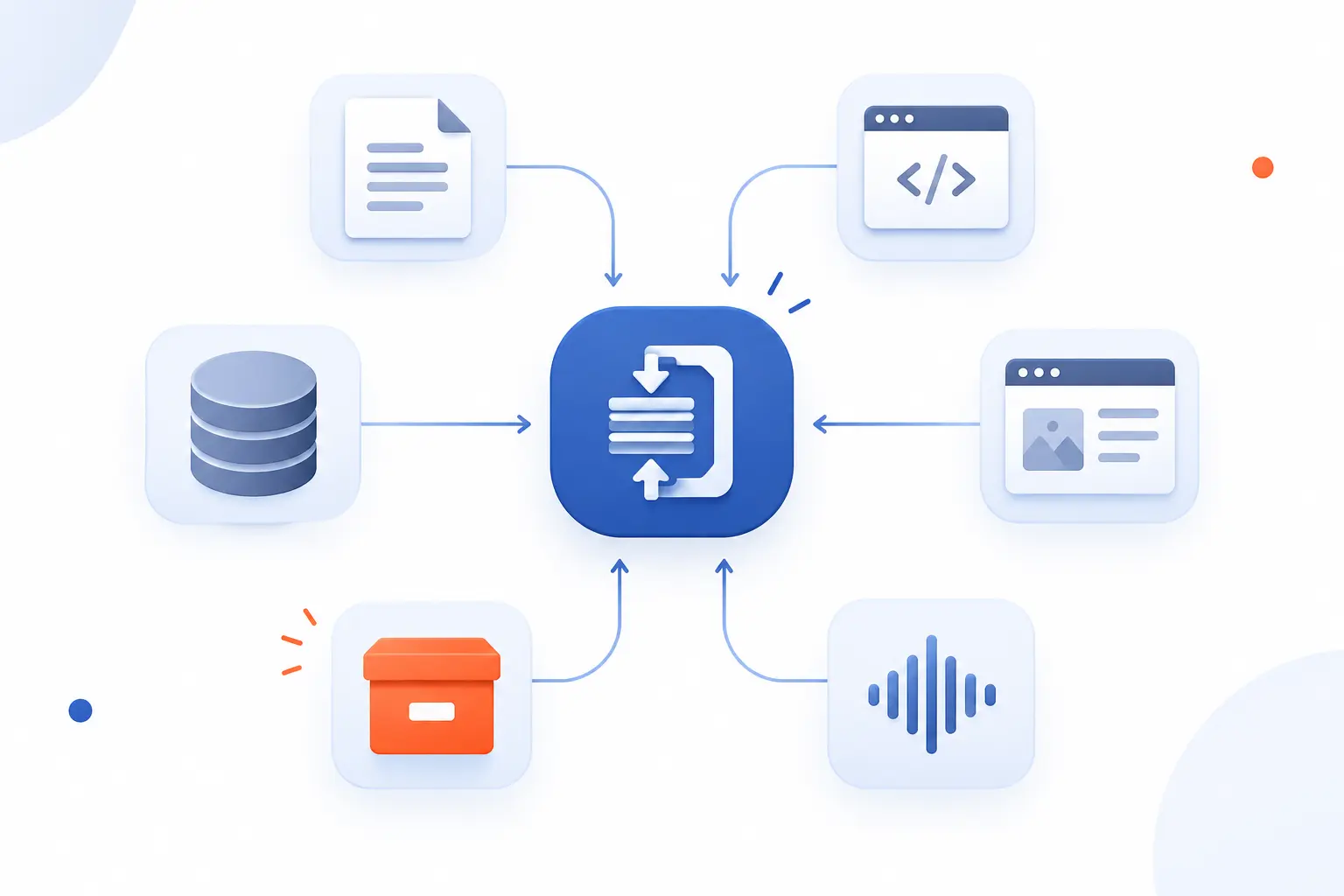
Lossless compression is used wherever the original must survive intact or where structured data compresses efficiently. It appears in documents, source code, databases, web responses, archives, image formats, and audio formats. For websites, it often reduces the transfer size of HTML, CSS, JavaScript, SVG, JSON, and API responses. For storage, it helps keep backups and archives smaller without changing the saved content.
| Use case | Why it fits | Typical examples |
|---|---|---|
| Text and records | Repeated structure compresses well | HTML, CSS, logs, CSV, JSON, SQL dumps |
| Images | Exact pixels may be required | PNG, GIF, RAW workflows, technical screenshots |
| Archives and delivery | Files can be packed or sent efficiently | ZIP, gzip, Brotli, tar archives |
Text Documents Source Code and Database Records
Text, source code, and database records are strong candidates because they contain repeated structure. HTML repeats tags. CSS repeats property names. JavaScript repeats punctuation and identifiers. SQL dumps repeat table names, column names, and values. CSV files repeat delimiters and field patterns.
This is why response compression is common in web hosting. A server can compress text-based assets before sending them to a browser. The browser then decompresses them before rendering or executing the content. The result is smaller network transfer without changing the actual page source the browser uses.
For backups, lossless methods protect the original content while reducing storage needs. A database dump that decompresses with even tiny changes is not a backup we would trust. Exactness comes first.
Image Compression for PNG GIF RAW and Similar Formats
Lossless image compression is used when pixels must remain exact. PNG is the classic web example. It is useful for screenshots, interface graphics, logos, diagrams, and images with sharp edges or flat color areas. Unlike JPEG, it does not blur edges or introduce block artifacts.
GIF is also built around indexed color and LZW-style compression. The GIF89a specification explains that its LZW codes are variable length, from 3 to 12 bits, which reflects how the format packs image data into a compact stream.
RAW and professional image workflows are a little different. A photographer or designer may keep a high-quality master file because edits compound over time. Starting from a lossy copy can mean working with damage that was baked in earlier. When accuracy matters, we prefer to preserve the master and create smaller delivery copies separately.
Archives Audio and Delivery Formats Such as ZIP Gzip and Brotli
Archives and delivery formats use lossless compression to move or store files without changing them. ZIP packages multiple files into one container and may compress each file. Gzip is common for single streams and web server responses. Brotli is widely used for web assets because it can produce smaller text transfers than older methods in many cases.
On the web, the browser and server negotiate what encoding they both support. If the browser accepts Brotli and the server has it enabled, the server may send a Brotli-compressed response. In the HTTP Archive Web Almanac, Brotli reached 45% of JavaScript responses in its dataset, showing how mainstream it has become for script delivery.
Audio also has lossless formats, with FLAC being the best-known open example. The point is not to make audio as tiny as MP3 or AAC. The point is to reduce size while preserving the original audio information.
Lossless Compression vs Lossy Compression
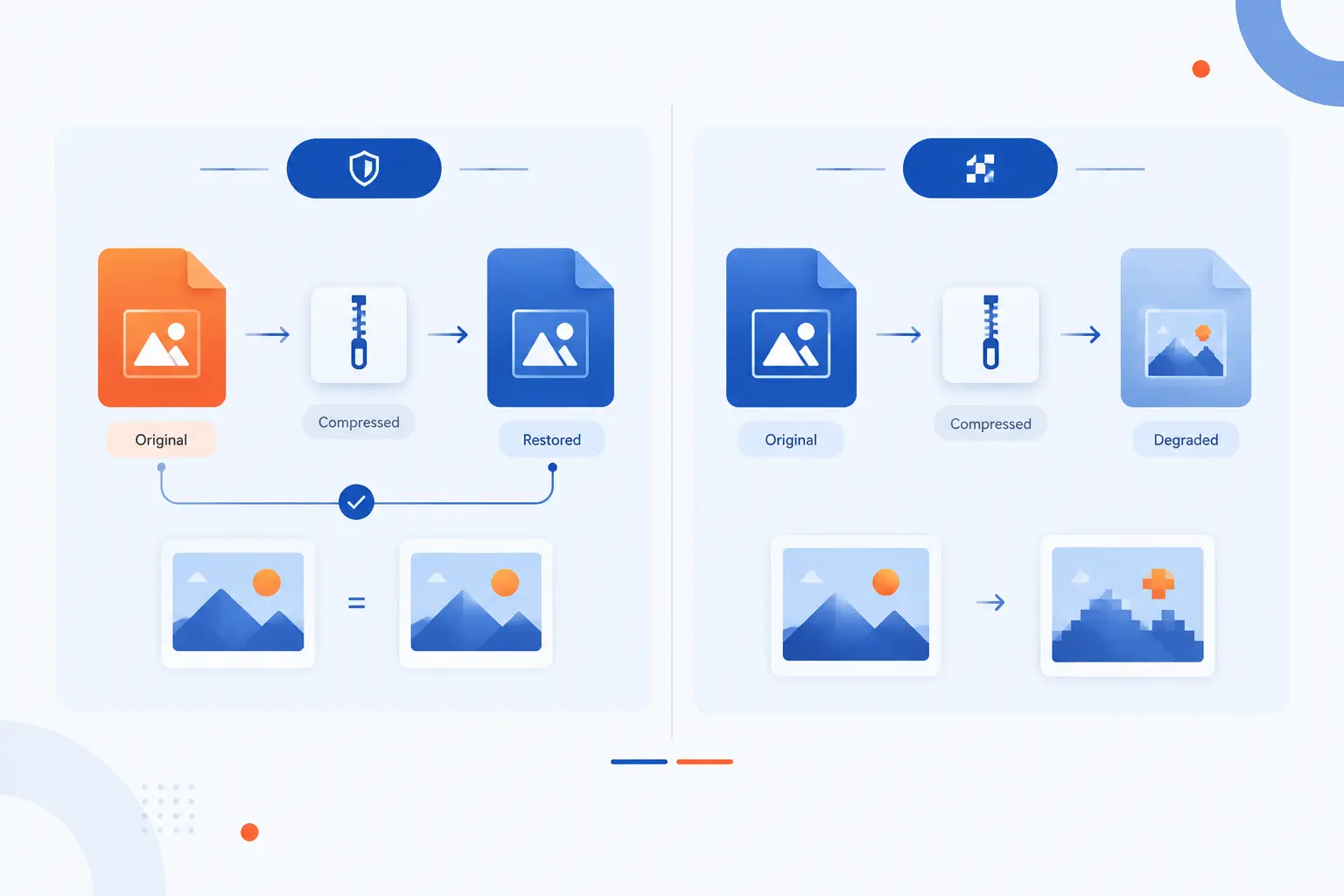
Lossless compression preserves all original information, while lossy compression discards information that the encoder judges less important. The right choice depends on whether exact reconstruction is required. If the file is a legal record, source code, medical scan, database export, or master creative asset, lossless is the safer default. If the file is a public delivery copy of a photo, video, or music stream, lossy may be acceptable because it can be much smaller.
| Choice | What happens | Best fit |
|---|---|---|
| Lossless | Original data can be restored exactly | Records, code, archives, PNG, FLAC, backups |
| Lossy | Some data is permanently removed | Delivery photos, streaming audio, video, thumbnails |
What Gets Preserved and What Gets Discarded
Lossless compression preserves everything needed to recreate the exact original, while lossy compression permanently discards selected information. With a PNG screenshot, every pixel can be restored. With a JPEG photo, the encoder may remove details that are less visible to human eyes. The JPEG may look fine, but it is not the same data anymore.
This distinction is easy to overlook because both approaches “compress” files. Yet the consequences are very different. If you compress a contract, source file, or database record in a lossy way, you risk changing the content. That is unacceptable. If you compress a product photo for a storefront, lossy compression might be reasonable if the visible quality remains good.
We usually ask one question first: will anyone need the exact original later? If yes, keep a lossless copy.
Compression Ratio and File Size Trade-Offs
Lossy compression usually creates smaller files, while lossless compression usually protects quality with more modest size savings. That trade-off is normal. Lossless methods can only remove redundancy that already exists. Lossy methods can go further because they are allowed to remove information.
A JPEG version of a complex photograph can be much smaller than a PNG version. The JPEG wins on delivery size because it changes the image data. For diagrams, screenshots, icons, and text-heavy graphics, PNG may be both cleaner and efficient because those images contain sharp edges and repeated color patterns.
For websites, the best answer is often mixed. Use lossless compression for HTML, CSS, JavaScript, SVG, JSON, and exact image assets. Use well-tuned lossy formats for photographs and video when visual quality remains acceptable.
When Exact Fidelity Matters More Than Distribution Speed
Exact fidelity matters most when the file is a source of truth. That includes financial exports, customer records, engineering files, legal documents, source code, medical or scientific images, and original media masters. In those cases, a slightly larger file is a fair price for certainty.
Distribution speed matters most when users need fast access and perfect reconstruction is not required. A web thumbnail does not need to preserve every camera sensor detail. A streaming preview does not need to be a studio master. The delivery copy can be optimized for the audience, device, and bandwidth.
Our practical stance is simple. Preserve with lossless methods, then distribute with the smallest format that still meets the user’s real quality needs.
Benefits and Limits to Know Before You Choose
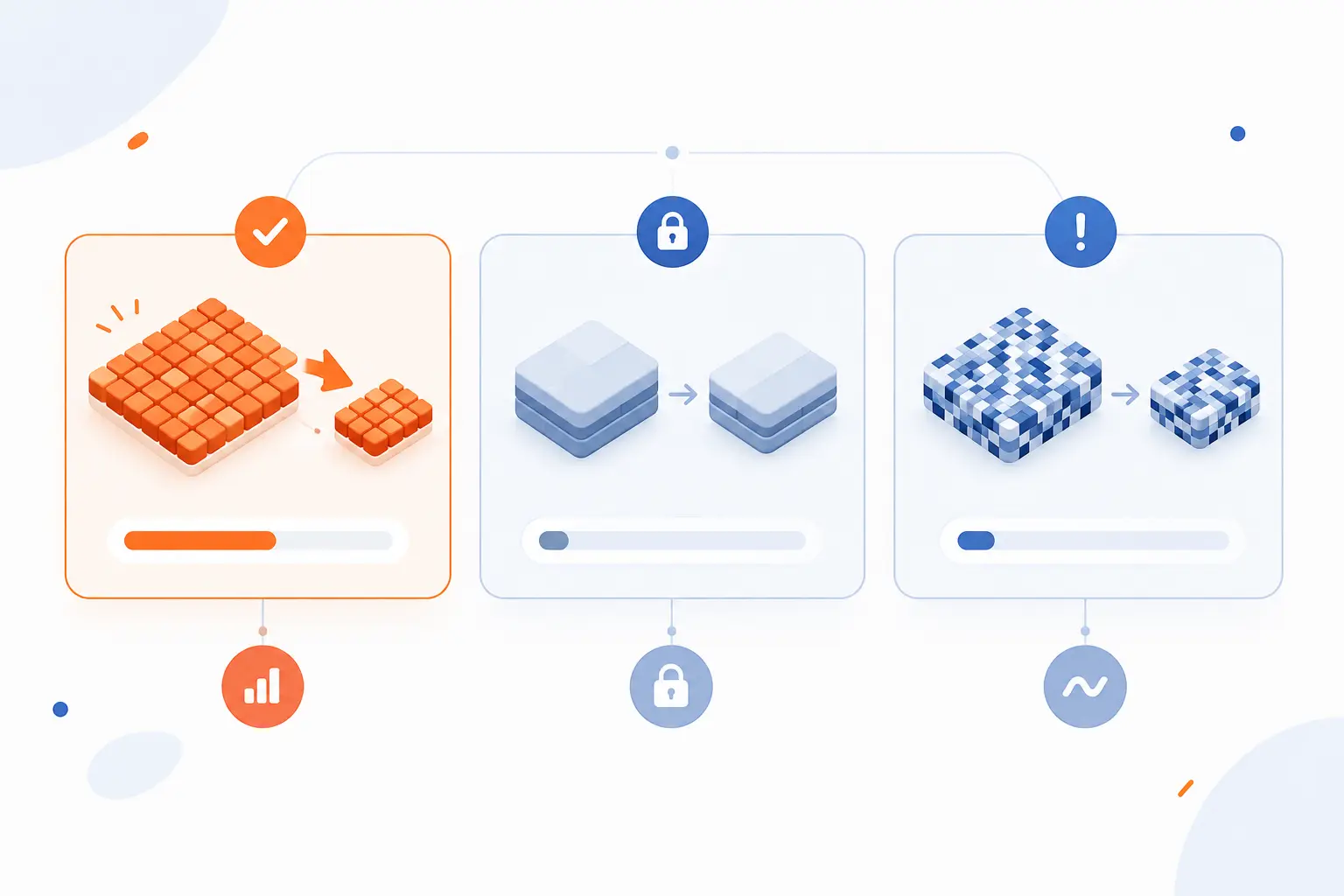
Lossless compression is valuable because it reduces size without sacrificing the original, but it has limits. It works best on redundant, structured, or predictable data. It works poorly on data that is already compressed, encrypted, or close to random. Before choosing it, we look at the file type, the business risk of alteration, and whether storage, bandwidth, or editing quality matters most.
Why Reversibility Matters for Editing Analysis and Archiving
Reversibility matters because future work often depends on the original data being intact. A designer editing a logo wants clean edges, not artifacts from an old export. A developer restoring source code needs every character preserved. An analyst working with logs or database exports needs the original values, not approximations.
Archiving is where lossless compression really earns its keep. You may not know what tool, audit, or migration will need the file later. If the archive format preserves the original data, you keep more options open. That flexibility is worth more than a few extra percentage points of storage savings.
We often recommend thinking in layers. Keep a lossless master for storage and editing. Then make optimized delivery versions for the web, email, apps, or social platforms.
Why File Size Savings Are Usually More Modest
File size savings are usually more modest because lossless compression cannot throw information away. It can only describe existing data more efficiently. If the data contains patterns, it can shrink well. If it contains little redundancy, the compressor has less room to maneuver.
This is why a text-heavy web page may shrink dramatically, while a high-quality JPEG may barely change inside a ZIP file. The JPEG encoder has already done its own compression. Wrapping it in another general-purpose compressor usually adds little value.
That is not a failure. It is a sign that compression is bounded by the structure of the input. Better packing only helps when there is something to pack better.
Why Some Files Barely Shrink or Even Grow
Some files barely shrink or even grow because compressed formats still need metadata, headers, and coding tables. If the original file has almost no redundancy, those extras can outweigh the savings. This often happens with encrypted files, random data, many media files, and files that were already compressed by a specialized codec.
For example, compressing a ZIP file again rarely helps. Compressing a PNG again with gzip usually makes little sense. Compressing encrypted backups after encryption is also weak, because encryption makes the output look random. If you need both compression and encryption, compress first, then encrypt.
That order matters. Compression needs patterns. Encryption is designed to hide patterns. Put them in the wrong order and you make the compressor work blind.
FAQ
This FAQ gives quick answers to the questions beginners usually ask about lossless compression. The short version is that lossless methods reduce size while preserving exact recoverability. The details depend on the format, file type, and workflow. When in doubt, use lossless for originals and records.
What Is Lossless Compression in Simple Terms
Lossless compression is a way to make a file smaller while still allowing the exact original to be restored. It works by replacing repeated or predictable data with shorter reversible codes. Think of it as packing a suitcase carefully rather than leaving items behind.
What Are the Downsides of Using Lossless Compression
The main downside is that lossless compression usually cannot make files as small as lossy compression. It may also add CPU work during compression and decompression, depending on the format and settings. Some files, especially already compressed or encrypted files, may shrink very little.
Is There Any Lossless Compression
Yes, there are many real lossless compression methods and formats. ZIP, gzip, Brotli, PNG, GIF, and FLAC all use lossless ideas in different ways. The best choice depends on whether you are compressing text, images, archives, audio, or web responses.
Is Lossless Compression Really Lossless
Yes, lossless compression is really lossless when the format is used correctly and the file is not corrupted. Decompression should reproduce the exact original data. If a tool changes image dimensions, color settings, metadata, or audio processing during export, that change comes from the workflow, not from the lossless principle itself.
How 1Byte Supports Websites Using High-Quality Media
1Byte supports websites using high-quality media by helping site owners put the right hosting foundation around their files, pages, and delivery choices. Lossless compression protects originals and exact assets, but hosting still determines how those assets are stored, secured, and served. For a media-heavy site, the practical question is not only “Which format should we use?” It is also “Where will these files live, and how will visitors reach them reliably?”
| 1Byte service area | How it relates to media-heavy sites | Practical use |
|---|---|---|
| Domain registration and SSL certificates | Gives the site a public name and encrypted access | Launch a secure brand site or portfolio |
| WordPress hosting, shared hosting, and cloud hosting | Matches site size and management needs | Run blogs, galleries, stores, and business pages |
| Cloud servers | Provides more control for storage and processing | Handle custom apps, media workflows, and larger projects |
Launch Secure Sites With Domain Registration SSL Certificates and WordPress Hosting
Domain registration, SSL certificates, and WordPress hosting help turn compressed media and page files into a reachable, trusted website. A domain gives visitors a clear address. An SSL certificate protects traffic between the visitor and the site. WordPress hosting gives site owners a familiar way to publish media, pages, posts, and galleries.
For lossless media workflows, this matters at the starting line. A designer may upload PNG logos, screenshots, or source-quality graphics. A business may publish downloadable archives or documentation. Those files need a real home, a secure connection, and a publishing system that fits the team’s skill level.
Our view is practical. Compression choices improve files, but the launch stack makes them usable to visitors.
Match Performance and Budget With Shared Hosting and Cloud Hosting
Shared hosting and cloud hosting help site owners choose a practical balance between cost, traffic needs, and control. Shared hosting can fit smaller sites with straightforward content. Cloud hosting can fit growing sites that need more room to handle heavier pages, more media, or more active visitors.
Lossless compression can reduce the size of text assets and preserve exact images, but it does not replace sensible hosting. A gallery with many large PNG files still needs enough storage and careful file handling. A business site with scripts, stylesheets, and API responses still benefits from proper delivery settings.
We usually suggest starting from the workload, not from buzzwords. Count the media, think about visitor behavior, and choose the hosting type that fits the actual site.
Scale Storage Delivery and Processing With Cloud Servers
Cloud servers are useful when a site or application needs more direct control over storage, delivery, or processing. That can include custom media pipelines, automated image processing, archive handling, or application logic around user uploads. Lossless compression often sits inside those workflows as a preservation step.
For example, a business might keep original PNG or FLAC files for editing and generate separate delivery copies for public pages. Another team might compress log exports, database backups, or document bundles before long-term storage. A cloud server gives technical teams more room to shape those processes.
1Byte is also an AWS Partner, which matters when cloud decisions need to connect hosting choices with broader infrastructure planning. We keep the recommendation simple: preserve originals carefully, generate delivery formats intentionally, and run them on infrastructure that matches the job.







Conclusion
Lossless compression shrinks data while preserving the ability to rebuild the exact original. It works by finding redundancy, encoding common patterns efficiently, and reversing the process during decompression. That makes it the right choice for files where accuracy matters, including code, records, archives, screenshots, diagrams, master media, and many web assets.
The trade-off is size. Lossless files are often larger than lossy delivery versions, because nothing can be thrown away. That is not a weakness when fidelity is the requirement. It is the reason the method exists.
Our advice at 1Byte is to separate preservation from delivery. Keep lossless originals where exactness matters, then create optimized public versions where speed and bandwidth matter more. If your website uses high-quality media, start by asking this: which files must remain perfect, and which files only need to look or sound good to visitors?