

- A Cloud Migration Strategy Maps What Moves, How It Moves, and What Success Looks Like
- Why Teams Move From On-Premises Systems to the Cloud
- How to Build a Cloud Migration Strategy Before Cutover
- Match Each Workload to the Right Migration Path
- Manage Risk, Security, and Cost Before Problems Scale
- Execute the Move in Phases Instead of All at Once
- What to Do After Go-Live to Capture Cloud ROI
- Frequently Asked Questions
- How 1Byte Supports Cloud Migration Projects
- Conclusion
A cloud migration strategy is the plan that decides what moves to the cloud, how it moves, who owns each decision, and how success will be measured after go-live. We see it as a practical map, not a ceremony. It connects business goals, technical risk, security controls, budgets, and rollout timing before anyone starts copying data or changing DNS. A good cloud migration strategy also says what should not move yet, because a rushed move can carry old waste into a newer bill.
At 1Byte, we favor migrations that begin with evidence. That means inventory first, pilots second, rollout third, optimization always. The cloud is powerful because infrastructure can be provisioned faster, measured more closely, and adjusted more often than most on-premises environments. Yet the same flexibility can become sprawl if teams skip governance, cost ownership, and testing. This guide gives you a planning framework for moving with confidence, whether you are shifting a website, a business application, or a larger application portfolio.
A Cloud Migration Strategy Maps What Moves, How It Moves, and What Success Looks Like

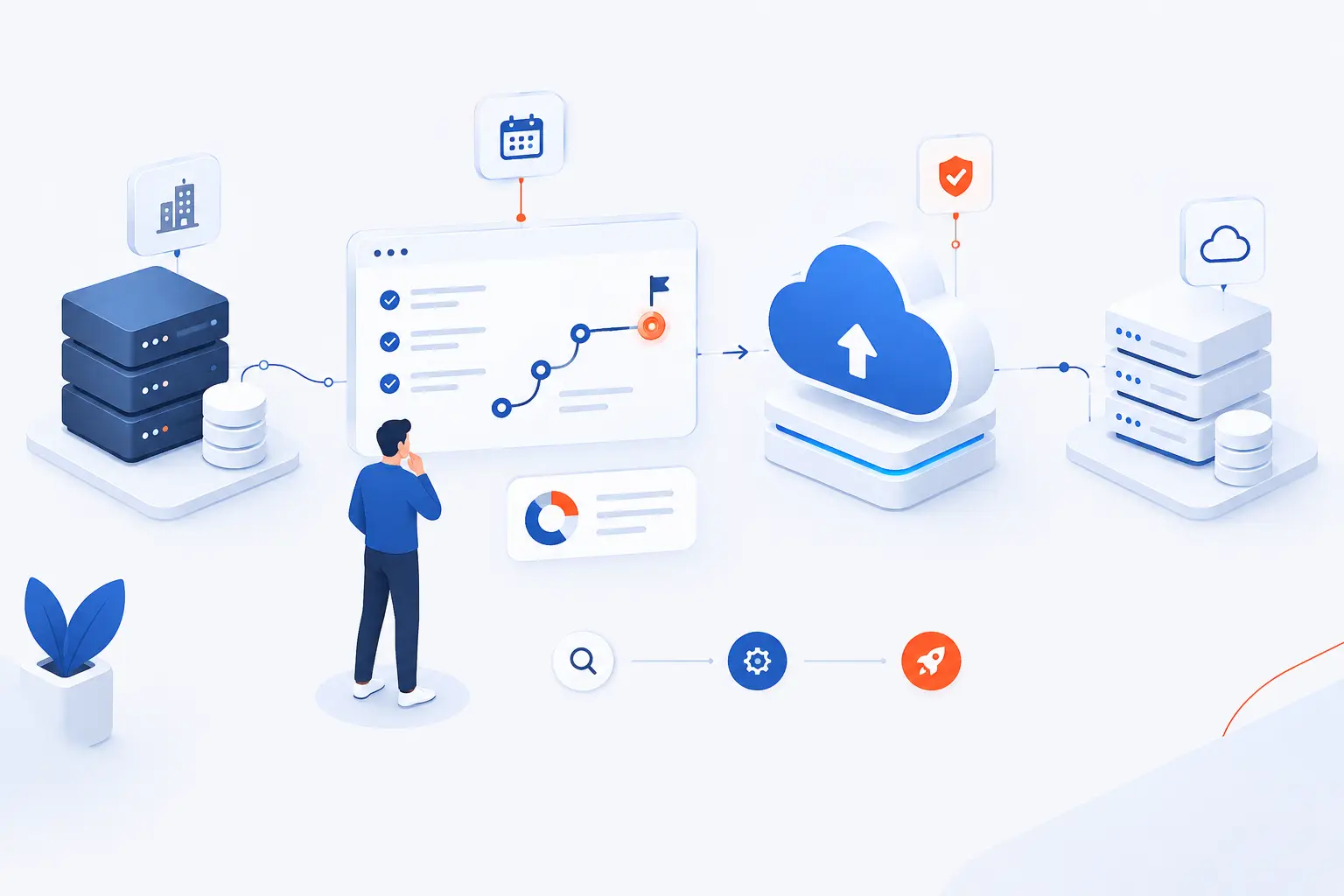
A cloud migration strategy defines the scope, route, risks, timeline, and target outcomes of moving applications, data, and infrastructure from one environment to another. In practice, it answers five questions: what are we moving, why are we moving it, where will it run, how will we cut over, and how will we prove the move worked? We believe the best strategies are specific enough for engineers and simple enough for executives. They turn “move to the cloud” into a set of sequenced decisions.
The strategy should begin with business outcomes. A retailer may want faster campaign launches before holiday traffic. A bank may want stronger data controls and a path to analytics. A media company may need global reach and elastic capacity. Netflix is a classic example of patience over drama: it completed a seven-year effort and shut down the last data center bits for its streaming service after years of careful engineering.
That example matters because migration is rarely a single event. It is a portfolio program. Some workloads can be rehosted with limited change. Some should be redesigned. Some should be retired. The strategy keeps those choices visible so teams do not treat every system the same.
Our practical view is simple: a cloud migration strategy should be a decision record with dates, owners, fallback plans, and measurable targets. If it cannot guide a cutover meeting, a budget review, and a post-launch incident review, it is still too vague.
FURTHER READING: |
| 1. What Is a Virtual Dedicated Server and How It Works |
| 2. How to Make a Minecraft Server for Java Edition |
| 3. Cloud Server Rental Cost: How Much You Should Really Be Paying in 2026 |
Why Teams Move From On-Premises Systems to the Cloud

Teams move from on-premises systems to the cloud to gain faster provisioning, more flexible capacity, modern data services, stronger resilience options, and clearer cost accountability. The best reason is not “everyone is doing it.” The best reason is that the current environment is blocking a measurable business goal. We advise readers to name that blocker before choosing a provider or architecture.
Scalability, Flexibility, and Faster Provisioning
The cloud helps teams match capacity to demand without buying hardware months ahead of time. NIST’s widely used definition describes cloud resources as services that can be rapidly provisioned and released, which is the operational heart of elasticity. For a growing ecommerce site, that can mean adding capacity before a flash sale and reducing it afterward. For a development team, it can mean creating test environments on demand instead of waiting for procurement.
The planning lesson is to identify workloads with uneven demand. Batch jobs, campaign-driven websites, seasonal traffic, and development environments often benefit early. Steady workloads may still move, but the case must be different. We would not sell elasticity as magic. It works when autoscaling rules, quotas, monitoring, and cost alerts are designed before traffic arrives.
Modernization, Data, and AI Readiness
Cloud migration often creates the foundation for better data platforms, application modernization, and AI experiments. This does not mean every legacy application must be rewritten. It means teams can move selected workloads closer to managed databases, object storage, event services, analytics tools, and model development environments. The cloud gives more building blocks, but strategy decides which ones are worth using.
We would start with data quality and access patterns. Where is the source of truth? Which applications depend on nightly exports? Which teams need governed access? The 2024 HashiCorp survey found that lack of skills was a common barrier to adopting generative AI for cloud infrastructure work. That lines up with what we see: readiness is not just a platform issue. It is a people, data, and governance issue.
Security, Compliance, and Resilience
Cloud can improve security and resilience when teams configure it deliberately. Providers secure the underlying infrastructure, but customers still own their data, identities, access rules, network exposure, and application behavior. AWS describes this split as security of the cloud and security in the cloud, which is a useful phrase for planning conversations. The line changes by service model, so it must be documented for each workload.
Resilience also needs design. Multi-zone deployment, backups, recovery testing, and incident runbooks do not appear by accident. A workload lifted into one virtual machine with no backup validation is still fragile. In our view, security and resilience should be migration entry criteria, not cleanup tasks after go-live.
Cost Control and Operational Efficiency
Cloud can improve cost control when teams connect spend to usage, ownership, and outcomes. It can also make waste easier to create. Flexera’s 2026 reporting says 85% of organizations rank managing cloud spend as a top challenge, which is why cost planning belongs in the first draft of the strategy. A migration that ignores tagging, budgets, rightsizing, and approvals will usually pay for that silence later.
Operational efficiency comes from reducing undifferentiated work. Managed databases can reduce patching burdens. Infrastructure templates can reduce manual builds. Standard environments can reduce configuration drift. Still, every gain has a condition: someone must define the operating model. Who patches? Who approves larger instances? Who reviews idle resources? These questions are small until the bill arrives.
How to Build a Cloud Migration Strategy Before Cutover

To build a cloud migration strategy before cutover, start with outcomes, inventory the environment, group workloads into waves, choose the target architecture, and align the people who will approve, operate, and fund the move. This order matters. If teams pick tools before defining outcomes, the strategy becomes tool-driven. If they schedule cutover before discovering dependencies, the risk moves from paper to production.
Define Business Outcomes and Success Metrics
Define the migration’s business outcomes before choosing the technical route. A useful outcome is measurable, time-bound, and tied to a real pain point. Examples include reducing release delays, improving recovery options, supporting new markets, or replacing aging hardware before renewal. “Move to cloud” is not an outcome. It is a delivery method.
We recommend setting a small scorecard. Include application performance, availability targets, recovery objectives, deployment frequency, cost per workload, and user experience. Finance should help define cost metrics. Security should help define risk metrics. Product owners should define customer-facing success. When these metrics are agreed early, post-go-live reviews become factual instead of political.
Audit Applications, Data, and Dependencies
Audit every application, dataset, interface, owner, and dependency before migration waves are designed. This is where many plans either become real or fall apart. Inventory should include servers, databases, storage, scheduled jobs, certificates, DNS records, third-party APIs, identity systems, firewall rules, data sensitivity, and support windows. The boring details are the migration.
We would also map application conversations. Which system calls which database? Which batch process runs at midnight? Which old integration still matters to finance? Dependency discovery prevents a common mistake: moving a visible application while leaving a hidden service behind. For critical systems, interview the people who support them. Monitoring tools help, but tribal knowledge often explains why strange things still exist.
Prioritize Workloads Into Pilot and Migration Waves
Prioritize workloads by business value, complexity, risk, and learning potential. A good pilot is meaningful enough to teach the team, but safe enough to recover if assumptions fail. We like pilots with clear owners, limited dependencies, moderate traffic, and measurable success criteria. Avoid starting with the crown jewels unless there is a strong reason.
After the pilot, group workloads into waves. Put similar systems together when they share owners, platforms, data patterns, or compliance needs. Keep wave sizes manageable. A wave that contains too many unknowns is just a big-bang migration wearing a smaller hat. Each wave should have a runbook, test plan, rollback plan, communication plan, and go or no-go criteria.
Choose the Target Cloud Model, Provider, and Landing Zone
Choose the target cloud model and landing zone before production workloads arrive. The model may be public cloud, private cloud, hybrid cloud, or multi-cloud. The right choice depends on compliance, latency, skills, budget, vendor fit, and integration needs. The landing zone is the prepared environment where workloads will run.
A landing zone should cover identity, network structure, account or subscription layout, logging, monitoring, security baselines, naming, tagging, and policy controls. Microsoft describes landing zone design as including connectivity and networking, identity services, security monitoring, and management services. That is the right spirit. Build the guardrails before teams start deploying. It is much harder to clean up dozens of inconsistent environments later.
Align Stakeholders, Governance, and Change Readiness
Align stakeholders by making ownership explicit before technical work accelerates. Migration touches infrastructure, applications, security, finance, compliance, support, procurement, and business teams. Each group needs a voice, but not every group needs veto power over every decision. Governance should clarify decision rights.
We suggest three simple artifacts. First, a responsibility matrix for approvals and operations. Second, a change calendar that avoids business-critical periods. Third, a communication plan for affected users and teams. Training matters too. If operations teams do not understand the target environment, they will treat every alert like a mystery. Readiness is not a kickoff meeting. It is the ability to run the new environment on a bad Tuesday.
Match Each Workload to the Right Migration Path

Each workload should be matched to a migration path based on its business value, technical condition, urgency, and future roadmap. Do not force one approach across the whole portfolio. A payroll system, a marketing site, and a customer analytics platform rarely deserve the same treatment. The commonly used “Rs” give teams a shared vocabulary for these choices, and AWS documents the official list as rehost, replatform, relocate, refactor, repurchase, retire, and retain.
| Path | Best Fit | Main Tradeoff |
|---|---|---|
| Rehost | Fast infrastructure move | Limited modernization |
| Replatform or relocate | Moderate changes with lower disruption | Requires careful compatibility checks |
| Refactor or rearchitect | Long-term product improvement | Higher effort and delivery risk |
| Repurchase | Replacing old software with SaaS | Process and data migration work |
| Retire or retain | Systems that should not move now | Requires discipline and documentation |
Rehost for Faster On-Premises-to-Cloud Moves
Rehost when the goal is to move a workload quickly with minimal application change. This path is often called lift and shift. It works best for applications that are stable, understood, and not worth redesigning before the first move. It can also help when a data center contract or hardware refresh deadline creates urgency.
The trap is assuming rehost equals done. A rehosted workload may still carry oversized servers, manual patching, weak monitoring, or old deployment habits. We treat rehost as a first step, not a trophy. After cutover, review sizing, storage, backup, security groups, and licensing. If the workload matters, schedule a second phase for optimization.
Replatform or Relocate for Moderate Change
Replatform or relocate when you want a controlled move with selective technical improvement. Replatforming might replace a self-managed database with a managed database, adjust storage, or use a cloud-native load balancer. Relocation usually moves a platform stack with fewer application-level changes. Both paths sit between pure lift and shift and deeper redesign.
This is often the practical middle ground. It lets teams remove some operational burden without opening a full rewrite. The checklist should include supported versions, latency, backup methods, authentication, monitoring, and rollback. We especially like this approach when the application is valuable but not ready for architectural surgery.
Refactor or Rearchitect for Cloud-Native Gains
Refactor or rearchitect when the application must change to meet future business needs. This path may involve breaking a monolith into smaller services, redesigning data flows, adding event-driven patterns, or changing how releases happen. It is the most powerful path, but it is also the easiest to underestimate. New architecture creates new failure modes.
Use this path when there is a clear payoff. Examples include a product that needs faster feature delivery, an application that cannot scale in its current design, or a platform that must support advanced analytics. Do not refactor because the word sounds modern. Refactor because the current design blocks a target outcome.
Repurchase to Replace Legacy Software With SaaS
Repurchase when a SaaS product can replace a legacy application more sensibly than moving the old system. This path is common for email, CRM, HR, finance, service desk, and collaboration tools. The infrastructure burden drops, but the work does not disappear. Process fit, data migration, identity integration, licensing, and user training become the main tasks.
We would compare the total operating model, not just subscription price. Who administers the SaaS product? How will data be exported? What compliance commitments exist? Which custom workflows must be rebuilt or dropped? Repurchase works best when the business is willing to change old processes instead of recreating every quirk in a new tool.
Retire or Retain Workloads That Should Not Move Yet
Retire workloads that no longer provide value, and retain workloads that have a valid reason to stay where they are. This is not procrastination when it is deliberate. Some systems are obsolete. Others are bound by latency, licensing, hardware dependencies, regulatory constraints, or replacement projects already underway. Moving everything can waste money and attention.
We are fond of retirement because it is the cleanest optimization. No server is cheaper than a smaller server. During discovery, look for unused applications, duplicate reporting tools, abandoned databases, and systems kept alive by habit. For retained systems, document the reason, owner, review date, and integration plan. Otherwise, “retain” quietly becomes “forgotten.”
Manage Risk, Security, and Cost Before Problems Scale

Risk, security, and cost must be managed before migration volume increases. Small mistakes are easier to fix in a pilot than after dozens of workloads land in production. The goal is not to slow the migration down. The goal is to prevent avoidable rework, security exposure, and bill shock. We prefer guardrails that help teams move safely over approvals that simply create queues.
Protect Identity, Data, and Compliance From Day One
Protect identity, data, and compliance controls before production data enters the cloud. Start with identity because access is the new perimeter in many cloud environments. Require role-based access, least privilege, multi-factor authentication, privileged access review, and separate accounts or projects for different environments. Then classify data by sensitivity.
For regulated workloads, map controls to the services being used. Encryption, key management, logging, retention, geographic requirements, and audit trails should be designed into the landing zone. Do not assume provider compliance automatically covers your workload. Under the shared responsibility model, your configuration choices still matter. A secure service can be deployed insecurely.
Surface Legacy Constraints and Integration Gaps Early
Surface legacy constraints early so they do not ambush the cutover. Old systems often depend on fixed IP addresses, outdated protocols, unsupported operating systems, hardcoded paths, manual file transfers, or forgotten service accounts. These details are easy to miss in architecture diagrams. They are harder to miss in production.
We recommend dependency testing before migration weekend. Run connection tests from the target environment. Confirm DNS behavior. Check certificate chains. Validate authentication flows. Measure latency to systems that remain on-premises. If an application still needs a mainframe, a local file share, or a hardware appliance, design that bridge clearly. Hybrid reality is normal. Surprise hybrid dependency is not.
Put FinOps, Budget Alerts, and Approval Workflows in Place
Put FinOps practices in place before teams can create cloud resources freely. FinOps is the discipline of bringing engineering, finance, and business teams together around cloud value and cost decisions. The FinOps Foundation emphasizes shared ownership, which is exactly what migration programs need. Cost is not only a finance problem after the invoice appears.
Set budgets by workload, team, and environment. Require tags for owner, application, cost center, and lifecycle. Use alerts for spend thresholds and unusual usage. Create approval paths for expensive resources, but keep them practical. If approval takes a week, engineers will work around it. The aim is to make the right choice easier than the hidden choice.
Close Skills Gaps With Training or Migration Partners
Close skills gaps before they become operational risk. Cloud migration changes how teams handle networking, identity, deployment, monitoring, backup, security, and cost. A strong systems administrator can learn cloud operations, but the organization must provide time and structure. Expecting people to learn during outages is a rough bargain.
Training should match roles. Executives need financial and risk literacy. Engineers need hands-on platform practice. Security teams need cloud control mapping. Support teams need runbooks and escalation paths. When internal capacity is limited, partners can help with assessment, architecture, landing zones, migration execution, or knowledge transfer. We believe the best partner relationship leaves the customer smarter, not dependent.
Execute the Move in Phases Instead of All at Once

Cloud migration should be executed in phases because phased rollout reduces blast radius, improves learning, and gives teams more chances to correct course. Big-bang moves sound clean in slide decks. In real systems, hidden dependencies and human coordination make them risky. A phased approach lets the strategy become more accurate as evidence appears.
Start With a Low-Risk Pilot
Start with a low-risk pilot that still represents real migration work. The pilot should test discovery, access, deployment, monitoring, security controls, backup, cost tagging, and cutover communication. It should not be a toy workload that teaches nothing. Choose something with a clear owner, limited dependencies, and a rollback path.
Define pilot success before it begins. Did performance meet expectations? Were logs available? Did users notice issues? Did alerts fire correctly? Was the bill tagged properly? A pilot is not only about the application. It is also a test of the operating model. If the team learns where the plan is weak, the pilot did its job.
Test Tooling, Rollback Plans, and Data Integrity
Test migration tooling, rollback plans, and data integrity before production cutover. Tooling can move servers and data, but it cannot decide whether the business is safe. Run test migrations. Compare source and target data. Validate timestamps, record counts, permissions, and application behavior. Practice rollback while people are calm.
We like written runbooks with command-level detail for critical systems. Who starts replication? Who freezes writes? Who updates DNS? Who verifies orders, logins, or reports? Who can call rollback? The answer should not be discovered in a group chat at midnight. Data integrity is especially serious. A successful cutover with corrupted data is not a successful cutover.
Migrate in Waves and Communicate Downtime Windows
Migrate in waves so teams can manage risk, staffing, and business impact. Each wave should group workloads with similar owners, dependencies, or technical patterns. Keep enough time between waves to review lessons and adjust the next runbook. Speed without feedback is just repetition.
Communication is part of execution. Tell users what will change, when downtime may occur, what symptoms are expected, and where to report issues. For customer-facing systems, coordinate messaging with support and business teams. Internally, publish a change calendar. A short, clear notice beats a long, vague one. People forgive planned disruption more easily than mystery failure.
Validate Performance, Functionality, and Security at Each Stage
Validate performance, functionality, and security after every migration stage. Do not wait until the whole program is complete. For each workload, test key user journeys, API behavior, background jobs, reports, backups, alerts, access rules, and recovery procedures. Compare results against the scorecard defined earlier.
Security validation should include identity review, network exposure, encryption settings, logging coverage, vulnerability findings, and policy compliance. Performance validation should look at real usage, not only synthetic checks. If the application is slower, find out why before the next wave. Small defects compound when teams keep moving without review.
What to Do After Go-Live to Capture Cloud ROI

After go-live, teams capture cloud ROI by optimizing resources, improving operations, strengthening security, and retiring old assets. Migration is not the finish line. It is the point where better operating habits can begin. We tell clients to plan post-migration work before cutover, because everyone gets busy once the first wave succeeds.
Right-Size Resources and Track Cloud Spend
Right-size resources after go-live because initial sizing is usually conservative. Teams often overprovision to reduce migration risk, then forget to adjust. Review CPU, memory, storage, database capacity, and network usage after real traffic stabilizes. Turn off unused environments. Schedule non-production resources when they are not needed.
Flexera’s 2026 reporting estimates wasted cloud spend at 29%, which is a sharp reminder that migration without cost hygiene can leave money on the table. Track spend by workload and owner. Review trends monthly. Ask teams to explain increases in business terms, not just technical terms. Cost visibility should guide better architecture, not blame.
Strengthen Monitoring, Security Posture, and Resilience Drills
Strengthen monitoring, security posture, and resilience drills once workloads are running in the target environment. Go-live proves the workload can run. It does not prove the team can operate it through failure. Monitoring should cover availability, latency, errors, saturation, job failures, certificate expiry, backup status, and security events.
Run resilience drills. Restore backups. Test failover. Simulate access loss. Review incident response paths. The AWS Well-Architected Framework groups architecture guidance across six pillars, including security, reliability, performance efficiency, cost optimization, operational excellence, and sustainability. That kind of review is useful after migration because real workload behavior replaces assumptions.
Decommission On-Premises Assets and Keep Modernizing
Decommission on-premises assets only after data, dependencies, and business owners confirm they are no longer needed. This step is where savings often become real. Shut down old servers, storage, backup jobs, monitoring agents, firewall rules, licenses, and support contracts when safe. Keep evidence for audit and recovery requirements.
Then keep modernizing. Capital One is a useful enterprise example because it closed its last remaining data center and later described using serverless patterns to reduce server management for selected workloads. The point is not that every company should copy that exact path. The lesson is that migration opens a longer modernization journey. After the move, keep improving what matters.
Frequently Asked Questions
This FAQ answers the common planning questions we hear when teams begin a cloud migration strategy. The short answer is that migration is both technical and organizational. Tools matter, but ownership, sequencing, security, and cost control matter just as much. Use these answers to sharpen the plan before cutover.
What Is Meant by Cloud Migration?
Cloud migration means moving applications, data, infrastructure, or services from one environment to a cloud environment. The source may be an on-premises data center, another cloud, or a hosting platform. The move can be simple, like shifting a website, or complex, like modernizing a portfolio of business applications.
Which Cloud Migration Strategy Requires the Most Work to Perform?
Refactor or rearchitect usually requires the most work because it changes the application design, code, data flow, and operating model. It can deliver major long-term gains, but it carries more planning and testing effort. Use it when the current architecture blocks a clear business outcome.
What Is a Cloud-First Strategy?
A cloud-first strategy means the organization considers cloud options before buying or building new on-premises infrastructure. It does not mean every workload must move immediately. Strong cloud-first policies still allow exceptions for compliance, latency, cost, or technical constraints.
What Are Best Practices for Hybrid Cloud Migration?
Best practices for hybrid cloud migration include mapping dependencies, securing network connections, centralizing identity, and monitoring both environments together. Hybrid designs need clear data flow and ownership rules. Treat the on-premises environment and cloud environment as one operating model, not two separate worlds.
How Long Does a Cloud Migration Take?
A cloud migration can take weeks for a small website and many months or years for a large application portfolio. Timeline depends on workload complexity, data volume, compliance needs, team skills, and the amount of modernization required. The safest estimate comes after discovery, not before it.
What Happens After Cloud Migration Is Complete?
After migration is complete, teams should optimize cost, monitor performance, harden security, test recovery, and decommission old assets. This post-go-live work is where much of the value is captured. We recommend scheduling it as part of the original plan, not treating it as optional cleanup.
How 1Byte Supports Cloud Migration Projects
1Byte supports cloud migration projects by helping readers connect the move to practical services: domain registration, SSL certificates, WordPress hosting, shared hosting, cloud hosting, and cloud servers. We are also an AWS Partner. For many businesses, migration is not only about enterprise applications. It also includes websites, domains, certificates, hosting choices, and the infrastructure that serves customers every day.
| Service Area | Migration Use | Planning Question |
|---|---|---|
| Domain registration and SSL certificates | Cutover identity and encrypted traffic | What changes at launch? |
| WordPress hosting and shared hosting | Website moves with simpler operations | How much control is needed? |
| Cloud hosting and cloud servers | Post-migration capacity and workload hosting | How much flexibility is required? |
Domain Registration and SSL Certificates for Smooth Cutovers
Domain registration and SSL certificates matter because cutover often depends on trust, routing, and timing. If DNS records, certificate coverage, and domain ownership are messy, even a technically successful migration can look broken to users. We suggest reviewing domain access, renewal status, DNS records, certificate names, and certificate expiration before migration weekend.
For website and application moves, plan the DNS change window. Lower time-to-live values ahead of cutover if appropriate. Confirm which hostnames need certificates. Check redirects and canonical domains. These details are small, but they sit directly between your users and your new environment.
WordPress Hosting and Shared Hosting for Website Moves
WordPress hosting and shared hosting are practical choices for website migrations that do not require custom server control. A business site, blog, landing page, or small content site may not need a full cloud server. In those cases, simpler hosting can reduce the operational decisions the site owner must handle.
We would choose based on the site’s needs. WordPress hosting fits sites built around WordPress workflows. Shared hosting can fit simpler sites where affordability and basic hosting needs matter more than infrastructure control. Before moving, inventory plugins, themes, media files, forms, email dependencies, DNS records, and SSL needs. Then test the site before pointing traffic to it.
Cloud Hosting and Cloud Servers for Post-Migration Scale
Cloud hosting and cloud servers fit workloads that need more flexibility after migration. Cloud hosting can suit websites or applications that need a managed hosting environment. Cloud servers fit teams that need more control over operating systems, runtime choices, and application configuration. The right choice depends on how much responsibility the team wants to keep.
Our advice is to match control with capability. If a team does not want to manage server-level details, simpler hosting may be wiser. If the workload needs custom services, special configurations, or more direct infrastructure control, cloud servers may fit better. As an AWS Partner, 1Byte can connect these decisions to a broader cloud migration strategy without treating every workload as the same shape.


Conclusion
A cloud migration strategy should make the move calmer, safer, and more measurable. It should define outcomes, expose dependencies, match each workload to the right path, control risk, and phase execution. Most failures we see do not come from the cloud itself. They come from vague ownership, weak discovery, rushed cutovers, and cost controls added too late.
We believe the strongest strategy is honest about tradeoffs. Rehost when speed matters. Replatform when moderate improvement is enough. Refactor when the business case justifies deeper change. Retire what no longer earns its keep. Retain what has a valid reason to stay.
If you are planning a migration now, start with one page: business goal, workload list, owners, risks, first pilot, and success metrics. Then ask the hard question: what must be true for us to cut over with confidence?