

- What CRM Is and Why Businesses Use It.
- Top Benefits of CRM at a Glance.
- Benefits of CRM for Sales Teams.
- Benefits of CRM for Marketing and Customer Support.
- Benefits of CRM Analytics, Automation, and AI.
- Benefits of CRM for Small Businesses.
- Types of CRM and the Benefits Each One Delivers.
- How to Measure CRM ROI and Long-Term Value.
- Common CRM Challenges and How to Avoid Them.
- How to Choose a CRM That Delivers Real Benefits.
- FAQ
- How 1Byte Supports Businesses Building a CRM-Ready Online Foundation
- Conclusion
The benefits of CRM become obvious when customer work starts to sprawl. Leads sit in spreadsheets, support notes stay trapped in inboxes, and nobody is fully sure who promised what. At 1Byte, we have seen that mess more than once, and it usually costs more than the software ever will.
A good CRM brings order to that chaos. We think of it as a working record of the relationship, not just a contact list. When sales, marketing, and support share the same customer story, follow-ups improve, service gets faster, and growth stops depending on memory.
What CRM Is and Why Businesses Use It.

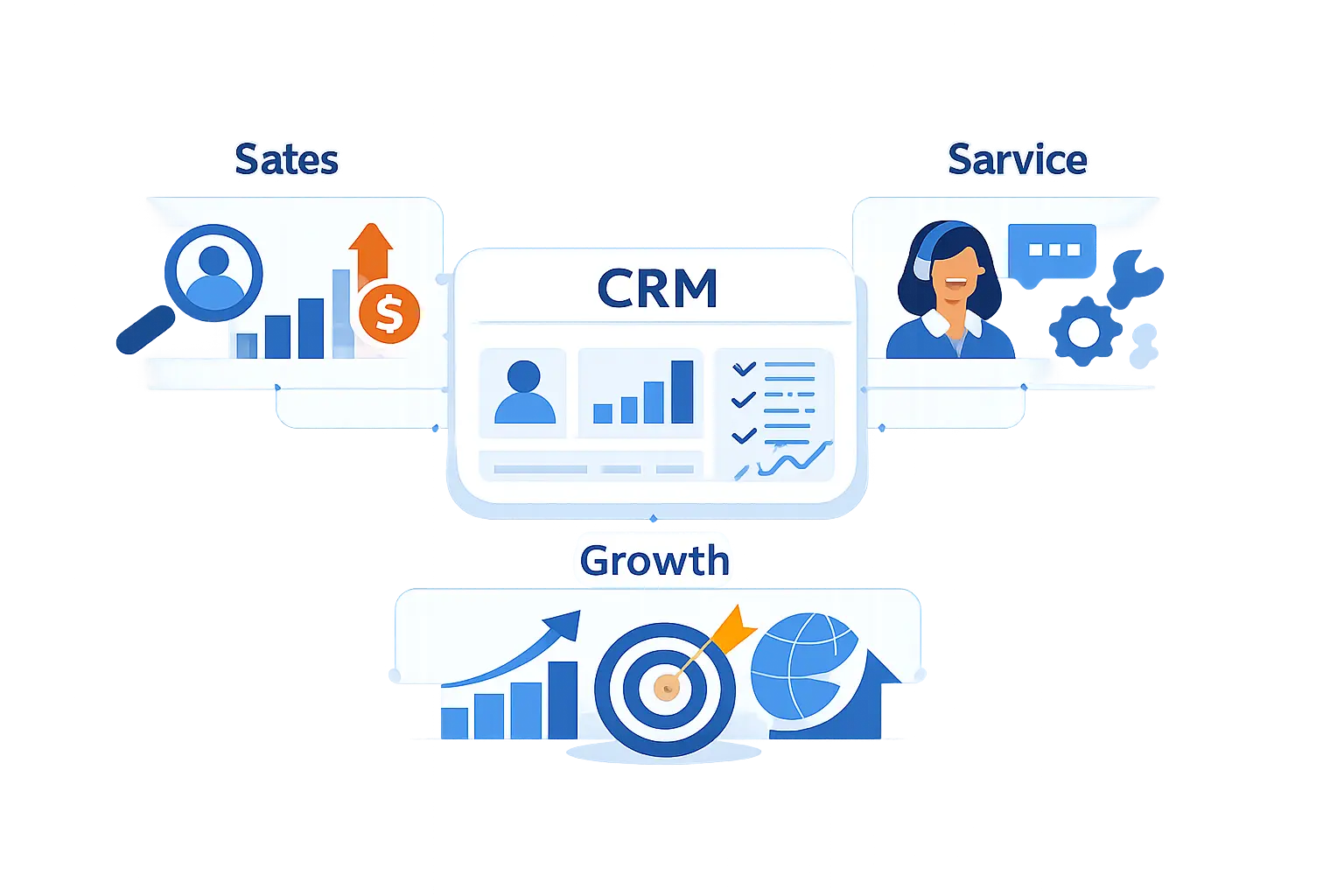
Before we talk about gains, we should be clear about the job. CRM stands for customer relationship management, but in practice it is the system teams use to track conversations, deals, support issues, and next steps across the whole customer journey.
1. How CRM Supports the Full Customer Lifecycle.
We like to describe CRM as the timeline of a business relationship. It starts with a first inquiry, carries through sales calls and proposals, then keeps going into onboarding, support, renewals, and repeat purchases. That matters because customers do not experience your company in department-shaped boxes. They experience one brand, one promise, and one chain of interactions.
2. How CRM Centralizes Customer Data and Interactions.
At 1Byte, we see the value most clearly when data stops living in scattered tools. In recent sales research, 51% say tech silos delay AI, which is a blunt reminder that disconnected systems block insight, follow-up, and personalization.
3. Why CRM Is Used by Sales, Marketing, and Support Teams.
Sales teams use CRM to manage pipeline and next actions. Marketing teams use it to segment audiences, measure campaign response, and hand warmer leads to sales. Support teams use it to see purchase history, open issues, and past conversations. We believe that shared visibility is the point. Without it, every handoff feels slower and less trustworthy.
Top Benefits of CRM at a Glance.

The category is no side market anymore. Grand View Research valued CRM at $73.40 billion in 2024, which tells us businesses now treat customer operations as core infrastructure rather than optional software.
1. Better Sales Productivity and Pipeline Visibility.
A CRM shows what is in the pipeline, what stage each deal is in, and what action should happen next. We do not think that sounds glamorous, but it is powerful. Sales work improves when reps stop guessing which opportunities are active and which ones have gone cold.
2. Stronger Customer Relationships and Retention.
People stay longer when a company remembers their context. A CRM helps teams see past purchases, support history, preferences, and unresolved issues. That means the next interaction starts with recognition instead of confusion. In our view, retention often comes down to whether customers feel known, not whether they got the lowest price.
3. Faster, More Personalized Customer Service.
Service gets better when agents can see the account history before asking basic questions. With a CRM, teams can route issues based on product, account type, or urgency, then respond with the right context already in hand. Customers notice that speed. They also notice when they have to explain the same problem twice.
4. Smarter Decisions Through Analytics and Reporting.
CRM reporting helps businesses spot patterns they would miss in day-to-day work. Which lead sources convert best? Which deals stall at the same stage? Which accounts create the most support volume before renewal? We like CRM when it turns hunches into visible patterns that leaders can actually act on.
5. Higher Efficiency Through Automation and AI.
Automation handles repetitive steps like task reminders, lead assignment, ticket routing, and status changes. AI adds another layer by drafting responses, summarizing interactions, and highlighting risk or intent. Still, we think the old rule applies. Fancy features only help when the underlying customer record is accurate and well organized.
6. More Flexibility Through Cloud Access, Security, and Scalability.
Cloud CRM gives teams access from anywhere with the right permissions in place. That is useful for remote work, field sales, distributed support teams, and growing companies that need to add users without rebuilding everything. The same market study also points to cloud deployment leading the field, which fits what we see in real implementations.
Benefits of CRM for Sales Teams.

Sales tends to feel CRM value first because the work is so deadline-driven. Every missed follow-up, unclear stage, or duplicate note can slow revenue. We prefer CRM setups that help reps sell more clearly, not systems that turn them into data-entry clerks.
1. Prioritize Leads and Opportunities With Better Data.
Not every lead deserves the same effort. CRM helps teams rank opportunities by fit, engagement, source, budget signals, and previous activity. That makes it easier to focus on accounts that show real intent. When a rep opens the day knowing where to start, momentum improves quickly.
2. Improve Forecasting, Follow-Ups, and Conversion Rates.
We like CRM most when it cuts clerical work and sharpens judgment. Nucleus found modern sales automation platforms produced 25 to 35 percent less admin time, which helps explain why automated logging, reminders, and guided follow-ups can lift sales performance.
3. Give Sales Managers Real-Time Performance Visibility.
Managers should not have to wait for end-of-month surprises. CRM dashboards let them see pipeline coverage, stalled deals, rep activity, and forecast quality in real time. That makes coaching more specific. Instead of asking for vague updates, managers can step into the exact stage or account that needs attention.
Benefits of CRM for Marketing and Customer Support.

Marketing and support often live on opposite ends of the funnel, but customers do not separate them that way. One side shapes expectations, the other side confirms whether those expectations were real. CRM helps both teams work from the same customer picture.
1. Personalize Outreach With Segmentation and Behavioral Data.
Personalization is not a buzzword when it changes whether people stay engaged. Twilio reported that 71% abandon irrelevant experiences, which is why segmentation by behavior, lifecycle stage, or support history matters more than broad message blasts.
2. Connect Sales and Support Around a Shared Customer Record.
A practical example comes from Intuit, which rebuilt its contact center in two weeks instead of 6 months. We think the bigger lesson is the shared record itself. When context moves with the customer, people stop repeating details every time they switch channels or teams.
3. Resolve Issues Faster With Proactive Service and Full Context.
Support gets stronger when agents can see open opportunities, recent marketing responses, product usage signals, and past cases in one place. That context helps them solve the problem in front of them and anticipate the next one. We have seen this make a big difference for renewals, because unresolved service friction rarely stays inside the support queue.
Benefits of CRM Analytics, Automation, and AI.

Analytics, automation, and AI are where many CRM projects promise the moon. We are more skeptical than that. These features pay off when the workflow is already clear and the data is clean enough to trust.
1. Build Dashboards That Turn Data Into Action.
The best CRM dashboards answer a few useful questions quickly. Where is revenue slipping? Which campaigns bring qualified leads? Which accounts need attention before renewal? We usually advise starting small. A focused dashboard that gets used every week beats a giant report library nobody opens.
2. Automate Repetitive Workflows, Reminders, and Admin Tasks.
Automation should remove friction from work people already agree needs to happen. That includes assigning new leads, reminding reps about stale deals, routing tickets, updating statuses, and sending internal alerts. We do not recommend automating every edge case. Start with the steps teams repeat every day and improve those first.
3. Use AI to Draft Messages, Predict Needs, and Improve Response Times.
On the service side, Intercom reports 56 percent resolution within 30 days for its AI agent deployments. We read that as evidence that AI works best when it is grounded in good knowledge, clear policy, and a well-kept customer record.
Benefits of CRM for Small Businesses.

Small businesses often feel CRM value in a very practical way. One person may handle sales, support, follow-up, and invoices in the same afternoon. In that kind of environment, even basic structure can remove a lot of stress.
1. Do More With Limited Time, Staff, and Budget.
A small team does not need a huge platform to benefit from CRM. It needs one place to store contacts, conversations, tasks, and next steps. We have seen simple setups work well because they reduce searching, reduce forgetting, and reduce hand-built spreadsheets that only one person understands.
2. Improve Customer Experience While Streamlining Daily Work.
Customers expect quick answers from small businesses too. CRM helps by keeping notes, templates, open tasks, and service history together. That means the owner or team member replying to a message can respond with context instead of starting from scratch. It feels more personal because it actually is.
3. Start With Basic Tools and Scale as You Grow.
We usually tell smaller teams to begin with the essentials. Capture leads, track deals, record support issues, and set reminders. Once that routine is stable, add reporting, workflows, and deeper integrations. Growth is easier when the system expands around real habits instead of forcing a full-blown process too early.
Types of CRM and the Benefits Each One Delivers.

Not every CRM is built with the same emphasis. Some focus on teamwork, some on process execution, and some on analysis. Knowing the difference helps businesses choose a platform that fits how they actually work.
1. Collaborative CRM for Shared Visibility and Knowledge Sharing.
Collaborative CRM is about shared context. It helps departments see the same history, notes, and account details so handoffs are smoother. We think this is especially important for businesses with separate sales and support teams, because the customer should not have to reconnect the dots for everyone else.
2. Operational CRM for Automation, Task Management, and Follow-Ups.
Operational CRM focuses on the moving parts of day-to-day work. It handles pipelines, service queues, reminders, routing rules, and repeatable processes. If your biggest issue is dropped follow-ups or inconsistent execution, this is usually where the payoff starts.
3. Analytical CRM for Insights, Segmentation, and Forecasting.
Analytical CRM is built to help teams understand trends in customer behavior and business performance. It supports segmentation, reporting, and forecasting. We like this type when a company has enough activity to learn from patterns, not just individual accounts, and wants better decision-making without guesswork.
How to Measure CRM ROI and Long-Term Value.

We do not judge CRM by feature count. We judge it by whether it changes behavior and outcomes over time. A tool can look impressive in a demo and still fail if the team does not use it or the data cannot be trusted.
1. Compare Software, Training, Customization, and Ongoing Costs.
Real CRM cost is broader than the subscription. Include setup, data migration, process design, team training, admin time, integration work, and future changes. We have seen businesses underestimate the people side of implementation more often than the software side.
2. Track Revenue, Retention, Productivity, and Customer Satisfaction.
Revenue matters, but it is not the only signal. We suggest tracking deal velocity, renewal health, response times, task completion, and customer satisfaction trends as well. A CRM can deliver value by helping teams work more consistently long before the full revenue effect becomes visible.
3. Evaluate Mobile Access, Integrations, and Scalability Over Time.
Long-term value depends on how well CRM fits the rest of the stack. Mobile access matters for field work. Integrations matter for data flow. Scalability matters when new teams, regions, or products come online. In our view, a CRM that cannot grow with the business becomes technical debt dressed up as progress.
Common CRM Challenges and How to Avoid Them.

CRM projects fail for familiar reasons. Data gets messy, the interface feels heavy, and teams fall back to old habits. The fix is usually less about buying more software and more about cleaning up process decisions.
1. Fix Data Quality Issues Before They Reduce Trust.
If users see duplicates, missing fields, or outdated notes, trust disappears fast. Then adoption slips with it. We recommend setting clear ownership for records, required fields for key stages, and regular cleanup rules. The earlier sales research we cited makes the same point. Weak data hurts advanced features first, but it eventually hurts everything.
2. Improve User Adoption With Better Training and Simpler Workflows.
People use CRM when it helps them do their own job better. Training should be role-based and practical, not generic. Show reps how it protects follow-ups. Show support teams how it shortens resolution time. Also, keep workflows lighter than you think you need. Complexity is adoption’s quiet enemy.
3. Treat CRM as an Ongoing Strategy, Not a One-Time Setup.
A CRM should evolve with the business. Fields, reports, and automations need review as products, teams, and customer journeys change. We prefer quarterly check-ins over long periods of neglect. Small maintenance is cheaper than a large rebuild after the system has drifted away from how the company really works.
How to Choose a CRM That Delivers Real Benefits.

Choosing CRM is less about chasing the biggest brand and more about matching the tool to the way your business sells and serves. We think a modest fit is better than an ambitious mismatch.
1. Match the Platform to Your Business Goals and Team Needs.
Start with the business problem, not the feature tour. Do you need better lead tracking, clearer service history, better campaign segmentation, or stronger reporting? Different priorities lead to different choices. We advise writing down the top use cases first, then testing whether the platform supports those cleanly.
2. Prioritize Ease of Use, Integrations, Reporting, and Security.
If the interface feels awkward, users will work around it. If integrations are weak, data gets trapped. If reporting is limited, managers lose visibility. If security controls are unclear, risk grows. We think these practical criteria matter more than flashy extras that look good in a sales demo.
3. Balance Current Requirements With Future Growth.
The best choice handles today’s workflow without boxing in tomorrow’s plans. That might mean better API support, more flexible permissions, stronger automation, or room for more teams later. We do not suggest buying far ahead of your needs, but we do suggest leaving enough headroom to grow without switching too soon.
FAQ

These are the questions we hear most often when businesses start comparing CRM options or trying to justify the investment internally. Our answers are practical, because that is usually what helps most.
1. What Are the Benefits of a CRM?
The main benefits are better visibility, better follow-up, faster service, and more consistent teamwork. A CRM gives teams one shared record of the customer, which helps sales, marketing, and support make better decisions with less guesswork.
2. What Are the Pros and Cons of CRM?
The pros include stronger organization, improved reporting, cleaner handoffs, and better customer context. The cons usually show up during implementation, such as messy migration, poor adoption, or too much customization. We think the biggest risk is buying CRM without committing to process discipline.
3. What Are the Benefits of Cloud-Based CRM?
Cloud-based CRM is easier to access, easier to update, and usually easier to expand across teams and locations. It also fits remote work well and connects more naturally with modern web tools and service platforms.
4. What Type of CRM Is Best for My Business?
That depends on your biggest bottleneck. If handoffs are weak, collaborative CRM may help most. If daily execution is inconsistent, operational CRM is often the better fit. If you already have enough activity and need stronger insight, analytical CRM becomes more useful.
5. Will CRM Be Replaced by AI?
We do not think so. AI can make CRM much more useful, but it still needs a structured record of customers, interactions, permissions, and workflow rules. In other words, AI is an added layer of assistance. CRM remains the system of context.
How 1Byte Supports Businesses Building a CRM-Ready Online Foundation

At 1Byte, we sit close to the layer many CRM projects forget about until something breaks. Websites, forms, DNS, SSL, hosting, and cloud infrastructure all shape whether customer data enters the business cleanly and moves where it should.
1. Create a Secure Website Foundation With Domain Registration and SSL Certificates
CRM starts before a record is created. It starts when someone visits your site, fills out a form, or trusts your checkout and contact pages enough to engage. We help businesses establish that trust with domain registration and SSL certificates, so the front door to the customer relationship is stable and secure.
2. Launch Fast Business Websites With WordPress Hosting and Shared Hosting
A business website is often the first source of leads that feeds CRM. We support fast, dependable sites on WordPress hosting and shared hosting, which makes it easier to publish landing pages, contact forms, service pages, and content that captures intent cleanly. If the website is slow or unreliable, the CRM downstream starts with weaker signals.
3. Scale CRM-Connected Operations With Cloud Hosting, Cloud Servers, and AWS Partner Support
As businesses grow, CRM rarely stands alone. It connects to websites, email systems, support tools, databases, analytics, and internal apps. We support that broader architecture with cloud hosting, cloud servers, and AWS Partner support, so the environment around CRM can handle integrations, traffic spikes, and ongoing change without becoming brittle.


Conclusion
If we had to boil it down, the benefits of CRM come from one simple habit. Keep customer truth in one dependable place, then let every team work from it. That improves sales focus, service speed, marketing relevance, and management visibility all at once.
We do not see CRM as magic software. We see it as operational clarity. Choose a system that fits your real workflow, keep the data clean, train people well, and build it on a stable online foundation. Do that, and CRM becomes less of a tool you bought and more of a way your business starts thinking clearly about customers.