

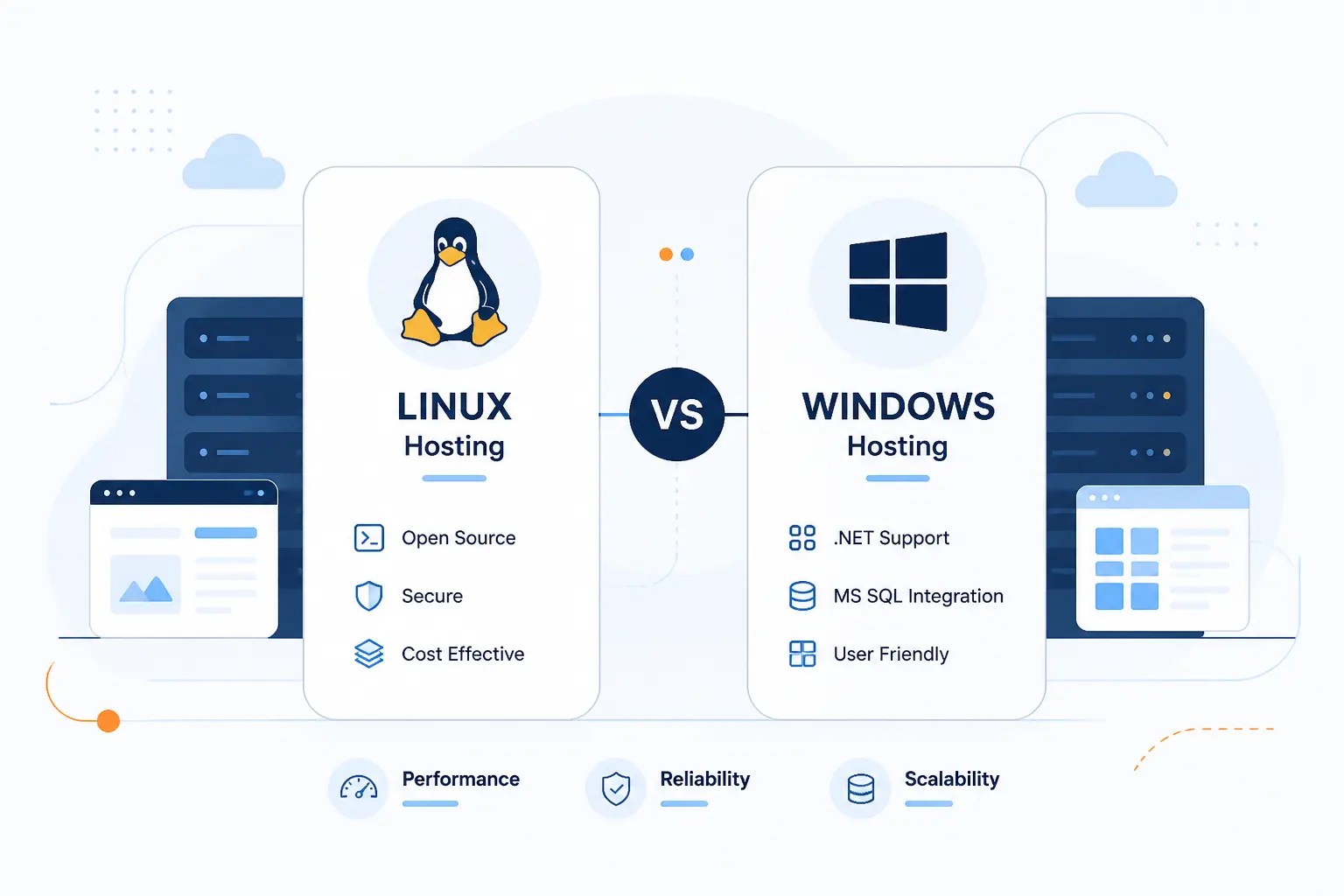
- What Is Linux Hosting
- What Is Windows Hosting
- How To Choose Between Linux vs Windows Hosting
- Compatibility Checks Before You Pick a Hosting Platform
- Operational Differences That Affect Daily Management
- How Shared Hosting, VPS, and Dedicated Servers Change the Decision
- FAQ
- How 1Byte Supports Hosting, Domains, and Cloud Growth
- Conclusion
At 1Byte, we think the linux vs windows hosting decision is simpler than it first appears. For most websites, Linux hosting is the better default because it fits WordPress, PHP, and the usual open-source web stack. Windows hosting is the right pick when your site depends on IIS, ASP.NET, MSSQL, or another Microsoft-specific component. In other words, the server should match your application, not your desktop computer.
We have seen many buyers get stuck on the operating system label and miss the real issue. The real issue is compatibility. Once we line up the stack, database, control panel, and daily admin work, the choice gets much easier.
What Is Linux Hosting

Linux hosting is web hosting that runs on a Linux server, usually with Apache or Nginx, PHP, and MySQL or MariaDB. It is the standard home for most open-source websites. If you are building a WordPress site, a WooCommerce store, or a typical PHP app, Linux hosting is usually the natural fit. We would treat it as the default starting point unless your software says otherwise.
Common Linux Stacks, Applications, and Control Panels
The common Linux stacks are LAMP and LEMP, which pair Linux with Apache or Nginx, PHP, and MySQL or MariaDB. That stack covers WordPress, Drupal, Joomla, Magento, Laravel, many custom PHP apps, and plenty of Node.js deployments that sit behind Nginx. On the control panel side, Linux hosting commonly comes with cPanel and WHM, DirectAdmin, or the Linux edition of Plesk.
In practice, this means a beginner can buy a shared plan, install WordPress, add a database, point a domain, and be up quickly. It also means developers can find tutorials, plugins, and admin habits that already assume a Linux environment. We like Linux here because the defaults are familiar and widely documented.
Advantages of Linux Hosting
The biggest advantage of Linux hosting is that it matches the software stack most websites already use. WordPress, most PHP applications, and many popular CMS platforms are built around that environment. You also get a broad ecosystem of panels, admin guides, and standard server conventions.
We also like the predictability. When a host says Linux shared hosting, we can usually expect Apache or Nginx, PHP, and MySQL-family databases instead of a custom stack that needs extra translation work. That makes troubleshooting easier, especially for beginners.
Limitations and Trade-Offs to Know
Linux hosting is a poor fit when your application expects Windows-specific server features. If your software requires IIS, classic ASP, Windows authentication, certain .NET Framework-era behavior, or a vendor package built only for Windows Server, Linux becomes the wrong tool.
There is also a softer trade-off. Some teams are more comfortable with Microsoft tooling, Plesk on Windows, or MSSQL-heavy workflows. Linux can still be managed well, but comfort matters because the safest platform is often the one your team can maintain without guesswork.
Who Linux Hosting Is Best For
Linux hosting is best for WordPress sites, WooCommerce stores, PHP applications, many small business websites, and most open-source CMS builds. It also suits agencies that want a familiar cPanel-style workflow and developers deploying standard web apps with Nginx or Apache.
If we were launching a brochure site, blog, online store, or marketing site today, Linux would be our first look. The only reason we would step away from it is a clear application requirement, not brand preference.
What Is Windows Hosting

Windows hosting is web hosting that runs on Windows Server, usually with IIS and optional Microsoft database support. It is the right choice when your site or app depends on Microsoft technologies that are awkward or impossible to replace. If your project is tied to ASP.NET on IIS, MSSQL workflows, or a Windows-only add-on, Windows hosting stops being optional and becomes the practical answer. We would not choose it just because someone uses a Windows laptop.
Microsoft Applications, Databases, and Control Panels
Windows hosting exists mainly to support Microsoft-centered applications and admin workflows. Microsoft’s IIS guidance covers hosting ASP.NET Core on Windows, which is the clearest signal that IIS remains a core reason to choose this platform.
On the control panel side, Windows hosting usually points readers toward Plesk rather than cPanel. The Plesk on Windows documentation shows support for MariaDB, Microsoft SQL, and MySQL, which makes it a practical bridge for mixed Microsoft and non-Microsoft workloads.
Advantages of Windows Hosting
Windows hosting wins when your application really needs Microsoft server features. That includes IIS-specific deployments, legacy ASP applications, some enterprise vendor software, and teams that need MSSQL in a familiar Windows-based environment.
There is also a workflow advantage for certain organizations. If the internal team already manages Windows Server and Plesk, sticking with the same admin model can reduce friction. We would not call that a technical silver bullet, but it is a real operational factor.
Limitations and Trade-Offs to Know
Windows hosting is a weaker choice when you only need a standard open-source website stack. If your site is plain WordPress, a typical PHP app, or a small business site with no Microsoft dependency, Windows usually adds complexity without solving a real problem.
Plan availability can also be narrower. Many shared hosting ecosystems are built around Linux conventions, Linux control panels, and Linux-friendly tutorials. That does not make Windows hosting bad, but it does mean you should choose it for a reason.
Who Windows Hosting Is Best For
Windows hosting is best for sites built around IIS, classic ASP, Microsoft-dependent business apps, and setups that need MSSQL in the hosting plan. It also fits projects where a software vendor gives Windows-specific deployment instructions and expects that environment.
A good example is an internal reporting portal built by a Windows-focused development team. Another is a legacy site that still depends on old ASP code and cannot be rewritten yet. In those cases, forcing Linux is often false economy.
How To Choose Between Linux vs Windows Hosting

The short answer is this: choose Linux unless your application clearly needs Windows. That sounds blunt, but it is the most useful rule for buyers making a decision. Linux covers the common open-source path, while Windows earns its place through specific compatibility needs. We recommend starting with the app stack, then checking the database, then confirming the control panel.
| Option | Best fit | Typical stack | Avoid when |
|---|---|---|---|
| Linux | WordPress, PHP, open-source CMS, standard web apps | Apache or Nginx, PHP, MySQL or MariaDB, cPanel or Plesk | Your app needs IIS, classic ASP, or a Windows-only dependency |
| Windows | ASP.NET on IIS, MSSQL-heavy workflows, Windows-based vendor apps | IIS, ASP.NET, Plesk, MSSQL or mixed databases | You only need a standard WordPress or PHP hosting setup |
Choose Linux for Open-Source Websites and Most WordPress Builds
If your site is WordPress, Linux is usually the right answer. The current WordPress requirements ask for PHP 8.3, MariaDB 10.11, or MySQL 8.0, plus Apache or Nginx with HTTPS, which lines up neatly with the standard Linux hosting stack.
That is why most WordPress tutorials, themes, and support habits assume Linux-style hosting. If we were choosing for a content site, a WooCommerce store, or a typical agency build, Linux would be our default unless a plugin or integration said otherwise.
Choose Windows for ASP.NET, MSSQL, and Other Microsoft-Dependent Setups
If your application depends on IIS, MSSQL, or a Windows-only library, choose Windows hosting. This is the category where the operating system is no longer a preference and becomes part of the application requirement.
We would say the same for older business apps that were designed around Windows Server behavior. When the deployment guide assumes IIS, Windows file paths, or Microsoft-specific modules, trying to force Linux usually creates extra work instead of savings.
Choose Based on Application Compatibility Before Anything Else
Application compatibility matters more than price, panel preference, or habit. Microsoft notes that ASP.NET Core runs on macOS, Linux, and Windows, which is a good reminder that modern .NET alone does not automatically mean you need Windows hosting.
That nuance matters. If your app is modern .NET and does not require IIS or another Windows-only feature, Linux may still be viable. If your app is tied to Windows behavior, then the answer is already decided.
Compatibility Checks Before You Pick a Hosting Platform

Before you buy any plan, check compatibility in a fixed order: runtime, framework, database, third-party integrations, and CMS requirements. This step saves more headaches than any pricing comparison. We have seen many migrations go sideways because a buyer confirmed storage and bandwidth but never checked whether the app stack actually matched the server. If you do one thing before checkout, do this.
Programming Languages, Frameworks, and Databases
Match the app’s runtime and database first, because those are the least forgiving parts of the stack. The Umbraco requirements call for .NET 10 or higher and support SQLite or SQL Server, which tells us right away that this is a different buying decision from a WordPress site.
Database choice needs the same care. Microsoft documents SQL Server 2025 on Linux, so MSSQL by itself does not always force a Windows server, even though many shared hosting plans still tie Windows hosting and MSSQL together in practice.
Third-Party Apps, Plugins, and External Integrations
Third-party dependencies often decide the platform long before the core app does. A payment gateway callback, a document generator, a reporting tool, or a vendor-issued connector can quietly require IIS settings, Windows services, or a specific database driver.
We always tell readers to inspect the add-ons, not just the main app. A site can look like a normal PHP or .NET build on the surface, then depend on one Windows-only component under the hood. That single dependency can settle the linux vs windows hosting question for you.
CMS and Site Builder Fit for Each Environment
Most PHP-based CMS platforms fit Linux naturally, while Microsoft-centered CMS products often fit Windows more cleanly. WordPress, Drupal, and Joomla usually feel at home on Linux shared hosting. By contrast, a .NET-based CMS may lean toward Windows, especially when the deployment guide assumes IIS or SQL Server.
That said, we would not reduce this to brand stereotypes. Some modern .NET tools can run on Linux, and some Windows servers can run PHP just fine. The only safe rule is to follow the software’s actual deployment requirements.
Operational Differences That Affect Daily Management

Daily management differences matter, but they come after compatibility. Once your app can run on both platforms, the next question is how you want to administer the server, handle updates, work with files, and use control panels. We think this is where many buyers finally see the practical difference between Linux and Windows hosting. The site may run either way, but the day-to-day experience can feel very different.
Resource Usage and Performance Overhead
For ordinary websites, the software stack usually affects performance more than the operating system label. A well-configured Linux stack can feel lean, and a well-configured Windows stack can perform very well too. What matters most is how the host provisions resources, tunes the web server, and isolates accounts.
We would be skeptical of any blanket claim that one OS is always faster. A WordPress blog on a standard Linux stack often makes sense because the whole ecosystem is tuned for that pattern. A Microsoft application on the wrong Linux setup can still perform worse than the right Windows setup.
Security Expectations and Admin Effort
Neither platform is automatically safer. The safer choice is the one you can patch, monitor, and configure correctly.
Linux admins usually think in terms of package updates, service permissions, and web server hardening. Windows admins add IIS settings, Windows updates, and Microsoft runtime maintenance to the checklist. We view this as an operations question, not a moral victory for either side.
File Naming Rules and Case Sensitivity
File and table name case rules can break a site during a migration. MySQL’s documentation states that names are not case-sensitive on Windows, which is one reason a site can behave differently after moving between Windows and Linux environments.
This shows up in everyday mistakes. An image called Logo.png may still load on one platform and fail on another if the code asks for logo.png. We have seen this turn a simple move into a debugging session that lasts far longer than expected.
Interface Preferences Such as cPanel, WHM, and Plesk
If you want cPanel and WHM, you are effectively choosing Linux. cPanel’s supported OS list is built around Linux distributions, which is why cPanel is so tightly associated with Linux hosting.
If you prefer Plesk, you have more flexibility. Plesk’s system requirements cover both Linux and Windows Server, so Plesk can be a practical choice when the application stack is still undecided.
How Shared Hosting, VPS, and Dedicated Servers Change the Decision

The type of hosting plan changes how much freedom you really have. On shared hosting, the provider’s stack usually decides most of the question for you. On VPS and dedicated servers, you get more control, but you also inherit more responsibility. We always suggest matching the plan type to both your software and your team’s admin comfort.
| Plan type | Control level | Stack freedom | What it means for your choice |
|---|---|---|---|
| Shared hosting | Low | Limited | You mostly choose from the provider’s preset Linux or Windows stack |
| VPS | Medium to high | High | You can match the OS to the app more precisely |
| Dedicated servers | High | Very high | You get maximum freedom, but all admin mistakes are yours too |
Why Shared Hosting Usually Follows a Standard Software Stack
Shared hosting usually follows a fixed software stack because providers need repeatable management across many accounts. That means Linux shared hosting often centers on the familiar open-source stack, while Windows shared hosting is sold for narrower Microsoft-specific use cases.
For the buyer, this means the plan itself can answer the question. If the plan is clearly built for WordPress or standard PHP hosting, Linux is often implied. If the plan advertises IIS or MSSQL, Windows is probably the intended fit.
When Self-Managed Servers Give You More Flexibility
Self-managed VPS and dedicated servers give you much more freedom to pick the operating system that truly fits the app. This is where modern .NET on Linux becomes a real option, and where mixed stacks become more practical.
That freedom cuts both ways. You can install the exact runtimes and services you want, but you also have to patch them, secure them, and troubleshoot them. We would only recommend this route if your team is comfortable owning that work.
How Provider Support Limits or Expands Your Options
Provider support can narrow your choices even when the software itself is flexible. A host may support Linux WordPress plans, Windows Plesk plans, or cloud servers, but not every panel or runtime on every plan type.
That is why we tell readers to check managed scope before buying. Ask what operating systems are available, which panels are supported, whether the host manages updates, and how much root or admin access you actually get. Those answers often matter as much as the OS name.
FAQ
The quick FAQ version is simple. Linux is the better fit for most standard websites, while Windows is better for Microsoft-dependent ones. The gray area appears when modern apps can run on both platforms, which is why we keep coming back to compatibility checks. If you answer the runtime, database, and panel questions honestly, most of these FAQ answers fall into place.
Which Hosting Is Better, Linux or Windows?
Linux hosting is better for most websites, while Windows hosting is better for Microsoft-dependent ones. If your site is WordPress, PHP-based, or built on a common open-source stack, Linux is usually the stronger default. If your app needs IIS, classic ASP, or a Windows-only component, Windows is the better answer.
Why Would Someone Use Linux Instead of Windows?
Someone would use Linux because it fits the standard open-source web stack used by many websites. It is the usual home for WordPress, PHP apps, MySQL or MariaDB databases, and cPanel-style shared hosting. We would also choose it when the team wants the broadest range of common hosting patterns.
Is It Better To Run a Server on Linux or Windows?
It is better to run a server on the platform that matches the application and the admin team. Linux is often the better general-purpose web server choice, but Windows is better when the app depends on Microsoft server features. We think skills and compatibility matter more than brand loyalty here.
Do You Need Windows Hosting If You Use a Windows PC?
No, you do not need Windows hosting just because you use a Windows PC. Your laptop’s operating system and your server’s operating system are separate decisions. Many people build sites on Windows desktops and host them on Linux servers without any problem.
Can You Move a Website Between Linux and Windows Hosting?
Yes, you can move a website between Linux and Windows hosting, but it may involve real changes. Plesk’s migration guide explicitly notes that Linux-to-Windows and Windows-to-Linux migration is not supported in that workflow, which tells us cross-platform moves are more than a simple copy job. We would expect to review paths, rewrite rules, file naming, database behavior, and application dependencies before attempting the move.
How 1Byte Supports Hosting, Domains, and Cloud Growth

At 1Byte, we support this decision by helping readers line up the surrounding pieces, not just the server label. That includes domain registration, SSL certificates, WordPress hosting, shared hosting, cloud hosting, and cloud servers. We are also an AWS Partner, which matters when a site grows beyond a simple shared plan and starts to need cloud flexibility. Our view is simple: the right platform is the one that fits the app today and leaves room for sensible next steps tomorrow.
Register Domains and Protect Websites With SSL Certificates
Every hosting choice starts with the basics, and those basics are the domain and the certificate. We help readers register domains and add SSL certificates so the site can launch on a clean, secure footing. That matters whether the server underneath is Linux or Windows.
Launch WordPress Hosting and Shared Hosting on the Right Platform
For many readers, the right move is simply picking WordPress hosting or shared hosting on the platform that matches the application. We keep the advice practical here. If the site is a standard WordPress or open-source build, Linux-style hosting is usually the safer path. If the app requires Microsoft-specific behavior, then the decision should move accordingly.
Scale With Cloud Hosting and Cloud Servers From an AWS Partner
When a project outgrows entry-level plans, cloud hosting and cloud servers create more room to choose the right operating system deliberately. That is where an AWS Partner relationship becomes useful, because cloud growth often turns a basic hosting question into an architecture question. We see that as the moment to stop guessing and start matching the platform to real workloads.


Conclusion
Choose Linux if your website uses WordPress, PHP, MySQL or MariaDB, or a standard open-source stack. Choose Windows if your website depends on IIS, classic ASP, MSSQL-heavy workflows, or another Microsoft-specific requirement.
We would not force a winner beyond that, because this is not really a beauty contest. It is a fit question. Modern tools have blurred some lines, especially around .NET, but the safest buying rule still holds: follow the application requirements first, then pick the plan type and panel that support them.
If you are still deciding, make a short checklist with your runtime, database, control panel, and must-have integrations. Once that list is clear, the linux vs windows hosting choice usually stops being confusing. What does your current application actually require?