

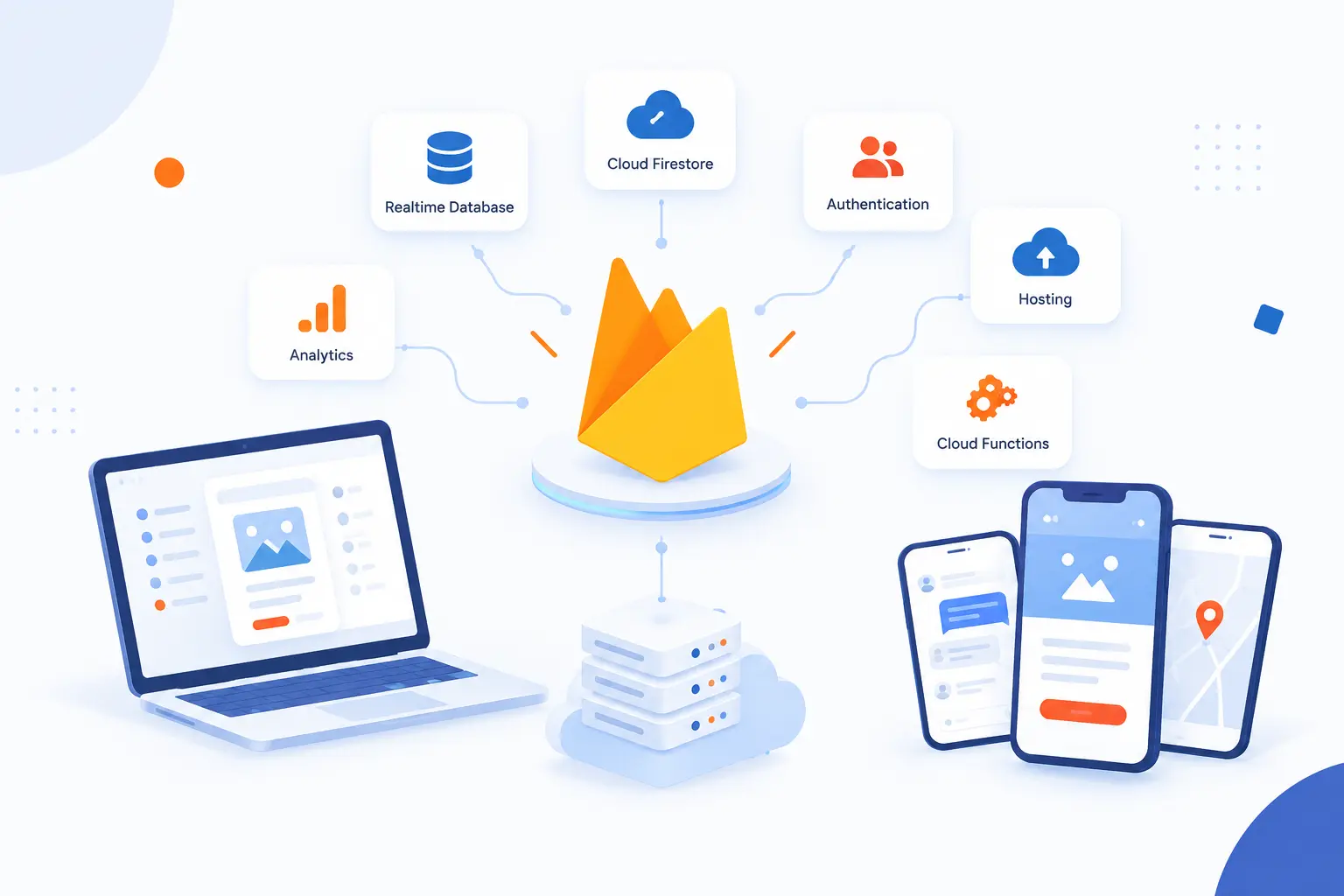
- Firebase Is Google’s Platform for Building, Running, and Growing Apps
- How the Platform Changes the Usual Backend Setup
- Core Services for Building and Hosting Apps
- Tools for Testing, Monitoring, and User Growth
- Where Developers Manage and Build With Firebase
- Common Questions About Firebase
- How 1Byte Supports Projects Alongside Firebase
- Conclusion
Firebase is Google’s app development platform for building, running, and improving web and mobile apps without creating every backend service from scratch. With firebase, a developer can add login, databases, file storage, hosting, push messages, crash reports, analytics, and feature flags through managed services and SDKs. We think of it as a practical shortcut, not magic. It removes a lot of plumbing, but it still asks you to design your data, security rules, costs, and architecture carefully.
At 1Byte, we usually explain Firebase as a good fit for teams that want to ship an app faster while keeping common backend jobs under one roof. A chat app can use it for real-time messages. A marketplace can use it for sign-in, product images, and notifications. A SaaS dashboard can use it for authentication, database reads, static hosting, and server-side tasks. The key is knowing which parts Firebase should handle and which parts still belong in custom infrastructure.
Firebase Is Google’s Platform for Building, Running, and Growing Apps

Firebase is a managed platform from Google that gives developers ready-made backend and app quality services. Instead of setting up a login server, database server, storage layer, analytics pipeline, crash-reporting system, and notification service one by one, you connect your app to Firebase products. The platform is especially popular with web, Android, iOS, Flutter, Unity, and cross-platform teams because the client SDKs are close to the app code. In our view, its main value is speed with guardrails, as long as the team understands the trade-off between convenience and control.
Firebase began as a real-time backend service, then became part of Google after the company announced that it was joining Google in 2014. That history still matters. The original idea was direct app-to-data synchronization, and that idea still shapes how many Firebase products feel. You write less backend code, but you must think more carefully about client access, security rules, data structure, and usage patterns.
What can you build with it? We would put the strongest use cases into five buckets: mobile apps, single-page web apps, real-time collaboration tools, MVPs, and user-facing apps that need fast iteration. A learning app can use Authentication for accounts, Cloud Firestore for lessons and progress, Cloud Storage for uploaded files, and Cloud Messaging for reminders. A booking app can use Cloud Functions to confirm reservations and Remote Config to test a new checkout flow. A content-heavy company site may still pair Firebase with a traditional CMS or hosting stack, which is where infrastructure planning becomes important.
How the Platform Changes the Usual Backend Setup

Firebase changes the usual backend setup by replacing many self-managed backend components with managed cloud services and client SDKs. In a traditional app, the client talks to your API, your API talks to your database, and your team maintains the servers, deployment pipeline, credentials, scaling rules, and monitoring. With Firebase, the client can often talk directly to services like Authentication, Firestore, Cloud Storage, and Remote Config, with security rules controlling access. That can simplify the first version of an app, but it does not remove architecture decisions.
| Backend approach | What the app talks to | Best fit |
|---|---|---|
| Traditional backend | Your API server | Complex business logic, strict control, custom integrations |
| Firebase-first backend | Firebase client SDKs and managed services | Fast product builds, real-time apps, mobile-first workflows |
| Hybrid backend | Firebase plus your own server or cloud services | Apps that need both speed and custom backend control |
Managed Cloud Services Instead of Self-Built Infrastructure
Firebase lets teams use managed cloud services for common app features instead of building and operating those services themselves. Authentication, databases, file storage, hosting, messaging, analytics, testing, and crash reporting are offered as separate products inside one project. That saves setup effort because developers do not need to provision every server or write every admin tool before users can sign in or save data.
The practical shift is ownership. Google operates the underlying managed services, while your team owns the app code, configuration, billing model, data design, access rules, and release process. That can be a healthy split. We like it for early products because it reduces the number of moving parts. We are more cautious when an app has unusual data access patterns, strict compliance needs, or heavy backend processing, because those projects may need more custom infrastructure.
Client SDKs That Connect Apps Directly to Backend Services
Firebase client SDKs let app code connect directly to selected backend services without routing every request through your own API. This is why many Firebase apps feel quick to build. A web app can sign in a user, read a document, upload a file, and receive a configuration value from SDK calls inside the frontend or mobile code.
Direct client access does not mean open access. It means your permissions move into Firebase Security Rules, identity tokens, and product configuration. That is a big mental shift for beginners. If the rules are too loose, the app may expose data. If the rules are too strict, the app breaks. We tell teams to treat rules like backend code: review them, test them, and keep them close to the data model.
When Cloud Functions Still Keep Logic on the Backend
Cloud Functions keep sensitive, heavy, or trusted logic on the backend when client-side Firebase access is not enough. Payment confirmation, admin-only changes, third-party API calls, scheduled cleanup, and data validation are common examples. You do not want secret keys in a mobile app, and you do not want a user device deciding whether an order is paid.
Cloud Functions for Firebase can run backend code in response to HTTPS requests, scheduled jobs, or events from other products, and the code runs in a managed environment without your team managing servers. The official documentation describes it as a serverless framework for backend code triggered by background events, HTTPS requests, the Admin SDK, or Cloud Scheduler jobs through managed event-driven execution. We see Cloud Functions as the pressure valve in a Firebase architecture. Use direct SDK access for safe, user-scoped work, then move trusted decisions to functions.
Core Services for Building and Hosting Apps

Firebase core services cover the everyday backend pieces most apps need: login, structured data, user files, web hosting, and custom domains. These services are separate, so you can use one without adopting all of them. A small prototype might use Authentication and Firestore only. A production app might combine Authentication, Firestore, Cloud Storage, Hosting, App Hosting, and Cloud Functions.
| Service area | What it does | Typical example |
|---|---|---|
| Authentication | Handles user identity and sign-in | Email login, Google sign-in, anonymous trial accounts |
| Databases | Stores app data with real-time client updates | Messages, user profiles, tasks, settings |
| Cloud Storage | Stores user-generated files | Photos, videos, audio, PDFs |
| Hosting and App Hosting | Serves web apps and dynamic web frameworks | Landing pages, dashboards, Angular or Next.js apps |
Authentication and User Login
Firebase Authentication gives apps a managed way to sign users in and connect those identities to other Firebase services. It supports common patterns such as password sign-in, federated identity providers, email links, phone-based flows, anonymous accounts, and custom authentication. That means a beginner can add login without designing password storage from scratch.
The most useful detail is the user ID. Once a user signs in, your app can use that identity in Firestore, Realtime Database, Cloud Storage, and Security Rules. For example, a note-taking app can let each user read only documents where the owner ID matches their authenticated user ID. The official guide calls it a complete backend solution for signing in with passwords, federated identity providers, email links, and text messages in its sign-in guidance.
Our opinion is simple: Authentication is one of the best reasons to start with Firebase. Login is easy to underestimate. Password resets, provider linking, anonymous sessions, and account recovery all create edge cases. A managed identity layer can keep a young product from getting bogged down too early.
Realtime Database and Cloud Firestore
Realtime Database and Cloud Firestore are Firebase’s two client-accessible NoSQL databases, but Firestore is usually the better default for new projects. Realtime Database stores data as one large JSON tree and is useful for simple real-time synchronization and presence-style features. Cloud Firestore stores data as documents and collections, which usually fits richer app models and more flexible querying.
Google’s own comparison says new customers should start with Cloud Firestore, while noting that both databases offer mobile-first real-time SDKs and local storage for offline-ready apps in the database selection guide. We agree with that direction for most business apps. Firestore’s document model is easier to reason about when data grows beyond a simple chat room or status feed.
The catch is data modeling. Firebase does not make a poor data model disappear. If your app needs a dashboard that filters orders by status, customer, date, region, and payment state, you must design documents, indexes, and queries with those reads in mind. Beginners often model data like a spreadsheet, then discover that NoSQL databases reward query-first thinking.
Cloud Storage for User Files
Cloud Storage for Firebase stores and serves user-generated files such as images, videos, audio, and documents. It is built for the file side of an app, while Firestore or Realtime Database stores metadata about those files. For example, a marketplace might store product photos in Cloud Storage and product titles, prices, and owner IDs in Firestore.
The official documentation says Cloud Storage lets apps upload and share user-generated content, with data stored in a Google Cloud Storage bucket, as described in the web setup guide. In practice, this means your app can upload files from browsers or mobile devices, then control access using Authentication and Storage Security Rules. A private medical note app, for example, should not use public file URLs casually. A public profile-photo feature might allow broader read access, but it still needs sane upload rules.
We like separating files from database records. Store the file in Cloud Storage. Store the path, owner, size, content type, and business status in Firestore. That pattern keeps the database lean and makes cleanup easier when a user deletes an item.
Hosting, App Hosting, and Custom Domains
Firebase Hosting serves web apps, static assets, and some dynamic content over secure connections with custom domain support. It is a natural fit for single-page apps, marketing pages, documentation pages, and static frontends that call Firebase services. You deploy the built files, then Firebase serves them through its hosting infrastructure.
Firebase Hosting documentation describes support for static assets, dynamic content, microservices, SSL by default, and custom domains in the hosting setup guide. That makes it useful for a React, Vue, Angular, or plain JavaScript frontend. If the app needs server-side rendering or a framework runtime, App Hosting is the more relevant product.
App Hosting is aimed at dynamic web apps and framework-based deployments. A Next.js or Angular app may need server-side rendering, environment variables, build steps, and a runtime behind the page. In that case, Firebase can still be part of the deployment story, but the architecture looks more like managed web application hosting than simple static file delivery.
Tools for Testing, Monitoring, and User Growth

Firebase includes tools that help teams test apps, monitor problems, understand user behavior, and change the app experience after release. These tools do not replace product judgment. They give you data and control points, so you can make smaller decisions with less guesswork. We like them most when teams connect them to a clear question, such as which onboarding flow works better or which app version introduced crashes.
| Tool group | What it helps with | Best used when |
|---|---|---|
| Crashlytics, Performance Monitoring, Test Lab | Quality, stability, and device testing | You need to find crashes, slow screens, or device-specific bugs |
| Analytics, Audiences, Messaging | User behavior and engagement | You need to understand events and contact user segments |
| Remote Config and A/B Testing | Feature flags and experiments | You need controlled rollouts or measured UI changes |
| Dynamic Links | Legacy deep linking | You are maintaining old links and planning migration |
Crashlytics, Performance Monitoring, and Test Lab
Crashlytics, Performance Monitoring, and Test Lab help teams find stability, speed, and device problems before or after users feel them. Crashlytics focuses on crashes and non-fatal errors. Performance Monitoring focuses on app traces, network timing, and slow experiences. Test Lab runs app tests on hosted devices and configurations.
The strongest pattern is using these tools together. Test Lab can catch issues before release. Crashlytics can show what breaks in the wild. Performance Monitoring can reveal that a screen technically works but feels slow on real devices or networks. Doodle’s team, for example, used Crashlytics and Remote Config while redesigning its app and reported a 42% increase in poll creation after testing flow changes.
Our practical advice is to add monitoring before a major launch, not after the first painful incident. A crash report is most useful when you already have version, device, and user-flow context. Waiting until users complain is like installing smoke alarms after the fire.
Analytics, Audiences, and Messaging
Analytics, Audiences, and Messaging help teams understand what users do and contact selected groups with relevant updates. Analytics tracks events, user properties, funnels, and conversions. Audiences group users by behavior or attributes. Messaging can send notifications or data messages to devices through Firebase Cloud Messaging.
A real example makes this clearer. Suppose a fitness app has many users who create a workout plan but never complete the first session. Analytics can measure that drop-off. An audience can group those users. Messaging can send a reminder, while Remote Config can test whether a shorter first-session screen helps more users finish.
We are careful with messaging. Push notifications can help when they are timely and useful. They can also train users to mute the app. We prefer event-based messages tied to user intent, such as a reminder for an unfinished booking, instead of broad blasts that feel like noise.
Remote Config, A/B Testing, and Dynamic Links
Remote Config and A/B Testing are active tools for changing and measuring app behavior, while Dynamic Links is a retired deep-linking service that new projects should avoid. Remote Config lets you change app parameters without forcing every user to download a new version. A/B Testing lets teams compare variants before rolling out a change widely.
Remote Config can control values such as onboarding text, paywall layout, feature flags, seasonal banners, or AI prompt settings, depending on the app. The documentation describes it as a cloud service that changes client or server behavior without requiring users to download an app update through remote parameter control. That is powerful, but we recommend discipline. Do not put secrets in Remote Config, and do not use it to bypass app store rules or user consent.
Dynamic Links needs special care because the service is no longer a future-facing choice. Google’s FAQ says the service was scheduled to shut down on August 25, 2025, and it should not be used in new projects. If you maintain an older app that depended on those links, plan a migration to platform-native links or another deep-link provider. This is one of those cases where old tutorials can lead beginners astray.
Where Developers Manage and Build With Firebase

Developers manage Firebase mainly through the Firebase Console, code SDKs, the Firebase CLI, and, for existing users only, Firebase Studio during its sunset period. The console is where you create projects, enable products, inspect data, configure rules, view analytics, and manage releases. SDKs and integrations are where the app actually connects to services. Firebase Studio deserves a careful explanation because its status changed, and outdated advice is easy to find.
| Workspace or tool | What it is for | Current practical role |
|---|---|---|
| Firebase Console | Project and product management | Main control panel for Firebase projects |
| Firebase Studio | Cloud development workspaces | Existing workspaces only during sunset |
| SDKs, CLI, integrations | App code, deployment, automation | Main development path for production teams |
The Firebase Console
The Firebase Console is the web control panel where teams create, configure, and inspect Firebase projects. It is where you enable products such as Authentication, Firestore, Storage, Hosting, Remote Config, Crashlytics, and Messaging. For beginners, it is often the first place Firebase feels real because you can see users, data, files, rules, releases, and reports.
The console is useful, but it should not become the only source of truth. Production teams should keep important configuration, security rules, indexes, and deployment settings in version control when the product supports it. Clicks are fine for learning. Repeatable releases need files, scripts, review, and rollback habits.
Firebase Studio and AI-Assisted Workspaces
Firebase Studio is an AI-assisted cloud development workspace, but it is in a sunset phase and should not be the starting point for a new long-term project. Google says new workspace creation and user signup were disabled on June 22, 2026, and existing workspaces can continue only until the shutdown date. That makes it relevant for migration planning, not as the centerpiece of a fresh Firebase strategy.
The migration documentation states that Firebase Studio is sunsetting on March 22, 2027, with remaining data permanently deleted after that date. If you already have work there, export or migrate it well before the deadline. If you are starting from scratch, we would use a normal local development environment, repository, Firebase CLI, and selected Google AI tools instead.
This is a good reminder about platform risk. A managed service can move faster than your roadmap. The safest posture is to keep your code portable, your repository clean, and your deployment steps documented.
SDKs, Integrations, and Supported Platforms
Firebase SDKs are the code libraries that connect your app to Firebase services on supported platforms. The core client SDKs cover Apple platforms, Android, Web JavaScript, Flutter, Unity, and C++. Admin SDKs support trusted server environments, where you can perform privileged actions that clients should never perform.
For a beginner, this means Firebase is not limited to one kind of app. You can build a web dashboard, Android app, iOS app, Flutter app, or game client, then connect it to the same project. Still, each platform has details. Web auth redirects differ from mobile sign-in flows. Push notification behavior differs by operating system. Offline behavior and background execution differ across devices.
We recommend choosing the platform first, then reading the product docs for that platform. Copying Android assumptions into a web app, or web assumptions into iOS, causes small bugs that are hard to diagnose later.
Common Questions About Firebase
Firebase is often misunderstood because people use the name to mean different things. Sometimes they mean Firestore. Sometimes they mean the whole Google app platform. Sometimes they mean push notifications, analytics, or hosting. The direct answers below should clear up the most common confusion quickly.
Is Firebase the Same as a Database
No, Firebase is not the same as a database. It is a broader app development platform that includes databases, authentication, hosting, storage, analytics, testing, messaging, and configuration tools. The database products inside Firebase are Realtime Database and Cloud Firestore.
Do You Still Need a Traditional Backend With Firebase
Sometimes you still need a traditional backend with Firebase. If your app needs complex business rules, private API keys, custom processing, payments, compliance workflows, or heavy integrations, you should keep that logic on a backend or in Cloud Functions. For many apps, the best answer is hybrid: Firebase for common app services, custom backend code for sensitive or unique logic.
Is Firebase Owned by Google
Yes, Firebase is owned by Google. The Firebase team announced in 2014 that Firebase was joining Google, and Firebase has since become part of Google’s developer and cloud ecosystem. That ownership matters because many Firebase services connect closely with Google Cloud and Google app development tools.
What Is the Difference Between Firebase Console and Firebase Studio
Firebase Console is the project management interface, while Firebase Studio was a cloud-based development workspace. The console is where you manage products, settings, data, rules, hosting, reports, and releases. Firebase Studio is being sunset, so existing users should migrate rather than treat it as the normal way to build new Firebase projects.
Can You Use Firebase for Web Apps and Mobile Apps
Yes, you can use Firebase for both web apps and mobile apps. The platform provides SDKs for web and mobile development, including common app services like Authentication, Firestore, Storage, Hosting, Messaging, and Remote Config. The architecture may differ by platform, so choose the SDK and product setup that matches your app type.
How 1Byte Supports Projects Alongside Firebase
1Byte supports projects alongside Firebase by helping with the infrastructure pieces that sit around, beside, or beyond Firebase. Some teams use Firebase for app services and still need a domain, SSL certificate planning, WordPress site, shared hosting, cloud hosting, or cloud servers for related workloads. We are also an AWS Partner, which matters when a project grows into a multi-cloud or custom infrastructure plan. Our view is practical: use Firebase where it fits, and do not force it to do every job.
| 1Byte service | How it can sit beside Firebase | Typical use case |
|---|---|---|
| Domain registration and SSL certificates | Prepare public web identity and secure access | App domain, marketing domain, secure launch setup |
| WordPress hosting and shared hosting | Host content sites outside the app backend | Blog, company site, documentation, landing pages |
| Cloud hosting and cloud servers | Run custom infrastructure beside Firebase | APIs, workers, integrations, admin systems |
Domain Registration and SSL Certificates for Secure Launches
Domain registration and SSL certificates give a Firebase project a trustworthy public entry point. Firebase can host app frontends and support custom domains, but the domain itself still needs ownership, DNS planning, and a clean launch process. That is where 1Byte can fit beside the app stack.
For example, a team might build the app with Firebase Authentication and Firestore, then use a branded domain for the web app and a separate domain for marketing. SSL certificates matter because users expect secure connections when they sign in, pay, or submit data. We do not see this as a small finishing touch. Domain and certificate planning is part of production readiness.
WordPress Hosting and Shared Hosting for Content-Driven Sites
WordPress hosting and shared hosting are useful when the app needs a content-driven website beside the Firebase application. Firebase can serve web apps, but it is not a full editorial CMS for teams that want posts, pages, media workflows, author roles, and familiar content management. A WordPress site can handle the marketing and education layer while Firebase handles the application layer.
A common setup is simple. Keep the app at one subdomain and the content site at another. The product team updates the app through Firebase. The marketing or content team updates pages through WordPress hosting or shared hosting. That separation keeps each tool doing what it does well.
Cloud Hosting and Cloud Servers for Custom App Infrastructure
Cloud hosting and cloud servers help when a Firebase project needs custom backend infrastructure beyond Firebase-managed services. Some apps need specialized APIs, long-running workers, private integrations, custom databases, or admin systems that do not fit cleanly into client SDKs or serverless functions. In those cases, Firebase can remain the app platform while cloud servers handle the custom parts.
As an AWS Partner, 1Byte can discuss infrastructure paths for teams that want Firebase for app speed and cloud servers for control. We would use that split when the business logic is too specific, too sensitive, or too operationally heavy for a pure Firebase setup. The goal is not to replace Firebase by default. The goal is to put each workload in the right place.







Conclusion
Firebase is Google’s platform for building app backends, hosting web experiences, monitoring quality, and improving user engagement with less custom infrastructure. It is not just a database, and it is not a complete replacement for all backend engineering. It is a toolkit that works best when you understand its boundaries.
We like Firebase for prototypes, mobile apps, real-time features, small teams, and products that need fast iteration. We become more careful when the app has complex permissions, heavy backend jobs, strict compliance needs, unusual reporting requirements, or a long-term need to move freely between cloud architectures. That is not a criticism. It is just good engineering judgment.
If you are evaluating Firebase now, start with one honest question: which parts of your app are standard enough to use managed services, and which parts are special enough to deserve custom infrastructure? Answer that well, and your stack will be cleaner from day one.