

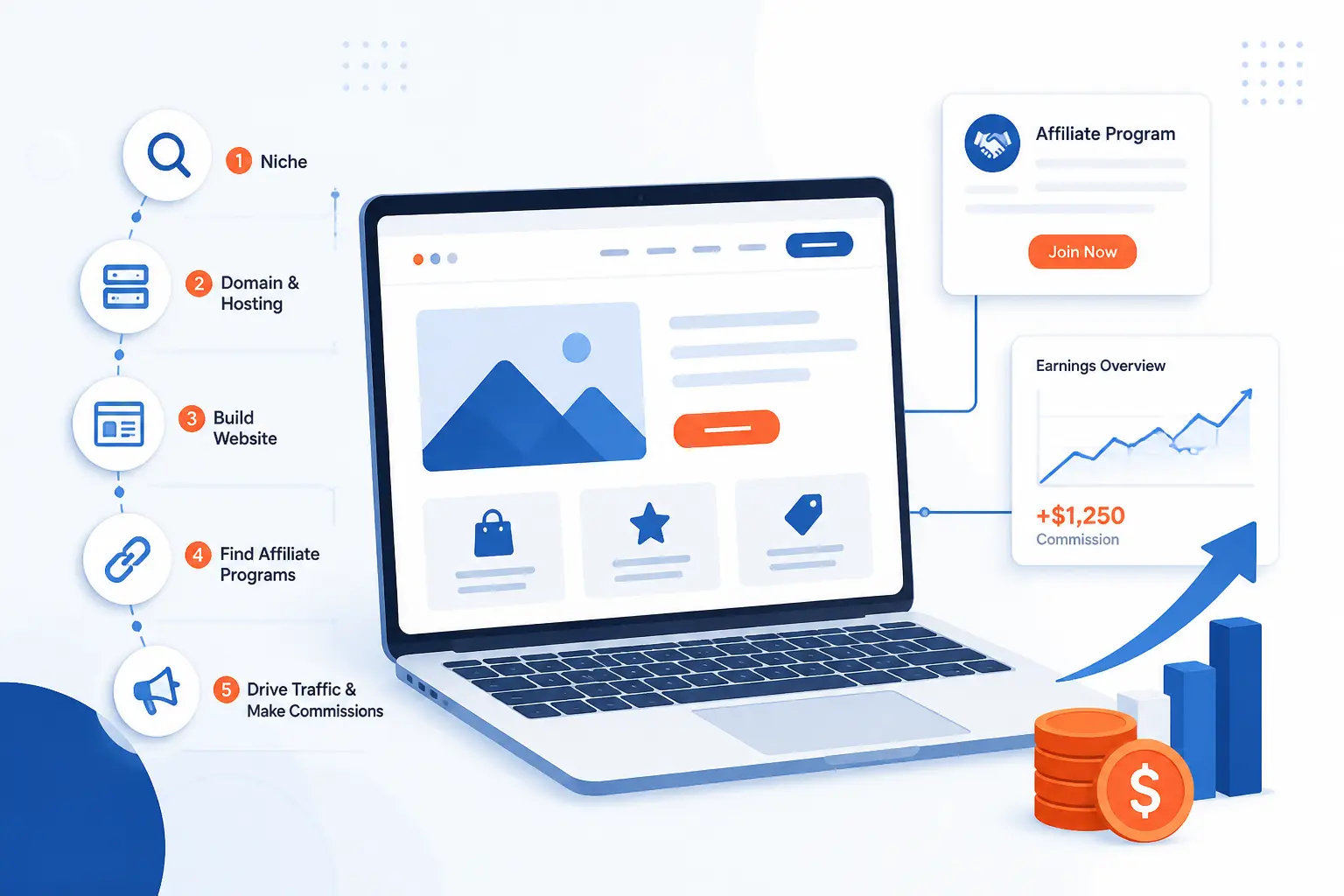
To learn how to start an affiliate marketing website correctly, we should keep the process simple and do it in the right order. We choose one narrow topic, buy a matching domain, build a clean site, publish a few useful pieces, join relevant programs, add clear disclosures, and then grow traffic. That is the whole job. What usually breaks a beginner site is not lack of effort, but rushing into links before the site has structure, trust, or focus.
We would start small, publish early, and make every page earn its place. If you follow the steps below in sequence, you can launch a beginner-friendly site that looks legitimate to readers, brands, and search engines.
How to Start an Affiliate Marketing Website in 8 Steps

Here is the short answer. Start with a niche you can cover for years, build a simple site on a platform that suits content publishing, create the core pages programs expect, publish a few starter articles, join relevant affiliate programs, place links where they help, and keep promoting useful content on a schedule. We have seen beginners do well when they treat the site like a focused publication, not a pile of product links.
FURTHER READING: |
| 1. Ecommerce Business Ideas: Profitable Niches, Models, and Launch Steps |
| 2. How Much Does It Cost to Start an LLC? |
| 3. How to Start an LLC: A Step-by-Step Guide for New Business Owners |
1. Choose a Specific Niche You Can Cover for the Long Term
Pick a niche narrow enough that one person can publish 30 useful articles without repeating themselves. A broad topic like “fitness” is too loose for a new site, but “adjustable dumbbells for apartment workouts” is focused enough to guide your content, product choices, and audience.
We like a simple test here. Write down one audience, one problem, and one buying pattern. For example, “busy parents,” “need fast meal prep,” and “compare compact kitchen gear.” If you cannot list article ideas such as comparisons, setup guides, maintenance tips, and beginner mistakes, the niche is still too vague.
Your niche also needs room for trust. We would rather see a site about trail cameras for deer scouting than a generic outdoor gear site that reviews everything under the sun. When the topic is tight, your recommendations sound informed instead of borrowed. You will know this step worked when you have a working site name, 30 article ideas, and a list of products or services people actually buy in that niche.
2. Buy a Domain Name That Matches Your Topic and Brand
Buy a short, brandable domain that hints at the topic without boxing you into one exact product. We usually prefer a name like grindscope.com or camphomeguide.com over a clunky phrase stuffed with keywords and dates.
Keep the name easy to say, easy to type, and easy to remember. Avoid hyphens, odd spellings, and trademarked brand names. If your site may expand from one product to a category, choose a broader brand now so you do not outgrow the name in six months.
Enter a realistic example when you register it, such as First Name: Jamie, Last Name: Lee, Organization: North Ridge Media, and domain: northridgegear.com. Once the purchase is done, you should see the domain in your registrar dashboard with access to DNS or nameserver settings. That is your signal that the name is ready to connect to hosting.
3. Build Your Site on a Platform That Fits Your Content Strategy
Install the platform before you fuss over colors or logos. The right setup for how to start an affiliate marketing website is the one that makes publishing, organizing, and updating content easy for months, not just on launch day.
Choose WordPress or a Builder That Fits Your Content Plan
Install WordPress if you plan to publish lots of articles, comparisons, and buying guides. For WordPress, use your host’s installer if it exists, or follow the official installation steps to create the database, set up wp-config.php, upload files, and run the install script. When it works, you should be able to sign in at https://{your-domain.com}/wp-admin and see the left menu for Posts, Pages, and Appearance.
Choose a builder if your plan is small, mostly static, and design-led. In that branch, start with a blog-friendly or magazine-style template, not a single-page portfolio template. You should end this step with a live homepage, a working editor, and one clear way to publish articles.
Pick a Clean Theme and Keep the Layout Mobile-Friendly
Open Appearance > Themes > Add New, install a simple theme, and resist the temptation to decorate everything. WordPress documents the path through the Themes screen and the Add New button in its theme screen guide. When this works, you should be able to preview the theme, activate it, and see a readable layout on desktop and phone.
For either WordPress or a builder, keep the structure plain. Use one main navigation menu, readable body text, obvious buttons, and plenty of white space. If your mobile view forces readers to pinch, scroll sideways, or fight a pop-up, fix that now. New affiliate sites live or die on clarity.
Create the Core Pages Readers and Programs Expect
Open Pages > Add New and publish the pages that prove your site is real. WordPress’s page-creation guide shows the exact flow of Pages > Add New, title entry, content blocks, and Publish. When this works, the pages are live and ready to add to your menu.
- Home: explain who the site helps and where to start.
- About: say who you are, what you cover, and how you test or research.
- Contact: add a form or email address.
- Privacy Policy: explain analytics, cookies, and form data.
- Affiliate Disclosure: explain that you may earn commissions.
If you want a static homepage, set it in Settings > Reading by assigning one page as Homepage and another as Posts page. You should see those pages in your navigation, and a brand reviewing your application should be able to understand the site within a minute.
4. Learn Your Publishing Tools and Post a Few Starter Pieces
Open Posts > Add New and publish at least three starter articles before you apply to most programs. We want the site to look alive. An empty site with a logo and no substance tells readers and brands nothing.
In WordPress, learn the basics of the Block Editor. Use the + inserter to add Heading, Paragraph, Image, List, Table, and Button blocks. Add a title like Best Budget Espresso Grinders for Small Kitchens, write the article, set a featured image, choose a category, and click Publish. You should see a live URL and a post preview that matches the front end.
Your first three pieces should cover different reader intents. We would usually publish one buying guide, one comparison, and one how-to article. For a beginner coffee niche, that could be:
Best Budget Espresso Grinders for Small KitchensManual vs Electric Espresso GrindersHow to Clean an Espresso Grinder Without Damaging It
This is also where you learn your own workflow. Figure out how to insert images, add internal links, edit slugs, save drafts, and update posts. If you can publish three neat, readable posts without getting lost in the dashboard, you are ready for monetization.
5. Join Affiliate Programs That Match What Your Audience Needs
Apply only to programs that fit the products or services your readers are already trying to choose. Good affiliate offers feel like a useful next step in the article, not a detour.
Apply Directly to Brand Programs
Search for a brand’s partner page and apply from there when the brand already belongs in your content plan. Fill in fields like Website URL, Promotional Methods, and Traffic Sources with specific answers, such as “We publish beginner comparison articles and setup guides for home espresso readers at https://{your-domain.com}.” When the application is accepted, you should receive access to your dashboard, tracking links, or both.
Read the program terms before you use any major merchant, especially Amazon. Amazon’s operating agreement says you must comply with program rules, keep your site information accurate in Account Settings, and clearly state, “As an Amazon Associate I earn from qualifying purchases.” It also says violations can stop commission payments.
Use Affiliate Networks to Find More Partner Options
Create one network account, finish your publisher profile, and use the network’s advertiser filters to match your niche. Look for category, country, approval type, and traffic-source settings so you do not waste time applying to offers that reject content sites.
Write a short publisher description that sounds like a real publication. A solid example is, “We help first-time campers choose compact shelter, sleep, and cooking gear through hands-on guides and beginner checklists.” When this works, your dashboard should show pending or approved advertisers and a menu where you can generate links or coupons.
The common beginner mistake is quantity over fit. Ten bad programs do not beat two relevant ones. We would rather build content around a few offers readers truly need than stuff a page with mismatched links that earn nothing.
6. Add Affiliate Links Where They Help the Reader Most
Place affiliate links right after the point where the reader is ready to act. In practice, that usually means inside product mentions, beneath comparison tables, after a clear recommendation, or on a tools page that summarizes what you use and why.
In WordPress, highlight the product name, click the link icon or press Ctrl + K, paste the tracking URL, and press Enter. Add a short disclosure near the first monetized recommendation, such as Disclosure: We may earn a commission if you buy through links on this page. The FTC says your relationship should be disclosed clearly and conspicuously, that “affiliate link” by itself may not be enough, and that the disclosure works best close to the endorsement in its FTC guidance. When this works, the link opens the correct merchant page and the disclosure is visible before or alongside the recommendation.
We also like a separate disclosure page for transparency. A large publisher’s disclosure example shows the business model openly, but we would still keep the shorter notice on the article itself because that is where the decision happens.
Do not spray links everywhere. If a paragraph is educational and no product decision is being made, let it stay educational. A helpful site converts better when the commercial moments are obvious, relevant, and earned.
7. Drive Traffic Through Search, Email, Social, and Outreach
Use multiple channels from the start, but build the site as the hub. Search brings discovery, email gives you a list you own, social helps distribution, and outreach can earn links and trust faster than waiting around.
Prioritize SEO Early
Map each article to a specific search intent before you publish it. We group topics into buying guides, comparisons, troubleshooting posts, and beginner tutorials because each one answers a different question. Google’s people-first content guidance says useful content should have a clear site focus and help readers achieve their goal, which fits affiliate publishing perfectly when the content is genuinely helpful.
Open Google Search Console, add a Domain property for {your-domain.com}, verify the DNS record, then go to Sitemaps and submit sitemap_index.xml or sitemap.xml. Google’s sitemap instructions explain that CMS platforms often generate sitemaps for you and that submitting them in Search Console helps you spot processing errors. When this works, Search Console shows the sitemap status as submitted and begins discovering URLs.
Build an Email List You Control
Add one signup form to the homepage, one below posts, and one on a dedicated subscribe page. If you use WordPress, paste your email provider’s embed code into a Custom HTML block or use the provider’s official plugin. Offer something small but useful, such as a checklist called 7 Things to Check Before Buying Your First Trail Camera.
Send a welcome email that sets expectations. A simple version works well: “You’ll get one practical email each week with new guides, buying tips, and updates.” You should know this step worked when a test signup reaches your inbox and the subscriber receives the welcome email without manual effort.
Use Social Platforms to Send Readers Back to Your Site
Pick one social platform where your niche already lives and use it to point people back to your best pages. We usually tell beginners to choose one, not four. A single active channel is more useful than a handful of abandoned accounts.
Turn each new post into several social assets. Pull one image, one quick tip, one myth to correct, and one short opinion. Then link back to the full article in your profile, story, pin description, or post caption where the platform allows it. This works when your analytics start showing referral traffic from one repeatable source instead of random spikes.
Write Guest Posts to Expand Reach and Authority
Pitch guest posts to sites that serve the same audience but do not compete head-on with your exact page. Make a list of 20 sites, find the editor or contact page, and send a short email with three headline ideas and one reason you are qualified to write them.
Keep the pitch specific. A good example is, “I can write ‘How to Choose a Two-Person Tent for Humid Weekend Trips’ for your beginner camping audience.” When this works, you get a published article, a relevant link, and a second stream of readers who may join your email list or browse your guides.
8. Publish High-Quality Content on a Consistent Schedule
Set a realistic publishing schedule and protect it. One solid post every week beats seven rushed posts this month and silence next month.
Use a repeatable template so every review or guide is easier to write. We like this flow: who the piece is for, the core problem, how we evaluated options, the recommendation, trade-offs, and who should skip it. Good editorial sites do this well. REI’s testing methodology explains how it uses multiple testers, criteria, and written feedback before naming winners, which is a good model for showing readers how you reached a conclusion.
Do not publish thin pages that say the same thing with slightly different keywords. Google’s spam policies warn that thin affiliate pages with replicated content and little added value create a frustrating user experience. When this step works, your editorial calendar shows the next several posts, older posts get updated, and every page adds something distinct.
Why a Website Is a Stronger Base Than Social Alone

A website is a stronger base because we own the pages, control the layout, and decide how readers move from question to answer to recommendation. Social platforms are useful for reach, but the platform owns the rules, the feed, and often the audience relationship. If we are serious about how to start an affiliate marketing website that lasts, the website has to be home base.
Own Your Content and Control the Reader Journey
Own the main publishing hub so your best work is not trapped inside someone else’s feed. On your site, you choose the headline, the disclosure placement, the internal links, the call to action, and the next article a reader sees.
That control matters because affiliate revenue usually comes from a sequence, not one click. A reader may land on a tutorial, move to a comparison, then return later for the buying guide. We can build that path on our own site. We cannot force it on a social platform.
Build Search Visibility Around One Clear Topic
Build your site around one clear topic and let the articles reinforce each other. A focused website sends stronger signals than scattered posts across unrelated social channels.
This is why niche discipline matters so much. Ten connected articles about one buying problem create momentum. Ten random posts about unrelated products create confusion. Search tends to reward the first pattern because readers find it more useful too.
Keep Costs More Predictable as the Site Grows
Keep your base costs predictable by growing a content asset you control. A website still has real expenses, but the economics are usually easier to understand than chasing reach with constant paid boosts.
We can plan around hosting, domains, tools, and content production. Social reach can disappear with one algorithm change or one weak month. That does not mean social is bad. It means social works best as a feeder channel, while the site stays the asset that compounds.
FAQ for New Affiliate Website Owners
These are the questions we hear most from beginners. The short answers are straightforward. The better results come from treating the site like a real publication from day one.
How Do Beginners Start Affiliate Marketing?
Beginners start affiliate marketing by choosing one niche, building a simple website, publishing helpful content, and joining a few relevant programs. We would not start with dozens of offers or complicated funnels. A small site with real answers beats a flashy site with no substance.
Can You Start an Affiliate Marketing Website for Free?
You can start testing ideas for free, but a real affiliate website usually needs a paid domain and hosting. Free platforms can work for practice, yet they often limit branding, control, or long-term credibility. If you want programs and readers to take the site seriously, owning the domain is usually worth it.
How Much Does It Cost to Start an Affiliate Marketing Business?
It can be fairly inexpensive if you keep the stack lean. Your essential costs are usually the domain, hosting, SSL, and maybe one or two tools for email or design. We would skip premium extras until the site has traffic and a repeatable publishing process.
Do You Need a Website to Become an Affiliate Marketer?
No, but a website gives you far more control and staying power. Some programs allow promotion through social channels, video, or email, yet the site makes it easier to organize content, rank in search, and explain recommendations properly. For long-term growth, we strongly prefer having a website.
Can You Make $10,000 a Month With Affiliate Marketing?
Yes, it is possible, but it is not typical or quick. Reaching that level usually takes strong content, meaningful traffic, smart program selection, and steady testing over time. We would treat that figure as a business target, not a starting expectation.
How 1Byte Supports Affiliate Website Owners
At 1Byte, we support affiliate website owners with the building blocks that matter most: domain registration, SSL certificates, WordPress hosting, shared hosting, cloud hosting, and cloud servers. We are also an AWS Partner, which matters for readers who may outgrow a basic setup and later want a more cloud-oriented path. We keep our advice practical here because the goal is simple: pick the right foundation for the stage your site is in.
| Service | Best fit | Practical use for affiliate sites |
|---|---|---|
| Domain registration + SSL certificates | Brand-new sites | Claim the brand and secure the site from the start |
| WordPress hosting + shared hosting | Early publishing stage | Launch a content site without building server infrastructure first |
| Cloud hosting + cloud servers | Growing or custom setups | Handle heavier traffic, custom stacks, or more hands-on control |
Register a Domain and Secure It With SSL Certificates
Start by registering the domain and securing it with SSL certificates. That gives your site a branded address and the HTTPS padlock readers expect before they submit a contact form, join your email list, or trust a recommendation.
We see this as the non-negotiable first layer. Even a tiny starter site looks more legitimate when the domain is clean and the connection is secure. If you are at the very beginning, this is the part to get done before themes, logos, or social banners.
Launch Faster With WordPress Hosting and Shared Hosting
Use WordPress hosting or shared hosting when your main job is publishing content, not managing infrastructure. For most beginner affiliate websites, that is the right place to start because the work should be writing, organizing, and improving pages.
We would point new publishers toward the simplest environment that lets them log in, install WordPress, and start posting. Once the editorial workflow is smooth, you can judge whether the site needs anything more advanced.
Scale Traffic With Cloud Hosting and Cloud Servers
Move to cloud hosting or cloud servers when the site needs more flexibility, heavier plugins, testing environments, or a custom stack. That stage usually comes after the site has real traffic and a real publishing engine behind it.
We like this progression because it avoids paying for complexity too early. Start with the setup that helps you publish. Then scale the infrastructure when the content and traffic justify it. That is usually the saner way to grow.







Conclusion
How to start an affiliate marketing website correctly is not a mystery. We choose a narrow niche, build a clean site, publish useful content, join relevant programs, disclose clearly, and keep showing up with better pages than the last round.
If we were starting from zero this week, we would finish the niche, domain, and core pages first, then publish three starter articles before applying anywhere. Want an easy next step? Open a blank document and list 30 article ideas for one niche you can still care about a year from now.