

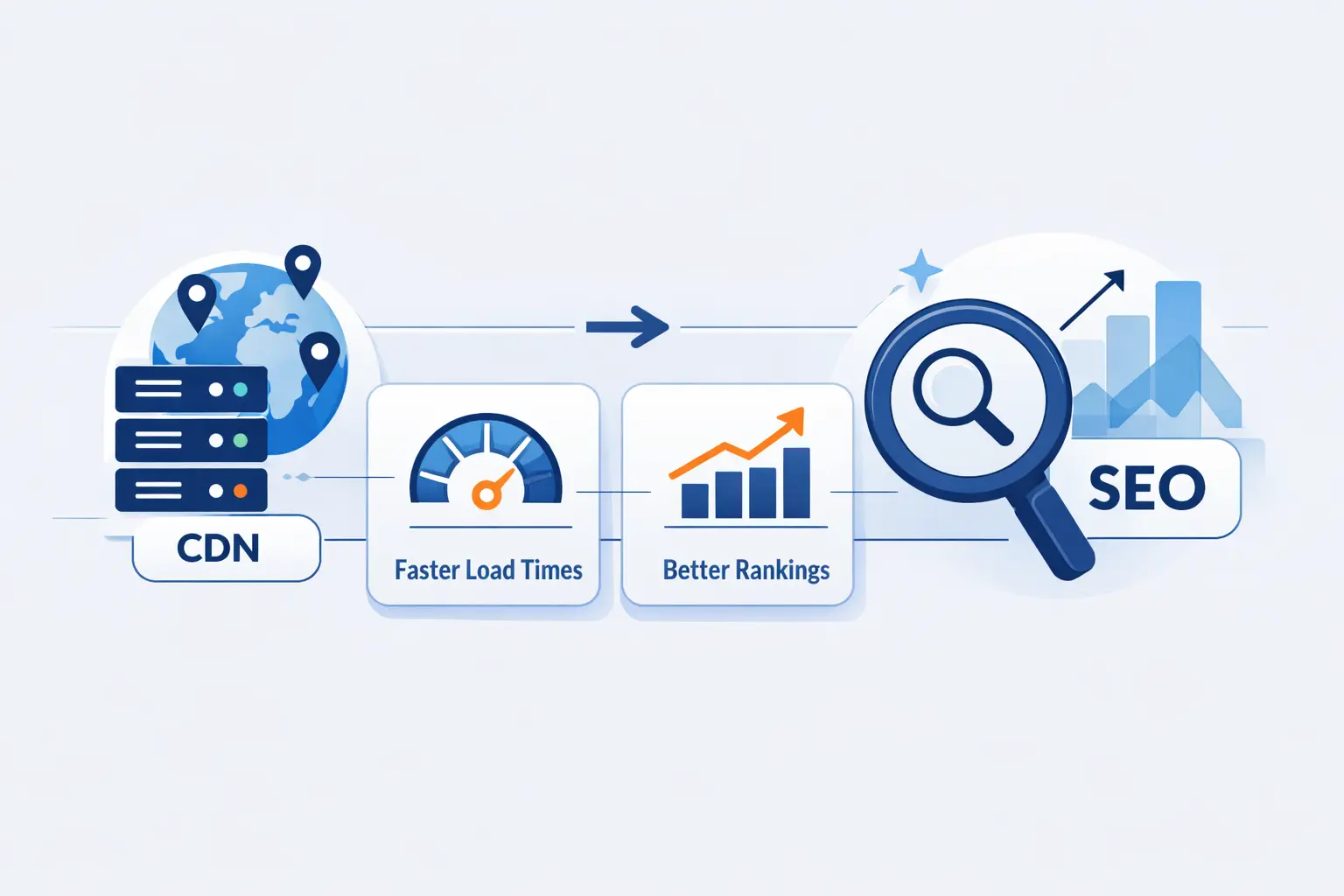
- Does CDN Affect SEO? The Short Answer
- What a CDN Is and How It Works
- How CDN Affects SEO Via Speed, Uptime, and Security
- How a CDN Supports Core Web Vitals
- Server Location Versus CDN in SEO
- Does Hosting Images on a CDN Affect Image SEO?
- Common CDN SEO Myths
- Potential Drawbacks and CDN Setup Risks
- How to Choose the Right CDN
- How to Implement a CDN and Avoid SEO Problems
- How to Measure CDN Impact on SEO
- When a CDN Makes the Most Sense
- FAQ
- How 1Byte Supports Faster, More Reliable Websites
- Conclusion: Does CDN Affect SEO?
At 1Byte, we hear this question all the time: does cdn affect seo? Our answer is yes, but rarely in the dramatic way people expect. A CDN does not sprinkle ranking dust on a website. What it does is improve the conditions that search engines and people both care about, like speed, stability, security, and consistent delivery.
We have also learned the hard way that a CDN is not a cure-all. A smart setup can help pages load faster across regions and stay available during traffic spikes. A sloppy setup can create duplicate URLs, stale caches, or broken assets. In other words, the edge helps, but the details decide.
Does CDN Affect SEO? The Short Answer

The short answer is yes, mostly through indirect effects. The market itself shows how central this has become. Grand View Research estimated the sector at USD 31.52 billion in 2025, which tells us that edge delivery is no longer a niche extra for giant brands. It is standard web infrastructure for many serious sites.
1. Can a CDN Create a Direct Ranking Penalty?
We do not view a CDN as a direct ranking switch. Google says its systems aim to reward content that provides a good page experience, so the result matters more than whether a site uses a CDN at all. A CDN by itself is not a penalty. A broken CDN setup, however, can absolutely create problems that hurt visibility.
2. How Can a CDN Improve SEO Indirectly?
A CDN can help when it improves the metrics behind real user experience. Google recommends that good LCP happen in 2.5 seconds or less, and faster edge delivery can make that goal more realistic by shortening the trip between the visitor and your content. That can improve how usable a page feels before any ranking change shows up.
3. Why Does Configuration Matter More Than the CDN Alone?
At 1Byte, we think configuration matters more than the vendor badge. Cache rules, origin headers, canonical handling, SSL, redirects, and image URLs all shape the outcome. If those pieces are wrong, a CDN can make mistakes spread faster. If they are right, a CDN becomes a quiet advantage.
What a CDN Is and How It Works

A CDN is a distributed network of servers that stores and serves content closer to visitors. Instead of every request traveling all the way to one origin server, many requests can be answered from a nearby edge location. That simple change often trims delay, lowers origin load, and makes the whole site feel less fragile.
1. Origin Servers, Edge Servers, and Cached Assets
Your origin server holds the main version of your site. Edge servers keep cached copies of files that do not change often, such as images, CSS, JavaScript, fonts, and sometimes full HTML pages. When the cache is warm, users get those assets from the edge instead of waiting on the origin for every request.
2. Static Content Versus Dynamic Content
Static content is the easy win. Logos, product photos, scripts, and style sheets are perfect CDN material. Dynamic content is trickier because it may depend on login state, cart contents, or live database calls. Even there, a CDN can still help with partial caching, route optimization, and asset delivery around the dynamic core.
3. Latency, Distance, and TTFB
Distance still matters on the internet. The farther a visitor is from your server, the longer requests and responses take to travel. That delay shows up in time to first byte, or TTFB. A CDN reduces that pain by moving cached responses closer to the user, which is why global audiences usually feel the benefit first.
How CDN Affects SEO Via Speed, Uptime, and Security

When people ask us whether a CDN helps rankings, we usually bring the conversation back to these three areas. Faster loading improves user experience. Better uptime keeps search engines and visitors reaching the site. Safer delivery reduces failures caused by attacks or certificate mistakes. None of that is flashy, but it wins.
1. Faster Loading and Better User Experience
Real brands see this effect in practice. After shifting content delivery to Cloudflare, Fossil reported a 20% improvement in page load speeds, which is exactly the kind of change users feel without needing a speed test. We like examples like this because they show what a CDN actually does when the setup is sane.
2. Stronger Uptime During Traffic Spikes and Outages
A CDN also acts like a pressure valve. If a campaign, sale, or news mention sends a flood of traffic, the edge can absorb a big share of repeat requests. That keeps the origin from collapsing under load. From an SEO angle, this matters because crawlers cannot index pages that keep timing out or returning errors.
3. HTTPS, DDoS Protection, and Safer Delivery
Security is part of the story too. Many CDN platforms make SSL easier to manage and help filter bad traffic before it hits the origin. That does not make a site secure by magic. It does reduce the chances of outages, mixed content issues, and attack-driven failures. We see that as an SEO support function, not an SEO trick.
How a CDN Supports Core Web Vitals

Core Web Vitals are not the whole ranking story, but we should not pretend they are irrelevant. At 1Byte, we treat them as a practical scorecard for how a page feels in the wild. A CDN can improve parts of that path, especially when a site serves a lot of static files or has visitors spread across countries.
1. TTFB and Largest Contentful Paint
TTFB is often the first bottleneck a CDN can ease. If cached HTML or key assets arrive faster, the browser starts useful work sooner. That can improve Largest Contentful Paint as well. Still, we always remind clients that a slow application server or a slow database can cancel out much of that edge benefit.
2. Mobile Performance and Image Optimization
Mobile visitors often sit on weaker connections and less forgiving devices. This is where image resizing, compression, modern formats, and better cache hit rates matter. A CDN can help serve lighter assets to smaller screens. But if the page ships giant images, heavy scripts, or delayed rendering, the CDN will not rescue the page by itself.
3. Global Delivery and International Reach
For international sites, Core Web Vitals can vary wildly by region. A page that feels quick in one city may feel sluggish on another continent. A CDN narrows that gap by shortening delivery paths for cached resources. We think this is one of the clearest cases where a CDN earns its keep.
Server Location Versus CDN in SEO

People often frame this as an either-or choice. Should you care about the hosting location, or should you just add a CDN and move on? In our experience, that is the wrong question. The better question is which parts of the page are static, which are dynamic, and where the actual waiting happens.
1. Why the Origin Server Still Matters for Dynamic Pages
Dynamic sites prove the point. Slack said Amazon CloudFront helped drop average worldwide latency from 90ms to 15ms, but that gain still depended on a healthy application and origin behind the edge. Personalized pages, search results, checkouts, and dashboards still need fast backend work.
2. When a CDN Is Enough for Mostly Static Sites
If your site is mostly static, the CDN can do much more of the heavy lifting. Think brochure sites, documentation sites, landing pages, or smaller blogs. In those cases, a good CDN in front of decent hosting can deliver a very strong result. You may not need a fancy origin to feel fast in many regions.
3. Why Fast Hosting Plus a CDN Often Wins
We prefer the combination. Fast hosting handles the uncached and dynamic work. The CDN handles repeated asset delivery and geographic spread. That pairing usually beats either choice alone. Put plainly, the origin should be efficient, and the edge should be nearby. That is the formula we trust most.
Does Hosting Images on a CDN Affect Image SEO?

This is where the conversation gets more heated. We have seen strong opinions on both sides, and the truth is more nuanced. Hosting images on a CDN is usually fine. What tends to cause trouble is changing image URLs, blocking crawl access, or weakening the connection between the image and the page that gives it meaning.
1. Why Image SEO Is the Most Debated Part of the CDN Discussion
Google warns that changing image URLs can cause temporary image traffic loss while the new URLs build history, which is why this topic gets debated so much. In our view, the risk is usually the migration pattern, not the CDN itself. Move images carelessly, and you can create a mess.
2. How Search Engines Read Asset URLs, File Names, Alt Text, and Canonical Signals
Search engines do not judge images by URL alone. They also read the file name, alt text, surrounding copy, page headings, and the general context of the page. Stable references matter. Clear filenames matter. So does keeping the image on a page where its subject is obvious. We tell clients to think in signals, not in myths.
3. When Keeping Images on the Main Site May Be Worth Testing
If image search is a major traffic source, we think testing is wise. Some publishers prefer keeping image URLs on the main hostname for cleaner reporting and fewer moving parts. Others do perfectly well with CDN-hosted assets. The right answer depends on your platform, migration history, and how much image visibility matters to your business.
Common CDN SEO Myths

Some CDN myths refuse to die. We hear them from site owners, agencies, and even seasoned developers. The problem is not that the concerns sound silly. The problem is that they often distract from the real issues, which are speed, uptime, crawlability, and clean technical signals.
1. Shared IP Addresses and Ranking Fears
We have never seen convincing evidence that a shared CDN IP, by itself, creates a ranking penalty. Search engines know the modern web runs on shared infrastructure. What actually hurts sites is spam, hacks, poor security, bad neighbors that spill into abuse handling, or blocked crawlers. The IP myth is usually a dead end.
2. Same Domain Asset Delivery and SEO Assumptions
Serving everything from the main domain is not automatically better. Sometimes it keeps reporting simpler. Sometimes it changes nothing meaningful. What matters is whether assets are crawlable when they need to be, whether URLs stay stable, and whether rendering works. A same-domain setup can still be slow or misconfigured.
3. The Myth That a CDN Replaces Fast Hosting
This is the big one. A CDN does not fix a slow database query, bloated plugins, inefficient code, or weak origin resources. If the server takes forever to build a page, the edge has less to work with. We like CDNs, but we do not treat them as an excuse to ignore hosting quality.
Potential Drawbacks and CDN Setup Risks

We are fans of CDNs, but we do not romanticize them. Every extra layer adds cost, settings, and room for mistakes. If your site is small and local, the tradeoff may be modest. If your site is large and global, the payoff can be huge, but only if someone owns the ongoing maintenance.
1. Cost, Complexity, and Ongoing Maintenance
A CDN can be cheap to start and expensive to operate badly. Teams often overlook the time needed for purge rules, header reviews, SSL renewals, and cache tuning. If no one monitors it, small issues grow quietly. We have seen companies blame SEO when the deeper issue was simple operational neglect.
2. Stale Caches, Outdated Files, and Broken Purges
Bad cache invalidation is one of the oldest headaches in web operations. If a CDN keeps serving old HTML, expired product data, or outdated images, users see the wrong page. Search engines can see it too. That can create confusion around titles, canonical tags, stock status, or structured content. None of that is good for trust.
3. DNS, HTTPS, and Rendering Errors
We also watch for DNS mistakes, bad redirects, certificate mismatches, mixed content, and blocked JavaScript or CSS. These problems can keep pages from rendering correctly. They can also split signals across hostnames. A CDN does not create these issues alone, but it can expose them or amplify them if the rollout is careless.
How to Choose the Right CDN

We think the best CDN choice starts with the audience, not the product brochure. Fancy feature lists are nice, but they mean little if your visitors are concentrated in one region, your site is mostly dynamic, or your team cannot manage the controls. Pick for fit, not for marketing buzz.
1. Network Reach and Audience Fit
If most of your visitors are in one country, you may not need the broadest global footprint on earth. If your customers are spread across North America, Europe, and Asia, reach matters more. We always map the audience first, then test how each delivery path behaves from those regions.
2. Security, SSL, and Caching Controls
Look closely at SSL support, custom cache rules, image handling, purge options, bot controls, WAF tools, and origin shielding. These are the practical controls that decide whether the CDN helps or hurts. We like platforms that make the rules visible and predictable. Mystery settings tend to create mystery outages.
3. Support, Scalability, and Pricing
Do not judge pricing by the entry plan alone. Check request costs, bandwidth costs, regional differences, and what support you actually get when something breaks. We also value documentation and human support. A cheaper CDN is not cheaper if your team loses a weekend chasing one bad cache rule.
How to Implement a CDN and Avoid SEO Problems

This is the part where discipline matters. We prefer gradual rollouts, clear cache policies, and before-and-after testing over heroic launches. A CDN project should feel boring. If it feels dramatic, something is probably underplanned. Search performance usually rewards boring technical work.
1. DNS Changes, SSL Setup, and Cache Rules
Start with DNS carefully. Confirm SSL at the edge and at the origin. Decide which paths should cache, for how long, and under which headers. Exclude admin paths, personalized pages, carts, and anything session-based unless you know exactly what you are doing. Most rollout disasters happen in these basics.
2. Canonical Handling for CDN URLs and Assets
If the CDN can expose HTML on alternate hostnames, treat that as a real SEO risk. Google recommends signals that avoid spending crawling time on duplicate pages, which is exactly why canonical tags, redirects, and hostname controls matter. We want one clear public version of each page, not several edge-flavored copies.
3. Testing Before and After Launch
Test pages before launch, then test them again after traffic moves. Check rendering, cache headers, response codes, page source, canonical tags, image URLs, and mobile behavior. After launch, compare logs, crawl stats, and user performance by region. We trust measured change more than intuition every time.
How to Measure CDN Impact on SEO

We do not like vague claims here. If a CDN is helping, you should be able to see it. The effect may show up first in speed data, then in crawl health, then in user engagement, and only later in organic traffic. That order is normal, and it keeps teams from expecting overnight ranking fireworks.
1. Tracking TTFB, Load Time, and Core Web Vitals
Measure the obvious things first. Watch TTFB, full load behavior, and field data for Core Web Vitals. Use real user monitoring if you can. Synthetic tests are useful, but field data tells you what people actually experienced. That distinction matters more than many teams admit.
2. Comparing Performance Across Regions
Regional testing is where a CDN often proves itself. Run checks from the places your customers actually live. Compare major metro areas, countries, and mobile conditions. If the CDN only helps the city nearest your origin, it is not doing much. We want to see narrower performance gaps across geographies.
3. Monitoring Crawling, Rankings, and Organic Traffic
Then look at search outcomes. Watch crawl errors, crawl volume, rendering behavior, image traffic, rankings for important pages, and organic traffic by market. We also like checking whether search bots hit the CDN efficiently or keep falling through to the origin. The goal is not just speed. It is reliable discoverability.
When a CDN Makes the Most Sense

Not every site needs a CDN on day one. But some sites benefit almost immediately. We usually recommend one when the audience is spread out, the site is asset-heavy, traffic is growing fast, or uptime matters enough that one rough traffic spike would be expensive.
1. International Sites and Distributed Audiences
This is the clearest use case. If users are spread across countries, the edge reduces distance and smooths performance. We think international stores, SaaS products, publishers, and online learning platforms belong near the top of the list. Geography is where a CDN earns its stripes.
2. Media-Heavy Sites and Traffic Growth
Sites with lots of images, video previews, scripts, fonts, or downloadable assets usually benefit too. A growing content library can punish the origin if every request goes back home. The CDN offloads repeat work. That makes performance more consistent when traffic climbs.
3. Cases Where Better Hosting Matters More
If your site is mostly dynamic and your bottleneck lives in the database, the app code, or a weak server plan, better hosting may matter more first. We would rather fix a struggling origin than hide it behind a CDN and hope for the best. Hope is not an architecture plan.
FAQ

Here are the short answers we give most often when clients want a quick decision before they get lost in technical details.
1. Is a CDN Good for SEO?
Usually, yes. It helps indirectly by improving speed, uptime, and secure delivery. Those factors support better user experience and healthier technical signals.
2. What Are the Disadvantages of a CDN?
The main downsides are cost, extra complexity, stale cache risk, and rollout mistakes. A CDN adds power, but it also adds responsibility.
3. Can a CDN Hurt SEO If It Is Configured Incorrectly?
Yes. Duplicate hostnames, bad canonicals, broken SSL, blocked assets, wrong cache rules, and stale HTML can all cause search problems.
4. Does a CDN Help Core Web Vitals?
Often, yes. It can improve TTFB and support better loading behavior, especially for static assets and geographically distant users. It will not fix every vital on its own.
5. Does Server Location Still Matter If You Use a CDN?
Yes, especially for dynamic pages. The CDN helps with cached delivery, but the origin still matters when the page must be built in real time.
6. Does Hosting Images on a CDN Affect Image SEO?
It can, but usually because of URL changes, crawl access, or weak on-page context. The CDN is rarely the real problem by itself.
How 1Byte Supports Faster, More Reliable Websites
At 1Byte, we approach this from the ground up. We do not treat performance as one product choice. We treat it as a chain that starts with domain setup, secure delivery, dependable hosting, and room to grow. A CDN fits best when the rest of that chain is already sound.
1. Get Started With Domain Registration and SSL Certificates
We help clients begin with the basics that too many teams rush past. Clean domain management and proper SSL setup reduce avoidable mistakes early. That gives any future CDN rollout a better foundation.
2. Choose WordPress Hosting, Shared Hosting, or Cloud Hosting
We know different sites need different starting points. A small brochure site may do fine on shared hosting. A busy WordPress site needs tighter tuning. A growing application often belongs on cloud hosting where the origin can keep up with what the edge is trying to accelerate.
3. Scale With Cloud Servers and AWS Partner Support
When clients need more control, we can support cloud servers and AWS-aligned deployments with a stronger backend footprint. That matters because the best CDN results usually come from pairing edge delivery with an origin that is stable, fast, and sized for the real workload.
Conclusion: Does CDN Affect SEO?
1. When a CDN Helps Most
Our view at 1Byte is simple. A CDN helps most when a site serves global audiences, heavy assets, or growing traffic. In those cases, the edge improves the experience people actually feel, and that is the part search engines are built to reward over time.
2. When Better Hosting Still Matters
We would not hide from the other half of the truth. If the origin is weak, the application is slow, or the site is badly built, a CDN will only mask part of the problem. Better hosting, cleaner code, and smarter caching at the source still matter.







3. Why Ongoing Testing Matters
So, does cdn affect seo? Yes, but mainly through execution. The smartest move is to test before and after, measure by region, watch crawl behavior, and keep tuning. That is how a CDN becomes a real SEO ally instead of just another checkbox in the stack.