

- Defense in Depth Strategy Is a Layered Cybersecurity Model
- Why Organizations Use It to Protect Critical Assets
- How Defense in Depth Organizes Security Layers
- How Security Controls Work Together Across Layers
- A Simple Example of Defense in Depth at Work
- How the Strategy Adapts to Cloud and Identity Risks
- How to Build a Defense in Depth Strategy
- How Defense in Depth Differs From Related Models
- FAQ
- How 1Byte Supports Layered Security for Websites and Infrastructure
- Conclusion
A defense in depth strategy is a cybersecurity approach that protects an organization with multiple layers of controls instead of relying on one barrier. Each layer is designed to prevent, detect, slow, contain, or recover from an attack. If one control fails, another control should still reduce the damage. At 1Byte, we think of it as practical paranoia: assume something will break, then build the next checkpoint before it does.
The idea is simple, but the execution matters. A firewall alone is not a strategy. A password policy alone is not a strategy. A backup alone is not a strategy. Defense in depth works when physical safeguards, network rules, identity controls, application hardening, monitoring, staff training, and recovery plans all support one another.
Defense in Depth Strategy Is a Layered Cybersecurity Model

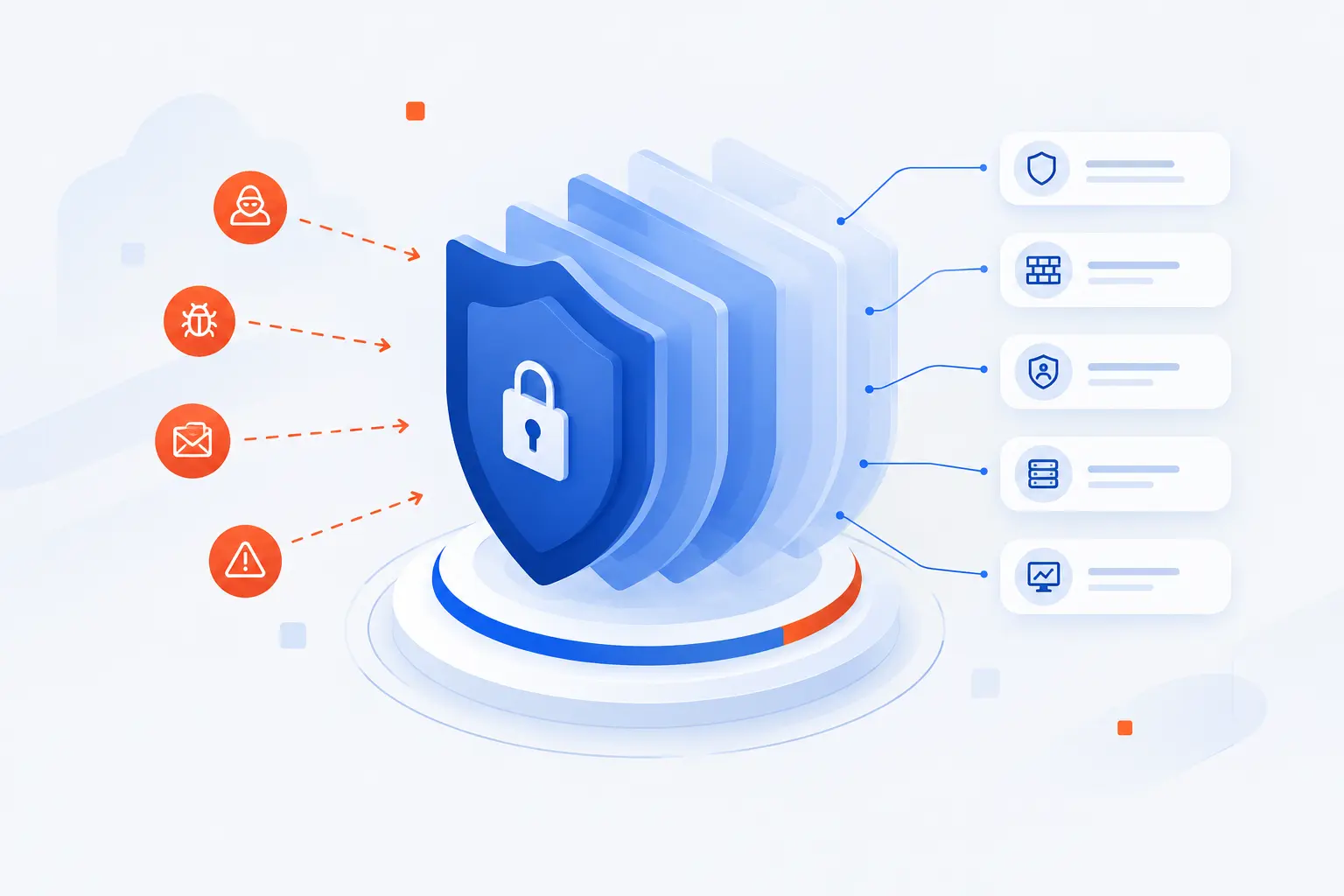
A defense in depth strategy is a layered cybersecurity model that uses overlapping safeguards to protect systems, data, users, and operations. Its purpose is not to create perfect protection. Perfect protection does not exist. Its purpose is to make compromise harder, make attacker movement noisier, and make recovery possible even after a breach.
The model comes from a military idea: do not put all hope in one wall. In cybersecurity, that means combining controls across people, process, and technology. A practical program might include locked server rooms, account permissions, MFA, firewalls, endpoint detection, secure coding, encryption, logging, backups, and incident response playbooks. These controls should not sit in isolation. They should pass context to each other and cover each other’s weak spots.
We like this model because real systems are messy. A developer may misconfigure storage. A user may approve a phishing prompt. A plugin may have a vulnerability. A third-party account may get abused. Defense in depth accepts that humans, software, and operations all fail sometimes. Then it asks the wiser question: what happens next?
FURTHER READING: |
| 1. What Is a Threat Model? Risks, Flaws, and Fixes |
| 2. How Does 2FA Work and Why Does It Protect You |
| 3. What Is Business Email Compromise and How It Works |
Why Organizations Use It to Protect Critical Assets

Organizations use defense in depth to protect critical assets because attackers rarely stop at the first blocked attempt. They probe for weak credentials, unpatched systems, exposed dashboards, excessive permissions, and neglected backups. The business reason is blunt: a breach can be expensive, disruptive, and reputationally painful. IBM’s 2026 research put the global average breach cost at $4.99 million, which is why layered protection belongs in board-level risk conversations, not just IT meetings.
Reduce Single Points of Failure
Defense in depth reduces single points of failure by making sure no single control carries the whole burden. If a password is stolen, MFA can challenge the login. If MFA is bypassed, least-privilege access can limit what the account can touch. If the attacker reaches a server, segmentation can stop easy movement to databases.
This is why we hesitate when someone says, “We have a firewall, so we are covered.” A firewall is useful, but it does not inspect every business risk. It will not fix weak admin rights, unpatched software, poor logging, or a missing restore plan. Layering turns one fragile gate into a series of checkpoints.
Protect Systems, Data, and Organizational Assets
Defense in depth protects systems, data, and organizational assets by placing controls around the things that matter most. Those assets may be customer records, payment flows, domain accounts, source code, cloud consoles, production databases, or a public website that brings in revenue. Different assets need different safeguards.
A customer database may need encryption, strict access rules, query logging, and tested backups. A public website may need TLS, patching, web application protections, account separation, and monitoring. A cloud account may need strong identity controls, configuration review, and alerts for risky changes. The asset decides the depth.
Gain Time to Detect, Contain, and Recover
Defense in depth gives defenders time by slowing attackers and creating signals they can investigate. Time matters because modern breaches often move through several steps: access, discovery, privilege escalation, lateral movement, data collection, and exfiltration. The more checkpoints an attacker trips, the better the chance of catching the activity before business damage grows.
Verizon’s 2026 investigation set analyzed 31,000 incidents and 22,000 confirmed breaches, a reminder that real-world attacks are not edge cases. We read numbers like that as a warning against wishful thinking. Detection, containment, and recovery deserve the same seriousness as prevention.
How Defense in Depth Organizes Security Layers

Defense in depth organizes security layers from the physical world through networks, endpoints, applications, data, identities, people, policy, and recovery. The order is not always fixed. A cloud-first company may put identity before the network. A manufacturing site may start with facility access. The key is to cover the full path an attacker might use.
| Layer | What it protects | Typical controls |
|---|---|---|
| Physical | Facilities and devices | Locks, badges, cameras |
| Network | Traffic and boundaries | Firewalls, segmentation, VPN rules |
| Endpoint | Laptops, servers, workloads | Hardening, patching, EDR |
| Application and data | Code, records, transactions | Input validation, encryption, backups |
| Identity | Users, admins, service accounts | MFA, least privilege, access reviews |
| People and recovery | Operations and continuity | Training, policies, incident plans |
Physical and Facility Safeguards
Physical safeguards stop attackers from reaching hardware, network ports, storage media, and administrative workstations. This layer includes locked doors, visitor logs, camera coverage, device inventory, secure disposal, and controlled access to server rooms. It may feel old-fashioned until someone plugs into an exposed switch or walks away with an unlocked laptop.
For smaller organizations, physical safeguards can be basic but disciplined. Keep networking gear in a locked cabinet. Separate guest areas from work devices. Track who has keys or badge access. Do not let “cyber” become an excuse to ignore the room where the systems live.
Perimeter and Network Boundaries
Network boundaries control which systems can talk to each other and which traffic is allowed in or out. Firewalls, network access rules, DNS filtering, private subnets, web application firewalls, and VPN policies all belong here. The goal is not to build a magical outer wall. The goal is to reduce unnecessary paths.
Segmentation is especially valuable. A marketing website should not have a casual route to payroll systems. A staging environment should not have broad access to production data. When networks are flat, attackers move with fewer obstacles. When paths are intentional, every connection has to justify itself.
Endpoint and Workload Protection
Endpoint and workload protection hardens the machines where daily work and production services actually run. This includes laptops, desktops, virtual machines, containers, and cloud workloads. Patching, secure configuration, malware prevention, EDR, device encryption, and restricted local admin rights all reduce attacker room to maneuver.
We pay close attention to endpoints because they sit near humans. People open files, install tools, join networks, and authenticate to services. A compromised laptop can become a beachhead. A hardened device, watched by good telemetry, is much harder to abuse quietly.
Application and Data Safeguards
Application and data safeguards protect the software logic and information attackers usually want most. These controls include secure coding, dependency management, input validation, secrets management, encryption, database permissions, audit logs, and tested backups. The application layer is where business value meets attacker opportunity.
A login form needs rate limiting and safe session handling. An API needs authentication, authorization, and validation. A database needs access controls and monitoring. Backups need isolation and restore testing. We have seen many teams buy tools while leaving sensitive data overexposed. That is backwards. Start with the data path.
Identity, Access, and Least-Privilege Controls
Identity controls decide who can access what, under which conditions, and for how long. This layer includes MFA, passwordless authentication, role-based access, privileged access management, service account governance, access reviews, and conditional access rules. In modern environments, identity is often the new perimeter.
Least privilege is the discipline that keeps accounts from becoming master keys. A developer may need access to a repository, but not billing. A support user may need ticket information, but not database exports. A service account may need one API action, not full administrative rights. Small permissions decisions become big breach outcomes.
People, Policy, and Recovery Planning
People, policy, and recovery planning make the technical layers usable under pressure. This includes staff training, acceptable use rules, incident response roles, escalation paths, vendor procedures, backup schedules, and tabletop exercises. A control that nobody understands will fail at the worst time.
NIST CSF 2.0 groups risk work into six Functions: Govern, Identify, Protect, Detect, Respond, and Recover. That sequence is useful because it reminds teams that recovery is part of the strategy, not an apology after prevention fails.
How Security Controls Work Together Across Layers

Security controls work together by serving different jobs at different points in an attack. Some controls prevent access. Others detect suspicious behavior. Others contain damage, restore service, or preserve evidence. A strong defense in depth strategy uses all three types because prevention alone is too brittle.
| Control type | Main job | Example |
|---|---|---|
| Preventive | Block or reduce risky actions | MFA, patching, firewall rules |
| Detective | Find suspicious events | Logs, alerts, EDR, monitoring |
| Responsive and recovery | Limit damage and restore service | Isolation, backups, incident playbooks |
Preventive Controls
Preventive controls reduce the chance that an attacker can enter, escalate, or reach sensitive assets. Examples include MFA, secure configuration, patch management, web filtering, network rules, least privilege, code review, and encryption. They are the locks, guardrails, and default-deny choices.
Good preventive controls are specific. “Be careful” is not a control. “Require MFA for administrative access” is. “Patch critical internet-facing software within a defined window” is. “Block public database access unless formally approved” is. The more concrete the rule, the easier it is to test.
Detective Controls
Detective controls identify events that preventive controls missed or could not block. Logs, SIEM alerts, EDR findings, file integrity monitoring, anomaly detection, and access review reports all help defenders see what is happening. This layer turns quiet compromise into visible evidence.
Mandiant’s 2025 report was based on more than 450,000 hours of frontline investigations, and it still found attackers could remain inside environments before discovery. We take that as a lesson in humility. If logs are missing, noisy, or ignored, detection becomes theater.
Responsive and Recovery Controls
Responsive and recovery controls limit damage after suspicious activity is found. They include account disabling, host isolation, key rotation, incident playbooks, clean backups, disaster recovery plans, legal notifications, and post-incident reviews. This is where preparation becomes muscle memory.
NIST SP 800-53 organizes many control families, including access control, audit and accountability, incident response, contingency planning, and system integrity, in an official catalog. We do not expect every small business to implement a federal-style program. Still, the structure is useful because it shows how broad real protection must be.
A Simple Example of Defense in Depth at Work

A simple example of defense in depth is an office and website environment where an attacker must pass several physical and digital checkpoints before reaching customer data. The model is easier to understand when we trace the path. First, the attacker needs access. Then they need privilege. Then they need movement. Finally, they need to find and extract something valuable.
From Keycards and Cameras to Digital Checkpoints
A basic defense in depth example starts with keycards, cameras, and locked equipment, then continues into digital controls. A stranger should not enter the office unnoticed, sit at a workstation, and connect to internal systems. If they do reach a machine, screen locks, device encryption, and account authentication should still block easy access.
The same logic applies online. A public website may sit behind TLS, DNS controls, a firewall, and application-level validation. Admin access may require MFA and come from a controlled IP range. Database credentials may be stored outside the codebase. Backups may be isolated from the production account. Each checkpoint narrows the attack path.
What Happens After an Attacker Gets Initial Access
After an attacker gets initial access, the next layers should limit privilege, movement, visibility, and persistence. A stolen user account should not automatically expose admin panels. A compromised web process should not read every database table. A breached server should not freely scan the whole network.
Imagine an attacker steals a content editor’s password. MFA may stop the login. If MFA fails, role permissions may limit the account to publishing drafts. If the attacker uploads a malicious file, application controls may block execution. If something runs anyway, EDR may alert. If data is changed, backups may restore it. That chain is defense in depth in real life.
How the Strategy Adapts to Cloud and Identity Risks

Defense in depth adapts to cloud and identity risks by shifting focus from a fixed perimeter to configuration, permissions, monitoring, and continuous verification. Cloud systems are elastic and API-driven. Users and workloads may connect from many locations. That means the strategy must follow identities, data flows, and cloud control planes, not just office networks.
Configuration and Shared-Responsibility Gaps
Cloud configuration gaps appear when teams misunderstand which controls belong to the provider and which belong to the customer. In many cloud models, the provider secures the underlying infrastructure, while the customer configures operating systems, applications, identities, data permissions, and network rules. That split can be powerful, but only if teams understand it.
AWS explains that customer responsibility varies by selected service and includes areas such as guest operating systems, applications, data, permissions, and configuration in its cloud guidance. We see this as one of the most practical reasons for defense in depth in cloud hosting. A storage permission, security group, or admin token can change risk in seconds.
Human and Machine Identity Exposure
Human and machine identities are high-value targets because they open doors without breaking software. Human identities include employees, contractors, and administrators. Machine identities include service accounts, API keys, tokens, certificates, and automation accounts. Attackers love them because valid access often looks normal at first.
MFA, short-lived credentials, scoped tokens, access reviews, and secrets rotation all matter here. Microsoft’s 2025 report says modern MFA can stop over 99% of identity-based attacks, which matches our practical view: identity controls are not optional plumbing. They are front-line protection.
Behavior Analytics, EDR, and Continuous Monitoring
Behavior analytics, EDR, and continuous monitoring help spot activity that static rules may miss. A login from a strange location, a service account pulling unusual data, or a server spawning unexpected processes may all deserve attention. These signals become more useful when they are tied to asset importance and identity context.
The point is not to drown a team in alerts. The point is to notice the few events that matter. We prefer alert rules that answer practical questions: Who did this? What asset was touched? Was this normal for that identity? Can we contain it quickly? Monitoring earns its keep when it shortens the path from signal to decision.
How to Build a Defense in Depth Strategy

To build a defense in depth strategy, start with what you must protect, then choose controls that reduce the most likely and most damaging paths to those assets. Do not begin by buying tools. Begin by mapping assets, access, gaps, and recovery requirements. Then add controls in an order that matches risk.
Map High-Value Assets and Current Gaps
Map high-value assets first because you cannot protect what you cannot name. List the systems, data stores, domains, cloud accounts, admin tools, and third-party services that would hurt the business if compromised. Then map who can access them and how.
This exercise often reveals uncomfortable truths. Old admin accounts still work. Test databases contain real customer data. Backups live in the same account as production. Public services have unclear owners. Good. Finding those gaps before an attacker does is the whole point.
Set Policies and Enforce Access Rules
Set policies and enforce access rules so daily decisions follow a clear standard. Policies should define account ownership, MFA requirements, admin access, password or passwordless rules, vendor access, patch expectations, logging, backup handling, and incident escalation. Keep them readable. A policy nobody reads is shelfware.
Enforcement is where the real work begins. Use identity groups instead of one-off permissions. Review privileged access on a schedule. Remove accounts when people leave. Require separate admin accounts for administrative work. Good access control is boring when it works, which is exactly why we value it.
Segment Environments and Route Access Through Controlled Paths
Segment environments and route access through controlled paths to reduce attacker movement. Separate production from development. Keep databases away from public subnets. Limit administrative access to approved paths. Restrict service-to-service communication to what the application truly needs.
Segmentation does not have to be fancy. For many teams, it starts with cleaner network rules, separate accounts or projects, distinct credentials, and fewer open ports. The test is simple: if one workload is compromised, what else can it reach? If the answer is “almost everything,” the environment is too flat.
Automate Response, Test Layers, and Train Staff
Automate response, test layers, and train staff so the strategy works under stress. Automate obvious containment steps where safe, such as disabling risky sessions, alerting owners, or quarantining suspicious endpoints. Test backups, restore procedures, alert paths, and access revocation before an incident.
Training should be role-based. Executives need escalation and decision practice. Developers need secure coding and secrets handling. Support teams need identity verification habits. System administrators need incident drills. We do not believe in fear-based training. We believe in rehearsal, because panic is expensive.
How Defense in Depth Differs From Related Models

Defense in depth differs from related models because it is a broad strategy for overlapping protection, while other models may focus on architecture, trust decisions, or specific control placement. The terms overlap in casual conversation, so confusion is common. The differences matter when you design controls and explain budget.
| Model | Main focus | Best use |
|---|---|---|
| Defense in depth | Multiple safeguards across the environment | Reducing total risk and blast radius |
| Layered security | Stacked controls around systems | Describing control placement |
| Zero Trust | Continuous verification and least privilege | Controlling access by identity, device, and context |
Defense in Depth vs Layered Security
Defense in depth is the broader risk strategy, while layered security usually describes the use of multiple technical controls. In casual use, people often treat the terms as the same. We do not fight that too hard, but there is a useful distinction.
Layered security might mean firewall plus antivirus plus MFA plus backups. Defense in depth asks how those layers support business priorities, where they fail, how they are monitored, and how the organization recovers. One describes stacked defenses. The other describes a risk-aware operating model.
Defense in Depth vs Zero Trust
Defense in depth uses multiple safeguards, while Zero Trust focuses on verifying access continuously and minimizing implicit trust. Zero Trust is not a replacement for defense in depth. It is a strong design philosophy that fits inside it.
CISA’s model organizes Zero Trust around five pillars: identity, devices, networks, applications and workloads, and data. That lines up well with layered thinking. Our view is simple: use Zero Trust to improve access decisions, and use defense in depth to cover the wider system, including recovery, people, and physical realities.
FAQ
The FAQ section answers common beginner questions about defense in depth strategy quickly and directly. These are the questions we hear when teams first move from “we need security tools” to “we need a system of controls.” The short version is this: the model is flexible, but it must be intentional.
What Is the Goal of Defense-in-Depth
The goal of defense-in-depth is to reduce risk by making attacks harder to complete and easier to detect, contain, and recover from. It assumes that some controls will fail. The strategy works by placing other controls behind, beside, and around them.
How Many Layers Should a Defense-in-Depth Model Have
A defense-in-depth model should have as many layers as needed to protect the organization’s most important assets without creating unmanageable complexity. There is no universal magic number. A small website, a healthcare platform, and a financial system will need different layers because their risks differ.
How 1Byte Supports Layered Security for Websites and Infrastructure
1Byte supports layered security for websites and infrastructure by providing services that fit into practical parts of a defense in depth strategy. We are careful here: hosting is not a complete security program by itself. Still, domain registration, SSL certificates, WordPress hosting, shared hosting, cloud hosting, and cloud servers can each support clearer ownership, safer public access, and better environment separation when used thoughtfully. 1Byte is also an AWS Partner, which matters for teams building cloud-based infrastructure with shared-responsibility awareness.
| 1Byte service | Where it fits | Practical role |
|---|---|---|
| Domain registration | Ownership and access | Helps keep domain control clear |
| SSL certificates | Public website traffic | Supports encrypted browser connections |
| WordPress hosting | Application layer | Gives site owners a defined hosting base |
| Shared hosting | Entry-level web presence | Fits simpler sites with basic separation needs |
| Cloud hosting and cloud servers | Infrastructure growth | Supports separated environments and controlled architecture |
Domain Registration for Clear Ownership and Access Control
Domain registration supports defense in depth by making ownership and access control visible for a critical business asset. A domain is more than a name. It controls where users go, how email routes, and how trust is presented online.
We recommend treating domain access like privileged access. Use named accounts where possible. Limit who can change DNS. Review access when staff or vendors change. A hijacked or mismanaged domain can bypass many downstream controls because customers trust the name before they inspect the infrastructure.
SSL Certificates and WordPress Hosting for Safer Public-Facing Sites
SSL certificates and WordPress hosting support safer public-facing sites by protecting browser connections and giving site owners a defined place to operate their application. TLS does not prove a site is perfectly secure. It does help protect data in transit and helps browsers verify the site they are reaching.
For WordPress sites, defense in depth means thinking beyond the certificate. Keep administrative access controlled. Use strong authentication. Remove unused plugins and themes. Separate editor accounts from administrator accounts. Back up content. Public-facing sites invite traffic from everyone, including attackers, so small hygiene choices matter.
Shared Hosting, Cloud Hosting, and Cloud Servers for Segmented Growth
Shared hosting, cloud hosting, and cloud servers support segmented growth by giving organizations different infrastructure choices as needs change. A simple site may begin on shared hosting. A growing application may move to cloud hosting. A more customized workload may require cloud servers.
The defense in depth lesson is to match the environment to the risk. Do not put every workload, credential, and database into one undifferentiated space. Separate production from testing when the business depends on it. Use cloud servers when you need more control over system design. As an AWS Partner, 1Byte views that planning through the lens of shared responsibility, access control, and practical operations.







Conclusion
A defense in depth strategy is not about buying every security tool on the shelf. It is about arranging the right controls so one failure does not become a full compromise. The best programs start with high-value assets, then add physical safeguards, network boundaries, endpoint protection, application and data controls, identity rules, monitoring, response, and recovery.
Our view at 1Byte is straightforward: beginners should not wait for a perfect architecture before acting. Start with the assets that would hurt most if they were exposed or unavailable. Add MFA, backups, patching, access reviews, and clearer segmentation. Then test what happens when something breaks.
Security gets better when it becomes specific. Which system matters most? Who can access it? What would alert you to misuse? How would you recover? If you can answer those questions, your defense in depth strategy is already moving from theory to practice.