

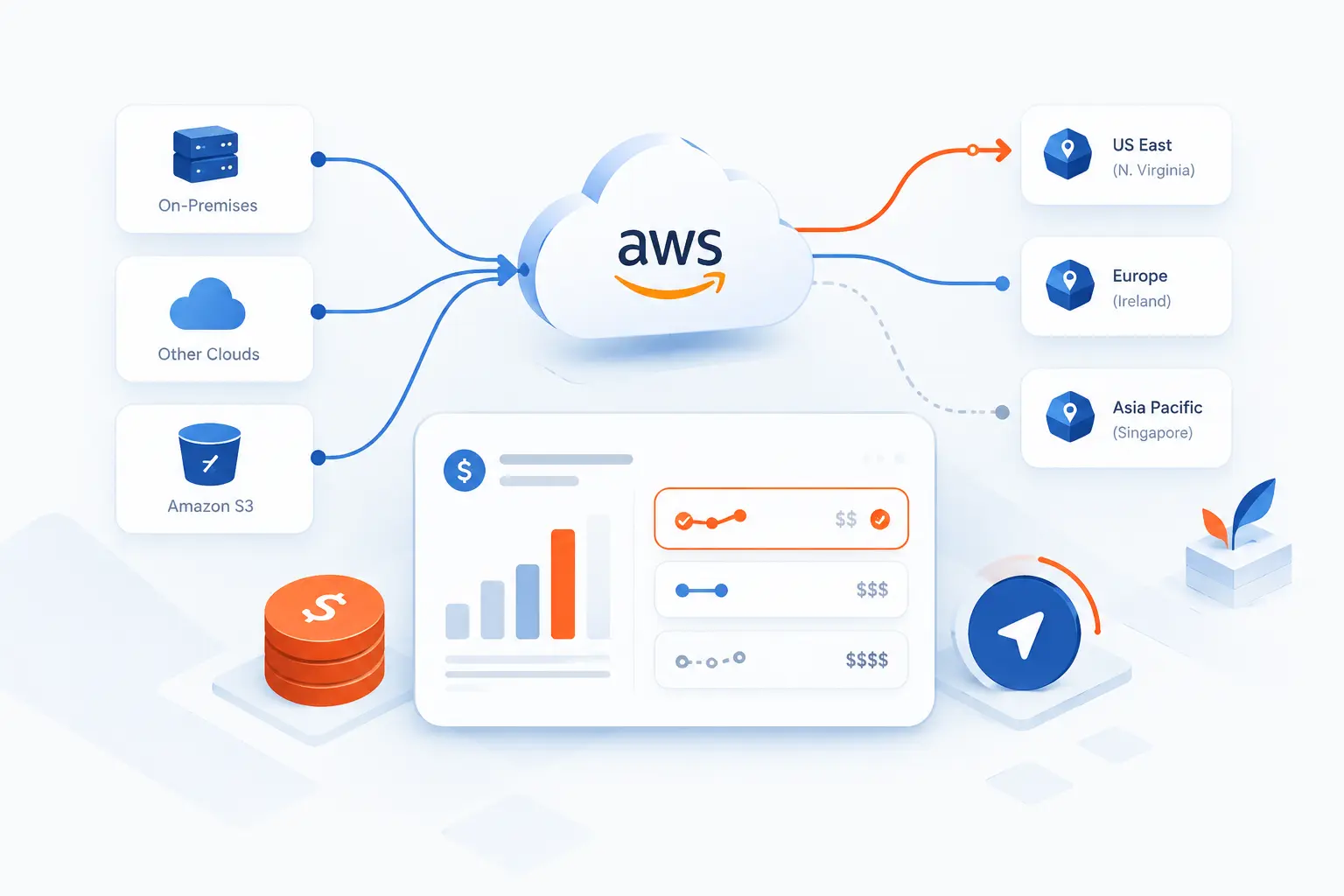
- AWS Data Transfer Cost Covers Data Moving Into AWS, Out to Users, and Across Regions or Zones
- Why Teams Still Move Data Across AWS
- How Charges Change by Network Path
- How Common AWS Services Shape the Bill
- How to Estimate and Monitor AWS Data Transfer Cost
- How to Lower Transfer Charges in Practice
- Edge Cases and Add-On Fees to Check Before You Redesign
- FAQ
- How 1Byte Supports Cost-Aware Hosting Decisions
- Conclusion
AWS data transfer cost is the charge for data moving into AWS, out of AWS, or between AWS locations such as Regions and Availability Zones. The simplest rule is this: inbound traffic is often free, outbound traffic is often billable, and internal traffic depends on the exact route. We see teams get surprised because they estimate compute and storage well, then forget that chatty services can send traffic across paid paths all day. This guide gives us a practical framework for routing, estimating, and reducing those charges before the bill turns into a puzzle.
Our view at 1Byte is direct: treat network path design as a cost design choice, not just an architecture detail. A database in another Availability Zone may improve resilience, but every repeated request can change the bill. A CDN may add a service, yet reduce origin egress by serving cached files closer to users. The goal is not to avoid data movement. The goal is to move data on purpose.
AWS Data Transfer Cost Covers Data Moving Into AWS, Out to Users, and Across Regions or Zones

AWS data transfer cost covers network traffic that enters AWS, leaves AWS, or crosses AWS boundaries inside the cloud. The boundary may be the internet, another AWS Region, another Availability Zone, a public IP path, an edge network, or a private connection. The bill depends on source, destination, service, direction, and sometimes whether traffic uses public or private IP addresses. AWS gives customers 100 GB free each month for outbound internet traffic aggregated across many AWS services and Regions, excluding China and GovCloud.
We suggest drawing every high-volume path before choosing a hosting layout. Mark the request source, the service that answers, the Availability Zone, the Region, and whether the path uses public internet, private IP, CloudFront, Direct Connect, or a VPN. That one diagram often explains more than a long billing export. If two arrows cross a paid boundary many times per request, that path deserves attention before launch.
Think about a common web app. A user requests an image, the app reads a database, calls a cache, writes logs, and returns a response. Each step may be cheap alone. Together, those steps can create steady egress, cross-zone, or cross-region usage. Good planning starts with the traffic pattern, then chooses the AWS service layout that matches it.
Why Teams Still Move Data Across AWS

Teams move data across AWS because performance, compliance, and resilience sometimes matter more than the lowest possible route. A single Region or single Availability Zone may be cheaper, but it can be too far from users, too narrow for legal requirements, or too fragile for important systems. The practical question is not “Should we move data?” The practical question is “Which movements are worth paying for, and which are accidental?”
| Reason | Typical routing choice | Cost question to ask |
|---|---|---|
| Lower latency | CloudFront, closer Region, Local Zones, or multi-region reads | Does the faster path reduce repeat origin traffic? |
| Data residency | Region-specific storage and processing | Can sensitive data stay local while only metadata moves? |
| Resilience | Multi-AZ or multi-region failover | Which replication traffic is constant, and which is failover-only? |
Reduce Latency for Global Users
The best reason to move data closer to users is to reduce round trips that users can feel. If a customer in Singapore must fetch every image, script, and API response from a distant origin, the page may work but still feel heavy. CloudFront can help when static files, media, and cacheable dynamic content account for much of the response. Delivery Hero, for example, reported that moving image delivery to CloudFront cut latency by 35 percent.
Our practical test is simple. Separate cacheable traffic from personalized traffic. Put cacheable assets behind an edge layer. Keep personalized API calls close to the systems that must answer them. Then measure origin fetches, cache hit ratio, and user-facing latency together. A lower AWS data transfer cost is welcome, but the real win is often paying for fewer repeated long-distance trips.
Meet Data Residency and Local Compliance Needs
Data residency usually means keeping certain data stored or processed in a specific geography. For regulated workloads, the cheapest network route may be the wrong route if it moves personal, financial, health, or government data outside the required location. We prefer to split the architecture by data sensitivity. Keep regulated records in the required Region, then move only the minimum safe data needed for reporting, search, or global experience.
Begin with a data map, not a server map. Label raw records, derived data, logs, backups, analytics exports, and user-facing content. Some items must stay local. Others may be aggregated or anonymized before crossing a boundary. That approach lowers compliance risk and usually lowers transfer volume too. Less unnecessary movement means fewer chances to pay for traffic you did not need.
Improve Resilience Across Regions and Availability Zones
Resilience improves when a workload can survive infrastructure failure without forcing every request through a fragile path. Multi-AZ designs help protect against zone-level issues, while multi-region designs can protect against wider outages. The cost tradeoff is that replication, health checks, backups, logs, and failover traffic may cross billable boundaries. We do not see that as waste when the business value is clear.
Decide what must be active everywhere and what can be restored later. A checkout service may need near-real-time replication. A reporting warehouse may only need scheduled copies. A public marketing site may need edge caching more than multi-region application servers. Match the recovery goal to the routing pattern. Otherwise, “high availability” becomes an expensive habit rather than a precise design choice.
How Charges Change by Network Path

AWS charges change because each network path has its own pricing behavior. Internet ingress is usually treated differently from internet egress. Region-to-Region traffic differs from Availability Zone traffic. Edge services and private connectivity add their own pricing rules. We recommend classifying every major flow into one of these paths before estimating monthly usage.
| Path | Common example | Main planning point |
|---|---|---|
| Internet ingress or egress | User uploads and downloads | Inbound is often free, outbound needs volume estimates |
| Between Regions | Replication from Virginia to Oregon | Direction and source Region matter |
| Across Availability Zones | App in one zone calling a database in another | Chatty services can multiply small charges |
| Edge or private path | CloudFront or Direct Connect | May lower origin traffic, but add service-specific pricing |
Internet Ingress vs Egress
Internet ingress is data entering AWS from outside, while egress is data leaving AWS for users or external systems. Upload-heavy apps often look cheaper than download-heavy apps because inbound traffic is commonly free, but responses sent back to users can be billed after free allowances. A video site, file portal, software download page, or public API can therefore carry more AWS data transfer cost than a private admin dashboard.
Estimate egress from user behavior, not from server size. A small EC2 instance can send large amounts of content. We usually model average response size, requests per user, active users, cache hit ratio, and retry behavior. If users download the same object many times, caching matters. If each response is unique, compression and payload trimming matter more.
Traffic Between AWS Regions
Cross-region traffic is useful for disaster recovery, global read access, and analytics, but it should be intentional. Region pairs may have different rates, and the charge is usually tied to the direction of movement. Replicating a database continuously is different from copying a backup once per night. The first can create a constant metered stream, while the second is easier to budget.
Our preferred practice is to name every cross-region flow. Do not call it “sync.” Call it “orders replica,” “logs export,” “backup copy,” or “search index feed.” That small naming habit makes cost review much easier. If a flow has no named business purpose, pause and question it. Cross-region design should feel deliberate.
Traffic Inside One Region Across Availability Zones
Cross-AZ traffic is easy to miss because everything still appears to be “in the same Region.” The cost appears when services communicate across Availability Zone boundaries, especially if the application is chatty. A web tier in one zone calling a database, cache, or internal service in another zone can create repeated regional charges. The architecture may be valid, but the volume must be understood.
We advise teams to check placement for the noisiest internal calls. Put latency-sensitive and high-volume pairs in the same zone when the resilience model allows it. For multi-AZ designs, confirm that load balancers, subnets, databases, and service discovery do not push traffic across zones more than expected. Sometimes the fix is as simple as using zonal endpoints or aligning worker placement.
Edge Locations, CloudFront, and Direct Connect Paths
Edge and private network paths change the cost model because they alter where traffic is served and how it leaves AWS. CloudFront can reduce origin requests when content is cacheable. Direct Connect can move traffic between AWS and a private network without using normal internet egress paths, though it has its own port-hour and outbound pricing structure. AWS states that Direct Connect data coming into AWS is $0.00 per GB across all locations.
Do not compare these paths only by unit price. Compare them by traffic shape. CloudFront works best when many users ask for the same content. Direct Connect works best when offices, data centers, or partners exchange predictable traffic with AWS. If your traffic is bursty, global, or mostly cacheable, the best answer may differ from a private enterprise workload with steady database replication.
How Common AWS Services Shape the Bill

Common AWS services shape the bill because each service follows general network rules plus service-specific exceptions. EC2 often exposes the raw pattern clearly. RDS, ElastiCache, and Redshift add managed-service behavior that changes which side carries the charge. Before optimizing, identify which service generated the line item and which path the bytes traveled.
| Service | Watch most closely | Practical check |
|---|---|---|
| EC2 | Internet egress, public IP traffic, cross-zone calls | Confirm private addressing for internal traffic |
| RDS | App-to-database zone placement and snapshot copies | Check whether reads cross zones |
| ElastiCache | App-side regional traffic | Place cache clients near cache nodes |
| Redshift | JDBC, ODBC, S3 loads, unloads, and copies | Keep S3 operations in the same Region when possible |
EC2 Transfers to the Internet, Other Regions, and Elastic IPs
EC2 is often where transfer costs become visible because instances talk to users, services, databases, and public endpoints. An EC2 instance serving large files to the internet creates outbound usage. An instance copying data to another Region creates regional movement. An instance reaching another instance through public addressing can follow a different billing path than one using private IPs.
Our first EC2 review is always basic. Are internal calls using private IP addresses or private DNS? Are services in the same Region when they exchange high volumes? Are Elastic IPs truly needed, or are they hiding internal traffic behind public routes? Also check NAT gateways, load balancers, and proxies. They can sit in the middle of traffic and make the path less obvious than the application code suggests.
RDS Data Movement, Multi-AZ Replication, and CloudFront Exceptions
RDS transfer costs depend heavily on where the client runs and what RDS feature moves the data. AWS lists traffic between RDS and EC2 in the same Availability Zone as free, and it also lists Multi-AZ replication traffic as free. Different-zone application traffic, cross-region snapshot copies, and cross-region automated backups need closer review.
For cost-aware design, place application servers near their primary database when possible. If the database is Multi-AZ, understand which traffic is application traffic and which traffic is managed replication. If the app is read-heavy, consider whether read replicas, caching, or query reduction will lower repeated database responses. For web assets stored elsewhere, CloudFront may be a better way to reduce internet-facing origin reads than scaling the database path.
ElastiCache Traffic and Why the EC2 Side Often Carries the Charge
ElastiCache can reduce transfer volume by preventing repeated database or API calls, but cache placement still matters. AWS says node-based clusters have no charge within the same Availability Zone, while cross-zone in-Region traffic is charged on the application side under the standard regional rate. That detail matters because engineers may look at the cache line first, then miss the EC2-side usage.
Use a cache for data that is read often and changes less often. Session data, product catalog snippets, rate-limit counters, feature flags, and computed responses are common candidates. Then place clients and cache nodes with care. A cache that saves database load but forces every request across zones can still be worthwhile, but it should be a known tradeoff.
Redshift Transfers and the Same-Region S3 Exception
Redshift has an important planning exception: data moved between Redshift and S3 in the same Region for backup, restore, load, and unload operations is listed with no charge. Other transfers, such as JDBC or ODBC traffic to a cluster endpoint, cross-region sharing, and snapshot copies, can still create charges. That means analytics pipelines need both warehouse design and network design.
We like to keep raw data, staging buckets, and Redshift clusters in the same Region unless there is a clear reason not to. If analysts in another geography need results, move summarized outputs instead of repeatedly moving raw tables. For scheduled exports, batch the work and compress files. For BI dashboards, reduce result size and refresh frequency. Analytics traffic can be quiet on Monday and wild at month-end, so plan for peaks.
How to Estimate and Monitor AWS Data Transfer Cost

To estimate and monitor AWS data transfer cost, model expected traffic first, then compare that model against billing data by usage type. Estimation gives us a baseline. Monitoring tells us where reality disagrees. The strongest process combines AWS Pricing Calculator, Cost Explorer, AWS Budgets, tags, Cost and Usage Reports, and periodic architecture review.
- List traffic flows by source, destination, direction, and monthly volume.
- Separate internet, cross-region, cross-AZ, edge, and private connectivity paths.
- Estimate each path before launch.
- Filter actual spend by service and usage type after launch.
- Create alerts for spikes and review the architecture when alerts fire.
Model Scenarios With the AWS Pricing Calculator
Start with scenarios, not a single guess. Build one estimate for normal traffic, one for growth, and one for an incident such as retries, cache misses, or a large export. AWS warns that if teams overestimate or underestimate transfer inputs and outputs, actual bills can vary from calculator results, so the planning assumptions matter as much as the tool.
We usually model data in gigabytes per month by path. For a web workload, estimate page views, average payload, asset cache ratio, API response size, and file downloads. For a database workload, estimate replication, backups, snapshots, reads, and analytics exports. Keep the notes beside the estimate. When the bill arrives, those assumptions make it easier to see which behavior changed.
Filter Cost Explorer and EC2 Other by Usage Type
Cost Explorer becomes useful when you group and filter by usage type instead of staring at total service spend. AWS documentation notes that usage type groups are available for services including EC2, ElastiCache, RDS, Redshift, and S3, which helps isolate patterns in the filtering options. For EC2, network items often appear in areas that teams casually call “EC2 Other.”
Look for names that imply internet out, regional data, inter-region movement, NAT gateway processing, public IP usage, and load balancer activity. Then map the line item back to the architecture diagram. If the usage type says a Region or zone boundary is involved, find the service pair that crosses it. A cost line without a path is just noise. A cost line attached to a path becomes fixable.
Use Budgets, Tags, CUR, and Trusted Advisor to Catch Spikes
Use alerts and detailed reports because network costs can spike before anyone notices user-facing trouble. AWS Budgets can alert when thresholds are exceeded or forecasted to be exceeded, and budget monitoring is available free of charge. Tags and Cost and Usage Reports help allocate spend to teams, environments, and products. Trusted Advisor can add another review layer for cost-related recommendations.
We recommend separate budgets for production, staging, and data platforms. Production deserves stricter alerts because egress can rise quickly after a campaign, release, crawler event, or broken retry loop. Staging deserves alerts too because test exports and load tests can quietly create real traffic. Tags should include application, environment, owner, and cost center. Without ownership, cost review turns into archaeology.
How to Lower Transfer Charges in Practice

To lower transfer charges, reduce unnecessary bytes, shorten expensive paths, and keep repeated requests close to where they are answered. The right tactic depends on the traffic pattern. Same-zone placement helps chatty internal systems. CloudFront helps repeated public delivery. Private routes help predictable enterprise connectivity. Caching and compression help almost everywhere when used carefully.
| Strategy | Best fit | Tradeoff |
|---|---|---|
| Same-zone placement | High-volume internal calls | May reduce failure isolation |
| Region choice | Predictable workloads with flexible location | Must still meet user and compliance needs |
| Private paths | Internal services and enterprise networks | Adds routing and service-specific pricing |
| CDN and caching | Repeated public content | Requires cache rules and invalidation planning |
Keep Workloads in the Same Availability Zone When You Can
Place high-volume service pairs in the same Availability Zone when the resilience model allows it. This is most useful for app-to-cache, app-to-database, worker-to-queue-adjacent processing, and internal API calls that happen many times per request. If the system is multi-AZ for availability, use zonal awareness where possible. Let clients prefer local endpoints before crossing zones.
Do not force everything into one zone blindly. A single-zone design can create a larger reliability risk. Instead, classify traffic. Keep noisy, low-risk pairs local. Keep critical components multi-AZ where failure tolerance matters. For active-active services, consider whether each zone can process its own local share of work. The phrase we use internally is simple: cross zones for resilience, not by accident.
Choose Lower-Cost Regions and More Efficient Routes
Choose Regions by balancing user distance, legal needs, service availability, and network price. Some teams pick a Region only because it is familiar. That can be fine, but it should not be automatic. If most users, data sources, and partner systems are elsewhere, a familiar Region can create avoidable egress or replication patterns.
Run the estimate in two or three realistic Regions before committing. Include compute, storage, managed services, and traffic paths. A lower network price is not enough if latency gets worse or compliance becomes harder. Still, the exercise teaches the team where the bill is sensitive. We especially like this step before launching SaaS products, media-heavy sites, analytics platforms, and multi-country apps.
Favor Private IPs, VPC Endpoints, and Direct Connect Over Public Paths
Use private routes for internal AWS communication whenever the service supports it. Private IPs help prevent traffic between internal resources from taking public-facing paths. VPC endpoints can keep access to supported AWS services inside private networking patterns. Direct Connect can be a better fit for predictable traffic between AWS and an office, data center, or partner network.
The caution is that private does not always mean free. Interface endpoints, NAT gateways, private connectivity, and managed network services can add hourly or processing charges. Compare the whole path, not just the data line. For example, a VPC endpoint may avoid NAT processing for some service traffic, but an interface endpoint still has its own pricing model. The cleanest route is the one that meets security, reliability, and cost goals together.
Use CloudFront, Compression, and Caching to Reduce Egress Volume
Reduce internet egress by serving repeated content from the edge and shrinking what must be sent. CloudFront works well for images, scripts, stylesheets, downloads, videos, and API responses that can be cached safely. Compression helps text-heavy responses such as JSON, HTML, CSS, and JavaScript. Browser caching reduces repeat requests from the same user.
Start with headers. Set sensible Cache-Control rules. Use versioned file names for static assets so long cache lifetimes are safe. Compress responses at the application, proxy, or CDN layer. For images, resize and encode for the actual display size. Do not send a giant desktop image to a phone and then wonder why egress is high. Bytes you never send are the cheapest bytes.
Use ElastiCache or Other Local Caches to Avoid Repeat Requests
Use local caches to stop repeated reads from traveling to databases, APIs, or remote services. This is especially helpful for read-heavy workloads where the same data is requested many times. A product catalog, configuration lookup, session validation, or computed dashboard tile can often be cached safely for a short period. Even a small time-to-live can cut a surprising amount of repeated traffic.
Be honest about freshness. Some data can be cached for hours. Some can only be cached for seconds. Some should not be cached at all. Place cache nodes near the clients that use them, and monitor hit ratio. A cache with a low hit ratio may add complexity without reducing AWS data transfer cost. A cache with a high hit ratio can lower database load and network movement at the same time.
Edge Cases and Add-On Fees to Check Before You Redesign

Edge cases matter because a redesign that saves one charge can add another. Public IP routing, acceleration products, failed requests, partial downloads, NAT processing, and protocol overhead can all change the final bill. Before changing architecture, list every add-on service in the path. Then price the full request lifecycle, including failures and retries.
| Edge case | Why it surprises teams | What to verify |
|---|---|---|
| Public IP paths | Traffic looks internal but routes through public addressing | DNS, security groups, and private IP usage |
| Acceleration services | Performance features may add separate line items | Hourly, premium, and per-GB pricing |
| Failed or partial responses | Bytes may still leave the service | Retries, timeouts, and object download behavior |
Public IP and Elastic IP Traffic Inside a Region
Traffic inside a Region can still be affected by public addressing. If two resources talk through public IPs, Elastic IPs, public DNS, or a public load balancer, the route and billing behavior may differ from private communication. That can surprise teams that believe “same Region” always means cheap or free. Same geography is not the same as same path.
Check DNS resolution from inside the VPC. Confirm whether service names resolve to private or public addresses. Review route tables, NAT gateways, load balancers, and security group rules. If a private hostname is available, use it for internal calls. We also suggest adding route checks to deployment reviews. It is easier to prevent public internal paths than to explain them after a bill spike.
S3 Transfer Acceleration, Global Accelerator, and VPN Acceleration
Acceleration features can improve user experience, but they are add-ons that need their own cost line. S3 Transfer Acceleration, for example, is priced in addition to normal S3 pricing and depends on the edge location used, as AWS explains in its acceleration notes. Global Accelerator and accelerated VPN designs should receive the same treatment. Put the performance gain and extra fee side by side.
Use acceleration when distance or network variability is the actual problem. It can be worthwhile for global uploads, latency-sensitive applications, or branch-office connectivity. It may be wasteful for nearby clients or low-volume internal tasks. Test with real client locations, real object sizes, and realistic concurrency. A lab test from one office rarely tells the whole story.
Failed Requests, Responses, and Network Overhead That Still Count
Failed requests can still create billable movement if bytes leave AWS before the client disconnects or the application retries. Partial downloads, timeout loops, bots, bad pagination, and oversized error responses can all inflate traffic. S3 pricing notes describe a case where a terminated download may still bill more outbound data than the application actually received. The lesson is broader than S3: failure traffic is still traffic.
Track HTTP status codes, response sizes, retry counts, and client disconnects. Put limits on downloads, pagination, export size, and retry backoff. Compress error responses too. For APIs, avoid returning huge validation messages or full objects when a short error is enough. Network overhead is normal, but uncontrolled retries are not. When we investigate surprise egress, retry storms are often hiding in the weeds.
FAQ
AWS data transfer questions usually come down to direction, path, and volume. If we know where the data starts, where it ends, and how much moves each month, the pricing logic becomes much clearer. These answers cover the questions teams ask before planning a new workload or fixing an unexpected bill.
What Is the AWS Data Transfer Cost?
AWS data transfer cost is the charge for moving data into, out of, or across AWS network boundaries. It can apply to internet egress, cross-region traffic, cross-AZ traffic, public IP paths, edge services, and private connectivity. The exact price depends on the AWS service, Region, direction, and route.
What Is Data Transfer Used for?
Data transfer is used whenever applications send or receive information across a network. Examples include users downloading web pages, EC2 instances calling databases, backups copying to another Region, and CloudFront fetching content from an origin. In planning, we treat every data movement as either user-facing, internal, replication, backup, analytics, or operational traffic.
Why Is Ingress Usually Free While Egress Is Charged?
Ingress is usually free because cloud providers commonly encourage customers to bring data into the platform, while outbound delivery consumes external network capacity. The important planning point is that “upload” and “download” workloads behave differently. A backup system that sends data into AWS may cost less in network terms than a public file service sending data out to users.
How Do You Estimate Charges With the AWS Pricing Calculator?
You estimate charges by entering the services, Regions, expected monthly traffic volumes, and data directions into AWS Pricing Calculator. Build separate scenarios for normal use, growth, and unusual events such as exports or cache misses. Keep your assumptions beside the estimate so you can compare them with actual usage later.
How Does AWS Direct Connect Change Data Transfer Pricing?
AWS Direct Connect changes pricing by moving traffic through a dedicated private connection model rather than ordinary internet paths. You still need to account for port hours and outbound data through the Direct Connect location. It is often most useful when traffic between AWS and a private network is steady, predictable, and important enough to justify dedicated connectivity.
How 1Byte Supports Cost-Aware Hosting Decisions
1Byte supports cost-aware hosting decisions by helping teams choose the right starting point before traffic patterns become expensive. We connect domain registration, SSL certificates, WordPress hosting, shared hosting, cloud hosting, and cloud servers to the practical routing questions in this guide. We are also an AWS Partner, so we think about AWS architecture with cost, routing, and growth in mind. Our aim is simple: choose the smallest sensible design first, then move to more control when the workload needs it.
Register Domains and Add SSL Certificates Before Traffic Starts Scaling
Register domains and add SSL certificates early so traffic can be routed cleanly before growth complicates the setup. A clear domain plan helps separate production, staging, APIs, media, and regional endpoints. SSL certificates protect traffic and make it easier to place services behind HTTPS-aware routing layers. That foundation matters when you later add caching, redirects, or different origins.
From our 1Byte viewpoint, this is the low-drama work that prevents messy redesigns. Decide which hostnames serve users, which serve administrators, and which serve APIs. Keep naming predictable. When traffic grows, clean hostnames make it easier to move assets, introduce CloudFront, or shift workloads without confusing users.
Use WordPress Hosting and Shared Hosting for Predictable Web Workloads
Use WordPress hosting and shared hosting when the workload is predictable and does not need deep routing control. Many brochure sites, blogs, small business pages, and early content projects do not need a custom cloud architecture on day one. Starting simpler can keep costs easier to understand. It also avoids paying for network paths that the site does not need yet.
We like this approach for teams that want to publish first and architect later. If the site mostly serves pages, images, forms, and standard content, the first cost question is not cross-region design. It is whether the hosting model fits the traffic. When growth arrives, usage patterns will show whether caching, cloud hosting, or cloud servers should come next.
Move to Cloud Hosting and Cloud Servers When You Need More Routing Control
Move to cloud hosting and cloud servers when you need more control over placement, scaling, private networking, or service architecture. That is where AWS data transfer cost becomes a design variable rather than a background detail. Cloud servers can support custom application tiers, private service calls, cache placement, and region choices. Cloud hosting can be a middle step when teams need more flexibility without redesigning everything at once.
As an AWS Partner, 1Byte treats this move as a planning conversation, not a reflex. We would rather understand your traffic shape first: users, files, APIs, databases, backups, and regions. Then we can discuss which hosting path gives enough control without adding unnecessary routes. The best cloud design is the one you can explain on a whiteboard and verify on the bill.


Conclusion
AWS data transfer cost becomes manageable when we stop treating the network as invisible. The charge follows movement: out to users, across Regions, across Availability Zones, through public paths, through edge services, or through private connectivity. Each path has a reason, a price, and a better alternative in some cases.
Our strongest advice is to draw the routes before you optimize anything. Label the heavy flows. Estimate normal, growth, and failure scenarios. Monitor usage type after launch. Then reduce waste with same-zone placement, private IPs, caching, compression, CloudFront, and careful Region choices.
Do not chase the lowest network bill at the expense of performance, compliance, or resilience. Pay for movement that has a clear purpose. Remove movement that exists only because nobody noticed it. If you are planning a new workload, start with one question: which data truly needs to move, and which data should stay close to home?