

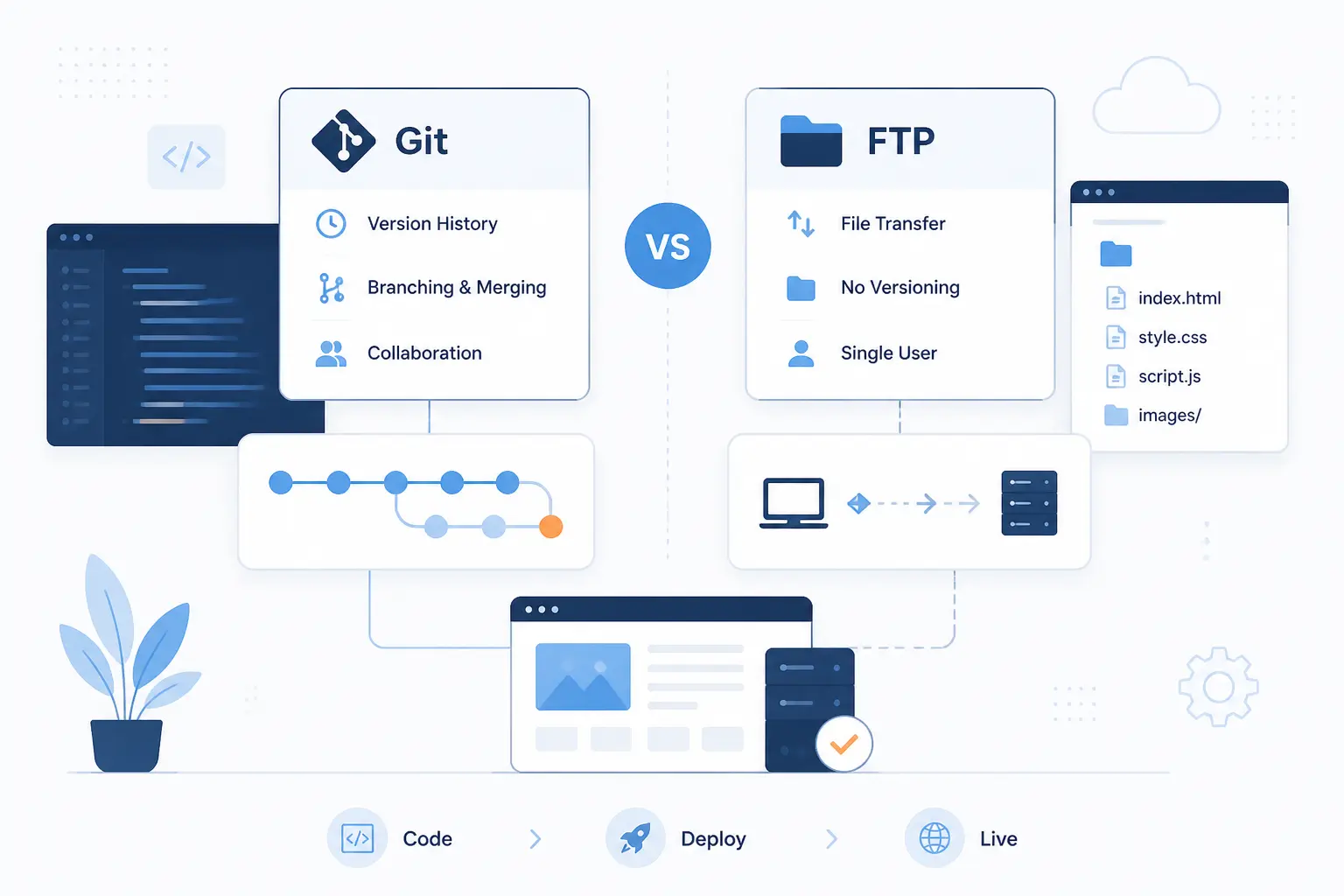
- Git vs FTP for Website Deployment by Workflow Factor
- Why Git and FTP Are Often Part of the Same Migration Path
- Ways to Deploy Git Changes to an FTP-Based Server
- FTP Server Setup and Release Details to Plan Up Front
- Frequently Asked Questions
- How 1Byte Supports Website Deployment Workflows
- Conclusion
At 1Byte, we think Git vs FTP for website deployment stops being confusing once we separate control from transport. Git should usually be your release system, and FTP should usually be a fallback delivery method. If you care about version history, safer rollbacks, team coordination, and repeatable releases, Git is the better primary workflow. If your host gives you nothing except file transfer access, FTP or, better, SFTP can still move the files.
The practical answer is simple. Choose a Git-led workflow for almost every modern site, then add an FTP-compatible bridge only when hosting limits force your hand. We would not tell a beginner to hand-upload production files if a commit-based path is available. That road gets messy fast.
Git vs FTP for Website Deployment by Workflow Factor

Git and FTP do not solve the same layer of the problem. Git tracks what changed, who changed it, and which release is live. FTP only moves files from one place to another. For website deployment, that means Git is usually the brains of the process, while FTP is sometimes just the last mile. If you must choose a primary workflow, we would choose Git and treat FTP as a constraint, not a strategy.
| Option | Best fit | Main tradeoff |
|---|---|---|
| Git-led deployment | Teams, staging and production, repeatable releases | Needs a repository and some automation |
| Direct FTP or SFTP upload | Legacy hosting, one-person maintenance, simple sites | No built-in release history or commit-aware rollback |
| Git plus FTP bridge | FTP-only servers that still need cleaner releases | Safer than manual upload, but still less elegant than SSH-based deployment |
Versioned Releases vs File-by-File Uploads
Git wins this factor because it turns a release into a named commit, while FTP turns a release into a pile of individual file transfers. With Git, we can point to one commit, one branch, or one tag and say, “that is production.” With FTP, the live site is whatever finished uploading last. On a small brochure site, that difference may feel minor. On a site with templates, assets, and build output, it becomes the line between a traceable release and guesswork.
A concrete example helps. If a homepage redesign changes the template, CSS bundle, and a JavaScript file, Git lets us ship one reviewed set of changes together. A manual FTP session can miss one file, or upload one file later than the rest, and the site can behave like two releases at once. That is exactly why Git feels calmer in production. It gives us a release unit instead of a folder sync habit.
Security and Access Control on Production
Git-based deployment is safer when production credentials live in controlled automation instead of on every developer laptop. The Actions secrets docs show that deployment secrets can be stored at repository, organization, or environment scope, and environment secrets can be held behind approvals. In practice, that lets us narrow who can deploy and when they can do it.
If direct file transfer is unavoidable, SFTP is the better fallback because it runs over encrypted SSH transport. The OpenSSH manual makes that point plainly, and it is why we would choose SFTP before plain FTP whenever a host offers both. FTPS is still better than plain FTP if a control panel requires it, but plain FTP is the one we would retire first.
Rollbacks Audit Trails and Live-Version Visibility
Git gives you real rollback and audit tools, while direct FTP usually gives you “upload the old copy again” and hope you picked the right files. A Git-led release keeps commit history, authorship, and the exact diff behind a deployment. That matters when a bug appears five minutes after launch and the first question is, “what changed?” Git answers that quickly. FTP does not.
Live-version visibility also improves once deployments are attached to environments rather than hidden inside a file client. The deployment environments docs describe how jobs map to environments like staging or production and how those deployments appear in the repository history. We like that because it turns production into something visible, not something tribal.
Deployment Automation With Hooks Build Steps and CI
Git becomes much more useful the moment a push can trigger tests, builds, and a release without anyone dragging files around. The workflow syntax docs show the practical side of that idea, from branch filters to path filters to multi-step jobs. That is where Git starts to feel like deployment infrastructure, not just version control.
We see this most clearly on frontend builds. A static site built with Vite, Astro, or Next.js export usually should not deploy raw source folders. It should run a build, produce a clean output directory, and ship only the generated files. FTP by itself cannot manage that sequence. A Git-led workflow can.
Team Collaboration and Multi-Environment Releases
Git is the only sane choice once more than one person or more than one environment is involved. The moment you have staging and production, or a designer and a developer, you need a shared source of truth. Git provides branches, pull requests, review, and a clear route from “work in progress” to “approved release.” FTP does not.
Here is a common pattern we like. A team merges feature work into a staging branch, verifies the built site, and only then promotes the reviewed change to the production branch. The production server never receives surprise edits from someone’s desktop FTP client. That may sound strict, but it saves real pain when several people touch the same site.
Incremental Uploads Speed and the Risk of Partial Updates
Incremental uploads are useful, but they carry a real risk when the live site can see only part of a release. Uploading only changed files is faster than copying everything every time, and many tools take that route. Still, a live PHP app or a built frontend can break if new templates arrive before matching assets, or if a long upload dies halfway through. To us, that is the hidden tax of direct file-based releases.
The risk is easiest to picture on a cache-busted frontend build. Suppose your HTML now references app.9f3c.js, but the upload finishes the HTML before the new file lands. For a short window, users can hit a broken page. Git alone does not fix that, but Git plus a better release method gives you more options than raw manual FTP.
When Constrained Hosting Still Leaves FTP or SFTP as the Only Option
FTP or SFTP is still reasonable when your host offers no SSH, no server-side Git, and no release directories. That is common on lower-control shared hosting and on older website accounts that were built around a control panel, not a deployment pipeline. In that case, we would not pretend Git can deploy directly. It cannot. Git becomes the source of truth, and file transfer becomes the delivery layer.
A simple WordPress theme, a static marketing site, or a legacy PHP app can still work fine this way. The trick is to stop thinking of FTP as the workflow itself. Use Git for the code, reviews, and rollback reference, then let SFTP or FTPS publish the files. That is a compromise, but it is a disciplined one.
Why Git and FTP Are Often Part of the Same Migration Path

Git and FTP often belong to the same migration path because many teams cannot jump straight from manual uploads to full SSH-based releases. The usual path is to adopt Git first, then automate the upload step, then tighten access and environment controls. That progression is practical, affordable, and much less risky than a sudden tooling overhaul. We have seen it work well for small sites and growing teams alike.
Using Git as the Source of Truth While FTP Remains the Delivery Layer
Git should become the source of truth before you try to replace FTP. That means every change lands in the repository first, every release is tied to a commit, and production files should match that commit as closely as hosting allows. Even if the server still expects file uploads, the decision-making moves into Git.
A real-world example is a WordPress project where only the theme and custom plugin code live in Git. The team reviews pull requests, tags a release, runs the build, and uploads only the deployable directories to the server. The database and media library stay on the host. That setup is not glamorous, but it is miles better than editing production files by hand.
Bridge Tools That Reduce Manual Upload Risk
Bridge tools matter because they remove the most failure-prone part of FTP deployment, namely the human being choosing files in a hurry. A good bridge can compare revisions, upload only what changed, preview the release, or trigger on a push. That does not make an FTP-only server modern overnight, but it does make releases less error-prone.
We especially like bridge tools for solo maintainers and small agencies that inherit older hosting accounts. They provide a middle ground. You keep the server you have, but you stop trusting memory as your deployment plan.
Safeguards to Add Before Any Direct FTP Release
The right safeguards are simple, and they matter more than people expect.
- Run a dry run or preview whenever the tool supports it, especially before the first live release.
- Exclude files that should never be published, such as repository metadata, local dependency folders, and sample environment files.
- Separate deployable build output from source code so you upload only what production needs.
- Keep a rollback reference, whether that is a tagged commit, a zipped release artifact, or a prior deployment snapshot.
If we had to add one more rule, it would be this. Never make production your editing environment. Even on FTP-only hosting, edit locally, commit first, and deploy second.
Ways to Deploy Git Changes to an FTP-Based Server

If your server still depends on FTP, you have several workable ways to deploy Git changes without going back to manual uploads. The best choice depends on where your repository lives, how much UI you want, and whether SSH is available. For most beginners, GitHub Actions or DeployHQ is the cleanest start. For simpler setups, git-ftp is still useful, and rsync becomes the stronger option the moment SSH appears.
| Method | Best when | What it gives you |
|---|---|---|
| GitHub Actions + FTP deploy | Your code already lives in GitHub | Push-triggered automation and CI steps |
| DeployHQ | You want a deployment UI and rollback history | Webhooks, changed-file deploys, and hosted release tooling |
| git-ftp | You want a lightweight CLI with little setup | Commit-aware changed-file uploads |
| Rsync or server-side pull | SSH is available | Cleaner syncs and more advanced release patterns |
GitHub Actions With FTP Deploy for Push-Based Automation
GitHub Actions is the easiest push-based option when your repository already lives in GitHub and your server still expects FTP or FTPS. The action README shows the concrete pieces: checkout, secrets-based credentials, optional local-dir and server-dir, exclude rules, a dry run mode, and FTPS support. That is enough for many static sites and small PHP deployments.
We like this route for a built frontend that outputs a dist/ folder. The workflow can install dependencies, run the build, and upload only the generated output on a push to main. That keeps source files out of production and makes releases repeatable. It is still file-by-file deployment, but it is disciplined file-by-file deployment.
DeployHQ for Webhooks Changed-File Uploads and Rollbacks
DeployHQ is a strong middle ground when you want Git-driven deployment but do not want to build every part of the pipeline yourself. The automatic deployment guide explains its webhook model, where the repository host pushes a notification and DeployHQ checks branch rules before queueing a release. That is cleaner than polling, and it fits teams that want branch-to-server mapping without much custom scripting.
Its rollback story is the bigger selling point for many FTP-based servers. The rollback guide describes reversing the latest deployment so new files are removed, deleted files are restored, and modified files return to their earlier versions. For teams stuck on constrained hosting, that is a meaningful upgrade over “find the old backup and re-upload it.”
git-ftp for Lightweight Commit-Aware Deploys
git-ftp is the lightest useful option when one person or a very small team wants commit-aware deploys without a hosted deployment service. The project site explains the core model clearly: it stores the deployed commit on the server and uploads only files changed since the last push. That makes it far safer than blind folder syncs.
We would use git-ftp for a modest brochure site, a legacy CMS theme, or a simple client site on shared hosting. We would not use it as a busy team’s central release system. The tool itself warns that you must avoid other people changing the repo state underneath it, and that limitation is real. Lightweight cuts both ways.
Rsync or Server-Side Pulls Over SSH
Rsync is usually the better answer as soon as SSH is available. The rsync manual describes it as a remote file-copying tool that can use SSH and send only the differences in changed files. That gives us a cleaner path than FTP, especially for larger sites, repeated deploys, and release scripts.
Once SSH exists, server-side pulls also enter the picture. A bare repository with a post-receive hook can update a working tree after a push, or a deployment runner can connect over SSH and sync a prepared release directory. We would still keep build steps and secrets under control, but the big point is simple. SSH opens the door to stronger deployment patterns than FTP can support.
FTP Server Setup and Release Details to Plan Up Front

The setup details decide whether an FTP-based deployment feels manageable or fragile. Most failed releases on legacy hosting are not caused by Git itself. They come from wrong target paths, bad excludes, missing build output, or unclear branch mapping. Plan those details first, and the rest gets much easier.
Repository Setup Workflow Files and Action Secrets
Your repository should clearly separate source, build output, and deployment workflow files from day one. For GitHub Actions, that usually means a workflow file under .github/workflows/, named secrets for the host, username, password or token, and a clear deploy trigger such as pushes to main. We also prefer environment-specific secret names so staging and production cannot be confused.
Pinning the action version is another small but useful discipline. A deployment pipeline is production code. Treat it that way, review changes to it, and do not leave it vague.
Hostname Ports Credentials and Deployment Paths
The most important setup step is matching the exact server target, not the one you assume exists. Confirm the hostname, protocol, port, username, remote directory, and whether the server root is really public_html, htdocs, www, or a subfolder under one of those. A wrong path can publish nothing, or worse, publish into the wrong site.
We also recommend a dedicated deployment account whenever the host supports it. Even on limited hosting, a deploy user with access only to the target web root is better than sharing a full-control login across a team. Small boundary, big benefit.
Sensitive Files Compiled Assets and Build Pipelines
Only deploy what production actually needs. For GitHub Actions, the workflow artifacts docs are useful because they show how build output can be preserved between jobs, which helps when one job builds and another deploys. That keeps the release focused on the compiled assets, not your whole working tree.
In practice, that means excluding local dependency folders, editor settings, and sample secrets, while making sure the real build output is present. A frontend site should usually upload dist/ or build/. A WordPress project may upload only the custom theme, custom plugins, and any compiled assets they need. Shipping the wrong folders is one of the fastest ways to turn deployment into clutter.
Branch-to-Environment Mapping for Staging and Production
Map branches to environments before your first automated release, not after the first mistake. A simple rule like staging branch to staging server and main branch to production server removes a huge amount of ambiguity. The same idea works whether you are using GitHub Actions, DeployHQ, or a homegrown SSH script.
We like to keep the mapping boring. Boring is good in deployment. When every branch has a predictable destination and production needs an explicit merge or approval, fewer surprises reach the live site.
Frequently Asked Questions
Here are the short answers. Most of these questions are really about whether FTP should still lead your workflow. Our view is no. Git should lead, and FTP should appear only when the server leaves you no better transport.
Why Is FTP No Longer Used for Most Website Deployments
FTP is no longer the default because it moves files, but it does not manage releases well. Modern deployment needs history, review, automation, and dependable rollback, and FTP provides none of that on its own. Teams also prefer encrypted and more tightly controlled access patterns than plain FTP was built for.
Can You Deploy a Website Using GitHub
Yes, you can deploy a website using GitHub when GitHub is paired with a workflow such as GitHub Actions. That workflow can build the site, run checks, and then push files to FTP, SFTP, or another target. GitHub by itself is the code host. The workflow around it is what performs the release.
Can Git and FTP Be Used Together
Yes, Git and FTP can be used together, and that is often the most practical transition setup. Git becomes the source of truth for code and release history, while FTP or SFTP remains the transport to a limited server. This is a compromise, but it is a useful one for older hosting plans.
Is SFTP a Better Choice Than FTP for Deployment
Yes, SFTP is the better choice than plain FTP for deployment in almost every case. It runs over SSH, which means encrypted transport and better options for key-based access. It still does not solve release management by itself, but it is the safer transport layer.
How 1Byte Supports Website Deployment Workflows

At 1Byte, we support the pieces around deployment according to the kind of control a project actually needs. Domain registration and SSL certificates matter at launch. WordPress hosting and shared hosting fit simpler operating models. Cloud hosting and cloud servers are the stronger fit when you want Git-friendly releases, staging patterns, or SSH-based deployment. We are also an AWS Partner, which matters when a project grows beyond a single low-control hosting setup.
| Service | Best fit | Deployment angle |
|---|---|---|
| Domain registration and SSL certificates | New launches and safer public access | Clean DNS setup and HTTPS from the start |
| WordPress hosting and shared hosting | Simpler site operations | Good for Git-plus-SFTP style publishing when control is limited |
| Cloud hosting and cloud servers | Growing apps and custom release flows | Better match for SSH, CI pipelines, and staged releases |
Domain Registration and SSL Certificates for a Safer Launch
Domain registration and SSL certificates matter because deployment is not finished when files reach the server. A launch also needs the right domain in place and HTTPS working correctly. We see these as basic release requirements, not optional polish.
WordPress Hosting and Shared Hosting for Managed Site Operations
WordPress hosting and shared hosting make sense when the site owner wants a simpler operating model and does not need full server control. In these environments, a practical workflow is often Git for source control plus SFTP or FTPS for delivery. That is not the most advanced deployment model, but it is often the most realistic one.
Cloud Hosting and Cloud Servers for Scalable Git-Friendly Releases
Cloud hosting and cloud servers are the better fit when you want a cleaner Git-led deployment path. They make more room for SSH-based sync, CI pipelines, staged environments, and release scripts that are hard to do well on constrained hosting. As an AWS Partner, we also understand why some projects eventually outgrow manual or FTP-centered release habits.


Conclusion
Choose a Git-led deployment workflow if you want traceable releases, safer collaboration, better rollback options, and room to automate. Choose direct FTP only if your hosting forces it, and even then prefer SFTP or FTPS and put Git in front of the process. If we were advising most site owners, we would not frame this as Git or FTP at all. We would frame it as Git first, file transfer second.
That is the practical verdict. Use Git as the source of truth, then pick the safest delivery method your server allows. If your current hosting still leaves you with file transfer only, the next smart move is to automate that last mile and remove the midnight drag-and-drop routine. What would make the bigger difference for your site right now, cleaner rollbacks or fewer manual releases?