

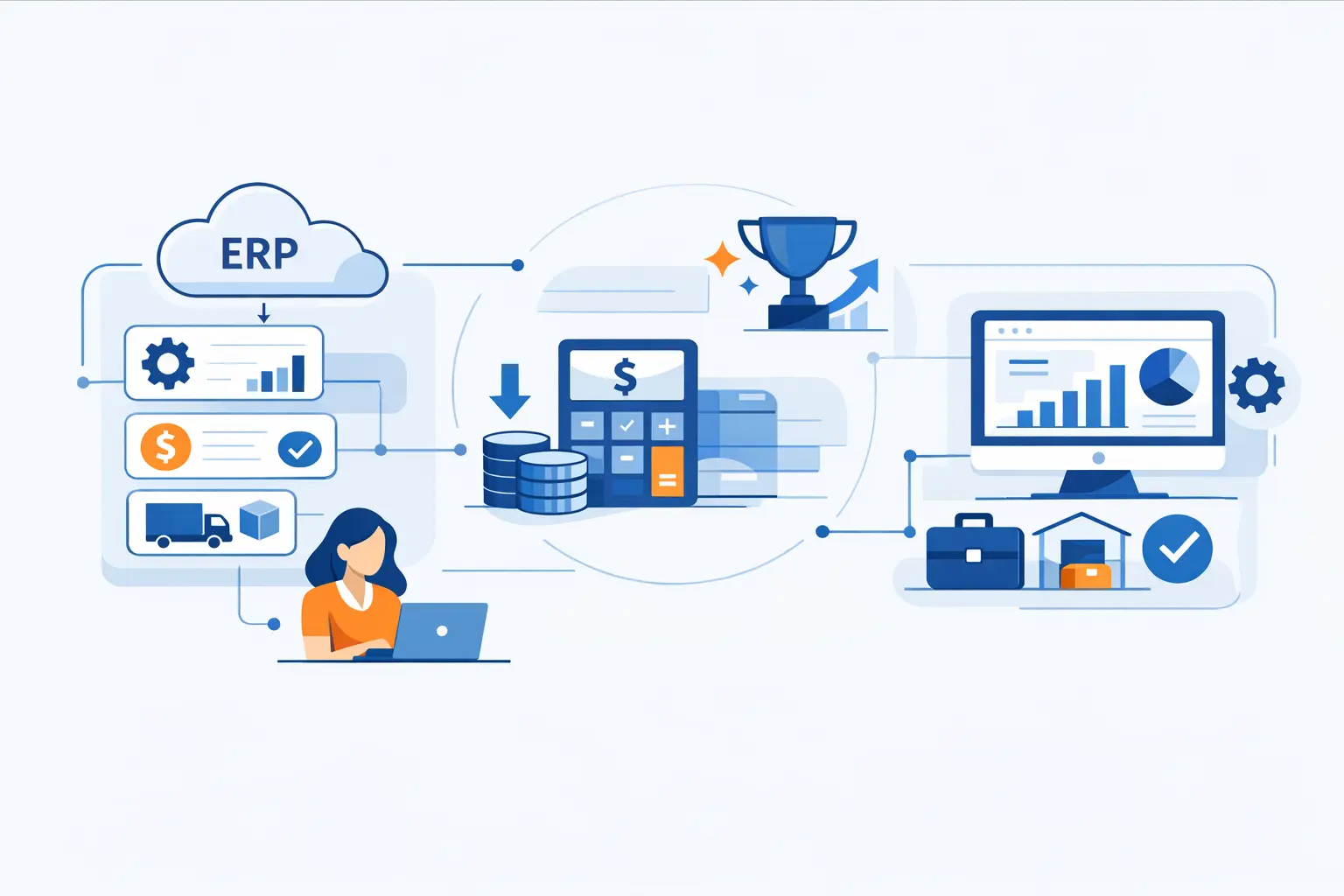
- What Is SaaS ERP
- SaaS ERP vs Cloud ERP vs Traditional ERP
- Key Benefits of SaaS ERP
- SaaS ERP Drawbacks and Tradeoffs
- SaaS ERP Costs and Total Cost of Ownership
- Signs Your Business Needs SaaS ERP
- How to Choose the Right SaaS ERP System
- Leading SaaS ERP Platforms to Evaluate
- How to Implement SaaS ERP Successfully
- Who Benefits Most From SaaS ERP and Digital Transformation
- Modern Technologies and Future Trends in SaaS ERP
- FAQ About SaaS ERP
- How 1Byte Supports Businesses Modernizing With SaaS ERP
- Final Takeaways on SaaS ERP
At 1Byte, we see SaaS ERP as less about buying another application and more about choosing how a business wants to run finance, purchasing, inventory, projects, and reporting in the cloud. Gartner forecasts cloud application services to total $299,071 million in 2025, which tells us subscription software is now part of core operating infrastructure, not a side experiment.
That shift reaches straight into ERP. Statista estimates the enterprise resource planning software market will reach US$55.88bn in 2025, so modern businesses are right to compare suites, deployment models, integration patterns, and total cost before they commit.
In this guide, we explain what SaaS ERP is, where it beats traditional ERP, where it creates tradeoffs, what it usually costs, and which systems deserve a serious look. From our perspective as a cloud computing and web hosting provider, the software matters, but the surrounding digital foundation matters just as much.
What Is SaaS ERP
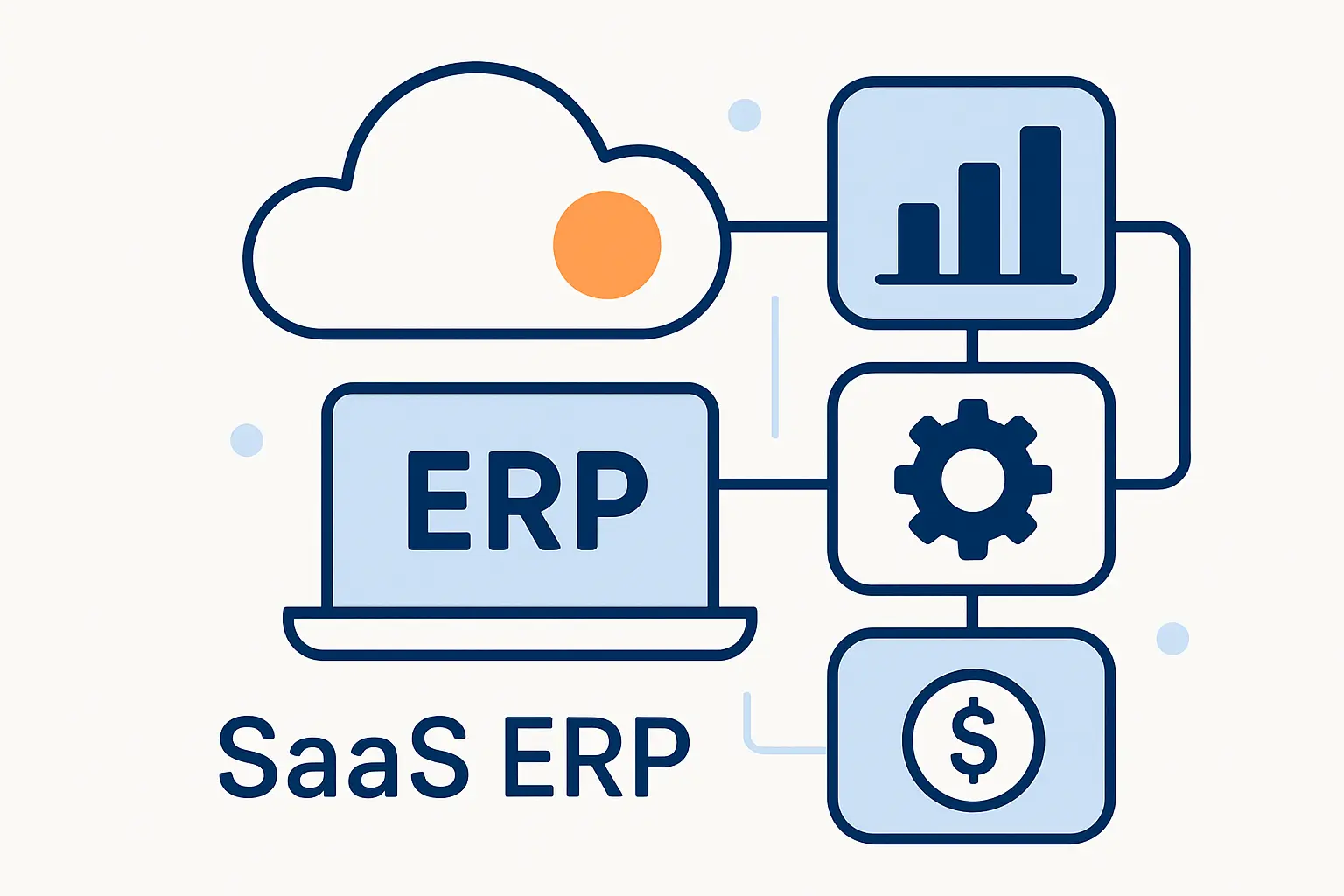
SaaS ERP combines enterprise resource planning with cloud software delivery. In plain language, it gives businesses one online system for core operations while shifting much of the application hosting and platform management to the vendor. We like this model because it can simplify the stack without pretending business complexity has disappeared.
1. How ERP and SaaS work together in one cloud delivery model
At 1Byte, we define SaaS ERP as enterprise resource planning software delivered over the internet, usually through a browser, on infrastructure operated by the provider. Instead of purchasing perpetual licenses and standing up your own application environment, you subscribe to a service that runs core business processes from the cloud. In other words, ERP is the operational system, and SaaS is the delivery model that makes it available as a managed online service.
2. Core modules from finance and procurement to supply chain and project management
Most SaaS ERP suites start with finance, purchasing, inventory, sales, and reporting. Mature platforms extend from there into supply chain, project management, manufacturing, service operations, and sometimes HR or payroll-adjacent workflows. What matters to businesses is not just the module list, but whether those functions share one data model, because disconnected records are where reporting confidence starts to crack.
3. How vendor hosted access changes maintenance upgrades and backups
Vendor-hosted access moves a large slice of infrastructure work away from internal IT. Updates, core platform operations, and much of the application maintenance are handled inside the service, while the customer still owns users, permissions, data quality, internal controls, and downstream recovery planning. We think that distinction is essential, because SaaS ERP lowers operational overhead but never removes business accountability.
SaaS ERP vs Cloud ERP vs Traditional ERP
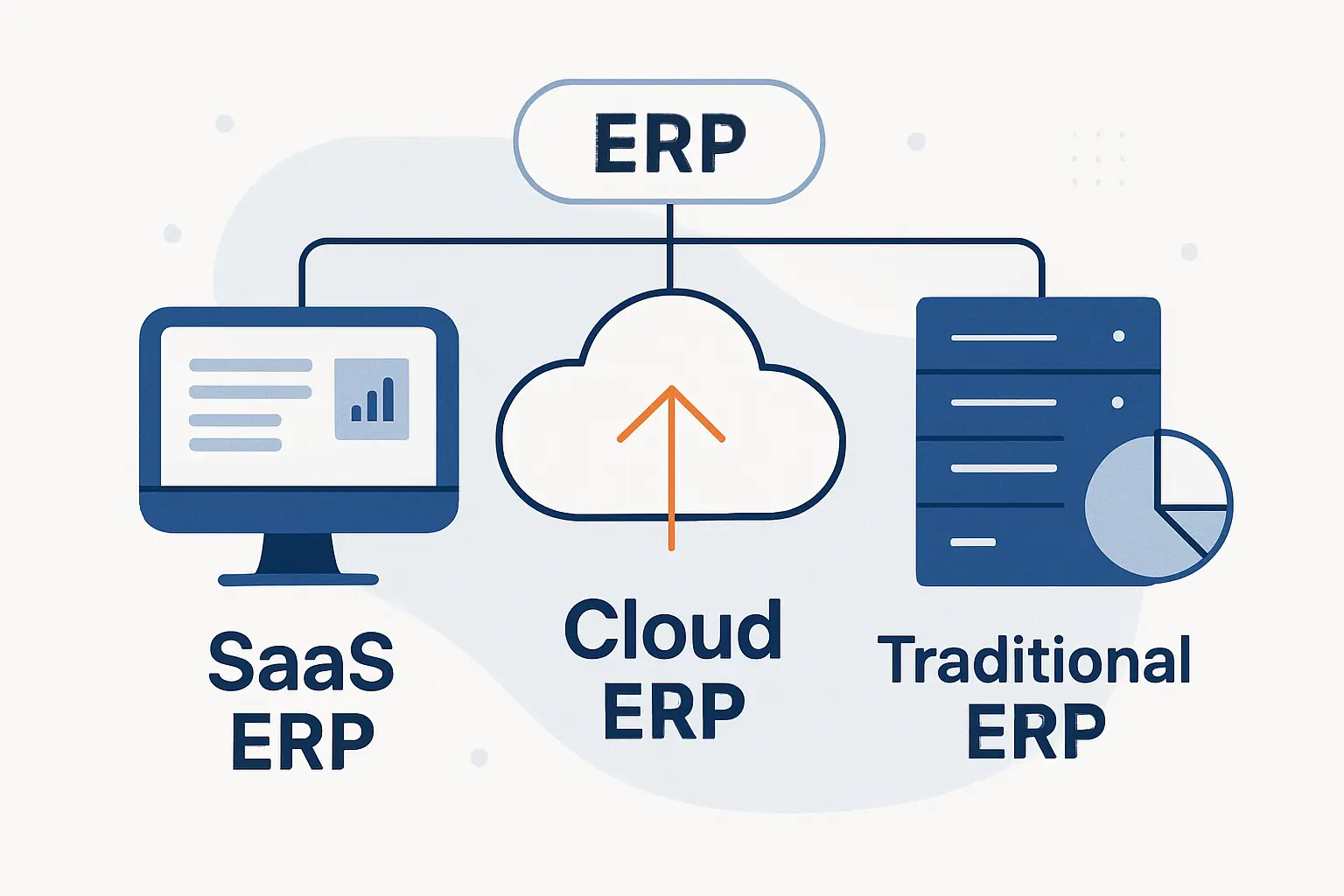
These labels get mixed together all the time. We prefer a simple hierarchy: cloud ERP is the umbrella term, SaaS ERP is the more standardized service-based branch under that umbrella, and traditional ERP is the on-premises model many firms still run today. Once buyers see that structure, vendor messaging becomes much easier to decode.
1. Why SaaS ERP is part of cloud ERP
SaaS ERP is cloud ERP because the application is delivered from cloud infrastructure and accessed over the network. Still, not every cloud ERP deployment is pure SaaS. A legacy ERP running in a hosted virtual environment may be “in the cloud” without giving the customer the same multi-tenant service economics, release rhythm, or operational standardization associated with true SaaS.
2. Multi-tenant single-tenant hosted and hybrid deployment models
In a multi-tenant model, one software environment serves many customers while data and configuration stay logically separated. Single-tenant or private-hosted arrangements dedicate more of the stack to one customer, which can help with special requirements but usually reduces the efficiency that makes SaaS attractive in the first place. Hybrid models sit in the middle, letting businesses keep certain workloads local or privately hosted while moving core finance and operations to a cloud ERP service.
3. When traditional on-premises ERP still makes sense
Traditional on-premises ERP can still be the right answer when latency is severe, customization is extreme, or policy requires tighter control over physical environments. Defense programs, isolated industrial sites, and heavily modified legacy estates sometimes fit that profile. In our view, on-prem remains relevant for very specific constraints, not because it is automatically the more advanced choice.
Key Benefits of SaaS ERP
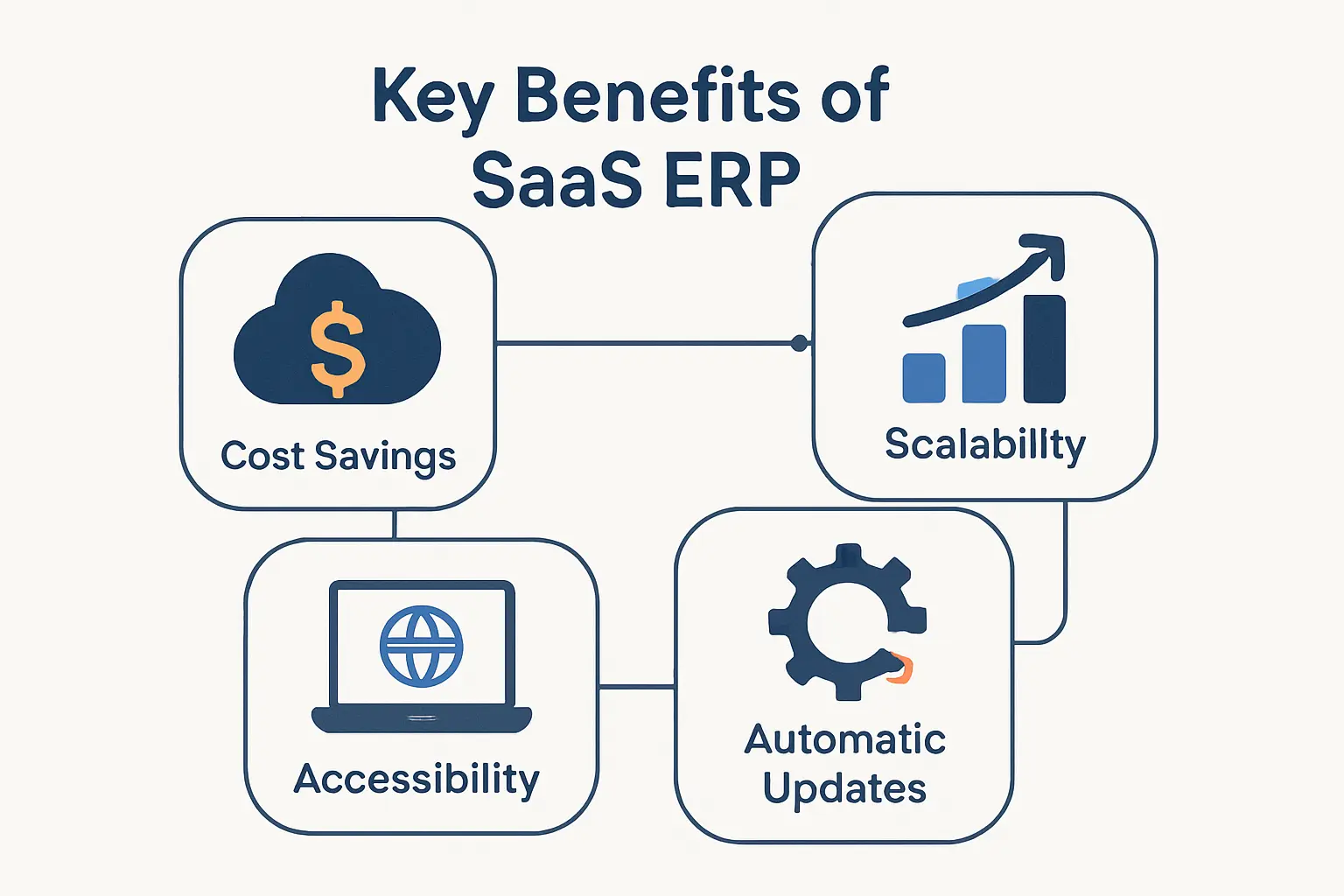
The strongest case for SaaS ERP is usually operational, not fashionable. Businesses adopt it because they want cleaner data, faster change, fewer infrastructure headaches, and more predictable delivery. When the fit is right, the model removes friction that executives feel every month.
1. Lower upfront costs and more predictable spending
Upfront spending often drops because hardware, core hosting, and much of the platform maintenance are wrapped into the subscription rather than purchased as separate capital items. Budgeting also becomes easier when finance can forecast recurring software costs instead of surprise server replacements and emergency upgrades. From our standpoint, that predictability matters most for growing businesses that need cash for people, inventory, and expansion rather than racks and refresh cycles.
2. Faster deployment automatic updates and less IT burden
SaaS ERP deployments are rarely effortless, yet they are often quicker to stand up than large on-premises builds because environments, release management, and core service operations already exist. Scheduled vendor updates keep the product current and reduce the giant upgrade events that legacy ERP teams dread. As a result, internal IT can focus more on integrations, governance, and enablement instead of patch weekends and platform babysitting.
3. Scalability remote access security and stronger collaboration
Cloud delivery shines when a company opens new locations, adds entities, or supports hybrid teams. Users can work from browsers and mobile devices, leadership can review the same live data from anywhere, and controls such as encryption, role-based access, and centralized identity become easier to apply consistently. Better collaboration follows because procurement, finance, operations, and project teams stop passing spreadsheets around like relay batons.
SaaS ERP Drawbacks and Tradeoffs
No ERP model gives only upside. SaaS ERP trades one class of risk for another, and smart buyers accept that before procurement ever reaches the contract stage. We would rather see a company understand the tradeoffs early than discover them during month-end close.
1. Internet dependency performance risks and availability concerns
Because access rides over the network, connectivity quality matters more than many executives expect. A weak warehouse connection, unstable branch office link, or fragile integration path can make a strong application feel slow in daily use. Availability is generally high, but maintenance windows, scheduled updates, and regional incidents still mean businesses need realistic continuity plans.
2. Customization limits compliance needs and data sovereignty questions
SaaS ERP rewards standardization, which is wonderful for governance and frustrating for teams that want every old process preserved forever. Deep product modification is usually constrained, so exceptions have to be handled through configuration, extensions, APIs, or process redesign instead of source-code surgery. Compliance adds another layer, because buyers still need clarity on residency, audit evidence, access control, and whether a vendor’s hosting model fits sector-specific rules.
3. Long term subscription costs and vendor fit considerations
Subscriptions can look lighter on day one and heavier over the long haul if scope expands without discipline. Add more entities, users, sandboxes, storage, support tiers, or adjacent automation, and the bill can climb quietly. Vendor fit therefore matters as much as price, because the wrong platform charges twice: once in fees and again in workarounds.
SaaS ERP Costs and Total Cost of Ownership
When businesses ask us what SaaS ERP costs, we start with a warning: subscription price is only the first line item. Total cost of ownership lives in architecture, integration, training, data cleanup, reporting, and post-launch support. In other words, the invoice follows complexity.
1. CapEx vs OpEx in SaaS ERP budgeting
Traditional ERP leans toward capital expenditure because licenses, servers, storage, and environment management are usually front-loaded. SaaS ERP shifts more of that spend into operating expense, which can improve flexibility and better match cost to usage over time. For finance leaders, the practical question is not which bucket sounds better, but which model fits cash flow, depreciation strategy, and business pace.
2. Subscription pricing by users modules and usage
Vendors price in very different ways, and that variation catches buyers off guard. Some lean heavily on user roles, others on modules, and others on transaction volume, environments, API usage, or combinations of all four. We always advise mapping pricing to real operating patterns, because a company with a small user base and heavy document traffic can pay very differently from one with many users and lighter transactional complexity.
3. Hidden costs in migration integrations training and growth
We budget beyond license fees because McKinsey found that three-fourths of ERP transformation projects fail to stay on schedule or within budget. Data mapping, master-data cleanup, API work, test environments, report rebuilding, user training, and post-go-live support are usually the surprise items. Once a business starts growing, extra storage, higher transaction tiers, and new automation tools can widen the gap between sticker price and real TCO.
Signs Your Business Needs SaaS ERP
The need for SaaS ERP rarely arrives as a lightning bolt. More often, it appears as friction that keeps repeating until nobody trusts the process anymore. We tell clients to watch the symptoms, not the slogans.
1. Rising maintenance costs aging hardware and outdated finance systems
If too much effort goes into keeping old servers alive, maintaining brittle finance tools, or navigating software nobody wants to touch, the platform is probably past its prime. Technical debt also shows up in delayed closes, fragile backups, and upgrade anxiety. When maintenance becomes the job, modernization usually becomes the real business need.
2. Reporting challenges poor usability and disconnected data
Messy reporting is another loud warning sign. When sales, purchasing, accounting, and inventory each keep their own version of reality, leadership spends more time reconciling numbers than acting on them. Poor usability makes the situation worse, because employees dodge the system and rebuild the workflow in spreadsheets, email, and tribal knowledge.
3. Growth compliance globalization and IPO readiness
Growth changes the math fast. New entities, currencies, approval chains, tax rules, and audit expectations can overwhelm entry-level tools that once felt good enough. If a business is preparing for expansion, tighter compliance, external investors, or sharper board reporting, SaaS ERP often becomes less of an upgrade and more of a control system.
How to Choose the Right SaaS ERP System
Selection is where many projects quietly succeed or fail. We have seen teams obsess over brand names and ignore process fit, then act surprised when implementation turns into trench warfare. A better approach is to evaluate needs from the inside out.
1. Align industry needs business processes and required modules
Start with the operating model, not the demo. A manufacturer needs different depth in production, inventory, and quality than a consulting firm that lives on project accounting and utilization. Once the critical processes are clear, it becomes much easier to decide whether you need a broad suite, an industry-specialized product, or a finance-first platform with selected extensions.
2. Review integrations reporting security support and service levels
Next, examine the plumbing. Good SaaS ERP should connect cleanly to banks, ecommerce platforms, payroll tools, CRM systems, tax engines, and analytics layers without turning every sync into a custom science project. Security posture, auditability, vendor support, update handling, maintenance windows, and SLA language also deserve line-by-line review before procurement gets creative.
3. Balance scalability customization and future growth
The right system must fit today and bend toward tomorrow. We favor platforms that let businesses scale entities, users, workflows, and reporting without forcing a total reimplementation at the first sign of success. Still, flexibility should not mean infinite customization, because the healthiest ERP programs know where to adapt the software and where to adapt the business.
Leading SaaS ERP Platforms to Evaluate
No single platform wins every shortlist. The strongest choice depends on industry, operating complexity, international reach, finance maturity, and how much standardization leadership can tolerate. Even so, the market does cluster into a few recognizable groups.
1. Broad cloud suites such as NetSuite Microsoft Dynamics 365 and Oracle ERP Cloud
For broad coverage, we keep seeing three names on serious evaluations: NetSuite, Microsoft Dynamics 365, and Oracle Fusion Cloud ERP, which many buyers still call Oracle ERP Cloud. NetSuite is strong when a company wants unified cloud operations and multi-subsidiary scale, Dynamics 365 is appealing when Microsoft analytics and modular adoption matter, and Oracle stands out for deep enterprise finance with embedded AI and continuous innovation. None is a casual purchase, but each can serve as a durable operational core when the fit is real.
2. Industry focused platforms such as SAP Business ByDesign Acumatica Infor CloudSuite and Epicor Kinetic
Industry-focused buyers often need more than a general ledger with a pleasant dashboard. SAP Business ByDesign has long appealed to midsize businesses that want cloud ERP breadth without enterprise sprawl, Acumatica is attractive when industry editions and licensing flexibility matter, Infor CloudSuite brings strong vertical depth across manufacturing and public sector scenarios, and Epicor Kinetic is especially compelling for manufacturers that care about shop-floor realities as much as finance. In our experience, these platforms create the most value when the operational template already resembles the business.
3. Finance and modular options such as Sage Intacct Odoo Tipalti and Kechie ERP
Finance-led teams may prefer a narrower start. Sage Intacct is often a sensible step up when stronger cloud financial management is the first priority, Odoo appeals to buyers who like a modular and highly integrated ecosystem, Tipalti fits organizations that want to automate payables and global finance workflows around an ERP core, and Kechie targets SMBs looking for one connected operational platform. A Progress and MyOfficeApps case study ties Kechie to a goal of delivering 30,000 meals in a single day, which is a useful reminder that ERP discipline matters far beyond classic enterprise headquarters.
How to Implement SaaS ERP Successfully
Implementation is where strategy meets scar tissue. A clean product choice can still fail if scope is vague, data is dirty, or leadership treats change management as optional. We prefer a boring rollout plan to a dramatic rescue.
1. Define goals document processes and build a roadmap
Begin with concrete goals tied to business outcomes such as faster close, better inventory accuracy, cleaner project profitability, or stronger compliance. Then document how work actually happens, not how people say it happens in workshops. A practical roadmap sequences modules, owners, dependencies, and decision points so the project has shape before the software does.
2. Prepare clean data integrations testing and rollout strategy
Data migration deserves its own spotlight because bad master data can make a new ERP look guilty on day one. Integration design matters just as much, especially for payroll, banking, CRM, ecommerce, procurement, and external reporting. We also urge teams to test by business scenario, choose rollout style deliberately, and keep a hard line between go-live essentials and everything that can wait.
3. Train users manage change and measure post go live success
Training is not a ribbon-cutting event; it is an operating requirement. Users need role-specific practice, managers need visible sponsorship, and the organization needs metrics for adoption, close speed, report accuracy, exception handling, and support volume after launch. When those measures move in the right direction, the ERP is becoming a business system instead of a software expense.
Who Benefits Most From SaaS ERP and Digital Transformation
SaaS ERP is not just for the Fortune 500, and it is not just for startups either. The model works best where operational complexity is rising faster than internal IT capacity. That covers more of the market than many people first assume.
1. Startups SMBs and fast growing businesses
Smaller and fast-growing companies often benefit first because they cannot afford long upgrade cycles or a room full of specialists to keep legacy software breathing. A good SaaS ERP lets them standardize finance, procurement, inventory, and reporting earlier than they otherwise could. That foundation can prevent process debt from hardening while the company scales.
2. Global organizations subsidiaries and two tier ERP strategies
Larger enterprises also gain value, especially when subsidiaries need speed that headquarters cannot deliver with one monolithic timeline. A two-tier strategy lets the parent preserve core standards while regional entities or acquired businesses adopt a faster cloud platform underneath. In practice, that can reduce local workarounds and accelerate consolidation without pretending every unit operates the same way.
3. Manufacturing consulting construction and government contracting
Industry fit matters enormously here. Manufacturers want planning, inventory, procurement, and shop-floor visibility, while consulting firms care about time, billing, margin, and project control; construction and government contractors need tighter cost tracking, approvals, and compliance evidence. In the public sector, Infor says Idaho became the first state to deploy Infor’s ERP solution in a FedRAMP-authorized cloud, which tells us even governance-heavy environments are moving toward modern cloud operating models.
Modern Technologies and Future Trends in SaaS ERP
SaaS ERP is no longer just a database with a prettier login page. The leading platforms are layering AI, automation, analytics, and integration services directly into daily workflows. That shift matters because ERP sits exactly where business decisions become transactions.
1. Artificial intelligence and intelligent automation
AI in ERP becomes valuable when it predicts, routes, classifies, summarizes, or recommends inside the process instead of shouting from a separate dashboard. Invoice coding, anomaly detection, forecast support, bank reconciliation, and spend analysis are good examples. We pay attention to these capabilities not because AI is trendy, but because embedded automation can remove tedious work at scale.
2. Digital assistants analytics and mobile first access
Digital assistants are changing how non-specialists interact with ERP. A manager can ask for a variance explanation, a buyer can approve from a phone, and a finance lead can analyze live data without exporting half the system into spreadsheets first. Better analytics and mobile access do not replace discipline, but they reduce the friction between insight and action.
3. IoT blockchain and next generation cloud innovation
For product-centric businesses, the next wave is less about shiny labels and more about connected execution. IoT data from warehouses, assets, and production lines can feed planning, inventory, and service workflows, while modern cloud platforms make it easier to connect ERP to surrounding systems through integration services and extensibility layers. As for blockchain, we regard it as a niche tool for provenance or contract-heavy use cases, not a reason by itself to choose one ERP over another.
FAQ About SaaS ERP
A few questions come up in almost every SaaS ERP conversation we have. Here are the answers we would give in plain English before any demo begins.
1. What is a SaaS ERP?
A SaaS ERP is enterprise resource planning software delivered as an online service. You subscribe to it, access it through the web, and rely on the vendor to run the underlying application environment.
2. What is the difference between SaaS ERP and cloud ERP?
Cloud ERP is the broader category. SaaS ERP is the more standardized model inside that category, while other cloud ERP approaches can include private-hosted or hybrid deployments.
3. Is SaaS the same as SAP?
No. SaaS is a delivery model, while SAP is a software vendor that offers products across different deployment styles, including cloud ERP options such as SAP Business ByDesign.
4. What are some leading SaaS ERP systems?
Common names on modern shortlists include NetSuite, Microsoft Dynamics 365, Oracle Fusion Cloud ERP, SAP Business ByDesign, Acumatica, Infor CloudSuite, Epicor Kinetic, Sage Intacct, Odoo, Tipalti, and Kechie, among others.
5. Can you migrate from on-premises ERP to SaaS ERP without losing data?
Yes, core data can usually be migrated successfully, but only if you map, cleanse, validate, and test carefully. The real risk is not the export itself; it is weak field mapping, bad master data, missing history rules, or a rushed cutover design.
6. How often are updates released in a SaaS ERP system?
Update cadence depends on the vendor. Some suites follow a regular quarterly rhythm by default, some use major release waves plus minor updates, and most provide sandbox or preview options so customers can test before production changes land.
How 1Byte Supports Businesses Modernizing With SaaS ERP
At 1Byte, we do not pretend that hosting alone replaces ERP architecture or process design. What we do know, however, is that every modernization effort leans on a broader digital foundation: domains, certificates, user trust, application hosting, cloud infrastructure, DNS, and operational support. When that layer is shaky, even the right ERP decision starts to wobble.
1. Build a secure online foundation with domain registration and SSL certificates
A modernization program usually touches portals, training sites, vendor domains, support pages, SSO entry points, and API endpoints. Our domain registration and SSL certificate services help businesses secure the public-facing layer around those experiences so users see consistency, encryption, and trust from the first click. That may sound basic, yet weak identity and trust signals can undermine adoption before a workflow even loads.
2. Run reliable business websites with WordPress hosting and shared hosting
Change management needs a place to live. With WordPress hosting and shared hosting, we help teams publish rollout pages, documentation hubs, FAQs, internal announcements, customer notices, and partner resources without overengineering the stack. Sometimes the smoothest ERP project wins because communication is clear, searchable, and available exactly when users need it.
3. Scale cloud workloads with cloud hosting cloud servers and AWS Partner support
Around the ERP itself, businesses often need integration runtimes, staging environments, analytics workloads, backup repositories, file-transfer nodes, or lightweight apps that bridge old and new systems. Our cloud hosting and cloud server offerings give those supporting components room to run, and our AWS Partner support helps organizations plan cloud architecture with more confidence. From our vantage point, that surrounding infrastructure is where many ERP programs either gain resilience or leak avoidable risk.







Final Takeaways on SaaS ERP
SaaS ERP is not magic, but it is a powerful operating model when a business wants unified data, predictable delivery, and a cleaner path to growth. The strongest outcomes come from matching the deployment model to real processes, choosing a vendor that fits the industry, and budgeting for people and integration work just as seriously as software.
At 1Byte, we believe the smartest next step is to map your current pain points, rank the modules that matter most, and test whether a cloud-first architecture simplifies the business or merely shifts the mess. If your team is still chasing spreadsheets across finance, operations, and projects, why not start by defining the first process your future SaaS ERP should own?