

- How These IoT Platform Providers Were Compared
- Top 10 IoT Platform Providers
- Five More IoT Platforms Worth Considering
- What The Best IoT Platform Providers Need To Handle
- Cloud Models And Deployment Tradeoffs
- How To Choose Among IoT Platform Providers
- Why Specialization Matters In A Fragmented Market
- Open Source And Managed IoT Platform Providers
- FAQ
- Conclusion
If you are comparing iot platform providers, the field gets crowded fast and the gaps between products are bigger than the marketing usually admits. Some platforms are cloud plumbing first. Others are industrial operations tools. A few are really connectivity platforms with light application features layered on top. We built this roundup to help you narrow the list to the right shape of platform before you commit to months of integration work.
Our short version is simple. AWS IoT Core and Azure IoT Hub are still the safest broad picks for teams that want scale and deep cloud integrations. ThingWorx, Cumulocity, and Insights Hub stand out when the project is closer to industrial operations than to general device telemetry. Particle, Blynk, and ThingsBoard are easier to like when you care about product teams, faster rollout, or self-hosted control more than hyperscaler breadth.
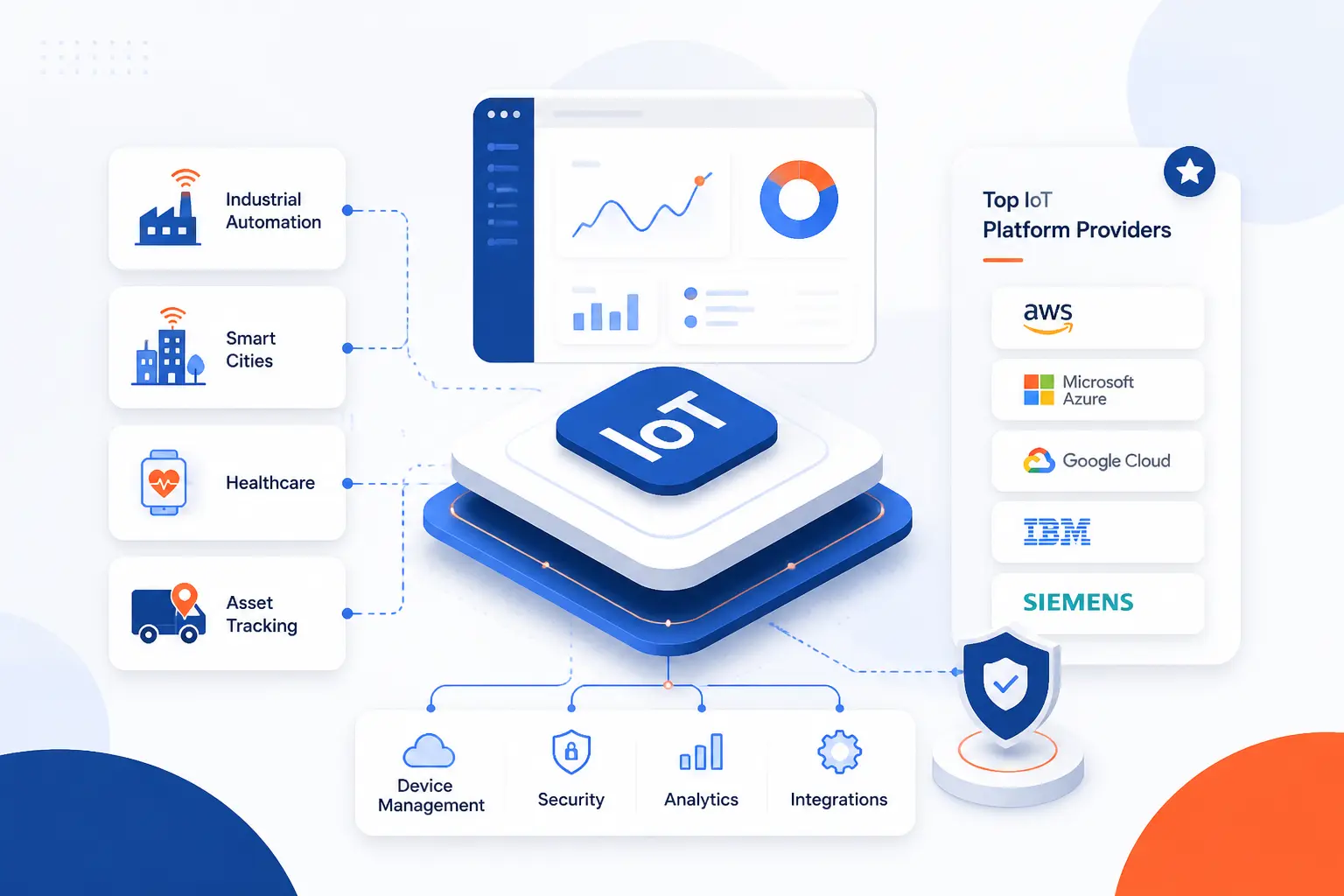
How These IoT Platform Providers Were Compared

The best shortlist depends less on hype and more on the kind of deployment you are actually running. We compared these platforms by reading official product pages, documentation, pricing pages, and public review listings where they existed. The goal was not to crown one universal winner. It was to separate broad cloud platforms from industrial suites, connectivity-heavy options, and simpler product-focused tools so readers can match the platform to the job.
FURTHER READING: |
| 1. 15 Best AI for Graphic Design Tools That Deliver |
| 2. 15 Best Free CDN for WordPress for Speed and Security |
| 3. 15 Best Sales Coaching Software for Smarter Reps |
Quick Comparison Of The Leading IoT Platform Providers
| Provider | Best For | Deployment | Pricing Model | Score |
|---|---|---|---|---|
| AWS IoT Core | Custom cloud-native IoT back ends | Managed cloud service with optional LoRaWAN features | Usage-based | 4.8 |
| Azure IoT Hub | Enterprise device lifecycle and Microsoft-centric stacks | Managed cloud service with edge support | Tiered plus usage components | 4.6 |
| ThingWorx | Industrial application building and operations dashboards | Cloud and on-prem options through enterprise engagement | Quote-based | 4.5 |
| Cumulocity | Industrial fleets that need cloud, edge, and remote access | Cloud and single-node edge deployments | Starter plan plus custom tiers | 4.6 |
| Insights Hub | Manufacturing and asset-heavy operations | Cloud platform with industrial apps and APIs | Quote-based | 4.4 |
| ThingsBoard | Self-hosted flexibility and rule-driven dashboards | Open-source self-hosted, cloud, and edge variants | Free community edition plus paid licenses | 4.3 |
| OCI IoT Platform | OCI-native digital twin and database-centric builds | Managed OCI service | Consumption-based | 4.0 |
| Particle | Connected products with managed device cloud and OTA | Managed cloud tied closely to Particle hardware stack | Free tier plus device blocks | 4.5 |
| Cisco IoT Control Center | Global cellular connectivity management | Global SaaS platform | Contract-based by account type and rate plan | 4.2 |
| Bosch IoT Suite | Industrial device management plus analytics services | Cloud services with edge components | Free plans plus pay-as-you-go and custom tiers | 3.9 |
How We Researched And Evaluated The List
Our scores are editorial judgments based on the evidence we could verify from product pages, docs, pricing materials, and public review listings.
- Capability fit: we looked at whether the platform can realistically cover the core jobs buyers expect, including connectivity, provisioning, fleet management, monitoring, rules, analytics, and integrations.
- Deployment flexibility: we gave extra credit to platforms that clearly support cloud, edge, or hybrid paths instead of forcing one narrow model.
- Pricing clarity: transparent self-serve pricing scored better than quote-only buying motions or plan pages that hide the real cost drivers.
- Operational usability: we favored platforms whose docs showed concrete workflows, named tools, and admin paths rather than vague platform claims.
- Market confidence: public review depth helped, but it did not decide the ranking on its own because some strong industrial tools still have thin public review footprints.
That mix tends to reward platforms that are practical to buy, practical to run, and realistic for the kind of IoT program most teams are actually building.
Top 10 IoT Platform Providers

If you want the shortest possible answer, start with AWS IoT Core or Azure IoT Hub for broad cloud projects, then look at Cumulocity, ThingWorx, or Insights Hub for industrial work. The rest of this top 10 is where the tradeoffs get more specific. Some are better because they do less. Others are better because they stay tightly focused on one layer, such as connectivity management or connected-product operations.
1. AWS IoT Core

- Category: Managed cloud IoT platform
- Best for: Custom cloud-native IoT back ends
- Ease of use: Moderate for AWS teams, steeper for beginners
- Pricing: Usage-based with a free tier
- Standout feature: Fine-grained billing across connectivity, messaging, shadows, and rules
AWS IoT Core earns the top spot because it is still the broadest general-purpose option for teams that want to build an IoT back end their own way. It is not the most guided platform in this list, and it does not try to hide its building-block nature. That is exactly why it ranks so well. You get serious scale, protocol support, strong routing options, and a pricing model that starts small if your traffic is modest.
Where AWS genuinely stands out is flexibility. The product page and documentation show one service that can handle secure device connectivity, messaging, Device Shadow state, registry metadata, rules, and LoRaWAN without forcing you into a rigid application framework. For teams that already live in AWS, that makes it easier to turn device traffic into Lambda, DynamoDB, storage, analytics, and custom applications without introducing a second platform mindset.
How AWS IoT Core works
The basic workflow starts with registering devices and setting up secure connectivity. AWS IoT Core supports MQTT, HTTPS, and LoRaWAN at the service level, and the docs center a thing-based model with policies, certificates, message routing, and cloud-side state handling. Device state is managed through shadows, which use desired, reported, and delta sections so apps and devices can stay in sync even when devices are not continuously online.
Once messages land in the service, the Rules Engine is the handoff point that matters most. AWS describes rules as SQL-like filters and transformations that can route payloads to AWS and third-party endpoints. That gives you room to keep ingestion simple at first, then add downstream logic only when you need it. If you are using MQTT or HTTP, AWS also points out that messages sent on the reserved Basic Ingest topic avoid regular messaging charges, which can matter a lot in higher-volume projects.
LoRaWAN support is another reason AWS stays near the top. The platform includes a managed network server model for LoRaWAN workloads, which is attractive if you want one cloud control plane instead of stitching together separate ingestion and application layers.
Who is AWS IoT Core for?
AWS IoT Core is best for engineering teams that want control over architecture and already use AWS services elsewhere. It also fits mixed fleets where you may want to send telemetry one way, manage state another way, and route different device classes to different downstream services.
It is less appealing for buyers who want a polished, out-of-the-box operations portal with dashboards, alarms, device workflows, and customer-ready interfaces already in place. If your team is small and not especially AWS-native, ThingsBoard, Particle, or Cumulocity will usually feel more direct.
AWS IoT Core pricing
- AWS Free Tier: $0 for the initial free-tier window, including 2,250,000 connection minutes, 500,000 messages, 225,000 registry or Device Shadow operations, and 250,000 rules triggered plus 250,000 actions applied.
- Usage-based service: no minimum fee, with separate billing for connectivity, messaging, Device Shadow usage, registry usage, and rules engine usage.
You can see the full cost model on the pricing details page.
Pros and cons
Pros
- Supports MQTT, HTTPS, and LoRaWAN from the core service documentation.
- Named and unnamed shadows make offline state handling more practical than plain broker setups.
- No mandatory service fee, which keeps pilots cheap if traffic stays low.
- Rules can route to more than 20 AWS and third-party services.
- Basic Ingest can reduce message billing for some ingestion patterns.
Cons
- Pricing is flexible, but not especially simple once multiple components are in play.
- The platform gives you building blocks, not a finished operations app.
- Non-AWS teams may find the learning curve steeper than with more guided platforms.
AWS IoT Core rating and reviews
AWS IoT Core has public review listings on major software review sites, but the aggregate score was not reliably exposed in the pages we could verify, so we are leaving this one unrated rather than guessing.
AWS IoT Core remains our top pick when architectural freedom matters more than hand-holding. If your team wants an IoT backbone instead of a prescriptive suite, it is still hard to beat.
2. Azure IoT Hub

- Category: Managed cloud IoT platform
- Best for: Enterprise device lifecycle management in Microsoft environments
- Ease of use: Moderate
- Pricing: Free, Basic, and Standard tiers
- Standout feature: Device twins plus Device Provisioning Service
Azure IoT Hub is the safest alternative to AWS for buyers who care most about lifecycle management, device state, and tight Microsoft alignment. It ranks second because the underlying capabilities are strong, the documentation is clear on lifecycle concepts, and the twin model is still one of the most practical ways to manage cloud-side state in a large fleet.
Where Azure looks especially convincing is operations discipline. Microsoft frames IoT Hub around plan, provision, configure, monitor, and retire stages, and the product page keeps the pitch focused on connecting, monitoring, and managing large fleets securely. That makes it feel more explicitly device-management oriented than AWS IoT Core, even if both can cover similar ground in the end.
How Azure IoT Hub works
The platform centers on an IoT hub instance that manages device identities, messaging, and state. For large-scale onboarding, Microsoft pairs it with Device Provisioning Service, which can provision devices across one or more linked IoT hubs. DPS can write to the device registry and set initial device twin configuration, which makes first-touch provisioning much cleaner than hand-registering devices one by one.
Device twins are the other core concept. Azure maintains a JSON-based twin for each connected device, with tags, desired properties, and reported properties. In practice, that gives operators a structured place to store metadata, push configuration intent, and read current state. The management docs show this clearly in the portal flow: go to Devices, choose a device, edit tags if needed, and then open the Device twin view to inspect or update the JSON. That is concrete, understandable, and useful.
Standard tier is the dividing line that buyers need to understand early. Microsoft is explicit that cloud-to-device messaging, device management, device twins, module twins, and IoT Edge are not part of the Basic tier. If those workflows matter, Standard is really the conversation.
Who is Azure IoT Hub for?
Azure IoT Hub fits enterprise teams that already use Azure identity, analytics, or DevOps tooling and want device management to feel like part of that estate. It also suits projects where provisioning, tags, desired properties, and edge orchestration matter as much as raw ingestion.
We would look elsewhere if you want the simplest public pricing story, or if your team prefers a more finished product experience with built-in dashboards and fewer cloud-service decisions to make.
Azure IoT Hub pricing
- Free: Free, with 8,000 messages per day, 500 device identities, and a 0.5 KB message meter size.
- Basic B1, B2, B3: Microsoft publicly lists daily message capacities of 400,000, 6,000,000, and 300,000,000 per unit, but the readable dollar figures were not exposed on the public page we verified.
- Standard S1, S2, S3: Microsoft publicly lists the same capacity bands at 400,000, 6,000,000, and 300,000,000 messages per day per unit, with Standard-only access to twins, cloud-to-device messaging, device management, and IoT Edge.
You can check the current tier table on the cost details page.
Pros and cons
Pros
- DPS and device twins make fleet provisioning and configuration cleaner than many rivals.
- Portal workflows for tags and twins are concrete and well documented.
- Supports HTTP, AMQP, and MQTT across listed tiers.
- Standard tier includes IoT Edge and richer management functions.
- The docs frame device management around a full lifecycle, which is useful for enterprise planning.
Cons
- The public pricing page is not as transparent as it should be for paid tiers.
- Important features sit behind Standard, so Basic can feel like a narrower product than first-time buyers expect.
- G2 reviewers we read repeatedly mentioned cost and learning-curve friction.
Azure IoT Hub rating and reviews
Azure IoT Hub clearly has an active public review footprint, but we could not confirm a stable aggregate score from the review pages we verified, so we are not pinning a number to it here.
For Microsoft-heavy organizations, Azure IoT Hub is still one of the strongest default picks. It makes the most sense when device state and provisioning are first-order concerns, not just extra features.
3. ThingWorx

- Category: Industrial IoT application platform
- Best for: Industrial application building and machine-centric operations
- Ease of use: Moderate to difficult
- Pricing: Quote-based
- Standout feature: Composer and Mashup Builder for industrial apps
ThingWorx belongs near the top because it is one of the clearest industrial-first entries in this list. It is not trying to be a general cloud ingestion service. It is trying to be a place where manufacturers and industrial software teams model assets, connect systems, and build operator-facing applications around them. If that is your brief, ThingWorx deserves a serious look.
The platform earns third place because it combines application-building tools with industrial orientation in a way many buyers still want. We would not call it the easiest platform here. We would call it one of the more purpose-built ones for industrial use cases where device data is only valuable if it lands inside a workflow, dashboard, or operational application that plant users can actually use.
How ThingWorx works
PTC’s own materials center ThingWorx around application development and industrial data modeling. The workflow shown in the docs starts in Composer, where you create entities and build the model that your application will use. From there, Mashup Builder is the main UI layer. The documentation shows you creating a new Mashup in Composer, selecting a Responsive layout, naming the mashup, saving it, and then using the Design tab to add containers and sections.
Mashups are the practical heart of the platform. PTC describes them as web pages you build to visualize data and interact with your Thing model through a graphical interface. Data Services from the ThingWorx platform can be added directly into the mashup, which is why the product has stayed relevant for industrial teams that want application screens without building every UI from scratch.
This is a different rhythm than AWS or Azure. The value is not just that devices can connect. It is that plant-facing applications can be assembled around modeled things, services, and dashboards inside the same broader environment.
Who is ThingWorx for?
ThingWorx is best for industrial software teams, OEMs, and manufacturers that need custom applications on top of industrial data rather than a generic cloud broker. It is a strong fit when the project owner cares about operator screens, asset models, and manufacturing context.
Small teams, startups, and buyers who mainly want quick cloud ingestion with straightforward pricing should probably look elsewhere. ThingWorx makes more sense when the application layer is part of the buying case.
ThingWorx pricing
- Platform subscription: PTC does not publish self-serve ThingWorx platform pricing on the product page, and commercial access is handled through contact-sales engagements.
- Training add-ons: PTC does publish separate training and learning products, but those should not be confused with platform subscription pricing.
Pros and cons
Pros
- Industrial-first positioning is much clearer than on most general cloud platforms.
- Composer and Mashup Builder give teams a practical way to build operator-facing applications.
- Responsive mashup templates can speed up UI creation.
- Gartner reviewers rate the platform highly for industrial flexibility and scale.
Cons
- Pricing is not transparent from the public product materials.
- The platform can feel heavyweight if all you need is secure telemetry ingestion.
- The learning curve is higher than with simpler connected-product tools.
ThingWorx rating and reviews
- Gartner Peer Insights: rated 4.5/5 across 136 ratings.
ThingWorx is not the cheapest or simplest route, but it is one of the more convincing industrial application platforms in the market. If you need your IoT layer to feed real operations software, it still holds up well.
4. Cumulocity

- Category: Industrial IoT platform
- Best for: Industrial fleets that need cloud, edge, and remote access
- Ease of use: Easier than most industrial suites
- Pricing: Starter plan plus custom business tiers
- Standout feature: Same-architecture cloud and edge model
Cumulocity lands high because it does a better job than many industrial platforms of meeting buyers in the middle. It is still industrial. It still thinks in terms of fleets, remote operations, edge, and analytics. But it also presents a more accessible commercial path than some of the older enterprise-heavy rivals.
The official materials are especially strong on practical fleet operations. Cumulocity talks less like a raw cloud toolkit and more like a platform for connecting equipment, monitoring it, updating it, visualizing it, and reaching into it securely when support teams need access. That makes it easier to recommend to industrial teams that want a platform with opinionated operating features, not just message pipes.
How Cumulocity works
The platform combines device management, dashboards, analytics, and edge deployment under one architecture. Cumulocity’s own introduction points users toward the Cockpit application for dashboards, reports, and alarms, while the edge documentation makes a big deal of the “develop once, deploy anywhere” model. That matters. It means the cloud and Edge share the same architecture closely enough that extensions and customizations can move between them more cleanly than on many split stacks.
Cloud Remote Access is a standout workflow. The docs show browser-based remote desktop and SSH access through a microservice that tunnels traffic over secure WebSocket connections, without exposing ports publicly. The same documentation also supports gateway-style access and passthrough to native clients, which is practical for industrial troubleshooting. If your field teams regularly need to reach HMIs, gateways, or private network devices, this is more than a nice-to-have.
On the analytics side, Cumulocity also documents Analytics Builder for stream-processing models, plus individualized dashboards for groups and devices. The result is a platform that can cover ingestion, remote service, local edge deployment, and operational dashboards inside one product family.
Who is Cumulocity for?
Cumulocity is a strong choice for industrial equipment makers, service organizations, and operations teams that need cloud and edge without turning the whole project into a hyperscaler architecture exercise. It is also a very sensible pick if remote support is part of the service model.
Teams building deeply custom cloud-native stacks from scratch may prefer AWS or Azure. Buyers who want a free-form open-source route may lean toward ThingsBoard instead.
Cumulocity pricing
- Starter: €215/month billed annually, with unlimited users, up to 2.5M messages per month, one tenant, 30-day data retention, and a 95% uptime guarantee.
- Business: custom pricing, with up to 250M platform messages per month, multiple tenants, single sign-on, configurable retention, web app extensions, and microservices.
- Enterprise: custom pricing, with unlimited messages, isolated infrastructure, multiple tenants in any region, tailored security policies, and a 99.9% uptime guarantee.
- Connected and Air-Gapped edge options: custom pricing for single-node on-prem deployments, including connected and fully offline variants.
You can review the commercial breakdown on the plan overview.
Pros and cons
Pros
- Public Starter pricing is clearer than on many industrial rivals.
- Cloud and Edge share the same architecture, which lowers hybrid friction.
- Cloud Remote Access supports browser-based VNC, SSH, and Telnet.
- Analytics Builder and Cockpit cover monitoring and stream logic well.
- Multiple deployment styles are documented, including air-gapped edge.
Cons
- The best enterprise features sit behind custom tiers.
- Industrial terminology and workflows can still feel heavy for product teams.
- It is less neutral than AWS if you want every building block decoupled.
Cumulocity rating and reviews
Cumulocity has public listings on major review sites, but the aggregate score was not clearly exposed in the pages we could verify, so we are not filling in a number from memory.
Cumulocity is one of the easiest industrial platforms to recommend to serious buyers. It gives you more operations-ready tooling than hyperscaler-first options, without pushing you into the heaviest buying motion in the field.
5. Insights Hub

- Category: Industrial IoT and asset analytics platform
- Best for: Manufacturing and asset-heavy operations
- Ease of use: Moderate
- Pricing: Quote-based
- Standout feature: Asset-centric industrial apps plus broad service APIs
Insights Hub is here because it stays tightly focused on industrial outcomes. It is not just selling connectivity. Siemens frames it around collecting, processing, and analyzing real-time data from machines, devices, and processes, then tying it back to operational context. If your project owner sits in manufacturing rather than central IT, that framing matters.
We rank it fifth, not higher, because the public buying story is still more enterprise-style than self-serve. But for industrial buyers, the actual product shape is compelling. Asset monitoring, industrial apps, and a mature API catalog are all on the table.
How Insights Hub works
The documented workflow revolves around assets and services. Insights Hub Monitor is presented as the place to explore data from connected shopfloor assets, compare variables, and manage asset performance. The monitor documentation points users into related tools such as Asset Manager, where assets, types, aspects, and variables are configured.
On the developer side, Siemens publishes a sizeable services catalog. The developer docs show both HTTP-based APIs with OpenAPI specs and messaging-based APIs with AsyncAPI specs, which tells us this is not a thin front end over a closed system. It is a platform with a fairly broad services layer underneath. That makes it credible for teams that want both packaged industrial apps and room to extend.
The practical pattern is straightforward. Model assets, connect data sources, use industrial apps like Monitor to inspect and compare performance, then build or integrate other services through the API layer where needed.
Who is Insights Hub for?
Insights Hub is best for manufacturers, plant operators, and industrial digital teams that want asset monitoring and industrial context baked into the platform. It also suits organizations that expect to mix packaged apps with custom API-level work.
Smaller teams and greenfield startups should usually look elsewhere. The product makes more sense when there is already a real industrial environment to model and manage.
Insights Hub pricing
- Commercial subscription: Siemens does not publish self-serve pricing on the public product page, and the buying motion is handled through demos and sales engagement.
- Capability packaging: public review materials describe tiered capability packages, but Siemens’ official page does not expose a clean retail-style price table we would quote as final buying guidance.
Pros and cons
Pros
- Strong industrial framing around assets, processes, and monitoring.
- Insights Hub Monitor gives a clear asset-centric operational entry point.
- Developer docs show a broad HTTP and messaging services catalog.
- Well suited to manufacturing organizations that need operational context, not just telemetry storage.
Cons
- No clear public self-serve pricing table.
- Better for industrial operations than for lightweight connected-product launches.
- The product family can feel bigger than needed for modest fleets.
Insights Hub rating and reviews
- Gartner Peer Insights: rated 4.4/5 across 109 ratings.
Insights Hub is not the most approachable platform in the list, but it is one of the more coherent industrial ones. When the work is really about machines, plants, and asset performance, it stays relevant very quickly.
6. ThingsBoard

- Category: Open-source and commercial IoT platform
- Best for: Self-hosted control and rule-driven dashboards
- Ease of use: Moderate
- Pricing: Free community edition plus paid licenses
- Standout feature: Device profiles and visual rule chains
ThingsBoard is the strongest open-core entry in this top 10. It makes the list because it gives buyers a credible middle path between hyperscaler plumbing and closed enterprise suites. You can self-host it, build practical dashboards, run rules against telemetry, and still move toward commercial licensing or cloud deployment if the project grows.
The tradeoff is that ThingsBoard is more operationally hands-on than fully managed platforms. That is the price of freedom. For many teams, it is a fair deal. You get a lot of real IoT platform substance without committing yourself to a single cloud provider’s worldview.
How ThingsBoard works
ThingsBoard’s docs put device profiles at the center of the workflow, and that is a smart design choice. A device profile can define the transport protocol, rule chain, alarm rules, calculated fields, firmware, queue, and provisioning strategy for a whole class of devices. Instead of configuring one device at a time, you set the profile once and apply it broadly.
The Rule Engine is the next major piece. ThingsBoard describes it as the backbone that processes incoming telemetry, attribute updates, lifecycle events, and RPC calls through rule chains made from rule nodes. That architecture is why the platform is attractive to teams that want to normalize, filter, enrich, and route data without writing every data path from scratch.
On top of that, dashboards and alarms are first-class. The docs explicitly connect device profiles, rule chains, dashboards, alarm rules, and even edge behavior where ThingsBoard Edge is in play. The overall workflow is practical: define device profiles, connect devices over the transport you need, run telemetry through rule chains, and surface it with dashboards and alarms.
Who is ThingsBoard for?
ThingsBoard is for teams that want more control than a managed cloud suite gives them, but do not want to assemble every component themselves. It fits integrators, industrial teams, and software-heavy SMBs that can manage self-hosting or at least understand the tradeoffs.
Buyers who want the easiest onboarding, simplest billing, or the strongest vendor-managed experience should look at Particle, Cumulocity, or the hyperscalers instead.
ThingsBoard pricing
- Community Edition: free and open source for self-hosted deployments.
- Professional Edition: sold with pay-as-you-go or perpetual license models through ThingsBoard’s licensing system.
- Cloud subscriptions: ThingsBoard documents a pay-as-you-go cloud model, though the public pricing materials we verified were less straightforward than the best plan pages in this list.
You can inspect the current commercial options on the pricing page.
Pros and cons
Pros
- Community Edition gives budget-conscious teams a real entry point.
- Device profiles centralize transport, alarms, firmware, and provisioning settings.
- Supports multiple transport types including MQTT, HTTP, CoAP, LwM2M, and SNMP.
- Rule chains are a practical way to process telemetry and automate reactions.
- Edge support is built into the wider product family.
Cons
- Operational complexity rises quickly if you self-host at scale.
- Public pricing is less immediately readable than it should be.
- The public review footprint is still fairly thin compared with bigger vendors.
ThingsBoard rating and reviews
ThingsBoard has a public G2 listing, but the verified review footprint we found was still small enough that we would not lean on an aggregate score as a buying shortcut.
If you want a platform you can actually shape to your own architecture, ThingsBoard is one of the more interesting entries in the market. Just be honest about whether your team wants software freedom or a fully managed service life.
7. OCI IoT Platform

- Category: OCI-native IoT platform service
- Best for: OCI-native builds with digital twin and database-centric workflows
- Ease of use: Moderate to difficult
- Pricing: Consumption-based
- Standout feature: Direct path from device data into Autonomous AI Database
OCI IoT Platform is the newest-feeling entry in this top 10, and that freshness cuts both ways. We like the architecture Oracle is describing. We are more cautious about recommending it broadly because the public ecosystem and buying pattern still look less established than the top five options. That said, it is more credible than many readers may expect.
The main reason it makes the list is that Oracle is not pitching a generic bolt-on service. The product is positioned as a native OCI developer service that ingests real-time device data, normalizes it, and stores it in Autonomous AI Database, with digital twin resources shaping how devices and data are represented. If your organization is already serious about OCI and Oracle data services, that is a meaningful advantage.
How OCI IoT Platform works
The official workflow is unusually explicit. Oracle says you first create an IoT domain group, which provisions a database. Then you create an IoT domain inside that group, which provisions a schema. After that, you create digital twin resources such as instances, models, adapters, and relationships.
The quick-start guide takes the next step further by showing how to create a digital twin instance, associate authentication, and then send sample data. Oracle also explains that adapters translate real device data into digital twin models for snapshots and historized data. That tells us the platform is trying to make digital twins a normal operating concept, not an afterthought feature.
For the right team, this can be a neat design. You are not shuttling data through a separate integration maze just to make it queryable. The core pitch is direct ingestion into a database and application ecosystem that Oracle customers may already trust.
Who is OCI IoT Platform for?
OCI IoT Platform is for Oracle-heavy organizations, enterprise developers building around Oracle data services, and teams that want digital twin concepts tied closely to the underlying data platform. It can also make sense where database-native analytics and application logic are central to the solution.
We would look elsewhere if you want the broadest community knowledge, the clearest self-serve pricing, or a mature connected-product playbook aimed at smaller teams.
OCI IoT Platform pricing
- OCI IoT Platform base service: priced by ECPU per hour in Oracle’s cloud price list rather than through named retail plans.
- Additional storage: billed separately by gigabyte of storage capacity per month.
- Free trial path: Oracle’s wider cloud account and estimator tooling are the practical route for early evaluation, not a simple retail plan picker.
You can review Oracle’s public model on the cloud price list.
Pros and cons
Pros
- Clear digital twin workflow in the official docs.
- Native tie-in to Autonomous AI Database is appealing for data-centric Oracle shops.
- OCI-native positioning should reduce architecture sprawl for existing Oracle customers.
- The docs spell out resource creation steps in a fairly concrete way.
Cons
- Public commercial packaging is less buyer-friendly than the best rivals.
- The current market footprint looks thinner than AWS, Azure, or established industrial leaders.
- It is harder to recommend for neutral, multi-cloud, or small-team projects.
OCI IoT Platform rating and reviews
The current OCI IoT Platform branding is newer than the Oracle IoT Cloud review listings we found, so we are not attaching an aggregate rating from an older public listing to this entry.
OCI IoT Platform is worth a look if you are already deep in Oracle. For everyone else, it is more of a focused shortlist candidate than a default first stop.
8. Particle

- Category: Connected product platform
- Best for: Product teams that want managed cloud, OTA, and device workflows together
- Ease of use: High
- Pricing: Free tier plus monthly device blocks
- Standout feature: Product-based fleet management with group rollout controls
Particle is the most product-team-friendly managed option in this top 10. It ranks above Cisco and Bosch because its story is clearer, its pricing is cleaner, and its workflow is easier to picture if you are shipping a connected product rather than building a sprawling industrial estate.
The big tradeoff is platform scope. Particle is not trying to be the most neutral IoT backbone in the world. It is much more integrated around its own device and cloud approach. For many teams, that is a feature. You get a cloud, fleet, and OTA model that is easier to buy and easier to explain.
How Particle works
Particle organizes the fleet around products, devices, and groups. The getting-started materials show you creating a product, adding devices to it, and then managing rollout behavior through the console. That is important because it frames the platform around actual shipped fleets, not one-off devices floating in a generic account.
Device groups are especially useful. Particle documents them as subsets of a deployment that can be targeted separately, including for firmware rollout. The examples are practical, not theoretical: prerelease groups, regional groups, and permission-based groups. Once groups exist, firmware can be released to one or more groups or marked as the default release for the whole product fleet.
That product-and-group workflow is one of the easiest in this roundup to understand. A connected-product team can segment a fleet, stage updates, and use the Device Cloud API without having to invent a lot of that structure on its own.
Who is Particle for?
Particle is best for startups, product teams, and OEMs that want a fast path from prototype to managed fleet operations. It is especially appealing when OTA updates, cloud APIs, and operational segmentation matter more than multi-cloud freedom.
If you are trying to support a very mixed device estate or you want a neutral platform layer under non-Particle hardware and cloud patterns, this is not the most flexible route.
Particle pricing
- Free: $0 per month, with 100 devices and 100K Data Operations.
- Basic: $299 per month per block, scaling in blocks of 100 devices and 720K Data Operations.
- Plus: $599 per month per block, scaling in blocks of 100 devices and 5M Data Operations.
- Enterprise options: additional higher-end commercial paths are available through sales engagement.
You can review the current tiers on the plan page.
Pros and cons
Pros
- One of the clearest pricing pages in the whole category.
- Product and device-group workflows are easy to understand and genuinely practical.
- OTA rollout by group is documented clearly.
- Good fit for connected products rather than only industrial telemetry.
- Free tier is generous enough for meaningful early work.
Cons
- The value is strongest when you buy into Particle’s integrated ecosystem.
- It is less neutral than AWS, Azure, or ThingsBoard for mixed hardware strategies.
- Large-scale economics depend on device-block growth and data operations, so cost modeling still matters.
Particle rating and reviews
- Gartner Peer Insights: rated 4.9/5 across 5 ratings.
Particle is one of the easiest platforms here to picture in a real connected-product roadmap. If your team wants a managed route with less architectural overhead, it deserves to be near the top of your shortlist.
9. Cisco IoT Control Center

- Category: Connectivity management platform
- Best for: Global cellular IoT projects
- Ease of use: Moderate
- Pricing: Contract-based
- Standout feature: Enterprise-grade global SIM and rate-plan control
Cisco IoT Control Center makes this list because many buyers searching for IoT platforms are really shopping for connectivity management in disguise. If your project is centered on cellular fleets, global SIM operations, usage thresholds, rate plans, and lifecycle control, Cisco’s platform is much closer to the real job than a generic cloud ingestion layer.
It ranks ninth because it is narrower than the higher-ranked entries. This is not your best choice for application building, generic dashboards, or broad device analytics. It is a connectivity-heavy SaaS platform. In the right project, that focus is exactly what makes it valuable.
How Cisco IoT Control Center works
The official overview describes two main ways of working with the platform. First, through the web interface, enterprises can manage device lifecycle, monitor data, SMS, and voice usage, send messages, and assign rate plans. Second, through the API, they can automate many of the same tasks from external systems.
Cisco is also clear that automation rules are the right tool for immediate threshold-based reactions, because the API is not intended for real-time monitoring feedback. That distinction matters. The product is designed around operational control of connectivity, not as a millisecond streaming engine.
The account model is more specialized than most entries here. Cisco documents Lite, Essential, and Advantage account types, different API limits, multiple rate-plan styles, and add-on features such as dynamic policy and charging. In other words, this is a platform for organizations that think in terms of SIMs, services, usage policy, and commercial control.
Who is Cisco IoT Control Center for?
Cisco IoT Control Center is for telco-linked programs, connected vehicles, mobile asset fleets, smart-meter deployments, and enterprises that need visibility and control across large cellular estates. It is especially attractive when device connectivity is the commercial engine of the project.
If you need richer edge logic, low-code app building, or device dashboards as the main event, you will probably want to pair Cisco with something else or choose a different platform class entirely.
Cisco IoT Control Center pricing
- Lite accounts: Cisco documents a flat per-device pricing model for billable devices.
- Essential and Advantage accounts: Cisco documents monthly, prepaid, and supplemental rate-plan types, with broader API access and feature sets than Lite.
- Advanced network features: optional add-ons such as Dynamic Policy and Charging Service are sold as part of Cisco’s broader commercial model.
Pros and cons
Pros
- Very strong fit for global cellular operations.
- API coverage includes lifecycle management, usage monitoring, messaging, and rate-plan assignment.
- Automation rules support threshold-based operational responses.
- Account and rate-plan model is built for commercial service control, not just telemetry.
Cons
- Not a general-purpose application platform.
- Public pricing is a model description, not a quick self-serve calculator.
- Buyers looking for rich analytics or dashboards will usually need another layer.
Cisco IoT Control Center rating and reviews
Cisco IoT Control Center has public review listings, but the public pages we verified did not give us a clean enough aggregate score on an exact review page to quote confidently.
This is one of the best specialist picks in the market. If your hardest problem is global cellular control, Cisco deserves a place far higher on your shortlist than its overall rank here might suggest.
10. Bosch IoT Suite

- Category: Industrial IoT service suite
- Best for: Industrial device management with Bosch-operated services
- Ease of use: Moderate
- Pricing: Free plans, pay-as-you-go, and custom tiers
- Standout feature: Mix of remote management, rollouts, edge, and insights services
Bosch IoT Suite rounds out the top 10 because it is still a credible industrial option, even though its public product story now reads more like a family of services than one simple all-in-one platform. That is both the strength and the weakness. Buyers can assemble capabilities around remote management, rollouts, edge, and insights. They also need to work harder to understand which piece does what.
We rank it tenth because there are stronger and clearer choices above it for most new evaluations. Still, Bosch remains worth considering when the project is industrial, Bosch-aligned, and more interested in managed services than in open-ended platform design.
How Bosch IoT Suite works
The suite is built from multiple services. Bosch IoT Remote Manager is the device-management side, with documentation focused on configuring, monitoring, updating, diagnosing, and provisioning gateways, sensors, and devices remotely. Bosch IoT Insights is the data layer for ingestion, processing, storage, analytics, and visualization. Bosch IoT Edge Services add local connectivity and edge options.
That split explains the buying experience. This is not a single console-first platform story like Particle. It is a service suite where one component handles lifecycle management, another handles analytics, and others extend edge or rollout behavior. For some industrial buyers, that is fine. It mirrors the actual division of work in field operations and service organizations.
What we like is that Bosch’s pages are fairly direct about plan types. Free plans exist. Insights is offered in free, starter, standard, and premium shapes with a pay-as-you-go approach. Remote Manager has its own service description and lifecycle emphasis. The suite feels real. It just feels less tidy than the leaders above it.
Who is Bosch IoT Suite for?
Bosch IoT Suite is best for industrial teams that want Bosch-operated services for device management, data handling, and edge-related use cases. It can also suit buyers that expect to mix remote service with analytics rather than treating them as one tool.
We would look elsewhere if you want the clearest product packaging, the broadest cloud ecosystem, or the most transparent public pricing story.
Bosch IoT Suite pricing
- Free plans: Bosch publicly states that all Bosch IoT Suite services offer free plans for evaluation.
- Insights plans: Bosch IoT Insights is described with free, starter, standard, and premium plan structures, using a pay-as-you-go model for paid growth scenarios.
- Support services: Bosch also documents Bronze, Silver, and Gold support service plans for paid subscriptions.
You can review the service-plan structure on the service page.
Pros and cons
Pros
- Industrial service mix covers device management, analytics, and edge-related scenarios.
- Free plans are available for evaluation across suite services.
- Remote Manager documentation is lifecycle-focused and practical.
- Insights supports pay-as-you-go growth rather than only fixed enterprise packaging.
Cons
- The suite is more fragmented than the higher-ranked platforms.
- Public pricing is directional, not sharply transparent.
- New buyers may need more time to map service names to actual use cases.
Bosch IoT Suite rating and reviews
- G2: rated 4.5/5 across 10 reviews.
Bosch IoT Suite is still worth a look for industrial service-led projects, but it is not the easiest platform to shortlist cold. If you want a cleaner buying path, the earlier entries are easier to recommend.
Five More IoT Platforms Worth Considering

These five did not make our top tier, but each has a clear angle that could make it the better fit in the right project. In a fragmented market, being narrowly good at one thing is often more useful than being vaguely good at everything.
11. FLOLIVE

- Category: Connectivity management platform
- Best for: Global cellular IoT rollouts
- Ease of use: Moderate
- Pricing: Quote-based, active-endpoint model
FLOLIVE is the kind of option we would move up the shortlist when the hardest part of the project is global connectivity, not dashboards or application building. Its positioning is connectivity first, and the language on its materials reflects that. The selling point is not a fancy app layer. It is simplifying cross-border cellular operations.
That focus makes FLOLIVE different from the top cloud platforms in this list. You would not choose it as a generic replacement for AWS IoT Core or Azure IoT Hub. You would choose it when roaming restrictions, multi-country deployment headaches, and commercial SIM sprawl are what keep the project manager awake.
The pricing model is also notable. FLOLIVE’s public materials emphasize charging for active endpoints and consumed data rather than idle SIM inventory, which is a more attractive story than many connectivity platforms tell. We like that because it lines up with how many real fleets behave after launch, where a lot of devices exist on paper but only some are active at a given time.
It stays out of the top 10 because the platform is narrower. You will still need to think about the application, analytics, and device-side workflow stack that sits above connectivity.
Who is FLOLIVE for?
FLOLIVE is best for multinational cellular deployments, OEMs shipping across regions, and teams that want connectivity economics tied more closely to live usage than to dormant SIM counts.
12. IoTConnect

- Category: IoT application and device connectivity platform
- Best for: Teams that want an accelerator-style platform
- Ease of use: Moderate
- Pricing: Marketplace contract plus usage
IoTConnect earns a mention because it sits in the practical middle ground between raw cloud services and heavier industrial suites. The public marketplace listing describes it as a solution accelerator for device connectivity, real-time monitoring, and analytics, which is a useful framing. Not every team wants a blank canvas. Some want a jump start.
That is what makes it different from the top-ranked hyperscaler options. Instead of asking you to assemble the whole application stack yourself, IoTConnect is pitched more like a pre-shaped environment for device onboarding and monitoring. That can save decision-making time even if it does not remove implementation work.
The clearest pricing detail we found was through its marketplace offer. A one-month contract is listed with a $30 monthly subscription fee, and additional usage is billed at 6.6 cents per 1,000 messages for an entry tier covering up to 5M messages and 50 users or devices before higher limits push you toward a private offer. That is at least concrete enough to model an early pilot.
It misses the top 10 because the public ecosystem and review visibility are still thinner than with the bigger names. We would treat it as a practical niche contender, not a default first choice.
Who is IoTConnect for?
IoTConnect is best for buyers who want a more guided platform shape than AWS or Azure, but do not want to jump straight into the heaviest industrial suites.
13. OpenRemote

- Category: Open-source IoT platform
- Best for: Full control and self-hosted deployments
- Ease of use: Moderate to difficult
- Pricing: Open source, paid support available
OpenRemote is the pick for buyers who want ownership more than convenience. Its open-source licensing page is direct about the model. The platform is open source, and the company offers paid support around it. That means you are not buying a tightly metered SaaS product first. You are adopting a platform you can run and shape yourself.
That is what makes it different from ThingsBoard. Both appeal to control-minded teams, but OpenRemote leans even harder into the open-source identity. For some organizations, that is a major advantage. It can reduce long-term lock-in and make procurement easier when a team is comfortable running infrastructure itself.
The flip side is obvious. Open source is not free in an operational sense. You trade subscription clarity for engineering responsibility. That can be a great bargain if your team is capable and your requirements are unusual. It can be a bad bargain if the project really needs a vendor-operated service with clearer SLAs and support boundaries.
We kept OpenRemote outside the top 10 mostly because the decision is less about feature checklists and more about organizational appetite for ownership.
Who is OpenRemote for?
OpenRemote makes the most sense for technically capable teams, public-sector projects, and organizations that actively want self-hosting, extensibility, and support purchased separately.
14. Blynk

- Category: Low-code connected-product platform
- Best for: Fast app-centric connected products
- Ease of use: High
- Pricing: Free plan from $0, then paid monthly tiers
Blynk is one of the easiest platforms here to understand. It is built around a low-code app and console model for connected devices, and the pricing page is refreshingly plain about who each plan is for. That alone makes it attractive for smaller teams and product builders who do not want to decode enterprise packaging.
What Blynk does better than most of the top 10 picks is front-end speed. The platform is aimed at building mobile and web control experiences without a lot of back-end scaffolding, and the pricing page keeps tying plans to exploration, early proofs of concept, prototyping, and commercial deployment. That is product-thinking language, not infrastructure language.
The numbers are also clear. The Free plan is $0 with 5 devices and 1 week of data retention. Starter is $29 per month with 10 devices and 1 month of retention. Prototype is $99 per month with 50 devices and users, while Production runs from $199 to $1099 per month for larger commercial fleets. That is much easier to digest than quote-only industrial suites.
We did not move Blynk into the top tier because it is more focused than the biggest platforms and less suited to heavyweight industrial operations. Still, for connected products, it is a very real contender.
Who is Blynk for?
Blynk is best for startups, device makers, and teams that need user-facing apps and fleet controls quickly without adopting a heavy industrial stack.
15. akenza

- Category: IoT application enablement platform
- Best for: Teams that want flexible commercial entry
- Ease of use: Moderate
- Pricing: 30-day free trial with flexible paid model
akenza makes this final slot because its commercial approach is appealing even from a quick review. The official pricing page frames the product around a flexible pricing model adapted to the project, and it also offers a 30-day free trial. That combination is useful when a buyer wants enough runway to validate device onboarding and platform fit before entering a larger commitment.
Compared with the platforms above it, akenza’s appeal is not sheer market weight. It is the promise of a more adaptable commercial entry point. In a market full of opaque enterprise motions and complicated usage math, that counts for something.
The reason it stays in the compact tier is simple. From the public materials we reviewed, the broader feature and review footprint was not as easy to benchmark against the heavier names in the top 10. We would treat it as a shortlist option for pilots and early commercial exploration, then push harder on technical validation before making it a final pick.
For teams that hate quote-first buying motions but still want something more guided than pure open source, akenza is at least worth one serious conversation.
Who is akenza for?
akenza fits teams that want a trial-led buying path and enough flexibility to validate a project before they lock in a larger operating model.
What The Best IoT Platform Providers Need To Handle

The right platform has to do more than accept telemetry. It needs to handle the full operational mess that arrives once devices leave the lab. That means protocols, onboarding, monitoring, data flow, security controls, and enough structure to keep thousands of devices from turning into an ungoverned pile of exceptions.
Connectivity And Protocol Support
Protocol breadth is table stakes, but the useful kind of breadth depends on the fleet you are actually running. AWS’s service documentation explicitly calls out MQTT, HTTPS, and LoRaWAN support, which is a good reminder that cloud breadth and field-connectivity breadth are not always the same thing in one product device connectivity guide.
For industrial or mixed fleets, protocol support also needs to reach beyond basic cloud publish-subscribe patterns. ThingsBoard’s device-profile model, for example, is interesting because it can define transport at the profile level across MQTT, HTTP, CoAP, LwM2M, and SNMP. That is the kind of operational shortcut that matters when different device classes need different connection behavior.
Device Provisioning And Fleet Lifecycle Management
Provisioning is where a lot of pilots quietly break. If the platform does not make onboarding repeatable, the fleet will become manual support debt almost immediately. Microsoft’s lifecycle overview is useful here because it frames device management as plan, provision, configure, monitor, and retire rather than as one-time onboarding lifecycle overview.
That same lifecycle thinking is why services like DPS, device twins, product groups, and staged rollouts matter more than they may seem in a demo. You are not buying a dashboard. You are buying a long-lived operating model for devices that will drift, fail, update, and age out.
Real-Time Monitoring Alerts And Remote Control
Monitoring has to move past charts and into action. A good platform should let you surface abnormal conditions, route them to the right people, and trigger a response without building a second system around it. ThingsBoard’s alarm documentation is a good example because it ties alerts directly to alarm rules, thresholds, and propagation behavior instead of treating them as a cosmetic dashboard extra alarm model.
Remote control matters too, especially in industrial projects. Cumulocity’s browser-based remote access model for SSH, VNC, and Telnet is the kind of feature that sounds niche until the first time support needs to reach a gateway behind a locked-down network.
Data Processing Analytics And Visualization
Collecting data is the easy part. Turning it into something operators, product teams, or business systems can use is the real test. Cumulocity’s analytics and dashboard docs are strong because they show dashboards, reports, and streaming analytics as standard operating features, not premium afterthoughts analytics builder.
This is one of the cleanest dividing lines between platform types. General cloud services usually give you routing freedom. Industrial suites and product platforms more often give you opinionated dashboards and analytics paths sooner. Neither approach is inherently better. It depends on whether you want a toolkit or a more finished operating surface.
Security Access Control And Compliance Readiness
Security claims are cheap in IoT. Specific controls are what matter. Oracle’s quick-start flow is useful because it makes authentication choices explicit at setup time and distinguishes between testing with a secret and production use with mTLS certificates setup walkthrough.
We also pay attention to role-based access control, audit logs, certificate handling, and how clearly a vendor documents them. Those are the features that make a platform workable in a real organization, especially once more than one team starts touching the same fleet.
Cloud Models And Deployment Tradeoffs

The platform question is also a deployment question. Buyers often start by asking which vendor is best, when the more useful first question is which operating model fits the workload. Managed cloud, self-hosted, edge-heavy, and hybrid stacks all change the platform shortlist quite a bit.
IaaS Vs PaaS Vs SaaS For IoT
IaaS for IoT usually means you are assembling the broker, storage, processing, security, and dashboards yourself on raw cloud building blocks. That can work well, but it also means your team owns more architecture and more mistakes. PaaS options like AWS IoT Core, Azure IoT Hub, and OCI IoT Platform reduce some of that work while still leaving a lot of application design in your hands. SaaS-oriented entries such as Particle or Cisco IoT Control Center push further by giving you a more finished operating surface.
There is no universal winner here. If your team wants maximum freedom, IaaS-heavy and PaaS-heavy paths make sense. If your team wants to ship a service faster, SaaS or opinionated industrial platforms often win on plain practicality.
Cloud Edge And Hybrid Deployment Choices
Edge support stops being optional once latency, intermittent connectivity, or local processing enter the picture. Cumulocity’s Edge documentation is one of the clearer explanations we found because it describes a single-server deployment that can run online, offline, or air-gapped while keeping the same basic architecture as the cloud platform edge deployment note.
That kind of model is attractive because it limits how much you need to redesign between central cloud and field deployment. By contrast, some platforms technically support edge patterns but make them feel like a separate product track. We prefer the former when long-term operational consistency matters.
When Multi-Tenant And White-Label Options Matter
Multi-tenancy matters most when you are serving customers, business units, or channel partners from one platform. White-labeling matters when the platform becomes part of your product experience. These are not fringe concerns. They decide whether the same system can support one internal operations team or an actual commercial service model.
If you only need one internal fleet, these features are nice extras. If you are building a platform business on top of the vendor, they become core selection criteria very quickly. This is one reason Blynk, Cumulocity, and some industrial suites can punch above their weight in the right use case.
How To Choose Among IoT Platform Providers

The fastest way to pick better is to stop comparing every platform against every other one. A shortlist becomes clearer when you group tools by the real problem they solve. Industrial operations, connected products, and global cellular services may all use the phrase IoT platform, but they are not shopping for the same thing.
Industrial Operations Vs Connected Product Teams
Industrial operations teams usually care about asset models, alarms, service workflows, remote access, and plant context. Connected-product teams care more about onboarding, firmware rollout, customer-facing apps, and product analytics. Particle’s group-based rollout model is a good example of product-team thinking because it revolves around products, staged releases, and fleet segmentation rather than plant operations group rollout guide.
That is why one team lands on Particle or Blynk while another lands on ThingWorx or Insights Hub. The better choice often has less to do with absolute feature count than with who owns the project and what their daily problems look like.
Global Cellular Projects Vs Mixed Connectivity Environments
If the project is heavily cellular and spread across regions, platforms built around connectivity management deserve extra weight. Cisco’s overview is clear that its API and web workflows cover lifecycle, usage monitoring, messaging, and rate-plan assignment across a global SaaS model API overview.
Mixed environments change the answer. If the fleet blends wired equipment, Wi-Fi devices, industrial gateways, and low-power sensors, a broader platform such as AWS, Azure, Cumulocity, or ThingsBoard usually gives you a saner long-term path.
Low-Code Speed Vs Deep Customization
Low-code speed is real, and it can save a project. It can also become a ceiling later. Platforms like Blynk and, in a different industrial way, ThingWorx, help teams get interfaces and workflows moving faster. By contrast, AWS and ThingsBoard leave more room to shape the data path and the application stack your own way.
If the use case is still moving and the team is small, faster platform opinion can be an advantage. If the project already has unusual integration demands, deep customization usually ages better than convenience.
Free Trials Pricing Models And Long-Term Cost Fit
A generous pilot plan is helpful, but the bigger question is what gets expensive after success. Bosch’s public free-plan page is a useful reminder that many vendors can make evaluation easy while leaving the scale economics to later conversations free plan page.
We suggest modeling cost around the real unit the platform charges for. That may be messages, connection minutes, devices, data operations, tenants, ECPU time, or support tiers. If you do not know the dominant billing unit before launch, you are not really done comparing platforms.
Why Specialization Matters In A Fragmented Market

The IoT platform market is fragmented because the underlying jobs are fragmented. That is not a flaw in your research process. It is the shape of the market. Once you accept that, specialization starts to look less like a limitation and more like a useful filter.
General-Purpose Platforms Vs Vertical IoT Stacks
Vertical stacks win when the platform already understands the operating context. Insights Hub Monitor is a good example because it is framed around shopfloor assets, performance analysis, and industrial monitoring rather than generic message ingestion monitor introduction.
General-purpose platforms win when your device estate is unusual, your integrations are broad, or you need tight control over how data moves through the stack. Neither camp is better by default. They are better at different kinds of mess.
Why Switching Platforms Later Gets Expensive
Switching later hurts because IoT platforms do not just store messages. They end up holding identity models, firmware workflows, rules, dashboards, alert logic, provisioning patterns, and customer or operator processes. The more those pieces settle into one vendor’s shape, the harder migration becomes.
That is another reason we put so much weight on operational fit in this list. A slightly weaker feature set that matches your long-term model is often the safer bet than an impressive demo that pulls you into the wrong operating pattern.
Open Source And Managed IoT Platform Providers

This is one of the most practical forks in the road. Open source gives you control and exit options. Managed platforms reduce operational burden and usually accelerate the first production launch. The right answer depends less on ideology and more on the team you actually have.
When Open Source Makes Sense
Open source makes sense when control, self-hosting, procurement flexibility, or unusual requirements outweigh convenience. OpenRemote states its model plainly: the platform is open source, and the company sells support around it open-source model.
That is often the right call for technically strong teams, regulated environments, and projects where vendor lock-in is a bigger risk than operating the stack yourself. It is not automatically cheaper. It is often more controllable.
When Fully Managed Platforms Reduce Risk
Fully managed platforms reduce risk when the real danger is operational drift, not vendor dependence. If your team would rather ship devices than run infrastructure, managed options like Particle, AWS IoT Core, Azure IoT Hub, and Cumulocity usually win because they remove whole categories of operational work.
The practical question is simple. Do you want to run an IoT platform, or do you want to run the thing your IoT platform exists to support? That answer will narrow the shortlist faster than most feature matrices do.
FAQ
The questions below come up in almost every serious comparison. The short answers are often enough to keep a shortlist from drifting in the wrong direction.
What Is The Difference Between An IoT Platform Provider And An IoT Connectivity Provider
An IoT platform provider usually handles device onboarding, messaging, monitoring, rules, dashboards, integrations, and often firmware or lifecycle workflows. An IoT connectivity provider is narrower and focuses on getting devices connected over cellular or other networks, often with SIM, usage, and rate-plan management. Some vendors blur the line, but the distinction matters because connectivity alone does not give you a full operating layer for devices.
Which IoT Platform Providers Are Best For Industrial IoT
For industrial IoT, we would start with ThingWorx, Cumulocity, and Insights Hub. Those three are the clearest fits when the work revolves around assets, operators, industrial processes, and plant or field operations. Bosch IoT Suite can also be worth a look, though its service structure is less tidy than the leaders above it.
Are Open-Source IoT Platforms Good Enough For Production Use
Yes, open-source IoT platforms can absolutely be good enough for production use. The catch is that your team has to own more of the deployment, maintenance, security, and scaling work. Platforms like ThingsBoard and OpenRemote make sense when that trade is acceptable and long-term control matters.
How Important Are Edge Support And Digital Twins In Platform Selection
They are important when your use case actually depends on them. Edge support matters if latency, offline operation, or local processing are real constraints. Digital twins matter when cloud-side state, structured asset models, and synchronized device context are central to the application rather than just nice ideas in a slide deck.
What Usually Drives IoT Platform Costs Up After Launch
The biggest cost drivers after launch are usually message volume, always-on connectivity, fleet growth, data retention, support tiers, and the extra services wrapped around the core platform. In other words, successful IoT projects often get expensive because they are busy, not because they are broken. That is why it pays to understand the billing unit early and not just the headline plan name.







Conclusion
If we had to narrow this to one practical takeaway, it would be this: do not choose among iot platform providers as if they all solve the same problem. AWS IoT Core and Azure IoT Hub are still the broad default picks. Cumulocity, ThingWorx, and Insights Hub are stronger when industrial operations are the real center of gravity. Particle, Blynk, and ThingsBoard become more attractive when product teams, faster rollout, or self-hosted control matter more than breadth.
The next smart step is to pick the three entries that match your deployment style, not the three biggest brand names. Are you building an industrial operations layer, a connected product, or a global cellular service? Once you answer that honestly, the shortlist usually gets much shorter.