

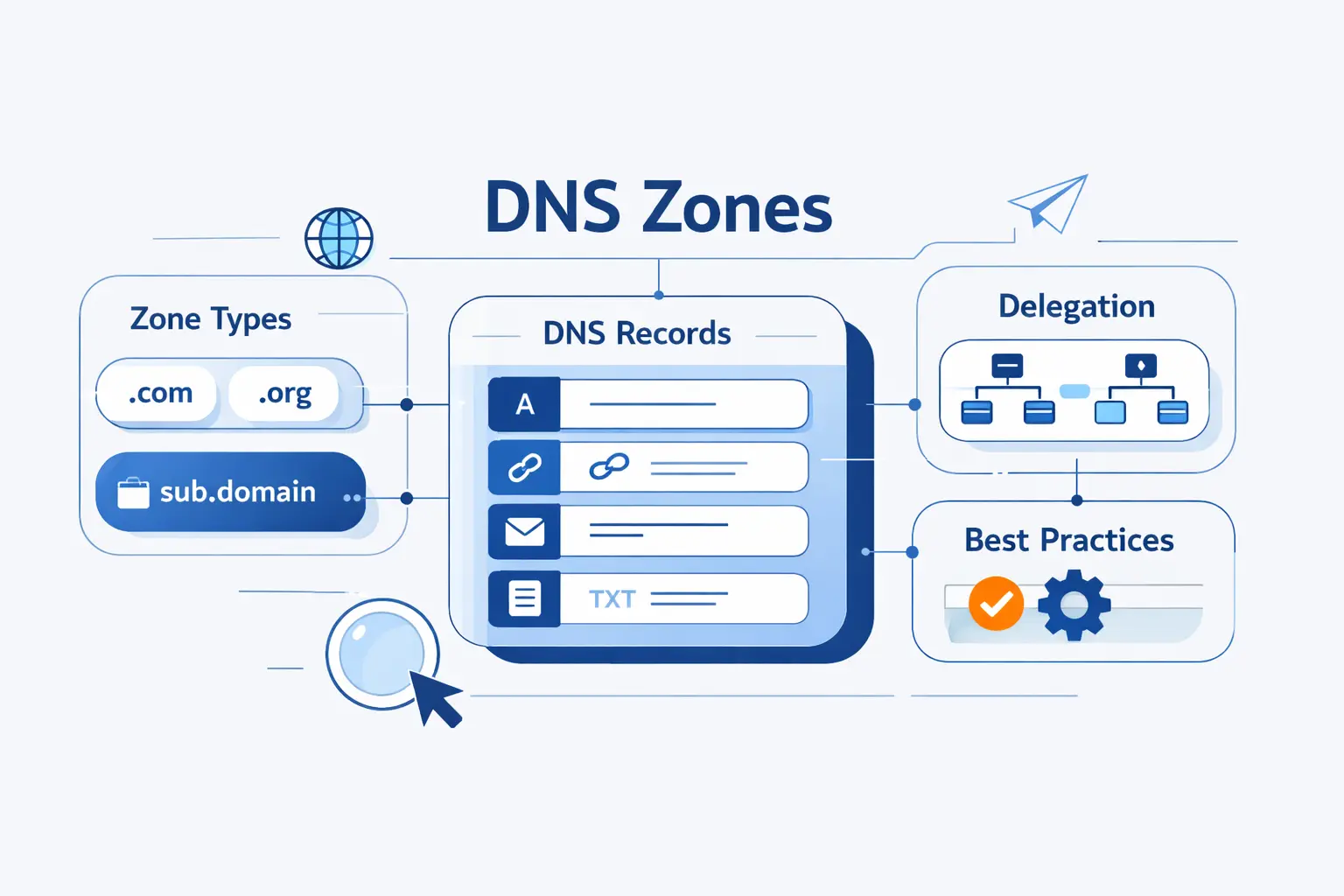
- What Are DNS Zones and How Do They Work?
- Types of DNS Zones
- DNS Zone Files and Core DNS Records
- DNS Zone Delegation, Transfers, and Replication
- Forward and Reverse DNS Zones in Practice
- Why Organizations Split DNS into Multiple Zones
- DNS Zone Management Best Practices
- FAQ
- How 1Byte Supports DNS Zones, Domains, and Hosting
- Conclusion: Choosing the Right DNS Zone Strategy
DNS zones look simple on the surface, yet they decide who answers for your domain, how changes spread, and whether web, mail, and internal services resolve the right names. We see many beginners treat a zone as just a list of records. It is more than that. It is the boundary of authority inside DNS.
At 1Byte, we like to frame it this way. A clean DNS setup is rarely about fancy records. It is about clear ownership, careful delegation, and predictable replication. Once those pieces make sense, the rest of DNS stops feeling mysterious and starts feeling manageable.
What Are DNS Zones and How Do They Work?

A DNS zone is the portion of the namespace that one authority publishes and maintains. That sounds abstract at first, but the idea is practical. A zone tells resolvers which server is in charge of which names, and where that responsibility ends.
FURTHER READING: |
| 1. SQL Server Backup: Types, Methods, Best Practices, and Restore Planning |
| 2. What Is Domain Privacy and Do You Need It? |
| 3. Difference Between Domain and Hosting and Why You Need Both |
1. How DNS Zones Fit into the DNS Hierarchy
DNS is a hierarchy. It starts at the root, moves to top level domains such as .com, and then down to names like example.com and app.example.com. A zone is not the whole tree. It is a cut from that tree, created where an organization wants control, as described in the original DNS standard.
That cut matters because resolvers follow authority, not branding. If a parent zone delegates a child, the resolver stops trusting the parent for names below that boundary and asks the child’s authoritative servers instead. This is why a single website problem can turn out to be a delegation problem rather than a web server problem.
2. DNS Zone Compared with a Domain, DNS Server, and Zone File
A domain is the name itself. A DNS zone is the authoritative slice of that name space. A DNS server is the software or service that answers queries. A zone file is one common way to store the zone’s records. Those four things overlap, but they are not interchangeable.
We often explain it with a plain example. You can own example.com as a domain, host its DNS on one provider, run its website on another provider, and split the domain into several zones for different teams. In short, the name, the records, the server, and the storage format can all be separate decisions.
3. How Subdomains Become Separate DNS Zones
A subdomain does not automatically become its own zone. It becomes a separate zone only when you delegate it. If you keep blog.example.com inside the parent zone, it is just another record set. If you delegate blog.example.com, it gets its own SOA and NS records, and its own authoritative lifecycle.
This is where many migrations go sideways. Teams move an app to a new DNS provider, create records there, and forget that the parent zone must still publish the delegation. Until that parent points resolvers to the child’s name servers, the child zone may exist perfectly and still never be used.
Types of DNS Zones

Different zone types exist because DNS solves different operational problems. Some zones are writable sources of truth. Others are copies, shortcuts, or private views meant only for internal networks.
1. Primary and Secondary DNS Zones
A primary zone is the writable source for a set of DNS records. When you edit records directly, you are usually editing the primary copy. A secondary zone is a read only copy that receives data from another authoritative server. We recommend thinking of secondaries as resilience tools first and convenience tools second.
Why does that matter? Because a secondary server can keep answering even when the primary is unavailable. It also reduces the blast radius of maintenance, network faults, or provider issues. In managed DNS platforms, the wording may differ, but the principle stays the same. One source publishes updates, and other authorities stay in sync.
2. Stub, Forward Lookup, and Reverse Lookup Zones
A stub zone is a lightweight copy that keeps only the data needed to find the authoritative servers for another zone. It is useful when you want guidance to the right destination without storing the whole record set. In practice, we see stub zones most often in enterprise Windows environments.
A forward lookup zone maps names to IP addresses. That is the everyday DNS path most people think about when they type a website name into a browser. A reverse lookup zone does the opposite. It maps an IP address back to a hostname, usually through PTR records under in-addr.arpa for IPv4 or ip6.arpa for IPv6.
3. Active Directory-Integrated and Private DNS Zones
In Microsoft environments, Active Directory integrated zones store DNS data inside the directory instead of relying on a separate file transfer model. That gives you multi-master behavior, secure dynamic updates, and replication through directory mechanisms rather than classic zone transfer alone, which is the core idea behind Microsoft’s directory-backed replication model.
Private DNS zones solve a different problem. They answer only inside a defined private network scope. In AWS, for example, a private hosted zone can answer for a domain and its subdomains only within associated VPCs, which is exactly how Amazon documents private hosted zone behavior. We find this especially useful for internal databases, service discovery, and split public versus internal answers.
DNS Zone Files and Core DNS Records

When people say “zone file,” they usually mean the text representation of a zone. Even if your provider stores data in a database, the same concepts still apply. Every zone needs a few foundational records, and most real deployments use a familiar set of record types.
1. SOA, NS, and TTL as Foundational Zone Elements
The foundation comes from SOA, NS, and TTL values, which are part of the master file format that still shapes DNS operations today. The SOA record marks the start of authority for the zone and holds administrative timing values. The NS records name the authoritative servers. TTL tells caches how long they may keep an answer before asking again.
We pay close attention to TTL during changes. A long TTL reduces query volume, but it also slows visible updates. A short TTL speeds changes, but raises query traffic and can expose bad edits faster. For planned migrations, we usually lower TTL in advance, make the cut, confirm behavior, and then raise it again once the dust settles.
2. A, AAAA, CNAME, MX, PTR, SRV, TXT, and CAA Records
These record types do the daily work. A and AAAA records point names to IPv4 and IPv6 addresses. CNAME creates an alias. MX directs mail to the right host. PTR supports reverse DNS. SRV helps clients discover specific services. TXT carries verification and policy text, including common email and ownership checks. CAA tells certificate authorities which issuers may create certificates for a name.
We encourage beginners not to memorize every record at once. Instead, group them by purpose. Routing records send traffic somewhere. Alias records rename a target. Mail records guide delivery. Policy records prove ownership or restrict behavior. Once you sort records by job, a crowded DNS screen becomes far easier to read.
3. Relative Names, the Zone Apex, and Wildcard Rules
Zone files often use relative names. That means www may really mean www.example.com once the zone origin is applied. The zone apex is the top node of the zone itself, such as example.com. That node is special because it must carry records like SOA and NS.
This special role explains a common rule. A CNAME cannot comfortably live at the zone apex in standard DNS because the apex already needs other data. Wildcards also have limits. They can synthesize answers for missing names inside a zone, but they do not override existing records and they do not cross a delegated child zone. We have seen many support cases where a wildcard looked broken when the real issue was an existing label or a hidden delegation.
DNS Zone Delegation, Transfers, and Replication

Delegation decides who is authoritative. Transfers and replication decide how multiple authoritative servers stay consistent. If either part is sloppy, users see flaky resolution, stale answers, or partial outages that are hard to trace.
1. How Parent and Child Zones Delegate Authority
A parent zone delegates a child by publishing NS records for the child’s name. If the child’s name servers live inside that same child namespace, the parent may also need glue address records so resolvers can reach them. This is one of those DNS details that feels small until it breaks everything.
After delegation, the child zone becomes authoritative for names below the cut. The parent still knows the path to the child, but it no longer owns the child’s detailed answers. We like to call that a clean handoff. The parent points. The child speaks for itself.
2. How Primary and Secondary Servers Stay in Sync with Full and Incremental Transfers
Authoritative servers stay aligned by comparing the SOA serial and then transferring data when the copy is stale. Full transfers send the whole zone. Incremental transfers send only the differences when possible. The IETF defines this replication logic through AXFR and IXFR behavior, which keeps authoritative copies coherent without forcing every update to move the entire dataset.
From an operator’s view, the lesson is simple. Keep serial numbers predictable, make sure secondaries can reach the source, and test after major edits. If an incremental history is missing or too old, the server may fall back to a full transfer. That is normal. What is not normal is leaving it untested and learning about the failure from your users.
3. How Stub Zones and NS Records Keep Delegation Current
Stub zones help by tracking the authoritative servers for another namespace without storing the full record set. In environments that support them well, they reduce manual maintenance and help resolvers find the right destination faster.
Even without stub zones, the core rule is the same. Parent NS records must reflect the child’s real authoritative servers. If the child moves providers and the parent keeps old NS data, resolvers may be sent to the wrong place. We have seen this create strange, intermittent failures because some caches hold new data while others still chase stale referrals.
Forward and Reverse DNS Zones in Practice

Theory is useful, but DNS becomes clearer when we watch what actually happens on the wire. Forward and reverse zones answer different questions, and both show up in everyday operations.
1. How Forward Lookups Map Names to IP Addresses
A forward lookup asks, “What address should I use for this name?” The answer usually comes from A or AAAA records, though aliases may redirect the query path first. Browsers, APIs, monitoring agents, and mobile apps all depend on this workflow.
In real hosting environments, forward answers can point to a single server, a load balancer, or a CDN edge. The important part is not where the answer points. It is that the zone remains the source of truth for how clients begin the connection.
2. How Reverse Lookups Map IP Addresses to Hostnames
A reverse lookup asks, “What name belongs to this IP address?” That answer lives in PTR records. The tricky part is ownership. Reverse DNS is usually controlled by whoever owns the IP allocation, which may be your hosting provider, ISP, or cloud platform rather than the team that manages your website.
This separation surprises beginners. They can edit forward records in seconds, yet still need provider help to update reverse DNS. That is not a bug. It is the operational reality of how IP space is delegated and managed.
3. Common Uses in Troubleshooting, Email, Spam Filtering, and Logging
Reverse DNS becomes valuable the moment something goes wrong. Logs are easier to read when an IP maps back to a sensible hostname. Security tools often use PTR data as one clue among many. Mail systems are especially picky. If a sending mail server has mismatched or absent reverse DNS, deliverability and trust often suffer.
We also use forward and reverse checks together during troubleshooting. If a name resolves to an IP, and the IP resolves back to a related hostname, that does not prove everything is healthy. Still, it gives you a strong first signal that the naming path is coherent.
Why Organizations Split DNS into Multiple Zones

We do not view zone splitting as an enterprise luxury. It is a control strategy. The internet ended the first quarter of 2026 with 392.5 million domain name registrations across all top level domains, so even basic domains now sit in a dense and highly delegated naming environment. Clear boundaries are not overengineering. They are good housekeeping.
1. Granular Administration Across Teams, Locations, and Subdomains
Different teams often need different authority. A marketing team may manage www.example.com, an app team may own api.example.com, and an external vendor may run support.example.com. Separate zones make those boundaries explicit.
We usually recommend a split once ownership stops being obvious. If several teams touch the same flat zone, mistakes become political as well as technical. Delegated subzones reduce that friction. Each team can move faster without stepping on the others.
2. Redundancy, Load Distribution, and High Availability
Multiple zones can also improve resilience. You may isolate critical services in their own zone, replicate them to separate authoritative servers, or host different namespaces on different platforms. The goal is not complexity for its own sake. The goal is to avoid one mistake taking down everything.
Operationally, this gives you room to stage changes. You can test a child zone migration without rewriting the whole parent. You can also separate public and private answers for the same business function when internal systems should resolve differently from internet users.
3. Faster Resolution, Scalability, and Operational Control
Resolvers do not magically become faster just because you create more zones, but smaller and cleaner authority boundaries are easier to manage, audit, and replicate. That often leads to fewer stale records, cleaner delegations, and better change discipline.
We are lightly opinionated here. One giant zone feels convenient at the start, then becomes a junk drawer. Split zones are worth the effort when they reflect real administrative boundaries, real network boundaries, or real service boundaries. If the split has no purpose, skip it. If it solves ownership or availability problems, do it early.
DNS Zone Management Best Practices

Good DNS is rarely dramatic. It is accurate, boring, and well documented. That is exactly what you want from naming infrastructure.
1. Keep DNS Records Accurate and Up to Date
Every record should have an owner, a purpose, and a review path. We advise teams to remove stale validation records, retired MX targets, and forgotten aliases after migrations. Old records are not harmless clutter. They confuse troubleshooting and sometimes reopen security holes.
We also suggest planning TTL changes before planned moves. Lower them early enough to matter, confirm the cutover, and restore longer values when stability returns. That one habit saves a surprising amount of pain.
2. Restrict Zone Transfers and Monitor DNS Zone Health
Zone transfers should be limited to approved secondary servers. If you allow transfers broadly, you may expose internal naming details to anyone who asks. That is an unnecessary risk. Use access controls, verify which servers are receiving copies, and review those settings after provider changes.
Monitoring matters just as much. Check authoritative answers from more than one location. Compare SOA serials across servers. Watch for unexpected NXDOMAIN responses, stale reverse records, and delegation mismatches. DNS failures are often quiet at first. Good monitoring makes them loud sooner.
3. Use Secondary Zones for Redundancy and DNSSEC for Integrity
Secondary zones give you more than backup. They give you additional authoritative responders and a cleaner recovery path when one source is unavailable. We rarely like single points of authority for anything tied to production traffic or email.
For integrity, DNSSEC is worth serious consideration. It adds signatures that let resolvers validate authenticity and detect tampering, which is the heart of the IETF’s cryptographic validation model. We always add one caveat, though. DNSSEC protects integrity, not secrecy. It does not encrypt queries. It helps clients trust the answers they receive.
FAQ

These are the questions we hear most often when teams first start working with zones. The short answers are usually enough to get oriented.
1. What Are the Types of DNS Zones?
The common types are primary, secondary, stub, forward lookup, and reverse lookup zones. In platform specific environments, you will also see Active Directory integrated zones and private DNS zones.
2. How Do I Find My DNS Zone?
Start with the DNS host or registrar that controls your nameservers. In the control panel, look for hosted zones, DNS management, or zone records. If you are troubleshooting from the outside, checking the domain’s NS records usually tells you where the zone is being served.
3. What Is the Difference Between a DNS Zone and a Domain?
A domain is the name. A DNS zone is the authoritative portion of that name space that a server or service publishes. One domain can live in one zone, or it can be split across multiple delegated zones.
4. What Is a DNS Zone File?
A zone file is the text based representation of a zone’s records and settings. Some providers still use literal files. Others store the same data in a database and present it through a control panel or API.
5. What Records Are Stored in a DNS Zone?
At minimum, a zone needs authority records such as SOA and NS. Many zones also include A, AAAA, CNAME, MX, TXT, PTR, SRV, and CAA records, depending on what the domain is used for.
6. What Is a Reverse Lookup Zone?
A reverse lookup zone stores PTR records that map IP addresses back to hostnames. It is commonly used for mail reputation, diagnostics, inventory, and readable logging.
How 1Byte Supports DNS Zones, Domains, and Hosting

At 1Byte, we treat DNS as part of the hosting foundation, not an afterthought. A domain can be registered in minutes, but a reliable naming setup takes judgment. That is where we like to be useful.
1. Domain Registration and DNS Foundations for New and Existing Websites
We help customers start with the basics that matter most. That means registering domains, choosing the right nameserver path, setting clean apex and subdomain records, and making sure the first public answers are correct. For existing sites, we also help map what is already live before anyone touches a record.
2. SSL Certificates, WordPress Hosting, and Shared Hosting for Secure Websites
DNS and web hosting meet quickly. SSL validation depends on names resolving correctly. WordPress and shared hosting setups often need tidy A, CNAME, MX, and TXT records before the site feels finished. We aim to make that setup understandable, especially for customers who are launching their first production site.
3. Cloud Hosting, Cloud Servers, and AWS Partner Support for Growth
As projects grow, DNS usually grows with them. Public and private naming may diverge. New subdomains appear for apps, staging, mail, and APIs. Cloud migrations may require delegation changes, lower TTLs, and rollback planning. We support that path with cloud hosting, cloud servers, and AWS partner guidance so customers can move without treating DNS like a last minute checkbox.







Conclusion: Choosing the Right DNS Zone Strategy
The right DNS zone strategy is rarely the most complicated one. It is the one that matches your ownership model, your failure tolerance, and your change rate. If one team runs everything, one well managed zone may be enough. If teams, providers, or environments differ, delegated zones usually pay for themselves.
Our view at 1Byte is simple. Keep authority boundaries clear, keep transfers controlled, keep records tidy, and use redundancy where downtime would hurt. Do that, and DNS zones stop being a source of mystery and start becoming one of the calmest parts of your infrastructure.