

- A Virtual Dedicated Server Is a Virtual Machine With Reserved CPU, RAM, and Storage
- How It Works on Physical Servers
- Virtual Dedicated Server vs VPS and Dedicated Servers
- Main Benefits for Performance and Growth
- When a VDS Makes Sense
- What to Plan Before You Choose One
- FAQ
- How 1Byte Supports Hosting and Server Needs
- Conclusion
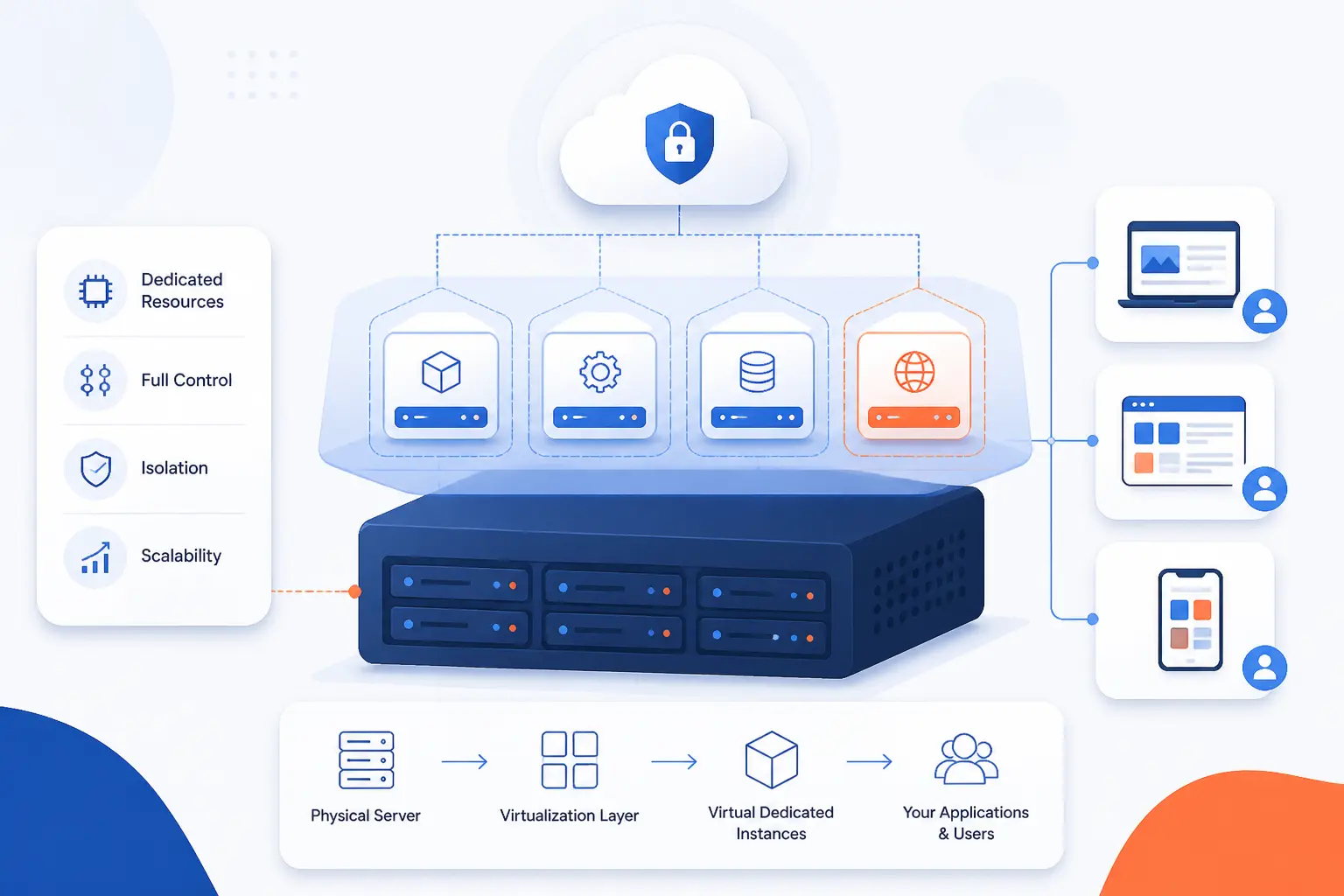
A virtual dedicated server is a virtual machine that gives one customer reserved computing resources, usually CPU, RAM, and storage, without handing over an entire physical server. We at 1Byte think of it as the middle road between a bargain VPS and a full bare-metal box. It is still virtualized, but it aims to feel more predictable under load. If you need the simple answer fast, that is the answer.
A Virtual Dedicated Server Is a Virtual Machine With Reserved CPU, RAM, and Storage
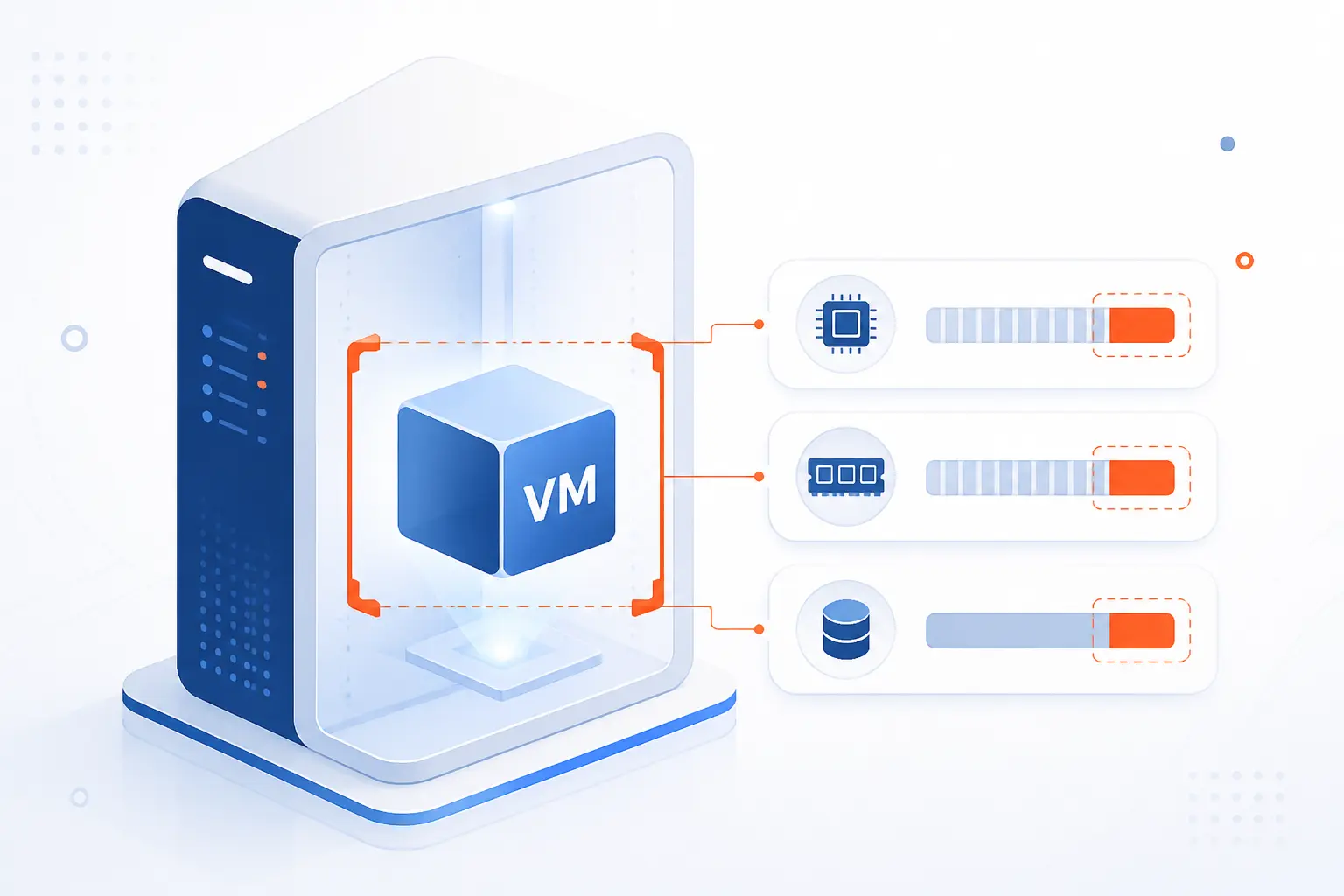
A virtual dedicated server, or VDS, is a virtual machine with a defined slice of hardware set aside for one user. In practice, that usually means reserved CPU capacity, fixed memory, allocated storage, and full operating system control. We should also be honest here: hosting companies do not use the label perfectly consistently. Even so, when we read “VDS,” we expect stronger resource guarantees than a standard low-cost VPS.
How It Works on Physical Servers
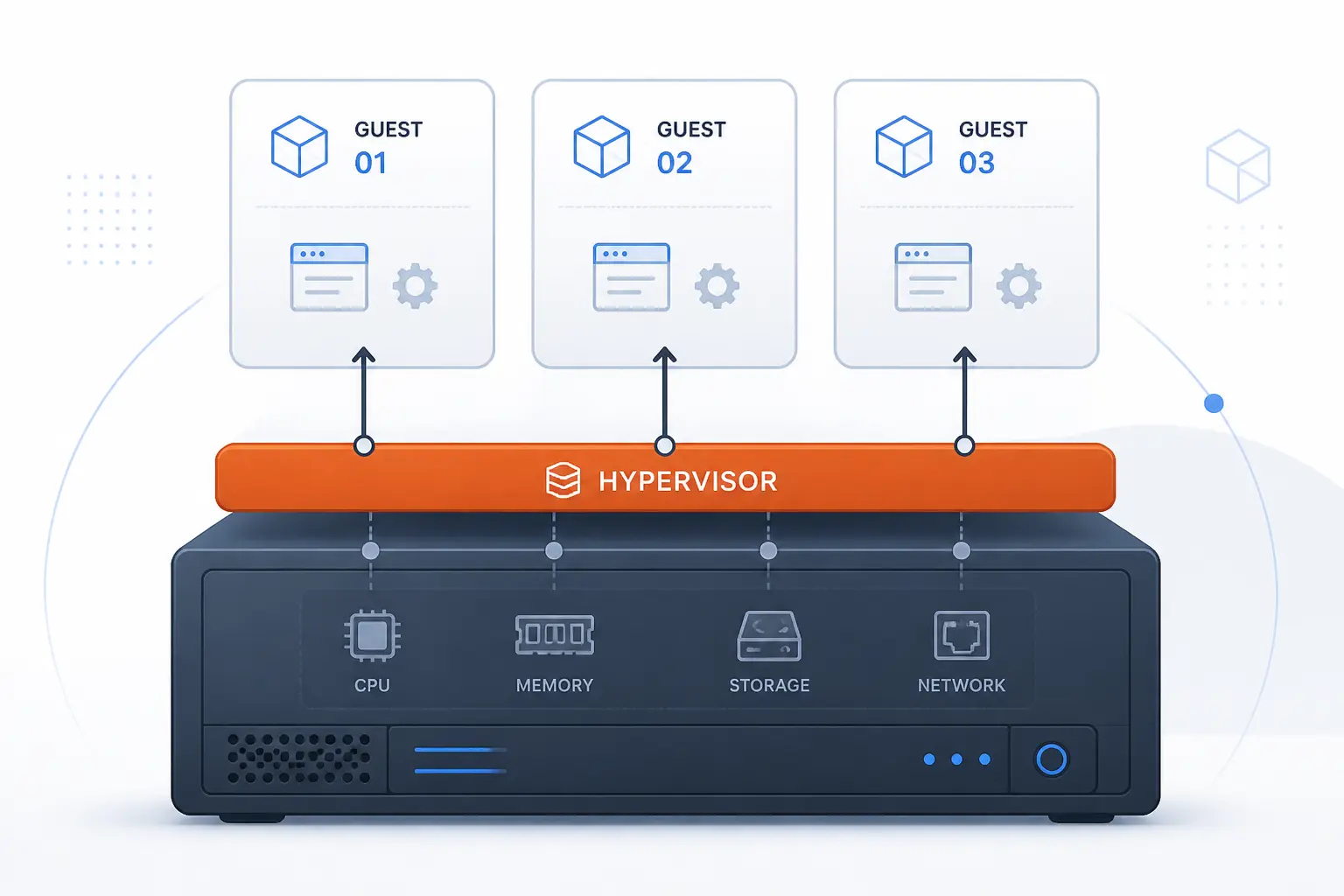
A VDS works by carving one physical server into several isolated virtual servers. A hypervisor handles the split, maps hardware to each guest, and enforces whatever limits or reservations the provider has promised. What matters most is not the marketing label, but how CPU, memory, storage, and admin access are assigned. That is where a true VDS starts to separate itself from a generic VPS.
Hypervisors Split One Physical Machine Into Isolated Server Environments
A hypervisor is the software layer that lets one physical server run several isolated guest systems at once. Red Hat describes virtualization as running multiple operating systems in isolation on a single machine, which is the foundation of every VDS plan. We like this definition because it strips away the fog. You are not renting a mysterious cloud object. You are renting one isolated environment on top of shared hardware.
That isolation is what makes a VDS useful. Your operating system, users, files, packages, and services live inside your own guest environment. So if you install Nginx, tune PHP, add a queue worker, or change firewall rules, you are changing your server, not someone else’s.
Dedicated CPU Cores and Threads Stay Reserved for One Customer
The core performance feature of a VDS is that CPU capacity is reserved for your VM instead of floating in a busy shared pool. On some platforms, that means competition-free CPU resources for one instance, which is exactly what heavy application workloads need. We see the practical value when an online store has checkout traffic, cron jobs, and image processing all happening at once. In that moment, reserved compute matters more than a flashy dashboard.
Some providers go further and pin virtual CPUs to specific host threads. Others promise dedicated vCPUs without exposing the low-level layout. Either way, the goal is the same: fewer scheduling fights and steadier response time when traffic turns serious.
RAM, Storage, and I/O Are Assigned to a Fixed Environment
A VDS gets a fixed amount of memory and storage allocated to its environment. That does not always mean every storage chip is physically yours, but it does mean your plan is built around set limits rather than vague “fair use” behavior. We think this is where many beginners get tripped up. They hear “virtual” and assume every resource is soft and endlessly shared, when good VDS plans are really about making those boundaries clear.
For real workloads, that clarity matters. A database that needs 8 GB of RAM for caching behaves very differently on a server that actually keeps 8 GB available than on one that constantly competes for memory. The same goes for disk-heavy jobs like backups, log rotation, imports, and media processing.
Root Access and Admin Rights Put the Server Under Your Control
Root or Administrator rights mean you control the operating system like your own machine. On Linux virtual servers, for example, some providers note that the default username is root at creation, which shows the level of access these products are built for. We can install packages, edit config files, create users, harden SSH, and run background services. That is a world apart from shared hosting, where server-level changes are mostly off limits.
Control cuts both ways, though. If we misconfigure the firewall, break PHP-FPM, or leave a package unpatched, the problem is ours to own. A VDS gives freedom, but it also expects adult supervision.
Virtual Dedicated Server vs VPS and Dedicated Servers
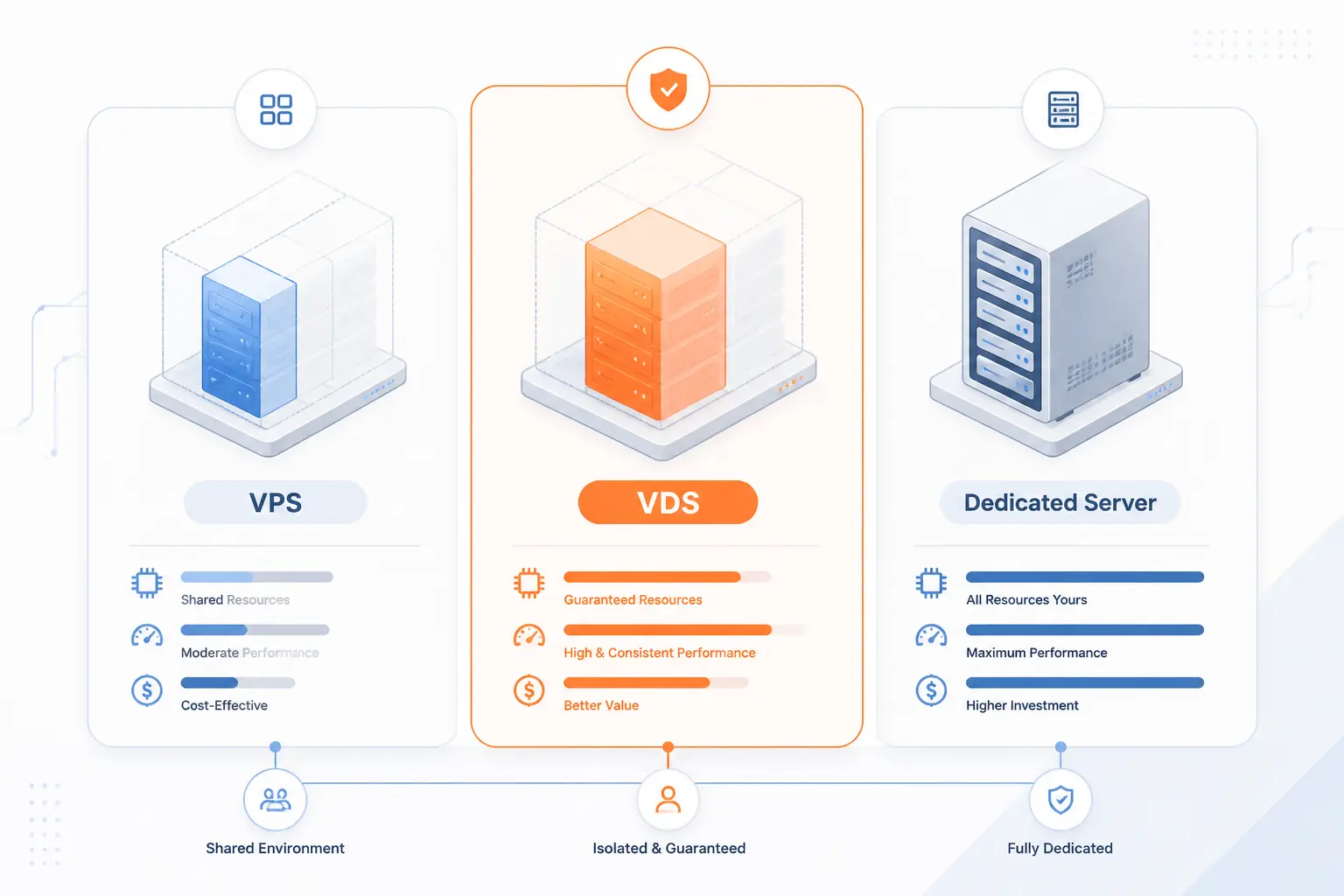
The short answer is this: a VDS is usually a virtual server with firmer resource guarantees than a standard VPS, but it still shares a physical host in ways a true dedicated server does not. We advise readers to treat these terms as useful hints, not gospel. The product name matters less than the CPU policy, memory guarantees, storage type, and management model. If we read the spec sheet closely, the differences become much easier to spot.
| Option | CPU model | Control and isolation | Best fit |
|---|---|---|---|
| Shared hosting | Heavily shared | Low control, account-level access | Small sites and simple launches |
| Standard VPS | Often shared or burstable | Good control, lighter guarantees | General apps and modest traffic |
| VDS | Reserved or dedicated vCPU | Full OS control, stronger predictability | Busy sites, databases, app stacks |
| Dedicated server | Entire physical machine | Maximum hardware exclusivity | Strict performance or compliance needs |
| Cloud VM | Varies by plan | Broad category, can be shared or reserved | Elastic infrastructure and mixed workloads |
How It Differs From a Standard VPS
The usual difference between a VDS and a standard VPS is how much CPU sharing the provider allows. Akamai’s documentation explains that on shared-CPU plans, CPU requests may need to wait in line behind neighboring workloads. That is the classic noisy-neighbor problem. We do not mind shared CPU for a dev box or a quiet brochure site, but it becomes annoying fast when application latency actually matters.
So yes, both products are virtual machines. The distinction is about guarantees. A standard VPS often aims for affordability first, while a VDS usually sells steadier compute behavior first.
Where It Delivers Dedicated Server-Like Performance
A VDS can feel close to a dedicated server when the real bottleneck is CPU scheduling, not ownership of the whole motherboard. Red Hat’s KVM guidance notes that a pinned vCPU can get its own physical CPU thread, which is exactly why dedicated-resource VMs can perform so well for web apps, CI runners, and busy databases. We have seen this play out with sites that were not huge in absolute terms, yet still suffered because shared CPU jitter wrecked consistency.
If your workload is a Laravel app, a WooCommerce store, a search index, or a report generator, predictable CPU time can matter more than owning every fan and cable in the chassis. That is why VDS products exist at all.
What You Still Give Up Compared With a Full Physical Server
You still give up complete hardware exclusivity compared with a real dedicated server. Even cPanel draws that line clearly by describing a metal deployment as using 100% of the hardware on one machine. A VDS does not reach that bar. The host, hypervisor, and often parts of the storage and network fabric remain shared underneath.
That means there are edge cases where bare metal still wins. Think unusual kernel modules, highly specialized storage tuning, strict licensing tied to physical hardware, or workloads that want direct access to every ounce of the box. When you truly need the whole server, nothing virtual is the same.
How It Compares With Shared Hosting and Cloud VMs
Shared hosting gives you the least control, while cloud VMs are the broader family that can include both cheap shared plans and more serious reserved-resource plans. A cloud VM is simply a virtual machine delivered through cloud infrastructure, and products like DigitalOcean describe each instance as a new server you can use inside that environment. We usually explain it this way: a VDS is less a separate technology than a stricter way of packaging a virtual server.
That makes cloud VMs flexible, but also a bit slippery. Some are perfect for test environments. Others are strong enough for production. Reading the plan details beats guessing from the label every time.
Main Benefits for Performance and Growth
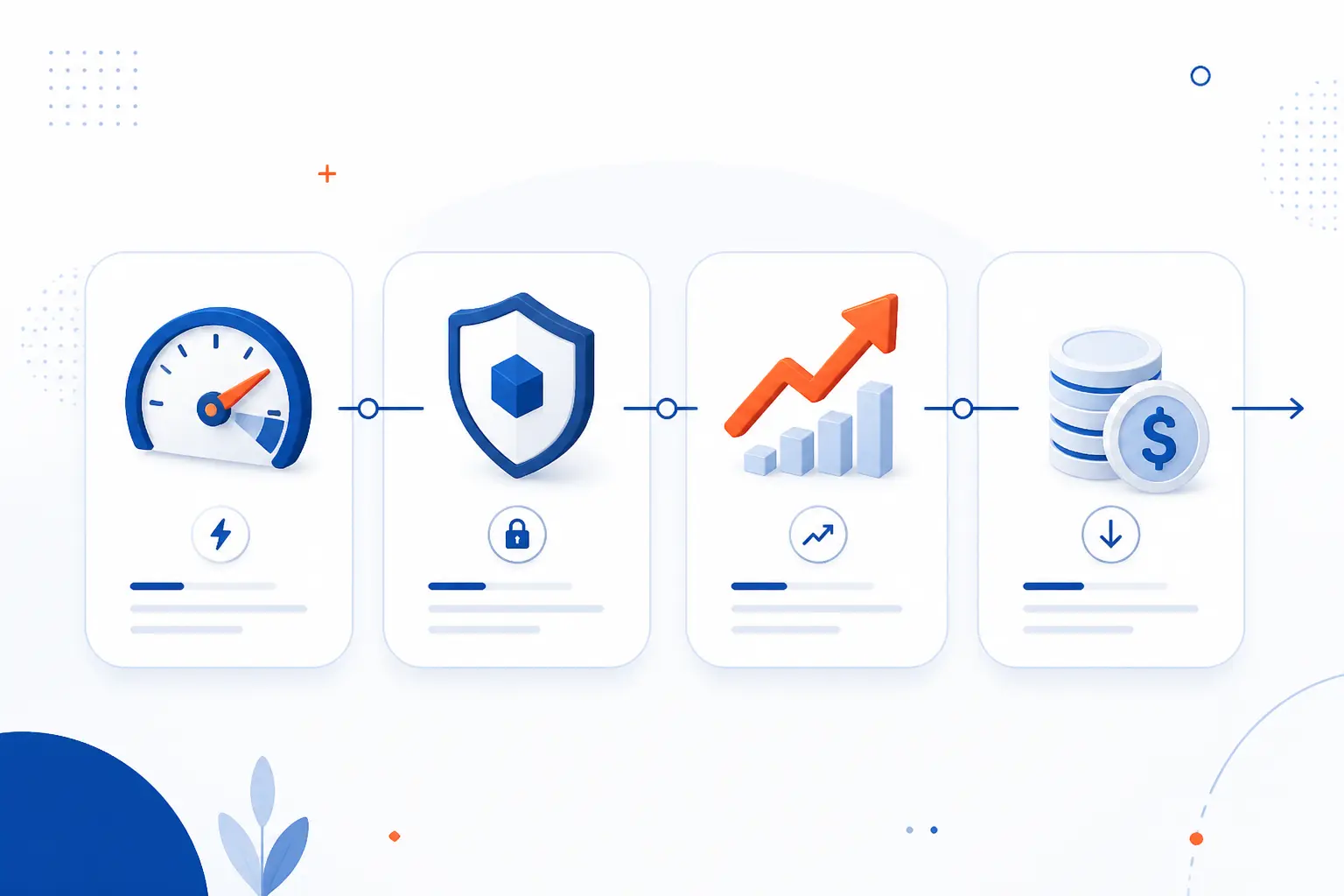
The main benefits of a VDS are steady performance, better isolation, easier scaling, and a lower price than a full dedicated machine. We like it because it solves a very common hosting problem. Many projects outgrow shared hosting long before they truly need bare metal. A VDS fills that gap neatly.
Stable Speed for Busy Sites and Resource-Heavy Workloads
Stable speed is the biggest reason people move to a VDS. Busy WordPress sites, online stores during promotions, API backends with background workers, and media projects with uploads all benefit when CPU and RAM are less volatile. We have a simple rule of thumb here: if slowdowns seem random, but your code is not obviously broken, resource contention is often the culprit.
Reserved compute does not make a bad app fast. It does make a decent app more consistent. For production work, consistency is half the battle.
Stronger Isolation for Security and Predictability
Stronger isolation means fewer surprises from neighboring workloads and cleaner boundaries between guest systems. Microsoft’s overview of Hyper-V describes a type-1 hypervisor as delivering near-native performance and strong isolation, which captures the practical idea well. We should not oversell this into “perfect security,” because virtualization is not magic armor. Still, stronger isolation absolutely helps with predictability and operational hygiene.
That matters when your app shares a host with other tenants. If one neighbor suddenly gets busy, you would rather the hypervisor enforce real boundaries than hope everybody plays nicely.
Faster Scaling Than Adding Physical Hardware
Scaling a VDS is usually faster than adding physical hardware. In many environments, the provider can resize the VM, migrate it, or move you to a larger plan without the long lead times that come with procuring and provisioning a new server. We like this for growing projects because it keeps the next step practical. You do not need to jump straight from “small plan” to “full rack mentality.”
A good example is a SaaS app that starts with two small workers and later needs more RAM for Redis and more CPU for queues. A VDS lets that growth happen in measured steps.
Lower Cost Than Leasing a Full Dedicated Machine
A VDS is usually cheaper than leasing a full dedicated server because you pay for a reserved slice of the host instead of the whole host. That does not mean cheap in the bargain-basement sense. It means efficient. We are buying predictability where it matters, not unused hardware we may never fully consume.
For many businesses, that trade is sensible. An application server, database, and staging environment often need stable resources more than they need exclusive ownership of an entire machine.
When a VDS Makes Sense
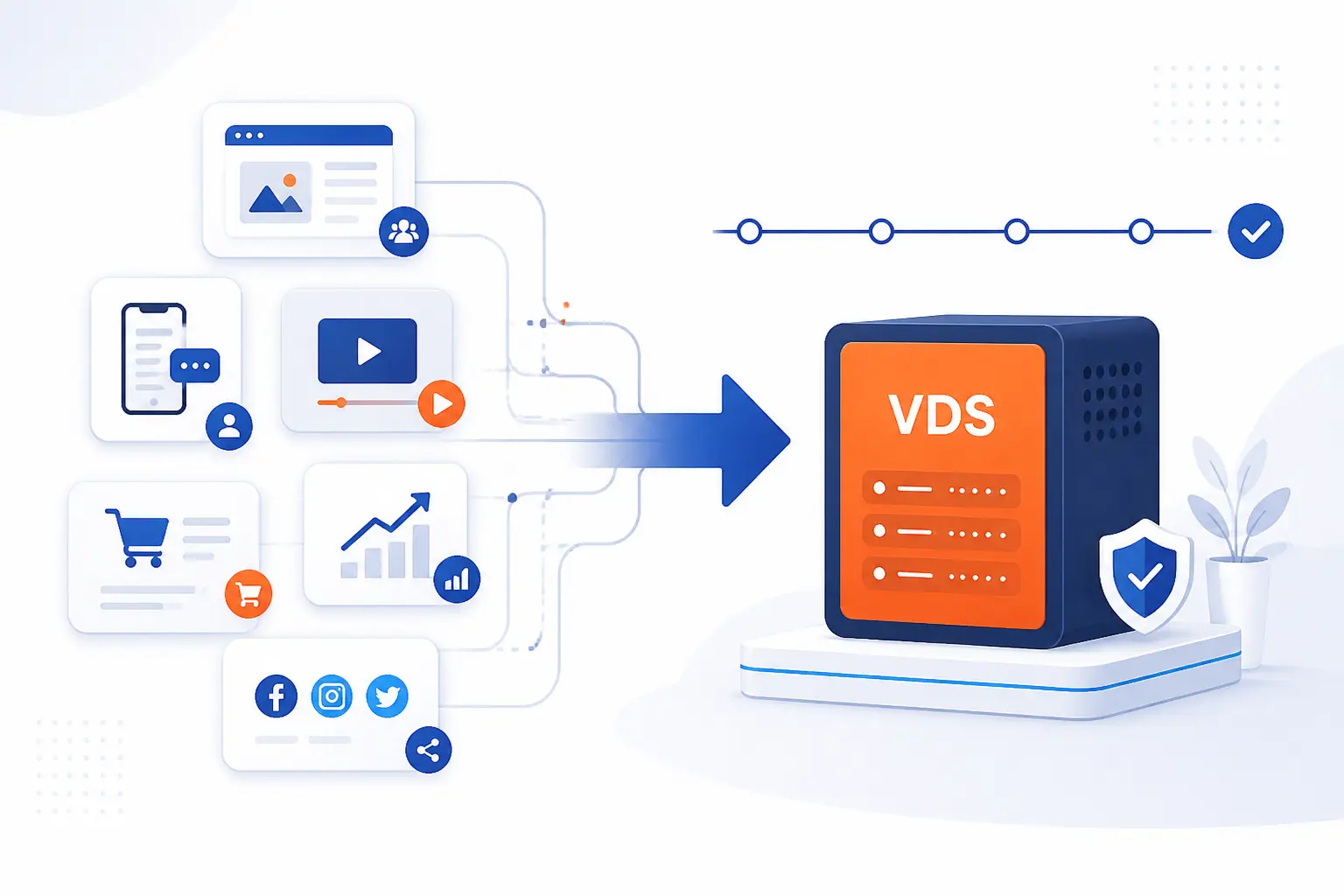
A VDS makes sense when your workload needs consistency more than the lowest possible monthly bill. If a traffic spike, import job, or database query can hurt sales or internal work, reserved resources stop being a luxury. We generally recommend stepping up to a VDS when the project is important enough that random slowdowns now have a real cost.
High-Traffic Websites, Online Stores, and Media Projects
A VDS is a strong fit for busy websites, ecommerce stores, and media-heavy projects. Think of a WooCommerce store during a sale, a membership site with lots of logged-in traffic, or a video site generating thumbnails and serving downloads. These are not always massive enterprises. They are simply the kind of projects that suffer when performance swings from one minute to the next.
Databases, Business Apps, and Calculation-Heavy Tasks
Databases and business applications often benefit from a VDS because they punish inconsistent CPU and memory behavior. PostgreSQL, MySQL, ERP systems, analytics jobs, search indexing, and nightly report generation all like stable resources. We especially like VDS plans for workloads that look quiet on the surface but kick hard during batch windows. Those are the jobs that expose weak hosting fast.
Development, Testing, Staging, and Multi-Site Hosting
A VDS also makes sense for development, testing, staging, and multi-site hosting when you need one controllable environment. Teams can mirror production packages, run scheduled jobs, segment projects by user, and host several sites without the restrictions of shared hosting. It is a practical lab and a practical production box at the same time, which is why developers tend to warm up to it quickly.
What to Plan Before You Choose One
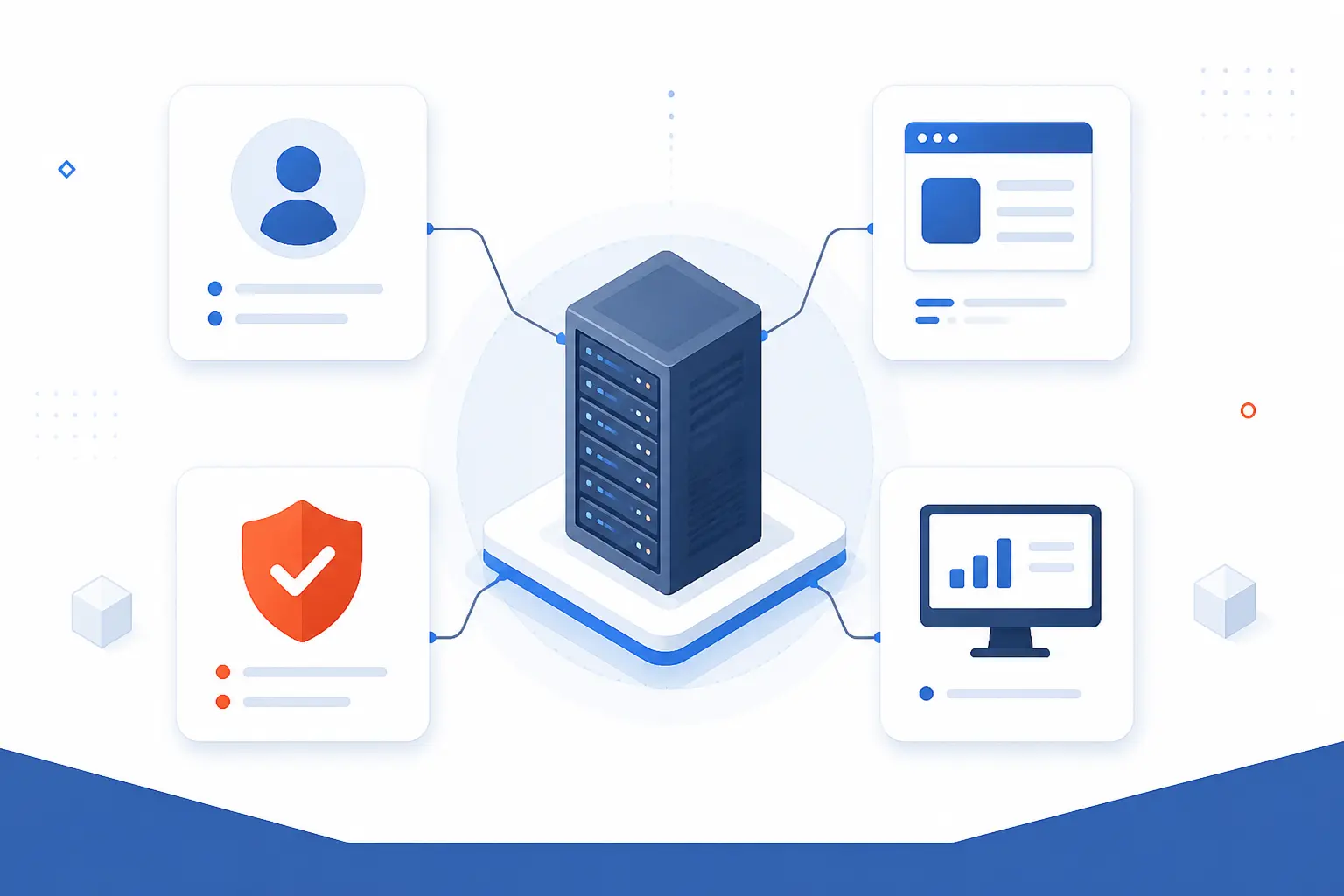
Before you choose a VDS, decide who will operate it, what software it must run, and how you will protect and watch it after launch. We think this planning step matters more than the provider name on the invoice. A strong plan on a decent platform beats a weak plan on a premium platform almost every time.
Managed vs Self-Managed Responsibilities
Managed means the provider handles more server operations, while self-managed means we handle them ourselves. That includes OS updates, security hardening, service restarts, troubleshooting, and sometimes backup configuration. If your team does not want to live in SSH, a self-managed server can become a chore in a hurry.
We are mildly opinionated here. Beginners often underestimate the cost of their own time. A cheaper self-managed plan is not really cheaper if nobody is available when the web server falls over on a Sunday night.
Operating System, Software, and Control Panel Choices
Choose the operating system and software stack around the application, not around habit. Linux distributions, web servers, database versions, mail needs, and control panels all affect how easy the server is to run. If you host many client sites, a control panel may justify itself. If you run one tuned app, plain command-line administration may be cleaner.
We also suggest thinking ahead about compatibility. The wrong PHP version, unsupported package, or awkward panel dependency can turn a simple deployment into a tedious migration six months later.
Backups, Monitoring, and Day-to-Day Support
If you cannot restore and observe the server, you do not really control it. For example, AWS notes that EC2 sends metrics to CloudWatch in 5-minute periods by default, which is useful, but still only one part of the picture. We also want filesystem checks, service alerts, database visibility, and tested backups.
Cost discipline matters too. In Flexera’s 2025 cloud survey, 84% of respondents said managing cloud spend was their top challenge. We take that as a warning to size the server honestly, watch usage trends, and avoid paying for idle capacity out of habit.
FAQ
These are the short answers we hear most often when readers are deciding whether a VDS is the right next step. We will keep them direct.
How Much Does a Virtual Server Cost?
A virtual server can cost anywhere from a few dollars a month to hundreds, depending on whether the resources are shared or reserved. For a dedicated-resource example, Akamai lists an entry plan at $36.00 per month for a 4 GB dedicated-CPU instance. Once you add more RAM, faster storage, backups, licenses, or management, the bill climbs quickly.
Is VPS Just a VM?
Yes, a VPS is usually a commercial form of a virtual machine. The provider adds storage, networking, an OS image, and account management around that VM. What changes from one VPS to another is not the basic idea, but the quality of the resource guarantees.
What Is the Difference Between a Virtual Dedicated Server and a VPS?
The difference is usually the strength of the resource reservation. A VPS may run on shared CPU and looser performance rules, while a VDS usually promises reserved CPU and more predictable behavior. In plain terms, every VDS is virtual, but not every VPS is “dedicated” in the performance sense.
How Can You Get a VPS?
You get a VPS by choosing a hosting provider, selecting a plan, picking an operating system, and provisioning the instance from the provider’s control panel or API. If you need stronger guarantees, choose a dedicated-CPU or reserved-resource plan instead of the cheapest shared option. We always suggest matching the plan to the workload, not to the hopeful version of the workload.
How 1Byte Supports Hosting and Server Needs
At 1Byte, we support different stages of a project, from first launch to more demanding server setups. The practical point is simple: not every site needs a VDS on day one, but many projects grow into something more controlled. That is why we think in pathways, not just products.
Domain Registration and SSL Certificates for a Secure Launch
Domain registration and SSL certificates cover the groundwork before any hosting choice matters. A domain gives the project its address, and SSL certificates protect traffic between the visitor and the site. If we are launching a business site, admin panel, or store, those are not extras. They are table stakes.
WordPress Hosting and Shared Hosting for Smaller Projects
WordPress hosting and shared hosting make sense for smaller projects that do not yet need reserved server resources. A brochure site, a new blog, or an early company page can start there without the overhead of server administration. We see these as sensible first steps when the workload is still light and the goal is to get online cleanly.
Cloud Hosting and Cloud Servers With AWS Partner Support
Cloud hosting and cloud servers fit projects that need more control, more predictable performance, or a clearer path upward. As an AWS Partner, 1Byte can align those services with teams that are thinking beyond entry-level hosting and into more structured infrastructure choices. That does not automatically mean every project needs a VDS. It does mean there is a practical next step when shared environments stop feeling comfortable.







Conclusion
A virtual dedicated server is best understood as a virtual machine with reserved resources and full admin control. It sits in a useful middle ground: more predictable than a basic VPS, more flexible and usually cheaper than full bare metal. We like it for projects that have outgrown casual hosting but are not ready to buy an entire physical machine just to sleep at night.
If you are choosing between plans, our advice is simple. Ignore the shiny labels for a moment and ask three blunt questions: Is the CPU reserved, what exactly is included, and who is responsible when something breaks? If you answer those well, you will usually know whether a VDS is your next move.