


- How We Compared the Best Freelance Websites
- Top 10 Best Freelance Websites for Most Freelancers
- 5 More Freelance Platforms Worth Considering
- How To Choose the Best Freelance Websites for Your Goals
- What To Compare Before You Commit to a Platform
- Which Skills and Project Types Tend To Get the Most Demand
- How To Win More Work on Freelance Websites
- Why Your Own Website Still Matters Alongside Freelance Platforms
- Frequently Asked Questions About Freelance Websites
- Conclusion
The best freelance websites are not all trying to do the same job, and that is where most shortlists go wrong. Some platforms are built for fast, repeatable gigs, some are built for premium contract work, and some are really curated job boards with a freelance side lane. We researched the best freelance websites through official pages, help docs, pricing pages, and independent review pages so readers can narrow the field quickly. If you want a short version, Fiverr is the broadest starting point for most freelancers, Toptal is the premium play for established specialists, and FlexJobs or We Work Remotely make more sense when you want contract-style remote roles instead of constant pitching.
We also think the right choice depends less on hype and more on your business model. Are you packaging small services, chasing long retainers, selling local expertise, or trying to move off marketplaces over time? The platforms below serve those goals very differently, and that difference is where better-paying work usually starts.
How We Compared the Best Freelance Websites
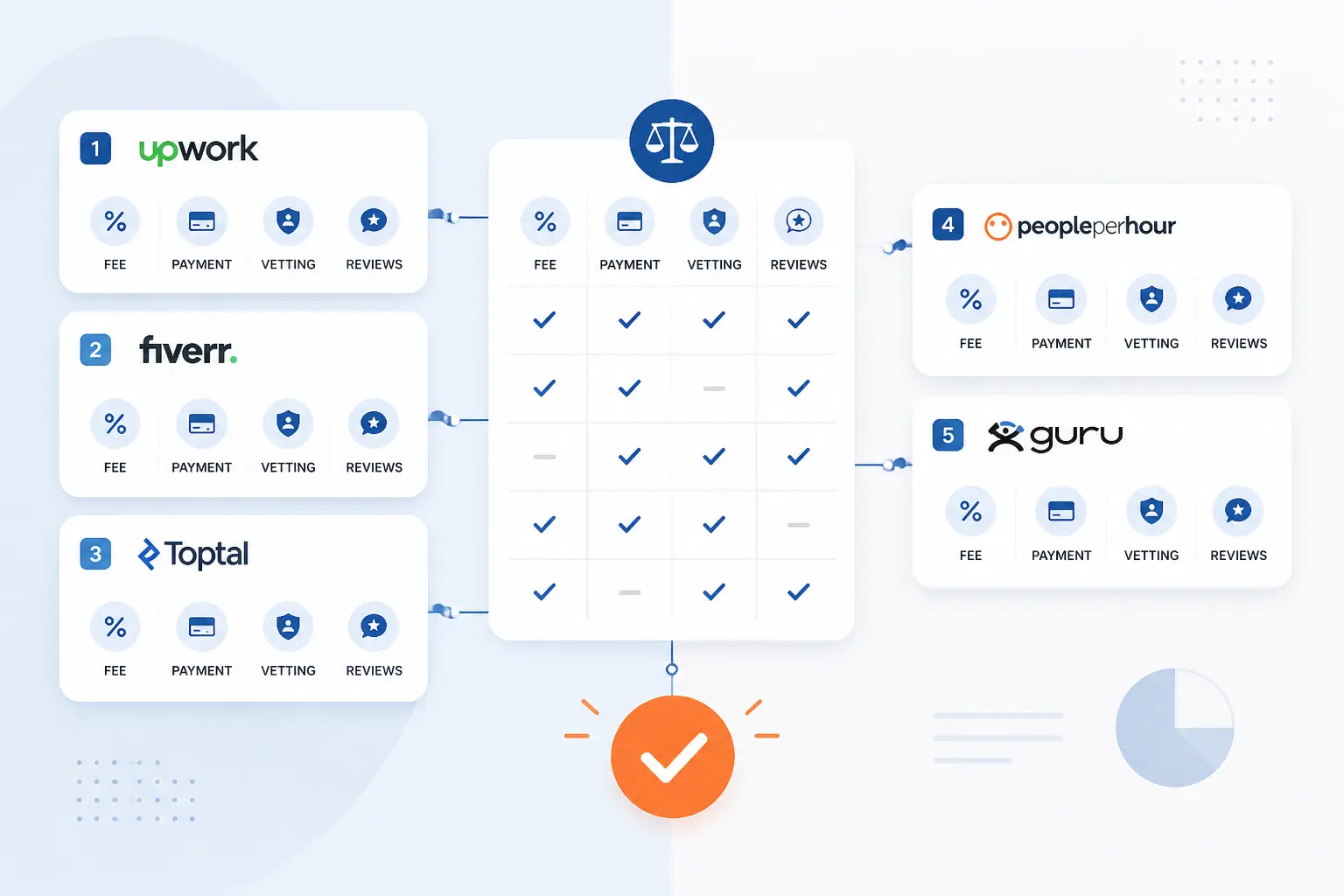
We compared these platforms by asking one practical question: can a freelancer realistically use this site to find solid work without getting buried in fees, weak leads, or confusing rules. That meant looking at how each platform actually works, what it costs to get started, how payment and vetting are handled, and what independent reviewers say once the sales copy ends. The result is a shortlist built for decision-making, not window-shopping.
FURTHER READING: |
| 1. Top 20 WordPress Security Experts for Safer Sites in 2026 |
| 2. 15 Hottest AI Startups To Watch Across Markets |
| 3. 15 Best PHP Editors for Real World Development |
Quick Comparison of the Best Freelance Websites
| Platform | Best For | Platform Model | Cost to Start | Score |
|---|---|---|---|---|
| Fiverr | Beginners and generalists who can package services clearly | Gig marketplace with fixed packages and optional hourly work | Free to list services, optional subscription tools | 4.7 |
| Toptal | Experienced specialists chasing premium clients | Curated talent network with matching | Free to apply, but screening is strict | 4.6 |
| Freelancer.com | Freelancers who want bids, contests, and broad category depth | Open marketplace with bids, services, and contests | Free to join, commission on paid work | 4.4 |
| 99designs | Designers focused on branding and visual identity work | Design contest and 1-to-1 marketplace | Free for designers, design-only focus | 4.3 |
| Contra | Independents who want commission-free payments and client management | Portfolio, job board, and contract workflow platform | Free tier available, optional Pro plan | 4.2 |
| Bark | Local and service-based freelancers who can qualify leads fast | Lead marketplace | Free profile, paid credits or subscriptions | 4.0 |
| PeoplePerHour | Freelancers who want project bids plus repeat-client fee relief | Marketplace with offers, proposals, and escrow | Free to join, tiered commission | 4.0 |
| FlexJobs | Freelancers seeking vetted remote contract listings | Paid remote and flexible job board | Membership required for full access | 4.0 |
| We Work Remotely | Freelancers who prefer remote roles over client marketplace pitching | Remote job board | Free basic tier, paid job seeker plans | 3.9 |
| DesignCrowd | Designers who can compete in contest-style work | Design crowdsourcing marketplace | Free for designers, commission on winnings | 3.8 |
How We Researched and Evaluated Each Platform
We did not score these sites on marketing polish alone. We scored them against the same set of criteria so the rankings stay useful for real buying decisions.
- Capability fit: can the platform realistically help a freelancer land the kind of work this keyword implies, rather than just create another profile that sits idle.
- Freelancer economics: we looked at commissions, memberships, lead costs, payment terms, and whether the pricing model leaves enough room for healthy margins.
- Client quality and matching: we weighed how work is sourced, whether the platform uses vetting or matching, and how easy it is to avoid low-intent buyers.
- Trust and protection: we looked for escrow, payment protection, verification, dispute support, or other signals that reduce the usual marketplace headaches.
- Accessibility: we considered how hard it is to get started, because a premium network is not automatically better if most freelancers will never clear the gate.
Those scores are our editorial judgment from this research. They are not copied from Trustpilot, G2, or any other review platform.
Top 10 Best Freelance Websites for Most Freelancers
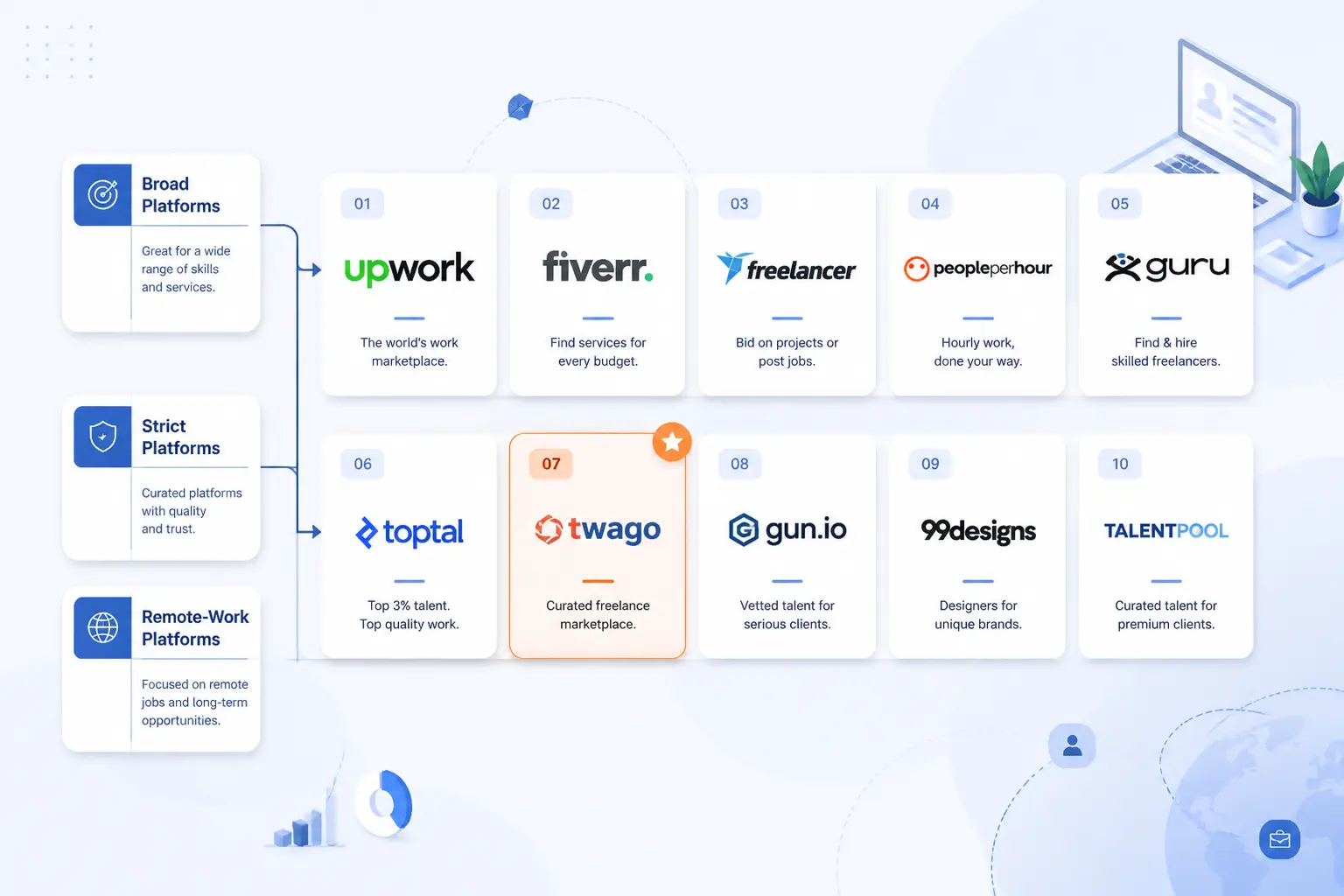
These ten are the platforms we would shortlist first for most freelancers, but for different reasons. Some are broad and easy to enter, some are stricter and more lucrative, and some are better seen as remote-work channels instead of classic freelance marketplaces. Start with the platform that matches your work style, not the one with the loudest brand.
1. Fiverr

- Category: General freelance marketplace
- Best for: Packaged services, fast launch, broad skill coverage
- Ease of use: Easy to start, harder to stand out later
- Pricing: Free to list services, optional Seller Plus subscription
- Standout feature: Catalog-style gigs with Basic, Standard, and Premium packages
For most freelancers, Fiverr is still the easiest serious marketplace to launch on without a long approval gauntlet. Its biggest advantage is structure. Instead of waiting for every client to write a good brief, you can define the service, set package tiers, and let buyers shop from there. That makes Fiverr especially useful for freelancers who can turn their work into repeatable offers like logo packages, landing page builds, video edits, SEO audits, or AI workflow setup.
Where Fiverr earns the top spot in this list is range. The official marketplace still spans classic categories like design, writing, and development, but it also leans hard into newer demand areas such as AI services, automation, data labeling, and AI video. That breadth gives beginners room to test positioning and gives experienced freelancers a way to build smaller, productized offers that lead into larger custom work.
How Fiverr works
Fiverr revolves around Gigs, which are your storefront listings. The official help docs show that you create a Gig from your dashboard, choose a category, add tags, write a client-focused title, and then set your scope and pricing. You can list a single flat-rate offer or turn on three package tiers called Basic, Standard, and Premium. Fiverr also requires at least one revision option per package, and some categories are vetted before a freelancer can publish there.
That workflow matters because it pushes you to be concrete. You are not just saying “I do web design.” You are defining delivery time, revision limits, gallery samples, FAQs, and optional add-ons. For freelancers who hate writing long bids all day, that is a real advantage. Fiverr has also added hourly work, where freelancers submit weekly reports, clients approve or dispute them, and the platform offers hourly payment protection if the logged work meets its policy standards.
Who is Fiverr for?
Fiverr fits freelancers who can productize what they do and present it cleanly. It works well for designers, developers, editors, voice talent, marketers, and technical specialists with a clear deliverable. It is also one of the friendliest places for newer freelancers to learn positioning, because the package format forces clarity fast.
If your work is highly consultative, messy, or enterprise-shaped from day one, you may outgrow it quickly. Senior strategists, fractional executives, and freelancers who only want large retainers will usually find the marketplace too crowded and too price-sensitive unless they already have a strong niche.
Fiverr pricing
- Free to start: create a profile, publish Gigs, set up Basic, Standard, and Premium packages, and optionally enable hourly work.
- Seller Plus Standard: $25/month, with 7-day payment clearance, advanced analytics and client insights, priority support, and growth tools like coupons and Fiverr Ads credit.
- Seller Plus Premium: $49/month, with everything in Standard plus a dedicated Success Manager, early payout, Request to Order, and higher monthly limits on promotions and follow-ups.
You can review the current membership details on this membership page.
Pros and cons
Pros
- Very broad skill coverage, including newer service areas like AI and automation.
- Gig packages make it easier to sell defined outcomes instead of writing every proposal from scratch.
- Hourly work now includes a formal payment-protection policy for eligible logged time.
- Seller Plus adds concrete tools, not fluff, including analytics, coupons, and faster clearance.
Cons
- Competition is intense in crowded categories like logo design, writing, and general VA work.
- Buyers pay a standard 5.5% service fee, with an extra fee on orders under $200, which can make checkout feel pricier.
- Higher-end subscription features are locked behind seller levels.
- Trustpilot reviewers often complain about customer support and scammy buyer or seller behavior around off-platform contact attempts.
Fiverr rating and reviews
- Trustpilot: rated 3.4/5 across 16,245 reviews.
The review picture is mixed rather than terrible. Reviewers often praise the ease of listing services and finding work globally, but recurring complaints focus on fees, support delays, and account issues. We read that as a sign that Fiverr is useful, but you need sharp boundaries and a clean service offer.
If you want one platform to start with before you specialize, Fiverr is still the safest broad recommendation. It is not the calmest marketplace on the web, but it remains one of the clearest ways to turn skills into sellable offers quickly.
2. Toptal

- Category: Curated talent network
- Best for: Senior specialists in tech, design, finance, marketing, and product
- Ease of use: Hard to enter, easy to understand once accepted
- Pricing: Free to apply, premium client-side model
- Standout feature: Strict screening and concierge-style matching
Toptal is the premium option in this roundup, and it acts like it. The pitch is not open-market volume. It is curated access. Official pages position it around the top 3% of freelance talent, with matching built around specialists rather than a public marketplace free-for-all. That makes it one of the best freelance websites for experienced people who want fewer, better-matched opportunities instead of endless bid churn.
The catch is obvious. Toptal is not a beginner platform. The screening process takes time, the expectations are high, and the network is selective by design. Still, for an established freelancer who already has a track record in software, product, design, consulting, or marketing, that tradeoff can make sense.
How Toptal works
The talent-side process starts with an application to join the network. Toptal’s freelancer pages say the screening process typically takes a few weeks and evaluates subject-matter expertise, professionalism, and communication. Once accepted, freelancers gain access to jobs that match their skills and can also be matched directly by Toptal’s team.
On the client side, the workflow is more managed than on an open marketplace. Toptal’s FAQ says clients pay a flat monthly subscription fee once they proceed with talent matching, and every engagement begins with a no-risk trial of up to two weeks. The platform also says it usually introduces candidates within 24 hours and that 90% of clients hire the first candidate introduced. For teams, it can also assemble multi-person groups with or without a dedicated team manager.
Who is Toptal for?
Toptal is for freelancers who already work at a high level and want clients that care more about fit than bargain pricing. It is especially strong for software developers, designers, product managers, consultants, and marketers who can handle complex projects and communicate well with serious business clients.
If you are brand new, still shaping your portfolio, or you need quick wins this week, look elsewhere. Toptal is a long-game platform, not a fast-cash board.
Toptal pricing
- Talent application: $0 to apply, with freelancers setting their own rates if accepted into the network.
- Client platform subscription: $79/month once a client proceeds with talent matching, with cancellation available and a refund option if Toptal cannot provide talent.
- Engagement pricing: talent rates are not listed on a public rate card, because freelancers set their own hourly, part-time, or full-time rates.
You can see the current client-side terms on this FAQ page.
Pros and cons
Pros
- Strong premium positioning with clear emphasis on vetted specialists.
- No cut from freelancer earnings according to the talent FAQ.
- Support for hourly, part-time, and full-time engagements.
- Managed matching can reduce proposal volume and bring repeat work.
Cons
- Hard entry barrier, so it is not a practical first platform for most freelancers.
- Client pricing beyond the subscription is not transparent in the way open marketplaces are.
- Less useful if you prefer self-serve inbound leads over curated matching.
- You are depending on acceptance into the network before any value appears.
Toptal rating and reviews
- Trustpilot: rated 4.8/5 across 2,568 reviews.
Independent reviewers are unusually positive here. The common themes are smooth matching, responsive support, and strong talent quality. That aligns with the premium model, though it also reinforces the basic truth that Toptal works best when you already bring premium-level skills.
Toptal is not for everyone, and that is the point. If you can clear the bar, it may be the cleanest path in this list to higher-value freelance work.
3. Freelancer.com

- Category: Open freelance marketplace
- Best for: Bidding, contests, and wide category coverage
- Ease of use: Easy to join, medium learning curve
- Pricing: Free to join, commission and upgrade fees apply
- Standout feature: Projects, contests, and service-style work under one roof
Freelancer.com is one of the oldest broad marketplaces in the group, and it still matters because it offers more than one route to work. You can bid on projects, enter contests, build a profile around your skills, and use milestone payments to manage delivery. That flexibility is useful if you are still figuring out whether you win more often through proposals, through portfolio-driven contests, or through direct outreach inside a marketplace.
We do not rank it above Fiverr because the experience is less streamlined and the fee picture is busier. Still, if you like having multiple acquisition paths inside one platform, Freelancer.com remains one of the more practical all-rounders.
How Freelancer.com works
The official platform pages show a familiar marketplace setup. Freelancers create a profile, add skills, upload a portfolio, and receive project notifications. Employers can post fixed-price or hourly projects, invite bids, or run contests. For service work, the platform uses its Milestone Payment System, which is meant to keep funds protected until work is delivered.
The fee page also makes the employer workflow pretty clear. Clients can sign up, post projects, receive bids, and review portfolios for free, then pay platform fees only if they award work. That low-friction client setup helps explain why the marketplace stays busy, even if it also means freelancers need to sort through more mixed-quality briefs.
Who is Freelancer.com for?
This platform fits freelancers who do well in competitive, open markets and do not mind managing multiple lead channels. Developers, designers, writers, marketers, manufacturers, and data-entry specialists all have room here. It can also be useful if contests suit your field, especially design and naming work.
If you hate bidding, or if you want a more curated client base, you will probably find the platform noisy. It is also not ideal for people who want a simple fee model with very few optional extras.
Freelancer.com pricing
- Free membership: free to sign up, create a profile, select skills, upload a portfolio, and bid, with free members initially receiving 6 bids per month.
- Project fees: fixed-price projects cost freelancers 10% or $5, whichever is greater, while hourly projects cost 10% on each payment.
- Verified by Freelancer: $99 for regular freelancers, $79 for Preferred Freelancers, and $59 for Rising Stars.
You can inspect the latest charges on this fee schedule.
Pros and cons
Pros
- Several ways to win work, including bids, contests, and profile visibility.
- Milestone-based payment system gives a clearer project structure than informal messaging alone.
- Employers can post and compare bids with little friction, which helps keep listing volume up.
- Contests are free to enter, which can help designers or creatives build traction.
Cons
- Optional upgrades, badges, and bid boosts can make the real cost feel messy.
- Free members start with only 6 bids per month, which puts pressure on hit rate.
- Open bidding means price competition can get ugly in generic categories.
- Reviewers often praise support responsiveness, but platform complexity still comes up in complaints.
Freelancer.com rating and reviews
- Trustpilot: rated 4.4/5 across 20,237 reviews.
The review footprint is large and generally positive, which we take seriously. At the same time, a good public score does not magically solve the competitive nature of open bidding. Freelancer.com can work well, but it usually rewards disciplined proposal selection more than casual browsing.
If you want a big marketplace with several ways to get traction, Freelancer.com belongs on the shortlist. Just go in with a system, not wishful thinking.
4. 99designs

- Category: Design marketplace
- Best for: Brand identity, logo, packaging, and visual design specialists
- Ease of use: Straightforward if you are a designer, irrelevant if you are not
- Pricing: Free for designers, client contest packages and project fees
- Standout feature: Contest-first workflow with strong design focus
99designs is the cleanest specialist pick in this list for visual creatives. It is not trying to be a freelance site for everybody, and that focus helps. If your work lives in branding, logo design, packaging, book covers, or other visual identity projects, 99designs gives you a marketplace shaped around design briefs rather than generic project posts.
That focus is also why it ranks high. Design clients who come here are already looking for design, not vaguely “someone creative.” The tradeoff is just as clear. If you are not a designer, move on. If you are a designer who hates contest-based work on principle, you may also prefer a 1-to-1 or portfolio-led platform instead.
How 99designs works
The official “How it works” page breaks the process into three simple stages. First, the client creates a brief that captures style and project requirements. Next, they connect with designers. Then both sides collaborate until the work is ready. In practice, that often means starting with a contest, reviewing many concepts, and then moving into revisions with the finalist or winner.
The pricing page shows four fixed contest packages for logo design, while the help center explains that 1-to-1 projects carry a client platform fee and a separate designer fee based on level. That split setup makes the platform feel more deliberate than a generic gig site. Clients can test a broad creative field through contests or work directly with a selected designer.
Who is 99designs for?
It is best for designers who want brand-focused work and are comfortable competing on concept quality. Logo designers, packaging designers, illustrators, and broader branding specialists are the obvious fit. It is also useful for freelancers who want design-only demand instead of wading through unrelated listings.
If you want copywriting, development, admin support, or marketing work, this is not your platform. Designers who want only direct retainers and zero speculative effort should also look elsewhere.
99designs pricing
- Bronze: $249, about 30 design concepts, money-back guarantee, and full copyright ownership.
- Silver: $399, about 60 design concepts, money-back guarantee, and full copyright ownership.
- Gold: $799, about 90 design concepts, with access to Mid and Top Level designers.
- Platinum: $1,050, about 60 concepts, Top Level designers only, plus a dedicated manager and prioritized support.
You can compare the current contest packages on this pricing page.
Pros and cons
Pros
- Clear design-only positioning attracts more relevant buyers for visual work.
- Contest packages are transparent and easy for clients to understand.
- Clients can move from a broad concept search into a closer working relationship.
- 1-to-1 projects lower designer platform fees as designer level rises.
Cons
- No use if your freelance work is not design-led.
- Contest workflows can mean unpaid effort before selection.
- 1-to-1 work still carries a 5% client platform fee plus designer-level fees.
- Reviewers occasionally flag support frustrations and originality concerns around AI or stock-like submissions.
99designs rating and reviews
- Trustpilot: rated 4.2/5 across 1,574 reviews.
The review pattern is good overall, especially around design variety and smooth contest flow. The recurring concerns we saw are exactly the ones design buyers and designers should care about, namely support responsiveness and the need to watch originality closely.
For design specialists, 99designs remains one of the best freelance websites because it knows what it is. Sometimes that kind of narrow focus is worth more than bigger traffic numbers.
5. Contra

- Category: Independent work platform
- Best for: Freelancers who want commission-free payments and a polished client workflow
- Ease of use: Easy to understand, still building public trust at scale
- Pricing: Free tier plus optional Pro
- Standout feature: Contracts, invoices, jobs, and portfolio discovery in one place
Contra is one of the more modern freelance platforms in this roundup, and it shows. The pitch is simple and attractive. Bring your clients in, manage contracts and payments on-platform, and avoid the classic commission cut that open marketplaces love to take. For freelancers who already have some network or audience, that is a compelling setup.
We like Contra most as a bridge platform. It works for finding new opportunities, but it also works for organizing work you already have. That makes it especially appealing to creatives, marketers, developers, and consultants who are trying to look more professional without surrendering a chunk of every invoice.
How Contra works
Contra’s client help pages outline three core hiring routes. Clients can browse contractors in Discover, post a public job to the job feed, or post a private job to invite people they already know. On the freelancer side, Contra also lets independents invite existing clients onto the platform by sending a project invite, one-off invoice, direct message, or network invite.
That second piece is what makes Contra different. The help docs say invited clients can move through a guest payment flow or a lightweight onboarding flow, while freelancers manage deliverables, transaction history, and chat in one system. If you are tired of stitching together contracts in one app, invoices in another, and portfolio links somewhere else, Contra has a clear logic.
Who is Contra for?
Contra is best for freelancers with at least a little traction already. If you have existing clients to bring over, or if your work benefits from a polished portfolio and a modern client experience, it makes a lot of sense. Designers, developers, writers, marketers, and strategists are all visible categories in its hiring flow.
If you want the largest possible review footprint or the deepest marketplace demand today, you may still prefer Fiverr or Freelancer.com. Contra is promising, but it is not yet the safest one-platform plan for every freelancer.
Contra pricing
- Free: $0/month, with community access, limited job opportunities, standard discoverability, and free standard payouts.
- Pro monthly: $29/month, with unlimited job opportunities, boosted discoverability in Discover and jobs, no client payment fees, no digital product fees, free faster payouts, and priority support.
- Pro annual: $199/year, with the same core Pro benefits at a lower effective monthly rate.
You can check the latest plan breakdown on this pricing page.
Pros and cons
Pros
- Commission-free positioning is a real difference, not a tiny fee tweak.
- Strong workflow for bringing existing clients onto the platform.
- Public jobs, private jobs, discoverability, contracts, and invoices all live together.
- Pro removes client payment fees and improves discoverability.
Cons
- The free tier still leaves client payment fees in place for some payments.
- Job volume and market maturity are not on Fiverr’s level yet.
- Public review sentiment is much weaker than Contra’s own positioning suggests.
- Trustpilot complaints often focus on payout reviews, delays, and how reviews appear on profiles.
Contra rating and reviews
- Trustpilot: rated 1.9/5 across 67 reviews.
This is the biggest gap in our list between official promise and public review score. We still rank Contra highly because the product logic is good and the fee model is unusually freelancer-friendly, but we would not ignore that review signal. It is a platform we like more for its structure than for its current public reputation.
Contra is worth a serious look if you want more control over your freelance business. We would just pair that interest with caution and a backup channel.
6. Bark

- Category: Lead marketplace
- Best for: Local, service-based, and higher-ticket freelance offers
- Ease of use: Easy to understand, expensive to use badly
- Pricing: Credits, subscriptions, and premium add-ons
- Standout feature: Client requests generate ready-to-contact leads
Bark is different from the classic freelance marketplace model because you are not mainly listing gigs or waiting for open project posts. You are buying access to leads. For some freelancers, especially local and service-based providers, that can work well. For others, it can become an expensive way to chase low-intent requests.
We would only rank Bark this high because it can be genuinely useful in the right categories. If you sell photography, coaching, design, bookkeeping, legal help, or other services where one good client can cover several lead costs, Bark is worth considering. If your average project is small, think twice.
How Bark works
Bark’s terms and help center describe a straightforward flow. Customers submit a request or browse professionals directly. In request mode, Bark can put up to five professionals in contact with that customer. Professionals then decide whether to buy the lead, contact the customer, and try to convert the job.
The platform also explains that lead cost is shown before you respond, and the credit price depends on the kind of service, job size, location, and signs like urgency or verified phone. Bark’s ranking system weighs a full profile, positive performance, review score, response speed, activity, and some subscription status. That tells us something important. Winning on Bark is not just about paying. It is also about profile strength and speed.
Who is Bark for?
Bark fits freelancers with decent margins and a fast response habit. Local photographers, consultants, coaches, designers, bookkeepers, and similar pros can do well if they qualify leads quickly and price confidently. It also suits people who prefer responding to active demand instead of building a giant public portfolio.
If you offer low-ticket services, or if you hate paying before the sale is closed, look elsewhere. Bark can punish weak conversion economics very quickly.
Bark pricing
- Credits: Bark’s U.S. help center lists credits at $2.35 each, and every lead shows its credit cost before you respond.
- Marketplace subscriptions: Bark also offers Starter, Essential, and Premium subscriptions, but public pricing varies by profession and region rather than following one simple universal grid.
- Elite Pro: price varies, with benefits that include 2 free leads per week, a 20% credit-pack discount, higher ranking, priority support, and featured directory placement.
You can see the current U.S. credit model on this pricing explainer.
Pros and cons
Pros
- Lead cost is shown before purchase, which is more transparent than blind pay-to-play systems.
- Customers can receive up to five professional responses, which helps active buyers move fast.
- Ranking factors are unusually explicit, including review score and response speed.
- Verification and premium visibility tools exist for serious providers.
Cons
- You are paying for lead access, not guaranteed jobs.
- Not every professional is verified, so trust still requires homework.
- The pricing structure is fragmented across credits, subscriptions, and extras.
- Reviewers regularly complain about weak leads and poor conversion on bought credits.
Bark rating and reviews
- Trustpilot: rated 3.9/5 across 110,136 reviews.
That is a large review footprint, but it covers both customer and professional experiences. The positive side focuses on quick responses and convenience. The negative side, which matters more for freelancers, often centers on spending on credits without landing enough work in return.
Bark can absolutely work, but it is not a casual signup. Treat it like paid lead generation, because that is what it is.
7. PeoplePerHour

- Category: Freelance marketplace
- Best for: Freelancers who want project bids, packaged offers, and better repeat-client fee economics
- Ease of use: Moderate, with an application step
- Pricing: Free to join, tiered commission
- Standout feature: Fees drop as lifetime billing with a buyer rises
PeoplePerHour sits in an interesting middle ground. It has the open-market mechanics of a marketplace, but it also feels more structured around repeat working relationships than some larger rivals. The big reason is the fee model. Instead of charging the same commission forever, it lowers the rate as lifetime billing with a buyer increases. For freelancers who care about long-term clients, that is a meaningful advantage.
We would not call it the easiest platform in the list, because there is still an application step and the site is less massive than Fiverr or Freelancer.com. But if you like the idea of blending proposals, fixed-price offers, and ongoing client work in one inbox, it is a strong option.
How PeoplePerHour works
The support docs outline three main ways buyers hire. They can purchase an Offer, which is a pre-packaged fixed-price service delivered within a set timescale. They can post a project and receive custom proposals. Or they can browse profiles and contact freelancers directly for a proposal.
Once a project starts, money goes into Escrow before the freelancer begins work, and then communication, payments, and follow-on proposals run through PeoplePerHour’s WorkStream. That matters because it encourages client relationships to stay on-platform instead of resetting every time a new task appears.
Who is PeoplePerHour for?
PeoplePerHour is a good fit for freelancers who want a marketplace, but not one that treats every client relationship like a single transaction. Developers, marketers, writers, designers, and business-support freelancers can all use the Offer plus proposal model well. It is especially appealing if you expect good clients to come back repeatedly.
If you need the absolute biggest pool of jobs, or if you dislike application gates and platform moderation, you may prefer a more open marketplace.
PeoplePerHour pricing
- Free to join: no registration fee, no fee to search for projects, and no fee to post an Offer.
- Below £250 lifetime billing per buyer: 20% freelancer service fee.
- Between £250 and £5,000 lifetime billing per buyer: 7.5% freelancer service fee.
- Over £5,000 lifetime billing per buyer: 3.5% freelancer service fee.
You can review the current commission tiers on this support page.
Pros and cons
Pros
- Fee structure gets better as you deepen client relationships.
- Three clear hiring routes, Offers, project posts, and direct contact, give flexibility.
- Escrow and WorkStream make follow-on work more orderly.
- Free to join and list services.
Cons
- The 20% fee on small or new-client work is steep.
- There is an application process, which adds friction up front.
- Reviewers on G2 often mention proposal limits and payout speed as pain points.
- The marketplace is narrower than the largest all-purpose platforms.
PeoplePerHour rating and reviews
- G2: rated 4.1/5 across 145 reviews.
The G2 feedback is fairly balanced. People like the quality of clients and the straightforward workflow, while complaints tend to focus on service fees, proposal limits, and slow withdrawals. That feels consistent with what the official docs show.
PeoplePerHour is not the loudest brand in the category, but it is one of the more sensible ones for freelancers who care about repeat-client margins.
8. FlexJobs

- Category: Remote and flexible job board
- Best for: Freelancers who want vetted remote contract listings
- Ease of use: Very easy once you accept the subscription model
- Pricing: Paid membership
- Standout feature: Hand-screened listings with no ads, scams, or junk jobs
FlexJobs is not a classic freelance marketplace, and that is exactly why it belongs in this roundup. Plenty of freelancers do not actually want to pitch on open marketplaces all day. They want contract, part-time, or project-based remote roles from real employers, with less scam risk and less noise. FlexJobs is built for that.
The main tradeoff is simple. You pay for access. We usually dislike putting a paywall in front of job search, but FlexJobs makes the case better than most because its whole pitch is quality control. If you are tired of junk boards and fake remote listings, the paid filter may feel worth it.
How FlexJobs works
The official “How FlexJobs Works” page says every listing includes some form of flexibility, such as remote, hybrid, freelance, temporary, or alternative schedules. Once you sign up, you use the dashboard to search by category, schedule, experience level, and other filters, save jobs and searches, set alerts, and track applications.
FlexJobs also makes a point of what it does not do. Its FAQ says it is not an employment agency and does not manage payments between employers and freelancers. So think of it as a screened discovery engine, not a freelance operating system. The newer ExpertApply tool also helps members auto-complete applications faster, while the mobile app includes saved jobs, notes, and application tracking.
Who is FlexJobs for?
FlexJobs fits freelancers who want remote contract roles, part-time projects, or flexible work from vetted employers. It is especially useful for people who would rather do fewer, better-targeted applications than chase every open gig board they can find.
If you want escrow, on-platform invoicing, or direct payment protection, this is not your tool. It is also a poor fit if you refuse to pay for access on principle.
FlexJobs pricing
- 14-Day Full Access: $2.95, then auto-renews at $23.95 billed every 4 weeks, with verified listings, search filters, and application tools.
- 3-Month Full Access: $9.95/month, billed as $29.85 up front, with the same core database access and member tools.
- Annual Full Access: $5.95/month, billed as $71.40 up front, with the lowest ongoing effective rate.
You can compare the current plans on this pricing page.
Pros and cons
Pros
- Every listing is hand-screened and the site explicitly rejects scams, ads, MLMs, and junk.
- Good filters for schedule, category, and flexibility type.
- Useful organization tools, including saved searches, alerts, notes, and application tracking.
- Money-back guarantee within the first 14 days.
Cons
- Membership fee is a real barrier if you are just browsing casually.
- FlexJobs does not handle payments or contracts between you and the employer.
- The inventory may feel more U.S.-heavy depending on your field.
- It is better for contract-style work than for building a visible freelance brand.
FlexJobs rating and reviews
- Trustpilot: rated 4.1/5 across 8,267 reviews.
The public review signal is strong enough to take seriously. Reviewers usually praise legitimate listings and helpful support, while the main friction point is simply paying for access. That tradeoff will either make sense to you immediately, or it will not.
If you are looking for vetted remote freelance and contract opportunities instead of marketplace hustle, FlexJobs is one of the easiest sites to justify.
9. We Work Remotely

- Category: Remote job board
- Best for: Remote contract roles and freelance-friendly company hiring
- Ease of use: Easy to browse, less useful if you want platform-managed work
- Pricing: Free basic access plus paid job seeker tiers
- Standout feature: Large remote-work audience and employer brand reach
We Work Remotely is another platform that matters because it is not trying to be Fiverr. It is a remote-work board first, and that means the best use case is often contract or freelance-friendly roles with companies, not one-off client shopping. If your ideal freelance setup looks more like recurring remote work than constant marketplace pitching, it deserves a look.
The reason it ranks behind FlexJobs is trust and clarity. The official site has useful job seeker tiers and solid employer products, but public reviews are much rougher, especially around subscription commitments. That does not make it unusable. It just means you should go in with your eyes open.
How We Work Remotely works
The FAQ explains that job seekers can browse jobs, save listings, upload a resume, and follow companies on the free Basic tier. Paid tiers add unlimited job applications, custom alerts, subscriber events, and, at the higher level, access to partner marketplaces and unlimited resume tailoring. The platform is fundamentally about discovery and application, not about holding funds or running escrow.
On the employer side, the site sells job posts and hiring visibility. That matters because it helps explain the kind of opportunity you will see there. Companies are paying to fill roles and contract positions, not just shopping for the cheapest freelancer in a search result.
Who is We Work Remotely for?
We Work Remotely is for freelancers who are open to remote contract roles, retained consulting, or part-time engagements with companies. It is particularly useful for people in tech, design, support, marketing, and operations who like the remote-job-board model more than an open bid marketplace.
If you want payment protection, built-in contracts, or a classic freelance storefront, pick something else. This is a job board, not an end-to-end freelance business platform.
We Work Remotely pricing
- Basic: free, with job browsing, saved listings, resume upload, and company follows.
- WWR Pro: $14.95/month with a 12-month commitment, first month at $2.95, plus unlimited job applications, up to 5 custom alerts, and subscriber-only events.
- TopAccess: $29.95/month with a 12-month commitment, adding partner marketplace access, unlimited resume tailoring, and eligibility for a performance reward.
You can read the current job seeker plan details on this FAQ page.
Pros and cons
Pros
- Strong remote-work positioning and broad employer visibility.
- Better for remote contract roles than for race-to-the-bottom gig work.
- Free Basic tier still allows browsing and resume upload.
- Employer-side spend suggests companies are serious enough to pay for attention.
Cons
- No platform-managed payments, escrow, or delivery workflow.
- Paid job seeker plans come with a 12-month commitment.
- Public reviews often criticize cancellation friction and subscription expectations.
- Some reviewers also mention outdated or duplicated listings.
We Work Remotely rating and reviews
- Trustpilot: rated 2.9/5 across 265 reviews.
That public score is a real warning light. The official product can still be useful, especially if you stay on the free tier first and treat it as a discovery channel, but we would be careful about paid upgrades unless the value is obvious for your situation.
As a remote opportunity board, We Work Remotely still has a place. As a paid subscription for every freelancer, we are much less convinced.
10. DesignCrowd

- Category: Design crowdsourcing marketplace
- Best for: Designers who are comfortable with contest-style work
- Ease of use: Easy to join, harder to like if you dislike speculative work
- Pricing: Free designer registration, client posting and transaction fees
- Standout feature: Lower-cost design contest entry point than some rivals
DesignCrowd rounds out the top ten as a more budget-friendly, contest-heavy alternative for designers. Like 99designs, it is not for everyone. But if you are a designer who wants access to lots of briefs and does not mind the crowdsourcing model, it remains a viable place to find work. The platform explicitly supports both design contests and one-designer projects, which gives it more range than a pure contest site.
We rank it lower because speculative work is still speculative work, and that model will always divide freelancers. Even so, there is enough clarity in the fee structure and enough positive public review volume to keep it relevant.
How DesignCrowd works
DesignCrowd’s official help pages draw a clear line between two workflows. In a contest, a client posts a project, deposits the budget, receives many designs, gives feedback, and selects a favorite. In the One Designer Service model, the client works with a single designer from the start and typically receives one to three designs instead of an open field of submissions.
The platform also says clients can invite designers to projects directly, and that contests can be set for 3, 5, or 10 days. Designers join for free, submit work, and get paid through the platform if they win, place, or receive participation payments.
Who is DesignCrowd for?
It is best for graphic designers and illustrators who can move quickly from brief to concept and who are comfortable using contests as a client-acquisition channel. It can also suit newer designers who want real briefs to practice against, though we would not recommend it as a sole income source right away.
If you strongly dislike speculative submissions, skip it. Writers, developers, and non-design freelancers obviously should skip it too.
DesignCrowd pricing
- Designer registration: free to join as a designer.
- Designer commission: 15% commission on payments designers receive through the platform.
- Client fees: posting fee up to $129, 4% transaction fee, and a 20% project management fee on project budgets of $200 and over.
You can check the current structure on this fees page.
Pros and cons
Pros
- Free designer registration lowers the barrier to entry.
- Supports both contests and one-designer projects.
- Design-only focus means briefs are more relevant for visual creatives.
- Transparent commission level for designers.
Cons
- Contest-style work means unpaid effort is part of the model.
- Client-side fees can make the total budget picture more complex.
- Quality of briefs and submissions can vary widely.
- Reviewers still raise concerns around support and account-review issues.
DesignCrowd rating and reviews
- Trustpilot: rated 4.6/5 across 3,317 reviews.
The public sentiment is better than many people would expect from a crowdsourcing platform. Reviewers often praise designer variety and responsive support, though that does not erase the structural downside of contest-based work for freelancers who want guaranteed paid starts.
DesignCrowd is not our first design recommendation, but it is still worth considering if you like short, concept-led briefs and can handle the contest format without burning out.
5 More Freelance Platforms Worth Considering
These five are not as broadly useful as the top ten, but each does one thing well enough to deserve a mention. In most cases, they are better as a secondary channel than as the only place you look for work.
11. LinkedIn Services Marketplace

- Category: Professional services marketplace
- Best for: Consultants, coaches, B2B freelancers, and service businesses
- Ease of use: Easy if you already use LinkedIn regularly
- Pricing: Free Service Pages, with extra features on Premium Business
LinkedIn Services Marketplace is less of a classic freelance website and more of a lead layer built into the biggest professional network on the web. That matters because it changes how buyers evaluate you. Instead of comparing you only on a marketplace card, they can also see your profile, mutual connections, recommendations, and service page.
The official service pages help docs say providers can create a free Service Page, while buyers can either search directly for providers or request proposals through LinkedIn’s matching flow. LinkedIn also makes clear that clients and providers message each other on-platform, then finalize the actual agreement outside LinkedIn. So this is a discovery and trust channel, not a payment or escrow system.
What it does better than many top-ten picks is social proof in context. If you sell strategy, consulting, recruiting, coaching, writing, design, or marketing to business clients, that context often matters more than a giant marketplace review count. Buyers are not just seeing an offer. They are seeing a career history.
Premium Business adds more presentation power, including media, a Request proposal button, and visible ratings in the Services Showcase. That makes the free version useful, but the paid version clearly more competitive for serious lead generation.
Who is LinkedIn Services Marketplace for?
It is best for freelancers who sell expertise rather than commodity tasks. If you win work through credibility, niche positioning, and professional network overlap, LinkedIn should be part of your mix.
12. Mayple

- Category: Curated marketing talent network
- Best for: E-commerce and growth marketers
- Ease of use: Easy for clients, selective and structured for experts
- Pricing: Recurring marketing packages, generally premium
Mayple is much narrower than the big general freelance websites, and that is its appeal. It is built around marketing talent, especially for e-commerce brands that want a managed, data-heavy matching process. The FAQ says clients can meet up to three experts before deciding, pay only after approving the expert, and work with both a chosen expert and a customer success manager.
The same FAQ also says Mayple uses more than 141 vetting criteria and has a network of over 600 vetted marketing experts. That is a strong sign that the platform is not trying to be a volume marketplace. It is trying to make fewer, tighter matches in a single domain.
Pricing confirms the premium angle. The bundle pricing page lists Paid Media from $1,800 per month, CRO from $3,950 per month, and CMO-as-a-service from $5,350 per month. That is not casual side-gig territory. It is budgeted marketing spend.
What Mayple does better than most top-ten picks is managed matching for marketers who want better-qualified engagements. What it does worse is breadth. If you are not in marketing, it is irrelevant. If you are in marketing but want small quick wins, it may feel too enterprise-leaning.
Who is Mayple for?
Mayple is for experienced marketers and small marketing agencies who want vetted brand-side work and can operate inside a recurring-service model, not for general freelancers hunting mixed project types.
13. GrowTal

- Category: Vetted marketing talent network
- Best for: Fractional marketers and U.S.-based marketing specialists
- Ease of use: Simple model, narrow category focus
- Pricing: No upfront recruiting cost, refundable deposit after hiring decision
GrowTal is another marketing-first option, but it feels more straightforward than Mayple. The homepage says businesses can work with marketers on an hourly, part-time, or full-time basis, and the FAQ says there are no upfront recruiting costs. If a client decides to move forward, GrowTal requires a $500 deposit that is refundable if the relationship ends.
The platform also says its marketers are based in the U.S. and that clients are invoiced every two weeks. That makes the engagement model easier to picture than some networks that bury the basics. It is trying to function like a curated hiring layer for ongoing marketing help, not like an open bidding marketplace.
Where GrowTal stands out is the combination of vetted matching and flexible engagement scope. Hourly, part-time, and full-time support opens the door for fractional roles, channel specialists, and interim marketing leadership. That is a better fit for serious marketing freelancers than a generic gig marketplace full of one-off posts.
The downside is reach. If you are not in digital marketing, or if your work depends on broader category demand, GrowTal is too narrow to be a main platform.
Who is GrowTal for?
GrowTal is best for proven marketers who want curated client introductions and recurring work, especially in growth, paid media, SEO, lifecycle, and fractional leadership roles.
14. Dribbble

- Category: Design portfolio and hiring platform
- Best for: Designers who want visibility and inbound leads
- Ease of use: Easy if your portfolio is already strong
- Pricing: Free hiring entry point, paid Pro tiers for designers
Dribbble is not just a place to post pretty shots anymore. Its hiring pages clearly position it as a design hiring platform, with options to hire freelancers for free, post jobs at $150 per month, or use a $300 per month Hiring Suite for extra placement. For designers, the bigger story is visibility. The Pro page says paid plans increase exposure across feed, shot search, service search, and designer search.
That makes Dribbble different from the top-ten design marketplaces. It is stronger for portfolio-led inbound than for contest-driven work. If your visual work is strong enough to pull interest on its own, that can be a better long-term play than constantly entering competitions.
Dribbble’s Pro tiers also give a fairly clear ladder. Lite starts at $4 per month billed yearly, Standard at $8 per month billed yearly adds a stronger ranking boost and 0% designer platform fee on payouts, and Plus at $99 per month billed yearly adds heavier lead flow tools, ranking boosts, and 0% client platform fee. That is a wide price spread, but it maps fairly well to solo designer versus studio needs.
The limitation is also obvious. Dribbble is for visual design talent with portfolio quality that can sell itself. If your work is not visual or your portfolio is thin, it loses much of its edge.
Who is Dribbble for?
Dribbble is best for product designers, brand designers, illustrators, and agencies that can win work on presentation quality and want a portfolio-first channel, not a general freelance marketplace.
15. Hubstaff Talent

- Category: Free freelancer directory
- Best for: Freelancers and agencies who want zero platform fees
- Ease of use: Very easy, but hands-off
- Pricing: Free for both sides
Hubstaff Talent makes a refreshingly blunt pitch. The official “How it works” page says there are no fees, no markups, and no middlemen. Business owners search agencies or freelancers, contact them directly, decide on terms together, and work on whatever platform they choose. If you are tired of commission math, that is appealing in a hurry.
Its hire page reinforces the same point. Posting a job is free, job listings may be syndicated for extra visibility, and Hubstaff does not take a percentage of payments. That makes it one of the cheapest channels in this whole article to test.
What Hubstaff Talent does better than almost every platform above is cost. What it does worse is everything that cost normally buys, namely built-in contracts, escrow, payment handling, and strong matching. You are trading platform features for freedom.
That trade can still make sense. Freelancers with strong profiles, clear positioning, and a willingness to handle contracts and billing themselves may find it a useful low-friction secondary channel. We just would not rely on it as the only place to build a pipeline.
Who is Hubstaff Talent for?
Hubstaff Talent is best for self-directed freelancers and agencies who already know how to close and manage clients without much platform help, and who value zero fees over bells and whistles.
How To Choose the Best Freelance Websites for Your Goals
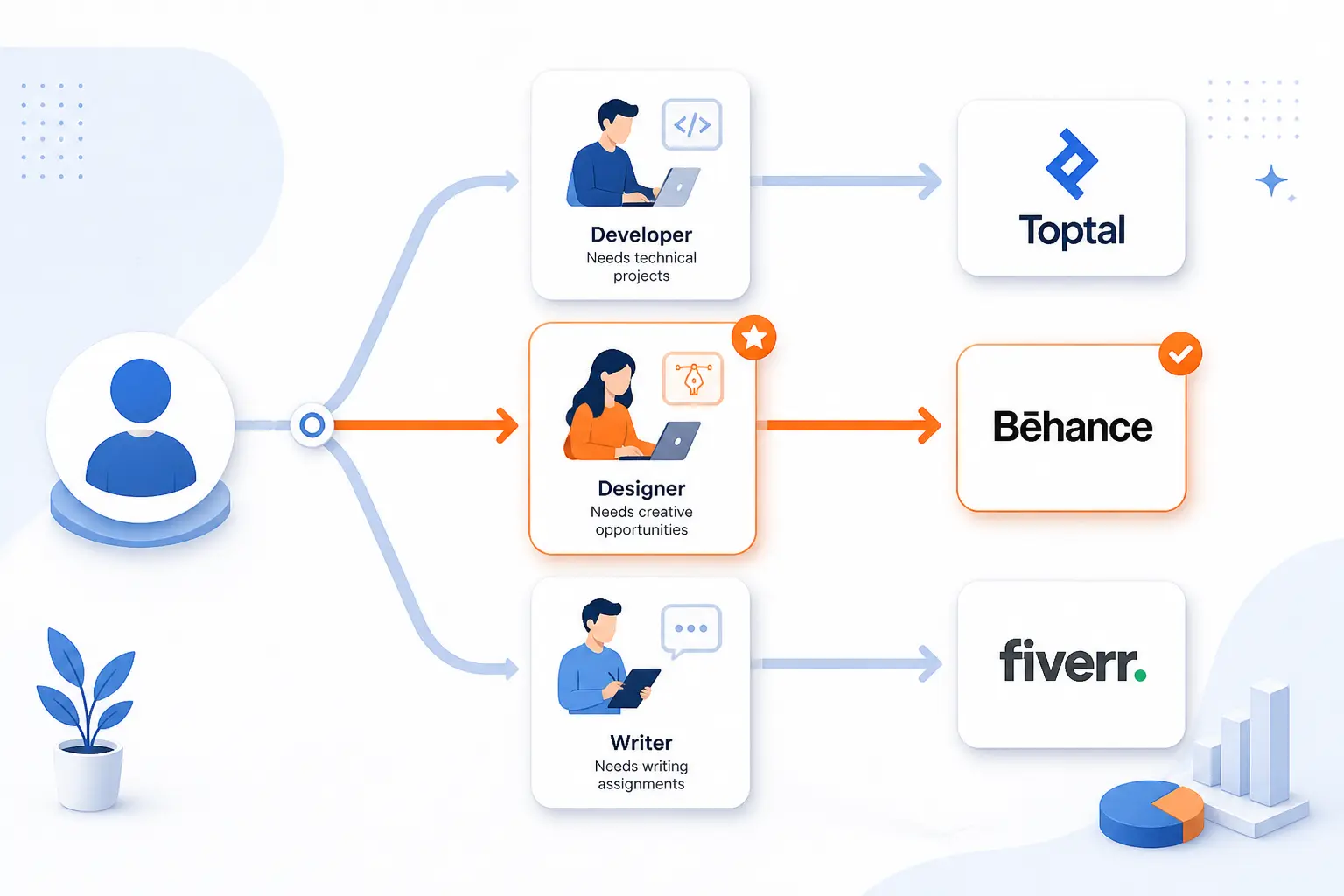
The right platform depends on the kind of freelance business you are trying to build, not just on which site has the biggest name. In practice, most bad platform choices come from mixing up work styles. A freelancer chasing long retainers should not shop like a gig seller, and a beginner who needs fast reps should not start with a network built for top-tier specialists.
Project Based Marketplaces vs Long Term Contract Platforms
Project marketplaces are better for fast volume and packaged offers, while long-term contract platforms are better for fewer, larger, relationship-driven engagements. If you need to build traction quickly, start with project flow. If you already have proof and want higher-ticket work, favor curated or contract-style channels.
| Type | Best When | Typical Workflow | Examples |
|---|---|---|---|
| Project marketplace | You need quicker deal flow and can define deliverables clearly | List services, bid, or enter contests | Fiverr, Freelancer.com, PeoplePerHour, DesignCrowd |
| Long-term contract platform | You want stronger client fit and bigger engagements | Screening, matching, or remote contract hiring | Toptal, FlexJobs, We Work Remotely, GrowTal |
A simple rule helps here. If you can turn your offer into a fixed scope with a clear turnaround, marketplaces work well. If your work usually starts with discovery, strategy, stakeholder calls, or ongoing ownership, contract-style platforms tend to feel more natural.
General Freelance Websites vs Niche Talent Networks
General platforms are better for testing offers, while niche networks are better once you know exactly what you sell. Broad marketplaces give you reach. Narrow networks give you relevance. Most freelancers need both at different stages.
| Type | Main Advantage | Main Risk | Good Examples |
|---|---|---|---|
| General marketplace | Large buyer pool and category breadth | More competition and weaker briefs | Fiverr, Freelancer.com, PeoplePerHour |
| Niche creative network | Buyers already know what they want | Narrow skill fit | 99designs, DesignCrowd, Dribbble |
| Curated specialist network | Higher-quality matching and positioning | Harder access and smaller funnel | Toptal, Mayple, GrowTal |
Our view is straightforward. Use general sites when you are building proof, positioning, and reviews. Move toward niche or curated platforms once you know the exact problem you solve and can prove you solve it well.
Remote Job Boards vs Client Marketplaces
Remote job boards are better when you want contract-style stability, while client marketplaces are better when you want to run your own micro-business. Neither is automatically better. They just reward different habits.
| Channel | How Work Shows Up | Best For | Examples |
|---|---|---|---|
| Remote job board | Employers post roles or contracts | Ongoing remote engagements | FlexJobs, We Work Remotely |
| Client marketplace | Buyers shop services or receive bids | Independent selling and packaging | Fiverr, Freelancer.com, PeoplePerHour, Contra |
| Lead marketplace | You pay to contact demand | Local or service-based leads | Bark |
If you hate selling, job boards will usually feel better. If you like shaping offers, pricing, and upsells, marketplaces give you more control. Plenty of freelancers use both so they are not overexposed to one kind of risk.
What To Compare Before You Commit to a Platform
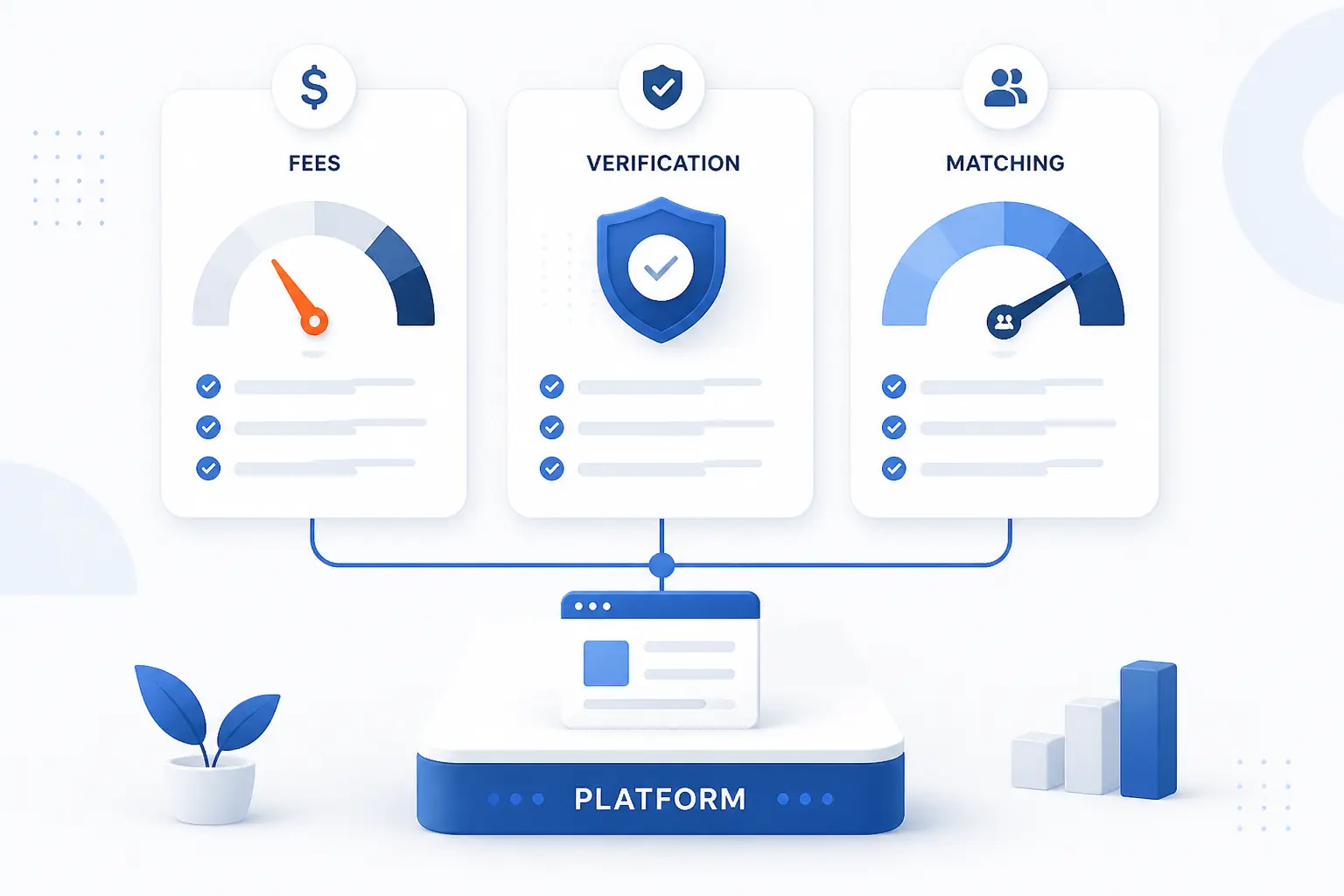
The best freelance websites can still be bad fits if the underlying economics are wrong for your work. Before you invest time in a profile, compare how the site charges, how it verifies people, and whether the matching system actually helps you reach serious buyers. Those three checks will save a lot of wasted setup.
Fees Memberships and Lead Costs
The platform cost model matters more than the homepage promise. A site with more fees can still be worth it if deal size is high. A free site can still be expensive if it buries you in weak leads or unpaid effort.
| Cost Model | What You Pay | Best Fit | Examples |
|---|---|---|---|
| Commission on paid work | Only after a project closes | Freelancers testing demand or starting out | Fiverr, Freelancer.com, PeoplePerHour |
| Membership access | Before you apply or use premium tools | Freelancers who want curated discovery | FlexJobs, We Work Remotely, Seller Plus on Fiverr |
| Lead purchase model | Before the sale is won | High-margin services with fast qualification | Bark |
A healthy rule of thumb is to estimate the total platform cost against one average project, then ask how many misses you can afford before the channel stops making sense. That little bit of math keeps you from confusing activity with profit.
Vetting Reviews and Payment Protection
Trust tools matter because freelance platforms compress trust into a few visible signals. If the site does not help with payment security or verification, you need to make up the gap yourself. On hourly work, for example, Fiverr’s official policy explains how logged time can qualify for payment protection when a client payment fails.
Verification also varies a lot from platform to platform. Bark, for instance, says its verified badge includes background, fraud, and business checks, but Bark also states elsewhere that not every professional is verified. That is a useful reminder that a trust badge helps, but it should never replace your own judgment.
We would compare three things every time: how reviews are collected, whether payments are held or protected, and what actually happens when a job goes wrong. If the platform is fuzzy on any of those, expect trouble later.
Client Quality Competition and Match Tools
Better-paying work usually comes from better client filtration, not just more traffic. Curated matching, serious briefs, and profile-based discovery tools can all improve quality. So can simple filters like location, budget, or service specialization.
- Use curated networks when fit matters more than raw volume.
- Favor platforms with repeat-client economics if you plan to build retainers.
- Avoid lead marketplaces unless your average project value comfortably covers misses.
- Prefer sites where your profile, portfolio, and reviews influence visibility in a transparent way.
In plain terms, the right platform should help good clients find you faster than bad ones do. If it cannot do that, you are paying for noise.
Which Skills and Project Types Tend To Get the Most Demand
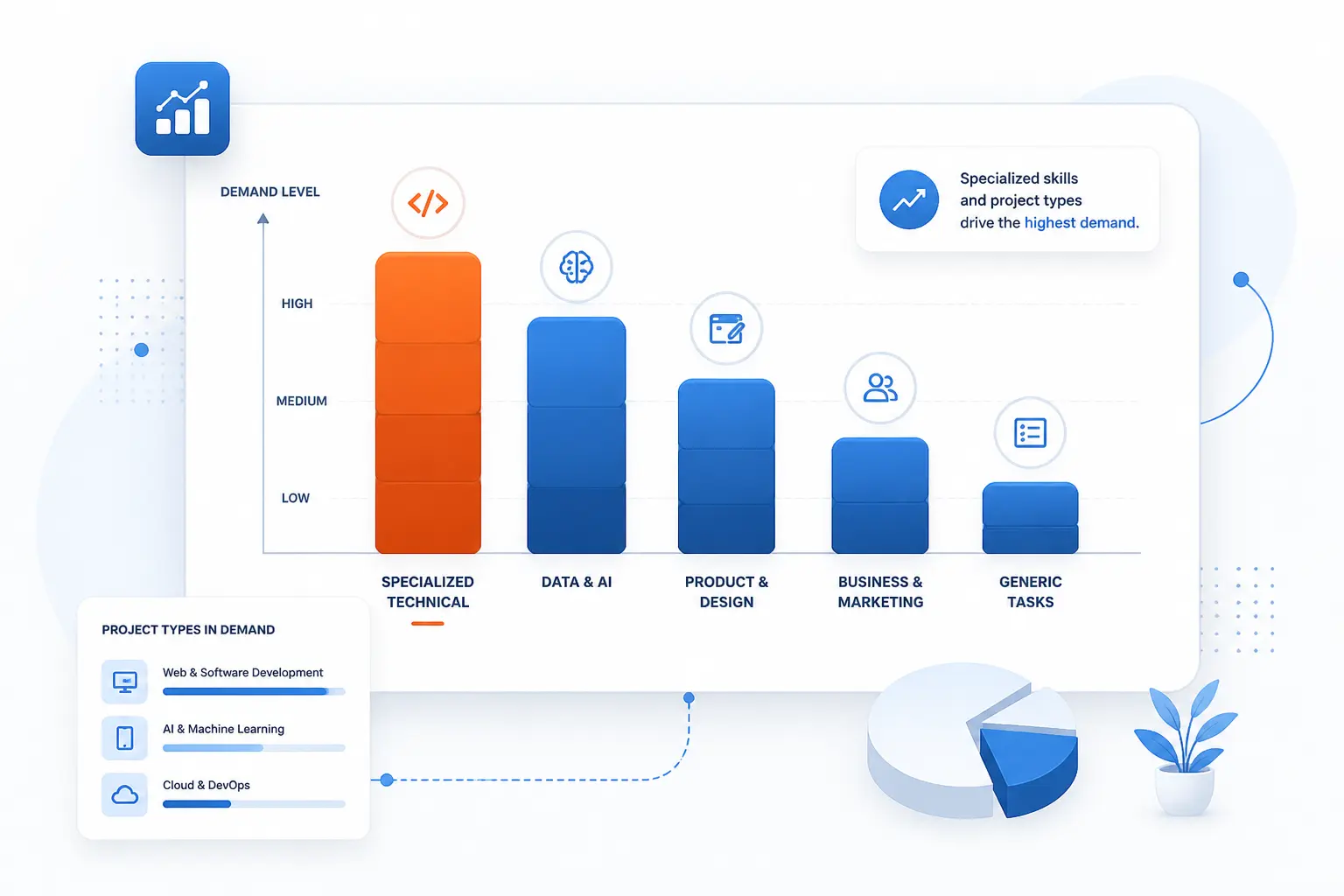
Demand is broad, but it is not evenly paid. Technical work, specialized marketing, and design tied to real business outcomes usually command stronger rates than generic task work. That does not mean other skills cannot win. It means positioning matters more once the platform is crowded.
Software AI and Technical Specialties
Technical specialties still have one of the clearest demand stories in freelance work. The U.S. Bureau of Labor Statistics says software developer employment is projected to grow 10% from 2025 to 2035, with large annual openings across the decade. On freelance platforms, that demand now spills into adjacent categories too, such as AI integrations, automations, QA, data work, and API-heavy implementation.
In practice, general labels like “web developer” are too weak now. Better-paying work usually goes to people who position around a stack, a platform, or a business problem. Think Shopify CRO builds, AI workflow setup, React dashboards, or HubSpot implementation, not just coding in the abstract.
Design Branding and Video Work
Design demand is still real, but it pays best when it is tied to outcomes like branding, conversion, packaging, or launch assets. The BLS projects that graphic design employment will decline 2% from 2025 to 2035, but it also still points to steady annual openings, especially as companies keep investing in digital presence and branding.
That is why portfolio-led sites remain so important for this category. Generic “I make graphics” profiles struggle. Brand systems, landing page design, packaging, motion graphics, short-form editing, and launch creative tend to travel better because buyers can see the business use immediately.
Writing Marketing and Virtual Support
Writing remains viable, but it is more niche-sensitive than many beginners expect. The BLS says writers and authors are projected to see about 11,900 openings per year on average even though long-term employment growth is flat. That usually rewards freelancers who move toward commercial writing, technical documentation, email strategy, or subject-matter expertise instead of staying generic.
Marketing keeps a stronger growth signal. The BLS says market research analyst employment is projected to grow 7% from 2025 to 2035, which lines up with what we see on platforms that emphasize paid media, analytics, lifecycle marketing, and conversion work. Virtual support can still work too, but it tends to pay better when tied to operations systems, executive support, or specialized tools rather than simple admin catch-all tasks.
How To Win More Work on Freelance Websites
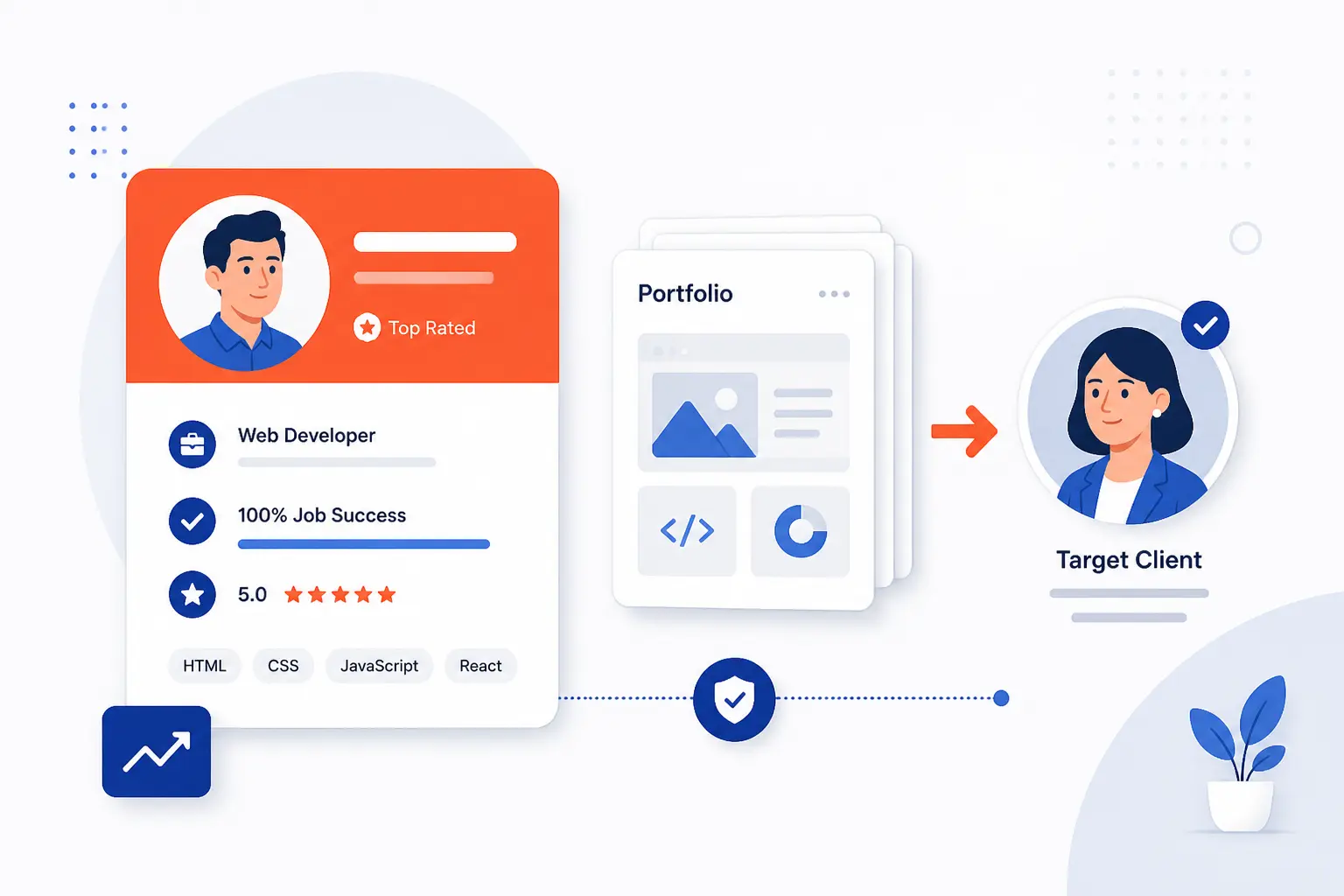
You usually do not need ten platforms. You need a clearer offer and a better profile on one or two platforms that match your work. The freelancers who win consistently are usually not the most available. They are the easiest to understand and the least risky to hire.
Specialize Your Profile and Portfolio
Specialization is the fastest way to make a profile feel more expensive. A generic profile invites price shopping. A specific one invites fit. LinkedIn’s help docs, for example, show that a service page can include your services, work location, starting hourly rate, and media, which is a good reminder that even simple profile fields can do a lot of qualification work when used well.
We would narrow by buyer type, service, and result. “Email marketer for DTC brands” beats “digital marketer.” “Podcast editor for B2B shows” beats “video editor.” Your portfolio should echo that same narrow promise instead of trying to prove you can do everything for everyone.
Write Better Proposals and Clarify Scope Early
The best proposal is usually the one that proves you understood the job fastest. That means responding to the actual brief, naming the likely deliverable, raising one smart question, and showing relevant proof without dumping your life story into the first message.
We would also clarify scope earlier than feels comfortable. Ask about timeline, revision rounds, access, dependencies, and how success will be judged. Better-paying clients usually like this because it reduces surprises. Weak clients sometimes disappear, which is useful information in its own right.
Set Expectations for Feedback Revisions and Deadlines
Scope creep starts where expectations stay fuzzy. Good freelancers define review windows, revision limits, and what counts as a new request before the project gets messy. If the platform gives you package tiers or milestones, use them to make that line visible.
This is one of the simplest ways to protect margins on freelance websites. Clear deadlines, response assumptions, and revision boundaries make you easier to trust and much harder to squeeze.
Why Your Own Website Still Matters Alongside Freelance Platforms
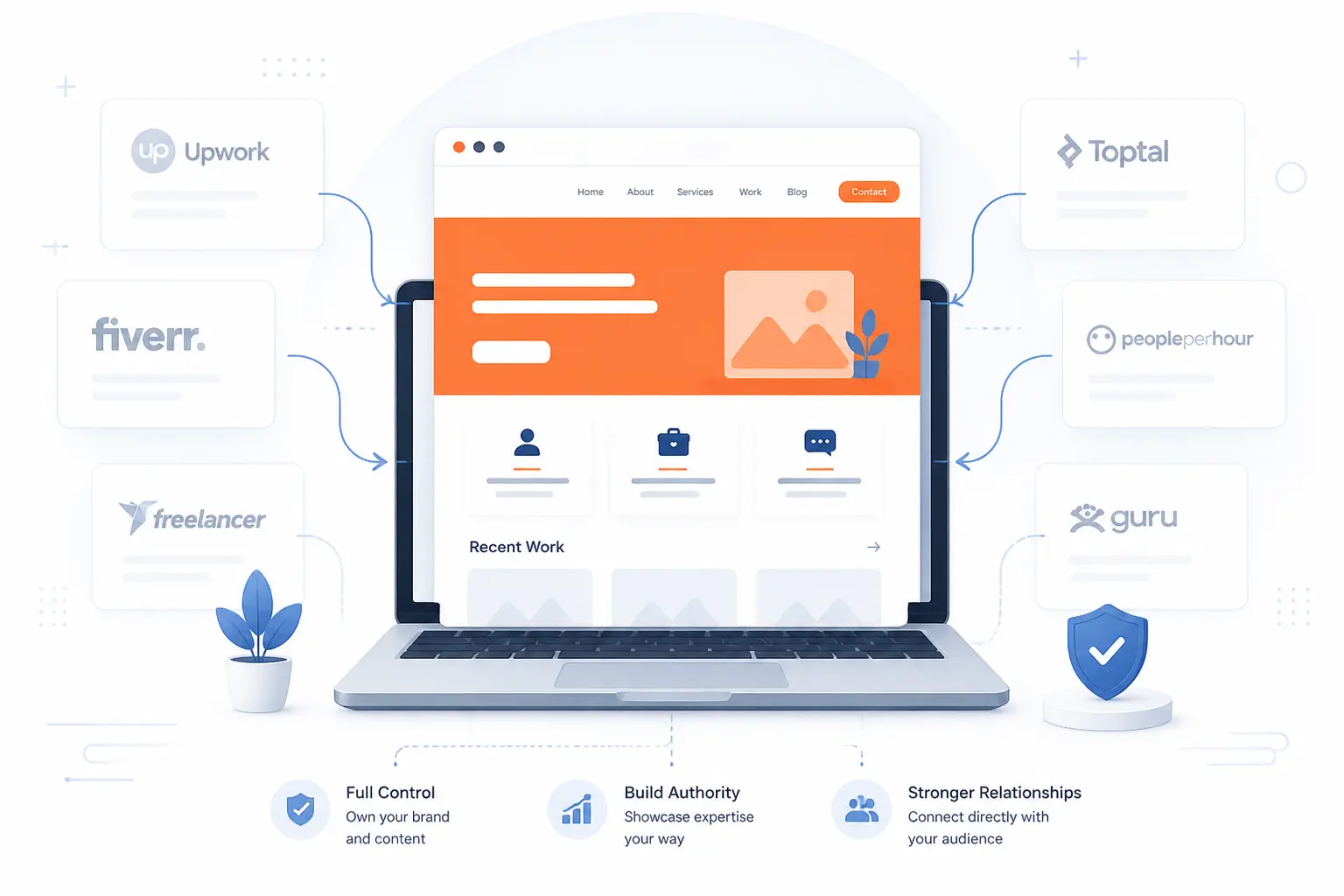
Your own website still matters because platforms are rented land. They can help you get discovered, but they control visibility, reviews, fees, and sometimes even the way your service is described. A personal site gives you a place where your positioning, proof, and pricing logic belong to you.
Build Credibility and Control Your Brand
Third-party profiles are useful, but they are not the same as brand control. LinkedIn itself says Service Pages are free and help make services more discoverable, which shows how valuable a dedicated presence can be. Your own site takes that one step further, because you control the story, the layout, the proof, and the call to action.
That matters most once your rates go up. Premium buyers often want to see a real business presence, not just a marketplace card and a handful of stars.
Show Stronger Case Studies Testimonials and Service Pages
A personal site also gives you more room to explain your work than most freelance profiles do. LinkedIn notes that Pages can be created for free to represent your brand and services, but even that is still a platform format with fixed limits. On your own site, you can build service pages by niche, publish real case studies, and organize testimonials around outcomes instead of just praise.
That usually makes a bigger difference than people expect. Case studies do not just prove skill. They help future clients imagine working with you.
Use SEO To Attract Direct Clients Without Platform Fees
SEO is not a shortcut, but it is one of the few channels that can keep sending qualified leads without platform commissions. Google’s own documentation says there are no secrets that automatically rank a site first, which is a useful reality check. The basics still matter most, namely clear pages, helpful content, crawlable structure, and language that matches what buyers actually search for.
If you also serve a local or regional market, Google says complete business information, reviews, and prominence signals help local visibility. That is why a simple service site plus a maintained Business Profile can outperform another year of passive marketplace dependence. Direct clients are slower to win, but they are often better clients once they arrive.
Frequently Asked Questions About Freelance Websites
Most readers do not need more platform names at this point. They need a few straight answers about which sites are easiest to start with, what fees to expect, and whether freelance work still has room to grow. Here are the practical takeaways.
Which Freelance Website Is Best for Freelancing?
Fiverr is the best freelance website for freelancing overall if you want the broadest starting point. It is the easiest serious platform here for packaging services, testing demand, and reaching buyers across many categories. If you are already senior and want premium matching, Toptal is the better fit.
What Is the Best Freelance Website for Beginners?
Fiverr is usually the best freelance website for beginners. The Gig format forces you to define your offer clearly, which is helpful when you are still learning how to sell. Freelancer.com is another reasonable beginner option, but the bid-heavy workflow can feel noisier.
Can You Make $1,000 a Month as a Freelance Writer?
Yes, you can make $1,000 a month as a freelance writer. In many cases, that can be one decent retainer or a handful of well-scoped projects. The harder part is not the math, it is finding a niche and client type that values the writing enough to pay for it.
Do Freelance Websites Charge Fees?
Yes, most freelance websites charge fees in one form or another. Some take commission from paid work, some charge memberships, and some charge for leads before you win the client. That is why fee model fit matters just as much as traffic or brand name.
Is AI Replacing Freelancers?
AI is changing freelance work, but it is not replacing every freelancer. It is putting more pressure on generic, low-context tasks and increasing demand for people who can use tools well, solve business problems, and deliver judgment instead of raw output alone. In other words, specialists with clear positioning still have plenty of room.


Conclusion
The best freelance websites depend on what kind of freelance business you want to build. For most people, Fiverr is still the best place to start, Toptal is the premium move once you have real proof, and FlexJobs or We Work Remotely make more sense if you want remote contract work instead of constant marketplace selling.
If we were narrowing this list fast, we would do it like this: start with Fiverr for breadth, add one niche or premium channel that matches your specialty, and build your own site in parallel so you are not trapped by platform fees forever. Which platform fits your next six months better, fast volume or fewer higher-value clients?