

- A VPN Tunnel Is an Encrypted Path Between Your Device and a VPN Server
- How Internet Traffic Moves Through the Tunnel
- The Two Main Ways VPN Tunnels Are Used
- Common VPN Tunneling Protocols
- How Split Tunneling Changes Traffic Flow
- What a VPN Tunnel Protects and What Can Still Go Wrong
- How VPN Tunnels Connect Two Networks
- FAQ About VPN Tunnels
- How 1Byte Supports Secure Web and Cloud Setups
- Conclusion
At 1Byte, we describe a vpn tunnel as a private, encrypted path that carries your internet traffic between your device and a VPN server. That is the short answer readers usually need first. The tunnel does not make the internet itself private. It protects data while it travels across untrusted networks, then hands that data off at the VPN server so it can continue to its destination. In practice, that is why VPNs are useful on public Wi-Fi, for remote work, and for connecting offices to cloud networks.
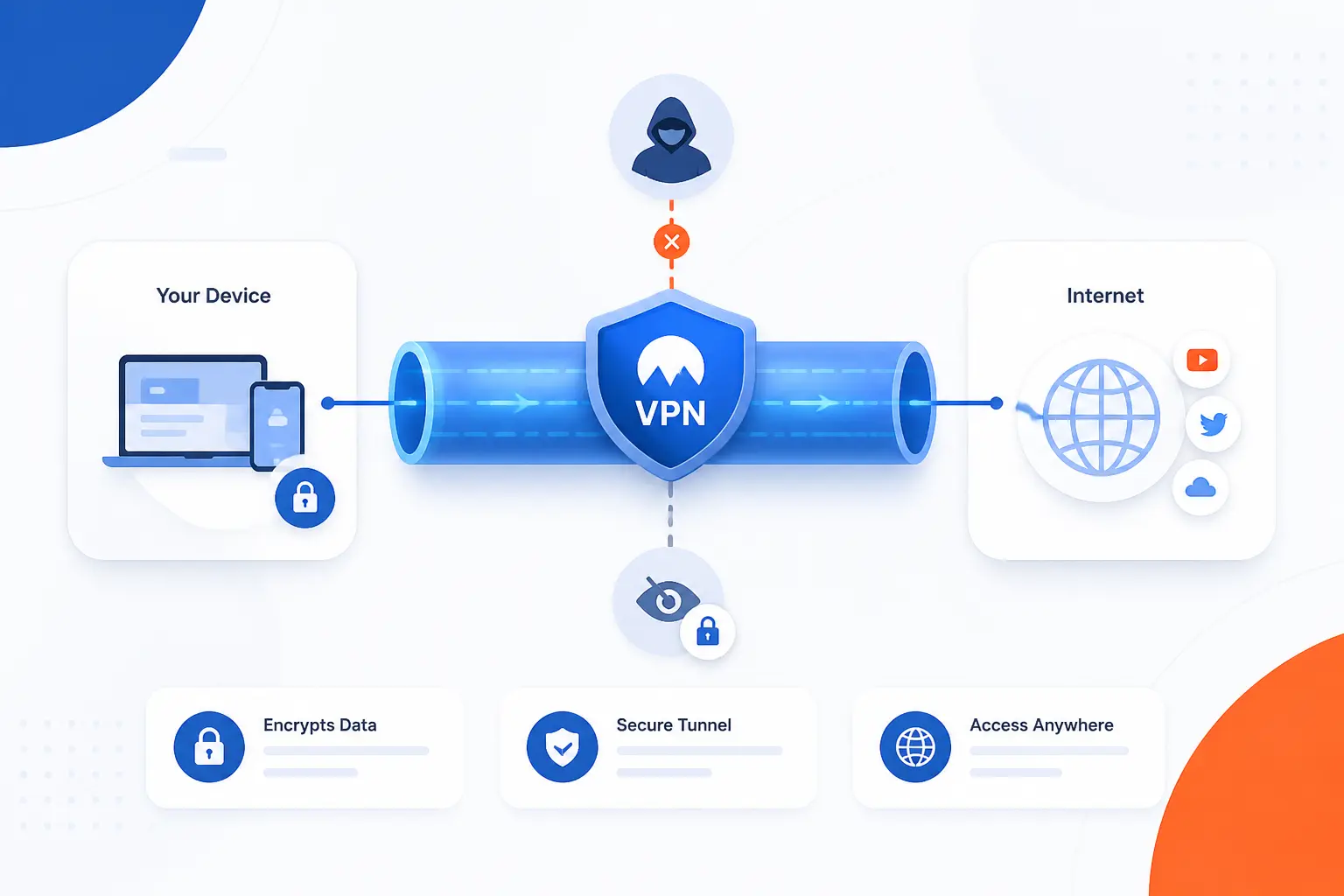
A VPN Tunnel Is an Encrypted Path Between Your Device and a VPN Server

A VPN tunnel is an encrypted connection that wraps your network traffic so outsiders cannot easily read it in transit. We think of it as a secure pipe laid over the public internet. Your device sends data into that pipe, the VPN server receives it, unwraps it, and forwards it onward. In most setups, that also means websites see the VPN server’s IP address instead of your home, office, or coffee-shop connection.
FURTHER READING: |
| 1. What Are Subnet Masks and How Do They Shape IPv4? |
| 2. How the Internet Works From Cables to Websites |
| 3. What Is Virtual Networking and Why It Matters |
How Internet Traffic Moves Through the Tunnel

Internet traffic in a VPN tunnel follows a simple pattern: your device creates the connection, encrypts packets, sends them to the VPN server, and receives the replies back through the same protected path. The mechanics matter because they explain both the security benefits and the weak spots. A tunnel protects traffic in transit, not every part of your digital life. Once we separate those stages, the whole concept stops feeling mystical and starts feeling like normal networking with extra protection.
Connection Starts on the Network Device
The tunnel begins on your phone, laptop, router, or firewall. A VPN app or built-in client first authenticates to a VPN server, agrees on settings, and creates a virtual network interface that can capture traffic meant for the tunnel. From that point on, selected traffic is routed into the VPN instead of going straight to the local gateway. In our view, this is the part many beginners miss. The tunnel is not floating in the cloud by itself. It starts because a device deliberately creates it.
Encryption and Encapsulation Protect Each Packet
Each packet is protected by encrypting it and encapsulating it inside another packet that the internet can carry. That is the core of tunneling. IPsec, for example, defines packet protection at the IP layer and uses Encapsulating Security Payload to provide confidentiality, integrity, and related security services in common VPN deployments, as described in the IPsec architecture standard. In plain terms, the original packet becomes unreadable to people on the local network, the ISP path, or a hostile hotspot unless they control one of the tunnel endpoints.
The VPN Server Decrypts and Forwards Data
The VPN server removes the outer protection and forwards the traffic to its final destination. That server acts like a trusted middle point. If you open a website, the site usually sees the VPN server as the source of the request, not your device. This is helpful for privacy and network access control, but it also means trust shifts to the VPN operator. We always remind readers that a tunnel changes who can inspect traffic. It does not abolish trust.
Return Traffic Travels Back Through the Tunnel
Responses come back to the VPN server first, then travel through the tunnel to your device. That back-and-forth is why the connection behaves like a private route rather than a one-way shield. If the session stays healthy, your apps barely notice the detour. You may notice some extra latency because packets take an additional hop and go through encryption work. That overhead is normal, and it is one reason protocol choice and server location matter.
A Kill Switch Can Stop Traffic if the Tunnel Drops
A kill switch blocks network traffic when the tunnel fails so data does not spill onto the open internet by accident. That is especially useful for work devices or anyone who expects all traffic to stay inside the VPN. On Android, for example, the platform supports always-on VPN and a Block connections without VPN option that prevents non-VPN traffic from leaving the device. We consider this one of the most practical safeguards because leaks usually happen during reconnects, not during steady-state use.
The Two Main Ways VPN Tunnels Are Used

VPN tunnels are used in two main ways: remote access for a person and site-to-site connectivity for whole networks. The difference is simple. One connects a user to a private network. The other connects one private network to another, often through routers or firewalls. If you keep that split in mind, most VPN product descriptions become much easier to decode.
| Use case | Who connects | Typical endpoint | Best for |
|---|---|---|---|
| Remote access | One user or device | Laptop, phone, tablet | Employees, admins, travelers |
| Site-to-site | One network to another | Router, firewall, VPN gateway | Branches, data centers, cloud VPCs |
Remote Access for Individual Users
Remote access VPNs let one person join a private network from somewhere else. A common example is an employee opening a laptop in a hotel lobby and connecting back to office systems through a VPN client. The user gets access to internal apps, private DNS, or restricted databases without sitting inside the building. This is also the model many consumer VPN services use, even when the goal is privacy rather than company access. One device, one tunnel, one authenticated session.
Site-to-Site Links Between Private Networks
Site-to-site VPNs connect entire networks so systems on each side can talk as if a private link existed between them. A branch office can tunnel traffic to a headquarters firewall, or an on-premises network can connect to a cloud VPC over the public internet. AWS uses this model in its managed service, where a Site-to-Site VPN creates a secure path between a customer gateway and AWS, with routing handled through static routes or BGP depending on the setup in its routing documentation. For business infrastructure, this is often the more important VPN pattern.
Common VPN Tunneling Protocols

VPN tunnels are built with different protocols, and the protocol determines how packets are wrapped, how keys are exchanged, and how the connection behaves under firewalls, roaming, and packet loss. No single option wins every case. We usually judge protocols by security, interoperability, speed, and operational simplicity. Older protocols still appear in legacy systems, while newer ones tend to be leaner and easier to audit.
| Protocol | Main trait | Common fit | Our take |
|---|---|---|---|
| PPTP | Very old | Legacy only | Avoid for new deployments |
| L2TP with IPsec | Layered design | Compatibility cases | Works, but feels dated |
| SSTP | HTTPS-based transport | Windows-heavy networks | Useful behind strict firewalls |
| OpenVPN | TLS-based, flexible | Cross-platform remote access | Still a safe default |
| IKEv2 with IPsec | Strong standards base | Managed enterprise clients | Excellent when well configured |
| WireGuard | Small, modern design | Fast client and server setups | Our favorite for simplicity |
PPTP
PPTP is a legacy tunneling protocol that should rarely be chosen for new systems. It mattered historically because it made VPN access easy to deploy, but its age shows. Microsoft’s current server guidance notes that new RRAS setups in Windows Server 2025 no longer accept PPTP by default, which tells you where the industry has landed. We only mention PPTP so readers can recognize it in old environments and plan a replacement.
L2TP With IPsec
L2TP with IPsec combines two jobs: L2TP carries the tunnel, and IPsec supplies the security. That separation makes the stack understandable, but it also makes it feel heavier than newer options. You still see it in built-in operating system clients and older enterprise rollouts because compatibility matters. When we encounter it, we treat it as a serviceable legacy option, not a first pick. If the environment already depends on it, careful IPsec configuration matters more than the L2TP label.
SSTP
SSTP wraps PPP traffic in HTTPS, which helps it pass through many firewalls and web proxies that would block other VPN traffic. Microsoft’s protocol overview describes PPP over HTTPS as the core design goal, and that is why SSTP still shows up in locked-down Windows environments. We see SSTP as a practical tunnel when network restrictions are the main problem. It is less universal outside the Microsoft ecosystem, so its appeal is often operational rather than architectural.
OpenVPN
OpenVPN is a flexible protocol that uses TLS for key exchange and can run over UDP or TCP. That flexibility is why it has stayed relevant for years in both self-managed and commercial VPN products. The OpenVPN 2.7 manual explains its TLS mode, separate control and data channels, and support for either transport. In our view, OpenVPN remains a dependable choice when you need broad platform support, mature tooling, and fewer surprises across mixed environments.
IKEv2 With IPsec
IKEv2 with IPsec is a standards-based combination that handles key exchange with IKEv2 and packet protection with IPsec. That split sounds abstract, but it is useful. IKEv2 negotiates security associations and keys, while IPsec carries the actual protected traffic. The key exchange behavior is defined in RFC 7296, which is why this protocol family remains a strong choice for enterprise and mobile deployments. We often prefer it when built-in client support and policy-driven management matter.
WireGuard
WireGuard is a modern VPN protocol built around a smaller design and a fixed set of contemporary cryptographic primitives. The project’s protocol overview highlights its use of ChaCha20, Poly1305, Curve25519, BLAKE2s, and HKDF. We like WireGuard because it strips away a lot of historical baggage. That usually means simpler configuration, strong performance, and easier auditing. The trade-off is that surrounding features such as key distribution and identity workflows are often handled outside the protocol itself.
How Split Tunneling Changes Traffic Flow

Split tunneling changes one basic rule: not every packet must use the VPN. With full tunneling, all traffic goes through the encrypted path. With split tunneling, only selected apps, routes, or destinations use it. That can improve speed and reduce backhaul traffic, but it also creates more decisions, and more decisions usually mean more risk.
| Mode | Traffic pattern | Main advantage | Main risk |
|---|---|---|---|
| Full tunnel | Everything uses VPN | Simple policy | More overhead |
| Split tunnel | Only selected traffic uses VPN | Less backhaul | More exposure outside VPN |
When All Traffic Stays Inside the Tunnel
Full tunneling sends all internet-bound traffic through the VPN. That is the easier model to reason about because every app follows the same rule. Security teams like it for managed devices because inspection, logging, DNS control, and access policy all happen through one path. For beginners, it is also the least confusing setup. If the question is “Did this app bypass the VPN?” the answer is supposed to be no.
When Only Selected Apps or Destinations Use It
Split tunneling sends only chosen traffic through the VPN and lets the rest go out normally. AWS documents this clearly in its Client VPN split-tunnel guide, where only destinations that match pushed routes use the tunnel, while other traffic stays local. That makes sense when employees need internal apps through the VPN but should reach public services directly. It can reduce congestion and cost, though it demands careful route design.
Where Speed Gains Can Create Security Gaps
Split tunneling can improve responsiveness, but it can also leave gaps if sensitive traffic is misclassified or if devices mix trusted and untrusted paths. A laptop on public Wi-Fi might send corporate app traffic through the VPN while a browser, update service, or DNS request escapes outside it. We generally favor full tunneling for high-risk devices and split tunneling for well-managed, clearly scoped use cases. Faster is nice. Predictable is nicer when security is on the line.
What a VPN Tunnel Protects and What Can Still Go Wrong

A VPN tunnel protects data in transit between your device and the VPN endpoint. That means eavesdroppers on the local network have a much harder time reading what passes through it. Still, the tunnel is not magic armor. It does not fix weak passwords, unsafe endpoints, infected devices, or bad routing policies. Knowing those limits is half the battle.
Privacy, IP Masking, and Safer Public Wi-Fi
A VPN tunnel can hide your originating IP address from the destination site and add protection on risky networks such as airport or café Wi-Fi. CISA warns that public wireless access points involve serious security threats, which is exactly where encrypted transport earns its keep. We see this as the most grounded use case, not the marketing fantasy. A VPN is strongest when it protects data on hostile local networks or gives controlled access to private systems.
Weak Protocols and Outdated Encryption
A tunnel is only as strong as the protocol and cryptography behind it. If you use a weak legacy design, misconfigure cipher suites, or accept insecure authentication, the word “VPN” on the box will not save you. That is why older options like PPTP are poor bets, and why mature standards or modern protocols deserve the spotlight. In practice, this is less about brand names and more about sober configuration.
Leaks, Misconfigurations, and Performance Overhead
VPNs can still leak traffic through bad routes, dropped tunnels, DNS behavior, or exceptions created for convenience. Performance can also suffer because encryption, longer paths, and overloaded servers all add cost. We advise readers to think like network operators here. Ask which traffic should use the tunnel, what happens when it fails, and whether the endpoint is trusted. Those questions prevent far more trouble than obsessing over a single buzzword.
How VPN Tunnels Connect Two Networks

When a VPN tunnel connects two networks, the setup moves from a user app to dedicated gateways on each side. Those gateways authenticate, exchange keys, define protected subnets, and route traffic over the tunnel. The result is a private link across the public internet. For hybrid cloud and branch connectivity, this is one of the most practical networking patterns we work with.
VPN Gateways at Each End
A site-to-site tunnel usually starts with a VPN gateway or firewall on each side. One may be in an office, the other in a cloud network or data center. These devices terminate the encrypted session and decide which packets should cross it. If you are connecting an on-premises network to a cloud VPC, the gateways are the tunnel endpoints, not the servers inside those networks. That separation keeps the design manageable.
Shared Keys, IKE, and IPsec Settings
Both ends need matching security settings so they can authenticate and build the tunnel. In many deployments, that means pre-shared keys or certificates, IKE policies, and IPsec proposals that specify algorithms and lifetimes. The negotiation rules behind this exchange are standardized in IKEv2, which is why administrators spend so much time aligning proposals and identities. If even one side disagrees, the tunnel usually fails before any useful traffic moves.
Routing Rules and Allowed IP Ranges
Routing rules decide which subnets are reachable through the tunnel and which stay local. This is where many site-to-site deployments live or die. AWS notes that devices using BGP can advertise routes dynamically, while static routing requires administrators to enter the prefixes by hand in its route configuration guidance. We prefer clear, narrow route definitions because broad ranges may send the wrong traffic into the tunnel or create hard-to-debug overlaps.
FAQ About VPN Tunnels
A VPN tunnel can sound more complicated than it is. These quick answers cover the questions we hear most often from beginners and small teams.
What Does a VPN Tunnel Do?
A VPN tunnel encrypts traffic between your device or network and a VPN endpoint. It prevents people on the path from easily reading that traffic in transit. It can also make websites and services see the VPN server’s IP address instead of yours.
Which VPN Tunnel Is Best?
The best tunnel depends on the job. For many modern deployments, we like WireGuard for simplicity and OpenVPN or IKEv2 with IPsec for compatibility and policy control. If you are supporting older environments or strict network rules, the “best” choice may be the one your devices and firewalls can actually run well.
What Is the Difference Between a VPN and a VPN Tunnel?
A VPN is the broader service or system, while a VPN tunnel is the protected connection inside it. Think of the VPN as the whole arrangement, including clients, servers, authentication, and policy. The tunnel is the encrypted path that carries the traffic.
Do You Need a VPN Tunnel?
You need a VPN tunnel when traffic must cross an untrusted network or when users and sites need private access over the internet. Many people do not need one for ordinary browsing at home every minute of the day. Businesses, remote workers, admins, and anyone using public Wi-Fi have much clearer reasons to use one.
How 1Byte Supports Secure Web and Cloud Setups
At 1Byte, we see VPN tunnels as one layer in a wider trust model, not the whole security story. You still need identity, encryption for websites, and infrastructure that can separate public services from private systems. That is where the right hosting and cloud choices matter. We focus on practical building blocks that fit around secure network design without pretending every problem is a VPN problem.
| 1Byte service | How it relates here | Typical use |
|---|---|---|
| Domain registration and SSL certificates | Public identity and encrypted web sessions | Secure websites and service endpoints |
| WordPress hosting and shared hosting | Reliable public-facing delivery outside the VPN | Sites that users access directly |
| Cloud hosting and cloud servers | Private infrastructure that can sit behind VPN rules | Apps, databases, internal tools, hybrid setups |
Domain Registration and SSL Certificates for Trust and Identity
Domain registration and SSL certificates handle public identity in ways a VPN tunnel does not. A VPN protects traffic on the path to a private endpoint, while SSL certificates help browsers verify the public site or service they are reaching. That distinction matters. If a company runs an internal admin panel through a VPN and a public site for customers, both need trust mechanisms, just at different layers. We see these as complementary tools, not substitutes.
WordPress Hosting and Shared Hosting for Reliable Site Delivery
WordPress hosting and shared hosting fit the public side of the picture. Most websites should not sit behind a VPN because visitors need open access through the web, not private network credentials. In those cases, the smarter move is to protect the site with proper TLS, keep admin access controlled, and reserve VPN tunnels for back-office systems or maintenance paths. That split keeps the public experience simple while the sensitive parts stay private.
Cloud Hosting and Cloud Servers for Private, Scalable Infrastructure
Cloud hosting and cloud servers are where VPN tunnels often become most useful. Private application tiers, internal dashboards, staging systems, and databases can live on cloud infrastructure while only trusted users or offices reach them over a tunnel. Because 1Byte is an AWS Partner, we pay close attention to how cloud networks and private connectivity fit together in real deployments. If you are building a hybrid setup, this is usually the section of the architecture where the tunnel earns its keep.







Conclusion
A VPN tunnel is an encrypted path, not a magic cloak. It protects traffic between endpoints, supports remote users and connected networks, and becomes far more useful once you understand where it starts, where it ends, and what it does not cover. We recommend keeping the model simple: choose a sound protocol, route only what you mean to route, and decide in advance what should happen if the tunnel drops.
If you are planning a website, an internal app, or a hybrid cloud layout, ask one practical question next: which parts should be public on the web, and which parts should sit behind a private tunnel?