

- Network Security Is the Practice of Protecting Networks and Data
- Why It Matters to Modern Organizations
- The Core Goals of a Secure Network
- How Network Security Works in Practice
- Common Controls and Tools
- The Threats These Defenses Are Built to Stop
- Policies and Best Practices That Strengthen Protection
- What Strong Defenses Help Organizations Achieve
- Common Challenges in Modern Environments
- FAQ
- How 1Byte as an AWS Partner Supports Secure Infrastructure
- Conclusion
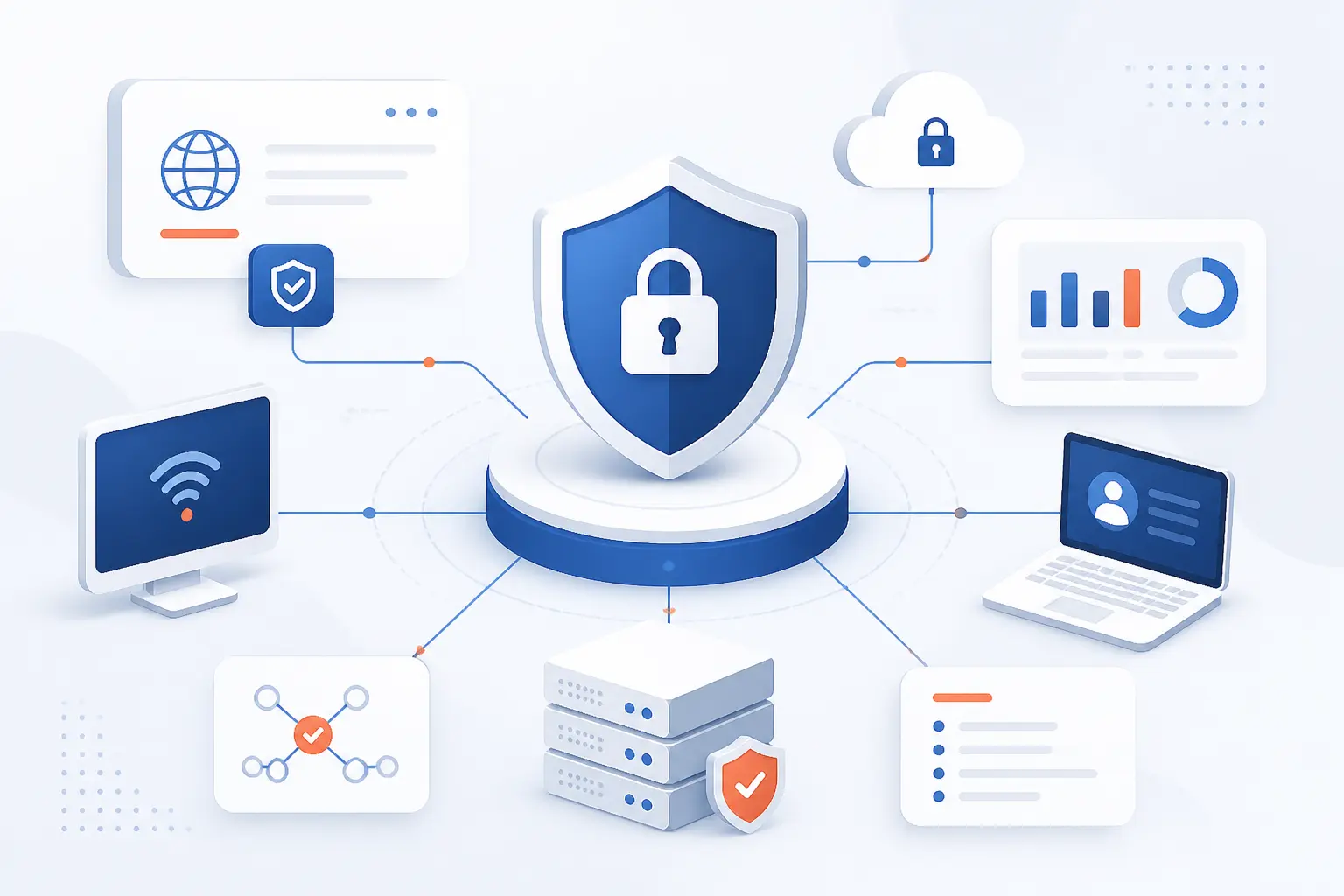
Network security is the practice of protecting computer networks, connected systems, and the data moving through them from unauthorized access, misuse, disruption, or theft. It uses people, policies, hardware, and software controls to decide who can connect, what they can reach, and how threats are blocked or contained. For beginners, the easiest way to picture network security is as a set of guarded doors, traffic rules, alarms, and emergency plans around a digital business. We see it as a business discipline first and a technical discipline second, because a weak network can interrupt sales, expose customer data, and damage trust fast.
Good network security does not depend on one magic product. It layers identity checks, firewalls, encryption, monitoring, backup planning, and user training so one failure does not become a full breach. That layered mindset matters whether an organization runs a small website, a remote team, a cloud application, or a mixed environment with office systems and public cloud services.
Network Security Is the Practice of Protecting Networks and Data

Network security means defending the paths that computers, servers, users, applications, and devices use to communicate. It protects data while it moves across local networks, public networks, private connections, and cloud environments. The core job is simple: allow legitimate activity and stop harmful activity. From our 1Byte point of view, the best definition is practical, network security is how an organization keeps the wrong people out, keeps trusted users productive, and keeps data from being changed, stolen, or knocked offline.
That definition covers more than a firewall at the office edge. A modern network includes Wi-Fi, routers, switches, VPNs, cloud subnets, APIs, DNS, email systems, web applications, content delivery services, and identity tools. Attackers do not care which layer is “supposed” to be responsible. They look for the easiest path. That is why the discipline combines technical controls with rules, testing, and operational habits.
A small eCommerce site and a hospital do not need the exact same design. Still, both need the same basic logic. Know what assets exist. Control access. Protect sensitive data. Watch for abuse. Patch known weaknesses. Prepare for recovery. We like this approach because it turns a large topic into a manageable operating rhythm.
FURTHER READING: |
| 1. What Is a Firewall and How Does It Protect Networks |
| 2. What Is Personally Identifiable Information in Practice |
| 3. What Is Least Privilege and Why Does It Matter |
Why It Matters to Modern Organizations

Network security matters because most organizations now depend on connected systems to sell, serve, communicate, and store records. If those connections fail or are abused, the damage can include downtime, fraud, privacy incidents, regulatory exposure, and lost customer confidence. The risk is not theoretical. IBM’s 2025 research put the global average breach cost at $4.4 million, which is a painful reminder that weak defenses are often more expensive than planned protection.
For a business owner, this topic can sound like a stack of acronyms. We prefer to ground it in ordinary events. An employee clicks a fake login page. A server runs an outdated plugin. A remote worker connects from an untrusted device. A botnet floods a public website. Any one of those events can become a serious incident if the network has no checkpoints or monitoring.
Network security also matters because organizations are more distributed than they used to be. Staff work from home, customers expect websites to be available all day, and applications often live across multiple cloud services. The old idea of a trusted office network and an untrusted outside world no longer fits. We believe the better question is: what should each user, device, and workload be allowed to do right now?
The Core Goals of a Secure Network

The core goals of a secure network are confidentiality, integrity, and availability. These goals are often called the CIA triad, and they explain what protection is trying to preserve. Confidentiality keeps information private. Integrity keeps information accurate. Availability keeps systems reachable when people need them.
Confidentiality
Confidentiality means only approved people, devices, and applications can see sensitive information. It protects customer records, login credentials, payment details, contracts, source code, and internal documents from exposure.
Common confidentiality controls include access rules, encryption, private subnets, VPNs, identity checks, and data classification. For example, a finance employee may need payroll access, while a marketing contractor may only need a content folder. Both users may be legitimate, but they should not see the same data.
We think confidentiality fails most often when access grows without review. Someone joins a project, receives broad access, changes roles, and keeps the old permissions. Over time, that creates quiet risk. Good network security trims access back to what each person needs.
Integrity
Integrity means data and systems stay accurate, complete, and trustworthy. It prevents attackers, mistakes, or broken processes from changing records without permission.
Integrity controls include file checks, versioning, digital signatures, database permissions, logging, and change approval. A simple example is a customer order system. If an attacker can change the shipping address, order total, or account email without detection, the system has lost integrity.
Integrity is easy to overlook because the system may still appear online. That is what makes it dangerous. A corrupted database, poisoned DNS record, or altered configuration can quietly harm users before anyone notices. In our work around hosting and cloud infrastructure, we treat change control as a practical integrity safeguard, not paperwork for its own sake.
Availability
Availability means authorized users can reach systems and data when they need them. It protects websites, applications, dashboards, email, APIs, and internal tools from outages or slowdowns.
Availability depends on capacity planning, redundancy, monitoring, DDoS mitigation, backups, tested recovery steps, and sensible maintenance windows. A public website that cannot handle malicious traffic may be technically “secure” in one sense, but it still fails the business if customers cannot load a page.
This goal is where security and reliability meet. In our view, they should never be treated as separate islands. A secure design that collapses under traffic is incomplete. A fast system that leaks data is worse.
How Network Security Works in Practice

Network security works by controlling access, inspecting activity, protecting data, and responding when behavior looks harmful. It starts with identity, device posture, and traffic rules, then adds monitoring and response so teams can act before a small issue spreads. The practical workflow is: prevent what you can, detect what gets through, contain the blast radius, and recover cleanly. No single step is enough on its own.
Preventing Unauthorized Access
Preventing unauthorized access means verifying users, devices, and services before they can reach valuable systems. This is the front door of network security.
Access prevention starts with strong authentication. Passwords alone are weak because they can be guessed, reused, stolen, or phished. Multifactor authentication, device checks, conditional access, and least-privilege permissions make stolen credentials less useful.
Prevention also happens at the traffic level. Firewalls can block unnecessary ports. Cloud rules can limit inbound access. Network access control can stop unknown devices from joining sensitive segments. The point is not to make work harder. The point is to make risky paths unavailable by default.
Detecting and Stopping Attacks in Progress
Detecting and stopping attacks in progress means watching network behavior for signs of compromise and acting quickly. Since prevention will never catch everything, detection is the safety net.
Detection tools look for unusual login attempts, strange data transfers, scans, malware callbacks, privilege escalation, and traffic spikes. Intrusion prevention systems can block known attack patterns. Endpoint and log analytics can connect small signals into a bigger story.
Speed matters here. A login from an unusual country, followed by a new admin token and a large data download, should not sit unnoticed for a week. We favor monitoring that produces fewer, clearer alerts over noisy dashboards nobody reads.
Giving Authorized Users Secure Access
Giving authorized users secure access means helping the right people reach the right resources without opening the whole network. Security should guide access, not smother it.
Remote work made this requirement obvious. Staff may need private applications from home, hotels, airports, or client offices. Traditional VPNs can help, but they should be paired with MFA, device checks, and scoped permissions. A user who needs one internal application should not automatically receive broad access to every subnet.
Modern access tools increasingly follow zero trust principles. NIST’s SP 800-207 describes an approach where trust is not granted just because a user or device is on a particular network. We agree with that direction. Location is a weak substitute for proof.
Common Controls and Tools

Common network security controls include firewalls, segmentation, access control, VPNs, zero trust access, monitoring, intrusion prevention, encryption, email protection, DLP, and cloud edge defenses. Each tool answers a different question. Who can connect? What can they reach? Is the traffic safe? Is sensitive data leaving? The table below gives a quick map before we unpack the main categories.
| Control | Main job | Best fit |
|---|---|---|
| Firewalls | Filter traffic | Perimeters, cloud rules, server access |
| Segmentation | Limit movement | Mixed systems, regulated data, internal apps |
| VPN or zero trust access | Control remote entry | Remote teams and private applications |
| Monitoring and prevention | Find and block attacks | Active environments with changing traffic |
| Encryption and DLP | Protect data | Email, storage, databases, file sharing |
| Cloud edge defenses | Protect public apps | Websites, APIs, and customer portals |
Firewalls and Traffic Filtering
Firewalls decide which traffic is allowed or blocked based on rules. They remain one of the most recognizable network security controls because they enforce boundaries.
A firewall can block inbound traffic to unused ports, restrict admin access to trusted IP ranges, or prevent certain outbound connections. In cloud environments, similar filtering often happens through security groups, network ACLs, or managed firewall services. The naming changes, but the purpose stays familiar.
Firewall rules should be specific and reviewed. “Allow everything for now” has a habit of becoming permanent. We prefer rules that explain their purpose, name the owner, and expire when no longer needed. Clean rules reduce both risk and confusion.
Segmentation and Network Access Control
Segmentation divides a network into smaller zones so a problem in one area does not automatically spread everywhere. It is one of the most practical ways to reduce blast radius.
For example, a public web server should not have open access to payroll systems. A guest Wi-Fi network should not reach production databases. A development environment should not share broad trust with live customer systems. Segmentation makes those boundaries real.
Network access control adds another layer by deciding which devices can join and what they can do after connecting. This helps with offices, schools, warehouses, and mixed-device environments. In our opinion, segmentation is like watertight doors on a ship. You hope not to need them, but when trouble starts, they matter.
Virtual Private Networks and Zero Trust Access
VPNs create encrypted tunnels, while zero trust access grants narrower, continuously checked access to specific resources. Both can help remote users, but they solve the problem differently.
A traditional VPN often places a user inside a private network after login. That can be useful, yet risky if permissions are too broad. Zero trust access usually focuses on the application or resource itself. It asks who the user is, what device they use, what risk signals exist, and what exact resource is requested.
CISA says its maturity model is built around identity, devices, networks, applications and workloads, and data as distinct pillars in a zero trust program through five distinct pillars. That matches what we see in real environments. Remote access cannot be solved by a tunnel alone.
Intrusion Prevention and Continuous Monitoring
Intrusion prevention and continuous monitoring identify suspicious activity and help stop attacks before they spread. They give defenders eyes and reflexes.
Intrusion prevention systems inspect traffic for known exploit patterns, command-and-control behavior, protocol abuse, and policy violations. Monitoring tools collect logs from firewalls, servers, identity systems, cloud services, and applications. When those logs are correlated, teams can see patterns that one tool might miss.
Continuous monitoring should cover both north-south traffic, which enters and leaves an environment, and east-west traffic, which moves internally. Many attackers do the most damage after the first foothold. That is why internal visibility matters.
Encryption Email Protection and Data Loss Prevention
Encryption, email protection, and data loss prevention protect information when people communicate, store files, and send data outside the organization. These controls focus on the data itself.
Encryption protects data in transit and at rest. TLS helps protect web sessions. Disk and database encryption help reduce exposure if storage is copied or lost. Email protection filters malicious links, attachments, spoofed senders, and impersonation attempts.
Data loss prevention, often called DLP, looks for sensitive data leaving through email, uploads, file sharing, or endpoints. It can warn users, block transfers, or alert reviewers. We like DLP when it is tuned to real data types and workflows. We dislike it when it becomes a blunt tool that blocks ordinary work without explanation.
Cloud Edge and Application Defenses
Cloud edge and application defenses protect websites, APIs, and public services before traffic reaches the origin system. They are essential when applications face the open internet.
These defenses may include web application firewalls, DDoS mitigation, bot filtering, rate limiting, CDN rules, API gateways, and managed TLS. They help absorb junk traffic, block common web attacks, and reduce direct exposure of backend servers.
DDoS protection is a good example. Cloudflare reported mitigating 8.3 million DDoS attacks in the third quarter of 2025, which shows why manual reaction is not enough for public-facing services. The lesson is not that every business needs the same vendor. The lesson is that internet-facing systems need automatic defenses in front of them.
The Threats These Defenses Are Built to Stop

Network security defenses are built to stop malware, ransomware, exploits, phishing, denial-of-service attacks, interception, insider misuse, and lateral movement. These threats differ, but they share a common aim: gain access, steal value, disrupt operations, or expand control. Some attacks start with people. Others start with software flaws or exposed services.
Malware Ransomware and Exploits
Malware, ransomware, and exploits are built to compromise systems, steal data, encrypt files, or gain unauthorized control. They are among the most damaging threats because they can move from one weak point to many systems.
Malware may arrive through attachments, downloads, infected websites, removable media, or compromised software. Ransomware adds extortion by encrypting systems or threatening to leak data. Exploits target software flaws, especially on public-facing services that are slow to patch.
Verizon’s 2026 DBIR summary reported that vulnerability exploitation started 31% of all breaches, surpassing stolen credentials as the top entry point in that report. We see a clear lesson there. Patch discipline is not boring housekeeping. It is frontline defense.
Phishing Social Engineering and Email Abuse
Phishing and social engineering trick people into giving attackers access. These attacks work because they target trust, urgency, fear, curiosity, or routine behavior.
A phishing email might imitate a cloud storage alert. A text message might pretend to be from payroll. A phone call might pressure a help desk worker to reset an account. Email abuse also includes spoofing, malicious attachments, invoice fraud, and business email compromise.
Technical tools help, but user judgment still matters. We recommend treating training as short, frequent practice rather than an annual lecture. People remember realistic examples better than policy slides.
Denial-of-Service and Service Disruption
Denial-of-service attacks try to make websites, applications, or network services unavailable. They usually work by overwhelming capacity or exhausting application resources.
A DDoS attack can come from thousands or millions of compromised devices. Some attacks flood raw network bandwidth. Others send expensive application requests that strain databases, login pages, or search endpoints. Even a brief attack can cause abandoned carts, support tickets, and operational stress.
Defenses include traffic scrubbing, rate limiting, caching, autoscaling where appropriate, upstream filtering, and incident runbooks. We especially value preparation. When a site is already down, it is too late to debate who can change DNS or enable mitigation.
Man-in-the-Middle Insider and Lateral Movement Risks
Man-in-the-middle, insider, and lateral movement risks focus on interception, misuse, and expansion after access is gained. These threats are dangerous because they can look like normal activity at first.
A man-in-the-middle attack intercepts traffic between two parties. Encryption and certificate validation reduce that risk. Insider threats can involve malicious employees, careless users, or compromised accounts acting from inside trusted systems.
Lateral movement happens when an attacker uses one foothold to reach other machines or accounts. Segmentation, MFA, endpoint monitoring, and least privilege all help. The goal is to make every next step harder, noisier, and less useful to the attacker.
Policies and Best Practices That Strengthen Protection

Strong network security depends on daily practices as much as tools. Policies define what should happen, and operating habits prove whether it actually happens. The highest-value practices are multifactor authentication, least privilege, regular patching, configuration control, logging, training, and governance. We think of these as the maintenance schedule for digital trust.
Multifactor Authentication and Least-Privilege Access
Multifactor authentication and least privilege reduce the damage caused by stolen passwords and excessive permissions. They are two of the best returns on effort in network security.
MFA requires another proof beyond a password, such as an authenticator app, passkey, hardware key, or approved device. Microsoft’s 2025 defense report says modern MFA can prevent over 99% of identity-based attacks, which is why we push hard for MFA on admin accounts, email, hosting panels, cloud consoles, and remote access.
Least privilege means users and services receive only the access they need. Admin rights should be rare, temporary when possible, and logged. This practice can feel strict at first, but it pays off when one account is phished and the attacker cannot reach the crown jewels.
Regular Updates Patching and Configuration Control
Regular updates, patching, and configuration control close known holes before attackers use them. This is basic work, but basic does not mean optional.
Patch management should prioritize internet-facing systems, exploited vulnerabilities, identity infrastructure, remote access tools, CMS software, plugins, and critical business applications. CISA’s federal update directive frames remediation around exposure, known exploitation, automation potential, and technical impact. That risk-based thinking is useful outside government too.
Configuration control matters because misconfigurations can be as dangerous as unpatched code. Open storage buckets, exposed admin panels, permissive firewall rules, and default credentials are avoidable mistakes. We like checklists here. They are humble, but they catch real problems.
Continuous Visibility Analytics and Logging
Continuous visibility, analytics, and logging help teams understand what is happening across users, devices, applications, and infrastructure. Without logs, incident response becomes guesswork.
Useful logs include authentication events, firewall decisions, DNS queries, endpoint alerts, cloud API calls, server changes, database access, and application errors. The key is to collect logs with enough context to answer practical questions. Who logged in? From where? What changed? What data moved?
Analytics can spot unusual patterns, but teams still need clear ownership and response steps. A good alert without an owner is just noise. We prefer fewer alerts tied to documented actions over endless warnings that create fatigue.
Security Training Compliance and Governance
Training, compliance, and governance turn network security into an organizational habit. They define responsibility and help people make safer decisions.
Training should cover phishing, password hygiene, MFA prompts, device care, data handling, and how to report suspicious activity. Compliance maps controls to legal or industry obligations, such as privacy, payment, healthcare, or internal audit needs. Governance decides who approves risk, who owns systems, and how exceptions are tracked.
We do not believe policy should be written only for auditors. A good policy should help a busy employee know what to do. If nobody can understand it, it will not protect much.
What Strong Defenses Help Organizations Achieve

Strong network security helps organizations reduce breach risk, protect privacy, support compliance, improve uptime, and recover faster from incidents. It does not make risk disappear. It makes risk harder to exploit and easier to contain. The practical result is confidence: teams can operate online without treating every connection as a gamble.
Lower Risk and Fewer Breaches
Lower risk comes from reducing easy attack paths and limiting what attackers can do after entry. Good network security removes low-hanging fruit.
That means closing exposed services, enforcing MFA, patching known flaws, limiting admin access, and monitoring unusual behavior. None of those controls is glamorous. Together, they raise the cost of attack.
Fewer breaches also come from faster containment. If one endpoint is compromised but cannot reach databases, backups, or identity systems, the incident is smaller. We would rather help design a network where failure is contained than pretend failure will never happen.
Stronger Data Privacy and Compliance Support
Stronger data privacy comes from knowing where sensitive data lives, who can access it, and how it is protected. Network security supports that with access control, encryption, logging, segmentation, and data movement rules.
Compliance teams often need evidence. They may need to show that access is reviewed, logs are retained, sensitive data is encrypted, and systems are patched. Network controls create the records that support those claims.
Privacy is also a trust issue. Customers do not usually ask which firewall rule protected their data. They simply expect care. We think organizations should treat that expectation as a promise, not a checkbox.
Better Reliability Continuity and Performance
Better reliability comes from designing networks that resist abuse, recover from faults, and handle legitimate demand. Security and performance can support each other when planned well.
Traffic filtering reduces junk requests. DDoS mitigation keeps public services reachable. Segmentation prevents one noisy or compromised system from disrupting others. Monitoring catches capacity and attack patterns before users complain.
Continuity depends on tested backups, recovery plans, and clear incident roles. A backup that has never been restored is a hope, not a plan. We say that often because it keeps teams honest.
Common Challenges in Modern Environments

The main challenges in modern network security are complexity, fast-changing attack techniques, limited resources, visibility gaps, and user friction. Cloud services, remote work, APIs, SaaS tools, and third-party integrations create more places to protect. Attackers adapt quickly, while defenders must keep normal operations running. The hard part is building defenses that are strong enough without making daily work miserable.
Complex Cloud Remote and Hybrid Infrastructure
Cloud, remote, and hybrid infrastructure make network security harder because assets no longer sit in one neat perimeter. Users, data, and workloads are spread across many places.
A company may run a website on cloud servers, store files in SaaS, use remote contractors, keep office printers on a local network, and connect payment systems through APIs. Each environment has its own controls and logs. The challenge is making them work together.
Cloud also changes responsibility. AWS explains that customers remain responsible for items such as guest operating systems, applications, and firewall configuration under its shared responsibility model. We think every cloud project should start with that conversation. Who secures what?
Evolving Attack Techniques
Evolving attack techniques force organizations to keep updating their assumptions. Attackers change tools, targets, and timing whenever defenders improve.
Some attackers automate scans for vulnerable services. Others buy stolen credentials, use phishing kits, rent botnets, or exploit trusted vendors. AI can also speed up reconnaissance, content generation, and vulnerability research, even when the underlying attack is familiar.
The answer is not panic. It is disciplined adaptation. Keep patching, keep testing access, keep reviewing logs, and keep rehearsing response. The basics age better than hype.
Limited Resources and Visibility Gaps
Limited resources and visibility gaps make it difficult to know what to fix first. Many teams have more alerts, tools, and assets than people can manage.
Small teams may lack dedicated analysts. Larger teams may struggle with disconnected logs and duplicated tools. In both cases, blind spots grow. Unknown assets are especially risky because nobody patches or monitors what nobody knows exists.
We recommend starting with inventory and prioritization. Identify public-facing assets. Find systems that store sensitive data. List admin accounts. Then improve logging and controls around those areas first. Perfect coverage can wait. Critical visibility cannot.
Balancing Protection With User Experience
Balancing protection with user experience means making safe behavior easier than unsafe workarounds. If controls are too painful, people route around them.
For example, MFA should be strong, but enrollment should be clear. Access requests should be reviewed, but not lost in a black hole. DLP should stop real leakage, but not block every harmless file. Good security design respects human behavior.
We are lightly opinionated here: the best control is the one people can follow on a busy Tuesday. If a process only works during an audit meeting, it is theater.
FAQ
The three broad types of network security are physical, technical, and administrative. Physical controls protect the hardware and spaces that networks depend on. Technical controls protect systems, traffic, accounts, and data. Administrative controls define the rules, responsibilities, training, and governance that keep protection consistent.
What Are the Three Types of Network Security
The three types of network security are physical security, technical security, and administrative security. Physical protection keeps equipment and facilities safe, technical protection controls digital activity, and administrative protection guides people and processes. In practice, all three must work together. A strong firewall cannot help much if anyone can walk into the server room or approve risky access without review.
Physical Security
Physical security protects the buildings, rooms, racks, cabling, and devices that make the network run. Examples include locked server rooms, access badges, cameras, visitor controls, environmental safeguards, and secure disposal of old hardware. This layer is easy to forget in cloud-heavy conversations, but it still matters for offices, branches, warehouses, and on-premises systems.
Technical Security
Technical security uses hardware and software controls to protect traffic, systems, accounts, and data. Examples include firewalls, encryption, MFA, endpoint protection, segmentation, intrusion prevention, patching, and logging. This is the area most people think of first, but it works best when tied to clear business rules.
Administrative Security
Administrative security defines how people manage, use, and review network protection. Examples include acceptable-use policies, access approval, incident response plans, vendor requirements, compliance mapping, and employee training. We view this layer as the steering wheel. Without it, technical tools drift out of shape.
How 1Byte as an AWS Partner Supports Secure Infrastructure
As 1Byte, we support secure infrastructure by helping connect practical hosting services to the network security concerns discussed above. The relevant services are domain registration, SSL certificates, WordPress hosting, shared hosting, cloud hosting, and cloud servers. As an AWS Partner, we also understand that cloud protection depends on clear responsibility and correct configuration. We do not see hosting as separate from security, because the way a website or server is provisioned shapes its exposure from day one.
| 1Byte service | How it connects to protection | Common use case |
|---|---|---|
| Domain registration | Creates the trusted address users visit | Business websites and email identity |
| SSL certificates | Encrypts browser connections | Login pages, forms, stores, portals |
| WordPress hosting | Supports CMS-based websites | Blogs, company sites, content teams |
| Shared hosting | Hosts smaller sites with managed basics | Starter websites and simple pages |
| Cloud hosting | Places applications on cloud infrastructure | Growing websites and web apps |
| Cloud servers | Gives server-level control | Custom stacks and application workloads |
Protecting Web Presence With Domain Registration and SSL Certificates
Domain registration and SSL certificates help establish a safer, more trustworthy web presence. The domain is the public name customers use, and the certificate helps encrypt the connection to that name.
SSL certificates support HTTPS, which protects data in transit between a browser and a website. That matters for login pages, contact forms, checkout pages, and customer portals. Public telemetry from Let’s Encrypt tracks web encryption through an HTTPS usage chart, which shows how central encrypted browsing has become to normal web operations.
From a network security angle, certificates do not solve every problem. They do not patch an application or stop a stolen password. But they do protect transport and user trust, and that is a foundational layer for any serious website.
Reducing Website Risk With WordPress Hosting and Shared Hosting
WordPress hosting and shared hosting reduce website risk by giving site owners a structured place to run web content instead of improvising infrastructure. The goal is to keep common website needs organized.
WordPress deserves special attention because it is widely used. W3Techs reported WordPress on 40.7% of all websites in its September 2026 survey, which explains why attackers often look for weak plugins, old themes, and exposed admin pages. Popular platforms attract both builders and attackers.
For shared hosting, the practical security lesson is simplicity. Smaller sites often need clear boundaries, current software, SSL, careful passwords, and clean account management more than exotic tools. We advise customers to treat even a simple brochure site as part of their public attack surface.
Supporting Scalable Defenses With Cloud Hosting and Cloud Servers
Cloud hosting and cloud servers support scalable defenses by giving organizations more control over architecture, isolation, monitoring, and recovery planning. They are useful when a website or application outgrows simple hosting needs.
Cloud hosting can support public websites and applications that need flexible resources. Cloud servers can support custom software stacks, private services, databases, or application components. In both cases, network security depends on correct access rules, patching, backups, logging, and data protection.
As an AWS Partner, we pay close attention to the shared responsibility mindset. AWS’s Well-Architected guidance groups protection work around identity and access management, detection, infrastructure protection, data protection, incident response, and application protection in its best-practice areas. Our view is simple: cloud gives strong building blocks, but the design still has to be intentional.







Conclusion
Network security is the disciplined practice of protecting networks, systems, users, and data from unauthorized access, disruption, misuse, and theft. It works through layers: identity checks, traffic filtering, segmentation, encryption, monitoring, patching, training, and recovery planning. The aim is not to build a perfect wall. The aim is to make attacks harder, reduce damage, and keep trusted users working safely.
For beginners, we suggest starting with the basics. Turn on MFA. Review who has admin access. Patch public-facing systems. Use SSL certificates on websites. Separate sensitive systems from general traffic. Keep logs. Test backups. Those steps sound ordinary, but ordinary controls stop a surprising amount of real trouble.
At 1Byte, we believe secure infrastructure starts with clear choices. If your website, application, or cloud environment is growing, the next step is to map what you have, decide what matters most, and close the easiest paths attackers would try first.