


- Quick Comparison and How We Selected These Tools
- Top 10 Best AI Image Generator Picks
- Five More AI Image Generators Worth Considering
- Understand Image Models, Platforms, and Local Tools
- Get Better Results From Your AI Image Generator
- Understand the Real Cost of Free and Paid Plans
- Check Image Quality Before Publishing
- Review Commercial Rights, Privacy, and Responsible Use
- Plan for Integrations and Changing Models
- Frequently Asked Questions About AI Image Generators
- Conclusion
Google Gemini is our starting recommendation for everyday creation, while ChatGPT is a close alternative for conversational editing. The best AI image generator for your work may be different, though. Recraft makes more sense for editable vectors, Adobe Firefly suits Adobe-centered production, and Stable Diffusion offers local deployment.
We reviewed official product pages, documentation, pricing information, and independent review listings. This is a research-based comparison, not a hands-on benchmark. Below, we explain what each option offers, what its payment model means, and which limitations deserve your attention before subscribing.
Quick Comparison and How We Selected These Tools

Choose by your intended deliverable first, then compare editing controls, costs, and privacy. A convincing concept image does not automatically make a tool suitable for product catalogs or confidential client work. Our comparison separates those needs instead of declaring one universal winner.
FURTHER READING: |
| 1. 15 Best Content AI Writing Tools for Better Drafts |
| 2. 15 Best Web Scraping Tools for Your Next Project |
| 3. 15 Best Data Backup Solutions for Home and Business |
Best AI Image Generators Compared by Use Case, Quality, Editing, Price, and Privacy
Gemini and ChatGPT are our strongest general-purpose starting points, while the specialists become more attractive when your requirements narrow. Pricing below describes the payment model rather than repeating detailed rates. Scores are our editorial assessments, not third-party customer ratings. N/A means the reviewed material did not establish a comparable privacy provision.
| Tool | Best For | Editing | Pricing | Privacy Consideration | Score |
|---|---|---|---|---|---|
| Google Gemini | Everyday creation and reference-based changes | Conversational changes, photo combinations, restyling | Free access and Google AI subscriptions | Personal and organizational terms differ | 4.7 |
| ChatGPT | Creating and revising through conversation | Uploaded-photo editing and regional selections | Free access and individual or business subscriptions | Consumer training opt-out available | 4.7 |
| FLUX.2 | Reference-heavy production and developer workflows | Multi-reference editing and color guidance | Usage-based API and separate deployment licensing | Selected open-weight variants support local deployment | 4.6 |
| Grok Imagine | Combined image and video creation | Reference-photo changes and conversational iteration | Subscription with shared usage allowance | N/A | 4.0 |
| Adobe Firefly | Adobe-centered creative production | Generative Fill, expansion, reference controls | Free allowance and credit-based subscriptions | Personal Creative Cloud content is not used for training | 4.6 |
| Recraft | Editable vectors and coordinated design assets | Vector Editor, canvas tools, natural-language changes | Free plan and paid credit subscriptions | Free images public, paid images private | 4.5 |
| Bing Image Creator | Casual creation without another subscription | Uploaded-image changes and prompt revisions | Free creation with speed allowances | Uploaded photos may improve image-processing services | 4.2 |
| Ideogram | Text-led graphics and merchandise concepts | Precise Edit and editable detected lettering | Eligible free accounts and paid credit subscriptions | Private generation included in paid plans | 4.4 |
| Stable Diffusion | Self-hosting and technical customization | Depends on the selected application and deployment | Conditional free license, infrastructure, or API usage | Self-hosting available | 4.3 |
| Midjourney | Art direction and visual exploration | Editor, regional changes, expansion, personalization | Subscription with GPU-time allowances | Stealth Mode requires an eligible upper-tier plan | 4.5 |
How We Weighted Source Reviews, Verified Official Pages, and Distinguished Research From Hands-On Testing
Our scores judge documented suitability, not measured image quality from an unpublished test. We gave official documentation priority for capabilities, licensing, and workflow details. Official pricing information took precedence when review directories showed different rates.
Customer reviews supplied a separate signal about usability, restrictions, and support. Broad assistant ratings do not isolate image generation. Small review samples also received less weight than established review histories.
- Capability fit, 35%: We judged how well documented generation, reference handling, and output options address the tool’s recommended use case.
- Editing and workflow, 30%: We assessed the available revision controls, export paths, and steps between an initial prompt and a usable asset.
- Value and limits, 20%: We considered billing clarity, included access, credit consumption, queue restrictions, and the usefulness of entry-level options.
- Rights and trust, 15%: We evaluated published privacy and licensing provisions alongside relevant independent review evidence.
The list order provides a practical reading path from general-purpose choices to specialists. It is not a descending scoreboard. Ease-of-use labels are our judgments about the documented workflow, not claims from direct use.
Top 10 Best AI Image Generator Picks

Start with Gemini or ChatGPT unless your project clearly needs a specialist. FLUX.2 deserves attention for production integrations, Recraft for vectors, and Firefly for Adobe workflows. The following reviews explain where each option earns its place and where we would hesitate.
1. Google Gemini
- Category: Conversational creation and photo editing
- Best for: Everyday visuals and reference-based revisions
- Ease of use: Beginner-friendly conversational workflow
- Pricing: Free access with paid Google AI upgrades
- Standout feature: Combining generation, restyling, and photo changes in chat
For readers who want to describe an idea and keep refining it, this is our most approachable starting point. Google’s image page presents creation, photo combination, character consistency, and conversational changes together. That breadth matters more to most beginners than a long settings panel.
The product page distinguishes Nano Banana’s free access from the enhanced model access included with Google AI plans. It also describes changes to lighting, camera angles, focus, and image format. We see a useful general-purpose tool here, rather than a replacement for every design application.
How Google Gemini works
Open the tools menu and select Create images. Then enter a description or upload a picture to change. Google’s instructions also describe regenerating an image through the three-dot menu using Redo with Pro for eligible subscribers.
The documented workflow supports follow-up instructions instead of requiring a fresh prompt for every revision. You can request a different background, replace an object, or change the visual style. Reference photos can also guide the look of the result.
We would begin with a clear subject and composition. After that, request one meaningful change at a time. This makes it easier to judge whether a revision improved the image without losing an approved detail.
Google’s creation and editing instructions explain account requirements and access restrictions. Work and school accounts can operate under different conditions from personal accounts.
Who is Google Gemini for?
We would shortlist it for small-business owners, educators, marketers, and occasional creators who prefer ordinary language over technical controls. It also suits people who already organize their work around Google services.
Its appeal is the ability to move between a new concept and an uploaded-photo revision. Those are related jobs, but some tools treat them as separate workflows. Here, the conversation provides a common starting point.
Look elsewhere if your main deliverable is an editable vector file or a locally operated generation system. Recraft and Stable Diffusion address those requirements more directly.
Google Gemini pricing
These are the personal U.S. subscription options shown on the regional plan page. Storage and other bundled services are not image-generation allowances.
- Free: No subscription charge, with image generation and editing, Gemini Live, and Canvas access.
- Google AI Plus: $4.99 monthly, with higher usage access, additional features, and 400 GB of bundled storage.
- Google AI Pro: $19.99 monthly, with expanded model access, a Google Flow credit allowance, and 5 TB of storage.
- Google AI Ultra: Starts at $99.99 monthly, with higher model access, a larger Flow allowance, and additional bundled benefits.
Check the regional subscription comparison before purchasing, particularly if an image feature is your main reason to upgrade.
Pros and cons
Pros
- Create images and revise uploaded photos within the same conversational interface.
- Reference-based restyling and photo combinations are documented product features.
- A free access route lets beginners assess the workflow before subscribing.
Cons
- Feature availability depends on account eligibility, country, and supported language.
- Personal subscriptions bundle services beyond image creation, which may add little value for image-only buyers.
- Google’s documentation cautions users to review generated content before relying on or publishing it.
Google Gemini rating and reviews
- G2: rated 4.4/5 across 1,587 reviews.
This is a rating for the broader assistant, not an isolated assessment of its image model. We treat it as evidence about the surrounding product experience.
Our verdict: start here for everyday creation and approachable photo changes. Move to a specialist when file structure, local deployment, or precise production controls become essential.
2. ChatGPT
- Category: Conversational assistant with integrated image creation
- Best for: Turning a written brief into successive visual revisions
- Ease of use: Accessible, with optional regional selections
- Pricing: Free and paid individual or organizational plans
- Standout feature: Image creation and editing within an ongoing conversation
A written brief often needs discussion before it becomes a useful image, and that is where this option fits particularly well. OpenAI documents new-image creation, uploaded-image editing, text placement, and transparent backgrounds. The surrounding conversation provides room to clarify the request before making another version.
We place it alongside Gemini for general-purpose work. The choice is less about finding an absolute winner and more about which assistant fits your existing tasks. Buyers who also need writing, document analysis, or research may find the broader subscription easier to justify.
How ChatGPT works
Ask for an image directly in a conversation, or select Images from the available tools. You can upload an existing picture and describe the changes you want. OpenAI’s help page identifies ChatGPT Images as available across subscription tiers.
For editing, the documented choices are conversational instructions or selecting part of the picture first. A selection gives the request a more specific target. It does not remove the need to inspect surrounding details after the change.
The documented creation and revision workflow also covers saving and managing images. OpenAI distinguishes ordinary image access from Images with thinking, whose availability depends on the plan.
Our suggested workflow is to establish composition before polishing small details. Keep approved wording in the conversation, then compare the final image against that wording. A plausible-looking label is not the same as verified copy.
Who is ChatGPT for?
We would choose it for marketers, founders, educators, and writers who want help developing both the brief and the image. It is especially attractive when visual work is one part of a broader content assignment.
Conversational revisions also suit beginners who know what looks wrong but do not know an editor’s technical vocabulary. You can describe the desired change without first learning a specialist application.
Choose another tool if your priority is editable vector paths, self-hosting, or a dedicated visual canvas. Those requirements call for capabilities beyond conversational convenience.
ChatGPT pricing
OpenAI separates individual subscriptions from organizational workspaces. Its help and billing documentation provide the following U.S. rates.
- Free: No subscription charge, with limited image creation, uploads, and access to other assistant features.
- Go: $8 monthly, with more image creation, additional uploads, and longer memory than Free.
- Plus: $20 monthly, with expanded image capabilities, advanced reasoning access, and projects or custom GPTs.
- Pro 100: $100 monthly, with Pro model access, image creation, and higher included usage.
- Pro 200: $200 monthly, with the Pro feature set and more usage than the lower Pro tier.
- Pro 500: $500 monthly, with the highest included Pro usage and eligible Ultrafast access.
- Business: $25 per user monthly on monthly billing, with a dedicated workspace, administrative controls, and no business-data training by default.
- Enterprise: Custom pricing, with organizational security, administration, and data-governance options.
Use the full subscription comparison to confirm the image features and limits attached to your account.
Pros and cons
Pros
- Edit uploaded pictures through follow-up instructions or a regional selection.
- Request transparent backgrounds and text within generated images.
- Image access is available across tiers, allowing an initial evaluation without a paid commitment.
Cons
- Free image creation is limited, and paid access still has plan-specific conditions.
- G2 reviewers repeatedly mention restrictive limits and misunderstood prompts across the broader assistant.
- Higher subscriptions bundle extensive non-image capabilities that image-only users may not need.
ChatGPT rating and reviews
- G2: rated 4.6/5 across 4,160 reviews.
The review pool spans many assistant tasks. We would not read that aggregate as a photorealism score or a guarantee of accurate edits.
Our verdict: a strong choice when the best AI image generator must also help develop the brief. Start with the lowest tier that covers your actual workload.
3. FLUX.2

- Category: Image-model family with playground and API access
- Best for: Reference-driven production and application integration
- Ease of use: Moderate in the playground, technical through the API
- Pricing: Usage-based generation and separate deployment licenses
- Standout feature: Multi-reference generation and editing
Reference-heavy work deserves more than a simple prompt box, and this model family provides a more technical route. Black Forest Labs documents image generation, image editing, color guidance, and different variants for different priorities. That makes it a serious shortlist candidate for developers and production teams.
The distinction between a model and a complete design application matters here. You can use the playground to explore results, integrate the API into software, or investigate eligible open-weight deployment. Those routes carry different operational responsibilities and licensing conditions.
How FLUX.2 works
Begin by selecting a variant rather than treating the family name as one fixed product. The documentation positions klein for latency-sensitive work, pro for production, flex for fine-grained control, and max for higher-fidelity requirements.
The documented editing workflow can combine subject, pose, style, and scene references. That is useful when a brief contains approved visual material rather than only descriptive text. It also introduces another review task: checking which reference details survived the combination.
Black Forest Labs describes variant-specific controls and deployment choices, including support for up to ten reference sources. The same page distinguishes hosted endpoints from downloadable weights.
For a developer, the practical workflow includes submitting a request, checking its status, and retrieving the finished file. For a designer, the playground removes much of that implementation work. We would settle the creative requirements there before building an automated production path.
Who is FLUX.2 for?
We would shortlist it for product teams, agencies with technical support, and businesses generating related image variants. The reference controls are relevant when people, products, and visual direction must remain recognizable.
It also fits buyers who want a clearer separation between model choice and interface choice. A hosted creative platform may expose only part of a model’s controls. Direct API access offers a different level of responsibility and configuration.
Look elsewhere if you mainly want templates, typography layout, or a finished marketing-design workspace. Recraft, Firefly, and Ideogram offer more obvious visual application layers.
FLUX.2 pricing
These are usage options, not monthly subscription plans. The official help table distinguishes generation from editing and notes that resolution affects charges.
- FLUX.2 klein 4B: Starts at $0.014 per generation or edit, with a compact model and hosted API access.
- FLUX.2 klein 9B: Starts at $0.015 per generation or edit, with a larger klein variant and low-latency positioning.
- FLUX.2 pro: Generation starts at $0.03 per megapixel and editing at $0.045 per megapixel, with production-oriented quality and reference support.
- FLUX.2 flex: Generation costs $0.05 per megapixel and editing $0.10 per megapixel, with typography and fine-detail controls.
- FLUX.2 max: Generation and editing start at $0.07 per megapixel, with higher-fidelity positioning and grounding-search capabilities.
- Self-hosted licensing: Conditions vary by downloaded variant, with separate commercial arrangements where the model license requires them.
We checked these figures against the published usage-rate explanation, rather than assuming every image has one flat cost.
The commercial pricing and licensing page explains pay-as-you-go access and larger deployment arrangements.
Pros and cons
Pros
- Multi-reference editing supports briefs containing approved subject and scene material.
- Separate variants address latency, production volume, typography, and fidelity.
- Selected open-weight variants provide an alternative to hosted generation.
Cons
- Resolution and editing settings complicate simple cost-per-image comparisons.
- Open-weight variants do not all share the same commercial license.
- Direct integration requires request handling and asset retrieval, not just a subscription login.
FLUX.2 rating and reviews
We found only a very small provider-level Trustpilot footprint, not a dependable FLUX.2-specific review aggregate. We therefore omit an independent score.
Our verdict: a compelling production model family when references and integrations matter. It is less convenient than a complete creative application for occasional design work.
4. Grok Imagine

- Category: Conversational image and video creation
- Best for: Creators moving between still images and short videos
- Ease of use: Approachable creation, more complicated usage budgeting
- Pricing: Paid access through a shared subscription allowance
- Standout feature: Image and video iteration in the same environment
Moving between still images and motion is the main reason we would consider this option. The official product page describes generation from prompts or reference photos, followed by conversational editing. That combined workflow is more relevant than any claim that every creator needs another general assistant.
Our recommendation is more cautious here than for the general-purpose leaders. Subscription budgeting and watermark rules deserve attention before purchase. Independent feedback also varies sharply between review platforms, which argues for a short initial commitment rather than a large upfront purchase.
How Grok Imagine works
Use Imagine to create from a text description or reference image. The product documentation describes restyling, editing, and follow-up iteration within the conversation. The same environment also supports video creation.
The official creative feature overview presents these capabilities across the web and mobile applications. We would assess the image workflow separately from the broader assistant’s search or coding features.
Paid usage is not simply an isolated image counter. The help documentation describes a shared weekly allowance across products. Activities with different computing requirements consume that pool differently.
In Settings, the Usage section shows consumption and the reset schedule. This is worth checking during any evaluation. Otherwise, unrelated assistant or video work can make image availability feel less predictable.
The usage and export restrictions also state that generated images and videos carry a watermark. The documentation says there is no removal setting and prohibits obscuring provenance signals.
Who is Grok Imagine for?
We would shortlist it for creators who already want Grok’s broader subscription and plan to make both images and videos. Its appeal increases when those capabilities replace another service you would otherwise purchase.
It is harder to recommend as an image-only subscription without checking the shared allowance against your workload. A broad bundle can be good value, but only when you use the bundle.
Look elsewhere if a watermark-free deliverable is mandatory. We would also favor more explicit production arrangements for confidential commercial work unless the applicable account terms satisfy your requirements.
Grok Imagine pricing
The live pricing page uses the following plan names. Older SuperGrok references should not be assumed to describe the same purchase options or allowances.
- Free: No subscription charge, with limited chat and agent access, but the page does not promise a fixed Imagine allowance.
- Plus: $8 monthly, with Grok Chat, Voice, Imagine, and Build drawing from a shared usage pool.
- Premium: $30 monthly, with expanded usage, newer model access, and additional image, video, and agent capabilities.
- Super: $100 monthly, with significantly higher shared usage, priority access, and enhanced video options.
- Ultra: $200 monthly, with the largest listed shared allowance and the features inherited from Super.
Confirm the active subscription names and allowances at checkout rather than relying on an older promotional label.
Pros and cons
Pros
- Text prompts and reference photos feed a combined image-and-video workflow.
- Conversational instructions support restyling and subsequent revisions.
- The Usage view shows product-level consumption and the allowance reset schedule.
Cons
- Image work competes with other products for the paid usage pool.
- The documented watermark cannot be disabled through a setting.
- Trustpilot feedback repeatedly raises subscription, billing, and usage-limit complaints.
Grok Imagine rating and reviews
- G2: the broader Grok product is rated 4.2/5 across 58 reviews.
- Trustpilot: the consumer service is rated 1.4/5 across 538 reviews.
Neither aggregate isolates Imagine’s image quality. Their disagreement is a reason to inspect recent, task-relevant feedback rather than averaging the scores.
Our verdict: consider it for combined still-and-motion work, but verify the watermark and usage model first. Those conditions can outweigh the convenience.
5. Adobe Firefly
- Category: Generative creative platform
- Best for: Adobe-centered production and reference-guided editing
- Ease of use: Guided controls with room for more advanced workflows
- Pricing: Free allowance and paid generative-credit plans
- Standout feature: Connections between generation and Adobe editing applications
Existing Adobe workflows give this option a practical advantage that a standalone prompt box cannot match. Firefly combines generation with editing features, reference controls, and access to Adobe’s wider creative environment. We would evaluate that production path before comparing gallery examples.
Another important distinction is model choice. Firefly includes Adobe models and partner models. A claim about Adobe’s training approach should not automatically be applied to every partner model selected inside the interface.
How Adobe Firefly works
Start with Generate image, enter a description, and select the model and available controls. Adobe’s documentation covers aspect ratio, content type, composition references, style references, and subsequent modifications.
The guided generation workflow makes those controls part of the creation process. That is useful when your brief already specifies a format and visual direction.
Generative Fill and expansion address different revision needs. Fill targets a selected area, while expansion adds content beyond an existing boundary. Firefly Boards provides a separate environment for collecting, arranging, and discussing visual ideas.
We would use reference controls to establish direction, then finish exact typography and layout in an appropriate design application. Generating attractive artwork and delivering an approved advertisement are not the same task.
The handoff is the main buying argument. If your work already ends in Photoshop, Illustrator, or Express, a connected workflow may matter more than adding another isolated generator.
Who is Adobe Firefly for?
We would recommend it to designers, in-house marketing teams, and businesses already paying for Adobe applications. It also suits buyers who want guided controls rather than purely conversational instructions.
Its training disclosures make Adobe’s own models worth examining for commercially sensitive work. Still, we would review the selected model and contractual provisions, not treat a marketing assurance as blanket legal protection.
Look elsewhere if you want self-hosting or only need occasional casual images. The broader application and credit structure may be unnecessary for that workload.
Adobe Firefly pricing
The U.S. overview page lists these individual options. Standard image features and premium features are treated differently.
- Firefly Free: No subscription charge, with limited daily generation and access to selected image, video, and audio models.
- Firefly Standard: $9.99 monthly, with 2,000 monthly credits, unlimited standard image features, and credit-based premium access.
- Firefly Pro: $19.99 monthly, with 4,000 monthly credits, Photoshop on web and mobile, and Express Premium.
- Firefly Pro Plus: $49.99 monthly, with 10,000 monthly credits, unlimited standard image features, and the same bundled web and mobile applications.
For image-focused buyers, we would compare Standard against any Firefly entitlement already included in an existing Adobe subscription. A larger premium allowance is not automatically useful if your work stays within standard features.
The detailed plan comparison explains additional tiers and feature categories, with regional pricing shown according to location.
Pros and cons
Pros
- Composition and style references provide separate ways to guide an image.
- Generative Fill and expansion support targeted revision and reframing.
- Paid individual plans include unlimited access to standard image features.
Cons
- Partner-model outputs and other premium features consume credits.
- Training and commercial-use statements require attention to the selected model.
- G2 reviewers report inconsistent results with complex prompts despite praising Adobe integration.
Adobe Firefly rating and reviews
- G2: rated 4.4/5 across 373 reviews.
The review themes support the integration argument more clearly than any claim of flawless generation. Ease of use and connections to Adobe applications recur alongside accuracy complaints.
Our verdict: one of the most practical options for Adobe-centered production. Check existing entitlements before buying a separate subscription.
6. Recraft
- Category: Generative design workspace
- Best for: Editable vectors, illustrations, and coordinated visual assets
- Ease of use: Accessible canvas with more detailed design controls
- Pricing: Free exploration and paid credit subscriptions
- Standout feature: Native vector generation and shape-level editing
Editable artwork changes the buying decision, and this is where we would begin for vector-focused work. Recraft documents a separate Vector generation type and an editor for individual shapes. That is materially different from receiving a flattened image that merely looks like a logo.
The broader workspace also supports raster images, styles, mockups, and color palettes. We see it as a design-oriented companion or alternative to conversational assistants, especially when related assets need a coordinated appearance.
How Recraft works
Open Projects and create a new project to reach the canvas. The documented starting interface offers a Chat tab for agent-led creation and a Create tab for choosing the prompt, model, style, and other settings yourself.
Once an image appears, select it to reveal editing options. Natural-language changes, background removal, and regional erasing are documented tools. Revisions preserve the original while creating another version.
The project and export walkthrough distinguishes raster exports from vector exports. This is worth checking before building a workflow around a particular file format.
For vectors, double-click the artwork to work with its shapes. The Vector Editor supports changes to points, curves, and colors. It also allows permanently splitting the vector into independently editable objects.
There is an important boundary: reference images are unavailable for the Vector generation type. We would not assume a reference-driven raster workflow carries over unchanged to vector creation.
Who is Recraft for?
We would shortlist it for brand designers, illustrators, merchandise creators, and small teams making reusable graphic assets. Shape-level editing gives those users a more useful handoff than a fixed raster image.
It is also relevant when the visual system matters more than a single impressive picture. Styles, palettes, and mockups can help organize that work within one application.
Look elsewhere if you only want casual free images for commercial publication. Recraft’s free-plan licensing is a significant restriction, not a minor upgrade prompt.
Recraft pricing
We cross-checked the pricing interface against the official published subscription details, which expose the starting rates and credit allocations.
- Free: No subscription charge, with limited credits, basic editing, and public generations without commercial licensing.
- Basic: $12 monthly, with 1,000 monthly credits, private generation, and commercial usage rights.
- Pro: Starts at $20 monthly for 2,000 credits, with private generation, commercial rights, and higher credit configurations.
- Teams: Starts at $22 per seat monthly for 2,000 credits, with shared custom styles, centralized administration, and SSO.
Subscription credits renew monthly. Separately purchased top-up credits do not expire, according to the pricing FAQ. That distinction matters for occasional projects with uneven demand.
The live allowance and billing comparison should be your final check before purchase.
Pros and cons
Pros
- Vector artwork can be edited at the point, curve, color, and shape levels.
- The canvas supports both conversational creation and manually configured generation.
- Paid-plan image ownership and privacy continue after the subscription ends.
Cons
- Free-plan images are public and are not licensed for commercial use.
- The Vector generation type does not accept reference images.
- Unused subscription credits do not roll over, unlike purchased top-ups.
Recraft rating and reviews
- G2: rated 4.7/5 across 456 reviews.
We used official documentation for prices because the directory’s displayed pricing differed from the vendor’s published plan details. Customer ratings and subscription information serve different purposes.
Our verdict: a strong specialist for editable graphic assets. Budget for a paid plan before using generated work commercially.
7. Bing Image Creator

- Category: Browser-based creation service
- Best for: Casual visuals and low-commitment experimentation
- Ease of use: Simple prompt-and-create interface
- Pricing: Free, with speed allowances and Rewards options
- Standout feature: Creating without another paid subscription
Another subscription is unnecessary for many occasional creators, which makes this a sensible first stop. Microsoft’s service provides prompt-based creation, uploaded-image changes, and a straightforward download path. Its strongest argument is accessibility rather than advanced production control.
We would keep it on the shortlist for brainstorming and casual visual work. We would be more careful with sensitive uploads, contractual confidentiality, and jobs requiring an established administrative workspace.
How Bing Image Creator works
Visit the creation page and sign in with a personal Microsoft account for the fuller experience. Microsoft’s feature page distinguishes that account from a work or school account using Microsoft Entra ID.
Enter a description, choose the available format and model options, and generate. The interface also includes uploaded-image input, prompt editing, saving, downloading, and starting a new creation.
The account and access explanation is useful if you expect an existing workplace login to work automatically. Microsoft says the service is not available through an Entra account.
Fast and Standard creation modes differ in speed. The live interface also warns that heavy demand, exhausted allowances, or policy checks can affect availability. We would treat the service as convenient access, not a guaranteed production queue.
For a beginner, our suggested approach is simple: establish a subject, add the setting and style, then revise the prompt. Download promising results instead of treating the creation history as your only project archive.
Who is Bing Image Creator for?
We would recommend it to students, hobbyists, and occasional creators who want to explore without committing to a paid creative suite. It also makes sense when a personal Microsoft account is already part of your routine.
Its limited commitment is useful during shortlisting. You can learn whether prompt-led creation suits your needs before deciding that a paid specialist is necessary.
Look elsewhere for sensitive client references or a workflow requiring organization-managed access. We would also favor a specialist when editable vectors or extensive production controls are central requirements.
Bing Image Creator pricing
The page we opened presents creation as a free service rather than a conventional subscription ladder. We would not invent a paid tier or assume a separate Copilot purchase is necessary.
- Free access: No subscription charge, with prompt-based creation, image downloads, and the available Standard workflow.
- Fast mode allowance: The live page lists 10 free fast creations, followed by unlimited Standard creations under the displayed offer.
- Microsoft Rewards: Eligible Rewards options can provide creation upgrades, with availability governed by the account and interface.
We found different fast-allowance wording across official surfaces. Use the counter shown in your signed-in account rather than treating an older allowance as guaranteed.
Pricing and creation allowances appear on the already-linked entry page, so we have not repeated that URL.
Pros and cons
Pros
- The service offers a free route without a separate creative subscription.
- Uploaded-image changes sit alongside text-prompt creation.
- The interface provides direct Save and Download actions.
Cons
- Microsoft Entra work and school accounts are not supported for this service.
- The help interface says uploaded photos may improve image-processing services.
- Fast allowances and queue conditions differ across the official surfaces we reviewed.
Bing Image Creator rating and reviews
The G2 listing we opened did not expose an aggregate score, and we could not retrieve Capterra’s full review page for verification. We therefore leave out a numerical rating.
Microsoft’s content and service conditions also deserve a read before using the service for work. They address submitted content and explain that the service can change.
Our verdict: an easy, low-commitment place to begin. Graduate to a paid specialist when your requirements become more specific than casual creation.
8. Ideogram

- Category: Generative visual-design platform
- Best for: Text-led graphics and merchandise concepts
- Ease of use: Accessible creation with specialist editing tools
- Pricing: Eligible free accounts and paid credit plans
- Standout feature: Text-focused generation and editable detected lettering
Readable lettering is often the difference between an interesting image and a useful design. Ideogram emphasizes typography alongside generation and editing. That makes it particularly relevant for posters, promotional graphics, and merchandise concepts.
We would not promise perfect spelling or production-ready typography from every prompt. The more useful distinction is the documented route from generated lettering to editable text. That gives creators another way to resolve copy changes without regenerating the entire concept.
How Ideogram works
Start in the creative workspace with a description and the selected image model. The official product pages also present purpose-built applications, including Precise Edit, Ad Resizer, Background Remover, Colorways, and Material Swap.
The platform’s model pages describe generation and editing as related capabilities. We would choose the model for the task rather than assuming every model label provides identical controls.
For wording changes, Layerize Text detects lettering in a raster image and recreates it as editable text layers inside Studio. You can change the words, typography, and position.
The lettering detection and revision workflow explains an important limitation: the remaining artwork stays an image. It does not automatically become a fully editable illustration or chart.
Studio uses its own font library, and the reconstructed background can differ from the source. We would retain the original and compare both versions. This feature is also distinct from the platform’s separate vector-generation offering.
Who is Ideogram for?
We would shortlist it for print-on-demand sellers, social marketers, event organizers, and designers exploring text-led concepts. It is especially relevant when the image must contain short, prominent wording.
The text-layer workflow is useful when an offer, event name, or headline changes after the artwork is approved. Still, someone must check the revised copy and its relationship to the visual.
Look elsewhere if exact corporate fonts and a fully editable document are nonnegotiable. The documented Studio text workflow does not provide an editable PSD or SVG handoff.
Ideogram pricing
The pricing page separates subscription access from API billing. These are monthly subscription rates rather than annual effective prices.
- Free: Eligible accounts receive weekly credits, with the amount varying according to the account conditions.
- Plus: $20 monthly, with 2,400 priority credits, private generation, and unlimited slow credits.
- Pro: $60 monthly, with 7,500 priority credits, batch generation, and the largest listed generation queue.
- Team: $30 per user monthly, with 3,600 priority credits per user, central billing, and administration.
- Enterprise: Custom postpaid pricing, with private custom models, custom credit amounts, and separately billed API volume arrangements.
Annual billing changes the effective rates. We would compare the full commitment, not just the smaller monthly figure displayed beside it.
The subscription and credit comparison also explains taxes, payment methods, and cancellation.
Pros and cons
Pros
- Layerize Text turns detected lettering into editable Studio text layers.
- Paid subscriptions include private generation and slow-credit access.
- Pro adds batch generation for repeated creative work.
Cons
- Layerize Text remains a beta feature and may reconstruct fonts or backgrounds differently.
- Studio does not support uploading your own fonts in the documented text-layer workflow.
- Changing text labels does not update chart data, bar lengths, or underlying factual meaning.
Ideogram rating and reviews
- G2: rated 5.0/5 across 2 reviews.
That sample is too small to establish dependable overall satisfaction. We place much more weight on the documented features and limitations than on the perfect-looking aggregate.
Our verdict: a strong shortlist choice for text-led visual concepts. Keep final copy approval and production typography in the workflow.
9. Stable Diffusion
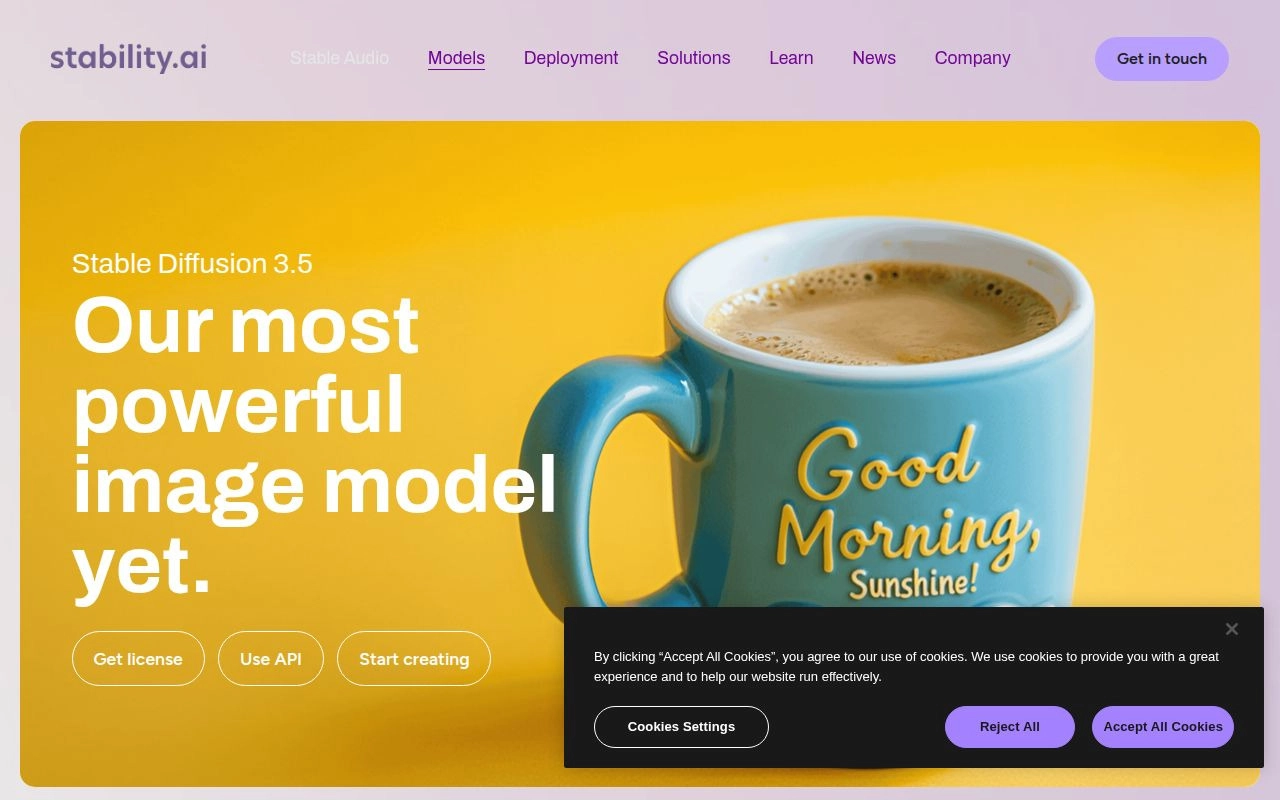
- Category: Downloadable model family and hosted image services
- Best for: Local deployment, technical control, and custom applications
- Ease of use: Depends heavily on the selected application
- Pricing: Conditional free licensing, infrastructure costs, or paid API usage
- Standout feature: Deployment on your own infrastructure
Keeping control of the deployment is the strongest reason to consider this model family. Stability AI offers self-hosting, API integration, and cloud-partner routes. Those are different buying decisions, even though they can involve related underlying models.
We would not describe Stable Diffusion as one beginner-friendly application with one subscription. The interface, installation effort, editing features, and operating costs depend on the software and deployment you choose around the model.
How Stable Diffusion works
Select a model variant first, then choose how to run it. Stability’s image page positions Large for higher-quality professional work, Turbo for faster generation, and Medium for a balance involving consumer hardware.
For local deployment, the official model repository provides example code using the Diffusers library. The documented setup loads model files, configures the computing device, supplies a prompt, and produces an image.
That route provides control, but it also makes installation and resource management your responsibility. A local application may simplify those steps. We would verify its compatibility with the exact model before downloading large files or buying hardware.
Hosted API access removes much of the local setup. It also changes the cost and data-handling picture. You are paying for a hosted service rather than merely obtaining permission to run downloaded weights.
Editing deserves a separate check. A model family name does not establish which masking tools, reference controls, or export features a particular application supplies.
Who is Stable Diffusion for?
We would shortlist it for technical creators, developers, research teams, and organizations that need more control over deployment. It is also relevant when an existing graphics workstation can support the selected setup.
Local operation can be attractive for sensitive material, but only when the entire workflow stays within your controlled environment. Cloud extensions, connected applications, and external storage need their own review.
Look elsewhere if you want a polished, ready-to-use assistant without installation work. Gemini and ChatGPT offer a much simpler starting point for that requirement.
Stable Diffusion pricing
Separate model licensing from hosted API charges. A free license does not provide free computing resources.
- Community self-hosted license: Free for eligible users and organizations under the published revenue condition, covering the listed model suite and local customization.
- Enterprise self-hosted license: Custom pricing, with commercial arrangements, implementation support, and optional custom training or consulting.
- Stable Diffusion 3.5 Large API: 6.5 credits per generation, with hosted access to the larger base model.
- Stable Diffusion 3.5 Large Turbo API: 4 credits per generation, with hosted access to the faster variant.
- Stable Diffusion 3.5 Medium API: 3.5 credits per generation, with hosted access to the medium variant.
- Stable Image Ultra API: 8 credits per generation, with a hosted image service based on the larger model.
The API documentation values each credit at $0.01. Additional editing services have separate charges, so generation is not necessarily the whole production cost.
The hosted-service rate card provides the fuller breakdown.
Pros and cons
Pros
- Self-hosting is an official deployment route rather than an unofficial workaround.
- Large, Turbo, and Medium provide different quality and computing trade-offs.
- Hosted API access offers an alternative to maintaining local hardware.
Cons
- The application and deployment determine the actual editing experience.
- Hardware, installation, and maintenance remain costs under a free model license.
- Official model documentation acknowledges anatomy and prompt-related limitations.
Stable Diffusion rating and reviews
- G2: rated 4.3/5 across 10 reviews.
The sample is limited and spans the broader ecosystem, not one standardized application. Reviewers praise flexibility while noting resource demands and generation delays.
Our verdict: the right shortlist candidate when deployment control is a genuine requirement. Do not choose it merely because “free” appears beside the license.
10. Midjourney
- Category: Subscription-based creative generation service
- Best for: Art direction, moodboards, and visual exploration
- Ease of use: Accessible web creation with a learning curve for deeper control
- Pricing: Paid subscriptions with GPU-time allowances
- Standout feature: Personalization, moodboards, and integrated image revision
Visual exploration is the clearest reason we would shortlist this service. Its documentation emphasizes personalization, moodboards, variations, and an integrated Editor. That gives art directors several ways to develop a visual direction beyond rewriting the same prompt.
We are not claiming a measured aesthetic advantage over every rival. Our recommendation rests on the documented creative controls and workflow. Privacy and GPU-time budgeting are equally important parts of the buying decision.
How Midjourney works
Subscribe, open the Create page, and enter a description in the Imagine bar. The official getting-started guide then directs users toward personalization, image modification, and organization features.
Moodboards and Personalization profiles guide the visual direction. Variations and upscaling provide routes for developing a promising result. The Organize page supports filtering, sorting, downloading, and arranging creations.
The web creation and organization guide confirms that Discord is not the only way to work with the service.
For revision, open an image and choose Edit, or use the dedicated Edit tab for more advanced work. The Editor includes erasing, restoring, resizing, Smart Select, and layer-based composition.
Its editing and visibility instructions also distinguish behavior between model versions. That matters when following an older tutorial or assuming uploaded-image edits are automatically private.
Who is Midjourney for?
We would shortlist it for illustrators, art directors, concept artists, and creators who want to explore a recognizable visual direction. Personalization and moodboards are meaningful when the work involves a series rather than an isolated image.
The service is also attractive for buyers who enjoy making and comparing variations. That is a different workflow from asking an assistant to resolve a precise, narrowly defined revision.
Look elsewhere if you require a free ongoing tier or low-cost private generation. We would also favor Recraft when editable vector paths are the final deliverable.
Midjourney pricing
The plan comparison uses computing time rather than promising a fixed number of usable finished images. These are month-to-month rates.
- Basic: $10 monthly, with 3.3 hours of Fast GPU time, web creation, and no unlimited Relax image generation.
- Standard: $30 monthly, with 15 Fast GPU hours, unlimited Relax image generation, and additional video options.
- Pro: $60 monthly, with 30 Fast GPU hours, Stealth Mode, and higher concurrent image capacity.
- Mega: $120 monthly, with 60 Fast GPU hours, Stealth Mode, and the larger computing allowance.
Annual billing lowers the effective subscription rate but requires an upfront commitment. We would begin monthly until you understand your generation and editing habits.
The official subscription breakdown explains GPU time, concurrency, Relax access, and plan-specific privacy.
Pros and cons
Pros
- Personalization profiles and moodboards provide reusable visual guidance.
- The web Editor combines regional revision, resizing, selection tools, and layers.
- Standard and higher plans include unlimited Relax image generation.
Cons
- Stealth Mode is restricted to Pro and Mega.
- Fast GPU time is not equivalent to a guaranteed count of approved assets.
- Editor visibility and feature behavior can differ between model versions.
Midjourney rating and reviews
- G2: rated 4.2/5 across 302 reviews.
The broader product rating should not substitute for evaluating the controls and privacy conditions your project needs. We would compare recent workflow-specific comments with the current documentation.
Our verdict: a strong creative specialist for developing visual direction. Include privacy and computing allowances in the decision, not just the artwork examples.
Five More AI Image Generators Worth Considering

These additional platforms are worth considering when their particular workflow fits your work better than the main picks. They are not automatically weaker choices. We kept this tier compact because its strongest buying arguments are narrower or more dependent on bundled features.
11. Magnific Image Generator

- Category: Multi-model creative suite
- Best for: Generation, enhancement, and stock-supported production
- Ease of use: Browser-based with a broad tool selection
- Starting price: Free allowance, with Premium shown at $14.50 monthly on annual billing
Enhancement and access to several model families are the main reasons to examine this platform. The image page combines prompt-based generation, reference input, editing, and upscaling. Compared with choosing a single model provider, the buying proposition is a shared creative environment.
The pricing page identifies the service as formerly Freepik and includes stock content alongside generation tools. That combination could suit a designer who regularly mixes generated artwork with licensed photos, templates, or other existing assets. We would not count the stock library as useful value unless it replaces something you already purchase.
Premium includes an annual credit allocation, editing tools, commercial AI licensing, and access to image, video, and audio models. The page states that credits remain valid for the subscription year rather than resetting monthly. Review the annual allowance and model conditions carefully, especially where unlimited access applies only to selected models.
We also checked the independent company-review page. Its feedback mixes praise for the creative tools with complaints about billing and plan changes. That is not a model-quality benchmark, but it reinforces our preference for checking the full invoice and cancellation terms before an annual commitment. For shortlisting, the useful question is whether generation, enhancement, stock content, and shared workspaces genuinely belong in your everyday workflow.
Who is Magnific Image Generator for?
We would shortlist it for designers and marketing teams that need a creative suite rather than one isolated generator. Choose a simpler option if you only need occasional images and would ignore most of the bundle.
12. Leonardo.Ai
- Category: Generative creative platform
- Best for: Model exploration, reference guidance, and custom visual development
- Ease of use: Accessible entry with progressively deeper controls
- Starting price: Free plan, with Essential at $12 monthly before tax
Custom visual development gives this platform a clearer identity than simply offering another prompt box. The official pages describe custom models, image guidance, Realtime Canvas, and Flow State. We would compare those controls with your actual creative process before focusing on the size of the model menu.
The pricing page makes the free-to-paid distinction particularly clear. Free access uses Auto model selection and public creations. Essential adds access to the wider model catalog, private generation, enhanced quality settings, and personal model training. That is a meaningful workflow change, not just a larger output allowance.
Essential includes 8,500 monthly Fast Tokens and a Token Bank. Premium adds relaxed image generation for selected models, while Ultimate extends the relaxed-access offering to selected video models. The model access and token comparison lists the applicable restrictions, including concurrency and queue conditions. “Unlimited” should therefore be read alongside the eligible model list.
Independent reviews praise the range of controls and model options, while credit restrictions recur as a concern. Our editorial take is that this belongs on the shortlist when exploration and customization are part of the job. It is less compelling if you only want the fastest route from a sentence to a casual picture. Before upgrading, identify which named model or feature you actually need, then confirm that the plan includes it.
Who is Leonardo.Ai for?
We would recommend a closer look for illustrators, concept creators, and teams developing repeatable visual styles. Buyers seeking private work should compare the paid plans rather than evaluating only the free experience.
13. ImagineArt
- Category: Multi-model creative workspace
- Best for: Repeatable image, video, and team workflows
- Ease of use: Simple tools plus a more involved workflow canvas
- Starting price: Free plan, with Basic documented at $13 monthly
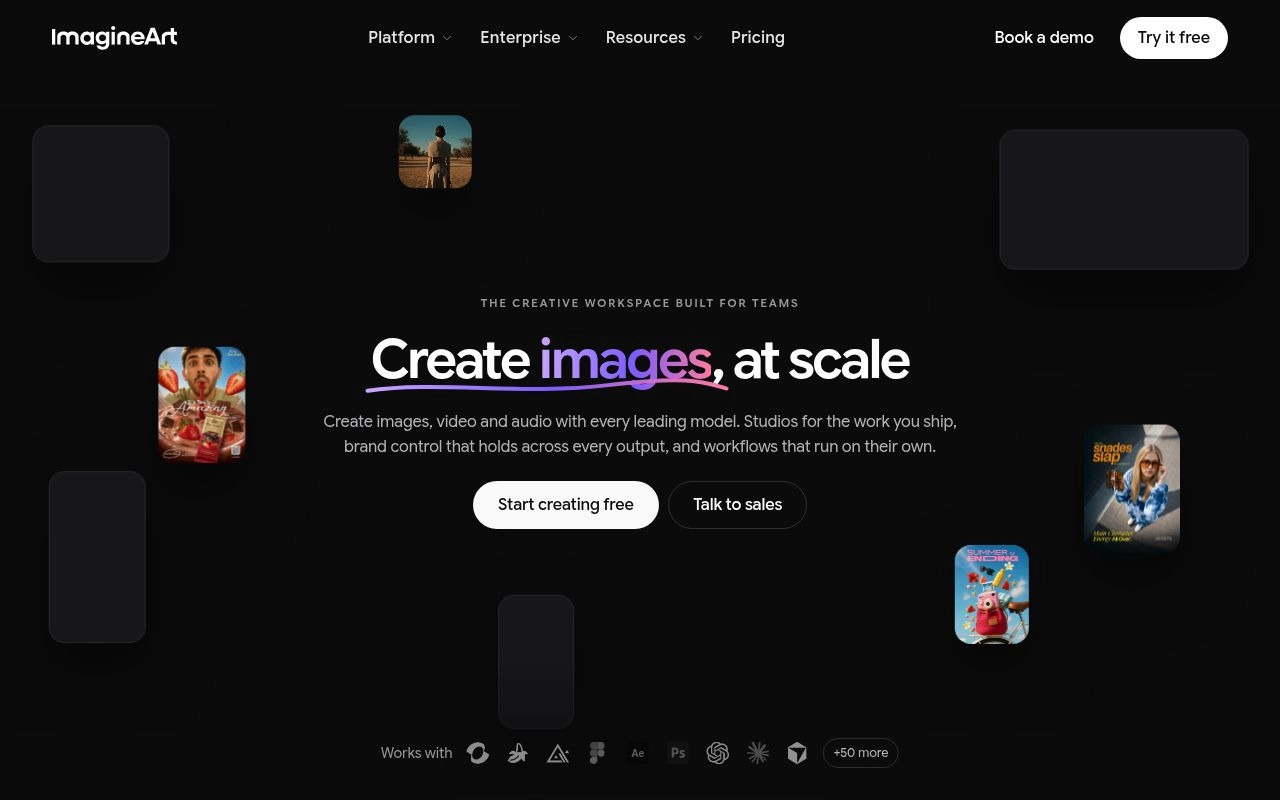
Repeatable creative processes are the differentiator here. Alongside individual generation tools, ImagineArt documents a node-based Workflows canvas. Users can connect inputs, models, and outputs instead of rebuilding each creative sequence manually.
That makes it different from the conversational starting points in our main list. The platform also presents shared workspaces, specialist studios, and tools for images, video, audio, editing, and enhancement. We would consider that breadth valuable only when several of those stages belong in the same production process.
The official subscription documentation lists Basic with 3,000 monthly credits and premium-model access. Standard adds private generations and team seats. The live checkout did not expose its full plan cards in our research view, so we used the published subscription guide and would reconfirm the payable amount before purchasing.
There is also a privacy detail worth resolving. The homepage broadly describes customer content as private, while the subscription guide distinguishes private-generation access by plan. We would ask which provision applies to the specific account and workflow, especially for client material. Independent reviews praise the breadth of creation options but also discuss credit limits. For us, that makes a small pilot more sensible than committing solely because many models appear under one subscription.
Who is ImagineArt for?
We would shortlist it for teams that repeatedly combine generation, editing, and motion in a defined sequence. A single-purpose creator may find the additional workflow layer unnecessary.
14. PromeAI

- Category: Design-visualization and generative editing platform
- Best for: Sketch rendering, interiors, and architectural concepts
- Ease of use: Guided visual workflows
- Starting price: Subscription prices did not render, with coin-based plans documented
Starting with a sketch or existing space gives this platform a more specific purpose than general text-to-image creation. Its official tool menu includes Sketch Rendering, Consistency Rendering, Region Rendering, Erase & Replace, Relight, and Outpainting. Interior and architectural design are explicitly presented use cases.
That makes it worth considering before a general assistant when the brief begins with a floor-level view, rough design, or room photograph. We would still treat the output as a visualization. An attractive rendering should not be mistaken for a dimensionally verified construction document or a promise that a proposed layout is feasible.
The membership page provides useful licensing distinctions even though its subscription prices displayed placeholders. Base lists 500 monthly coins and personal-only rights. Standard includes a larger allowance and a commercial license. Review the coin allowances and commercial conditions rather than assuming the cheapest plan supports client work.
The page also distinguishes coin-based access from eligible unlimited-generation benefits on higher plans. Those benefits have model and concurrency conditions. Independent reviews mention appealing renders and ease of use, alongside limitations in fine-detail control. Our judgment is that the specialist starting inputs are the reason to shortlist it. They are more relevant than comparing it with a conversational assistant on unrelated fantasy-art prompts.
Who is PromeAI for?
We would recommend it for interior designers, architects, product designers, and homeowners exploring visual directions. Use professional drawings, measurements, and human review for decisions involving fit, safety, or construction.
15. getimg.ai
- Category: Multi-model creative studio
- Best for: Combined generation, resizing, enhancement, and asset organization
- Ease of use: Browser-based with model-dependent choices
- Starting price: Entry shown at $15 monthly on annual billing
Finishing and organizing generated material is the practical appeal of this platform. Its official pages combine image creation with smart resizing, upscaling, background removal, shared workspaces, and asset management. We would assess that full path rather than treating the model selection alone as the product.
Compared with using a model provider directly, the platform supplies more surrounding workflow features. Compared with a conversational assistant, it presents a more explicit collection of creative tools. That middle position can suit teams that want hosted convenience without building an application around an API.
The annual Entry offer lists 8,000 monthly credits, access to selected models, smart resizing, commercial rights, and image enhancement. Core expands model access and processing capacity. The billing and feature comparison shows annual totals and model-based output estimates, which should not be treated as universal image counts.
Our caution is to verify the exact model and output settings before comparing value. A platform credit can purchase very different amounts of work depending on the selected operation. We also could not establish a dedicated G2 product-review aggregate from the listing route we checked, so we do not use one as reassurance. For a meaningful evaluation, take a representative brief through generation, revision, resizing, and export, then assess the entire cost.
Who is getimg.ai for?
We would shortlist it for creators and small teams that need several finishing tools around generation. Choose direct model access instead if you want to build and control the surrounding workflow yourself.
Understand Image Models, Platforms, and Local Tools
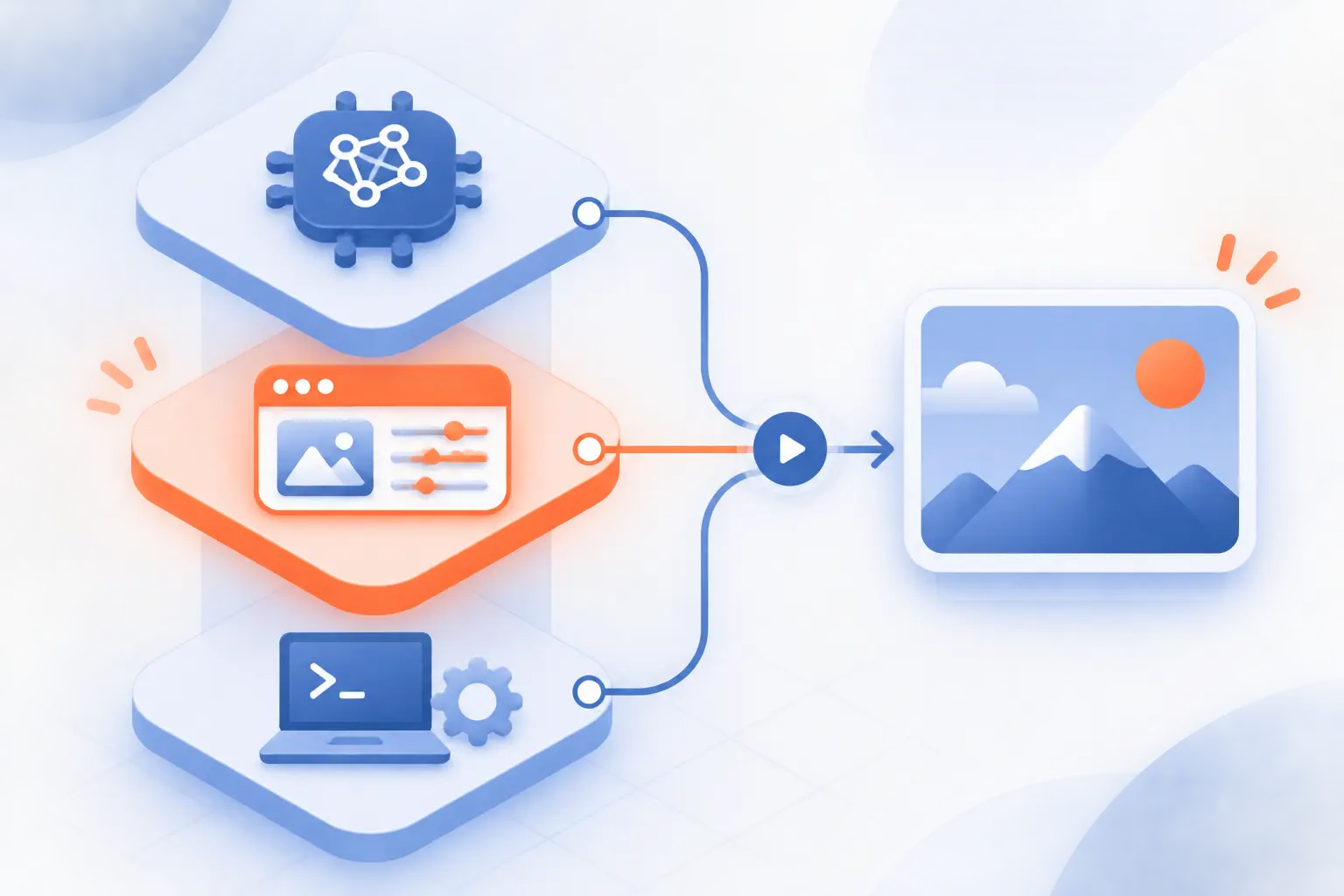
A model creates the image, while a platform supplies the interface, billing, editing tools, and operating environment. Confusing those layers can lead to misleading comparisons. The same model name does not guarantee the same controls, price, or privacy conditions everywhere.
How Text Prompts Become Generated Images
A text prompt guides a trained model toward an image matching the description. Different model architectures perform that process differently. For diffusion-based systems, the documentation describes generation through a sequence of denoising operations conditioned on the prompt.
The documented text-conditioned pipeline explains how prompts and inference settings influence that process. You do not need to understand the mathematics to buy wisely. You do need to recognize that a generated picture is synthesized output, not verified evidence of a real event.
Why the Same Model Can Perform Differently Across Platforms
A platform can expose different settings, model variants, and editing features around the same model family. Our reviewed pricing and documentation pages show those differences clearly. Some platforms also separate model access by subscription tier.
Compare the exact model identifier, available reference inputs, output settings, and revision tools. Do not assume that a familiar model label makes two subscriptions interchangeable. One may provide the better interface for your work even when the underlying family overlaps.
Cloud Convenience Versus Local Hardware and Customization
Choose cloud access for a simpler operating setup, and investigate local deployment when control justifies the extra work. Local operation is not automatically cheaper or private. Those benefits depend on your hardware and the surrounding application.
| Route | What the Reviewed Pages Establish | Buying Implication |
|---|---|---|
| Hosted creative application | Interface, generation tools, and account billing are provided together | Evaluate the complete workflow and subscription |
| Hosted model API | Generation is available through authenticated requests | Budget for integration and asset handling |
| Self-hosted eligible model | Selected model files can run on your infrastructure | Check compatibility, licensing, and operating costs |
Get Better Results From Your AI Image Generator

Better results usually begin with a clearer brief and smaller revisions, not a longer string of decorative adjectives. Define what must remain accurate before generating. Then separate visual exploration from final approval.
Define the Subject, Action, Setting, Style, Lighting, and Format
Describe the image’s purpose and essential visual elements before adding optional detail. OpenAI’s guidance recommends specifying the subject, action, setting, style, and relevant framing or lighting constraints.
The official briefing guidance provides a useful starting structure. For example, request a ceramic mug on a kitchen counter, soft morning light, a realistic photographic style, and space for a headline. That is clearer than asking for something “beautiful and professional.”
Use Reference Images to Guide Identity, Composition, and Brand Style
Give each reference a clear role instead of uploading unrelated pictures without instructions. Tell the tool which image supplies the subject, which guides composition, and which suggests color or style.
The reviewed Gemini, FLUX.2, and Adobe workflows support reference-based creation in different ways. Check that your selected model and generation mode accept the references you need. Recraft’s separate Vector mode, for example, has different input conditions from its raster workflows.
Refine Individual Elements With Conversational Editing and Inpainting
Target the smallest necessary change before regenerating the entire scene. Conversational editing describes the change in words. Inpainting uses a selected or masked region to focus regeneration.
| Method | Documented Example | Best Starting Point |
|---|---|---|
| Conversational revision | ChatGPT and Gemini accept follow-up change instructions | A clearly described background, style, or object change |
| Selected-area revision | ChatGPT selections and Midjourney’s Erase tools target regions | A localized defect or replacement |
After each revision, compare the untouched areas with the approved version. A request aimed at one element still deserves a full-image check.
Expand, Upscale, and Export for the Intended Deliverable
Choose the final format before paying for enhancement or repeated exports. Expansion adds surrounding content, while upscaling increases output dimensions. Neither action guarantees that small details become factually correct.
Check the destination’s file requirements, transparency needs, and intended viewing size. Recraft documents vector and raster export paths, while other reviewed workflows export finished images. Those are different handoffs and should not be treated as interchangeable.
Understand the Real Cost of Free and Paid Plans

The useful cost is what you spend to obtain an approved asset, not the advertised cost of a single generation. Retries, editing, enhancement, unused allowances, and billing commitments all affect that figure. Compare complete workflows rather than credit totals in isolation.
Compare Daily Limits, Credits, GPU Time, and Generation Queues
Credits, computing time, and refresh allowances measure different things. Adobe’s credit-consumption explanation confirms that usage depends on the selected feature. A larger credit balance is therefore not automatically a larger useful output allowance.
| Billing Mechanism | Reviewed Example | What to Verify |
|---|---|---|
| Refreshing allowance | Bing’s fast-creation counter | Reset schedule and slower access afterward |
| Feature credits | Adobe’s standard and premium categories | Which operations consume the balance |
| GPU time | Midjourney’s Fast and Relax modes | Included time and eligible queue modes |
| Usage-based requests | FLUX.2 generation and editing | Model, resolution, and input-related charges |
Calculate Cost per Usable Image After Retries and Editing
Divide your total production spending by the number of approved images. Include the subscription share, extra credits, required editing, and paid enhancement. Keep human review time separate so it remains visible.
We suggest recording actual consumption during a small pilot. Count rejected results as costs, not deliverables. This exposes whether a seemingly inexpensive tool becomes costly when the brief requires several rounds of revision.
Check Watermarks, Export Restrictions, and Monthly Versus Annual Billing
Inspect the exported file and the billing commitment before subscribing. Grok documents a non-removable watermark, while Ideogram explains that some export formats and sizes depend on the plan.
Annual effective prices also differ from month-to-month charges. Several reviewed pages display both. Compare the full invoice, cancellation conditions, and eligible features rather than reading the smaller displayed figure as a monthly contract.
Decide Whether One Main Tool and One Specialist Are Enough
Start with a main tool and add a specialist only when a real deliverable requires it. A conversational assistant plus a vector-focused workspace may cover more useful ground than several overlapping general generators.
We would avoid buying multiple platforms simply because they list familiar model names. Identify the missing capability first. It might be editable paths, private generation, local operation, or a better finishing workflow.
Check Image Quality Before Publishing

Every generated image needs review at its intended viewing size and against the original brief. A convincing overall impression can hide defects or incorrect information. We would make approval a separate step from generation.
Inspect Hands, Faces, Reflections, Perspective, and Fine Details
Examine anatomy and physical relationships before polishing the overall style. Stability’s official model card acknowledges anatomy and prompt-related limitations, illustrating why attractive samples are not a substitute for inspection.
Check finger placement, jewelry, glasses, reflections, contact shadows, and object edges. Ask whether the scene makes physical sense. If a defect affects the subject’s credibility, revise or replace the image rather than hoping viewers miss it.
Proofread Text, Numbers, Diagrams, and Factual Claims
Treat every generated word and number as unapproved until checked against a trusted source. Ideogram’s text-layer documentation explicitly distinguishes editing labels from updating the underlying chart or factual meaning.
Compare names, dates, prices, units, and punctuation with approved copy. For diagrams, verify relationships and labels together. A beautifully rendered explanation can still be wrong.
Check Character Identity and Product Geometry Across Variations
Compare related images side by side rather than reviewing each in isolation. Reference-driven tools advertise identity and product consistency, but those capabilities still require approval.
For people, check facial structure and identifying details. For products, inspect shape, controls, labels, materials, and proportions. We would reject a variation that misrepresents the product, even if it is the more attractive image.
Recognize When Photography or Human Design Is the Better Choice
Use photography or human-led design when the deliverable must document reality or preserve exact structure. This is our editorial recommendation, not a claim that generation lacks creative value.
Product verification, construction decisions, evidence, and precise brand systems need stronger controls than a convincing synthetic picture. Generation can still support ideation. It does not have to produce the final asset to be useful.
Review Commercial Rights, Privacy, and Responsible Use

Commercial permission, copyright protection, upload rights, and confidentiality are separate checks. A paid subscription does not answer all of them. Review the selected model, account tier, and applicable terms before uploading sensitive material or publishing commercially.
Distinguish Commercial Permission From Copyright Protection
Permission to use an output commercially does not automatically establish copyright protection in that output. The U.S. Copyright Office’s report emphasizes human authorship and case-specific assessment.
We would preserve records of human-authored elements, selection, arrangement, and subsequent editing where relevant. For important ownership or licensing decisions, obtain qualified legal advice. A vendor’s subscription description is not a complete legal analysis.
Check Licensing for the Selected Model and Subscription Tier
Read the license attached to the exact model and account plan you intend to use. Recraft’s free and paid rights differ, and FLUX.2 open-weight variants do not all share one license.
Stability’s licensing page also separates Community eligibility from Enterprise arrangements. It identifies a $1 million annual-revenue threshold for the published categories. Confirm your eligibility and the applicable agreement rather than assuming downloaded weights have unrestricted commercial use.
Review Public Galleries, Upload Policies, and Confidential Client Work
Private generation must be verified as a specific feature, not inferred from payment. Recraft explicitly separates public free work from private paid work. Midjourney restricts Stealth access to eligible plans.
Its visibility instructions also warn that work created in public Discord channels remains visible even with Stealth enabled. For confidential projects, review gallery visibility, upload handling, retention, training use, and contractual confidentiality separately.
Consider Training Data, Likeness Consent, Trademarks, and Misleading Images
Training disclosures do not remove your responsibility to review the intended use. Adobe describes its own models’ licensed and public-domain training sources, but partner models require separate consideration.
We recommend obtaining consent for identifiable people and verifying rights to uploaded references. Check logos, packaging, and branded elements before publication. Do not present a synthetic scene as documentary evidence of something that happened.
Plan for Integrations and Changing Models
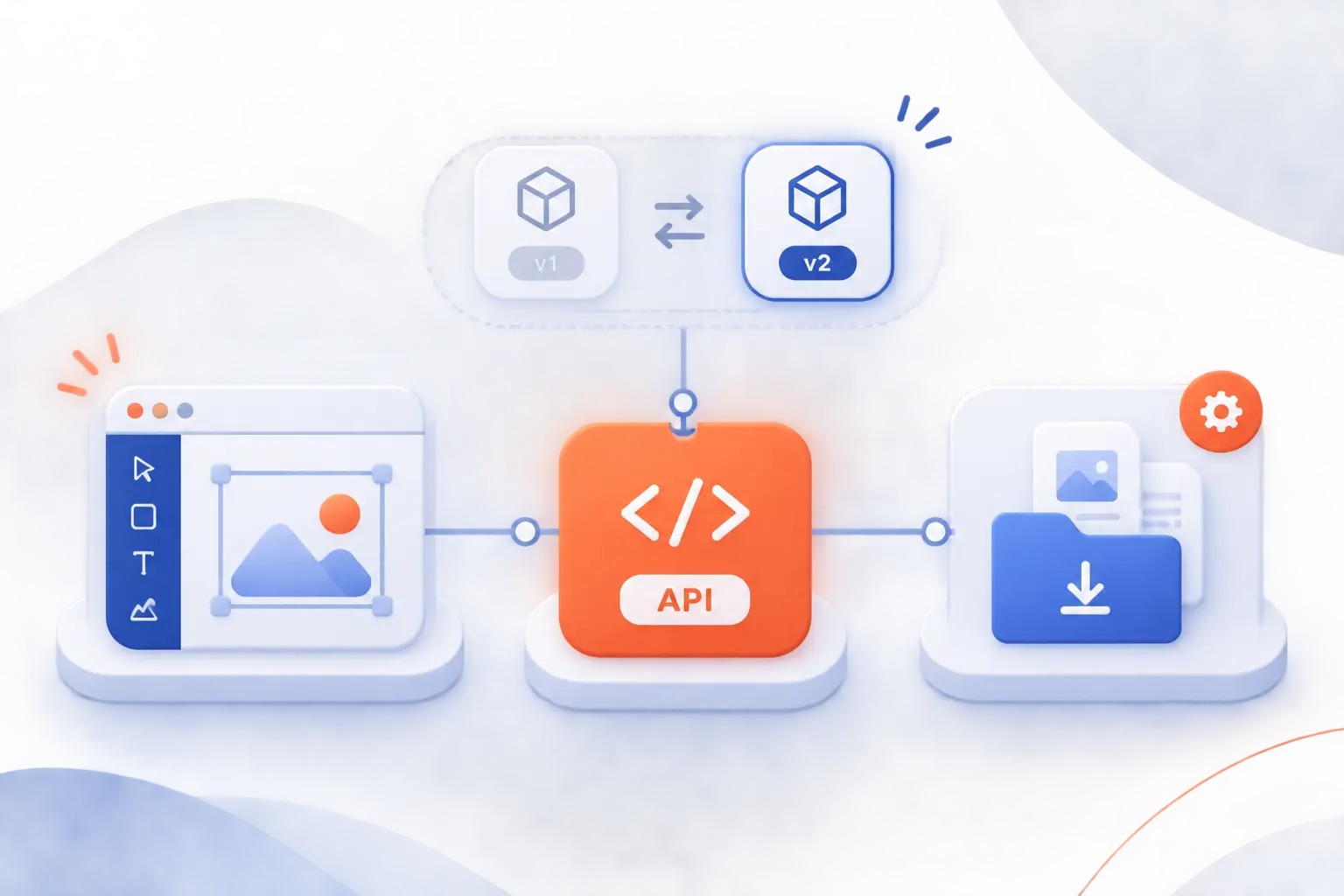
Choose an integration around a defined production task, not around the promise of automation alone. Model versions, endpoint behavior, billing, and access can change independently. A manageable workflow should make those dependencies visible.
Connect Generation to Design Apps, APIs, and Automated Workflows
Confirm the complete request-to-file workflow before connecting generation to production systems. Black Forest Labs documents request submission and status polling, including retrieving the finished result.
That means an integration needs more than a prompt field. Plan for failed jobs, file storage, review, and publishing approval. For nontechnical teams, an existing design-app connection may be more practical than building an API workflow.
Evaluate Image-to-Video Handoffs Without Paying for Unneeded Features
Pay for motion features only if your deliverables require motion. Grok, Firefly, Leonardo, ImagineArt, and other reviewed platforms bundle image and video capabilities in different ways.
Check whether the desired handoff uses the same credits and which model receives the approved still image. Also verify the permitted export settings. A generous video allowance adds little value to an image-only workflow.
Recheck Model Versions, Product Names, and Availability Before Committing
Record the exact model and plan used during evaluation, then verify them before a longer purchase. Our research found renamed subscription options, version-dependent Editor behavior, and different access conditions across plans.
For integrations, distinguish preview endpoints from fixed snapshots where the provider offers that choice. For creative applications, confirm that your required feature is available in your account. A tutorial describing an earlier interface is not proof of current access.
Frequently Asked Questions About AI Image Generators
The best choice depends on the task, not simply whether a tool can generate an image. These answers narrow the shortlist for common editing, mobile, realism, and design requirements.
Can ChatGPT Edit Photos?
Yes, ChatGPT can edit uploaded photos through written instructions or a selected image region. OpenAI documents both methods in its image help guide. Review the full result afterward, especially when identity or product details must remain unchanged.
What Is the Best Free AI Image Editor With Prompts?
We would start with Gemini or ChatGPT for free prompt-based photo changes. Both document uploaded-image editing, although allowances and eligibility differ. Bing is another low-commitment option, but we would review its upload conditions before sharing sensitive photos.
Which AI Image Generator Is Best for Realistic Photos?
Our research-based shortlist for realistic photographic work is Gemini, ChatGPT, FLUX.2, and Midjourney. We did not run a controlled realism benchmark, so we would not name an objectively proven winner. Compare them using your actual subjects, references, and required edits.
Which AI Image Generator Works Best on Android?
Gemini is our first Android shortlist choice, with ChatGPT as a strong alternative. Google lists Android 9 and later among its mobile requirements, alongside memory and account conditions. Check feature eligibility separately from whether the app installs.
Can AI Image Generators Help With Home and Interior Design?
Yes, they can help explore furniture styles, finishes, lighting, and visual directions. PromeAI is especially relevant because its documented tools include interior-oriented visualization and sketch rendering. Treat the result as a concept, then verify dimensions, materials, and feasibility with appropriate professionals.
Which AI Image Generators Can Create Editable Vector Graphics?
Recraft, Adobe Firefly, and Ideogram each document vector-generation capabilities. Recraft also provides a native Vector Editor, while Adobe explains its prompt-to-vector workflow. Confirm the export format and editable structure, because a raster logo image is not equivalent to vector artwork.


Conclusion
The best AI image generator is the one that matches your deliverable, revision process, and usage conditions. We would begin with Gemini or ChatGPT for general-purpose work. Shortlist Recraft for editable vectors, Firefly for Adobe-centered production, FLUX.2 for technical integration, and Stable Diffusion for deployment control.
Do not subscribe based on a gallery alone. Take a representative brief through generation, editing, inspection, and export. Then check the cost, privacy settings, and commercial conditions before making a longer commitment.
Which requirement matters most for your next project: easier revisions, editable files, private generation, or control over the underlying model?