

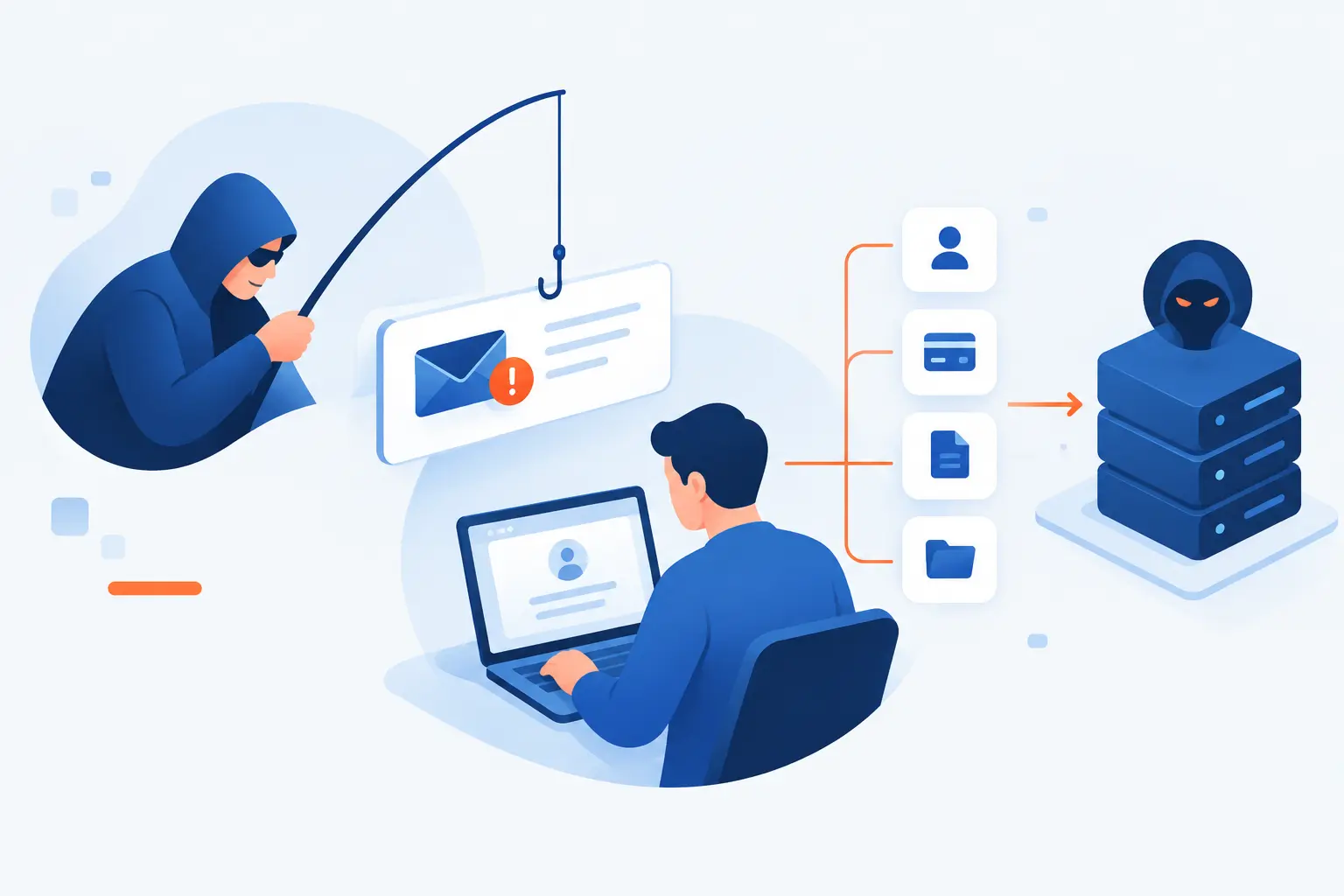
- Spear Fishing Cyber Refers to a Targeted Spear Phishing Attack
- How a Spear Phishing Attack Unfolds
- Why Spear Phishing Works So Well
- Common Spear Phishing Attack Types
- Phishing, Spear Phishing, and Whaling Compared
- Who Spear Phishers Usually Target
- How to Recognize a Suspicious Spear Phishing Email
- How to Prevent Spear Phishing
- FAQ
- How 1Byte Helps Customers Reduce Spoofing and Fraud Risks
- Conclusion
Spear fishing cyber is almost always a misspelled search for spear phishing, a targeted cyberattack that tricks a specific person into sharing data, sending money, opening malware, or giving up account access. Unlike generic phishing, spear phishing is built around details about the victim, such as their job role, manager, vendor, project, or public profile. We see it as one of the most dangerous everyday attacks because it feels personal, timely, and believable. The attacker is not casting a wide net. They are aiming at one person or one team with a message designed to look normal.
At 1Byte, we treat spear phishing as a business risk, not just an inbox problem. A single fake invoice, password reset page, or urgent executive request can expose customer records, payment systems, admin panels, or cloud accounts. The good news is that this attack has patterns. Once we understand how the message is built, how the pressure works, and how defenses fit together, the trap becomes easier to spot.
Spear Fishing Cyber Refers to a Targeted Spear Phishing Attack
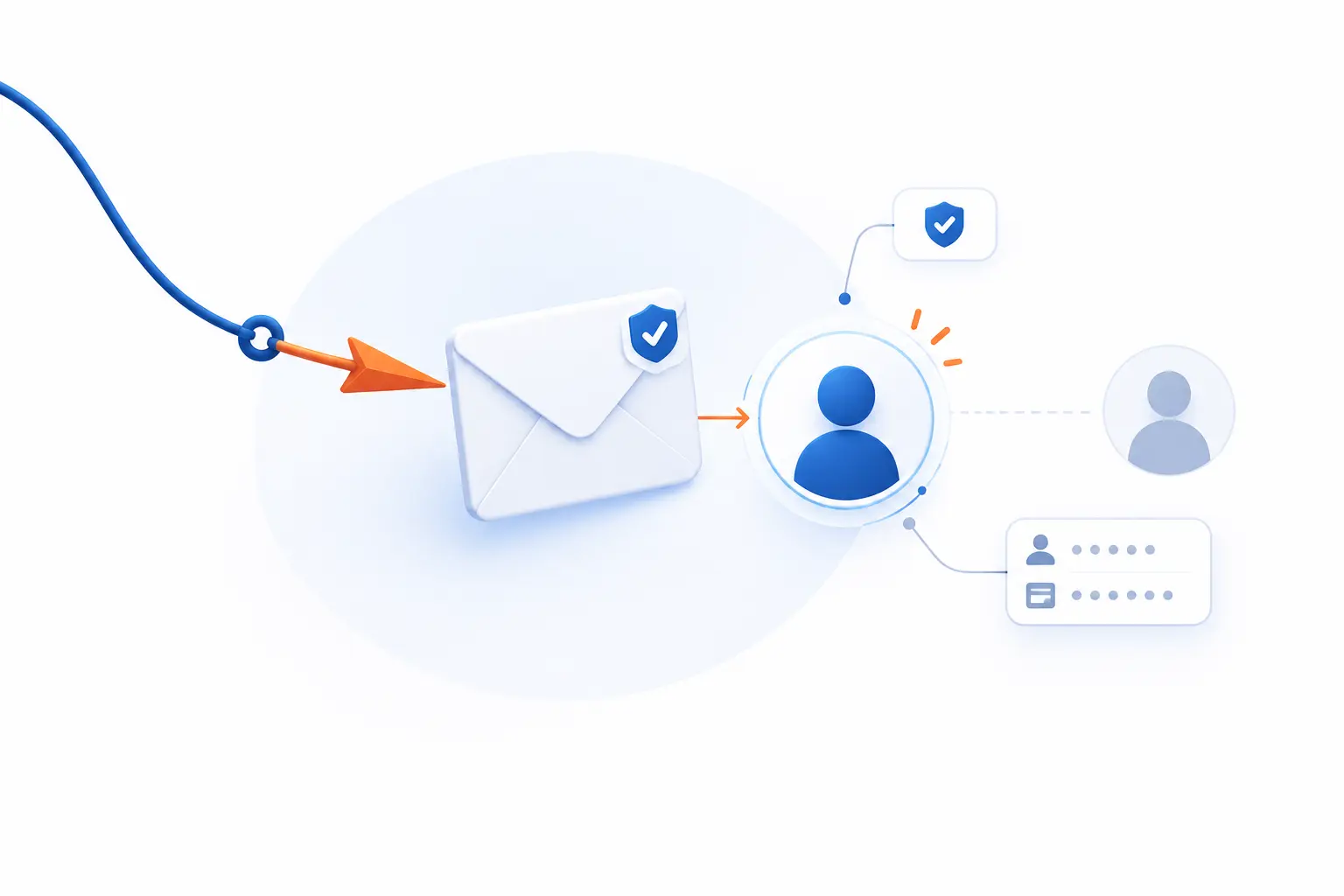
Spear fishing cyber means spear phishing in a cybersecurity context: a targeted phishing attack aimed at a specific person, role, company, or small group. The attacker pretends to be someone trusted and uses personal or business details to make the request feel legitimate. The goal is usually to steal login credentials, payment data, internal documents, or access to systems. NIST describes phishing as a deceptive attempt to obtain sensitive data through a fraudulent solicitation, and spear phishing narrows that idea into a more focused attack.
The spelling matters because “spear fishing” is a real activity involving fish, while “spear phishing” is the cyber term. Still, the metaphor works. A broad phishing email is like throwing a net into the ocean. A spear phishing email is like choosing one target, studying its movement, and striking at the right moment.
For example, a regular phishing email might say, “Your mailbox is full. Click here.” A spear phishing email might say, “Hi Maya, the Q4 vendor renewal for Northwind is attached. Please review before the 3 p.m. finance call.” That second message feels more convincing because it names a person, a vendor, a deadline, and a business context. That is the hook.
Our view is simple: the danger is not fancy wording. The danger is relevance. If a fake message matches a real workflow, even careful people can hesitate long enough to click.
FURTHER READING: |
| 1. What Is Defense in Depth Strategy in Cybersecurity |
| 2. What Is a Threat Model? Risks, Flaws, and Fixes |
| 3. How Does 2FA Work and Why Does It Protect You |
How a Spear Phishing Attack Unfolds
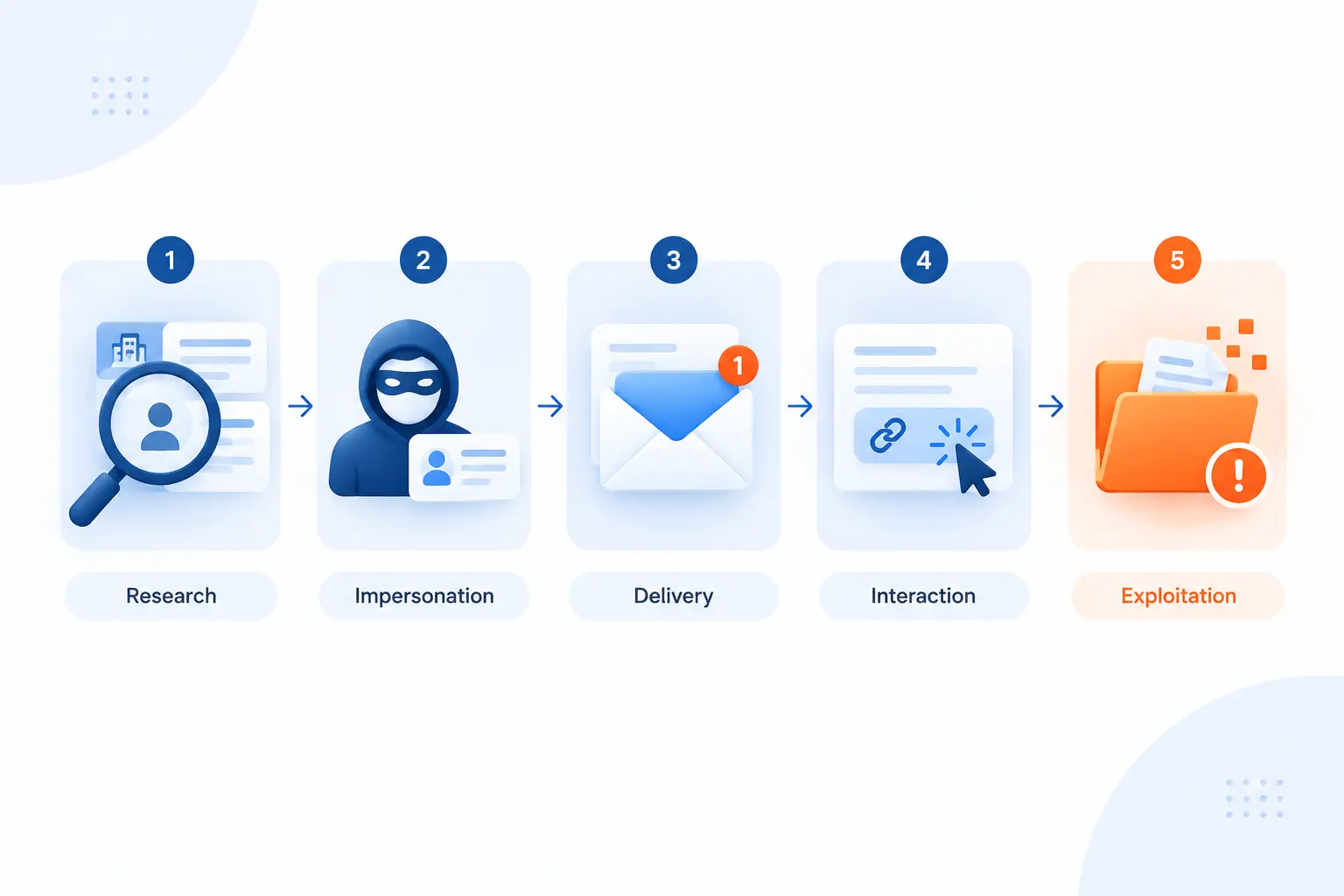
A spear phishing attack unfolds in stages: research, impersonation, delivery, interaction, and exploitation. The attacker first learns enough about the target to sound credible. Then they send a message that pushes the victim toward a link, attachment, login page, payment change, or data handoff. If the victim responds, the attacker turns that moment into account access, malware execution, fraud, or data theft.
The steps below are not theory. They mirror how many real incidents happen. The New York Department of Financial Services reported that the 2020 Twitter hack involved attackers researching employees, impersonating internal IT, and stealing credentials after convincing staff that the calls were legitimate. That incident affected 130 accounts, which shows how a few targeted interactions can ripple outward.
Researching People, Roles, and Public Details
The attacker starts by gathering details that make the future message feel familiar. LinkedIn profiles, company pages, press releases, job ads, GitHub accounts, conference bios, vendor portals, and leaked data all help build a believable story. They may look for finance staff, HR contacts, system administrators, founders, project managers, or anyone who can approve a payment or reset access.
We often tell customers to think like an attacker for ten minutes. What can a stranger learn about your company without logging in? They may find your CEO’s name, your accounting email format, your hiring schedule, your office tools, or your newest product launch. None of those details is secret by itself. Together, they can become a script.
Research also helps attackers choose timing. A fake invoice lands better near month end. A fake benefits message works better during open enrollment. A fake “new employee setup” request feels natural during hiring. Spear phishing succeeds when the attacker blends into normal business noise.
Crafting a Convincing Message Through Impersonation
The attacker impersonates a trusted person or brand to lower the victim’s guard. That person might be a CEO, finance manager, IT admin, vendor, recruiter, cloud provider, bank, law firm, or coworker. The message may use a spoofed display name, a lookalike domain, a compromised real mailbox, or a copied email signature.
There is a big difference between “from a fake address” and “from a real compromised account.” A spoofed address may fail authentication checks. A real mailbox, already taken over, can pass many surface checks and include old email threads. That is why “it came from someone I know” is not enough proof.
Attackers also copy tone. If an executive writes short messages, the fake message may be short. If a vendor usually sends polite reminders, the fake one may do the same. We do not expect employees to become forensic linguists. We do expect teams to slow down when a message asks for money, credentials, confidential files, or unusual action.
Using Links, Attachments, and Fake Login Pages
Most spear phishing messages push the victim toward a link, attachment, or login form. A link may lead to a fake Microsoft 365, Google Workspace, banking, HR, shipping, or file-sharing page. An attachment may hide malware in a document, spreadsheet, archive, or installer. A login request may claim that a file, invoice, voicemail, or security notice is waiting.
Fake login pages are especially powerful because they copy familiar brands. The victim enters a username, password, and sometimes a one-time code. The attacker then uses that information quickly, or they automate the process to capture a session token. That is why stronger authentication matters, especially phishing-resistant methods.
Attachments remain risky because they create a second decision point. The email looks like business. The file name looks useful. The content may ask the victim to enable macros, install an update, or bypass a warning. When a document tells a user to weaken security to read it, that is not a document problem. That is the attack speaking.
Turning One Click Into Malware, Account Access, or Data Theft
The attacker turns the victim’s action into access, theft, fraud, or persistence. If the victim entered credentials, the attacker may read mail, create forwarding rules, reset passwords, or search for invoices and customer data. If malware runs, it may steal browser passwords, encrypt files, install remote access tools, or move laterally through the network.
A single click does not always mean disaster. The outcome depends on browser controls, endpoint security, permissions, MFA, network segmentation, and how quickly the team responds. Still, the first click opens a door. The attacker’s next move is to make that door wider.
In payment fraud cases, the attacker may not need malware at all. A convincing email can be enough to change bank details or trigger a wire transfer. That is why process controls matter as much as technical controls. A voice confirmation using a known number can stop what a spam filter missed.
Why Spear Phishing Works So Well
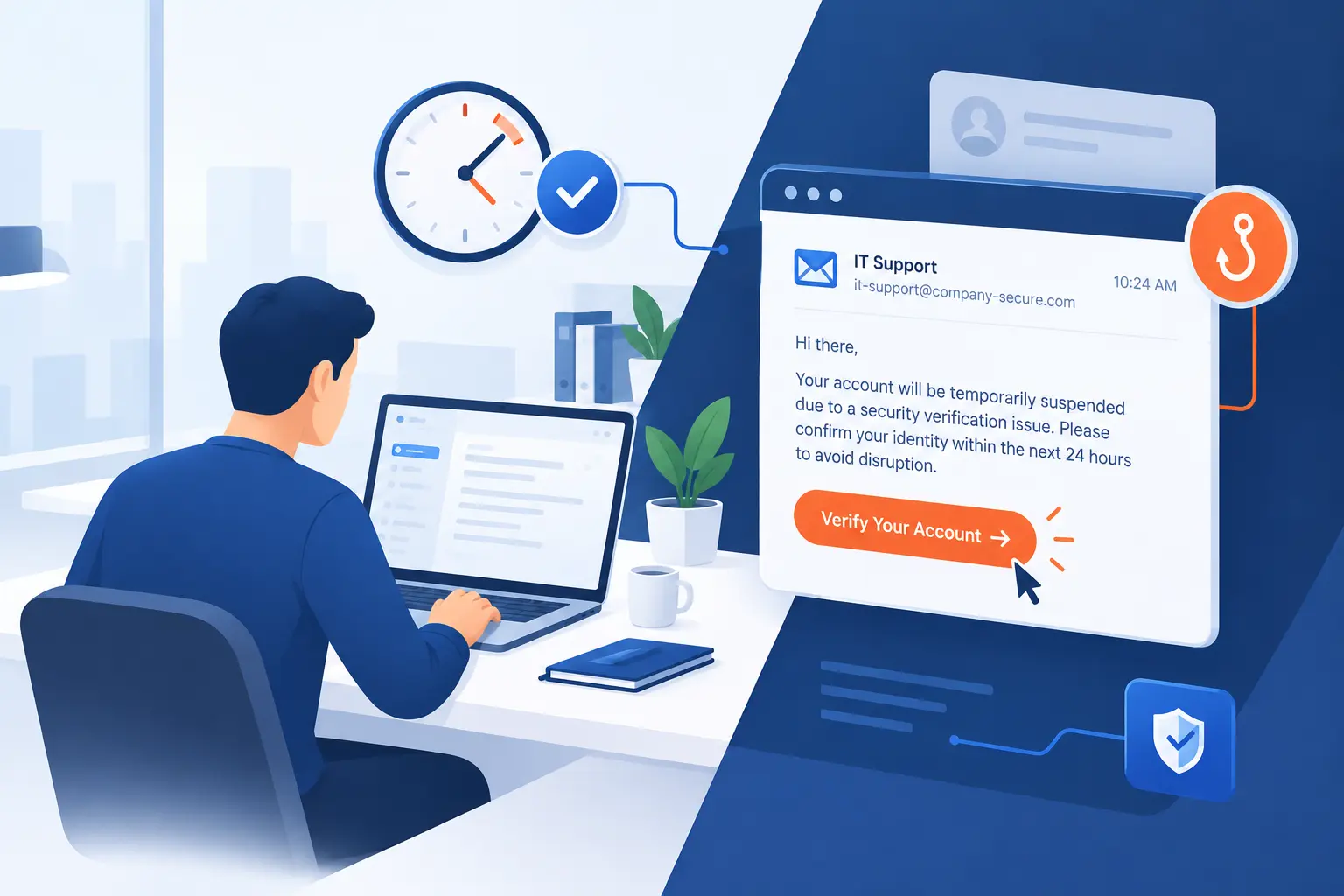
Spear phishing works because it attacks trust, routine, and decision pressure at the same time. The message looks like it belongs in the victim’s workday. It often uses details that reduce suspicion and creates a reason to act quickly. The attacker is not trying to defeat every security tool first. They are trying to make a person believe the request is normal.
Verizon’s 2026 breach research notes that human-related paths, including social engineering, phishing, and stolen credentials, continue to appear across real incidents, even as vulnerability exploitation has grown as an entry point. The same report says vulnerability exploitation started 31% of all breaches, which is a useful reminder: phishing is not the only door, but it remains a door attackers know how to dress up.
Personalization That Makes a Message Feel Legitimate
Personalization makes a fake message feel like it belongs to the recipient’s real life. A message that names your manager, mentions your department, references your vendor, or mirrors a real project gets more attention than a generic warning. The brain likes patterns. If the pattern matches work, we often move faster than we should.
Attackers do not need a full biography. A job title and one recent company update may be enough. For example, if a company announces a new office, employees may expect lease documents, HR notices, travel updates, or IT setup messages. That gives an attacker a natural cover story.
This is why oversharing public operational details can create risk. We are not saying companies should hide from the world. We are saying public information has a second life. Marketing, hiring, and partnership announcements can be useful to customers and criminals at the same time.
Urgency, Fear, and Emotion-Driven Pressure
Urgency pushes people to act before they verify. A spear phishing email may say a payroll file is late, a payment will fail, a customer is angry, an account will close, or the CEO is waiting. Fear narrows attention. So does embarrassment, curiosity, or the desire to be helpful.
Good attackers know office culture. They know junior employees may not want to challenge a senior person. They know finance teams face deadlines. They know IT teams handle urgent access problems all day. A fake message does not need to be perfect if the pressure is strong enough.
Our practical rule is blunt: urgency is a reason to verify, not a reason to skip verification. If a request involves money, credentials, sensitive files, or admin access, speed should trigger a second channel. Call the person using a saved number. Message them through a known internal tool. Do not reply to the suspicious thread and ask if it is real.
Specificity About the Sender, Target, and Request
Specificity makes spear phishing harder to dismiss because the request seems anchored in real work. “Please pay this invoice” is weak. “Please update payment details for the March renewal before the vendor cutoff” is stronger. The more the message matches a real workflow, the less it feels like a scam.
Attackers may also choose a specific sender-victim pair. A fake CEO request to a finance manager makes sense. A fake HR request to a new employee makes sense. A fake support request to a system administrator makes sense. That pairing is part of the attack design.
This is why generic advice like “watch for bad grammar” is not enough. Many modern attacks are cleanly written. Some are copied from real emails. The better question is: does this request fit our approved process?
Common Spear Phishing Attack Types
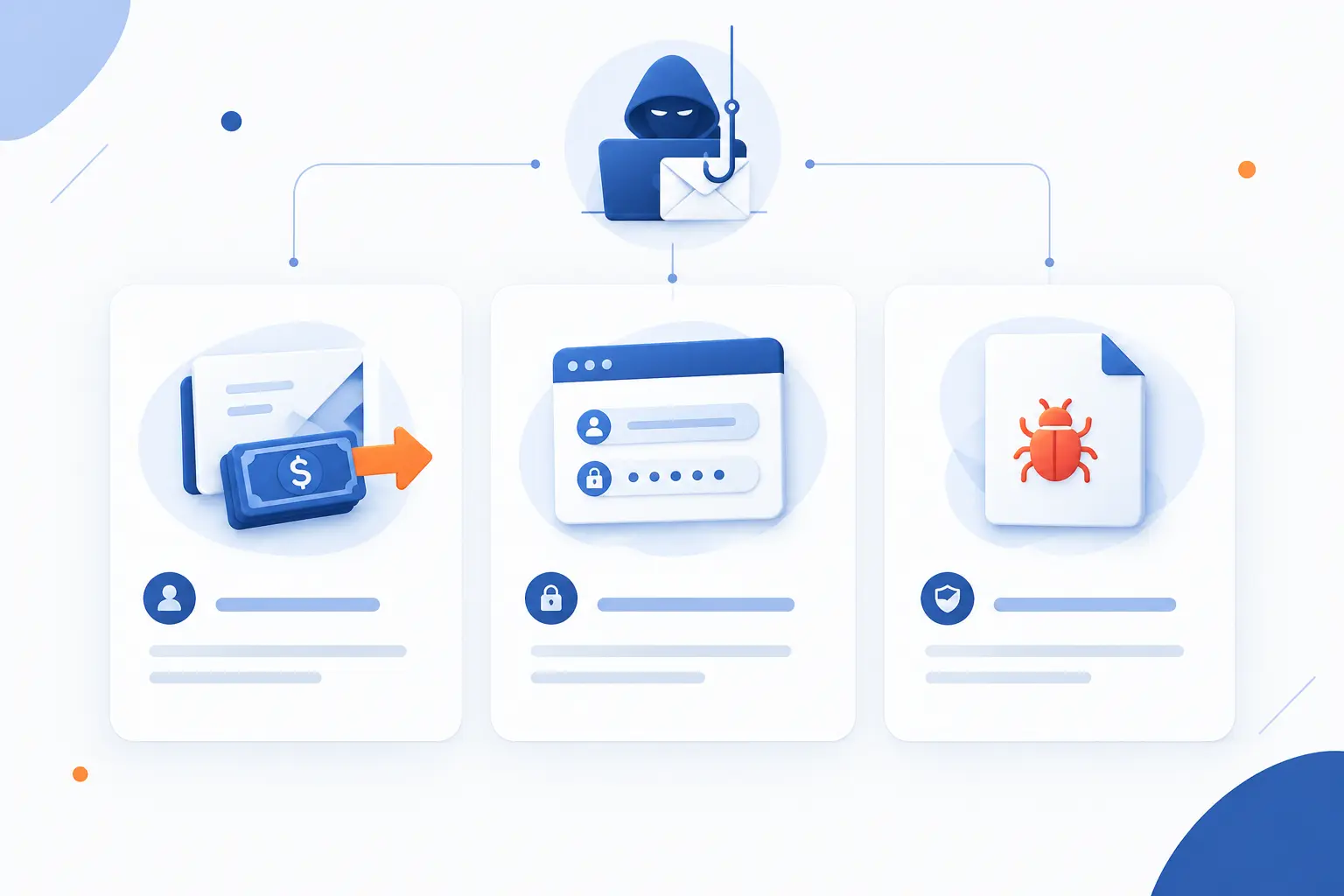
Common spear phishing attacks include business email compromise, credential harvesting, and malware delivery. Each type uses trust, but the end goal differs. One tries to move money. One tries to steal logins. One tries to run malicious code or open a path for ransomware.
| Attack type | Main goal | Common lure | Best first defense |
|---|---|---|---|
| Business email compromise | Fraudulent payment or data request | Executive or vendor message | Out-of-band verification |
| Credential harvesting | Username, password, or session access | Fake login page | Phishing-resistant MFA |
| Malicious attachment | Malware or ransomware delivery | Invoice, resume, report, or shared file | Attachment controls |
Business Email Compromise and CEO Fraud
Business email compromise tricks someone into sending money, changing bank details, or sharing sensitive business information. CEO fraud is a common version where the attacker impersonates a senior leader. The message may ask for a wire transfer, gift cards, payroll changes, tax records, or urgent vendor payment.
The FBI describes BEC as an email scam where criminals make a request that appears to come from a known source, and the agency advises victims to verify requests using independently found contact details, not the contact information in the message. This matters because attackers often control the whole email thread. The safe path is to step outside it.
The financial impact is not small. The FBI’s 2025 Internet Crime Report listed $3 billion in reported BEC losses, making it one of the costliest internet crime categories. That number is a hard reminder that a “simple email scam” can become a board-level loss.
Credential-Harvesting Impersonation
Credential-harvesting impersonation steals login details by sending the victim to a fake sign-in experience. The page may copy a cloud email portal, document-sharing screen, password reset form, VPN gateway, customer portal, or admin console. The attacker may ask for the password, MFA code, backup code, or approval on a push notification.
Credential attacks are dangerous because they turn the victim into a key. Once inside, the attacker can read old messages, learn internal language, and launch more convincing attacks from the real account. They may search for words like “invoice,” “wire,” “password,” “tax,” “VPN,” or “confidential.”
We dislike password-only access for this reason. Passwords can be copied. Session tokens can be stolen. Recovery flows can be abused. MFA raises the bar, and phishing-resistant MFA raises it further because it checks the legitimacy of the site, not just the person typing.
Malicious Attachments and Ransomware Delivery
Malicious attachments use files to install malware, steal information, or help deliver ransomware. The attachment may look like an invoice, shipping label, legal notice, resume, scanned document, or internal report. Sometimes the file itself is not obviously malicious until it downloads another payload or asks the user to enable unsafe behavior.
Ransomware delivery often depends on a chain. A user opens a file. Malware runs. The attacker steals credentials. Then they move deeper, disable defenses, and encrypt data. CISA’s ransomware guidance recommends controls such as MFA, offline backups, and network segmentation to limit damage when one layer fails.
We think of attachment risk in two parts. First, reduce what can reach the user. Second, reduce what the file can do if it opens. Sandboxing, blocked file types, least privilege, and endpoint monitoring all matter because humans will eventually face a convincing file.
Phishing, Spear Phishing, and Whaling Compared
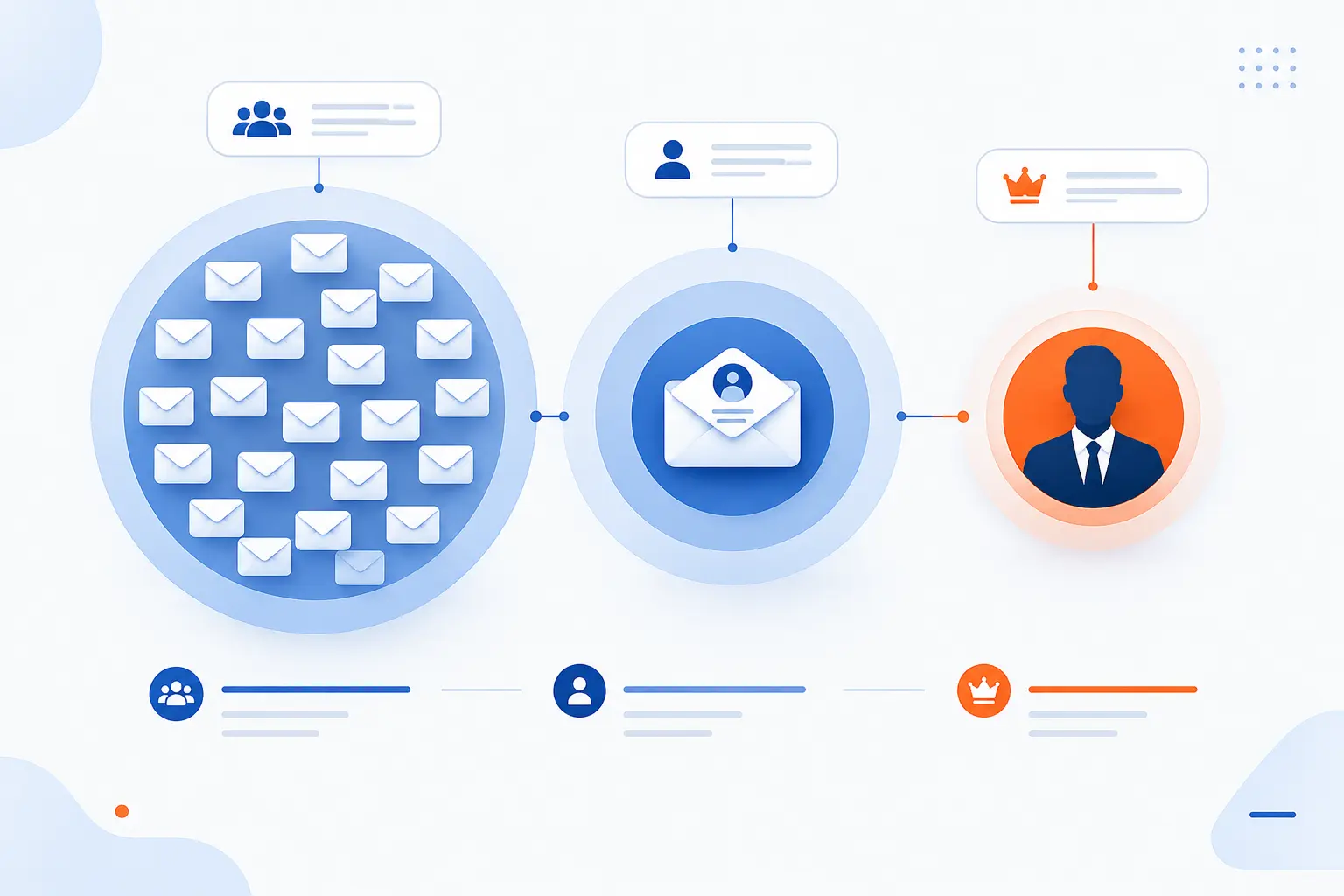
Phishing is broad, spear phishing is targeted, and whaling targets senior or high-value people. All three rely on deception. The main differences are audience size, personalization, and potential payoff. A broad campaign may send the same lure to thousands of users, while a tailored attack may focus on one finance manager or one executive.
| Term | Target | Personalization | Typical goal |
|---|---|---|---|
| Phishing | Many people | Low to moderate | Credentials, malware, fraud |
| Spear phishing | Specific person or team | High | Access, data, payments |
| Whaling | Executives or senior decision-makers | High | Large fraud, strategic access |
How Broad Campaigns Differ From Tailored Attacks
Broad phishing campaigns rely on volume, while tailored attacks rely on fit. A broad campaign may use a fake delivery notice, bank warning, or streaming account alert. It does not need to know much about the recipient. If enough people receive it, someone may click.
A tailored attack is different. It may name a real vendor, refer to a specific meeting, or copy a manager’s style. The attacker spends more effort because the target is worth more. That target may control payment approvals, customer records, cloud resources, source code, or administrative access.
We prefer a layered response. Filters are good at catching known bulk campaigns. People and process controls are better at stopping a one-off request that looks normal. The more targeted the attack, the more the defense must include verification habits.
Why Whaling Targets Executives and Decision-Makers
Whaling targets executives and senior decision-makers because their accounts, authority, and relationships carry more value. An executive can approve a large transfer, request confidential reports, influence staff, or access strategic data. Their public visibility also gives attackers more material to use.
Executives are often busy and mobile. They may approve requests between meetings. They may delegate through short messages. Attackers exploit that rhythm with brief, urgent instructions. “Can you handle this now?” can be enough if the sender appears powerful.
Whaling defenses should include executive-specific training, payment approval rules, protected devices, strong MFA, and careful delegation processes. Senior people need security that fits their workday. Otherwise, workarounds become the path of least resistance.
Who Spear Phishers Usually Target
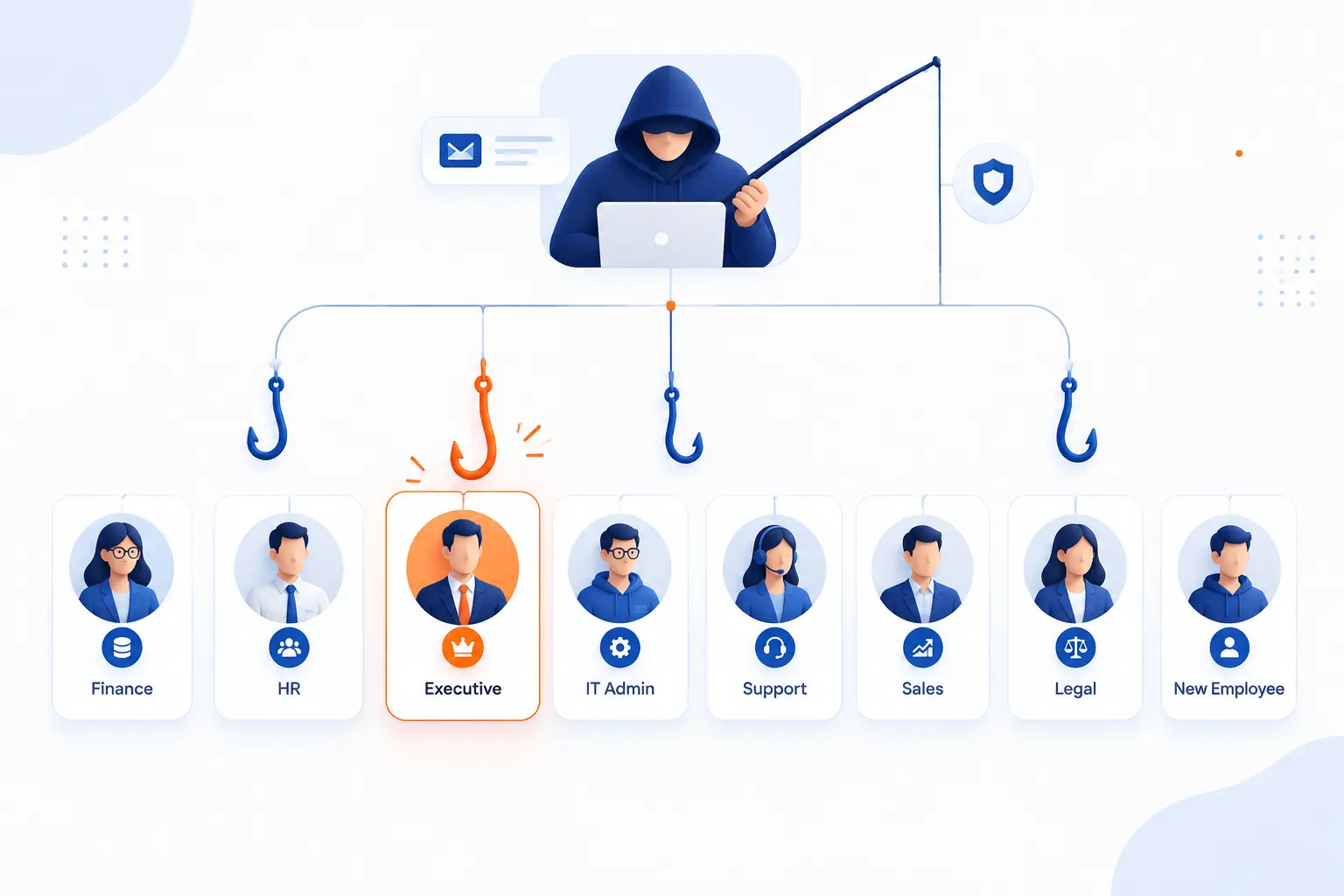
Spear phishers usually target people who can move money, reveal data, approve access, or influence others. That includes finance, HR, executives, IT admins, customer support, sales operations, legal teams, and new employees. The attacker chooses targets by value and vulnerability. A person may be valuable because of what they can access, or vulnerable because they are new, overloaded, or eager to help.
We recommend mapping targets by workflow rather than job title alone. Who can change bank details? Who can export customer data? Who can reset passwords? Who can publish DNS records? Those are the people who need sharper procedures and stronger controls.
Finance and HR Teams
Finance and HR teams are prime targets because they handle payments, payroll, tax forms, employee records, and vendor changes. A fake executive request may go to finance. A fake benefits update may go to HR. A fake employee record request may ask for personal data.
Finance teams should treat payment changes as high-risk, even when the message appears to come from a known vendor. HR teams should treat bulk employee data requests the same way. Attackers love normal administrative work because it creates cover.
Our favorite control is boring, which is why it works: require verification outside email for bank changes, payroll updates, and sensitive exports. The second channel must be known in advance. If the email provides the phone number, the attacker may have provided the trap too.
New Employees and High-Authority Staff
New employees are targeted because they do not yet know what normal looks like. They may not know who approves purchases, how IT communicates, or which vendors are real. They also want to make a good impression. Attackers exploit that good faith.
High-authority staff are targeted for the opposite reason. They know the company, but they have power. Their account may open doors, and their name can pressure others. A fake message from a senior leader can travel farther than a fake message from a stranger.
Training should treat these groups differently. New employees need examples from daily workflows. Leaders need to understand how their names and inboxes can be weaponized. Security is cultural, and culture starts with what leaders allow.
People With Access to Payments or Sensitive Data
People with payment or sensitive-data access are targeted because one successful request can produce immediate value. Sensitive data includes customer records, employee IDs, contracts, source code, cloud credentials, API keys, legal documents, and internal financial reports. Attackers may sell the data, use it for extortion, or use it to launch another attack.
Access reviews help here. If an employee no longer needs export rights, payment approval, or admin access, remove it. Least privilege is not glamorous, but it limits blast radius. When a spear phishing message works, excessive permissions make the damage worse.
We also like approval friction in the right places. Nobody wants bureaucracy for every small task. But a large transfer, sensitive export, or admin change should require clear proof. Good controls slow down dangerous actions without slowing the whole company.
How to Recognize a Suspicious Spear Phishing Email
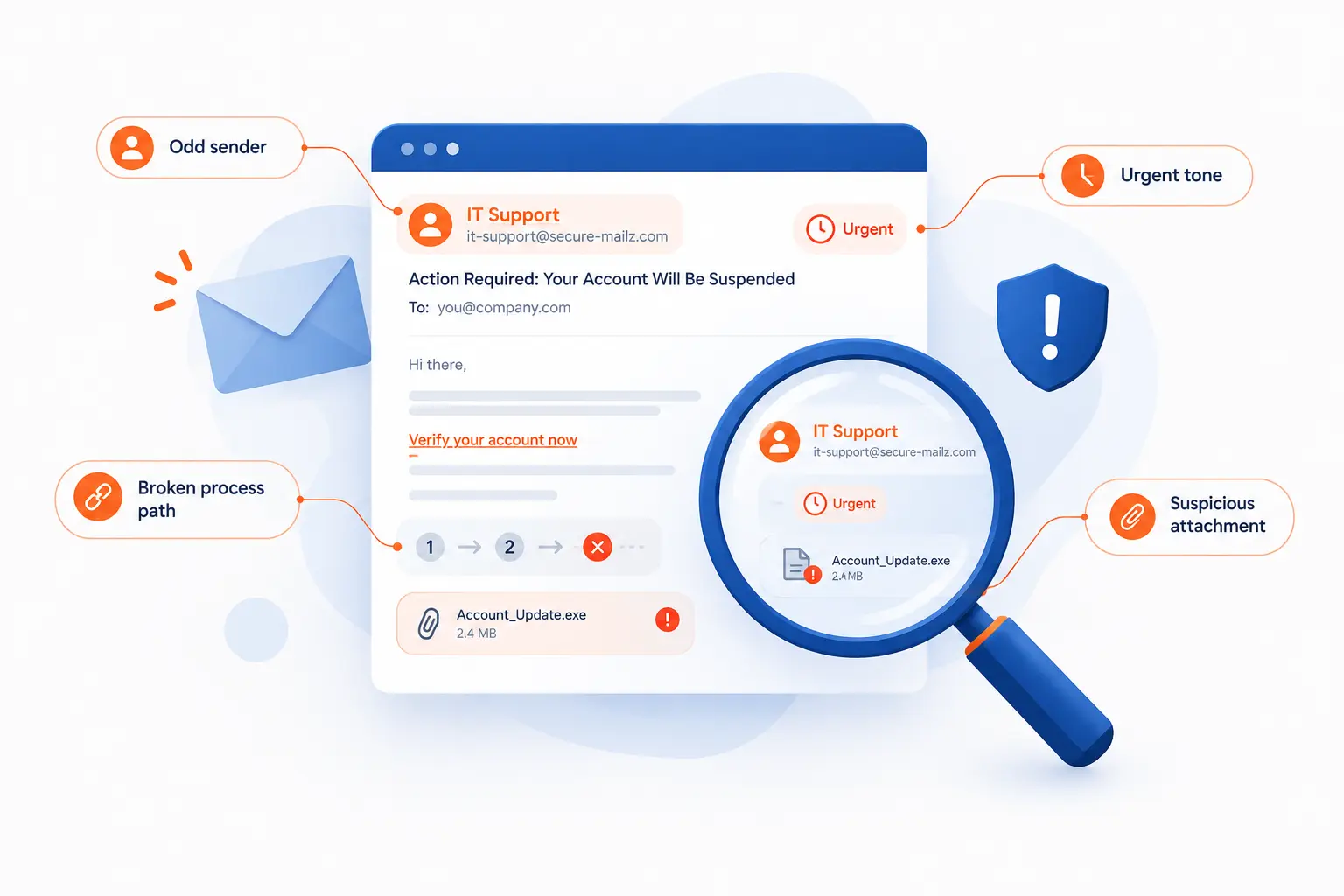
You recognize a suspicious spear phishing email by checking the sender, request, link, attachment, tone, timing, and process fit. The best clue is often not one dramatic red flag. It is a small mismatch between the request and normal business practice. If the message asks you to act outside the usual process, verify before responding.
The FTC advises people not to click suspicious links or call numbers inside the questionable message, and instead to use contact information they already know is valid. That advice is basic in the best sense. It works because it breaks the attacker’s controlled conversation.
Mismatched Sender Details and Spoofed Domains
Mismatched sender details are one of the fastest clues that a message may be fake. Check the display name, full email address, reply-to address, domain spelling, and any unusual subdomain. Attackers may swap letters, add hyphens, use a different top-level domain, or send from a free mailbox with a trusted display name.
For example, a message from “1Byte Billing” is not enough. The domain matters. So does the reply path. If a message claims to be from a vendor but replies go somewhere else, stop and verify.
Still, do not rely on visual checks alone. A compromised mailbox can look perfect. Sender checks are a first filter, not a final verdict. The real test is whether the request makes sense and follows the right process.
Unexpected Links, Attachments, and Login Requests
Unexpected links, attachments, and login requests should be treated as untrusted until verified. Hovering over a link can help on desktop, but it is not foolproof. Short links, redirects, and mobile views can hide the final destination. Attachments can also look harmless while carrying malicious behavior.
A strong warning sign is a document that forces you to sign in again when you were not expecting it. Another is a file that asks you to enable macros, install software, or ignore browser warnings. Real business tools rarely need you to weaken your security to read a file.
When in doubt, go directly to the service by typing the known address or using a saved bookmark. Do not use the link in the email. If the file or task is real, it should be visible after you sign in through the normal path.
Pressure Tactics, Odd Tone, and Unusual Instructions
Pressure tactics are a major warning sign because attackers want action before reflection. Watch for phrases like “do this now,” “keep this confidential,” “I am in a meeting,” “do not call,” or “payment will fail.” Those phrases may appear in real work, but they are also useful to criminals.
Odd tone matters too. A message may be too formal, too casual, or strangely brief compared with the sender’s normal style. It may skip normal approval steps or ask you to use a new account, portal, wallet, or phone number.
The safest response is not to accuse. It is to verify. “I’m confirming through our normal process before I act” should be a respected sentence in every company. If that sentence annoys someone, the process needs work.
How to Prevent Spear Phishing
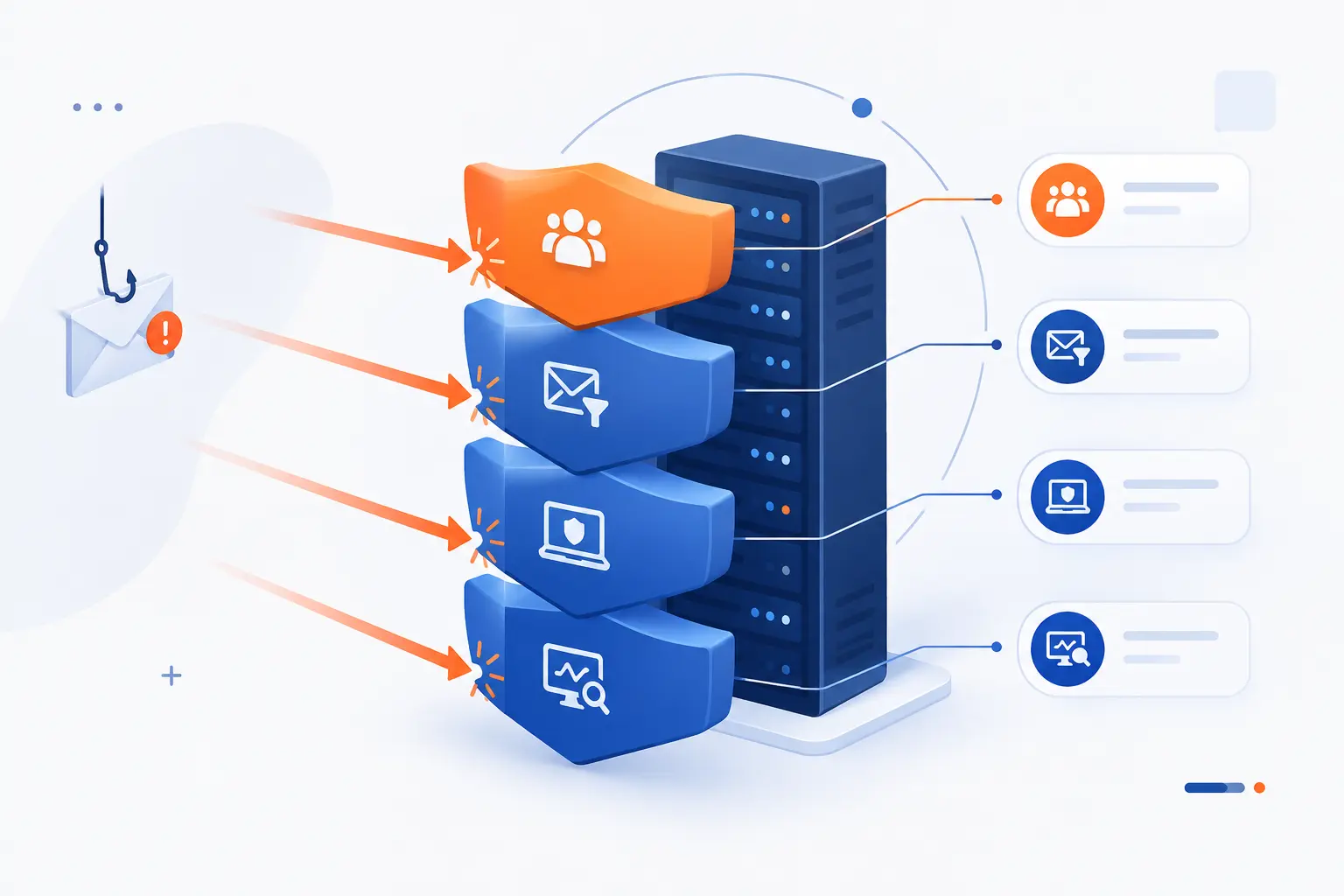
You prevent spear phishing by combining people training, identity protection, email authentication, filtering, endpoint controls, network design, and monitoring. No single control stops every attack. The point is to make the attacker fail at several stages: delivery, click, credential theft, malware execution, lateral movement, and data exfiltration. We like layered defenses because real attacks are layered too.
Prevention should also match the business process. If your biggest risk is payment fraud, strengthen approval workflows. If your biggest risk is account takeover, strengthen authentication and monitoring. If your biggest risk is ransomware, harden endpoints, backups, and segmentation.
Security Awareness Training and Phishing Simulations
Security awareness training works best when it teaches real decisions, not trivia. Employees should practice spotting suspicious requests, verifying payment changes, reporting emails, and refusing unsafe instructions. The goal is not to shame clickers. The goal is to make safe behavior normal.
Phishing simulations can help, but only if they are fair and useful. A simulation should resemble real business risk. It should teach one clear lesson. It should give quick feedback. If simulations become “gotcha” exercises, people hide mistakes. That is the opposite of security.
We prefer training that includes role-specific examples. Finance sees invoice fraud. HR sees payroll and tax lures. Developers see repository and access-token lures. Executives see whaling and delegation abuse. People learn faster when the example looks like their day.
Multi-Factor Authentication and Email Authentication Checks
MFA reduces the damage from stolen passwords, and phishing-resistant MFA is stronger because it helps resist fake login pages. NIST’s identity guidance describes phishing-resistant authenticators as methods that bind authentication to the legitimate channel or verifier, which makes simple credential replay harder. In practice, this often points teams toward FIDO2/WebAuthn security keys or platform passkeys for high-risk accounts.
Email authentication also matters. SPF, DKIM, and DMARC help receiving systems check whether a message is authorized to use a domain. They do not prove that every authenticated message is safe, but they reduce direct domain spoofing. Gmail requires bulk senders to set up SPF, DKIM, and DMARC when sending more than 5,000 messages per day to personal Gmail accounts, which shows how mainstream these checks have become.
Our opinion is firm here: protect admin accounts, finance accounts, and email accounts first. If attackers own email, they can reset many other things. Email is often the skeleton key.
Secure Gateways, Attachment Controls, and Cloud Email Security
Secure gateways and cloud email controls reduce how many dangerous messages reach people. These tools can inspect links, detonate attachments in sandboxes, detect impersonation patterns, block known malicious infrastructure, and warn users about external senders. They also help security teams search and remove bad messages after delivery.
Attachment controls deserve special care. Many companies can block risky file types outright, such as executable files or script-heavy formats. Others need stricter rules for departments that receive outside documents. The right policy depends on workflow, but “allow everything and hope” is not a policy.
Cloud email security should also watch for account takeover signs. New inbox rules, impossible travel, mass downloads, unusual forwarding, and strange OAuth app consent can reveal that the attacker has moved beyond the first email. Detection after compromise is still prevention of wider damage.
Network Segmentation, Pen Testing, and Account Monitoring
Network segmentation limits how far an attacker can move after one account or device is compromised. If finance workstations, web servers, database servers, and admin tools all sit in one flat environment, one mistake can spread quickly. Segmentation makes the attacker work harder and gives defenders more chances to notice.
Pen testing helps validate whether controls survive real pressure. A good test may examine phishing exposure, credential reuse, privilege boundaries, cloud permissions, and data access paths. The goal is not to produce a scary report. The goal is to fix the easiest paths before criminals use them.
Account monitoring closes the loop. Watch privileged accounts, dormant accounts, service accounts, and email rules. Alert on behavior that does not match the user’s normal work. Spear phishing often starts with a person, but it becomes a system problem if the environment allows quiet abuse.
FAQ
These quick answers cover the most common beginner questions about spear fishing cyber, or more accurately, spear phishing. The key idea is simple: the attack is targeted, personal, and designed to make a risky action feel routine. If a request touches money, credentials, access, or sensitive data, verify it through a trusted channel before acting.
Can Spear Phishing Happen Without Links or Attachments?
Yes, spear phishing can happen without links or attachments. A message may simply ask you to send a file, change bank details, buy gift cards, approve an invoice, or reply with sensitive information. That is why link scanning alone is not enough. Process verification is the defense that catches “no-click” fraud.
What Does a Successful Spear Phishing Attack Usually Try to Steal?
A successful spear phishing attack usually tries to steal credentials, money, sensitive files, or access to systems. The stolen item depends on the target’s role. Finance may face payment fraud, HR may face employee data theft, and IT may face admin access theft. The attacker often uses the first win to launch a second, more damaging move.
What Should You Do If You Clicked a Suspicious Link?
If you clicked a suspicious link, disconnect from the action and report it immediately to your IT or security contact. Do not enter more information, approve MFA prompts, or download files. If you entered a password, change it from a trusted device and revoke active sessions where possible. Fast reporting gives defenders time to block the site, remove related emails, and check for account abuse.
How 1Byte Helps Customers Reduce Spoofing and Fraud Risks
1Byte helps customers reduce spoofing and fraud risks by supporting the foundations that make online identity harder to fake and easier to manage. In this section, we will keep the focus practical: domain registration, SSL certificates, WordPress hosting, shared hosting, cloud hosting, cloud servers, and the fact that 1Byte is an AWS Partner. These services do not make spear phishing disappear. They help customers build cleaner trust signals, better hosting hygiene, and more controlled environments.
We care about this because many phishing and impersonation problems start with weak identity signals. A confusing domain portfolio, an expired certificate, an abandoned website, or poorly separated infrastructure can make fraud easier. Good hosting choices are not a magic shield, but they remove easy openings.
Domain Registration and SSL Certificates for Stronger Trust Signals
Domain registration and SSL certificates help customers present a clearer, more trustworthy online identity. A well-managed domain portfolio reduces confusion between official and unofficial names. SSL certificates help visitors confirm they are connecting to an encrypted site controlled for that domain.
That matters in spear phishing because attackers often abuse lookalike names and fake pages. If customers know the official domain, and the official site uses a valid certificate, it becomes easier to train users where to sign in and where not to. Clear domain ownership also helps teams plan email authentication records for legitimate sending domains.
Our practical advice is to keep domain ownership records current, renew important domains on time, and retire unused names carefully. Attackers love abandoned trust. Do not hand it to them.
WordPress Hosting and Shared Hosting With Better Site Security Hygiene
WordPress hosting and shared hosting can support better site security hygiene when customers keep sites updated and configured carefully. Many phishing pages are hosted on compromised websites, not just attacker-owned domains. A neglected plugin, weak password, or forgotten admin account can turn a normal site into criminal infrastructure.
For WordPress users, the basics still matter: update the core software, themes, and plugins. Remove what is not used. Use strong admin credentials. Limit who can change the site. Back up content before major changes.
For shared hosting users, separation of accounts and careful access management are especially important. One messy website should not become the reason every project becomes harder to trust. We see clean hosting hygiene as quiet security work. It is not dramatic, but it prevents ugly surprises.
Cloud Hosting and Cloud Servers With More Control, Isolation, and Resilience
Cloud hosting and cloud servers give customers more control over isolation, access, and recovery planning. For businesses that need stricter boundaries, separate environments can reduce the chance that one compromised site or account affects everything else. Better isolation also makes monitoring and response clearer.
Because 1Byte is an AWS Partner, we view cloud design through a practical operations lens. Customers can use cloud hosting and cloud servers to separate production, staging, and testing. They can keep sensitive workloads away from public-facing services. They can also plan backups and recovery around real business needs.
This connects directly to spear phishing. If an attacker steals one set of credentials, good isolation limits where those credentials can go. If malware lands on one server, resilience planning helps the business recover faster. The goal is not to assume people will never click. The goal is to make one click less powerful.







Conclusion
Spear fishing cyber is best understood as spear phishing: a targeted cyberattack that uses personal or business context to steal data, money, credentials, or system access. It works because it feels familiar. The attacker studies the target, impersonates a trusted sender, and pushes for a fast decision.
The strongest defense is layered and practical. Train people with realistic examples. Verify payment and data requests outside email. Use MFA, especially phishing-resistant MFA for high-risk accounts. Configure email authentication. Filter dangerous content. Segment systems. Monitor accounts for unusual behavior.
We have a personal view on this: spear phishing is not a “user stupidity” problem. It is a design problem across people, process, identity, and infrastructure. Build enough checks into the system, and one human moment does not become a company-wide incident. If you want a next step, start with your highest-risk workflow. Which request, if faked tomorrow, would hurt the most?