

- Compare the Options and Understand Our Selection Process
- Top 10 Best SEO Software Tools
- Five More SEO Tools Worth Considering
- What SEO Software Does and Where Human Judgment Still Matters
- Build an SEO Tool Stack Around Your Actual Work
- Understand the Full Cost of SEO Software
- Turn SEO Tool Reports Into a Repeatable Workflow
- Interpret SEO Metrics Without Mistaking Estimates for Facts
- Evaluate AI Search Tracking and Automation With Care
- Keep Hosting Reliability and Page Speed in the SEO Picture
- Frequently Asked Questions About the Best SEO Software Tools
- Conclusion
The best SEO software tools depend on the decisions you need to make, not the longest feature list. We would shortlist Semrush for broad research, Ahrefs for competitor and backlink analysis, and SE Ranking for coordinated project work. Google Search Console belongs beside any paid option because it shows how your own site performs in Google Search. Below, we compare complete platforms, technical crawlers, publishing plugins, and content tools without pretending they do the same job.
Our recommendations come from official product pages, documentation, pricing pages, and independent review listings. We did not conduct hands-on testing. Where a price could not be verified from the accessible official page, we say so rather than recycle an older figure.
Compare the Options and Understand Our Selection Process
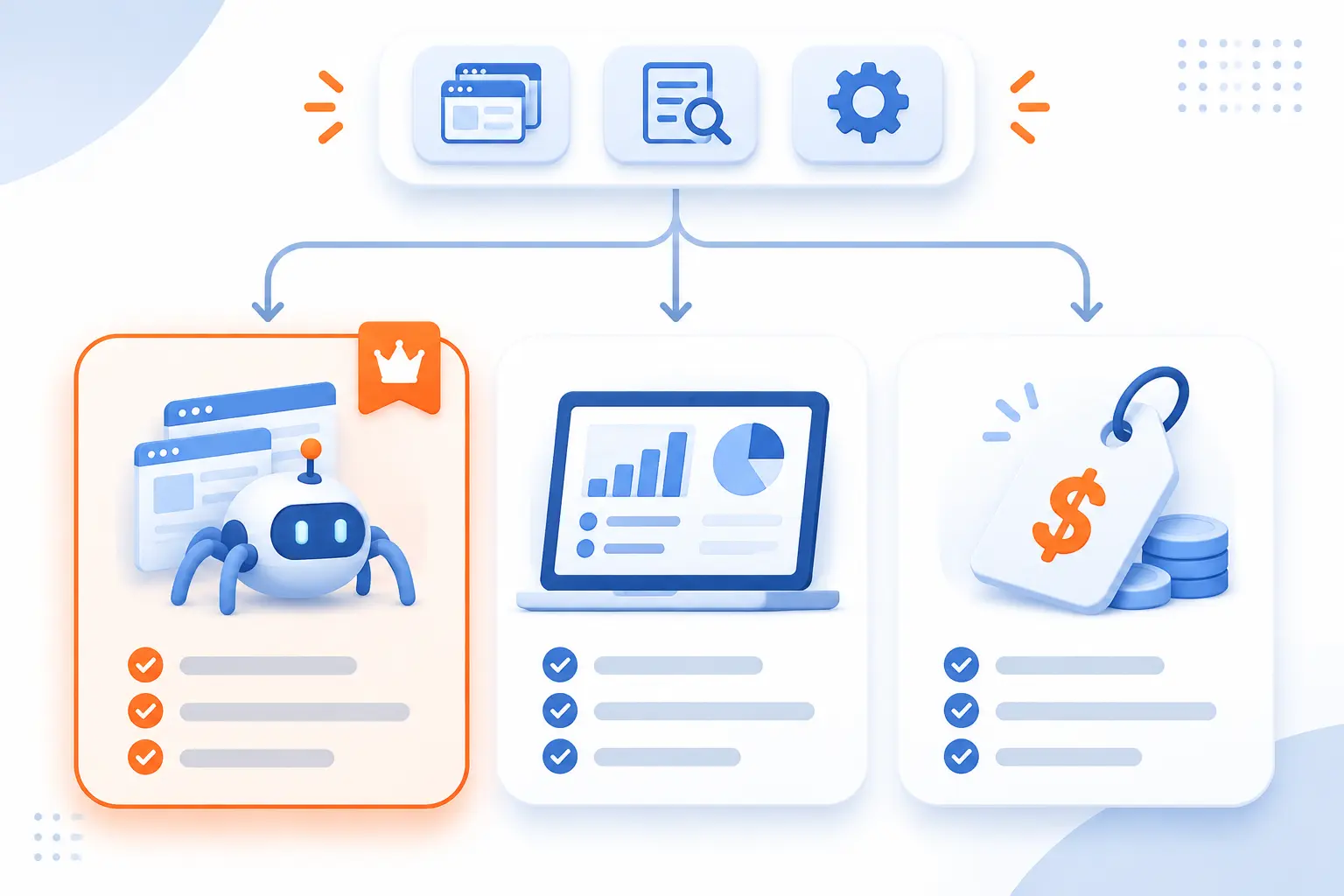
Choose by your main workload first, then compare limits and total cost. A strong technical crawler can outperform a larger suite for an audit, yet offer little help with competitor research. Our comparison separates those roles and identifies the restrictions that deserve attention before purchase.
FURTHER READING: |
| 1. 15 Cheap Email Service Providers Compared for Value |
| 2. Best Open Source IoT Platform: 15 Options Compared |
| 3. 15 Best Professional SEO Services for Your Business |
Best SEO Software Tools Compared by Use Case, Price, and Limitations
Semrush, SE Ranking, and Ahrefs are our broad-platform shortlist, while the other selections address more specific needs. The pricing column summarizes the billing model to avoid repeating the detailed prices below. Scores are our editorial assessments, not customer-review averages.
| Tool | Best For | Pricing Model | Main Limitation | Score |
|---|---|---|---|---|
| Semrush | Broad competitive research and search visibility | Free access, subscriptions, and add-ons | Seats and reporting can add cost | 4.7 |
| SE Ranking | Coordinated tracking, audits, and client projects | Monthly, annual, or custom subscription | Agency Pack costs extra | 4.6 |
| Ahrefs | Backlink research and competitor investigation | Subscriptions with usage limits | Additional users and historical depth affect cost | 4.7 |
| Mangools | Approachable keyword research | Free access and localized subscriptions | Lower paid tiers update rankings weekly | 4.3 |
| Screaming Frog SEO Spider | Detailed technical crawling | Free version or annual user license | Desktop resources constrain larger crawls | 4.7 |
| SpyFu | Combined organic and paid competitor research | Monthly or annual subscription | Basic restricts exports and results | 4.3 |
| Surfer | Content optimization and AI visibility | Subscriptions with document allowances | Tracking frequency varies by plan | 4.3 |
| Yoast SEO | WordPress publishing controls | Free plugin or annual subscription | Not a standalone competitor research suite | 4.4 |
| Google Search Console | First-party Google performance and indexing data | Free service | Requires authorized property access | 4.9 |
| Clearscope | Collaborative content production and refreshes | Monthly subscription or custom agreement | Pages, queries, and drafts have separate allowances | 4.4 |
How We Researched Recommendations and Evaluated Features, Usability, and Value
We compared documented workflows, verified plan information, and review-page evidence rather than treating vendor promises as measured results. Official pages established features and restrictions. Independent listings helped us identify usability themes, pricing concerns, and the strength of each product’s review footprint.
We applied these criteria consistently, judging each tool within its intended role:
- Capability fit: We assessed whether the documented features address a clear research, auditing, publishing, or measurement need.
- Workflow clarity: We examined setup requirements, named workflows, integrations, and reviewer feedback about navigation and learning effort.
- Value and limits: We considered billing terms, user access, project allowances, usage restrictions, and separately charged features.
- Evidence and transparency: We favored accessible documentation, clear pricing information, and independent reviews with identifiable rating counts.
Our scores use a five-point scale. They summarize editorial judgment, not a benchmark or a mathematical prediction of ranking improvements. List order also reflects different buying situations, so a specialist can score well without becoming the best general-purpose purchase.
Top 10 Best SEO Software Tools

These are the strongest starting points for the most common SEO workloads we researched. Buy a broad platform when research and monitoring dominate your week. Choose a specialist when a narrower problem, such as crawling or content maintenance, consumes most of your effort.
1. Semrush

- Category: Search visibility and competitive research platform
- Best for: Teams managing several connected search activities
- Ease of use: Broad workspace with a learning curve
- Pricing: Free access, paid plans, and optional add-ons
- Standout feature: Connected research, auditing, and visibility monitoring
For teams that want research and monitoring in one workspace, this is our most rounded starting point. The product combines keyword discovery, competitor analysis, technical checks, backlink research, and AI visibility features. Its strongest argument is breadth with recognizable workflows, rather than any promise that one dashboard solves everything.
We place it first because those connections suit a general commercial shortlist. You can investigate an opportunity, examine your site, and monitor the resulting campaign without immediately buying separate specialist products. That convenience has a trade-off. The subscription page includes several add-ons, so the entry subscription should not be mistaken for an all-inclusive team budget.
How Semrush works
Start with a word or phrase in Keyword Magic Tool. The documentation shows related terms organized into topic-specific subgroups. That structure gives you a practical way to narrow a broad subject before selecting phrases for deeper investigation.
Next, create a website project and configure Site Audit. Its crawler examines the site and returns technical findings for review. Position Tracking then follows selected keywords, while competitor and backlink reports provide context beyond your own pages.
The useful workflow is not simply collecting more terms. We would group related opportunities, choose the pages that should address them, and track those pages after publication. Keep technical findings in a separate implementation queue. Mixing content ideas and crawl warnings into one undifferentiated export makes ownership harder.
The plan comparison also separates traditional SEO capacity from AI visibility allowances. Before subscribing, decide whether you need custom prompt monitoring, historical research, or multi-location tracking. Those needs can change the appropriate tier.
Who is Semrush for?
We recommend it for in-house marketers and agencies that regularly move between research, audits, and competitive reporting. It is especially sensible when several activities need the same campaign context.
A business owner who only needs indexing information should start with Search Console instead. Likewise, a technical consultant who mainly needs crawl exports may get a more focused purchase from a desktop crawler.
Semrush pricing
- Free: $0, with a demo project, limited daily reports, and basic onboarding.
- SEO: $139 monthly, with website monitoring, daily keyword tracking, keyword research, and Site Audit.
- Starter: $199 monthly, adding expanded SEO and AI search capabilities, custom prompt tracking, and AI brand performance monitoring.
- Pro+: $299 monthly, with historical SEO data, content optimization, cannibalization analysis, and multi-location/device tracking.
- Advanced: Custom pricing, with higher capacity, advanced API integration, team users, and expanded reporting.
- Enterprise: Custom pricing, with tailored limits, governance controls, custom integrations, and dedicated account management.
Annual equivalents are lower, but seats and reporting packages need separate attention in the published subscription breakdown.
Pros and cons
Pros
- Keyword Magic Tool organizes related terms into topic-specific groups.
- Site Audit and Position Tracking connect technical monitoring with campaign measurement.
- Pro+ adds historical data and keyword cannibalization analysis.
Cons
- Additional users and reporting packages can increase the subscription total.
- Historical research and multi-location tracking require a higher tier.
- G2’s review summary identifies feature overload and advanced-feature cost as recurring concerns.
Semrush rating and reviews
- G2: rated 4.4/5 across 4,303 reviews.
Review feedback supports the breadth argument, but it also reinforces our budget warning. We would shortlist Semrush when its connected capabilities replace several genuine needs, not merely because its menu is extensive.
2. SE Ranking

- Category: SEO project management and research platform
- Best for: Teams coordinating recurring site and client work
- Ease of use: Approachable, with reporting caveats
- Pricing: Monthly, annual, and custom plans
- Standout feature: Tracking, audits, local tools, and integrations together
Keeping recurring SEO work organized is the clearest reason to consider this platform. Its official pages connect rank tracking, website audits, competitor research, backlink analysis, content tools, and local marketing. We see it as a practical operations choice rather than just a keyword database.
The pricing structure makes capacity planning relatively concrete. Core and Growth identify project allowances, manager access, crawl capacity, and API credits. That helps a buyer compare the subscription against an actual client roster or website portfolio.
We would not assume every agency requirement is included, however. White-label reporting and client-facing tools sit within the separately described Agency Pack. The difference between managing projects and presenting a branded client service matters here.
How SE Ranking works
Create a project for a website, then add the keywords and markets you want to monitor. The official FAQ describes projects as dedicated workspaces containing rankings, competitors, audits, and related site information.
Run Website Audit to identify technical and on-page issues. Its product page describes automated checks, issue explanations, and configurable crawling. Connect Google Analytics or Search Console when you need your own performance data beside the platform’s research.
Competitor Analysis and Keyword Research help investigate opportunities outside your existing query list. Backlink tools add another source of context. The point is to bring findings back into a website project, rather than leave them as unrelated research sessions.
For collaboration, distinguish manager access from client access. The documentation describes managers as able to edit project settings and data within their permissions. Client roles are view-only. We would map those responsibilities before buying extra access or the Agency Pack.
Growth adds guest links and page change monitoring. Those features are worth considering when a client needs visibility without editing rights, or when several people can alter important pages. Neither feature replaces a clear approval process.
Who is SE Ranking for?
Freelancers, small agencies, and in-house teams with recurring reporting needs should put it on their shortlist. It fits buyers who want research and site monitoring connected to identifiable projects.
Teams seeking only backlink investigation should compare Ahrefs and Majestic closely. Buyers who require fully branded client delivery should price the agency add-on before deciding that the base plan covers everything.
SE Ranking pricing
- Core: $129 monthly or $103.20 per month billed annually, including 10 projects, a manager seat, 2,000 daily tracked keywords, and 250,000 monthly audit pages.
- Growth: $279 monthly or $223.20 per month billed annually, including 30 projects, three manager seats, larger audit capacity, and page change monitoring.
- Enterprise: Custom pricing, with flexible limits, full API access, advanced integrations, and tailored terms.
We checked the plan comparison alongside the official USD FAQ because regional currencies appeared during research. Confirm your currency, selected billing term, and add-ons in the account capacity and billing comparison.
Pros and cons
Pros
- Core combines daily tracking, website audits, research, and analytics integrations.
- Growth includes guest links and page change monitoring.
- Published project and manager allowances make team planning easier.
Cons
- Agency Pack is separate from the core subscription.
- Growth’s collaboration features are not all available on Core.
- G2’s review summary flags requests for more flexible reporting.
SE Ranking rating and reviews
- G2: rated 4.7/5 across 1,620 reviews.
Reviewers generally support its approachable interface and broad capabilities. Our verdict is straightforward: choose it for repeatable project delivery, then check the agency and usage extras against your real workload.
3. Ahrefs

- Category: Competitive research and search intelligence platform
- Best for: Backlink investigation and competitor-led planning
- Ease of use: Clear research tools with considerable depth
- Pricing: Tiered subscriptions and additional user charges
- Standout feature: Site Explorer’s connected page and backlink research
When the main question is why a competitor attracts search visibility and links, this is a compelling place to begin. Site Explorer combines organic search, backlink, and paid research around a domain or page. Keywords Explorer adds topic discovery and search opportunity analysis.
That investigative focus earns its place near the top of our list. We particularly like the documented connection between a competitor’s successful pages, their keywords, and their referring websites. It encourages page-level research instead of judging an entire competitor through one headline authority score.
The subscription deserves careful reading. Historical depth, user access, tracked keywords, and crawl credits vary by tier. A plan that suits occasional research may become restrictive when several colleagues investigate unrelated projects throughout the week.
How Ahrefs works
Enter a domain or URL in Site Explorer. Review the pages and keywords associated with its search visibility, then examine referring websites and backlink changes. Paid research provides a separate view of where competitors direct advertising traffic.
Move a promising subject into Keywords Explorer. The product page describes keyword ideas, search volume trends, Parent Topic, and Traffic Potential. Parent Topic helps determine whether a phrase belongs within a broader page rather than requiring its own article.
Keywords Explorer also provides Keyword Difficulty. Its documentation describes a link-based assessment of competing pages. We would use that as a screening signal, then inspect the actual results and content formats before choosing a target.
For your own website, Site Audit and Rank Tracker provide ongoing checks. That creates a useful sequence: investigate competitors, choose opportunities, inspect implementation, then monitor progress. Do not treat estimated competitor visits as your forecast.
The official plan comparison is especially useful for research depth. Standard adds Content Explorer, Batch Analysis, and additional Site Explorer reports. Advanced adds features such as Looker Studio integration. Those distinctions matter more than simply choosing the largest keyword allowance.
Who is Ahrefs for?
We recommend it for SEO specialists, content strategists, and consultants who spend substantial time investigating competitors and links. It also suits teams that need to explain which pages create a competitor’s advantage.
Someone who only needs publishing checks inside WordPress should look elsewhere. Small teams should also review the included user count and credit model before making Ahrefs their shared research workspace.
Ahrefs pricing
- Lite: $129 monthly, including 750 tracked keywords, 100,000 crawl credits, limited historical data, and an included user.
- Standard: $249 monthly, including 2,000 tracked keywords, 500,000 crawl credits, Content Explorer, and unlimited credits per user.
- Advanced: $449 monthly, including 5,000 tracked keywords, expanded historical data, larger crawl capacity, and Looker Studio integration.
- Enterprise: $1,499 monthly with an annual commitment, including tailored limits, access management, SSO, and uncapped API access.
Additional users have plan-dependent charges, so compare the complete team requirement in the published plan and usage allowances.
Pros and cons
Pros
- Site Explorer connects competitor pages, keywords, and backlink profiles.
- Parent Topic and Traffic Potential offer context beyond an isolated keyword.
- Standard includes Content Explorer and Batch Analysis.
Cons
- Lite retains a user-credit allowance.
- Extra users cost more, with charges differing by tier.
- G2 reviewers frequently identify price as a concern for freelancers and smaller businesses.
Ahrefs rating and reviews
- G2: rated 4.5/5 across 722 reviews.
Review feedback emphasizes backlink data and keyword research, which matches its strongest documented workflows. We would choose Ahrefs when deeper investigation is a regular responsibility, not an occasional curiosity.
4. Mangools

- Category: Keyword, ranking, and backlink research toolkit
- Best for: Beginners and focused research workflows
- Ease of use: Approachable interface, supported by reviewer feedback
- Pricing: Localized paid plans, exact checkout price unverified
- Standout feature: KWFinder’s focused keyword research workflow
A smaller, more focused research workspace can be the better choice when a comprehensive platform feels excessive. This toolkit divides keyword discovery, search result analysis, tracking, backlinks, and website metrics into distinct applications. KWFinder is the main attraction for buyers starting with topic and keyword research.
We include it because the documented workflow is easy to explain. Search a phrase or domain, inspect the results, build a shortlist, and monitor selected terms. G2’s review summary also highlights usability and customer support, while acknowledging limits for advanced analysis.
There is an important purchasing caveat. The official pricing page did not expose its paid checkout figures reliably during our research. Its help center confirms that pricing varies by country and billing term. We therefore do not repeat older dollar amounts from review directories.
How Mangools works
Open KWFinder and search by keyword or domain. Choose the relevant location and language, then review related phrases and the accompanying search result information. The official guide explains saving terms into lists and exporting research.
Use SERPChecker when the search results themselves need closer examination. SERPWatcher monitors the keywords you select. LinkMiner and SiteProfiler provide backlink and website-level context, respectively.
This division makes the toolkit understandable, but it also defines its scope. We would use it for focused research and monitoring, not assume it replaces a technical crawler. Someone responsible for migrations or extensive JavaScript diagnosis should budget for another tool.
The official plan comparison reveals a detail that deserves more attention than a headline price. Basic and Premium update rankings weekly, while Agency updates them daily. That difference changes how suitable the plans are for frequent client reporting.
AI Search Watcher Pro is included in the SEO + AI plans and is also offered separately. The standalone option includes smaller allowances for the traditional tools. Make sure you are comparing the complete toolkit rather than accidentally selecting the narrower AI-monitoring product.
Who is Mangools for?
Bloggers, freelancers, small business marketers, and newcomers should consider it when keyword research is the main job. Its focused applications make a sensible alternative to a larger workspace with many unrelated modules.
Agencies needing daily ranking changes should examine Agency rather than assume the lower plans have the same schedule. Technical specialists and heavy research teams should inspect export, lookup, and collaboration limits carefully.
Mangools pricing
- Basic: Localized price not verified. Includes 100 keyword lookups per day, 200 tracked keywords, weekly ranking updates, and AI Search Watcher Pro.
- Premium: Localized price not verified. Includes 500 daily keyword lookups, 700 tracked keywords, weekly updates, and expanded collaboration access.
- Agency: Localized price not verified. Includes 1,200 daily keyword lookups, 1,500 tracked keywords, daily updates, and higher research allowances.
- AI Search Watcher Pro: Separate localized price not verified. Includes AI monitoring, smaller traditional research allowances, and API/MCP access.
The vendor explains how annual equivalents differ from the amount charged upfront, so confirm the selected country and term on the localized subscription page.
Pros and cons
Pros
- KWFinder supports both keyword-led and domain-led research.
- Distinct applications keep research tasks clearly separated.
- SEO + AI subscriptions include AI Search Watcher Pro.
Cons
- Basic and Premium use weekly ranking updates.
- Daily lookups and monthly backlink rows have plan limits.
- We could not independently verify the live checkout figures.
Mangools rating and reviews
- G2: rated 4.7/5 across 97 reviews.
We would shortlist it for approachable research, then verify the quote shown in your account. A clear workflow is valuable, but an unverified headline price should never decide the purchase.
5. Screaming Frog SEO Spider

- Category: Desktop website crawler
- Best for: Technical audits and detailed URL investigation
- Ease of use: Technical, with a detailed interface
- Pricing: Free version or renewable user license
- Standout feature: Configurable crawling and granular exports
Technical diagnosis, rather than keyword discovery, is the reason to choose this crawler. The official product page documents broken-link checks, redirect analysis, metadata inspection, duplicate-content discovery, and robots directives. It also covers JavaScript rendering and integrations for deeper investigation.
We consider it one of the best SEO software tools for people who need evidence at URL level. A sitewide score can identify a problem area. Detailed crawl data helps identify the affected pages and the links or templates that need attention.
Its desktop model is both an advantage and a constraint. You control the crawl and work directly with the results, but larger projects depend on available memory and storage. “Unlimited” licensing does not mean unlimited computing resources.
How Screaming Frog SEO Spider works
Install the application for your operating system, enter the website address, and start a crawl. The getting-started guide walks through viewing internal URLs, examining response codes, and working through the resulting tabs and filters.
Select an affected URL to inspect its details. Inlinks identify pages that link to it, which helps turn a broken URL into a fixable task. Exporting the affected addresses and their sources gives developers more useful evidence than a screenshot of a warning total.
For a migration or a known set of pages, use List mode instead of relying only on discovery from a starting URL. The product documentation also describes custom extraction with CSS selectors, XPath, and regular expressions.
Paid capabilities extend the workflow. JavaScript rendering helps inspect sites whose important content depends on scripts. Analytics, Search Console, and PageSpeed Insights integrations can add performance context to crawled URLs.
Scheduling and command-line operation support recurring audits. We would still define crawl boundaries carefully. An ecommerce site with many filters can create a large collection of URLs that deserves investigation before a full crawl runs.
Who is Screaming Frog SEO Spider for?
Technical SEO specialists, developers, consultants, and agencies should consider it for audits and migrations. It is particularly useful when someone needs to explain exactly which URLs share an implementation problem.
Beginners can use the free version for basic checks, but the interface requires learning. Buyers wanting keyword opportunities, competitor traffic estimates, or a writing assistant should choose another product alongside it.
Screaming Frog SEO Spider pricing
- Free Version: Free, with a 500-URL crawl limit, broken-link checks, metadata analysis, and basic directive inspection.
- Paid Version: £199 per user annually as displayed on the official product page, with the licensing crawl cap removed, saved crawls, scheduling, and JavaScript rendering.
The vendor offers currency selection and volume discounts, and licenses require renewal. Check the license comparison and regional currency selector before paying.
Pros and cons
Pros
- Inlinks and response-code data help connect problems with their sources.
- List mode supports checking known URLs during migrations.
- Paid scheduling and command-line operation support recurring checks.
- Custom extraction can collect page-level data beyond standard metadata.
Cons
- Large crawls depend on local memory and storage.
- Saved crawls, scheduling, and JavaScript rendering require the paid version.
- It does not provide the broad competitor research workflow of the leading suites.
Screaming Frog SEO Spider rating and reviews
The G2 product listing we opened showed no published reviews, so we are not assigning an independent customer rating from that page.
Our recommendation rests on the documented crawling capabilities and clear licensing model. Choose it when you need to investigate implementation, and pair it with first-party search data rather than expecting it to measure every SEO outcome.
6. SpyFu

- Category: SEO and paid search competitive intelligence
- Best for: Marketers comparing organic and advertising strategies
- Ease of use: Focused research, with some navigation friction
- Pricing: Monthly and annual subscriptions
- Standout feature: Kombat’s shared-keyword comparisons
Organic research becomes more useful when you can also see how competitors approach paid search. This platform brings those investigations together through domain research, advertising history, keyword comparisons, and reporting. It suits marketers whose SEO decisions overlap with advertising budgets.
We give it a place here because its competitive angle is easy to understand. Rather than start with an empty keyword list, investigate the terms competitors rank for or advertise against. Then check which opportunities match your own offer.
The official homepage also describes a site audit workflow with AI-generated fixes and approval before publishing. That expands its role beyond research, but we would keep the approval step firmly in place. A suggested change is not automatically a correct change.
How SpyFu works
Enter a domain, URL, or keyword in the main search field. Domain research reveals organic and paid search information, including competitor keywords and advertising history. Use that overview to identify the businesses worth comparing more closely.
Open Kombat, also described as Shared Keywords, to compare competing domains. The official help guide explains keyword-overlap segments and the exportable grid behind them. You can reach it through domain research or the SEO and PPC research sections.
The most useful comparison is not simply the largest overlap. We would inspect shared terms, identify missing coverage, and exclude phrases that do not match your products or customer needs. Competitors can spend money on the wrong searches too.
For ongoing work, Live Site projects, tracked rankings, and automated reports provide monitoring. Higher plans add wider exports and reporting access. The pricing page distinguishes weekly tracked keyword rankings from the daily monitoring offered by some other platforms.
The audit workflow scans for technical and on-page issues, generates proposed fixes, and lets users review changes before sending them live. Keep backups and an accountable reviewer in that process. This is especially important for changes affecting titles, links, and existing content.
Who is SpyFu for?
We recommend it for consultants, small marketing teams, and advertisers who want SEO and PPC research together. Its advertising history and shared-keyword comparisons provide a clear reason to choose it over a content-only tool.
Someone needing highly detailed technical crawling should compare a dedicated crawler. Teams requiring daily ranking updates should also check the documented tracking schedule rather than assume all monitoring is daily.
SpyFu pricing
- Basic: $39 monthly or $29 per month billed annually, including limited search/export rows, a Live Site project, weekly ranking tracking, and automated reports.
- Pro + AI: $119 monthly after the introductory first month, or $89 per month billed annually, including unlimited search results and exports, expanded projects, RivalFlow, and white-label reporting.
- Team / Agency: $249 monthly or $187 per month billed annually, including five users, expanded RivalFlow coverage, unlimited automated reports, and API access.
Introductory offers should not be confused with renewal costs, so use the ongoing rates and feature comparison when estimating your budget.
Pros and cons
Pros
- Kombat visualizes shared and exclusive competitor keywords.
- Organic research and Google Ads history share the same platform.
- Pro + AI removes the Basic search-result and export caps.
Cons
- Basic limits research results and exported rows.
- Tracked keyword rankings are described as weekly.
- G2 feedback includes navigation confusion and missing data for some searches.
SpyFu rating and reviews
- G2: rated 4.6/5 across 519 reviews.
We would shortlist SpyFu when paid and organic research genuinely inform each other. If advertising intelligence would sit unused, compare its remaining capabilities against a more focused alternative.
7. Surfer

- Category: Content optimization and AI visibility platform
- Best for: Teams producing and updating search-focused content
- Ease of use: Accessible editor, with guidance requiring judgment
- Pricing: Paid plans with document and monitoring allowances
- Standout feature: Content Editor’s live optimization guidance
Writers need a different workspace from technical auditors, and this is the clearest content-first option on our shortlist. Content Editor provides guidance while a draft develops. The broader platform adds content maintenance, brand context, and AI visibility monitoring.
We like the fit for teams that already know their audience and need a more consistent editing process. The tool can identify coverage gaps and suggest changes. It cannot decide whether a claim is true or whether an article deserves publication.
Plan names and allowances deserve a fresh check here. The official pricing page describes Discovery, Standard, Pro, Peace of Mind, Enterprise, and a separate AI Search Analytics option. Do not base a purchase on older plan names found in reviews.
How Surfer works
Begin with the target subject in Content Editor. The product page describes recommendations based on competing search results, including term coverage and content structure. As the draft changes, the editor updates its guidance.
Use the recommendations to identify missing explanations, not to force every suggested phrase into the article. A gap may represent a useful subtopic. It may also reflect competitors’ choices that do not suit your page.
The platform’s AI assistance can help develop or revise content. Brand Knowledge, templates, and custom voices provide additional context on eligible plans. We would still require a human editor to check factual claims, product details, and wording before publication.
For existing pages, the pricing comparison identifies rank-drop detection and optimization features. Higher plans add internal linking and cannibalization reports. Those capabilities can help organize maintenance rather than treating every traffic decline as a reason to write something new.
AI monitoring is a separate purchasing consideration. Standard uses a different prompt-refresh schedule from Pro. The standalone analytics option focuses on monitoring rather than the complete writing workflow. Compare engines, prompt coverage, and frequency before treating two plans as equivalent.
Who is Surfer for?
Content marketers, editors, freelance writers, and agencies with an active publishing schedule should consider it. It is especially relevant when draft quality varies because writers lack shared coverage guidance.
We would not buy it as a replacement for Search Console or a technical crawler. Teams publishing rarely may also find a recurring subscription difficult to justify against their actual editing volume.
Surfer pricing
- Discovery: $49 per month billed yearly, including an annual document allowance, page tracking, optimization guidance, and AI writing assistance.
- Standard: $99 per month billed yearly, including 360 documents, weekly AI prompt monitoring, collaboration, and rank-drop detection.
- Pro: $182 per month billed yearly, including daily AI prompt monitoring, internal linking, content gap features, and a cannibalization report.
- Peace of Mind: $299 per month billed yearly, including fair-use document access, advanced SERP analysis, personalized onboarding, and a dedicated success manager.
- AI Search Analytics: $82 per month billed yearly, focused on prompt monitoring, mention gaps, sentiment, and brand context.
- Enterprise: Custom pricing, including tailored limits, SSO, onboarding, and enterprise support arrangements.
The annual-plan FAQ says credits reset yearly, so review the billing terms and allowance definitions rather than assuming monthly replenishment.
Pros and cons
Pros
- Content Editor provides live feedback on coverage and structure.
- Pro adds internal linking and cannibalization analysis.
- Brand Knowledge gives writing assistance additional business context.
Cons
- Prompt-monitoring frequency changes between plans.
- Annual credits reset yearly rather than monthly.
- G2 feedback includes concerns about formulaic recommendations and subscription cost.
Surfer rating and reviews
- G2: rated 4.8/5 across 547 reviews.
Our verdict is positive for active content teams. Use the editor as a second set of research prompts, not as the final authority on what your audience needs.
8. Yoast SEO

- Category: WordPress SEO plugin
- Best for: Publishing controls and on-page guidance
- Ease of use: Beginner-friendly inside WordPress
- Pricing: Free plugin and annual paid packages
- Standout feature: Publishing guidance alongside technical defaults
Publishing checks belong close to the editor, which is where this plugin earns its place. It provides WordPress users with content feedback, search appearance controls, XML sitemaps, canonical settings, and structured data features. Premium adds assistance with redirects, internal linking, and AI drafting.
We consider it a useful implementation layer rather than a research platform. It helps apply decisions to pages. It does not replace a competitor database, a crawl investigation, or measurement of actual search performance.
That distinction is particularly useful for beginners. A favorable content indicator means the draft passed the plugin’s checks. It does not mean Google has approved the page or that the content will outperform competing results.
How Yoast SEO works
Install and activate the plugin in WordPress, then configure site representation and publishing settings. Within the editor, enter a focus keyphrase and review the SEO and readability feedback. Adjust the search appearance fields where appropriate.
The plugin generates XML sitemaps and provides canonical URL and indexing controls. These settings affect how content is presented to search engines. We would review defaults for each content type before applying changes across an established website.
Premium adds internal linking suggestions and redirect automation. Those features address maintenance tasks that can become awkward as a site grows. When a page moves, the redirect workflow can help preserve a useful destination for its old address.
The WordPress listing also describes a bulk editor and AI drafting for metadata. That can reduce repetitive editing, but every generated title and description still needs review. Product claims, service areas, and page intent should remain accurate.
Additional packages address WooCommerce and AI visibility. The official shop separates these from the base plugin. We would compare them only after identifying a specific requirement, such as product-focused analysis or monitoring brand mentions in AI answers.
Who is Yoast SEO for?
WordPress publishers, small business owners, content editors, and WooCommerce operators should consider it. It is a sensible choice when someone needs guidance at the moment a page is drafted or updated.
Buyers running another content management system need a different implementation option. Teams seeking broad competitor analysis should also look elsewhere, even if they keep Yoast for WordPress publishing.
Yoast SEO pricing
- Yoast SEO: Free, including readability checks, SEO analysis, automatic XML sitemaps, and indexing controls.
- Yoast SEO Premium: $118.80 annually excluding VAT, including AI assistance, internal linking suggestions, redirect automation, and support.
- Yoast WooCommerce SEO: $178.80 annually excluding VAT, including Premium, product-specific analysis, product metadata assistance, and training access.
- Yoast SEO AI+: $358.80 annually excluding VAT, including the WooCommerce package, AI brand monitoring, sentiment insights, and citation tracking.
Premium subscriptions cover a site or domain, so check multi-site requirements and package inclusions in the official package comparison.
Pros and cons
Pros
- The free plugin includes sitemaps, canonical controls, and on-page feedback.
- Premium combines redirect automation with internal linking suggestions.
- WordPress integration places guidance beside the content being edited.
- The bulk editor supports reviewing metadata across a site.
Cons
- Paid subscriptions are licensed by site or domain.
- Competitor research and comprehensive technical crawling require other tools.
- AI metadata drafts and content indicators still need editorial review.
Yoast SEO rating and reviews
- WordPress.org: rated 4.8/5 across 27,820 reviews.
The large plugin review footprint is useful context, although it should not be treated as a separate rating for every paid package. We would start with the free plugin and upgrade only when its maintenance features solve a recurring problem.
9. Google Search Console

- Category: First-party search performance and indexing service
- Best for: Understanding your own Google Search presence
- Ease of use: Accessible basics, technical interpretation required
- Pricing: Free
- Standout feature: Search performance and URL Inspection data
Start here before paying for competitor estimates, because your own search performance provides the essential baseline. The service shows queries, pages, impressions, clicks, and average position. It also provides indexing information and alerts about detected issues.
We give it the highest editorial score because its role is foundational and its service is free. That does not make it the most comprehensive tool. It makes it difficult to justify an SEO workflow that ignores the data it provides.
Its boundaries are equally important. You need authorized access to a property. You cannot enter an unrelated competitor and receive their private performance reports. That is a reason to pair it with research software, not a flaw in its intended purpose.
How Google Search Console works
Add a property and verify ownership through an available method. Domain properties use DNS verification. Other property configurations offer additional methods, depending on the website and account setup.
Open the Performance report to examine clicks and impressions. Filter by page, query, country, device, and date range to investigate a change. The documentation defines average position as an average, not a permanent rank for every searcher.
Use URL Inspection when you need information about a specific page. Enter its full address in the inspection bar. The tool can report on Google’s indexed version and separately test the live URL for possible indexing issues.
Submit a sitemap to help communicate the URLs you want discovered. Review indexing reports and relevant alerts, then investigate affected pages. Requesting indexing is an action available within the workflow, not a guarantee that Google will include a page.
For collaboration, owners can manage access through Settings and Users and permissions. Full and restricted users have different capabilities. We would give consultants the access they need without casually transferring ownership of an important business property.
Who is Google Search Console for?
Any website owner, SEO specialist, developer, or marketer responsible for Google visibility should consider it essential. Even a business owner who delegates SEO benefits from knowing where the verified property lives and who controls access.
Look elsewhere for competitor keyword databases, comprehensive backlink discovery, or writing recommendations. Search Console is also not a substitute for analytics that measures what visitors do after reaching your site.
Google Search Console pricing
- Google Search Console: $0, including performance reports, indexing information, sitemap submission, URL Inspection, and issue alerts.
There is no paid upgrade within this service. Its official service overview confirms the free model and explains the intended audiences.
Pros and cons
Pros
- Performance reports provide first-party clicks and impressions from Google Search.
- URL Inspection distinguishes indexed-page information from a live test.
- Owners can assign full or restricted user access.
- Sitemap submission and issue alerts support ongoing maintenance.
Cons
- Reports require authorized access to the relevant property.
- Average position should not be interpreted as a fixed ranking.
- A successful live inspection does not guarantee indexing.
- Competitor research and post-click business measurement require other data.
Google Search Console rating and reviews
- G2: rated 4.7/5 across 517 reviews.
Our recommendation is to establish this baseline before choosing paid software. Then add the tool that answers the most important question Search Console cannot answer for you.
10. Clearscope

- Category: Content research, writing, and monitoring platform
- Best for: Collaborative editorial teams and content maintenance
- Ease of use: Writer-friendly, with familiar editor integrations
- Pricing: Monthly plans and custom enterprise arrangements
- Standout feature: Connected Discover, Track, Write, and Monitor workflow
Maintaining a content library requires more than improving a draft before publication. This platform connects question discovery, visibility tracking, writing guidance, and ongoing page monitoring. That lifecycle focus is its strongest reason to enter our shortlist.
We see particular value for teams with several writers and an established archive. The official pricing page includes unlimited users and projects, while limiting other forms of usage. Collaboration therefore does not automatically create the same seat calculation seen in some broader suites.
The caution is that content capacity still needs planning. Tracked queries, monitored pages, Discoveries, and Drafts are distinct allowances. A team can have unrestricted collaboration while still needing more room for production or monitoring.
How Clearscope works
Begin in Discover to investigate questions and their search intent. Track monitors the queries and competitors that matter to your brand. Write then turns a selected question into an outline or draft with coverage guidance.
The Write product page describes a term map comparing the draft with leading pages. It also identifies terms appearing in supported AI answers. Content grading highlights gaps, while brief templates and brand guidelines help standardize what writers receive.
The guidance can follow writers into Google Docs, Microsoft Word, and WordPress. That matters when an editorial team already has a review process in those applications. A useful tool should fit the process rather than require every contributor to adopt a new writing environment.
After publication, Monitor connects with Search Console and displays page-level performance beside content grades. Saved views identify content decay, technical issues, internal linking opportunities, and other maintenance needs. Notes can record changes on the same page history.
We would use those views to build a refresh queue. Start with pages that matter commercially, inspect the reason for decline, and then open the editor. A lower grade alone is not sufficient evidence that a page needs a complete rewrite.
Who is Clearscope for?
Content managers, editorial teams, agencies, and businesses maintaining a substantial article library should consider it. Unlimited collaboration is especially relevant when writers, editors, and subject experts all need access.
Teams needing comprehensive backlink research or technical crawling should choose another foundation. Occasional publishers should also compare the subscription against the number of drafts and monitored pages they will actually use.
Clearscope pricing
- Essentials: $129 monthly, including 50 tracked queries, 50 monitored pages, 20 monthly Discoveries, and 20 monthly Drafts.
- Business: $399 monthly, including 300 tracked queries, 300 monitored pages, expanded Discoveries, and a dedicated account manager.
- Enterprise: Custom pricing, including custom credits, custom agreements, crawler whitelisting, and SSO.
Every plan includes unlimited users and projects, but usage add-ons differ. Review the separate production and monitoring allowances before estimating the full cost.
Pros and cons
Pros
- Discover, Track, Write, and Monitor connect research with maintenance.
- Google Docs, Word, and WordPress integrations support existing editorial workflows.
- Unlimited users reduce per-seat budgeting friction.
- Monitor includes saved views for content decay and internal linking.
Cons
- Queries, pages, and drafts have separate usage limits.
- Business expands monitoring more than its included draft allowance.
- Individual G2 reviewers report that some suggested terms can be unsuitable for niche subjects.
Clearscope rating and reviews
- G2: rated 4.9/5 across 92 reviews.
We would shortlist Clearscope when editorial coordination and content refreshes matter as much as new production. Its strongest fit is a team maintaining useful pages over time, not simply chasing a higher content grade.
Five More SEO Tools Worth Considering
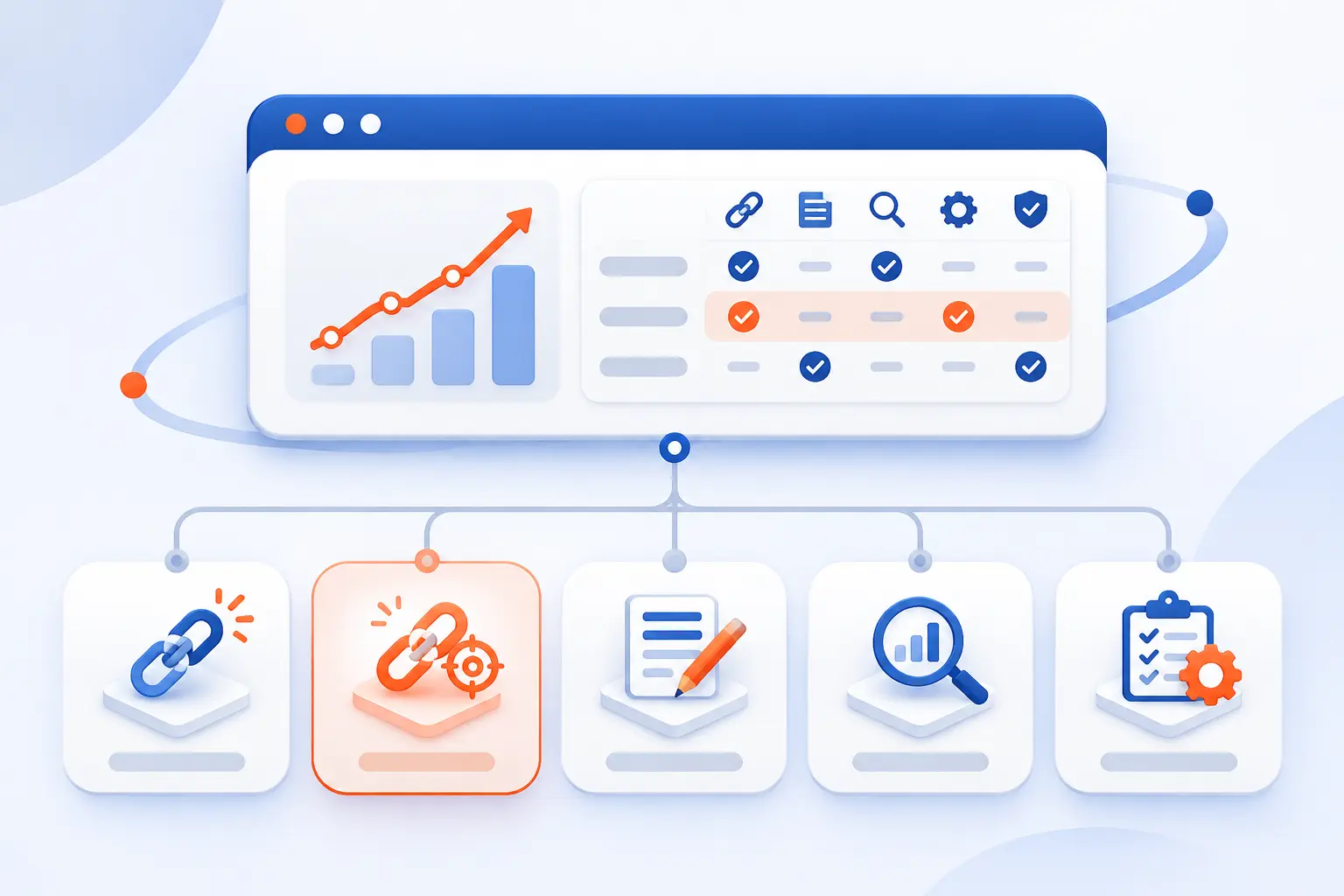
These alternatives deserve attention when their particular specialty matches your workload. They are not automatically weaker purchases than the leading selections. Their narrower or more specialized fit simply makes them less universal starting points.
11. Majestic

- Category: Backlink research platform
- Best for: Link analysts and backlink-focused consultants
- Ease of use: Specialist terminology requires learning
- Pricing: Paid subscriptions, with monthly and annual billing
Backlink context is the reason to choose this specialist over another general dashboard. Its product pages emphasize referring domains, anchor text, link context, Link Graph, and proprietary Flow metrics. We would consider it when understanding the relationships behind links is a frequent responsibility.
The distinction from the broader platforms is focus. Rather than centering the workflow on content production or a complete marketing calendar, Majestic provides several ways to investigate a backlink profile. Link Context and Topical Trust Flow add perspectives beyond a simple link count. That can support closer review of relevance and relationships, although no single metric establishes that a link is valuable.
The official USD comparison lists Lite at $49.99 monthly, with Fresh Index access, Site Explorer, Link Graph, and Link Context. Pro adds the Historic Index, raw exports, custom reports, and comparison features. The pricing page also distinguishes direct API access from third-party OpenApps usage, so check the relevant product before assuming a standard subscription covers your integration.
We would use the Fresh Index for recent backlink investigation and assess Pro when historical research is central to the assignment. Export needs matter too. A consultant preparing a detailed link review may require different allowances from a business owner checking a handful of referring domains. The practical question is whether you need more backlink depth or simply more tools. If broad keyword planning, publishing, and first-party measurement are missing from your workflow, another general platform should probably come first.
Who is Majestic for?
It fits link specialists, digital PR researchers, and consultants conducting repeated backlink investigations. We would not make it a beginner’s only SEO subscription, because its strongest features address a specific part of the job.
12. WooRank

- Category: Website analysis and agency reporting platform
- Best for: Website reviews and portfolio reporting
- Ease of use: Accessible review-led starting point
- Pricing: Retail starting price unverified, Enterprise is custom
A review-led interface makes this option worth considering when the immediate need is explaining website problems to stakeholders. The homepage starts with a domain review and presents website analysis as the entry point. Its agency offering extends that model to multiple sites, reporting, benchmarking, and API-based work.
Compared with the leading research platforms, the distinctive appeal is presentation and portfolio coordination. The Enterprise page describes custom reporting templates, separate user access, and the ability to oversee multiple websites. We would examine it when a team needs a consistent review format across a portfolio rather than another deep keyword database. Consistency can make client discussions clearer, provided the report leads to specific implementation decisions.
The official Enterprise offering uses bespoke packages with customized onboarding and feature combinations. We could not verify the retail starting price because the accessible pricing page did not expose its plan figures. That is a purchasing limitation, not permission to reuse an older subscription price. Ask for the proposed package’s project allowance, user access, API terms, and reporting rights in writing.
The homepage also describes integrations and agency-scale analysis. Before committing, compare the generated review with the technical evidence your team needs. A readable report is useful for a business owner. A developer may still need source URLs, crawl details, and precise reproduction steps. We would therefore evaluate WooRank around its intended reporting audience and confirm how easily findings become implementation tasks. Buyers who primarily need link research or writing guidance should compare the relevant specialists instead.
Who is WooRank for?
Agencies and teams managing website portfolios should consider it when consistent analysis and reporting are priorities. Buyers seeking a transparent self-service price should verify that detail before putting it ahead of the better-documented alternatives.
13. Similarweb

- Category: Digital market and competitive intelligence platform
- Best for: Broader market and channel comparisons
- Ease of use: Broad analytical workspace
- Pricing: Limited public data and custom business packages
Market context matters when SEO is only part of the competitive question. This platform extends beyond keyword rankings into digital intelligence, audience behavior, channel comparisons, and market research. That wider perspective is its clearest distinction from the content plugins and technical crawlers elsewhere in this roundup.
The official business package page separates Competitive Intel, Strategic SEO, Ads Intel, and Gen AI Intel capabilities. Strategic SEO includes keyword research, gap analysis, ranking tracking, and SERP analysis. The wider packages add market comparisons and other channel information. We would consider this breadth when leadership wants to understand where a competitor’s overall digital activity comes from, rather than just which articles rank.
The business package page uses custom pricing and directs buyers to sales. It also distinguishes limited public website data from deeper paid access. Historical depth, country coverage, integrations, and reporting requirements should therefore form part of the quote. Do not assume every dataset or market view belongs to the same package.
Our main caution concerns interpretation. Competitive intelligence is useful for relative context, but it should not be presented as access to a competitor’s private analytics. We would use it to identify patterns worth investigating, then confirm our own outcomes through authorized first-party data. Its breadth may also be excessive for a small website with basic publishing problems. If the main obstacle is broken internal links or missing product content, a crawler or publishing tool is a more direct first purchase. Similarweb becomes more compelling when cross-channel intelligence can change an important commercial decision.
Who is Similarweb for?
Strategy teams, larger marketers, researchers, and agencies with cross-channel responsibilities should consider it. Smaller businesses should first identify the decision that requires market intelligence, then ask sales for a package built around that need.
14. AnswerThePublic

- Category: Search listening and question discovery
- Best for: Early topic exploration and content questions
- Ease of use: Accessible keyword-led starting point
- Pricing: Localized paid plans, US starting price unverified
Questions can reveal a useful content direction before a team builds a full keyword model. This tool centers research on what people search for and how those searches are phrased. Its visual presentation is especially relevant during briefing, brainstorming, and early topic exploration.
The main difference from a broad SEO platform is the starting question. Instead of asking for every aspect of a competitor’s website, you begin with a subject or website and investigate related search language. The official pricing page describes search volume and CPC data, prompt suggestions, presentation features, and options for refining unwanted results. We would use those outputs to improve a brief, not automatically turn every suggestion into a separate page.
The published Starter allowance includes 100 monthly searches, a user account, prompt suggestions, and search volume/CPC information. Growth and Business expand searches and team access. The page served a regional currency during research, so we are not presenting that figure as a verified US price. Check the checkout currency and renewal terms before comparing the subscription with another product.
Question discovery is most useful when someone reviews the suggestions against actual customer needs. Some questions belong together on a single page. Others may be irrelevant, poorly matched to the business, or better answered through a product page than an article. We would combine the ideas with search result inspection and your own performance data. That keeps the tool in its proper role: expanding the questions your team considers, rather than deciding the publishing calendar by itself. For buyers with a strong research platform already, the purchase should depend on whether its question-first presentation adds something the existing workflow lacks.
Who is AnswerThePublic for?
Writers, content strategists, small business marketers, and teams developing briefs should consider it. It is a complement to technical and performance tools, not a replacement for them.
15. Sitebulb

- Category: Desktop and cloud technical crawler
- Best for: Visual audits and explained technical findings
- Ease of use: Educational guidance supports interpretation
- Pricing: Paid Desktop and Cloud plans, with a trial
Explaining why a crawl finding matters is this option’s strongest appeal. The product emphasizes prioritized recommendations, educational issue explanations, visualizations, and technical auditing. We would compare it directly with Screaming Frog when a team values guidance alongside detailed crawl data.
Its Desktop and Cloud products support different working arrangements. Desktop runs locally on Windows or Mac. Cloud supports browser access, remote collaboration, automated crawling, and reporting. That choice matters more than treating cloud hosting as a simple upgrade. A solo consultant performing occasional audits has a different requirement from a distributed team reviewing recurring crawls.
The official Desktop comparison gives Lite an allowance of 10,000 URLs per audit and distinguishes it from the more advanced Pro offering. Live currency amounts did not render reliably in the official page we opened, so we are not treating older directory prices as verified checkout rates. Confirm the selected currency, user count, and Desktop or Cloud product before purchasing.
We would assess the tool by how its explanations translate into implementation. Visual crawl maps can help discuss site structure, while issue priorities can help organize an audit. However, a software priority is not automatically the business priority. A warning on an unimportant archive may deserve less attention than an indexing problem affecting a main category. Bring commercial importance into the review, and use the product’s explanations to support that judgment. If your team already has a capable crawler, compare whether clearer interpretation and collaboration justify another subscription rather than paying for overlapping scans.
Who is Sitebulb for?
Consultants, agencies, and in-house teams should consider it when technical findings need explanation and presentation. It is particularly appealing for teams learning technical auditing or sharing crawl results with less technical colleagues.
What SEO Software Does and Where Human Judgment Still Matters

SEO software collects evidence and suggests actions, but people must decide which actions deserve attention. Research platforms estimate opportunities, crawlers inspect implementation, and publishing tools check selected page elements. None of those jobs establishes that a page is accurate, persuasive, or useful.
The distinction matters because a clean audit is not a ranking guarantee. The official fundamentals guidance says there are no automatic first-place shortcuts. We would judge software by the quality of decisions it supports, not by the number of green indicators it produces.
Before acting on a report, ask what the finding affects, which pages matter, and who can implement the change. A small template correction may deserve attention before a much larger collection of low-value warnings.
Build an SEO Tool Stack Around Your Actual Work

A useful stack starts with first-party measurement, then adds research or specialist capabilities as needed. We would avoid buying several overlapping suites before identifying the work each must support. Give every subscription a clear responsibility and a person who will act on its findings.
Start With Free Performance Data and Basic Technical Checks
Establish Search Console access and a basic crawl before buying advanced research. Those checks help separate indexing and implementation problems from a lack of content opportunities. For WordPress, a publishing plugin can add page-level controls without becoming your entire research system.
Record what is missing from that foundation. You may need competitor research, deeper crawling, or better editorial coordination. The missing capability should drive the next purchase.
Choose One Core Platform Before Adding Specialized Tools
Choose a single broad platform when keyword research, competitor analysis, and monitoring are recurring responsibilities. Semrush, SE Ranking, and Ahrefs are our main candidates for that role. Add a specialist only when the core platform leaves an important job insufficiently covered.
For example, detailed technical investigation may justify a separate crawler. An active editorial team may instead need a stronger writing and refresh workflow. Avoid paying twice for similar reports that nobody uses differently.
Match Local Business Needs to Maps, Listings, and Review Management
Local businesses need accurate business information and local visibility monitoring, not just national keyword reports. The official local guidance identifies relevance, distance, and prominence as key considerations.
Check whether a proposed package includes listings, review workflows, map-based tracking, and the locations you operate. SE Ranking documents local features, while other platforms sell separate local products. Ask for the location allowance before comparing prices.
Match Ecommerce Needs to Catalog Crawling and Category Optimization
Ecommerce teams should prioritize crawl control, category structure, product discovery, and duplicate URL handling. The official ecommerce guidance explains why consistent URL design matters for discovery and indexing.
Compare crawlers against your catalog, filters, and JavaScript requirements. Publishing plugins can improve product metadata, but they do not replace a catalog-wide investigation. We would inspect important category and product templates before chasing more informational keywords.
Match Agency Needs to Client Reporting, Integrations, and Collaboration
Agencies should price delivery requirements before choosing a research subscription. Manager seats, client access, branded reports, scheduled delivery, and integrations can sit outside the base package.
Ask a practical question: can the proposed plan produce the reports your clients expect without repeated manual exports? Also confirm who can edit projects and who only needs to view results. Those are different access requirements.
Understand the Full Cost of SEO Software

The full cost includes billing commitments, user access, usage allowances, and the time needed to implement findings. A low headline equivalent can conceal an annual payment or a restrictive allowance. We would compare the expected invoice and working limits, not just the largest number on a pricing card.
Compare Monthly Billing, Annual Commitments, and License Renewals
Monthly flexibility and annual discounts solve different purchasing needs. The official billing FAQ confirms that monthly and annual options are available, while other products use renewable annual licenses or enterprise commitments.
| Billing Option | What to Check | Typical Example Here |
|---|---|---|
| Monthly subscription | Ongoing rate after promotions | SpyFu |
| Annual subscription | Upfront payment and credit-reset schedule | Surfer |
| Annual user license | Renewal terms and required licenses | Screaming Frog SEO Spider |
| Custom agreement | Scope, access, limits, and renewal provisions | Similarweb business packages |
Account for Seats, Projects, Keywords, Crawl Limits, and Usage Credits
Compare allowances against a normal month of work before choosing a tier. A project limit affects portfolio size, while keyword allowances affect tracking scope. Crawl pages, exported rows, AI prompts, and writing credits measure different activities.
Also check whether added users share the same limits. More people accessing a workspace does not necessarily mean more research capacity. We would document expected usage before requesting an enterprise quote.
Distinguish Free Plans, Free Trials, and Refund Guarantees
A free plan, trial, and refund promise are different offers. One provides ongoing restricted access, another expires, and the last requires payment before a possible refund.
| Offer | Meaning | Example Here |
|---|---|---|
| Free service | Ongoing access without a subscription charge | Google Search Console |
| Limited free version | Permanent access with capability restrictions | Screaming Frog SEO Spider |
| Time-limited trial | Evaluation access that ends | SE Ranking |
| Refund guarantee | Payment followed by conditional refund eligibility | Mangools |
Read cancellation and refund conditions before entering payment details. We would never treat a refund policy as equivalent to a no-payment trial.
Turn SEO Tool Reports Into a Repeatable Workflow
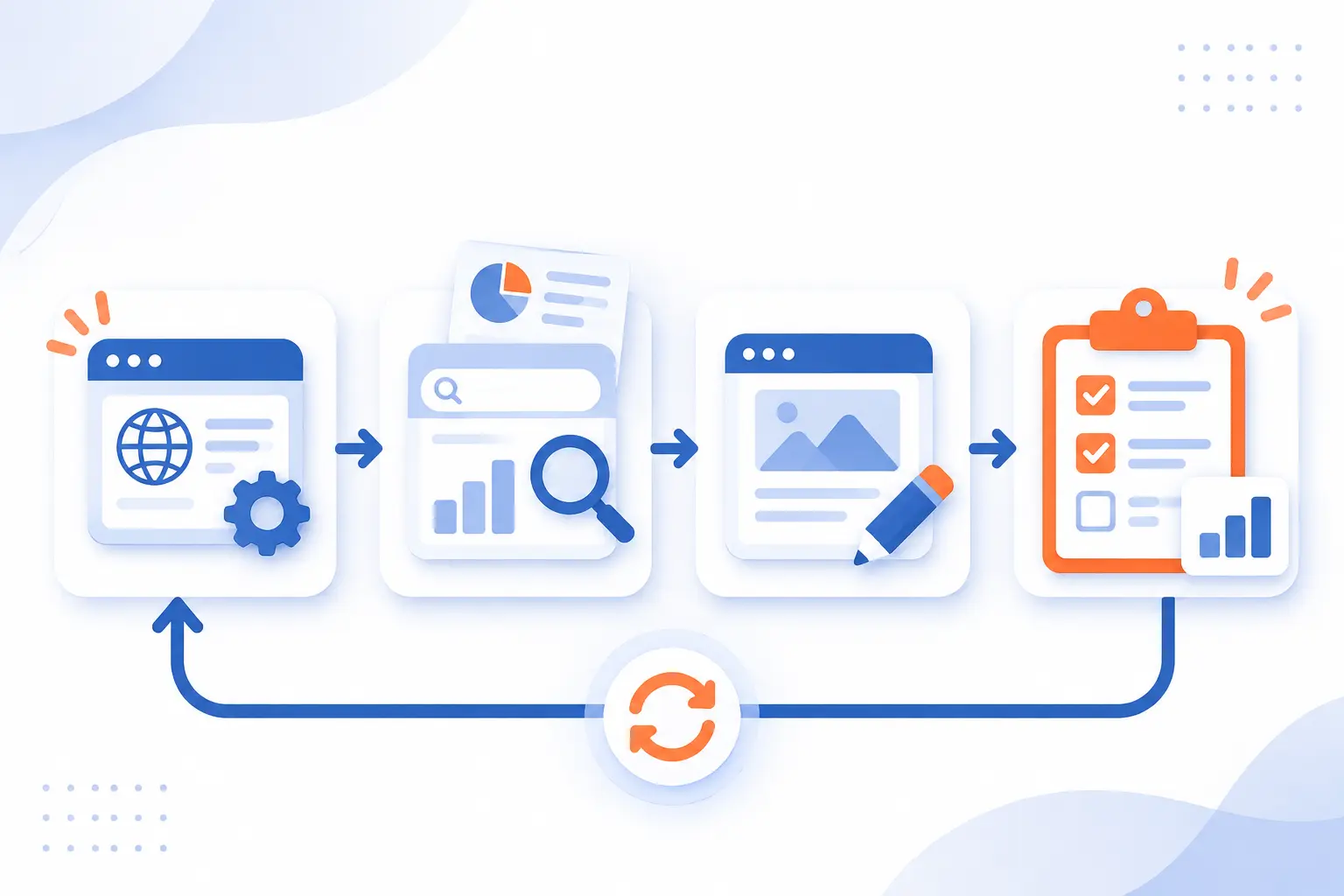
A repeatable workflow turns findings into assigned changes and measurable follow-up. Start with access and technical basics, then research, publish, and review outcomes. Keep a record of important changes so later reports have context.
Set Up Site Verification, Sitemaps, and Publishing Defaults
Verify access and review publishing defaults before collecting advanced reports. The official ownership documentation explains the available verification methods and requirements.
- Add the appropriate Search Console property and complete verification.
- Confirm that the right people have access.
- Review sitemap availability and submit the intended sitemap.
- Check indexing and canonical defaults for important content types.
- Inspect representative pages before applying sitewide changes.
Research Search Intent, Competitor Gaps, and Topic Clusters
Research the searcher’s goal before choosing a target phrase. Use keyword and competitor reports to identify candidates, then inspect the actual results. A product page, comparison, and instructional article can answer different needs even when their wording overlaps.
Group closely related questions when one useful page can answer them. Create separate pages when the intent genuinely differs, not merely because software produced another keyword row.
Prioritize Crawlability, Broken Links, Canonicals, and Internal Linking
Fix problems that prevent important pages from being reached or understood before polishing minor warnings. Review blocked URLs, failed responses, redirect chains, canonical inconsistencies, and weak internal discovery.
Give developers affected URLs and the evidence behind each finding. Then crawl the changed area again. A completed ticket is not the same as a verified correction.
Optimize New Content and Refresh Declining Pages
Use content tools to improve coverage without surrendering editorial judgment. Review missing explanations, outdated details, unclear headings, and unsupported claims. Suggested terms should make the page more useful, not more repetitive.
For a declining page, investigate before rewriting. The cause may involve indexing, demand, competing results, or a changed page. Content editing is only one possible response.
Review Rankings, Clicks, and Business Outcomes on a Regular Schedule
Review outcomes on a consistent schedule and distinguish visibility from commercial success. Rankings and impressions provide context, while clicks show visits from search. Business analytics must establish what happened afterward.
Keep a short change log with the affected pages, action, owner, and completion date. That makes later comparisons more useful than trying to remember which edits happened first.
Interpret SEO Metrics Without Mistaking Estimates for Facts
SEO metrics become useful when you understand their source and definition. First-party search reports, competitor estimates, content grades, and proprietary authority scores answer different questions. Combining them without those distinctions creates false precision.
Separate First-Party Search Data From Competitor Traffic Estimates
Use your own verified search data to measure your site, and competitor estimates to investigate relative opportunities. The Performance report defines clicks, impressions, CTR, and average position rather than claiming to measure every business outcome.
Do not present an estimated competitor visit total as their private analytics. Likewise, do not expect Search Console clicks and on-site analytics sessions to describe an identical event.
Compare Keyword Difficulty and Authority Scores Within Each Platform
Compare proprietary scores within the platform that produced them. Ahrefs describes a backlink-based keyword difficulty model, while Semrush documents a broader combination of inputs. Similar-looking numbers are not automatically interchangeable.
Authority metrics also need context. Review relevant pages, links, and competing content instead of choosing a target solely because a domain score looks favorable.
Use Consistent Locations, Devices, and Date Ranges When Checking Trends
Keep comparison settings consistent before interpreting a change. A mobile report for one country is not directly equivalent to desktop results for another market.
Record location, device, search type, and date range with important reports. For rankings, also check the update schedule. Weekly and daily measurements can tell noticeably different stories.
Evaluate AI Search Tracking and Automation With Care
AI visibility tools measure a different kind of presence from traditional rankings. A brand mention, a cited URL, and a search visit are separate outcomes. We would buy monitoring only after defining which outcome matters and which questions represent your audience.
Distinguish Traditional Rankings From AI Mentions and Citations
A ranking describes placement in search results, while an AI mention describes inclusion in an answer. A citation adds a referenced source, but it still does not guarantee a visit.
The official guidance says appearances in Google’s AI features are included in overall Web search reporting. Do not assume an external AI visibility score maps directly to a separate first-party traffic total.
Check Prompt Coverage, Supported Engines, and Tracking Limits
Compare AI monitoring by its coverage and collection settings, not just the number of prompts. Check supported engines, locations, refresh frequency, brand variants, and the treatment of citations.
Ask whether a sample response can be inspected. A trend is more useful when the team can understand the underlying answers rather than rely only on a summary score.
Review AI Content and Automated Site Changes Before Publishing
Require approval before generated content or automated changes reach the live site. Check factual accuracy, product claims, links, tone, and unintended template effects.
The official spam policies address scaled content created primarily to manipulate rankings. Generating more pages is not a sound strategy unless those pages provide worthwhile information and serve a real need.
Keep Hosting Reliability and Page Speed in the SEO Picture
Reliable delivery remains part of SEO because crawlers and visitors must be able to access your pages. Research software cannot compensate for a site that repeatedly fails to respond. The official crawling documentation explains how server responses affect crawling.
Use crawl findings and performance reports to identify the issue before blaming the hosting plan. Slow pages may involve application code, images, scripts, caching, or server response. The Core Web Vitals framework separates loading, responsiveness, and visual stability, which helps focus that investigation.
We would connect performance findings to specific pages and responsible teams. Improve the underlying cause, verify the change, and keep useful content and reliable delivery in the same conversation.
Frequently Asked Questions About the Best SEO Software Tools
The best choice depends on your workload, budget, and existing data. These answers summarize where we would start and where we would be cautious.
Is There a Free SEO Tool?
Yes, Google Search Console is free and provides search performance and indexing information for authorized properties. Yoast and Screaming Frog also offer restricted free versions. Start with the capability you need rather than assuming free access means every feature is included.
What Is the Best SEO Tool in 2026?
Our broad-platform shortlist for 2026 is Semrush, SE Ranking, and Ahrefs, with the right choice depending on the workload. We favor Semrush for connected breadth, SE Ranking for coordinated project delivery, and Ahrefs for competitor investigation. Keep Search Console alongside any of them.
Which SEO Software Is Best for Beginners?
We would start beginners with Search Console and consider Mangools for approachable keyword research. WordPress users can add Yoast for publishing guidance. Choose a more extensive platform when you can identify which additional features you will use regularly.
What Is the Best SEO Software for Automation?
The best automation choice depends on the task rather than a single overall winner. Screaming Frog documents scheduled crawling, SE Ranking supports recurring project workflows, and content platforms offer writing or optimization assistance. Keep human approval for publishing and consequential site changes.
Can SEO Software Guarantee Higher Rankings?
No, SEO software cannot guarantee higher rankings. It can identify opportunities, detect implementation problems, and support better decisions. Results still depend on the work completed, the usefulness of the pages, competing results, and search engine decisions.


Conclusion
The best SEO software tools earn their place by answering a recurring question your team can act on. Start with Search Console, choose one broad platform if research demands it, and add specialists only for clear gaps.
We would shortlist Semrush for breadth, SE Ranking for project coordination, and Ahrefs for competitive investigation. For narrower jobs, compare Screaming Frog or Sitebulb for crawling, Yoast for WordPress publishing, and Surfer or Clearscope for content work.
Before subscribing, write down your main workload, required access, and expected usage. Then compare the real invoice and limits. Which unanswered SEO question would make the biggest difference to your next decision?