


- Compare Costs, Features, and Our Selection Process
- Top 10 Cheap Email Service Providers to Consider
- 5 More Email Providers Worth Considering
- Understand Which Type of Email Service You Need
- Match Cheap Email Service Providers to Your Needs
- Understand the Features and Security Trade-Offs
- Calculate the Real Cost Beyond the Advertised Rate
- Set Up or Migrate Custom Domain Email Safely
- Frequently Asked Questions About Cheap Email Services
- Conclusion
The best cheap email service providers keep everyday communication affordable without hiding essential features behind expensive upgrades. We would shortlist Hostinger Mail for introductory savings, Zoho Mail for low-cost team administration, and Namecheap Private Email for small mailbox bundles. Proton Mail and Tuta deserve attention when privacy matters more than conventional app compatibility. Microsoft 365 and Google Workspace make more sense when their collaboration tools replace other subscriptions.
We researched official product pages, pricing information, setup documentation, and independent review listings. Below, we separate promotional prices from ongoing costs, explain practical limitations, and identify who should choose each option. This comparison focuses on personal and business inboxes, not bulk marketing platforms.
Compare Costs, Features, and Our Selection Process

The right comparison starts with what you are buying: an individual mailbox, a team subscription, or email bundled with website hosting. Our table highlights those differences before the detailed reviews. Exact plan prices appear within each entry, where we can explain billing commitments and renewal conditions properly.
FURTHER READING: |
| 1. Best Open Source IoT Platform: 15 Options Compared |
| 2. 15 Best Professional SEO Services for Your Business |
| 3. 15 Simple SEO Platforms to Make DIY SEO Easier |
Cheap Email Service Providers at a Glance
Zoho Mail offers the strongest balance for budget-conscious teams, while Hostinger Mail leads with aggressive introductory pricing. The scores below are our editorial judgments, not third-party customer ratings. Ease-of-use descriptions reflect documented setup requirements and available interfaces, not hands-on testing.
| Provider | Best For | Setup and Access | Pricing Model | Score |
|---|---|---|---|---|
| Hostinger Mail | Low introductory mailbox costs | Dashboard setup, webmail, external clients | Per mailbox, upfront term discounts | 4.5 |
| Zoho Mail | Affordable team administration | Domain verification, admin console, native apps | Per user, annual mail-only subscriptions | 4.7 |
| Namecheap Private Email | Small mailbox bundles | Account dashboard, webmail, external clients | Annual packages with included mailboxes | 4.3 |
| Proton Mail | Privacy-focused individuals | Native apps, Bridge for desktop clients | Free personal account or paid subscription | 4.4 |
| Fastmail | Focused email without an office suite | Domain wizard, native apps, plan-dependent clients | Individual, family, and per-user business plans | 4.6 |
| Microsoft 365 | Outlook-centered teams | Admin center and domain configuration | Per user, suite and billing options | 4.5 |
| Google Workspace | Browser-based collaboration | Admin console and familiar Gmail interface | Per user, annual or flexible commitment | 4.5 |
| Tuta | Encrypted email in dedicated apps | Native clients, no IMAP access | Free personal account or paid subscription | 4.1 |
| Neo Mail | New businesses needing a simple online presence | Guided domain setup and native apps | Per mailbox, organization-wide plan selection | 4.2 |
| SiteGround | Email alongside an existing website subscription | Site Tools and webmail | Email included with qualifying hosting plans | 4.0 |
How We Weighed Source Recommendations, Verified Plans, and Evaluated Value
We favored documented capabilities and realistic ownership costs over headline discounts or vendor popularity. Official pages established features and pricing. Independent listings provided customer feedback, with broader company ratings clearly separated from product-specific evidence.
- Everyday email capability: We assessed custom domains, mailbox management, aliases, storage, and practical access through apps or standard protocols.
- Total cost and transparency: We considered renewal rates, upfront commitments, included mailboxes, and restrictions that could force an upgrade.
- Security and administration: We examined authentication options, encryption explanations, account controls, and documented team-management features.
- Setup and migration practicality: We judged the clarity of domain instructions, import options, and compatibility requirements.
- Independent evidence: We considered review volume, relevant feedback, and whether the listing actually covered the email product being discussed.
These criteria apply consistently across the shortlist. A higher score does not mean every reader should choose that provider. A website bundle can offer excellent incremental value while remaining a poor purchase for email alone.
Top 10 Cheap Email Service Providers to Consider

These ten providers cover the most useful buying situations, from a basic branded inbox to a complete business suite. We explain where each earns its place, what its documented workflow involves, and which limitations deserve attention. Prices use U.S. dollars unless another currency is identified, and checkout terms remain the final authority.
1. Hostinger Mail
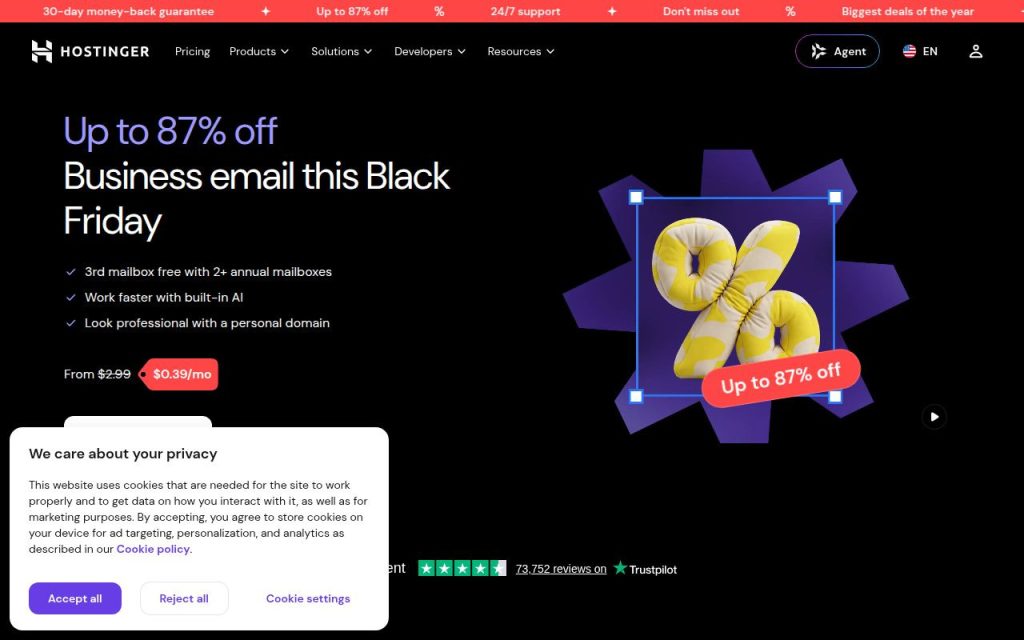
- Category: Standalone hosted email
- Best for: Buyers comfortable prepaying for a low introductory rate
- Ease of use: Guided dashboard with webmail and external-client settings
- Pricing: Per mailbox with term-based introductory discounts
- Standout feature: AI writing and message tools on higher plans
Very low introductory pricing makes this an obvious first stop for a simple branded inbox. Its appeal is straightforward: you can buy email separately without purchasing a full office suite. Higher tiers add AI assistance and message-tracking tools rather than desktop document applications.
We place it first for the strength of its entry offer, not because the renewal bill disappears. The important decision is whether the full subscription term suits your business. A low monthly equivalent is less compelling if you expect to change providers soon.
How Hostinger Mail works
Setup centers on connecting your domain, creating a purchased mailbox, and choosing how to access messages. Hostinger provides browser-based webmail and settings for conventional email applications. Its configuration instructions place those settings under Emails, Manage, then Connect Apps & Devices.
The documented connection options include IMAP and POP for incoming messages, plus SMTP for sending. You use your complete email address and mailbox password when configuring a compatible application. That makes client choice less restrictive than an app-only encrypted service.
Before importing an existing archive, compare its size with your purchased allowance. Hostinger distinguishes standalone subscriptions from hosting-related trials and legacy bundles in its resource-limit documentation. Do not assume an included trial has the same capacity as a paid mailbox.
Who is Hostinger Mail for?
We would shortlist it for freelancers, small businesses, and owners who want ordinary domain email without a collaboration suite. Standard becomes more interesting when you regularly draft customer replies or summarize long conversations.
Look elsewhere if your main requirement is integrated spreadsheets, shared document editing, or enterprise device management. We would also hesitate before a long prepayment when the business itself is still experimental. The cheapest commitment is not always the safest commitment.
Hostinger Mail pricing
The displayed offer requires the entire 48-month term upfront. These are monthly equivalents per mailbox, not month-to-month subscriptions.
- Starter: $0.39 monthly equivalent initially, renewing at $1.59. Includes 5 GB per mailbox, five forwarding rules, and five aliases.
- Standard: $0.99 monthly equivalent initially, renewing at $2.79. Includes 20 GB per mailbox, ten aliases, AI assistance, and email-open tracking.
- Premium: $1.99 monthly equivalent initially, renewing at $3.99. Includes 50 GB per mailbox, additional forwarding capacity, link and file tracking, and an eligible introductory domain benefit.
The page linked in the heading contains the offer and renewal details, so review its selected term before paying.
Pros and cons
Pros
- Standalone email does not require buying Hostinger website hosting.
- Standard includes named AI tools for drafting, replies, search, and summaries.
- Conventional incoming and outgoing protocols support external applications.
Cons
- The lowest displayed rates require a substantial upfront commitment.
- Renewal rates are higher than the introductory equivalents.
- Additional employees require additional mailbox capacity, not merely another alias.
Hostinger Mail rating and reviews
- G2: Hostinger is rated 4.4/5 across 860 reviews.
That listing covers the broader hosting company. We treat it as company-level context, not an independent measurement of Mail delivery or mailbox reliability.
Our verdict: shortlist Hostinger when introductory savings outweigh the commitment. Compare its renewal terms with Zoho before buying for an entire team.
2. Zoho Mail

- Category: Business email with optional productivity applications
- Best for: Small teams seeking inexpensive administration
- Ease of use: Structured setup with a separate admin console
- Pricing: Free restricted tier and paid per-user plans
- Standout feature: Streams for discussion around shared messages
For a team watching every subscription, this is our strongest all-around value pick. The mail-only plans avoid charging everyone for a full office suite. Meanwhile, the administration tools go beyond simply creating another address.
That distinction matters once employees join, leave, or need different permissions. We see Zoho as a sensible middle ground between bare-bones hosting and a larger workplace platform. Its optional Workplace subscriptions also provide an upgrade path without requiring an immediate ecosystem change.
How Zoho Mail works
You begin by adding a domain and proving that you control it. Zoho documents TXT, CNAME, HTML, and supported one-click methods in its ownership-verification instructions. Access to the domain’s DNS settings is essential.
After verification, administrators create users and configure delivery records. The Users area supports personal and storage views, account status checks, aliases, and forwarding controls. Its user-management documentation also explains exporting account information and email data.
For internal discussion, Streams lets colleagues comment around shared emails, notes, tasks, and events. A moderator enables the feature for a group, which then appears in the left navigation. The collaboration workflow shows why this differs from repeatedly forwarding the same conversation.
We would still map out your team’s actual process first. Discussion around a message is useful, but it does not automatically replace a customer-support ticketing system.
Who is Zoho Mail for?
Zoho fits cost-conscious teams that need branded addresses, centralized controls, and room to add collaboration applications later. It is also appealing to solo owners who expect to hire and want administration available from the start.
Choose another service if you need the closest possible match to Microsoft desktop workflows. The free tier also deserves special scrutiny if you rely on a third-party email application. Saving the subscription charge is not helpful if your preferred access method is excluded.
Zoho Mail pricing
Paid figures below are per user, per month with annual billing. The mail-only editions require annual subscriptions.
- Forever Free: No subscription charge for up to five users on one domain, with 5 GB per user. IMAP, POP, and ActiveSync are excluded, and availability depends on the selected data center.
- Mail Lite: $1 with 5 GB, or $1.25 with 10 GB. Includes custom-domain email, migration tools, and conventional client access.
- Mail Premium: $4 with 50 GB of mail storage and separate retention storage. Adds retention, eDiscovery, and S/MIME capabilities.
- Workplace Standard: $3 with 30 GB of mail storage, WorkDrive capacity, and online office applications.
- Workplace Professional: $6 with 100 GB of mail storage, expanded retention capacity, and broader Workplace applications.
We checked the edition and billing comparison and its downloadable U.S. pricing document.
Pros and cons
Pros
- Mail-only subscriptions avoid mandatory office-suite spending.
- Streams supports comments around shared messages instead of another forwarded thread.
- The admin console separates account information from storage usage.
Cons
- The free edition excludes standard external-client protocols.
- Mail Lite and Mail Premium do not offer monthly subscriptions.
- G2 feedback includes slow loading and a learning curve alongside interface praise.
Zoho Mail rating and reviews
- G2: Rated 4.4/5 across 729 reviews.
The listing highlights ease of use, email management, and integrations. Performance complaints provide a useful counterweight to the attractive pricing.
Our verdict: start here when team administration matters as much as the mailbox bill.
3. Namecheap Private Email

- Category: Standalone domain email
- Best for: Individuals and small teams buying mailbox bundles
- Ease of use: Account-based administration with webmail
- Pricing: Annual packages and introductory trial
- Standout feature: Included mailboxes on higher packages
A small mailbox bundle can be more practical than buying every address as a separate subscription. That is the main reason this option earns a place near the top. Its higher packages include multiple mailboxes, while aliases cover additional names without another independent inbox.
There is an important research caveat: older reviews and guides may describe a different product generation. Namecheap’s official documentation explains its updated platform and plan transition. We used the current Launch, Expand, and Scale names rather than copying legacy tiers.
How Namecheap Private Email works
You purchase a package, associate it with your domain, and manage the subscription through your Namecheap account. Messages can be accessed through webmail or an external email application. A website-hosting purchase is not the central requirement.
External applications require attention to the mailbox settings. Namecheap’s client-configuration instructions say to enable the necessary protocols under Connect third-party apps. The supported connections use encryption.
Application passwords are another detail worth understanding before migration. The password-management instructions distinguish webmail credentials from credentials used by connected applications after password changes.
The documented path runs through Settings, Launch Security Center, and App passwords. You can create a named credential and later delete it to disconnect an application. We like that explicit separation because it makes troubleshooting less mysterious than repeatedly changing the main password.
Who is Namecheap Private Email for?
This is a good fit for a solo business, a small partnership, or an owner already comfortable managing domains. The bundled approach is especially worth checking when your actual headcount matches an included package.
Look elsewhere if your priority is a broad office suite or sophisticated support-ticket assignment. We would also avoid choosing from an old comparison without checking the new platform. Legacy screenshots and historical user comments can send buyers down the wrong path.
Namecheap Private Email pricing
The opened sales page displayed a free introductory trial and these annual renewal prices. Promotional coupons apply to eligible initial purchases rather than every future payment.
- Launch: $14.88 per year at renewal. Includes one mailbox, 5 GB for email, ten aliases, and webmail with a calendar.
- Expand: $41.88 per year at renewal. Includes three mailboxes, 30 GB for email, expanded alias allowances, and advanced storage encryption.
- Scale: $71.88 per year at renewal. Includes five mailboxes, 75 GB for email, unlimited aliases per mailbox, and premium delivery infrastructure.
The heading links directly to the pricing page. Check its storage allocation details and additional-mailbox charges before treating a package as a per-user allowance.
Pros and cons
Pros
- Expand and Scale include multiple independent mailboxes.
- Application-specific passwords can be revoked without removing the entire mailbox.
- IMAP, POP, and SMTP connectivity remains documented on the updated platform.
Cons
- Older Starter, Pro, and Ultimate descriptions do not represent the current sales lineup.
- Introductory discounts exclude additional mailboxes under the published promotion terms.
- The review sample is small and includes feedback about earlier versions.
Namecheap Private Email rating and reviews
- G2: Rated 4.0/5 across 13 reviews.
Reviewers describe straightforward setup, while some historical comments mention delivery delays. We would not treat those older comments as proof of current performance, positively or negatively.
Our verdict: a useful budget shortlist option when the included mailbox bundle matches your team.
4. Proton Mail

- Category: Privacy-focused encrypted email
- Best for: Individuals prioritizing message privacy
- Ease of use: Native apps, with extra setup for external desktop clients
- Pricing: Free personal tier and paid subscriptions
- Standout feature: Zero-access storage and encrypted communication options
Privacy changes the buying equation here more than a small price difference does. The service combines encrypted storage with communication options designed to limit access to message content. It belongs on this list for buyers who would rather accept some compatibility friction than choose a conventional mailbox solely on cost.
We would not describe it as a universal replacement for every business email workflow. Its strongest argument is privacy, while its main compromise is the extra consideration required around outside applications and recipients.
How Proton Mail works
You can start with a provider-issued address or connect your own domain on an eligible paid plan. The domain-connection instructions walk through ownership verification, address creation, and delivery authentication.
The distinction between adding a user and adding an address is especially important. A new address can belong to an existing account. A separate person with an independent login requires an appropriate user arrangement instead.
Native applications provide the simplest route to the encrypted mailbox. If you prefer a conventional desktop client, the desktop connection component runs locally and presents IMAP and SMTP access to the application. It requires a paid plan that includes Mail.
That local component is not merely a different server name. It handles encryption and decryption between the account and the connected desktop application. We would confirm this workflow before promising an Outlook-dependent colleague that migration will feel identical.
Who is Proton Mail for?
Proton is worth considering for consultants, personal-domain users, and privacy-conscious professionals. It is particularly compelling when confidential correspondence matters more than built-in office collaboration.
Teams should examine business subscriptions separately rather than multiplying a consumer plan and assuming centralized administration follows. Look elsewhere if broad third-party compatibility with minimal configuration is the overriding requirement.
We would also discuss recipient expectations before switching. An encrypted mailbox does not make every ordinary message to every outside service end-to-end encrypted. The distinction is explained later in our security section.
Proton Mail pricing
These are the personal plans most relevant to an individual comparing low-cost inboxes. Paid figures use the displayed annual billing option.
- Proton Free: No subscription charge. Includes one user, one provider-issued email address, and up to 1 GB of storage.
- Mail Plus: $3.99 per month billed annually. Includes 15 GB of storage, support for one custom domain, additional email addresses, and priority support.
- Proton Unlimited: $9.99 per month billed annually. Includes 500 GB of storage, support for three custom domains, additional addresses, and bundled privacy applications.
Compare the personal subscription details before choosing between email alone and the broader bundle.
Pros and cons
Pros
- Mail Plus supports a custom domain without requiring the larger privacy bundle.
- Bridge provides a documented path for Outlook, Thunderbird, and Apple Mail on supported desktops.
- Domain setup distinguishes additional addresses from separate users.
Cons
- The free personal account does not include custom-domain hosting.
- Conventional desktop clients require an additional local application.
- Consumer subscriptions should not be mistaken for centrally managed team plans.
Proton Mail rating and reviews
- G2: Proton Mail For Business is rated 4.6/5 across 503 reviews.
This is the business listing, not a separate rating for Mail Plus. Its review summary praises privacy and aliases, while identifying outside-client integration as a recurring concern.
Our verdict: choose Proton for a clear privacy requirement, not simply because it appears in a low-price roundup.
5. Fastmail

- Category: Paid email, calendars, and contacts
- Best for: People who want email without a large office suite
- Ease of use: Domain wizard, web access, and native applications
- Pricing: Individual, family, and business subscriptions
- Standout feature: Mixed business tiers and flexible address routing
Paying for a focused inbox rather than a sprawling workplace bundle is the attraction here. The offering concentrates on messages, calendars, contacts, and address management. We consider it a strong choice when email quality and flexibility matter more than getting the lowest possible advertised rate.
Its business structure deserves particular attention. Administrators can mix tiers instead of giving every employee the same storage and feature package. That flexibility can be more valuable than a cheaper uniform plan when roles differ.
How Fastmail works
A setup wizard connects your domain and guides the required configuration. The domain and address documentation explains separate users, aliases, shared destinations, and catch-all behavior.
You can route an alias to an individual, multiple users, or an outside destination. That offers practical flexibility for addresses such as sales and support. It does not mean everyone must share the same login.
For daily access, users can choose the browser or Fastmail applications. Standard and Professional also support third-party email applications. Basic is more restrictive, so client requirements should be decided before assigning plans.
The account can combine lower-cost users with higher-tier users. However, custom-domain sharing requires at least one eligible Standard or Professional user. We would sketch the intended account structure before assuming every seat can remain on Basic.
Fastmail’s product tour also documents Scheduled Send, Snooze, private message memos, and Masked Email. Those are concrete inbox features rather than reasons to buy a separate document suite.
Who is Fastmail for?
We would shortlist it for freelancers, families with personal domains, and small businesses that already have document tools. It is also useful when employees need different subscription levels under the same account.
Privacy-conscious buyers should understand its model carefully. Its own applications do not offer built-in end-to-end message encryption. Choose Proton or Tuta if that specific capability is the deciding factor.
Fastmail is also harder to justify when a business already pays for Microsoft or Google collaboration services. In that situation, another mailbox subscription may duplicate spending instead of replacing it.
Fastmail pricing
The following business rates use annual billing. Personal and family options are listed separately on the same page.
- Basic: $3 per user monthly equivalent. Includes 5 GB for mail, calendars, and contacts, separate file capacity, shared calendars, and shared addresses.
- Standard: $5 per user monthly equivalent. Includes 50 GB for mail, calendars, and contacts, custom business addresses, external-client access, and Scheduled Send.
- Professional: $9 per user monthly equivalent. Includes 100 GB for mail, calendars, and contacts, additional file storage, external-client access, and an email-retention archive.
Check the subscription and feature comparison for personal plans, family packages, billing options, and domain-sharing conditions.
Pros and cons
Pros
- Business subscriptions can mix Basic, Standard, and Professional users.
- Aliases can route to multiple internal users or an external destination.
- Professional includes a retention archive rather than only a larger inbox.
Cons
- Basic excludes conventional third-party email application access.
- A Basic-only account does not meet the documented custom-domain-sharing requirement.
- Built-in end-to-end encryption is absent from Fastmail’s own applications.
Fastmail rating and reviews
- G2: Rated 4.2/5 across 17 reviews.
The sample is modest. Individual reviews praise reliability and support, while others describe search or mobile-interface frustrations.
Our verdict: a particularly good shortlist candidate when you want focused email and flexible team subscriptions.
6. Microsoft 365

- Category: Business productivity suite with hosted email
- Best for: Teams built around Outlook and Microsoft applications
- Ease of use: Familiar applications, more involved administration
- Pricing: Per user with annual and monthly options
- Standout feature: Exchange email alongside collaboration and identity tools
Businesses already working in Outlook and Office should compare the whole suite, not just the mailbox price. The subscription can cover email, file services, meetings, and document applications. That makes it relevant to a value comparison even when a standalone inbox costs less.
We would not recommend it solely to obtain a branded address. Its advantage appears when the included applications replace tools your team would otherwise buy. Conversely, unused collaboration features are still unused spending.
How Microsoft 365 works
An administrator purchases licenses, adds the business domain, creates users, and configures email routing. Microsoft’s domain setup instructions explicitly say to create the required mailboxes before switching the MX record.
That order matters during migration. Incoming messages should have a destination ready before delivery moves away from the previous provider. Supported registrars can use Domain Connect, while other setups require manual DNS changes.
After setup, users access business email through Outlook and the included application options. The distinction between Business Basic and Business Standard is practical. Basic emphasizes browser and mobile applications, while Standard includes desktop Office applications.
Administration also extends beyond mailboxes. Depending on the subscription, the suite includes identity controls, shared file services, meeting tools, and security capabilities. We would designate an administrator rather than assuming the employee who knows Excel best should manage the entire environment.
Who is Microsoft 365 for?
This is a strong fit for organizations that exchange Office files, use Outlook daily, and need centralized account administration. It also deserves attention when shared departmental inboxes are part of the plan.
Solo owners seeking only basic email should compare simpler services first. The larger feature set creates more decisions about licenses, permissions, and application access.
Security-sensitive teams should compare specific editions rather than assuming every business subscription includes the same protection. Premium adds capabilities that do not follow automatically from purchasing the entry-level plan.
Microsoft 365 pricing
These core business editions include Teams and use annual billing. Versions without Teams and optional Copilot bundles are separate purchasing choices.
- Business Basic: $7 per user per month. Includes custom business email, web and mobile Office applications, Teams, and automatic spam and malware filtering.
- Business Standard: $14 per user per month. Adds desktop Office applications alongside business email, cloud file services, and collaboration tools.
- Business Premium: $22 per user per month. Adds advanced threat protection, device management, and policy-based identity controls to the productivity suite.
Review the business subscription options and confirm the exact Teams and Copilot configuration in checkout.
We checked the separate desktop-app edition details rather than assuming every prominently displayed offer represented the base subscription.
Pros and cons
Pros
- Business Basic includes hosted email without requiring desktop Office licensing.
- Standard adds desktop Word, Excel, PowerPoint, and Outlook.
- Premium combines productivity tools with additional security and device controls.
Cons
- Basic does not include the desktop Office applications supplied with Standard.
- Teams, no-Teams, and Copilot configurations complicate price comparisons.
- G2 feedback includes complexity and inconsistent synchronization alongside integration praise.
Microsoft 365 rating and reviews
- G2: Rated 4.6/5 across 5,883 reviews.
This rating covers the suite, not Exchange delivery alone. Reviewers commonly discuss the combined applications and collaboration experience.
Our verdict: excellent potential value when the suite replaces several business subscriptions, less compelling for email alone.
7. Google Workspace

- Category: Browser-centered productivity suite
- Best for: Teams collaborating in Gmail, Drive, and Docs
- Ease of use: Familiar user interface with separate administration
- Pricing: Per user with commitment-based billing choices
- Standout feature: Shared document collaboration alongside domain email
Browser-based teams get the clearest value when Gmail, shared files, meetings, and document editing belong in the same subscription. The offering makes less sense as an isolated mailbox purchase. Its strength is how the included applications fit together.
We would shortlist it for teams that already collaborate through shared links instead of exchanging document attachments repeatedly. That does not remove the need to manage access carefully. Familiar applications still need business rules around ownership and sharing.
How Google Workspace works
An administrator creates the organization, verifies the domain, adds users, and activates Gmail delivery. The official routing instructions explain that the domain’s MX records must direct messages to Google’s servers.
Users then work through Gmail and the other included applications. The business inbox overview connects email with Calendar, Meet, and other Workspace tools. That is the workflow benefit, rather than a promise that every business process belongs inside email.
Storage is pooled across the organization according to the subscription. It covers more than mailbox contents, so uploaded files also matter when estimating capacity. We would review actual Drive usage before choosing a tier based only on email archive size.
Higher editions add specific collaboration and administration capabilities. Standard includes meeting recording and broader application features. Plus adds retention and eDiscovery capabilities through Vault. Those differences can justify an upgrade, but only when the team needs them.
Who is Google Workspace for?
Workspace fits small businesses, distributed teams, and organizations comfortable working in browser applications. It is particularly sensible when employees already understand Gmail and regularly co-edit documents.
Choose a standalone provider if most employees need only correspondence and a calendar. A suite-wide subscription is hard to defend when file collaboration happens somewhere else.
We would also compare Microsoft carefully if desktop Office compatibility drives your daily work. The best value is the environment that matches your actual documents and habits, not whichever logo appears most familiar.
Google Workspace pricing
These are standard U.S. annual-commitment rates, excluding temporary acquisition discounts. The plans are priced per user, per month.
- Business Starter: $7 with 30 GB of pooled storage per person, custom-domain Gmail, Gemini assistance in Gmail, and video meetings.
- Business Standard: $14 with 2 TB of pooled storage per person, meeting recording, appointment booking pages, and expanded AI features.
- Business Plus: $22 with 5 TB of pooled storage per person, Vault, eDiscovery, and expanded meeting controls.
- Enterprise: Custom pricing with advanced security controls, additional compliance capabilities, and enterprise support options.
Use the U.S. plan comparison to confirm billing choices, current promotions, and the included applications.
Pros and cons
Pros
- Gmail, Drive, Docs, Calendar, and Meet sit within the same business subscription.
- Standard includes meeting recording rather than requiring the highest business tier.
- Plus adds Vault for retention and eDiscovery needs.
Cons
- Pooled storage must accommodate files as well as email.
- Advanced meeting, retention, and administration capabilities depend on the selected edition.
- Per-user suite licensing can be unnecessary spending for mailbox-only employees.
Google Workspace rating and reviews
- G2: Rated 4.6/5 across 48,282 reviews.
The listing emphasizes application integration and real-time collaboration. Its summary also notes that access to advanced features varies by subscription.
Our verdict: a strong value choice when collaborative documents and meetings are everyday requirements, not occasional extras.
8. Tuta

- Category: Encrypted email, contacts, and calendars
- Best for: Privacy-focused users willing to use dedicated applications
- Ease of use: Native-client workflow rather than standard email clients
- Pricing: Free personal account and euro-priced paid subscriptions
- Standout feature: Encryption extending to subject lines and calendar data
Accepting a dedicated application is the central trade-off behind this privacy-focused option. Rather than fitting every conventional client, it builds email, contacts, and calendars around its encryption approach. We would consider it alongside Proton, not as an interchangeable substitute for ordinary IMAP hosting.
Its security documentation provides a concrete explanation of that choice. The client and security design says Tuta does not offer IMAP and uses local encrypted search. That is a meaningful limitation, but it is also part of the product’s intended design.
How Tuta works
You create an account, select an appropriate plan, and use Tuta’s web, desktop, or mobile applications. Paid plans provide custom-domain options. Existing messages can be prepared for import rather than simply connecting an old account through IMAP.
The official setup and import walkthrough describes exporting messages, importing supported files, organizing folders, adding a domain, and creating aliases. We would inspect its import requirements before moving a large archive.
Communication between Tuta users is automatically end-to-end encrypted. For encrypted messages to an outside recipient, the sender and recipient exchange a password. Its encryption explanation describes how that differs from ordinary external email.
That recipient workflow deserves a practical discussion. A client who expects every message to open in a familiar inbox may need an explanation. Privacy features deliver more value when both parties understand how to use them.
Who is Tuta for?
Tuta suits personal-domain users and privacy-conscious professionals who are comfortable with its applications. It is especially relevant when encrypted calendar and contact information matter alongside message content.
Look elsewhere if your business depends on standard IMAP access, an existing Outlook configuration, or integrations that assume ordinary mailbox credentials. Those are not minor preferences when they support daily operations.
We would also separate personal and commercial requirements carefully. Tuta maintains distinct business editions with employee administration and business-oriented controls. A personal plan comparison should not be mistaken for a complete organizational deployment assessment.
Tuta pricing
The official setup guide quotes the following personal paid rates. The pricing page lists annual billing for the displayed paid options, but its dynamic price fields did not render fully during our research.
- Free: No subscription charge. Includes 1 GB of storage, a calendar, limited labels, and a provider-issued address rather than a custom domain.
- Revolutionary: €3 per month as quoted in the official guide. Includes 20 GB of storage, additional addresses, support for three custom domains, and unlimited calendars.
- Legend: €8 per month as quoted in the official guide. Includes 500 GB of storage, expanded address allowances, support for ten custom domains, and unlimited labels.
Check the personal subscription comparison for the live checkout amount, taxes, platform charges, and billing selection.
Business buyers should review the commercial editions and administration options. We are not supplying business prices that the opened page failed to display reliably.
Pros and cons
Pros
- Encryption covers subject lines, contacts, and calendars as well as message content.
- Paid personal editions support custom domains and additional addresses.
- Local encrypted search avoids relying on server-side plaintext searching.
Cons
- No IMAP access means conventional third-party email clients are not a direct fit.
- Encrypted messages to outside recipients require a password-based workflow.
- Some Trustpilot reviewers report login and account-recovery frustrations.
Tuta rating and reviews
- Trustpilot: Rated 3.5/5 across 398 reviews.
The page contains praise for privacy and usability alongside complaints about access and support. We would give those recovery concerns serious attention before moving a primary address.
Our verdict: compelling for deliberate privacy choices, less suitable when conventional client compatibility is nonnegotiable.
9. Neo Mail

- Category: Small-business email with online-presence tools
- Best for: New owners without an established domain setup
- Ease of use: Guided setup with web and mobile access
- Pricing: Per mailbox with several subscription lengths
- Standout feature: An included co.site address option
Getting a small business online from scratch is the strongest reason to consider this package. The offer combines email with a domain option and a simple website presence. That makes it different from services that assume you already own and manage a domain.
We like the clear starting point for a local service business or independent professional. However, the included co.site arrangement should not be confused with receiving any premium domain you want. Domain choice still affects the identity customers see.
How Neo Mail works
You can bring an existing domain or choose an available co.site option during signup. Existing-domain users must update the authoritative DNS zone. The official connection instructions cover MX and SPF records and provide registrar-specific guidance.
After the domain is connected, users access messages through Neo’s web interface, mobile applications, or supported external applications. The service also offers features such as templates, read receipts, appointment booking, and follow-up tools, depending on the plan.
For migration, the message-import documentation requires the source mailbox’s IMAP details and enough destination storage. It explicitly says that the email import tool does not import contacts or calendars.
That is a useful example of why a migration checkbox needs investigation. Moving messages is not necessarily moving the whole account. We would prepare separate contact and calendar exports before making changes.
Neo also documents a link and attachment activity dashboard. We would treat tracking as a follow-up aid, not as a reason to ignore consent or recipient expectations.
Who is Neo Mail for?
Neo fits new businesses that want an understandable route to branded communication and a basic online presence. Customer-facing solo owners may appreciate templates and scheduling tools more than a full document suite.
Look elsewhere if different employees need different subscription tiers under the same domain. Neo’s pricing FAQ says organizations cannot mix its email plans across team members.
We would also compare the long-term domain arrangement with buying an independent domain. The included option is convenient, but convenience and portability should be considered separately.
Neo Mail pricing
The opened comparison displayed the following per-mailbox monthly figures. Confirm the selected subscription length because Neo offers several billing periods.
- Business Starter: $2.49 per mailbox per month. Includes 15 GB of mailbox storage, webmail, mobile applications, and a built-in calendar.
- Business Standard: $4.99 per mailbox per month. Includes 50 GB of mailbox storage, expanded email tools, external-client support, and shared-calendar capabilities.
- Business Max: $9.99 per mailbox per month. Includes 100 GB of mailbox storage, Campaign Mode, appointment booking, and additional business features.
Check the email plan and billing comparison rather than assuming a displayed discount applies to monthly billing.
Pros and cons
Pros
- New owners can start with an available co.site option instead of bringing a domain.
- The product includes email-focused tools such as templates and read receipts.
- The import guide clearly identifies the source credentials and capacity checks required.
Cons
- The same email plan applies across an organization using the same domain.
- The message-import tool excludes contacts and calendars.
- Some sales and scheduling features require a higher edition.
Neo Mail rating and reviews
- G2: Rated 4.6/5 across 146 reviews.
Reviews include praise for straightforward use and helpful support. Other comments ask for greater flexibility in lower-priced plans.
Our verdict: an approachable starting package, provided its domain arrangement and uniform team pricing fit your plans.
10. SiteGround

- Category: Website hosting with included email
- Best for: Customers who already need its website hosting
- Ease of use: Website-linked administration through Site Tools
- Pricing: Email included with qualifying hosting subscriptions
- Standout feature: No separate per-mailbox charge for included accounts
An included mailbox can offer excellent incremental value when you already need the website subscription. That is the right way to evaluate this option. Buying a hosting package only to obtain email is a different calculation, especially after promotional pricing ends.
We include it because many small businesses want one place to manage both services. However, an unlimited account count does not mean unlimited email storage. The documented quota is more important than the marketing headline.
How SiteGround email works
You create email accounts for domains associated with the hosting setup. The official account-creation tutorial places the workflow under Client Area, Websites, Site Tools, Email, and Accounts.
Enter the address and a strong password, then create the account. Existing mailboxes appear in a management area with actions for quota changes, application configuration, and webmail access. Manual configuration displays the server details needed by an outside application.
The broader control-panel overview also documents forwarders, autoresponders, and filters. That keeps routine website and email administration within the same general environment.
Capacity needs more care. The published usage policy limits combined email storage under a shared-hosting plan to 10 GB. When that allowance is exhausted, incoming messages can be rejected rather than queued for later delivery.
We would therefore assign realistic quotas and monitor usage from the start. Creating another address does not create another independent storage allowance. This is a sensible bundle for modest correspondence, not a reason to stop measuring archive growth.
Who is SiteGround for?
SiteGround fits a small website owner with light email needs who already values the hosting service. The included accounts can avoid another separate subscription.
Look elsewhere if email is your only requirement, large archives are routine, or advanced employee administration drives the purchase. A standalone service is easier to compare when there is no website requirement in the first place.
We would also separate the decision to upgrade website hosting from the decision to expand email. A more expensive website plan should not be assumed to remove the shared email restrictions.
SiteGround pricing
These are website-hosting subscriptions, not standalone mailbox plans. The opened offer used an introductory prepaid annual term.
- StartUp: $1.99 per month initially, renewing at $17.99. Includes one website, email, SSL, and daily backups.
- GrowBig: $3.99 per month initially, renewing at $29.99. Includes multiple websites, email, staging, and on-demand website backups.
- GoGeek: $5.99 per month initially, renewing at $44.99. Includes multiple websites, email, staging with Git, and priority support.
Compare the hosting subscription and renewal details against a separate website-and-email arrangement.
Pros and cons
Pros
- Included email accounts do not carry a separate per-mailbox subscription charge.
- Site Tools provides mailbox creation, quotas, forwarders, and autoresponders.
- The setup tutorial includes webmail and external-client configuration paths.
Cons
- The purchase includes website hosting whether you need it or not.
- Shared-hosting email capacity is pooled rather than multiplied by account count.
- Introductory hosting rates rise substantially at renewal.
SiteGround rating and reviews
- Trustpilot: Rated 4.9/5 across 31,535 reviews.
The listing strongly emphasizes customer support. It covers the hosting company overall, so we do not present it as a dedicated email-service score.
Our verdict: good incremental value for a suitable hosting customer, but not our first choice for an email-only purchase.
5 More Email Providers Worth Considering

These alternatives deserve a place on a narrower shortlist when their particular pricing or deployment model fits your situation. They are not interchangeable runners-up. Some emphasize bundled accounts, others focus on support, infrastructure flexibility, or exceptionally low account-level costs.
11. IONOS Email

- Category: Domain email with optional business upgrades
- Best for: Light-use inboxes and bundled account requirements
- Setup: Account dashboard, webmail, and standard clients
- Starting price: $1.10 per month on the displayed three-year offer
Bundled account pricing makes this worth checking when many people need modest inboxes rather than large archives. The opened business product comparison displayed both an individual option and a package containing multiple accounts. That creates a different buying calculation from ordinary per-user suite licensing.
The individual offer includes a 2 GB mailbox and lists a subsequent rate of $2 monthly. A separate package includes 25 accounts with the same individual storage allowance. Its displayed introductory charge is also modest, but it rises to a higher package rate afterward. We would compare the entire term and renewal bill rather than judging the offer from the first figure alone.
The documented workflow is conventional. Administrators create an address within the account, associate it with an available domain, and access messages through webmail or a compatible application. The official server-connection details cover IMAP, POP, and SMTP. This makes IONOS more flexible for ordinary clients than an app-only encrypted service.
Its particular advantage is the combination of a domain-oriented account and small-mailbox packages. However, limited individual storage can become the deciding constraint. We would measure existing archives before considering the bundled account count a bargain. Employees exchanging large attachments may need a different tier even when plenty of unused accounts remain.
Who is IONOS Email for?
Consider it for a small organization with light correspondence and predictable mailbox sizes. It is less persuasive when every user needs a large archive or a broad collaboration suite. Ask for the complete renewal schedule and domain conditions before choosing the longer commitment.
12. Bluehost Professional Email

- Category: Titan-powered business email
- Best for: Buyers who prefer Bluehost account management
- Setup: Guided mailbox, DNS, and application configuration
- Starting price: $1.67 per user per month on the displayed annual term
Existing Bluehost customers have a practical reason to investigate this add-on before introducing another billing account. The offering provides a dedicated business inbox rather than assuming website hosting automatically supplies every email feature. Its differentiator is convenience within the Bluehost purchasing and support environment.
The entry Professional Email plan lists 10 GB of mailbox storage and renews at $2.50 per month. It also includes limited read receipts, a reusable email template, and a contact group. Those details make it worth comparing with a basic mailbox when customer follow-up matters. We would not upgrade simply because the higher plan has more features on paper.
The official purchase and setup instructions describe a clear sequence: buy the subscription, configure the account and DNS records, then import existing messages if needed. The same documentation links instructions for using Outlook or Apple Mail. That conventional access path is an advantage over providers that require their own applications exclusively.
Bluehost’s sales page identifies the service as powered by Titan and describes spam, malware, and phishing controls. Still, purchasing through a familiar website host does not eliminate migration work. We would confirm who handles support, how renewal works, and what gets imported before moving an established business address. The strongest case is administrative convenience, not an assumption that every Bluehost customer receives this service at no additional cost.
Who is Bluehost Professional Email for?
Shortlist it if you already manage services through Bluehost and want a separate branded mailbox with conventional client access. Compare standalone competitors if you are starting fresh. Without an existing account relationship, the convenience advantage becomes less important.
13. IceWarp

- Category: Email and collaboration platform
- Best for: Teams comparing cloud and self-hosted deployment
- Deployment: Hosted cloud or customer-managed infrastructure
- Starting price: €1.35 per user monthly equivalent on the displayed annual Core offer
Deployment choice distinguishes this platform from most of the mailbox-first services above. Businesses can evaluate a hosted subscription or a self-hosted arrangement. That makes it worth considering when infrastructure control matters alongside subscription costs.
The opened edition and deployment comparison displayed Core, Essential, and Business. Core includes a 2 GB email allowance plus calendar, contacts, tasks, and basic collaboration tools. Essential expands email capacity and adds collaborative documents, conferencing, recording, and mobile synchronization. Business increases email storage further and adds booking and webinar capabilities. The page rendered euro prices, so we have not invented a U.S. conversion.
IceWarp’s technical specification covers email and collaboration components in much greater detail than a simple consumer inbox page. That depth is useful for an administrator comparing deployment requirements. It is less useful to someone who simply wants an address working before lunch. Self-hosting also changes the purchase from “buy a mailbox” to “operate a platform,” which deserves separate planning.
We would ask sales to reconcile the chosen edition, region, deployment, migration scope, and support arrangement in one written proposal. The homepage and detailed pricing page presented different packaging descriptions during our research. That is a reason to verify the actual order, not to combine whichever headline prices look cheapest. Its appeal is flexibility and a broad collaboration stack, provided someone owns the administrative responsibility.
Who is IceWarp for?
Consider it when an IT-capable team wants an alternative collaboration environment or a self-hosted option. Solo users seeking the simplest possible inbox should start elsewhere. Confirm the relevant regional package before comparing it with the per-user suites above.
14. Rackspace Email

- Category: Business email with support-led positioning
- Best for: Teams prioritizing access to human assistance
- Access: Webmail, Outlook, and compatible mobile clients
- Starting price: $10 per mailbox per month for Standard
Human support, rather than rock-bottom pricing, is the reason this option remains relevant. The current official page positions the service around business email without a broad productivity bundle. Buyers should note that older low-price references may not match the offer now displayed.
Standard includes a 25 GB mailbox, separate file storage, spam and virus protection, and migration assistance. The page also lists Email Plus as a paid add-on with ActiveSync, shared calendars and contacts, and Office-compatible applications. Archiving is another extra. We would price the actual required combination rather than assuming every collaboration feature belongs to the base mailbox.
Application setup follows a conventional model. The official connection instructions provide an Email Help Tool and manual settings. They recommend IMAP for incoming mail and document encrypted connections for supported clients. That is a useful distinction from privacy-first services that require a separate bridge or proprietary client.
The page’s uptime guarantee should be read as a contractual service claim, not proof that interruptions are impossible. Likewise, support availability does not establish how quickly every individual problem will be solved. We would ask about escalation, migration responsibilities, and any archiving requirement before signing up. The monthly commitment is useful, but the entry price places this outside the bargain-basement category.
Who is Rackspace Email for?
Choose it for a support-led shortlist when conventional mailbox access and human assistance justify a higher bill. Price-first solo users will find less expensive choices above. We would also compare a productivity suite once paid add-ons enter the calculation.
15. Purelymail

- Category: Low-cost domain email infrastructure
- Best for: Technical users with modest resource needs
- Access: Standard clients and Roundcube webmail
- Starting price: $10 per year under Simple pricing
Account-level pricing makes this the most unusual budget option in the roundup. Instead of charging a conventional subscription for each person or domain, it allows multiple users and domains without separate account charges. That can suit someone managing several lightly used addresses.
The Simple pricing explanation is refreshingly direct about the catch. There are no hard published account limits, but significantly heavier resource use can require Advanced pricing. We would therefore read “no hard limits” as a billing model, not permission to consume unlimited infrastructure for a fixed charge.
The official feature documentation lists IMAP, POP, SMTP, Roundcube webmail, Sieve filters, catch-all routing, and authentication support. It also documents two-factor authentication and basic calendar and contact synchronization. This is more capable than the bare annual fee might suggest, but it is not trying to imitate a large office suite.
Its particular advantage is flexibility for low-usage domains. Someone with several personal projects may find account-level pricing more sensible than buying separate seats everywhere. However, the buyer should be comfortable reading documentation and understanding resource-based billing. We would also verify support expectations before making it the only communication system for a busy team. Low cost is attractive, but responsibility for checking the fit still belongs to the account owner.
Who is Purelymail for?
Shortlist it for personal domains, side projects, and technically comfortable users with modest mail volumes. Businesses expecting extensive onboarding or a full collaboration environment should compare other options. Estimate resource use before treating Simple pricing as a permanent ceiling.
Understand Which Type of Email Service You Need

Choose the service category before comparing individual providers. A free personal account, a custom-domain mailbox, and a productivity suite solve different problems. Treating them as identical is the easiest way to buy too much or overlook an essential limitation.
Free Personal Accounts Versus Custom Domain Email
A free personal account gives you an address on the provider’s domain, while custom-domain email uses a domain you control. Proton Free and Tuta Free are examples of the first arrangement. Their paid custom-domain options address a different requirement.
We generally favor a personally controlled domain for an established business identity. It lets you separate the address customers recognize from the company currently hosting the inbox. However, the domain itself remains another asset to renew and protect.
Email Hosting Providers Versus Email Clients
The provider stores and delivers messages, while the client is the application you use to read and send them. Buying Outlook or installing Thunderbird does not automatically purchase hosting for your domain.
Standard protocols connect the two. The IMAP synchronization explanation describes how applications access messages stored on a server and maintain local copies. Before switching providers, confirm that your preferred application supports the required connection and authentication method.
Standalone Email Versus Productivity Suites and Web Hosting Bundles
Standalone email is usually the clearest purchase when correspondence is the only requirement. Suites and hosting bundles earn their higher total price only when their other components are useful.
| Purchase Type | What You Are Buying | Main Buying Question |
|---|---|---|
| Standalone email | Mailbox service and related email tools | Does it provide the access and administration you need? |
| Productivity suite | Email plus document, meeting, and file applications | Which existing subscriptions can it replace? |
| Website bundle | Hosting with included email | Would you buy the website plan without the mailbox? |
We would answer that last question honestly. An unused website subscription is not a saving simply because email is included.
Shared Versus Dedicated Email Infrastructure
A custom email domain does not mean you receive a dedicated sending IP address or server. Those are separate infrastructure choices.
For context, the shared and dedicated IP documentation explains the relationship between sending patterns, reputation management, and added cost. It concerns a sending platform, not the mailbox products above. We would not add dedicated infrastructure to a small-inbox shopping list without a specific technical reason.
Match Cheap Email Service Providers to Your Needs

The best shortlist depends on how people work, not simply how many addresses appear on a business card. Separate individual correspondence, shared departmental work, online-store notifications, and collaboration requirements. Each can change the appropriate product and subscription tier.
Freelancers and Personal Domain Users Who Need Simple Setup
Start with a focused mailbox service when you need a professional address without a workplace suite. Hostinger, Zoho, Namecheap, and Fastmail cover different balances of price, commitment, and address flexibility.
We would prioritize your preferred application, the size of your existing archive, and the renewal bill. Add Proton or Tuta when their privacy model is a deliberate requirement. Avoid buying a suite merely because its longest feature list looks reassuring.
Small Teams That Need Shared Inboxes and Centralized Administration
Choose actual shared access and employee controls rather than sharing a mailbox password. An alias that forwards to an owner is not the same as a departmental inbox managed by several employees.
The shared-mailbox guidance explains delegated sending permissions and circumstances requiring additional licensing. Microsoft is worth investigating for this workflow. Zoho’s administration and Streams features provide another route, but confirm whether the proposed setup matches your assignment and accountability needs.
Online Stores That Prioritize Reliability and Account Protection
Separate employee correspondence from automated order notifications when evaluating an online store’s requirements. A customer-service mailbox and an application sending receipts are different workloads.
We would check domain authentication, account recovery, administrator access, and the store platform’s sending integration. Do not route promotional campaigns through the same arrangement merely because SMTP credentials are available. Follow the provider’s permitted-use rules.
Growing Businesses That Need Scalable Storage, Support, and Integrations
Favor clear upgrade paths and administrative controls when employee needs are likely to diverge. Fastmail’s mixed tiers, Zoho’s broader editions, and the major productivity suites deserve comparison here.
Ask what happens when a user leaves, an archive grows, or a department needs retention. We would rather pay for an identifiable requirement than migrate later because a cheap entry plan cannot support the organization’s basic controls.
Understand the Features and Security Trade-Offs

Mailbox count, storage, compatibility, and encryption describe different capabilities, so compare them separately. A provider can offer excellent privacy and limited client compatibility. Another can provide many addresses but a modest shared storage pool.
Separate Mailboxes, Aliases, Forwarders, and Catch-All Addresses
A mailbox is an account, while aliases and forwarding rules change where messages arrive. Buying extra names does not necessarily provide another login or another storage allowance.
| Feature | Practical Purpose | What to Check |
|---|---|---|
| Mailbox | Independent account for a person or function | Login, storage, and subscription requirements |
| Alias | Additional address attached to an existing account | Whether sending from that address is supported |
| Forwarder | Redirects received messages elsewhere | Destination rules and outgoing identity |
| Catch-all | Receives messages for otherwise undefined addresses | Spam exposure and routing behavior |
The alternate-address documentation explicitly distinguishes aliases from separate Google accounts. We would make the same distinction when comparing every provider, even where the terminology differs.
Distinguish Mailbox Storage, Cloud Storage, and Attachment Limits
Storage allowance does not tell you the maximum attachment size, and file storage may not belong to the mailbox. Fastmail separates email-related and file capacity, while Workspace describes pooled storage across applications.
SiteGround illustrates another distinction: account count and combined email storage are separate limits. Before migrating, measure the archive and check both the mailbox allowance and any shared account quota. Do not assume an advertised website-storage figure is entirely available for email.
Check IMAP, POP3, SMTP, and Mobile App Compatibility
Confirm compatibility with the exact application and plan you intend to use. Hostinger and Namecheap document conventional connections, while Fastmail restricts external-client access by tier.
Proton uses Bridge for supported desktop clients. Tuta does not provide IMAP access. We would resolve those differences before choosing a provider, especially when employees already depend on a particular desktop or mobile workflow.
Understand Encryption in Transit, at Rest, and End to End
Encrypted connections do not automatically mean only the sender and recipient can read a message. Encryption in transit protects a connection, storage encryption protects stored data, and end-to-end encryption changes who can decrypt message content.
The message-by-message encryption explanation shows that ordinary external email can use TLS without becoming end-to-end encrypted. We would look for this level of detail rather than accepting an unexplained security phrase on a sales page.
Evaluate Two-Factor Authentication, Spam Filtering, and Recovery Options
Strong sign-in protection and a workable recovery process matter alongside spam filtering. Before moving a primary address, confirm how to secure access and recover it without depending on that same inbox.
For example, the account-security explanation documents two-step verification, passkeys, and encryption practices. We would check equivalent controls for your chosen provider, save recovery information safely, and review connected application credentials during employee departures.
Calculate the Real Cost Beyond the Advertised Rate

The real cost includes the full commitment, renewal bill, domain, required mailboxes, and necessary extras. Compare providers over the same period and with the same features. Otherwise, a promotional mailbox can look cheaper than a competitor offering a shorter commitment or more complete package.
Compare Introductory Prices, Renewal Rates, and Upfront Commitments
A monthly equivalent is not necessarily a monthly payment. Hostinger’s displayed long-term offer requires prepayment, while SiteGround’s introductory hosting price changes at renewal.
Commitment also differs from payment frequency. The flexible and fixed-term comparison explains how a subscription can involve monthly charges and still carry an annual commitment. We would record both fields before comparing totals.
Include Domain Renewals, Extra Mailboxes, Storage, and Paid Add-Ons
Count people separately from addresses, then add every required extra. An alias may cover another role for the same person, but an employee usually needs independent access.
Our purchase checklist is short:
- Domain registration and renewal conditions
- Independent mailbox count rather than alias count
- Extra storage or retention requirements
- Paid synchronization, archiving, or collaboration features
- Taxes and the selected billing currency
We would also price migration help if the internal team cannot handle it. A cheaper subscription may not be the cheaper project.
Calculate Total Costs for One, Five, and Ten Users
Multiply the required paid accounts by the full billing period before comparing packages. Using the Mail Lite entry rate already documented above produces this simple annual baseline.
| Paid Users | Calculated Annual Mail Lite Total | Excluded Costs |
|---|---|---|
| One | $12 | Domain, taxes, and extras |
| Five | $60 | Domain, taxes, and extras |
| Ten | $120 | Domain, taxes, and extras |
These are our calculations from the published subscription rate, not separate checkout quotes. Repeat the same exercise for your actual shortlist. For bundles, use the package charge plus any additional accounts instead of blindly multiplying the entry price.
Check Free Plan Restrictions, Minimum Seats, and Trial Terms
A free plan is useful only if its restrictions match the intended workflow. Zoho’s restricted edition differs from its paid client-access options, while Proton and Tuta reserve custom domains for paid subscriptions.
Trials also differ from permanent free service. Namecheap’s published terms describe conversion to an annual subscription, and Neo states that the card is charged after its trial. We would set a decision reminder and verify cancellation terms before importing important business data.
Set Up or Migrate Custom Domain Email Safely

Prepare the destination before changing delivery records, and keep the old service until the new setup has been checked. Domain routing, message import, contacts, and calendars are separate tasks. A successful inbox login does not prove the migration is complete.
Connect Your Domain and Create Mailboxes and Aliases
Create the required destination accounts before directing incoming mail to them. The exact verification method depends on the provider and domain registrar.
- Confirm access to the domain’s authoritative DNS settings.
- Add the domain to the new provider and complete ownership verification.
- Create independent user mailboxes and the required role addresses.
- Configure aliases, forwarding, and shared permissions deliberately.
- Save the existing DNS configuration before changing delivery.
We would keep a written address inventory. An overlooked billing or support alias can matter more than the primary inbox.
Configure MX Records and SPF, DKIM, and DMARC Authentication
MX records control incoming delivery, while SPF, DKIM, and DMARC address authentication and domain impersonation. They are related setup tasks, not interchangeable records.
The authentication overview explains their different roles. Use the exact values supplied by your chosen provider, preserve other legitimate sending services, and check the resulting message headers. We would avoid copying an old tutorial’s DNS values without confirming they still match the account.
Back Up and Import Existing Messages, Contacts, and Calendars
Back up important data and verify each import type separately. Neo’s message importer excludes contacts and calendars, which illustrates why “migration included” needs clarification.
The migration capability overview explains importing supported email, contact, and calendar data through the appropriate protocols. We would compare folder counts, sample older messages, attachments, address books, and recurring calendar events before declaring the transfer finished.
Test Mail Flow Before Retiring Your Old Service
Check sending, receiving, replies, aliases, and applications before canceling the previous account. Include messages to outside providers rather than testing only within the new organization.
Confirm that replies use the intended address and authentication checks pass. Keep access to the old archive during verification. We would also review website forms and store notifications because they may use separate credentials that a mailbox migration does not update automatically.
Frequently Asked Questions About Cheap Email Services
The questions below address the decisions most likely to change a shortlist. There is no universal winner among cheap email service providers because personal use, domain ownership, team access, and bulk sending involve different requirements.
What Is the Best Free Email Account for Personal Use?
Proton Free is a strong starting point when personal privacy is the priority. Tuta Free is another option if you prefer its dedicated applications and encryption approach. Neither should be treated as a free custom-domain business subscription.
How Much Should Email Hosting Cost?
A basic custom-domain inbox should be evaluated against the low-cost standalone plans above before you pay for a suite. Higher spending can be justified by shared administration, retention, collaboration applications, or support. Compare the renewal total rather than treating an introductory price as the permanent rate.
Can I Get Free Email Hosting With My Own Domain?
Yes, Zoho lists a restricted custom-domain free edition where the relevant data-center option is available. Its external-client limitations make it unsuitable for some workflows. Email included with paid website hosting is another arrangement, but it is not a free overall subscription.
Do I Need a Website to Use Business Email?
No, standalone business email can operate without a website. You need a suitable domain and the required email configuration rather than a published site. A website-hosting bundle is optional unless you specifically choose that purchasing model.
Can I Keep My Email Address When Switching Providers?
Yes, you can generally keep an address on a domain you control by moving its email routing to another provider. An address on the old provider’s own domain is a different situation. Recreate the required mailboxes and aliases before switching delivery records.
Can I Use Low-Cost Email Hosting for Newsletters or Bulk Email?
Do not assume an ordinary mailbox subscription permits bulk campaigns. Check the provider’s rules and use an appropriate sending platform when needed. The recipient-service sending requirements also impose authentication and unsubscribe expectations on qualifying bulk messages.


Conclusion
Zoho Mail is our strongest general shortlist choice for inexpensive team administration. Hostinger Mail deserves attention for introductory savings, while Namecheap Private Email is worth comparing for small mailbox bundles. Fastmail suits buyers who want focused email without a large office suite, and Proton or Tuta make sense when their privacy model matches a real requirement.
Choose Microsoft 365 or Google Workspace when the included applications replace other business spending. Treat SiteGround as an incremental-value option for an existing website requirement, not automatically the cheapest email purchase.
Next, shortlist two providers, calculate the full renewal cost, and confirm your preferred application works on the exact plan. Which matters most for your business: the lowest ongoing bill, stronger privacy, or better team administration?