

- Internet Protocol Is the Addressing and Routing System for Data Packets
- How Packets Move Across Networks
- What an IP Packet Contains
- How IP Addressing Works
- IPv4 vs IPv6 and Why Both Still Matter
- Where Internet Protocol Fits in the Network Stack
- Frequently Asked Questions
- How 1Byte Supports IP-Based Websites and Servers
- Conclusion
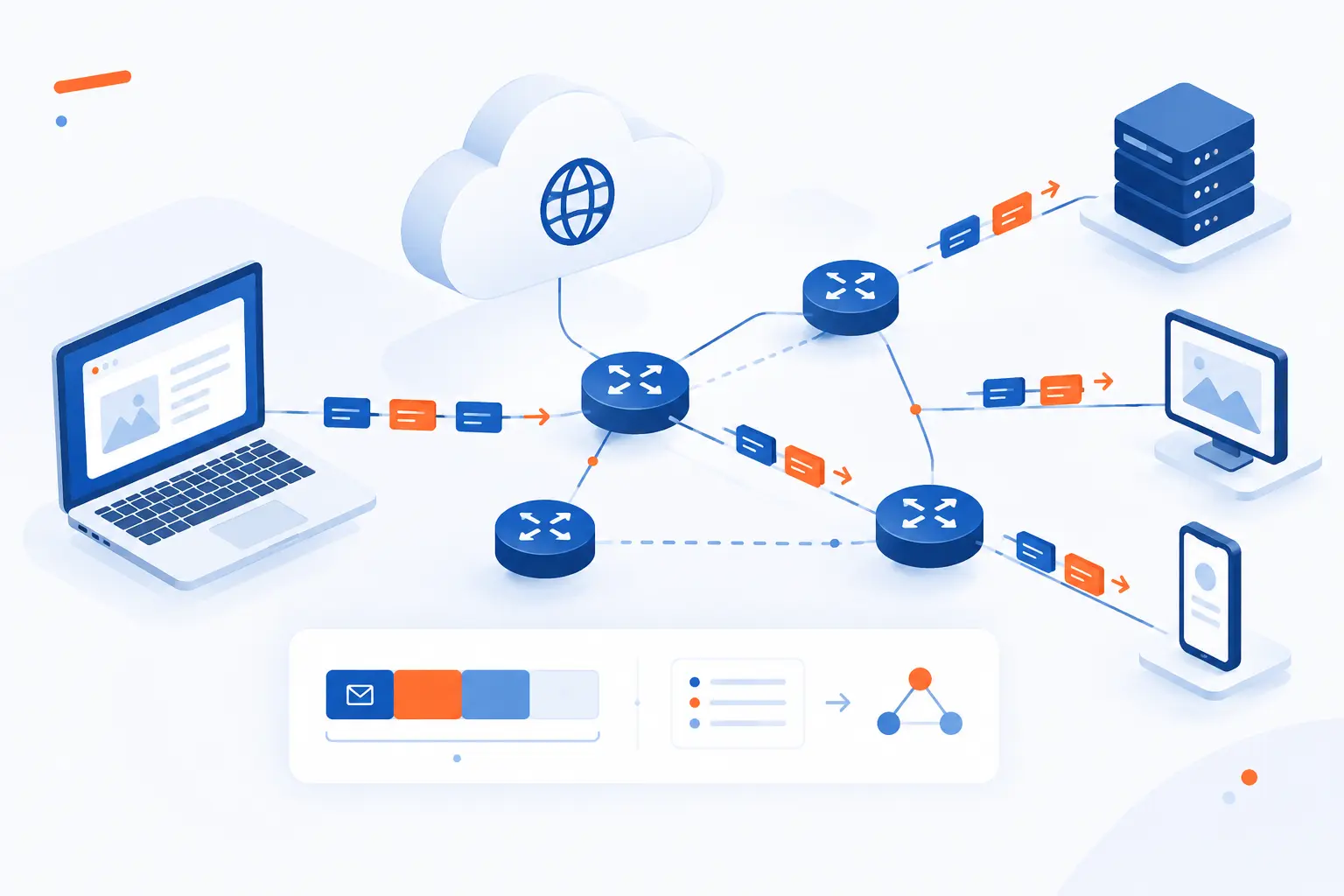
Internet protocol is the basic addressing and routing system that lets data travel between devices across connected networks. It breaks communication into packets, marks each packet with source and destination addresses, and lets routers forward those packets toward the right place. At 1Byte, we think of it as the postal layer of the internet: it does not write the letter, secure the envelope, or guarantee the recipient reads it, but it knows where the envelope should go. Once you understand packets and routing, web hosting, cloud servers, domains, firewalls, and DNS all start to feel less mysterious.
Internet Protocol Is the Addressing and Routing System for Data Packets
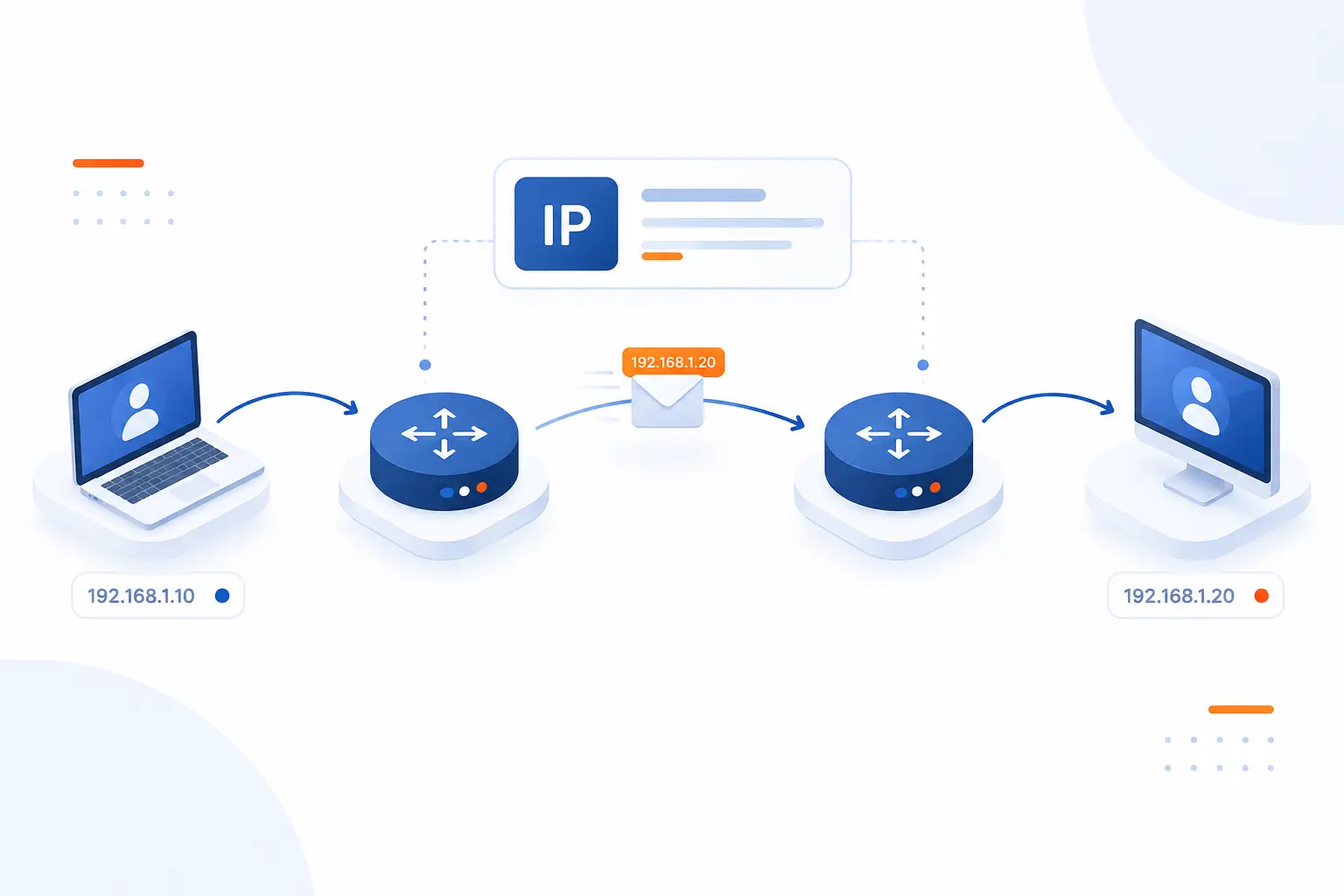
Internet protocol, often shortened to IP, is a network-layer system for addressing devices and moving packets from one network to another. In simple terms, it gives each packet a destination label and gives routers enough information to send that packet onward. IP is packet-based, which means a web page, video call, file upload, or server response is split into smaller units before it travels. The key idea is practical: IP handles where data should go, while other technologies handle reliability, encryption, names, and application behavior.
We like this definition because it keeps the concept honest. IP is powerful, but it is not magic. It does not promise that every packet will arrive, arrive once, or arrive in order. It gives networks a shared way to identify endpoints and forward traffic across many different physical links.
A real-world example helps. When a visitor opens a website hosted on a cloud server, the browser first finds the server’s address, then sends packets toward it. Those packets may pass through the visitor’s home router, an internet provider, transit networks, and a data center network before reaching the server. The server then sends response packets back. The user sees one page load, but the network sees many small addressed packets moving through routers.
That separation is one reason the internet has survived so much change. Fiber, Wi-Fi, mobile networks, Ethernet, and data center fabrics all differ underneath. IP gives them a common delivery model above those differences. As hosting people, we care about that deeply because every website we serve depends on this quiet agreement between networks.
FURTHER READING: |
| 1. What Is DNS Cache and How to Clear It on Any Device |
| 2. What Is Internet Control Message Protocol (ICMP) and How Does It Work? |
| 3. What Is IPsec VPN? How It Works and Main Uses |
How Packets Move Across Networks
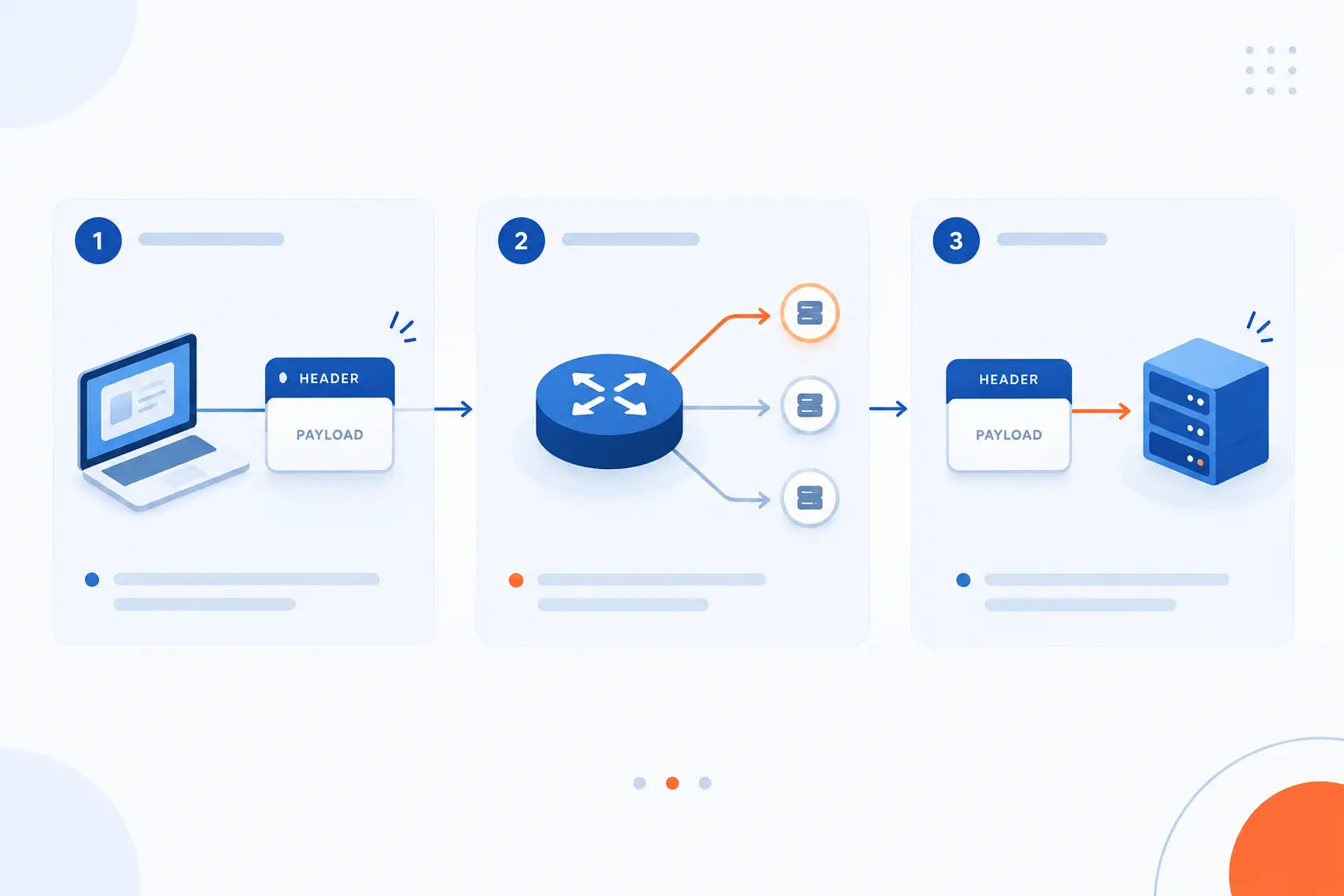
Packets move across networks by carrying a header for delivery information and a payload for the actual data. Routers inspect the delivery information, choose the next hop, and forward each packet closer to its destination. The sender usually does not preselect the entire path across the internet. Instead, each router makes a local forwarding decision based on its routing table and the destination address.
Header and Payload
The header tells the network how to handle the packet, while the payload carries the data being transported. This split is the heart of packet networking. The header is like a shipping label. The payload is what sits inside the box.
For a website request, the payload might contain part of an HTTP message, a TLS-encrypted record, or another upper-layer unit. The header carries information routers and hosts need, such as source and destination addresses. A router should not need to understand the web page, login form, image, or database response inside the payload. It only needs enough information to forward the packet.
This separation keeps networks flexible. A router can carry web traffic, email, file transfers, API calls, and game traffic without knowing the business logic inside each one. We see that as one of the internet’s best design choices: keep forwarding simple, and let applications innovate above it.
Packet Switching and Independent Delivery
Packet switching sends data in small pieces that can be forwarded independently. Instead of reserving one fixed circuit for a full conversation, networks share capacity among many flows. That is why a single fiber link can carry packets from video streams, cloud backups, DNS lookups, and website requests at the same time.
Independent delivery also means packets from the same conversation may not all experience the same delay. Some may arrive before others. Some may be dropped during congestion. This sounds messy, but it is efficient. The network stays simple, and higher layers can decide whether lost data must be resent.
For beginners, this is the mental shift: the internet does not usually move a file as one solid object. It moves pieces. The receiving system, often with help from TCP or an application protocol, turns those pieces back into useful data.
Routing One Hop at a Time
Routing moves a packet forward one network hop at a time. A hop is one step from one router or host to the next. Each router reads the destination address, checks its forwarding information, and sends the packet out through an interface that seems best for the destination.
This hop-by-hop design is one reason the internet can route around failures. If a link goes down, routing systems can learn new paths. The individual packet still carries the same destination, but later routers may make different choices as conditions change.
We sometimes compare this to asking for directions at each major intersection. You may not know every road between your office and a remote warehouse. But if every intersection points you closer to the destination, you eventually get there. IP routing works with the same practical humility.
What an IP Packet Contains
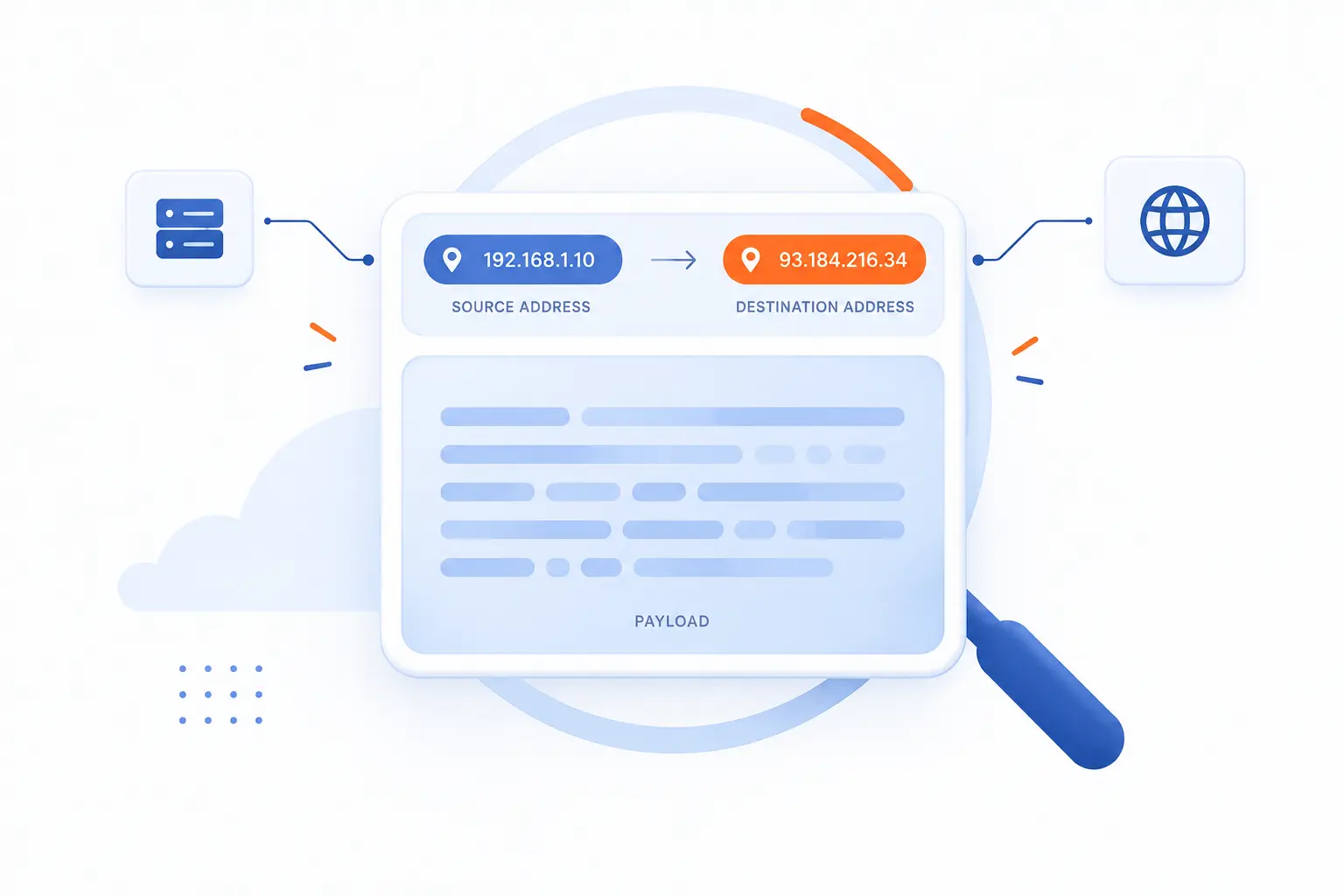
An IP packet contains delivery metadata in its header and data from an upper layer in its payload. The exact header fields depend on the version being used. IPv4 and IPv6 both carry source and destination addresses, but they organize packet metadata differently. The fields exist so hosts and routers can forward, limit, classify, and pass packet contents to the next protocol.
Core IPv4 Header Fields
The core IPv4 header fields describe the packet’s version, size, addresses, lifetime, fragmentation, and next protocol. These fields let routers forward the packet and let the receiving host know what to do with the payload. The fields include source address, destination address, protocol, total length, identification, flags, fragment offset, header checksum, and time to live.
The source and destination addresses are the most visible fields because they identify where the packet came from and where it should go. The protocol field tells the receiving host whether the payload belongs to TCP, UDP, ICMP, or another upper-layer protocol. Fragmentation fields exist because older networks sometimes needed to split packets into smaller pieces.
IPv4 is compact and proven, but it carries design baggage from an earlier internet. Header checksums, router fragmentation, and limited address size made sense at the time. At modern scale, they create tradeoffs that IPv6 tries to clean up.
How IPv6 Simplifies the Header
IPv6 simplifies the base header by using a fixed layout and moving optional information into extension headers. The base header is 40 octets, which makes basic processing more predictable for network devices. It includes fields such as source address, destination address, traffic class, flow label, payload length, next header, and hop limit.
The practical change is not just bigger addressing. IPv6 removes some work from routers. For example, routers do not fragment IPv6 packets in transit. Instead, the sending host is expected to handle packet sizing decisions. That is a cleaner division of labor.
We like IPv6 for that reason. It was designed after engineers had already learned painful lessons from running the global internet. It does not make networks effortless, but it does remove several awkward behaviors that grew hard to manage at scale.
Fragmentation, Reassembly, and Time to Live
Fragmentation splits a packet when it is too large for a path, while lifetime fields stop packets from looping forever. In IPv4, routers may fragment packets if allowed. The destination host reassembles the pieces. In IPv6, fragmentation is handled by the source host with a fragmentation extension header, and links must support an MTU of at least 1280 octets.
TTL in IPv4, and hop limit in IPv6, protects the network from endless circulation. Each router reduces the value as the packet passes through. When the value reaches zero, the packet is discarded. That simple rule prevents routing mistakes from turning into permanent packet storms.
In hosting environments, packet sizing problems often show up as strange symptoms. A small page loads, but a larger upload fails. A VPN connects, but some sites hang. When we troubleshoot issues like that, we often look at MTU, fragmentation behavior, and path discovery before blaming the application.
How IP Addressing Works
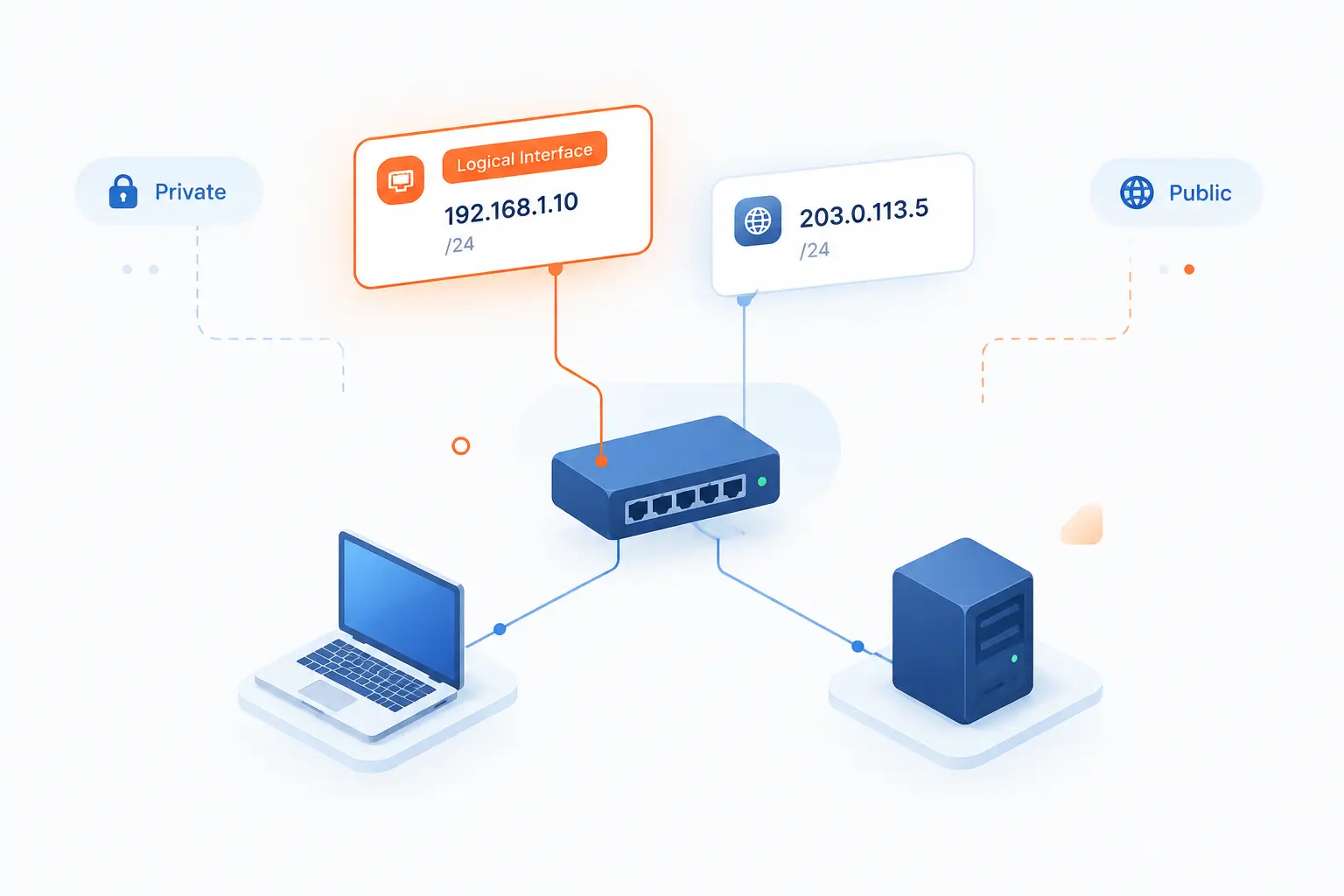
IP addressing works by assigning logical addresses to network interfaces so packets can be delivered to the right network and host. An address is not the same thing as a person, company, or device forever. It identifies where an interface can be reached within a particular network context. Addressing becomes easier to understand when we separate public addresses, private addresses, assignment methods, and subnets.
What an IP Address Identifies
An IP address identifies a network interface at a reachable location in an IP network. A laptop on Wi-Fi, a cloud server, a router, and a load balancer can all have addresses. Some systems have more than one because they connect to more than one network or serve more than one role.
This point prevents a common misunderstanding. An address does not always identify a physical device by itself. The same phone can receive one address on a home network and another on mobile data. A server may use one private address inside a cloud network and one public address for internet access.
Think of an address as a routing clue. It tells networks where traffic should go now. Identity, authentication, and ownership live elsewhere.
Public vs Private Addresses
Public addresses are globally routable, while private addresses are meant for use inside local or internal networks. Private ranges are reused in homes, offices, and cloud networks because they are not advertised as unique destinations across the public internet. The well-known private IPv4 blocks are 10.0.0.0/8, 172.16.0.0/12, and 192.168.0.0/16.
A home router is a familiar example. Your laptop may have a private address inside your house, while the router uses a public address when talking to outside services. Network address translation often maps many private devices to fewer public addresses.
In cloud hosting, private addressing is just as important. Servers can talk to databases, caches, and internal services over private networks. Public exposure can then be limited to the parts that actually need it, such as a web front end.
Static vs Dynamic Assignment
Static assignment means an address is set deliberately, while dynamic assignment lets a service provide one automatically. Static addresses are common for servers, routers, firewalls, and records that need predictable reachability. Dynamic assignment is common for laptops, phones, and short-lived workloads.
DHCP is the classic way to provide dynamic configuration on many networks. It can assign an address and provide related settings such as a subnet mask, router, and other parameters, with leases helping manage reuse over time through automatic configuration.
Neither method is automatically better. Static assignment gives predictability. Dynamic assignment reduces manual work and avoids many duplicate-address mistakes. In our view, good network design uses both where each makes sense.
Subnets and IPv6 Address Scopes
Subnets divide a larger address range into smaller routing units. A subnet lets a network decide which addresses are local and which should be sent to a router. This is why two devices on the same local network can often communicate directly, while traffic to another network goes through a gateway.
IPv6 also uses address scope to describe where an address is valid. Some addresses are link-local, which means they work only on the local link. Others are intended for broader internal or global reachability. This makes address planning less about conserving every last address and more about clear structure.
Subnets are where beginners often get stuck, and we understand why. The notation looks terse. But the idea is simple: group addresses so routers know what belongs together.
IPv4 vs IPv6 and Why Both Still Matter
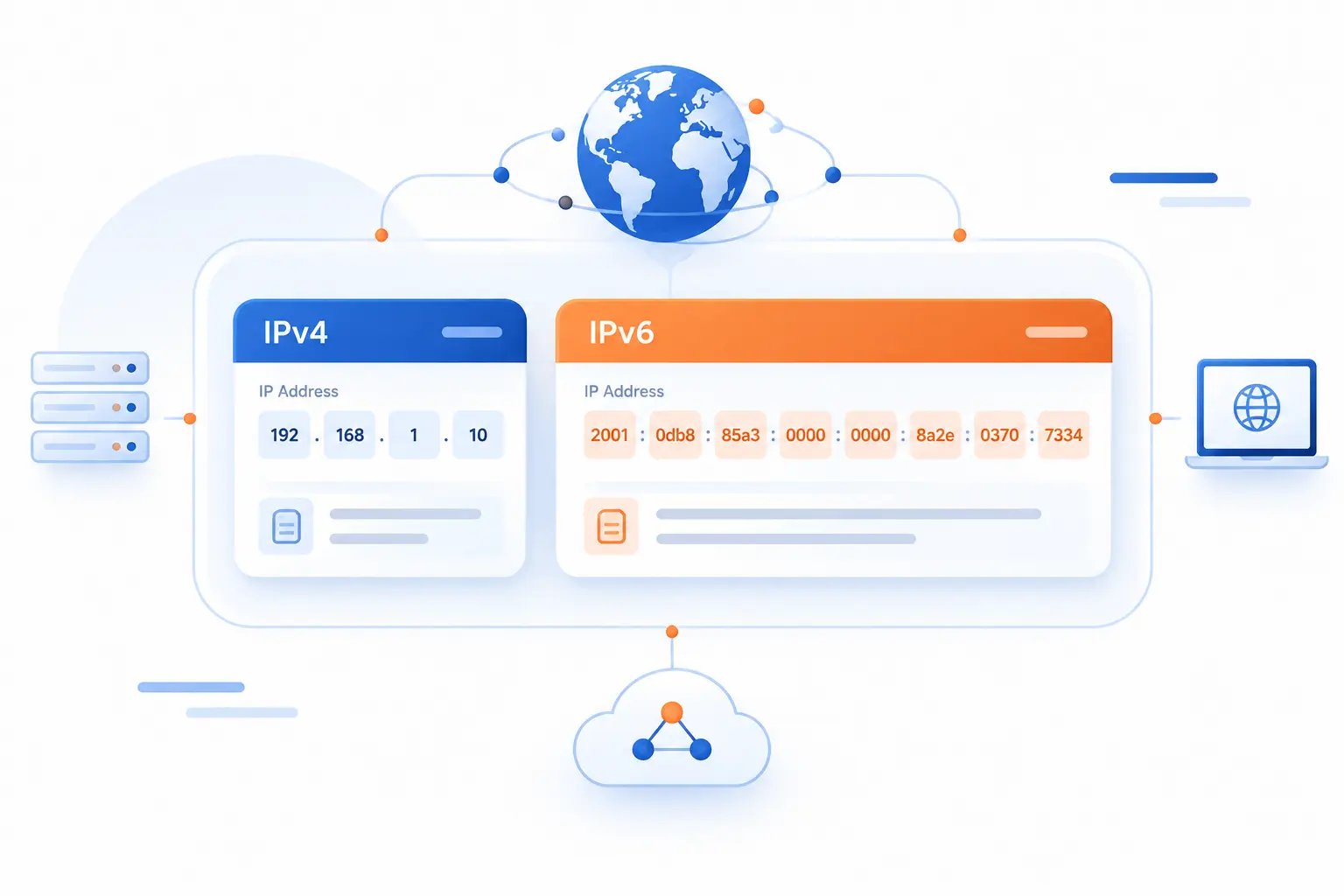
IPv4 and IPv6 are two versions of the addressing and packet format used for IP networking. IPv4 remains widely used because the internet, business networks, and legacy systems still depend on it. IPv6 matters because it offers far more address space and cleaner behavior for modern networks. Most real networks still need to understand both.
| Version | Main Strength | Main Constraint | Common Use |
|---|---|---|---|
| IPv4 | Broad legacy compatibility | Limited public address supply | Existing websites, devices, and networks |
| IPv6 | Large address space and simpler base forwarding | Uneven deployment across providers | Modern access networks, clouds, and dual-stack sites |
Why IPv4 Became Limited
IPv4 became limited because its address space was too small for a planet full of connected devices, services, and networks. The original design gave the world a finite pool of public addresses. That pool looked enormous in the early days, but homes, mobile phones, businesses, virtual machines, and cloud services changed the math.
The central free pool reached a historic turning point on 3 February 2011, when the remaining blocks were issued to regional registries. Since then, the industry has relied on conservation, transfers, private addressing, and translation to keep IPv4 working.
That workaround culture has been useful, but it has a cost. NAT can complicate inbound access, logging, peer-to-peer applications, and troubleshooting. IPv4 did not fail. It became the victim of its own success.
What Changes With IPv6
IPv6 changes the scale and structure of addressing. Its addresses are 128 bits, which gives networks room to assign addresses with less pressure to conserve every value. It also changes packet handling by using a simplified base header and extension headers for optional features.
For users, IPv6 should feel boring when it works well. A site loads. A server responds. A phone moves traffic. The biggest differences are under the hood.
For operators, the benefits are clearer. Address planning can be cleaner. End-to-end reachability can be more practical. Network policies still matter, of course. A larger address space is not a security policy by itself.
Why Dual-Stack Networks Are Common
Dual-stack networks are common because they run IPv4 and IPv6 side by side during the long transition. A dual-stack server can answer clients using either version if the network, DNS, and application stack support it. This approach avoids forcing every user, provider, and device to change at once.
The downside is operational complexity. Teams must monitor, secure, route, and troubleshoot both families. Firewall rules, DNS records, server bindings, and logs all need attention.
Still, dual-stack is often the practical middle path. We rarely like “big bang” migrations in infrastructure. Running both versions lets organizations move forward without cutting off older clients.
Where Internet Protocol Fits in the Network Stack
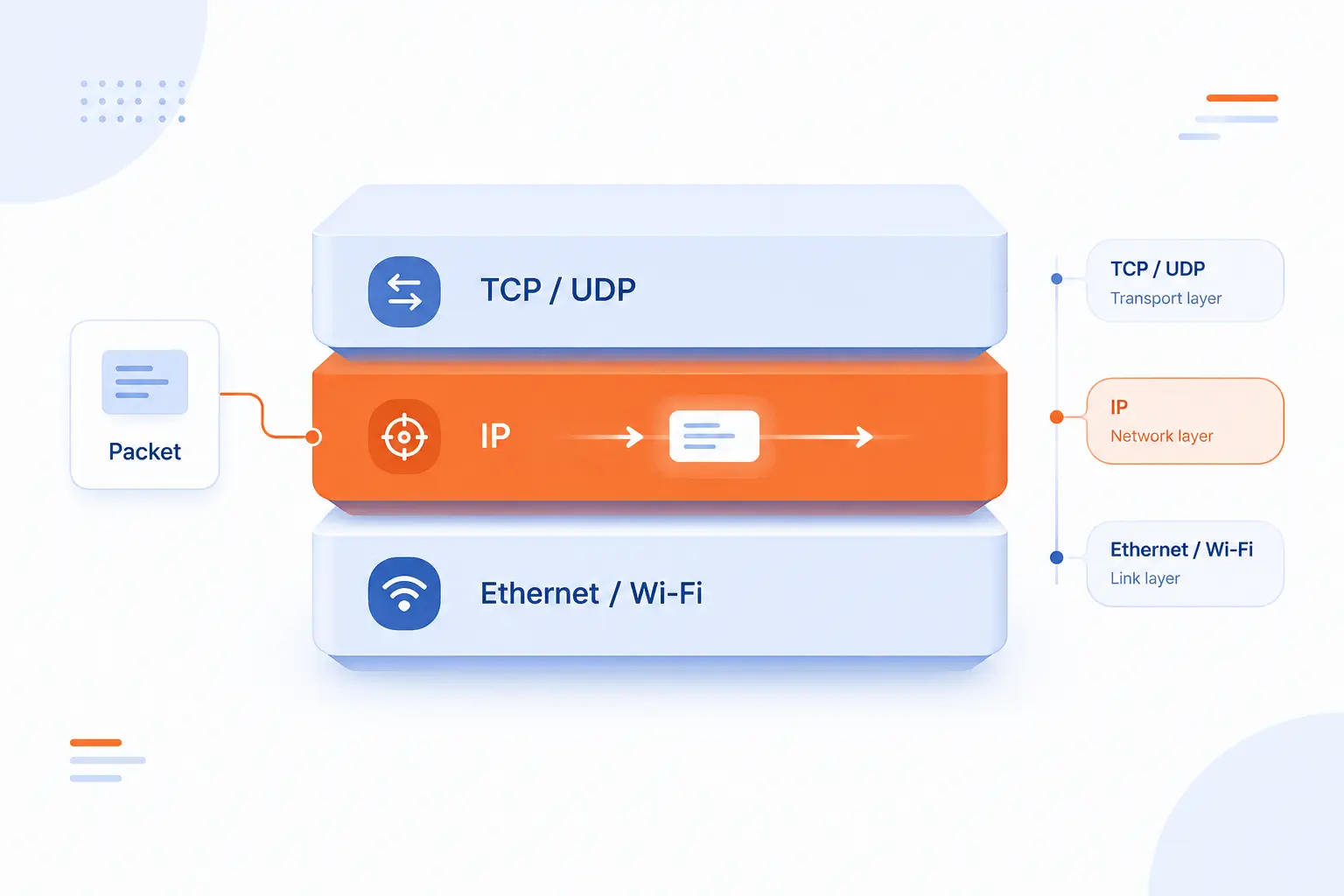
Internet protocol fits at the network layer, where the main job is addressing and routing packets between networks. It sits below transport protocols such as TCP and UDP and above link technologies such as Ethernet or Wi-Fi. This layered design keeps each part focused. IP moves packets, while surrounding protocols handle naming, configuration, reliability, ports, sessions, encryption, and application meaning.
The Network Layer Job
The network layer’s job is to move packets across network boundaries. Local link technologies can deliver frames within a local segment, but IP lets data cross many networks. That is the jump from “my local network can talk” to “my server can reach a browser across the world.”
This layer uses logical addressing, not just hardware addressing. A router does not forward traffic based on a laptop’s Wi-Fi chip identity alone. It forwards based on network-layer destination information.
For hosting, this distinction is daily bread. A server may sit behind switches, firewalls, gateways, and load balancers. IP is the common layer that lets those pieces pass traffic toward the right service.
How TCP Adds Order and Reliability
TCP adds ordered, reliable delivery above IP. It uses connections, sequence numbers, acknowledgments, retransmission, and flow control so applications can treat data more like a stream than scattered packets. The modern TCP specification describes it as a reliable byte stream.
This is why TCP is the default fit for many web actions. Loading an HTML document, submitting a form, downloading a file, and calling many APIs all benefit from ordered delivery. If a packet is lost, TCP can request recovery without the application rebuilding everything itself.
The tradeoff is overhead and latency. TCP has more machinery than bare packet delivery. Most of the time, that machinery is worth it.
When UDP Is the Better Fit
UDP is better when an application prefers low overhead or can handle loss, ordering, and retries itself. It sends datagrams without establishing a TCP-style connection. The original specification states that delivery and duplicate protection are not guaranteed.
This makes UDP useful for DNS queries, streaming media, real-time voice, gaming, and newer transports that build their own reliability rules. If a live voice packet arrives too late, retransmitting it may be useless. Better to keep the conversation moving.
UDP is not “bad TCP.” It is a different tool. We reach for it when the application’s timing needs matter more than automatic ordered delivery.
How DNS and DHCP Support IP Communication
DNS and DHCP support IP communication by making addresses easier to find and easier to assign. DNS lets people use names instead of memorizing numeric addresses. A browser can ask for a site by domain name, then use the returned address to start connecting.
The DNS architecture was designed as a distributed naming system, with name servers answering queries from a shared database model described in its early design document. That matters because hosting depends on names. A domain points visitors toward the right service, while IP carries the packets once the destination is known.
DHCP handles the other side: configuration. Instead of manually typing settings into every laptop or office device, networks can hand out addresses and related details automatically. DNS helps clients find destinations. DHCP helps clients join the network correctly.
Frequently Asked Questions
These quick answers cover the beginner questions we hear most often about internet protocol, addresses, and delivery guarantees. The short version is this: IP moves packets, addresses identify reachable interfaces, and other protocols add features around that basic delivery model. If you understand that split, networking becomes much less intimidating.
What Are Basic Network Protocols?
Basic network protocols are agreed rules that let devices format, send, receive, and interpret data. IP handles addressing and routing, TCP can add reliable transport, UDP sends lightweight datagrams, DNS resolves names, and DHCP assigns configuration. Together, they let everyday web traffic work without users thinking about each layer.
What Is an IP Address in Networking?
An IP address is a logical address assigned to a network interface so packets can be routed to it. It can be public or private, static or dynamic, and tied to different interfaces at different times. For servers, stable addressing is especially useful because domains and client connections need a predictable destination.
What Is the Difference Between IPv4 and IPv6?
The difference between IPv4 and IPv6 is mainly address size, packet format, and modern network behavior. IPv4 has broad legacy support but limited public address supply. IPv6 provides a much larger address space and cleaner packet handling, although many networks still operate both.
Does IP Guarantee Delivery of Data?
No, IP does not guarantee delivery of data. It forwards packets on a best-effort basis, so packets can be dropped, delayed, duplicated, or arrive out of order. Reliability usually comes from TCP or from application logic built above UDP.
How 1Byte Supports IP-Based Websites and Servers
1Byte supports IP-based websites and servers by providing services that sit directly on top of addressing, routing, DNS, and secure web delivery. Domain registration connects human-readable names to network destinations. SSL certificates protect browser-to-site communication. WordPress hosting, shared hosting, cloud hosting, and cloud servers give projects different ways to run reachable services, and 1Byte is an AWS Partner.
| Service | How It Connects to IP | Best Fit |
|---|---|---|
| Domain registration | Points names toward server addresses | Websites and branded email foundations |
| SSL certificates | Secures traffic sent to a site | Login pages, stores, and public sites |
| WordPress hosting | Runs WordPress on reachable hosting | Blogs, company sites, and content teams |
| Shared hosting | Hosts sites on managed shared infrastructure | Small websites and simple launches |
| Cloud hosting | Runs services in a cloud environment | Growing web apps and business sites |
| Cloud servers | Provides server-level control for networked apps | Custom applications and backend services |
Domain Registration and SSL Certificates for Connected Sites
Domain registration and SSL certificates turn raw network reachability into a usable, trusted website experience. A domain gives visitors a name they can remember. DNS then connects that name to the address where the site or service responds.
An SSL certificate adds the trust layer browsers expect for HTTPS. IP can move packets without knowing whether the content is private. SSL and TLS help protect the communication above that routing layer.
Our practical view is simple: a reachable server is only the beginning. A public website also needs a clear name and encrypted browser communication. That combination is where domain registration and SSL certificates meet the packet world.
WordPress Hosting and Shared Hosting for Everyday Web Projects
WordPress hosting and shared hosting give everyday sites a practical place to run without asking the owner to design a full network stack. The visitor types a domain, DNS points the request, packets reach the hosting environment, and the site responds. Most small teams do not want to manage every routing and server detail themselves.
WordPress hosting fits projects built around WordPress content. Shared hosting fits straightforward websites that need a simple hosting path. In both cases, IP remains underneath everything, but the customer works at a more familiar level.
We believe that is healthy. Not every business owner should need to explain TTL, subnet masks, or packet headers before publishing a website.
Cloud Hosting and Cloud Servers for Scalable Networked Apps
Cloud hosting and cloud servers support applications that need more control over networked services. Cloud hosting gives a path for web projects that may need more room than basic shared environments. Cloud servers are better when teams want server-level control for custom applications, APIs, or backend services.
In both cases, IP planning matters. Teams must think about public reachability, private service communication, DNS records, firewall rules, and secure access. The more control a project needs, the more visible the network layer becomes.
As an AWS Partner, 1Byte can connect this thinking to cloud infrastructure work without pretending IP disappears. Good cloud architecture still depends on addresses, routes, and clear exposure boundaries.







Conclusion
Internet protocol is the addressing and routing foundation that lets packets move across connected networks. It does one job extremely well: it gives data a way to travel from a source toward a destination. Around that foundation, TCP can add reliability, UDP can keep traffic lightweight, DNS can turn names into destinations, and DHCP can help devices get configured.
For beginners, the most useful takeaway is this: IP is about delivery, not meaning. It does not know your web page, your video call, or your checkout form. It knows packet metadata and routing decisions. That simple boundary is why the internet can carry so many kinds of traffic over so many kinds of networks.
At 1Byte, we see internet protocol as one of those quiet systems that rewards curiosity. Once you understand packets, addresses, and routing, you make better choices about domains, hosting, cloud servers, and security. If your next step is launching or improving a website, start by asking a concrete question: where should your packets go, and which services should be allowed to answer?