


- Website Performance Means How Quickly People Can Reach Content and Take Action
- Why Website Performance Matters for Business Results
- Where Website Performance Problems Usually Start
- Build Performance Into the Site From the Start
- How to Improve Website Performance Without Guesswork
- Measure What Visitors Actually Experience
- Keep Performance From Slipping Over Time
- FAQ
- How 1Byte Supports Faster and More Reliable Websites
- Conclusion
Why website performance matters is simple: people decide quickly whether a site feels useful, trustworthy, and worth their time. If a page loads slowly, shifts around, or freezes after a tap, visitors hesitate or leave before the business gets a fair chance. Search visibility can suffer too, because Google uses page experience signals such as Core Web Vitals as part of how it evaluates results. At 1Byte, we see performance as a business discipline, not a developer vanity metric.
A fast website does more than feel nice. It removes friction between intent and action. A shopper can compare products, a reader can finish an article, and a lead can submit a form without wrestling the page. That is why our strategic view is practical: measure what users experience, fix the biggest bottlenecks first, and keep speed from decaying as the site grows.
Website Performance Means How Quickly People Can Reach Content and Take Action

Website performance means the speed, stability, and responsiveness of a site from the visitor’s point of view. It is not only the time until the browser stops loading. It includes how soon the main content appears, whether the layout stays still, and whether buttons respond when touched. Google’s Core Web Vitals focus on loading, responsiveness, and visual stability through LCP, INP, and CLS, with “good” thresholds such as 2.5 seconds for LCP.
We like to define performance through the visitor’s job. Can they see the answer? Can they act? Can they trust what is happening on the screen? If the answer is yes, the site is performing well in the only place that counts: the user’s session.
For planning, split performance into three layers. The first is delivery, which covers hosting, server response, DNS, TLS, caching, and CDN behavior. The second is page construction, including HTML, CSS, JavaScript, images, fonts, and third-party tags. The third is real-world experience, which depends on device power, network quality, browser behavior, and how the page changes during use.
That layered view keeps teams honest. A beautiful design can still be slow if it ships huge images. A powerful server can still feel sluggish if the browser must run too much JavaScript. A strong desktop score can hide a poor mobile journey. Performance work starts when we stop treating the score as the goal and start treating the user’s path as the goal.
FURTHER READING: |
| 1. What Is Cross Site Scripting and How Does It Work |
| 2. How to Build a Website From Scratch in 10 Steps |
| 3. Best WordPress Site Examples for Design Ideas |
Why Website Performance Matters for Business Results

Website performance matters for business results because it affects attention, trust, search access, and conversion. A slow page creates doubt before the customer reads the offer. A fast page lets the message do its job. In a Deloitte study commissioned by Google, a 0.1-second mobile improvement was associated with better outcomes across conversions and engagement in several verticals.
We should be careful with broad averages. A banking portal, a recipe site, and a checkout page do not behave the same way. Still, the pattern is consistent enough to guide strategy: the closer a page is to revenue or lead capture, the less friction it can afford.
How Speed Shapes User Experience and First Impressions
Speed shapes first impressions because visitors judge a site before they judge the content. When a page opens quickly, the business feels organized and credible. When it lags, the visitor starts making silent guesses: Is this company still active? Will checkout work? Can I trust this form?
That judgment may be unfair, but it is real. The visitor does not know whether the delay came from a weak server, a huge hero image, or a third-party script. They only feel the wait. We therefore treat speed as part of brand communication.
The practical move is to make the first screen useful fast. Put the core message near the top. Avoid loading a carousel before the page can show the main offer. Make navigation visible without waiting for extra scripts. If the page needs rich media, let it support the message after the first useful content appears.
How Faster Pages Increase Engagement and Retention
Faster pages increase engagement because they reduce the cost of every click. A visitor who gets quick feedback is more likely to browse another product, read another guide, or complete a multi-step form. Small delays compound across a session. One slow page is annoying, but five slow steps feel like a broken process.
Retention also depends on memory. People may not remember the exact load time, yet they remember whether the site felt easy. That feeling affects whether they return directly, click a branded result, or choose a competitor next time.
For content sites, engagement means readers can move between articles without losing momentum. For ecommerce, it means filters, product pages, cart, and payment screens respond without friction. For B2B sites, it means visitors can move from a case detail to a pricing inquiry without second-guessing the company’s competence.
How Performance Supports Search Visibility
Performance supports search visibility by contributing to page experience and by helping search visitors stay after the click. Google says Core Web Vitals are used by its ranking systems, while also making clear that relevance remains central to ranking. That means speed does not replace useful content, but poor experience can weaken an otherwise good page in competitive results. The safest planning stance is to build pages that deserve the click and respect the click, using official guidance as a guardrail.
There is also an indirect SEO effect that many teams underrate. If a page is slow, users may bounce back, explore fewer internal links, and share it less often. Those behaviors do not turn into a simple “speed equals ranking” equation, but they do reduce the value created by organic traffic.
Our view is blunt: do not use performance as a substitute for content strategy. Use it to protect the content strategy. If a page answers the query well, the experience should not get in the way.
How Load Time Affects Conversions, Trust, and Revenue
Load time affects conversions because every delay gives the customer another chance to hesitate. This is especially true on landing pages, pricing pages, product detail pages, cart flows, and lead forms. Portent’s analysis found that a site loading in one second had a conversion rate 3x higher than one loading in five seconds. We would not treat that number as a promise for every site, but we would treat the direction as a warning.
Trust is the hidden part of the conversion story. When a checkout button hangs, users wonder whether they will be charged twice. When a form freezes, they wonder where their personal data went. When a product image loads late and moves the page, they may tap the wrong thing.
Start your conversion performance work at the money pages. Measure product pages, service pages, contact forms, cart, and payment paths. If those pages are heavy, simplify them before polishing low-impact pages. A fast blog post is useful, but a fast checkout pays the bills.
Why Website Performance Matters Even More on Mobile
Website performance matters even more on mobile because phones often face weaker networks, smaller screens, lower device power, and more distractions. A desktop user may wait while sitting at a desk. A mobile user may be standing in line, riding in a car, or comparing options inside a store. A Think with Google resource reported that 53% of mobile visits were likely to be abandoned when pages took longer than three seconds to load.
Mobile design also exposes waste faster. Oversized desktop images hurt more. Heavy JavaScript hurts more. Pop-ups, sticky elements, and layout shifts become more frustrating when the screen is small.
Our planning rule is simple: test the mobile journey first, especially on average devices and average connections. If a page feels good there, desktop usually benefits. If a page only feels good on a developer’s laptop, the business is flying blind.
Where Website Performance Problems Usually Start

Website performance problems usually start where delivery, page weight, browser work, and real-world conditions collide. The server may answer slowly, the page may ship too many files, or the browser may spend too long parsing scripts. Sometimes the visible problem is a late-loading image, while the root cause is a chain of render-blocking resources. The fastest diagnosis is to map the symptom to the layer that creates it.
| Problem area | Common symptom | First place to inspect |
|---|---|---|
| Hosting and server response | Blank wait before content starts | TTFB, origin response, DNS, TLS |
| Media and fonts | Large visual elements arrive late | Image size, format, preload choices |
| JavaScript and third parties | Taps feel delayed or ignored | Main thread work, tag order, unused code |
| Caching and delivery | Repeat visits are still slow | Cache headers, CDN rules, asset versioning |
| Layout and device limits | Page jumps or behaves differently on phones | CLS, responsive CSS, device testing |
The point is not to blame one layer by habit. We have seen teams buy stronger hosting when the real issue was uncompressed media. We have also seen teams compress everything while ignoring slow origin response. Good performance work is investigative, not superstitious.
Hosting Infrastructure and Server Response Time
Hosting infrastructure matters because the browser cannot render content that the server has not delivered. If DNS lookup, TLS negotiation, database queries, or application processing take too long, the user waits before the page can even begin to feel useful. This is where server response time becomes the foundation for everything else.
Look at Time to First Byte, origin latency, database calls, and cache hit rate. If a CMS page rebuilds the same content for every visitor, caching may help more than a larger server. If traffic spikes create slow responses, the infrastructure may need more capacity or a better deployment pattern.
Beginners often ask whether hosting alone can make a site fast. Our answer is: hosting can remove a major bottleneck, but it cannot rescue a careless front end. Strong infrastructure gives the page a clean start. The page still needs to travel light.
Heavy Images, Videos, Fonts, and Other Large Files
Large files slow pages because every byte must travel across the network and be processed by the browser. Images are often the first suspect, and for good reason. The 2025 Web Almanac found that the median desktop page loads 73 total files, which shows how quickly ordinary pages become crowded with assets.
Start with images above the fold. Serve the correct dimensions. Use modern formats where browser support fits your audience. Compress aggressively, but do not destroy the product image or brand asset that actually sells the offer.
Fonts deserve the same discipline. Every font family, weight, and style adds cost. If the design uses three families and six weights, ask whether the visitor receives enough value to justify that load. Video should be even more intentional. Autoplay background video can look premium in a meeting and still punish a mobile visitor in real life.
Bloated Code, Client-Side JavaScript, and Third-Party Scripts
Bloated code hurts performance because the browser must download, parse, compile, and execute it before users can interact smoothly. JavaScript is especially costly on lower-powered phones. A page may appear visible, yet still feel broken because the main thread is busy.
Third-party scripts make this harder. Analytics, chat widgets, ad tags, heatmaps, review badges, and personalization tools often arrive from outside teams. Each tool may be useful alone. Together, they can turn a simple page into a negotiation between vendors.
Audit scripts by business value. Keep what informs decisions or drives revenue. Delay what is useful but not needed at first paint. Remove what nobody reads, uses, or owns. If no one can explain why a tag exists, that tag has already made its closing argument.
Caching, Content Delivery, and Asset Delivery Choices
Caching and delivery choices matter because they decide whether repeat work is avoided. A cache can store generated pages, images, scripts, stylesheets, and API responses closer to the user or closer to the browser. Done well, it turns repeated requests into quick returns.
There are several layers to consider. Browser caching helps returning visitors. Server-side caching reduces application work. A CDN can place static files nearer to users. Object caching can reduce database pressure for dynamic sites.
The key is to cache the right things safely. Static assets can usually live longer with versioned filenames. Logged-in pages, carts, and personalized data need more care. We prefer conservative rules first, then broader caching after testing. A fast stale page is still wrong if it shows the wrong customer data.
Layout Shifts, Device Limits, and Connection Quality
Layout shifts damage usability because the page moves after the visitor has already started reading or tapping. The usual causes are images without dimensions, ads without reserved space, late-loading fonts, injected banners, and components that appear above existing content. The result feels clumsy, even if the raw load time looks acceptable.
Device limits add another layer. A powerful laptop can hide heavy JavaScript. A mid-range phone may expose it immediately. Battery mode, background apps, spotty Wi-Fi, and mobile handoffs can all turn a borderline page into a poor experience.
Design for the messiness of real access. Reserve space for media and embeds. Use responsive images. Avoid forcing late content above what the user is reading. Test with throttled networks and ordinary devices. The lab should challenge the page, not flatter it.
Build Performance Into the Site From the Start

Building performance into the site from the start means making speed part of planning, design, development, and content decisions. It is cheaper to prevent bloat than to remove it after launch. The early choices around layout, CMS plugins, theme structure, media rules, and rendering approach shape the future ceiling. If a site starts heavy, every later optimization becomes harder.
We prefer to treat performance like accessibility or security. It belongs in the requirements, not in the apology after launch. A site can be attractive, useful, and fast when teams make trade-offs early. The question is not “Can we add this?” The better question is “What does this cost the visitor?”
Treat Speed as Part of the Development Process
Treat speed as part of development by reviewing it during design, build, staging, and release. Do not wait until launch week to run a tool and discover that every template is overweight. At that point, the team is tired, the deadline is close, and hard choices become political.
Add performance checks to normal work. Designers can specify image ratios and avoid unnecessary animation. Developers can watch bundle size, render-blocking files, and main thread work. Content teams can compress media before upload. Marketers can justify each tag before it goes live.
We also like staging tests on real templates. A perfect homepage score means little if product pages, category pages, and forms are slow. Test the pages that visitors actually use. That is where the business wins or loses.
Choose a Lightweight Page Structure
Choose a lightweight page structure by giving every section a clear purpose. A page does not become persuasive by stacking banners, sliders, counters, animations, and embedded widgets. It becomes persuasive when the visitor can understand the offer and act with confidence.
Start with the content hierarchy. What must the visitor see first? What proof do they need? What action should follow? When structure is clear, the page often needs fewer components.
Then reduce visual debt. Avoid giant hero areas that push useful content below the fold. Limit custom fonts. Use layout patterns that work well across screen sizes. Remove sections that exist because “competitors have them” rather than because users need them. Good restraint is one of the cheapest performance strategies.
Use the Right Rendering Approach for the Page
Use the right rendering approach by matching the page’s technical model to its content and interaction needs. A mostly static marketing page should not behave like a complex web app. A dashboard with private, changing data may need more client-side behavior. The right approach depends on what must be fresh, interactive, personalized, and indexable.
Static generation works well for content that changes on a schedule, such as landing pages, documentation, and many blog posts. Server-side rendering can help when pages need fresh data and search access. Client-side rendering can fit app-like experiences, but it should be used carefully for public pages that need fast first content.
The trap is choosing a fashionable framework before defining the page. We have a soft spot for elegant engineering, but the user does not care which stack produced the delay. Pick the simplest model that serves the job.
How to Improve Website Performance Without Guesswork

To improve website performance without guesswork, measure the page, rank bottlenecks by user impact, and fix the heaviest friction first. Random optimization wastes effort. A team might spend days shaving a small CSS file while a hero image blocks the first meaningful view. A disciplined workflow moves from evidence to action to retesting.
Use both lab and field data. Lab tools help reproduce problems under controlled conditions. Field data shows what real visitors experience across devices and networks. Search Console’s Core Web Vitals report groups URL performance by status and metric using real-world usage data, which helps teams avoid judging a site from one office connection.
Start With the Biggest Sources of Friction
Start with the biggest sources of friction by finding the pages and steps where delay harms business outcomes most. Do not optimize alphabetically. Optimize by impact. A slow contact form, checkout step, pricing page, or high-traffic landing page deserves attention before an old archive page.
Use analytics to identify important paths. Then use performance tools to inspect those pages. Look for slow server response, large images, render-blocking CSS, unused JavaScript, long tasks, layout shifts, and third-party delays.
We recommend keeping a short fix list. Rank each item by user impact, difficulty, and risk. Tackle the clear wins first. If one image, one plugin, or one script causes the pain, fix that before redesigning the whole site.
Optimize Images, Fonts, Scripts, and Code Efficiency
Optimize images, fonts, scripts, and code by reducing what the browser must download and execute. Start with assets that affect the first screen. The first visible product image, banner, headline font, and main stylesheet matter more than files used far down the page.
Resize images to the display need. Compress them. Use responsive image markup so phones do not receive desktop-sized files. Lazy-load offscreen media, but avoid lazy-loading the most important image if it is needed immediately.
For fonts, use fewer families and weights. Consider system fonts where branding allows it. For scripts, remove unused code, split bundles by route, defer noncritical files, and delay third-party tags until they are needed. Efficient code is not just smaller. It also asks less of the device.
Use Better Hosting, Caching, and CDN Support
Use better hosting, caching, and CDN support when delivery is the bottleneck. If the origin server responds slowly, front-end cleanup will only go so far. If visitors are far from the server, a CDN can reduce distance for static assets. If pages are regenerated too often, caching can cut repeated work.
Start by checking server response under normal traffic and during busy periods. Then inspect cache behavior. Are static assets cached long enough? Are HTML pages cached where safe? Are images delivered from an efficient location?
Better infrastructure should be matched to the site’s shape. A small brochure site may need simple shared hosting plus good caching. A growing ecommerce site may need cloud hosting, object caching, and a CDN. A high-traffic application may need cloud servers and careful architecture. The principle is fit, not excess.
Prioritize Mobile Optimization Early
Prioritize mobile optimization early because mobile constraints reveal weaknesses that desktop testing hides. If the page depends on large files, heavy scripts, or tiny tap targets, phones will show the pain first. Fixing mobile later often means undoing layout and media decisions that should have been questioned earlier.
Use mobile-first testing for core journeys. That includes navigation, search, product filtering, forms, account login, cart, checkout, and contact flows. Do not stop at the homepage. Many mobile visitors land directly on inner pages from search, ads, email, or social links.
Keep the mobile page focused. Shorten the path to action. Avoid intrusive overlays. Make buttons easy to tap. Compress images for small screens. A fast mobile experience is rarely an accident. It is the result of refusing to ship desktop baggage to a pocket-sized device.
Measure What Visitors Actually Experience

Measuring what visitors actually experience means looking beyond one synthetic score and studying real journeys. A lab score can show useful clues, but it cannot represent every phone, browser, connection, and location. Field data can show patterns, but it may not explain the exact cause. Good measurement uses both.
We care most about page-level evidence tied to user tasks. Did the product page show the main image quickly? Did the form respond after a tap? Did the checkout layout stay stable? Measurements are useful when they point to a better decision.
Review Page-Level Metrics and Network Activity
Review page-level metrics and network activity to see what the browser is really doing. Look at LCP for main content loading, INP for interaction delay, CLS for visual stability, and TTFB for early server response. Then inspect the waterfall to see which requests block rendering or arrive too late.
Network activity often tells a plain story. Too many font files. An oversized image. A slow API. A third-party script that blocks the main thread. A CSS file that delays rendering even though most of it is unused on that page.
Do not treat the final score as the diagnosis. Scores summarize. Waterfalls explain. Filmstrips show when content appears. Main thread charts show when the browser is too busy to respond. Together, they help teams fix causes rather than decorate reports.
Test Real User Journeys Before and After Changes
Test real user journeys before and after changes so you can prove whether the fix helped. A page can improve in a tool and still feel worse if a new script blocks a key interaction. The reverse can also happen: a modest score change may produce a meaningful improvement in checkout flow.
Build tests around tasks. Find a product. Open a comparison page. Submit a form. Add an item to cart. Complete a payment. Read a long article and click a related link. These journeys reveal friction that page-only tests miss.
After each change, compare the same journey under similar conditions. Keep notes on what changed, why it changed, and what result followed. This creates institutional memory. Future teams can see which fixes worked instead of repeating old experiments.
Keep Performance From Slipping Over Time
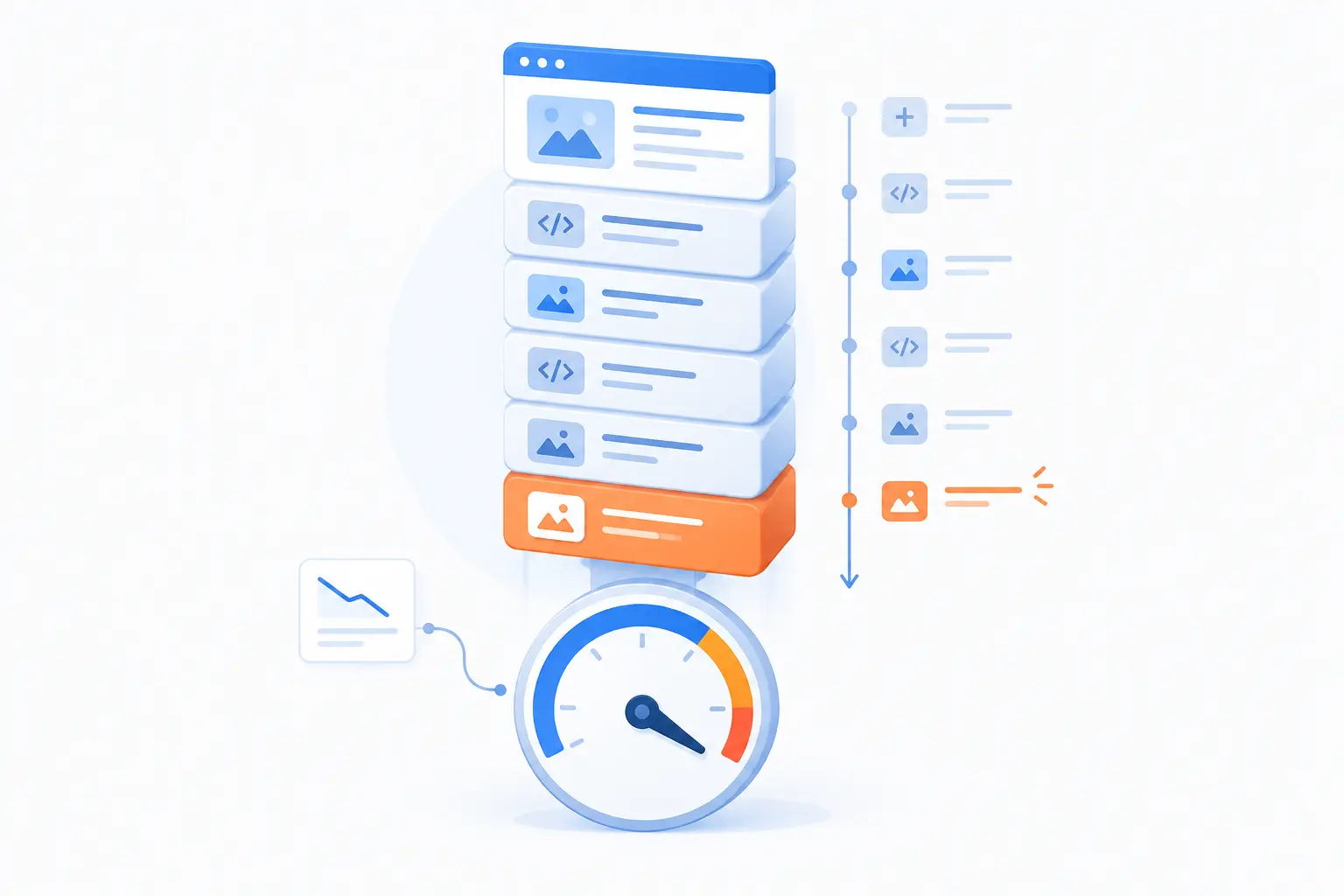
Keeping performance from slipping over time means treating it as ongoing maintenance. Websites get slower when teams add content, plugins, scripts, images, forms, tracking, and design changes without removing anything. Performance decay is rarely dramatic at first. It creeps in through “just one more” requests.
The cure is governance, not panic. Set limits. Review changes. Retest important pages after updates. Give someone ownership of the experience. A fast launch is good, but a fast site six months later is better.
Set Performance Budgets for New Features and Tags
Set performance budgets for new features and tags so growth has guardrails. A budget is a limit on page weight, requests, script size, Core Web Vitals, or another metric that matters to the site. It turns performance from a preference into a release condition.
Budgets should be realistic and visible. If a landing page already struggles, do not allow a new widget without removing or delaying something else. If a tag is needed for a campaign, decide where it loads and when it runs.
This is where marketing, development, and leadership need a shared language. A tracking pixel is not free. A chat widget is not free. A personalization script is not free. Each one spends part of the visitor’s patience. Spend it with intent.
Recheck Speed After Content, Plugin, and Integration Updates
Recheck speed after updates because small site changes can create large performance side effects. A new plugin may add scripts to every page. A new image upload may bypass compression. A new integration may call external services before the page becomes usable.
Create a simple review habit. Test key templates after CMS updates. Inspect pages after adding forms, pop-ups, analytics tools, payment tools, or embedded media. Watch both desktop and mobile results. Keep a rollback path when a change causes visible friction.
For WordPress sites, plugin sprawl deserves special attention. Each plugin may solve a real problem, but too many overlapping plugins can slow pages and complicate maintenance. Keep the stack lean. If a tool is not earning its place, retire it.
FAQ
This FAQ answers the practical questions beginners ask when they start connecting site speed with SEO and sales. The short version is that performance depends on infrastructure, files, code, delivery, and real user conditions. It can almost always be improved, but the best fix depends on the bottleneck. Start with measurement, then work from the biggest user-facing problem downward.
What Are the Key Factors That Can Affect the Performance of a Website?
The key factors are hosting response, page weight, images, fonts, JavaScript, third-party scripts, caching, CDN setup, layout stability, and device or network conditions. A slow site usually has more than one cause. The practical first step is to test important pages and identify which layer creates the biggest delay.
What Is the 3 Second Rule in Website Design?
The 3 second rule is the idea that visitors become much more likely to leave if a page does not show useful content quickly. It is a useful warning, not a law of physics. Some users will wait longer for complex tasks, but most businesses should treat early visibility and responsiveness as nonnegotiable.
Can an Existing Website Be Made Faster?
Yes, an existing website can usually be made faster without rebuilding everything. Common improvements include compressing media, removing unused scripts, improving caching, upgrading hosting, reducing plugins, and fixing layout shifts. The best approach is to benchmark first, change one group of issues at a time, and retest.
Why Does Mobile Website Speed Matter So Much?
Mobile website speed matters because mobile users often have weaker connections, less processing power, and less patience for friction. A page that feels acceptable on a laptop may feel broken on a mid-range phone. Test mobile journeys early, especially forms, checkout, navigation, and search landing pages.
How 1Byte Supports Faster and More Reliable Websites
1Byte supports faster and more reliable websites by helping customers choose practical foundations for their site’s purpose. Domain registration and SSL certificates support trust and setup. WordPress hosting, shared hosting, cloud hosting, and cloud servers support different levels of traffic and technical control. 1Byte is also an AWS Partner, which matters when a project needs cloud infrastructure planned with care.
| Service | Best fit | Performance planning role |
|---|---|---|
| Domain registration | New sites and brand setup | Creates a clear starting point for web presence |
| SSL certificates | Sites that collect data or need visitor trust | Supports secure browser connections |
| WordPress hosting | WordPress sites with everyday publishing needs | Matches the CMS to hosting built for that use case |
| Shared hosting | Small websites and simple projects | Keeps hosting straightforward when demand is modest |
| Cloud hosting | Growing sites with more flexible needs | Gives projects more room to adapt as traffic changes |
| Cloud servers | Applications or sites needing more control | Supports custom server-level configuration |
We do not believe every site needs the most complex environment. A small site should not be overbuilt. A demanding site should not be squeezed into a setup that cannot support its traffic or application needs. The right foundation makes later optimization cleaner.
Start With Domain Registration and SSL Certificates That Support Trust and Smooth Setup
Start with domain registration and SSL certificates because trust begins before the page fully loads. A clear domain helps visitors recognize the business, and SSL certificates support secure browser connections. For any site that handles forms, logins, payments, or customer data, that trust is part of the user experience.
This foundation also affects launch discipline. When the domain, certificate, and hosting setup are handled cleanly, teams can focus on content, structure, and performance testing instead of fighting basic configuration. The best technical wins often come from removing avoidable confusion early.
Choose WordPress Hosting or Shared Hosting That Fits Everyday Performance Needs
Choose WordPress hosting or shared hosting when the site’s needs are straightforward and the priority is a practical starting point. WordPress hosting fits sites built around WordPress publishing and plugin management. Shared hosting can fit simpler sites with modest traffic and fewer custom requirements.
The performance strategy is to match the service to the workload. A lean WordPress site with optimized images, careful plugin choices, and caching can serve many everyday business needs well. A simple brochure site may not need a larger cloud setup at the start. We prefer fit over bravado.
Scale With Cloud Hosting and Cloud Servers for More Demanding Traffic
Scale with cloud hosting and cloud servers when traffic, application behavior, or technical control outgrows simpler hosting. Cloud hosting can suit sites that need more flexibility as demand changes. Cloud servers can fit teams that need more control over configuration and application architecture.
This is where planning matters. More capacity alone does not fix heavy pages, poor caching, or careless scripts. But when the site already has disciplined front-end practices, cloud hosting or cloud servers can give the infrastructure side room to support heavier demand. As an AWS Partner, 1Byte can connect that conversation to cloud planning without turning every project into an oversized build.







Conclusion
Why website performance matters comes down to respect. We respect the visitor’s time, the search click, the ad budget, the checkout path, and the trust a business is trying to earn. Faster pages help people reach content and take action with less doubt. Slower pages make every goal harder than it needs to be.
The best strategy is not mysterious. Define the important journeys. Measure real experience. Fix the biggest bottlenecks first. Build lighter pages. Choose hosting that fits the workload. Recheck performance whenever the site changes.
At 1Byte, our bias is practical: do the simple, high-impact work before chasing exotic fixes. Compress the image. Remove the dead script. Cache the safe content. Test the phone journey. Then decide whether the infrastructure needs to grow.
If your site had to earn a visitor’s trust in the next few seconds, which page would you test first?