

- What Is Virtual Networking?
- How Network Virtualization Abstracts Physical Hardware
- How a Virtual Network Works in Practice
- Common Forms of Virtual Networking
- Core Building Blocks Inside a Virtual Network
- Virtual Networking vs Physical Networking
- Where You See This Model Used Most Often
- Benefits and Tradeoffs to Know Before You Use It
- Why This Term Can Also Mean Online Professional Networking
- FAQ
- How 1Byte Helps Customers Build and Secure Virtual Networks
- Conclusion
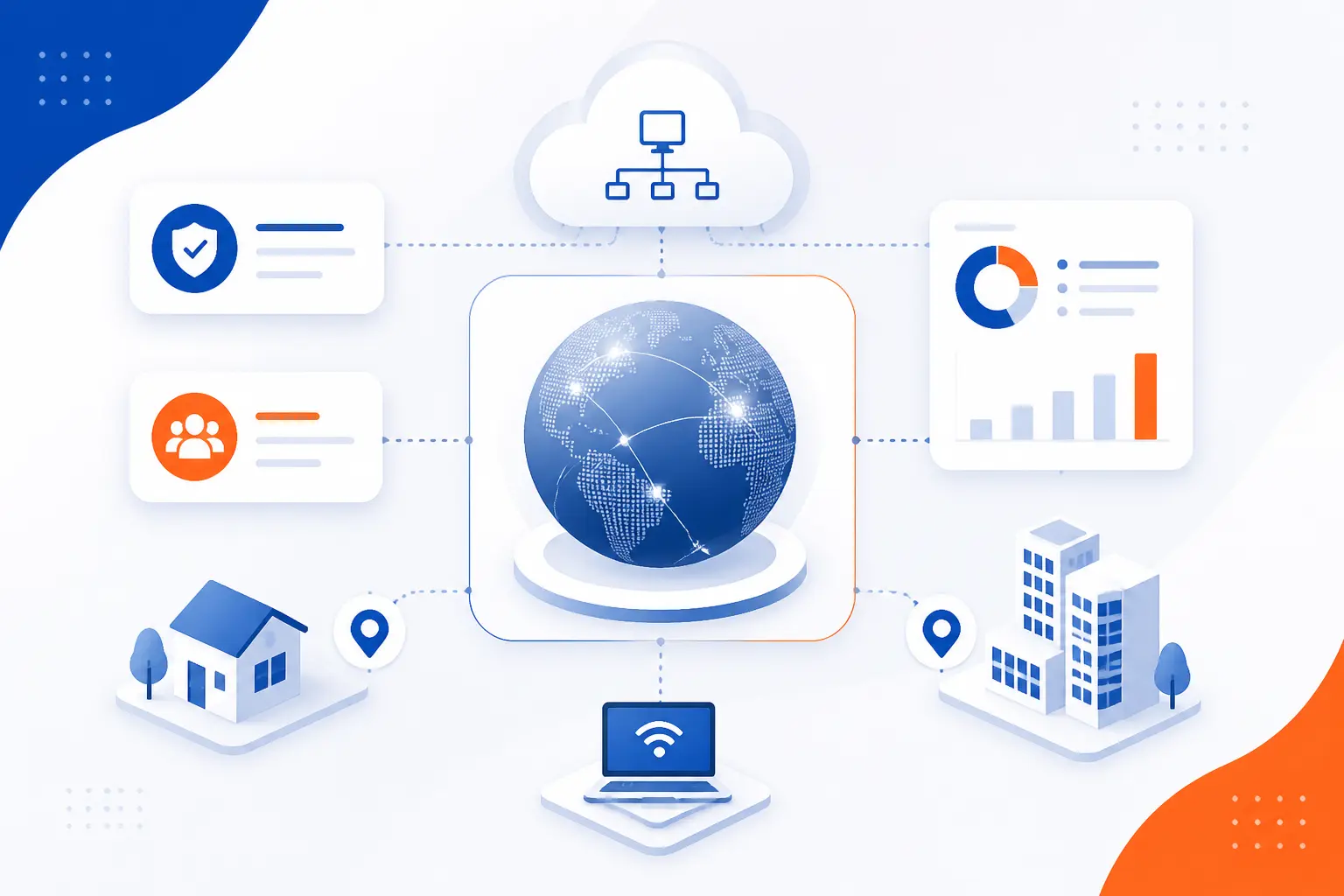
What is virtual networking? It is the practice of creating network connections, boundaries, and routing rules in software instead of relying only on dedicated physical hardware. We use it to build private cloud networks, connect offices and remote users, isolate workloads, and control traffic with code and policy. In plain terms, it lets us decide who can talk to whom without rewiring a building or buying a new switch for every change.
We see this model everywhere now, from Azure VNets and AWS VPCs to VPNs, VLANs, and VXLAN overlays. The physical network still carries the packets, but software defines the segments, interfaces, routes, and security controls that shape those packets. That is why virtual networking matters: it turns networking from a hardware project into a design choice we can provision, revise, and automate much faster.
What Is Virtual Networking?
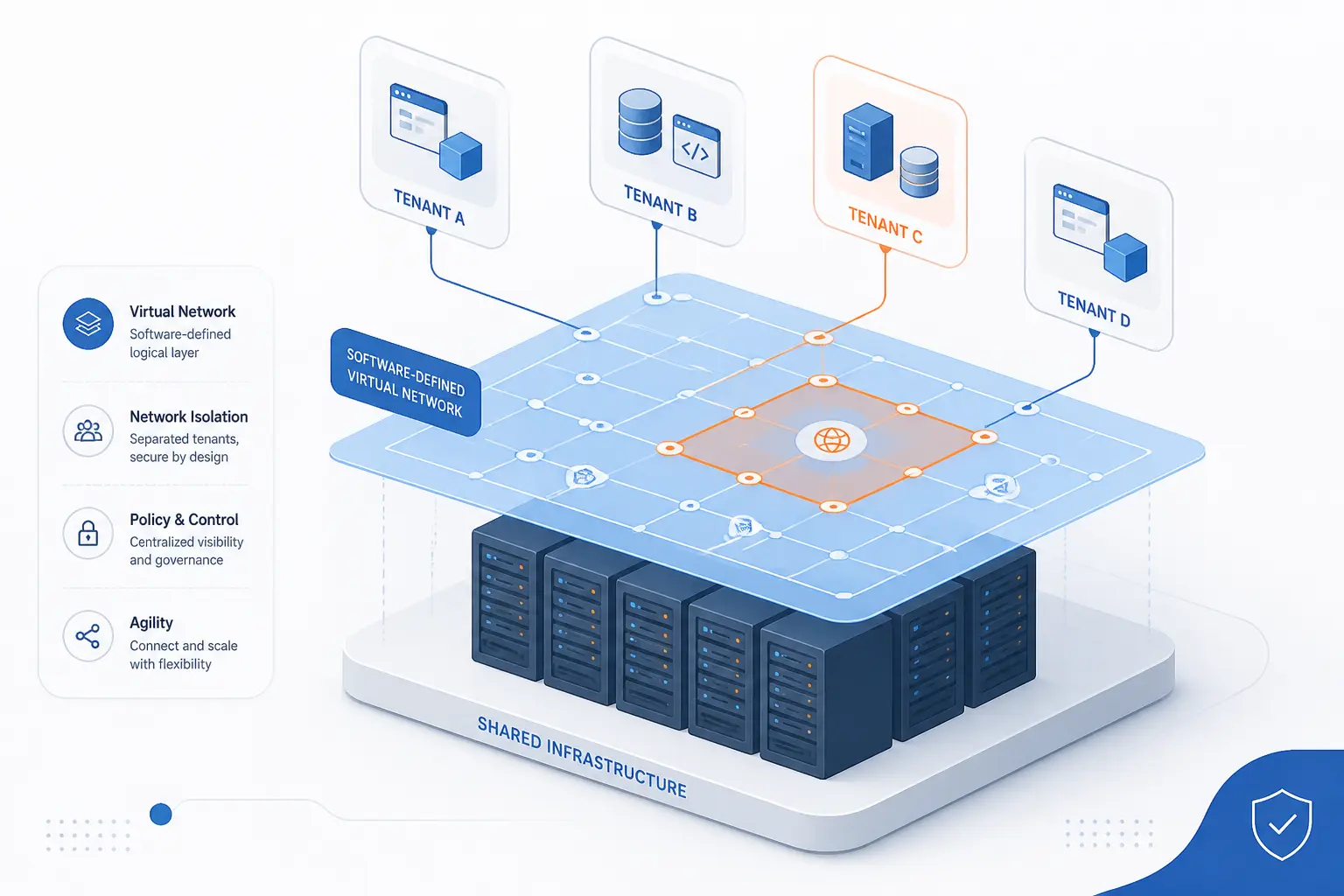
Virtual networking is a software-based way to create logical networks on top of shared hardware. Instead of giving every application, team, or tenant its own physical switches and cables, we define address ranges, subnets, gateways, and security rules in software. The result is a network that behaves like a separate environment even when it runs on the same underlying infrastructure as everything else.
We think that is the cleanest way to explain the term. It is not one product, and it is not limited to the public cloud. It is a design approach that shows up in hypervisors, data centers, enterprise VPNs, and cloud platforms alike.
FURTHER READING: |
| 1. Understanding DNS Hierarchy: From Root Servers to Your Website |
| 2. What Is a Proxy Server and How Does It Work |
| 3. How to Change an IP Address |
How Network Virtualization Abstracts Physical Hardware
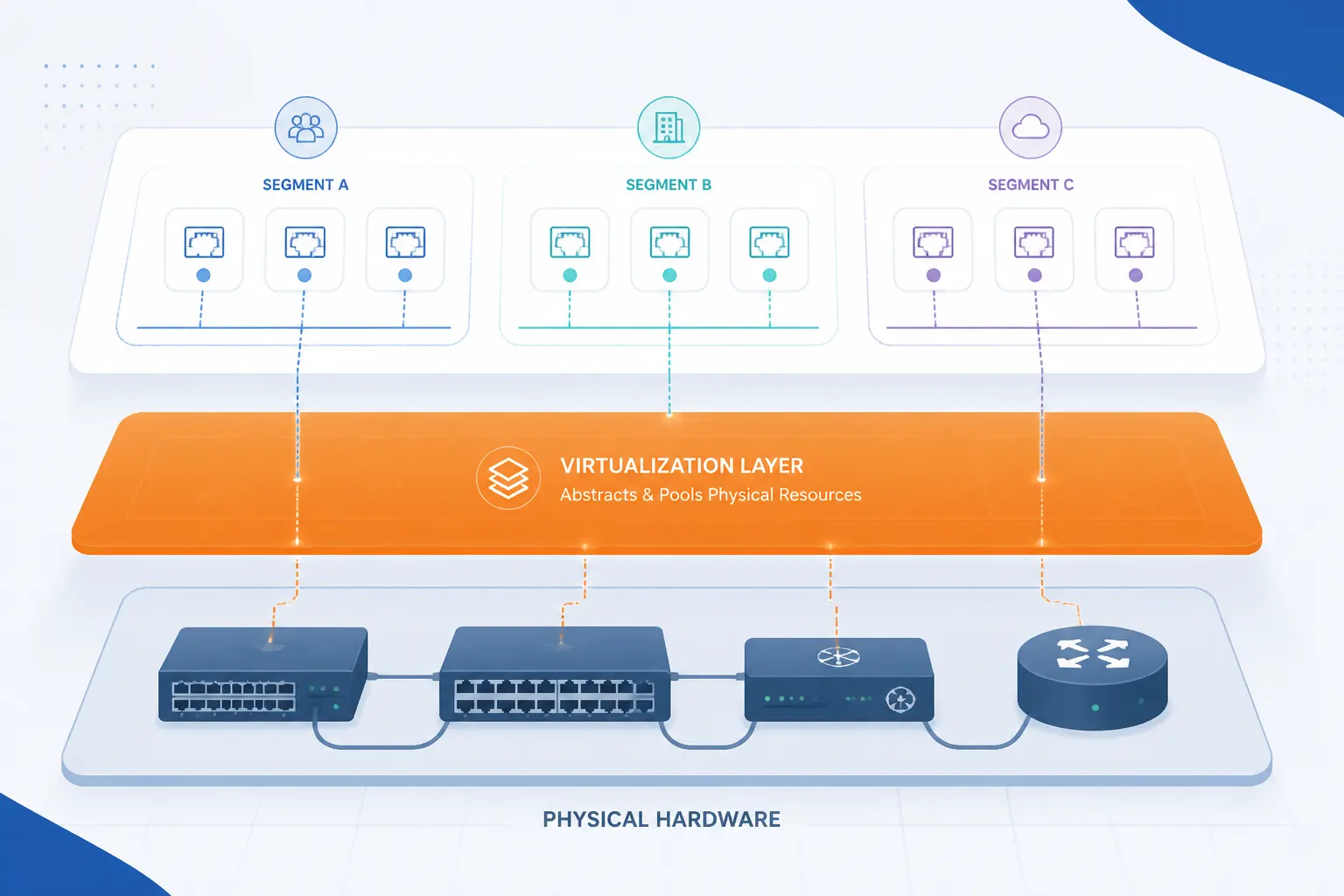
Network virtualization works by separating the logical network we manage from the hardware that forwards the traffic. Physical switches, routers, cables, and network cards still matter, but software creates the ports, segments, and policies we interact with most often. That abstraction is the core idea behind virtual networking.
Software Layers Over Switches, Routers, Cables, and NICs
A virtual switch and a virtual network adapter are software versions of familiar network parts. In Microsoft Hyper-V, for example, a virtual switch is described as a software-based switch, and virtual network adapters connect virtual machines to that switch and, if allowed, to the external network through the host. We like this example because it shows the idea without hype: the hardware is still there, but software now owns much of the network behavior. terminology page.
Logical Isolation on Top of Shared Infrastructure
Logical isolation lets multiple workloads share one physical fabric without sharing one trust boundary. One team can use one subnet and rule set, another can use a different subnet and policy set, and the two remain separated unless we explicitly connect them. In cloud environments, that isolation is a basic feature of VNets and VPCs, and in multi-tenant data centers it is one of the reasons overlays became so important.
External vs Internal Virtualization
External virtualization usually means combining physical network resources into one logical service, while internal virtualization usually means slicing one physical environment into many logical networks. In practice, readers do not need to memorize the labels as much as the outcome: either software is pooling the hardware, or software is partitioning it. We find the second case more visible day to day because it is what most teams touch when they build subnets, attach interfaces, and apply security rules.
How a Virtual Network Works in Practice
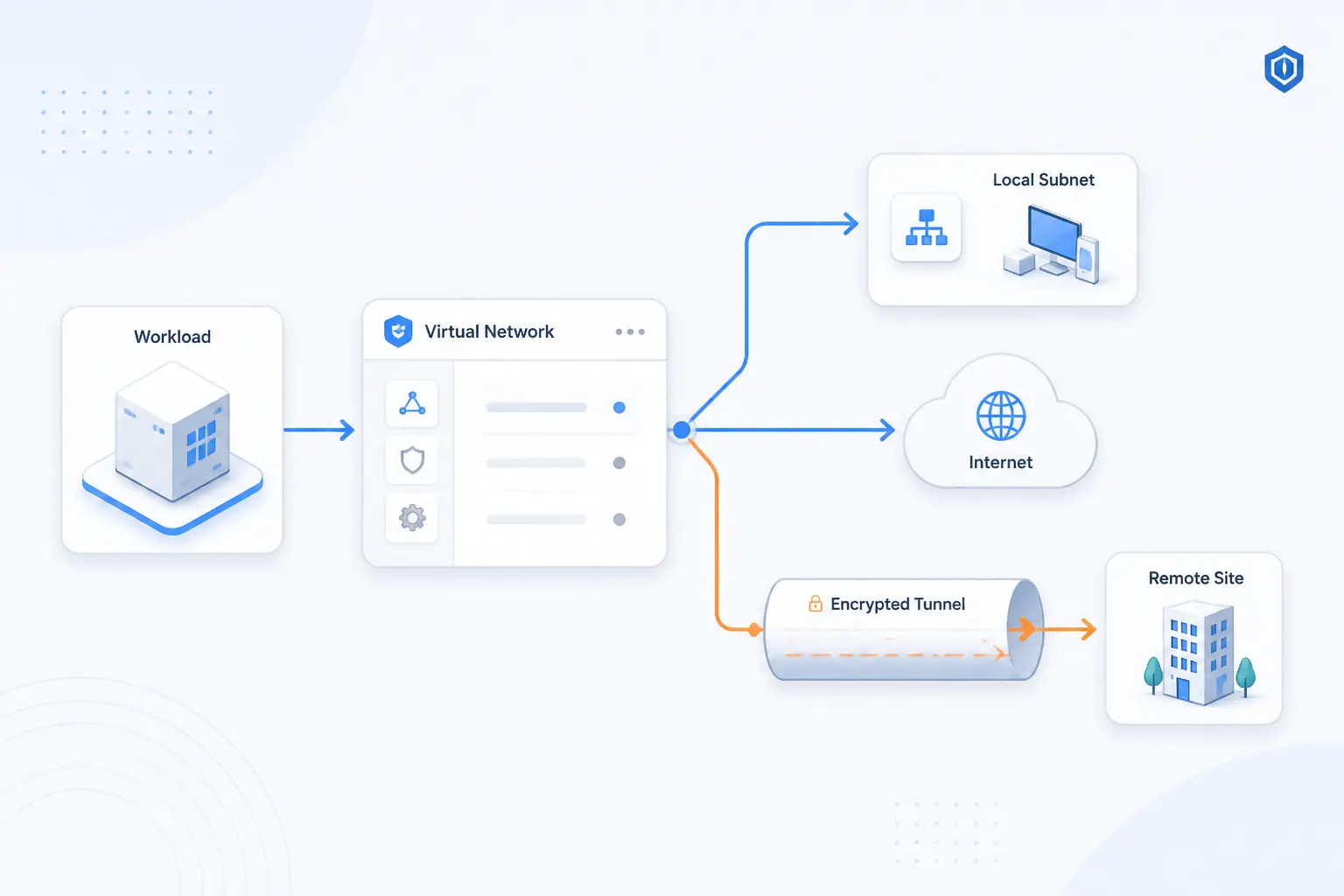
In practice, a virtual network works by giving each workload a software interface, an IP plan, and rules for where traffic may travel. The software layer decides whether packets stay local, cross a subnet boundary, leave for the internet, or pass through a tunnel to another location. Once we grasp those moving parts, the model stops feeling abstract.
Virtual Switches, Adapters, and Interfaces
Packets usually enter a virtual network through a virtual adapter attached to a virtual switch. A virtual machine typically gets a virtual NIC, while a container gets one or more logical interfaces through its runtime and host networking stack. Either way, the workload needs an identity and an attachment point before it can send or receive traffic.
IP Ranges, Subnets, and Traffic Paths
Every usable virtual network needs an address plan. We assign CIDR ranges, break them into subnets, and then use route tables to decide which next hop handles each destination. Cloud platforms expose this directly, which is why a subnet is never just a label. It is a boundary for placement, routing, and often security too. routing reference.
Gateways, Tunnels, and Connections Between Locations
Gateways and tunnels connect a private virtual network to places outside it. That could mean an internet gateway for public traffic, a NAT path for outbound-only access, or a site-to-site VPN tunnel between a cloud network and an on-premises network. AWS, for instance, defines Site-to-Site VPN as an IPsec connection between a VPC and your own on-premises network, which is a very common hybrid design. site-to-site VPN reference.
Software-Defined Networking and Centralized Control
Software-defined networking moves control into software instead of leaving every change to individual network boxes. The Open Networking Foundation describes SDN as separating the control plane from the forwarding plane, and Microsoft describes its network controller as a centralized, programmable point of automation. We think that captures why virtual networking feels so different operationally: the network becomes something we define and govern centrally.
Common Forms of Virtual Networking
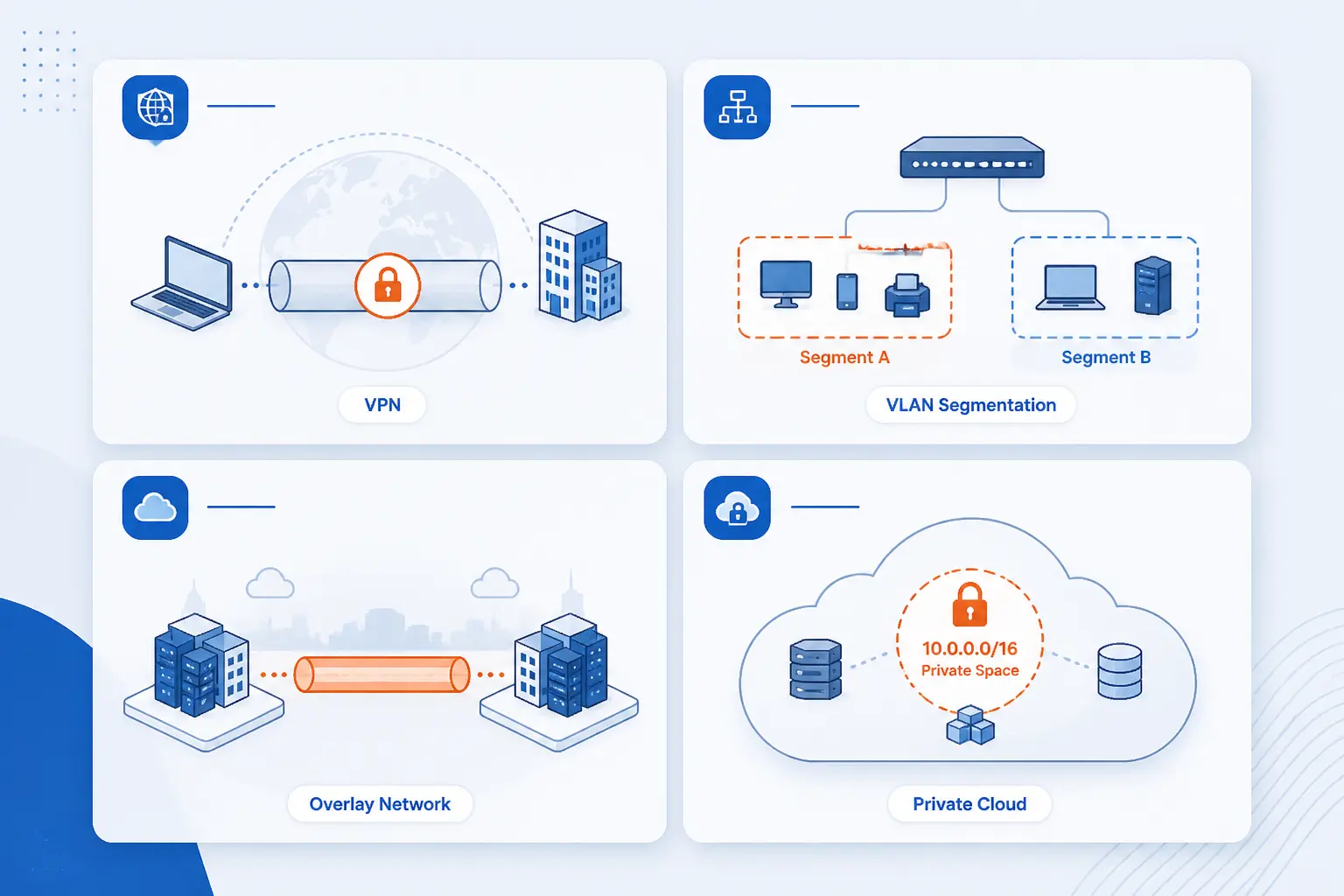
Virtual networking is not one thing. It appears in several forms, each solving a different problem. Some forms encrypt traffic, some segment Layer 2 domains, some stretch overlays across Layer 3 networks, and some give cloud resources a private address space to live in.
| Form | Main job | Typical use |
|---|---|---|
| VPN | Encrypt traffic across untrusted networks | Remote users and site-to-site links |
| VLAN | Split one Layer 2 network into logical segments | Office and data center isolation |
| VXLAN | Create overlays across Layer 3 infrastructure | Multi-tenant clouds and large data centers |
| VNet or VPC | Provide a private cloud network boundary | Applications, databases, and hybrid cloud |
Virtual Private Networks
A VPN creates an encrypted path between a user or site and a private network. That makes it useful when a laptop, branch office, or partner location needs to reach internal services over the public internet. In everyday operations, this is often the first form of virtual networking people actually notice because it is what makes remote access and hybrid cloud possible.
Virtual Local Area Networks
VLANs divide one physical Ethernet environment into separate logical broadcast domains. They are a classic segmentation tool in offices and data centers because they let us separate traffic without running a separate switch for every group. We still view VLANs as foundational, even if newer cloud and overlay models hide them from many application teams.
Virtual Extensible LANs
VXLAN is an overlay method for carrying Layer 2 networks across Layer 3 infrastructure. The IETF specification defines it as a framework for overlaying virtualized Layer 2 networks over Layer 3 networks, and it uses a 24-bit VXLAN Network Identifier to distinguish segments at large scale. That is why VXLAN shows up so often in multi-tenant data centers and cloud fabrics.
Cloud VNet and VPC Environments
Cloud VNets and VPCs are provider-managed private network constructs for cloud resources. A simple three-tier application might place web servers, app servers, and databases in separate subnets inside one cloud network, then restrict traffic between those tiers with software policy. Once we see that pattern, a VNet or VPC stops looking mysterious and starts looking like a familiar private network with better APIs.
Core Building Blocks Inside a Virtual Network
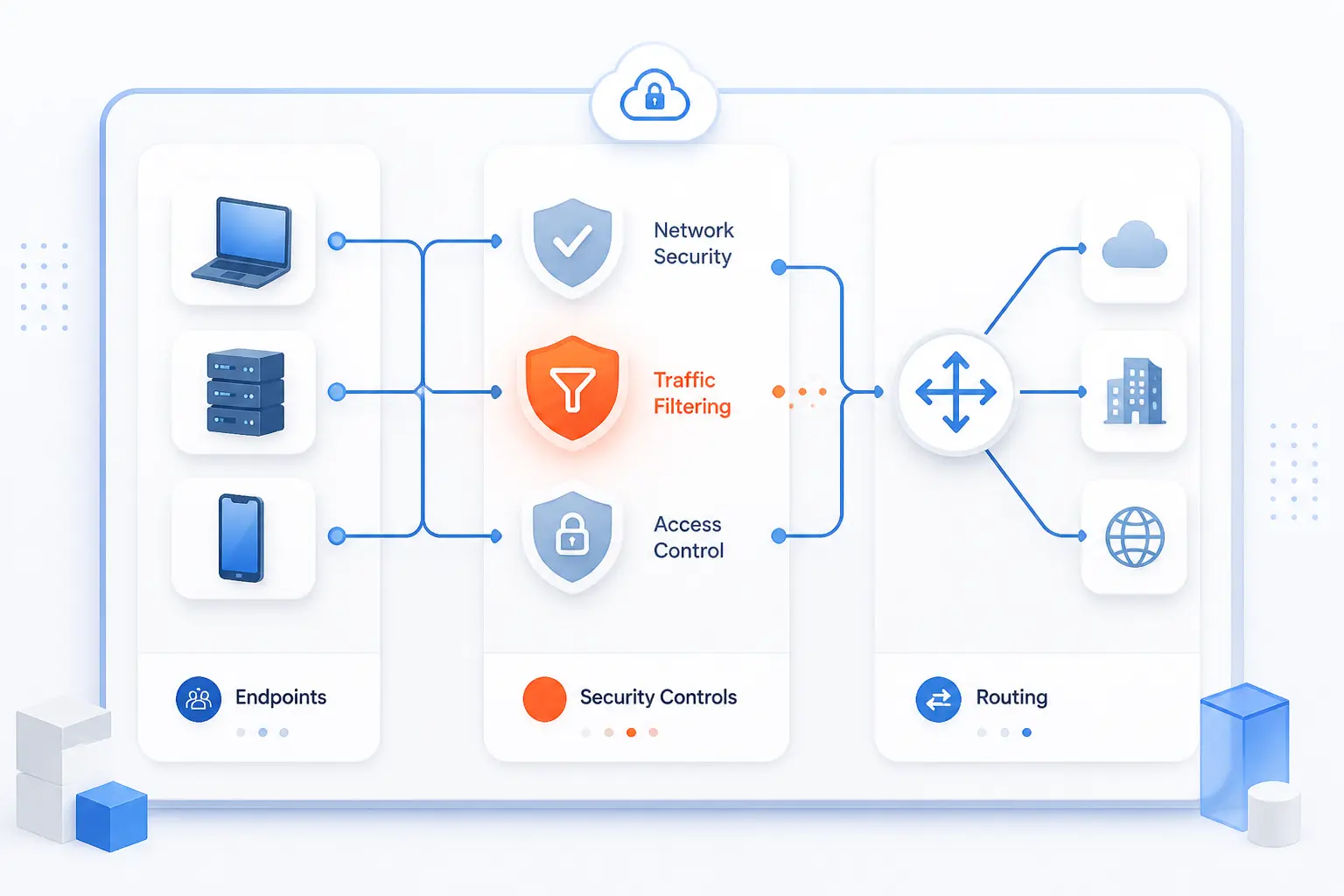
The core building blocks inside a virtual network are endpoints, security controls, and path controls. Endpoints need interfaces and addresses. Security controls decide what traffic is allowed. Path controls decide where approved traffic goes next.
Virtual Machines, Containers, and Network Interfaces
Virtual machines and containers join a virtual network through logical interfaces. A VM typically presents a virtual NIC, while cloud instances and containers attach through software-managed interfaces that carry IP configuration and policy. Without that interface layer, the workload has no usable presence on the network at all.
Security Groups, Firewalls, and Virtual Appliances
Most virtual networks enforce least privilege with software rules attached to interfaces, subnets, or both. In AWS, security groups control inbound and outbound traffic to associated resources, while Azure uses network security groups to filter traffic for subnets and interfaces. Virtual appliances then add deeper functions such as firewalling, inspection, or WAN optimization when native controls are not enough. security groups guide.
Route Tables, Peering, and Hybrid Connectivity
Traffic follows the route table, and larger designs extend that logic with peering or VPN links. Route tables choose the next hop, peering joins private network spaces directly, and hybrid connectivity joins cloud networks to outside environments such as corporate offices or other clouds. AWS peering, for example, allows private communication between two VPCs without traversing the public internet. peering page.
Virtual Networking vs Physical Networking
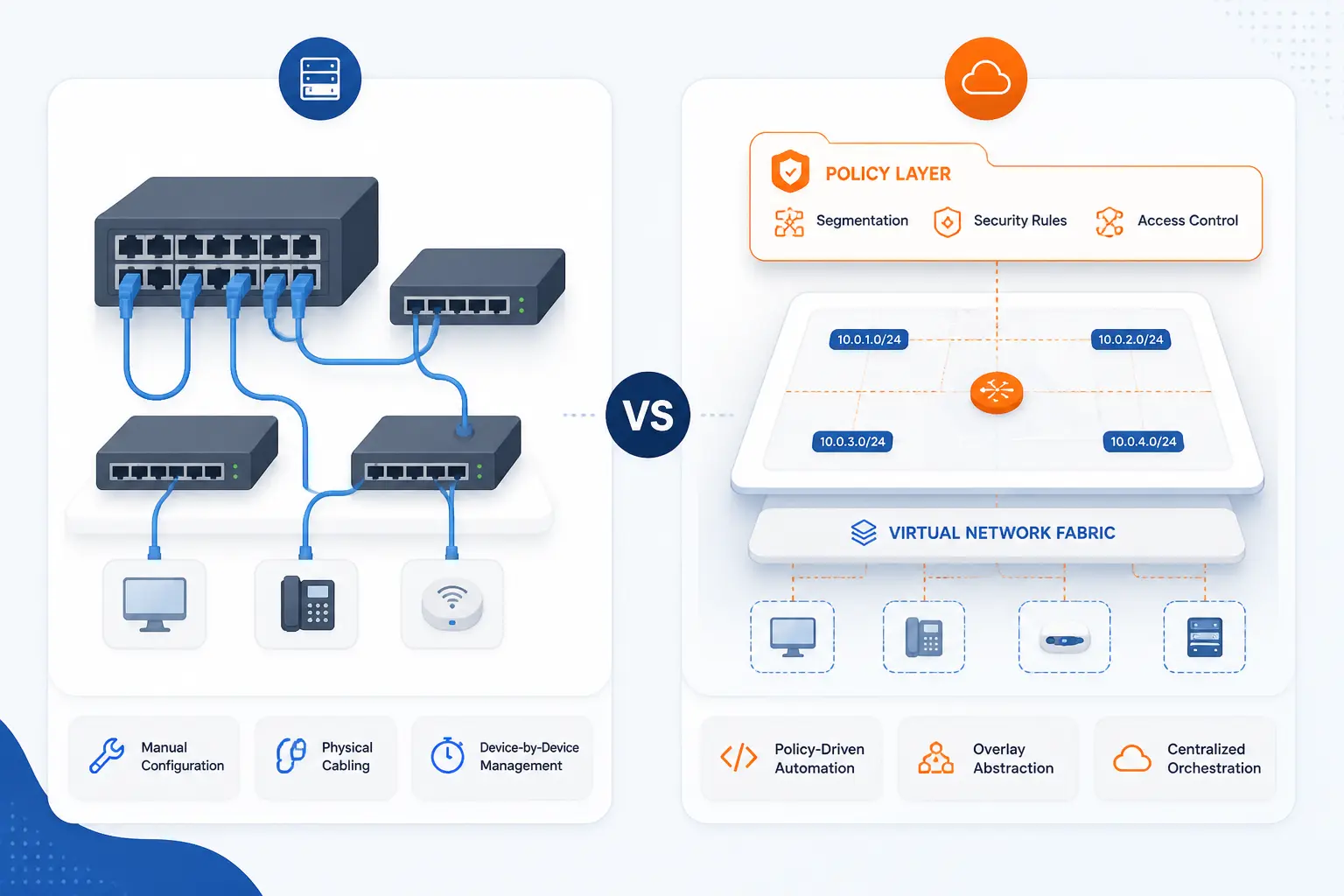
Virtual networking does not replace physical networking. It changes where we express intent. In a physical network, we spend more effort on ports, cables, and box-by-box configuration. In a virtual network, we spend more effort on software policy, address planning, and automation.
Where the Hardware Still Matters
The hardware still matters because real packets still need real links, real NICs, and real switching capacity. Bandwidth ceilings, latency, MTU behavior, and underlay reliability all affect the quality of the virtual network above them. We often tell beginners that software gives flexibility, but physics still gets the last word.
How Provisioning and Scaling Change
Provisioning changes from a hardware workflow to a software workflow. Instead of waiting for a new switch port, we can create a subnet, peer a network, or apply a rule set through a console, API, or infrastructure-as-code template. That shift is one of the biggest reasons cloud teams move faster than traditional network change windows.
Security, Segmentation, and Management Differences
Security becomes more granular in a virtual model, but it also becomes easier to misconfigure at scale. We can filter by subnet, interface, route, or policy object, and we can centralize those controls, yet a bad rule can spread quickly if automation pushes it everywhere. Our view is simple: virtual networking improves security options, but only disciplined design makes that advantage real.
Where You See This Model Used Most Often
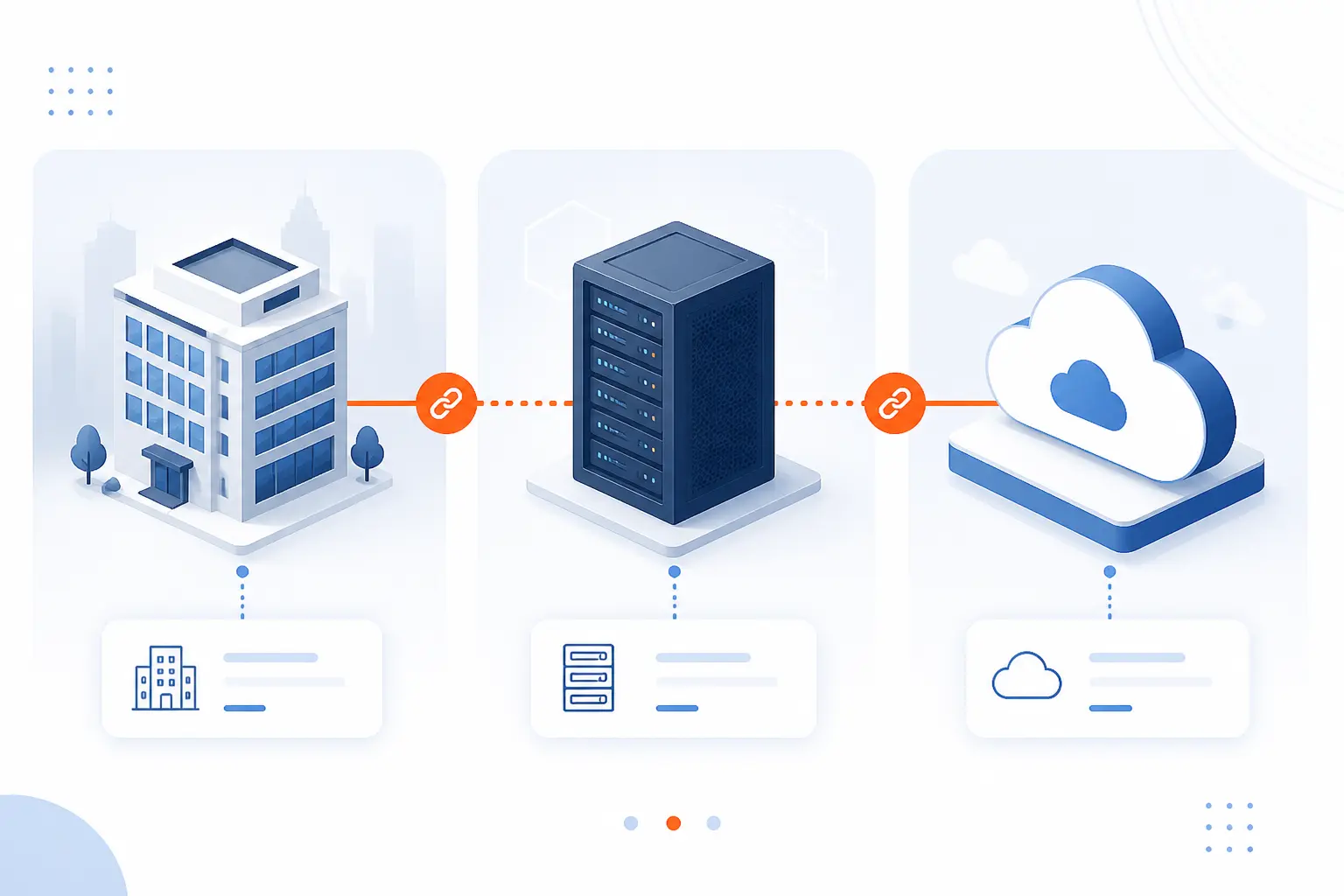
We see virtual networking most often in cloud platforms, shared data centers, and hybrid environments that connect on-premises systems to cloud services. Those settings all benefit from fast provisioning, clear isolation, and software-driven control. In other words, they are exactly the places where physical-only networking starts to feel too rigid.
Azure Virtual Network for Cloud Resources
Azure Virtual Network is Microsoft’s private cloud network for Azure resources. Microsoft describes it as the fundamental building block for a private network in Azure, and its official overview lists communication between Azure resources, the internet, and on-premises networks as core scenarios. A common real-world pattern is one VNet with separate subnets for the web tier, application tier, and data tier, plus security rules between them. official overview.
Data Centers and Multi-Tenant Cloud Environments
Large data centers and multi-tenant clouds rely on virtual networking because many customers or teams must share the same hardware safely. AWS defines a VPC as a logically isolated virtual network in the cloud, while VXLAN was designed to help virtualized data centers support multiple tenants over shared Layer 3 infrastructure. That pairing is a good mental model for modern cloud networking: isolate logically, share physically. service overview.
Remote Access and On-Premises Connectivity
Remote access and on-premises connectivity are where many organizations first depend on virtual networking. Point-to-site VPNs connect individual devices, site-to-site VPNs connect whole networks, and peering or private interconnects can join multiple cloud environments. The important point is that software-defined links make these paths manageable without turning every office change into a hardware project.
Benefits and Tradeoffs to Know Before You Use It
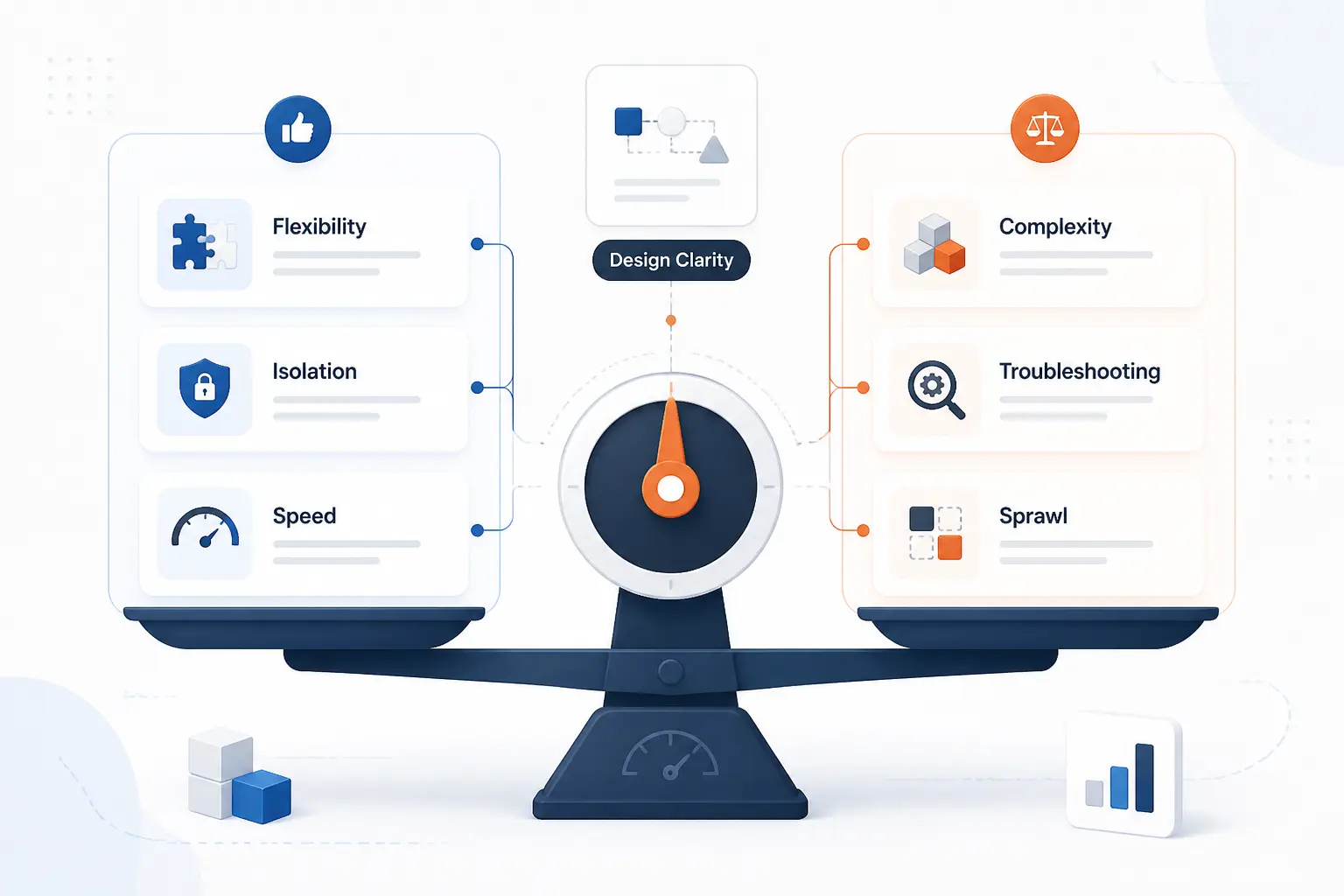
The biggest benefits of virtual networking are flexibility, isolation, and operational speed. The biggest tradeoffs are added abstraction, troubleshooting complexity, and the risk of policy sprawl. We think it is worth it for most modern workloads, but only if the design stays clear enough for humans to understand.
Flexibility, Scalability, and Lower Hardware Costs
Virtual networking reduces the need to buy and dedicate hardware for every small boundary or environment. Shared infrastructure can host many logical networks, and new segments can be created on demand instead of procured physically. That does not eliminate hardware spending, but it usually improves hardware utilization and shortens delivery time.
Isolation, Security, and Remote Access
Isolation and remote access are two of its strongest practical advantages. We can place workloads into separate segments, control inbound and outbound traffic with software rules, and then expose only the paths that should exist, such as a site-to-site VPN or a restricted admin connection. Done well, that narrows lateral movement and makes access policy far more explicit.
Performance Overhead, Limits, and Complexity
Performance overhead and complexity are the tradeoffs people should not gloss over. Overlays add encapsulation, hybrid designs create more moving parts, overlapping CIDR plans can break connectivity, and troubleshooting may require checking the workload, the virtual switch, the route table, and the underlay. When virtual networking goes wrong, the problem is often not one bug but a stack of small assumptions.
Why This Term Can Also Mean Online Professional Networking
The term virtual networking can also mean building professional relationships online. In that context, the “network” is social rather than technical, and the work happens through platforms, online events, and direct outreach instead of routers and subnets. The overlap is only linguistic, but readers do run into both meanings.
Career Networking on LinkedIn and Other Platforms
In career terms, virtual networking means connecting with people online for professional relationships and opportunities. LinkedIn’s help documentation explains that sending a connection invitation creates a first-degree connection and helps members stay in touch with colleagues, alumni, and recruiters. Our advice here is practical: personalized outreach beats mass connection requests every time. connections guide.
Virtual Events, Outreach, and Long-Term Relationship Building
Virtual events turn online networking into a repeatable habit. LinkedIn’s event guide includes an online-only event option, which reflects how normal webinars, remote meetups, and digital panels have become for professional outreach. The key is not attending once. It is following up, sharing something useful, and staying visible over time. event setup guide.
FAQ
Here are the short answers readers usually want first. We will keep them tight and practical so you can confirm the concept quickly and move on with confidence.
What Is the Meaning of Virtual Network
A virtual network is a logically isolated network created in software. It gives systems IP space, subnets, routes, and security controls without requiring a separate physical network for each workload.
What Is an Example of a Virtual Network
An Azure VNet or an AWS VPC is a common example of a virtual network. Each gives cloud resources a private address space, subnet structure, routing rules, and security controls inside shared cloud infrastructure.
How Does Virtual Networking Work
Virtual networking works by attaching workloads to software-defined interfaces and applying address, routing, and security policy to those interfaces. The physical network still carries the traffic, but software decides segmentation, paths, and access rules.
What Are the Disadvantages of Virtual Network
The main disadvantages are complexity, abstraction overhead, and easier large-scale misconfiguration. Troubleshooting can also be harder because the issue may sit in the workload, the overlay, the route policy, or the underlay.
Is Virtual Networking the Same as Network Virtualization
They are closely related, but we do not treat them as exactly the same. Network virtualization is the broader process of abstracting network functions from hardware, while virtual networking often refers to the logical networks and connections that result from that abstraction.
What Is a Virtual Network in Azure
An Azure virtual network is Microsoft’s private cloud network boundary for Azure resources. It lets those resources communicate with each other, the internet, and on-premises networks while applying Azure-native routing and traffic filtering controls.
How 1Byte Helps Customers Build and Secure Virtual Networks
At 1Byte, we help customers turn the idea of virtual networking into practical internet-facing and cloud-ready building blocks. We focus on the services that sit around identity, encryption, hosting, and cloud infrastructure, and we approach them as pieces of one connected system. Because 1Byte is an AWS Partner, we also see firsthand how cloud network design affects real deployments, not just diagrams.
| Service | Practical role | How it connects to the topic |
|---|---|---|
| Domain registration | Gives services stable public names | Lets users reach apps that may sit behind private cloud networks |
| SSL certificates | Encrypts traffic to public endpoints | Protects the front door of services that connect into private systems |
| WordPress hosting and shared hosting | Supports managed website delivery | Fits simpler web workloads that still rely on sound connectivity |
| Cloud hosting and cloud servers | Supports custom cloud architectures | Fits multi-tier private networks, controlled access, and scalable deployments |
Domain Registration and SSL Certificates for Secure Online Services
Domain registration and SSL certificates help secure the public side of a service that may rely on private virtual networking behind the scenes. A domain gives users a stable name to reach, and an SSL certificate protects the connection to that public endpoint. We see this as the outer layer of trust for websites, portals, and APIs that eventually route into protected application environments.
WordPress Hosting and Shared Hosting for Managed Website Connectivity
WordPress hosting and shared hosting fit customers who need dependable website connectivity without designing a custom private cloud network from scratch. These services are practical when the goal is to publish content, run a business site, or keep a smaller web presence online with less networking overhead. Even here, the lesson from virtual networking still applies: clean separation between public access and administrative access matters.
Cloud Hosting and Cloud Servers for Scalable Private Network Architectures
Cloud hosting and cloud servers are the better fit when customers need private subnets, controlled paths between tiers, and room to shape architecture over time. This is where virtual networking becomes a hands-on design tool, not just a definition. If a workload needs separate web, app, and data layers, restricted admin paths, or cloud-to-cloud growth, we would treat the network layout as part of the product from day one.







Conclusion
Virtual networking is the software-defined way to build private connections, segmentation, and traffic control across shared infrastructure. Once we stop thinking only in terms of cables and boxes, the concept becomes much simpler: software creates the network shape, and hardware carries the traffic.
That shift is why the model matters so much in cloud computing, remote access, and modern hosting. If you are planning a website, application, or hybrid setup next, a good next step is to map one question before anything else: which systems should talk privately, and which systems should never meet?