

- Personally Identifiable Information Is Data That Can Identify a Specific Person
- How to Tell If Data Counts as PII
- Common Examples of Personally Identifiable Information
- How Personally Identifiable Information Is Classified
- Why PII Exposure Creates Real Risk
- How Organizations Protect PII
- How Laws and Standards Frame PII
- FAQ
- How 1Byte Helps Businesses Protect PII Online
- Conclusion
Personally Identifiable Information is any data that can identify one specific person, either by itself or when combined with other details. A Social Security number is an obvious example, but an email address, home address, login ID, device identifier, or medical record can also count. At 1Byte, we think of it this way: if a piece of data can point back to a real human being, it deserves careful handling. The tricky part is that the same detail can be harmless in one setting and risky in another.
This article explains what counts as Personally Identifiable Information, how to recognize it, why exposure is dangerous, and how organizations can protect it online. We will use practical examples, not legal fog. The goal is simple: help beginners make better decisions before collecting, storing, sharing, or hosting data about people.
Personally Identifiable Information Is Data That Can Identify a Specific Person

Personally Identifiable Information is information that can be used to distinguish, trace, or identify a particular individual. It includes direct identifiers, such as a name or Social Security number, and indirect identifiers, such as date of birth, ZIP code, job title, or device information, when those details can be combined to identify someone. The key test is identifiability, not whether the data feels private at first glance. That is why we treat PII as a practical risk category, not just a legal label.
In U.S. practice, federal guidance often frames the issue around whether data can identify a person alone or when linked with other information. The federal guide explains that confidentiality matters because misuse can affect a person’s privacy, finances, safety, or reputation. We like that approach because it starts with harm, not paperwork.
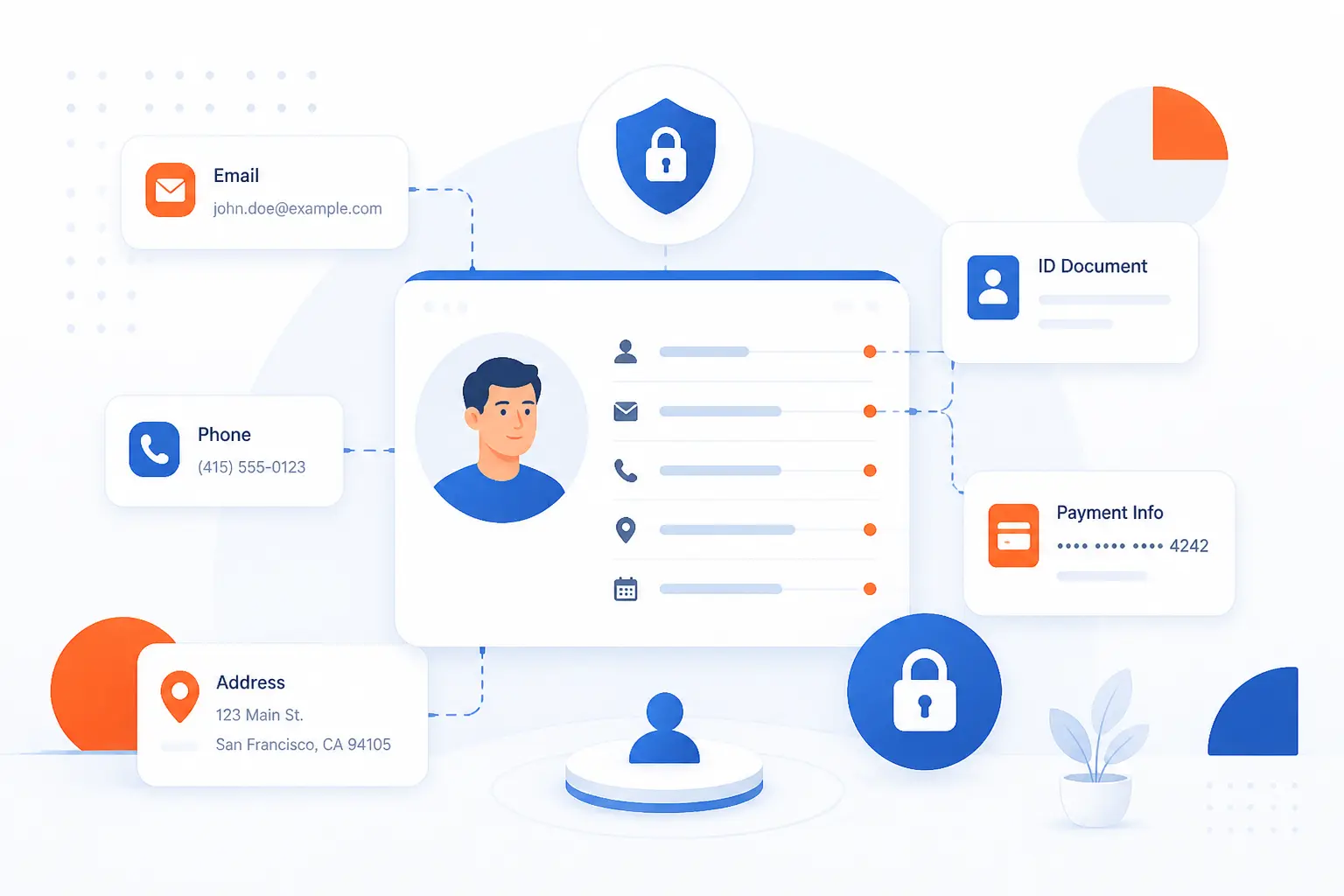
Think about a customer checkout form. The customer’s name, email address, shipping address, phone number, IP address, order history, and payment reference may sit in different fields. Each field may look ordinary. Together, they create a clear picture of one person and their behavior.
FURTHER READING: |
| 1. What Is Least Privilege and Why Does It Matter |
| 2. What Are DDoS Attacks and How Do They Disrupt Sites |
| 3. What Is SASE? Architecture, Components, and Benefits |
How to Tell If Data Counts as PII

Data counts as PII when it can reasonably identify a specific person by itself or through combination with other available information. The fastest way to judge it is to ask four questions: Does it point directly to one person, can it narrow a group to one person, is it linked to an account or record, and could someone re-identify the person with outside data? If the answer is yes, treat the data as PII. We prefer teams to err on the careful side because reclassification after a breach is a painful lesson.
| Type of detail | How it identifies someone | Typical handling approach |
|---|---|---|
| Direct identifier | Names or numbers point to one person | Restrict, encrypt, and monitor access |
| Indirect detail | Several facts narrow the identity | Limit combinations and review context |
| Public detail | Public facts can still link to a person | Use only for a clear purpose |
| Behavioral or technical record | Activity, device, or location links to a user | Reduce retention and separate identifiers |
Direct Identifiers That Point to One Person
Direct identifiers are data points that identify a person without needing extra context. A full legal name may be direct in a small workplace, while a Social Security number, passport number, driver’s license number, or unique customer ID can be direct almost anywhere. These values are risky because they remove guesswork. If attackers obtain them, they can often impersonate a person, reset accounts, apply for credit, or answer verification questions.
We see direct identifiers most often in billing systems, employee records, domain registration workflows, support tickets, tax forms, and account profiles. They should be collected only when needed. They should also be stored away from less sensitive operational data when possible.
Indirect Details That Become Identifying When Combined
Indirect details become identifying when several ordinary facts point to the same person. Date of birth, city, workplace, job title, gender, ZIP code, purchase history, and partial location may not identify someone alone. Combine them, though, and the circle can shrink fast. In a small company, “the only finance manager in Denver born in May” may be enough.
This is where many beginners underestimate PII. They look at each field in isolation. We look at the dataset as a whole. If a spreadsheet has department, start date, salary band, office location, and manager name, it may reveal more than intended even without full names.
Publicly Available Information That Still Qualifies
Public information can still be PII if it identifies a person. A business owner’s name, professional email, LinkedIn profile, public property record, or published phone number may be publicly accessible, but that does not make it risk-free. Public status changes how data may be used, not whether it can identify someone.
This matters for websites and customer databases. Copying public details into a marketing list, support system, or analytics tool creates a new processing context. Once your organization stores, combines, or acts on that information, you have a responsibility to handle it with care.
Why Context and Re-Identification Risk Matter
Context matters because data that looks anonymous can become identifying when matched with other records. A random order number may not identify anyone outside a store. Inside the store’s database, it may link to a name, address, payment token, IP address, and support history. The same is true for device IDs, cookie IDs, hashed email addresses, and internal user IDs.
Re-identification risk grows when datasets are rich, unique, or easy to link. We have seen teams remove names and assume the job is done. That is a mistake. If enough surrounding details remain, the person may still be traceable.
Common Examples of Personally Identifiable Information

Common examples of Personally Identifiable Information include names, addresses, phone numbers, email addresses, government identifiers, account numbers, biometrics, medical records, educational records, employment records, IP addresses, and device details. Some examples are obvious. Others depend on how they are stored, linked, and used. For a business website, PII may appear in contact forms, checkout pages, hosting logs, CRM exports, analytics tools, and email inboxes.
| Example group | Common records | Why it matters |
|---|---|---|
| Contact details | Name, address, phone, email | Connects communication to a person |
| Government and account numbers | SSN, passport, license, bank account | Supports identity checks and fraud attempts |
| Life records | Health, school, job, payroll files | Can expose private history |
| Technical and location data | IP address, device ID, logs, property data | Can link behavior to a person or household |
Names, Addresses, Phone Numbers, and Email
Names, addresses, phone numbers, and email addresses are PII when they identify or help identify a person. A name alone may not always be unique, but it becomes stronger when paired with a company, location, account, or phone number. An email address is often even more direct because people use it to log in, receive invoices, reset passwords, and communicate with support.
For online businesses, these details show up everywhere. They are in contact forms, user profiles, order confirmations, domain ownership records, newsletter tools, and help desk threads. Our advice is simple: do not collect a field just because a form template includes it. Every extra field becomes another thing to protect.
Social Security, Passport, License, and Account Numbers
Government identifiers and financial account numbers are among the clearest forms of PII. Social Security numbers, passport numbers, driver’s license numbers, bank account numbers, payment card details, tax IDs, and insurance policy numbers can all be used to verify or impersonate a person. They should be treated as high-risk data.
The Equifax breach remains a sobering real-world example because regulators said it affected approximately 147 million people and exposed names, dates of birth, Social Security numbers, addresses, and other details. The lesson is blunt: when a database holds identity proof, the blast radius is enormous.
Biometric, Medical, Educational, and Employment Records
Biometric, medical, educational, and employment records are PII because they describe a specific person’s body, health, learning, or work life. Fingerprints, face scans, voiceprints, lab results, prescriptions, disability accommodations, grades, disciplinary records, salary history, and performance reviews can be deeply personal. They can also be hard or impossible to replace if exposed.
Health and education data often sit under specific rules. For example, federal health guidance describes how identifiers should be handled when reducing risk in health datasets, and health rule guidance explains de-identification methods for protected health information. In schools, student record rules cover identifiers and details that can trace a student. We treat these records as sensitive by default because harm can follow people for years.
IP Addresses, Device Data, and Property-Linked Details
IP addresses, device data, and property-linked details can be PII when they can reasonably connect online activity to a person or household. An IP address may identify a connection rather than a named person, but it can still link behavior, location, account access, or a home network. Device IDs, cookie IDs, advertising IDs, GPS data, browser fingerprints, and property parcel details can play the same role.
California’s consumer privacy framework is a useful example of modern thinking because it treats information as covered when it can be linked directly or indirectly to a consumer or household. The state’s consumer privacy statute includes online identifiers and IP addresses among example identifiers when the link to a person or household exists.
How Personally Identifiable Information Is Classified

Personally Identifiable Information is usually classified by sensitivity, identifiability, and potential harm if exposed. Sensitive PII can cause serious damage if misused, while non-sensitive PII may be easier to find publicly but still needs safeguards. Some data is not PII on its own, yet becomes PII once connected to a person. Classification helps teams choose the right controls instead of treating every field the same.
| Class | Examples | Typical risk |
|---|---|---|
| Sensitive PII | SSN, biometrics, health data, account credentials | Fraud, identity theft, physical or personal harm |
| Non-sensitive PII | Name, business email, public phone number | Spam, profiling, phishing, unwanted contact |
| Not PII alone | Generic page view, random inventory code | Low until linked to a person |
Sensitive PII That Can Cause Serious Harm
Sensitive PII is information that can create serious harm if lost, stolen, or misused. Social Security numbers, government IDs, biometric templates, bank account details, medical conditions, account passwords, security questions, and precise location history belong in this category. The harm may be financial, legal, reputational, emotional, or physical.
For this category, casual handling is not enough. We expect encryption, strict access limits, logging, retention rules, and careful sharing controls. Sensitive data should also be isolated from routine analytics or marketing systems unless there is a strong business reason.
Non-Sensitive PII That Still Needs Safeguards
Non-sensitive PII still identifies a person, even if exposure is less likely to cause severe harm by itself. A work email address, office phone number, public job title, or mailing address may be less sensitive than a passport number. Yet these details can still support phishing, harassment, spam, profiling, or credential attacks.
We dislike the phrase “just an email address” because email is the front door to many accounts. A leaked customer email list may not look dramatic, but it gives attackers a clean target list. Add company names and roles, and phishing becomes more believable.
Data That Is Not PII on Its Own
Some data is not PII on its own because it cannot reasonably identify a person. A generic product SKU, weather reading, stock count, or anonymous page view may not point to anyone. The classification can change, however, if the record is connected to an account, session, cookie, IP address, or purchase history.
This is why architecture matters. Keep anonymous analytics separate from account tables when possible. Remove unnecessary identifiers before exporting logs. The less linking power you preserve, the lower the re-identification risk becomes.
Why PII Exposure Creates Real Risk

PII exposure creates real risk because it gives attackers, insiders, or careless third parties the raw material to impersonate, target, embarrass, or harm people. A breach is not only a technical incident. It can become a fraud event, a legal problem, a trust problem, and a long support burden. In our view, PII protection is one of the clearest places where security and basic decency meet.
Identity Theft, Fraud, and Account Takeover
Identity theft, fraud, and account takeover happen when exposed PII helps someone pretend to be the victim. Names, emails, dates of birth, phone numbers, addresses, passwords, and government identifiers can all help attackers pass verification checks. Even partial information can make scams sound convincing.
The scale is not theoretical. The Federal Trade Commission said its network received 6.5 million consumer reports in its 2024 data book, including fraud, identity theft, and other consumer issues. That figure reminds us that personal data abuse is a daily consumer problem, not a rare edge case.
Embarrassment, Blackmail, and Other Personal Harm
PII exposure can harm people even when no money is stolen. Medical conditions, immigration details, school records, salary data, disciplinary notes, home addresses, and private messages can create embarrassment, discrimination, stalking risk, or blackmail pressure. For vulnerable people, location exposure can be especially dangerous.
This is why we push clients to think beyond “Can someone open a credit card?” The better question is “What could happen to the person if this record lands in the wrong hands?” That shift changes design choices. It makes retention shorter, permissions tighter, and exports rarer.
Compliance, Breach, and Vendor Management Problems
PII exposure creates compliance and vendor problems because many laws, contracts, and industry rules require responsible handling. A breach may trigger investigation, notification duties, customer support costs, contract disputes, insurance review, and audits. It can also reveal weak vendor oversight if a third-party tool stored more data than expected.
Cost is only one measure, but it gets attention. IBM’s 2025 report placed the average breach cost at $4.44 million globally, which shows why leaders should treat data protection as a business issue. We would rather spend earlier on clean data practices than spend later explaining avoidable mistakes.
How Organizations Protect PII

Organizations protect PII by collecting less of it, classifying it clearly, restricting access, encrypting it, monitoring use, training staff, controlling vendors, and preparing for incidents. No single tool solves the problem. Good protection is a chain of small, disciplined decisions. At 1Byte, we often start with the data flow because you cannot protect what you have not mapped.
Minimize Collection, Use, and Retention
Minimize PII by collecting only what the business truly needs, using it only for that purpose, and deleting it when that purpose ends. This is the most underrated privacy control. Data you never collect cannot leak from your server, backup, email thread, or vendor account.
Start with forms. Remove optional fields that no one uses. Avoid asking for birth dates unless age verification is necessary. Do not store identity documents in a support ticket if a verified yes-or-no result is enough. Retention deserves the same discipline. Old exports, abandoned databases, and forgotten backups are quiet risks.
Categorize Data by Sensitivity and Business Need
Categorize PII so teams know which records need stronger controls and which records can be handled with normal safeguards. A practical classification might separate public contact information, customer account data, payment-related references, employee records, health-related files, and government identifiers. Each class should have an owner, purpose, retention period, and access rule.
We recommend making the categories simple enough for non-lawyers to use. If a sales manager, developer, and support agent cannot apply the model, the model is too clever. Good classification should guide daily decisions, like whether to email a file, upload it to a tool, or store it in a production database.
Apply Encryption, Access Controls, and Strong Authentication
Apply encryption, access controls, and strong authentication to reduce the damage if systems are attacked or accounts are compromised. Encryption protects data in transit and at rest. Access controls limit who can view, edit, export, or delete PII. Strong authentication reduces the chance that a stolen password becomes a full account takeover.
For web applications, this means using TLS on forms, hashing passwords correctly, encrypting sensitive fields where appropriate, and separating admin access from ordinary user access. It also means giving people the least access they need. A support agent may need to see an order status, but not a full payment record or identity document.
Train Staff, Manage Vendors, and Plan for Incidents
Train staff, manage vendors, and plan for incidents because many PII failures happen outside the database. Employees may attach the wrong spreadsheet, paste customer data into an unsafe tool, or share credentials in chat. Vendors may store logs, recordings, analytics, or backups that contain more information than expected.
Security awareness should be concrete. Teach people what PII looks like in their actual work. Review vendors before sending them customer data. Keep incident playbooks ready, including who decides, who investigates, who communicates, and what systems are isolated first. Federal breach planning guidance also emphasizes preparation before an event through an agency response memo.
How Laws and Standards Frame PII

Laws and standards frame PII as information that can identify, locate, contact, distinguish, or trace a person, though exact wording changes by context. U.S. federal practice uses OMB and NIST guidance, federal agencies must consider Privacy Act rules, and sector laws handle health and education records. State privacy laws may use broader terms like “personal information.” The safest business approach is to understand the strictest rule that applies to the data and the people behind it.
OMB and NIST Definitions Used in U.S. Practice
OMB and NIST guidance is often used in U.S. practice to decide whether data can identify or trace a person. NIST guidance focuses on information that can distinguish or trace identity, alone or when combined with other linked or linkable information. OMB breach guidance uses similar thinking and adds practical response expectations for federal agencies.
We find this useful because it pushes teams to look at linkability. A database column does not live in a vacuum. If a customer ID links to a billing table, support table, and server log, it may identify a person even when the visible export has no name.
The Privacy Act and Federal Agency Handling Rules
The Privacy Act governs how U.S. federal agencies handle certain records about individuals in systems of records. It centers on records maintained by agencies and retrieved by a personal identifier, such as a name or identifying number. The Department of Justice explains that the Act controls collection, maintenance, use, and disclosure of covered records in federal agency files.
Private companies are not automatically covered in the same way just because they store customer data. Still, the Privacy Act is influential because it shows a mature pattern: define the record system, know how records are retrieved, limit disclosure, and give people rights where the law requires it.
How PII Relates to HIPAA, FERPA, State Laws, and Personal Data Rules
PII overlaps with HIPAA, FERPA, state privacy laws, and broader personal data rules, but those frameworks are not identical. HIPAA focuses on protected health information held by covered entities and business associates. FERPA focuses on student education records. State laws may cover consumer or household information more broadly than older federal terminology.
For education, federal student privacy materials state that records can include direct identifiers, indirect identifiers, and other details that can distinguish or trace a student, as shown in education record guidance. The practical takeaway is that labels matter less than context. A name in a newsletter signup is one thing. The same name in a disability accommodation file is another.
FAQ
These quick answers cover the questions we hear most often from website owners, founders, and operations teams. Each answer starts with the practical rule first. If you handle customer, employee, student, or patient records, use these as starting points rather than final legal advice.
What Are 5 Examples of PII
Five examples of PII are a full name, home address, email address, Social Security number, and driver’s license number. Each one can identify a person directly or help identify them with other records. In a website context, these may appear in forms, invoices, account profiles, and support tickets.
Is an SSN Alone Considered PII
Yes, an SSN alone is considered PII because it can point to a specific person. It is also sensitive because it is widely used in identity verification and fraud attempts. Organizations should collect it only when necessary and protect it with strong controls.
What Are 10 Common Examples of PII
Ten common examples of PII are name, mailing address, phone number, email address, Social Security number, passport number, driver’s license number, bank account number, medical record number, and IP address when linked to a person. Some are direct identifiers, while others depend on context. The safest practice is to review how each field connects to accounts, logs, and other datasets.
What Is Not Considered PII
Data is not considered PII when it cannot reasonably identify a person on its own or through available links. Examples may include generic product codes, aggregated statistics, anonymous inventory counts, or page metrics that are not tied to a user, device, account, or location. The word “anonymous” should be used carefully because linking can change the answer.
How Is PII Different From Sensitive PII and PHI
PII is the broad category of data that can identify a person, while sensitive PII is the higher-risk subset that can cause serious harm if exposed. PHI means protected health information under HIPAA when health data is held or transmitted by covered entities or their business associates. All PHI can be personal, but not all PII is PHI.
How 1Byte Helps Businesses Protect PII Online
1Byte helps businesses protect PII online by supporting the basic web infrastructure choices that affect how personal data is collected, transmitted, hosted, and separated. We provide domain registration, SSL certificates, WordPress hosting, shared hosting, cloud hosting, and cloud servers, and 1Byte is an AWS Partner. Those services do not replace privacy policies, legal review, secure coding, or staff training. They do, however, give businesses a practical foundation for safer data handling.
Register Domains and Add SSL Certificates for Safer Data Collection
Domain registration and SSL certificates help create a safer path for collecting data through websites and forms. A clear domain helps users recognize where they are submitting information. An SSL certificate enables encrypted browser connections, which protects form submissions while they travel between the visitor and the website.
For PII, this is table stakes. A contact form asking for name, email, phone, and message content should not run over an unencrypted connection. We see SSL as the front gate, not the whole castle. It protects transmission, while your application and hosting setup still need careful access control, storage rules, and retention limits.
Run WordPress Hosting and Shared Hosting With Privacy in Mind
WordPress hosting and shared hosting can support PII protection when site owners configure forms, plugins, accounts, and backups carefully. Many small businesses collect PII through WordPress contact forms, checkout plugins, booking tools, membership areas, and newsletter integrations. The risk often comes from what the site owner installs and stores.
Our practical view is simple. Use only the plugins you need. Remove old admin accounts. Avoid storing sensitive documents in media libraries. Review what form plugins keep after sending email notifications. Shared environments can be suitable for simple sites, but the data collected should match the environment and controls.
Use Cloud Hosting and Cloud Servers for Scalable Data Protection
Cloud hosting and cloud servers give businesses more room to separate systems, apply access rules, and design around data sensitivity. A growing application may need one area for the public website, another for the application, and tighter controls around databases or administrative tools. That separation helps reduce unnecessary exposure.
As an AWS Partner, 1Byte can connect the infrastructure conversation to cloud architecture choices without pretending infrastructure alone solves privacy. The real work is matching the data to the right environment. Customer profile data, logs, backups, and admin access should not be treated as one messy bucket.







Conclusion
Personally Identifiable Information is any data that can identify a specific person, directly or through combination with other details. The practical lesson is that PII is not limited to Social Security numbers or passports. Names, emails, IP addresses, device IDs, student records, medical details, employee files, and support messages can all matter.
We believe the best PII programs are boring in the best possible way. They collect less data, classify it clearly, restrict access, encrypt where needed, train people, manage vendors, and prepare before trouble starts. That discipline protects customers and saves businesses from avoidable pain.
If your website collects names, emails, payments, bookings, logins, or support requests, the next step is worth doing today: map where that data enters, where it is stored, who can access it, and when it should be deleted.