

- What VPN Security Protects and Why It Matters
- How a VPN Differs From Private Browsing and Proxies
- How VPNs Safeguard Traffic and Identity
- What Makes a VPN Secure in Practice
- Choosing the Right Setup for Business Use
- VPN Security Risks and Limits to Know
- How to Vet a Provider or App Before You Trust It
- When to Pair a VPN With Other Security Controls
- FAQ
- How 1Byte Supports Secure Websites and Cloud Workloads
- Conclusion
VPN security is the practice of protecting traffic and access by sending selected connections through an authenticated, encrypted tunnel. For most readers, that means two practical benefits right away. First, it reduces what strangers on the same network can see. Second, it creates a safer path to private apps, cloud workloads, and internal systems. At 1Byte, we think the smartest way to use VPN security is as one layer in a broader plan, not as a magic cloak.
What VPN Security Protects and Why It Matters
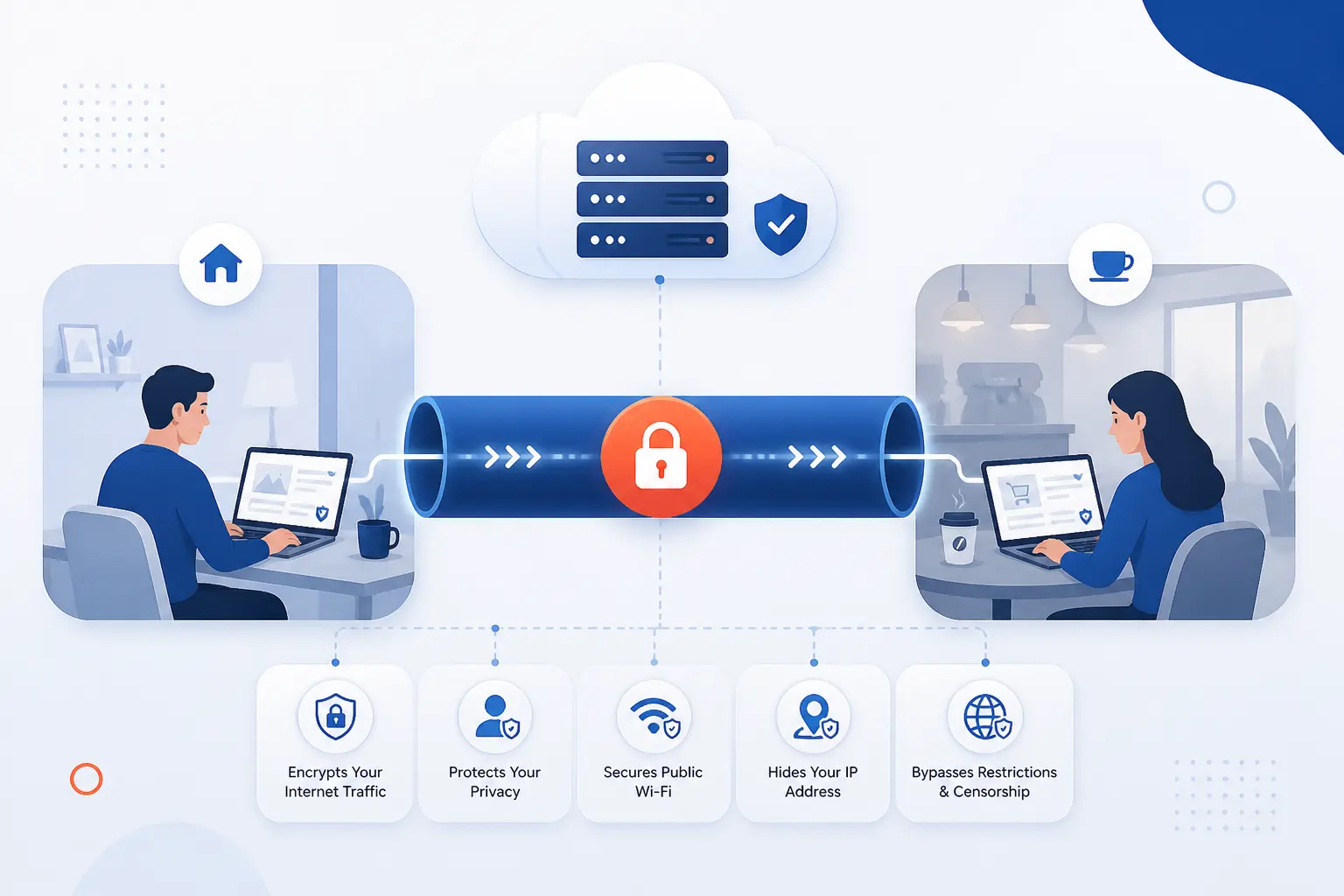
VPN security protects data in transit, the network path between a device and the systems it reaches. That matters because browsing from home, a hotel, a coffee shop, or a branch office still exposes traffic to local network risks, weak policies, and misrouted trust. A well-run VPN can hide your public IP from the destination, encrypt the tunnel over untrusted networks, and give users a controlled route into private resources. What it does not protect by itself is just as important. It cannot clean an infected laptop, stop a user from typing a password into a fake site, or fix a bad access policy.
We usually frame the value in plain business terms. If the problem is untrusted network transport, a VPN is often the right answer. If the problem is identity, endpoint health, or overbroad access, the VPN is only part of the answer. That distinction saves teams from buying comfort instead of security.
FURTHER READING: |
| 1. What Is SPF Record and Why It Matters for Email |
| 2. How to Detect Malware With Clear Warning Signs |
| 3. Security Management in the Cloud Guide for Safer Data |
How a VPN Differs From Private Browsing and Proxies
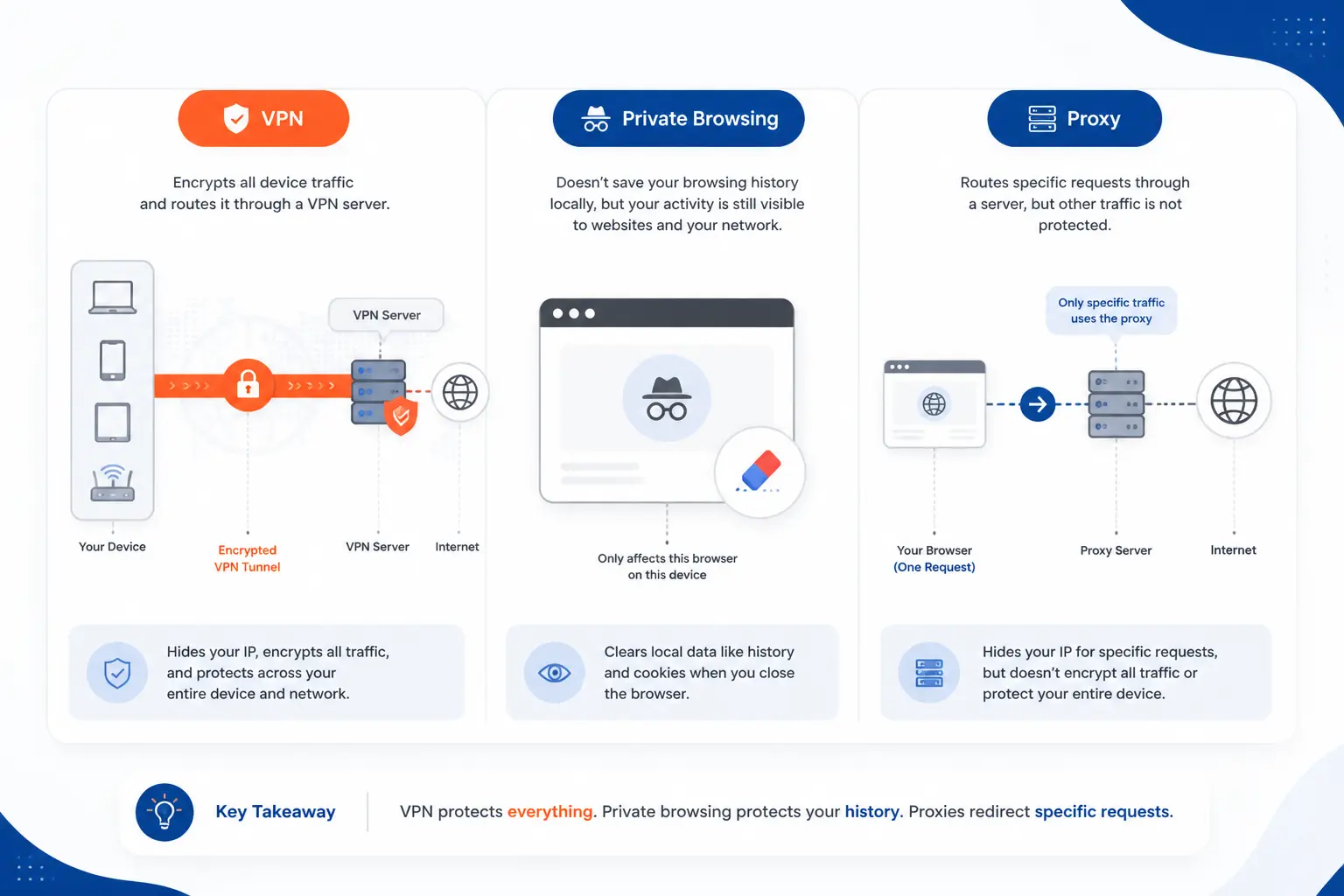
A VPN, private browsing mode, and a proxy solve different problems. A VPN protects network traffic between a device and a chosen gateway, private browsing mostly limits what the browser stores locally, and a proxy relays some requests through another server. We at 1Byte see many beginners mix these up, then assume they are safer than they really are. The safest starting point is to match the tool to the risk you are actually trying to reduce.
| Tool | Primary job | What it does not hide | Best fit |
|---|---|---|---|
| Private browsing | Reduces local browser history and session traces | ISP visibility, employer visibility, site-level IP visibility | Shared devices and local privacy |
| Proxy | Relays certain app or browser requests | Usually full-device traffic, tunnel-wide encryption, leak control | Testing, filtering, app-specific routing |
| VPN | Encrypts and routes selected or full-device traffic | Malware, phishing, bad credentials, all tracking | Safer transport and private access |
Private Browsing Limits Local History, Not Network Visibility
Private browsing protects local traces in the browser, not your visibility on the network. Mozilla says this plainly in does not make you anonymous, and that is the mental model we want readers to keep. It can stop your browser from keeping history, cookies, and form traces after the session ends, which is helpful on shared or borrowed devices. It does not stop websites, internet providers, employers, or school networks from seeing where traffic goes, and it does not protect you from malware already on the device.
Proxy Servers Mask Identity Without Full-Tunnel Protection
A proxy can hide a source IP for specific traffic, but it usually does not give you the same end-to-end tunnel control as a VPN. In browser terms, MDN describes requests being forwarded to a web proxy server, which tells us something important about scope. The proxy often applies to chosen protocols, apps, or browser settings, not the whole device, so other traffic may still go out normally. That makes proxies useful for testing, filtering, and app-specific routing, but weaker as a general security blanket.
How VPNs Safeguard Traffic and Identity
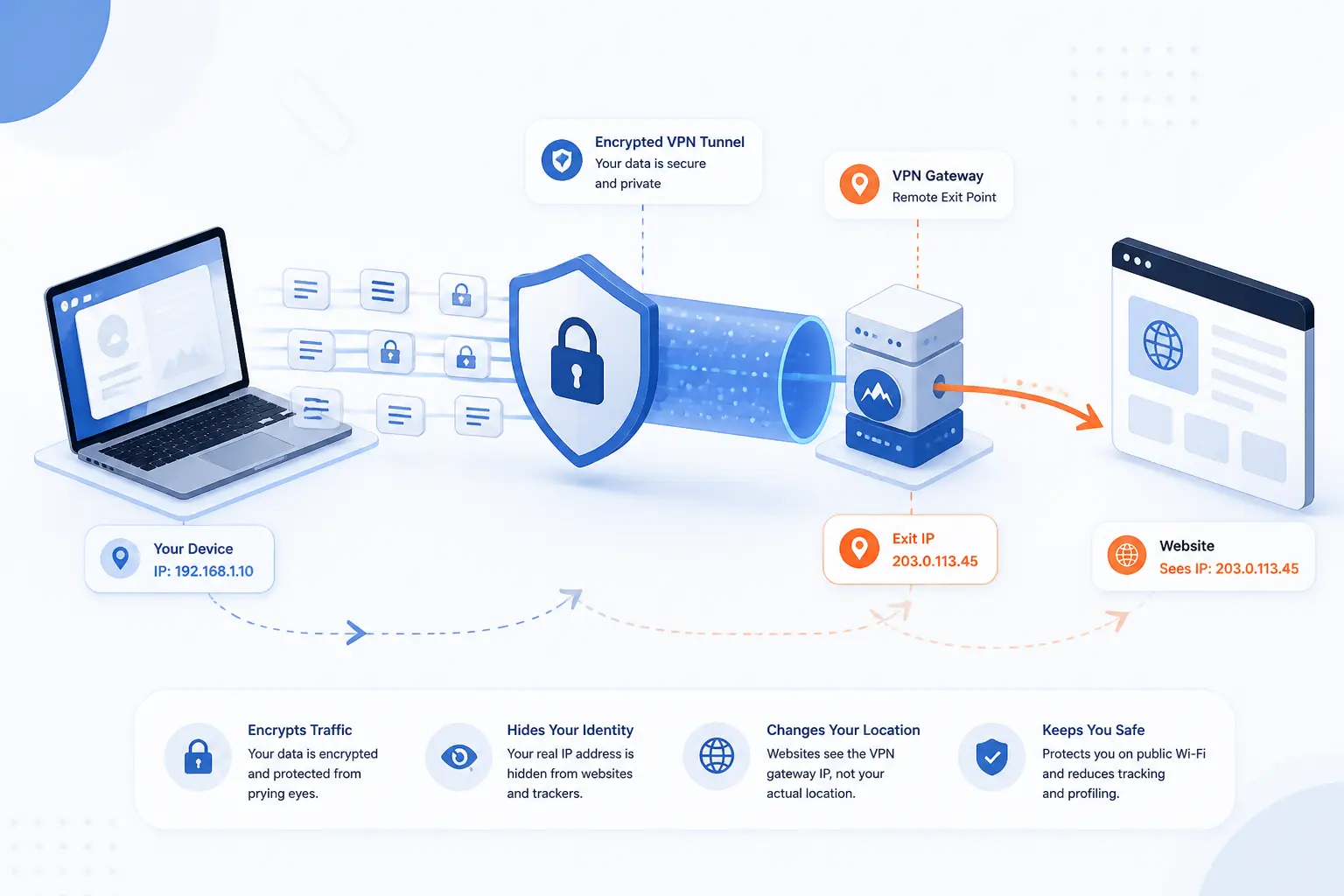
VPNs safeguard traffic by encrypting it in transit, routing it through a chosen gateway, and replacing the user’s visible source IP at the destination with the VPN’s exit point. In practice, that reduces local snooping risk, limits easy location exposure, and creates a controlled path to internal apps or cloud services. We think of this as transport protection plus policy routing, not invisibility. That mindset keeps expectations honest.
Encrypting Data in Transit Across Public Networks
The first job of a VPN is to encrypt traffic while it crosses networks you do not control. Modern protocols make that real with authenticated encryption, and WireGuard, for example, documents its use of ChaCha20 and Poly1305 along with forward secrecy goals. That means someone on the same public Wi-Fi cannot simply read tunneled packets in transit. We still tell readers not to confuse tunnel encryption with application security, though. If a device is compromised or a user is tricked at the browser level, the VPN cannot rescue that session by itself.
Masking IP Addresses and Online Location
A VPN masks your direct public IP from the destination by presenting the VPN gateway’s address instead of the device’s own. That helps when you do not want every site to see your home, office, or mobile network address. It also reduces simple geolocation based on the original connection. We would still be careful here, because logins, cookies, browser fingerprints, and account behavior can reveal plenty even when the IP changes.
Reducing ISP Tracking and Network Snooping
A VPN reduces what an ISP or local network operator can inspect about the contents and direct destinations of tunneled traffic. They can still see that a VPN connection exists, how long it lasts, and how much data moves, but they usually cannot inspect tunneled content in the same simple way they could without the tunnel. On hostile or noisy networks, that difference matters. It turns casual observation into a much harder job.
Supporting Secure Remote Connectivity for Users and Teams
For teams, a VPN is often the cleanest way to give remote users a private route to internal resources. Think of an employee on hotel Wi-Fi reaching a private admin panel, a staging server, or a file share that should never be open to the public internet. The key, in our view, is to pair that route with identity checks and narrow permissions. Otherwise, the tunnel becomes a wide hallway when what you needed was a locked side door.
What Makes a VPN Secure in Practice
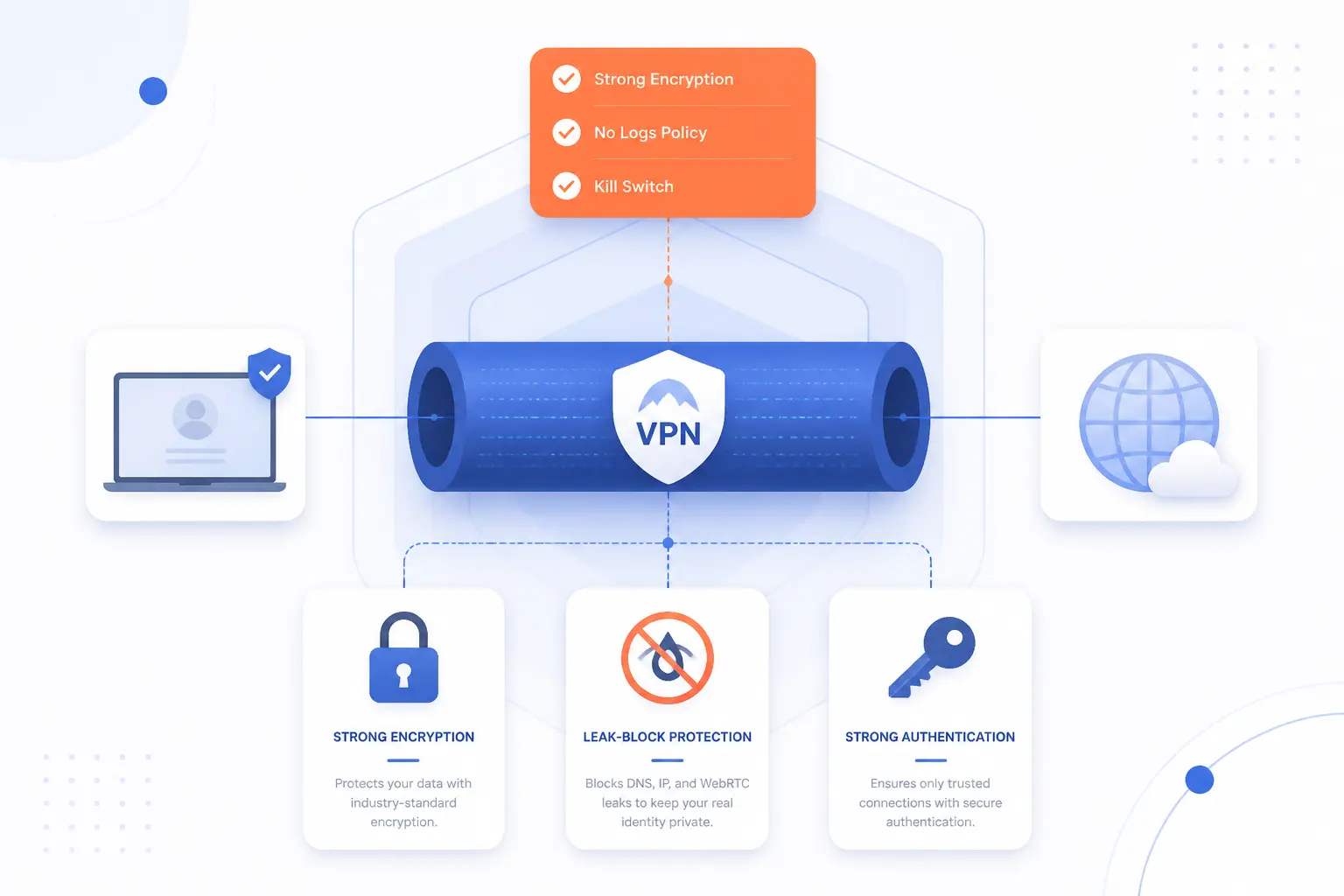
A secure VPN is more than an encrypted tunnel. In practice, it combines sound cryptography, leak controls, strong authentication, believable privacy promises, and ongoing maintenance. We would judge a VPN the same way we judge any security system. If the policy is vague, the client leaks, the account is weak, or the operator is opaque, the tunnel alone is not enough.
Modern Encryption Standards and Secure Tunneling Protocols
Secure VPNs use current protocols and well-understood cryptography, not outdated defaults. We prefer choices that clearly document authenticated encryption, key exchange behavior, and forward secrecy properties, because those details shape real risk, not brochure copy. In the WireGuard design, for instance, the protocol specifies ChaCha20 and Poly1305 and describes forward secrecy goals directly. When a provider cannot explain its protocol stack in plain terms, we treat that as a warning sign.
Leak Prevention, Kill Switches, and Forced Routing
Leak prevention matters because a VPN that drops traffic outside the tunnel can quietly expose the very data you meant to protect. We look for kill switches, DNS handling, IPv6 behavior, and routing rules that fail closed instead of failing open. Android’s VPN framework even exposes controls to Block connections without VPN, which is a practical example of forced routing instead of best-effort privacy. For sensitive use cases, that kind of control is worth more than a long server list.
No-Log Policies and Provider Transparency
A no-log promise is only meaningful when the provider explains how its systems make that promise believable. We look for public architecture notes, independent reviews, and clear answers about what metadata is retained for operations, abuse handling, and billing. One public penetration test report on Mullvad’s infrastructure found no user activity logging in the tested environment, but also warned that live-production tampering could not be fully ruled out without stronger attestation and audit logging. That is the kind of nuance we trust more than a perfect slogan.
Strong Authentication With MFA and Certificates
Strong authentication is what keeps a secure tunnel from becoming an easy target with a stolen password. For business use, we strongly prefer MFA for user logins and certificates for device or site authentication where they fit. NIST’s digital identity guidance backs the use of multi-factor authentication as part of a stronger authentication model, and that lines up with what we see in real deployments. If a single password opens broad private access, the problem is no longer the tunnel. It is the trust model.
Regular Updates, Audits, and Monitoring
Secure VPNs stay secure only if the clients, gateways, certificates, and policies are maintained. We advise teams to patch clients promptly, review configuration drift, monitor tunnel health, and log access events with enough detail to investigate abuse. External audits help, but they are snapshots. Day-to-day monitoring is what catches expired certificates, unstable tunnels, and strange login patterns before they turn into incidents.
Choosing the Right Setup for Business Use
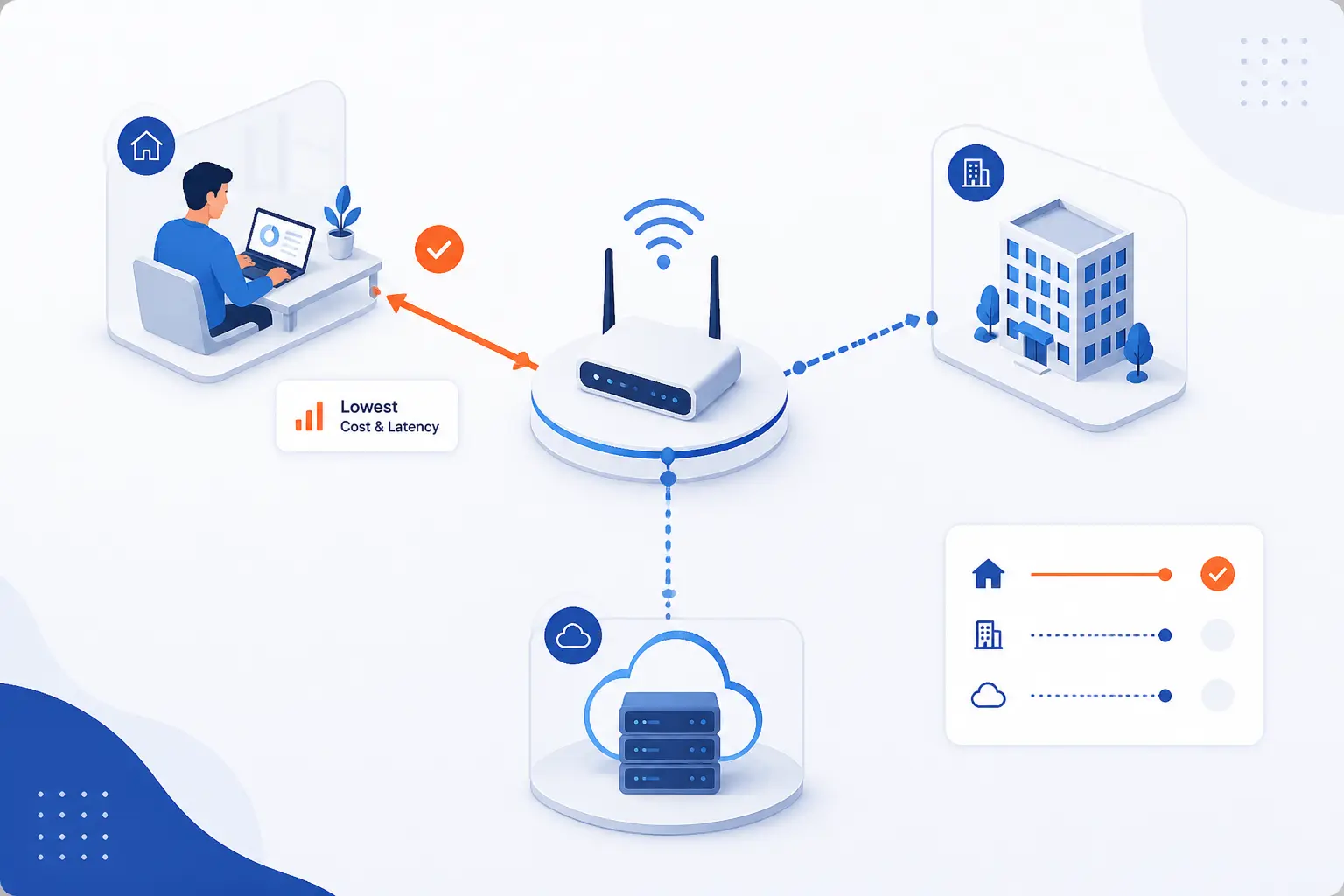
The right business setup depends on who needs access, what they need to reach, and where those resources live. Remote employees, branch offices, and cloud workloads rarely need the exact same design. We usually start with the smallest path that solves the problem, then add routing or segmentation only where it earns its keep. That keeps complexity from becoming its own risk.
| Setup | Best for | Main security concern | Typical decision |
|---|---|---|---|
| Remote access | Individual employees and contractors | Identity, device trust, least privilege | User-to-network or user-to-app |
| Site-to-site | Offices, branches, partner links | Route scope, segmentation, overlap | Network-to-network tunnel |
| Cloud VPN | Hosted workloads and hybrid apps | Route design, cloud boundaries, failover | On-premises to VPC or VNet |
| Traffic scope | BYOD, managed devices, selective apps | Leaks, bypasses, user friction | Full-device, per-app, or split tunnel |
Remote Access Connections for Employees
Remote access VPNs are the right fit when individual users need a private path into business systems. We recommend them for admins, support staff, developers, and office workers who must reach internal apps, dashboards, or file stores from outside the office. The mistake to avoid is granting broad network access because it is convenient. Tie the connection to MFA, device posture, and the smallest set of apps or segments each role actually needs.
Site-to-Site Links Between Offices
Site-to-site VPNs are the right fit when whole networks, not just single users, need to communicate. They work well for branch offices, warehouses, small retail sites, or partner environments that must reach specific internal services over an encrypted path. We would keep the route tables tight and the trust narrow. The moment a site-to-site link becomes “everything can talk to everything,” it stops being a secure shortcut and starts becoming hidden sprawl.
Cloud VPN Connections for Hosted Workloads
Cloud VPNs are the right fit when private workloads in the cloud must talk to on-premises systems or branch networks without being opened directly to the internet. AWS describes its Site-to-Site service as traffic between your VPC and on-premises over IPsec, which is the classic hybrid pattern many teams still need. We see this a lot with private databases, internal APIs, backups, and migration projects. The design question is rarely whether the tunnel works. It is whether the routes, security groups, and application trust boundaries stay clean as the environment grows.
Full-Device, Per-App, and Split-Tunnel Decisions
Traffic scope should be a deliberate policy choice, not a default left behind by the installer. Full-device tunnels are simplest when a managed laptop needs one clear rule. Per-app tunnels make sense on BYOD or mobile devices where only business apps should use the private path. Split tunneling can be useful, but we would approve it only when the business case is clear, because every excluded app or network path becomes a place where visibility and control can drift. Android’s per-app and always-on behavior shows how much these routing decisions matter in practice.
VPN Security Risks and Limits to Know
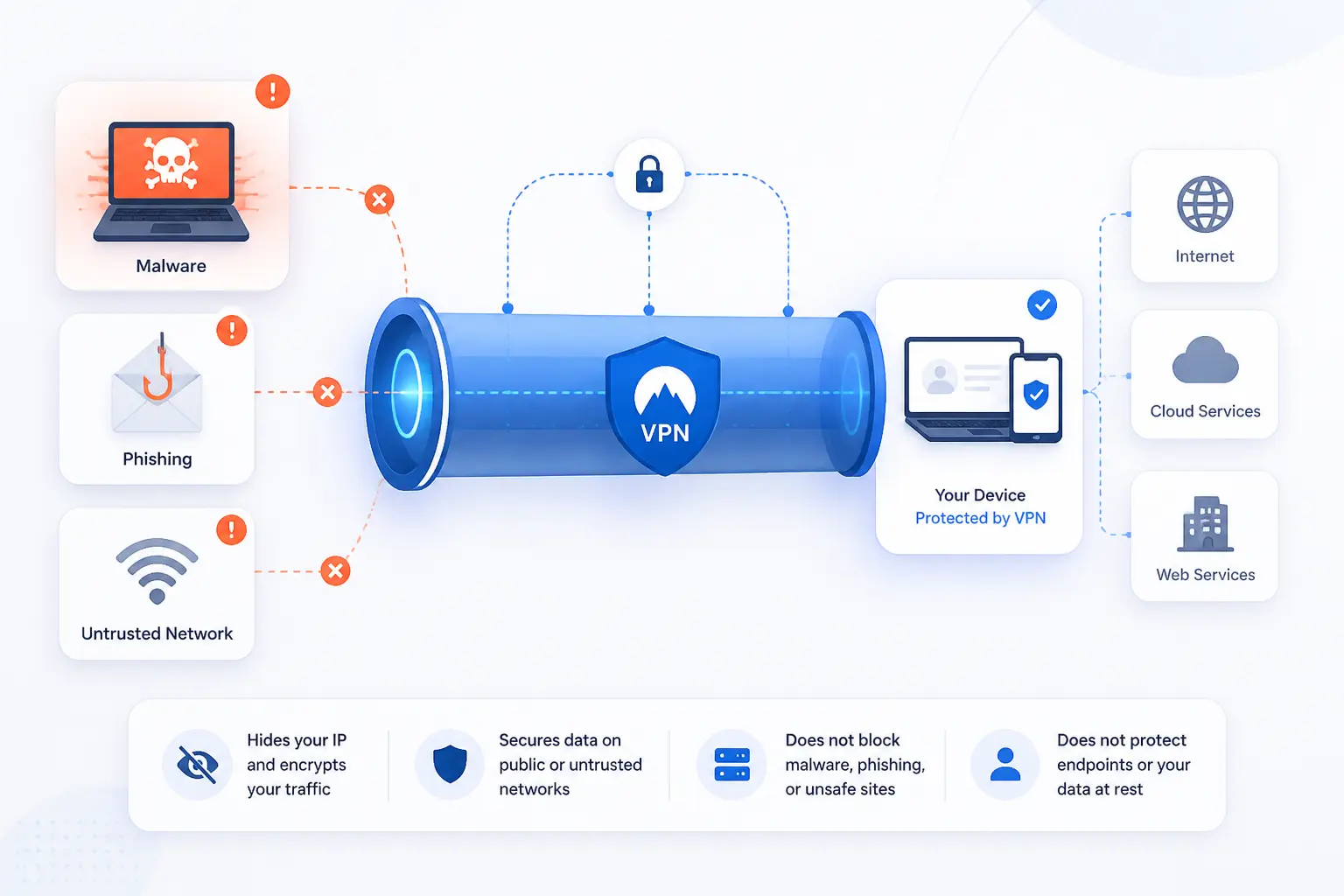
VPN security reduces transport risk, but it does not remove endpoint risk, identity risk, or operational risk. That is the honest baseline. We use VPNs often, but we never assume the tunnel makes the rest of the stack safe. Readers who understand the limits make better choices about what to pair with it.
Malware, Phishing, and Infected Endpoints
A VPN does not stop malware, phishing, or an already infected device. Verizon’s latest breach report still points to the human element, phishing, and stolen credentials as frequent drivers of breaches, which is exactly why transport encryption cannot stand alone. If a user clicks a fake login page or runs a malicious attachment, the tunnel faithfully carries bad traffic too. We think this is the most common misunderstanding around VPN security.
Credential Theft, Broad Access, and Lateral Movement
Credential theft becomes far more dangerous when a VPN account unlocks broad private access. A stolen login can give an attacker a legitimate-looking foothold, and once they are inside, weak segmentation makes lateral movement easier. That is why we treat VPN access as a privilege that must be scoped, logged, and reviewed. The transport can be sound while the access model is dangerously loose.
Latency, Outages, and Management Overhead
VPNs add latency, operational dependencies, and support work. Extra hops, MTU issues, overloaded gateways, expired certificates, and tunnel failovers all affect user experience. For a small team, that can mean help desk noise. For a larger team, it becomes architecture. We prefer simpler designs where we can get them, because every tunnel you add is another thing to monitor and another thing that can fail at 2 a.m.
Why a VPN Does Not Guarantee Total Anonymity
A VPN does not make you totally anonymous because identity leaks through more than network transport. Websites still see logins, cookies, device fingerprints, behavior patterns, and whatever data you volunteer. The provider may also see connection metadata depending on how it operates. A VPN changes who sees what on the path. It does not erase your digital footprint.
How to Vet a Provider or App Before You Trust It
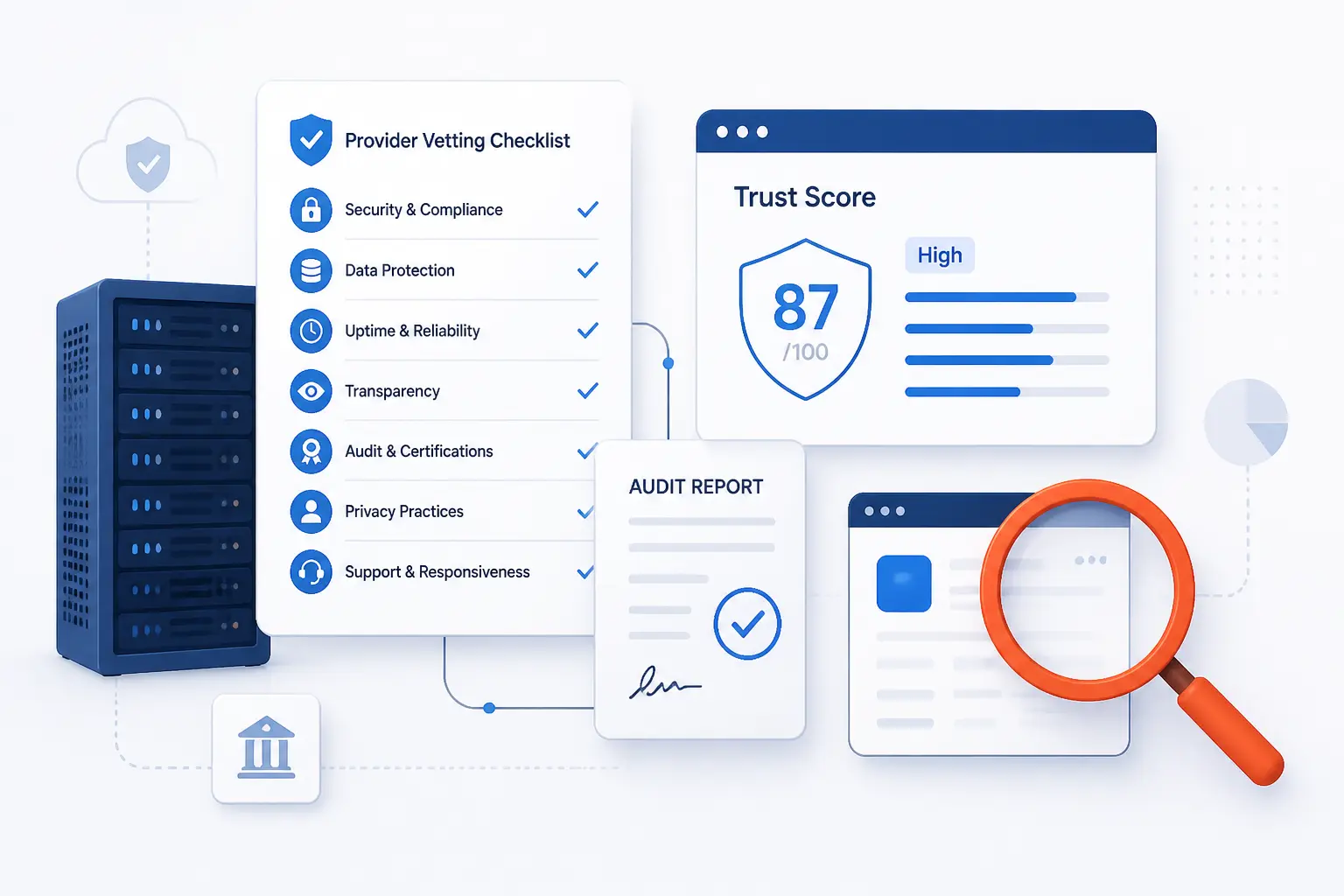
You should vet a provider the same way you would vet any security-sensitive service that handles private traffic. That means checking who runs it, how it makes money, what it publishes about audits and incidents, and whether the app behavior matches the promises. We do not look for perfect marketing. We look for credible tradeoffs, clean documentation, and signs of operational maturity.
Reputation, Support, and a Clear Business Model
A trustworthy provider should be easy to identify, easy to question, and easy to understand. We want to know the operating company, the product’s purpose, the privacy posture, and the support path before we install anything. Good signs include public documentation, client release notes, transparent ownership, and independent reviews of security controls. Bad signs include vague ownership, empty policy pages, and claims that sound absolute.
Free VPN Tradeoffs, Ads, and Data Collection Concerns
Free VPNs can work in narrow cases, but they deserve more skepticism than paid business tools. An academic review of 283 Android apps found widespread leakage and even cases with no encryption, which tells us the “free” label often hides ugly engineering or data collection choices. If the service is ad-funded, opaque about ownership, or strangely hungry for permissions, we would walk away. The cheaper the promise, the harder we inspect it.
Native Clients vs Third-Party Clients
Official clients are usually the safer first choice because they tend to expose the provider’s supported features and failure modes more clearly. Third-party clients can be useful for open protocols, custom profiles, and lab work, but they may lag behind on kill switches, certificate workflows, MFA handling, or provider-specific settings. We generally start with the native client, then switch only when we have a concrete technical reason. Convenience is not enough reason to weaken visibility.
When to Pair a VPN With Other Security Controls
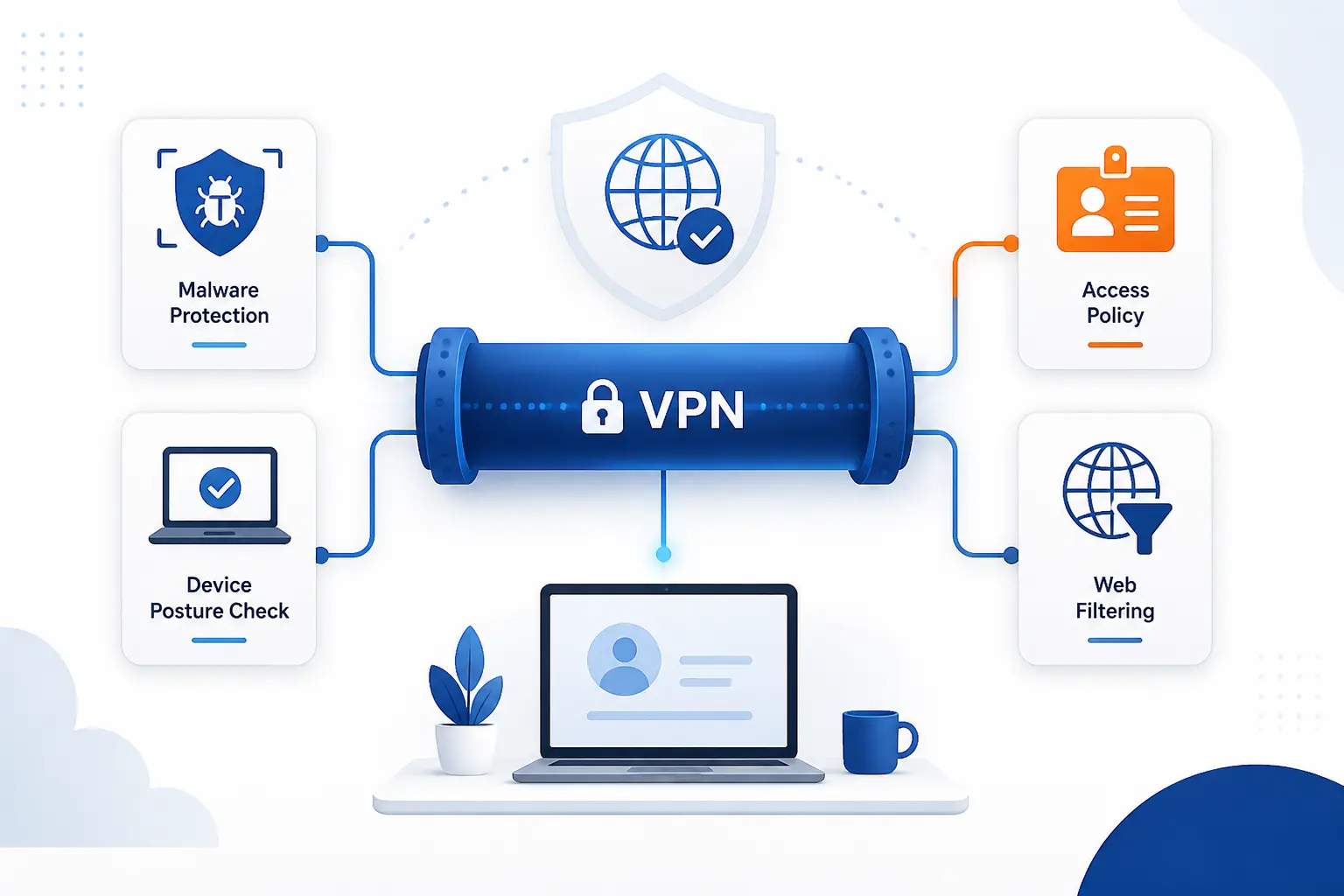
A VPN should be paired with other controls whenever the risk extends beyond network transport, which is most real-world cases. Malware defense, access policy, device posture, and web filtering all sit outside the tunnel itself. We at 1Byte see the best results when teams treat the VPN as plumbing. Secure plumbing matters, but it does not decide who should enter the building.
Antivirus, Firewalls, and Endpoint Protection
Endpoint protection belongs next to a VPN because the tunnel cannot tell good software from bad software on the device. Antivirus, EDR, local firewalls, and browser protections help stop infections before or after the VPN comes into play. That matters on unmanaged home networks and public Wi-Fi alike. If the endpoint is dirty, the private route simply gives the dirt a faster lane.
Access Control, Least Privilege, and Zero-Trust Principles
Least privilege matters because the VPN should provide transport, not automatic trust. NIST’s zero-trust implementation guide documents 19 example implementations, which is a useful reminder that mature security programs verify users, devices, and policies continuously instead of trusting the network path alone. We think this is the right long-term direction for most organizations. Keep the tunnel if it helps, but move the trust decision closer to identity, device health, and the specific app being accessed.
SASE, Secure Web Gateways, and SD-WAN Options
SASE, secure web gateways, and SD-WAN options make sense when you need policy enforcement close to users, branches, and cloud apps, not just one tunnel back to a central edge. They are especially useful for distributed teams, mixed cloud environments, and branch networks with heavy internet-bound traffic. We would consider them when the old “backhaul everything through one VPN choke point” starts causing cost, latency, or policy blind spots. NIST’s implementation guide explicitly includes SASE among the deployment approaches teams can model.
FAQ
Are VPNs Actually Good for Security?
Yes, VPNs are good for security when the problem is protecting traffic in transit or creating a private path to trusted resources. They are especially useful on untrusted networks and for remote access. They are less helpful when the main problem is malware, phishing, or bad access control, which need separate defenses.
Do I Need Antivirus if I Use a VPN?
Yes, you still need antivirus or broader endpoint protection if you use a VPN. A VPN secures the route, but it does not scan files, block malicious processes, or reverse an infection already on the device. We treat endpoint protection and VPNs as complementary, not interchangeable.
Is There Any Risk in Using a VPN?
Yes, there is risk if the provider is untrustworthy, the client leaks, or the access policy is too broad. VPNs can also add latency, fail open if misconfigured, or create a false sense of safety. The safest use comes from good provider vetting, MFA, least privilege, and monitored operations.
Are Free VPNs Safe to Use?
Some free VPNs may be safe, but many are not worth the risk. Free services often rely on ads, thin infrastructure, unclear ownership, or aggressive data practices to cover costs. We would trust a free option only after checking its business model, app permissions, technical transparency, and outside reviews.
How Does a VPN Protect You From Hackers?
A VPN protects you from certain attackers by encrypting traffic on the network and making local snooping harder. That helps against open Wi-Fi risks, weak local networks, and simple packet interception. It does not stop hackers who steal your password, compromise your browser, or trick you into running malware.
How 1Byte Supports Secure Websites and Cloud Workloads
At 1Byte, we support VPN security best when we connect it to the rest of a practical web and cloud stack. The article’s theme is controlled trust, and that same theme runs through web identity, hosting choices, and private connectivity. We do not think safer browsing starts and ends with a tunnel. It also depends on trusted domains, HTTPS, hardened applications, and clean paths between workloads. As an AWS Partner, we also see how cloud design decisions shape the value of private connectivity.
Domain Registration and SSL Certificates for Trusted Web Identity
Trusted web identity starts with the right domain registration and SSL certificates. A VPN can protect the path to a site, but users still need confidence that they are reaching the real service and not a lookalike. That is why we see domain ownership, DNS hygiene, and HTTPS as foundational. When the name and certificate chain are clear, the VPN is reinforcing trust instead of trying to compensate for missing trust.
WordPress Hosting and Shared Hosting With Everyday Site Security
For public websites, WordPress hosting and shared hosting matter because the application still has to be kept safe even if admins use a VPN. We would use the VPN for private admin access, but we would also keep themes, plugins, credentials, and certificates under control. In other words, the tunnel protects the trip, while the hosting environment and site maintenance protect the destination.
Cloud Hosting and Cloud Servers for Private Business Connectivity
Cloud hosting and cloud servers matter when private apps, staging tools, databases, or internal services should talk over controlled business paths. We often see VPNs used here for admin access, hybrid routing, or private service reachability between office users and hosted workloads. Because 1Byte is an AWS Partner, we recognize how closely VPN choices, cloud network design, and workload placement fit together. If the cloud layout is clean, private connectivity becomes much easier to secure and much easier to troubleshoot.







Conclusion
VPN security is valuable because it solves a real problem well. It protects traffic in transit and creates private access paths that are hard to replace with browser settings or a simple proxy. Still, it is only one layer. The teams that get the best results pair the tunnel with strong identity, careful routing, endpoint protection, and honest provider vetting.
If we were planning from scratch, we would start with one question. What exact risk are we trying to reduce with this VPN, and what other controls must sit beside it for that answer to be complete?