

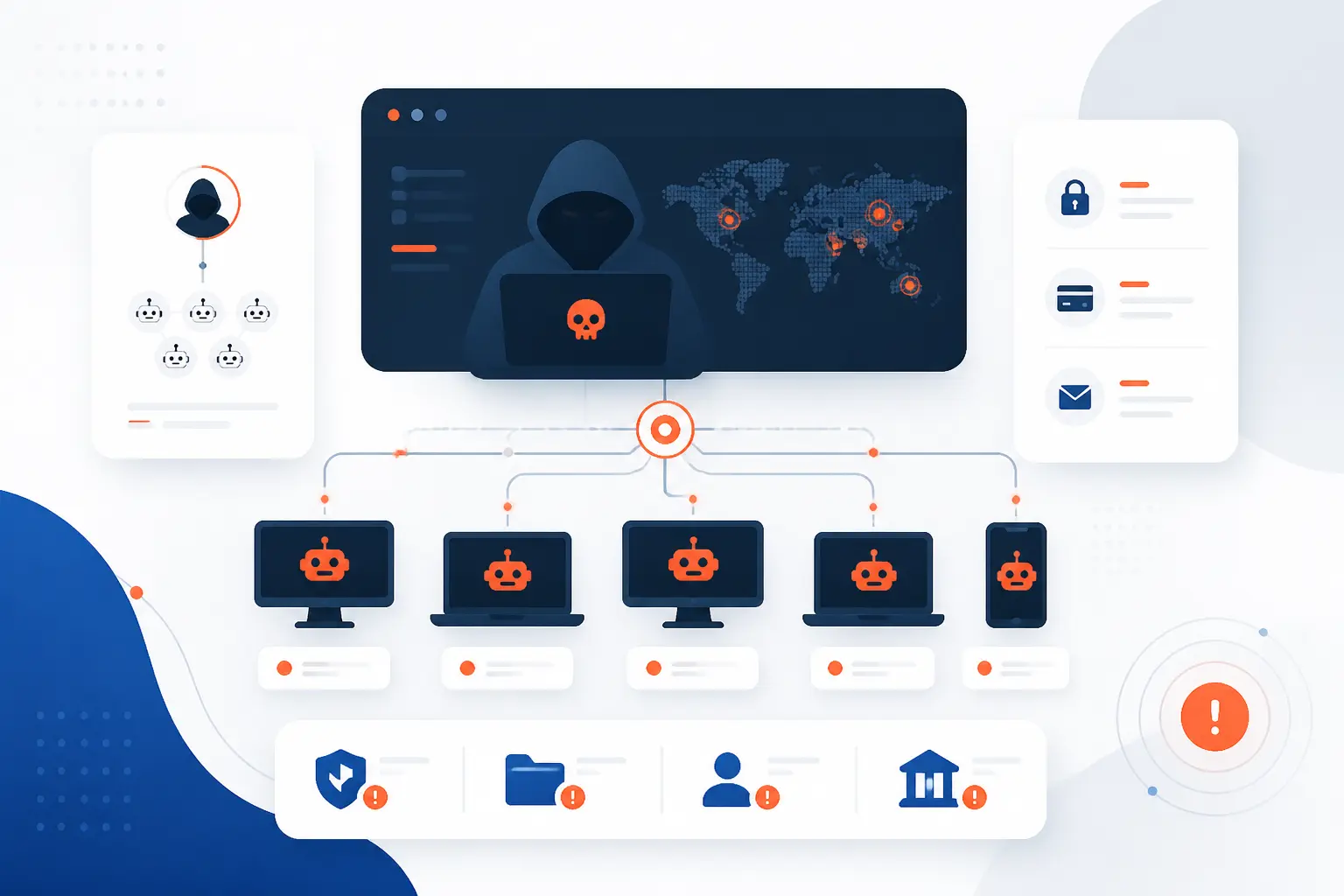
- A Botnet Is a Network of Malware-Infected Devices
- How Botnet Malware Spreads and Takes Control
- The Main Ways Botnets Are Organized
- What Attackers Use Botnets For
- Which Devices Commonly Become Bots
- Why Botnets Are Hard to Detect and Shut Down
- How to Protect Devices From Joining a Botnet
- Notable Botnet Examples and What They Show
- Frequently Asked Questions
- How 1Byte Helps Reduce Botnet Risk
- Conclusion
A botnet is a group of computers, servers, phones, routers, cameras, or other connected devices that attackers have infected and remotely control. The owner may still use the device normally, while hidden malware waits for instructions. Attackers use these captured devices to send spam, steal credentials, mine cryptocurrency, brute-force logins, or overwhelm websites with traffic. We see a botnet as one of the clearest examples of why security is never only about one machine, because one weak device can become part of a much larger attack.
For a beginner, the key idea is simple: the device becomes a “bot” when malware makes it obey someone else. A large group of those bots becomes a botnet. The danger comes from scale. One infected laptop is a problem, but thousands of infected cameras or servers can become a weapon.
A Botnet Is a Network of Malware-Infected Devices
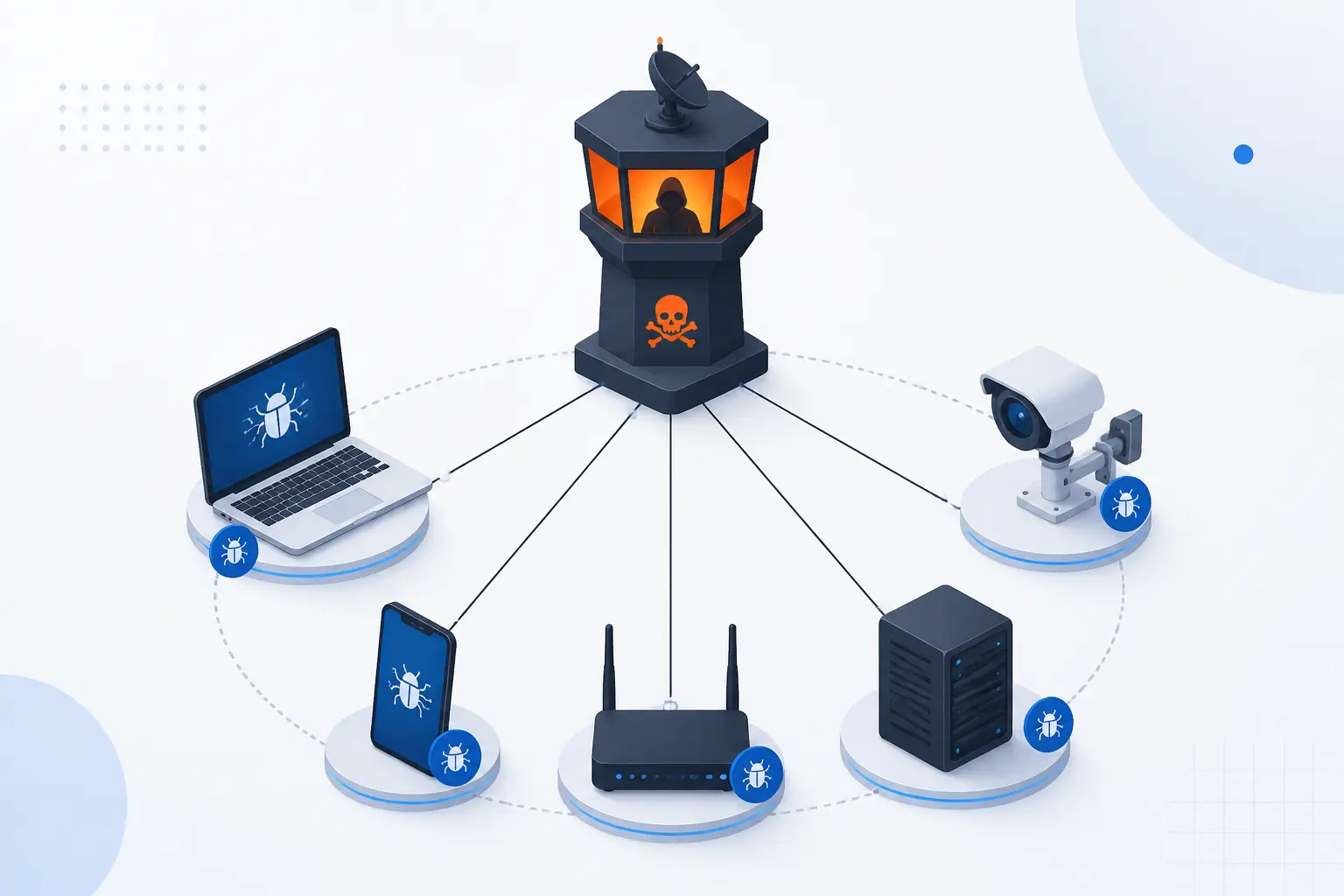
A botnet is a network of infected devices that can be controlled by an attacker without the device owners’ permission. Each infected device is often called a bot, zombie, or compromised host. The attacker who controls the group is often called a bot herder. The network may include personal computers, cloud servers, mobile devices, home routers, DVRs, IP cameras, and other internet-connected hardware.
The malware does the dirty work. It hides on the device, keeps contact with a control channel, and waits for commands. Those commands might tell the device to send junk traffic, scan the internet, steal passwords, forward spam, download new code, or attack a target. The device owner may only notice a slow connection, a hot router, odd login alerts, or nothing at all.
We like to describe a botnet as a stolen workforce. The attacker does not need to buy infrastructure honestly. They borrow yours, mine, and everyone else’s without asking. That is why botnets matter to home users, website owners, hosting providers, and security teams at the same time.
FURTHER READING: |
| 1. What Is the OSI Model? Layers, Purpose, and Uses |
| 2. VPN Security Guide for Safer Browsing and Access |
| 3. What Is SPF Record and Why It Matters for Email |
How Botnet Malware Spreads and Takes Control
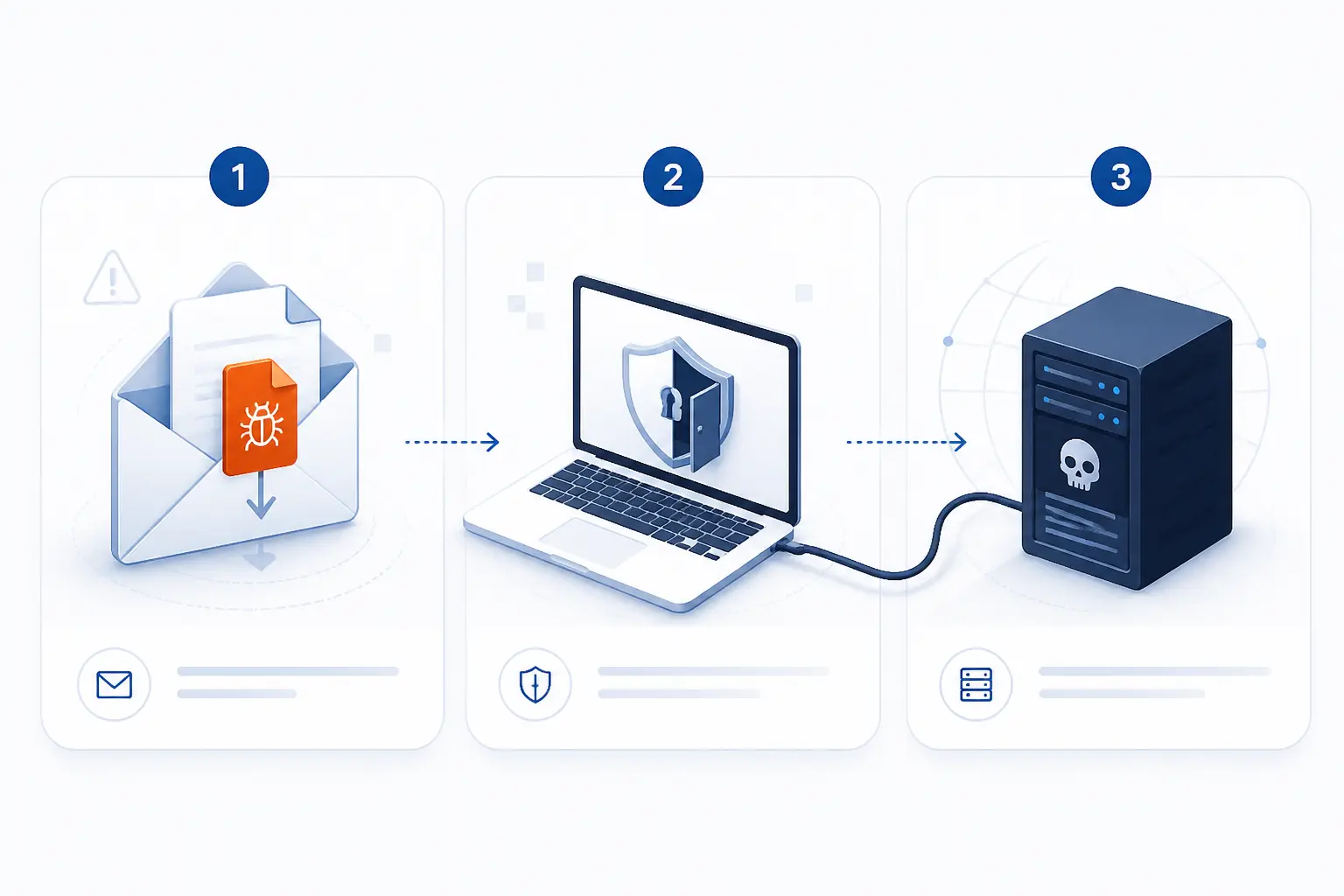
Botnet malware spreads by getting code onto a device, gaining enough permissions to run, and then connecting the device to an attacker-controlled system. That process can happen through malicious email attachments, cracked software, exposed remote login services, unpatched vulnerabilities, or weak default credentials. After infection, the malware usually tries to stay installed and communicate quietly. From there, the attacker can issue commands to many devices at once.
Infection Through Malicious Files, Exploits, and Weak Credentials
Botnet infections usually begin when malicious code runs on a device through deception, software flaws, or weak access controls. A user might open a file that looks like an invoice. A server might expose an outdated web application. A camera might still use a factory password that has been published online for years.
NIST describes malware as code that is covertly inserted to compromise confidentiality, integrity, or availability, which fits the way these infections work in the real world. Its official incident guidance also stresses prevention, detection, and recovery, because stopping the first infection is far easier than cleaning thousands of systems later.
Weak credentials are especially painful. Attackers can automate login attempts across the internet and look for common usernames and passwords. If one router, camera, or admin panel accepts the guess, the malware gets a foothold. From there, it may scan for more victims.
How Bot Herders Use Command-and-Control to Issue Orders
Command-and-control is the communication system that lets an attacker send instructions to infected devices. Security teams often shorten it to C2. A bot might contact a server, join a peer-to-peer network, visit a domain generated by an algorithm, or listen through an encrypted channel.
The C2 layer turns separate infections into one coordinated system. Without it, the attacker only has scattered malware. With it, they can tell thousands of bots to attack a website, harvest credentials, update themselves, or download another payload.
That control path is also a major defensive target. If investigators can seize domains, sinkhole traffic, block known servers, or break peer discovery, they can weaken the attacker’s grip. The malware may still sit on devices, but it becomes far less useful without orders.
Why Infected Devices Often Go Unnoticed
Infected devices often go unnoticed because botnet malware tries to use just enough resources to work without alarming the owner. A smart attacker does not want a laptop to crash every hour or a router to stop passing traffic. Loud malware gets removed. Quiet malware earns money.
Many bots also live on devices people rarely inspect. Few home users check router process lists. Even fewer review outbound DNS queries from a camera. In small businesses, forgotten servers and old plugins can sit in the corner for years.
This is why we distrust “it seems fine” as a security test. A device can browse the web, serve a site, or record video while also sending spam at night. Normal use does not prove clean use.
The Main Ways Botnets Are Organized
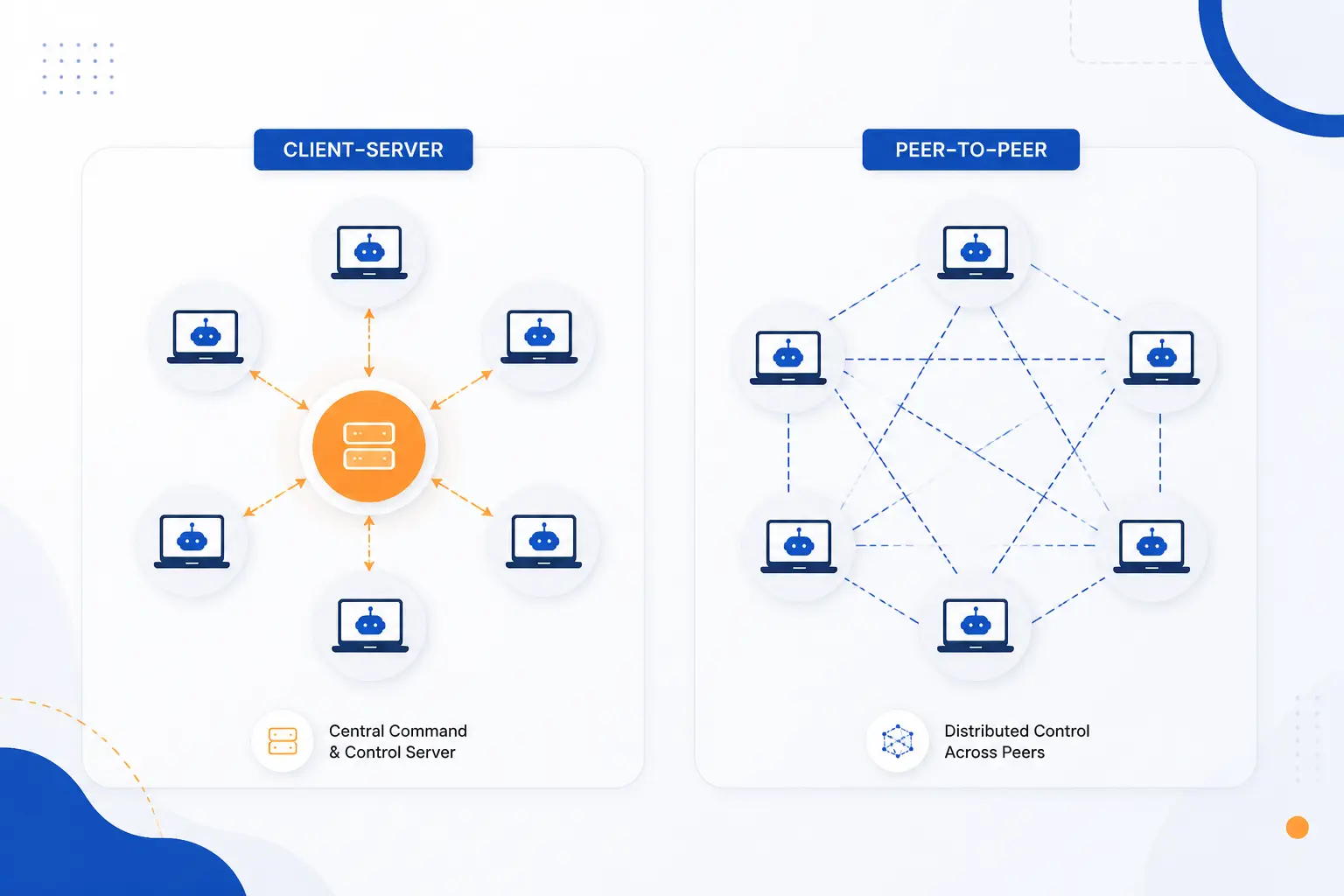
Botnets are mainly organized as client-server systems or peer-to-peer systems. The design affects how attackers control infected devices and how defenders try to disrupt them. Client-server models are easier to understand, because bots report to one or more command systems. Peer-to-peer models are harder to shut down, because infected devices can pass commands among themselves.
| Model | How control works | Main defensive challenge |
|---|---|---|
| Client-server | Bots contact one or more central control points | Find and disable the control infrastructure |
| Peer-to-peer | Bots exchange commands through other bots | Disrupt discovery, trust, and update paths |
Client-Server Models
A client-server model uses one or more central command points to manage infected devices. Each bot acts like a client. It checks in, receives commands, and may send stolen data or status updates back.
This model is efficient for attackers. It also gives defenders something concrete to hunt. If a security team identifies the server, domain, hosting account, or IP addresses involved, they may be able to block or seize part of the infrastructure.
The weakness is obvious. Central control can become a central point of failure. Attackers answer that problem with backup servers, fast domain changes, proxy layers, and tiered architecture.
Star Network Topology
A star topology puts one main control point in the middle, with bots connecting directly to it. It is simple, fast, and cheap to operate. That makes it attractive for smaller campaigns or short-lived attacks.
The downside for attackers is fragility. If defenders identify and disable the central node, many bots lose their instructions. We often compare it to cutting the phone line to a crooked call center. The agents may still sit there, but the operation stalls.
Multi-Server Network Topology
A multi-server topology gives bots several control points instead of one. This makes the operation more resilient. If one server disappears, the malware can try another.
Attackers may spread those servers across hosting providers, countries, or compromised machines. They may also rotate domains quickly. For defenders, that means takedown work becomes less like flipping a switch and more like pulling weeds by the roots.
Hierarchical Network Topology
A hierarchical topology uses layers, so some compromised systems or servers relay commands to others. This creates separation between the attacker and the end bots. It can also reduce noisy traffic to the top-level systems.
Hierarchies complicate investigation. A defender might find a relay without finding the operator. Still, each layer adds operational risk for attackers. More moving parts mean more chances for mistakes, logs, and legal intervention.
Peer-to-Peer Models
A peer-to-peer model lets infected devices help distribute commands, updates, or discovery information. Instead of every bot relying on one server, bots can talk to other bots. This makes the network harder to kill in one move.
Peer-to-peer control is not magic, though. The malware still needs a way to identify trusted peers, receive valid updates, and avoid poisoned commands. Defenders can study those rules and sometimes disrupt them.
GameOver Zeus showed why this matters. The FBI described its decentralized command system as a reason the operation was harder to take down, because instructions could come through infected computers rather than a single central origin.
What Attackers Use Botnets For
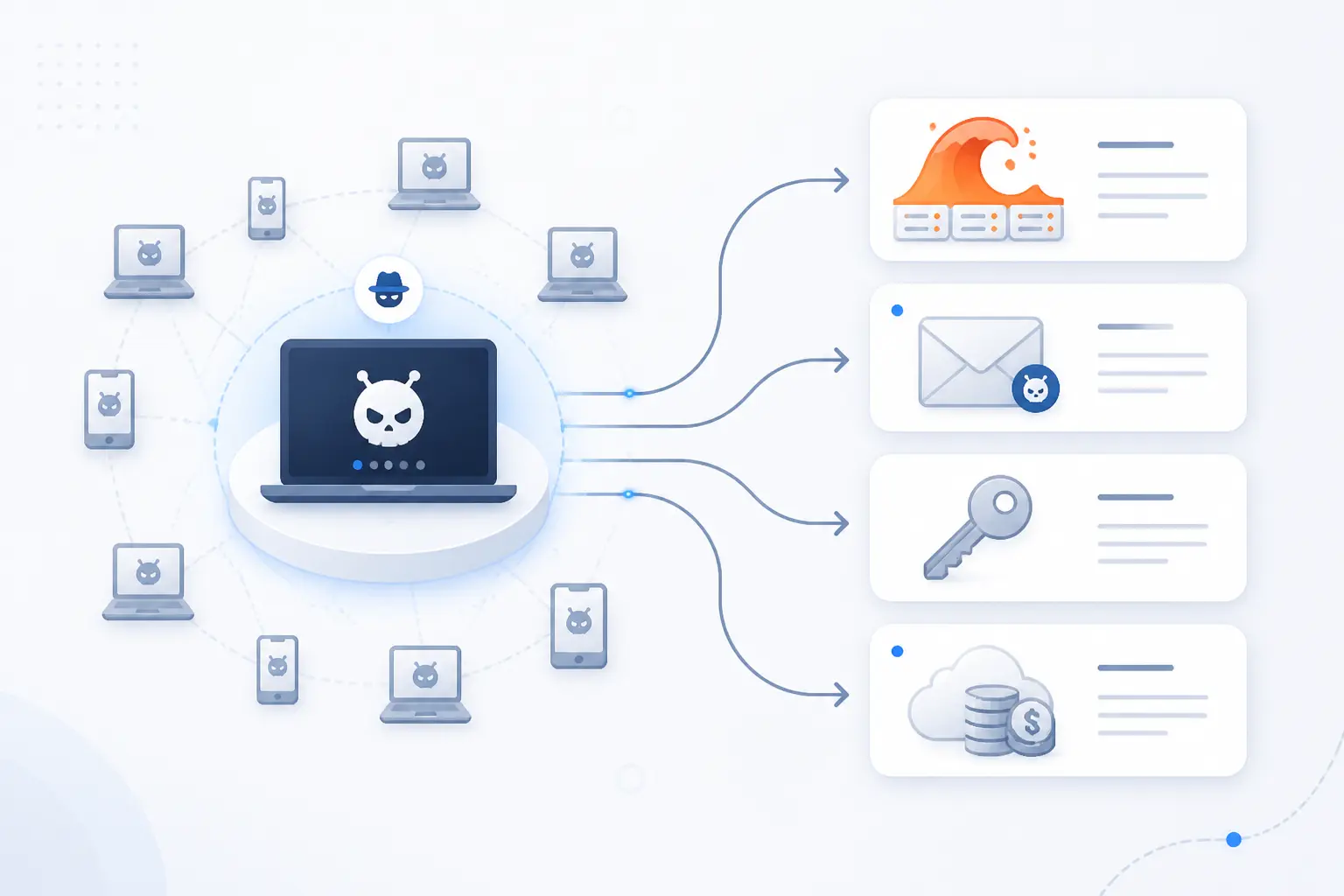
Attackers use botnets when they need scale, disguise, or both. A botnet can send traffic from many networks, making abuse look distributed instead of coming from one obvious machine. That makes botnets useful for DDoS attacks, spam, phishing, credential theft, ad fraud, cryptomining, and password guessing. The same infected device can be reused for different crimes over time.
| Abuse type | What the bots do | Who feels the impact |
|---|---|---|
| DDoS | Flood a target with traffic | Websites, apps, networks, users |
| Spam and phishing | Send messages or host lures | Email users and brands |
| Credential abuse | Steal or test logins | Account owners and businesses |
| Fraud and mining | Fake clicks or consume compute | Advertisers and device owners |
DDoS Attacks at Scale
A botnet can turn many small devices into one large traffic cannon against a target. In a distributed denial-of-service attack, bots send requests, packets, or connection attempts until the target slows down or becomes unavailable. CISA, the FBI, and MS-ISAC explain in a federal response guide that these attacks exhaust resources such as bandwidth, compute, storage, or application capacity.
The scale can be staggering. Cloudflare reported blocking a 5.6 Tbps UDP flood in late 2024 that was launched by a Mirai-variant network against an internet service provider. We do not mention that figure to impress anyone. We mention it because it shows why small, neglected devices can create very large consequences.
For a website owner, the lesson is direct. You cannot judge risk only by your own server size. You must assume the attacker can borrow capacity from infected machines across the internet.
Spam, Phishing, and Malware Distribution
Botnets send spam and phishing because distributed sending helps attackers dodge simple blocking rules. If every message came from one server, defenders could block it quickly. When mail comes from thousands of infected devices, filtering becomes harder.
Some bots send fake invoices, delivery notices, password reset lures, or malicious links. Others host landing pages or help distribute new malware. This creates a feedback loop. One campaign infects devices, and those devices help launch the next campaign.
We find this part especially frustrating because it abuses trust. A message may come from a real residential connection or a legitimate business machine. That does not make the message safe. It only means the sender may be another victim.
Credential Theft and Financial Fraud
Botnets steal credentials by logging keystrokes, injecting fake banking fields, scraping browser data, or redirecting traffic. Once attackers have usernames, passwords, session cookies, or payment data, they can drain accounts or sell access. Banking malware families proved this model long ago.
GameOver Zeus is the classic warning sign. The FBI said losses attributable to that operation were more than $100 million, and it spread mainly through spam or phishing messages. That example still feels painfully modern. The tools change, but the business model stays familiar.
Credential theft also affects hosting accounts. A stolen control panel login can lead to defaced sites, spam scripts, malicious redirects, or stolen customer data. Strong authentication is not glamourous, but it closes many boring doors criminals love.
Ad Fraud, Cryptomining, and Brute-Force Abuse
Botnets are also used to fake ad views, mine cryptocurrency, and guess passwords across many accounts. These attacks are quieter than a major DDoS campaign, but they still cost money. Device owners pay through higher power use, slower systems, and possible account bans.
Ad fraud bots may load pages, click ads, or mimic browsers. Cryptomining bots consume CPU or GPU cycles. Brute-force bots test stolen or guessed passwords across login forms, SSH, FTP, email, and admin panels.
The business logic is ugly but simple. If criminals steal computing power, network reputation, and IP diversity, their costs fall. The victim pays the bill in performance, bandwidth, and cleanup.
Which Devices Commonly Become Bots
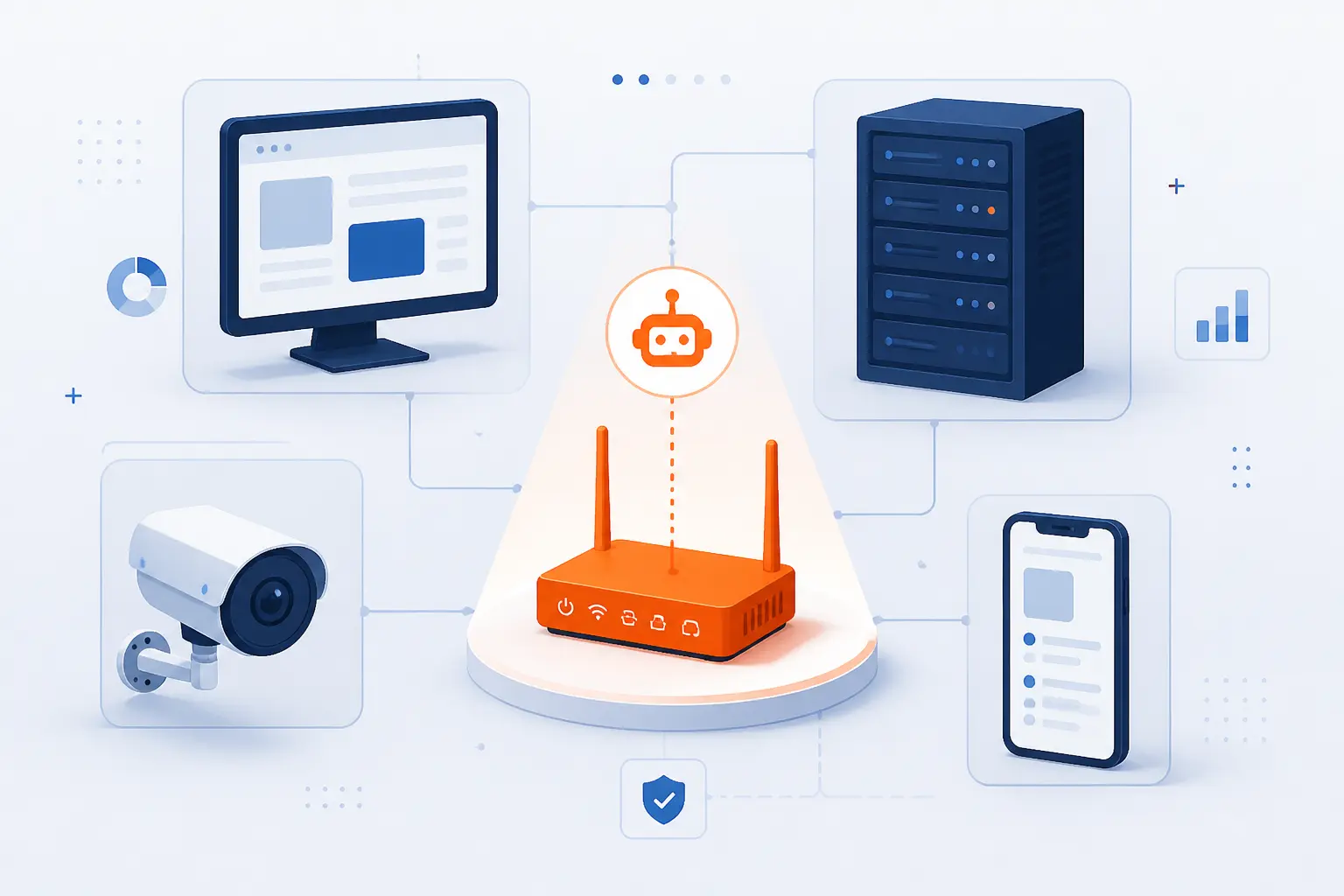
Any internet-connected device can become a bot if it can run code and communicate outward. Computers and servers are valuable because they often have more power and data. Routers and IoT devices are valuable because they are widespread, exposed, and often poorly maintained. The best defense starts with admitting that the “small” device in the closet can matter.
| Device group | Why attackers want it | Common weakness |
|---|---|---|
| Computers, servers, mobile devices | Data, compute, credentials, hosting access | Phishing, outdated apps, stolen passwords |
| Routers, cameras, IoT devices | Always-on access and broad distribution | Default passwords and old firmware |
Computers, Servers, and Mobile Devices
Computers, servers, and mobile devices become bots because they can run complex malware and often hold valuable credentials. A compromised laptop may expose email, browser sessions, cloud dashboards, or saved passwords. A compromised server may offer bandwidth, reputation, and direct access to hosted applications.
Servers are especially attractive because they are always online. If a poorly maintained virtual private server runs outdated software, it can be abused for scanning, spam, phishing pages, or command relay. Mobile devices are also useful, especially when malware can intercept messages or steal app credentials.
From our hosting perspective, server compromise often starts with ordinary mistakes. An old plugin, weak SSH password, exposed admin page, or abandoned staging site is enough. Attackers do not need a Hollywood-grade exploit when a forgotten password works.
Routers, Cameras, and Other IoT Devices
Routers, cameras, DVRs, and other IoT devices become bots because they are common, always connected, and often neglected after setup. Many users install them once and never update them again. Some devices ship with weak settings, and some remain reachable from the public internet.
The FTC warns that an insecure connected device can create risk for other systems it touches, and its consumer guidance calls out default passwords as a practical danger. That matches what we see in the field. The weakest box is often the one nobody thinks of as a computer.
IoT security is improving, but the installed base is huge. Old routers, cameras, and recorders may sit online long after vendors stop releasing updates. If you own one, check the firmware, change the password, and disable remote access unless you truly need it.
Why Botnets Are Hard to Detect and Shut Down
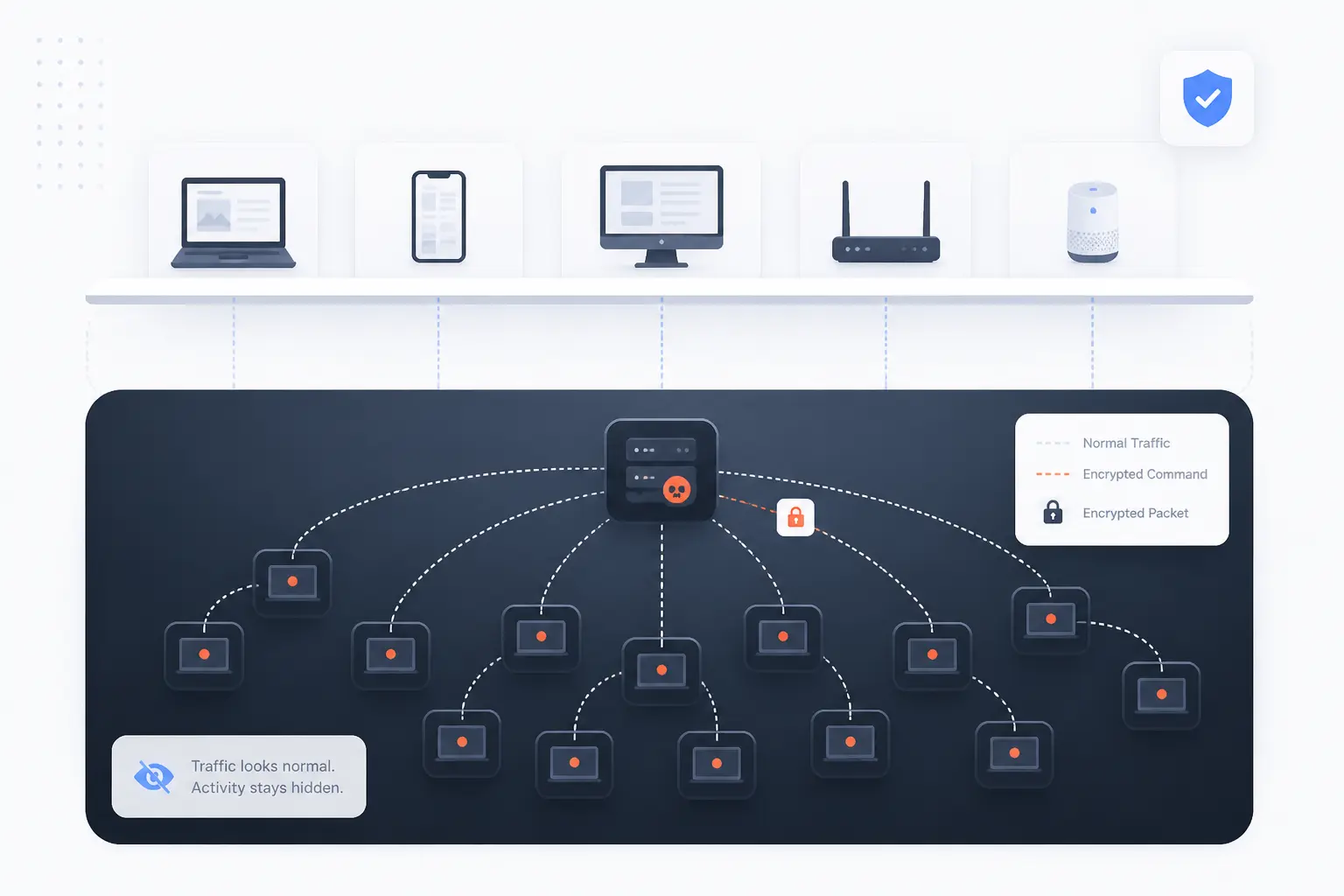
Botnets are hard to detect because they hide inside legitimate devices and often communicate in small, ordinary-looking bursts. They are hard to shut down because control infrastructure can move, split, encrypt traffic, or use peer-to-peer designs. Cleaning one device does not clean the whole network. Taking down one server may not stop the malware if backup channels remain.
Evasion Tactics That Hide Botnet Activity
Botnet malware hides by blending into normal traffic, changing infrastructure, and limiting obvious damage to the infected device. It may use encryption, common web ports, domain generation, proxy chains, or delayed execution. Some variants sleep until a command arrives.
Attackers also rotate indicators. A domain that is active this week may vanish next week. IP addresses may point to compromised servers or short-lived cloud resources. File hashes may change after minor code edits.
This is why security teams avoid relying on one clue. They combine endpoint behavior, DNS patterns, outbound connections, authentication logs, and threat intelligence. One odd signal may be noise. Several odd signals together tell a story.
Warning Signs Your Device May Be Compromised
The most useful warning signs are unusual network traffic, unexplained slowdowns, changed settings, unknown processes, and login alerts you did not trigger. A home router that runs hot, reboots often, or shows strange DNS settings deserves attention. A server that suddenly sends mail, scans ports, or consumes CPU at odd hours deserves immediate investigation.
Other signs include antivirus alerts, browser redirects, unknown admin users, disabled security tools, and unfamiliar scheduled tasks. On websites, you may see spam pages, suspicious redirects, or files you did not upload.
None of these signs proves botnet infection by itself. Still, we would rather investigate early than explain later why a server joined an attack. A quick log review beats a painful cleanup.
How Security Teams Disable Control Centers and Clean Devices
Security teams fight botnets by disrupting control paths, blocking abuse, notifying victims, and removing malware from infected devices. Law enforcement, hosting providers, registries, researchers, and internet service providers may all be involved. The work is both technical and legal.
A common method is sinkholing. Defenders redirect malicious domains or traffic to systems they control, which helps identify infected machines and cut off attacker commands. In other cases, investigators seize servers, suspend hosting accounts, block domains, or push cleanup guidance through providers.
Cleaning still has to happen at the device level. That may mean removing malware, rotating passwords, patching software, rebuilding servers, or replacing unsupported hardware. If the root cause remains, the device can be captured again.
How to Protect Devices From Joining a Botnet
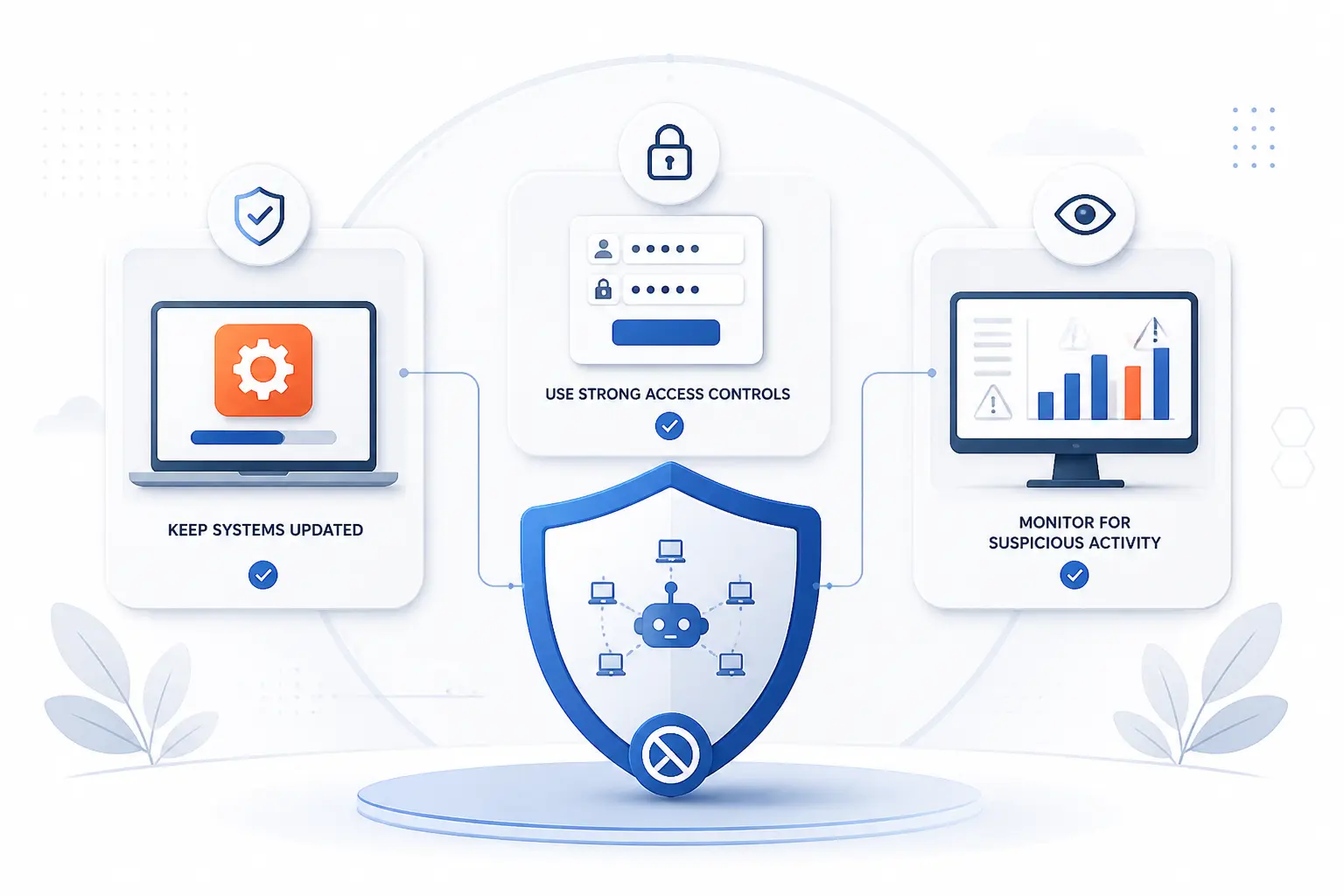
You protect devices from joining a botnet by reducing the chances of infection, limiting what malware can do, and watching for strange behavior. Patching closes known holes. Strong authentication blocks easy takeovers. Monitoring helps catch abuse before it grows. No single step is enough, but a few disciplined habits make a real difference.
Keep Software and Firmware Updated
Keeping software and firmware updated removes many of the known weaknesses botnet malware scans for. Attackers often automate exploitation of old router bugs, outdated CMS plugins, abandoned libraries, and exposed services. If the fix is available and you do not apply it, the attacker’s job gets easier.
For websites, update the CMS core, themes, plugins, server packages, and control panel software. For routers and cameras, check the vendor’s firmware page or admin interface. If a device no longer receives security updates, plan to replace it.
We prefer boring maintenance over heroic incident response. Patching is not exciting. Neither is locking your door, but it still works.
Use Strong Passwords and Restrict Untrusted Code
Strong passwords and restricted code execution stop many simple botnet infections before they start. Change every default password. Use long, unique passwords. Turn on multi-factor authentication where available, especially for hosting panels, email, domain accounts, and cloud dashboards.
CISA has urged manufacturers to remove shared default passwords, and its manufacturer alert explains why relying on users to fix insecure defaults is a weak strategy. Buyers should still do their part. During setup, assume factory settings are temporary, not safe.
Also limit untrusted code. Do not install nulled themes, cracked plugins, pirated apps, random browser extensions, or scripts from unknown sources. Free software with hidden malware is not free. It is a bill waiting to arrive.
Monitor Traffic and Use Security Tools
Monitoring traffic and using security tools helps catch botnet behavior that prevention misses. On servers, watch outbound email volume, CPU spikes, failed login patterns, DNS requests, and connections to unusual destinations. On home networks, review router logs if available and use reputable endpoint protection on computers.
For businesses, intrusion detection, web application firewalls, endpoint detection, and centralized logs can provide useful signals. The goal is not to collect every possible alert. The goal is to notice when a device starts acting unlike itself.
Response plans matter too. Know how to isolate a server, reset credentials, restore from clean backups, and contact your provider. During an incident, a written plan keeps panic from driving the keyboard.
Notable Botnet Examples and What They Show
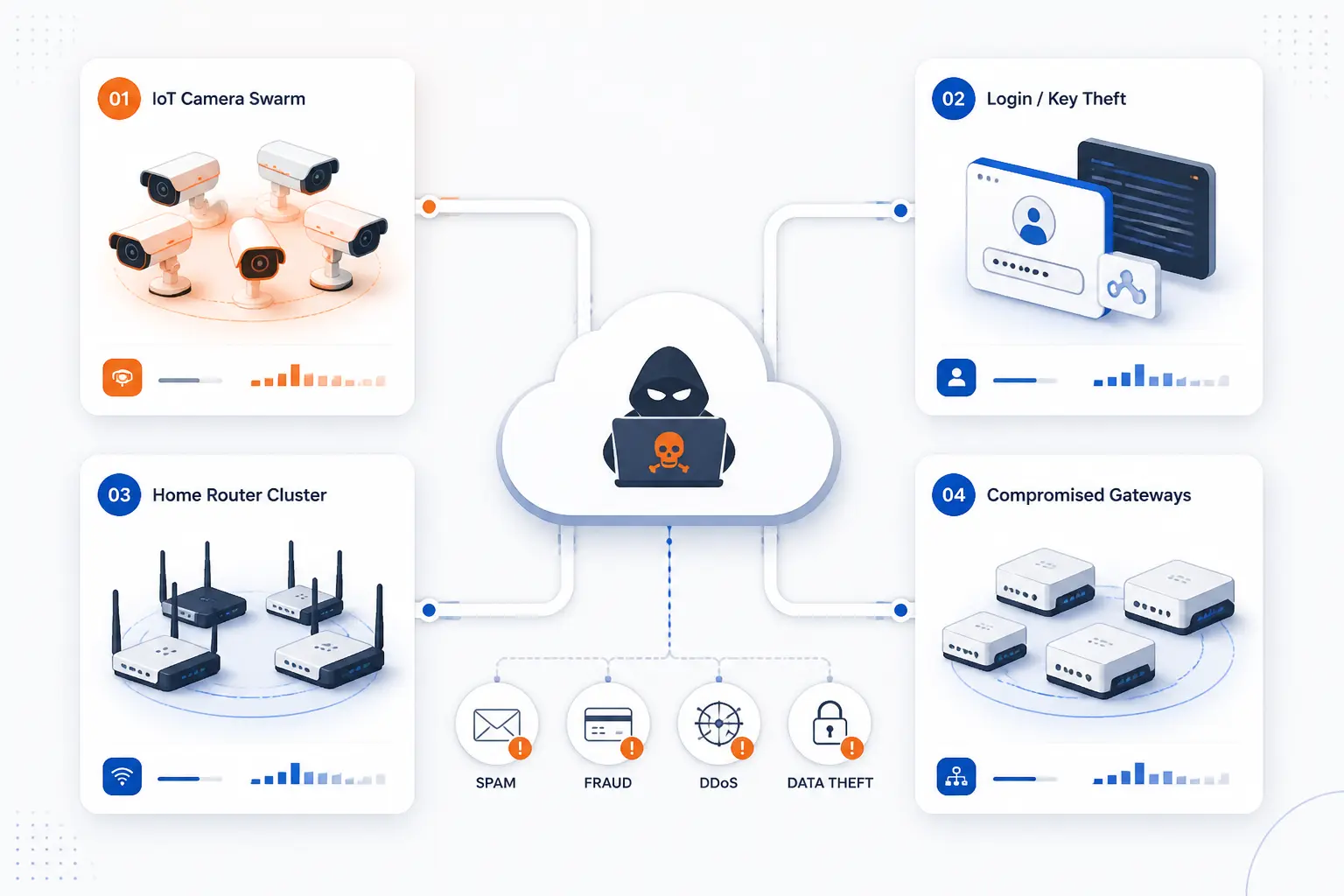
Notable botnet cases show that attackers adapt to whatever devices are easiest to capture. Mirai showed the danger of insecure IoT devices. Zeus and GameOver Zeus showed how credential theft can become organized financial crime. Gafgyt, Mozi, and similar campaigns showed that routers and gateways are prime targets, not background equipment.
Mirai and the Rise of IoT-Based DDoS
Mirai showed that poorly secured IoT devices could power major DDoS attacks. It spread by scanning for devices using weak or default login credentials, then turning them into attack nodes. Cameras, recorders, and routers became part of the same weapon.
The Justice Department announced 2017 guilty pleas involving the creation and operation of Mirai-related and click-fraud operations, including infections of large numbers of IoT devices. That case remains one of the clearest public lessons in internet hygiene. A cheap device with a bad password can help knock someone else offline.
Mirai also changed attacker behavior. Its source code was released publicly, which helped spawn variants. Once a working model exists, copycats rarely need permission.
Zeus and GameOver Zeus in Financial Theft
Zeus and GameOver Zeus showed how botnets could become financial theft platforms. Instead of only causing disruption, these infections targeted banking credentials and payment flows. Victims included consumers, businesses, and financial institutions.
GameOver Zeus was especially difficult because it used a decentralized structure. The FBI and partners disrupted it in 2014 through a coordinated operation that combined legal orders, technical redirection, and victim notification. The case matters because it proves takedown work is possible, but rarely simple.
For us, the lasting lesson is that account security and infrastructure security are tied together. A stolen credential can start on a laptop and end with a business bank account, hosting account, or domain account in trouble.
Gafgyt, Mozi, and Router-Focused Campaigns
Gafgyt, Mozi, and related campaigns show that routers and gateways are high-value targets. These devices sit at the edge of networks, stay online, and often expose management services. If compromised, they can scan, relay traffic, or help attackers reach deeper systems.
Microsoft researchers described Mozi as a peer-to-peer operation that targeted IoT devices and later developed persistence on gateways from Netgear, Huawei, and ZTE. That detail matters because routers are not passive cables with blinking lights. They are computers, and they need the same respect.
Gafgyt has also been associated with attacks against exposed IoT and Linux-based devices. The pattern is familiar: scan, guess or exploit, install, report, repeat. Attackers love repeatable work.
Frequently Asked Questions
This FAQ answers the practical questions beginners ask once they understand the basic idea. A botnet is simple to define, but the personal next steps are less obvious. The short version is this: look for unusual behavior, clean devices carefully, and remember that creating or operating one is a serious crime.
How Do I Know If I Am in a Botnet?
You may be in a botnet if your device shows unusual traffic, sudden slowdowns, strange login alerts, unknown processes, or settings you did not change. On a website or server, warning signs include spam scripts, unfamiliar files, high outbound email volume, or suspicious CPU use. These signs are not proof by themselves, but they are enough to investigate.
How Do I Remove Botnet Malware?
You remove botnet malware by isolating the device, scanning it with trusted security tools, patching the exploited weakness, and changing passwords from a clean device. For servers, we often prefer rebuilding from a known-clean backup if system integrity is doubtful. For routers and IoT devices, update firmware, reset to factory settings if needed, and replace unsupported hardware.
How Illegal Is a Botnet?
Creating, renting, selling, or operating a botnet is illegal in many jurisdictions because it involves unauthorized access, malware, fraud, or service disruption. Even “testing” against systems you do not own can cross legal lines fast. If you need security testing, use written authorization and a clearly defined scope.
What Is the Difference Between a Botnet and a DDoS Attack?
A botnet is the network of infected devices, while a DDoS attack is one possible action that network can perform. Think of the botnet as the army and the DDoS attack as one order given to it. The same botnet may also send spam, steal credentials, mine cryptocurrency, or run brute-force attacks.
How 1Byte Helps Reduce Botnet Risk
At 1Byte, we help reduce botnet risk by giving website owners and businesses a cleaner foundation for domains, certificates, hosting, and cloud infrastructure. Domain registration and SSL certificates protect the public front door. WordPress hosting and shared hosting support better day-to-day website hygiene. Cloud hosting and cloud servers give customers more isolation and control, and 1Byte is an AWS Partner for organizations building on AWS-related cloud paths.
| 1Byte service | Practical connection to botnet risk |
|---|---|
| Domain registration | Protects a critical account attackers may target for redirects or impersonation |
| SSL certificates | Encrypts site traffic and supports safer user interactions |
| WordPress hosting and shared hosting | Supports routine site operation where updates and credential hygiene matter |
| Cloud hosting and cloud servers | Provides clearer boundaries for workloads and administrative control |
Domain Registration and SSL Certificates for a Safer Front Door
Domain registration and SSL certificates help protect the first place users meet your business: the domain and the encrypted website connection. A stolen domain account can be abused for redirects, phishing, or traffic interception. A properly issued SSL certificate helps users connect to the intended site with encrypted transport.
These pieces do not remove malware from an infected laptop. They do reduce common paths for confusion and impersonation. We see them as basic locks on the front door, not as decorative security badges.
WordPress Hosting and Shared Hosting With Stronger Everyday Hygiene
WordPress hosting and shared hosting reduce risk when site owners keep software, plugins, themes, and passwords under control. Many website compromises begin with old CMS components or weak admin credentials. Once a site is compromised, it may host phishing pages, send spam, or distribute malicious files.
Our practical view is simple. Hosting is part of the security stack, but the customer’s website habits still matter. Use unique admin passwords, remove unused plugins, update regularly, and keep clean backups.
Cloud Hosting and Cloud Servers With Better Isolation and Control
Cloud hosting and cloud servers help reduce botnet risk by giving workloads clearer boundaries and more direct administrative control. Isolation matters because one compromised workload should not freely spill into everything else. Control matters because teams need to patch, monitor, restrict access, and rebuild systems when needed.
As an AWS Partner, 1Byte can fit into cloud discussions where businesses need a practical path for hosting and server decisions. We will not pretend infrastructure alone solves botnets. Good infrastructure gives disciplined teams a better place to do the right things.







Conclusion
A botnet is dangerous because it turns ordinary devices into coordinated tools for someone else. The infected laptop, router, camera, server, or phone may look normal, but it can still take orders in the background. That is the quiet cruelty of the problem.
The best defense is not mysterious. Patch software and firmware. Change default passwords. Use strong, unique credentials. Restrict untrusted code. Watch traffic and logs. Replace devices that no longer receive security fixes.
We believe the healthiest mindset is shared responsibility. Device makers must ship safer products, providers must watch for abuse, and owners must maintain what they connect to the internet. If you manage a website or server, start with one concrete step today: review your passwords, updates, and exposed services before an attacker does.