
- Compare the Options and Understand Our Selection Process
- Top 10 Best AI Logo Generators to Consider
- 5 More Logo Generators Worth Considering
- Understand What an AI Logo Generator Actually Creates
- When to Use AI and When to Hire a Logo Designer
- Turn a Brand Brief Into a Usable Logo
- Frequently Asked Questions About AI Logo Generators
- Conclusion
Looka is our best AI logo generator pick for a guided branding workflow, while Canva suits ongoing design work. Design.com deserves a shortlist when you want matching business materials. Wixel is particularly appealing for free vector downloads, and ChatGPT works better for exploring visual concepts than delivering finished artwork.
We researched official product pages, documentation, pricing information, and independent reviews to compare these options. We did not conduct hands-on testing. Our focus is practical: what you can edit, what downloading costs, which files you receive, and what still needs checking before launch.
Compare the Options and Understand Our Selection Process
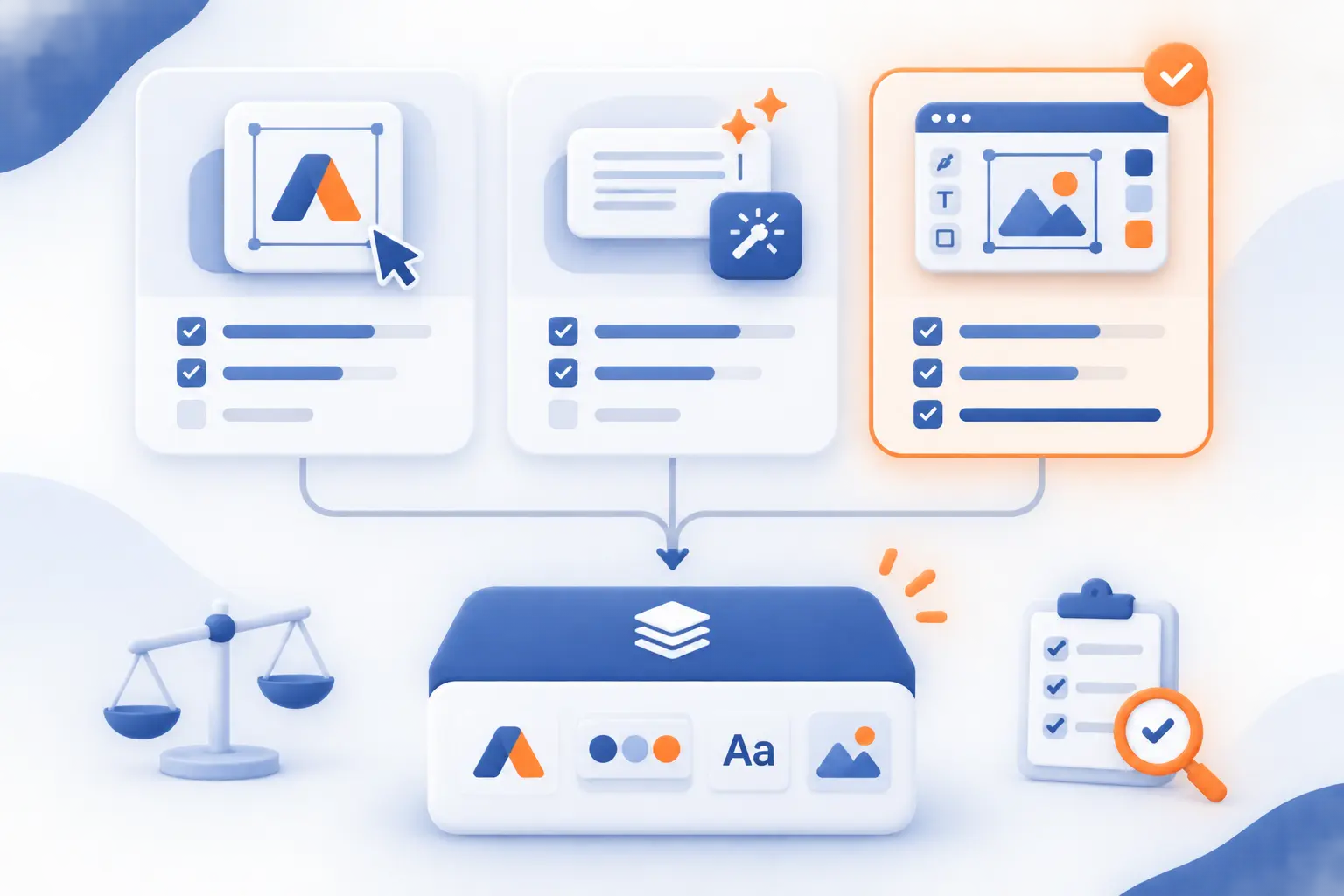
The right choice depends more on editable files and purchase terms than attractive previews. We separate guided logo builders, prompt-based image generators, and broader design editors. Our rankings favor a clear route from an idea to usable brand assets, with deductions for unclear pricing or limited production controls.
FURTHER READING: |
| 1. 15 Best AI Video Editor Tools for Better Videos |
| 2. Best AI PowerPoint Generator: 15 Tools Compared |
| 3. Best AI Resume Builder: 15 Tools Compared by Need |
Best AI Logo Generators Compared by Use Case, Download Cost, Editing, and File Formats
Use this comparison to identify the workflow you need before comparing individual packages. Download costs below describe the purchase model, while verified amounts appear within the reviews. N/A means the pages we opened did not establish that detail clearly.
| Tool | Best for | Download cost | Editing | Advertised file formats | Score |
|---|---|---|---|---|---|
| Looka | Guided branding and matching materials | Paid package or annual subscription | Fonts, colors, symbols, layouts | PNG, EPS, SVG, PDF | 4.7 |
| Design.com | Business materials around a selected logo | Selected free designs or subscription | Fonts, colors, layouts, AI-assisted icon changes | EPS, SVG, PDF, PNG, JPG | 4.6 |
| Canva AI Logo Generator | Generating concepts inside a design workspace | Free access with paid upgrades | Prompt revisions and editor tools | N/A for the generator’s specific export package | 4.5 |
| Tailor Brands Logo Maker | Branding alongside business setup tools | Subscription purchase | Built-in fonts, icons, colors, layouts | EPS, SVG, PNG | 4.3 |
| Fiverr Logo Maker | Designer-created starting artwork | Paid package | Smart editor, package-dependent revisions | PNG, SVG on eligible packages | 4.3 |
| Wixel Logo Maker | Free downloads with vector options | Free downloads, paid AI credit upgrades | Fonts, colors, icons, AI changes | SVG, PNG, JPG | 4.2 |
| ChatGPT | Conversational concept development | Free access with paid subscriptions | Conversational and selected-area image edits | N/A for a dedicated production package | 4.1 |
| Brandmark | One-time branding packages | One-time purchase | Browser editing and revisions | SVG, PNG, PDF | 4.0 |
| LogoAI | Connected brand assets and visual content | Paid trial followed by subscription | Generation, brand kit, Design Studio | SVG, PNG, PDF | 3.9 |
| Logomaster.ai | Focused generate-edit-download workflow | Paid download package, amount N/A | Fonts, colors, layout adjustments | PNG, SVG and other package-dependent files | 3.8 |
The scores are our editorial judgments, not independent customer ratings. Available formats describe vendor claims, not a guarantee that every exported object remains separately editable.
How Published Tests, Source Consensus, and Current Product Pages Informed the Rankings
Official documentation determined product capabilities, while independent reviews helped identify purchase risks and usability concerns. We also considered published walkthroughs where available. For example, an independent review documented confusing subscription choices and upgrade prompts, which we checked against the vendor’s purchasing information.
We applied the same criteria across the ranked tools:
- Capability fit: We judged whether the documented workflow supports useful brand concepts rather than attractive images alone.
- Editing and production readiness: We considered typography controls, revisions, transparent backgrounds, and advertised vector exports.
- Value and purchase clarity: We assessed download costs, recurring charges, package restrictions, and the visibility of pricing.
- Brand continuity: We considered whether the tool carries approved colors, typography, and artwork into related business materials.
- Evidence and buyer confidence: We weighed documentation quality, independent review coverage, and clarity around commercial-use limitations.
We did not average customer ratings into our scores. Broader platform reviews also do not prove that a particular logo feature performs well. Where public prices failed to render, we disclose the gap rather than borrow amounts from search snippets.
Top 10 Best AI Logo Generators to Consider
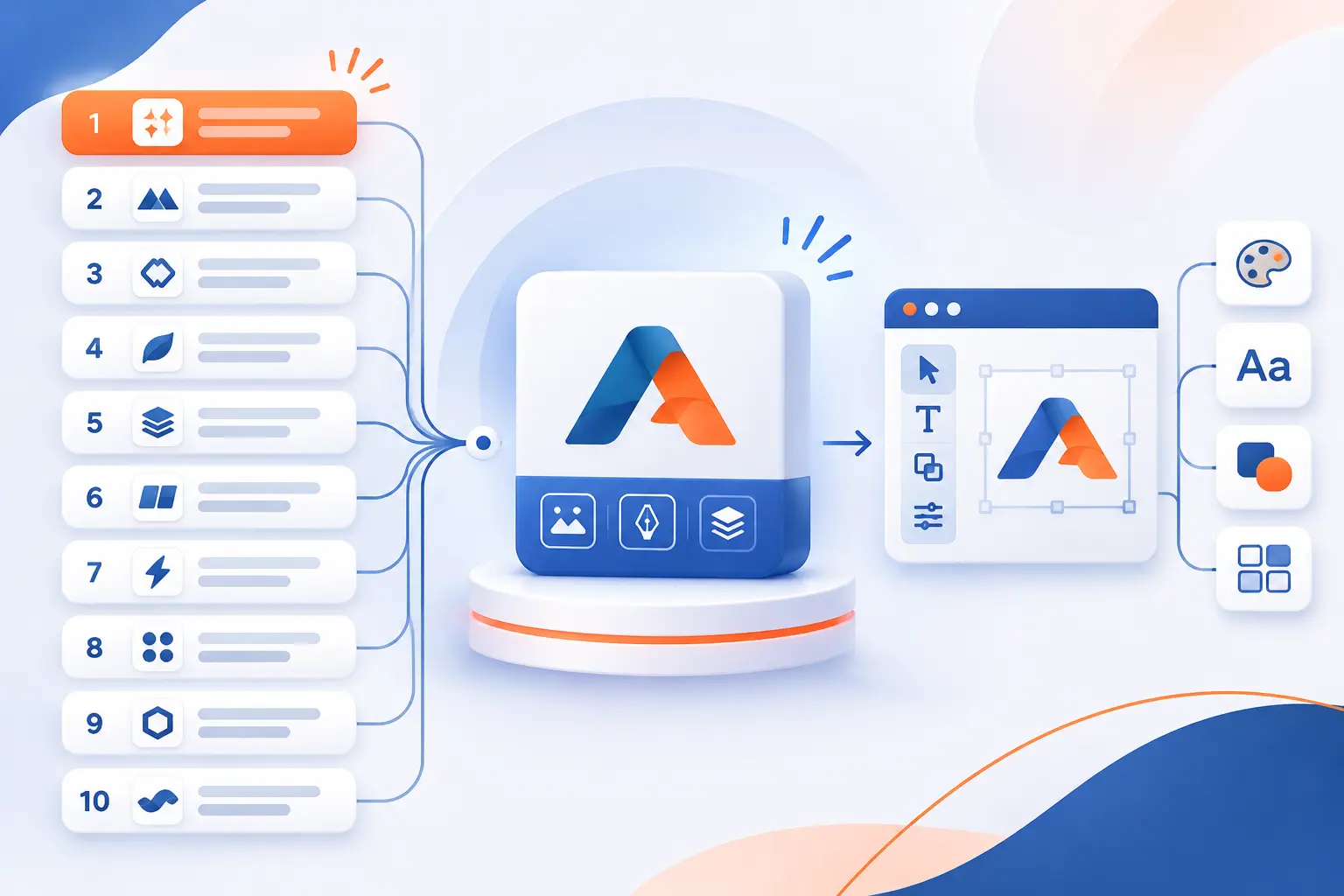
Looka leads our shortlist for a guided branding purchase, but each tool serves a different buyer. Choose an editor when you expect ongoing design work. Favor a dedicated builder when predictable layouts and downloadable assets matter more than open-ended image generation.
1. Looka

- Category: Guided logo builder and branding platform
- Best for: Founders who need matching launch materials
- Ease of use: Preference-led setup with browser editing
- Pricing: Paid downloads or annual Brand Kit subscriptions
- Standout feature: Branded templates built around your chosen design
Matching launch materials make this our strongest starting point for a small business building its identity from scratch. The attraction is the connection between the logo and everything that follows. You can move toward business cards, social graphics, and brand guidelines without rebuilding the visual direction elsewhere.
We place it first because its documented workflow balances guidance with practical deliverables. It also separates a logo-only purchase from ongoing branding access. That distinction matters when you want usable artwork but do not need another subscription.
How Looka works
Start with your company name and industry, then select preferred styles, colors, and symbols. The platform uses those choices to generate alternatives. Its documented creation workflow then moves into an editor for colors, fonts, and layouts, with undo and save controls.
After choosing a direction, decide whether you need logo files alone or the Brand Kit. The latter applies your visual identity to business materials. Entering company details also populates relevant templates, reducing repeated address and contact edits.
We recommend choosing the underlying mark before reviewing every branded mockup. A convincing business-card preview can make an ordinary symbol look more distinctive than it is. Compare the artwork without presentation effects, then check the matching materials.
Who is Looka for?
We would shortlist it for consultants, local businesses, and founders assembling their initial website and marketing materials. The guided choices suit buyers who have preferences but cannot describe a visual concept precisely.
Choose another route if your identity depends on custom lettering or a carefully developed original illustration. Published editing controls are useful, but they do not replace a designer’s ability to reshape every contour. Buyers who already have approved artwork may also gain less from its generation workflow.
Looka pricing
The public pricing page establishes the packages, but its dollar amounts did not render during our research. An older help article provides logo-only amounts, which we treat as indicative rather than checkout-confirmed.
- Basic Logo Package: The help center quotes $20 as a one-time purchase, with a low-resolution PNG download and access to design changes.
- Premium Logo Package: The same article quotes $65 once. The pricing page lists high-resolution file types, transparent variations, post-purchase changes, and ownership.
- Brand Kit Subscription: Annual billing, with the amount not displayed in the page we opened. Includes logo files, customizable branded assets, social materials, and brand guidelines.
- Brand Kit Web Subscription: Annual billing, with the amount not displayed. Adds an AI-generated website to the Brand Kit package.
Confirm the payable amount and included files using the package and billing comparison before purchasing.
Pros and cons
Pros
- Premium explicitly includes PNG, EPS, SVG, and PDF files.
- Logo-only packages avoid mandatory annual branding access.
- The Brand Kit includes business cards, invoices, email signatures, and guidelines.
Cons
- Basic is described as a low-resolution download, making it a weak production choice.
- Brand Kit access renews annually rather than functioning as a permanent asset-library purchase.
- Public pricing amounts were less transparent than the package descriptions.
Looka rating and reviews
Customer feedback supports the appeal of guided creation, although it also flags interface and account-management frustrations.
- Trustpilot: rated 4.4/5 across 14,481 reviews.
The review page highlights praise for support and approachable tools. Some customers report navigation difficulties and unclear purchase flexibility. We would choose the file package first, then add ongoing branding access only when the templates have a clear job.
2. Design.com

- Category: Branding and business-design platform
- Best for: Creating related materials around a selected logo
- Ease of use: Guided generation with editable results
- Pricing: Selected free designs and paid subscriptions
- Standout feature: Connected tools for print, social, and websites
A broad collection of business-design tools gives this option an advantage when your shopping list extends beyond a logo. The product includes business cards, social graphics, websites, presentations, and other formats. We rank it highly for buyers who want those materials to follow the same visual direction.
Its purchasing rules deserve careful attention, however. A subscription is attached to a selected logo, not an unrestricted collection of separate brand identities. That makes it more suitable for developing a business than producing unrelated client brands.
How Design.com works
Enter your business name and optional keywords, or describe the business through its AI interface. Generate alternatives, narrow the results, and customize a preferred design. The official generation and customization explanation describes keyword filtering and conversational changes to logo icons.
Once the artwork is settled, use it across the platform’s other design tools. The workflow is especially relevant when the same buyer handles website graphics, stationery, and social posts. It keeps those jobs connected instead of treating the logo as an isolated download.
We would still review each derived design individually. A suitable logo does not automatically produce the best layout for a flyer or presentation. Check text placement, cropping, and background contrast before exporting each asset.
Who is Design.com for?
We would shortlist it for local businesses, independent professionals, and founders who need several kinds of branded content. Its mix of templates and editing is useful when you want structured choices rather than a completely blank canvas.
Agencies creating unrelated logos should examine the purchase model before committing. The purchasing FAQ says a new logo needs an additional subscription. We also prefer a specialist designer for an identity that requires substantial custom illustration or strategic positioning work.
Design.com pricing
The vendor describes these as typical monthly prices, not guaranteed checkout amounts. Annual discounts and promotional offers can change the payable total.
- Starter, Logo Pack: Typically US$25/month. Includes high-resolution and vector files, logo edits, branding templates, and a basic website builder.
- Value, Logo Pack + Website: Typically US$34/month. Includes the Starter features and the premium website builder.
- Premium, Logo Pack + Website + More: Typically the same monthly amount as Value. Adds the Link in Bio creator and digital business card maker.
- Selected free logos: No download charge for eligible designs. The general FAQ lists vector and high-resolution raster files for these selections.
Check the subscription and purchasing terms for the actual offer and cancellation conditions.
The FAQ says canceled subscribers retain their logo license and design files. That is different from retaining ongoing access to every subscription feature. Keep your approved exports before ending a plan.
Pros and cons
Pros
- Advertised downloads include EPS, SVG, PDF, PNG, and JPG.
- Eligible free designs include production-oriented file options.
- Related tools cover business cards, social content, email signatures, and websites.
Cons
- A purchased subscription covers the selected logo rather than unrelated new identities.
- Physical printing requires a separate payment.
- Reviewers report unexpected renewals and uncertainty around subscription charges.
Design.com rating and reviews
Independent feedback is positive overall, but billing deserves as much attention as the editor.
- Trustpilot: rated 4.7/5 across 4,634 reviews.
The page highlights approachable navigation, templates, and helpful support. It also records complaints about recurring charges and payment disputes.
Our verdict is straightforward: shortlist it for a connected branding workspace, but read the renewal terms before downloading. Buyers seeking a permanent logo-only transaction should compare the one-time alternatives.
3. Canva AI Logo Generator

- Category: Prompt-based generation within a design editor
- Best for: Continuing from concepts into everyday marketing designs
- Ease of use: Prompt-led creation with visual editing
- Pricing: Free access and paid workspace plans
- Standout feature: Generated artwork can move into the broader editor
Keeping generated concepts inside a familiar design workspace is the main reason to choose this option. You can create an image, revise the direction, and continue with social posts or presentations. That makes it especially attractive when the logo is only part of your content workload.
We rank it below the dedicated builders because a generated image and a production-ready identity are different purchases. The editor adds flexibility, but the generator’s product page does not establish a complete, separately editable vector package.
How Canva AI Logo Generator works
Type a prompt on the generator page, then sign in or create an account. Generate the image, adjust the wording or style if necessary, and regenerate. You can download the result, save it to uploads, or open it in the editor for further work.
The page also lists image-editing tools such as selective color changes and Magic Eraser. These can help refine a concept or remove unwanted details. They should not be confused with direct control over every letter or path in an illustration.
Our recommendation is to keep the business name as editable text whenever possible. Generate the visual direction, then assess whether the final lettering should be rebuilt. This avoids relying on a finished image when later typography changes are likely.
Who is Canva AI Logo Generator for?
We would shortlist it for creators, marketers, and small teams already producing varied content. Its strongest commercial case is continued use after the logo decision. A workspace subscription is easier to justify when it also supports recurring campaign work.
Look elsewhere if you only need a finished identity package and want minimal production decisions. Buyers seeking trademark protection must also distinguish original work from stock graphics and shared templates. Those asset types do not come with the same exclusivity assumptions.
Canva AI Logo Generator pricing
These are the annual US plan amounts displayed on the pricing page we opened. They purchase workspace access, not a custom logo commission.
- Free: No subscription charge. Includes the editor, limited AI access, templates, and a restricted Brand Kit.
- Pro: US$144/year for an individual. Includes premium content, expanded AI access, Brand Kits, and social scheduling.
- Business: US$250/year per person. Includes approvals, enhanced brand controls, collaboration features, and a larger AI allowance.
- Enterprise: Custom pricing. Includes advanced governance, organizational administration, security features, and integrations.
Review the annual workspace plan comparison for regional prices, allowances, and available billing options.
We would not upgrade solely because a generated preview looks promising. First check the download options and whether your intended assets require paid access. Then decide whether the ongoing workspace features justify renewal.
Pros and cons
Pros
- Generated results can be saved to uploads and reopened in the editor.
- Selective color editing and Magic Eraser support image cleanup.
- Business plans add approvals and shared brand-management features.
Cons
- The generator page does not clearly promise separately editable vector components.
- AI allowances are shared across eligible tools rather than dedicated entirely to this task.
- G2 reviewers identify paid-feature restrictions and limited advanced design controls as recurring concerns.
Canva AI Logo Generator rating and reviews
The available independent score evaluates the full platform, not this generator alone.
- G2: rated 4.7/5 across 7,816 reviews.
Review themes favor approachable everyday design and ready-made templates. Some users report subscription-cost concerns, navigation clutter, and limitations on advanced work.
We see this as a strong workspace choice rather than the safest standalone production package. Choose it when the designs you will create afterward matter almost as much as the initial logo.
4. Tailor Brands Logo Maker

- Category: Guided logo builder within a business platform
- Best for: Founders combining branding with business setup
- Ease of use: Structured choices and built-in design elements
- Pricing: Subscription purchase, public logo-only amount unconfirmed
- Standout feature: A Primary Logo used across connected tools
Business setup integration is the strongest reason to put this option on your shortlist. The surrounding platform includes websites, digital cards, printed merchandise, and business services. Its appeal grows when you want several startup tasks under the same account.
We would not choose it for unrestricted artistic control. The support documentation openly describes a structured editor rather than a system for highly customized artwork. That honesty is useful because the marketing page’s customization language is broader.
How Tailor Brands Logo Maker works
In Tailor Studio, open the Logos tab and enter your business name and tagline. Provide business details, then choose a name-based, initial-based, or icon-based direction. Select font preferences and review the suggested designs.
The editor instructions and limitations explain the next steps. Choose “Love it!” to accept a result, or customize its colors, fonts, and layout. A saved design can become your Primary Logo through its options menu.
That Primary Logo appears in connected tools when you begin using them. However, changing it later does not automatically update designs you already created. We would finalize the identity before generating a batch of business cards or social materials.
Who is Tailor Brands Logo Maker for?
We would consider it for founders who value a guided setup and expect to use the surrounding business tools. Wordmarks, monograms, and icon-led layouts give beginners understandable starting points.
It is less suitable for custom lettering, specialist illustration, or brands requiring uploaded design components. The documentation says you cannot upload your own fonts, icons, or photos into the logo editor. Individual letterforms and icon shapes also cannot be modified beyond the available options.
Those restrictions matter more than the number of generated alternatives. If your business depends on a distinctive symbol, check the editor’s boundaries before paying for a subscription.
Tailor Brands Logo Maker pricing
We could verify subscription-based purchasing, but not a current public dollar amount or dependable logo-only tier comparison. The general pricing page focuses on LLC packages, so we will not substitute those business-formation prices.
- Logo subscription: Checkout price not verified. The product page advertises downloadable artwork, branded assets, and access to connected design tools, with package eligibility requiring confirmation.
- Business-service packages: Separately configured purchases. Do not assume an LLC plan and a logo subscription have identical inclusions, renewal dates, or cancellation terms.
Use the public package information as a starting point, then confirm the logo offer inside your account.
The rights documentation says previously downloaded assets remain usable after a subscription expires. That does not mean all editing access continues indefinitely. We recommend downloading the approved files before canceling and retaining the purchase confirmation.
Pros and cons
Pros
- The product page advertises EPS, SVG, and PNG downloads.
- Name-based, initial-based, and icon-based workflows provide clear starting choices.
- A Primary Logo connects the identity to other platform tools.
Cons
- The logo editor does not accept uploaded fonts, icons, or photos.
- Existing designs do not automatically update when the Primary Logo changes.
- We could not establish current logo-only pricing from the public pages.
Tailor Brands Logo Maker rating and reviews
The independent score covers the broader business platform, including formation services.
- Trustpilot: rated 4.8/5 across 18,166 reviews.
Customers frequently praise staff guidance and business setup assistance. Other reviews raise cancellation difficulties and unexpected fees. These themes inform purchase confidence, not the visual quality of generated marks.
We would shortlist it for coordinated business setup, but request a clear subscription summary before buying. For branding alone, more transparent standalone packages are easier to compare.
5. Fiverr Logo Maker
- Category: Automated customization of designer-created artwork
- Best for: Buyers who prefer a human-designed starting point
- Ease of use: Guided matching and a smart editor
- Pricing: One-time download packages
- Standout feature: A connection between automated selection and designer assistance
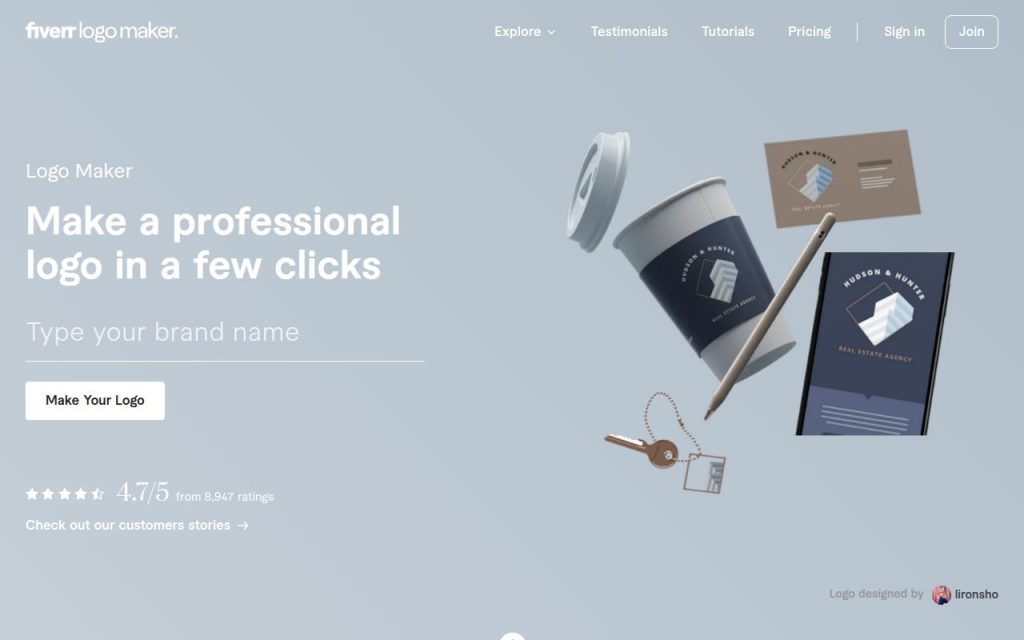
Designer-created starting artwork separates this option from a general image chatbot. The system matches your business with existing designs and adapts the selected direction. We like that middle ground for buyers who want structured artwork without beginning a fully commissioned project.
However, this is not the same engagement as hiring a freelancer to research and develop an exclusive identity. The automatic workflow remains central. Any additional designer work should be evaluated as a separate scope.
How Fiverr Logo Maker works
Enter your brand name and describe the business, industry, and services. Provide preferences about style and brand values, then review matched designs. The smart editor allows adjustments to colors, fonts, shapes, and related visual choices.
When the result is ready, choose a download package. That package affects both file access and your ability to create later revisions. This makes the purchase decision more consequential than simply selecting a higher-resolution image.
The product page also describes requesting a designer’s professional touch. We would use that route for specific refinements that the editor cannot produce. Define the exact change first, such as altered lettering or an adjusted symbol, rather than assuming an open-ended redesign is included.
Who is Fiverr Logo Maker for?
We would shortlist it for independent businesses that like a recognizable design direction and want a relatively contained purchase. It suits buyers comfortable choosing among professional starting layouts.
Look elsewhere if your brief requires original discovery, competitor research, or a symbol developed exclusively around your business story. Those needs belong in a commissioned project with a written scope. Buyers expecting frequent seasonal variants should also avoid choosing a package that restricts revisions.
Our practical advice is to check every letter and tagline before checkout. The lowest package explicitly removes editing after purchase. A spelling correction discovered afterward is therefore a purchase consideration, not a minor detail.
Fiverr Logo Maker pricing
- Essential: US$30. Includes high-quality PNG files, transparent-background versions, and commercial-use rights. The logo cannot be edited after checkout.
- Professional: US$60. Adds scalable SVG artwork, branding materials, and an additional downloadable revision.
- Unlimited: US$90. Includes the broader branding package and unlimited downloadable revisions through the online editor.
Compare the download packages and revision rules before choosing the least expensive option.
We consider the middle package the more practical starting point when print production is likely. The lowest tier is easier to justify when the design is final and the intended uses are straightforward. Frequent changes make the upper package more relevant.
Commercial-use rights are valuable, but they should not be read as automatic trademark clearance. The purchase provides the stated usage permissions, not a guarantee that no competing business has a similar identity.
Pros and cons
Pros
- Starting artwork comes from designers rather than an unrestricted image prompt alone.
- Package descriptions clearly distinguish PNG downloads from scalable SVG access.
- The upper package supports repeated revisions and downloads.
Cons
- Essential blocks editing after checkout.
- Professional limits additional downloadable revisions.
- G2 reviewers report varying design quality and customization limits for complex needs.
Fiverr Logo Maker rating and reviews
The independent listing evaluates this product specifically rather than the entire freelance marketplace.
- G2: rated 4.4/5 across 59 reviews.
Reviewers praise the selection and approachable customization. Some want more flexibility for complex designs, which aligns with the difference between automated matching and a bespoke commission.
We would choose this when a suitable starting design already exists and the package fits your revision needs. If every promising result needs substantial reconstruction, move directly to a designer.
6. Wixel Logo Maker

- Category: AI-assisted design platform and logo builder
- Best for: Free downloads with vector options
- Ease of use: Guided creation with visual customization
- Pricing: Free plan and paid AI credit subscriptions
- Standout feature: Download access is not reserved for paid tiers
Free SVG downloads make this one of the most interesting budget options in our research. The official product page promises downloadable artwork in several formats without a purchase. That changes the comparison with services that are free only until export.
The linked page now presents Wixel rather than simply repeating the older Wix Logo Maker positioning. We therefore evaluate the Wixel workflow shown there. We would not apply historical Wix package prices to this product.
How Wixel Logo Maker works
Enter your business name or begin with a predesigned template. Sign in or create a Wixel account, answer questions about the brand, and select a design. Adjust its colors, fonts, and icons before downloading.
The product page lists SVG, transparent PNG, and JPG options. You can also build a brand theme for other designs created inside the platform. This makes the tool relevant beyond a single image export.
AI generation and AI editing consume credits. The separate credit usage documentation explains that complexity affects consumption. It also distinguishes monthly plan credits from purchased top-ups.
We recommend reviewing the brief before generating repeatedly. Credit-based workflows reward clear decisions about the name, style, and intended use. Manual refinements and carefully scoped requests are easier to budget than endless regeneration.
Who is Wixel Logo Maker for?
We would shortlist it for side projects, early-stage businesses, and buyers who need downloadable files before committing to a paid workspace. The vector option is especially attractive when a project may later need larger print applications.
High-volume users should assess credit consumption before assuming the free plan covers ongoing work. We also would not treat the absence of a download charge as proof of legal exclusivity. Artwork still needs review before a serious commercial launch.
Its limited independent product-review history also matters. The documented offer looks useful, but the available review evidence is thinner than for several established platforms above it.
Wixel Logo Maker pricing
These paid amounts use the annual billing view displayed during our research. Credit allowances apply to AI work, while download access is listed across plans.
- Free: No subscription charge. Includes 120 monthly AI credits, a daily usage cap, templates, and downloads.
- Basic: US$90/year. Includes 350 monthly AI credits, saved brand settings, design assets, and download access.
- Pro: US$290/year. Includes 850 monthly AI credits and the platform’s shared design and export features.
- Max: US$590/year. Includes 2,000 monthly AI credits, shared design features, and eligibility for additional credit purchases.
Review the annual plans and credit allowances before upgrading.
We would start with the free workflow rather than buying credits for a hypothetical future need. Check the downloaded artwork, then upgrade only if the generation allowance becomes a real constraint. Advertised output estimates are not guaranteed production quantities.
Pros and cons
Pros
- The product page explicitly advertises free SVG and transparent PNG downloads.
- Saved brand settings support related design work.
- Paid upgrades increase AI capacity rather than merely removing an export paywall.
Cons
- AI edits consume credits as well as initial generation.
- Unused monthly credits do not roll into the following cycle.
- Independent product-specific review evidence remains limited.
Wixel Logo Maker rating and reviews
The G2 listing we opened had no submitted reviews, so there is no independent score to report from that page.
We would keep Wixel on a budget shortlist because its documented export offer is unusually practical. Before relying on it for a larger rollout, inspect the actual files and confirm the current account allowances.
7. ChatGPT

- Category: Conversational AI with image generation
- Best for: Developing and discussing visual concepts
- Ease of use: Natural-language instructions, with iterative refinement
- Pricing: Free access and paid subscriptions
- Standout feature: Brand reasoning and image creation in the same conversation
Conversation is the advantage here, especially when the brief is still taking shape. You can discuss the audience, compare visual directions, and request alternative images within the same thread. We see it as a useful creative partner before final production decisions.
It ranks lower than dedicated builders because image generation does not establish a complete identity package. A convincing preview still needs typography checks, file inspection, and potentially a vector redraw. Asking for “vector style” does not prove the resulting image contains editable paths.
How ChatGPT works
Describe the image you want in a conversation, or open the Images option. You can also upload a reference and describe the changes required. The documentation supports selected-area editing as well as broader conversational revisions.
For a brand project, we recommend separating concept generation from lettering approval. Ask for distinct directions, choose a symbol, and refine that direction before finalizing the wordmark. Keep instructions specific about what must stay unchanged.
The image controls allow saving and sharing, while generated images remain accessible through the image library. However, we found no documented promise of a standard logo package containing editable typography, brand guidelines, and production-ready vector artwork.
We would use a design editor or professional handoff for that final stage. The goal is not to discard the concept. It is to turn the chosen direction into artwork that remains controllable after the conversation ends.
Who is ChatGPT for?
We would shortlist it for founders exploring visual positioning and designers gathering early directions. It is also useful when you need to explain why a concept fits a brand, not merely produce alternatives.
Look elsewhere if your immediate requirement is a dependable print-ready identity package. Buyers who need precise letter spacing or direct path editing should plan another production step. Image-based revisions are not equivalent to manipulating individual design objects.
ChatGPT pricing
We focus here on individual subscriptions relevant to concept development. The main pricing page did not render every dollar amount, so confirmed paid amounts come from official plan documentation.
- Free: No subscription charge. Includes limited image creation, uploads, and access to the conversational workspace.
- Go: Paid subscription, with its amount not verified in the opened documentation. Includes expanded image generation, uploads, and longer memory.
- Plus: $20/month. Includes image generation, broader model access, file analysis, and expanded research tools.
- Pro 100: $100/month. Includes Pro capabilities, image creation, research, and file uploads.
- Pro 200: $200/month. Adds a higher included usage allowance than the lower Pro tier.
- Pro 500: $500/month. Includes the highest documented Pro allowance and eligible Ultrafast model access.
The official Pro tier explanation details those differences.
Compare the individual subscription options before purchasing. We would not recommend an expensive Pro tier solely for a small branding project.
Pros and cons
Pros
- Uploaded references can guide generation and edits.
- Selected-area editing supports focused visual changes.
- The same conversation can develop the brief and explore artwork.
Cons
- No dedicated production package is established in the image documentation.
- Generated-image changes do not provide direct typography or path controls.
- G2 reviewers repeatedly mention restrictive limits and misunderstood prompts.
ChatGPT rating and reviews
The independent score reflects the overall assistant, not logo design or image generation specifically.
- G2: rated 4.6/5 across 4,160 reviews.
We would choose it for exploration and discussion, then budget for final artwork preparation. It is a stronger beginning to the branding process than an automatic end to it.
8. Brandmark

- Category: Logo and identity-generation platform
- Best for: Buyers preferring one-time branding packages
- Ease of use: Browser-based creation and editing
- Pricing: One-time purchases
- Standout feature: Branding packages with revision access
A one-time purchase model makes this appealing when you want branding tools without an ongoing subscription commitment. The public offer combines logo generation, browser editing, and related identity assets. Its higher packages also introduce additional design assistance.
We like the commercial structure more than we like the available review evidence. The independent feedback sample is small and unfavorable overall. That does not establish universal product quality, but it should encourage a cautious purchase.
How Brandmark works
The product combines handcrafted fonts and templates with generative AI icon creation. You develop a direction, edit the design in the browser, and export the result. The homepage advertises SVG, PNG, and PDF support.
After choosing a logo, the broader package can extend the identity into business cards, social graphics, presentations, and a brand guide. Some tiers also include a one-page website. These are package benefits rather than reasons to skip evaluating the core mark.
We recommend checking the artwork without mockups, then reviewing its supporting assets. A useful identity should remain convincing when the symbol appears alone. Presentation templates should follow a good design, not compensate for an unclear one.
The pricing page also advertises revision access after purchase. Before buying, clarify which changes happen through the editor and which require support. Those are different forms of assistance, even when both appear under the word “revisions.”
Who is Brandmark for?
We would shortlist it for founders who want a contained purchase and a collection of related assets. Its package structure is easy to understand compared with platforms that combine several recurring services.
Look elsewhere if you need a well-documented collaborative design engagement with extensive independent feedback. Buyers requiring custom type development or detailed positioning research should commission that scope explicitly.
We would also avoid choosing solely because the highest tier includes original concepts. Establish what “original” means in the engagement, how feedback is handled, and which deliverables become yours. The public description is not a substitute for those answers.
Brandmark pricing
- Basic: US$35 once. Includes logo files in PNG and vector format.
- Designer: US$95 once. Includes source files, unlimited design revisions, brand guidelines, and related business-design assets.
- Enterprise: US$195 once. Includes the Designer package, up to 10 handcrafted concepts, and a font download.
Review the one-time package inclusions before choosing a tier.
The pricing page says there are no monthly charges and advertises ongoing access to its branding tools. That is useful for buyers who expect occasional updates rather than continuous content production.
Our package preference depends on the job. Basic is worth examining when files alone are enough. Designer becomes more relevant when the guidelines and related assets have a defined use. We would seek clarification before paying for a broader creative engagement.
Pros and cons
Pros
- The entry package explicitly includes a vector format.
- The purchase model avoids recurring monthly charges.
- Higher packages add guidelines, source files, and business-design assets.
Cons
- The independent review sample is small and has a low aggregate score.
- The Basic description does not list the broader guidelines and business materials.
- Public revision language leaves questions about editor changes versus support-led work.
Brandmark rating and reviews
The available independent score warrants caution, particularly because the sample is limited.
- Trustpilot: rated 2.6/5 across 15 reviews.
We would not treat this small sample as a comprehensive quality assessment. It is still relevant when deciding whether to clarify support and purchase conditions first.
Our verdict is to consider the one-time value, but verify the deliverables before paying. A clear package is useful only when the artwork and support arrangement meet your needs.
9. LogoAI

- Category: Logo generation, brand kits, and AI design workspace
- Best for: Extending an identity into ongoing visual assets
- Ease of use: Guided generation with connected brand tools
- Pricing: Paid trial followed by a recurring Pro plan
- Standout feature: Brand-aware generation across related content
Connected brand assets are the strongest reason to consider this platform rather than evaluating it as a logo download alone. Its published offer links logo generation with colors, typography, social graphics, mockups, and visual content tools.
The important purchasing detail is its subscription model. The opened pricing page describes a paid trial that renews into Pro. We would not rely on older package comparisons that describe a different purchase structure.
How LogoAI works
Begin with the business name and information about the industry and intended identity. The product describes using multiple models to produce different visual directions. Choose a direction, then carry it into the brand kit and Design Studio.
The generation workflow presents this as a starting point for a wider identity. The homepage advertises SVG, PNG, and PDF exports, while the pricing FAQ warns that formats can vary by feature.
You can also begin with an existing logo. The brand asset workflow accepts uploaded artwork and creates related color treatments, transparent versions, mockups, social designs, and visual concepts.
We would distinguish real assets from presentation concepts throughout that process. For example, a landing-page preview is not the same deliverable as a deployed website. Likewise, a convincing merchandise mockup is not a production specification.
Who is LogoAI for?
We would shortlist it for founders and small teams who want ongoing visual content around a selected identity. Its connected workspace has more relevance when the project extends into launch graphics and promotional material.
Look elsewhere if you want a clearly priced, permanent download without recurring billing. Buyers expecting a specific export format should also confirm that format within the relevant feature before subscribing.
The limited independent review history creates another reason to start carefully. We would verify the download process and cancellation controls before making the platform central to a business workflow.
LogoAI pricing
- 7-Day Trial: US$10. Includes the Branding Suite, Design Studio, unrestricted downloads, and an initial AI credit allowance.
- Pro: US$20/month. Includes the Branding Suite, Design Studio, unrestricted downloads, and 500 monthly AI credits.
Check the trial renewal and subscription details before entering payment information.
The trial renews into Pro unless canceled before it ends. Paid plans include commercial use, but the FAQ explicitly says this does not guarantee exclusivity or trademark registration.
We appreciate that distinction because it addresses a common misunderstanding. Paying for access and receiving downloadable files does not automatically establish a defensible identity. Your business still needs to assess similarity, rights, and suitability.
We also would not interpret unrestricted downloads as unrestricted generation. The plan has a separate credit allowance, and advanced features may consume credits. Check the displayed cost before repeatedly generating content.
Pros and cons
Pros
- The published workspace connects logo generation, brand assets, and visual content tools.
- The brand kit can begin with uploaded artwork rather than a newly generated mark.
- The pricing FAQ clearly separates commercial permission from exclusivity.
Cons
- The paid trial becomes a recurring subscription unless canceled.
- Export formats vary by feature, according to the pricing FAQ.
- Independent reviews include complaints about downloads, support, and subscription management.
LogoAI rating and reviews
The independent sample is small and negative overall, so we would approach the trial cautiously.
- Trustpilot: rated 2.1/5 across 12 reviews.
The review page includes a vendor response saying subscription management and support were improved. That response is relevant context, but it does not independently establish that every reported problem is resolved.
Our verdict is to shortlist it for connected content creation, not a simple one-off purchase. Confirm exports and cancellation before building a launch around it.
10. Logomaster.ai

- Category: Guided logo generation and editing
- Best for: A focused creation-to-download process
- Ease of use: Industry and style selection followed by editing
- Pricing: Free creation, paid downloads, amount unverified
- Standout feature: A narrow workflow centered on logo files
A focused workflow makes this worth considering when a broad marketing suite feels unnecessary. The product takes you from industry and style preferences to generated proposals, editing, and paid downloads. We like that narrow purpose for buyers who want fewer unrelated tools.
Its position reflects an evidence gap rather than a claim that its artwork is inferior. The pricing application did not expose readable package amounts during our research. That makes a confident value comparison harder than with tools publishing complete plans.
How Logomaster.ai works
Select your industry and style preferences, then enter the company name. Review the generated proposals, choose a candidate, and customize it. Downloading comes after the design stage, which the site describes as free.
The homepage advertises web-ready and print-ready files, along with color variations and re-download options. It also mentions PNG and SVG in its download explanation. We would confirm which package supplies each file and which allows later changes.
Our suggested approach is to finish the core layout before reviewing the purchase screen. Check the business name, icon balance, and tagline placement. Then compare the actual download package against the materials you intend to produce.
This matters because a general promise of high-quality files is not a complete specification. A website image, a sign-maker’s source file, and editable typography are different requirements. Ask for the exact format when the package description is unclear.
Who is Logomaster.ai for?
We would shortlist it for independent professionals and small businesses who prefer guided options over open-ended prompting. It is particularly relevant when you already know the general style and simply need to settle the composition.
Look elsewhere if you need a complete published price comparison before creating an account. Buyers requiring extensive original illustration or a formal identity strategy should also consider a commissioned project.
We would not dismiss the product because the application was unreadable to our research tools. However, buyers should resolve that uncertainty themselves before paying. The checkout package should clearly answer the file, revision, and license questions.
Logomaster.ai pricing
We verified that creation and editing are free, while downloading requires payment. We could not verify the current package names, amounts, or tier-by-tier inclusions from the readable official pricing content.
- Free creation and editing: No design-stage charge. Includes reviewing proposals and customizing a selected direction.
- Paid download packages: Price not verified. The homepage advertises high-resolution files, package-dependent production formats, and commercial-use licensing.
Open the live download package selector to confirm the available tiers before purchasing.
We intentionally omit amounts repeated by directories because we could not confirm them on the opened official page. A missing verified price is more useful than a precise-looking figure attached to the wrong package or region.
Pros and cons
Pros
- The documented workflow allows creation and editing before payment.
- The homepage advertises PNG and SVG downloads.
- The license explanation addresses commercial use of the completed design.
Cons
- Current package prices could not be verified from the readable pricing application.
- The homepage does not establish every tier’s revision and file entitlements.
- Rights to the completed composition do not imply ownership of each underlying element.
Logomaster.ai rating and reviews
The independent listing has a more substantial review history than several smaller products in this roundup.
- Trustpilot: rated 4.5/5 across 2,744 reviews.
Visible feedback includes praise from customers who found the creation process approachable. We still recommend reading recent critical reviews alongside the aggregate score.
Our verdict is to compare the actual checkout package before choosing it over a more transparent alternative. The focused workflow is appealing, but production details should settle the purchase.
5 More Logo Generators Worth Considering
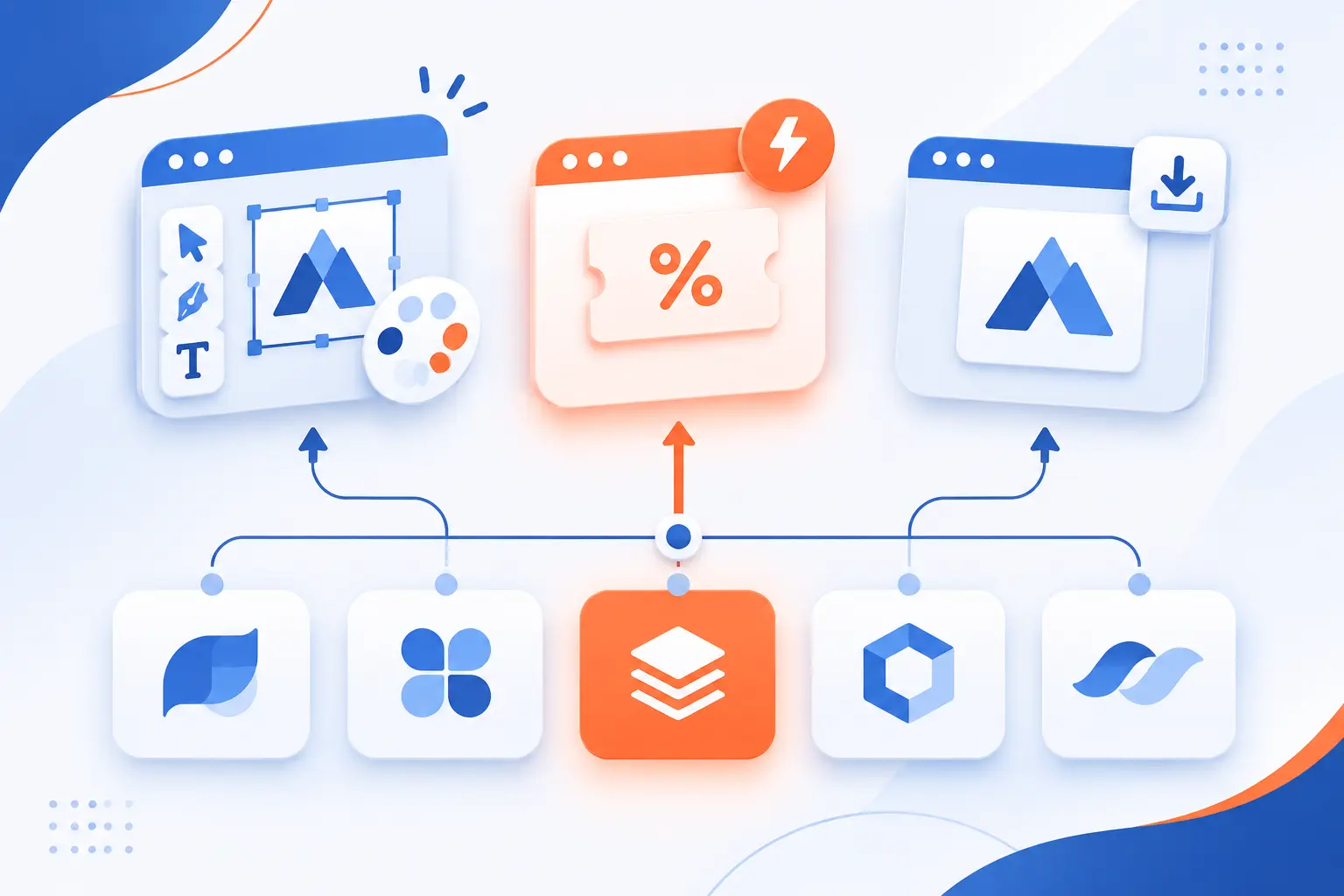
These alternatives deserve attention when your needs fall outside the main shortlist. Some emphasize broader creative work, while others provide a straightforward free starting point. We keep them separate because their strongest use case is not always a dedicated, fully specified identity package.
11. Designs.ai

- Category: Agent-based creative workspace
- Best for: Branding within a wider content brief
- Ease of use: Conversational briefing with specialist agents
- Pricing: Subscription and credits, starting amount unverified
A broader creative brief is the reason to consider this workspace rather than buying it for a standalone logo. The opened homepage emphasizes specialist agents for branding, images, video, audio, and slides. Its logo-design capability sits inside that wider offer.
That positioning differs from the guided builders above. Instead of concentrating on selecting a symbol and buying files, the platform describes briefing an agent that asks follow-up questions and routes work to suitable models. Its brand consistency features are relevant when approved assets must influence later content. We would assess the quality of that continuity before assuming a larger feature set provides better value.
Pricing transparency was a limitation in our research. The public pricing page loaded its heading but not readable plan amounts. However, the subscription and credit conditions establish a concrete plan detail: included credits expire at the end of their monthly period rather than rolling forward. They also describe automatic renewal and separately purchased credits. We would request the payable amount, allowance, and cancellation terms before subscribing.
Our editorial view is that this belongs on a campaign-workspace shortlist. It is harder to recommend for a buyer who simply needs approved artwork and a clear final bill. Ask whether the agent workflow produces actual editable deliverables or mainly visual concepts. Also distinguish brand guidelines from an AI instruction profile that influences future generations. Those can support each other, but they are not interchangeable deliverables.
Who is Designs.ai for?
We would consider it for small marketing teams developing several content formats around the same identity. A buyer seeking only a logo should compare simpler packages first and obtain a clear export specification.
12. LogoMaker

- Category: Guided design and branded-merchandise platform
- Best for: Connecting artwork with physical business materials
- Ease of use: Industry selection and browser customization
- Pricing: Published file purchase, with separate merchandise orders
Physical merchandise is the clearest reason to consider this alternative. The site connects logo creation with apparel, promotional products, stationery, and business materials. That is useful when your next step is ordering items rather than generating ongoing digital campaigns.
The workflow begins with the company name and industry. Browse suggested designs, filter the choices, and adjust colors, fonts, icons, and layout. Its published purchase walkthrough lists a $39.99 high-resolution file purchase. The walkthrough names EPS, JPG, PNG, and GIF, while the homepage advertises additional package formats. We would confirm the actual checkout bundle rather than assume every page describes identical contents.
The product page also says your logo can be used on products ordered through the platform without a separate logo charge. That is not the same as saying every standalone file download is free. We appreciate the connection to physical materials, but buyers should keep artwork charges and printing charges separate. Order quantities, garment choices, and print methods are separate decisions from the identity itself.
Compared with the top-ranked tools, the advantage is less about sophisticated prompting and more about moving from a design into tangible branded items. We would inspect the mark at its actual production size before ordering. Thin lines or small text may look attractive in a browser preview but require adjustment for a particular product. Request the supplier’s artwork requirements before committing to a large batch. Also keep your own approved source files so future orders are not dependent on a single account.
Who is LogoMaker for?
We would shortlist it for local businesses, clubs, and service teams that need uniforms or promotional items alongside digital artwork. Buyers seeking custom brand strategy should consider a designer-led project instead.
13. Gemini

- Category: Conversational AI with image generation
- Best for: Exploring visual directions through prompts and references
- Ease of use: Conversational generation and revision
- Pricing: Free access and optional Google AI subscriptions
Reference-based exploration makes this worth considering when your ideas are easier to show than describe. The documented image workflow supports generating alternatives, uploading images, and requesting changes. We view it as a concept tool rather than a replacement for a production-focused identity editor.
The official image creation instructions describe Nano Banana generation and editing. Paid subscribers can also regenerate eligible images with Nano Banana Pro. That gives buyers a way to revisit a direction, but it does not establish a dedicated package of editable typography, vector paths, and brand rules. Keep that distinction clear when comparing it with the guided builders.
The US subscription page lists free access and a Google AI Pro plan at $19.99/month, with higher usage access and additional bundled features. We would not buy the subscription for an isolated logo concept without first checking the free workflow. Its value is easier to justify when you already need the surrounding research, writing, and Google app capabilities.
Our recommended role for Gemini is early exploration or a second opinion on a visual direction. Ask for clearly differentiated alternatives, then review the selected symbol outside the chat interface. Rebuild the business name as editable text if the final artwork needs precise control. Also check account eligibility and image restrictions before planning a workflow around a particular feature. A general assistant can be flexible, but the responsibility for final production remains with the buyer.
Who is Gemini for?
We would consider it for founders who already work in Google’s ecosystem and want conversational concept development. Choose another tool when immediate, clearly specified production files are the priority.
14. Adobe Express Logo Maker

- Category: Guided logo creation within a design editor
- Best for: Free initial artwork and related marketing designs
- Ease of use: Business details, icon selection, and editing
- Pricing: Free creation and downloads, with optional workspace upgrades
A free, structured starting point makes this a practical alternative to open-ended prompting. Enter the business name and slogan, choose a style, select an icon, and generate layouts. The result can be downloaded or opened in the broader editor for further changes.
The product page advertises PNG and JPG downloads, with PDF also mentioned in its export explanation. It additionally describes animation options that can produce an MP4. We would treat those as different deliverables for different jobs. An animated social introduction is useful promotional content, but it does not replace the static master artwork your printer needs.
The important pricing detail is that the basic workflow allows free downloads rather than merely free previews. The page also explains that the wider editor includes optional capabilities and AI-assisted tools, with some availability depending on region. We would not assume every premium feature is necessary. Start with the free result, inspect the files, and upgrade only when a particular editing or brand-management function has a clear use.
Compared with the top picks, this is appealing for buyers who want a guided layout and then prefer manual refinement. Its icon-based approach is easier to understand than an unrestricted image prompt. However, using a library icon raises different exclusivity questions from commissioning original artwork. We would also verify whether the selected export preserves the objects you need to edit later. A PDF file can be useful, but its extension alone does not establish how the artwork was built.
Who is Adobe Express Logo Maker for?
We would shortlist it for beginner designers, community projects, and businesses needing simple starter artwork. For an exclusive identity with custom typography, use it as a concept stage and commission the final development.
15. Shopify Logo Maker

- Category: Prompt-assisted business-logo generation
- Best for: Free digital starter artwork
- Ease of use: Brand-name entry and conversational changes
- Pricing: Free generation and downloads
Free downloadable artwork is the main attraction for a business still validating its direction. The opened page describes a name-led generation workflow with no download fee. It is a practical way to explore branding without purchasing a broader creative subscription.
Enter the brand name, review the options, and open a candidate to see mockups. Use Customize to describe a change, or Regenerate to request alternatives. The page says earlier versions remain available during editing. That is useful when a requested change moves the design away from what you liked. Specific feedback should still work better than asking the tool to “make it professional” without explaining the problem.
The concrete download detail is a high-resolution PNG delivered in a ZIP file. The page describes both an email delivery and a download link. We found no promise there of an editable vector package. That keeps the offer straightforward, but it also limits how confidently we would recommend it for a print-heavy rollout. A buyer needing signage or detailed supplier handoff should settle those requirements separately.
We see this as a sensible starter option for experiments, simple digital identities, and businesses keeping initial costs low. The vendor also warns that similar designs may appear for other people. That makes independent review necessary before treating a generated mark as a lasting identity. Avoid choosing solely because the mockups look convincing. Inspect the actual artwork, confirm the spelling, and compare it with competitors before putting it on packaging or paid advertising.
Who is Shopify Logo Maker for?
We would consider it for new merchants and small projects that need usable digital artwork without a purchase. Buyers requiring editable vectors or a legally reviewed identity should plan an additional production step.
Understand What an AI Logo Generator Actually Creates
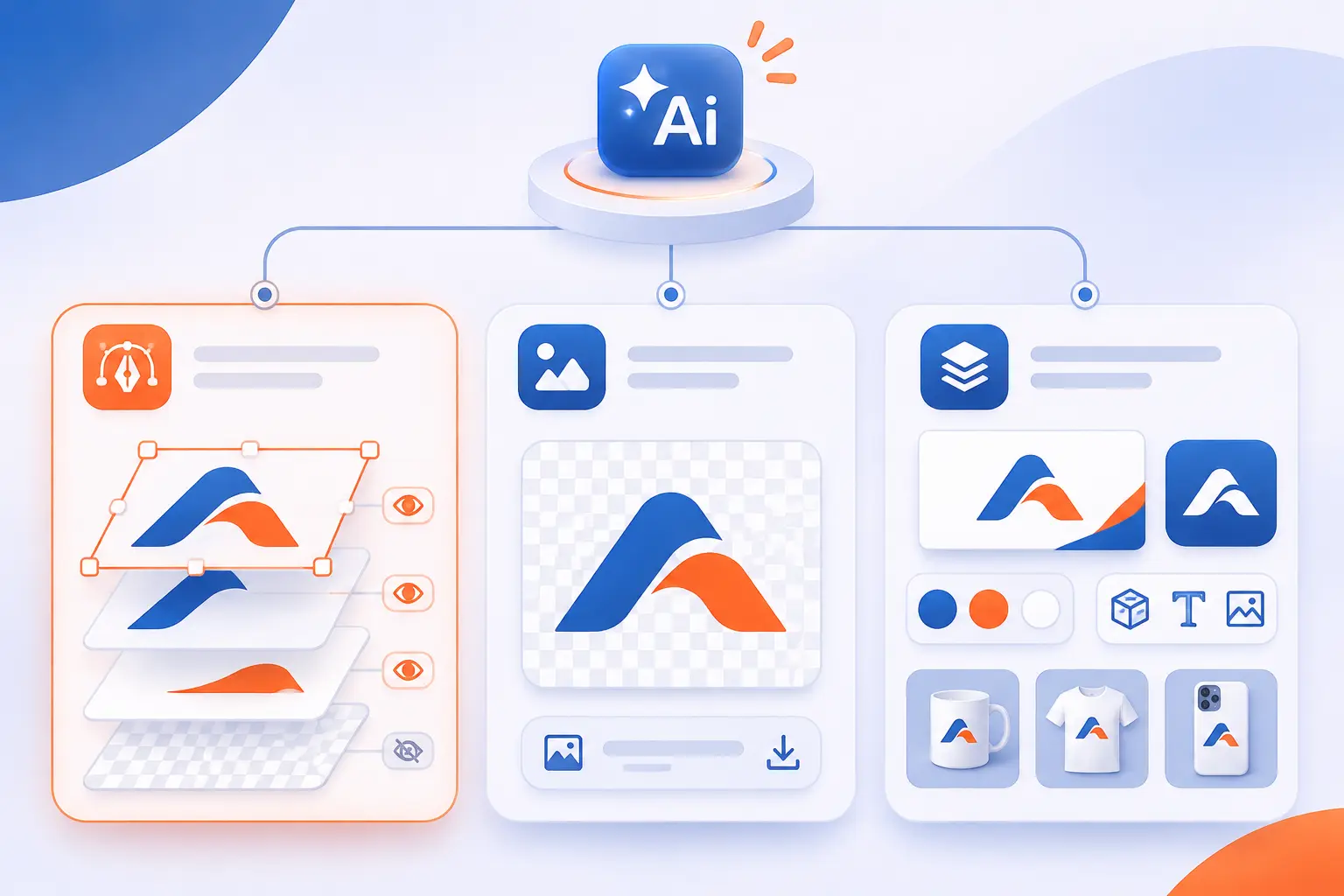
An AI logo generator may create an editable composition, a flattened image, or a starting point for manual design. Those outputs are not interchangeable. Before choosing a tool, decide whether you need visual inspiration, controllable artwork, or a complete identity package.
Automated Logo Makers Built Around Icons, Fonts, and Layouts
Guided builders are usually the clearest choice when predictable text and layout editing matter. Their workflows ask about the business, suggest visual directions, and let you customize selected elements. The relevant question is how much control remains after purchase.
Check whether you can replace an icon, adjust the business name, and download new variations. Some packages restrict revisions. Others retain a license after cancellation but remove ongoing editing access. Save the final files and purchase terms rather than depending entirely on a dashboard.
Prompt-Based Image Generators for Custom Visual Concepts
Image generators are useful for exploring visual directions, but their outputs still need production review. A prompt can request a minimalist mark or a vintage emblem without establishing editable typography or vector paths.
The official image documentation confirms that ChatGPT can generate, revise, and save images, including requests for transparent backgrounds. That describes an image workflow, not a guaranteed identity-delivery package.
We recommend using these tools to develop the concept, then checking whether the selected design should be rebuilt. This is especially important when precise lettering or supplier-ready artwork matters.
AI-Assisted Design Editors for Manual Refinement
A design editor becomes valuable when you need to correct the generated result and apply it consistently. Editable text, alignment controls, color changes, and saved brand assets can matter more than another batch of alternatives.
Licensing remains separate from editing flexibility. For example, the published guidance on stock content and exclusive identity rights distinguishes original work from shared library assets and templates. Being able to edit an asset does not make it exclusive.
Our preference is to keep approved lettering and symbols controllable wherever possible. That makes later changes more predictable than repeatedly regenerating the entire image.
When to Use AI and When to Hire a Logo Designer
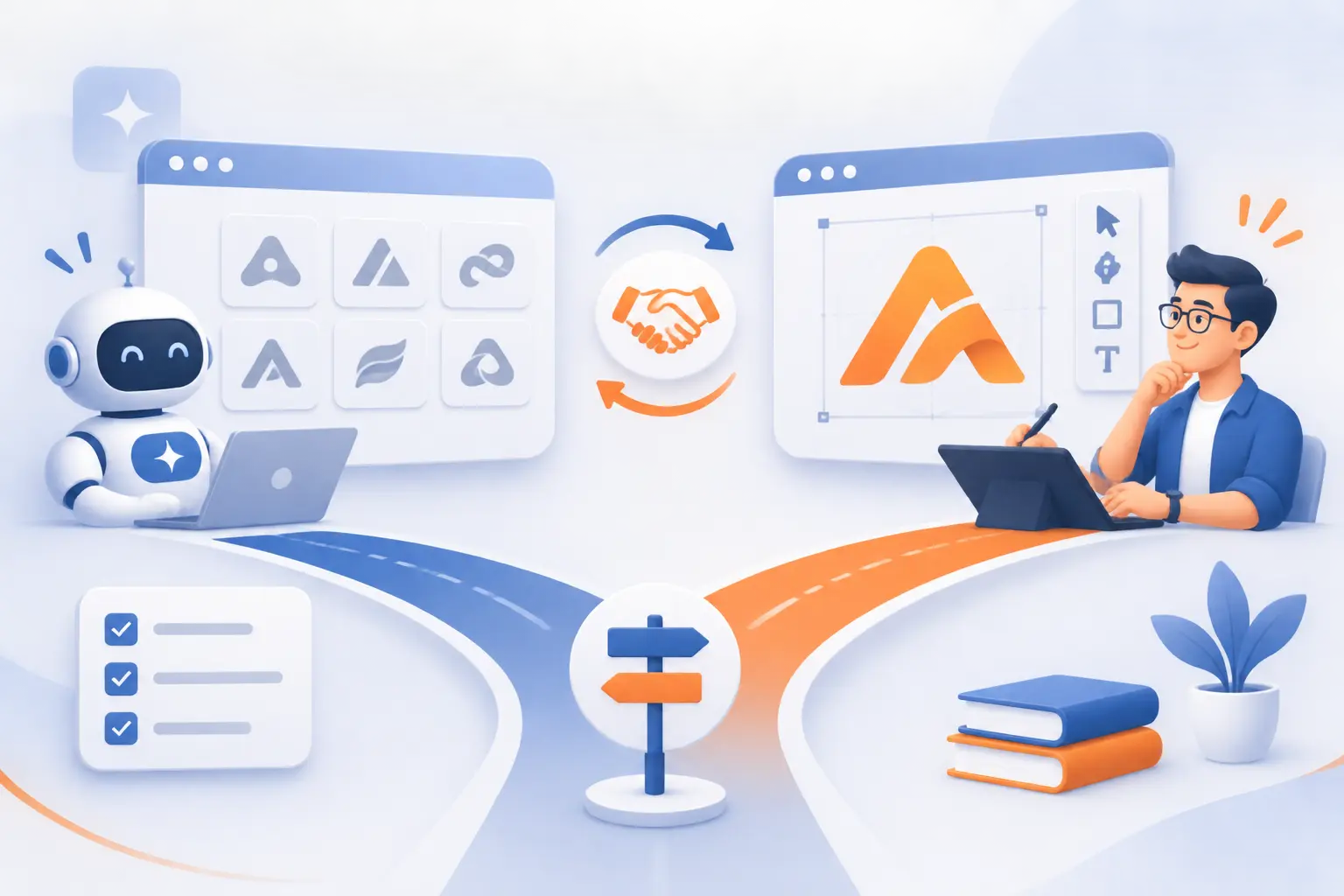
Use AI when exploration and a modest initial commitment matter most, and hire a designer when distinctiveness and production responsibility matter more. These routes can work together. A generated concept can become the starting brief for a properly scoped design engagement.
Brainstorming, Product Experiments, and Temporary Branding
AI is a reasonable starting point when the business direction may change. We would use it to compare moods, explore symbols, or build temporary artwork for an internal concept presentation.
Keep the commitment proportional to the project. Avoid ordering a large quantity of packaging before checking whether the name and mark are suitable. A low creation cost does not make a later rebrand inexpensive.
We would also preserve the brief, selected alternatives, and final exports. If the experiment succeeds, those materials help a designer understand what you liked and what needs improvement.
Distinctive Brand Positioning and Production-Ready Design
A designer is the stronger choice when the identity must stand apart and work reliably across demanding applications. The engagement can include competitor review, original lettering, symbol development, production files, and usage rules.
Distinctiveness also affects protection. Official guidance explains that suggestive, arbitrary, and fanciful marks are stronger than descriptive or generic choices. That principle deserves attention before polishing a weak brand name.
Ask the designer to specify deliverables, revisions, licensing, and responsibility for clearance work. Do not assume every commission includes legal review or every source file format.
Turn a Brand Brief Into a Usable Logo
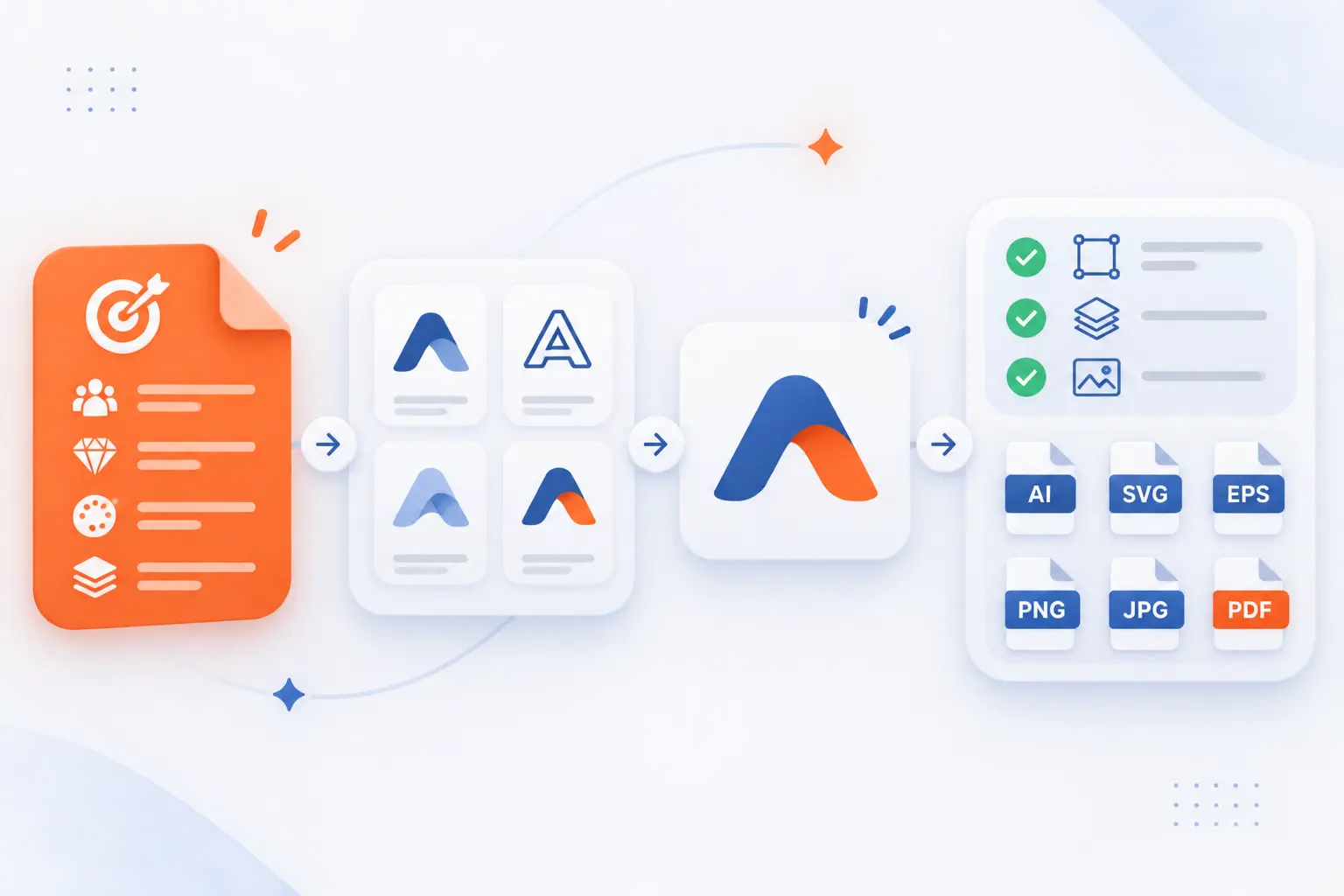
A usable result starts with a clear brief and ends with inspected files, not an attractive preview. We recommend settling the audience and intended applications before generating alternatives. Then refine the selected direction and prepare the versions your business actually needs.
Define Your Audience, Industry, Brand Personality, and Intended Uses
Write the business purpose and intended uses before choosing a visual style. Explain who buys from you, what you sell, and how the identity should feel. Replace vague words such as “professional” with observable choices, such as restrained colors or straightforward typography.
Include the places where the mark must appear. A website header, embroidered shirt, and product label create different production questions. Ask the relevant supplier for artwork requirements before committing to a design.
Specify Your Business Name, Slogan, Visual Style, and Colors
Provide the exact business name and treat the slogan as optional rather than essential to every version. Check capitalization, punctuation, and spelling before generating a large set of alternatives.
Describe the desired style and the elements to avoid. For example, request a simple symbol without gradients or decorative lettering. If you have approved colors, supply their actual values instead of relying on words such as “dark blue.”
We recommend keeping the brief independent of any particular tool. That makes comparisons fairer and gives a designer a usable starting point later.
Generate Alternatives and Refine Fonts, Icons, and Layouts
Compare genuinely different directions before making small cosmetic adjustments. Recoloring the same layout repeatedly can create activity without improving the underlying idea.
- Generate distinct approaches, such as a wordmark, monogram, and symbol-led composition.
- Remove options that resemble competitors or misrepresent the business.
- Select a direction based on clarity and relevance, not mockup polish.
- Refine typography, spacing, icon balance, and layout.
- Confirm the required downloads before purchasing.
Keep a copy of the preferred version before requesting major changes. That provides a clear reference if later revisions weaken the design.
Check Typography, Small-Size Legibility, and Print and Digital Mockups
Inspect the actual artwork at its intended size before approving it. Check every letter, the spacing between characters, and the relationship between the name and symbol.
Review light and dark backgrounds, a monochrome treatment, and the smallest practical application. Accessibility guidance notes that logotypes are exempt from its minimum contrast requirement. That exemption is not a reason to choose hard-to-read colors.
Mockups help you imagine an application, but they do not prove production quality. Request a print proof when the physical result is important.
Prepare Vector Files, Transparent Images, and Consistent Brand Assets
Keep a master artwork file and export separate versions for the places you will use it. SVG is useful because properly constructed vector graphics can render without quality loss when resized. However, inspect the contents rather than trusting the extension alone.
| Asset | Practical role | What to verify |
|---|---|---|
| Vector artwork | Resizing and supplier handoff | Actual paths and compatible contents |
| Transparent PNG | Digital placement over backgrounds | Transparency, dimensions, and clean edges |
| Production PDF | Review and print handoff | Supplier requirements and embedded artwork |
| Brand guidelines | Consistent future use | Colors, typography, spacing, and approved variations |
Store the approved exports outside the generator account. Keep the license, invoice, and any font information with them. This makes a later website update or supplier change much less dependent on your subscription status.
Frequently Asked Questions About AI Logo Generators
The most important questions concern downloads, commercial permission, and exclusivity. These are separate issues, even when a product uses broad ownership language. The answers below focus on the documented offers and general US considerations.
Can ChatGPT Design a Logo?
Yes, ChatGPT can generate logo concepts and revise them through conversation. Its image tools also support uploaded references and selected-area edits. We recommend inspecting typography and arranging final production artwork separately when editable vectors or precise lettering are required.
What Is the Golden Rule for Logos?
Our practical golden rule is to keep the identity recognizable and readable wherever it appears. There is no universal rule requiring a particular symbol, proportion, or color scheme. Judge the design in its real applications rather than only on a polished presentation.
Which AI Logo Generators Offer Free Downloads Without Watermarks?
Wixel, Adobe Express, and Shopify advertise free finished downloads rather than preview-only access. Design.com also offers selected free designs, while Canva’s available exports depend on the assets and features used. Check the actual download screen because free generation, watermark removal, and vector access are different benefits.
Can You Use an AI-Generated Logo Commercially?
Often yes, but permission depends on the tool’s terms, the selected plan, and the assets involved. For example, the published terms assign users rights in output to the extent permitted, while retaining the user’s responsibility for lawful use. Commercial permission does not guarantee that the artwork avoids another party’s rights.
Can You Trademark an AI-Generated Logo?
Potentially, but AI generation alone does not establish eligibility or clear conflicts with existing marks. Review the proposed identity through the official trademark search resources and consider qualified legal advice for an important launch. Trademark protection and copyright are separate questions, so a commercial-use license does not answer both.
Does Buying an AI Logo Give You Exclusive Rights?
No, payment alone does not guarantee exclusivity, copyright protection, or trademark clearance. US guidance says copyright requires sufficient human-determined expressive elements, not merely the provision of prompts. Shared icons, templates, and similar generated outputs create additional questions, so review the license and obtain legal advice when exclusivity is essential.


Conclusion
Looka is our best AI logo generator starting point for guided branding, while Design.com suits a wider set of business materials. Canva is attractive when ongoing editing matters, and Wixel deserves attention for its free export offer. ChatGPT and Gemini are better treated as concept-development tools when final production remains a separate task.
Do not choose from previews alone. Confirm the downloadable files, revision rules, recurring charges, and usage terms before paying. Then inspect the artwork in the applications that matter to your business.
Start by shortlisting a guided builder and an editor-based alternative. Give both the same brief, compare the actual deliverables, and choose the workflow you can maintain after launch.