

- Game Servers Process Player Actions and Keep Multiplayer Worlds in Sync
- Following a Player Action Through the Multiplayer Loop
- Who Hosts the Match Changes How Multiplayer Works
- What Determines Whether Gameplay Feels Responsive?
- Short Matches and Persistent Worlds Need Different Server Lifecycles
- Where Game Server Software Runs and How It Scales
- Protecting Fair Play and Keeping Servers Available
- What Running Your Own Game Server Involves
- Frequently Asked Questions
- How 1Byte Supports Game Communities and Their Online Infrastructure
- Conclusion
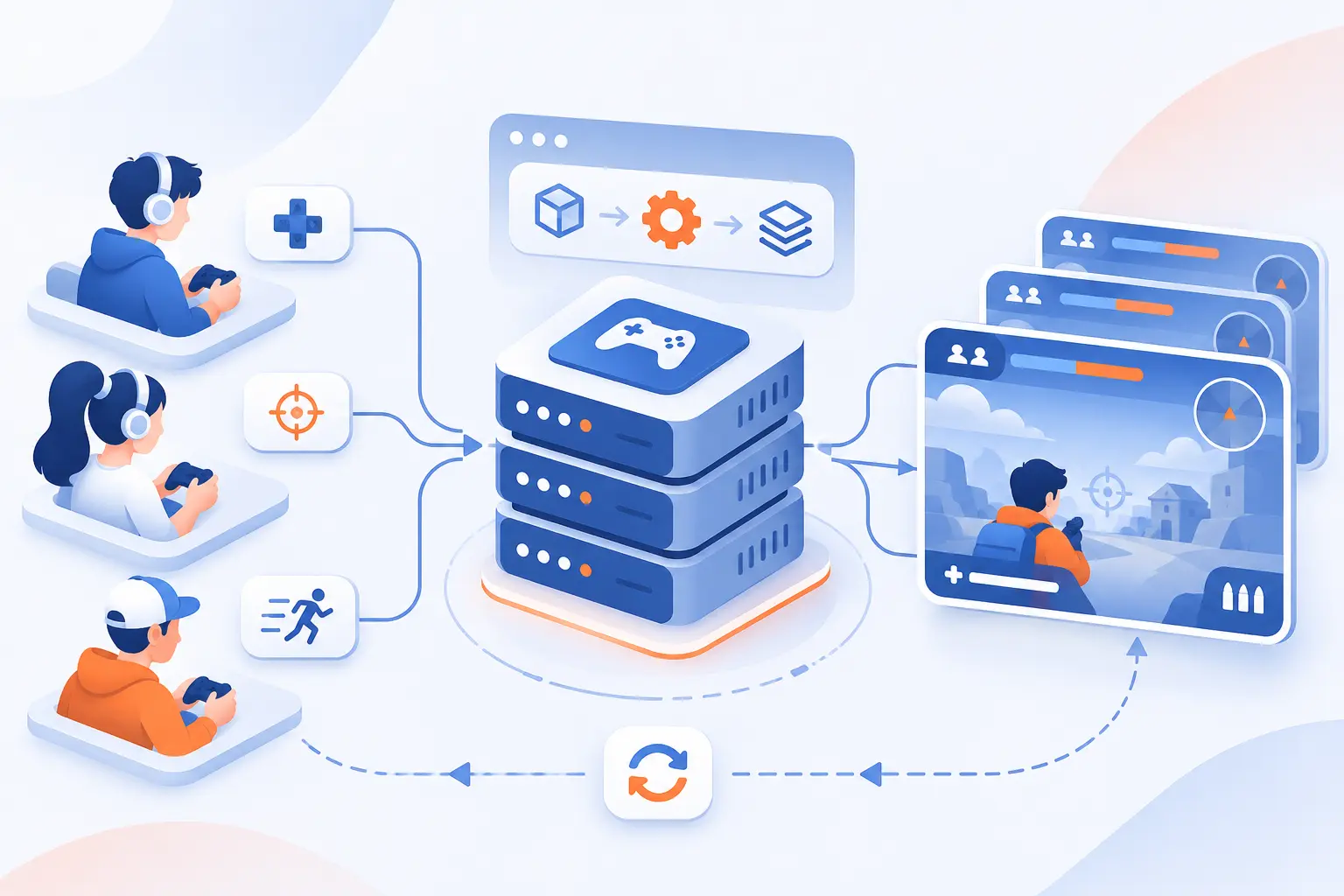
A game server is a program that manages shared gameplay and exchanges information with connected players. So, how do game servers work? In a typical multiplayer setup, they receive player actions, apply game rules, and send back results. Each player’s device turns those results into the world they see.
At 1Byte, we find this division useful: the client presents the experience, while the server coordinates what happens. Understanding that split makes lag, hosting choices, and private server requirements much easier to explain.
Game Servers Process Player Actions and Keep Multiplayer Worlds in Sync
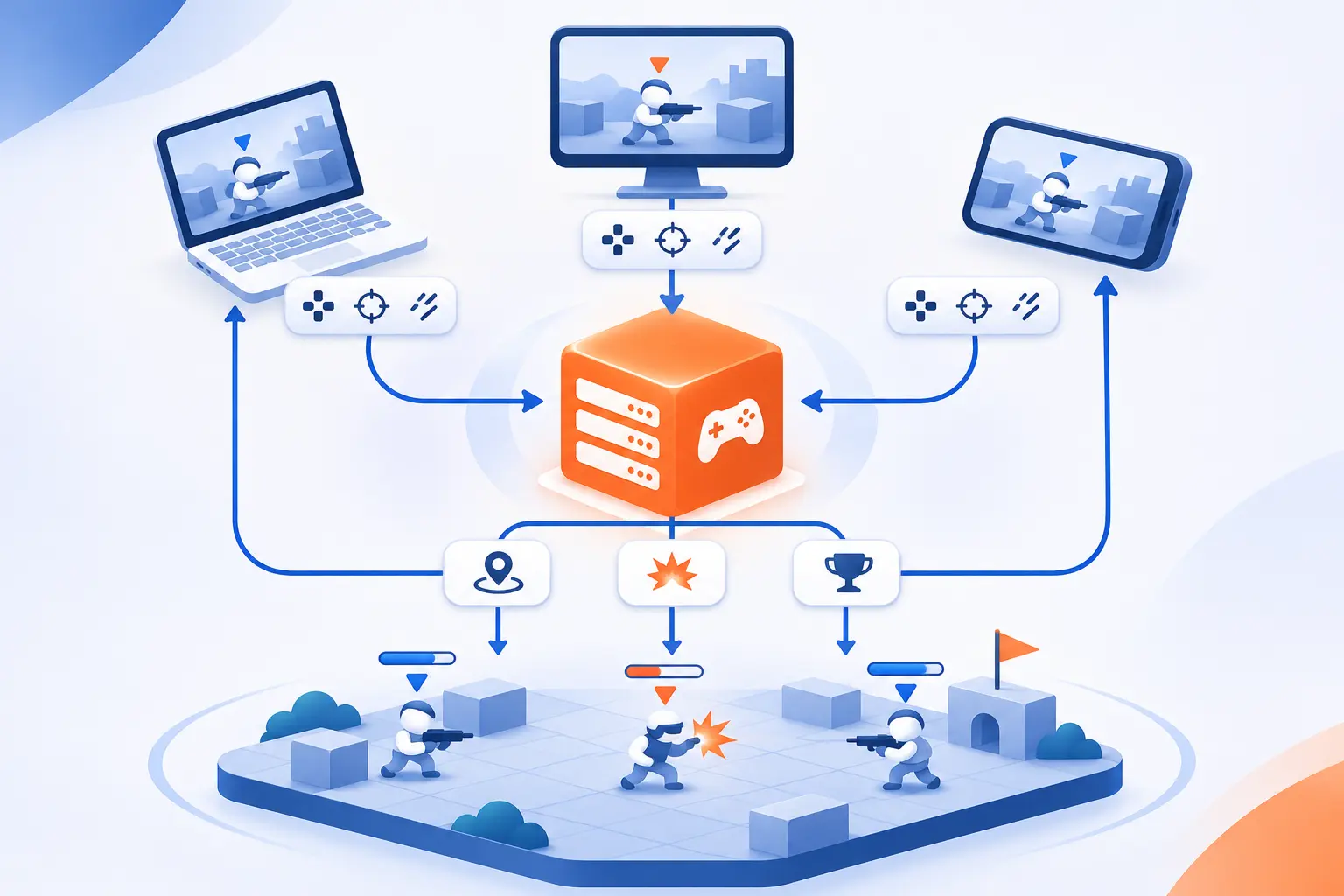
In server-authoritative multiplayer, the server maintains the accepted version of the game world. Clients send actions and receive updates about positions, damage, scores, and other shared events. Epic’s documentation describes this as keeping an authoritative world on the host. Other multiplayer designs exist, including peer-to-peer systems, but this article follows the common client-server model.
FURTHER READING: |
| 1. How to Fix err_connection_closed and Load Sites Again |
| 2. GPT Partition vs MBR for Booting, Size, and Limits |
| 3. What Is Exchange Server and How It Handles Email |
The Client Displays the Game and Sends Player Inputs
The client runs on the player’s device, displays the game, and communicates the player’s actions. It handles graphics, sound, menus, and controls.
Pressing forward might produce a movement command rather than a message claiming a new position. That distinction matters. The client can request movement without having final authority over where the character belongs.
The Host Runs the Shared Simulation and Applies Game Rules
The host calculates shared gameplay outcomes using the game’s rules and current world state. It tracks information such as character positions, health, projectiles, and match progress.
“Server” can mean the running program or the machine supporting it. One machine may run several independent instances. Dedicated software also commonly runs without rendering the graphics players see.
Following a Player Action Through the Multiplayer Loop
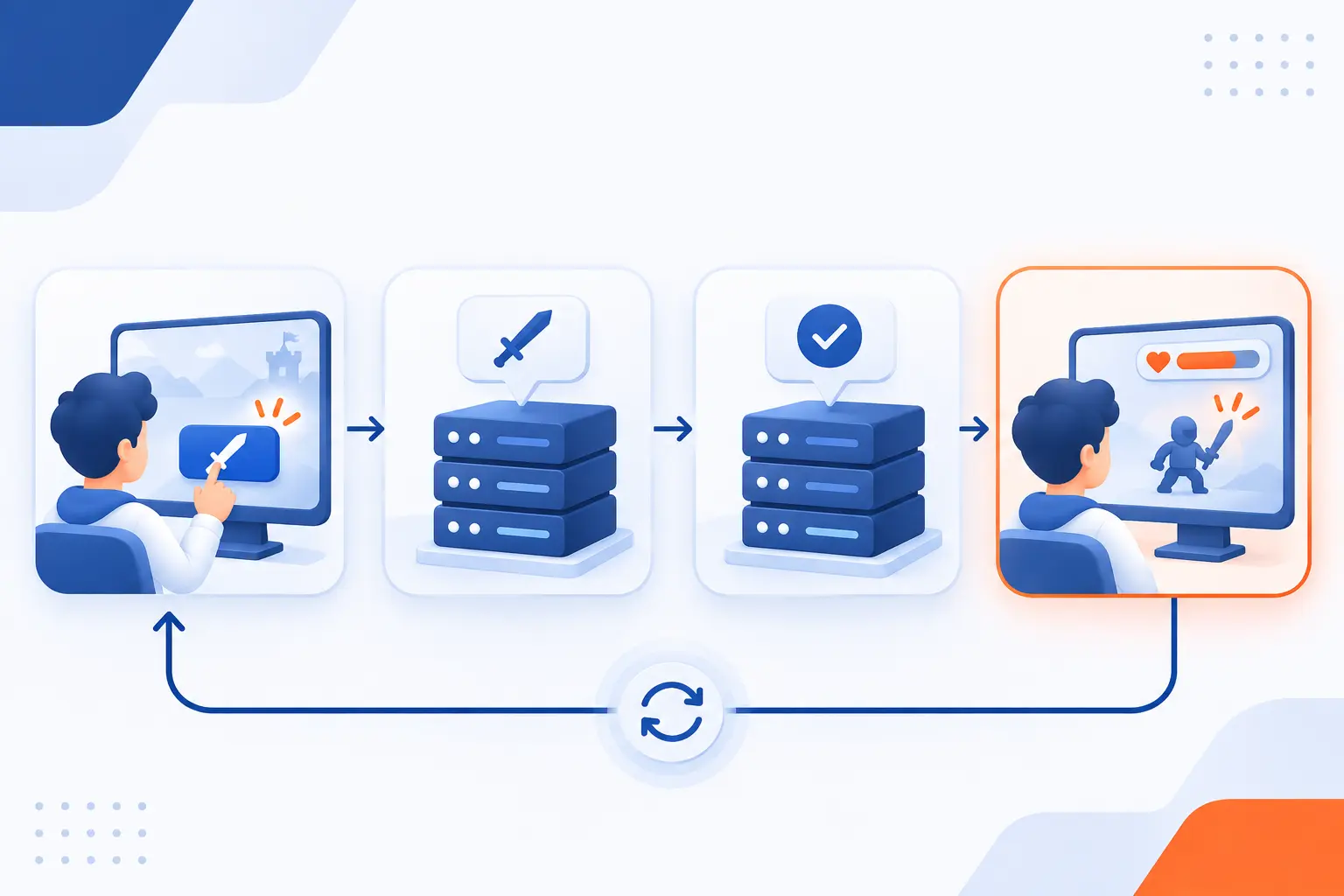
A player action travels from the client to the server, becomes an accepted outcome, and returns as updated information. This exchange repeats throughout play. Games may hide part of the wait through local prediction, but the server still decides authoritative results.
The Player Connects and Sends a Movement or Attack
The client connects to an available instance and sends gameplay messages after completing the required connection checks. Players might reach it through matchmaking, a server browser, an invitation, or a direct address.
Imagine a player moving behind cover while firing. Their client sends movement and attack information according to the game’s protocol. Meanwhile, it may immediately display movement and a firing animation.
The Server Validates the Input and Calculates the Outcome
The server checks whether an action is allowed before applying its effect to the shared world. A movement request may face speed and collision checks. An attack may require ammunition, a valid cooldown, and a permitted target.
Some games also compensate for network delay when evaluating hits. The exact rules depend on the game. Server authority means accepting validated outcomes, not blindly trusting every client message.
The Updated Game State Returns to Connected Clients
The server sends relevant updates so clients can display the accepted outcome. It usually sends gameplay data, not a video stream of the match.
Clients can smooth remote movement between received updates. They may also correct their own predicted movement when it differs from the server’s result. Unreal Engine’s movement system demonstrates local prediction followed by authoritative correction. Large corrections can appear as snapping or rubber-banding.
Who Hosts the Match Changes How Multiplayer Works
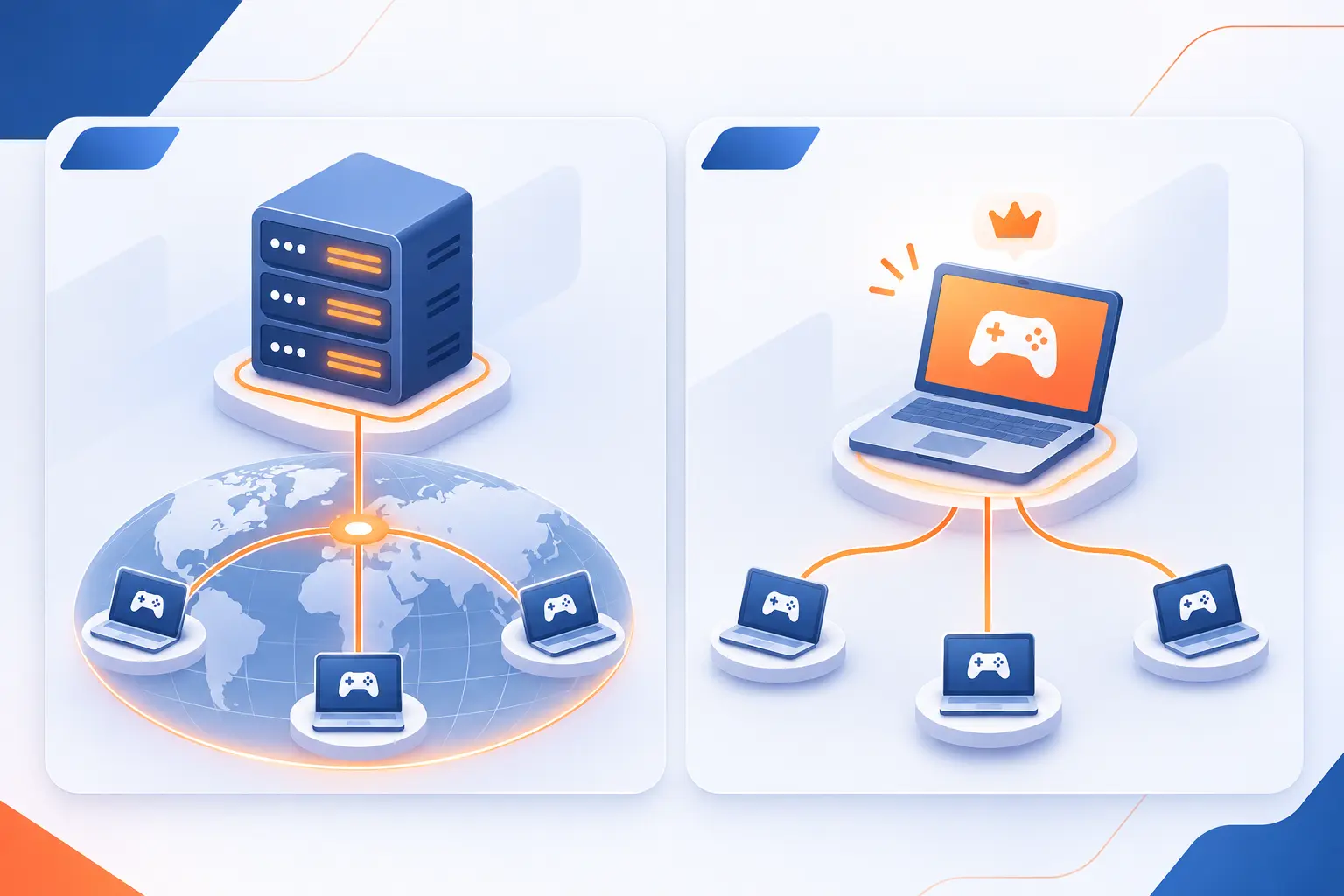
A match can run on an independent server or on a participating player’s device. This choice affects processing load, connection dependence, and whether the host has a local response advantage. It does not change the basic need to coordinate shared gameplay.
| Hosting model | Where gameplay runs | Main trade-off |
|---|---|---|
| Dedicated server | Independent server process | Separate capacity and administration |
| Player-hosted session | A participant’s device | Depends on that host’s resources and connection |
Dedicated Servers Run Independently of Player Devices
A dedicated server runs the match without also acting as a participating player’s client. Players connect remotely, including the person administering it.
“Dedicated” describes its role, not necessarily exclusive ownership of a physical machine. The software can run on rented hardware, a virtual machine, or a spare home computer.
Player-Hosted Sessions Depend on the Host Connection
A player-hosted session uses a participant’s device to run both gameplay coordination and their local client. This arrangement is often called a listen server.
The host’s machine handles simulation alongside graphics and sound. Their connection must also serve remote players. If the host leaves, the session may end unless the game supports transferring hosting duties.
Comparing Control, Host Advantage, Reliability, and Cost
Dedicated hosting separates the match from an individual player, while player hosting reduces the need for separate infrastructure. Neither choice guarantees good performance.
A listen host can have a response advantage because their actions avoid the remote network journey. Dedicated hosting removes that particular advantage, although players still have different latencies. Control depends on publisher restrictions and administrator permissions. We would weigh electricity, connection limits, rental charges, and maintenance before choosing on price alone.
What Determines Whether Gameplay Feels Responsive?
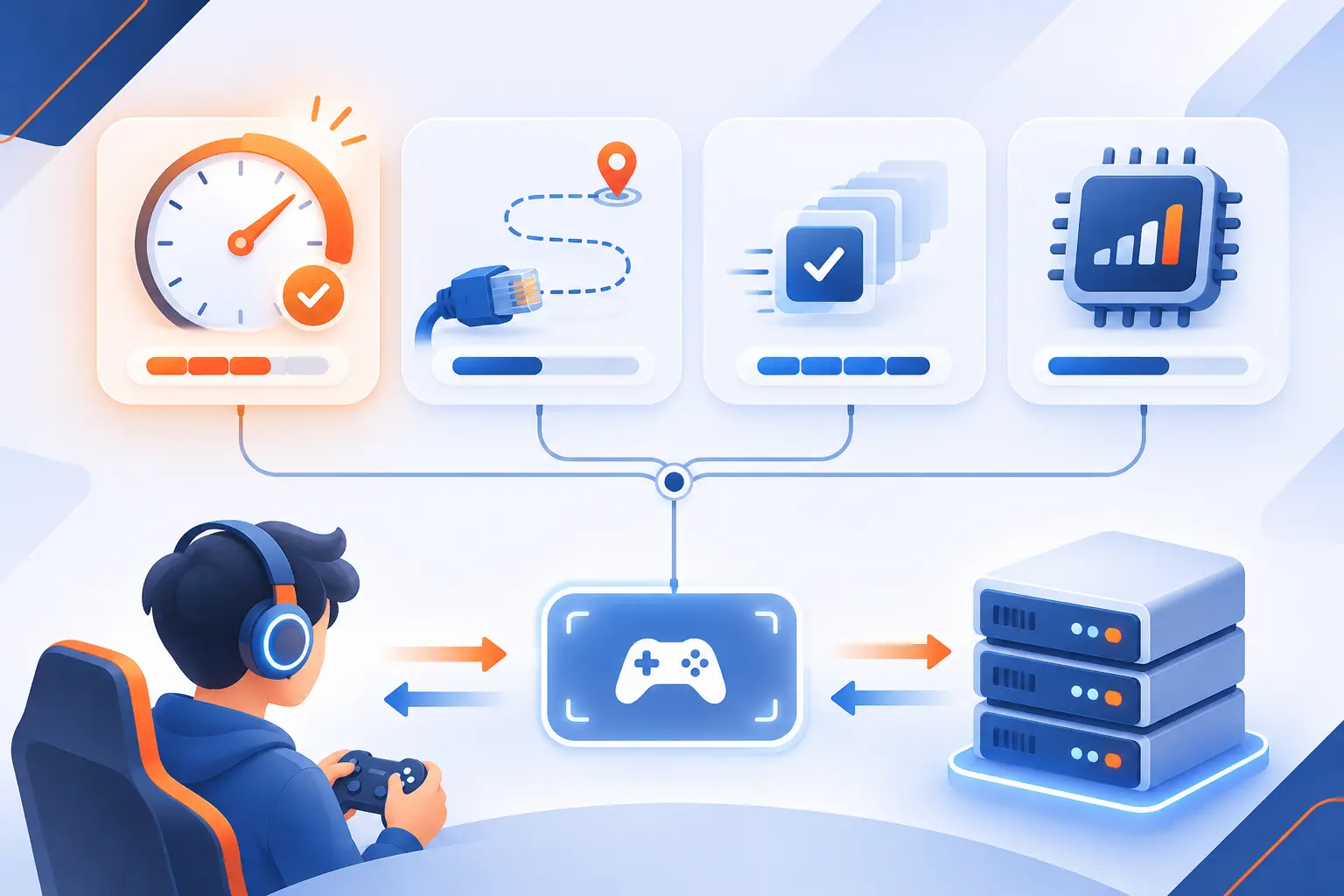
Responsiveness depends on simulation timing, network delay, data delivery, and available computing resources. A fast processor cannot remove geographic distance. Likewise, a nearby server cannot compensate for overloaded simulation code. We prefer diagnosing these factors separately rather than calling every problem “lag.”
Tick Rate Sets the Pace of Simulation Updates
Tick rate describes how frequently a server advances its simulation, although engines may schedule individual systems differently. It is separate from the frame rate displayed by a player’s device.
For example, Unity’s Netcode for Entities 1.0 documentation specifies a default simulation rate of 60 updates per second. It also distinguishes simulation timing from snapshot delivery. Raising a configured rate increases processing demands and does not guarantee faster gameplay if the machine cannot keep pace.
Server Distance and Network Latency Affect Response Time
Network latency is the delay involved in exchanging data between a player and the server. Distance matters, but routing, congestion, and connection quality also affect the result.
Choosing the nearest location on a map is therefore only a starting point. Amazon GameLift Servers can use measured player latency when selecting a location. For a geographically spread group, the best choice may balance several players’ connections rather than favor one person.
Bandwidth and Packet Loss Affect Data Delivery
Bandwidth limits how much data a connection can carry, while packet loss means some transmitted data never arrives. Neither is the same as latency.
An overloaded upload connection can delay outgoing updates. Missing messages can create gaps, corrections, or disconnections, depending on the protocol. We recommend testing during actual group play because an empty server reveals little about peak network demand.
CPU, RAM, and Storage Must Match the Player Load
The server needs enough processing power, memory, and storage performance for its active simulation. Player count alone does not describe that workload.
AI activity, physics, scripts, and world generation can increase CPU demand. Loaded world data consumes memory. Storage handles files, saves, and backups. Watch simulation timing and resource usage during busy periods before deciding which component needs an upgrade.
Short Matches and Persistent Worlds Need Different Server Lifecycles
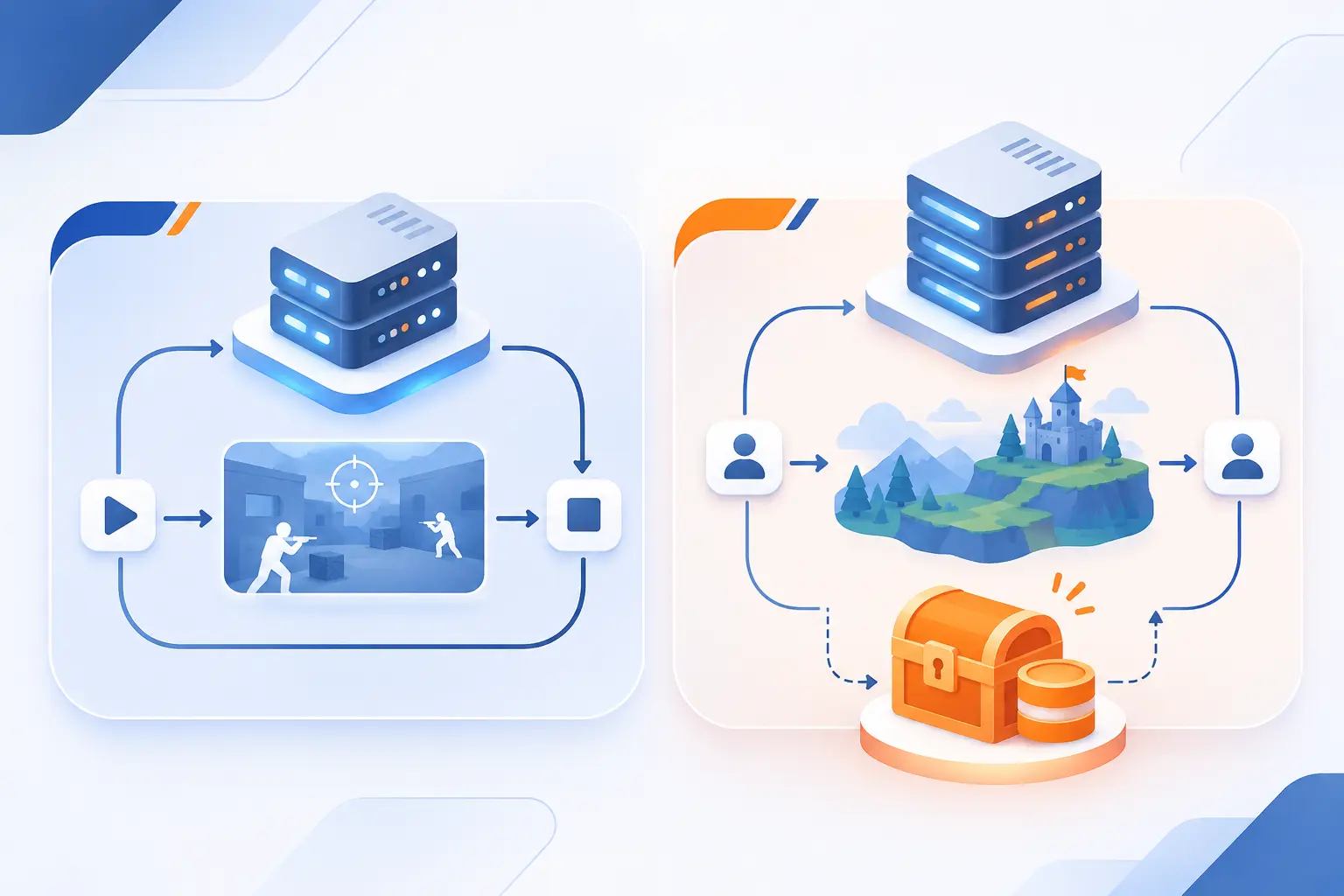
Match-based servers organize resources around individual sessions, while persistent servers retain world changes between visits. Persistence describes saved continuity, not a promise that one process runs forever. Both designs need deliberate startup, shutdown, and recovery behavior.
| Lifecycle | What continues | Main operational concern |
|---|---|---|
| Session-based | Match results and selected player progress | Assigning capacity and ending sessions cleanly |
| Persistent | World changes and saved player data | Reliable saves, backups, and recovery |
Session Servers Start and Stop Around Individual Matches
Session servers host bounded matches and release or reuse capacity when those matches finish. A supporting service can assign players to a ready instance.
The process may exit afterward, or it may reset for another match. Match results can survive in a separate storage system even when the temporary gameplay instance disappears. The machine itself does not need to shut down after every round.
Persistent Servers Preserve Long-Running Worlds and Saved Changes
Persistent servers save enough world information for players to return to an ongoing environment. Buildings, inventories, and other changes can survive a process restart.
Minecraft Realms offers a familiar example through downloadable worlds and saved backups. However, saved continuity does not mean every game continues simulating empty areas. We would also keep recoverable copies separate from the running environment and test restoration.
Where Game Server Software Runs and How It Scales
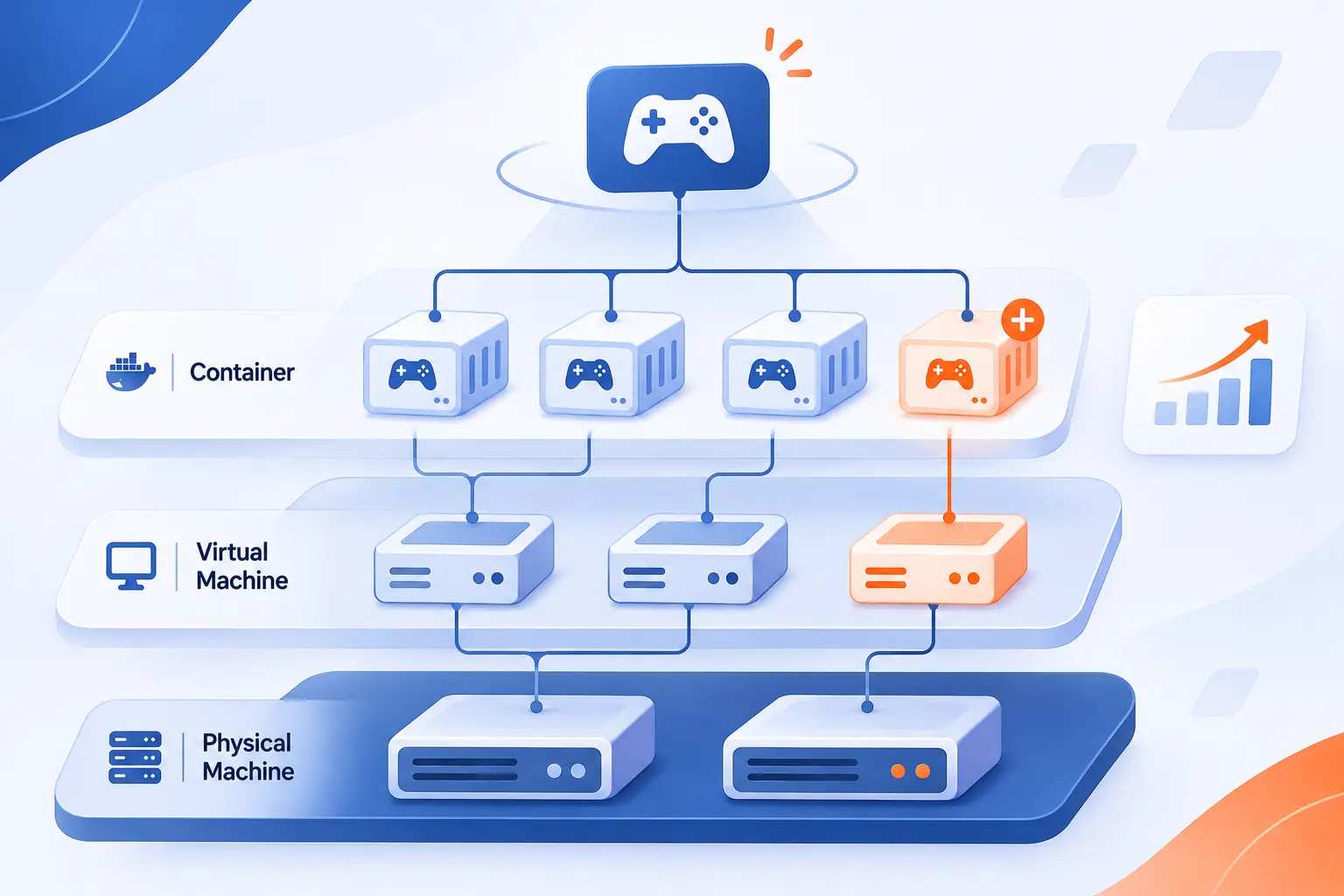
Game server software can run directly on physical hardware, inside virtual machines, or within containers. These layers can overlap. Scaling usually means providing more capacity for additional sessions, although enlarging an existing world depends on the game’s architecture.
| Execution option | What it provides | Main consideration |
|---|---|---|
| Physical machine | Direct access to hardware resources | Capacity changes require hardware planning |
| Virtual or cloud server | An allocated computing environment | Resource limits and workload compatibility |
| Container | Packaged software and dependencies | Requires suitable underlying infrastructure |
Physical Machines Provide Direct Hardware Control
Running directly on a physical machine gives administrators control over the operating system and available hardware. It also makes them responsible for that machine’s capacity and maintenance.
A physical host can support several game processes if resources allow. However, sharing the hardware still creates competition for CPU time, memory, and network capacity.
Virtual and Cloud Servers Offer Flexible Resource Allocation
Virtual servers provide allocated computing resources without requiring a separate physical machine for each environment. Cloud infrastructure can make additional environments available through software-driven provisioning.
That flexibility does not automatically accelerate an existing match. Resizing may require a restart, and application limits still apply. We would verify processor architecture, operating system support, network access, and workload policies before deployment.
Containers Package Individual Game Instances
Containers package server software with its required dependencies to make deployments more consistent. They run on underlying machines rather than replacing them.
Agones provides a concrete example of container deployment with lifecycle management. Its Kubernetes-based approach supports fleets, health checking, and allocation. For a small private community, though, that additional management layer may be unnecessary.
Orchestration and Load Balancing Manage Growing Demand
Orchestration starts and manages instances, while allocation and suitable routing direct players toward available capacity. These functions sit outside the gameplay simulation itself.
An active match usually needs its traffic to reach the instance holding that match’s state. Adding machines does not automatically divide one simulation between them. We would start by scaling independent sessions, unless the game explicitly supports distributing a world.
Protecting Fair Play and Keeping Servers Available
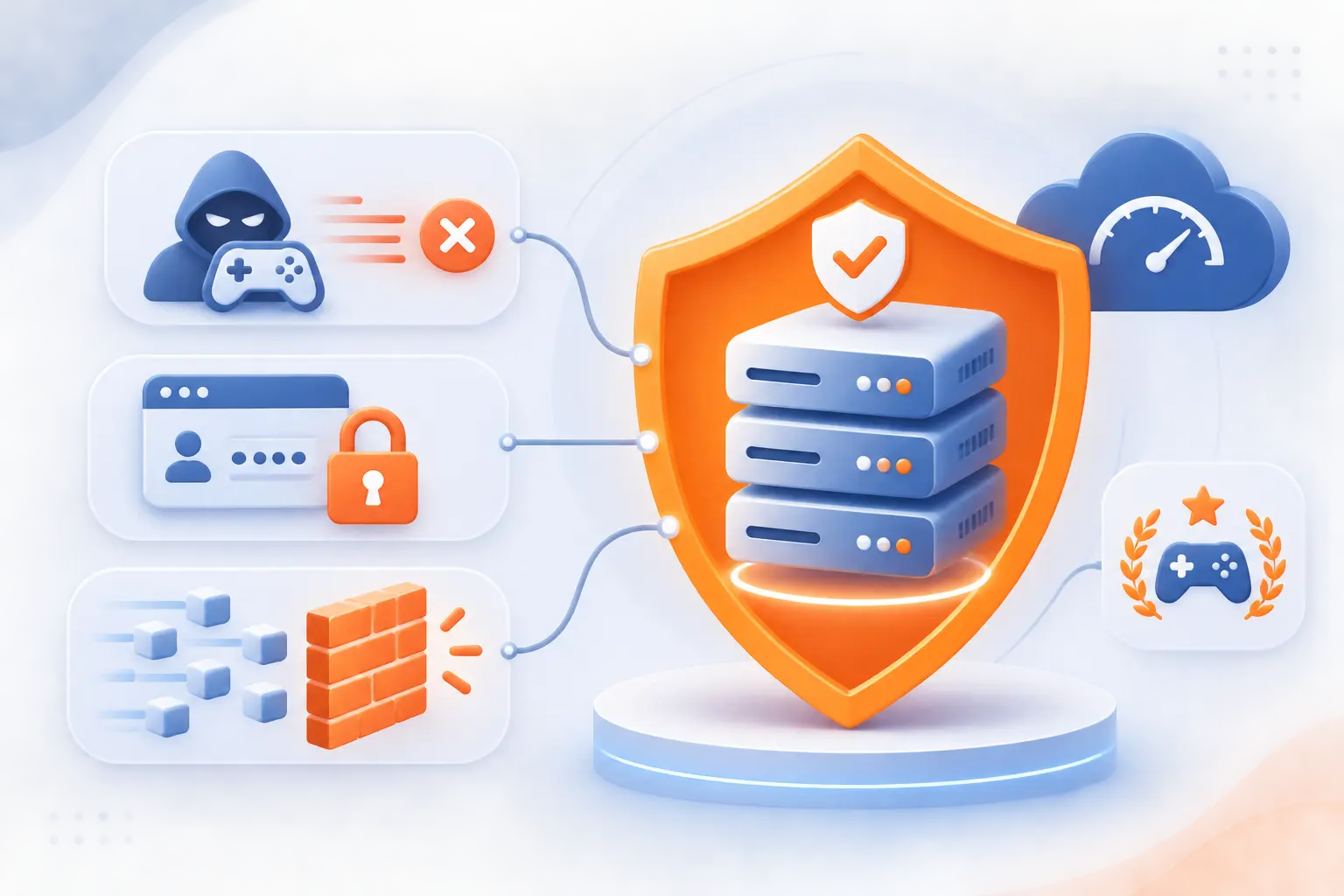
Protecting multiplayer requires validating actions, checking player access, and defending the network connection. These controls address different problems. Rejecting an impossible attack does not stop a traffic flood, and a firewall does not establish who owns a player account.
Server-Side Authority Helps Reject Invalid Actions
Server-side authority lets the host reject actions that violate rules it can verify. A client claiming unlimited ammunition should not make that claim true.
Developers must implement the relevant checks. Authority alone does not prevent every cheat, particularly when a client already receives information it should not reveal. We see it as a foundation for fair play, not a complete anti-cheat system.
Authentication and Access Restrictions Control Who Can Join
Authentication verifies identity, while access restrictions determine whether that identity may enter or administer the server. Passwords, allowlists, bans, and administrator roles serve different purposes.
Steamworks demonstrates identity verification through signed tickets checked against account information. A private server should also limit administrative privileges. Knowing a connection address should never grant management access.
Firewalls and DDoS Mitigation Address Network Threats
Firewalls restrict permitted traffic, while DDoS mitigation helps handle attacks intended to overwhelm network or computing capacity. Both require configuration appropriate to the game’s traffic.
A local firewall cannot recover bandwidth already saturated upstream. AWS guidance distinguishes web defenses from transport-layer protection. We recommend checking coverage for the actual TCP or UDP service rather than assuming website protection covers gameplay.
What Running Your Own Game Server Involves
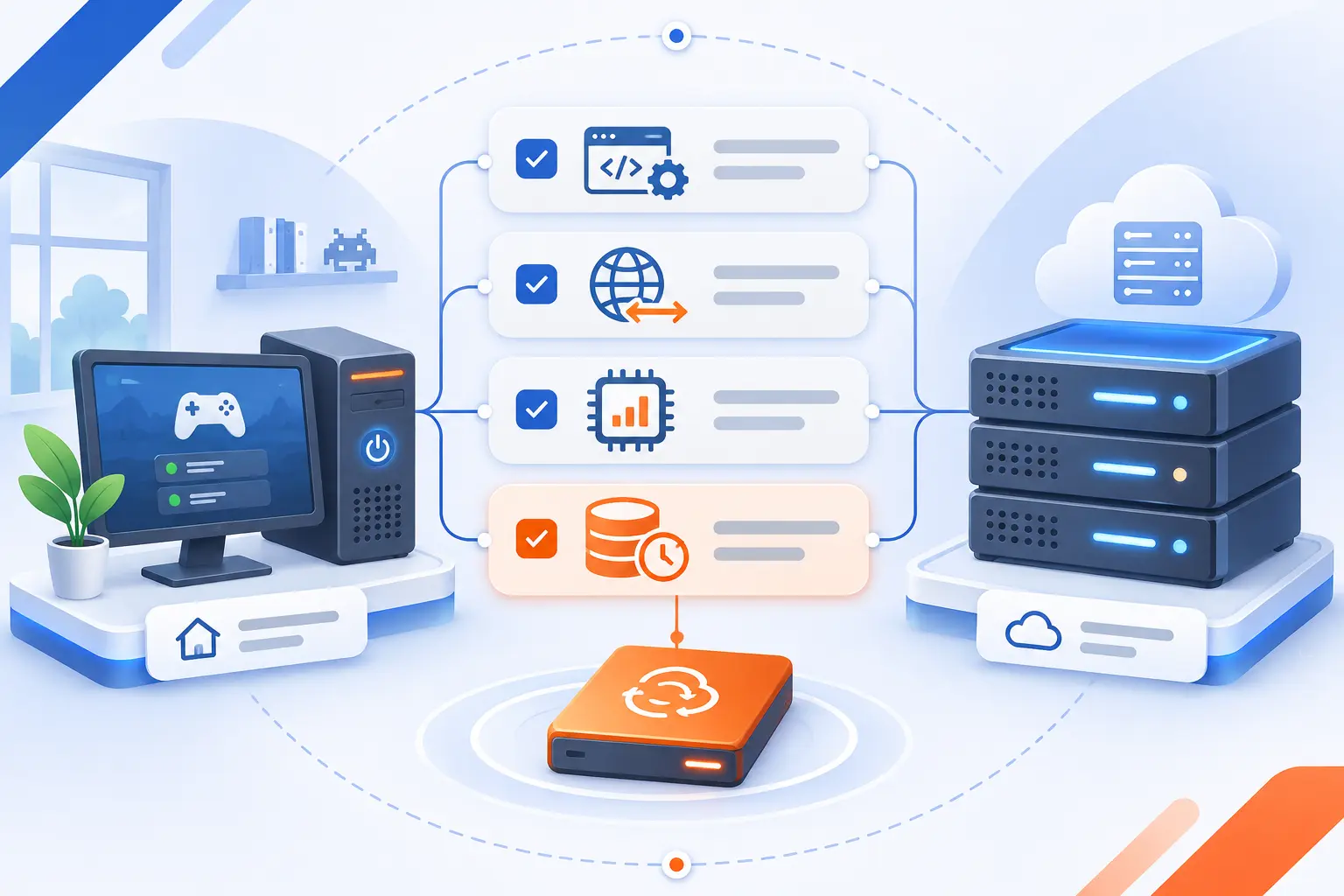
Running your own server means maintaining compatible software, reachable networking, suitable resources, and recoverable data. Installation is only the beginning. We would confirm official private-server support before buying hardware or renting infrastructure.
Choosing Between Home Hardware and Rented Infrastructure
Choose home hardware when its connection and maintenance demands fit your group, or rented infrastructure when you need a separate environment. Neither option removes administrative work.
Home hosting requires attention to upload capacity, electricity, router configuration, and household outages. Rented infrastructure adds recurring charges and provider restrictions. Consider who will apply updates and recover the world when something breaks.
Matching Hardware and Operating Systems to Game Requirements
Match the exact server release to its supported operating system, processor architecture, runtime, and resource requirements. Client requirements are not necessarily server requirements.
For example, Minecraft Java Edition 26.1 requires Java 25. That requirement belongs to that release, not every version of Minecraft. We would treat published minimums as compatibility guidance, then test the intended world and player load.
Installing Compatible Server Software and Configuring Network Access
Install the publisher-supported server build and expose only the network access that build requires. Exact commands and ports vary by game.
- Download the correct server package from an official distribution channel.
- Install its required runtime and review any license terms.
- Configure the world, access rules, and administrative credentials.
- Allow only the documented ports through applicable firewalls.
- For direct home hosting, check router forwarding and public reachability.
- Test an external connection, then verify saving and restoration.
Carrier-grade NAT can prevent ordinary inbound port forwarding from working. A game-supported relay or another reachable hosting arrangement may be necessary.
Managing Rules, Mods, Player Limits, and Resource Growth
Manage configuration changes carefully because rules, mods, and larger worlds can change both compatibility and resource demand. A higher player limit does not create additional capacity.
We recommend recording changes, testing updates, and backing up before modifying a valuable world. Monitor busy periods rather than idle operation. If performance declines after adding a mod, investigate that change before buying a larger server.
Frequently Asked Questions
Private hosting depends on the game’s software, distribution rules, and technical requirements. These answers address common starting questions, but the publisher’s documentation should guide the final setup.
Can I Use an Old PC as a Game Server?
Yes, an old PC can run a game server if it meets the chosen software’s requirements. Its CPU, memory, storage, and network connection must handle the intended workload. We would test a small session before trusting it with a long-running world.
Does Every Multiplayer Game Support Private Dedicated Servers?
No, some multiplayer games do not provide publicly usable dedicated server software. Others restrict hosting to approved arrangements or support only player-hosted sessions. Check official hosting support before purchasing infrastructure.
Do I Need Steam to Run a Game Server?
No, Steam is not required for every game server, and supported Steam titles may use SteamCMD instead of the desktop client. Valve documents anonymous downloads for published server packages. Download access, runtime authentication, and player ownership requirements still depend on the title.
Can a Private Server Also Host Voice Chat?
Yes, the same machine can run compatible voice chat software alongside a private game server if resources and policies allow. Voice adds its own bandwidth, configuration, and access-control requirements. Some games instead provide integrated voice, so a separate application may be unnecessary.
How 1Byte Supports Game Communities and Their Online Infrastructure
At 1Byte, we help communities distinguish gameplay infrastructure from the websites surrounding it. Cloud hosting and cloud servers should be evaluated against the game’s exact requirements. Our domain registration, SSL certificates, WordPress hosting, and shared hosting address community website needs. We are also an AWS Partner, but that status does not establish compatibility with every game.
| Service group | Practical community use | What to verify |
|---|---|---|
| Cloud hosting and cloud servers | Evaluate compatible gameplay workloads | Runtime, resources, permissions, and network access |
| Domain registration and SSL certificates | A recognizable website address and HTTPS | Domain configuration and certificate coverage |
| WordPress hosting and shared hosting | Publish community information and updates | Website software and hosting requirements |
Cloud Hosting and Cloud Servers for Compatible Game Workloads
Our cloud hosting and cloud servers are options to evaluate only when their specifications match the intended workload. A cloud label alone does not confirm suitability for long-running game processes.
Before choosing, we recommend checking operating system compatibility, executable permissions, CPU and memory needs, and required ports. Confirm these details for the specific service rather than assuming all cloud offerings behave alike.
Domain Registration and SSL Certificates for Community Websites
Our domain registration and SSL certificates support a recognizable community website and encrypted browser connections. That website can publish joining instructions, server rules, and event schedules.
The distinction matters: an SSL certificate protects properly configured website connections. It does not automatically encrypt a separate game protocol or reduce gameplay latency.
WordPress Hosting and Shared Hosting for Community Content
Our WordPress hosting and shared hosting support the website side of a gaming community, subject to the chosen service’s requirements. Suitable content includes announcements, guides, screenshots, and membership information.
We would not treat ordinary website hosting as interchangeable with infrastructure for a continuously running game executable. Keeping those requirements separate makes the hosting decision clearer.


Conclusion
How do game servers work? They coordinate player actions, calculate shared outcomes, and distribute updates that clients turn into gameplay. Hosting architecture determines where that coordination happens. Simulation timing, networking, resources, and maintenance determine how well it holds up.
At 1Byte, we favor a requirements-first approach over buying capacity by guesswork. Choose a game and server release, confirm private-hosting support, then test the intended workload. What does your community need first: a temporary match, a persistent world, or a website that brings players together?