

- WebSocket Is a Protocol for Persistent, Two-Way Client-Server Communication
- From the Initial HTTP Request to an Open Message Channel
- Comparing WebSocket Messaging With HTTP-Based Updates
- Where Persistent Messaging Adds Practical Value
- A Small JavaScript Example With a Browser Client and Server
- Security and Operational Limits to Address Before Deployment
- Frequently Asked Questions
- Plan Your Website and Cloud Foundation With 1Byte
- Conclusion
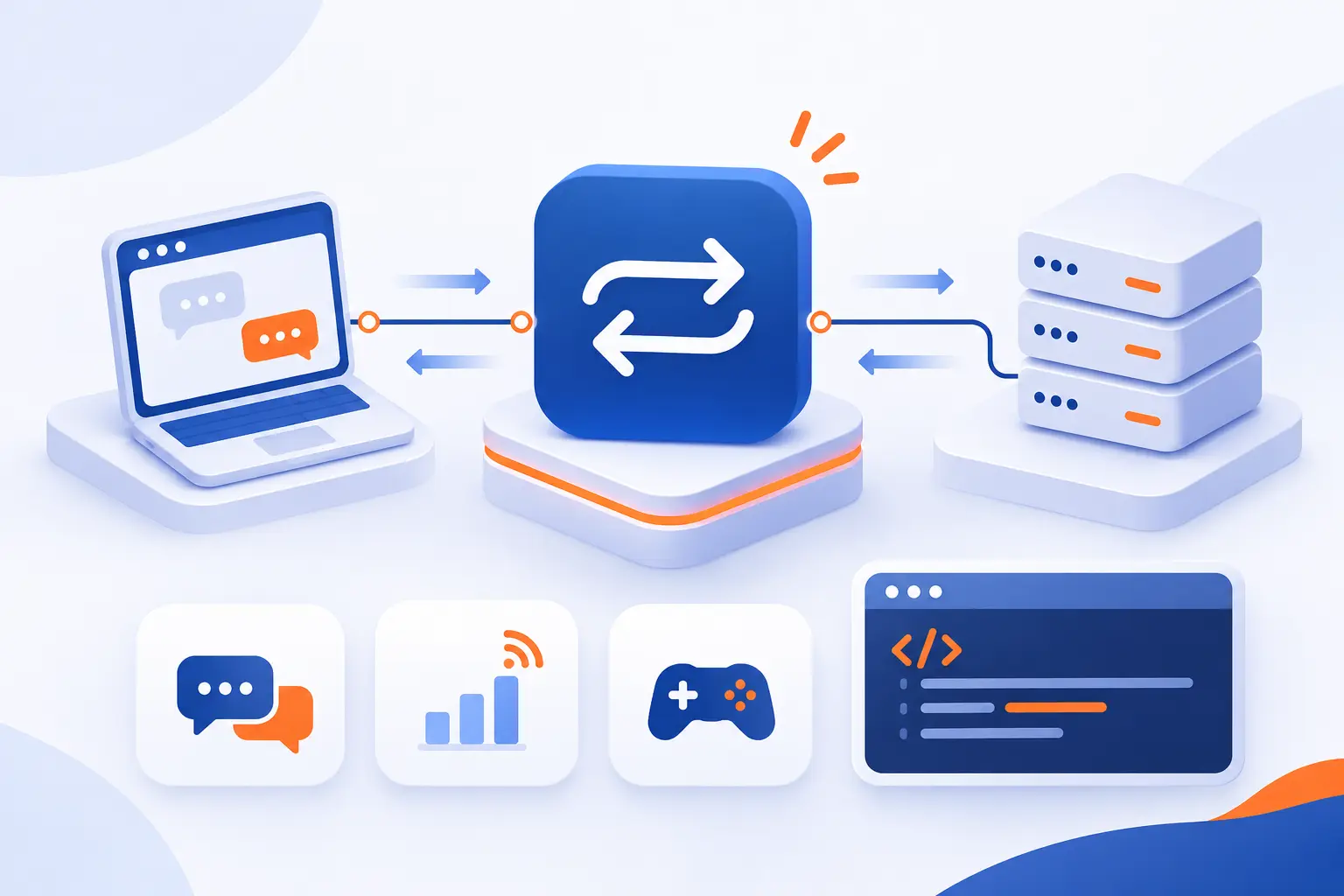
WebSocket is a communication protocol that keeps a connection open so a client and server can send messages independently. Unlike ordinary HTTP requests, each message does not need a matching request or response. That makes WebSocket useful for chat, multiplayer games, and collaborative applications. At 1Byte, we see it as a practical tool for interactive features, not a replacement for every website request.
WebSocket Is a Protocol for Persistent, Two-Way Client-Server Communication
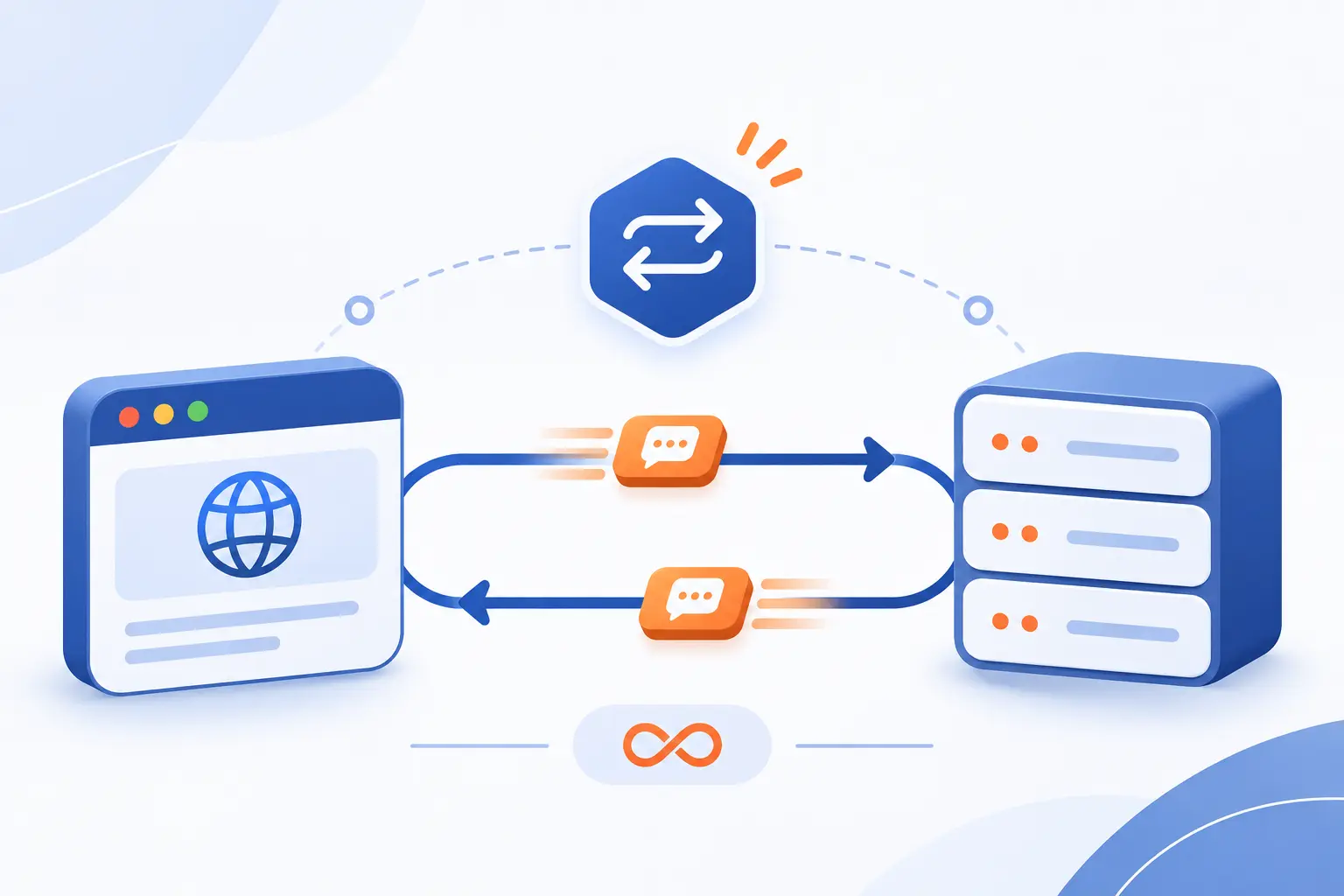
WebSocket provides an ongoing connection between a client, such as a browser, and a server. Either side can send data while that connection remains open. “Persistent” means the connection continues between messages, not that it can never fail. The protocol defines how endpoints establish the connection, package messages, and close the session.
FURTHER READING: |
| 1. What Is Internet Protocol? Packets and Routing |
| 2. What Is DNS Cache and How to Clear It on Any Device |
| 3. What Is Internet Control Message Protocol (ICMP) and How Does It Work? |
What Full-Duplex Communication Means for Clients and Servers
Full-duplex communication means the client and server can send data independently, including at the same time. Neither endpoint must wait for the other to ask a question.
Imagine a support conversation. A customer sends a message while an agent’s typing indicator arrives from the server. Both directions remain available throughout the exchange. Your application still decides which messages each participant may send or receive.
The WebSocket Protocol and the Browser API Serve Different Roles
The protocol defines communication rules, while the browser API gives JavaScript a way to use those rules. Developers call methods such as send() rather than constructing network frames themselves.
The browser also exposes connection events, including open, message, error, and close. Compatible server libraries implement the other endpoint. This separation explains why different programming languages can communicate through the same protocol.
From the Initial HTTP Request to an Open Message Channel
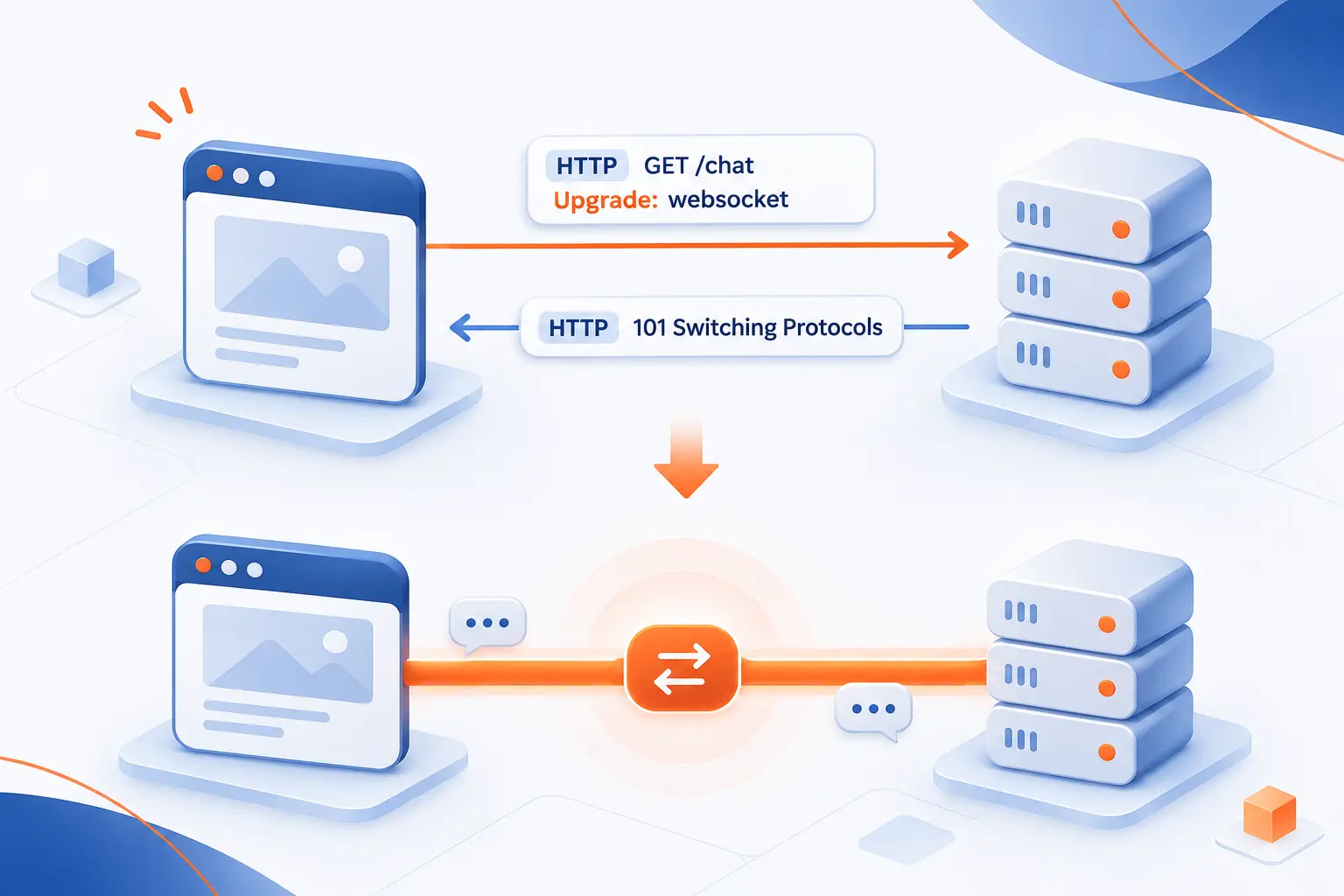
A typical WebSocket connection begins with an HTTP handshake, then carries messages using WebSocket framing. The familiar HTTP/1.1 path uses an Upgrade request. Successful negotiation creates an ongoing channel instead of another ordinary page response.
The Client Requests an Upgrade and the Server Accepts
With HTTP/1.1, the client requests a protocol upgrade, and an accepting server returns a Switching Protocols response. The handshake includes fields that let the client verify the server’s acceptance.
This exchange establishes the channel. It does not automatically authenticate a person or authorize access to private data. Also, the Upgrade sequence is specific to this HTTP version, not every possible WebSocket transport arrangement.
Both Endpoints Exchange Messages Over the Established Connection
After establishment, either endpoint can send application messages without opening a new connection for each exchange.
Your application chooses the payload structure. A chat service might send JSON containing a room identifier, sender, and message text. The transport does not assign those fields meaning. Both endpoints need an agreed format, validation rules, and behavior for unknown message types.
Text, Binary, and Control Frames Carry Data and Manage the Session
Data frames carry text or binary content, while control frames manage connection health and closure.
A message may span multiple frames. Libraries normally handle that detail before delivering a complete message to application code. Ping and pong frames support connection checks, while close frames begin an orderly shutdown. Browser JavaScript does not directly expose protocol-level ping and pong controls.
Closing the Connection and Reconnecting After Disruption
An orderly shutdown exchanges close frames, but an interrupted connection requires application-managed recovery.
The browser’s standard API does not reconnect automatically. We recommend retries with increasing delays and random variation, rather than immediate loops. After reconnecting, restore subscriptions and retrieve missing state. Reconnection alone does not recover messages sent during an outage.
Comparing WebSocket Messaging With HTTP-Based Updates
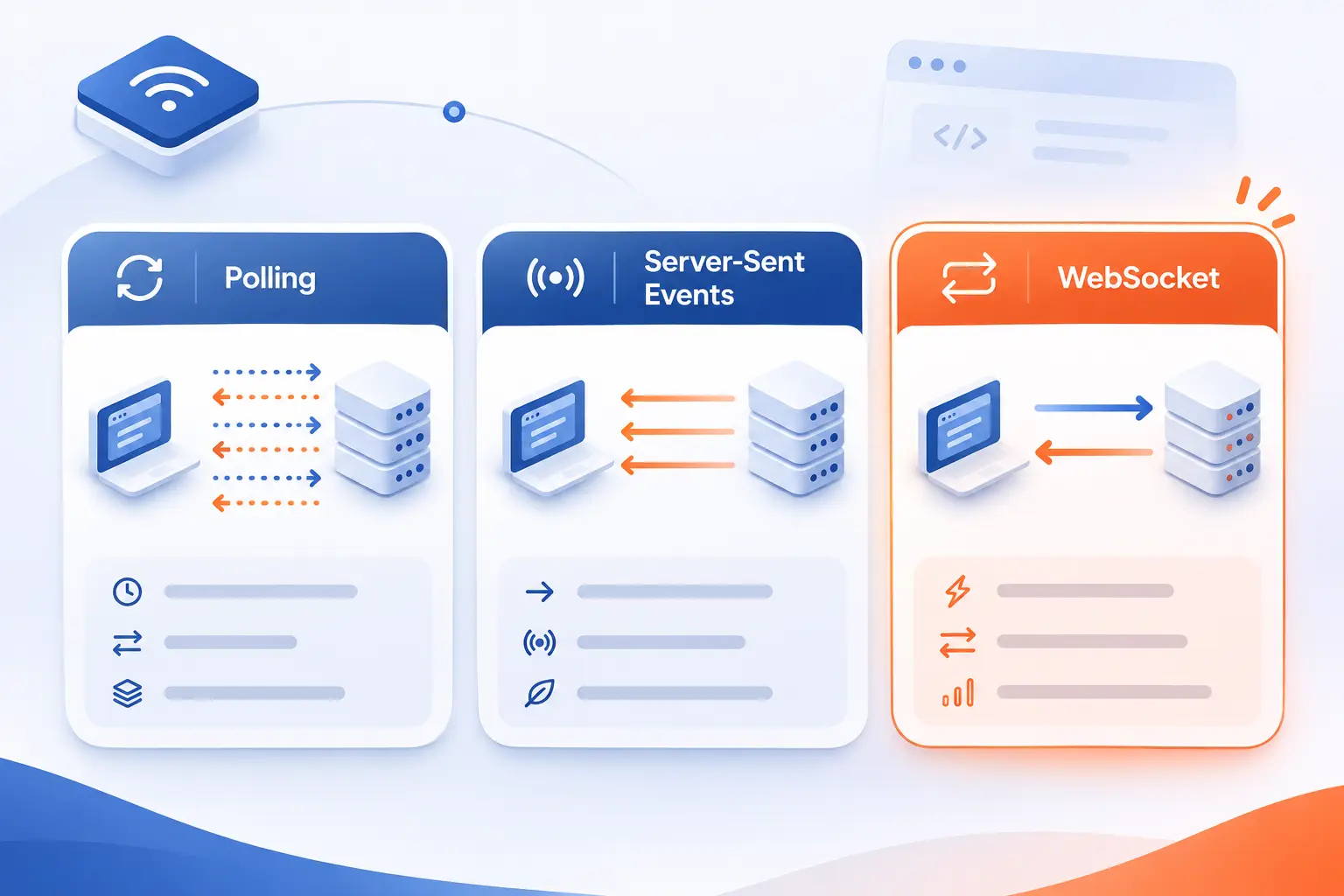
Choose WebSocket when both endpoints need frequent, independent messaging. Polling often suits occasional checks, while server-sent events suit ongoing updates from server to browser. Our preference is simple: use the least complicated approach that meets the interaction requirement.
| Approach | Update pattern | Practical fit |
|---|---|---|
| WebSocket | Independent messages in both directions | Interactive sessions |
| HTTP polling | Client checks repeatedly | Occasional status changes |
| HTTP long polling | Server holds a request until an update or timeout | Event delivery through HTTP requests |
| Server-sent events | Server streams events to the client | Feeds and notifications |
Request-Response Exchanges vs Independent Messages in Both Directions
Ordinary HTTP exchanges pair requests with responses, while WebSocket messages do not require that pairing.
A browser might fetch account details over HTTP, then receive account-related events through WebSocket. These approaches can coexist. We would keep routine page loads and conventional resource operations on HTTP unless a specific interaction justifies another channel.
Repeated HTTP Headers vs Ongoing Frame-Based Transfers
WebSocket avoids sending a fresh set of HTTP request and response headers for every application message.
That difference can matter when applications exchange frequent, small updates. However, it does not guarantee faster performance. Payload size, network conditions, compression, and server processing still matter. HTTP connection reuse and newer HTTP versions also make blanket comparisons misleading.
When HTTP Polling or Long Polling Meets the Requirement
Polling is often enough when updates are infrequent or modest delays are acceptable.
Consider a report-generation screen. Periodically checking whether a download is ready may be entirely reasonable. Long polling reduces empty checks by holding a request until information becomes available or a timeout occurs. The client then opens another request. Neither approach requires a permanent bidirectional application channel.
When Server-Sent Events Suit One-Way Updates
Server-sent events suit applications that primarily need a continuous stream from server to browser.
The browser’s EventSource interface receives text events and supports reconnection behavior. The standard’s processing model describes how that stream works. Client actions can still use separate HTTP requests. For a read-only notification feed, that combination may be simpler than WebSocket.
Where Persistent Messaging Adds Practical Value
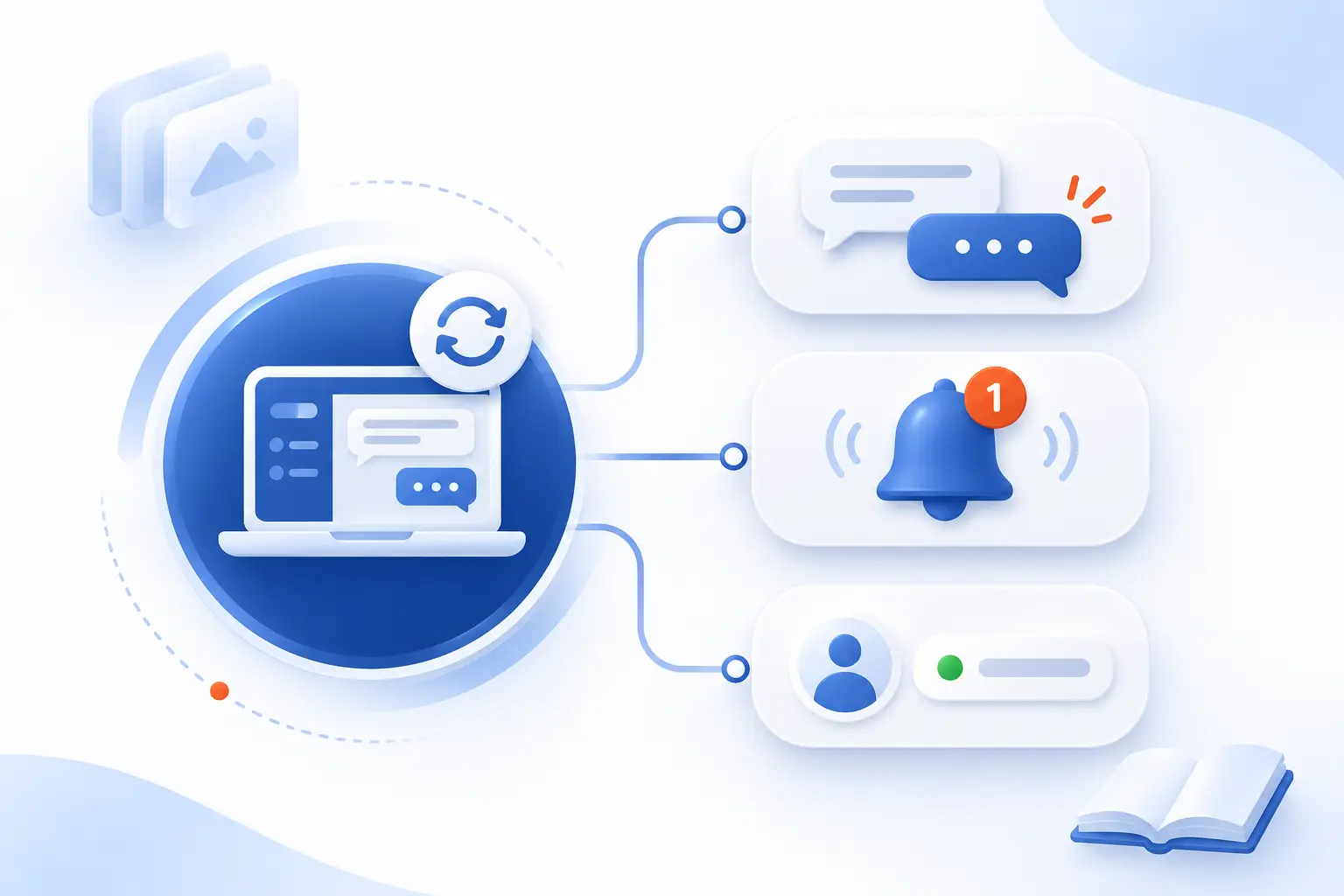
Persistent messaging adds value when users or systems need timely updates throughout an active session. The strongest cases involve repeated exchanges, rather than a single refresh. We judge the need by what must happen between participants, not by whether an interface looks “live.”
Chat Messages, Notifications, and Online Presence
Chat benefits from delivering messages and presence changes without waiting for another browser request.
Discord provides a real example. Its Gateway uses persistent connections to deliver application events. The documented connection lifecycle also includes heartbeats and session recovery. That illustrates an important distinction: an open channel is only part of a dependable messaging system.
Multiplayer Game State and Player Interactions
WebSocket can carry player actions and state updates for games that benefit from reliable, ordered messaging.
A turn-based game, for example, can send a player’s move and distribute the resulting board state. However, reliable delivery can delay later data when earlier packets need retransmission. We would evaluate that trade-off carefully for latency-sensitive action games rather than assume one transport fits every genre.
Financial Prices, Sports Scores, and Live Dashboards
A persistent channel can deliver changing values as the server receives them, rather than waiting for scheduled checks.
For a hypothetical sports dashboard, send a score change when it happens instead of repeatedly transferring unchanged results. We would also include timestamps and a visible connection indicator. A frozen display should never quietly look current. Where users only receive updates, compare server-sent events before choosing WebSocket.
Shared Documents and Collaborative Application State
Collaborative applications use persistent messaging to distribute edits, cursor positions, and other shared changes.
Yjs demonstrates this through a working editor implementation that combines shared data with a network provider. Crucially, WebSocket does not resolve conflicting edits itself. The collaboration layer must decide how concurrent changes combine and how disconnected users catch up.
IoT Sensor Readings and Device Monitoring
WebSocket can connect browser-based monitoring interfaces to messaging systems that distribute device readings.
For example, AWS IoT Core supports MQTT over WSS for publish-and-subscribe communication. MQTT supplies messaging behavior above the transport. We would evaluate device constraints separately from dashboard requirements, since a browser and a small sensor may need different connection methods.
A Small JavaScript Example With a Browser Client and Server
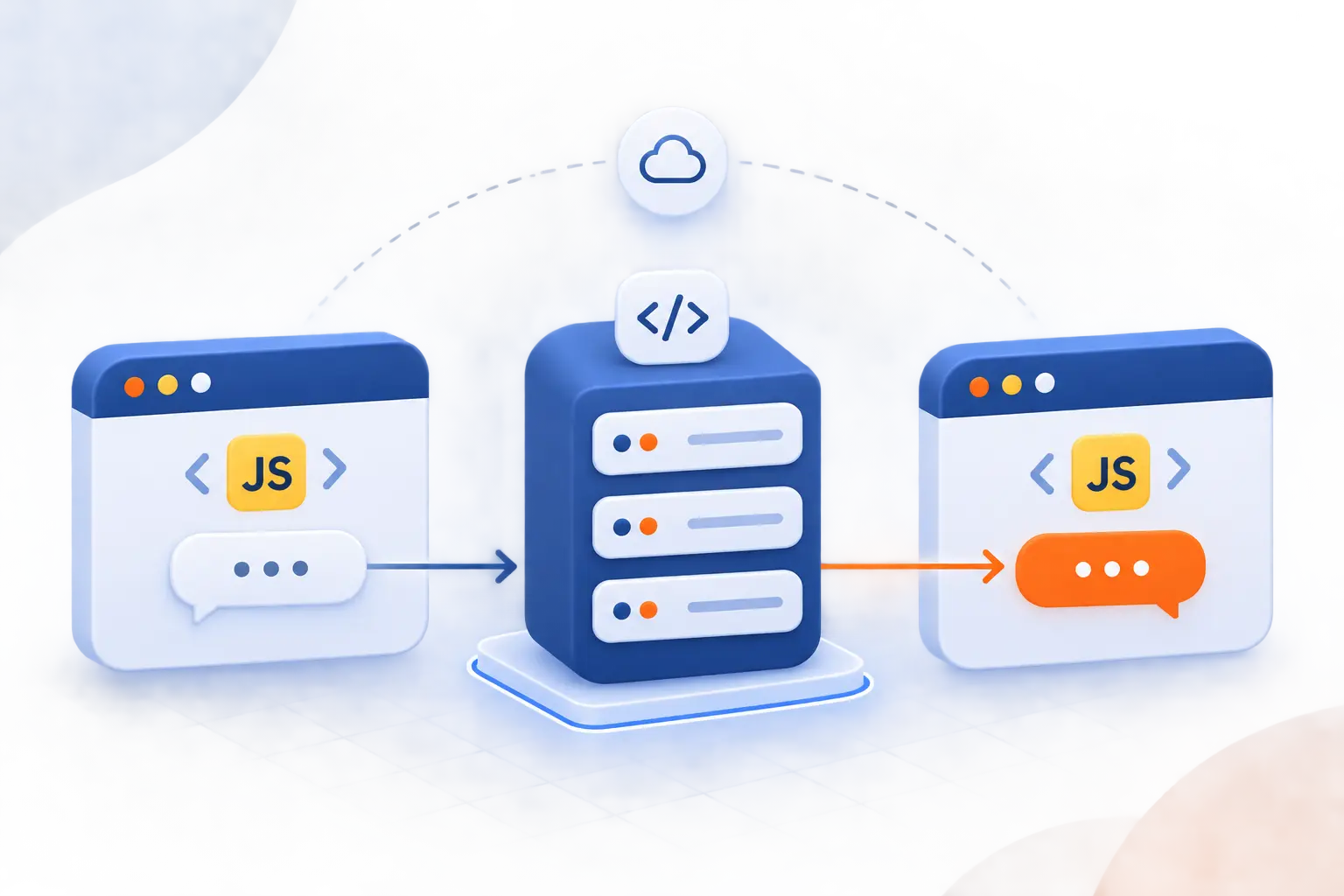
This example sends browser text to a local Node.js server, which echoes it back. It uses the browser’s built-in API and the ws server library. We keep it deliberately small so the complete message path is visible. It is a local demonstration, not a production-ready service.
The Server Accepts Connections and Handles Incoming Messages
Create a Node.js server that serves the browser page and echoes incoming text messages.
In an empty project directory, run npm init -y, then npm install ws. The library’s maintained implementation examples cover server connections and message handling. Save the following as server.mjs.
import { createServer } from "node:http"import { readFile } from "node:fs/promises"import { WebSocketServer } from "ws"const server = createServer(async (request, response) => { try { const page = await readFile(new URL("./client.html", import.meta.url)) response.writeHead(200, { "Content-Type": "text/html; charset=utf-8" }) response.end(page) } catch { response.writeHead(500) response.end("Could not load client.html") }})const connections = new WebSocketServer({ server, maxPayload: 4096})connections.on("connection", (socket) => { socket.on("error", console.error) socket.on("message", (data, isBinary) => { if (isBinary) { socket.close(1003, "Text messages only") return } socket.send(`Echo: ${data.toString()}`) })})server.listen(8080, "127.0.0.1", () => { console.log("Open http://127.0.0.1:8080")})Binding to the loopback address keeps this demonstration local. The configured payload limit is a teaching choice, not a universal recommendation.
The Browser Creates a Connection With the WebSocket Constructor
Create the browser connection with new WebSocket(...), then attach event handlers.
Save this as client.html beside the server file. The page derives its endpoint from its own host.
<!doctype html><html lang="en"><meta charset="utf-8"><title>Local echo example</title><pre id="output"></pre><script>const output = document.querySelector("#output")const log = (text) => { output.textContent += `${text}`}const socket = new WebSocket(`ws://${location.host}`)socket.addEventListener("open", () => { log("Connected") socket.send("Hello from the browser")})socket.addEventListener("message", (event) => { log(event.data) socket.close()})socket.addEventListener("error", () => { log("Connection error. Check browser and server logs.")})socket.addEventListener("close", (event) => { log(`Closed. Clean shutdown: ${event.wasClean}`)})</script></html>Open and Message Events Coordinate Sending and Receiving
Wait for the open event before sending, and read incoming content through the message event.
The constructor starts connecting asynchronously. Calling send() while the connection is still connecting throws an exception. Here, the open handler sends text only after establishment. The message handler displays the reply using textContent, not HTML interpretation.
Close and Error Events Handle Connection Changes
Use error to flag trouble and close to handle the connection’s final state.
Browser error events provide limited diagnostic detail. Inspect developer tools and server logs when troubleshooting. This example closes after receiving its reply and reports whether shutdown was clean. A longer-running application would also update its interface and decide whether reconnection is appropriate.
An Echo Exchange Demonstrates the Complete Message Path
Run the server and open the page to see a complete browser-to-server-to-browser exchange.
- Run
node server.mjsfrom the project directory. - Open the local HTTP address printed in the terminal.
- Watch the page report a connection, the echoed greeting, and closure.
- Inspect the browser’s Network panel to examine the connection and messages.
The reply proves that your browser sent data, the server processed it, and the browser received the result. It does not demonstrate authentication, message storage, or recovery after an outage.
Security and Operational Limits to Address Before Deployment
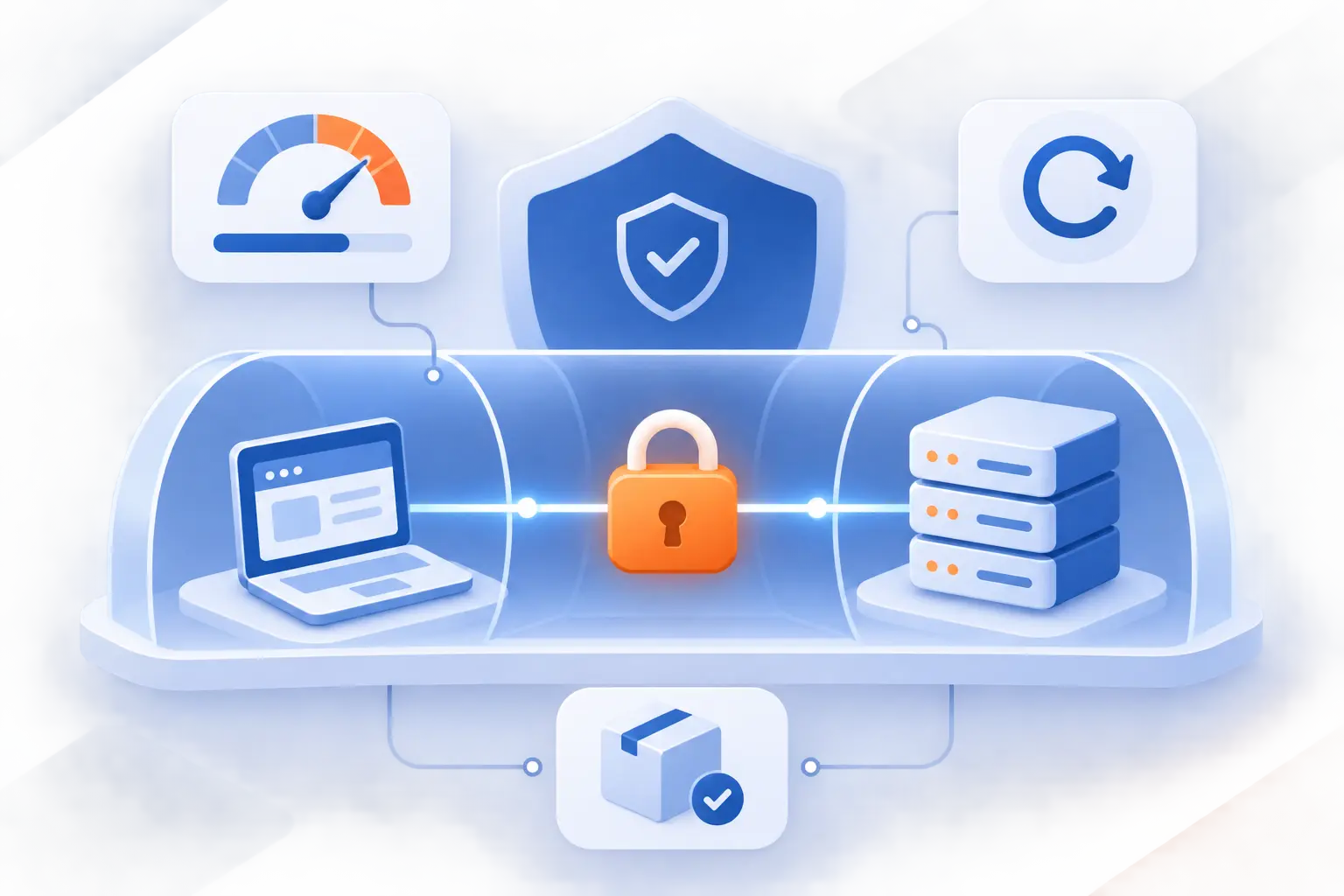
Production deployment requires encrypted transport, access controls, resource limits, and connection recovery. An open connection creates ongoing responsibilities for both endpoints. We would treat those responsibilities as application requirements, not cleanup work after launch.
Secure Transport With WSS and TLS Certificates
Use wss:// for encrypted WebSocket transport outside controlled local development.
WSS uses TLS to protect traffic and authenticate the server through certificate validation. A valid certificate does not authorize users or validate message content. Configure encryption at the server or appropriate proxy, and protect any additional network path according to your deployment’s trust boundaries.
Client Authentication and Authorization During Connection Setup
Authenticate the client before granting access, then authorize each sensitive action or subscription.
For browser clients, validate the handshake’s Origin against an explicit allowlist. Origin checking complements authentication, but does not replace it. The browser constructor also does not offer arbitrary HTTP header configuration. Choose an authentication approach that fits those constraints.
Session expiration needs attention too. The session lifecycle guidance explains why expiration and invalidation matter. We recommend defining what happens to open connections when users log out or lose permissions. Never assume initial approval lasts indefinitely.
Connection State, Redeployments, and Reconnection Planning
Plan for connections to disappear during network changes, server failures, and application redeployments.
Our deployment checklist would include idle timeouts, graceful shutdown, reconnection delays, and subscription restoration. If several servers handle clients, decide how events reach the correct connections. Keep durable business records separate from connection memory. Also define whether recovery requires a fresh snapshot, replayed events, or both.
Memory, CPU, and the Browser API Backpressure Limitation
The standard browser WebSocket API lacks built-in backpressure for controlling incoming message flow.
When messages arrive faster than an application processes them, memory use or CPU pressure can grow. The browser exposes bufferedAmount for queued outgoing data, but that does not regulate incoming traffic.
We recommend message-size limits, per-client rate limits, and bounded queues. Where appropriate, combine rapid updates or discard obsolete readings. Load tests should measure slow consumers and reconnecting clients, not just healthy connections.
Frequently Asked Questions
WebSocket is not limited to browser pages, and browser compatibility depends on the API features you use. These answers clarify where clients can run and how to check implementation support.
Can WebSocket Clients Run Outside a Web Browser?
Yes, compatible clients can run in server applications, desktop software, mobile applications, and other environments. The ws library, for example, supports Node.js clients as well as servers. Each client must follow the server’s authentication and application-message requirements.
Can the WebSocket API Be Used in Web Workers?
Yes, the browser WebSocket API is available in Web Workers. A worker can process messages separately from the page’s main JavaScript execution. Send results back to the page when the interface needs updating.
Where Can Developers Check Browser Compatibility?
Developers can check feature support in the browser compatibility dataset and the tables generated from it. Check individual properties and events, not just the constructor. Test your target browsers and embedded environments before deployment.
Plan Your Website and Cloud Foundation With 1Byte
At 1Byte, we recommend planning the public website and the persistent messaging component as related but separate requirements. We provide domain registration, SSL certificates, WordPress hosting, shared hosting, cloud hosting, and cloud servers. We are also an AWS Partner. The right choice starts with what each component must actually run.
| Service | Role to consider | Planning question |
|---|---|---|
| Domain registration | A readable public address | Which names identify the website and application? |
| SSL certificates | Certificate-based TLS configuration | Which endpoint names need certificate coverage? |
| WordPress hosting | A WordPress website | Will messaging run separately? |
| Shared hosting | Website hosting requirements | Are persistent application processes permitted? |
| Cloud hosting | Application hosting requirements | Does the environment support the required runtime? |
| Cloud servers | A server deployment to evaluate | How will processes and connections be managed? |
Domain Registration and SSL Certificates for Your Web Presence
Use domain registration to establish your application’s address and SSL certificates when configuring encrypted endpoints.
For example, you might assign separate names to the website and messaging endpoint. We recommend identifying those names before configuring certificates and allowed browser origins. The certificate must cover the hostname clients actually use.
WordPress Hosting and Shared Hosting for Website Needs
Evaluate WordPress hosting and shared hosting against the website’s needs without assuming they support a custom persistent server.
A content-focused website can have different requirements from its interactive messaging component. Before choosing an arrangement, confirm process restrictions, runtime availability, and connection policies. We prefer that discussion before implementation, not after a local demonstration is finished.
Cloud Hosting and Cloud Servers From an AWS Partner
Consider our cloud hosting and cloud servers when assessing where your application’s server component should run.
As an AWS Partner, we still begin with the application requirements rather than treating a partnership label as a technical specification. Identify expected concurrent connections, message traffic, memory needs, and recovery behavior. Then confirm the proposed environment supports that design.


Conclusion
WebSocket keeps a client-server channel open for independent messages in both directions. Its value comes from supporting ongoing interaction, not from replacing HTTP everywhere.
At 1Byte, we favor a practical starting point: build the smallest message exchange that proves your requirement. Then add authentication, limits, and recovery before deployment. Does your application truly need both endpoints to speak independently, or would a simpler update method do?