

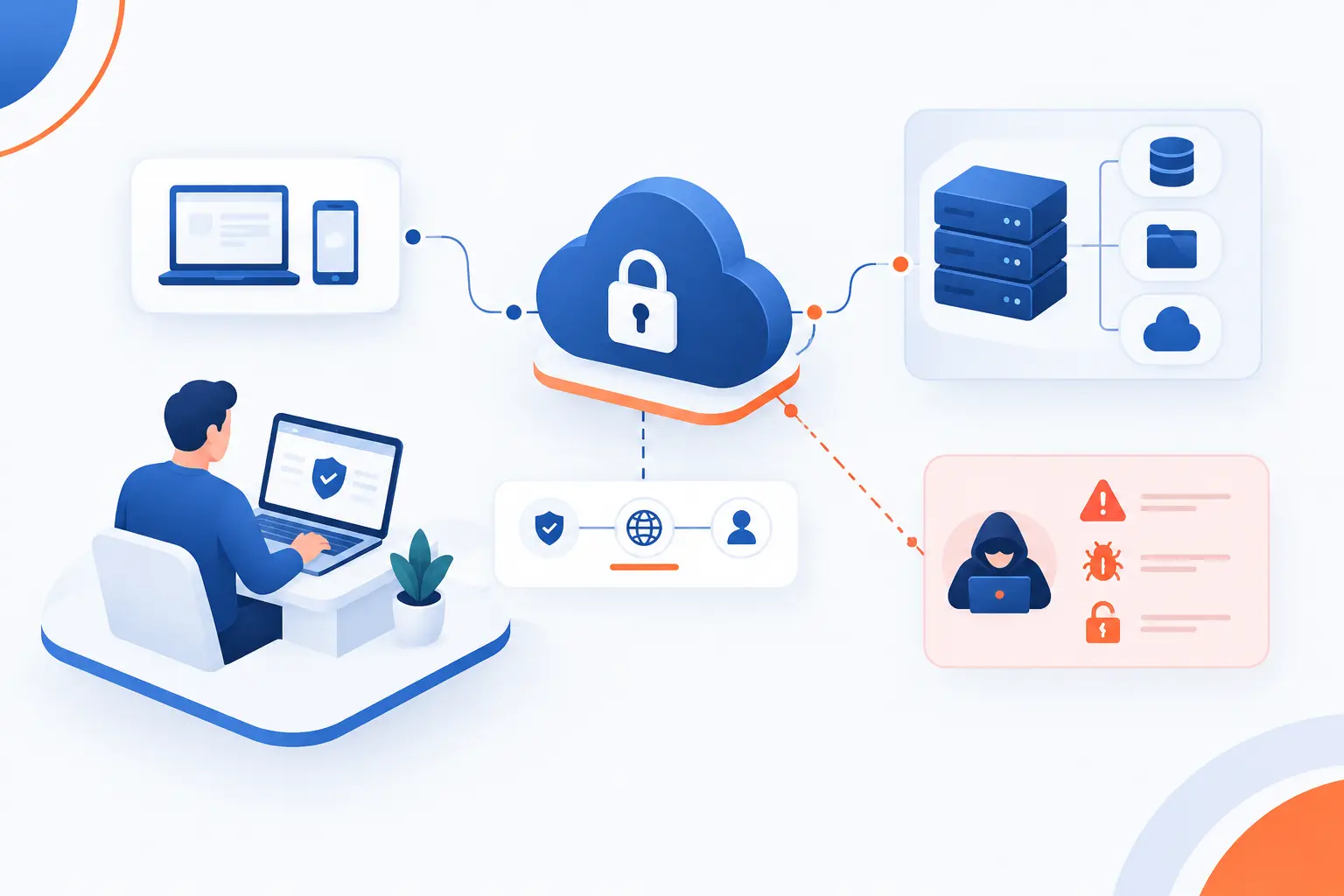
- Secure Remote Access Means Safe, Controlled Access to Enterprise Systems From Anywhere
- Why It Matters for Modern Organizations
- How Secure Remote Access Works
- Main Technologies and Access Models
- What Makes Access Truly Secure
- Common Risks When Remote Access Is Poorly Secured
- How to Evaluate a Remote Access Solution
- FAQ
- How 1Byte Supports Safer Remote Connections
- Conclusion
Secure remote access is the practice of letting approved users connect to business systems from outside the office while proving who they are, checking the device they use, encrypting the connection, and limiting what they can reach. It is not just “logging in from home.” It is controlled entry to apps, servers, desktops, databases, and admin tools without leaving the front door wide open. At 1Byte, we think of secure remote access as a gate with guards, cameras, locks, and a visitor list, rather than a tunnel that drops everyone inside the building.
The concept matters because work now happens across homes, hotels, branch offices, vendor networks, cloud consoles, and mobile devices. A weak setup can turn one stolen password into a company-wide incident. A strong setup makes remote work practical without handing attackers a straight path to your most valuable systems.
Secure Remote Access Means Safe, Controlled Access to Enterprise Systems From Anywhere
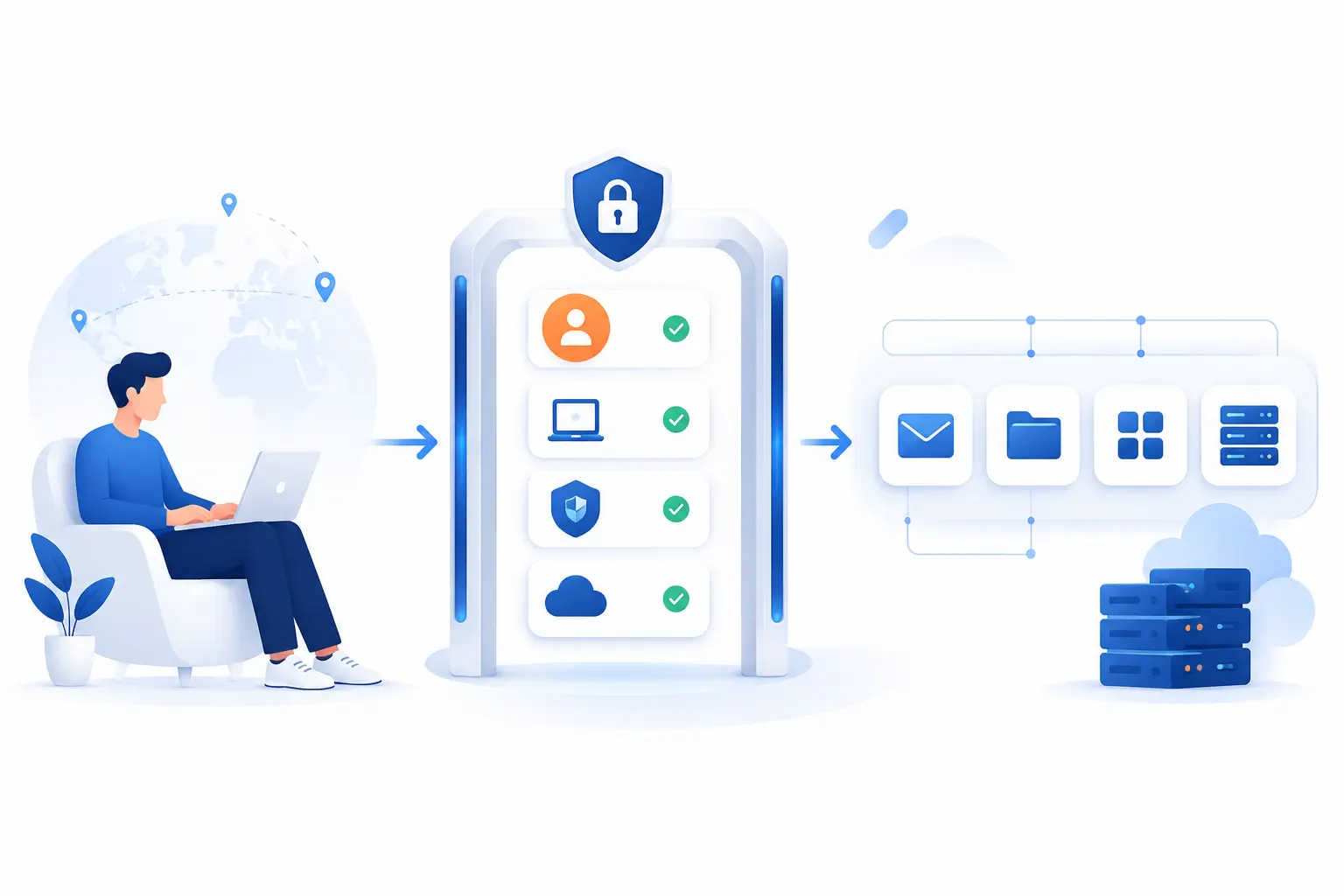
Secure remote access means users can reach approved enterprise resources from any location, but only after identity, device, connection, and policy checks succeed. It protects access to systems such as email, file shares, SaaS dashboards, cloud servers, internal apps, databases, and administrative consoles. The goal is simple: let the right person use the right resource for the right reason, while blocking everyone and everything else. This is why mature programs treat remote access as an identity and security problem, not merely a networking feature.
Traditional remote access often trusted the network path too much. If a user entered through a VPN, the system might treat that user as “inside.” Secure remote access is stricter. It asks more questions before and during the session: Who are you? Is this device healthy? Are you allowed to open this resource? Is your behavior normal? Should the session continue?
That shift is where many organizations either get safer or get into trouble. We have seen small teams buy a remote tool because it works quickly, then discover later that every administrator shares the same login. The smarter path is to design access from the start around identity, least privilege, encryption, monitoring, and logs.
For beginners, a clean definition helps: secure remote access is remote connectivity with security controls wrapped around every session. The remote part gets people in. The secure part decides who gets in, what they can touch, and when to stop them.
FURTHER READING: |
| 1. What Is DNS Poisoning? How It Works and Prevention |
| 2. What Is Spear Fishing Cyber and How It Steals Data |
| 3. What Is Defense in Depth Strategy in Cybersecurity |
Why It Matters for Modern Organizations
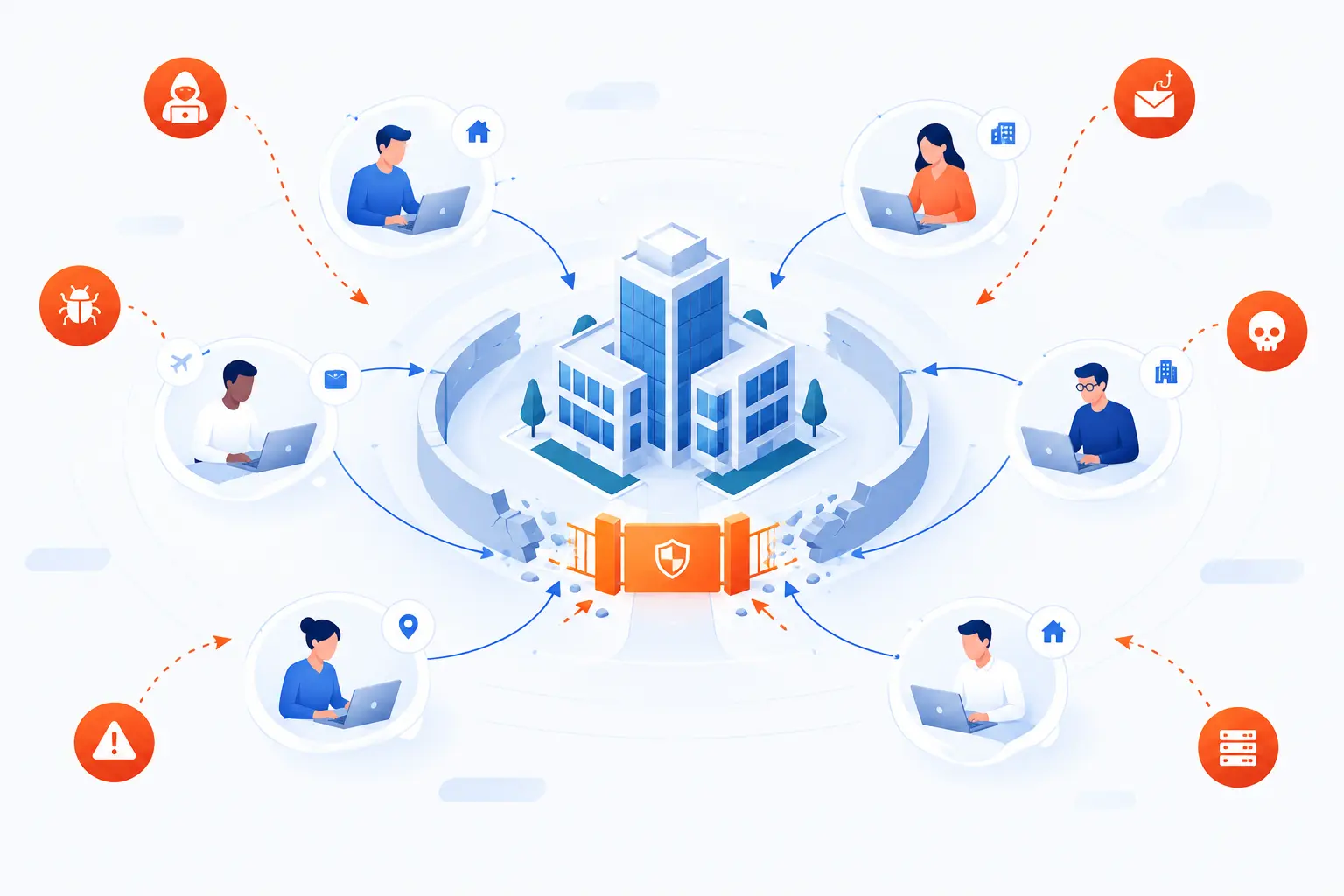
Secure remote access matters because modern organizations no longer work from one office, one network, or one device type. Employees, contractors, vendors, and administrators often need access from outside the traditional perimeter. Without strong controls, remote entry points become attractive targets for phishing, credential theft, malware, and ransomware. NIST treats telework, remote connectivity, and BYOD as related security concerns that require policies, secured client devices, and protected connection technologies in its federal guidance.
Supporting Remote Employees and Hybrid Teams
Secure remote access lets employees work away from the office without giving them uncontrolled entry to every internal system. A hybrid employee may need email, a CRM, a code repository, and a file folder, but not the finance server or production database. Good access design maps each person’s role to specific resources.
This is where policy matters more than geography. A designer working from home and an engineer working from a branch office should both face the same access rules if they use the same apps. Location can still influence risk, especially if a login appears from an unusual country or network. But it should not be the only gatekeeper.
Our view is simple: remote work should feel normal for the employee, while the security system quietly asks hard questions in the background. If the user changes devices, skips multi-factor authentication, or connects from a risky network, the system should respond. That response might be a challenge prompt, a blocked login, or a narrower set of allowed resources.
Keeping IT Support and Administration Moving
Secure remote access lets IT teams manage servers, endpoints, and cloud systems without standing in front of the machine. Administrators often need to patch systems, investigate alerts, restart services, review logs, and fix user devices from another location. That access is powerful, so it must be treated as high risk.
Administrative sessions should require stronger checks than ordinary user sessions. We prefer separate admin accounts, multi-factor authentication, privileged access approval, session recording where appropriate, and short session duration. A normal employee account should not become a skeleton key.
The practical rule is this: the more power a session has, the more evidence the system should collect. Who connected? From what device? What did they open? What commands ran? These details are not paperwork for paperwork’s sake. They are what help teams separate honest troubleshooting from dangerous behavior.
Extending Access to Vendors and Other Third Parties
Secure remote access gives vendors limited, auditable access to the systems they support, without handing them broad internal network visibility. A payment vendor may need one application. A software contractor may need one repository. A maintenance provider may need one management portal.
Third-party access deserves extra caution because the organization does not fully control the vendor’s devices, staff turnover, password habits, or internal security culture. That does not mean vendors should be blocked. It means their access should be narrow, time-bound, and monitored.
We like access windows for this reason. If a vendor works on a system every Tuesday, access should not remain open all month. If the vendor no longer needs the system, remove the permission. Remote access that never expires has a bad habit of becoming forgotten risk.
Protecting Productivity, Continuity, and Compliance
Secure remote access keeps work moving during travel, office closures, outages, and distributed operations while preserving control over sensitive systems. Business continuity is not only about backups and spare servers. It is also about whether people can safely reach the tools they need when normal routines break.
Compliance also enters the picture. Many organizations must show that access to sensitive data is controlled, logged, and reviewed. That applies to healthcare records, payment data, customer information, employee data, intellectual property, and regulated workloads.
Security data backs up the urgency. Verizon’s breach analysis reported that 31% of breaches started with software vulnerabilities, which is a reminder that remote entry points and exposed systems need patching, hardening, and monitoring. A remote access program that ignores vulnerability management is only half dressed.
How Secure Remote Access Works
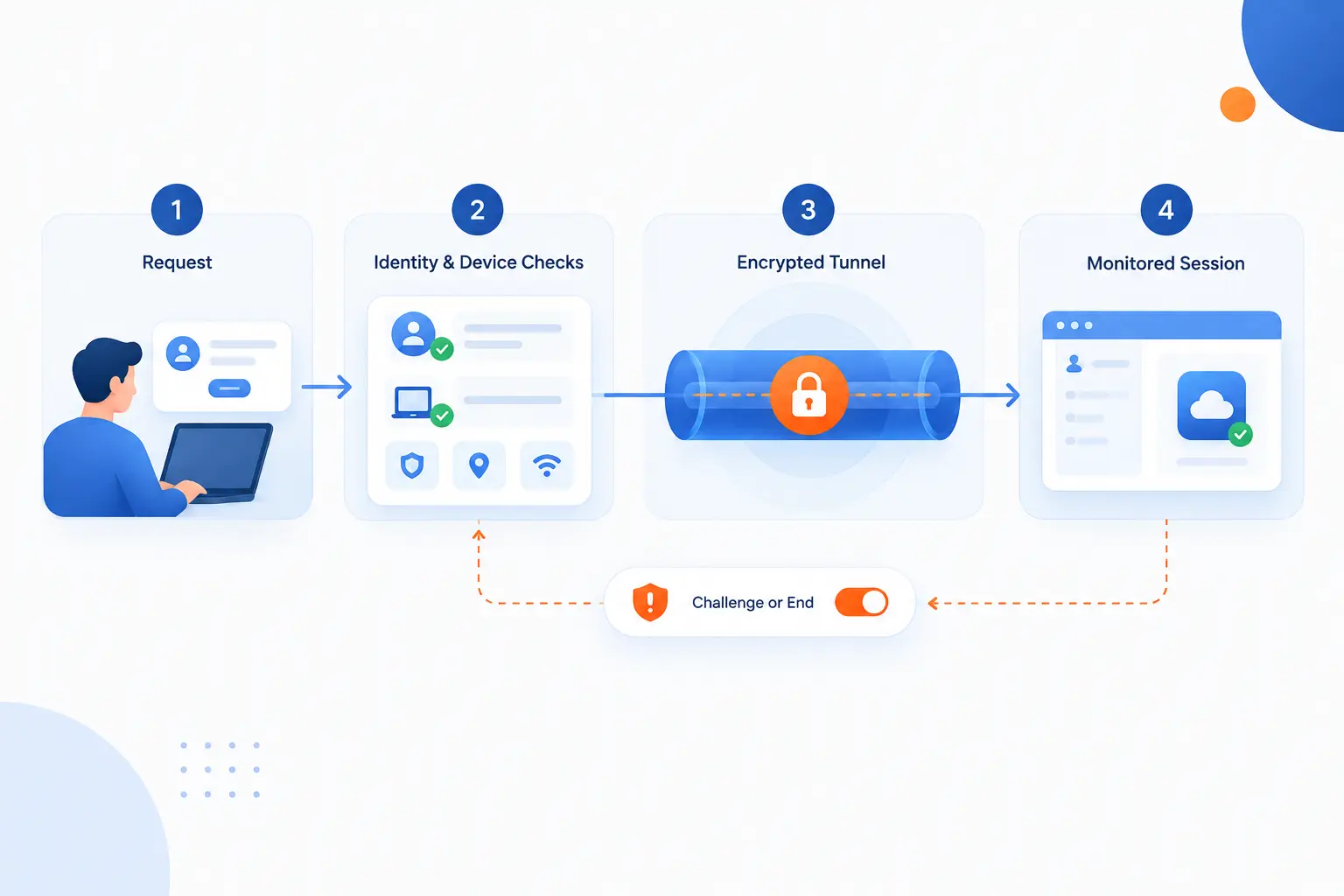
Secure remote access works by combining identity checks, device checks, encrypted transport, access policy, and continuous oversight into one controlled session. The user requests access, the system evaluates risk, and only then does it connect the user to an approved resource. If conditions change, the system can challenge, restrict, or end the session. This layered flow is what separates secure access from a simple open port.
Identity Verification With SSO and MFA
Identity verification proves the user is who they claim to be before the session begins. Single sign-on, or SSO, centralizes login through an identity provider, while multi-factor authentication adds proof beyond a password. That second proof may be an authenticator app, hardware key, passkey, biometric factor, or another approved method.
NIST describes digital authentication in detail, including multi-factor authenticators and different assurance levels, in its authentication guidance. The practical lesson is easy to grasp: a password alone is too fragile for important remote systems. People reuse passwords. Phishing pages capture them. Malware steals browser sessions.
SSO also helps administrators remove access faster. If an employee leaves, disabling one identity account should cut off many connected systems. That is cleaner than hunting through ten different tools after the farewell email has already gone out.
Device Checks Before a Session Starts
Device checks decide whether the laptop, phone, or workstation is safe enough to connect. A secure remote access system may check operating system version, disk encryption, endpoint protection, screen lock settings, certificate presence, browser posture, or device management status.
This matters because a valid user on a compromised laptop can still cause damage. If malware can read saved passwords, capture keystrokes, or steal session cookies, the login looks legitimate while the risk is anything but normal.
Device posture checks do not need to be perfect to be useful. They create friction for unmanaged, outdated, or suspicious endpoints. In our opinion, this is one of the most underrated controls for small and mid-sized teams. It closes the gap between “the user is trusted” and “the device is ready.”
Encrypted Connections to Approved Resources
Encrypted connections protect data as it travels between the user and the approved resource. TLS, IPsec, SSH, and other cryptographic protocols help prevent outsiders from reading or tampering with traffic in transit. Encryption does not decide who should enter, but it protects the session after access is granted.
TLS 1.3, for example, is defined in the protocol specification and is widely used to protect application-layer traffic such as HTTPS. IPsec works at the IP layer, while SSH protects command-line sessions and related services. The right choice depends on what the user needs to reach.
Approved resources are just as important as encryption. A user should connect to the payroll app, not the whole finance subnet. An engineer should reach a specific server, not every server in production. Encryption protects the road. Policy decides which destination appears on the map.
Continuous Monitoring, Logging, and Session Control
Continuous monitoring watches the session after login so access can change when risk changes. A login may look safe at the start, then become suspicious if the user downloads unusual data, opens restricted tools, or connects from a new location during the same session.
Logging records the evidence. It should capture who connected, when they connected, what resource they reached, what device they used, and what important actions occurred. For high-risk administrative activity, organizations may add command logging or session recording, depending on legal and policy requirements.
Session control is the active side of monitoring. The system might force reauthentication, block copy and paste, deny file transfer, isolate a browser session, or disconnect the user. That sounds strict, but it is better than waiting for an incident report to reveal what happened last week.
Main Technologies and Access Models
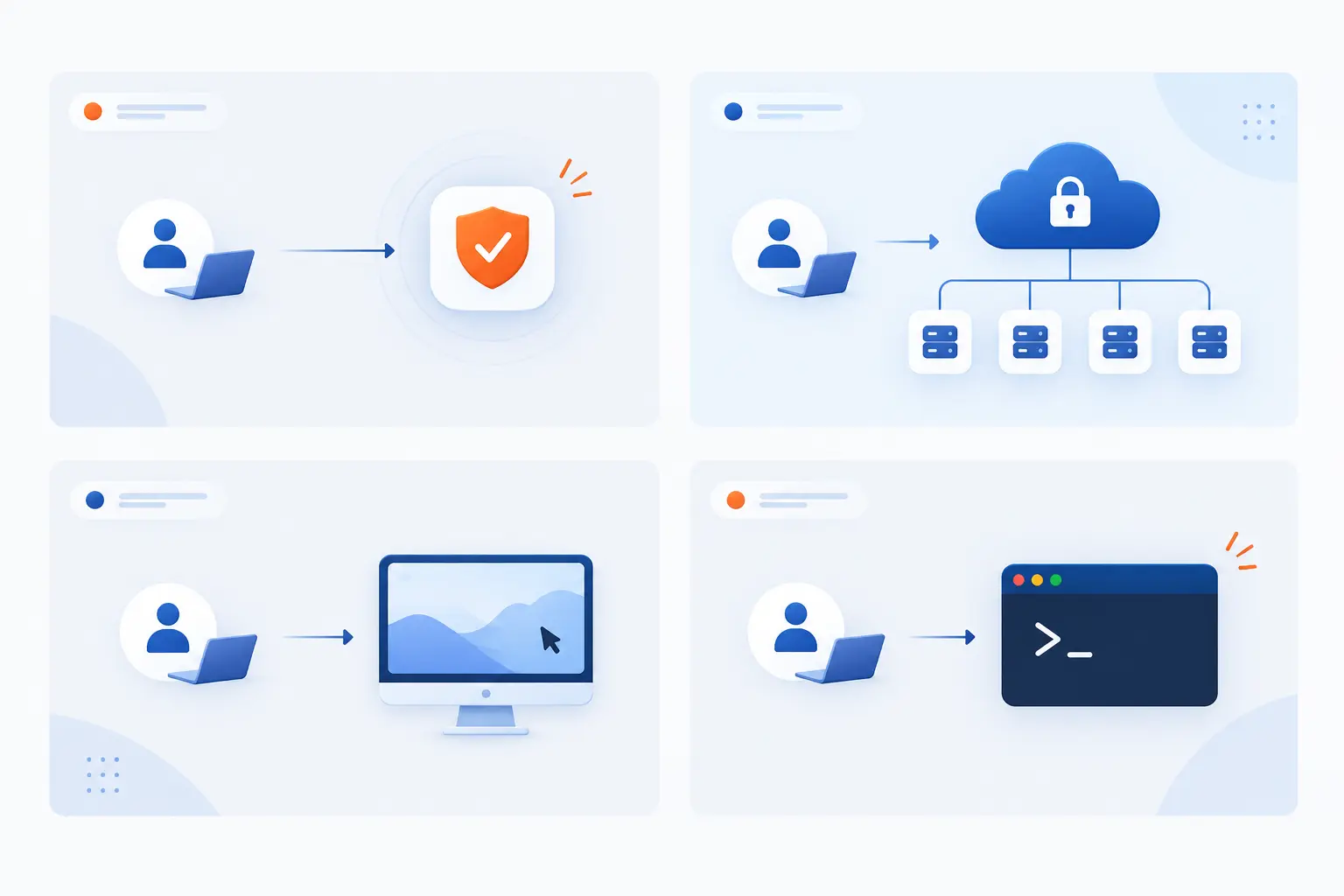
The main secure remote access technologies are ZTNA, VPNs, remote desktop tools, SSH, VNC, and deployment models that broker or route sessions in different ways. Each model solves a different access problem. ZTNA focuses on specific applications, VPNs connect networks or clients, and remote session tools expose a desktop or shell. Choosing the right model depends on user role, resource type, risk level, and operational simplicity.
| Option | Best fit | Main caution |
|---|---|---|
| ZTNA | App-specific employee and vendor access | Needs accurate identity and resource mapping |
| VPN, IPsec, SSL VPN | Network-level access for managed users | Can expose too much if policies are broad |
| RDP, SSH, VNC | Desktop, server, and admin sessions | Dangerous when exposed directly to the internet |
| Cloud-brokered, direct, hybrid | Different routing and trust needs | Architecture must match compliance and latency needs |
Zero Trust Network Access
Zero Trust Network Access gives users access to specific resources instead of placing them broadly inside a private network. It follows the larger zero trust idea that no user, device, or network location deserves automatic trust. Each request must be authenticated, authorized, and evaluated.
NIST’s zero trust model says trust should move away from static network perimeters and focus on users, assets, and resources, as described in the federal model. That philosophy fits remote work well because the user may be on a home network, mobile hotspot, airport Wi-Fi, or branch connection.
ZTNA is useful when teams want to avoid the old “VPN into everything” pattern. Instead of seeing an entire subnet, the user sees only the approved app or service. For vendors, temporary workers, and SaaS-heavy companies, that narrower view can reduce a lot of unnecessary exposure.
VPN, IPsec, and SSL VPN Connections
VPN connections create an encrypted path between a user, site, or network and protected systems. IPsec VPNs commonly protect traffic at the IP layer, while SSL VPN products often use TLS-based transport to provide client or browser-based access. Both can be secure when configured with strong authentication and tight access rules.
IPsec is based on a standards-track architecture that provides IP-layer security services through mechanisms such as ESP, AH, security associations, key management, and cryptographic algorithms, as explained in the standards-track architecture. In site-to-site designs, IPsec often connects office networks or cloud networks. In client VPN designs, a user device connects into a private environment.
The risk is overreach. A VPN that gives a laptop broad network access can make one stolen credential much more dangerous. We still see VPNs as useful, but we prefer them with MFA, device checks, split permissions, network segmentation, and clear logging.
Remote Desktop, SSH, and VNC Sessions
Remote desktop, SSH, and VNC sessions let a user control another computer or server from a distance. RDP is common in Windows environments, SSH is common for server administration, and VNC is often used for graphical remote control across platforms.
SSH is formally described as a protocol for secure login and other protected network services over an insecure network in its architecture document. RDP, by contrast, provides remote display and input capabilities for Windows-based applications over network connections, according to Microsoft’s technical overview.
These tools are powerful because they place the user close to the machine. That is also why direct public exposure is risky. We prefer placing them behind a gateway, VPN, ZTNA broker, bastion host, or other controlled entry point. Add MFA and session logging, then remove access when the work is done.
Cloud-Brokered, Direct, and Hybrid Deployment
Cloud-brokered deployment routes access through a provider-controlled service, direct deployment connects users to organization-managed gateways, and hybrid deployment uses both. The best model depends on where your apps live, how much control you need, and what your compliance obligations require.
Cloud-brokered access can be easier for distributed teams because users do not always need to connect through one corporate location. Direct deployment may suit teams that require more control over traffic paths, keys, inspection points, or private infrastructure. Hybrid designs are common when companies have both legacy systems and cloud applications.
Our practical advice is to start with the resource map. If most tools are SaaS apps, identity-centered access may be the cleanest fit. If you must manage private servers, databases, and internal admin panels, you may need gateways, bastion hosts, and private network controls. Architecture should follow the workload, not fashion.
What Makes Access Truly Secure
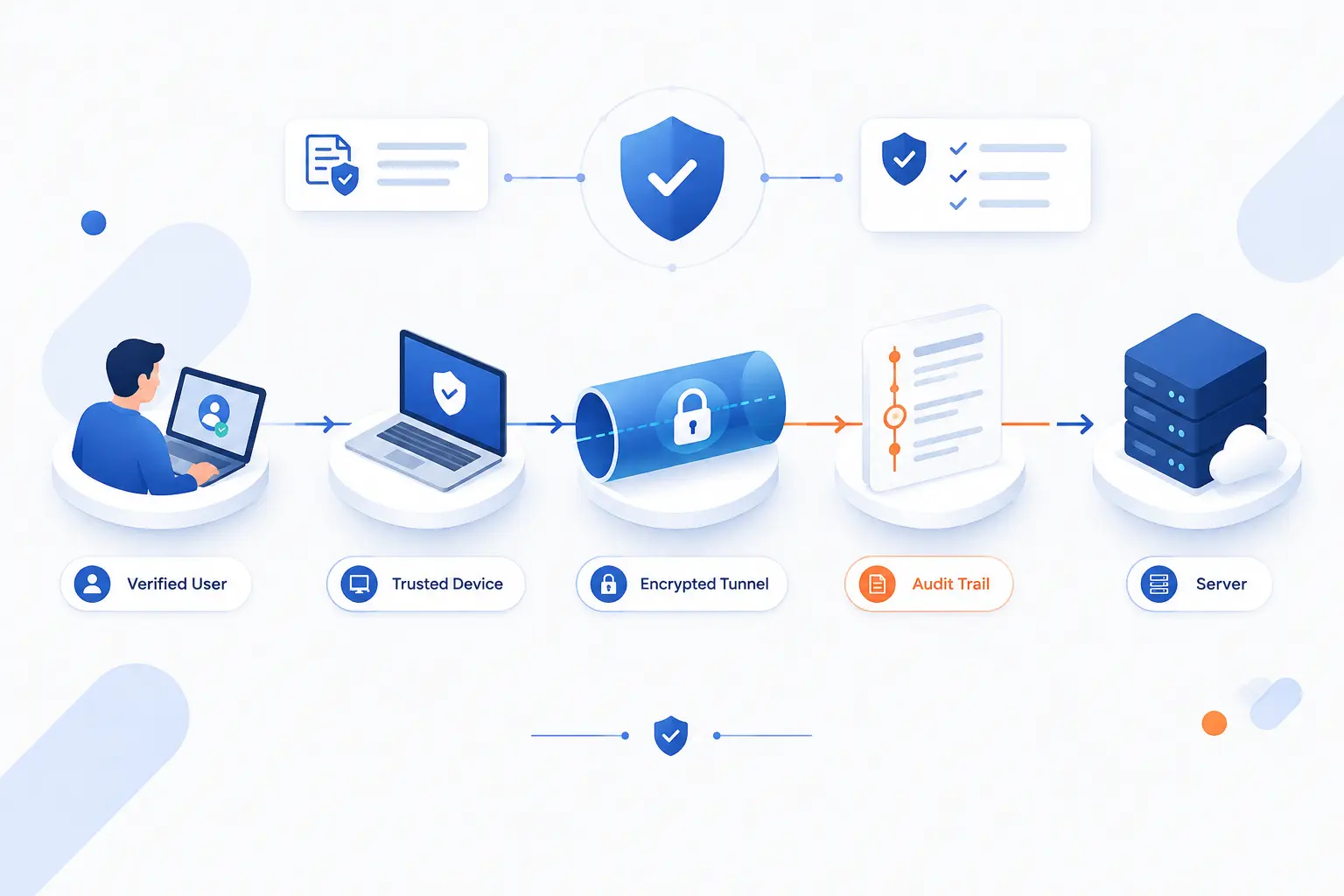
Access becomes truly secure when it is narrow, verified, encrypted, monitored, and reviewable. A product label alone does not make remote connectivity safe. The controls around the product matter just as much. In our view, the strongest setups combine least privilege, clear policy, endpoint protection, network checks, and audit trails that humans can actually understand.
Granular Access Controls and Least-Privilege Rules
Granular access controls limit each user to the exact systems and actions their work requires. Least privilege is the discipline behind that idea. A user who needs to read a report should not have admin rights to the server that stores it.
Good access design starts with roles. Finance staff need finance tools. Developers need code systems and selected environments. Support staff may need ticketing systems and customer tools. Administrators need privileged access, but only through stronger controls.
We like permission reviews because roles drift over time. People change jobs, projects end, and temporary access becomes permanent by accident. A quarterly review may sound dull, but it can remove old access before attackers find it.
Security Policies for Users, Devices, and Sessions
Security policies define who can connect, from what device, under what conditions, and for how long. They turn security intent into enforceable rules. Without policy, tools depend too much on administrator memory and user judgment.
A practical policy may require MFA for all remote sessions, managed devices for sensitive apps, blocked access from risky locations, and reauthentication for privileged tasks. It may also restrict downloads, printing, clipboard use, or file transfer for certain systems.
Policies should be readable. If only one engineer understands the rules, the organization has a continuity problem. We prefer policies that business owners can review with IT, because access decisions are rarely purely technical.
Endpoint Protection and Network Access Checks
Endpoint protection and network access checks reduce the chance that a compromised device becomes a trusted doorway. Antivirus or endpoint detection, disk encryption, patch status, device management, and firewall state all help measure device readiness.
This is especially important for BYOD. Personal devices may lack updates, contain risky browser extensions, or be shared with family members. If the organization allows them, it should define what those devices may access and what checks they must pass.
Network checks also matter. A connection from a known office network may carry different risk than a connection from public Wi-Fi. The system should adapt without turning every login into a wrestling match. Security that users hate will be bypassed sooner or later.
Audit Trails for Governance and Investigations
Audit trails show who accessed what, when, from where, and what they did. They support governance, incident response, compliance reviews, and everyday troubleshooting. Without logs, an investigation becomes guesswork.
A useful audit trail should connect identity, device, resource, time, and action. For example, “admin account connected to server X from managed laptop Y and changed firewall rule Z” is far more useful than “login succeeded.” Context is everything.
Logs also need protection. Attackers often try to erase their footsteps. Store important logs away from the systems they monitor, restrict who can edit them, and review them with alerts for suspicious behavior.
Common Risks When Remote Access Is Poorly Secured
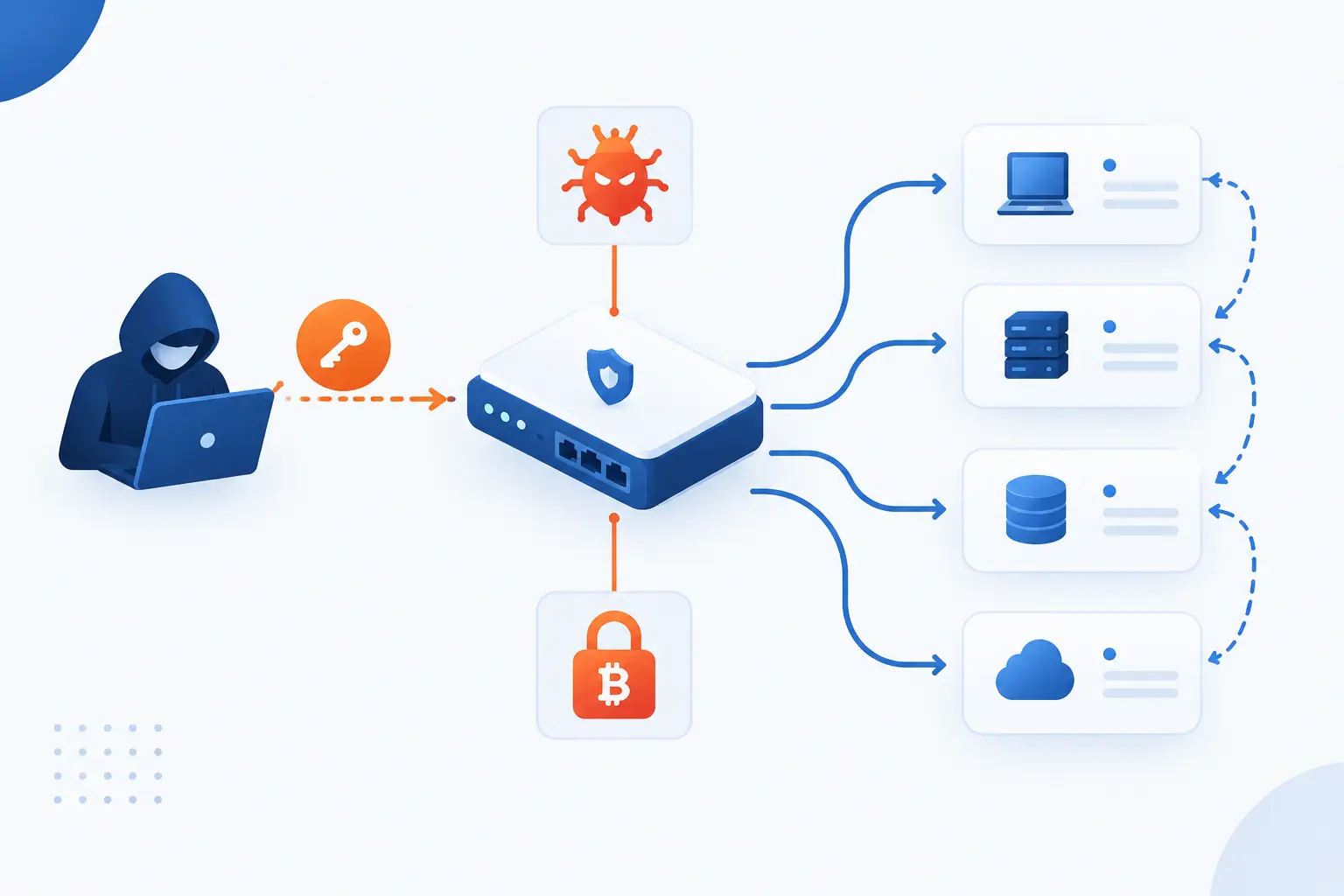
Poorly secured remote access creates risks such as stolen credentials, unauthorized entry, lateral movement, exposed endpoints, malware, ransomware, excessive privileges, and insider misuse. These risks are common because remote access sits at the edge of the organization. It is reachable, useful, and often powerful. That combination makes it a favorite target.
Unauthorized Access and Stolen Credentials
Unauthorized access often begins with a stolen password, phished session, weak MFA setup, or reused credential. Once attackers can sign in as a real user, many systems treat them like a real user. That is why secure remote access needs more than username and password fields.
Credential theft is painful because it blends in. A login from an employee account may not look malicious at first. Strong MFA, impossible-travel detection, device checks, and behavior monitoring help separate real work from account abuse.
We also recommend removing shared accounts wherever possible. Shared logins destroy accountability. If five people use one admin password, no one can confidently say who changed the server setting at midnight.
Lateral Movement Across Enterprise Networks
Lateral movement happens when an attacker uses one foothold to move across other systems. Broad VPN access, flat networks, weak segmentation, and overprivileged accounts make this much easier. One compromised laptop can become a path toward file servers, domain controllers, databases, and backup systems.
Secure remote access should reduce movement after login. Users should reach named resources, not wander through network neighborhoods. Servers should accept remote administration only from controlled paths. Sensitive systems should sit behind separate rules.
Think of it like a hotel key card. A guest should open one room, not every room on every floor. If remote access opens the whole building, the design needs work.
BYOD and Unmanaged Endpoint Exposure
BYOD and unmanaged endpoints increase risk because the organization cannot fully control their security state. A personal laptop may be missing patches. A phone may lack screen lock. A browser may have risky extensions or saved passwords.
This does not mean BYOD is always wrong. It means access should match device trust. A managed laptop may reach internal admin tools. An unmanaged tablet may reach email through a browser with download restrictions. A jailbroken phone should reach nothing sensitive.
The worst approach is pretending all devices are equal. They are not. Secure remote access should notice the difference and enforce it.
Exposed RDP, Malware, and Ransomware
Exposed RDP and similar remote services can become direct doors for attackers, malware, and ransomware crews. CISA’s ransomware advice specifically warns organizations not to expose services such as Remote Desktop Protocol on the web, and it notes that threat actors often use poorly secured remote services for initial access and later movement, according to federal ransomware guidance.
This is one of those areas where we take a firm stance. Do not place RDP straight on the public internet and hope a strong password saves the day. Hide it behind controlled access. Require MFA. Limit source networks. Patch the server. Monitor failed logins.
Ransomware often needs a way in and a way to spread. Poor remote access can provide both. A better design makes the first step harder and the second step much harder.
Overly Broad Privileges and Insider Threats
Overly broad privileges let users or insiders do more than their roles require. This can cause accidental damage, data exposure, or deliberate misuse. It also increases the blast radius when an account is compromised.
Insider risk is not always dramatic. Sometimes it is a curious employee opening files they should not see. Sometimes it is a departing administrator copying data. Sometimes it is a contractor whose access remains active after a project ends.
Least privilege, approvals, logging, and regular reviews reduce this risk. They also protect honest employees from being blamed without evidence. Good controls create clarity.
How to Evaluate a Remote Access Solution
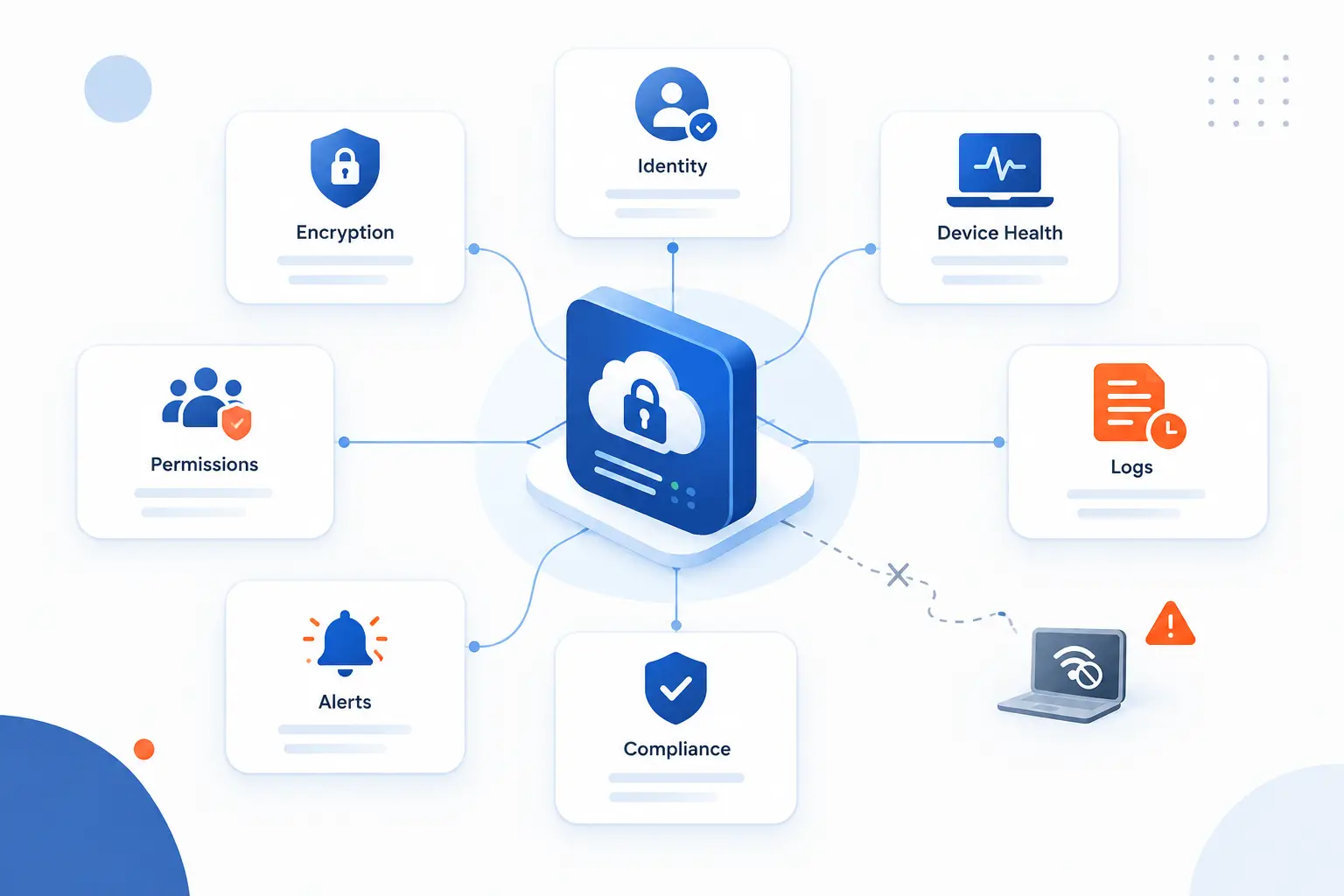
To evaluate a remote access solution, look at encryption, identity controls, device checks, permissions, performance, administrative visibility, logging, alerts, compliance support, and operational fit. Do not choose only by brand name or a slick demo. Ask how the system behaves when something goes wrong. The real test is not whether access works on a good day, but whether risky access is blocked on a bad one.
Encryption Strength and Zero-Knowledge Design
Encryption strength should match modern cryptographic expectations, and any zero-knowledge claim should be specific enough to verify. For transport encryption, look for modern protocols, strong cipher suites, certificate validation, and sound key handling. For stored credentials or secrets, ask who can decrypt them and under what conditions.
NIST key management guidance discusses security strength and algorithm transitions, including 128-bit security strength as a modern planning target. You do not need to become a cryptographer to buy a tool, but you should avoid vague claims like “military grade encryption” without details.
Zero-knowledge design can mean different things depending on the product. It may mean the provider cannot read stored passwords, session keys, vault data, or certain customer secrets. Ask for the exact boundary. A serious vendor should explain what it can see, what it cannot see, and how recovery works.
Compatibility, Performance, and Ease of Use
A remote access solution must work with the systems people actually use, or they will route around it. Check operating systems, browsers, mobile devices, identity providers, cloud platforms, legacy apps, remote desktops, SSH workflows, and admin tools. Compatibility is not glamorous, but it prevents ugly surprises.
Performance also matters. If every session feels slow, employees will pressure IT for exceptions. If file transfers break or video-heavy apps lag, the help desk becomes the complaint department. Test common tasks before committing.
Ease of use is a security control in disguise. A clear login flow, understandable prompts, and simple recovery process reduce risky workarounds. We do not believe security should feel like a maze. It should feel like a locked door with the right key.
Role-Based Permissions and Administrative Control
Role-based permissions let administrators assign access by job function instead of managing every user one by one. This reduces mistakes and makes reviews easier. It also helps new employees receive the right access faster and former employees lose it cleanly.
Look for support for groups, conditional rules, emergency access, temporary elevation, approvals, and privileged account separation. Administrative control should also include clear ways to revoke sessions and disable access immediately.
The solution should fit the organization’s process. A small business may need simple roles. A larger company may need layered approval and integration with identity governance. The principle stays the same: access should be intentional, not inherited by accident.
Visibility, Alerts, and Compliance Support
Visibility shows what is happening across remote sessions before an incident becomes a surprise. Dashboards, logs, exports, alerts, and integrations with security tools all matter. If a system cannot tell you who connected to what, it is hard to trust.
Alerts should focus on meaningful risk. Examples include impossible travel, repeated failed login attempts, new device access, privileged session starts, unusual file downloads, and policy bypass attempts. Too many noisy alerts teach teams to ignore the dashboard.
Compliance support is also practical. If auditors ask for access history, permission reviews, or administrative activity, the tool should help produce evidence. We prefer systems that make the right thing easy, because panic-exporting logs the night before an audit is no way to live.
FAQ
These quick answers cover two common questions beginners ask about secure remote access. The short version is that VPNs can provide remote access, but they are only one model. Protocol choice depends on whether you need network access, desktop control, server administration, or application-specific access.
Does VPN Allow Remote Access?
Yes, a VPN can allow remote access by creating an encrypted connection between a user device and a private network or gateway. A VPN is not automatically safe, though. It should use MFA, device checks, least-privilege network rules, logging, and regular patching.
Which Protocol Is Used to Securely Access a Remote Device?
SSH is commonly used to securely access a remote device, especially for server administration. RDP is common for Windows desktop access, and VNC may be used for graphical control, but each should be protected by strong authentication and controlled exposure. For network tunnels, IPsec and TLS-based VPN technologies are also common.
How 1Byte Supports Safer Remote Connections
1Byte supports safer remote connections by helping businesses build the basic web and cloud foundation around trusted names, encrypted sites, hosted applications, and controlled server environments. In this section, we will only speak about the services named here: domain registration, SSL certificates, WordPress hosting, shared hosting, cloud hosting, cloud servers, and the fact that 1Byte is an AWS Partner. These services do not replace a full identity or endpoint security program. They do, however, support the infrastructure choices that secure remote access depends on.
Domain Registration and SSL Certificates for Trusted Access
Domain registration and SSL certificates help users reach the right service through a trusted name and encrypted HTTPS connection. A clear domain reduces confusion, while a certificate helps browsers verify the site and protect traffic in transit. This is basic, but basic is where many security programs either stand or stumble.
For remote workflows, a business may use a branded domain for portals, admin panels, customer dashboards, or internal tools exposed through controlled gateways. SSL certificates then help protect browser-based sessions. We see this as table stakes, not a luxury.
Certificates do not prove that every application behind the site is secure. They protect the connection and help establish trust in the endpoint. Businesses still need strong login controls, patching, permissions, and monitoring.
WordPress Hosting and Shared Hosting With Protected Admin Workflows
WordPress hosting and shared hosting can support safer admin workflows when website access is treated as a controlled remote activity. A website admin area is still a remote access point. It deserves strong passwords, MFA where available, limited administrator accounts, updated plugins, and careful user roles.
For many small businesses, the first remote admin task is not a server shell. It is logging into a website dashboard to publish pages, update content, or manage forms. That login can still expose customer data, brand reputation, and business operations if it is poorly protected.
Our practical view is that website administration should follow the same habits as broader secure remote access. Use the fewest admin accounts possible. Remove old users. Keep software current. Treat every login as a door into the business.
Cloud Hosting and Cloud Servers for Distributed Teams
Cloud hosting and cloud servers give distributed teams places to run websites, applications, and workloads that users may need to reach remotely. This makes access design important from the beginning. Teams should decide who can administer servers, how connections are protected, and which services should stay private.
Cloud servers can support tighter patterns such as SSH through a bastion host, restricted admin IP ranges, private services, and role-based cloud console access. Cloud hosting can support application access patterns where users reach the app, not the underlying machine. The right design depends on the workload.
As an AWS Partner, 1Byte can be part of cloud infrastructure conversations without turning every business into a cloud engineering project. Our opinion is plain: start with the access map. Know who needs what, protect that path, and avoid exposing management interfaces just because it feels convenient.







Conclusion
Secure remote access is controlled, verified, encrypted, and monitored access to business systems from outside the traditional office. It is how modern teams work without treating the internet like a trusted hallway. The strongest setups combine identity checks, MFA, device posture, least privilege, encryption, logging, and fast revocation.
The biggest mistake is thinking one tool solves the whole problem. A VPN without MFA can be risky. RDP on the public internet can be dangerous. Admin accounts without review can quietly become liabilities. The better approach is layered and practical: protect the user, the device, the connection, the resource, and the record of what happened.
If you are reviewing your own setup, start with one question: if a password were stolen tonight, how far could an attacker get by tomorrow morning?