

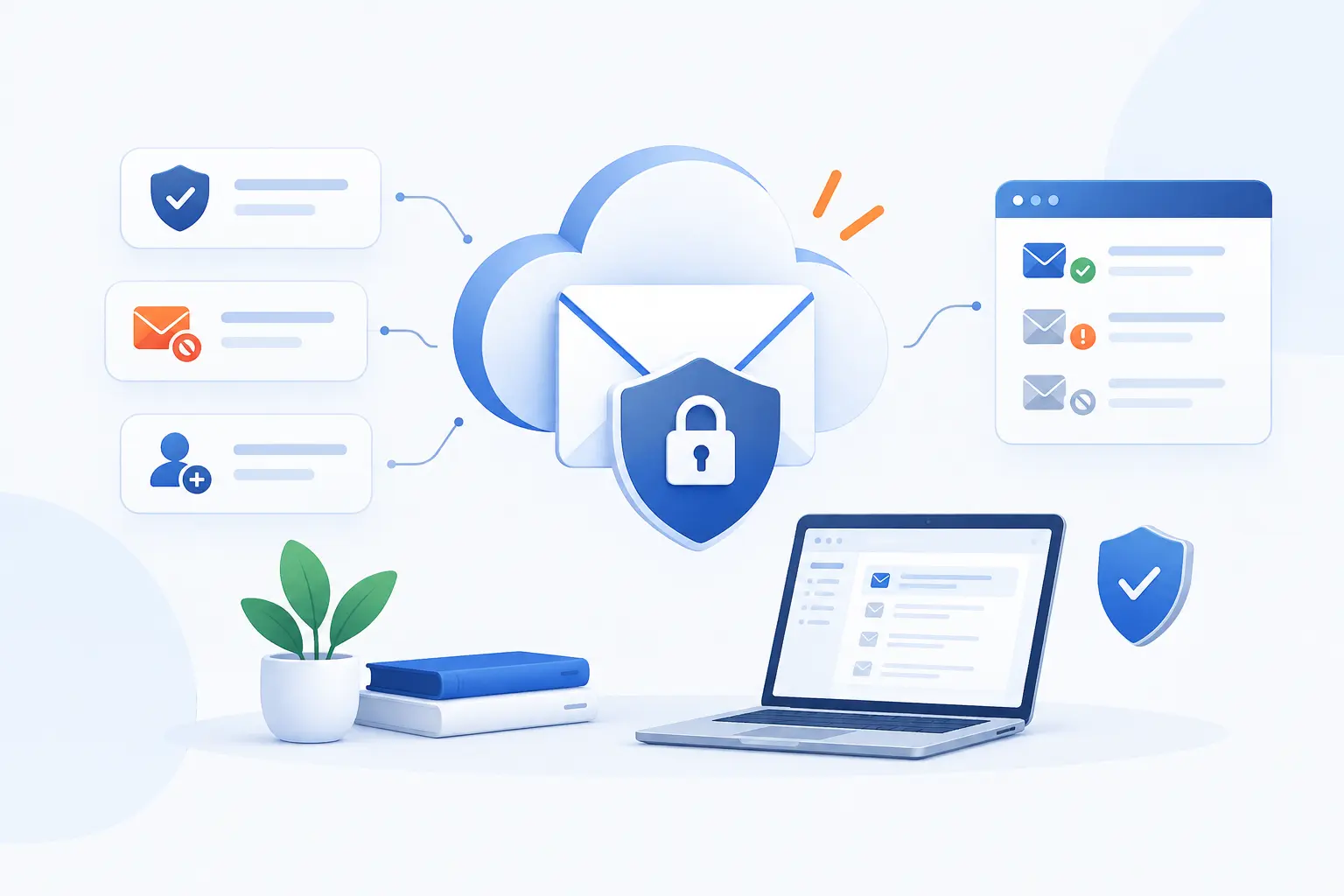
- Cloud Mail Security Protects Cloud-Based Inboxes From Phishing, Malware, and Data Loss
- Why Organizations Are Replacing Legacy Email Defenses
- How Cloud Mail Security Works
- The Protection Layers That Matter Most
- Securing Microsoft 365 and Google Workspace
- How to Compare Cloud Mail Security Software
- How to Plan the Rollout
- How to Measure Success and Stay Compliant
- When a Hybrid Model Makes Sense
- FAQ
- How 1Byte as an AWS Partner Supports Secure Business Email
- Conclusion
Cloud mail security is the set of policies, tools, and habits that protect cloud-based inboxes from phishing, malware, spoofing, account takeover, and accidental data leaks. We see it as a business planning discipline, not just a filter in front of Microsoft 365 or Google Workspace. The goal is simple: stop dangerous messages before users act, contain damage when accounts are abused, and keep sensitive information under control. For growing teams, the smartest approach is layered, measurable, and tied to the way the organization actually works.
At 1Byte, we like practical security because email is where business trust gets tested every day. A fake invoice, a stolen password, or a malicious attachment can look ordinary until the money is gone or data leaves the company. This guide gives us a framework for planning cloud mail security, comparing software, rolling it out, and measuring whether it works. We will keep the advice plain, because beginners need a path they can follow, not a wall of jargon.
Cloud Mail Security Protects Cloud-Based Inboxes From Phishing, Malware, and Data Loss
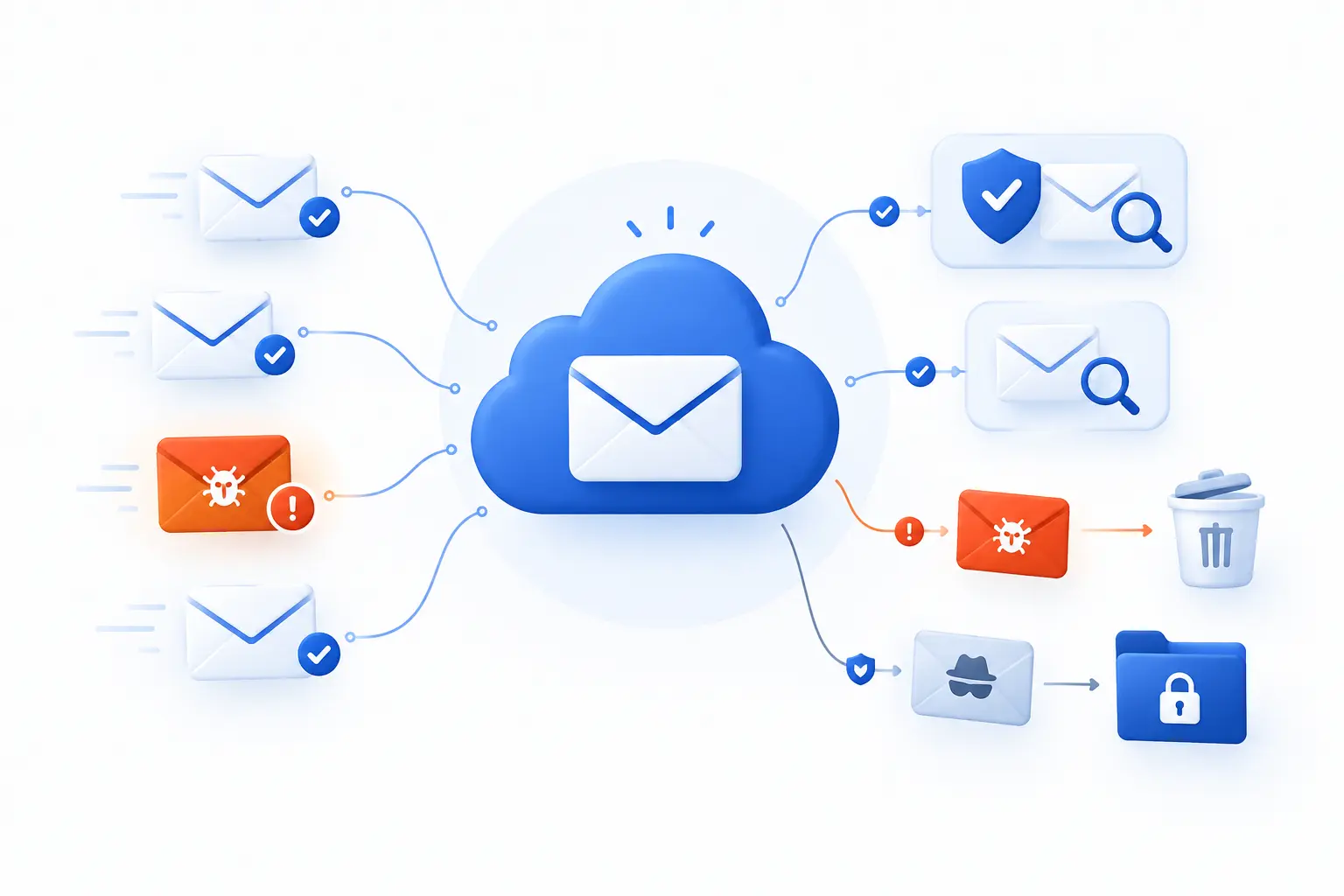
Cloud mail security protects business inboxes hosted in cloud platforms by inspecting messages, verifying senders, blocking threats, and controlling risky outbound content. It covers inbound risks like phishing, malware, spoofing, and business email compromise. It also covers outbound risks, such as employees sending regulated files to the wrong recipient. In our view, a good program combines technical controls with user training, identity protection, logging, and response procedures.
The reason this matters is that email is still the front door for many attacks. Business email compromise alone produced $3,046,598,558 in reported losses in the 2025 IC3 complaint data, which is a brutal reminder that trusted-looking messages can cause real financial damage. That number should push leaders away from “we have spam filtering” thinking. The better question is: can we prevent, detect, investigate, and recover from mail-driven attacks without guessing?
FURTHER READING: |
| 1. What Is API Security and How Do You Protect It |
| 2. What Are Web Application Firewalls and How They Work |
| 3. What Is Network Security and How It Protects Data |
Why Organizations Are Replacing Legacy Email Defenses
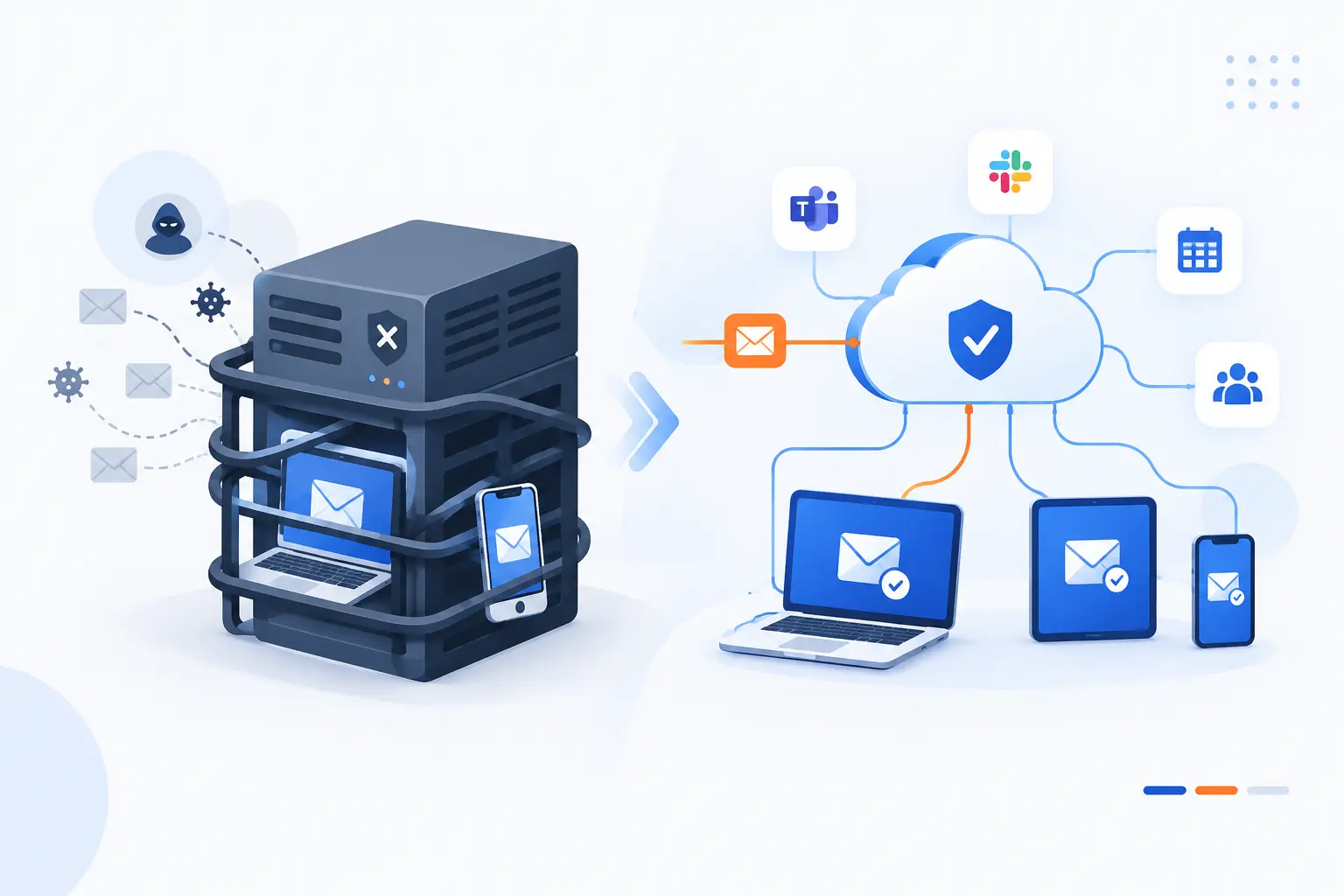
Organizations are replacing legacy email defenses because static gateways and appliance-heavy models often struggle with cloud collaboration, mobile work, and fast-moving phishing tactics. Cloud-based defenses can follow users and mail flows more naturally across Microsoft 365, Google Workspace, and connected security tools. They also reduce the burden of maintaining hardware that no longer matches how people work. We would not call every legacy system obsolete, but we would question any tool that cannot see modern identity signals, user behavior, and post-delivery threats.
Scalability and Flexibility for Growing Environments
Scalability matters because email risk grows whenever a business adds users, domains, apps, vendors, or locations. A small team may begin with one domain and a few shared mailboxes. Later, it adds marketing platforms, finance workflows, regional brands, and contractors. Each new sender path creates room for spoofing, misconfiguration, or policy gaps.
Our advice is to design controls around growth from the beginning. Track every domain that sends mail. Group users by risk, such as finance, executives, HR, and administrators. Apply stricter policies to high-risk groups first, then expand. If a tool cannot apply different rules by department, domain, or business unit, it may become a bottleneck.
Lower Maintenance Costs and Less Hardware Overhead
Lower overhead is a major reason teams move away from mail security appliances. Hardware-based gateways need capacity planning, patching, renewals, monitoring, and sometimes emergency upgrades during traffic spikes. That is a lot of operational weight for a system that must never become a single point of failure.
Cloud mail security shifts much of that infrastructure burden to the provider. The buyer still owns configuration, monitoring, and governance. That point is easy to miss. We would treat cost savings as a bonus, not the whole business case. The better value comes from reducing manual work so security teams can focus on policy quality, incident review, and user behavior.
Faster Response to Evolving Threats
Faster response means your protection can adapt when attackers change domains, payloads, links, and impersonation tactics. Old defenses often focus on known bad files or blocked senders. That helps, but it does not fully handle a fresh vendor impersonation email sent from a newly created domain.
Modern tools should support rapid policy updates, retroactive search, post-delivery removal, and threat intelligence updates. We care about post-delivery response because some attacks look clean at arrival and turn malicious later. For example, attackers may send a harmless link, then change the destination after delivery. A strong plan assumes detection is never perfect at first pass.
Better Integration Across the Security Stack
Better integration matters because email incidents rarely stay inside the inbox. A phishing click can become a stolen session, suspicious sign-in, mailbox rule change, file download, or fraudulent payment request. If mail tools do not share signals with identity, endpoint, logging, and incident response systems, analysts lose time stitching the story together.
When comparing platforms, ask where alerts go. Can your SIEM receive mail events? Can your team correlate suspicious links with endpoint behavior? Can your help desk see whether a user reported a message? These integrations are not decorative. They decide whether response takes minutes or becomes a long scavenger hunt.
How Cloud Mail Security Works
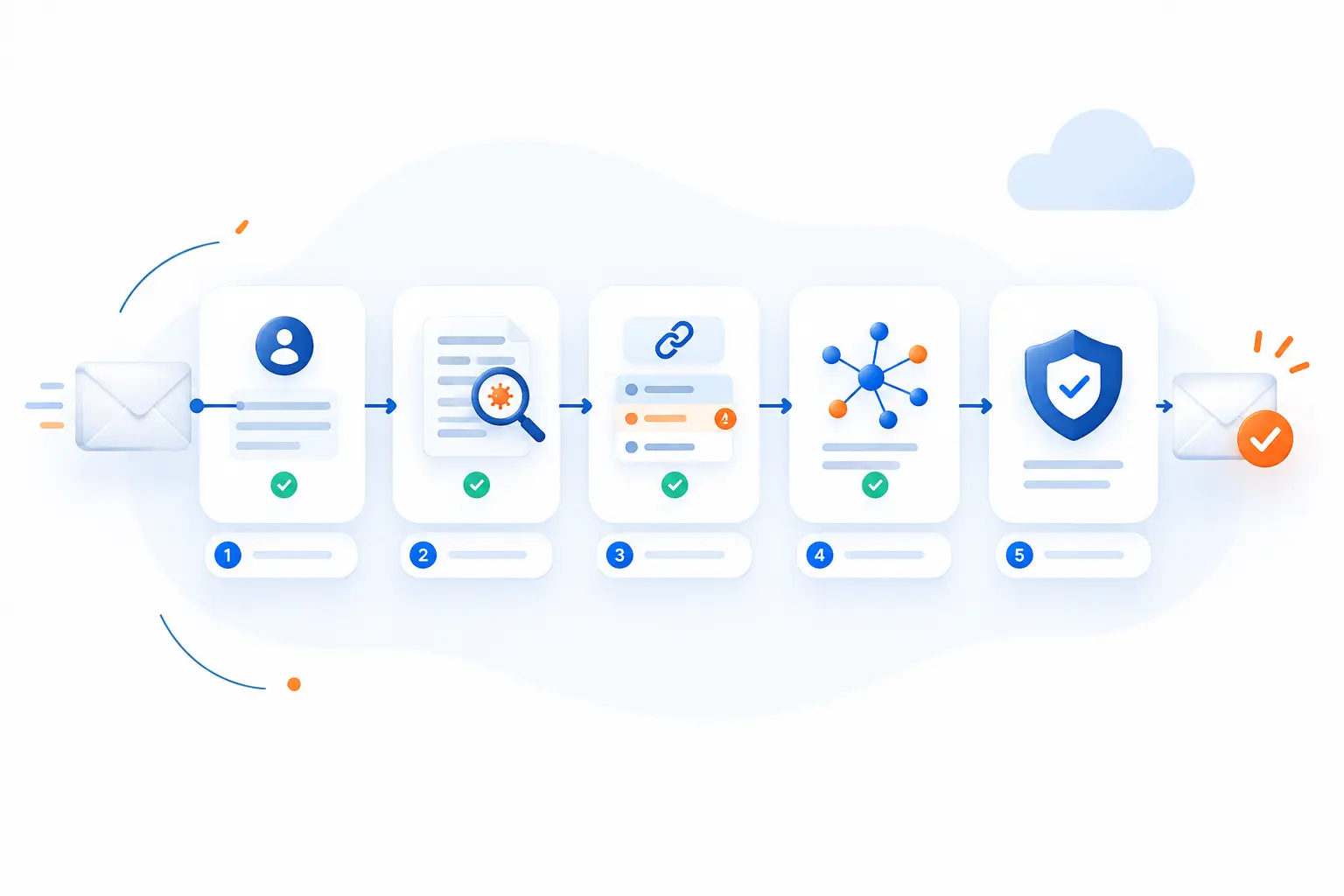
Cloud mail security works by inspecting messages before and after delivery, authenticating sender domains, scanning content, analyzing behavior, and automating response. It is not one control. It is a chain of checks that asks: who sent this, what does it contain, where does it point, what does the user normally do, and what should happen next? The best programs use multiple layers because attackers only need one weak spot. We prefer this layered model because it accepts reality: some threats will evade one control, so another must catch them.
Encryption in Transit and at Rest
Encryption protects mail data while it moves between systems and while it is stored. For message transport, TLS helps keep messages private as mail servers exchange them. For mailbox storage, encryption at rest helps reduce exposure if underlying storage is accessed improperly.
Do not treat encryption as magic. Standard SMTP delivery has upgrade and downgrade risks, so organizations that manage receiving domains should consider policies such as MTA-STS. The UK National Cyber Security Centre explains that MTA-STS helps prevent downgrade attacks and recommends testing before enforcement through deployment steps. Our practical view is simple: test first, monitor failures, then enforce when delivery paths are clean.
Sender Authentication With SPF, DKIM, and DMARC
Sender authentication helps receiving systems decide whether a message is allowed to represent a domain. SPF checks whether a sending server is authorized. DKIM adds a cryptographic signature. DMARC ties authentication results to the visible “From” domain and tells receivers what policy to apply.
Start with an inventory of every legitimate sender. That includes billing systems, marketing tools, support platforms, CRMs, and any application that sends on your behalf. Then publish records carefully and monitor reports before strict enforcement. DMARC is now defined in the IETF’s current specification, so teams should avoid relying on old assumptions or copied DNS records. Bad authentication records can break real mail just as easily as they block fake mail.
Filtering Links, Attachments, and Suspicious Senders
Filtering blocks or warns on risky URLs, files, and sender patterns before users trust them. Link checks matter because attackers often hide behind redirects, shortened URLs, newly registered domains, or compromised legitimate sites. Attachment checks matter because documents, PDFs, archives, and executables can carry malicious payloads.
Good filtering should consider sender reputation, domain age, attachment type, message language, brand impersonation, and user role. For executives and finance users, stricter policies make sense because attackers target them for payment approvals and credential theft. We also recommend warning banners for external senders, but only when they are clear and not overused. If every message screams “external,” people stop reading the warning.
Sandboxing, AI Detection, and Behavioral Analysis
Sandboxing and behavioral analysis help catch threats that static scanning may miss. A sandbox opens suspicious files in an isolated environment and watches for dangerous activity. Behavioral analysis looks for unusual patterns, such as a supplier suddenly sending password-protected archives or an employee receiving a login prompt from an odd location.
Google Workspace, for example, describes a Gmail setting that opens attachments in a separate environment and checks for behavior such as system changes or malware downloads through its sandbox setting. AI-based detection can add useful pattern recognition, but we would not let it run without review. Ask vendors how detections are explained, how false positives are handled, and whether admins can tune actions by risk group.
Automated Remediation, Quarantine, and User Reporting
Automated remediation removes or quarantines risky messages after detection, including messages already delivered to inboxes. This matters because phishing campaigns often spread before analysts finish manual review. A quick bulk removal can prevent the second wave of clicks.
Quarantine should have clear ownership. Decide who can release messages, who reviews false positives, and how users are notified. User reporting is equally important. A simple “report suspicious message” button turns employees into early sensors. We like programs where reported messages feed a triage queue, trigger similar-message searches, and lead to short feedback for the reporter. People report more when they know someone is listening.
Integration With SIEM and Other Security Tools
Integration lets mail alerts become part of the wider security picture. A phishing event should connect with sign-in logs, endpoint alerts, data access, and help desk tickets. Without that view, the team may delete the email but miss the stolen session.
At minimum, export events for detections, user reports, URL clicks, quarantine actions, authentication failures, and admin changes. Microsoft’s audit documentation lists categories for mail-related events, URL blocks, submissions, and quarantine through its activity list. We would map those events to incident playbooks. Logs are useful only when someone knows what to do with them.
The Protection Layers That Matter Most
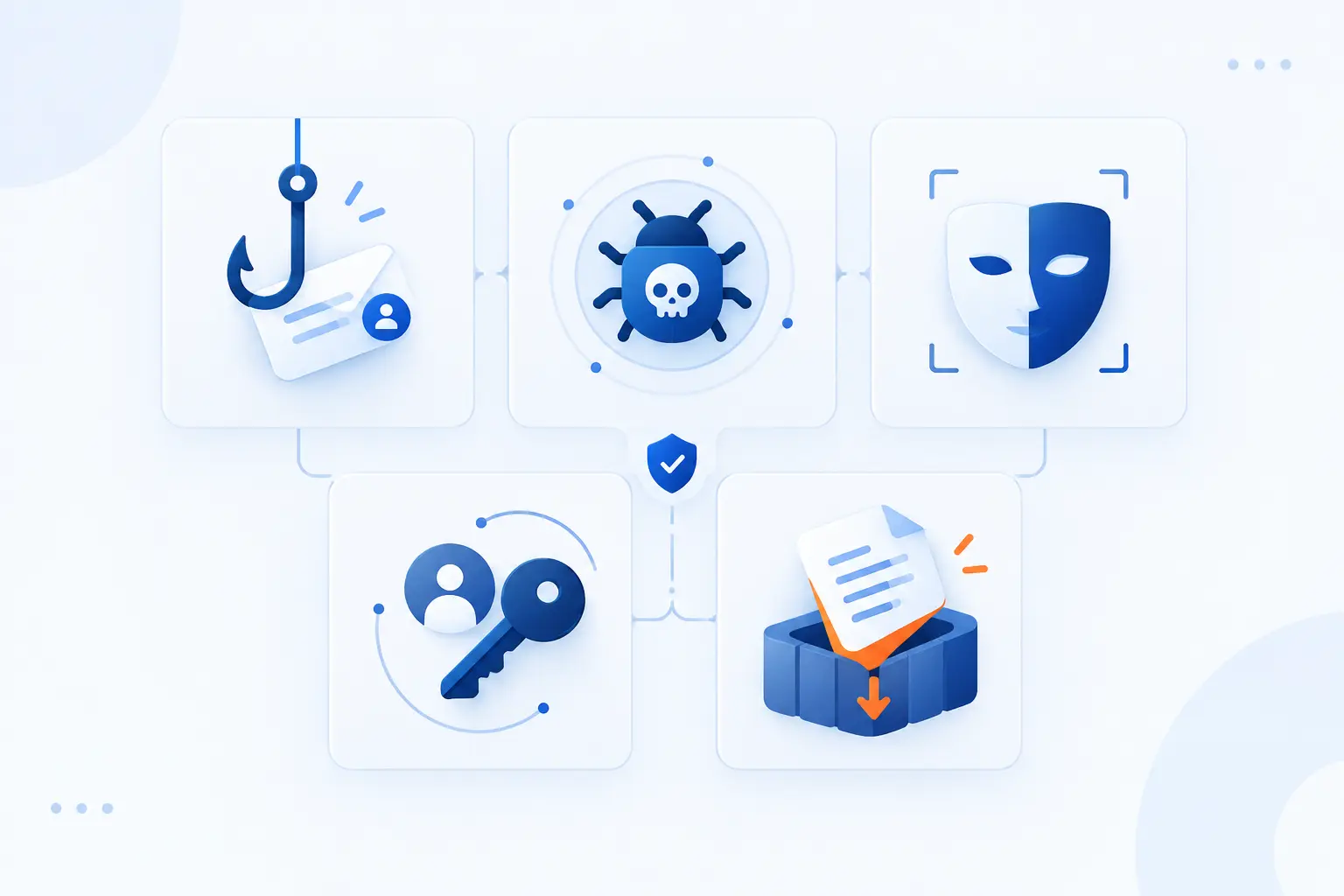
The most important protection layers are phishing defense, malware blocking, anti-spoofing, account takeover detection, and data loss prevention. Each layer answers a different question. Is the message trying to trick a person? Is it carrying dangerous code? Is the sender pretending to be someone else? Has an account already been abused? Could sensitive data leave by mistake?
| Layer | Main Risk | Planning Priority |
|---|---|---|
| Phishing defense | Credential theft and fraud | Protect high-risk users first |
| Malware blocking | Infected files and ransomware | Scan attachments and links |
| Anti-spoofing | Fake domain identity | Fix sender authentication |
| Account takeover controls | Abused real inboxes | Monitor identity behavior |
| Data loss prevention | Accidental or malicious sharing | Classify sensitive data |
Phishing Protection and Business Email Compromise Defense
Phishing protection should focus on intent, not just bad links. Many dangerous messages contain no malware at all. They ask someone to reset a password, approve a payment, change bank details, or open a fake shared document.
For business email compromise defense, build policies around real workflows. Finance should verify payment changes through a separate channel. HR should treat payroll changes as high-risk. Executives should receive stricter impersonation controls. We also recommend monitoring reply-chain attacks, where criminals use a compromised account to continue a real conversation. Those are hard to spot because the message feels familiar.
Malware Blocking and Ransomware Prevention
Malware blocking reduces the chance that a user opens a file or link that installs harmful software. Ransomware prevention needs more than mail scanning, but email filtering remains a key entry control. Attachments, links, macros, archives, and fake software updates all deserve attention.
Use a cautious default for file types rarely needed by normal users. If a department needs a risky file type, create an exception with logging and review. Pair mail controls with endpoint detection and backups. We do not like single-control thinking here. A blocked attachment is good. A restored clean backup after an endpoint infection is also good. The plan needs both.
Anti-Spoofing Controls and Email Account Protection
Anti-spoofing controls prevent attackers from pretending to send from your domains or trusted partners. The foundation is correct SPF, DKIM, and DMARC configuration. But anti-spoofing also includes lookalike domain detection, display-name impersonation checks, and partner allowlist discipline.
Be careful with allowlists. They are often created during urgent troubleshooting and forgotten forever. A broad allowlist can become a side door through your filtering policy. We prefer narrow exceptions with expiration dates, notes, and owners. Review them during security audits. If no one can explain why an exception exists, remove it carefully after testing.
Account Takeover Detection and Containment
Account takeover detection finds signs that a real mailbox is being used by an attacker. This is different from blocking fake senders. The message may come from a trusted account, pass authentication, and still be malicious.
Watch for impossible travel, unfamiliar devices, new forwarding rules, mass downloads, unusual sending volume, and sudden contact with finance staff. Containment should include session revocation, password reset, MFA review, mailbox rule cleanup, and message search. We would also check whether the account granted OAuth access to a rogue app. Many teams reset the password and stop there. That is risky if attacker-granted access remains active.
Data Loss Prevention and Outbound Message Controls
Data loss prevention reduces the chance that sensitive information leaves through outgoing mail. It can detect patterns like customer records, financial data, health information, legal documents, or confidential attachments. The point is not to spy on employees. The point is to prevent avoidable harm.
Start with the data that would hurt most if exposed. Then decide whether to block, warn, encrypt, or require approval. We like warning mode during early rollout because it reveals common workflows. A strict block from day one can frustrate teams and create shadow workarounds. Good DLP teaches the business what it is sending, then tightens controls where the risk is clear.
Securing Microsoft 365 and Google Workspace
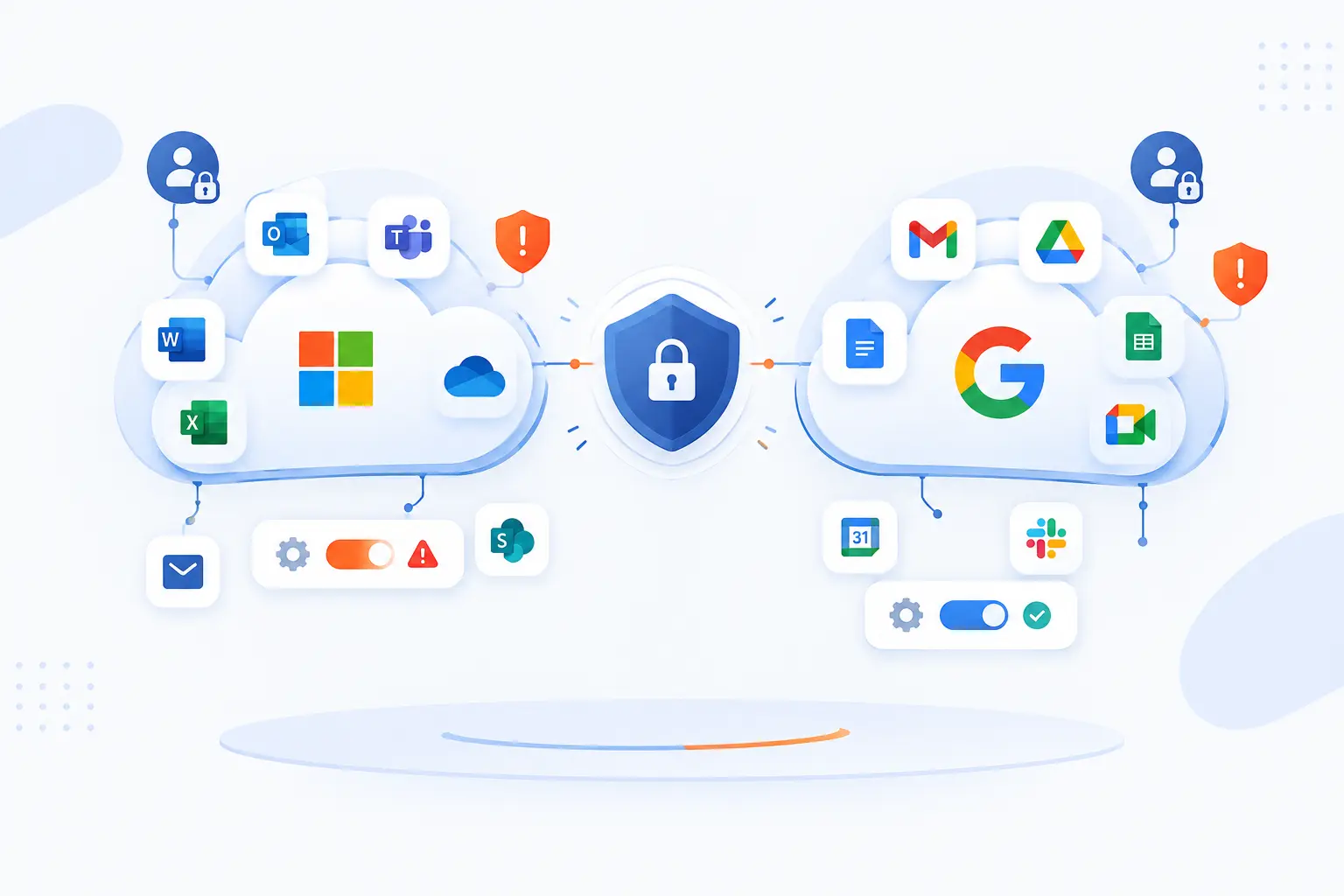
Securing Microsoft 365 and Google Workspace means strengthening built-in controls, closing detection gaps, protecting identities, and managing connected apps. Both platforms provide valuable native protection. Still, configuration quality varies widely, and attackers know how to exploit weak policies. Our planning advice is to treat each platform as a foundation, then add controls where your risk, compliance duties, or operational needs demand more.
Where Built-In Protection May Need Reinforcement
Built-in protection may need reinforcement when risk exceeds the default policy level. Native tools can scan links and attachments, warn users, and quarantine threats. But business risk differs by user group, industry, and process.
Microsoft’s documentation notes that Safe Links protection can apply across email messages and supported apps through built-in rules. That is useful, but admins still need to check licensing, policy scope, exceptions, and user experience. For both Microsoft 365 and Google Workspace, do not assume the default setting equals the best setting. Review what is on, who it covers, and what happens when something is detected.
Closing Inbound Detection Gaps Across Both Platforms
Closing inbound gaps means testing whether each platform catches the threats your users actually face. Look beyond generic spam. Test invoice fraud, fake file shares, QR code phishing, display-name impersonation, lookalike domains, malicious attachments, and compromised supplier accounts.
Microsoft Defender for Office 365 provides Safe Attachments policies, and its documentation says scanning usually completes within 15 minutes. That helps planning because some organizations must balance speed and inspection depth. For Google Workspace, admins should review advanced phishing, malware, spoofing, and link settings by organizational unit. The practical move is to run controlled tests and tune policies before a real campaign exposes the gap.
Containing Risk After Credential Theft
Containment after credential theft must start with identity, not the inbox alone. Once credentials are stolen, attackers may sign in, create forwarding rules, search old mail, impersonate the user, or register an app. Deleting the phishing message does not undo those actions.
Create a response checklist. Revoke sessions, reset credentials, review MFA methods, remove suspicious rules, search outbound mail, and inspect access logs. Then search for similar phishing messages across the tenant. If a user entered credentials, assume the attacker tested them quickly. We prefer fast containment followed by a deeper review, because waiting for perfect certainty gives attackers more room.
Managing OAuth App Access in Google Workspace
Managing OAuth app access prevents third-party apps from quietly gaining access to mail and workspace data. Attackers may trick users into granting permissions instead of stealing passwords. That can bypass the mental model many employees have for phishing.
Google Workspace administrators can restrict, trust, or limit app access to services through app access control. Review high-risk scopes, unused apps, and apps granted by only one or two users. A good rule of thumb is simple: if an app can read mail, send mail, or access files, it deserves review. Approval should be a business decision, not a random click by a busy employee.
How to Compare Cloud Mail Security Software
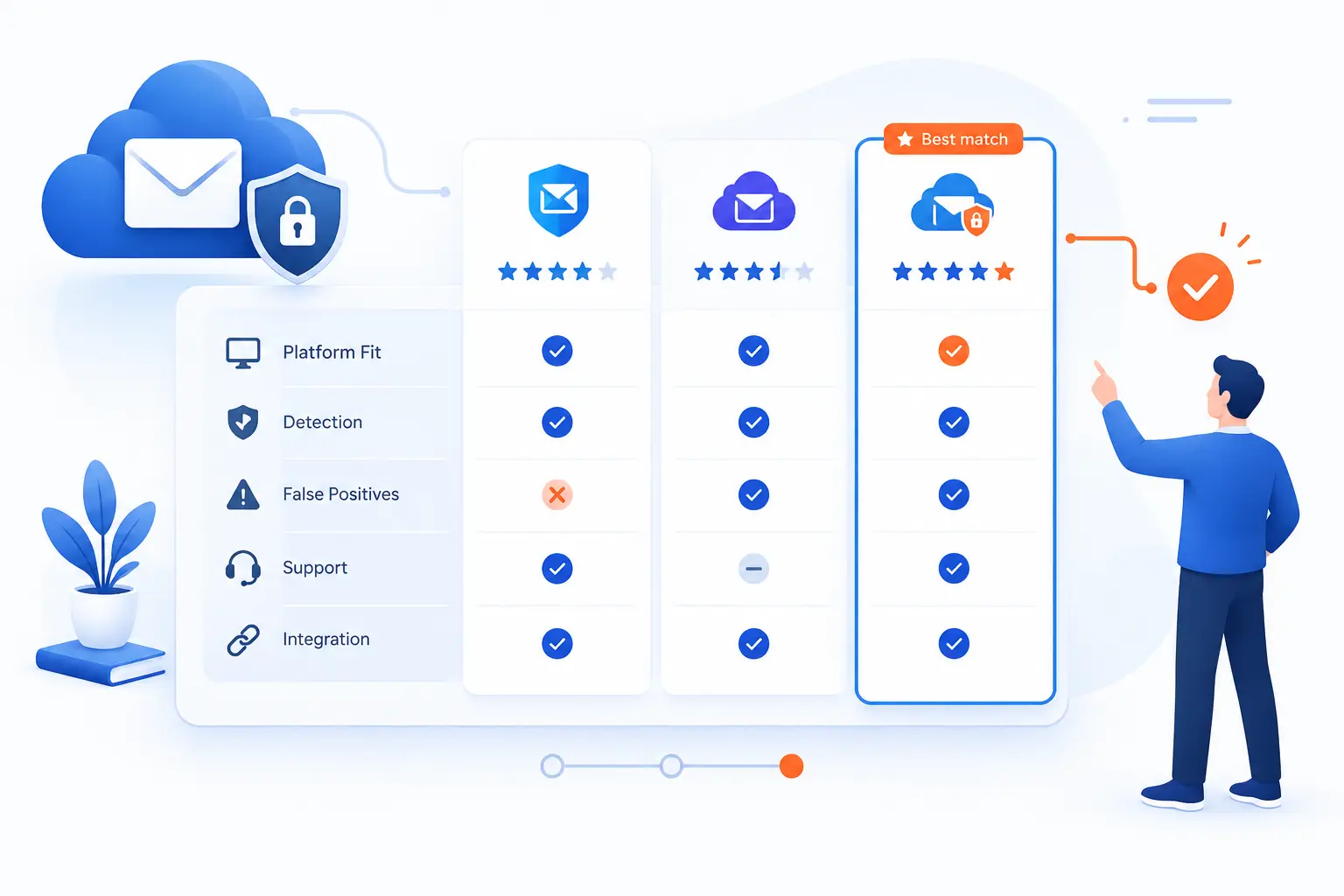
Compare cloud mail security software by matching platform fit, detection coverage, user experience, remediation depth, reporting, support, and integration needs. A strong product for one business may be wrong for another if it misses a required platform or creates too many false positives. We suggest building a short scorecard before talking to vendors. That keeps demos from turning into theater.
| Evaluation Area | What to Check | Why It Matters |
|---|---|---|
| Platform fit | Microsoft 365, Google Workspace, or both | Coverage must match mail flow |
| Detection | Phishing, malware, spoofing, BEC | Threats use different tactics |
| Response | Quarantine, search, bulk removal | Speed reduces exposure |
| Operations | Reports, support, SLAs | Teams need reliable handling |
Platform Fit for Microsoft 365 and Google Workspace
Platform fit means the product must protect the mail systems you actually run. Some tools are stronger in Microsoft 365 environments. Others are built with Google Workspace workflows in mind. Some support both, which helps during mergers, migrations, or multi-brand operations.
Check how the tool connects. Does it use API-based scanning, mail flow routing, journaling, or a mix? API-based tools can inspect and remediate after delivery. Gateway-style routing can block before mailbox delivery. Each model has trade-offs. We would ask for a diagram of mail flow before buying anything. If the vendor cannot explain where messages go, we would slow down.
Detection Coverage for Phishing, Malware, and Spoofing
Detection coverage should map directly to your likely attack paths. Do not accept a vague promise that a tool “stops threats.” Ask how it handles credential phishing, QR code lures, attachment detonation, display-name spoofing, domain impersonation, compromised internal accounts, and supplier fraud.
Also ask about false positives. An aggressive tool that blocks real invoices can damage trust with finance teams. A permissive tool that misses obvious impersonation is worse. During evaluation, send test samples based on your own business processes. We like tests that include clean messages too. Detection quality includes knowing what to leave alone.
Reporting, Tagging, and End-User Warning Features
Reporting and warning features help users make safer decisions without drowning them in noise. External banners, suspicious link prompts, and impersonation warnings should be clear, specific, and rare enough to matter. If users see too many warnings, they become wallpaper.
Look for reporting that separates executive risk, finance risk, user-reported messages, blocked threats, and false positives. Tags should explain why a message is suspicious. “External sender using lookalike domain” is better than “Warning.” The user should know what to do next. We favor systems that teach at the moment of risk instead of sending generic training weeks later.
Bulk Remediation, Managed Services, and Threat Intelligence
Bulk remediation lets security teams remove similar malicious messages across many inboxes at once. That feature matters during campaigns. If one user reports a phishing email, analysts should be able to find every copy, quarantine it, and record the action.
Managed services may help smaller teams that lack full-time security analysts. But be specific about expectations. Who reviews alerts? Who approves message release? Who contacts users? Threat intelligence should also be practical. A long feed of indicators is less useful than timely detection that explains campaign patterns and recommends response actions.
Vendor Support, SLAs, and Customer Satisfaction Signals
Support quality matters because email outages and false positives become business emergencies quickly. During selection, test the vendor’s response before signing. Ask technical questions. Open a trial ticket. Review contract terms for escalation, response windows, and data handling.
Customer satisfaction signals should include references from similar organizations, public reviews, security documentation, and product update history. We would not overvalue flashy dashboards. We would value clear support boundaries, honest limitations, and readable documentation. In security, a vendor that admits edge cases is often more trustworthy than one claiming perfect protection.
How to Plan the Rollout
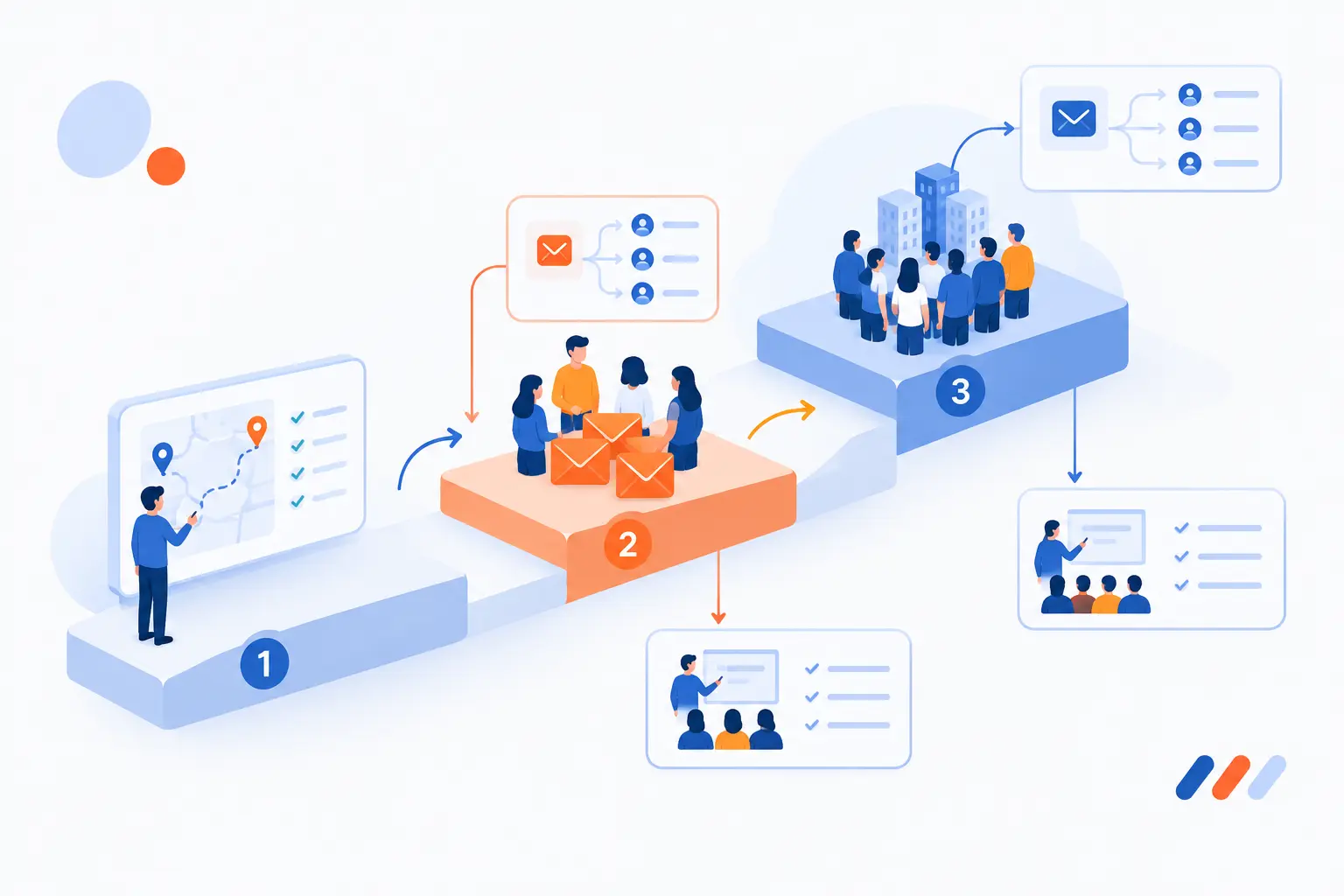
Plan the rollout by defining goals, mapping mail flow, choosing a deployment model, confirming shared responsibilities, piloting with real users, training employees, and scaling in phases. A careful rollout prevents broken mail, angry departments, and blind spots. We prefer staged deployment because it shows how policies behave before the entire company depends on them. The plan should include both technology and change management, because inbox security touches everyone.
- Define the risks you want to reduce.
- Document domains, users, groups, apps, and mail flows.
- Choose whether to extend current tools or migrate fully.
- Run a pilot with high-risk and normal users.
- Review false positives and missed detections.
- Train employees before enforcement gets stricter.
- Roll out in phases and monitor results.
Map Security Goals to Your Cloud Architecture
Map security goals to architecture so every control has a purpose. If your main risk is invoice fraud, focus on impersonation, supplier verification, and finance workflows. If your main risk is regulated data leakage, focus on DLP, encryption, retention, and audit logs.
Start with a simple diagram. Include domains, mail platforms, third-party senders, identity provider, endpoint tools, logging systems, and backup processes. Then mark where protection happens before delivery, after delivery, and after user action. This exercise often reveals forgotten senders and risky exceptions. It is not glamorous work, but it prevents expensive confusion later.
Choose Between Extending Current Tools and Full Migration
Choose extension when current tools still fit your platform and only need better configuration or add-on coverage. Choose full migration when existing defenses create mail delays, lack visibility, or cannot protect cloud-native workflows. The right answer depends on risk, cost, team skill, and timing.
We suggest comparing three paths: tune native controls, add a third-party layer, or replace the current system. For each path, estimate policy work, user impact, incident response changes, and migration risk. Avoid buying a new tool just because the old one feels dated. Also avoid keeping an old tool because “it has always worked.” Evidence should lead the choice.
Understand Shared Responsibility and Data Handling
Shared responsibility means the provider secures parts of the platform, while the customer still controls data, settings, access, and business decisions. This idea applies across cloud services and should shape mail security planning. A vendor can provide controls, but your team must configure them correctly.
AWS describes the split between security of the cloud and security in the cloud through its shared model. For email planning, ask similar questions. Who can access message content? Where are logs stored? How are quarantined messages handled? Who manages encryption keys, retention, and legal holds? If sensitive mail may be inspected by a tool, procurement and legal teams should review data terms before rollout.
Run Pilot Testing Before Full Deployment
Pilot testing catches policy mistakes before they affect everyone. Choose users from finance, HR, sales, IT, executives, and general staff. Include people who receive external mail often, because they will reveal real-world friction quickly.
During the pilot, track blocked messages, false positives, user reports, delivery delays, and help desk tickets. Test common business messages such as invoices, contracts, password resets, calendar invites, and file shares. We also recommend tabletop exercises. Ask: what happens if the tool blocks a payroll email? What happens if a malicious message reaches executives? A pilot should answer those questions before launch day.
Train Employees and Manage Change Early
Train employees before new warnings and quarantine rules appear in their inboxes. People need to know what banners mean, how to report suspicious messages, and what to do when a message is quarantined. Surprise controls create support tickets and workarounds.
Keep training short and practical. Show examples from the business, such as fake vendor invoices or document share lures. Explain why the company is changing mail controls. Then tell users exactly what actions to take. We like small reminders at the point of need. A two-minute guide near rollout often works better than a long annual course nobody remembers.
Select Providers for Scale, Compliance, and Support
Select providers based on your required scale, compliance obligations, and support expectations. A small business may prioritize simplicity and clear reporting. A regulated organization may need stronger audit logs, retention alignment, encryption controls, and documented processes.
Ask providers how they handle data residency, message content access, legal requests, incident communication, administrator roles, and service changes. Also confirm whether the product supports your future plans. That might include new domains, acquisitions, remote workers, or additional cloud services. We would rather choose a provider that fits the next few years than patch together another migration after one busy season.
How to Measure Success and Stay Compliant
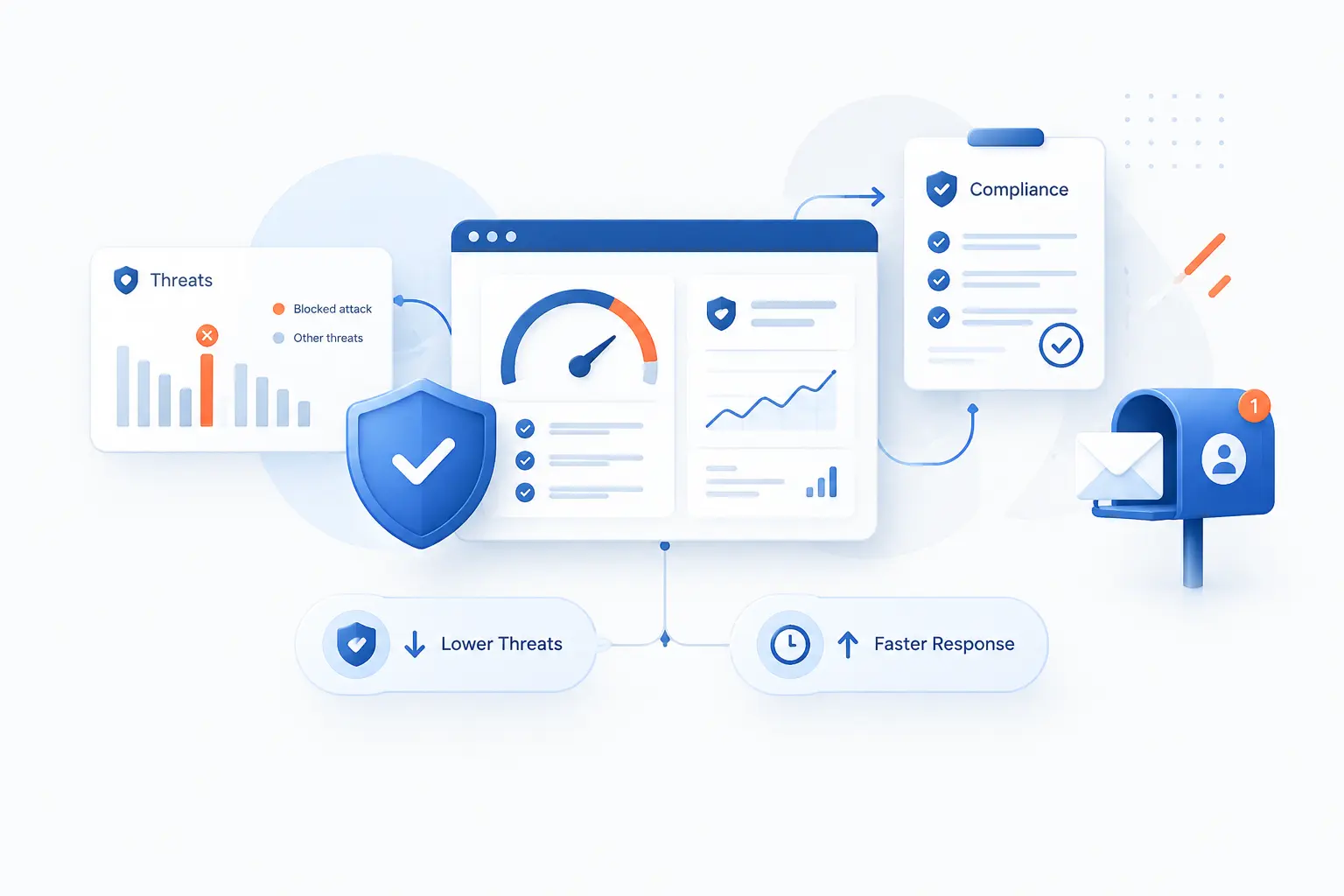
Measure success by tracking threat reduction, user impact, response speed, policy quality, and compliance evidence. A mail security program is not successful just because a dashboard shows many blocked messages. It succeeds when fewer users are tricked, incidents are contained faster, real mail keeps flowing, and auditors can see consistent controls. We prefer a small set of metrics that leaders can understand and administrators can improve.
Set KPIs for Detection, Downtime, and User Experience
KPIs should measure both protection and business impact. Useful metrics include malicious messages blocked, user-reported messages, confirmed false positives, time to remediate, delivery delays, account takeover cases, and DLP policy matches. Do not chase big blocked-message counts as a vanity metric.
Pair technical metrics with user experience. Are employees reporting suspicious mail? Are finance users getting too many false warnings? Are legitimate vendors being delayed? Good cloud mail security should make risky actions harder without making normal work painful. If users constantly bypass the system, the metric that matters is not detection. It is trust.
Use Continuous Monitoring and Security Audits
Continuous monitoring keeps policies accurate as users, domains, vendors, and attackers change. Email environments drift. New marketing platforms appear. Contractors send from unexpected systems. Someone creates an exception during a deadline and forgets to remove it.
Schedule regular reviews for authentication records, allowlists, quarantine policies, admin roles, OAuth apps, forwarding rules, and DLP results. Run phishing simulations carefully, but do not use them to shame employees. Use them to test controls and training. We also recommend reviewing real incidents after closure. Each incident should answer one question: what should we change so this is less likely next time?
Keep Governance and Regulatory Controls in Place
Governance keeps cloud mail security aligned with legal, compliance, and business requirements. If your organization handles regulated data, mail controls must fit retention, discovery, privacy, and audit expectations. Security teams should not make those decisions alone.
Create ownership for policies. Legal may own retention requirements. Compliance may define audit evidence. IT may manage technical configuration. Business leaders may approve workflow changes. The best governance is boring in a good way: documented, repeatable, and reviewed. When auditors or customers ask how email risk is controlled, you should be able to show policies, logs, training records, and incident evidence without scrambling.
When a Hybrid Model Makes Sense
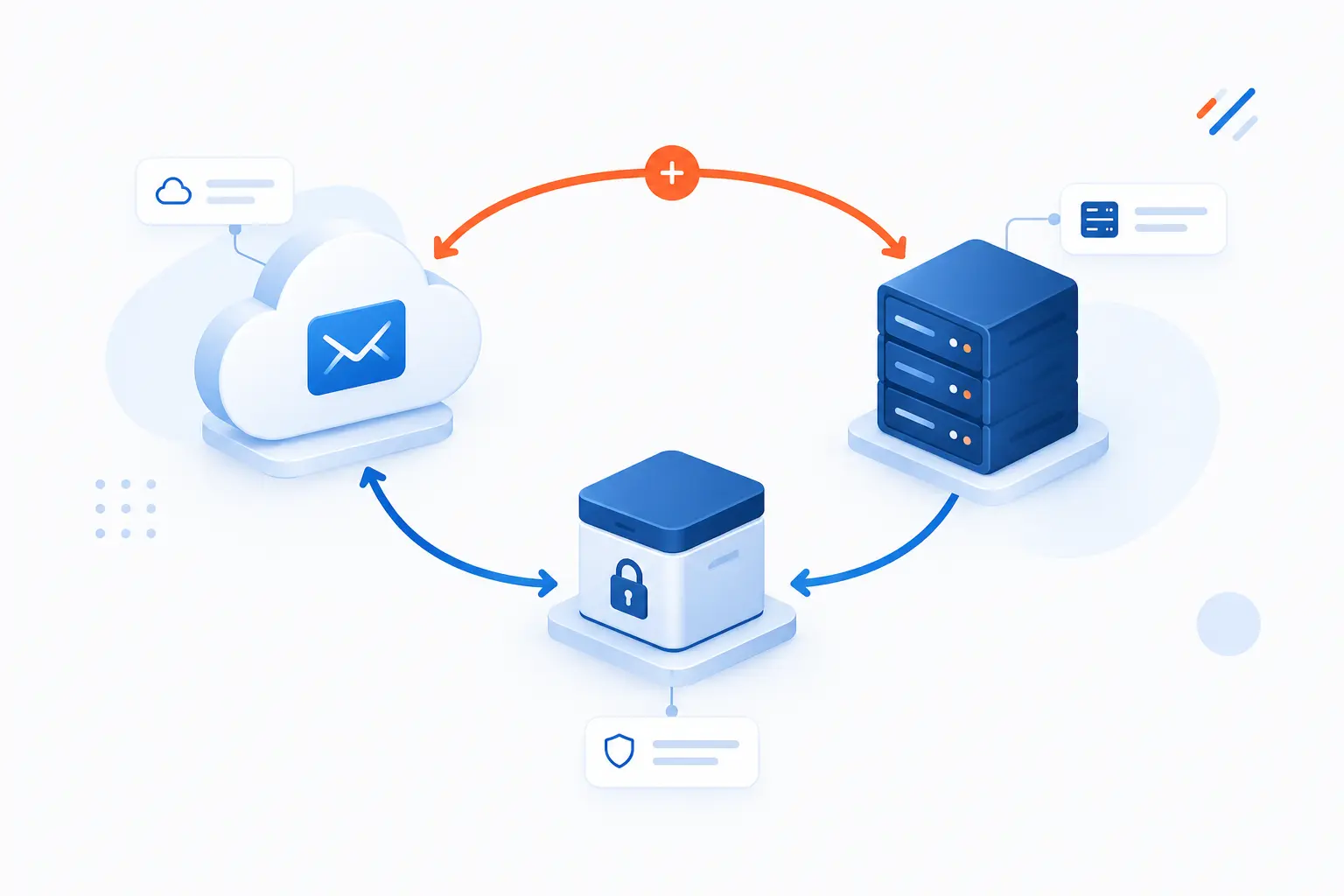
A hybrid model makes sense when an organization needs cloud-based filtering while keeping certain mailboxes, archives, or regulated data under tighter local control. It can also help during gradual migrations from on-premises mail to cloud platforms. Hybrid is not automatically safer, though. It adds routing complexity, more places to misconfigure, and more monitoring requirements.
| Approach | Best Fit | Main Trade-Off |
|---|---|---|
| Cloud-first | Most modern cloud mailbox environments | Requires trust in provider controls |
| Hybrid | Migration, regulated data, legacy dependencies | More routing and policy complexity |
| On-premises heavy | Strict local control requirements | Higher maintenance burden |
Keeping Regulated Data On-Premises While Filtering External Traffic
Keeping regulated data on-premises can make sense when legal, contractual, or operational requirements limit where certain messages or archives reside. A hybrid setup may route external mail through cloud filtering while storing specific mailboxes or records locally. That gives the organization modern inspection without moving everything at once.
The risk is routing confusion. Teams must document which messages go where, which system enforces DLP, and where logs are retained. Test mail flow during failover and maintenance windows. A hybrid model should be intentional, not a leftover from a half-finished migration. If no one owns the diagram, no one owns the risk.
Balancing Cost, Complexity, and Control
Hybrid works only when the added control is worth the added complexity. Extra gateways, connectors, DNS records, certificates, policies, and logs all need care. Every additional component can become a troubleshooting stop during delivery failures.
We recommend writing down the business reason for hybrid before building it. If the reason is compliance, define the exact control required. If the reason is migration, define the exit plan. If the reason is comfort with legacy systems, challenge it. Familiar is not the same as safe. The cleanest architecture that meets requirements is usually the one that ages best.
FAQ
Cloud mail security raises common questions because users see the inbox every day, but the controls behind it are mostly invisible. The short answer is that no single setting solves email risk. Teams need good detection, identity protection, user reporting, training, and response. These answers give beginners a practical starting point.
What Are Common Signs of a Phishing Email
Common signs of a phishing email include urgent language, unexpected attachments, suspicious links, unusual sender addresses, and requests for passwords or payments. Look for mismatched domains, odd grammar, fake login pages, and messages that pressure you to act quietly. When in doubt, verify through a separate channel, not by replying to the message.
How Can You Tell Whether a Cloud Security Email Is a Scam
You can tell a cloud security email may be a scam if it asks you to sign in through an unfamiliar link, threatens immediate account closure, or comes from a domain that does not match the service. Do not click the link to check. Open the service directly through a saved bookmark or typed address, then review alerts inside the real admin or user portal.
Does Cloud Mail Security Replace MFA and User Training
No, cloud mail security does not replace MFA or user training. Mail controls reduce exposure, MFA helps protect accounts after credential theft, and training helps people recognize risky requests. The strongest programs use all three because attackers switch tactics when one control blocks them.
When Should a Business Choose a Hybrid Approach
A business should choose a hybrid approach when cloud filtering is useful but certain mail systems, archives, or regulated data must remain under local control. It can also help during a staged migration. Choose hybrid only when the control benefit is clear, because the added routing and monitoring work can become costly.
How 1Byte as an AWS Partner Supports Secure Business Email
1Byte supports secure business email planning by helping organizations align domain, hosting, and cloud infrastructure decisions with safer sending and receiving practices. As an AWS Partner, we think in terms of practical foundations: trusted domains, encrypted web properties, stable hosting choices, and cloud infrastructure that can support business systems around email. This section is not about claiming that hosting alone secures inboxes. It is about showing where domain registration, SSL certificates, WordPress hosting, shared hosting, cloud hosting, and cloud servers fit into the larger cloud mail security picture.
| 1Byte Area | Practical Connection | Email Planning Value |
|---|---|---|
| Domain registration | Control business identity | Supports sender authentication |
| SSL certificates | Protect web trust | Supports safer branded links |
| WordPress hosting and shared hosting | Host business sites | Reduce confusion around official destinations |
| Cloud hosting and cloud servers | Run business workloads | Support scalable mail-adjacent systems |
Domain Registration and SSL Certificates for Trusted Sending
Domain registration is the starting point for business identity in email. If a business does not control its domains carefully, attackers have more room to imitate it. A clean domain inventory also makes SPF, DKIM, and DMARC planning easier.
SSL certificates support trust for web destinations that appear in business email. When customers click invoice portals, login pages, or support links, they should land on legitimate, encrypted sites controlled by the organization. Our practical view is that domain and certificate hygiene reduces confusion. It does not stop every phishing attempt, but it gives users and mail systems a clearer trust baseline.
WordPress Hosting and Shared Hosting With Security Basics in Place
WordPress hosting and shared hosting matter because business websites often appear inside emails. If a company sends users to outdated, confusing, or poorly maintained web destinations, phishing becomes harder to spot. Clear official sites make safer user behavior easier.
For cloud mail security planning, treat hosted websites as part of the trust chain. Keep branded pages consistent. Avoid sending customers to random third-party-looking pages when a branded destination is possible. Make sure forms, login pages, and public contact pages match the business domain strategy. The inbox and the website should tell the same trust story.
Cloud Hosting and Cloud Servers for Scalable Email-Ready Infrastructure
Cloud hosting and cloud servers can support the systems around business email, such as applications that send notifications, portals linked from messages, or internal tools that generate alerts. These systems need proper domain alignment and access controls. Otherwise, they become weak points in the mail trust chain.
As an AWS Partner, 1Byte views infrastructure choices through shared responsibility. Cloud platforms can provide the base, but customers still need correct configurations, access policies, and secure application behavior. For email-ready infrastructure, that means knowing which systems send mail, which domains they use, and how those messages are authenticated. The cleaner the architecture, the easier it is to defend.







Conclusion
Cloud mail security is best planned as a layered business control, not a single product purchase. Start with the basics: authenticate domains, inspect links and attachments, protect high-risk users, monitor account takeover signs, and control sensitive outbound data. Then connect mail events to identity, endpoint, logging, and incident response workflows. That is how the inbox becomes part of the security program instead of an isolated risk.
Our strongest advice is to write down how email actually moves through your business before buying or changing tools. Map domains, platforms, third-party senders, risky workflows, and compliance duties. Pilot changes, measure false positives, train users, and keep improving. If you are planning the next step, begin with one question: which email-driven incident would hurt your business most, and what layer would stop it first?