

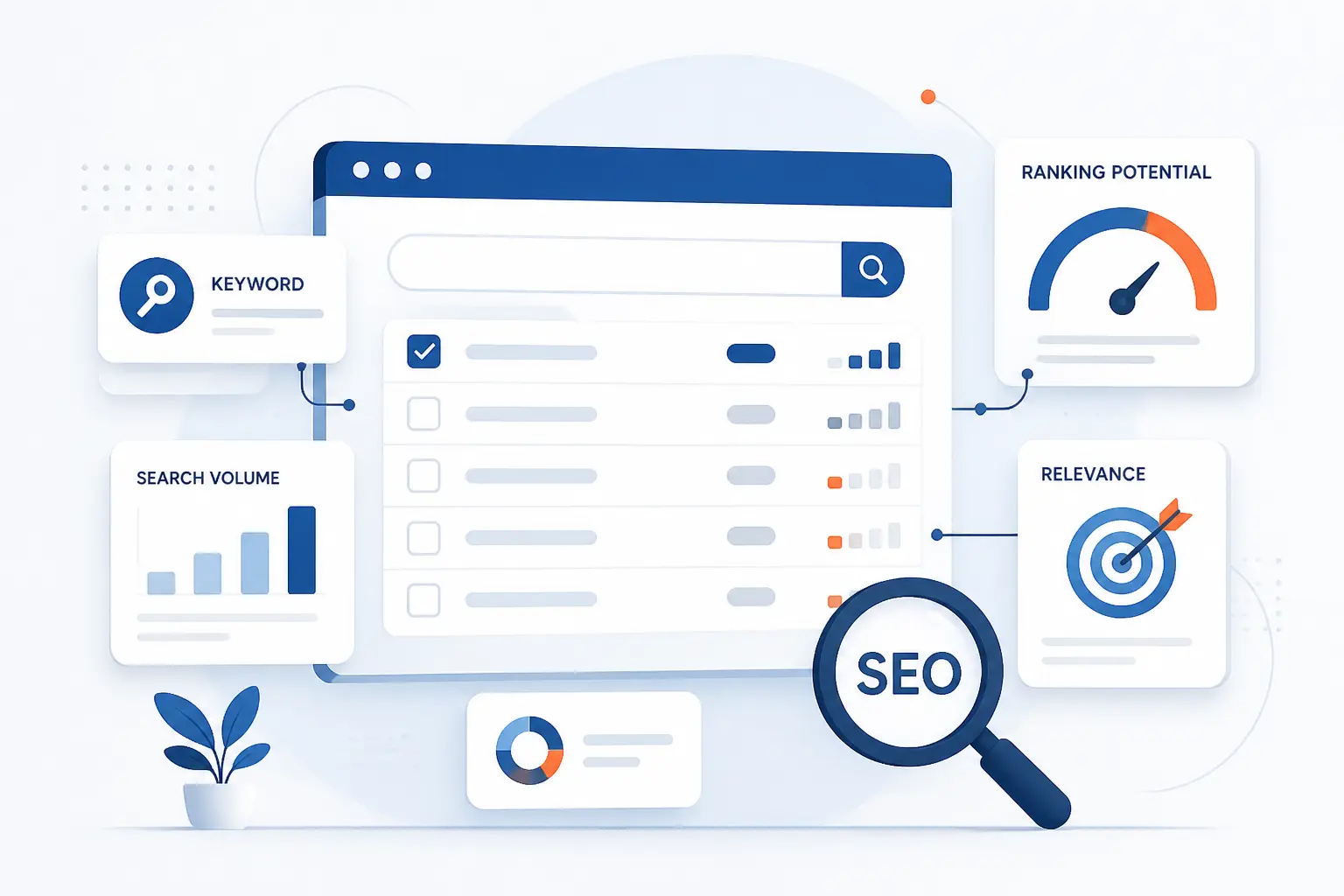
At 1Byte, we think how to choose SEO keywords comes down to one simple job: match real audience language to pages you can realistically win. The process is not about collecting the biggest phrases you can find. It is about finding topics your site can serve better than what is already on page one, then mapping each topic to the right page. If you follow the steps below in order, even as a beginner, you can build a keyword list that is useful enough to publish from.
How to Choose SEO Keywords Step by Step
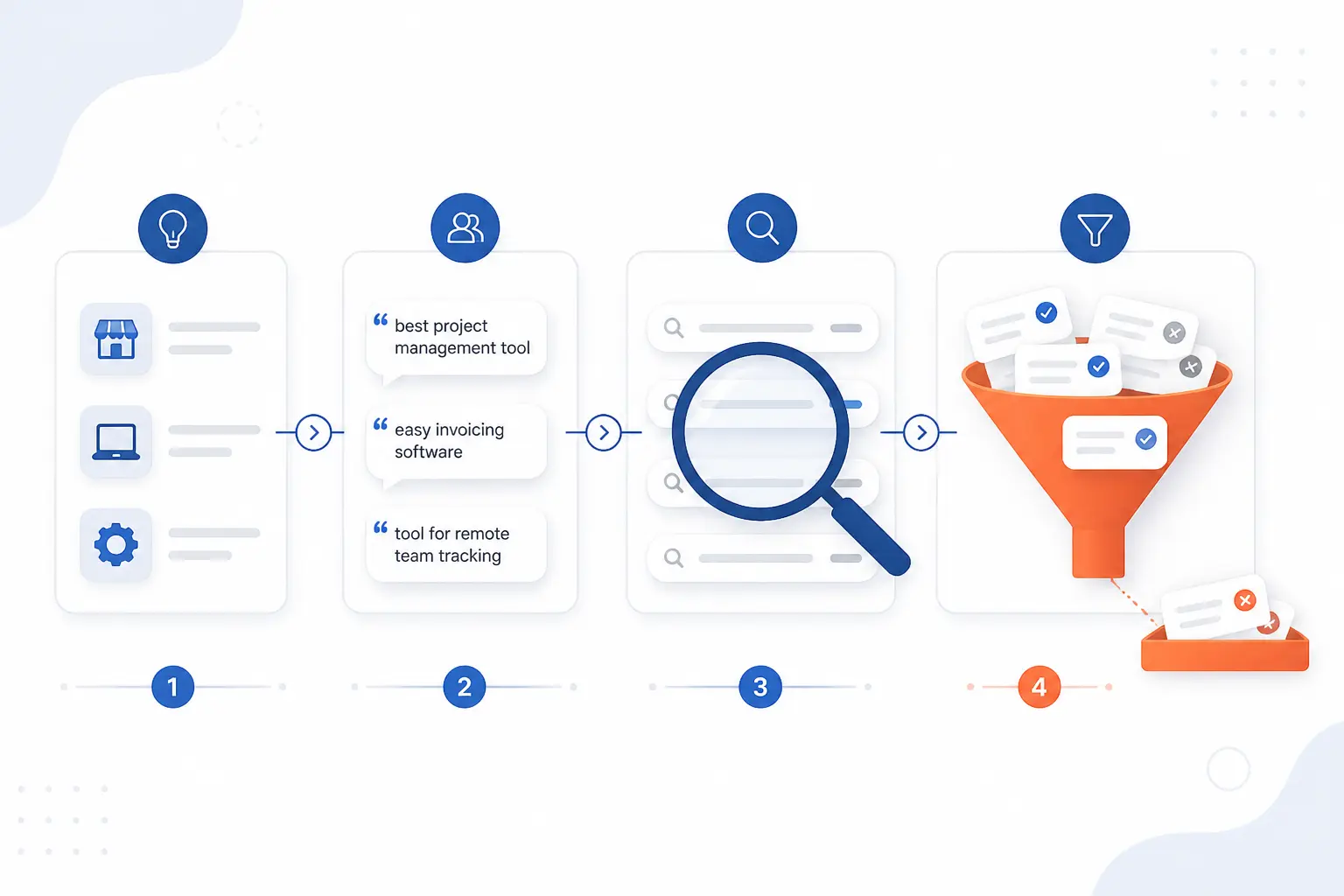
To choose SEO keywords that can rank, start with your business topics, collect the phrases customers already use, expand the list with real search data, and then cut anything that does not match intent, relevance, or page fit. We treat this as a filtering exercise more than a brainstorming exercise. A good list is usually shorter than beginners expect, and that is a good sign.
FURTHER READING: |
| 1. What Is a URL? Parts, Examples, and How It Works |
| 2. SEO Affiliate Marketing Guide for Traffic and Sales |
| 3. Website Architecture in SEO That Ranks and Scales |
1. Define Your Core Topics and Audience
List 5 to 10 core topics in a spreadsheet, then write the exact audience and problem beside each one. Use columns like Topic, Audience, Problem, Product or Service, and Example Page. For example, a hosting company might list “WordPress speed,” “SSL setup,” and “domain transfer” instead of vague buckets like “website help.” You know this step worked when each topic clearly answers who the page is for and what they need done.
2. Build a Seed Keyword List From Customer Language
Copy the exact words customers use from sales emails, chat transcripts, support tickets, reviews, call notes, and forum questions into a sheet named Seed Keywords. Add raw phrases such as “why is my wordpress site slow,” “how to move my domain,” or “ssl certificate not trusted” without cleaning them up yet. We are opinionated here: customer wording beats clever internal jargon almost every time, because it reflects the phrasing people actually search with. You should finish this step with 20 to 50 messy but realistic phrases.
3. Expand Your List With Google Keyword Planner, Search Features, Competitors, and Existing Rankings
Open Google Ads, click Tools, open Keyword Planner, and select Discover new keywords. Enter up to 10 seed phrases such as “wordpress speed issues, fix slow wordpress site” or enter your domain, then click Get results. You should see a table of related ideas plus filters and the Refine keywords panel, and Google Ads instructions note that basic access to new ideas requires completing billing setup first. If the tool is locked, incomplete account setup is the common blocker.
Open Google Search Console, go to Performance > Search results > Queries, and sort by Clicks or Impressions to find terms you already appear for. Then search each seed in Google itself and note Autocomplete, People also ask, Related searches, and the kinds of pages ranking now, such as product pages, blog posts, category pages, or videos. You should leave this step with four clear buckets in your sheet: planner ideas, Search Console queries, search-feature phrases, and competitor patterns, and the performance report guide is useful because query tables can miss anonymized searches or show only the most important rows.
4. Evaluate Search Volume, Keyword Difficulty, CPC, and Relevance
Score each term in your sheet for volume, difficulty, CPC, and relevance on a simple 1-to-5 scale. In Google Keyword Planner, record the monthly search estimate and cost signals, then in Semrush open Keyword Overview and note Volume, KD%, Intent, and CPC for the same term, because its metric reference defines KD% as an estimate of the effort needed to rank in Google’s top 10. A realistic example is to rate “wordpress hosting” high for volume but low for winnability on a new site, while “fix mixed content after ssl” may get a smaller volume score but a much stronger relevance and win score.
Keep relevance as your veto metric and cut any term that would bring the wrong visitor. A local accountant should usually prefer “small business bookkeeping service in austin” over a broader phrase like “accounting,” even if the bigger term looks more exciting on paper. You know this step worked when every surviving keyword has both a traffic case and a business case.
5. Group Similar Terms and Pick a Focus Keyword for Each Page
Cluster near-duplicate phrases into one topic and assign one focus keyword to one page. If the phrases “how to migrate wordpress site,” “move wordpress to new host,” and “wordpress migration guide” all lead to very similar search results, treat them as one cluster instead of planning three separate articles. Pick the clearest main phrase as the focus keyword, then keep the others as supporting terms. You should end this step with one row per page, not a pile of competing drafts about the same thing.
6. Check the SERP to Confirm Intent and the Right Content Format
Search each shortlisted term in an incognito window and inspect page one before you commit to writing. Look at the dominant intent first, then the content format, then the angle: are the top results tutorials, service pages, comparison pages, product listings, calculators, or videos? If Google mostly shows “best” list articles for a phrase, your plain service page is probably the wrong fit, and if Google shows product or category pages, a blog post is often a mismatch. You know this step worked when your planned page type mirrors what searchers are already being rewarded for clicking.
7. Prioritize Winnable Terms and Map Them to New or Existing Pages
Rank your final list by opportunity and map each term to either a new page or an existing page. A practical starter formula is Relevance + Intent Match + Business Value + Existing Authority minus Difficulty, all scored from 1 to 5. Then add one more column named Target URL and fill it with either /new-page-slug/ or an existing URL that should be updated. You should be able to point to every priority keyword and say exactly where it will live.
8. Place Focus and Supporting Keywords in Key On-Page Elements
Place the focus keyword in the URL slug, the <title> element, the H1, the opening paragraph, and at least one useful subheading where it fits naturally. A clean example is a slug like /fha-vs-conventional-loan/ with a page title such as “FHA vs. Conventional Loan: Which Fits First-Time Buyers?” because Google’s title-link documentation explains that title links can be influenced by the title element, headings, and other prominent on-page text. You should see a page whose topic is obvious to both readers and search engines after one fast scan.
Write a unique meta description that summarizes the page instead of stuffing extra phrases into a comma list. For a beginner tutorial, a description like “Follow these steps to move a WordPress site to a new host without breaking SSL, URLs, or search visibility” is much better than repeating variations of the same term, and Google’s snippet documentation says Google may use page content or the meta description when it thinks that description is the better preview. If you use the same description across many pages, search snippets become harder to differentiate.
Why Keyword Choice Still Matters in 2026
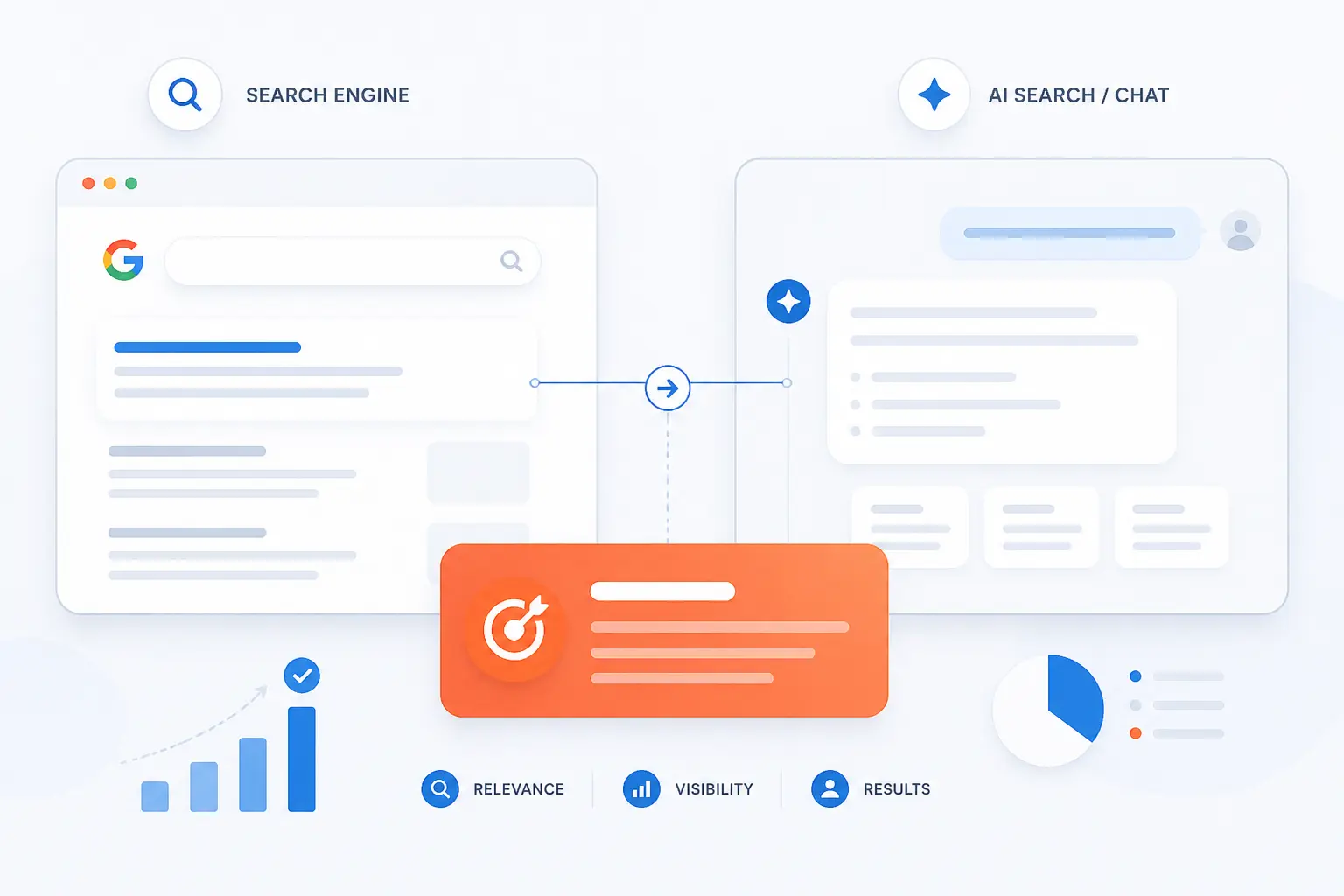
Keyword choice still matters because search engines and AI-driven search experiences still need strong signals about topic, intent, and page purpose. Exact-match obsession matters less than it used to, but language fit matters just as much. In our view, better keyword work now means better topic mapping, better intent matching, and fewer wasted pages.
Capture the Language Your Audience Uses Across Search and AI Tools
Keyword research still matters because it helps you capture the words people actually use when they ask for help. Google’s ranking systems guide says its systems use methods such as BERT, neural matching, and RankBrain to understand meaning and intent, which means exact matches are not the whole story, but the language on your page still needs to align with the concepts searchers express. We take that as a strong reason to collect natural phrases instead of writing content around internal brand language alone.
Keep Content Plans Aligned With Business Goals and Buyer Needs
Keyword selection matters because it keeps your content plan tied to a real audience and a real business goal. Google’s people-first content guidance recommends building for an existing or intended audience and warns against publishing across random trending topics just to attract search traffic. We agree, bluntly, because a site that publishes disconnected content usually ends up with disconnected rankings too.
Grow Visibility Beyond a Single Exact-Match Phrase
Strong keyword choices help one page rank for a whole cluster of related terms, not just one exact phrase. When a page matches intent well, covers the topic clearly, and uses supporting language naturally, it can earn impressions for many variations, question forms, and problem-based searches. That is why we prefer topic clusters with one focus keyword over old-school one-page-per-variation tactics.
Keyword Types to Balance in Your Strategy
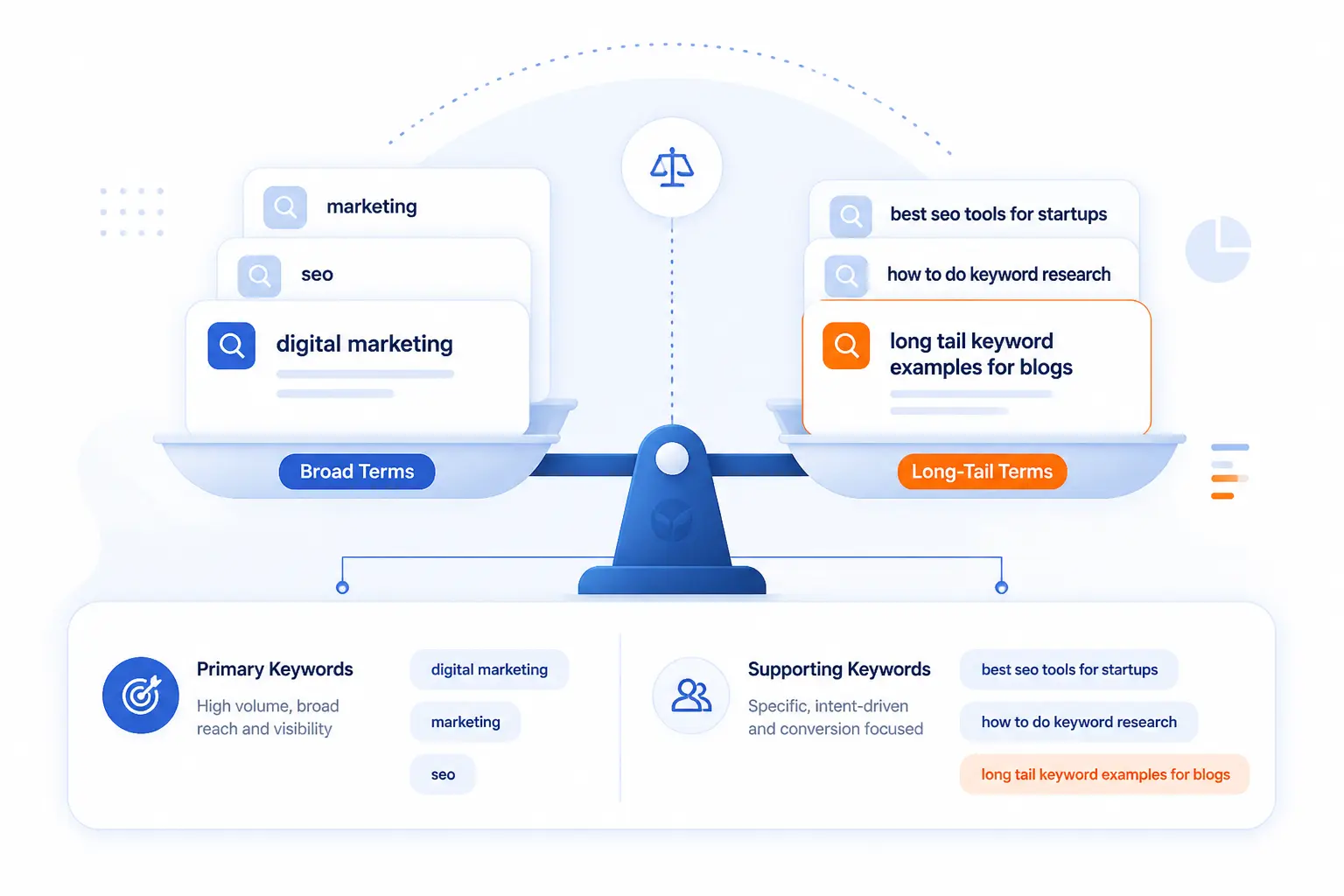
A balanced strategy mixes broad and specific phrases, primary and supporting terms, and top-of-funnel and bottom-of-funnel intent. You should not choose only one type. The right mix depends on your site strength, your sales cycle, and the kinds of pages you can actually publish well.
| Keyword pair | Use the first when | Use the second when |
|---|---|---|
| Head term vs long-tail phrase | You need broader topic coverage | You need a more specific, winnable target |
| Focus keyword vs supporting keywords | You need one clear page target | You need topical depth on that same page |
| Informational vs commercial or transactional | You are educating or attracting early interest | You are helping visitors compare or buy |
Head Terms vs Long-Tail Phrases
Head terms bring broader demand, while long-tail phrases are usually easier to rank and easier to satisfy precisely. A phrase like “shared hosting” is broad and competitive, but “best shared hosting for a small nonprofit site” has clearer intent and often clearer content requirements. Beginners usually make faster progress by mixing a few broad targets with many specific ones.
Focus Keywords vs Supporting Keywords
Each page should usually have one focus keyword and several supporting terms. The focus keyword gives the page a primary job, while supporting phrases help you cover subtopics, synonyms, questions, and related problems naturally. For example, a focus term like “domain transfer checklist” might be supported by phrases about authorization codes, nameserver timing, and transfer lock issues.
Informational Queries vs Commercial and Transactional Terms
Informational queries attract learners, while commercial and transactional terms attract evaluators and buyers. “How does cloud hosting work” sits near the learning stage, while “buy ssl certificate” or “wordpress hosting plans” shows stronger buying intent. A healthy content strategy usually needs both, because educational pages build discovery and commercial pages convert that interest into action.
Mistakes That Undermine Keyword Selection
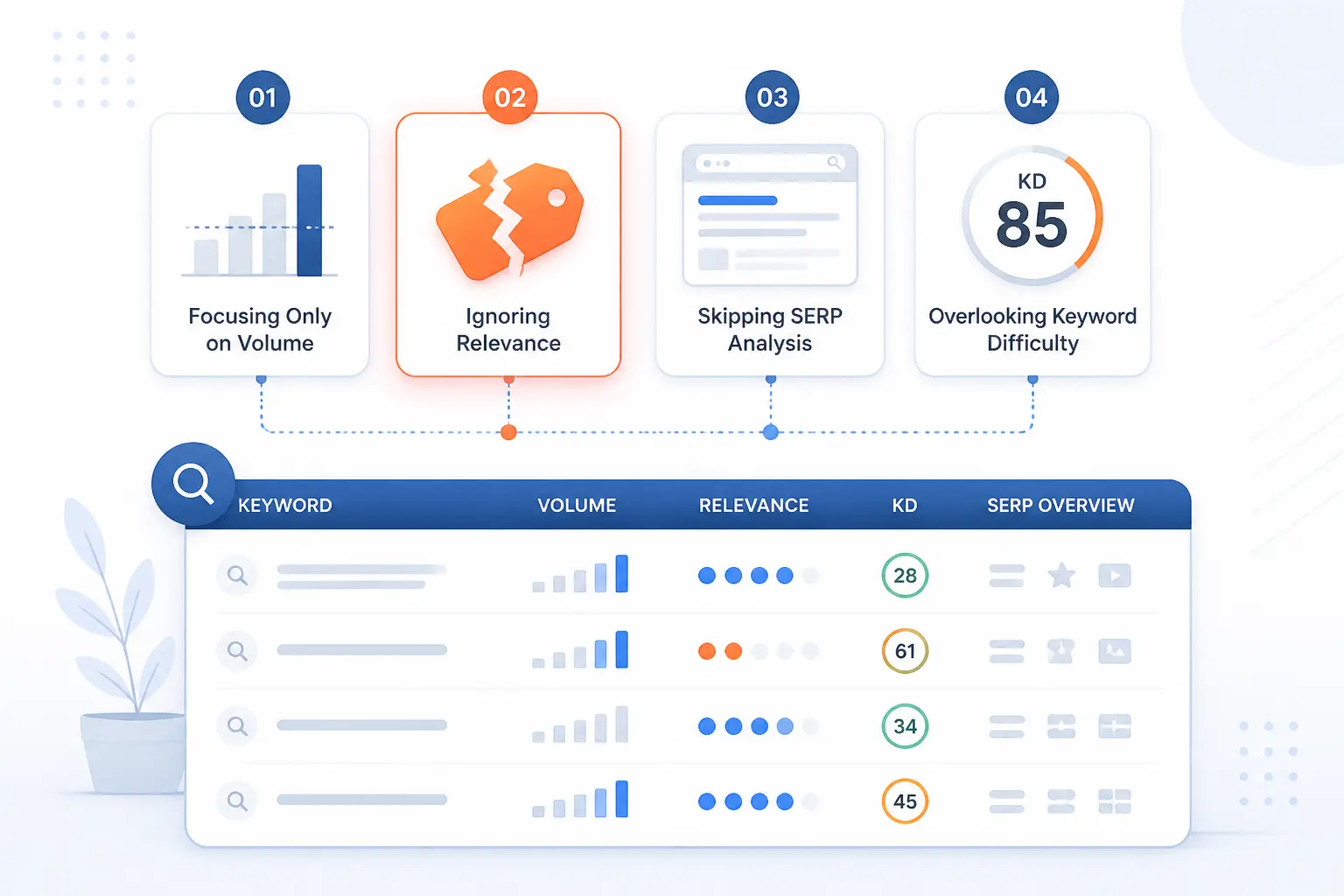
Most keyword mistakes are not caused by bad tools. They come from skipping relevance checks, skipping SERP checks, or letting one attractive metric bully the rest. If you avoid the four mistakes below, your keyword list gets sharper very quickly.
Chase Search Volume Without Checking Ranking Reality
High search volume does not make a term a good target. If the SERP is crowded with major brands, rich features, and deeply authoritative pages, a new or mid-strength site may spend months chasing a term that never becomes useful. We would rather win ten smaller, cleaner opportunities than one glamorous phrase that never moves.
Ignore the Pages and Features Already Winning the SERP
Search results already tell you what Google believes satisfies the query. If page one is full of comparison tables, map packs, videos, forum threads, or ecommerce category pages, that is your clue about the required format and angle. Ignoring those clues is like arguing with the scoreboard.
Target Topics That Outrun Your Site Authority
Some keywords are simply too competitive for your current site, even if the topic matters to your business. That does not mean you should never target them. It means you should build supporting content, internal links, and narrower wins first, then revisit the harder target later.
Optimize Multiple Pages for the Same Focus Term
One focus term should usually map to one primary page. When several pages chase the same phrase, your own pages start competing for signals, links, and clicks, and the result is usually muddled rather than stronger. If you find this happening, merge, redirect, or clearly reposition the weaker page.
FAQ
These quick answers cover the questions beginners ask most after they start building a real keyword list. The short version is encouraging: SEO is still usable, beginners can do it, and one good page can rank for more than one phrase if the topic fit is tight.
Is SEO Dead or Evolving in 2026?
SEO is evolving, not dead. Search engines still need clear pages that satisfy specific intents, and better language mapping still improves discovery. What has changed is that thin exact-match tactics age badly, while topic depth and page usefulness hold up better.
How Do You Target Keywords for SEO?
You target keywords by assigning one main term and a small set of supporting terms to a page that matches the intent behind them. Then you place those terms in core on-page elements, cover the topic completely, and make sure the page format matches the SERP. The real win comes from matching the query to the right page, not from repeating the phrase more times.
Can a Beginner Do SEO?
Yes, a beginner can do SEO well enough to get early wins. The key is to start with lower-competition topics, follow a repeatable process, and publish pages that solve one clear problem at a time. You do not need enterprise software to begin, though a spreadsheet, Search Console, and patience help a lot.
Should One Page Target One Focus Keyword or Several Related Terms?
One page should usually target one focus keyword plus several closely related terms. That keeps the page direction clear while still letting it rank for natural variations and subtopics. If the related terms require very different intent or a different page type, split them into separate pages instead.
How 1Byte Helps Turn Keyword Plans Into Live Websites
At 1Byte, we help turn a keyword map into an actual website by covering the basic pieces required to launch, secure, publish, and grow pages. The practical path is straightforward: choose a domain, secure it with SSL, publish content on hosting that fits the project, and move to stronger infrastructure when the site grows. We are also an AWS Partner, which matters when a project needs a more structured cloud path.
| Service | Best fit | Practical use for SEO work |
|---|---|---|
| Domain registration | New sites and brand launches | Claim a clean home for topic clusters and landing pages |
| SSL certificates | Any public website | Secure pages before publishing or migrating content |
| WordPress hosting and shared hosting | Blogs, guides, and smaller business sites | Publish and maintain content efficiently |
| Cloud hosting and cloud servers | Growing or more demanding projects | Support larger content libraries and more custom setups |
Register Domains and Secure New Pages With SSL Certificates
Register the domain that fits your brand and topic plan, then secure the site with SSL certificates before you start publishing. That gives every page a stable home and lets you launch landing pages, service pages, and blog sections under one trusted domain structure. If you are building a new project around a niche topic cluster, this is the cleanest place to start.
Publish Content Faster With WordPress Hosting and Shared Hosting
Choose WordPress hosting if your plan centers on regular publishing, or use shared hosting if you need a simpler starting point for a smaller site. Both options can support the practical work of turning keyword clusters into real URLs, category structures, and article drafts. For many beginners, the hardest part is not research. It is getting the pages live, editable, and organized.
Scale Growing SEO Projects With Cloud Hosting and Cloud Servers
Move to cloud hosting or cloud servers when your content operation grows beyond a small starter setup. That is especially useful when you add more sections, custom applications, or heavier site demands around content publishing and management. As an AWS Partner, we see this as the stage where keyword planning stops being a spreadsheet exercise and starts becoming an infrastructure decision too.







Conclusion
How to choose SEO keywords is really about choosing battles you can win and pages you can serve well. Start with customer language, confirm the SERP, map one focus keyword to one clear page, and publish in priority order. If your current list still feels bloated, trim it in half and check intent again. Which one page on your site should you map first this week?