

- Enterprise Cloud Computing Is Cloud Infrastructure Built for Large Organizations
- How It Differs From Standard Cloud Computing
- The Building Blocks of an Enterprise Cloud Environment
- Which Cloud Deployment Models Fit Enterprise Needs
- Which Service Categories Enterprises Use Most
- Why Large Organizations Adopt Enterprise Cloud Computing
- Where Enterprise Cloud Delivers the Most Value
- Security Compliance and Other Enterprise Risks to Plan For
- How Enterprises Choose a Model Provider and Migration Path
- Frequently Asked Questions
- How 1Byte Supports Enterprise Cloud Adoption
- Conclusion
Enterprise Cloud Computing is the use of cloud infrastructure, platforms, and software in a way that fits large organizations. It goes beyond renting servers. It adds governance, security, integration, automation, and cost controls so many teams can work on shared systems without chaos. At 1Byte, we see it as cloud built for real business weight, meaning regulated data, legacy systems, global users, and workloads that cannot afford sloppy operations.
Enterprise Cloud Computing Is Cloud Infrastructure Built for Large Organizations
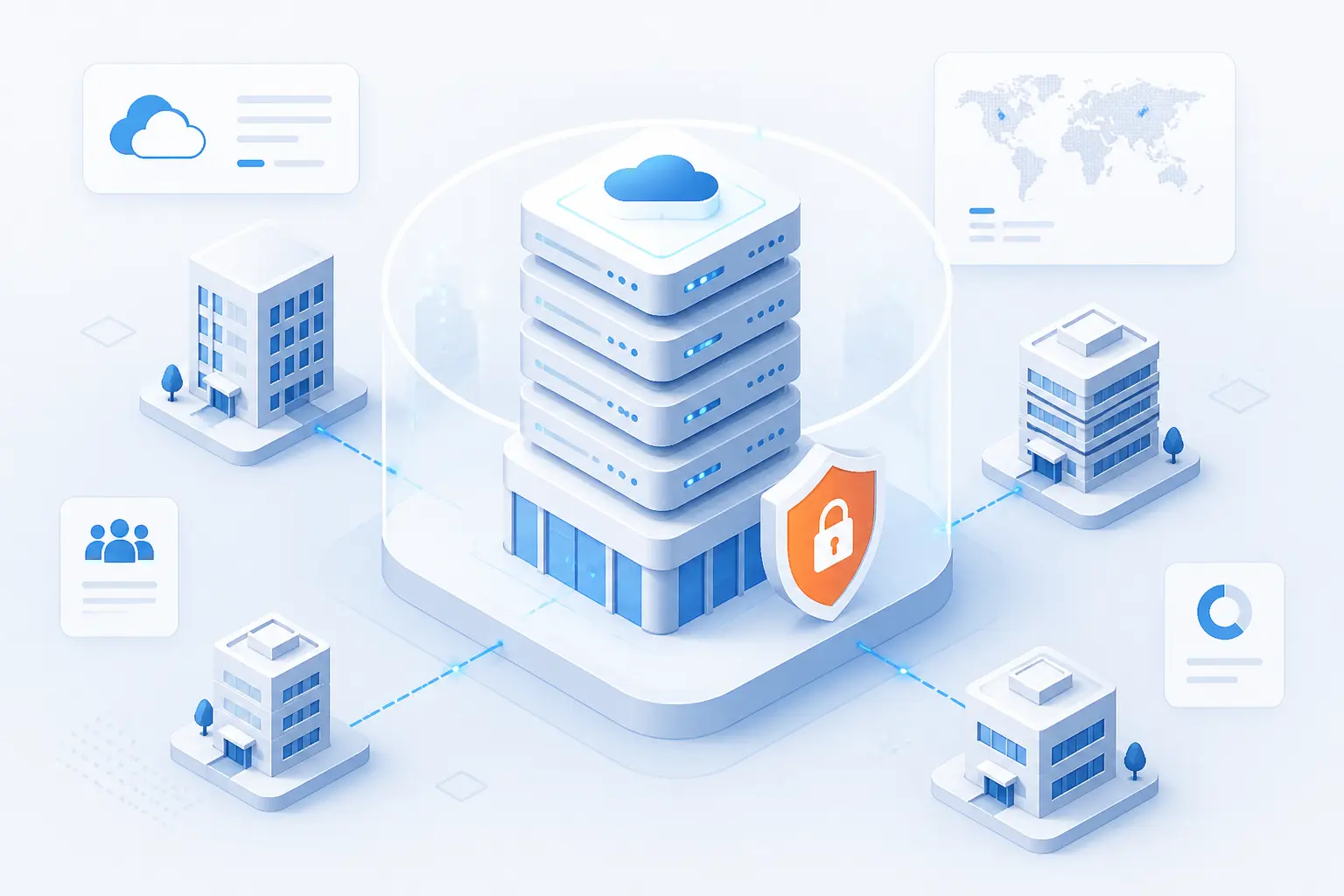
Enterprise cloud computing is cloud infrastructure designed for the scale, rules, and operating complexity of large organizations. It uses the same core idea as standard cloud services, which NIST SP 800-145 defines as on-demand access to shared computing resources, but it adds enterprise needs such as policy enforcement, identity controls, audit trails, network design, and integration with existing systems. In practice, that means a bank, hospital, retailer, or manufacturer can run many applications on one cloud foundation without each team inventing its own rules. We think that distinction matters, because scale without discipline is just expensive improvisation.
FURTHER READING: |
| 1. Website Design Cost: What Businesses Should Budget |
| 2. Website User Experience: What It Is, Why It Matters, and How to Improve It |
| 3. What Is Cached Data and How Caching Works |
How It Differs From Standard Cloud Computing
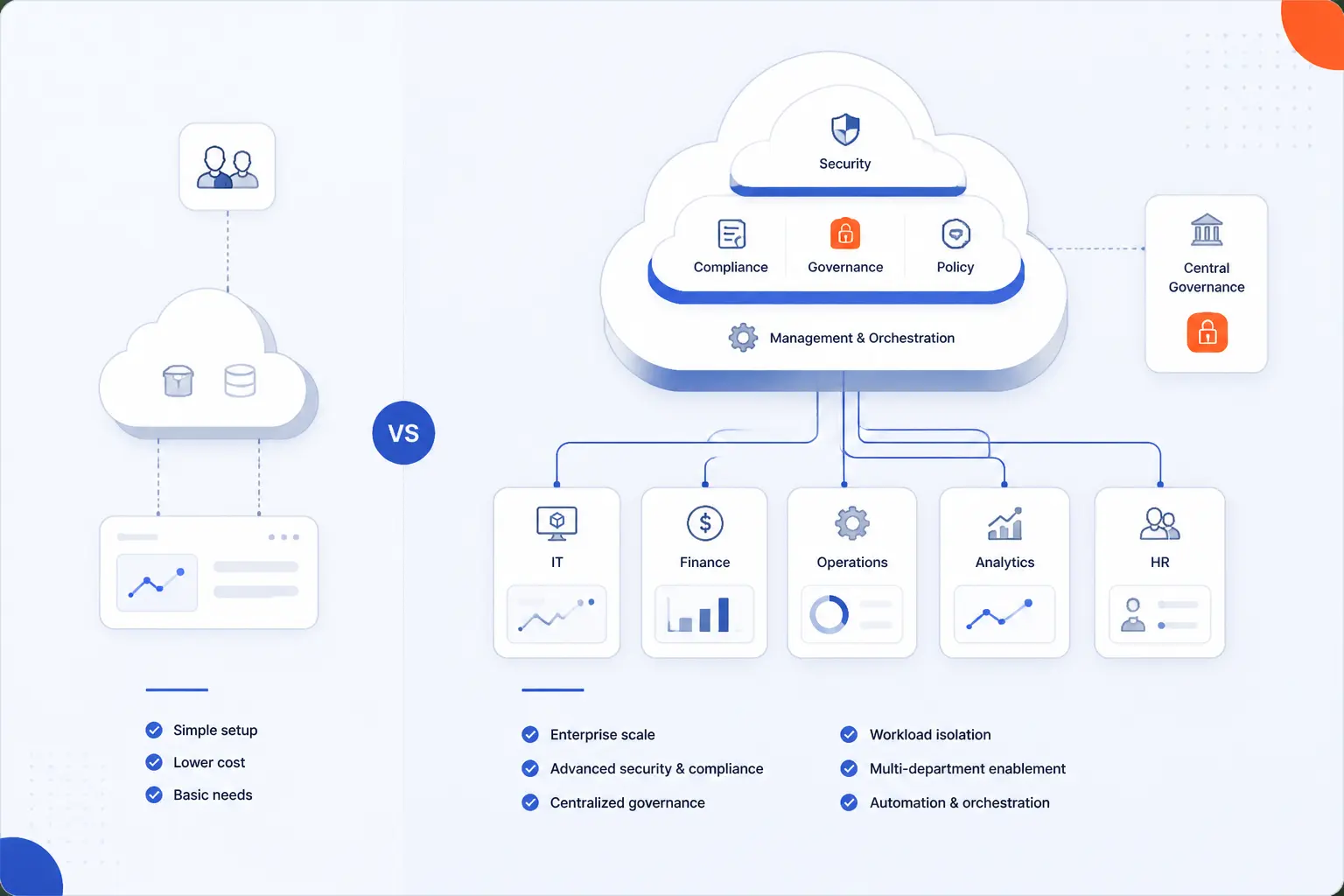
Enterprise cloud computing differs from standard cloud computing mainly in complexity, governance, and risk tolerance. A basic cloud setup may serve one app, one team, or one startup. An enterprise setup must support many business units, varied security levels, older systems, legal obligations, and strict uptime targets. The technology may look similar from a distance, but the operating model is far more structured.
We usually explain it this way: standard cloud solves access to infrastructure, while enterprise cloud solves access plus control. Large organizations need identity standards, approval paths, cost allocation, data classification, disaster recovery plans, and repeatable deployment patterns. That is why enterprise cloud discussions quickly move beyond “Which server do we launch?” and toward “Who owns this workload, where may its data live, how is it monitored, and what happens if it fails?”
The Building Blocks of an Enterprise Cloud Environment
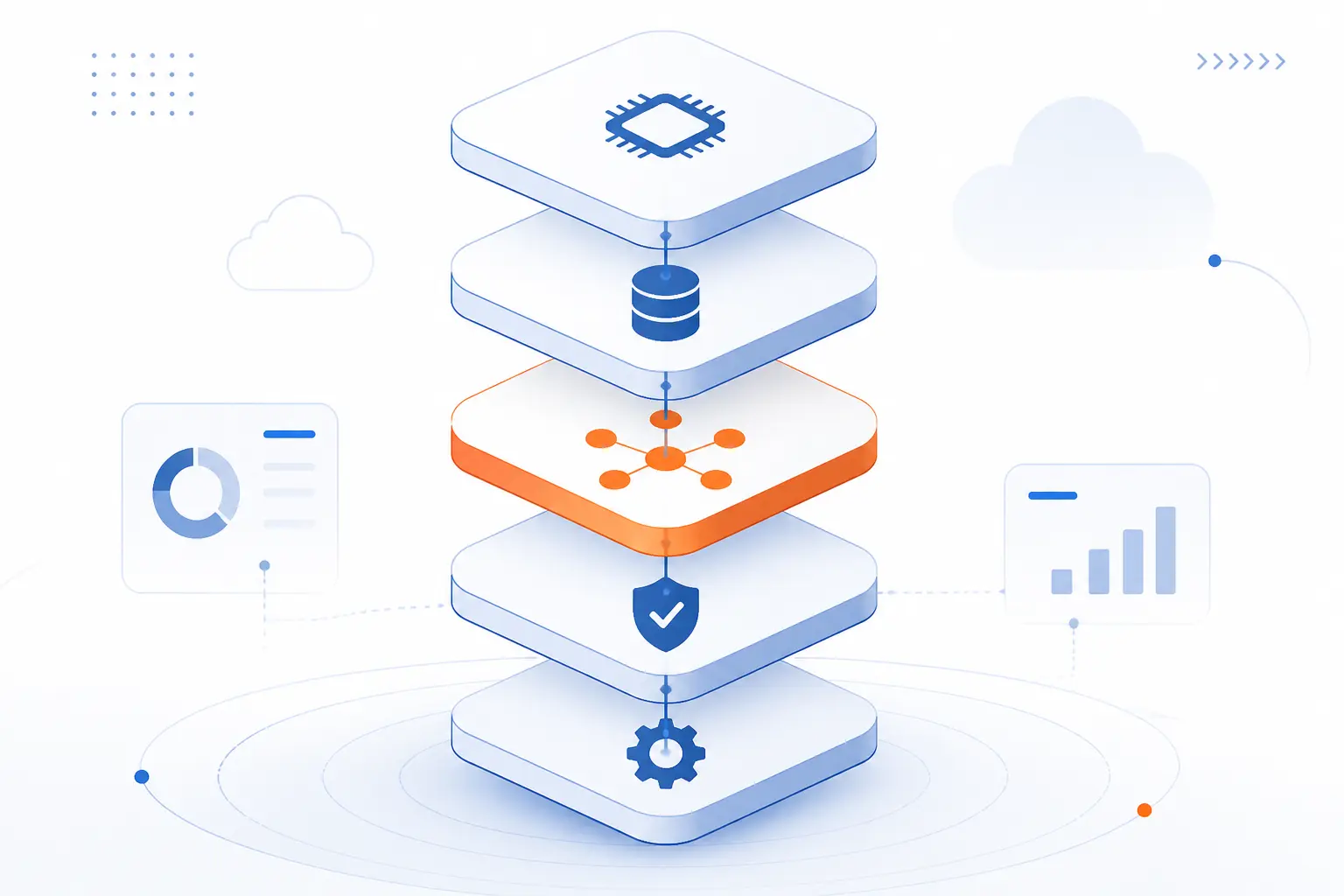
An enterprise cloud environment is built from five practical layers: compute, data, networking, security, and operations. Those layers work together to run applications reliably at scale. If one layer is weak, the whole environment becomes harder to secure, govern, or troubleshoot. We prefer to frame them as operating parts, not buzzwords, because that is how teams actually experience them.
Compute Resources
Compute resources are the processing capacity that runs enterprise workloads. This includes virtual machines, containers, Kubernetes clusters, serverless functions, and GPU-backed instances for AI or analytics jobs. Enterprises mix these options because not every workload wants the same level of control. A legacy ERP system may stay on virtual machines, while a modern customer portal may run in containers with automatic scaling.
Storage Databases and Data Protection
Storage, databases, and data protection hold the information an enterprise cannot afford to lose. Object storage, block storage, file shares, relational databases, and analytics platforms each serve different patterns of use. The real enterprise question is not “Where do we save data?” but “How do we classify it, replicate it, encrypt it, back it up, and restore it under pressure?” Good cloud design treats recovery testing as a core function, not a compliance afterthought.
Networking and Connectivity
Networking and connectivity determine how users, applications, offices, and data centers reach cloud services. This layer includes virtual networks, load balancers, firewalls, private links, DNS, content delivery, and dedicated connections to on-premises environments. In large organizations, network design shapes performance and security as much as server choice does. A fast application with poor routing or weak segmentation still feels broken to the business.
Security Identity and Governance
Security, identity, and governance decide who can do what, from where, and under which rules. Identity providers, role-based access, encryption keys, policy engines, logging, and approval workflows all sit here. This is the layer that keeps one developer’s shortcut from becoming a company-wide exposure. We believe enterprise cloud maturity shows up less in shiny architecture diagrams and more in boring controls that work every day.
Automation Observability and Reliability
Automation, observability, and reliability keep the environment consistent and supportable. Infrastructure as code, CI/CD pipelines, metrics, logs, traces, alerting, and incident runbooks all belong in this layer. Enterprises use them to reduce manual drift and shorten recovery time when something fails. If teams cannot see what changed, who changed it, and how the system behaves, they are flying blind.
Which Cloud Deployment Models Fit Enterprise Needs
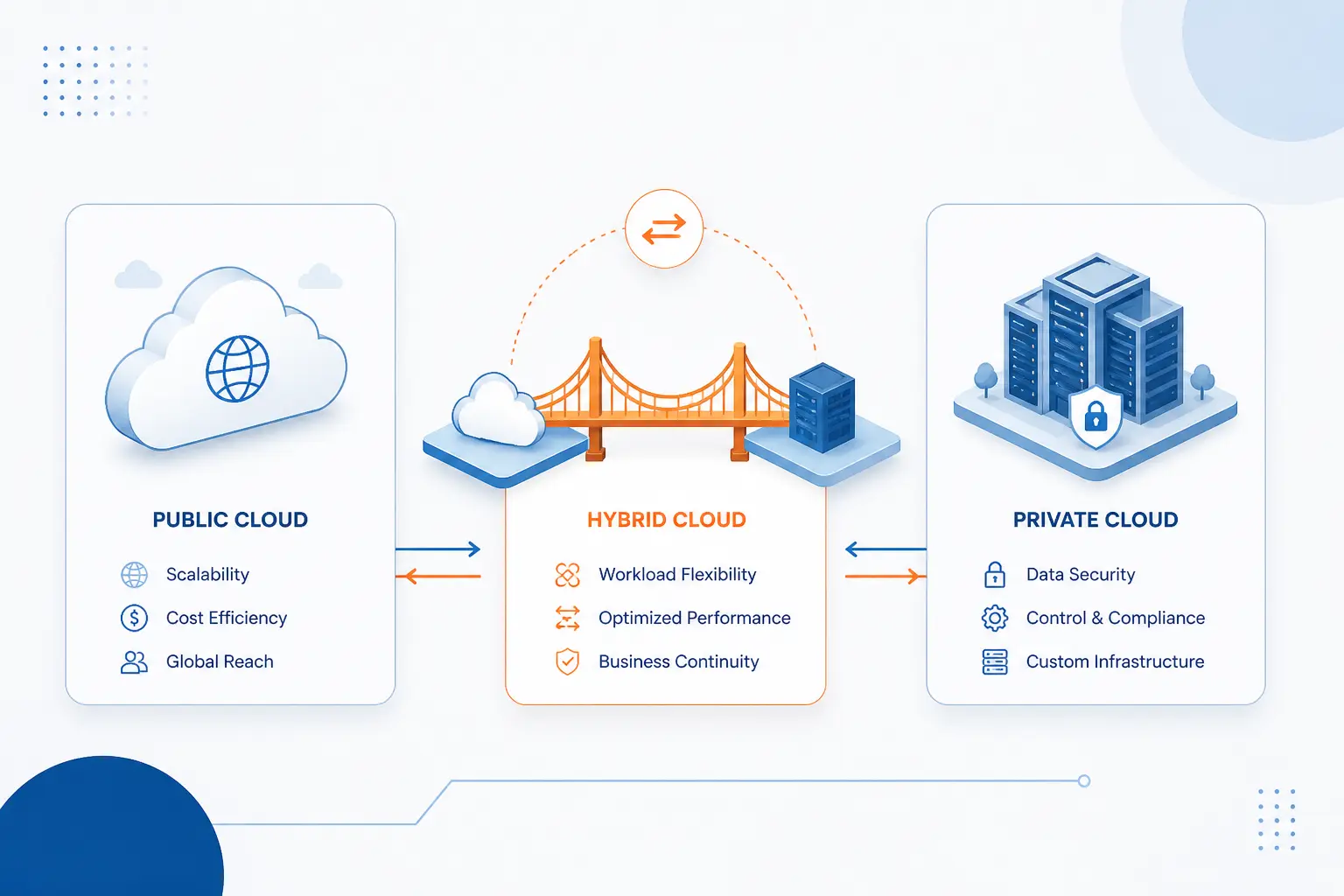
Enterprises choose deployment models based on control, compliance, latency, and how much existing infrastructure they need to keep. In real life, many large organizations combine several models, which lines up with the distinctions in this strategy guide. No single model wins every time. The best fit depends on the workload, the data, and the operating constraints around them.
| Model | Best fit | Main trade-off |
|---|---|---|
| Public Cloud | Fast access to broad services and elastic capacity | Less direct control over underlying infrastructure |
| Private Cloud | Dedicated environments with tighter control | Higher management burden |
| Hybrid Cloud | Legacy integration and phased modernization | More architectural complexity |
| Multicloud | Provider choice and workload matching | Tooling and skills fragmentation |
| Distributed Cloud | Low latency, local processing, residency needs | More operational coordination across locations |
Public Cloud
Public cloud is the best fit when an enterprise wants broad services, fast provisioning, and elastic capacity without owning the hardware. It works well for digital products, analytics, backup targets, dev/test environments, and applications with changing demand. The trade-off is that teams must design carefully around shared infrastructure, cost visibility, and provider-specific services. Public cloud is powerful, but it rewards discipline more than optimism.
Private Cloud
Private cloud gives one organization exclusive use of the environment. It often makes sense for sensitive data, predictable workloads, strict internal policies, or organizations with heavy investment in existing infrastructure. The big benefit is control over architecture and policy design. The cost is that the enterprise still carries more responsibility for capacity planning, operations, and platform upkeep.
Hybrid Cloud
Hybrid cloud combines private or on-premises systems with public cloud services. This is common when an enterprise wants to modernize gradually, keep certain datasets close to legacy applications, or place recovery capacity in the public cloud. We often see hybrid as the practical middle path, especially for large organizations that cannot rewrite everything at once. It is not a compromise in the weak sense. Done well, it is a deliberate division of labor.
Multicloud
Multicloud means using more than one cloud provider for different workloads or business goals. An enterprise may choose one provider for analytics, another for productivity software, and a third for regional coverage or specialized AI services. The upside is flexibility and reduced dependence on a single vendor. The downside is operational sprawl, because identity, networking, monitoring, and cost management become harder across platforms.
Distributed Cloud
Distributed cloud extends managed cloud capabilities closer to where data is created or consumed. That matters when latency, data residency, or unreliable connectivity make a faraway region impractical, which is exactly the problem addressed in this edge infrastructure overview. Factories, retail locations, healthcare sites, and telecom environments often benefit here. We view distributed cloud as less about fashion and more about physics.
Which Service Categories Enterprises Use Most
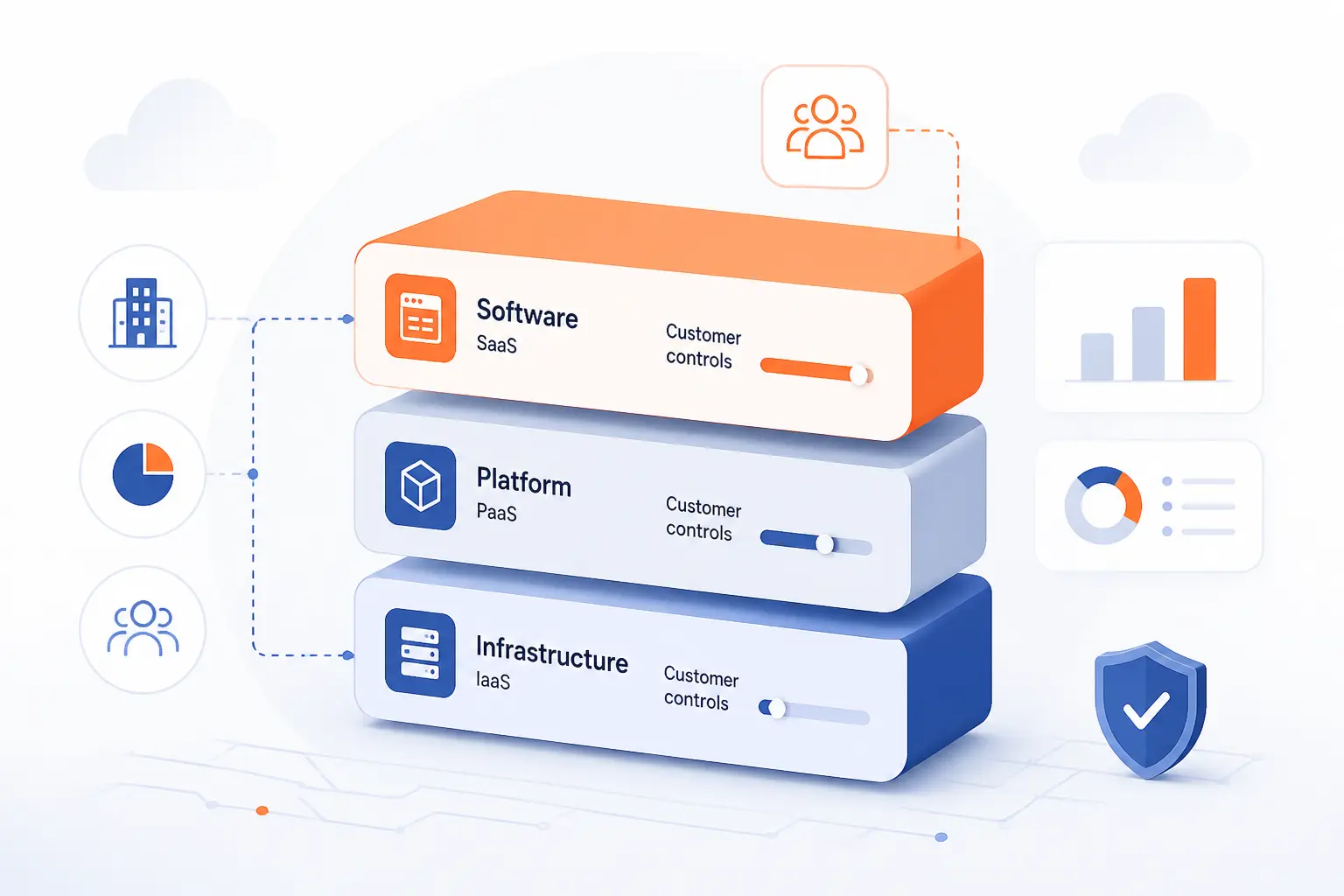
Most enterprises use IaaS, PaaS, and SaaS at the same time. They are not rivals. They are layers of control and convenience. The practical choice is how much of the stack the enterprise wants to manage itself for each workload.
| Category | What the enterprise manages | Typical use |
|---|---|---|
| Infrastructure as a Service | OS, applications, data, much of the runtime stack | Custom systems and lift-and-shift migrations |
| Platform as a Service | Applications and data | Faster software delivery with less platform overhead |
| Software as a Service | Configuration, users, and data policies | Email, collaboration, CRM, ERP, and line-of-business apps |
Infrastructure as a Service
Infrastructure as a Service gives enterprises the most control short of owning the hardware. Teams provision compute, storage, and networks, then manage operating systems, middleware, and applications themselves. IaaS is common when organizations are moving older systems to the cloud or need custom security and network designs. It offers freedom, but it also keeps more operational responsibility in-house.
Platform as a Service
Platform as a Service reduces infrastructure work so teams can focus on building and deploying applications. The provider manages more of the runtime, scaling, patching, and supporting services, while the enterprise manages the code and data. This model is strong for API back ends, internal tools, and modern web applications. We generally like PaaS when speed matters more than low-level tinkering.
Software as a Service
Software as a Service is finished software delivered over the network. Enterprises use it for collaboration suites, support systems, HR tools, CRM, and many day-to-day business processes. SaaS is usually the fastest path to adoption because the application is already built and operated by the vendor. The caution is simple: easy procurement can create scattered data and overlapping tools if governance lags behind.
Why Large Organizations Adopt Enterprise Cloud Computing
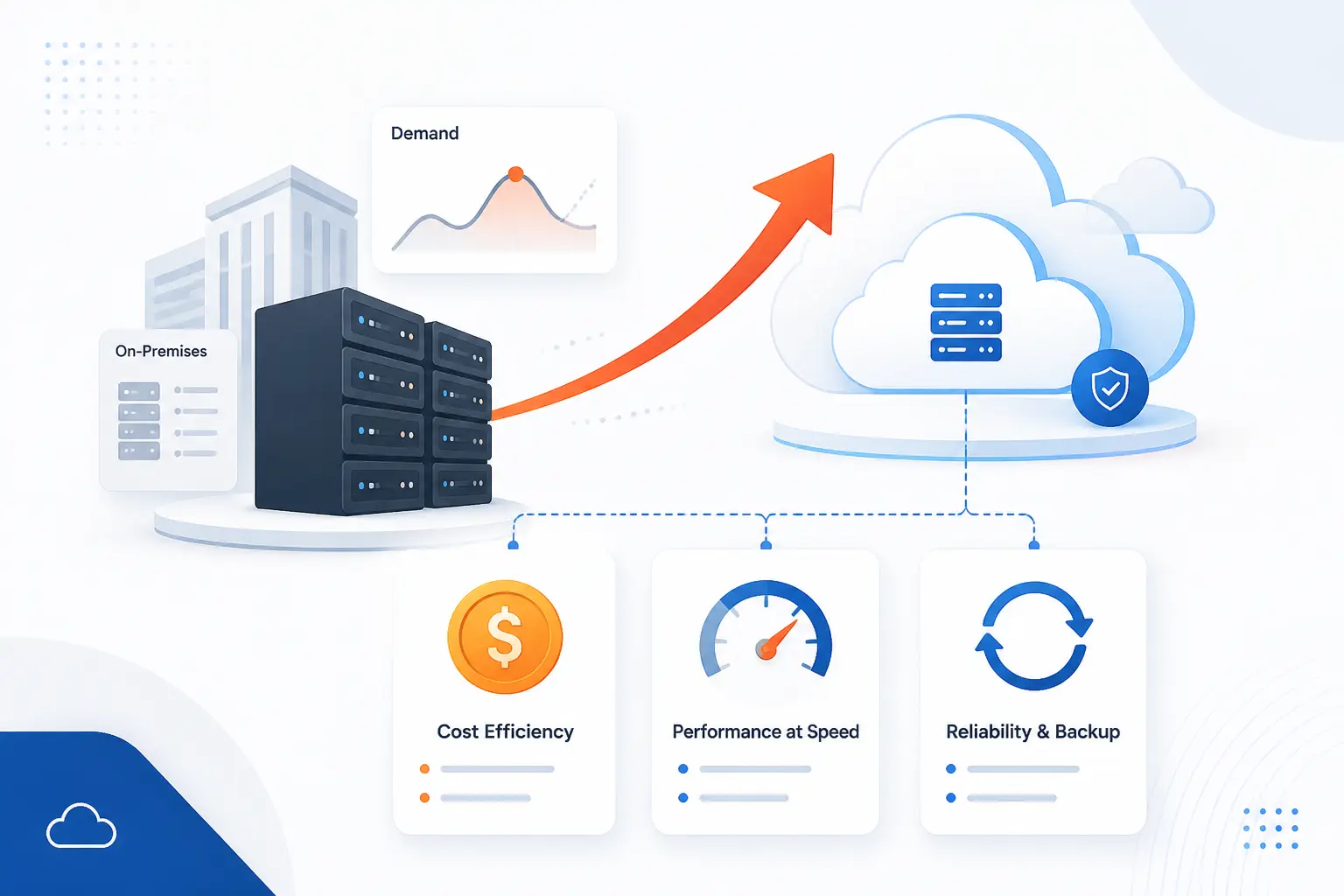
Large organizations adopt enterprise cloud computing because it changes how they buy, operate, and evolve technology. It can reduce upfront infrastructure commitments, absorb demand swings, speed up product changes, and improve recovery options. The scale of demand is no longer theoretical, with enterprise spending on infrastructure services reaching $129 billion in Q1. To us, that signals a mature operating model, not an experiment.
Pay-Per-Use Pricing and Lower Capital Costs
Pay-per-use pricing shifts much of infrastructure spending from large capital purchases to operating expense. That helps enterprises avoid buying excess hardware years ahead of need. It also shortens the path from approved budget to working environment. Still, we think this benefit gets overstated when people ignore always-on workloads, data transfer fees, or idle resources.
Scalability and Elasticity for Changing Demand
Scalability and elasticity let enterprises add or remove capacity as demand changes. Seasonal traffic, marketing campaigns, month-end reporting, and AI training bursts all create uneven load. Cloud platforms handle that unevenness better than fixed hardware sized for the single busiest day of the year. In practical terms, elasticity is the difference between surviving a spike and disappointing customers during it.
Faster Innovation and IT Infrastructure Modernization
Faster innovation comes from reducing the time spent waiting on infrastructure and hand-built environments. Managed databases, automation tools, container platforms, and API services give teams more room to modernize older systems in stages. Enterprises rarely become modern in one leap. They modernize workload by workload, process by process, until the old bottlenecks stop dictating every release.
Resilience Collaboration and Business Continuity
Enterprise cloud improves resilience when applications, data, and teams are designed to work across failure points. In a bank payments case, BNY Mellon added cloud capacity to strengthen resiliency during demand spikes while keeping a hybrid architecture. That is a useful reminder that continuity is often about architecture choices, not heroic troubleshooting. Good cloud design gives teams room to fail small instead of failing all at once.
Where Enterprise Cloud Delivers the Most Value
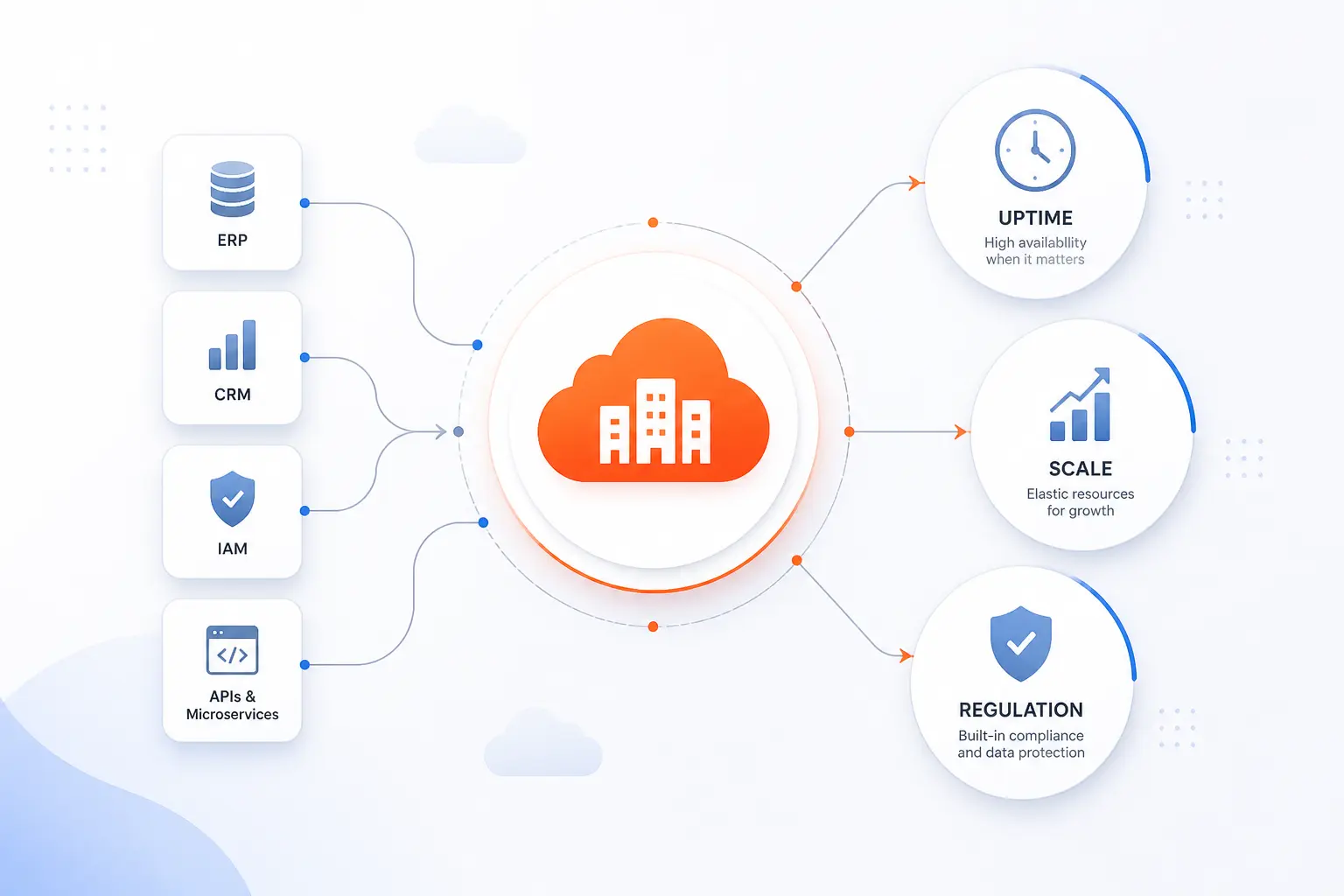
Enterprise cloud delivers the most value where uptime, scale, data gravity, and regulatory pressure are high. Those conditions make fixed infrastructure harder to plan and slower to evolve. We see the strongest returns when cloud becomes a shared operating platform for critical systems, not just a side environment for experiments. The more complex the business, the more valuable consistent cloud patterns become.
Mission-Critical and Customer-Facing Applications
Mission-critical and customer-facing applications gain value from cloud when they need steady availability during uneven traffic. Netflix described its global streaming migration as a way to use multiple AWS regions and expand capacity dynamically for users around the world. That is a classic enterprise cloud outcome: traffic spikes become an engineering problem, not a capacity panic. Retail storefronts, booking systems, and digital banking portals often want the same kind of design.
Data Storage Analytics and AI Workloads
Data storage, analytics, and AI workloads benefit because they need flexible capacity, shared data access, and specialized services. Enterprises can store raw data centrally, process it with managed analytics platforms, and attach machine learning or AI tools without building every layer from scratch. GPU capacity is a good example. Buying it outright can be slow and risky, while on-demand access supports experiments and production bursts with less commitment.
Regulated Systems in Healthcare Finance and Retail
Regulated systems gain value when enterprises can separate workloads by sensitivity and apply consistent controls. Healthcare providers may isolate patient data, retailers may segment payment systems, and financial firms may keep core processing close to stricter controls while extending other services into public cloud. This is where hybrid and private models often earn their keep. Regulation does not block cloud adoption by itself. Poor planning does.
Security Compliance and Other Enterprise Risks to Plan For
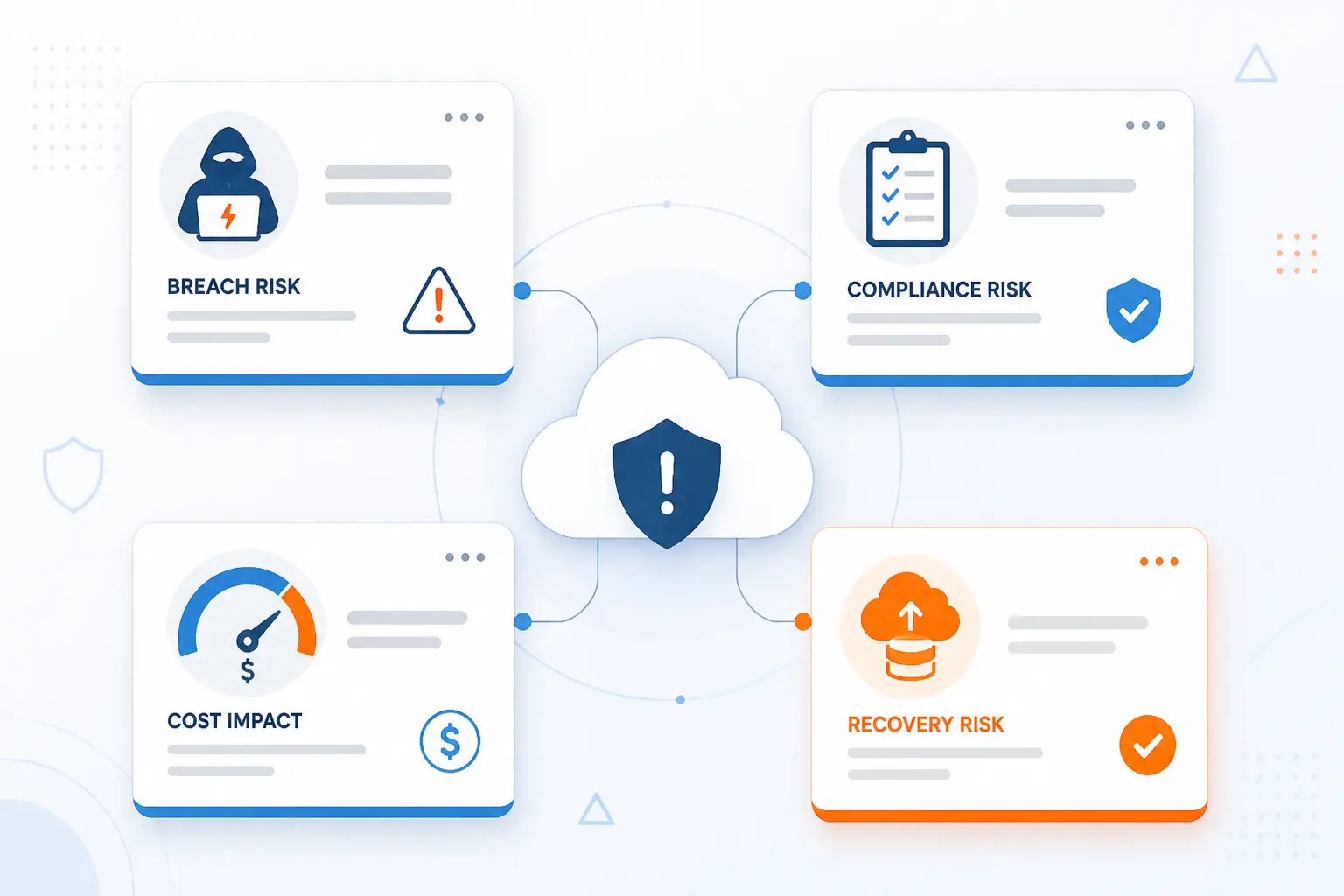
Enterprise cloud has real risks, but most of them come from design mistakes, unclear ownership, and weak operating habits. Cloud does not remove security work. It changes where that work sits. The safer approach is to treat security, compliance, cost, and recovery as design inputs from day one.
Data Breaches Loss and Recovery Readiness
Data breach prevention starts with knowing what data exists and how it moves. Recovery readiness starts with tested backups, clean restore procedures, and clear incident roles. Enterprises should plan for accidental deletion, ransomware, region failures, and bad deployments, not just for outside attacks. We are skeptical of any cloud plan that mentions backup but never mentions restore drills.
Identity Access and Shared Responsibility
Identity and access control are the first places many cloud security failures begin. The provider still manages part of the stack, but the customer keeps major responsibility for accounts, permissions, data settings, and workload configuration under the shared responsibility model. That is why role design, least privilege, MFA, and centralized identity are not optional extras. They are table stakes.
Data Sovereignty Compliance and Auditability
Data sovereignty means an enterprise must know which laws apply to its data and where that data may move. The EU transfer rules are a good example of why location, safeguards, and legal mechanisms matter in cloud design. Auditability matters just as much, because enterprises need logs, retention policies, and evidence that controls are actually enforced. In regulated industries, undocumented control is basically no control.
Legacy Integration Vendor Lock-In and Spend Control
Legacy integration, lock-in, and spend control are often the hardest problems after the first migration wave. The 2025 FinOps report covered organizations representing ~$69B in spend, which says a lot about how seriously large teams now treat cloud cost discipline. Costs rise through idle resources, duplicate tools, egress fees, and unmanaged growth across accounts. Vendor lock-in is also real, though we think it is best managed with deliberate architecture choices rather than with unrealistic dreams of total neutrality.
How Enterprises Choose a Model Provider and Migration Path
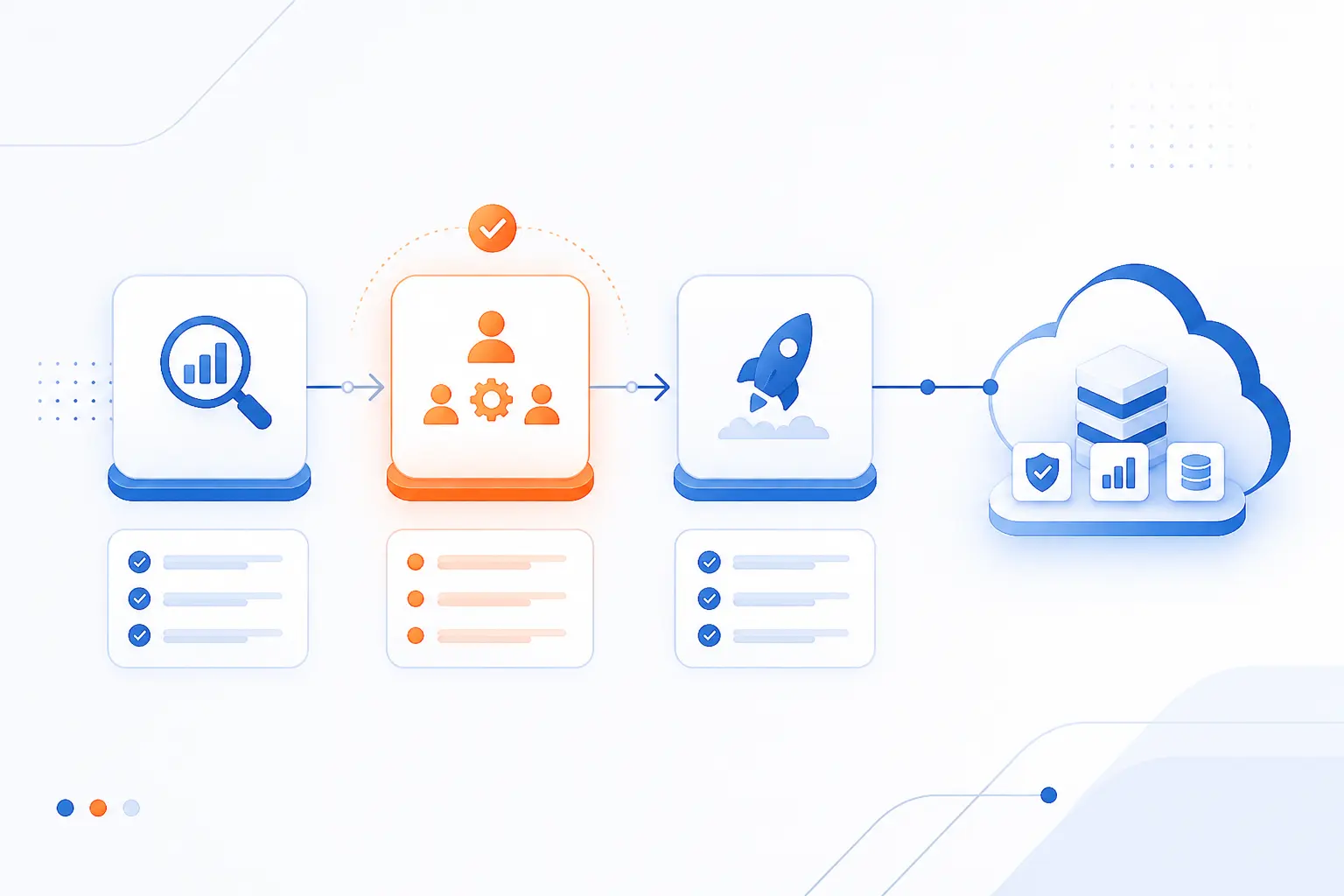
Enterprises choose well when they start with business goals, rank workloads by importance and risk, and migrate in deliberate waves. A useful pattern appears in this three-phase migration guide, which breaks the journey into assess, mobilize, and migrate. That order makes sense because cloud adoption fails more often from poor sequencing than from weak technology. We would rather see a modest plan executed well than a grand roadmap nobody can operate.
Start With Business Goals and Workload Priorities
Start with business goals, because the right cloud model depends on the outcome you need. Some workloads need lower latency. Others need better recovery, stricter control, or faster software delivery. Enterprises should sort applications by business value, technical complexity, compliance sensitivity, and migration effort before they compare vendors. Otherwise, provider selection turns into guesswork dressed as strategy.
Compare Performance Security and Pricing
Compare performance, security, and pricing at the workload level, not in marketing generalities. One application may care most about database latency, another about identity integration, and another about data processing cost. Pricing must include storage growth, network transfer, backup, monitoring, and support models. We always advise readers to distrust any comparison that focuses only on base compute rates.
Build Governance FinOps and a Migration Roadmap
Build governance, FinOps, and the roadmap before mass migration begins. Landing zones, account structure, tagging rules, identity standards, and policy guardrails should exist early, even if they start simple. Migration roadmaps should also define what gets rehosted, refactored, replaced, retired, or left alone. Enterprise cloud works best when architecture, finance, and operations stop acting like separate countries.
Frequently Asked Questions
These short answers cover the questions readers ask most after they understand the basics. We will keep them direct and practical.
What Is Enterprise in Cloud Computing?
Enterprise in cloud computing means the cloud setup is built for a large organization, not just for a single app or small team. It includes stronger governance, security, integration, and operational controls because many departments and critical workloads share the same environment. In short, it is cloud run with organizational discipline.
What Are Four Types of Cloud Computing?
The classic four deployment types are public, private, hybrid, and community cloud. In modern enterprise practice, people also talk about multicloud and distributed cloud because they describe how organizations actually operate across providers and locations. So the short answer depends on whether you mean the classic deployment taxonomy or current operating patterns.
Who Are the Big 3 Cloud Providers?
The Big 3 cloud providers are Amazon Web Services, Microsoft Azure, and Google Cloud. In public IaaS, the 2024 ranking placed AWS first, Microsoft second, and Google third. Provider size is helpful context, but enterprises should still choose based on workload fit, governance, and operating model.
How 1Byte Supports Enterprise Cloud Adoption
At 1Byte, we support enterprise cloud adoption by helping organizations secure their foundations, publish business systems, and scale infrastructure in practical steps. We focus here on the services that matter most to this journey: domain registration, SSL certificates, WordPress hosting, shared hosting, cloud hosting, and cloud servers, alongside our role as an AWS Partner. Our view is simple. Enterprise cloud starts with clean basics before it reaches grand architecture.
Secure Your Foundation With Domain Registration and SSL Certificates
Domain registration and SSL certificates help establish the trusted front door for enterprise services. That matters for customer portals, internal apps, APIs, and any environment where identity and encrypted traffic are non-negotiable. Before organizations scale workloads, they need naming, ownership, and transport security to be clear and manageable.
Run Business Websites on WordPress Hosting and Shared Hosting
WordPress hosting and shared hosting can support business websites, content hubs, and smaller supporting properties around larger enterprise systems. These services make sense when the goal is to publish reliably without overengineering the entire stack. In many organizations, the public website is not the most complex workload, but it is still a visible business asset that needs to stay online and secure.
Scale Infrastructure With Cloud Hosting and Cloud Servers
Cloud hosting and cloud servers give enterprises room to place applications where they need more control and flexibility. They are useful for staging migrations, running custom workloads, separating environments, or extending capacity beyond traditional hosting. As an AWS Partner, we see practical value in helping organizations connect foundational hosting decisions to larger cloud adoption paths without pretending every workload needs the same answer.







Conclusion
Enterprise cloud computing is not just cloud at a bigger size. It is cloud with architecture, governance, security, and finance working together well enough to support large organizations under real pressure. When that operating model is sound, enterprises can modernize faster, recover better, and place workloads where they make the most sense.
If you are planning your next move, start with one blunt question: which workloads need more control, and which ones simply need a better platform to run on?