

- How To Compare Windows Dedicated Servers
- Top Windows Dedicated Servers To Shortlist
- More Windows Dedicated Server Providers Worth Considering
- When Windows Dedicated Servers Are the Right Fit
- What To Check in Windows Server Licensing
- How To Evaluate Hardware, Storage, and Networking
- Security and Compliance Priorities for Windows Dedicated Servers
- Managed vs Unmanaged Windows Dedicated Server Hosting
- FAQ
- Conclusion
The best windows dedicated servers for most businesses are the ones that match your Microsoft stack, your admin skills, and your budget, not the ones with the loudest marketing. For buyers who want the clearest shortlist fast, OVHcloud, 1Byte, IONOS, Atlantic.Net, and Netrouting stand out for different reasons. Some are better for raw bandwidth, some are better for predictable licensing, and some are better if you want a cloud-like path instead of old-school bare metal. We researched the official product pages, pricing pages, documentation, and public review profiles so you can narrow this down without opening ten more tabs.
How To Compare Windows Dedicated Servers
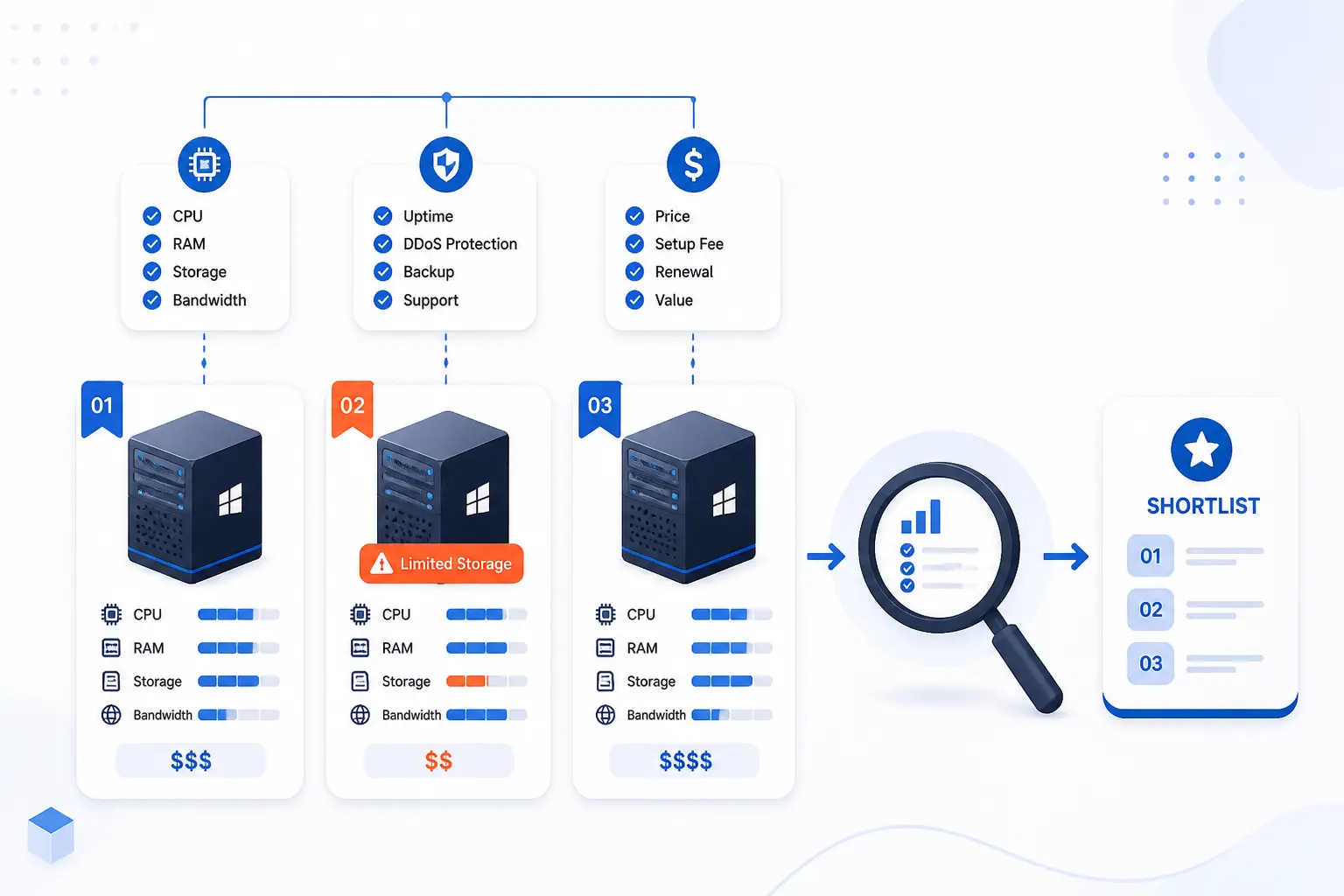
The right way to compare these providers is to start with fit, then verify licensing, hardware, networking, and support. A cheap plan can get expensive fast if Windows licensing is extra, backups are billed separately, or the provider only really shines on Linux. We think buyers should make the shortlist by checking what is actually published, then use reviews to spot patterns the sales copy skips. That is the lens we used here.
FURTHER READING: |
| 1. 15 Search Engine Optimization for Small Business Tools |
| 2. 15 Best Dedicated Gaming Server Providers to Rent |
| 3. 15 Best Linux Dedicated Server Options Compared |
Quick Comparison of the Best Windows Dedicated Servers
| Provider | Best For | Windows Handling | Starting Price | Traffic / Port | Score |
|---|---|---|---|---|---|
| OVHcloud | Private networking and scalable bare metal ranges | Standard or Datacenter license selectable | $98/mo plus Windows license | Unlimited traffic, 1 to 5 Gbps public on Advance | 4.6 |
| 1Byte | Small teams that prefer cloud flexibility over fixed bare metal | OS switching and remote desktop-style access on the cloud page | N/A on the linked page | Gigabit bandwidth | 3.9 |
| IONOS | Budget-conscious Windows deployments | Windows Server optional at a fixed monthly add-on | $41/mo server plus $38/mo Windows | Unlimited traffic, 1 Gbit/s | 4.5 |
| Atlantic.Net | U.S.-based Windows workloads with clear specs | Windows Server 2016, 2019, and 2022, Standard or Datacenter | $139/mo plus Windows license | 20 TB outbound, 1 Gbps | 4.4 |
| Netrouting | Bandwidth-heavy and DDoS-aware deployments | OS of your choice with full root or IPMI access | $59/mo on the public catalog | Plans with 10G unmetered or 100 TB at 10 Gbps | 4.3 |
| ServerMania | Custom hardware and high-bandwidth builds | Windows Server available with custom OS install options | Typically from $50/mo before add-ons | Up to 25 Gbps, unmetered available | 4.2 |
| Liquid Web | Managed SQL-heavy Windows environments | Windows dedicated plus SQL packages with Windows Standard | $134/mo for Windows dedicated | 10 TB on SQL packages | 4.1 |
| InterServer | Low-cost dedicated servers with managed support | Windows listed among OS choices | $40/mo | 10 TB transfer, 100 MB or 1 GB port | 4.0 |
| AccuWeb Hosting | Broad location choice and configurable dedicated plans | Windows Server options plus managed or self-managed service | $121/mo | Up to 100 Gbps connectivity | 4.0 |
| Hostwinds | Buyers who want bundled management | Windows license selected during checkout at extra cost | $115/mo plus Windows fee | N/A on the main dedicated page | 3.5 |
How We Researched and Ranked These Providers
Our scores are editorial judgments, not copied review averages. We ranked each provider against the same practical buying criteria so the table reflects what a business buyer actually needs to decide.
- Windows fit: we checked whether the provider clearly supports Windows workloads, publishes relevant editions or operating system choices, and shows signs it is more than a Linux-first catalog with a Windows checkbox.
- Pricing clarity: we favored providers that publish real plan prices, add-on costs, or at least a usable public configuration path rather than forcing every buyer into a quote form.
- Infrastructure value: we looked at entry hardware, storage choices, traffic allowances, port speeds, and whether networking features make sense for business use.
- Operational help: we weighed what the pages say about management, support access, deployment controls, backups, and related admin tooling.
- Public review footprint: we used third-party review pages as a confidence check, paying more attention to recurring themes than to a star score alone.
That method favors providers that are easy to buy correctly, not just easy to advertise.
Top Windows Dedicated Servers To Shortlist

If you only want the shortlist, start with the first five. They cover the clearest buyer profiles in this market: scalable bare metal, cloud-first flexibility, low-cost Windows entry points, U.S.-based hosting, and bandwidth-heavy infrastructure. The rest of the top 10 are still worth serious consideration, but they make the most sense for more specific priorities like managed SQL, bargain custom hardware, or included management.
1. OVHcloud
- Category: Bare metal infrastructure provider
- Best for: Businesses that want room to grow into private networking and heavier server ranges
- Ease of use: Moderate
- Pricing: Range-based, with Windows license chosen separately
- Standout feature: vRack private networking across much of the lineup
OVHcloud is the strongest all-around pick here for buyers who want real bare metal depth, not just a couple of Windows-compatible boxes. The Windows page is clear that all of its dedicated servers can be used with the latest version of Windows, and the broader bare-metal catalog gives you an unusual amount of headroom as requirements grow. That matters if you are starting with a single application server today but know you may need private networking, clustering, or higher bandwidth later. In this list, it earns the top spot because it combines broad hardware ranges, useful network features, and honest Windows licensing language without making the product feel tiny.
How OVHcloud works
The workflow is built around choosing a server range first, then matching it to the Windows role you need. On the Windows page, OVHcloud says you choose your server, pick either Windows Server Standard or Datacenter, and deploy it from the OVHcloud Control Panel. The installation steps it lists are practical and familiar: log in, select the server, choose the Windows version and edition, then complete deployment from the panel.
What pushes OVHcloud up the list is what happens after that first install. The broader bare-metal catalog breaks servers into Advance, Game, Scale, and High Grade lines, and the company says the vRack private network is included with all dedicated servers except the Rise and Game ranges. The same catalog also points to OVHcloud Control Panel and API management, anti-DDoS infrastructure, and public and private bandwidth ranges that scale as you move up the stack. For a Windows buyer running IIS, SQL Server, or internal app infrastructure, that makes OVHcloud feel like a long-term platform rather than a one-off rental.
Who is OVHcloud for?
This one suits IT teams that expect their Windows footprint to get more complicated over time. It is especially appealing for businesses that want to start on a smaller bare metal box and later connect multiple services over a private network. The published Standard and Datacenter language is also useful if virtualization rights matter to your planning.
We would point small teams elsewhere if they want heavy hand-holding or very plain-English packaging. OVHcloud is not confusing by infrastructure standards, but it is still more technical than the softest, most guided buying experiences in this market.
OVHcloud pricing
- Advance Dedicated Servers: from $98/month, aimed at small and medium businesses, with up to 1 TB of memory, 99.95% SLA, and public bandwidth from 1 to 5 Gbps.
- Scale Dedicated Servers: from $472/month, built for high-resilience infrastructure, with up to 1.5 TB memory, 99.99% SLA, double power supply, and public bandwidth from 1 to 10 Gbps.
- High Grade Dedicated Servers: from $1,121/month, for critical loads, with up to 2 TB memory, hot-swap disks, double power supply, and public bandwidth from 1 to 10 Gbps.
The clearest public breakdown sits on its bare-metal range page, which also notes unlimited traffic and no setup fees with a commitment.
Pros and cons
Pros
- Windows Server Standard and Datacenter are both called out clearly, with Standard supporting up to two virtual machines and Datacenter supporting unlimited virtual machines on the host.
- Advance, Scale, and High Grade ranges give you a genuine upgrade path instead of trapping you at the low end.
- vRack private networking is included on most dedicated ranges, which is a real plus for multi-server Windows setups.
- Unlimited traffic and integrated anti-DDoS protection make the networking side look stronger than average.
Cons
- The Windows page explains licensing, but it does not publish the Windows license price directly.
- Some of the better network features depend on which server range you choose.
- The buying and management flow assumes you are comfortable with infrastructure terms like vRack, OLA, and public versus private bandwidth.
OVHcloud rating and reviews
- Trustpilot: rated 3.9/5 across 299 reviews.
Our verdict: OVHcloud is the safest first stop for businesses that want Windows dedicated servers with real expansion room. If you know you will stay on one small box forever, you can spend less. If you want a platform that will not box you in, this is where we would start.
2. 1Byte
- Category: Cloud hosting provider
- Best for: Small businesses that want Windows-friendly cloud controls rather than classic fixed bare metal
- Ease of use: Easy
- Pricing: No public numeric pricing on the linked page
- Standout feature: One-click OS changes and desktop-style remote control
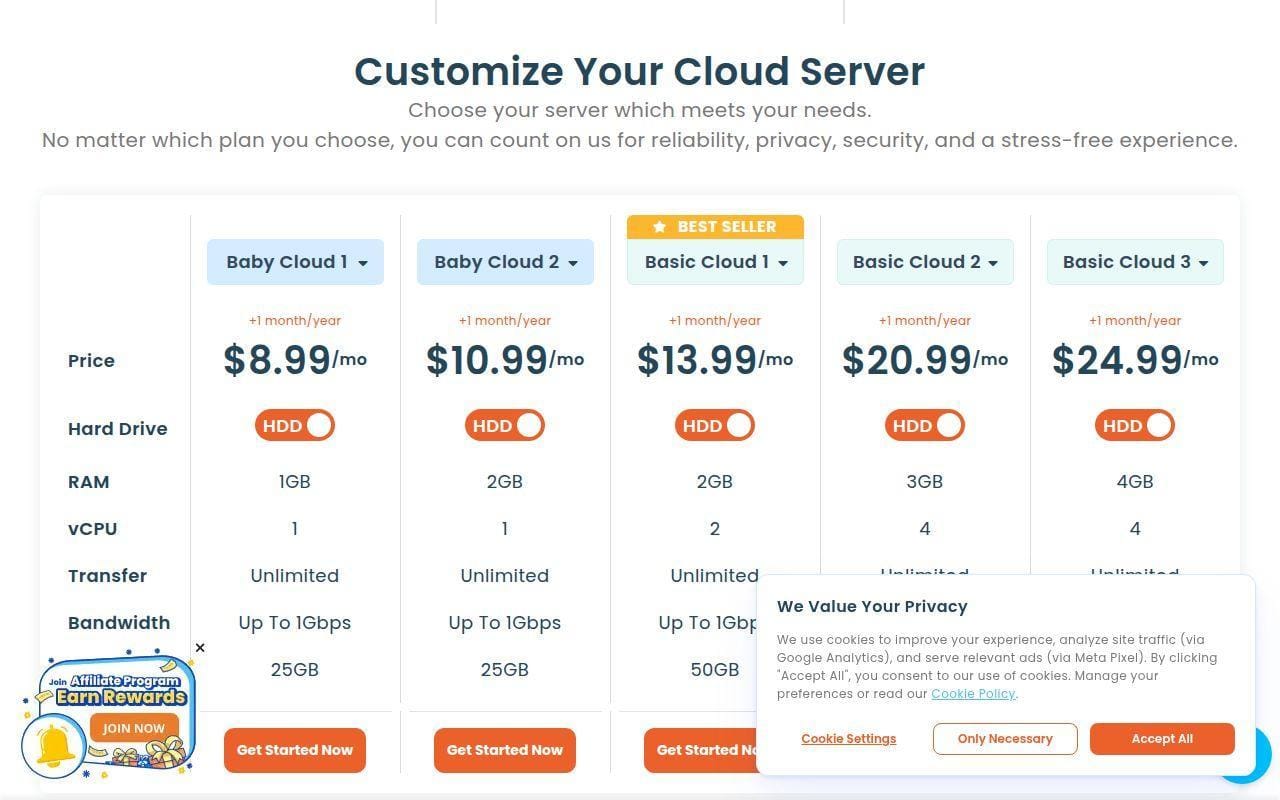
1Byte makes this list for a specific kind of buyer, not for everyone. The linked page is a cloud server page, so it is not presenting a traditional bare-metal dedicated server catalog the way OVHcloud or Atlantic.Net do. That said, the page does show several features that appeal to businesses running Windows-like admin workflows, including vertical scaling, a remote control interface with a full desktop experience, and a web-based tool for installing or switching operating systems. In other words, 1Byte is here because some readers searching for Windows dedicated servers actually want the control feel of a Windows server without committing to a fixed physical machine.
How 1Byte works
The page frames the service around choosing a cloud server that matches your needs, then managing it through simple controls rather than deep infrastructure menus. 1Byte highlights gigabit bandwidth, instant server initialization, vertical scaling, and a “Proactive Web-Based Tool” that lets you install, reinstall, upgrade, or switch to another operating system. It also says you can access the server through an advanced remote control interface with a full desktop experience.
The practical use cases it lists are broad but recognizable. Website hosting and e-commerce, education and training, gaming servers, and application testing and deployment all appear on the page. It also says full root access lets you install frameworks such as OpenCart, Shopify, and WordPress, and that you can reinstall the OS quickly if you break something while learning or testing. That paints 1Byte as a convenience-first cloud server option rather than a fixed enterprise bare-metal host.
Who is 1Byte for?
1Byte is best for smaller teams, solo admins, or early-stage businesses that care more about easy controls and fast changes than about owning a whole physical box. The vertical scaling angle is useful if you expect the workload to move around and do not want a hardware migration every time the project grows.
Buyers who truly need a Windows dedicated server in the strict sense should look elsewhere. The linked page does not present dedicated hardware plans, and it does not publish the sort of CPU, RAM, storage, and port detail that most serious bare-metal comparisons need.
1Byte pricing
- Public pricing model: the linked page asks you to choose a server that meets your needs, but it does not publish a numeric plan table, entry hardware list, or Windows-specific surcharge.
- What the page does show: gigabit bandwidth, vertical scaling, instant server initialization, remote control access, and a web-based tool for OS installation and switching.
In plain terms, this is one of the least transparent entries on price. We would not shortlist it for a budget comparison until you confirm the actual server configuration and monthly cost you would receive.
Pros and cons
Pros
- The page clearly promises gigabit bandwidth and remote control with a full desktop experience.
- Vertical scaling and one-click OS reinstall or switching are easier to live with than old-school re-provisioning.
- Full root access is stated directly.
- 1Byte also offers domain registration, SSL certificates, WordPress hosting, shared hosting, cloud hosting, and cloud servers, and it is an AWS Partner.
Cons
- The linked page is for cloud servers, not a classic dedicated Windows server catalog.
- No public numeric pricing is shown on the page.
- The page discloses that bandwidth is shared, which may rule it out for buyers expecting strict dedicated network resources.
- There is no public Windows-specific hardware matrix to compare against stronger bare-metal options in this roundup.
1Byte rating and reviews
- Trustpilot: rated 2.8/5 across 3 reviews.
Our verdict: 1Byte is a niche fit in this roundup, but it is not a bad inclusion if your real need is simpler cloud server control with Windows-friendly administration habits. If you need published bare-metal specs, fixed dedicated resources, and stronger buying transparency, move on quickly.
3. IONOS
- Category: Hosting and infrastructure provider
- Best for: Buyers who want the lowest clear entry cost for Windows-capable dedicated hosting
- Ease of use: Easy to moderate
- Pricing: Public catalog with optional Windows surcharge
- Standout feature: Very clear low-end pricing with unlimited traffic
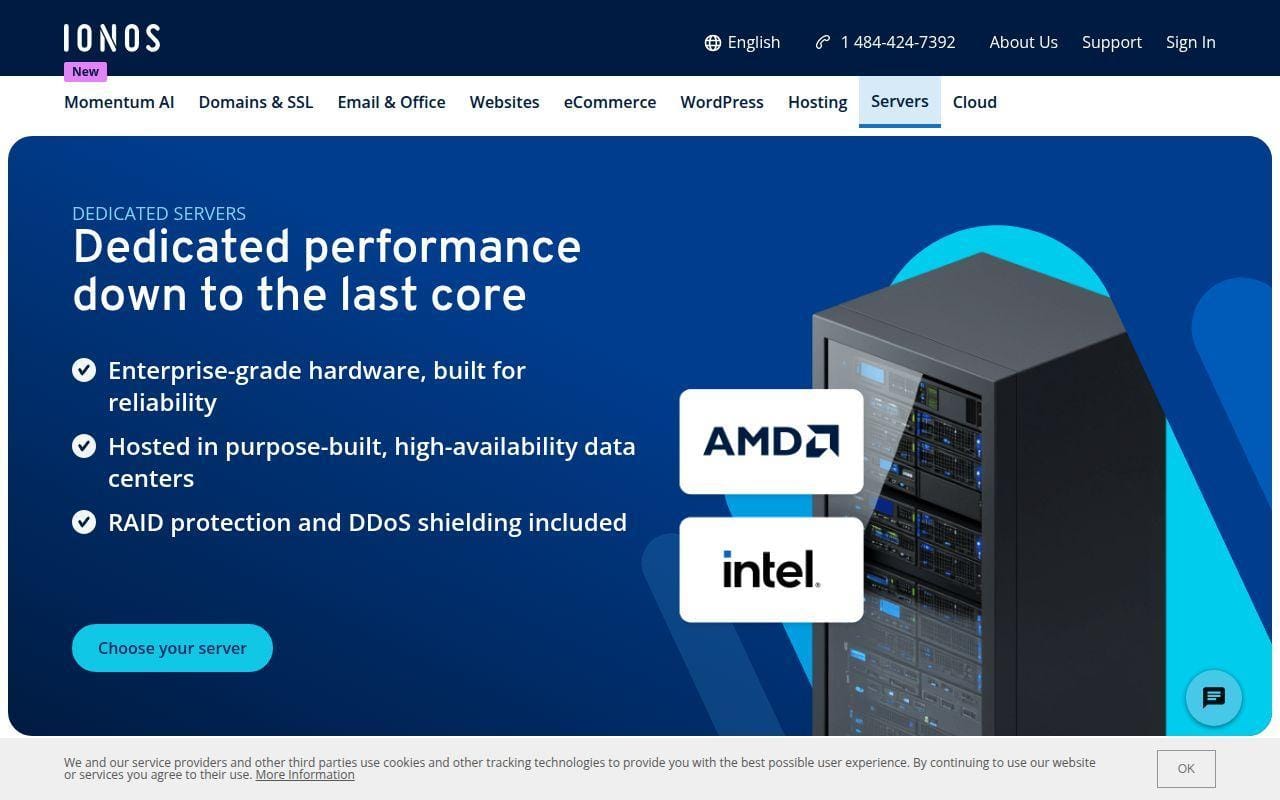
IONOS is the best budget-first option in this roundup for businesses that want dedicated hardware and do not want to play guessing games with Windows licensing. Its public pages are unusually straightforward about what is included and what costs extra. The cheap dedicated server page shows the server price, the Windows add-on price, the included traffic, the port speed, and even optional backup and IP costs. That sort of clarity matters because “cheap” hosting stops being cheap the moment you discover the Microsoft license, backups, and extra IPs are buried at checkout.
How IONOS works
The IONOS model is easy to follow. You either start with the low-cost dedicated server deals page or move into the Intel and AMD server catalogs if you want newer hardware or more headroom. On the deals page, IONOS lists serial and KVM console access, full root access, reset or reinitialization, Plesk, monitoring, unlimited traffic, firewall management, and one included IPv4 address.
For Windows buyers, the crucial detail is simple: Windows is optional and priced separately, so you are not left guessing whether the low headline number includes Microsoft licensing. If you want more than the bargain tier, the Intel and AMD catalogs break out server lines by CPU family, RAM, storage, and whether the best rate requires a longer term. That is a sensible buying flow for small businesses that may start cheap, then step up once the workload proves itself.
Who is IONOS for?
IONOS fits businesses that want the cleanest path to a low-cost Windows-capable dedicated server. It also works well for buyers who want a public price list before talking to sales. The combination of unlimited traffic, firewall management, and a fixed Windows add-on gives it a very usable first shortlist position for test, staging, line-of-business apps, and modest production workloads.
We would steer heavier enterprise teams elsewhere if they want deep managed help, advanced private-networking language, or lots of hand-holding around architecture. IONOS is appealing because it feels standardized, but that same standardization can feel light for highly specialized builds.
IONOS pricing
- L-16 HDD: $41/month, cancel anytime, Intel Xeon E3-1230 v6 with 4 cores, 16 GB DDR4 ECC, and 2 x 1 TB SATA HDD in software RAID 1.
- AR6-32 HDD: $73/month with a 1-year term, AMD Ryzen 5 PRO 3600 with 6 cores and 12 threads, 32 GB DDR4 ECC, and 2 x 1 TB SATA HDD in software RAID 1.
- IX6-64 NVMe: $138/month, cancel anytime, Intel Xeon E-2456 with 6 cores and 12 threads, 64 GB DDR5 ECC, and 2 x 1.024 TB NVMe SSD in software RAID 1.
Windows is a separate line item on the low-cost server page, where IONOS lists Windows Server at $38 per month.
Pros and cons
Pros
- Windows Server pricing is published plainly instead of being hidden behind a quote.
- Unlimited traffic and a 1 Gbit/s external connection are generous at the low end.
- The page lists backup pricing from 6.5 cents per GB per month and extra IPv4 at $5 per month, which helps you budget honestly.
- Wildcard SSL and firewall management are called out on the page.
Cons
- Windows is not included in the headline server price.
- The cheapest AMD pricing shown depends on a 1-year term.
- IONOS is strong on price clarity, but it is not the most feature-rich pick for private networking or custom engineering.
IONOS rating and reviews
- Trustpilot: rated 4.6/5 across 43,690 reviews.
Our verdict: if price transparency is your first filter, IONOS is hard to ignore. It is not the fanciest option here, but it is one of the easiest to cost out correctly before you buy.
4. Atlantic.Net
- Category: Dedicated hosting provider
- Best for: U.S.-based businesses that want clear Windows dedicated plans without a complicated catalog
- Ease of use: Moderate
- Pricing: Public fixed plans, Windows license quoted separately
- Standout feature: Clean six-plan lineup with strong entry hardware
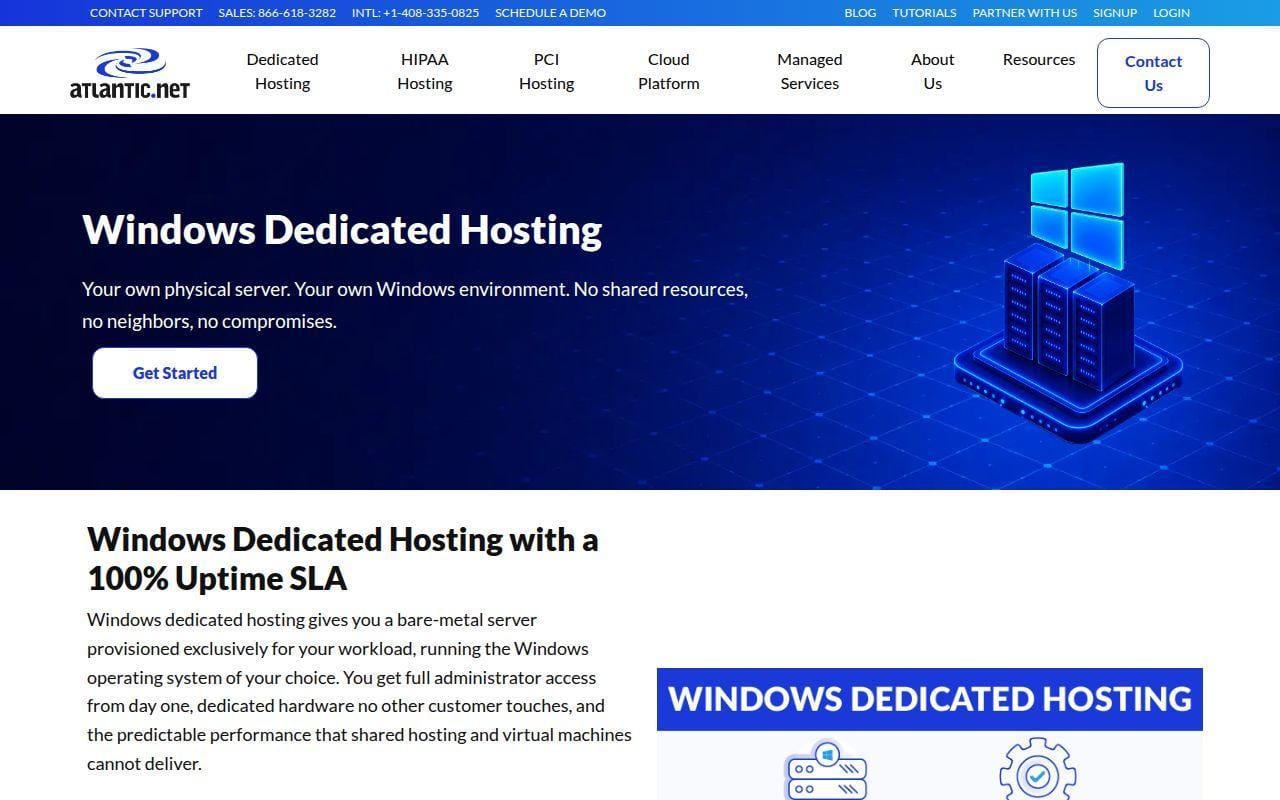
Atlantic.Net is the most straightforward true Windows dedicated server page we opened. The product page does not make you hunt through unrelated hosting families or guess whether the vendor really expects Windows buyers. It presents a dedicated Windows lineup, explains what dedicated hosting is good for, lists supported Windows Server versions, and shows six plans with CPU, RAM, storage, transfer, and price. That clarity alone makes it one of the easiest services in this roundup to shortlist.
How Atlantic.Net works
The workflow starts with one of six standard Windows dedicated server configurations, then expands to custom builds or managed add-ons if you need more help. Atlantic.Net says all plans include 20 TB monthly outbound transfer, a 1 Gbps port, unlimited inbound bandwidth, no setup fees, and discounts on longer billing terms. It also says you access the server through RDP and have full control panel access for installing software, configuring IIS, and performing system administration.
The page is especially useful for virtualization-minded buyers because it explains the Windows editions clearly. Atlantic.Net says Windows Server 2016, 2019, and 2022 are supported, and that Datacenter is the right choice when you plan to use Hyper-V heavily because it includes unlimited Windows Server guest licenses on the same host. That is exactly the kind of practical note that helps businesses avoid buying the wrong license tier.
Who is Atlantic.Net for?
Atlantic.Net fits small and mid-sized businesses that want a Windows-first dedicated host with published hardware and a sensible on-ramp. It is also a strong fit for U.S.-based teams that want support, standard server plans, and a clean explanation of where Standard versus Datacenter makes sense.
Teams looking for ultra-cheap entry pricing or broad global private-network tooling will find stronger matches elsewhere. Atlantic.Net reads more like a focused hosting provider than a sprawling infrastructure marketplace, and that can be either a plus or a minus depending on your needs.
Atlantic.Net pricing
- Dedicated Server 1: $139/month, 6-core Intel Xeon E-2236, 64 GB RAM, and 2 x 480 GB SSD in RAID 1.
- Dedicated Server 2: $189/month, dual Intel Xeon E5-2620 v3 with 12 cores, 64 GB RAM, and 2 x 960 GB SSD in RAID 1.
- Dedicated Server 6: $709/month, AMD EPYC 7702P with 64 cores, 128 GB RAM, and 2 x 960 GB NVMe SSD.
The page notes that Windows Server licenses are priced separately and quoted at order time.
Pros and cons
Pros
- The six-plan lineup is easy to compare and publishes the hardware detail buyers actually need.
- Every plan includes 20 TB outbound transfer, a 1 Gbps port, unlimited inbound bandwidth, and no setup fees.
- The page explains RDP access, Hyper-V use, and supported Windows Server versions clearly.
- Custom builds are offered if the standard lineup is not enough.
Cons
- Windows license cost is not bundled into the advertised monthly price.
- The public lineup is smaller than what larger infrastructure providers offer.
- Buyers who want global-region choice as a first priority will see less breadth than with OVHcloud or some enterprise-focused rivals.
Atlantic.Net rating and reviews
- Trustpilot: rated 4.3/5 across 127 reviews.
Our verdict: Atlantic.Net is one of the easiest Windows dedicated pages to buy from sensibly. If you want a clean shortlist and you do not need a giant catalog, it deserves serious attention.
5. Netrouting
- Category: Infrastructure and networking provider
- Best for: High-throughput workloads that care about unmetered bandwidth and DDoS protection
- Ease of use: Moderate
- Pricing: Public catalog plus quote-led specialized plans
- Standout feature: 10G unmetered positioning across the dedicated range
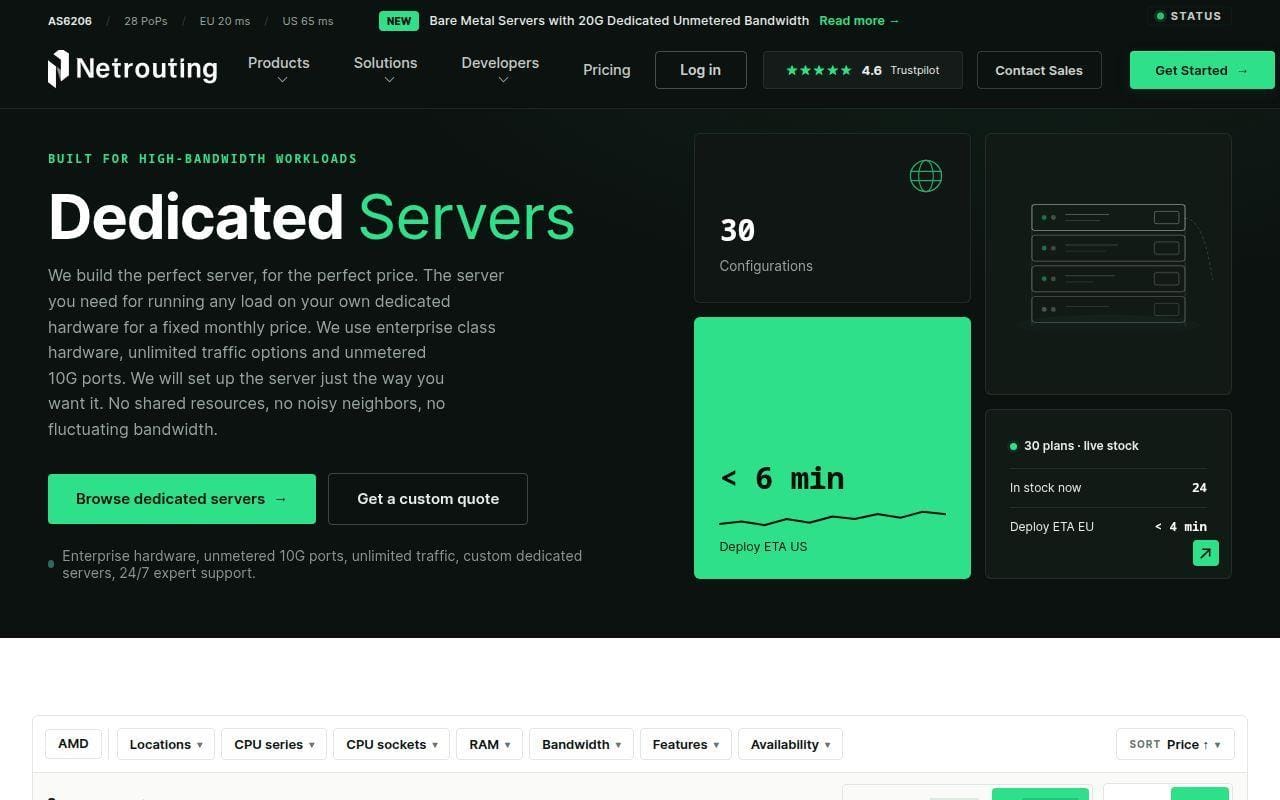
Netrouting earns its place because it looks unusually serious about the network side of dedicated hosting. The dedicated server page pushes unmetered 10G connectivity, unlimited traffic options, and workloads like video delivery, hosting platforms, high-traffic websites, game servers, and storage-heavy applications. That is a different angle from the average Windows server page, and it matters if your business problem is not just CPU and RAM, but sustained traffic and attack resilience too. For readers who expect a Windows dedicated server to double as a busy delivery platform, this is one of the more interesting options here.
How Netrouting works
The core sales flow is split between the dedicated server landing page, individual plan pages, and a broader pricing catalog. The landing page highlights available configurations such as 100TB Traffic with Proxmox VE, 10G Unmetered Dual, 1G Unmetered AMD, and 1G Unmetered Intel. The dedicated plan pages then explain what you get: single-tenant hardware, full root or IPMI access, DDoS protection included, and hosting from carrier-neutral sites in Europe, the U.S., and Asia.
The pricing catalog is where the most usable public comparison sits. It shows a live plan table across the company’s infrastructure products and includes at least one dedicated server entry with price, RAM, storage, transfer, and locations. That makes Netrouting feel more transparent than providers that only say “contact sales,” even though some of the more specialized bandwidth-heavy dedicated plans still route you into quote-led conversations.
Who is Netrouting for?
Netrouting is for businesses that care as much about bandwidth posture as raw server hardware. If you are pushing media, running a large hosting stack, serving a game-related workload, or simply want dedicated hardware with stronger network framing than average, it stands out.
It is less appealing if you want a very Windows-specific buying path. The pages are strong on infrastructure, but they spend less time on Microsoft-specific details than Atlantic.Net or IONOS.
Netrouting pricing
- Express E3-1230 v3: $59/month, Intel Xeon E3-1230 v3, 32 GB RAM, 2 x 500 GB SSD, and 17 TB of bandwidth.
- 100TB Traffic – Proxmox VE: quote-based, Dual Intel Xeon Gold 6230, 256 GB DDR4 RAM, 2 x 1.92 TB NVMe, /27 IPv4 subnet, and 100 TB traffic at 10 Gbps.
- 10G Unmetered – Dual: quote-based, single-tenant dedicated server with full root or IPMI access, around-the-clock DDoS protection, and low-latency Tier-1 bandwidth with unmetered options.
The public catalog on the pricing page is the best place to compare what is fixed-price versus what moves into engineering-led quotes.
Pros and cons
Pros
- Unmetered and high-bandwidth messaging is stronger than with most rivals in this list.
- DDoS protection is included by default on the dedicated plan pages.
- Full root or IPMI access is stated directly.
- The pricing page gives you a real catalog instead of hiding everything behind a contact form.
Cons
- Windows-specific guidance is lighter than on the best Microsoft-focused pages in this roundup.
- Some of the most interesting dedicated options are quote-based, not click-to-buy.
- The public review footprint is much smaller than the larger mass-market brands.
Netrouting rating and reviews
- Trustpilot: rated 4.6/5 across 28 reviews.
Our verdict: Netrouting is easy to recommend if traffic profile and DDoS posture sit near the top of your checklist. If your main concern is pure Windows guidance, it is slightly less polished, but the infrastructure case is strong.
6. ServerMania
- Category: Dedicated hosting provider
- Best for: Custom hardware builds and higher-bandwidth dedicated deployments
- Ease of use: Moderate
- Pricing: Starting prices plus example configurations and add-ons
- Standout feature: Deep configurability with KVM and custom OS install
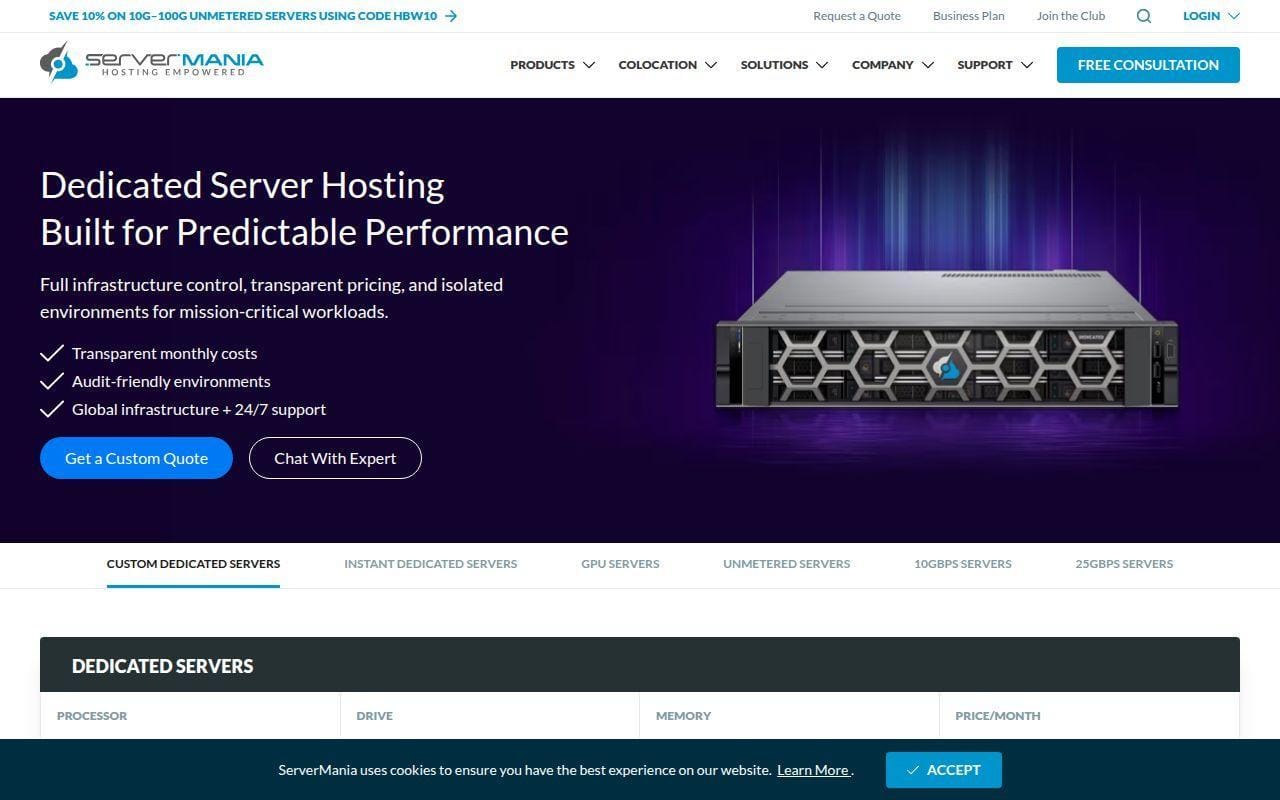
ServerMania is one of the more configurable providers we checked, and it feels built for buyers who know roughly what they want from the hardware. The main dedicated page says custom dedicated servers can be filtered by processor, drive, memory, and monthly price, while the pricing guide article goes further with exact real-world configuration examples. That combination is useful because it shows both the marketing promise and the money path. In this list, ServerMania stands out when you need more control than a fixed plan gives you, but you still want some public numbers before calling sales.
How ServerMania works
The dedicated page centers on customization. It says you can choose from a wide variety of base configurations and then customize hardware and software for your application. The page highlights up to 25 Gbps network speeds, global data center locations, a 100% network uptime SLA, dedicated KVM for instant reboot and custom OS install, and unmetered bandwidth availability.
Operationally, the experience looks admin-friendly. ServerMania says each dedicated server includes free KVM and a remote reboot console, and it notes that Windows Server can be installed immediately after checkout or you can install a custom OS using the Surge control panel. The FAQ also says popular control panels such as cPanel and Plesk are available, and that full root access is included.
Who is ServerMania for?
This is a good fit for businesses that want to tune the machine instead of buying a rigid template. SaaS platforms, shared hosting operators, performance-sensitive sites, and Windows-based infrastructure that may need higher bandwidth all make sense here.
We would send very price-sensitive beginners elsewhere first. ServerMania’s public pricing is useful, but it is less tidy than IONOS or Atlantic.Net if all you want is a few simple fixed plans.
ServerMania pricing
- Entry-level example: $139/month total, AMD EPYC 4124P, 32 GB RAM, 1 TB NVMe M.2, and 1 Gbps with 100 TB bandwidth.
- Professional example: $372/month total, AMD Ryzen 9 9950X, 128 GB RAM, 2 TB NVMe M.2, and 10 Gbps with 100 TB bandwidth.
- Enterprise example: $797/month total, Dual Xeon Silver 4510, 256 GB RAM, 4 TB NVMe M.2, and 10 Gbps with 300 TB bandwidth, plus Windows Server 2022 as an add-on.
ServerMania’s clearest cost examples are in its dedicated hosting pricing guide, while the main dedicated page says entry servers typically start around $50 per month depending on stock.
Pros and cons
Pros
- Dedicated KVM and remote reboot are included for free.
- The dedicated page supports custom OS installation and lists Windows Server among operating system choices.
- High-bandwidth options reach up to 25 Gbps, which is well above the low-end norm.
- The pricing guide gives usable example totals instead of pure guesswork.
Cons
- The most useful prices are example configurations, not a single clean live Windows plan list.
- Windows licensing is an extra in the enterprise pricing example rather than being baked into the base number.
- The cheapest public starting figure depends on stock availability.
ServerMania rating and reviews
- Trustpilot: rated 4.2/5 across 140 reviews.
Our verdict: ServerMania is a strong shortlist option when you want custom hardware and more bandwidth headroom than the bargain hosts usually offer. If you want a neat three-plan chart, though, it is not the simplest read.
7. Liquid Web
- Category: Managed hosting provider
- Best for: Businesses that care more about managed Windows and SQL operations than low bare-metal pricing
- Ease of use: Moderate
- Pricing: Windows hosting is broad, while SQL packages are clearly priced
- Standout feature: Dedicated SQL server packaging with management features
Liquid Web lands higher for managed Windows seriousness than for bargain value. Its Windows hosting page groups Windows VPS, Windows cloud, and Windows dedicated together, which tells us the company thinks in solution families rather than just raw boxes. For buyers running Microsoft SQL Server or business-critical Windows apps, that can be an advantage. The SQL hosting page is especially concrete, with named package tiers, hardware details, Windows Standard inclusion, DDoS protection, and related management features.
How Liquid Web works
The Windows hosting page positions Liquid Web as a broader Microsoft-stack platform. It separates Windows VPS, Windows cloud, and Windows dedicated offerings, with the dedicated slice described as fully customizable and scalable single-tenant Windows servers. That suggests a consultative buying flow instead of a low-friction commodity catalog.
The SQL hosting page shows what that looks like in practice. Liquid Web breaks solutions into web server, database server, enterprise servers, and a package comparison that includes single server, dual server, HA multi-server, and enterprise. The page lists dedicated hardware, a redundant network, 24/7 onsite support, Windows Standard 64-bit across all package tiers, and add-ons like Plesk, private switch, managed availability groups, and automatic failover on higher packages. This is clearly aimed at teams with heavier operational demands.
Who is Liquid Web for?
Liquid Web fits businesses with revenue-tied Windows applications, SQL-heavy workloads, or internal teams that value managed help more than rock-bottom monthly cost. It also makes sense for buyers who are comfortable talking to sales when the infrastructure gets serious.
Shoppers who simply want the cheapest Windows dedicated server should look elsewhere. The management angle is real, but you pay for it.
Liquid Web pricing
- Windows dedicated: starting at $134/month on the Windows hosting page, positioned as a fully customizable single-tenant Windows server.
- Single server SQL: $771/month, 1 database server, Windows Standard 64-bit, 10 TB outbound bandwidth, Acronis Cyber Backups, and hardware firewall.
- Dual server SQL: $1,203/month, 1 database server plus 1 web server, Windows Standard 64-bit, private switch, Plesk, and managed availability groups.
- HA multi-server SQL: $2,856/month, 2 database servers plus 2 web servers, Windows Standard 64-bit, automatic failover, fault tolerance, and Plesk.
The most concrete Microsoft-stack pricing appears on the SQL server package page, which is more useful than the broader Windows landing page if SQL Server is part of your plan.
Pros and cons
Pros
- The SQL hosting page is one of the clearest Microsoft-specific package breakdowns we found.
- Windows Standard 64-bit is included across the SQL package tiers.
- Higher tiers add private switch, Plesk, managed availability groups, and automatic failover.
- The company positions Windows dedicated as single-tenant and customizable, not a watered-down afterthought.
Cons
- This is one of the pricier routes in the roundup.
- The broad Windows page mixes VPS, cloud, and dedicated, which can slow down buyers who only want bare metal.
- The buying flow leans more consultative than self-service.
Liquid Web rating and reviews
- Trustpilot: rated 3.8/5 across 2,749 reviews.
Our verdict: Liquid Web is not the value pick. It is the shortlist name for businesses that want managed Windows and SQL depth and are willing to spend more for it.
8. InterServer

- Category: Dedicated hosting provider
- Best for: Buyers chasing very low dedicated entry prices with managed support
- Ease of use: Moderate
- Pricing: Public server list with many low-cost custom options
- Standout feature: Very cheap custom dedicated starting points
InterServer is the bargain hunter’s wild card. Its dedicated experience feels less polished than the best fixed-plan pages, but the public server list is undeniably aggressive on starting price. The custom managed dedicated page is also blunt about what is included: managed support, 10 TB transfer, 100 MB or 1 GB port choices, zero setup fees, uptime monitoring, and data migration. For small businesses that want dedicated hardware on a tight budget, that is enough to earn a close look.
How InterServer works
The model is simple and old-school. You browse a custom server list, pick a CPU base, then modify memory, hard drive, bandwidth, operating system, and control panel. InterServer says the environment is 100% devoted to your business application and software, and the page emphasizes customization over fixed plan branding.
The same page also states that Windows is one of the operating systems offered, alongside Unix and Linux choices, and that GUI-based control panels are available for easier management. Operationally, InterServer leans on managed support and owned Secaucus, New Jersey data center infrastructure instead of leading with a global platform story.
Who is InterServer for?
InterServer is for price-driven buyers who still want a managed dedicated server rather than a fully self-managed box. It suits small agencies, developers, and businesses running predictable workloads that do not need a giant global footprint.
We would look elsewhere if location diversity, cleaner Windows documentation, or premium networking are top priorities. This is a value play first.
InterServer pricing
- Xeon E3-1230v3: $40/month, 32 GB RAM, 2,000 GB storage, and customizable bandwidth, operating system, and control panel.
- Xeon E3-1270v2: $49/month, 32 GB RAM, 2,000 GB storage, and the same custom configuration path.
- AMD RYZEN 9900X: $142/month, 64 GB RAM, 2,000 GB storage, and custom dedicated server configuration.
The detailed low-end server list is published on its custom managed dedicated page, where InterServer also lists managed support, 10 TB transfer, and zero setup fees.
Pros and cons
Pros
- Starting prices are some of the lowest in this roundup.
- Managed support, 24/7 uptime monitoring, zero setup fees, and data migration are stated as included features.
- The page supports hardware customization rather than forcing you into a tiny plan set.
- Windows is listed as an operating system option.
Cons
- The page is more utilitarian than polished, which can slow down beginners.
- Port speed on the page is only described as 100 MB or 1 GB, which is fine for many cases but not exciting.
- Provisioning is listed at 4 to 48 hours rather than near-instant.
InterServer rating and reviews
- Trustpilot: rated 4.3/5 across 2K reviews.
Our verdict: InterServer is rougher around the edges than the top five, but the value is real. If you are comfortable with a more old-school shopping flow, it is one of the better low-cost entries to compare seriously.
9. AccuWeb Hosting
- Category: Dedicated hosting provider
- Best for: Buyers who want broad location choice and many server families
- Ease of use: Moderate
- Pricing: Public use-case families plus managed add-on pricing
- Standout feature: Wide mix of dedicated server categories and global locations
AccuWeb Hosting is a strong middle-ground option because it manages to publish a lot without feeling entirely enterprise-only. The dedicated server page lays out use-case-based server families, technical specifications, operating system options, managed versus self-managed service, and some location-specific IP details. That is useful if you want more choice than Atlantic.Net gives you, but less ambiguity than quote-only providers create. It also helps that the page is explicit about Windows, RDP access, and full administrator rights.
How AccuWeb Hosting works
AccuWeb structures the buying flow around server families rather than a single low-to-high list. The page breaks its catalog into Classic Series, Dedicated Game Server, Dedicated Storage Server, High-Availability Servers, Infrastructure Servers, and Advanced Servers. It also highlights technical specs such as Intel Xeon Scalable and AMD EPYC processors, DDR4 and DDR5 ECC RAM up to 2 TB, NVMe and SSD storage, software and hardware RAID options, private VLAN support, and DDoS protection.
For Windows buyers, the page is refreshingly specific. It says you can choose Microsoft Windows Server 2019 and 2016 among the operating system options, that you can connect through RDP, and that you receive full administrator access. It also explains that both self-managed and fully managed servers are available, with managed service sold as an add-on.
Who is AccuWeb Hosting for?
AccuWeb Hosting makes sense for businesses that want decent choice without needing to custom-engineer every box from scratch. It is especially attractive if location options, Windows availability, and the ability to choose managed or self-managed service all matter.
Buyers who want a very small, highly curated lineup may prefer Atlantic.Net. Buyers who want the cheapest possible starting point may prefer IONOS or InterServer.
AccuWeb Hosting pricing
- Classic Series: from $121/month, aimed at website hosting, live streaming, and business apps.
- Infrastructure Servers: from $154/month, positioned for virtualization, Kubernetes, Docker, and private cloud use.
- Advanced Servers: from $199/month, aimed at eCommerce, ERP, CRM, and web apps.
The same page also states that fully managed service is available at an extra $90 per month.
Pros and cons
Pros
- The page publishes multiple dedicated families instead of hiding everything behind a quote form.
- Windows Server options, RDP access, and full administrator rights are stated clearly.
- Managed and self-managed service are both available.
- Technical specs include high-end touches such as NVMe, RAID options, private VLAN support, and up to 100 Gbps connectivity.
Cons
- The catalog is broad enough that beginners may need a little time to land on the right family.
- Managed service is not included in the base price.
- The page says some IP and feature details vary by location, so the final package depends on where you deploy.
AccuWeb Hosting rating and reviews
- Trustpilot: rated 4.3/5 across 219 reviews.
Our verdict: AccuWeb Hosting is easy to like if you want flexibility without giving up public pricing. It is not the absolute cheapest or the most specialized, but it does a lot well.
10. Hostwinds
- Category: Hosting provider
- Best for: Buyers who want management included and do not mind a cart-first catalog
- Ease of use: Moderate
- Pricing: Public server cart, Windows licensing charged separately
- Standout feature: Full management support on dedicated servers
Hostwinds stays in the top 10 because its dedicated page leans hard into operations help. The main page says dedicated server monitoring is included, nightly backups are available, and each dedicated server comes with full management support from the Hostwinds team. That is not a small promise, especially for businesses that want dedicated hardware without carrying every admin burden alone. The catch is that the shopping experience is less refined than the leaders, and the review picture is much rougher.
How Hostwinds works
The product story is split between the main dedicated page, the cart, and a Windows licensing help page. The main page emphasizes monitoring, nightly backups, and full management, while the cart shows the actual server SKUs and starting prices. The Windows license documentation explains that dedicated servers offer several Windows versions and that an additional fee is added based on the version selected during checkout.
That means the practical buying flow is straightforward but a little dated. You choose a server model in the cart, add the Windows license you need, and then rely on Hostwinds for the management layer the main page advertises. It works, but it feels more like a classic hosting company storefront than a modern infrastructure catalog.
Who is Hostwinds for?
Hostwinds is best for businesses that want dedicated hardware and like the sound of monitoring plus full management being part of the core offer. It can also suit buyers who are comfortable picking from a long SKU list instead of a polished family-based lineup.
We would look elsewhere if review sentiment is a major filter for you or if you want Windows pricing bundled into the public list. This is not the cleanest buy in the group.
Hostwinds pricing
- 2 x X5355 Dedicated Server: $115/month, dual processor layout, and one of the lowest dedicated starting points in the public cart.
- E3-1270 v3 Dedicated Server: $122/month, public cart listing with dedicated hardware pricing before Windows licensing.
- Dual (2) E5-2620 V3 Dedicated Server: $274/month, listed with 12 x 3.2 GHz processor, up to 96 GB RAM available, and 4 drive bays.
The server list is easiest to inspect in the public order cart, while Hostwinds states separately that Windows adds a version-based license fee during checkout.
Pros and cons
Pros
- The main dedicated page says full management support is included.
- Server monitoring is built into the dedicated service story.
- The public cart shows lots of dedicated SKUs instead of hiding stock behind a quote wall.
- Nightly backups are available as an additional service.
Cons
- Windows license cost is not baked into the public server prices.
- The catalog experience feels cart-first and less polished than the best pages in this roundup.
- The third-party review score is much weaker than that of most top-10 rivals.
Hostwinds rating and reviews
- Trustpilot: rated 2.1/5 across 725 reviews.
Our verdict: Hostwinds has a believable management story, but the review profile keeps it from ranking higher. It is worth a shortlist only if bundled operational help matters enough to offset that concern.
More Windows Dedicated Server Providers Worth Considering

These five are worth a look when your needs are a little more specialized. They are not as complete, transparent, or broadly convincing as the top 10, but each does at least one thing differently enough to stay on the radar. In a few cases, the real reason to consider them is not bare metal at all. It is that they offer a Windows-friendly alternative with a different trade-off.
11. ServerPronto

- Category: Dedicated hosting provider
- Best for: Legacy Microsoft workloads that still need older Windows versions
- Ease of use: Moderate
- Pricing: No clear current price table on the linked page
ServerPronto is here for one very narrow reason: the linked page still lists older Windows editions that some legacy businesses may genuinely need. The page names Windows 2008 R2 Standard, Windows 2008 Enterprise, Windows 2012 R2 Standard, Windows 2012 Data Center, Windows 2016 Standard, and Windows 2016 Data Center. That is not modern positioning, but for migration holdouts and older line-of-business software, it may be exactly why the service stays relevant.
We do not think it is a top-tier mainstream choice today. The page is dated, the current public pricing is not easy to verify on the linked page, and the overall product presentation feels older than most rivals. At the same time, that same dated feel is often what draws in teams who need compatibility before they need polish.
The page also points buyers to Windows cloud servers as an alternative, which suggests ServerPronto sees Windows deployment more broadly than just classic dedicated hardware. That can help if you are moving off an aging box and want a softer landing path.
Who is ServerPronto for?
ServerPronto is best for businesses with legacy Windows application requirements. If you need a modern buying experience, stronger trust signals, or clearer public pricing, most buyers should keep it as a backup option, not a first stop.
12. Leaseweb
- Category: Infrastructure provider
- Best for: Enterprise buyers comfortable with a broader IaaS conversation
- Ease of use: Moderate
- Pricing: No public pricing on the linked homepage
Leaseweb makes sense when you are shopping at the infrastructure-platform level, not just hunting for one Windows box. The linked homepage presents the company as an IaaS and cloud provider, which usually appeals more to enterprise buyers, larger deployments, and teams comparing a mix of bare metal, cloud, and network services together.
That broader scope is its main difference from the top 10. A buyer who already knows they need dedicated Windows hardware can shortlist more quickly elsewhere. A buyer who is also weighing colocation, hybrid infrastructure, or a wider architecture conversation may appreciate the bigger frame.
The obvious drawback is pricing transparency. The linked homepage does not publish a public Windows dedicated server price, so you do not get the same quick filtering power you get from IONOS, Atlantic.Net, or InterServer.
Who is Leaseweb for?
Leaseweb is for larger organizations or technically mature teams that are willing to start with a platform discussion instead of a simple plan list. If your first question is “how much does a usable Windows server cost per month,” other providers are easier to buy from.
13. VPSserver.com
- Category: VPS and cloud provider
- Best for: Businesses that want a Windows VPS with many regions and a trial-first mindset
- Ease of use: Easy
- Pricing: The homepage promotes a free $100 trial bonus
VPSserver.com is not a true dedicated server play, but it is a realistic alternative for readers who start with “dedicated” and later realize they mainly need licensed Windows plus regional flexibility. The homepage lists Linux VPS, Windows VPS, cloud server, RDP server, and both monthly and hourly rental options, which signals elasticity more than fixed bare metal.
What it does differently is regional spread. The page lists locations across multiple U.S. cities, European cities, Asian regions, Sydney, Toronto, and Tel Aviv, and it highlights custom private images plus support for multiple Windows versions. That is appealing for dev, remote desktop, and geographically distributed use cases.
There is also a free $100 trial bonus on the homepage, which is a more experimentation-friendly entry point than most dedicated providers offer. We would still treat it as a VPS decision, not a dedicated server decision.
Who is VPSserver.com for?
VPSserver.com is for businesses that want Windows hosting with location choice and lighter entry risk. If you need guaranteed single-tenant hardware, keep looking. If you mainly need a Windows environment that is easy to spin up, it is more relevant than its ranking position suggests.
14. Verpex
- Category: Hosting provider
- Best for: Smaller teams that may prefer managed Windows VPS over bare metal
- Ease of use: Easy
- Pricing: The homepage says plans start from $0.6/mo overall
Verpex earns a mention because its homepage is unusually direct about selling both Windows VPS and managed Windows VPS. That makes it a decent option for readers who came in expecting a dedicated server but really want a more approachable managed Windows setup.
The service is clearly positioned below true dedicated hardware on raw control and isolation. Still, the company calls out root-access VPS hosting, Windows VPS hosting, and managed Windows VPS separately, which is more Windows-specific than many general hosting homepages manage to be. That clarity is helpful for smaller businesses that do not need to overbuy.
The homepage-wide starting price of $0.6 per month is obviously not a dedicated Windows server number, so we would not compare it directly against the top 10 on value. What it does show is that Verpex is targeting accessibility and a lower-friction path into hosted infrastructure.
Who is Verpex for?
Verpex is for small teams that want a managed Windows VPS option in the conversation. It is not the pick for high-load SQL, heavy virtualization, or strict single-tenant compliance requirements.
15. Kamatera
- Category: Cloud VPS provider
- Best for: Buyers who want more predictable Windows VPS performance than a shared-vCPU setup
- Ease of use: Moderate
- Pricing: No flat price published on the linked page
Kamatera’s linked page is not about dedicated servers in the classic bare-metal sense. It is about dedicated Windows VPS, and that distinction matters. The page’s recommended “Type B – General purpose” setup says CPU threads are dedicated with reserved resources guaranteed, which means your vCPUs get a dedicated CPU thread and face fewer fluctuations under load.
That is the key reason it makes the extended list. Many businesses do not need a physical server. They need predictable compute behavior for web servers, app servers, APIs, and moderate databases, which the page names directly as Type B use cases. Kamatera is solving that problem from the VPS side instead of the rack side.
The linked page does not publish a simple flat monthly price, so it is harder to compare at a glance than the top-ranked providers. Even so, the dedicated-thread explanation is concrete enough to keep it in the discussion for buyers who are performance-sensitive but not ready for bare metal.
Who is Kamatera for?
Kamatera is for teams that want a middle ground between low-end VPS hosting and a full dedicated server. If you specifically need physical hardware tenancy, it is the wrong tool. If you mainly need steadier Windows VPS performance, it is one of the cleaner alternatives.
When Windows Dedicated Servers Are the Right Fit

Windows dedicated servers are the right fit when the workload truly benefits from Microsoft-native tooling, steady hardware access, or administrative patterns that are awkward on Linux. That usually means IIS, ASP.NET, SQL Server, Active Directory, Remote Desktop Services, or Hyper-V. If your app stack is Linux-friendly and your team is comfortable there, Windows will often cost more than you need to spend. If your stack is already built around Windows, forcing a workaround is usually false economy.
ASP.NET, IIS, and Microsoft SQL Server Workloads
If your application depends on ASP.NET, IIS, or Microsoft SQL Server, a Windows server is usually the practical answer. Microsoft’s IIS overview highlights modular components and ASP.NET integration, which is exactly why Windows remains the natural home for many line-of-business web apps. In buying terms, this means you should care less about the cheapest raw CPU and more about license handling, storage layout, and whether the provider understands Windows roles.
This is also where Liquid Web and Atlantic.Net look stronger than generic hosts. Their pages speak directly to Windows operations instead of treating Microsoft support as a side note. If your business runs one SQL database that everyone touches all day, that difference shows up fast.
Active Directory, Remote Desktop, and Hyper-V Use Cases
Windows dedicated servers also make sense when the server is more than a web host. Domain controllers, internal app servers, Remote Desktop environments, and Hyper-V hosts all benefit from dedicated hardware and a Windows-native control model. That is especially true when you want to isolate several internal services on one physical host instead of scattering them across lightly managed VPS instances.
The licensing angle matters here. If you expect to run multiple guest VMs, Datacenter often makes more sense than Standard, even when the monthly number looks larger at first glance. A cheap server with the wrong Windows edition can become the expensive option the moment virtualization enters the plan.
What To Check in Windows Server Licensing
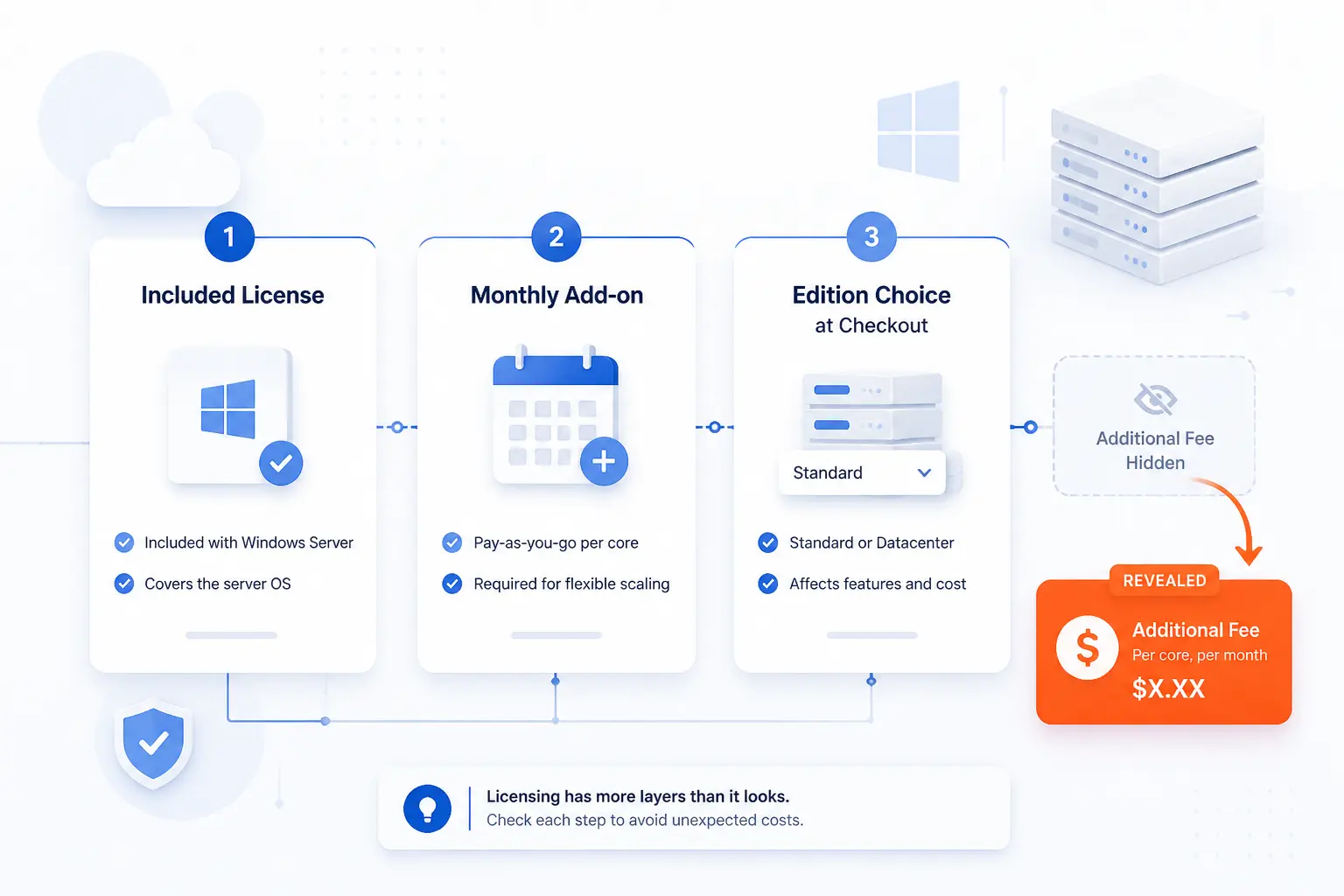
Licensing is where many buyers make the wrong comparison. One provider includes Windows in the package. Another charges a fixed monthly add-on. A third asks you to choose the edition during checkout and only then reveals the total. Before you compare hardware, make sure you know whether the monthly price includes the Microsoft license, which edition it covers, and how virtualization rights are handled.
Standard vs Datacenter Edition
For most small and mid-sized businesses, Standard is the default pick. Datacenter makes the most sense when you plan to use the host heavily for virtualization or want room for many guest workloads. Several provider pages in this roundup explain the same practical rule of thumb: Standard is fine for moderate virtualization, while Datacenter is the better fit when Hyper-V becomes central to the deployment.
That is why we tell buyers to decide on the workload before they compare prices. A Windows dedicated server that will only run IIS, a database, and a utility service is one thing. A Windows dedicated server that also needs to host multiple internal VMs is another.
Bundled Licenses vs Separate Monthly Costs
Always check whether Windows is included or treated as a monthly add-on. Hostwinds documents that dedicated servers add an extra fee based on the Windows version selected, and IONOS publishes Windows as a separate fixed monthly charge on its dedicated offers. Those are honest models, but they can make a cheap server look cheaper than it really is if you compare headline numbers too quickly.
We prefer providers that make the Microsoft cost obvious early. That is one reason IONOS ranks so well for budget buyers. Even when Windows is extra, at least you can calculate the total before checkout.
How To Evaluate Hardware, Storage, and Networking
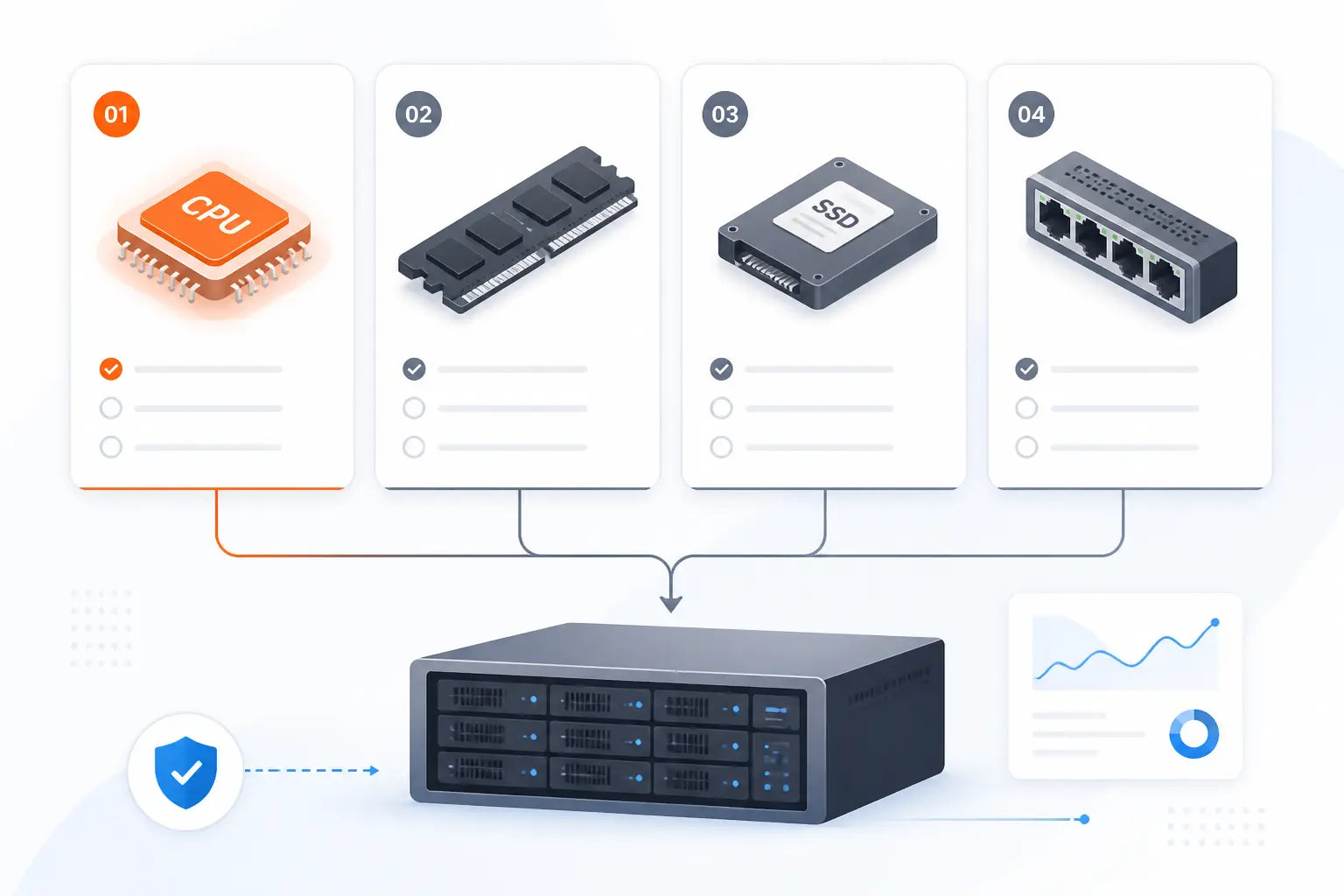
Most Windows server buying mistakes happen because the hardware looks powerful enough on paper but is mismatched to the job. For business use, the basics still matter: modern CPU generation, enough ECC RAM, sensible storage layout, and networking that matches the traffic pattern. Fancy branding is nice, but predictable performance comes from right-sizing the box.
CPU, RAM, RAID, SSD, and NVMe Priorities
For web apps, remote desktop roles, and moderate databases, modern single-socket systems with NVMe and enough RAM usually beat older high-core boxes that look cheap but age poorly. The public Intel catalog from this server list is a good reminder that newer Xeon platforms now show up with DDR5 ECC and mirrored NVMe at fairly mainstream price points. That is often a better starting place than stretching an old dual-CPU machine just because the core count looks bigger.
Likewise, the AMD side of the AMD catalog shows why modern Ryzen and EPYC options are popular for dedicated hosting. When the workload is a Windows app server, API stack, or medium SQL install, fast storage and enough memory usually matter more than brute-force core inflation. We would still favor RAID 1 or RAID 10 for business workloads unless you have a very specific reason not to.
Bandwidth, Port Speed, and Private Network Options
Networking is easy to underestimate. A plan with “unlimited” or “unmetered” bandwidth can still bottleneck if the port speed is too low, and a fast public port does not replace the value of private networking between application tiers. If you expect SQL, IIS, backups, and internal services to talk to each other across several servers, look hard at whether the provider offers a real private network.
This is where providers separate. OVHcloud makes private networking a major part of the story. Netrouting leans into unmetered and high-throughput traffic. InterServer is fine at the low end, but its published port details are much more modest. Different jobs, different trade-offs.
Security and Compliance Priorities for Windows Dedicated Servers
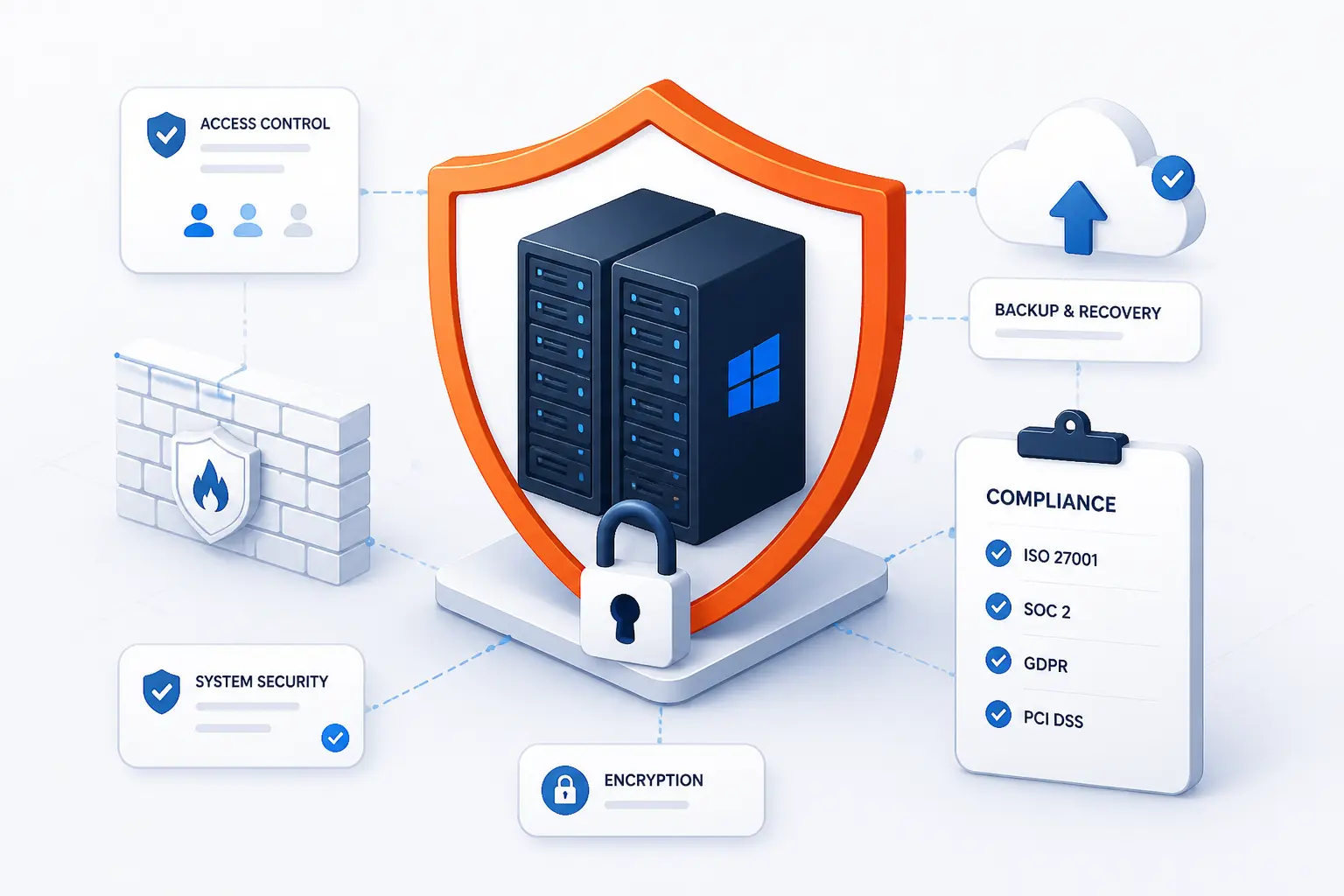
Windows dedicated servers are often bought for business-critical roles, which means security should be a buying filter, not a cleanup task. At a minimum, you want clear access control, sane firewall rules, a backup plan you understand, and some story around DDoS or infrastructure protection. If regulated data is involved, the right answer may be “pick the provider with the clearest compliance posture,” even if it is not the cheapest.
RDP Hardening, Firewall Rules, and Access Controls
RDP is convenient, but convenience is exactly why it needs discipline. We prefer setups where RDP is restricted by firewall or VPN, admin accounts are limited tightly, and the server is not left with broad inbound access it never needed. Providers that talk clearly about control panels, remote console access, or out-of-band management can make recovery easier too, especially when firewall mistakes lock you out.
This is another reason not to buy Windows hosting by price alone. If the provider’s page barely acknowledges Windows administration habits, you are left inferring how mature the service really is. That is a fine gamble for a hobby project, but not for payroll, ERP, or customer-facing infrastructure.
Backups, Monitoring, DDoS Protection, and Regulated Data
You should know exactly what backup system you are paying for, how often it runs, and how recovery is handled. One example we found is this backup retention page, which documents nightly backups and retention details for qualifying server services. We like documentation like that because it turns a vague promise into something you can plan around.
DDoS protection matters more than many business buyers expect, especially if the server is public-facing or hosts services that must stay reachable under stress. Netrouting and OVHcloud both make protection a visible part of the dedicated offering. If you handle regulated or sensitive data, we would also push you toward the providers that speak directly about data centers, compliance posture, and support boundaries rather than assuming every host is interchangeable.
Managed vs Unmanaged Windows Dedicated Server Hosting
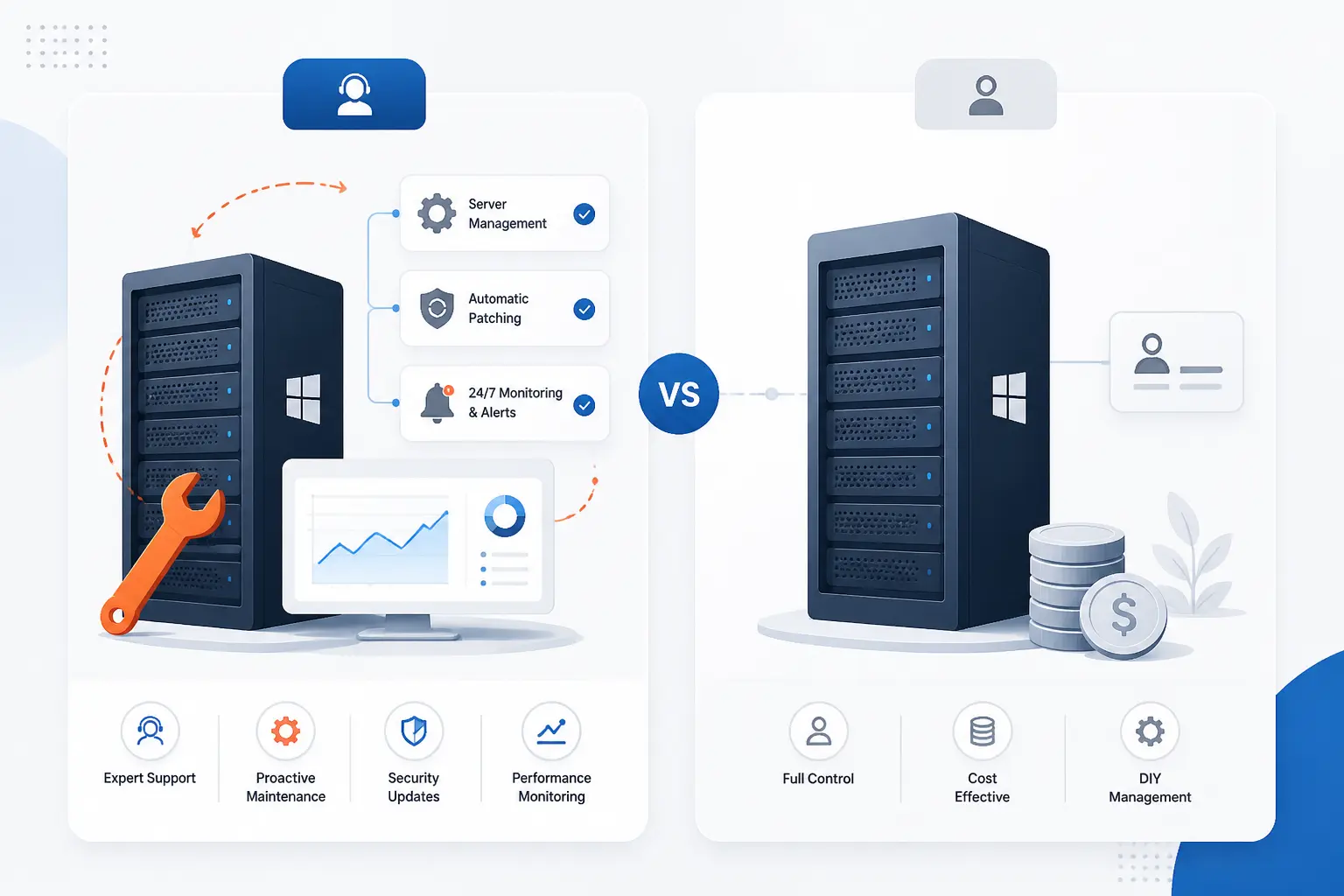
This choice is usually simpler than it sounds. If your team can patch Windows, harden RDP, monitor services, troubleshoot failed updates, and recover from bad config changes, unmanaged can save money. If that list made you wince, managed help is usually worth it. Windows dedicated servers are powerful, but they are not low-maintenance just because the GUI feels familiar.
Who Should Keep Full Administrative Responsibility
Unmanaged or lightly managed hosting makes sense for in-house IT teams, MSPs, software companies with dedicated infrastructure staff, and admins who already know the quirks of Windows Server under real load. These buyers usually care most about hardware value, console access, licensing flexibility, and the freedom to build exactly what they want.
That is why OVHcloud, Netrouting, and ServerMania look attractive to more technical buyers. Their value comes partly from control, not just from support promises.
When Managed Help Is Worth the Extra Cost
Managed help is worth the premium when the server supports revenue, staff access, or a critical database and nobody on your team wants to babysit Windows infrastructure after hours. It is also worth it when you know the environment will involve backups, patching, monitoring, SQL tuning, or multi-role server administration that would otherwise land on someone whose real job is something else.
In this roundup, Liquid Web and Hostwinds lean more openly into that story, while AccuWeb lets you add management when you need it. If your business would rather spend money than spend weekends on recovery work, managed service is often the smarter buy.
FAQ
The short answers here are the ones we think matter most during a real buying decision. If you are still on the fence after this section, the next step is usually to define the workload more precisely, not to keep browsing random plan pages.
What Is the Difference Between a Windows Dedicated Server and a Windows VPS
A Windows dedicated server gives you an entire physical machine, while a Windows VPS gives you a virtual slice of shared hardware. Dedicated makes more sense when you need strict resource isolation, heavier databases, or more predictable performance. VPS is often enough for smaller apps, remote desktop use, and test environments.
Which Windows Server Edition Is Best for Most Businesses
Windows Server Standard is the better fit for most businesses. It usually covers straightforward app, web, and database hosting without paying for virtualization rights you may never use. Datacenter becomes the smarter choice when the physical host will run several guest VMs or form part of a denser virtualization setup.
Do Windows Dedicated Servers Usually Include the Microsoft License
No, not always. Some providers include Windows in the package, while others list it as a fixed monthly add-on or a checkout-time selection. The safest move is to compare the final monthly total with the license included, not the headline server price alone.
How Much Hardware Do I Need for ASP.NET and MSSQL Hosting
For modest business use, a modern CPU, enough ECC RAM, and mirrored SSD or NVMe storage matter more than chasing the highest core count. Small ASP.NET sites and moderate SQL workloads can run well on entry to mid-range dedicated servers if storage is fast and memory is not starved. Once concurrency, reporting, or multiple databases grow, RAM and storage layout usually become the first upgrade pressure points.
When Does It Make Sense To Move From VPS Hosting to a Dedicated Server
Move when the VPS is no longer predictably covering the workload. Common signs are noisy-neighbor performance swings, persistent resource pressure, stricter compliance or isolation needs, and growing Windows roles that you no longer want to stack inside a shared hypervisor environment. If the application is business-critical and you are already buying bigger VPS plans plus add-ons, dedicated often becomes the cleaner long-term answer.







Conclusion
If we were narrowing this list for a typical business buyer, we would start with OVHcloud, IONOS, Atlantic.Net, and Netrouting, then add Liquid Web or InterServer depending on whether management or budget matters more. 1Byte is the outlier that makes sense when cloud-style flexibility beats strict bare metal, and the extended list is more about special cases than mainstream first picks.
The next step is simple: write down your Windows role, your required license model, and whether you want to manage the server yourself. Once you answer those three questions, which two or three providers are still standing?