

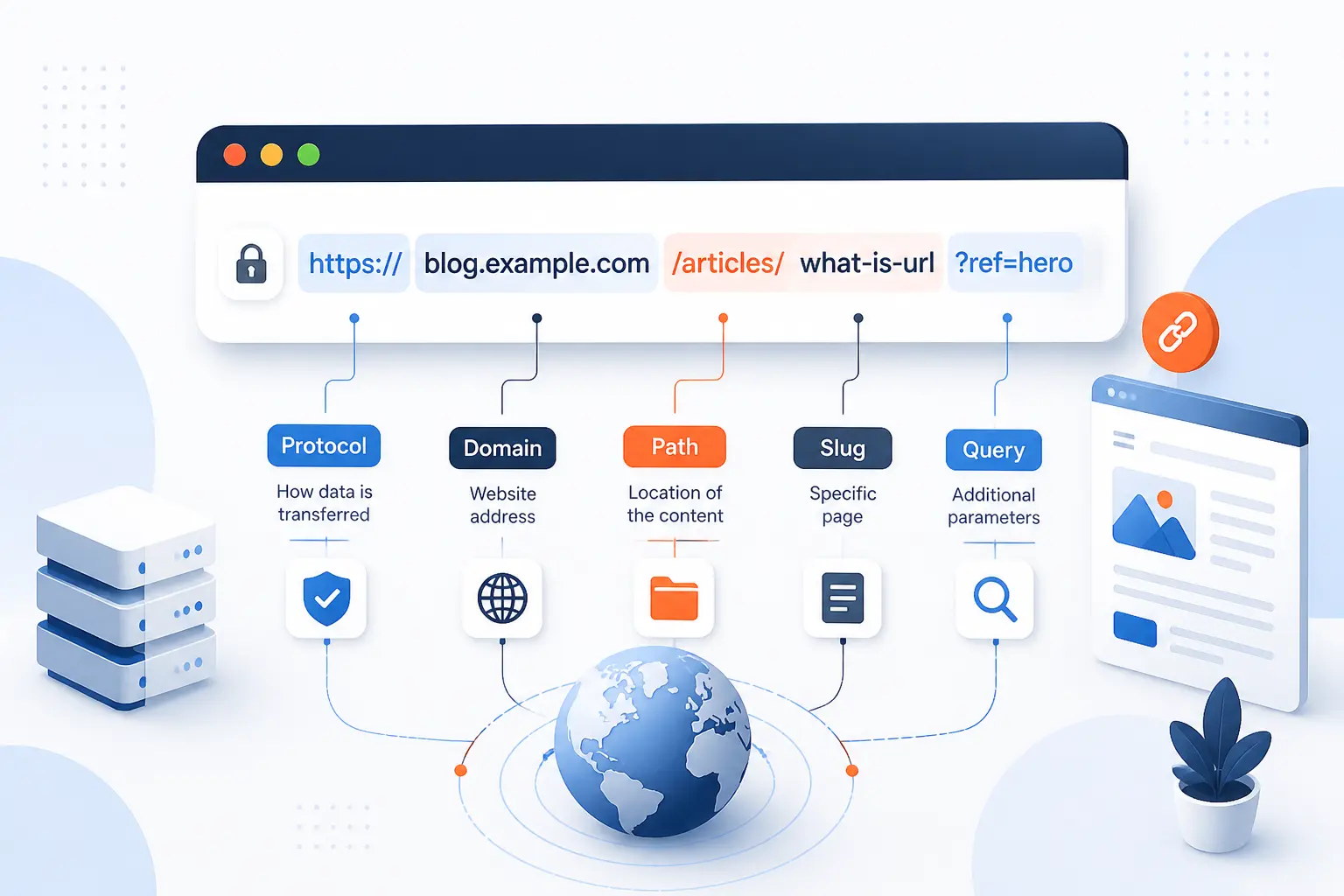
- What Is a URL? It Is the Full Web Address for a Resource
- Why URLs Matter for Browsing, Sharing, and Navigation
- Breaking Down the Parts of a Web Address
- How a Browser Uses a URL to Retrieve Content
- Common URL Formats You Will See Online
- Absolute vs Relative URLs
- URL vs Domain Name vs Link
- Making URLs Clear, Readable, and Easy to Use
- FAQ
- How 1Byte Helps You Launch and Manage Better URLs
- Conclusion
If you are asking what is a URL, the short answer is simple: it is the full web address that tells a browser where a resource is and how to get it. We use URLs every day when we open a homepage, click a product page, download a file, or jump to a section on a long article. A URL can point to a page, an image, a document, or even an action such as opening an email draft. In our view at 1Byte, once you see a URL as a structured address instead of a random string, the web starts to make a lot more sense.
What Is a URL? It Is the Full Web Address for a Resource
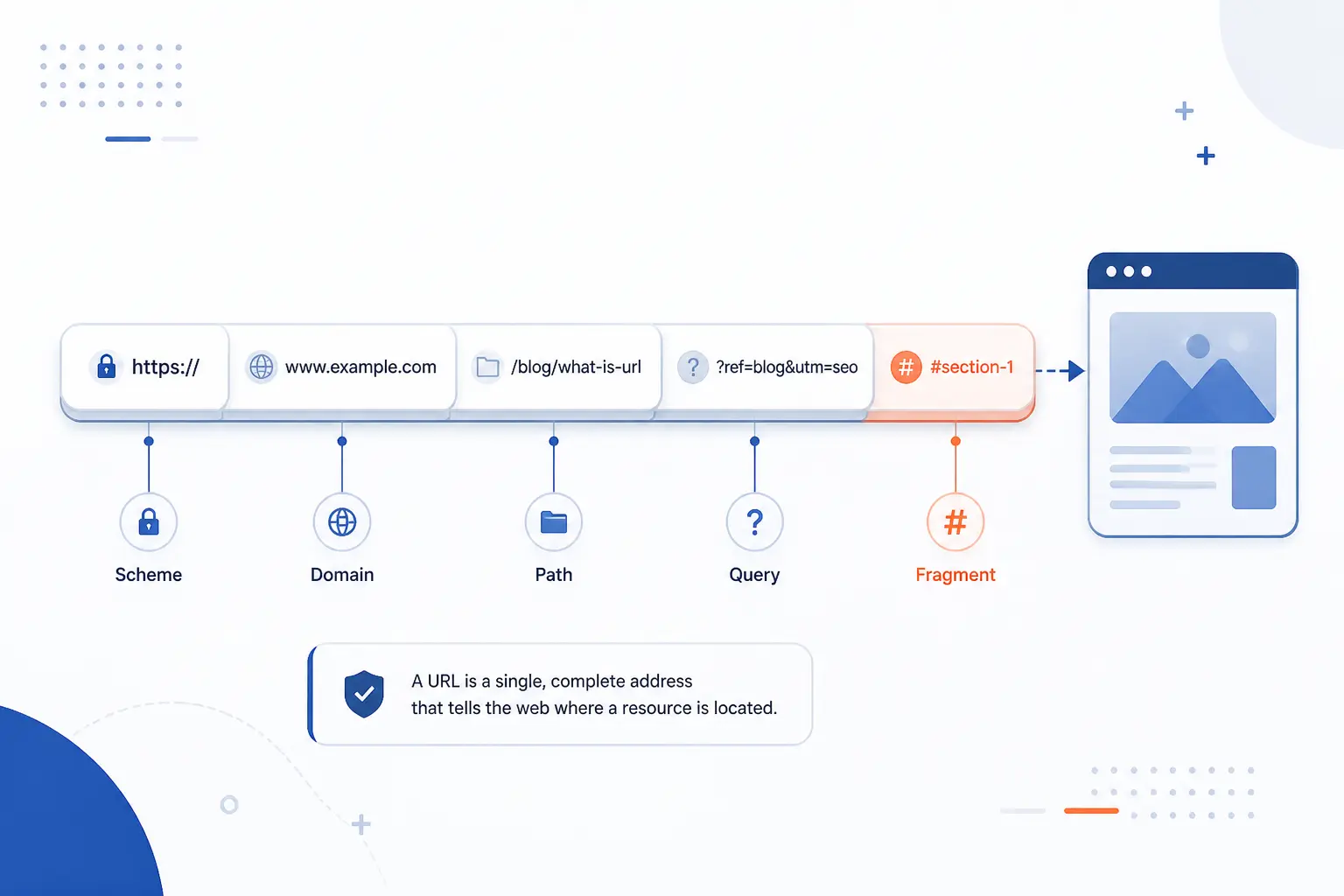
A URL is the complete address used to locate a resource on the internet. It usually includes the scheme, the domain, and often extra details such as a path, query string, or fragment. If someone shares https://example.com/blog/post?id=7#summary, that whole string is the URL, not just example.com. That is why a URL can identify one exact destination instead of only a site name.
The formal structure behind that address is described in the generic syntax standard, which breaks internet resource identifiers into components such as scheme, authority, path, query, and fragment. We find that model useful because it explains why one small change, like adding ?page=2, can send you somewhere meaningfully different.
Browsers add another layer of real-world behavior through browser parsing rules, which define how typed text is interpreted before a request is made. So in everyday web use, a URL is the address you type or click, even though standards bodies describe the mechanics with more precision.
FURTHER READING: |
| 1. SEO Affiliate Marketing Guide for Traffic and Sales |
| 2. Website Architecture in SEO That Ranks and Scales |
| 3. Does CDN Affect SEO? A Practical Guide to Speed, Rankings, and Setup |
Why URLs Matter for Browsing, Sharing, and Navigation
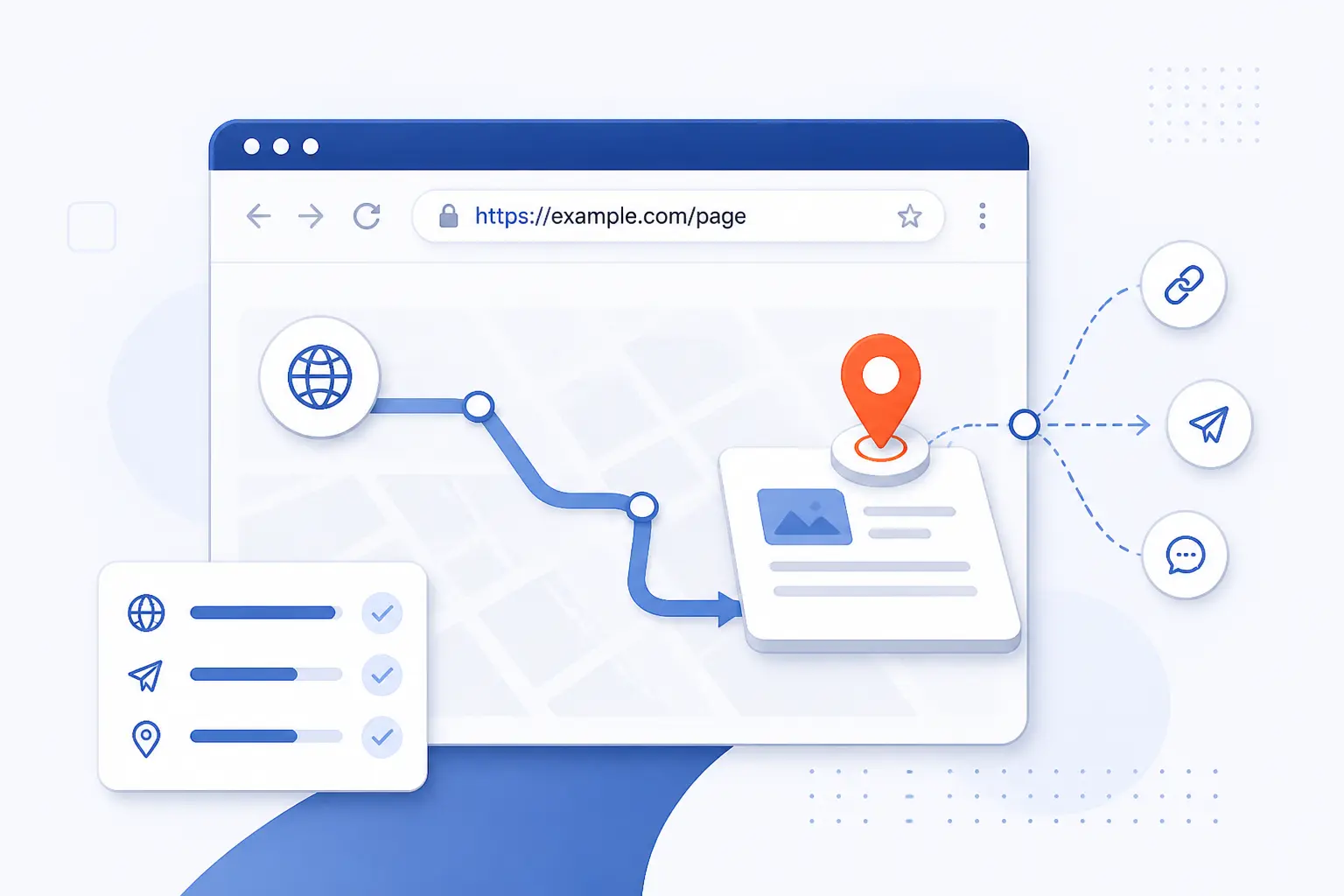
URLs matter because they are the map coordinates of the web. They tell browsers where to go, let people share exact resources, and help apps move users from one screen to another. A clean URL also helps humans understand what they are opening before they click. We think that clarity is underrated. People trust addresses they can read.
Security is one reason this structure matters in practice. When a site uses HTTPS, the browser requests the resource over an encrypted connection, and 97.5% of desktop homepages in the HTTP Archive’s 2025 dataset already did that. In plain terms, the first part of the address often signals whether the connection is expected to be secure.
URLs also shape navigation. A good address can tell you whether you are on a product page, a help article, or a checkout step before the page finishes loading. That makes browsing feel less like guesswork and more like following signs in a well-labeled city.
Breaking Down the Parts of a Web Address
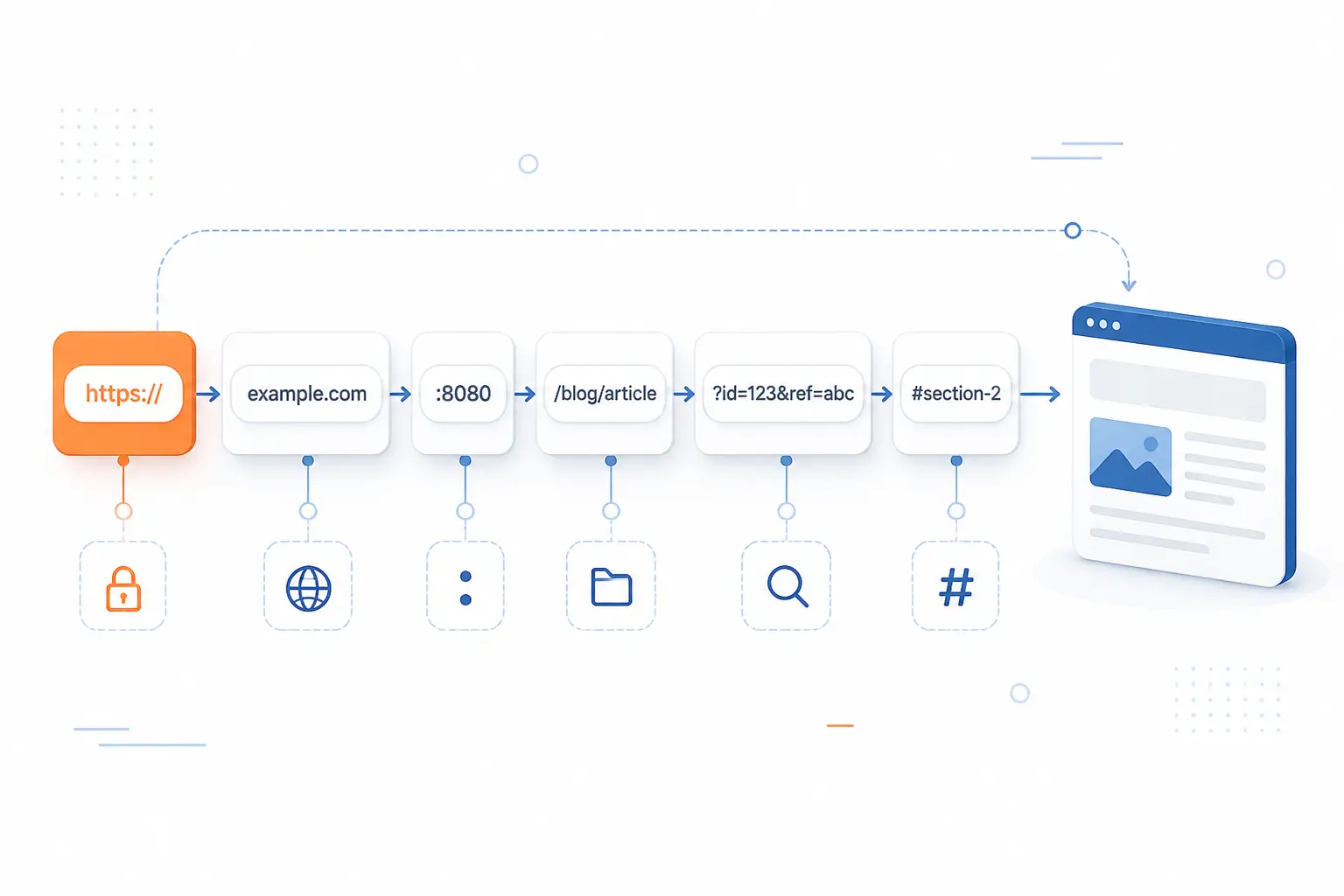
A web address is made of smaller parts, and each part has a job. Once we separate those parts, the string stops looking cryptic. The easiest way to read one is from left to right, asking what protocol to use, which host to contact, and which exact resource to request. Here is the idea using https://blog.example.com:443/guides/url-basics?lang=en#parts as a model.
Scheme or Protocol
The scheme tells the browser what kind of request to make. In https://example.com, the scheme is https. Common schemes include http, https, ftp, and mailto. We usually tell beginners to read the scheme as the opening instruction attached to the address.
Subdomain, Domain Name, and Top-Level Domain
The domain part identifies the host, and it often includes multiple levels. In blog.example.com, blog is a subdomain, example is the registered name, and .com is the top-level domain. The internet naming system is hierarchical, and this DNS hierarchy explanation shows how labels stack from right to left. That is why shop.example.com and blog.example.com can live under the same main domain while serving different purposes.
Port
The port is an optional number after the domain that tells the client which network service on the host to contact. You might see it written as :443 or :8080. Most everyday browsing hides default ports, so people often never notice this piece. When it does appear, it usually signals a custom setup, a test environment, or a non-default service.
Path to a Page or File
The path points to the specific page or file on the host. In https://example.com/docs/setup, the path is /docs/setup. This is often the most human-readable part of a URL because it reflects site structure. A clear path gives readers a hint about what they will find before they open the page.
Query Parameters
Query parameters add extra instructions after a question mark. In ?lang=en&page=2, one parameter selects language and another selects a page number. Online stores, search forms, and analytics tools use these heavily. We advise treating them as modifiers, not as the core identity of a page, because they often change more often than the path does.
Fragment or Anchor
The fragment points to a specific section within the resource. In #parts, the fragment asks the browser to jump to the element with that identifier on the page. This is handy for long guides, FAQs, and documentation. It is one of the smallest parts of a URL, yet it can make a page much easier to navigate.
How a Browser Uses a URL to Retrieve Content
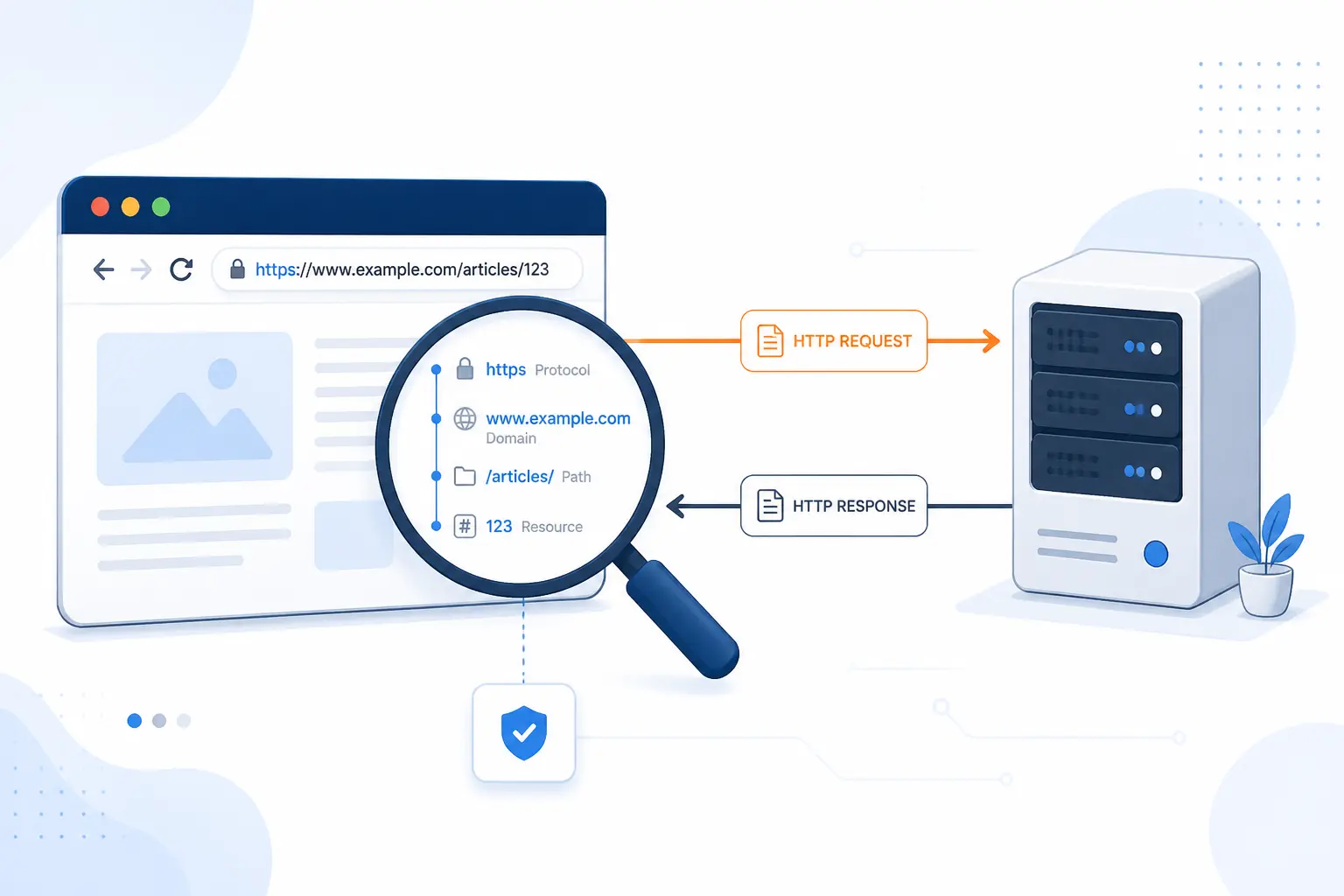
A browser uses a URL by parsing it, determining the destination, and then requesting the resource from the right host. That is the practical answer. Under the hood, the browser has to interpret the address string, resolve the host, open a connection, and ask for the content. The web platform’s base-resolution rules define how browsers work with absolute and relative references during that process.
Typing a Web Address Into the Address Bar
When you type a full address into the address bar, the browser treats it as instructions for a request.
- It parses the text into parts such as scheme, host, path, and query.
- It resolves the host name so it can find the server’s network address.
- It opens the needed connection, which may include TLS for HTTPS.
- It sends a request for the path and then renders the response.
That all happens fast, which is why many people never notice how much work sits behind one Enter key press.
Following Links From Pages, Emails, and Apps
Following a link is just another way of supplying a URL to the browser or app. A page may use a full address, while an internal menu may use a shorter relative path. Email clients, chat apps, and mobile apps all pass these addresses around in slightly different ways. The destination logic stays the same even when the click happens outside a browser tab.
What Happens When the Address Is Wrong or the Page Has Moved
If the address is wrong, the browser cannot reach the intended resource. You may see a DNS error, a connection error, or an HTTP response such as 404 Not Found. If the page has moved, the server may redirect you to a new address instead. We see this as a reminder that a URL is precise by design. Small typos matter.
Common URL Formats You Will See Online
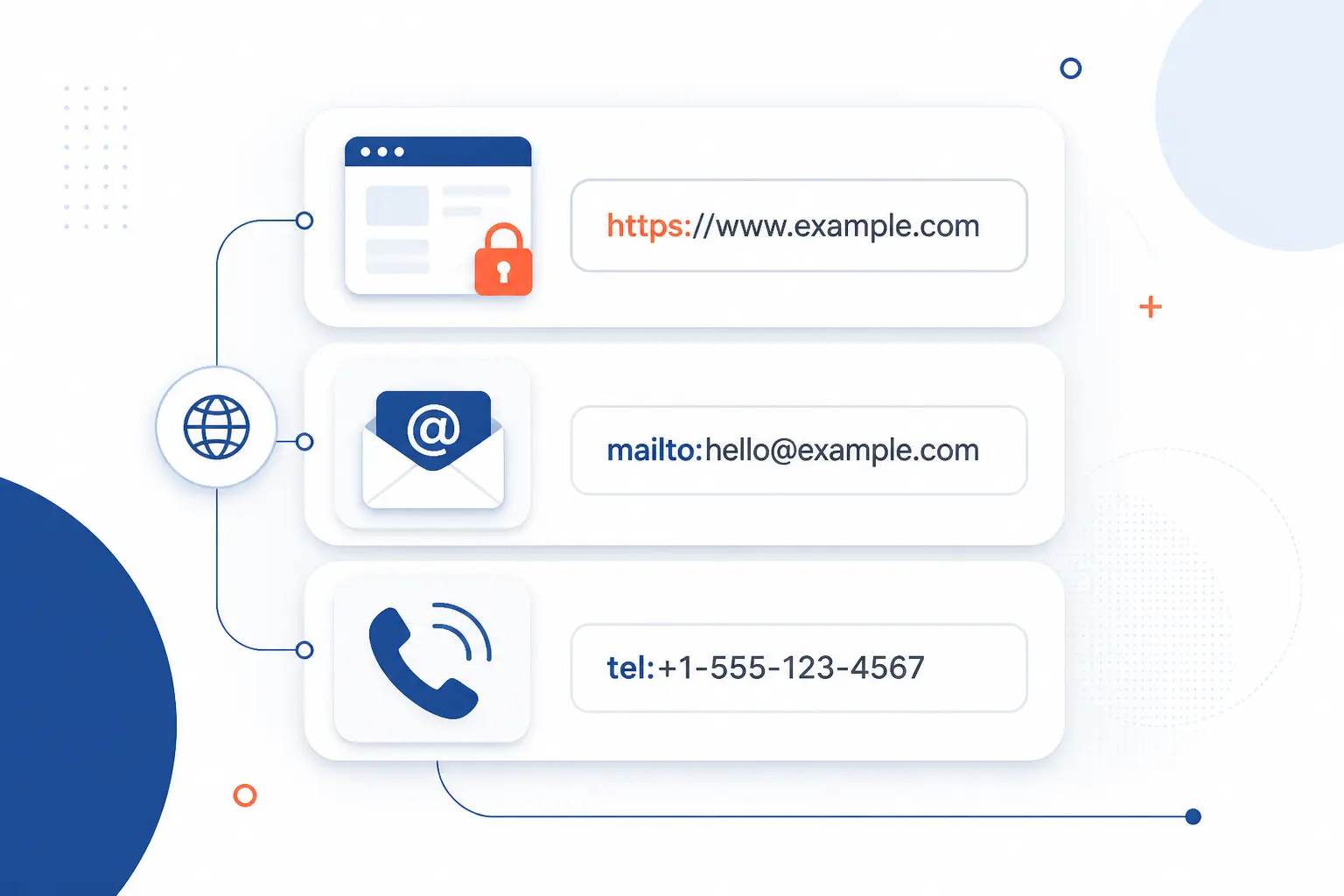
Not every address on the internet does the same job. The scheme at the beginning tells software how to handle the rest of the string, and the current registry shows just how many recognized schemes exist. For most readers, though, three formats cover the cases they meet most often.
| Scheme | Main Use | Example |
|---|---|---|
| HTTPS | Load web pages securely | https://example.com/about |
| FTP | Transfer files | ftp://files.example.com/report.csv |
| mailto | Open an email draft | mailto:[email protected] |
HTTP and HTTPS Addresses
HTTP and HTTPS are the web page formats people see most. The HTTP family defines how a client requests content and how a server responds, while the current HTTP semantics document describes the http and https schemes, with HTTPS using TLS to protect the connection. In practice, HTTPS is the normal choice for modern websites because browsers and users expect that protection.
FTP Links for File Transfers
FTP links are designed for file transfer rather than general page browsing. The classic behavior is defined in the file transfer specification, and you still see FTP in controlled environments, internal systems, and legacy workflows. That said, many modern browsers de-emphasize direct FTP handling, so specialized clients are common.
Mailto Links for Starting an Email
Mailto links tell a device to open the user’s email client with a new message draft. The syntax is standardized in the message composition scheme, which allows addresses and some fields such as subject lines to be prefilled. A mailto link does not fetch a web page. It triggers an email action instead.
Absolute vs Relative URLs
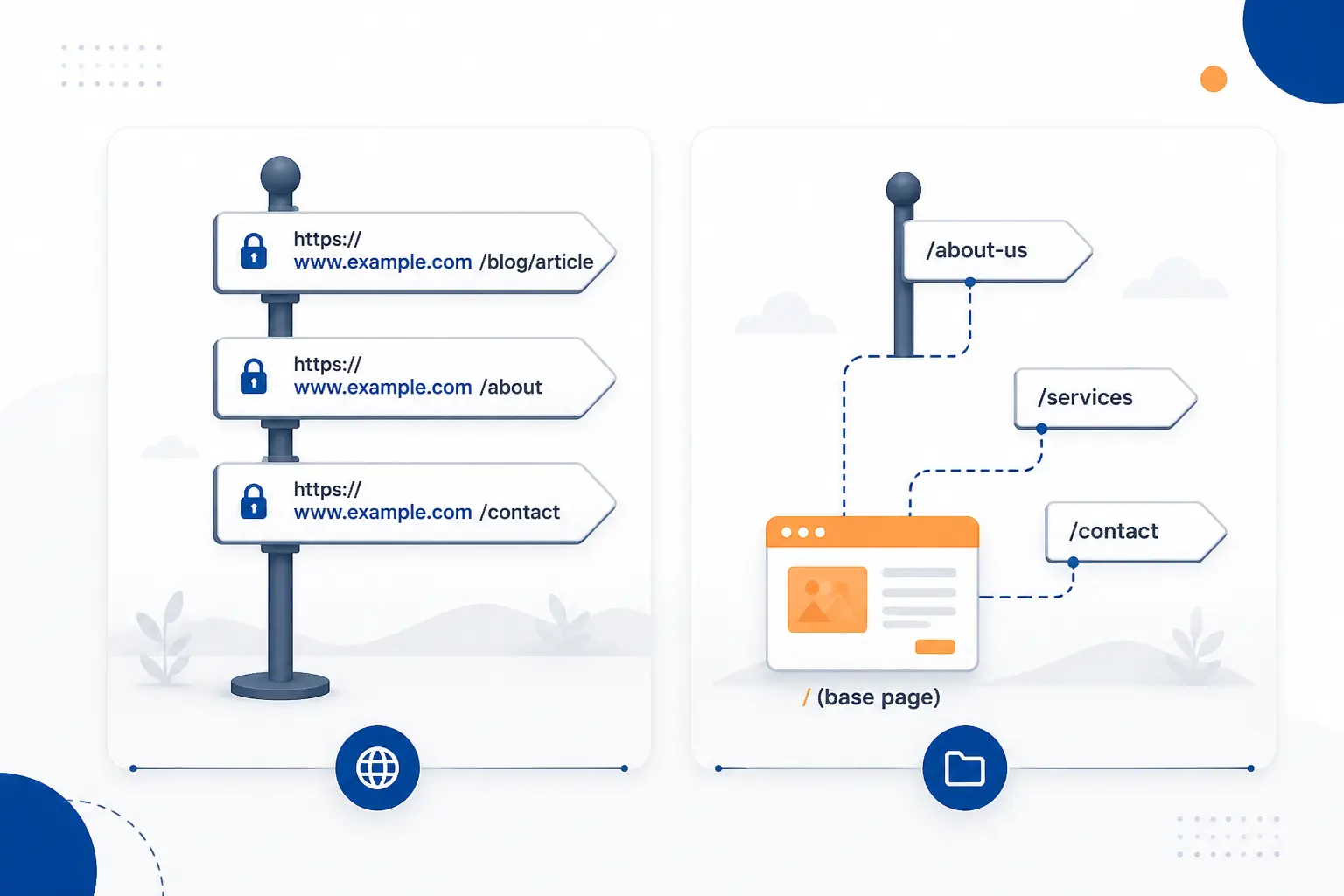
Absolute URLs include the full address, while relative URLs leave out the scheme and host and rely on the current page as context. That is the clean distinction. Browsers resolve those shorter forms against a base address, and the base-resolution rules define that behavior for the web platform. We like to explain it as the difference between writing a full postal address and writing “Apartment 4B” when the building is already understood.
| Type | Best For | Example |
|---|---|---|
| Absolute | Sharing across sites and apps | https://example.com/docs/start |
| Relative | Internal navigation on one site | /docs/start |
When a Full Address Is Needed
A full address is needed when the destination must work outside the current site context. That includes emails, social posts, canonical tags, API callbacks, and links shared in documents. If someone receives only /pricing, their browser has no idea which site should own that path. Full addresses travel well because they carry all the routing information with them.
When a Shorter Internal Path Works Better
A shorter internal path works better when pages already share the same domain and scheme. Site navigation menus, image references, and internal links often benefit from relative paths because they are easier to maintain during migrations between staging and production. We use this approach cautiously, though. It works best when the base context is stable and obvious.
URL vs Domain Name vs Link
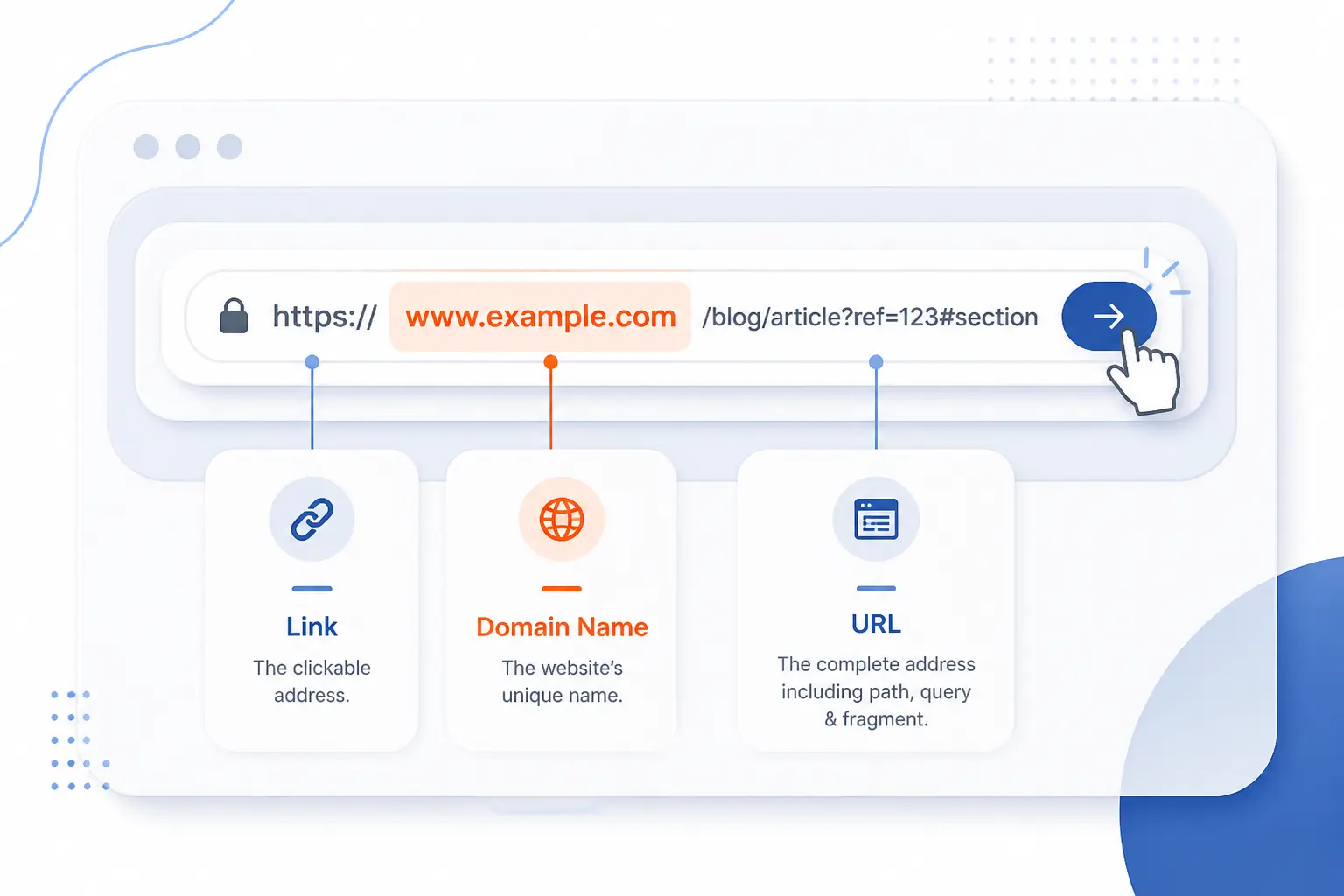
A URL, a domain name, and a link are related, but they are not the same thing. A domain name is only the host portion, such as example.com. A URL is the full address, such as https://example.com/blog/post. A link is the clickable element that uses a URL behind the scenes.
How a Domain Fits Inside a URL
The domain fits inside a URL as one component of the full address. It tells the browser which host to contact, but it does not specify everything else. Without the scheme, path, and any extra parameters, the browser has only part of the instructions. That is why saying “send me the domain” and “send me the URL” are different requests.
How a Clickable Link Differs From the Address It Uses
A clickable link is the interface element, while the address it uses is the destination data. On a page, the visible text might say “Read more,” but the underlying link may point to a long address with tracking parameters or an anchor. Users click the link. Browsers follow the URL stored inside it.
Making URLs Clear, Readable, and Easy to Use
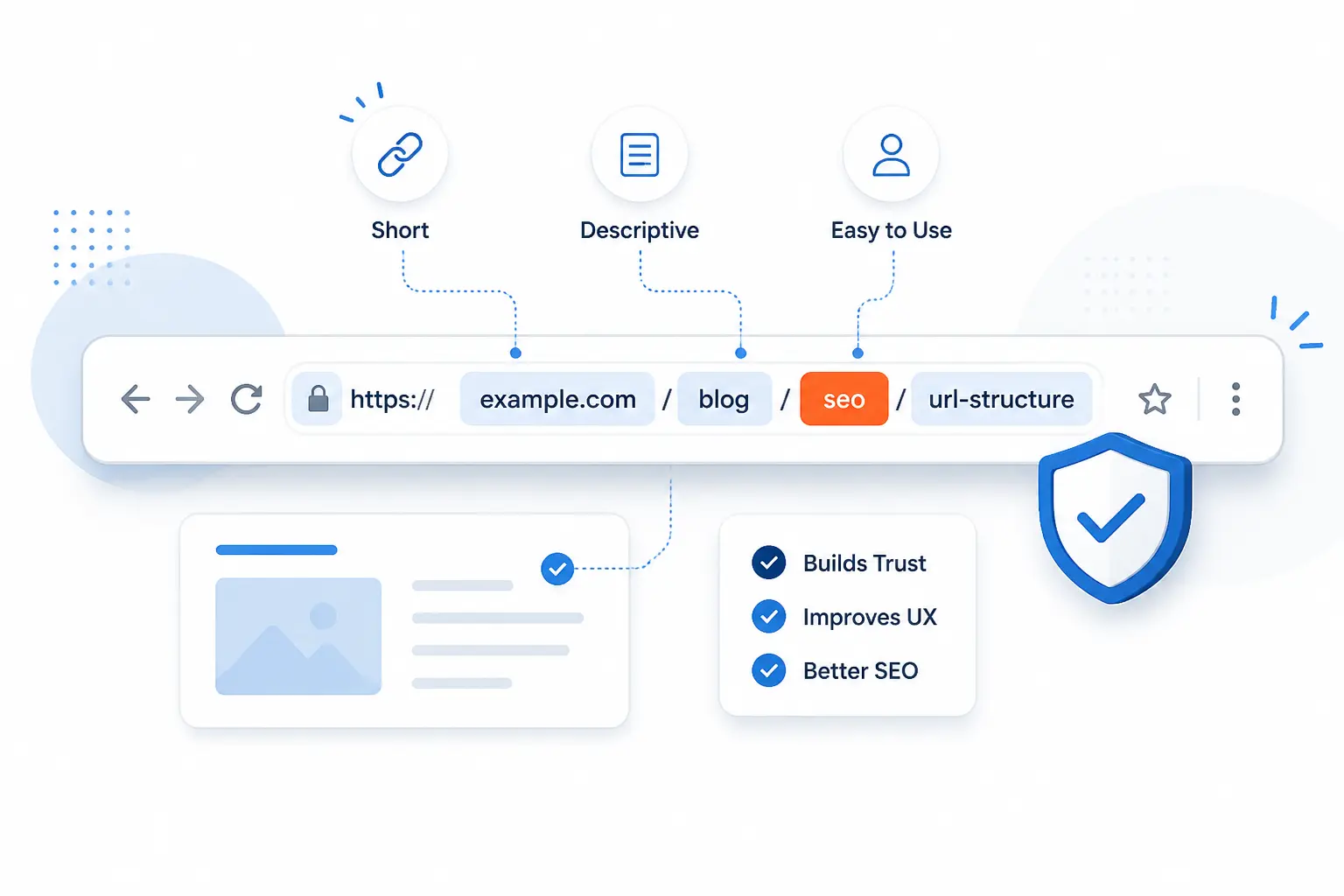
Good URLs are short enough to scan, descriptive enough to trust, and stable enough to share. That is the practical standard we use. Clear addresses help users guess page intent, reduce copy-paste mistakes, and make maintenance easier over time. In our experience, a boring, readable path usually beats a clever one.
Semantic Paths and Descriptive Slugs
Semantic paths and descriptive slugs make an address easier for humans to understand. Compare /products/cloud-servers with /p?id=7842. The first tells a story. The second tells the database what to load but tells the visitor almost nothing. We usually recommend choosing words that describe the content plainly and are likely to stay relevant.
Encoding, Special Characters, and Spaces
Special characters in addresses often need encoding so the browser can interpret them correctly. According to this percent-encoding note, characters with special meaning and spaces are represented with escape sequences such as %20. That is why a copied file name with spaces often changes shape once it appears in an address bar. Keep slugs simple, lowercase, and predictable, and you avoid most of that mess.
FAQ
A few questions come up almost every time we explain this topic. The fast answers below cover the most common points of confusion. If you only need the essentials, this section will get you there quickly.
What Is an Example of a URL?
An example of a URL is https://example.com/blog/how-urls-work. It includes the scheme, the domain, and the path to a specific page. If you add something like ?page=2 or #faq, it is still a URL, just with more detail.
How Do I Find My URL?
You find a page’s URL in the browser’s address bar. On a phone, you may need to tap the address area first to reveal the full string. If you want the address for a specific file or page, open it and copy the full text shown there.
What Does It Mean When It Asks for a URL?
It means the form or app wants the full address of an online resource. Usually that is a page, image, feed, document, or profile. If you enter only a domain when a full page address is required, the tool may not find the right destination.
Is an Email Address a URL?
No, an email address by itself is not a URL. It identifies a mailbox, while a URL is an address format used to locate a resource or trigger an action. The related form is a mailto: address, which wraps the email address in a scheme so software knows to start an email draft.
How 1Byte Helps You Launch and Manage Better URLs
Better URLs start with the right domain, the right security setup, and hosting that matches how your site is built. That is where we come in as 1Byte. We focus on the practical pieces that shape how your addresses look, resolve, and stay trustworthy in a browser.
| Service | Where It Helps | Best Fit |
|---|---|---|
| Domain registration | Claim a clear, memorable host name | New sites and rebrands |
| SSL certificates | Enable HTTPS for secure connections | Any public site |
| WordPress hosting | Run WordPress with cleaner publishing workflows | Blogs and business sites |
| Shared hosting | Launch simple sites on a lower-complexity setup | Smaller projects |
| Cloud hosting | Support more flexible application setups | Growing sites |
| Cloud servers | Give you more direct control over routing and deployment | Custom stacks |
Register the Right Domain Name for a Clear Web Address
Registering the right domain name is the first step toward a clear web address. If the name is short, relevant, and easy to spell, the rest of the URL becomes easier to read and remember. We see this constantly. A confusing domain makes every shared link harder to trust.
Protect Site Visitors With SSL Certificates and Secure Hosting
SSL certificates and secure hosting turn plain HTTP addresses into HTTPS ones that browsers treat more confidently. That matters because the scheme is the first signal users and browsers see. We think this is one of the easiest wins in web publishing. When the address starts securely, visitors have one less reason to hesitate.
Choose WordPress Hosting, Shared Hosting, Cloud Hosting, or Cloud Servers as You Grow
The right hosting choice depends on how much control, flexibility, and maintenance your project needs. WordPress hosting suits WordPress sites, shared hosting fits smaller straightforward sites, cloud hosting works well for growing web applications, and cloud servers make sense when you need tighter control over your environment and routing. As an AWS Partner, we also understand how infrastructure choices affect domain setup, HTTPS handling, and the way addresses are served at scale.







Conclusion
A URL is the full address for a resource, and every part of it helps a browser find, request, or jump to the right destination. Once you recognize the scheme, domain, path, query, and fragment, most web addresses stop looking mysterious. They become readable instructions.
We think that is the best takeaway to keep. Learn to read the address first, and the rest of the web gets easier to understand. If you are launching a site next, ask yourself one practical question: does your current address look clear enough for a stranger to trust at a glance?