

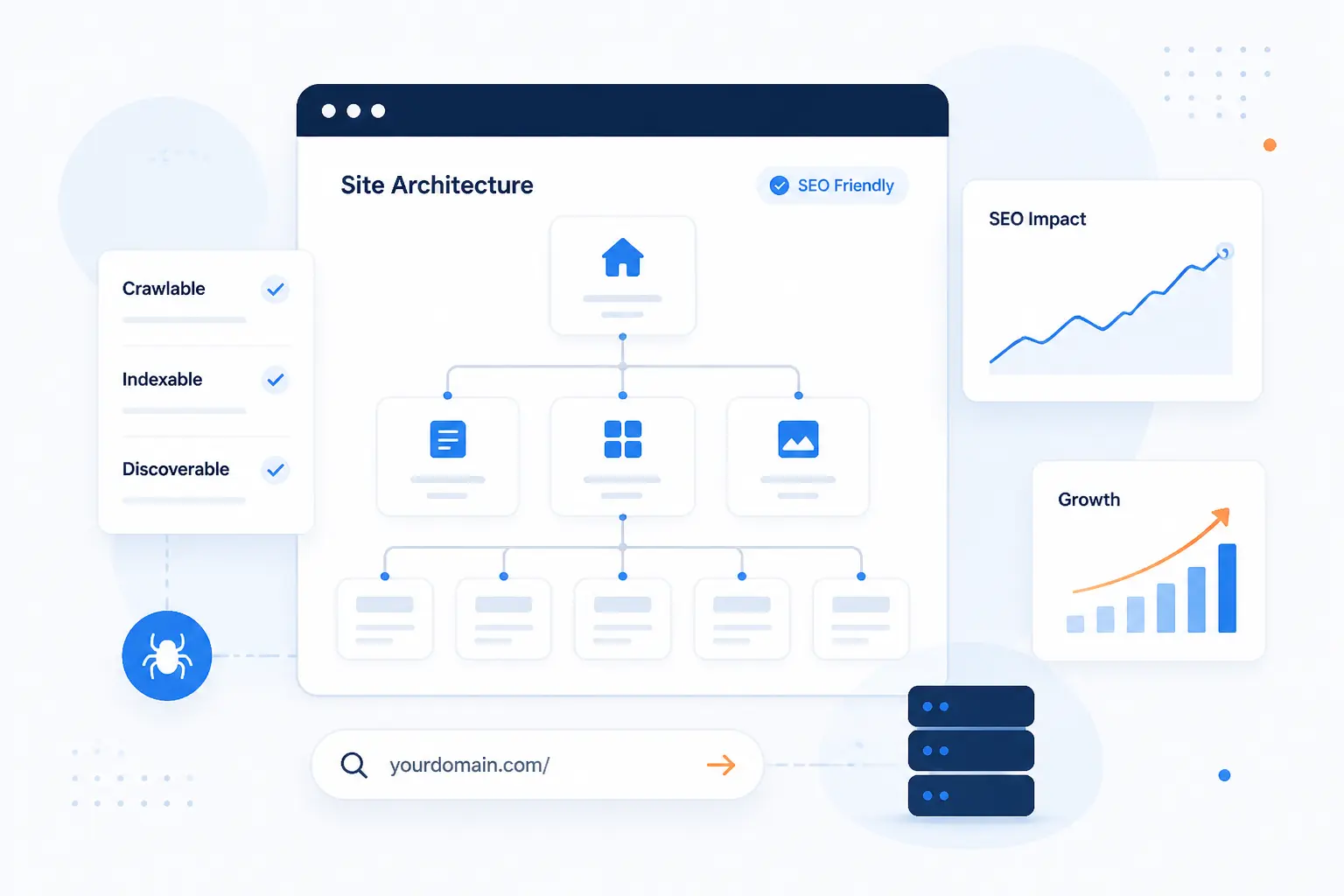
- What Website Architecture in SEO Means
- Why Site Architecture Affects Rankings and Usability
- Choose a Structure Model That Fits Your Site
- Plan Information Architecture Before You Build
- Keep Important Pages Close to the Surface
- Build Clear Paths Through the Site
- Make Your URL Structure Support the Hierarchy
- Support Crawlability With the Right Technical Signals
- Website Architecture Examples by Site Type
- Advanced Considerations for Larger Websites
- How to Audit and Improve Your Current Structure
- Frequently Asked Questions
- Conclusion
At 1Byte, we think website architecture in SEO is the practical art of deciding what pages exist, how they are grouped, how users move between them, and how search engines discover their importance. If the structure is clear, important pages stay visible, internal links do real work, and future growth does not turn the site into a maze. If the structure is messy, even strong content can get buried. The goal is simple: make your site easy to understand at a glance, easy to crawl, and easy to expand without breaking what already works.
What Website Architecture in SEO Means
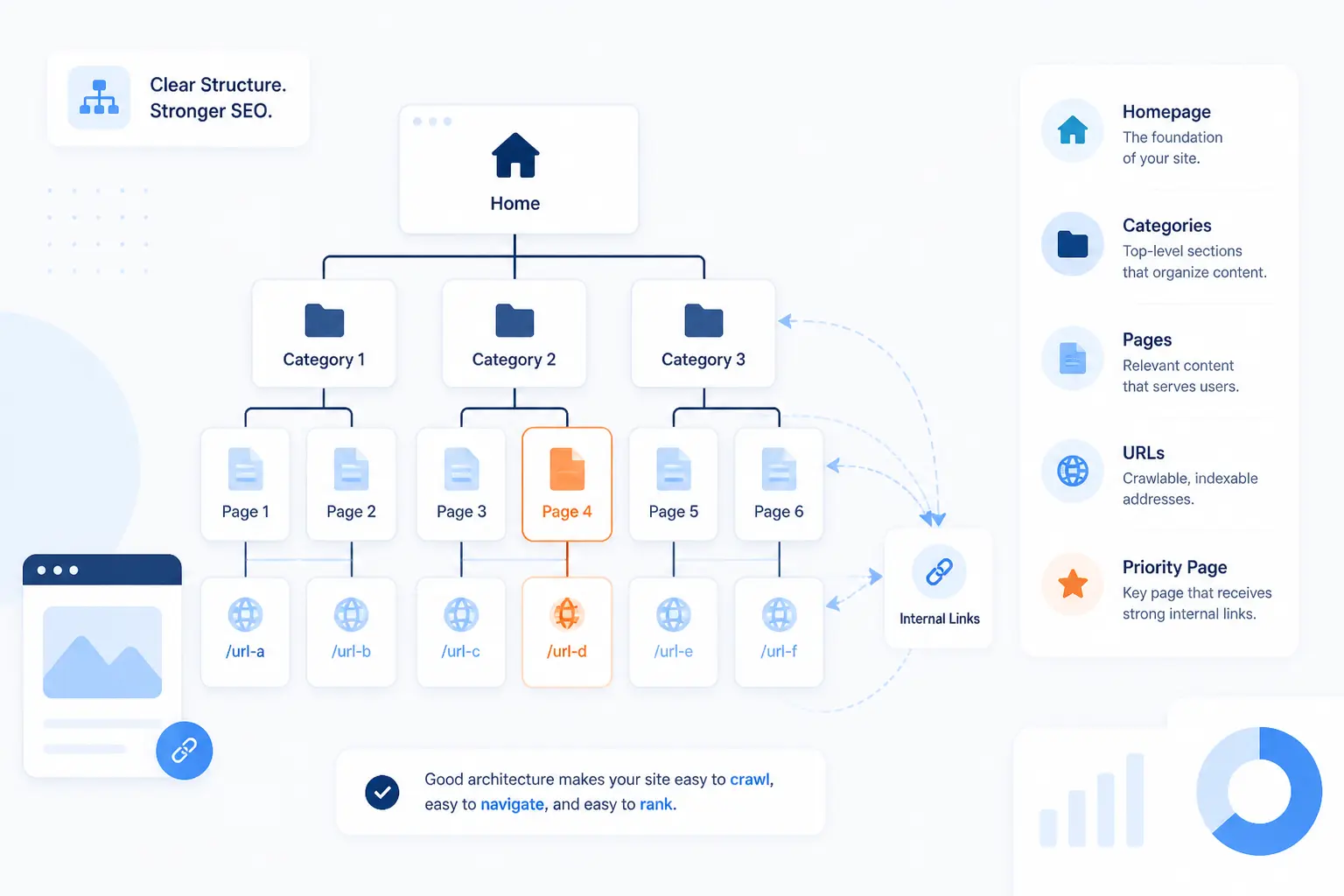
Website architecture in SEO means the way pages, categories, navigation, internal links, and URLs are organized so search engines and people can understand the site quickly. We do not treat it as a wireframe-only exercise. We treat it as the structure underneath rankings, crawling, topical coverage, and conversion paths. In practice, it answers four questions: what belongs together, what deserves prominence, how deep a page should sit, and how growth will be handled later.
Why Site Architecture Affects Rankings and Usability
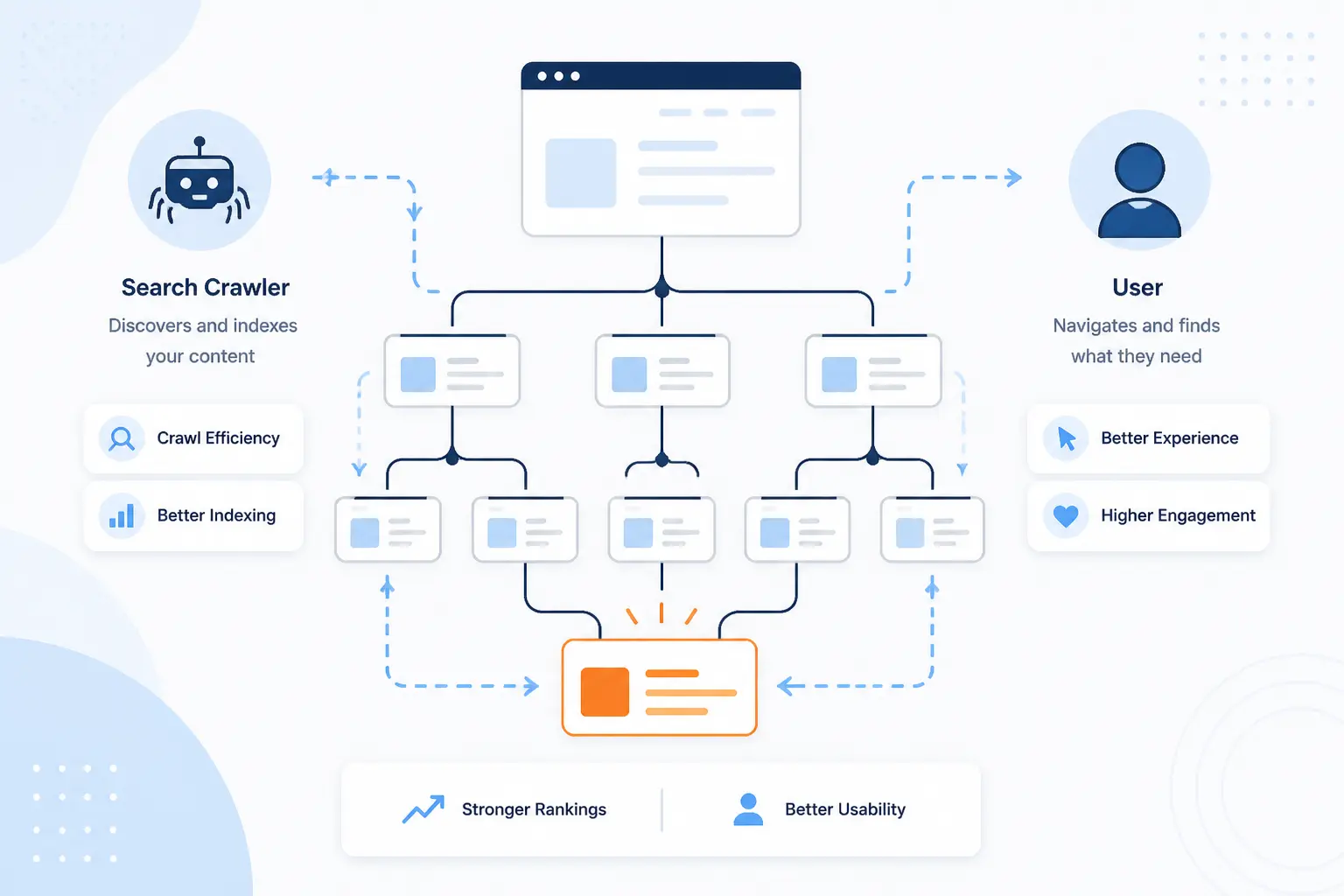
Site architecture affects rankings because search engines discover, interpret, and prioritize pages through structure and links, and it affects usability because people rely on the same structure to move toward a task. We have seen this again and again. A good layout reduces wasted crawl paths, concentrates attention on priority pages, and makes topic relationships obvious. That is why architecture is not a finishing touch. It is a ranking and UX decision from day one.
Helps Search Engines Crawl and Index Pages
A clean structure helps search engines discover pages faster and understand which ones deserve regular crawling. Google explains that new pages are often found through links from known pages, which is why category pages, hubs, and consistent internal navigation matter so much. When important URLs are buried behind weak navigation, filters, or isolated sections, discovery slows down and indexing becomes less predictable. We prefer to assume every useful page should have at least one obvious path from a stronger page above it.
Distributes Link Equity to Important URLs
Internal links pass authority signals, so architecture decides whether your best pages actually receive enough support. Google states that links help determine relevance, not just discovery, which means your menu, hubs, breadcrumbs, and contextual links all influence what the site emphasizes. In our view, this is where many sites lose the plot. They publish strong commercial or cornerstone pages, then fail to feed them from related content and category layers.
Clarifies Topical Relationships and Authority
Architecture shows search engines which pages belong to the same topic family and which page should lead that family. A cluster of scattered articles can look like loose inventory, while a hub with supporting pages looks intentional and easier to interpret. We like to build parent pages for broad themes, then let subpages answer narrower intents beneath them. That structure makes authority feel earned rather than accidental.
Improves Navigation, Engagement, and Conversion Paths
Good structure improves usability because it reduces guesswork and keeps people moving toward the next sensible page. Breadcrumbs, logical categories, and clear menus help users understand where they are and what sits one level up or down. Google notes that breadcrumb trails help users understand and explore a site effectively, which lines up with what we see in real builds. When navigation is clear, service pages, product pages, and lead forms stop competing with confusion.
Increases the Odds of Google Sitelinks
Logical architecture increases the odds that Google can generate useful sitelinks for your brand queries. Google says sitelinks are automated and that its systems analyze your site’s link structure to find shortcuts that help users. No one can force them. Still, clear titles, sensible page hierarchy, and repeated internal support for important sections give the algorithm better material to work with. See the sitelinks documentation for Google’s own explanation.
Choose a Structure Model That Fits Your Site
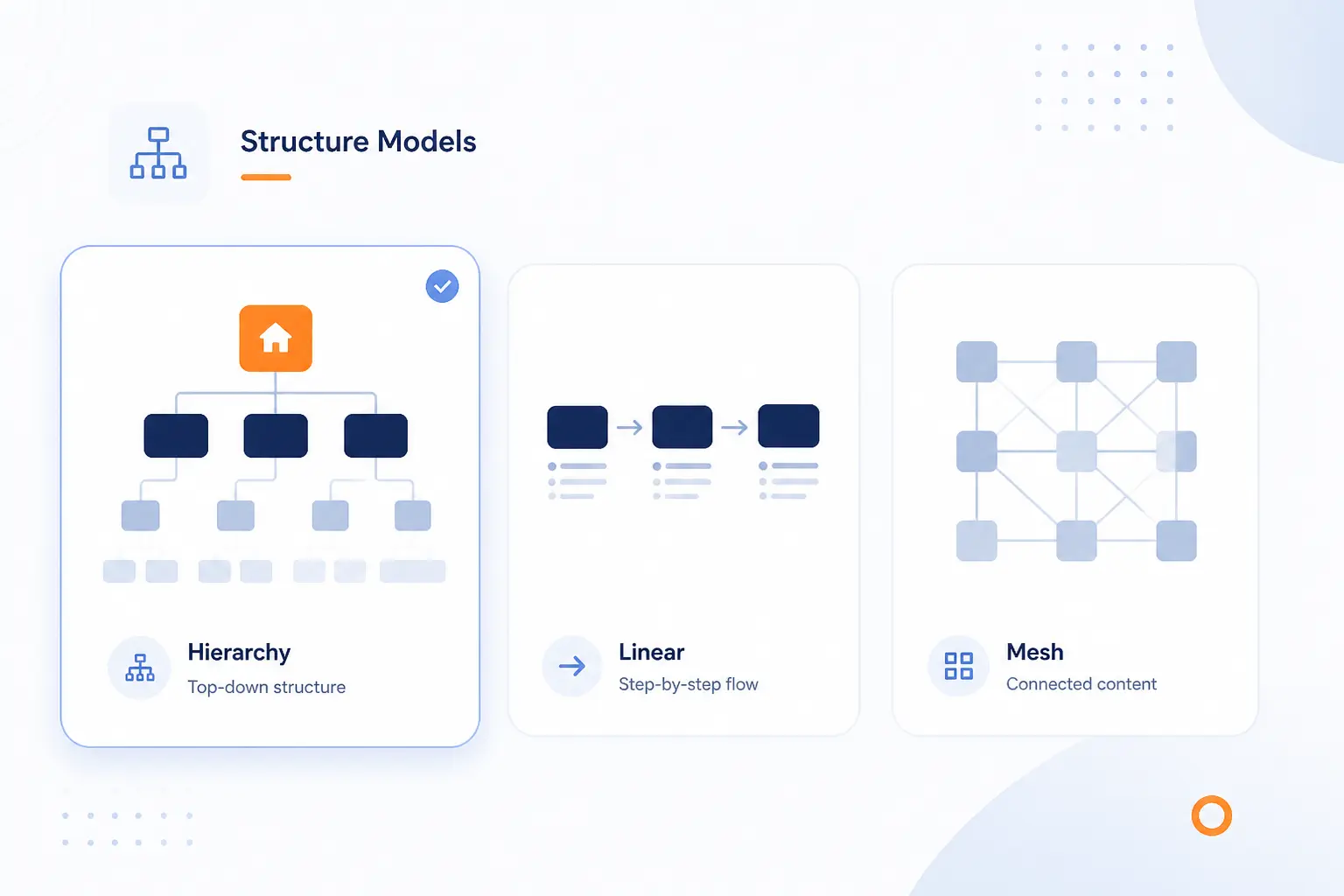
The right model depends on how people browse your content and how often the site will expand. We usually start with a hierarchical model because it fits most company sites, blogs, and service websites, then add sequential or matrix elements only where they solve a real problem. The mistake is choosing a clever structure before defining what the site needs to accomplish. Architecture should match content patterns, not designer taste.
| Model | Best fit | Why it works | Main risk |
|---|---|---|---|
| Hierarchical | Most business sites | Clear parent-child paths | Can become too deep |
| Sequential | Checkouts and guided flows | Reduces choice at each step | Weak for broad discovery |
| Matrix | Dense content libraries | Connects related topics flexibly | Easy to overlink |
| Database-driven | Large dynamic catalogs | Scales templates and inventory | URL sprawl |
Hierarchical Structures for Most Websites
Hierarchical structures are the default choice because they mirror how most people think. A homepage leads to major sections, sections lead to categories, and categories lead to detail pages. That pattern works for service businesses, SaaS sites, blogs, documentation centers, and most ecommerce stores. If we can explain the structure in one sentence, it is usually a strong sign the hierarchy is healthy.
Sequential Paths for Checkouts and Guided Flows
Sequential structures work best when the user should move step by step. Checkouts, onboarding flows, course modules, and booking forms all benefit from fewer choices and a defined next action. We still connect these flows to the broader site, but inside the flow we remove distractions. In short, discovery happens outside the path, and completion happens inside it.
Matrix Structures for Dense Content Networks
Matrix structures help when users may enter from many angles and need multiple routes to related content. Editorial sites, knowledge bases, and resource centers often need topic, audience, use-case, and format paths at the same time. That does not mean every page should link to everything. It means each page should connect to the next few pages that deepen understanding or move the user closer to action.
Database-Driven Structures for Large Dynamic Sites
Database-driven structures are necessary when templates, filters, inventory, or user-generated pages create thousands of URLs. Marketplaces, real estate sites, job boards, and travel inventory sites live here. Our advice is blunt: control the templates early, or the site will manufacture thin, duplicate, and low-value paths at scale. The larger the site, the more architecture becomes a governance problem, not just a design problem.
Plan Information Architecture Before You Build
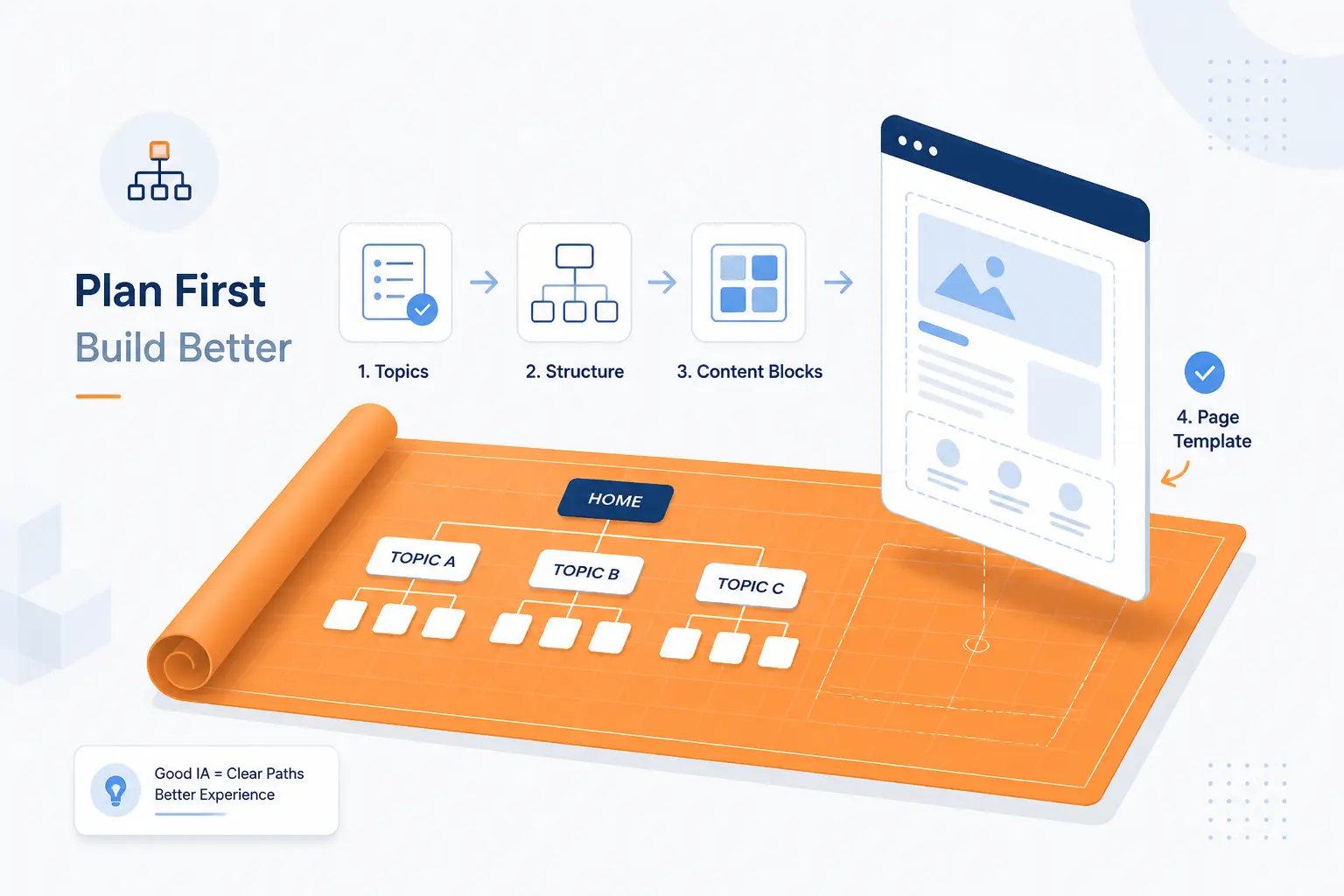
Information architecture is the planning layer that decides what content exists, where it lives, and how it relates to the rest of the site. In practice, we map topics before templates. That keeps teams from launching pretty navigation wrapped around weak page strategy. If you want website architecture in SEO to scale, the blueprint has to come before page production.
Define Core Pages, Categories, and Parent Topics
Start by naming the few pages and categories the site cannot live without. For a law firm, that might be practice areas, locations, attorney bios, and case results. For a hosting company, it could be product categories, support content, and trust pages. We like to decide the parent topics first because child pages are much easier to organize once the top layer is stable.
Group Content by Theme and Search Intent
Group pages by what the reader wants to accomplish, not only by what your organization wants to say. Informational, comparative, transactional, and support content usually need different homes and different internal paths. A beginner guide should not sit beside a pricing page as if both serve the same intent. When intent drives grouping, navigation feels more natural and cannibalization drops.
Use Keyword Research to Shape New Sections
Keyword research should influence architecture when it reveals recurring themes that deserve their own section. We do not create categories for every phrase with volume. We create sections when multiple queries point to one stable subject area that can support a parent page and several meaningful children. That keeps the structure strategic instead of bloated.
Study Competitor Structures for Gaps and Ideas
Competitor structure review is useful when it shows patterns, not when it tempts you to copy. Look for what major sections they surface, how deep they bury commercial pages, and whether they separate content by audience, product, or task. Then ask a harder question: what useful section have they ignored? Often the best architecture move is not imitation. It is filling a gap they left open.
Sketch a Website Architecture Diagram Before Launch
A simple diagram before launch saves painful restructures later. We usually sketch the homepage, major sections, category pages, and key child pages, then draw the intended link paths between them. That exercise exposes dead ends, overloaded menus, duplicate categories, and pages with no logical parent. If a page has no place on the diagram, it probably has no place on the launch list.
Keep Important Pages Close to the Surface
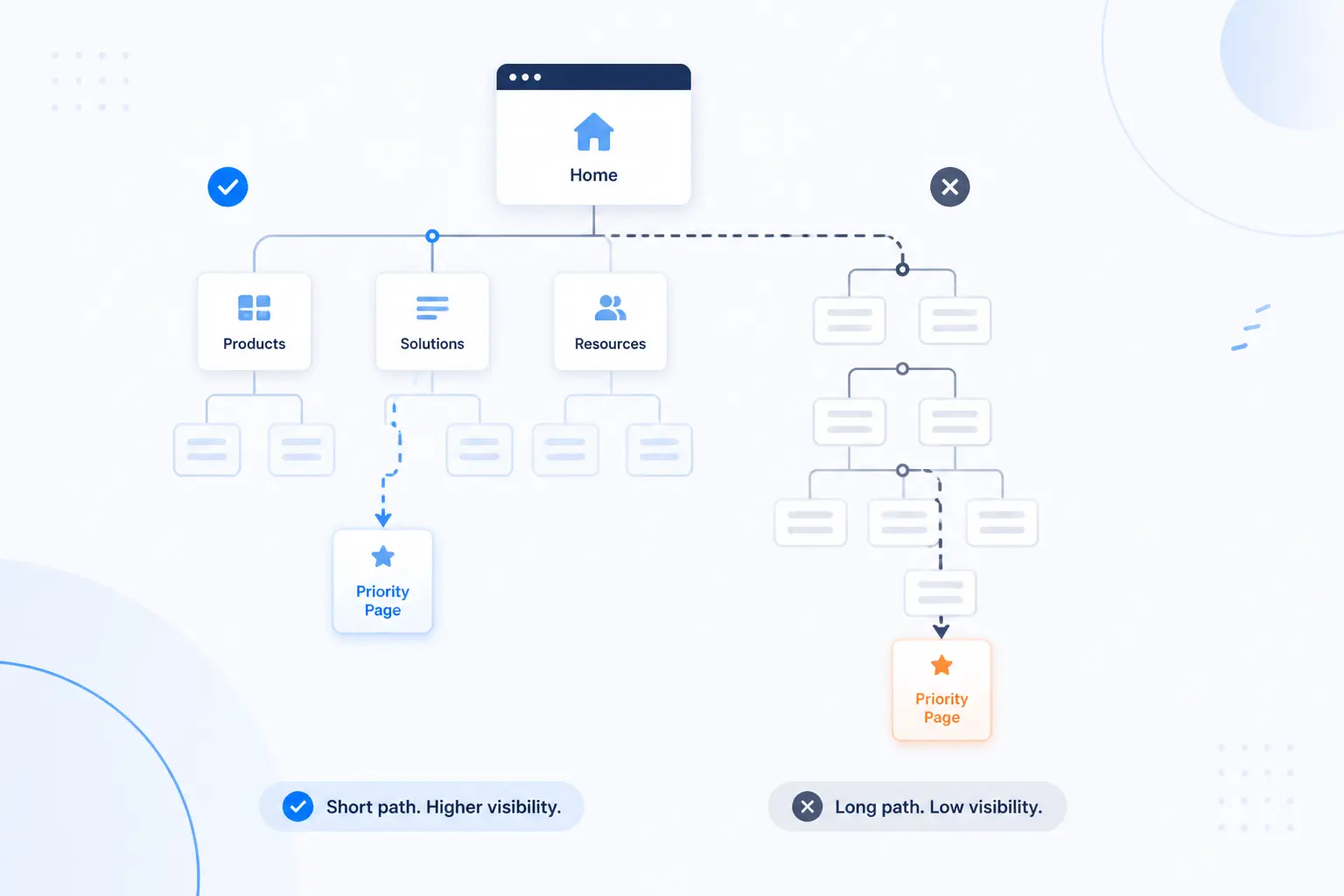
Important pages should be easy to reach from strong pages near the top of the site. We do not obsess over an exact magic number, but we do care about how many decisions it takes to reach a priority URL. When click depth rises, visibility, crawl paths, and user momentum tend to weaken. The rule of thumb is simple: pages that matter most should feel close.
Flat vs Deep Architecture
Flat architecture is usually better for SEO because it keeps valuable pages accessible without forcing long click trails. Deep architecture can make sense for huge inventories, but it often hides important URLs under too many folders, filters, or archive layers. We aim for enough structure to stay organized, not so much that the site turns into nested drawers. If a user must keep drilling down, the architecture may be overbuilt.
Set Click Depth Targets for Priority Pages
Set explicit click depth targets for pages that drive revenue, leads, or authority. We usually try to keep core commercial pages within a few clicks of the homepage and key hubs, while less critical utility pages can sit deeper. That creates discipline during design reviews. Without depth targets, teams keep adding layers because each new layer seems harmless on its own.
Make Room for Growth Without Adding Clutter
Scalable architecture leaves space for future sections before they are needed. That means choosing category labels broad enough to hold several child pages, but not so broad that they become catchalls. We would rather launch with a tidy section that can grow than cram unrelated pages into the menu later. Growth should extend the pattern, not rewrite it.
Build Clear Paths Through the Site
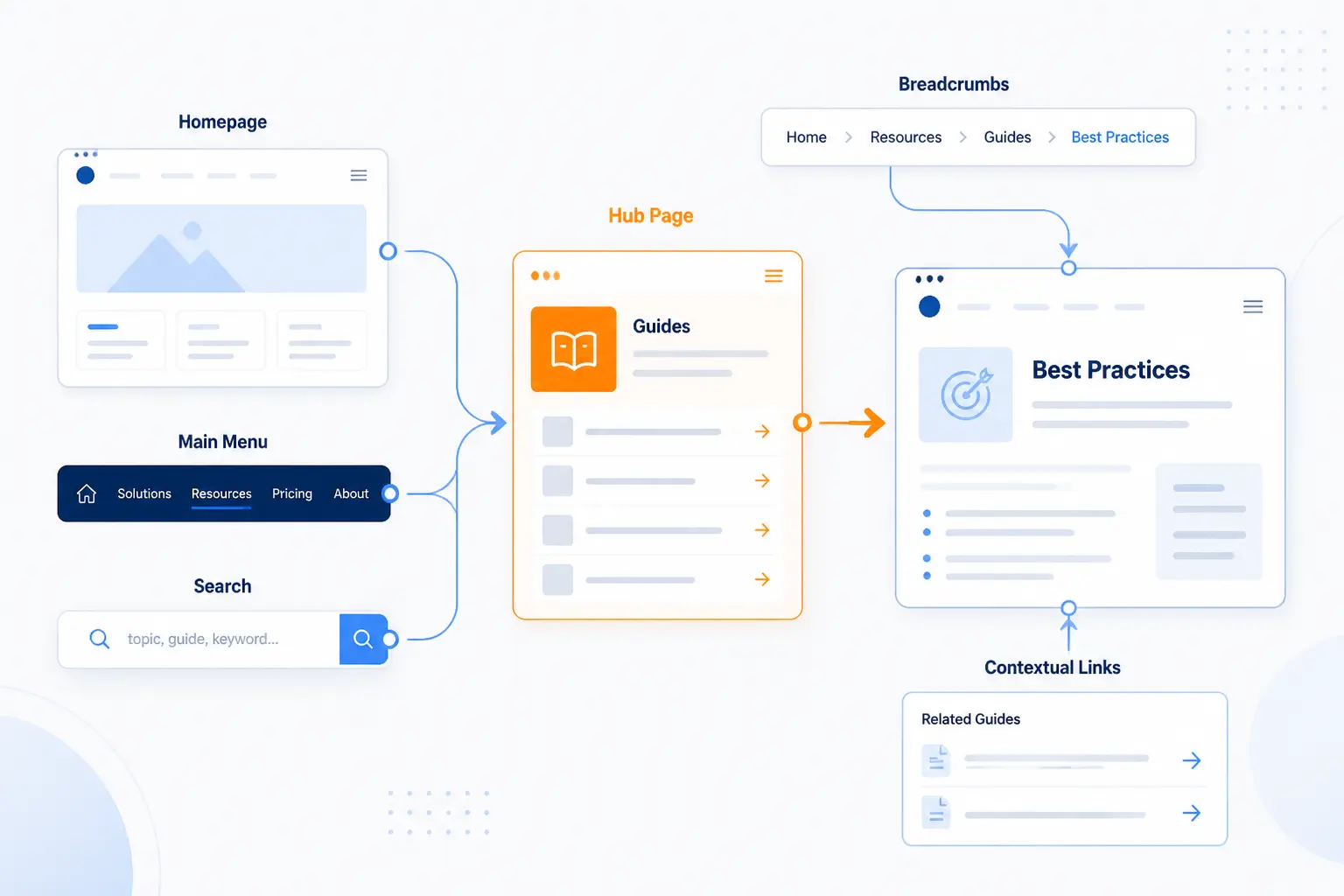
Clear paths are the routes people and crawlers use to move from general pages to specific ones. This is where architecture becomes visible. A homepage, menu, hub pages, contextual links, breadcrumbs, and search all work together to guide movement. If those parts contradict one another, the site feels noisy. If they reinforce one another, discovery feels effortless.
Make the Homepage a Hub for Key Sections
The homepage should point clearly to the site’s most important sections. We do not expect it to rank for everything or explain everything. We do expect it to send strong signals about what the business offers, what content families exist, and where a new visitor should go next. Think of it as the front desk, not the storage room.
Use Simple Menus That Surface Important Pages
Simple menus win because they expose important pages without making users decode your organization chart. We prefer short labels, limited top-level choices, and predictable dropdowns. A cluttered mega menu can still work, but only when the underlying taxonomy is disciplined. If the menu is doing too much, the architecture beneath it usually is too.
Create Category Pages, Hubs, and Topic Clusters
Hub pages are where structure turns into authority. A strong category or topic hub introduces the subject, links to the best subpages, and signals which page leads the cluster. Google’s own explanation of page discovery mentions hub pages as a way new pages are found from known ones. We rely on that pattern heavily because it helps both humans and crawlers orient themselves fast.
Link Contextually With Descriptive Anchor Text
Contextual links should tell people and search engines what sits on the other side of the click. Google says it can generally crawl links when they use an <a href> element, and it recommends concise, descriptive anchor text. That means “pricing,” “migration checklist,” or “emergency dental care” beats vague text like “read more” in most cases. We still keep it natural. Forced exact-match anchors make internal links feel wooden. Read link guidance for the technical baseline.
Add Breadcrumbs and Related Links Where They Help
Breadcrumbs help when a page belongs to a larger hierarchy and users may want to step back up one level. Google describes breadcrumbs as signals of a page’s position in the site hierarchy and recommends representing a typical user path rather than mechanically mirroring the URL. We agree. Related links also help, but only when they extend the topic or action naturally. Random “related posts” blocks rarely do much beyond filling space. See breadcrumb guidance for the search-facing side of the feature.
Offer Site Search on Larger Websites
Site search is worth adding when the site has enough depth that menus and hubs cannot surface every useful destination. Large catalogs, documentation sites, and media archives benefit most. Our rule is practical: once users are likely to know what they want before they know where it lives, site search becomes part of the architecture. It should support the structure, not excuse a bad one.
Make Your URL Structure Support the Hierarchy
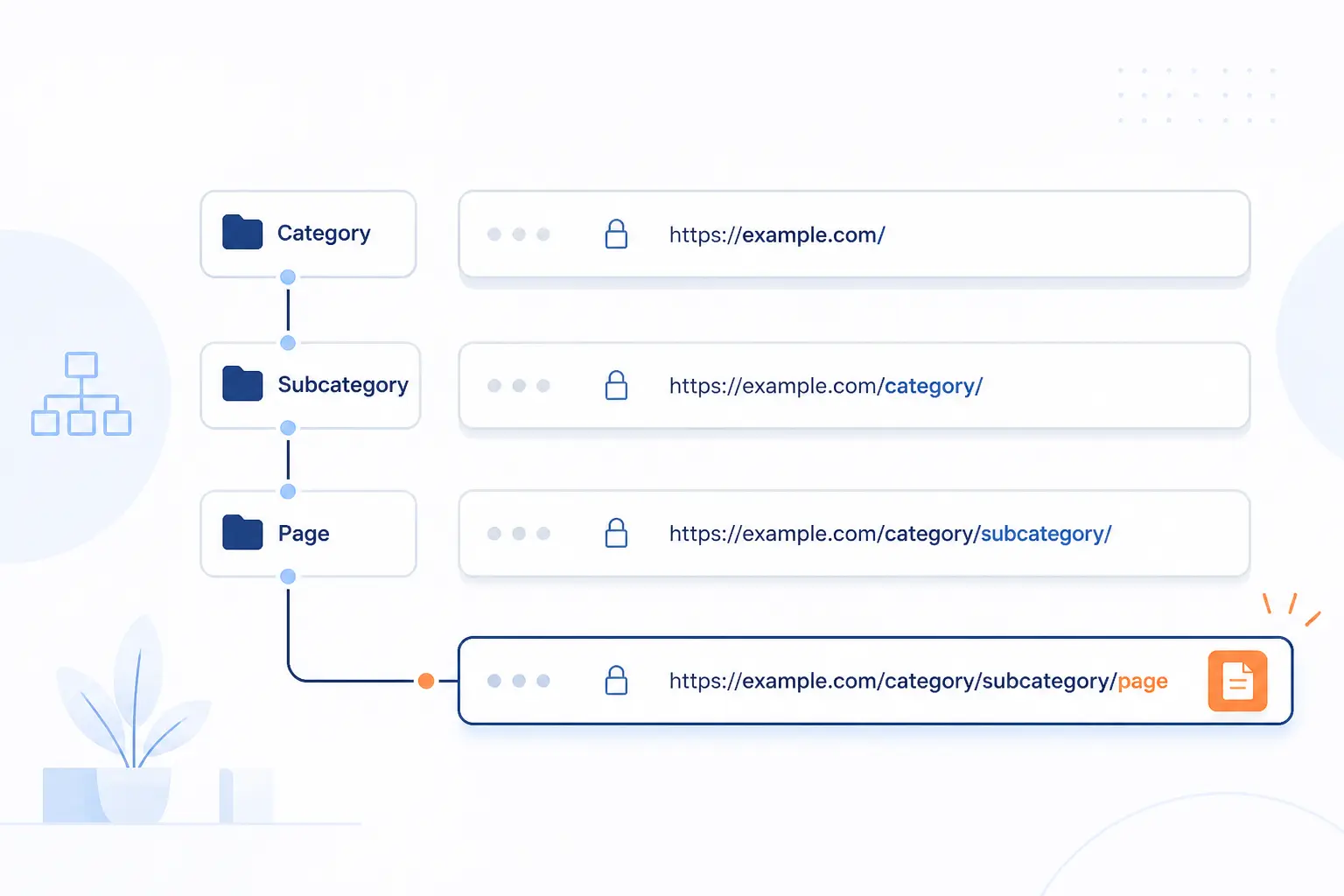
URLs should reinforce the site’s logic, not fight it. We want a person to glance at a path and understand where the page belongs. Google recommends a simple URL structure that helps users and search engines understand the site, and it specifically warns against using fragments to change page content. Clean paths are not everything, but messy ones create needless friction. See Google’s URL guidance for the baseline rules.
Mirror Categories and Subcategories in the Path
The URL path should usually reflect the main category relationship. A service page under /services/managed-hosting/ is easier to read than a loose slug sitting off the root with no context. We do not mirror every navigation nuance in the path, but we do use URLs to make the primary hierarchy obvious. Good architecture leaves a breadcrumb trail in more than one place.
Keep URLs Short, Descriptive, and Consistent
Short, descriptive URLs are easier to scan, easier to share, and easier to maintain. Consistency matters just as much as brevity. If one section uses nouns and another uses verb phrases, the site starts to feel patched together. We like paths that sound boring in the best possible way.
Avoid IDs, Filler Folders, and Unneeded Parameters
Unneeded parameters and filler folders usually signal technical convenience, not user clarity. Database IDs, tracking clutter, and placeholder directories make paths harder to read and expand the chance of duplicate or competing URLs. They also become a headache when filters or alternate sort orders start generating endless combinations. A useful path explains the content without a decoder ring.
Align URLs With Keyword Targeting and User Clarity
URLs should align with the page topic, but we do not stuff them with every variation of a term. One clean phrase that matches the page intent is enough. The real win is consistency between the URL, the page’s place in the hierarchy, and the language used in navigation. When those three line up, the architecture feels coherent.
Support Crawlability With the Right Technical Signals
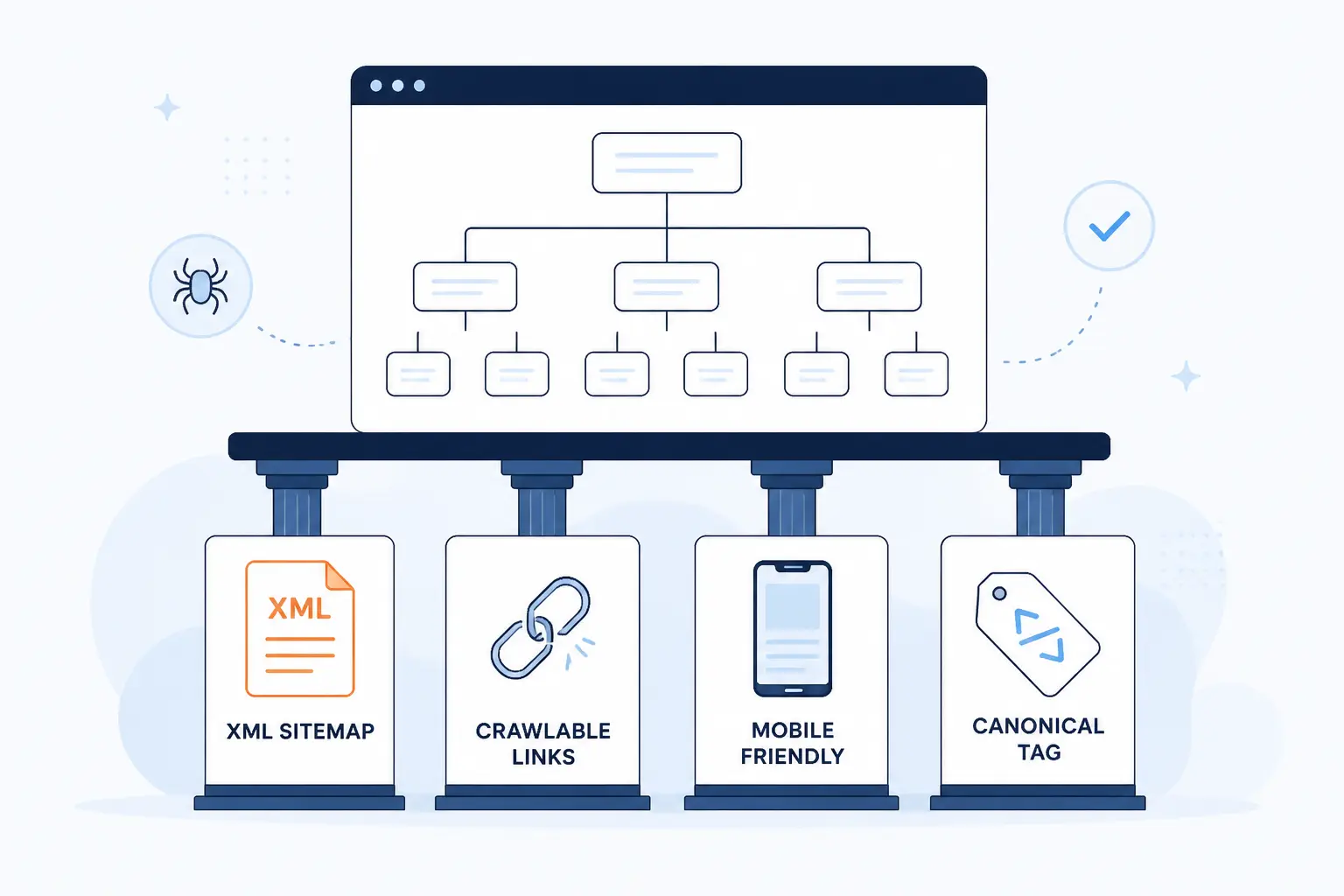
Technical signals do not replace good structure, but they help search engines crawl the structure you intended. This is where sitemaps, crawlable links, mobile consistency, and canonicals do their part. We see these as supporting beams. They will not rescue a broken plan, though they can make a good one much easier to process.
Publish XML Sitemaps for Indexable Pages
XML sitemaps should list the indexable pages you actually want search engines to consider. Google says a single sitemap can contain up to 50,000 URLs and should include the URLs you want in search results. We treat sitemaps as a clean inventory, not a dumping ground for redirects, canonicals pointing elsewhere, or blocked pages. On large sites, that discipline matters more than people think.
Use HTML Links Search Engines Can Follow
Crawlable navigation still starts with ordinary HTML links. Google’s documentation is very direct here: links are generally crawlable when they use an anchor element with an href attribute. Buttons, JavaScript-only handlers, and fancy interactions may work for users, but they are weaker foundations for discovery. We test rendered navigation because what looks clickable is not always what is crawlable.
Keep Mobile Navigation Responsive and Consistent
Mobile navigation should expose the same important routes as desktop navigation. Google recommends responsive design and advises sites with separate mobile HTML to provide the same set of links on mobile as on desktop. We take that as a hard architectural rule. If your mobile menu hides key sections or strips internal links for the sake of neatness, you are sending weaker signals from the version Google uses for indexing.
Use Canonicals When Similar URLs Compete
Canonicals help when near-duplicate or duplicate URLs compete for the same content. Google explains that redirects and rel="canonical" are strong canonicalization signals, while sitemap inclusion is weaker. We use canonicals to consolidate signals across filter variants, tracking variants, and alternate access paths, but we do not use them as a bandage for reckless URL creation. If the site keeps generating junk paths, fix the architecture first, then apply canonical guidance.
Website Architecture Examples by Site Type
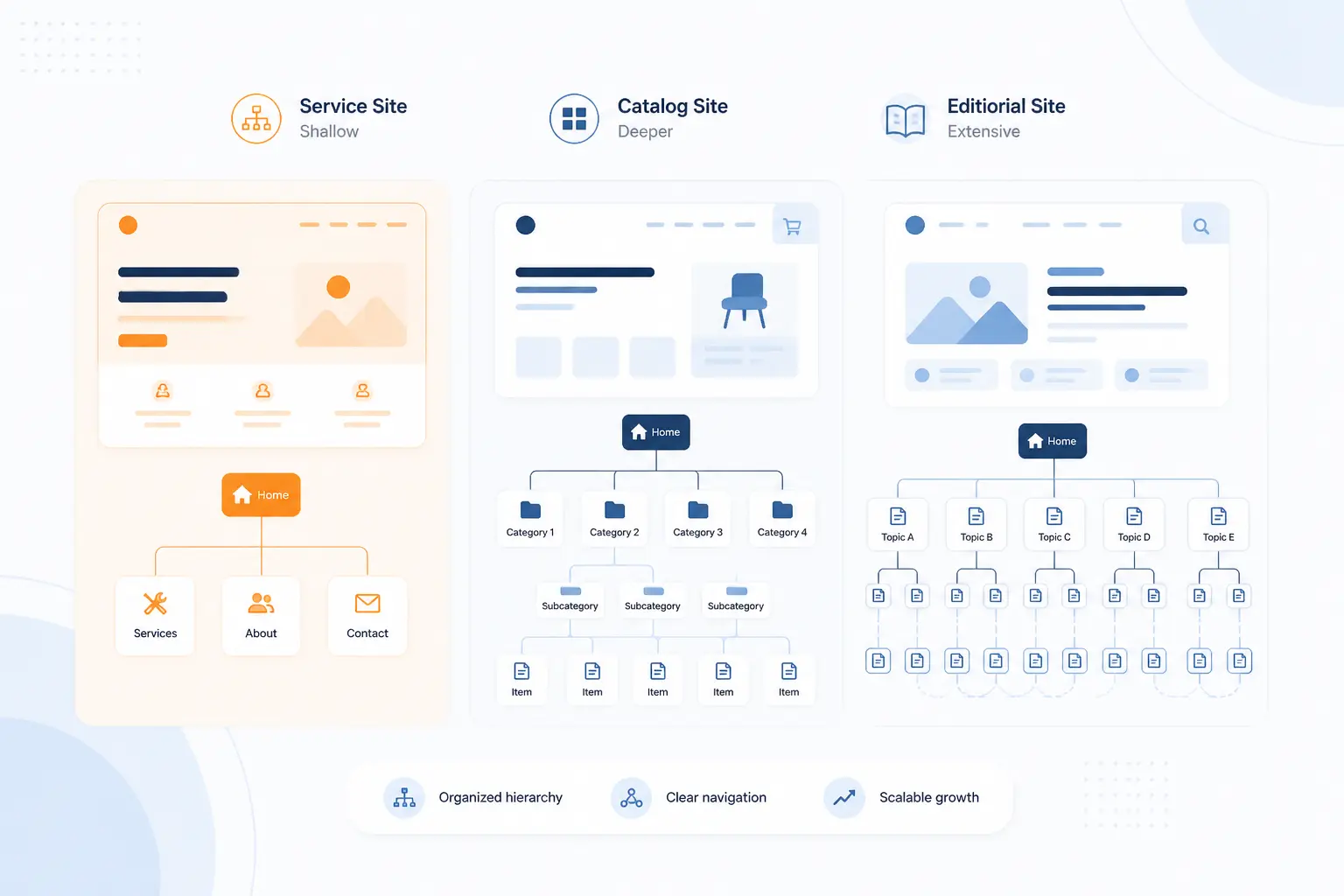
Different site types need different emphases, even when the core principles stay the same. We do not architect a local service site the same way we architect a catalog or editorial library. The trick is keeping the model simple enough for the audience while leaving enough structure to grow. Here is how we usually think about the major patterns.
Service Businesses and Lead Generation Sites
Service sites usually work best with a tight hierarchy built around core services, industries, locations, and trust pages. A local HVAC company might need a homepage, service hubs, city pages, financing information, and a few educational guides that feed those service pages. We keep the path short because the commercial journey is short. People want reassurance, relevance, and a clear next step.
Ecommerce Stores With Categories and Product Pages
Ecommerce architecture lives or dies by category quality. Strong top categories, useful subcategories, clean product assignment, and controlled filters matter more than flashy design. We like category pages that act as true hubs, not just product grids, especially for competitive terms. The bigger the catalog, the more discipline you need around faceted URLs, canonicals, and internal linking patterns.
Blogs and Media Sites Built Around Content Hubs
Blogs and media sites perform better when they are organized by subjects, not just by reverse chronology. Archive pages by month rarely carry much strategic value on their own. Topic hubs, editorial series pages, and strong related-content paths do. If the site publishes often, a hub-and-cluster setup is usually easier to scale than a pile of isolated posts.
Advanced Considerations for Larger Websites
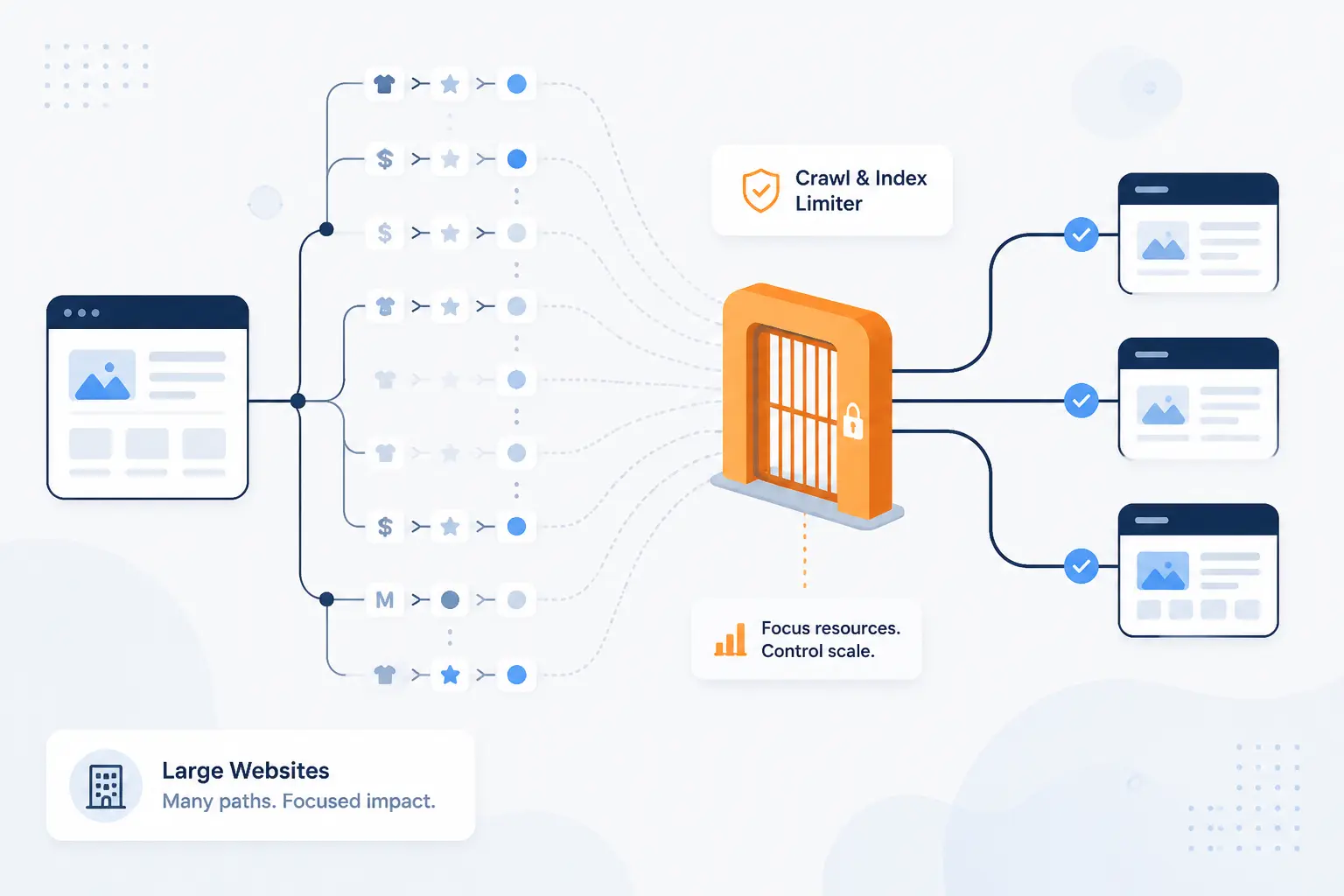
Large websites add a second challenge beyond clarity: control. The problem is not only helping users find pages. It is also stopping the platform from generating too many weak, duplicate, or low-value paths. This is where architecture needs rules, not just good intentions.
Manage Faceted Navigation Without Index Bloat
Faceted navigation needs firm limits because it can create a near-infinite number of URL combinations. Google explicitly warns that faceted navigation is a common source of overcrawl issues and slower discovery of important content. Our approach is to decide which filtered views deserve unique indexable URLs, then suppress or discourage the rest. If every color, size, price band, and sort order creates a crawlable page, the architecture will sprawl faster than the content value. Read the newer faceted navigation guidance for a useful cautionary view.
Handle Pagination Without Hiding Important Content
Pagination should expose deeper content without forcing search engines to click buttons or trigger scripts. Google recommends sequential links between paginated pages using <a href> elements, and it notes that crawlers generally do not click buttons to load more results. We prefer paginated category and archive paths that are explicit, crawlable, and linked both forward and backward where useful. The official pagination guidance is especially relevant for ecommerce and media archives.
Keep High-Value Content on Subfolders Instead of Subdomains
We usually keep high-value content on subfolders because it preserves one primary host, one cleaner navigation system, and one easier internal linking environment. Subdomains can be necessary for technical or organizational reasons, but they often drift into separate-site behavior inside teams. That makes governance harder. If your money pages, guides, and support content belong to one brand experience, we would rather keep them living together than split them by habit.
Choose a Regional URL Setup for International Sites
International sites should pick one regional URL pattern early and stick with it. Google outlines country domains, subdomains, and subdirectories as valid options, and it explicitly says URL parameters are not recommended for regional targeting. In many cases, we prefer subdirectories because they are easier to maintain on the same host, though the right choice depends on legal, operational, and branding realities. Whatever you choose, use consistent locale signals and follow the regional URL guidance carefully.
How to Audit and Improve Your Current Structure
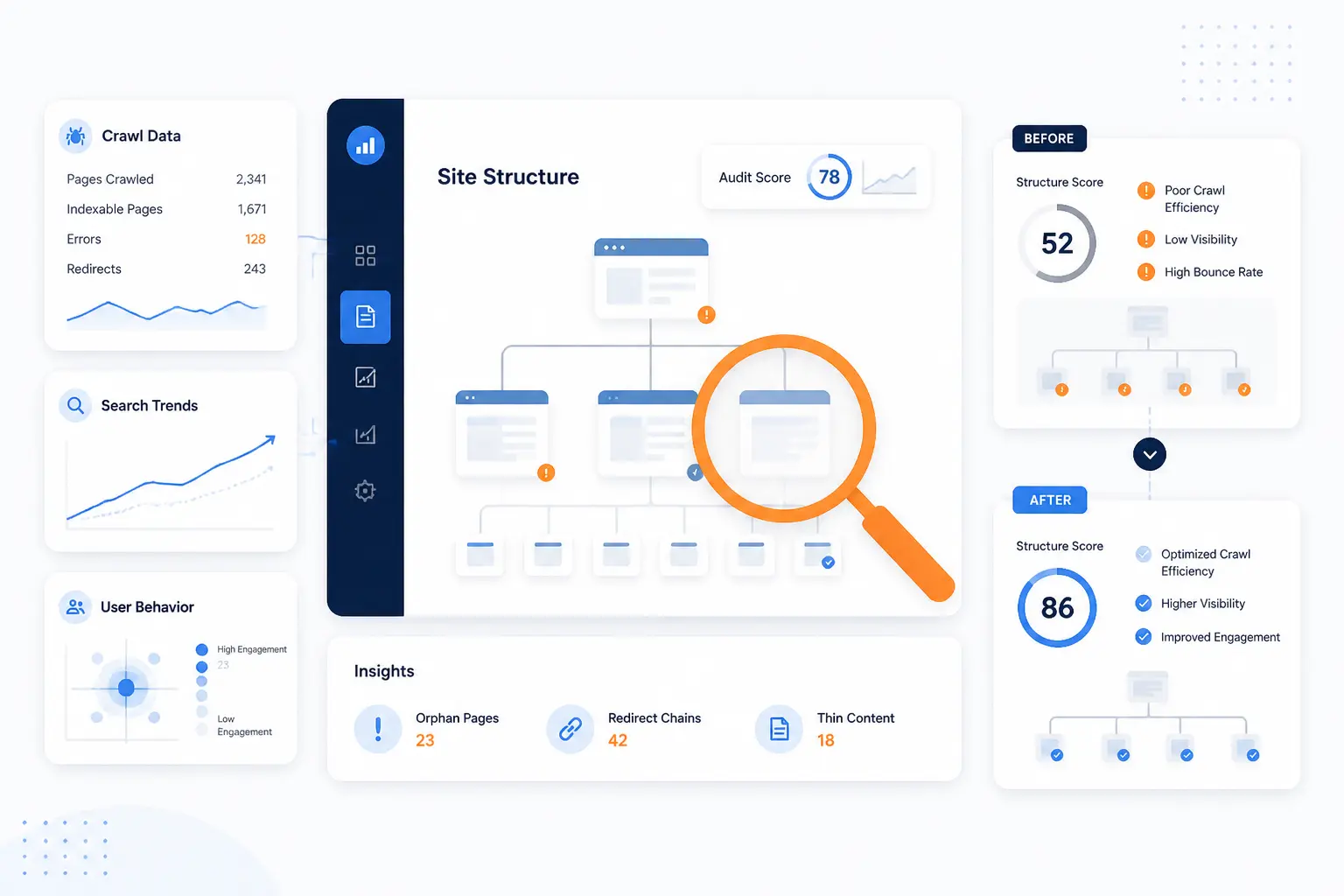
An architecture audit should tell you where the site is hard to reach, hard to interpret, or hard to crawl. We start with the page graph, not opinions. Then we compare what the structure says is important against what the business actually values. Finally, we confirm the impact of changes with crawl data, search data, and user behavior.
Map Click Depth and Structural Dead Ends
Start by mapping how many clicks it takes to reach important pages and where the paths stop. Dead ends often appear on blog posts, campaign pages, and outdated subcategories that fail to point users onward. We look for pages that attract traffic but do not feed stronger commercial or thematic destinations. Those are missed architectural opportunities.
Find Orphan Pages and Weak Internal Links
Orphan pages are a serious problem because they have no reliable place in the site’s internal structure. Google notes that discovery often depends on links from known pages, which means pages with weak or missing internal links can struggle to be found and revisited. We use crawlers, XML sitemaps, and analytics landing-page data together to spot them. Then we decide whether to integrate, merge, or retire them.
Identify Broken Links, Duplicate Paths, and Keyword Cannibalization
Broken links damage both movement and trust, while duplicate paths split signals across competing URLs. Similar pages aimed at the same intent can also blur the site’s hierarchy, even when they are not literal duplicates. We check for redirected internal links, inconsistent canonical choices, and multiple pages trying to rank for the same business-critical topic. These issues rarely live in isolation. They usually reveal a deeper structural mess.
Compare Your Layout With Competitor Structures
Competitor comparison is useful when you treat it like reconnaissance, not mimicry. Check how they organize category layers, which sections they elevate in navigation, and whether they built hub pages for topics you still scatter across blog posts. We often find the clearest opportunities here. Either your rivals buried something you can surface better, or they proved there is demand for a section you have not built yet.
Validate Changes With Crawlers, Search Console, and Analytics
Validate structural changes with evidence, not hunches. Crawl the site before and after, watch indexation and internal linking changes, and track whether key URLs gain impressions, clicks, and better visibility in Search Console. The Performance report guide is useful for checking top content and page-level outcomes after a restructure. We also watch user behavior in analytics, because a structure that ranks but sends visitors in circles is still unfinished.
Frequently Asked Questions
These are the questions we hear most often when teams start planning or cleaning up website architecture in SEO. The answers are short, but the principle behind each one is steady. Structure should make the site easier to understand, easier to crawl, and easier to grow.
What Is Website Architecture in SEO?
Website architecture in SEO is the way a site’s pages, categories, navigation, internal links, and URLs are organized for users and search engines. It shapes how pages are discovered, how authority moves internally, and how clearly topics are grouped. A strong structure makes the whole site easier to interpret.
What Types of Site Structure Work Best for SEO?
Hierarchical structures work best for most websites. They are easy to crawl, easy to scale, and easy for users to understand, though large content libraries may also need matrix-style internal linking and large catalogs may need database-driven controls. The best model is the one that matches how your content is browsed and expanded.
How Many Clicks Should a Page Be From the Homepage?
Priority pages should usually be as close to the homepage and major hubs as practical. We generally aim to keep the most important commercial and cornerstone pages within a few clicks, because deeper paths often weaken discovery and user momentum. There is no magical universal number, but “closer” is usually better.
Do Breadcrumbs Help SEO or Just Navigation?
Breadcrumbs help both navigation and SEO. They clarify hierarchy for users, and Google also uses breadcrumb information to better understand page position and can show breadcrumb-style paths in some search contexts. Their biggest value is usually structural clarity, not flashy search appearance.
How Do Orphan Pages Affect Rankings?
Orphan pages can hurt rankings because they are weakly connected to the rest of the site. If a page is hard for users and crawlers to find through internal links, it is less likely to receive strong discovery and support signals. Sometimes the fix is to link it properly. Sometimes the fix is to merge it into a stronger page.







Conclusion
Website architecture in SEO is not about making a site look tidy on a diagram. It is about deciding what deserves prominence, what belongs together, and how every important page earns its place in the structure. At 1Byte, we would rather launch a smaller site with a clean hierarchy than a larger site with confused paths and buried priorities.
If you are planning a new build, sketch the hierarchy before you touch the menu. If you are fixing an old site, start with depth, hubs, internal links, and duplicate paths. The smartest next step is usually simple: pick one high-value section and restructure it properly, then ask what the rest of the site can learn from that win.