


- What Is Website Crawling? The Process of Discovering and Fetching Pages
- How Website Crawling Works Step by Step
- Why Website Crawling Matters for SEO
- The Files and Signals That Guide Crawlers
- What Can Block or Waste Crawl Activity
- Crawling vs Indexing vs Scraping
- FAQ
- How 1Byte Helps Build Crawl-Ready Websites
- Conclusion
What is website crawling? Website crawling is the process where automated search bots discover URLs, visit pages, fetch their content, and collect signals that help search engines decide what to process next. We think of it as the first handshake between a website and a search engine. If a bot cannot discover or fetch a page, that page has a much harder path to appearing in search results. Crawling does not guarantee ranking, or even indexing, but it is the doorway every public page must pass through.
At 1Byte, we care about this topic because hosting, domains, SSL, links, redirects, and server responses all affect how cleanly bots can reach a site. A good page can still struggle if crawlers hit broken links, slow responses, duplicate URL traps, or blocked resources. The good news is that website crawling is not magic. Once we understand how search bots move, we can build sites that are easier to discover, read, and maintain.
What Is Website Crawling? The Process of Discovering and Fetching Pages
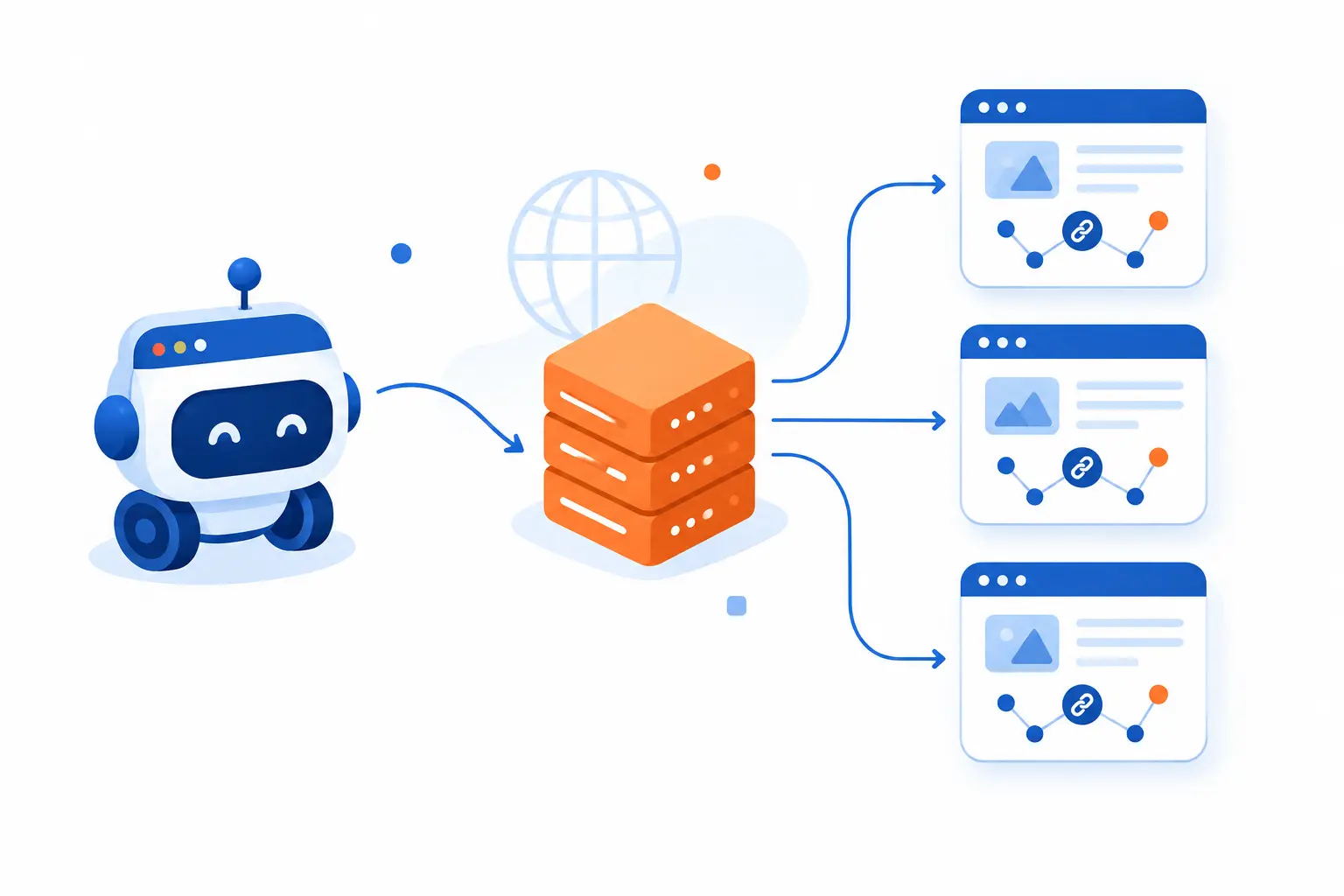
Website crawling is the automated discovery and fetching of web pages by bots, usually for search engines that need to find new and updated content. A crawler starts with known URLs, requests pages from servers, reads links and technical signals, then adds useful discoveries to its list of places to visit. Google describes Search as moving through stages that include discovery, fetching, rendering, indexing, and serving results in its own overview. In our view, crawling is the scouting mission before deeper evaluation begins.
A crawler is often called a bot, robot, or spider. Googlebot is Google’s web crawler. Bingbot does similar work for Bing. These systems do not browse like humans with curiosity and coffee in hand. They follow rules, schedules, links, server responses, and quality signals at enormous scale.
The simplest way to picture crawling is a librarian walking through a city of buildings. Each building is a website. Each room is a page. Every door, hallway, and sign helps the librarian decide where to go next. If doors are locked, signs point in circles, or rooms load too slowly, the librarian may skip parts of the building.
Crawling is separate from ranking. A page can be crawled and still fail to appear in search. That can happen when the page is duplicated, blocked from indexing, low in perceived value, technically broken, or less useful than another version. So when we say “crawl-ready,” we do not mean “guaranteed to rank.” We mean the site gives bots a fair, efficient path to the right content.
FURTHER READING: |
| 1. Benefits of Internal Linking and How to Use Them Well |
| 2. How to Fix Keyword Cannibalization Step by Step |
| 3. How to Choose SEO Keywords That Can Actually Rank |
How Website Crawling Works Step by Step
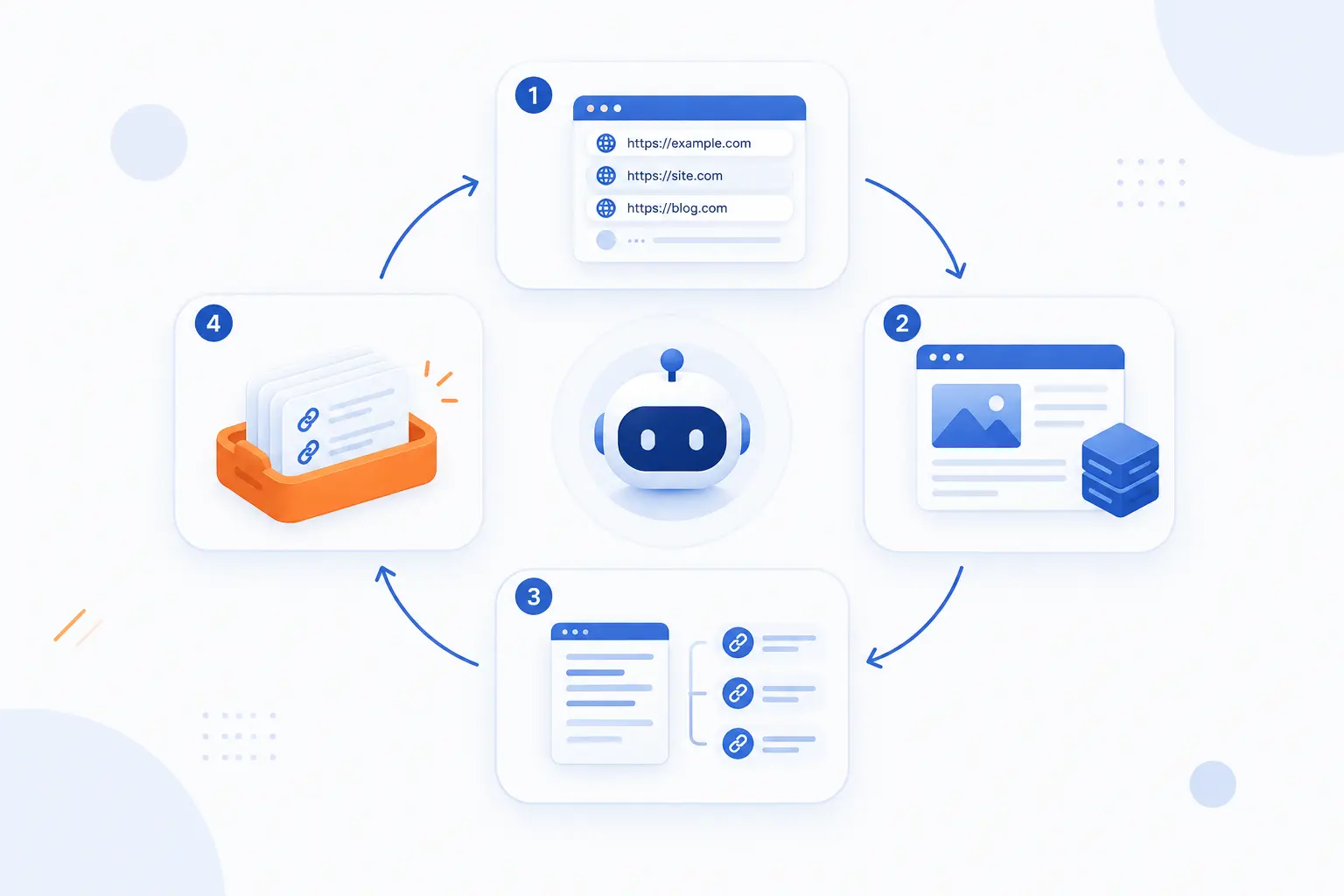
Website crawling works through a repeatable loop: start with known URLs, fetch them, extract links and signals, queue more URLs, then return later when content may have changed. Search engines do this across the open web, but the same pattern also appears in site audit tools, uptime monitors, and research crawlers. We like this step-by-step view because it turns a vague idea into something site owners can actually fix. If any step fails, discovery becomes weaker.
Start With Seed URLs
Crawlers begin with seed URLs, which are the starting addresses they already know. A seed URL might come from a previously visited page, a submitted sitemap, an external link, a browser ecosystem signal, or a search engine’s existing records. For a new business site, the homepage is often the natural seed. For a large store, category pages, product pages, and sitemap entries can all become starting points.
This is why launch discipline matters. If a site goes live with hidden pages, orphaned content, or a temporary “coming soon” structure, bots may form a poor first map. We prefer to launch with a clean homepage, working navigation, and important pages already linked. That gives crawlers a sensible first route through the site.
Follow Links to Discover More URLs
Crawlers discover more pages by following links from pages they can access. A normal HTML link points bots toward another URL, while navigation menus, related posts, breadcrumbs, and footer links can all reveal deeper pages. Google says links are generally discoverable when they use an <a> element with an href attribute, as explained in its HTML requirement. That small detail has real consequences.
If a button looks like a link but does not contain a crawlable destination, bots may miss it. If internal links only appear after unusual user actions, some tools may not see them. We have seen beautiful sites bury key service pages behind scripts, filters, or hover states. The page existed, but the path to it was weak. Search bots are patient, but they are not mind readers.
Fetch Page Content and Technical Signals
Crawlers fetch a URL by requesting it from the server and reading the response. The response includes the page content, HTTP status code, headers, and sometimes signals like canonical tags or robots directives. A successful response tells the bot, “Here is something to evaluate.” A redirect, error, timeout, or blocked request tells a different story.
Fetching is where hosting quality becomes visible. If a server responds slowly or inconsistently, bots may reduce activity. If headers are misconfigured, a page may send mixed signals. We pay close attention to status codes, redirects, SSL configuration, and server availability because these are not cosmetic details. They shape what crawlers can collect before content quality is even judged.
Add New Pages to the Crawl Frontier
The crawl frontier is the crawler’s queue of URLs waiting to be visited. Search systems constantly decide which URLs deserve attention now, later, or perhaps not at all. Pages linked from important pages, listed in sitemaps, updated frequently, or requested by many users may be prioritized differently from obscure or duplicated URLs. No public search engine gives us the full recipe, and frankly, we should not expect one.
For site owners, the practical lesson is simple: do not waste the queue. If faceted filters create thousands of near-identical URLs, bots can spend energy on noise. If every calendar page links to infinite future dates, the queue becomes polluted. Clean architecture helps bots spend attention where it matters.
Revisit Updated Content to Keep Results Fresh
Crawlers revisit pages because the web changes constantly. A pricing page may change, a blog post may be updated, a product may go out of stock, or a redirect may replace an old URL. Search engines use past behavior, site signals, links, and change patterns to decide how often to return. Pages that change often may be checked more often than static legal pages.
We recommend making updates visible in sensible ways. Keep important pages internally linked. Use accurate sitemaps. Avoid changing URLs unless there is a strong reason. When content moves, use proper redirects. Freshness works best when crawlers can tell what changed without fighting the site’s structure.
Why Website Crawling Matters for SEO

Website crawling matters for SEO because search engines must first find and fetch pages before they can evaluate them for search results. A site with great content but poor discovery is like a shop with the lights off. Crawling also helps search engines understand relationships between pages, spot updates, and reduce duplication. We see crawling as technical housekeeping with strategic consequences.
Helps Search Engines Find Your Pages
Crawling helps search engines find pages that deserve later evaluation. If a page has no internal links, no external links, and no sitemap reference, discovery becomes less reliable. That kind of page is called an orphan page. It may be live for humans who know the URL, but nearly invisible to bots.
For beginners, the fix is often basic. Link important pages from the homepage, menus, category pages, or relevant articles. Keep navigation clear. Make sure your sitemap contains canonical URLs that return successful responses. We do not need to shout at search engines. We need to leave a clean trail.
Gives Context About Topics and Relevance
Crawling gives search engines context by exposing page content, internal links, anchor text, headings, and site structure. A page about “cloud server pricing” makes more sense when it sits near related pages about infrastructure, backups, SSL, and hosting plans. Internal links act like editorial signals. They show which pages belong together and which pages matter most.
Context is not just about keywords. It is about relationships. A thin page with random links looks weaker than a focused page inside a clear topic cluster. We prefer to build sites where navigation reflects real user paths. Search bots benefit from the same clarity that users do.
Supports Fresh Results After Site Changes
Crawling supports fresh search results after pages change, move, or disappear. If a business updates a service page, fixes an error, or redirects an old URL, crawlers need to revisit those addresses before search systems can reflect the change. Google allows verified site owners to request another pass after changes through its request process. That can help for important pages, though it is not a ranking shortcut.
We treat recrawl requests as a useful nudge, not a rescue plan. The stronger plan is to keep the site technically healthy every day. Good internal links, correct redirects, stable servers, and accurate sitemaps help crawlers notice changes naturally.
The Files and Signals That Guide Crawlers
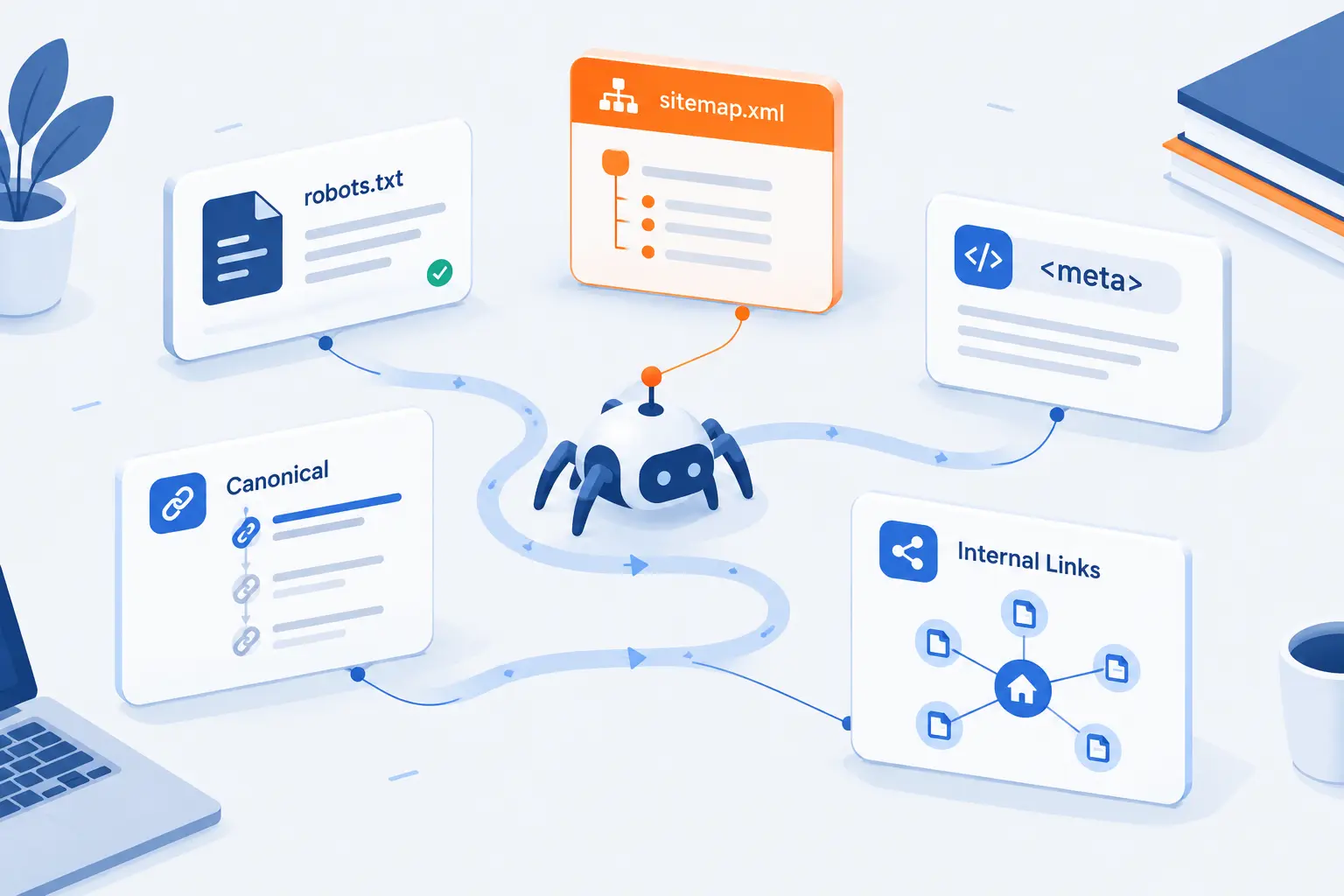
Crawlers are guided by files and signals that tell them what they can request, what pages matter, and which versions should be preferred. These signals include robots.txt, XML sitemaps, robots meta tags, canonical tags, and internal links. They do different jobs, so mixing them up can create surprising results. We see many SEO problems start when a site owner uses the right tool for the wrong job.
Robots.txt Rules
Robots.txt rules tell well-behaved crawlers which URL paths they may request. The file lives at the root of a site, such as /robots.txt, and uses directives like User-agent, Allow, and Disallow. The Robots Exclusion Protocol was standardized in the technical specification, which also makes clear that these rules are not access authorization. That last point is crucial.
Robots.txt is not a password, firewall, or privacy control. If sensitive content must stay private, protect it with authentication or remove it from public access. Use robots.txt to manage bot access, not to hide confidential files. A disallowed URL can still be known if other pages link to it.
XML Sitemaps
XML sitemaps tell search engines which URLs a site wants discovered. A sitemap can list page locations and optional metadata such as last modification date. The sitemap standard says these files help search systems learn about URLs, but treats them as hints rather than guarantees. That is a healthy way to think about them.
A sitemap should not become a junk drawer. Include canonical, indexable, useful URLs. Remove pages that redirect, error, duplicate another page, or should not appear in search. For a small business website, the sitemap may be simple. For a large publisher or store, sitemap hygiene can become a serious operational task.
Noindex and Canonical Hints
Noindex tells search engines not to show a page in search results, while canonical hints suggest the preferred version among similar URLs. These signals solve different problems. Use noindex when a page should be excluded from results. Use canonical when similar pages exist and one version should be treated as the main one.
Google’s documentation says a noindex rule means do not show this page in search results. Canonical tags, by contrast, are recommendations. Google may choose a different canonical if its systems believe another URL is more representative. In our opinion, canonicals work best when the whole site agrees: links, redirects, sitemaps, and tags should point to the same preferred URL.
Internal Links and Crawlable Content
Internal links and crawlable content help bots understand where to go and what each page contains. A clean internal link structure gives important pages more paths from the homepage and related content. Text, images, headings, structured HTML, and server-rendered content all help search systems interpret the page. If essential content is missing from the initial response, discovery can become more fragile.
We usually advise site owners to test important pages without assuming every script will run perfectly. Does the main content appear? Are key links present? Does the page return the right status code? A crawler-friendly page should make the important parts available without forcing bots through a maze.
What Can Block or Waste Crawl Activity
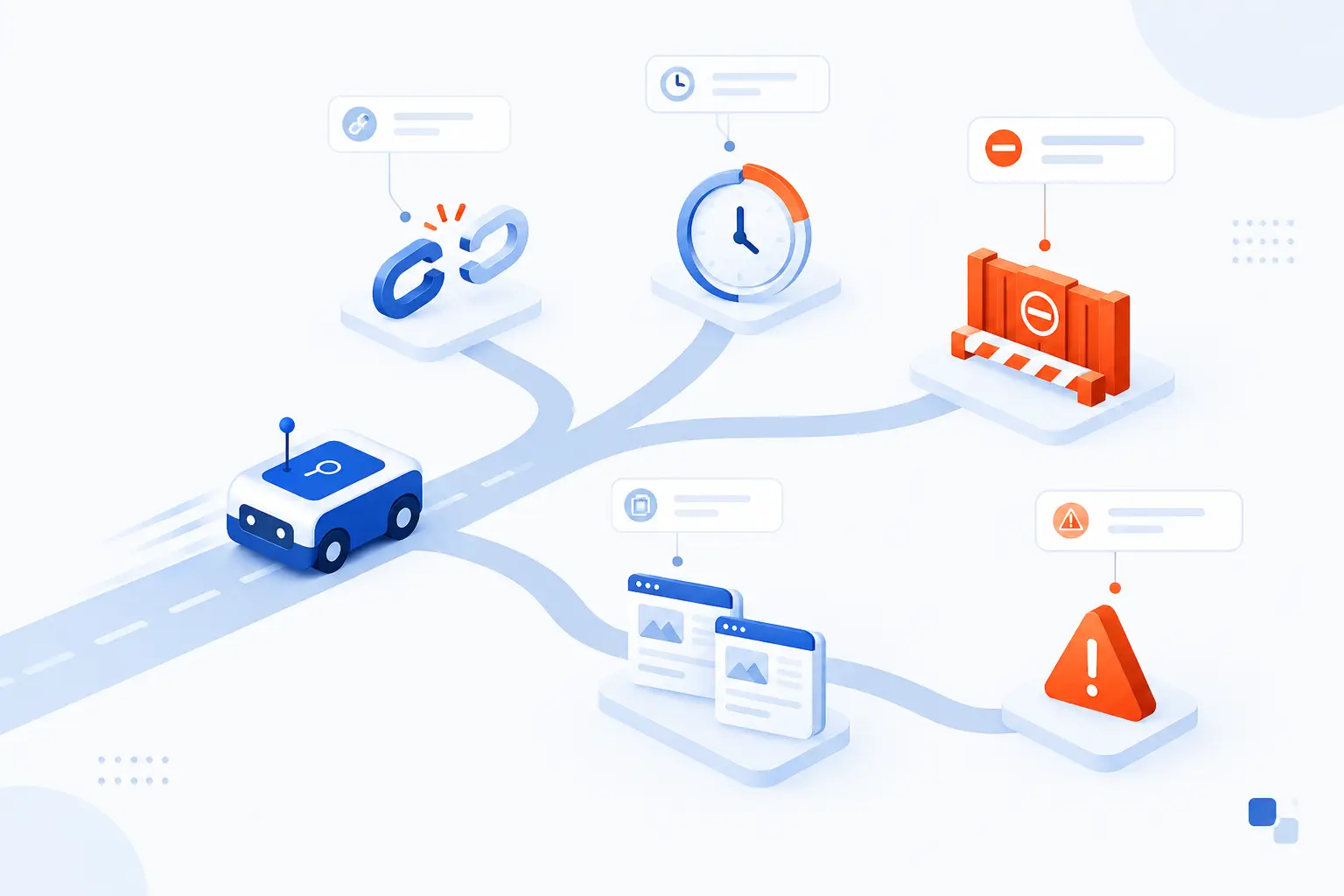
Crawl activity can be blocked by access rules, broken technical paths, slow responses, JavaScript problems, duplicate URLs, and error pages. It can also be wasted when bots spend time on pages that do not matter. The point is not to control every bot visit. The point is to guide discovery toward pages that deserve attention.
JavaScript and Dynamic Elements
JavaScript can make crawling harder when essential content or links are unavailable until scripts run. Google can render many JavaScript pages, but rendering is a separate processing step and blocked resources can prevent full understanding. Google says Search will not render JavaScript from blocked files or blocked pages in its developer guidance. That makes progressive clarity valuable.
We are not anti-JavaScript. Modern websites need interactivity. The problem appears when the only path to content depends on fragile client-side behavior. For important pages, make sure core text, metadata, and links are present in reliable HTML or rendered in a way search systems can process.
Broken Links, Redirects, and Error Pages
Broken links, long redirect chains, and error pages waste crawler attention. A broken link sends bots to a dead end. A redirect chain makes bots hop through extra URLs before reaching the final page. Google notes that Googlebot generally follows 10 redirect hops for general web content, but a shorter path is still cleaner.
We like redirects that behave like good road signs. One old URL should point directly to the best new URL. Avoid redirect loops, outdated chains, and soft 404 pages that look like real pages but say nothing useful. If a page is gone forever, return the right status. If it moved, redirect with intent.
Duplicate URLs and Infinite Crawl Paths
Duplicate URLs and infinite paths can pull crawlers away from important pages. This often happens with filters, sort orders, tracking parameters, session IDs, calendar pages, and internal search results. One product category can explode into thousands of URLs if every color, size, sort, and parameter creates a crawlable variant. That is expensive noise.
Canonicalization helps reduce confusion by identifying the representative URL. Google says duplicate pages are clustered and the chosen canonical page is visited more often, while duplicates are visited less often to reduce load, according to its explanation. Still, canonicals are not a license to generate chaos. Prevent needless URL variants when possible.
Slow Pages and Technical Bottlenecks
Slow pages and server bottlenecks can reduce how efficiently crawlers move through a site. When a server struggles, bots receive timeouts, partial responses, or delays. That does not help users either. Speed is not only an SEO concern. It is a basic sign that the site can serve content reliably.
Technical bottlenecks can come from heavy database queries, bloated themes, uncompressed assets, overloaded shared environments, or misconfigured caching. We prefer to solve the cause, not chase the symptom. A fast, stable page gives bots and users the same thing: less waiting and fewer failed requests.
Crawling vs Indexing vs Scraping
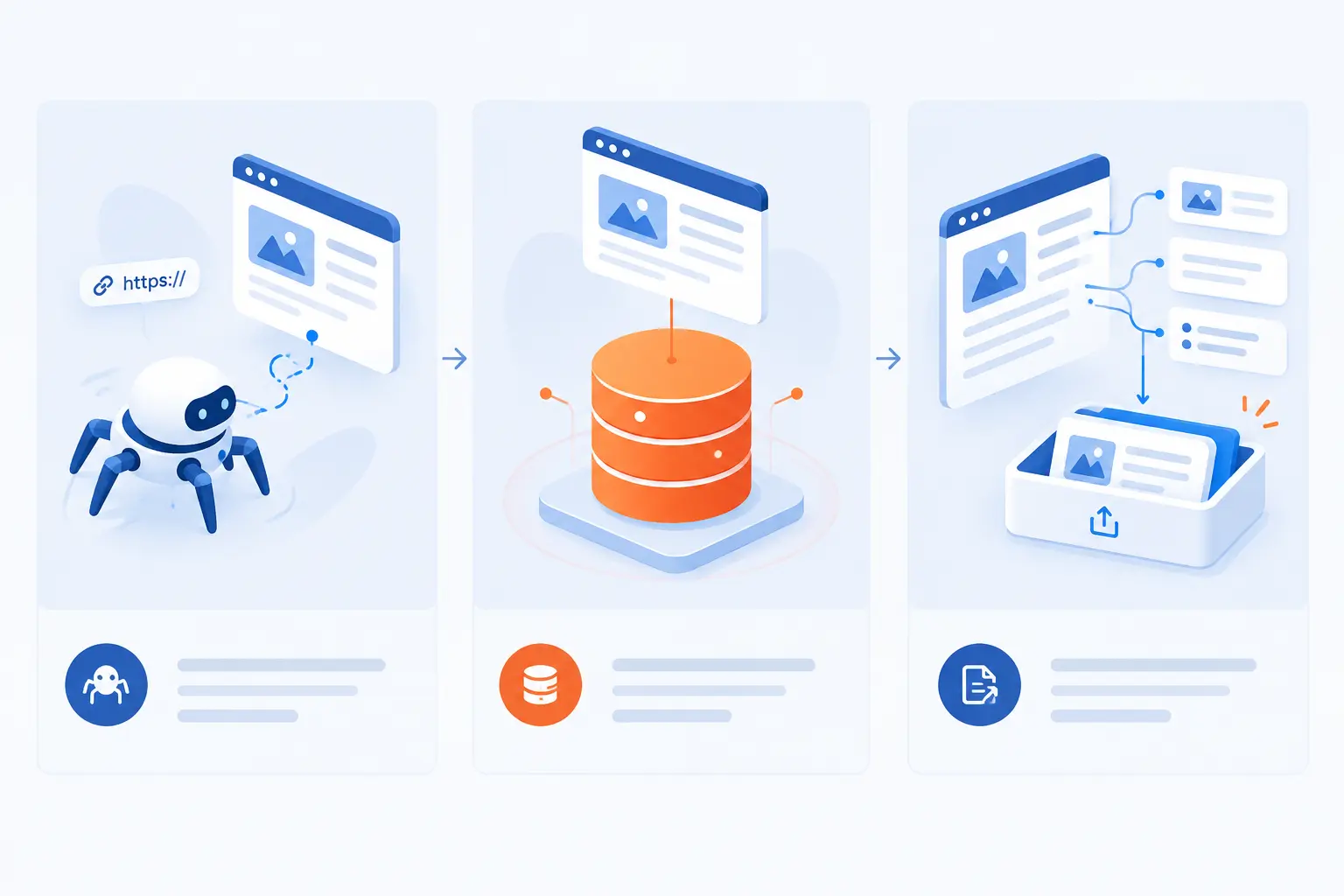
Crawling, indexing, and scraping are related terms, but they mean different things. Crawling is fetching and discovering URLs. Indexing is analyzing and storing information for possible retrieval in search results. Scraping is extracting data from pages, often for reuse outside the original site.
| Term | Core meaning | Common example |
|---|---|---|
| Crawling | Finding and fetching URLs | A search bot visits a new blog post |
| Indexing | Processing content for possible search use | A search engine stores signals about a page |
| Scraping | Extracting data from pages | A tool copies prices from product pages |
Crawling vs Indexing
Crawling finds and fetches a page, while indexing processes the page for possible inclusion in search results. This distinction saves a lot of confusion. A page can be crawled but not indexed. It can also be discovered but not yet fetched.
Indexing involves deeper analysis of text, images, videos, canonical signals, structured data, quality signals, and duplication. Google states that indexing includes analyzing page files and storing information in its index in the Search guide. Crawling opens the door. Indexing decides whether the room is worth cataloging.
Crawling vs Scraping
Crawling is about discovery and fetching, while scraping is about extracting specific data. A search engine crawler may fetch a page to understand and organize the web. A scraper may fetch a page to pull product prices, contact details, reviews, or other structured information. The techniques can overlap, but the intent differs.
Scraping can be legitimate or abusive depending on permission, rate, use case, and legal context. A company may scrape its own pages for QA. A third party copying content at scale is another matter. Crawling for search discovery usually follows known bot identities and public rules. Scraping tools may or may not do the same.
Why Crawled Pages Are Not Always Indexed
Crawled pages are not always indexed because search engines still decide whether the page is useful, accessible, allowed, and distinct enough to include. A page may be excluded because of noindex, duplication, poor quality, soft 404 behavior, blocked resources, canonical selection, or thin content. Sometimes the page is technically fine but not strong enough compared with other pages.
This is why “Google crawled my page” should not be the end of diagnosis. We look at the full chain: discovery, fetch, render, indexability, canonical choice, content value, and internal linking. If the page fails anywhere in that chain, search visibility can stall.
FAQ
These quick answers cover the common questions we hear from site owners who are learning what is website crawling and how to control it. The short version is simple: allow the pages you want found, block or deindex the pages that should stay out, and keep technical signals consistent. Small mistakes in this area can create large visibility problems. A five-minute rule change can sometimes hide a whole directory.
How Do I Stop Google From Crawling My Site?
You can stop Google from requesting parts of your site by using robots.txt disallow rules. If you want pages removed from search results, use noindex or restrict access instead, because robots.txt alone is not a privacy tool. For confidential content, require login or remove the files from public access.
What Is Data Crawling?
Data crawling is the automated process of visiting URLs or data sources to collect information for later processing. Search engines use it to discover web pages, while businesses may use controlled crawlers for audits, monitoring, research, or inventory checks. The key idea is automated collection from many locations.
Is Google a Web Crawler?
Yes, Google uses web crawlers, and Googlebot is the best-known one. Google itself is a search engine, while Googlebot is the automated system that fetches pages for Google Search. Other Google bots may handle images, ads, or different services.
Can I Ask Google to Crawl My Site?
Yes, you can ask Google to revisit a URL through Search Console or by submitting an updated sitemap. The URL Inspection tool allows verified users to request another attempt through the inspection workflow. This is useful after important fixes, but it does not guarantee indexing or ranking.
How 1Byte Helps Build Crawl-Ready Websites
1Byte helps build crawl-ready websites by connecting the foundations of a public site: domain registration, SSL certificates, WordPress hosting, shared hosting, cloud hosting, cloud servers, and our role as an AWS Partner. We cannot promise that any page will rank. No honest provider should. What we can do is help site owners put their pages on a sound technical base so bots can reach the right URLs more cleanly.
| 1Byte service | How it connects to crawling | Best fit |
|---|---|---|
| Domain registration and SSL certificates | Establishes a stable, secure URL identity | New sites and brand launches |
| WordPress hosting and shared hosting | Supports common website structures and content publishing | Blogs, business sites, and smaller projects |
| Cloud hosting and cloud servers | Gives teams infrastructure choices for growing sites | Traffic growth, applications, and custom workloads |
Register Domains and Secure URLs With SSL Certificates
Domains and SSL certificates give crawlers a stable, trusted address to request. A domain is the public name users and bots type or follow. SSL helps serve pages over HTTPS, which users now expect and search systems can recognize as part of a modern site. If a site has both HTTP and HTTPS versions floating around, canonical confusion can follow.
Our practical view is simple: choose the canonical domain early. Decide whether the site uses www or non-www. Redirect the other versions consistently. Keep SSL active and avoid mixed signals between sitemaps, links, redirects, and canonical tags. Clean URL identity makes the crawler’s map easier to trust.
Run Crawl-Friendly Sites on WordPress Hosting and Shared Hosting
WordPress hosting and shared hosting can support crawl-friendly sites when the site structure stays clean. WordPress makes publishing easy, but plugins, themes, tags, archives, and media pages can create many URLs if left unchecked. Shared hosting can be practical for smaller websites, especially when the site is light, organized, and maintained.
We encourage site owners to keep navigation simple, remove unused pages, avoid plugin clutter, and check that important posts and pages are internally linked. A small site does not need a complicated architecture. It needs reachable content, valid HTTPS pages, clear menus, and a sitemap that reflects what should be found.
Scale Cloud Hosting and Cloud Servers With 1Byte as an AWS Partner
Cloud hosting and cloud servers give growing sites more room to handle heavier workloads, custom applications, and changing traffic patterns. As an AWS Partner, 1Byte can connect infrastructure planning with real website requirements rather than treating every site the same. For crawling, the practical concern is reliability: bots and users both need pages to respond correctly when requested.
When a site grows, technical SEO problems often grow with it. More pages mean more redirects, parameters, templates, media, and server load. Cloud hosting and cloud servers can fit teams that need more control over these moving parts. Our advice is to plan infrastructure alongside URL structure, not after problems appear.







Conclusion
Website crawling is the discovery and fetching process that lets search engines find pages, follow links, read technical signals, and revisit content over time. It is the first step, not the final reward. A crawled page still needs to be indexable, useful, distinct, and technically consistent before it can earn search visibility.
We believe the best crawl strategy is calm and disciplined. Build clean internal links. Keep robots.txt, sitemaps, noindex tags, canonicals, redirects, and server responses aligned. Avoid infinite URL paths and dead ends. Give bots the same thing users want: a fast, clear route to the right content.
If you are reviewing your own site, start with one practical question: can a crawler reach your most important pages from the homepage in a few logical clicks?