

- Least Privilege Is the Practice of Giving Users, Applications, and Systems Only the Access They Need
- Examples of Least-Privilege Access
- Where Least Privilege Applies Across an Environment
- How Least Privilege Works in Access Control
- Why Least Privilege Matters
- Common Failures and Violations to Watch For
- Best Practices for Implementing Least Privilege
- How Least Privilege Relates to Need to Know and Zero Trust
- FAQ
- How 1Byte Supports Least-Privilege Security
- Conclusion
Least privilege is the security practice of giving each user, application, system, and process only the access needed to do its job, and nothing more. If a person only needs to read a report, they should not be able to edit it, delete it, export it, or change who else can open it. If an application only needs to send notifications, it should not be able to read every file in a company account. We see least privilege as one of the simplest ideas in security, and also one of the easiest to neglect when teams are moving fast.
The point is not to make work harder. The point is to reduce what can go wrong when an account is phished, a laptop is infected, a plugin is abused, or a junior admin clicks the wrong button. Least privilege works best when it becomes a default habit: start small, approve more access only when there is a real need, and remove that access when the need ends. That habit protects websites, cloud servers, databases, email, code repositories, admin panels, and the everyday tools that keep a business running.
Least Privilege Is the Practice of Giving Users, Applications, and Systems Only the Access They Need

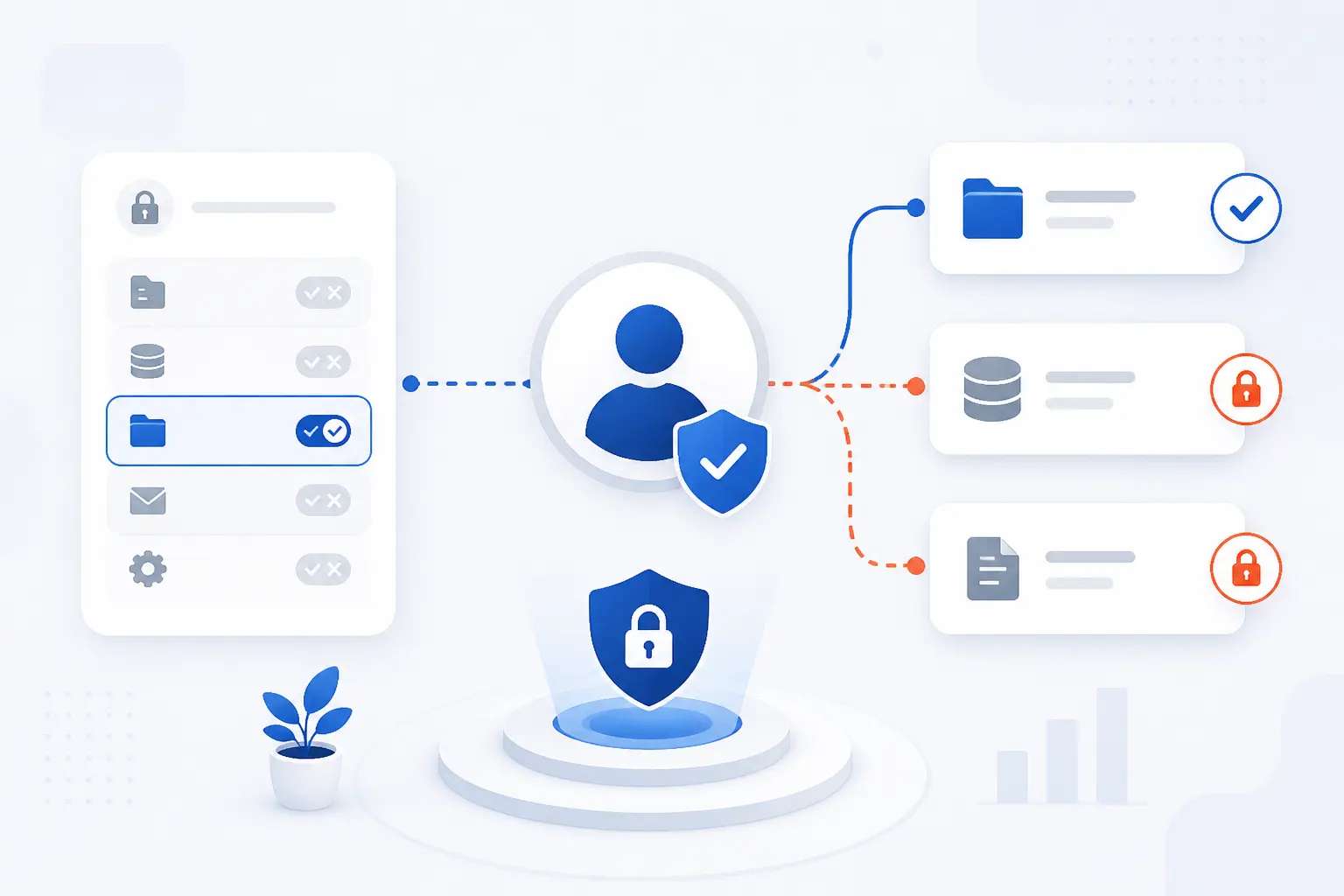
Least privilege means access should match the task, not the person’s status, convenience, or assumed trustworthiness. A user, program, or system should receive the smallest set of permissions required to complete assigned work. The idea is old, serious, and still practical: Saltzer and Schroeder described it in their classic 1975 paper on computer protection. We like the principle because it turns security from a vague warning into a concrete question: “What exactly does this identity need to do?”
At a small business, that may mean a marketing contractor can upload images but cannot install WordPress plugins. In a cloud environment, it may mean a backup service can read a storage bucket but cannot delete it. On a server, it may mean a process can write logs to one folder but cannot modify system files. The pattern stays the same across the stack: give enough access to work, but not enough to create unnecessary damage.
Least privilege also shifts how we think about trust. We should trust people with responsibility, but we should not turn every responsibility into administrator access. Good systems assume that mistakes will happen. They reduce the damage before the mistake occurs.
FURTHER READING: |
| 1. What Are DDoS Attacks and How Do They Disrupt Sites |
| 2. What Is SASE? Architecture, Components, and Benefits |
| 3. What Is Penetration Testing and How Does It Work |
Examples of Least-Privilege Access

Least-privilege access is easiest to understand through everyday permission choices. The rule is simple: match access to the job being done right now. A person answering customer tickets, a finance manager approving invoices, and a vendor fixing a theme should not all have the same permissions. We would rather spend a few extra minutes assigning the right role than spend days cleaning up after an avoidable overgrant.
| Example | Better access choice | Risk avoided |
|---|---|---|
| Employee laptop | Standard user for daily work | Malware gaining full device control |
| Department files | Role-based access by team | Private data being viewed or changed by the wrong group |
| Outside vendor | Temporary access with an end date | Forgotten accounts staying active after the project |
Standard Users vs Admin Accounts
Daily work should happen under a standard account, while admin accounts should be reserved for specific administrative tasks. That means browsing the web, reading email, editing documents, and joining meetings should not require administrator rights. If malware runs under a standard user, it usually has fewer ways to change system settings, install drivers, disable security tools, or access other users’ files.
We have seen this small habit make a big difference. A staff member may need admin access to install approved software once a month. That does not mean the same person needs admin rights every hour of every day. A cleaner model is to use one normal account for regular work and a separate elevated account for approved maintenance.
This also makes investigations easier. If an admin action occurs, we can ask why the elevated account was used. Without separation, every ordinary login becomes part of the blast radius.
Department Access to Applications and Files
Departments should receive access based on the systems and data they actually use. Finance may need payroll folders, billing records, and invoice approval tools. Marketing may need the content calendar, brand assets, and analytics dashboards. Engineering may need code repositories, deployment logs, and infrastructure documentation.
Mixing all of that together is asking for trouble. A marketing intern should not stumble into payroll exports. A developer should not need edit access to HR records to deploy a website update. Department boundaries are not about distrust. They are about keeping normal mistakes from becoming business-wide incidents.
Good file permissions also reduce awkward internal problems. When employees can only open the data they need, fewer people are exposed to confidential material. That helps with privacy, compliance, and plain human decency.
Temporary Guest and Vendor Permissions
Guest and vendor access should be temporary, scoped, and removed when the work ends. A designer fixing a landing page may need access to a staging site, but not the production database. A payment consultant may need to review configuration, but not create new admin users. A contractor testing email delivery may need logs for one service, not access to the whole control panel.
Time limits matter because vendor work often ends quietly. The invoice is paid, the task is done, and the account remains. Months later, nobody remembers why it exists. That forgotten account can become a soft target.
Our preference is simple: give guests the smallest useful role, set an expiration date, and review access before extending it. If nobody owns the access, nobody should keep it.
Where Least Privilege Applies Across an Environment

Least privilege applies anywhere an identity can act on a resource. That includes people, service accounts, APIs, workloads, devices, databases, networks, file shares, and admin consoles. We should not treat it as only an IT help desk rule. It is a design principle for the whole environment, from a WordPress editor role to an infrastructure policy attached to a cloud server.
User Accounts and Roles
User accounts should be mapped to job responsibilities, not copied from the nearest coworker. Copying permissions is quick, but it often spreads old mistakes. A sales employee may inherit access to reports, shared drives, and admin screens that made sense for someone else two years ago.
Roles help because they group permissions around repeatable work. For example, a support role may view customer tickets and update status fields. It should not export the full customer database unless that task is truly part of the job. A manager role may approve refunds, but that does not automatically justify server access.
The hard part is keeping roles honest over time. People change teams. Projects end. Tools are replaced. If permissions do not change with the work, least privilege slowly turns into wishful thinking.
Applications, APIs, and Consent
Applications and APIs should request only the permissions needed for their specific function. A calendar scheduling app may need to read free-busy information. It should not automatically receive permission to read every mailbox message. A reporting tool may need read-only access to analytics, not the right to change account settings.
Modern identity platforms make this visible through scopes, delegated permissions, application permissions, and consent screens. For example, Microsoft explains that delegated access acts on behalf of a signed-in user, while app-only access lets the application act as its own identity in its developer guidance. That distinction matters because app-only permissions can be powerful and quiet.
We are especially cautious with broad application grants. A user may click “accept” to connect a tool without understanding how much data the tool can reach. Admins should review high-risk consent requests, unused app grants, and permissions that include broad read, write, or directory access.
Systems, Processes, and Devices
Systems and processes should run with the lowest operating privileges that let them function correctly. A web server process should not run as a full system administrator if it only needs to serve files and write logs. A database backup job should not be able to change firewall rules. A monitoring agent should not gain write access to application code unless there is a narrow reason.
Devices need the same discipline. Employee laptops, shared workstations, build servers, and production hosts should not all expose the same administrative surface. A kiosk device should do kiosk work. A developer workstation should support development. A production server should run the workload and reject casual tinkering.
This is where least privilege becomes operational. It is not just a directory setting. It affects service users, file ownership, startup permissions, shell access, local admin rights, and remote management paths.
Networks, Data, and Other Resources
Networks and data stores should allow only the traffic and actions required by the business flow. A public web server may need to talk to an application service. That application service may need to talk to a database. The database usually should not accept connections from every office laptop, guest device, or public IP address.
Data permissions deserve extra care because data often outlives the application that created it. Old exports, archived backups, shared folders, object storage buckets, and analytics copies can all carry sensitive information. If access is broad, a single compromised identity can read far more than the original system intended.
We also think network permissions should be treated as access decisions, not plumbing. Opening a port is granting a path. Adding a route is expanding reach. Those choices should be as deliberate as assigning an admin role.
How Least Privilege Works in Access Control

Least privilege works by making permission decisions specific, reviewable, and reversible. Access starts low, rises only for approved reasons, and drops again when the reason disappears. The access-control catalog in NIST SP 800-53 includes controls for accounts, authorization, separation of duties, session limits, and privilege review in the SP 800-53 catalog. We read that as a practical reminder: least privilege is a process, not a checkbox.
Start With Minimal Rights by Default
New accounts should start with minimal rights unless a specific role requires more. This default prevents the common pattern where every new hire receives broad access because nobody has time to decide. It also prevents tools from being connected with sweeping permissions during setup and then forgotten.
Cloud permissions show the idea clearly. AWS guidance says policies should grant only the permissions required for a task, and teams should start with a small permission set before adding more as needed in its policy guidance. The same logic applies outside AWS. Start narrow, observe what the work really needs, then adjust.
Minimal defaults can feel slower at first. In practice, they create cleaner systems. Access requests become evidence of real work, not noise caused by reckless starting permissions.
Separate Sensitive Tasks and High-Risk Functions
Sensitive tasks should be separated so one account cannot approve, execute, and hide a risky action alone. For example, the person who requests a refund should not always be the same person who approves large refunds. The account that deploys code should not necessarily manage billing. The tool that reads logs should not also rotate production secrets unless needed.
This separation reduces fraud, mistakes, and quiet abuse. It also gives teams better audit trails. If a dangerous action requires a second role, a separate approval, or a different account, the event becomes more visible.
We find this especially useful for server and cloud administration. One identity may restart a service. Another may change firewall rules. A more restricted path may view logs. Splitting these duties keeps one stolen password from becoming a skeleton key.
Grant Time-Bound Elevation Only When Needed
Elevated access should be granted for a limited time and only when a task requires it. This is often called just-in-time access. A system administrator may request temporary rights to patch a server. A developer may request short-lived production access during an incident. A database engineer may receive a narrow role for a migration window.
Time-bound elevation cuts down standing privilege. Standing privilege is access that sits around waiting to be abused. It may be convenient, but it creates permanent risk for temporary needs.
The approval process should not be theater. A good request states the system, task, permission, business reason, and duration. When the time ends, access should expire automatically or be removed by process.
Revoke Access That Is Unused, Reducible, or No Longer Relevant
Access should be removed when it is unused, broader than needed, or no longer tied to current work. This sounds obvious, but it is where many environments fail. People move teams and keep old groups. Apps are retired but retain API tokens. Vendors finish projects but keep portal accounts.
Reviews should look for three questions. Is the access still used? Is it still required? Could it be replaced with a narrower permission? If the answer points toward removal, we should remove it.
CIS recommends disabling dormant accounts after 45 days of inactivity, where supported. We do not treat that as a magic number for every case, but it is a useful forcing function. Dormant accounts are not harmless. They are doors nobody watches.
Why Least Privilege Matters

Least privilege matters because every unnecessary permission becomes extra risk. Attackers, malware, careless users, and broken scripts can only do what their permissions allow. If access is narrow, damage is contained. If access is broad, one mistake can turn into a company-wide incident.
Smaller Attack Surface and Less Lateral Movement
Least privilege reduces the number of paths an attacker can use after the first compromise. Initial access is rarely the attacker’s final goal. They want to move from one user to another, from one machine to another, and from one system to more valuable data.
That is why we care about lateral movement. If a phished sales account can reach file shares, admin portals, cloud consoles, and internal databases, the attacker has room to roam. If that same account can only use sales tools and a narrow set of folders, the attack is easier to contain.
The latest Verizon DBIR reporting found vulnerability exploitation began 31% of all breaches, which is a useful reminder that attackers do not need only passwords to get inside. Once they are in, broad internal permissions make the second step easier. Least privilege does not prevent every entry, but it can frustrate the journey after entry.
Reduced Malware Spread and Lower Blast Radius
Least privilege limits what malware can change, encrypt, steal, or disable. Ransomware running under a low-privilege user may still cause pain, but it should not automatically control domain settings, backups, security tools, or every shared drive. The same idea applies to a compromised plugin, script, service account, or API token.
Blast radius is the useful phrase here. A small blast radius means one compromised component affects a limited area. A large blast radius means the compromise jumps across systems because permissions allow it.
We prefer designs where failure is expected but contained. Backups should not be writable by every production identity. Admin consoles should not be reachable from every endpoint. Service accounts should not carry broad rights just because it was faster during deployment.
Fewer Costly Errors and Stronger Compliance Readiness
Least privilege reduces accidental damage because users cannot easily perform actions outside their role. A content editor should not delete DNS records. A billing clerk should not change server firewall rules. A junior developer should not rotate production database credentials during normal development.
Compliance also becomes less painful when permissions are intentional. Auditors often ask who can access sensitive data, who approved that access, and when it was last reviewed. If access has been assigned carefully, those questions are answerable. If everyone is an admin, the answers become uncomfortable.
We do not recommend least privilege only because auditors like it. We recommend it because the discipline creates evidence. Access records, approvals, role definitions, and review notes all show that the business is managing risk rather than hoping for the best.
Common Failures and Violations to Watch For

Least-privilege failures usually come from convenience, growth, and forgotten exceptions. A permission is granted “just for now,” then never removed. A new app asks for broad access, and someone approves it to finish setup. A shared admin account survives because it is easier than fixing identity management. These failures are common, but they are fixable when teams look for them directly.
Overprivileged Accounts and Privilege Creep
Overprivileged accounts have more access than their current work requires. Privilege creep happens when access accumulates over time through promotions, transfers, temporary projects, and emergency requests. The user may not even know they still have those rights.
This is one of the quietest problems in security. Nothing looks broken. Nobody complains. Yet an account that should access five resources can now access fifty.
We recommend watching for role overlap, old group memberships, and users with both everyday and administrative permissions. Also look at executives, founders, and senior engineers. Important people often receive too much access because nobody wants to say no.
Unused and Overly Broad Application Permissions
Unused and broad application permissions are a major least-privilege risk because apps can act even when users are not paying attention. A third-party tool may keep a token after a trial ends. An automation script may retain write access after the workflow changes. A reporting connector may read more data than the report displays.
Application permissions are easy to underestimate because there is no person logging in at a desk. But an app identity can be powerful. If it has tenant-wide, workspace-wide, or account-wide rights, an attacker who steals its secret may inherit that reach.
Review app grants the same way you review human access. Ask what data the app reads, what it changes, who approved it, when it last acted, and whether a narrower scope exists.
Shared Accounts and Excess Standing Access
Shared accounts break least privilege because they hide who actually performed an action. If five people use one admin login, logs show the account, not the human. That makes accountability weak and incident response slower.
Shared accounts also encourage excessive standing access. Teams keep the password available because someone might need it. Over time, that password spreads through chat messages, notes, password managers, and old documentation.
Replace shared access with named accounts, groups, roles, and temporary elevation. If a shared account cannot be eliminated immediately, restrict it, rotate its secret, monitor it closely, and set a deadline to retire it.
Best Practices for Implementing Least Privilege

Implementing least privilege means building a repeatable access lifecycle. Discover what exists, define what should exist, remove what is unnecessary, and review the result. We do not need perfection on day one. We need a bias toward narrower access and a schedule for cleaning up the rest.
Audit Accounts, Endpoints, and Permissions Regularly
Regular audits reveal which accounts, devices, and permissions no longer match reality. Start with human accounts, admin accounts, service accounts, API keys, SSH keys, endpoint local admins, and cloud roles. Then check who owns each one and why it exists.
A good audit is not just a spreadsheet ceremony. It should produce decisions: keep, reduce, disable, delete, or investigate. If nobody can explain a permission, that permission should not survive by default.
We suggest prioritizing high-risk areas first. Review administrator groups, production access, billing permissions, DNS control, database exports, backup deletion rights, and third-party application grants. Those are places where one wrong permission can hurt quickly.
Use Role-Based Access Controls and Segmentation
Role-based access control and segmentation make least privilege easier to manage at scale. Instead of granting permissions one person at a time, define roles around real job functions. Then segment systems so access to one area does not automatically imply access to another.
For example, a WordPress site can separate administrators, editors, authors, contributors, and subscribers. WordPress documents six pre-defined roles, including Super Admin for multisite networks. That role model gives site owners a starting point for matching publishing work to publishing permissions.
Segmentation adds another layer. Even if a user can manage content, they may not need hosting control panel access. Even if an engineer can deploy an application, they may not need direct database export rights. Layers make compromise harder to turn into control.
Remove Unneeded Admin Rights From Endpoints and Servers
Admin rights should be removed from endpoints and servers unless they are required for a specific role or approved task. This is one of the highest-return changes many organizations can make. It reduces malware impact, blocks many unauthorized installs, and prevents casual system changes.
Start with workstations. Identify local administrators, remove routine users, and create a path for approved elevation. Then move to servers. Check who can use sudo, who can log in over SSH, who can restart services, and who can edit critical configuration.
Do not forget service accounts. A service that runs as root or full administrator should raise eyebrows. Sometimes it is necessary. Often it is a leftover from setup day.
Build and Review Applications for the Least-Permissive Access
Applications should be designed to request, store, and use the least-permissive access possible. Developers should avoid broad scopes when narrower ones exist. They should separate read actions from write actions, user actions from admin actions, and normal workflows from maintenance functions.
This applies to databases too. An application that only reads product listings should not connect with a database owner account. A contact form should not need permission to drop tables. A background job that processes images should not need access to customer billing records.
Code review should include permission review. Ask which identities the app uses, what those identities can do, and what happens if a token leaks. We find that one uncomfortable question often catches the risky shortcut before production does.
How Least Privilege Relates to Need to Know and Zero Trust

Least privilege, need to know, and zero trust are related, but they are not the same idea. Need to know focuses on whether a person should see particular information. Least privilege covers what any identity can do across systems and resources. Zero trust is a broader architecture that assumes trust is not automatic and access must be continuously evaluated.
How It Differs From Need to Know
Need to know is about limiting information access to people with a valid reason to know it. It is common in government, legal, HR, healthcare, and finance settings. If someone does not need a file, record, or conversation to do their job, they should not see it.
Least privilege includes need to know but goes further. It covers actions, systems, applications, processes, network paths, and administrative functions. A user may need to know a customer’s billing status, but still not need permission to export every customer record.
We think of need to know as a data exposure rule. Least privilege is the broader operating rule. One asks, “Should this person see it?” The other asks, “What exactly should this identity be able to do?”
How It Strengthens Zero Trust
Least privilege strengthens zero trust by making every approved session narrower and more specific. Zero trust rejects the idea that being on the internal network should grant broad confidence. NIST describes zero trust as moving defenses away from static network perimeters and toward users, assets, and resources in its zero trust publication.
Least privilege gives zero trust its teeth. If every request is verified but the user still receives broad access after verification, the model is weak. Verification answers who is asking. Least privilege answers what they may do.
Together, they create a better pattern. Authenticate the identity. Check the device and context. Authorize only the required action. Monitor the session. Then remove or re-evaluate access when conditions change.
FAQ
Least privilege often sounds simple until teams try to apply it to real accounts, cloud roles, and business exceptions. The core idea stays steady: access should be necessary, specific, and removable. These quick answers clarify the terms readers ask about most. We will keep them short because good security definitions should not need a maze.
What Best Describes the Principle of Least Privilege?
The principle of least privilege is best described as giving each user, application, process, or system only the permissions needed to perform its assigned task. Extra access should be withheld unless there is a clear reason to grant it. In practice, that means read-only when read-only is enough, temporary admin access when elevation is temporary, and no access when there is no business need.
What Is a Violation of the Principle of Least Privilege?
A violation of the principle of least privilege occurs when an identity has more access than it needs. Examples include everyday users with local admin rights, vendors with permanent accounts, applications with broad data permissions, and former employees whose accounts remain active. The test is simple: if the work can be done safely with less access, the current access is too broad.
What Is the Principle of Least Privilege in NIST 800-53?
In NIST 800-53, the principle appears as AC-6 in the Access Control family. It calls for allowing only authorized access for users and processes that is necessary to accomplish assigned organizational tasks. The same control also connects to practical ideas like reviewing privileges and restricting access to security functions.
Who Introduced the Principle of Least Privilege?
The principle is most commonly associated with Jerome H. Saltzer and Michael D. Schroeder. Their 1975 paper on protecting information in computer systems helped make it one of the classic design principles of computer security. Earlier operating system work influenced the idea, but Saltzer and Schroeder gave it the durable wording that security teams still use.
How 1Byte Supports Least-Privilege Security
At 1Byte, we view least privilege as a practical operating habit for hosting, cloud, and website management. Our role is not to replace a customer’s internal security policy. It is to provide services that fit cleanly into controlled access decisions. Domain registration, SSL certificates, WordPress hosting, shared hosting, cloud hosting, cloud servers, and our work as an AWS Partner all touch permissions in different ways.
| 1Byte service area | Least-privilege connection | Practical decision |
|---|---|---|
| Domain registration and SSL certificates | Control who manages identity and trust records | Limit DNS and certificate changes to approved roles |
| WordPress hosting and shared hosting | Separate site publishing from full administration | Use safer user roles for content work |
| Cloud hosting and cloud servers | Match server and workload access to real duties | Grant admin paths only where needed |
Domain Registration and SSL Certificates for Controlled Access
Domain registration and SSL certificates should be managed by people who are trusted to control public identity for the business. A domain change can redirect traffic. A DNS mistake can interrupt email or a website. A certificate issue can break secure browser connections.
That means domain and certificate access should not be treated as casual website access. The person who writes blog posts usually does not need to change name servers. The person who uploads product photos usually does not need to approve certificate changes.
Our view is direct: separate content work from identity and trust controls. Keep domain registration and SSL certificate management in the hands of roles that understand the operational impact.
WordPress Hosting and Shared Hosting With Safer User Roles
WordPress hosting and shared hosting should use user roles that match what each person does on the site. A writer may need to draft posts. An editor may need to publish and manage content. An administrator should be limited to people who truly need site-wide control.
This matters because WordPress administration can affect themes, plugins, users, and settings. If every contributor becomes an administrator, the site becomes easier to break and harder to audit. Shared hosting deserves the same discipline around control panel access, file changes, and database access.
We prefer the boring, safer pattern: give content teams content roles, give administrators admin roles, and review old users after campaigns, redesigns, or staff changes.
AWS-Partner Cloud Hosting and Cloud Servers With Granular Permissions
Cloud hosting and cloud servers should use granular permissions so administrators, developers, applications, and services do not all share the same power. A deployment workflow may need to update application files. It may not need to manage billing. A monitoring task may need to read metrics. It may not need to delete storage.
As an AWS Partner, 1Byte sees cloud access as one of the clearest places to apply least privilege. Cloud environments make it possible to separate users, roles, policies, service identities, and resources with care. The hard part is not the concept. The hard part is resisting shortcuts when a deadline is close.
Our opinion is simple: cloud permissions should be written for the workload, not for convenience. If a cloud server or service only needs one narrow path, that is the path it should get.







Conclusion
Least privilege is a small phrase with a large security effect. It asks us to stop handing out broad access by default and start matching permissions to real work. That applies to users, applications, APIs, servers, devices, networks, data, domains, and cloud resources.
We like least privilege because it is practical. It does not promise perfect protection. It reduces damage when a password is stolen, an app is abused, malware lands, or someone makes a tired Friday mistake. In our experience, that is what mature security often looks like: fewer heroic rescues, more boring guardrails.
If you want a next step, start with your highest-risk permissions. Review admin accounts, production access, application consent, domain controls, and cloud roles. Ask one blunt question for each: does this identity still need all of this access?