

- How a Search Engine Works From Discovery to Results
- What a Search Engine Is and Its Core Components
- How Search Engines Crawl the Web
- How Search Engines Index and Understand Content
- How Search Engines Rank and Serve Results
- Why Some Pages Are Not Crawled, Indexed, or Shown in Search Results
- How to Help Search Engines Understand Your Website
- Search Engines Versus Web Browsers
- A Brief History of Search Engines
- Frequently Asked Questions About How Search Engines Work
- How 1Byte Supports Search-Friendly Websites With Hosting and Cloud Services
- What to Remember About How a Search Engine Works
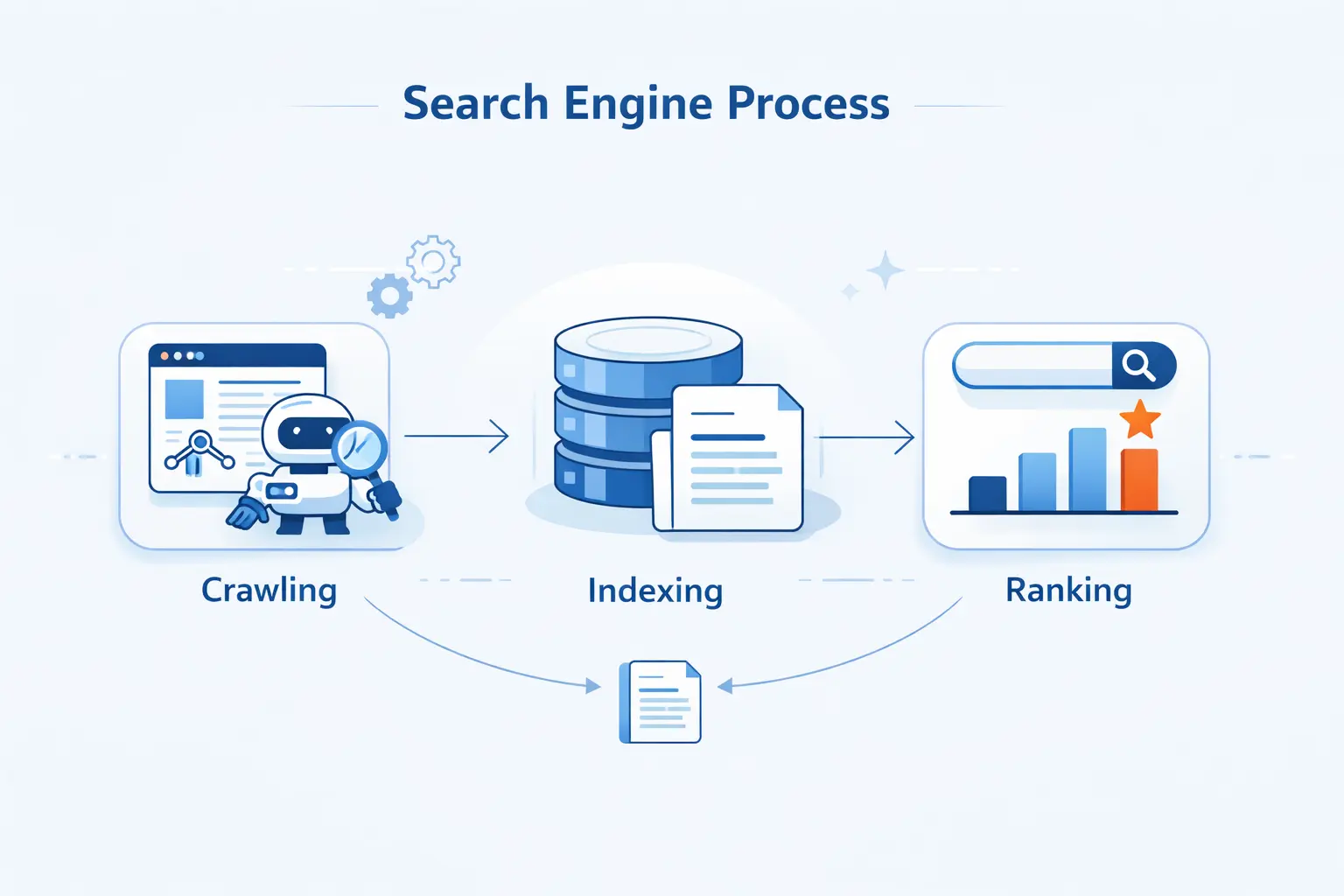
When clients ask us, “how does a search engine work,” we usually start with the plain version. A search engine discovers web pages, reads and renders them, stores what it learns in an index, and then ranks possible answers when someone types a query.
We think the biggest mental shift is this. Search engines do not search the live web from scratch each time. They search a huge stored index of pages and signals, then decide which results deserve to appear first for that moment, that query, and that user context.
How a Search Engine Works From Discovery to Results
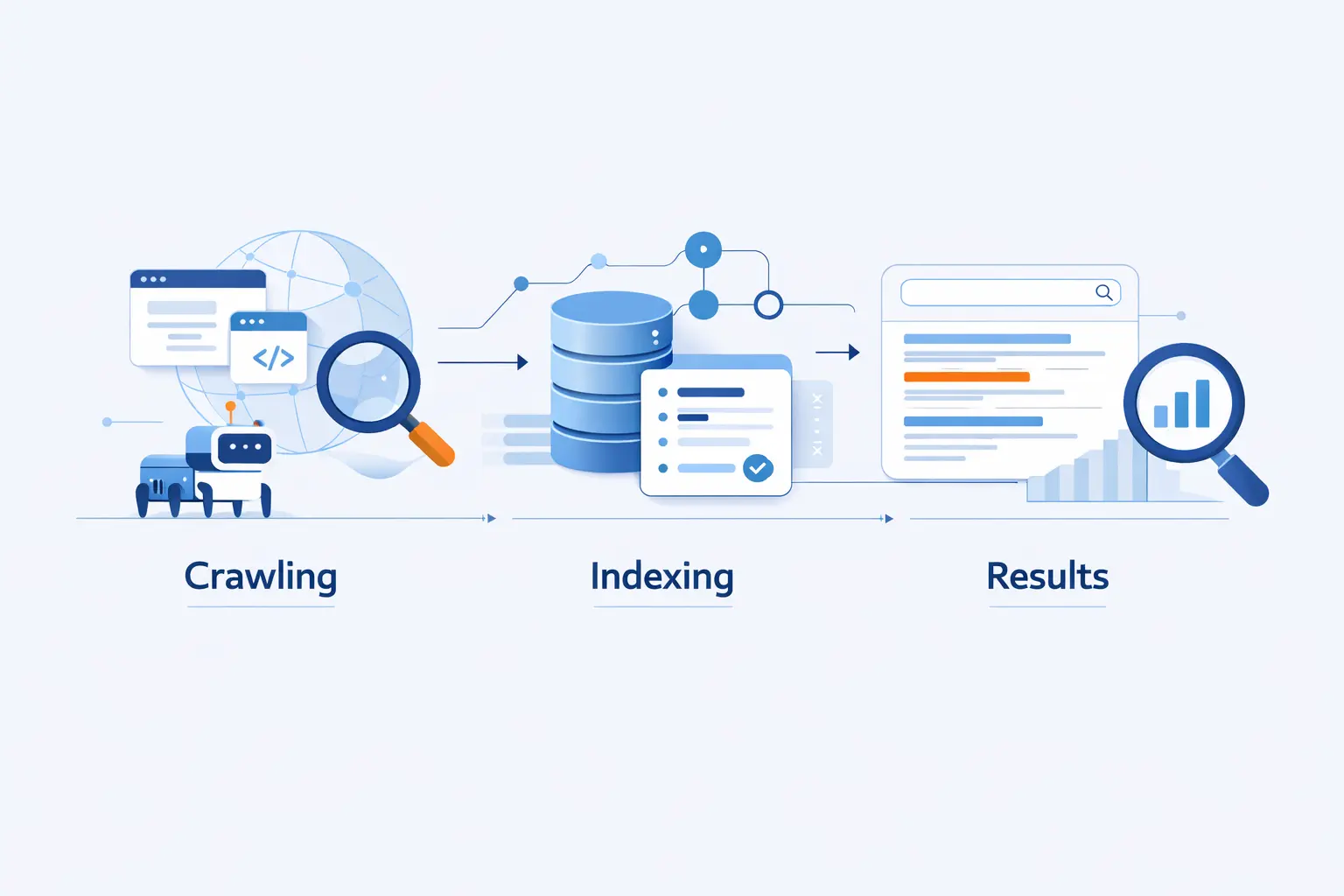
At a high level, the workflow is simpler than most people expect. As of May 2026, Google still handled 90.39% of worldwide search traffic, so the crawl, index, and rank model still explains how most site owners should think about visibility on the web.
1. Step 1 Discover New and Updated URLs
Search engines begin by finding URLs. They learn about pages from links on sites they already know, from earlier crawls, and from submitted sitemaps. If a new product page has no internal links and no sitemap reference, it may stay invisible longer than site owners expect.
2. Step 2 Crawl and Render Pages
After discovery, crawlers fetch the page and try to understand what users would actually see. That means reading HTML, requesting supporting files when needed, and sometimes rendering JavaScript. On modern sites, especially app-like sites, rendering matters because key content may not exist in the initial HTML response.
3. Step 3 Index and Organize Content
Once a page is crawled, the engine analyzes text, images, video, titles, alt text, and other signals, then decides whether the page deserves a place in the index. It also groups near-duplicate pages and tries to identify a canonical version, which is the one most likely to appear in results.
4. Step 4 Interpret the Query and Rank the Best Results
When someone searches, the engine does not dump every matching page onto the screen. It tries to infer intent, compare relevant indexed pages, and rank the most useful ones by relevance, quality, usability, freshness, and context. That is why “pizza” often triggers nearby businesses, while “change laptop brightness” can surface a support page even if it uses slightly different wording.
What a Search Engine Is and Its Core Components
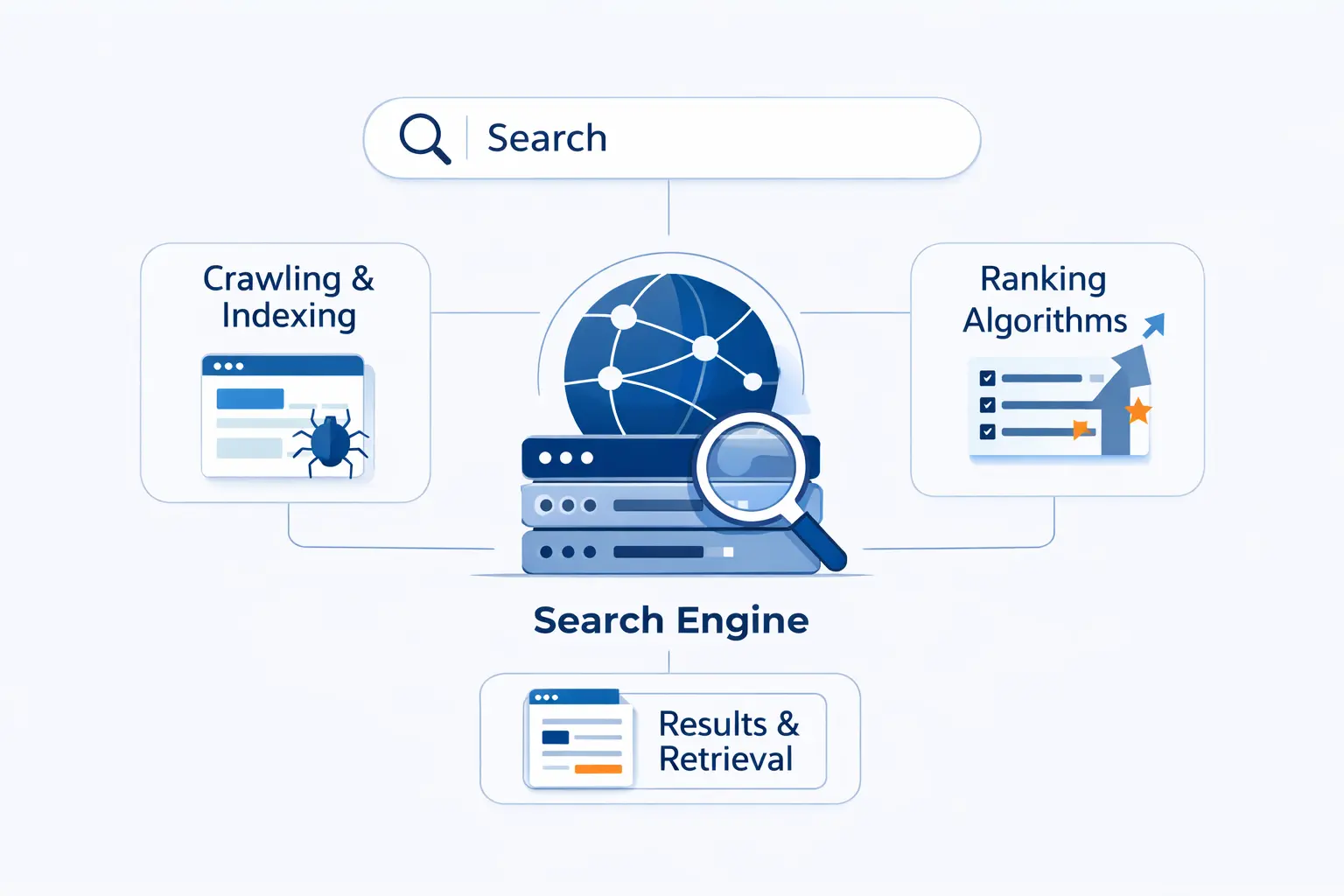
We like to explain a search engine as a system with three working parts. It has a discovery layer, a storage layer, and a results layer. Put more simply, it finds pages, remembers what they contain, and decides what to show.
1. How Search Engines Connect a Query to Relevant Web Pages
A search engine takes a short query and maps it to pages that might satisfy it. That requires matching words, concepts, entities, intent, and context against the index. We often tell beginners to picture it like a librarian with a huge card catalog, except the catalog is constantly updated and the ranking happens in a blink.
2. Web Crawlers, the Index Database, and the Search Interface
The crawler discovers and fetches pages. The index stores processed information about those pages. The search interface is what users see when they type a query and get ranked results back. Those parts are distinct, and mixing them up is where a lot of confusion starts.
3. Why Search Engines Use the Index Instead of the Live Web
Speed is the practical reason. Searching the live web in real time would be painfully slow and unreliable, so engines use a prepared index and then sort through huge volumes of stored information in a fraction of a second. That is what makes search feel instant, even when the underlying web is messy and always changing.
How Search Engines Crawl the Web
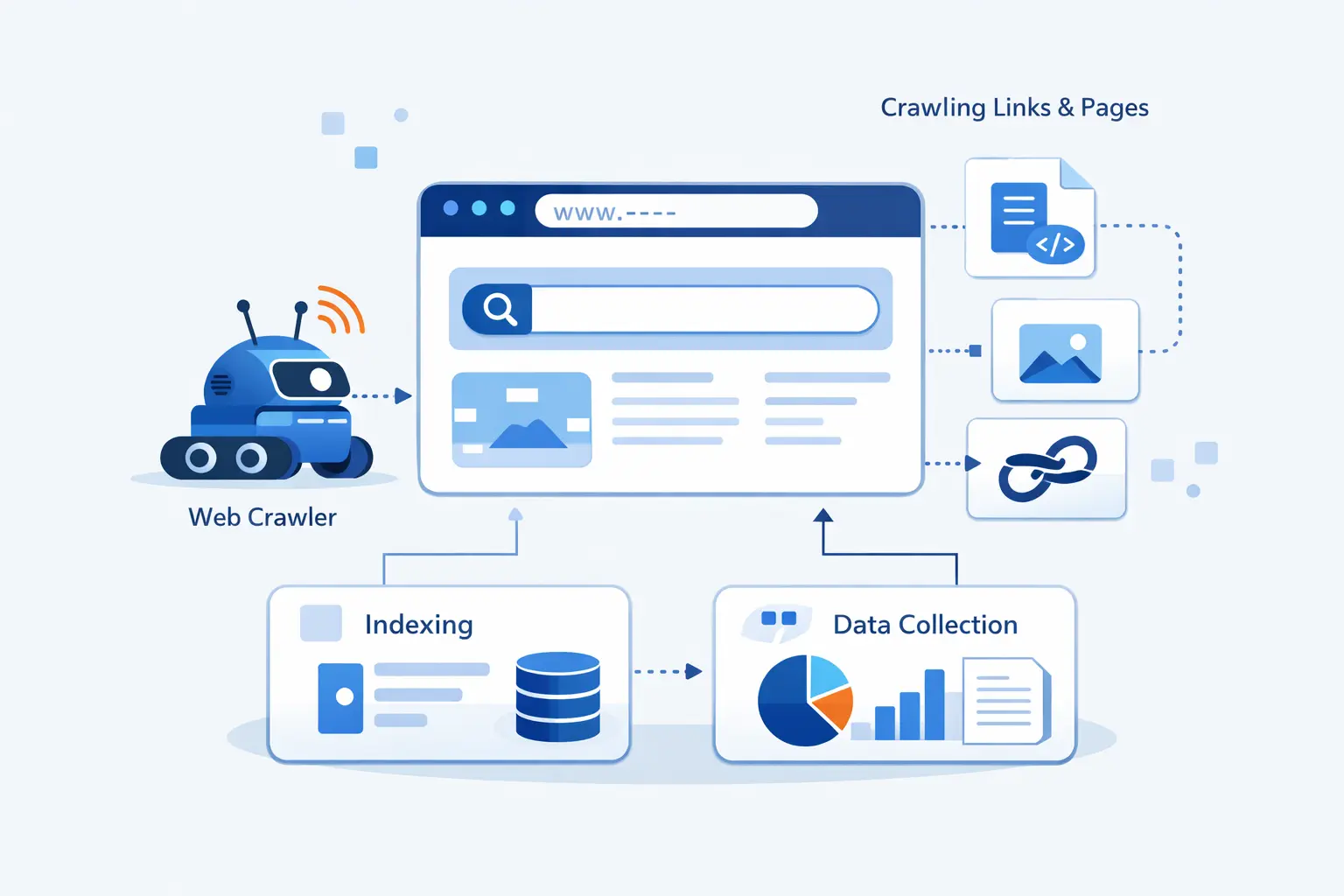
Crawling is the part most site owners underestimate. It sounds simple, but it depends on discovery, server health, crawl permissions, and whether the content can be rendered in a usable way. If any of those break, visibility breaks with them.
1. How Bots Discover URLs Through Links and XML Sitemaps
Links are still the default discovery path, but sitemaps help fill the gaps. Google’s own documentation warns that crawlers may not discover your pages when a site is new, lightly linked, or media-heavy, which is why we still recommend clean internal linking plus a current XML sitemap.
2. How Web Crawlers Fetch Pages and Follow Links to New Content
After a crawler lands on a page, it reads the response and looks for more URLs to queue for later. This is how one strong category page can help surface dozens of child pages over time. Crawlers also revisit known pages to check for updates, which is why stale navigation and orphaned pages can quietly slow discovery.
3. How Robots.txt, Login Walls, and Server Errors Limit Access
Search engines can only work with what they can reach. Pages that are publicly accessible and not blocked have a chance to be crawled and indexed, while login walls, crawl rules, and broken responses stop the process early. In practice, we see this on staging sites, member portals, and pages returning error responses during peak traffic.
4. How JavaScript Rendering Affects What Crawlers Can See
JavaScript can help users, but it can also hide content from crawlers when used carelessly. Google documents that headless Chromium renders the page after crawling, but if the important copy only appears after a fragile script runs, indexing can still suffer. We see this most often on single-page apps that ship an empty shell first and real content second.
How Search Engines Index and Understand Content
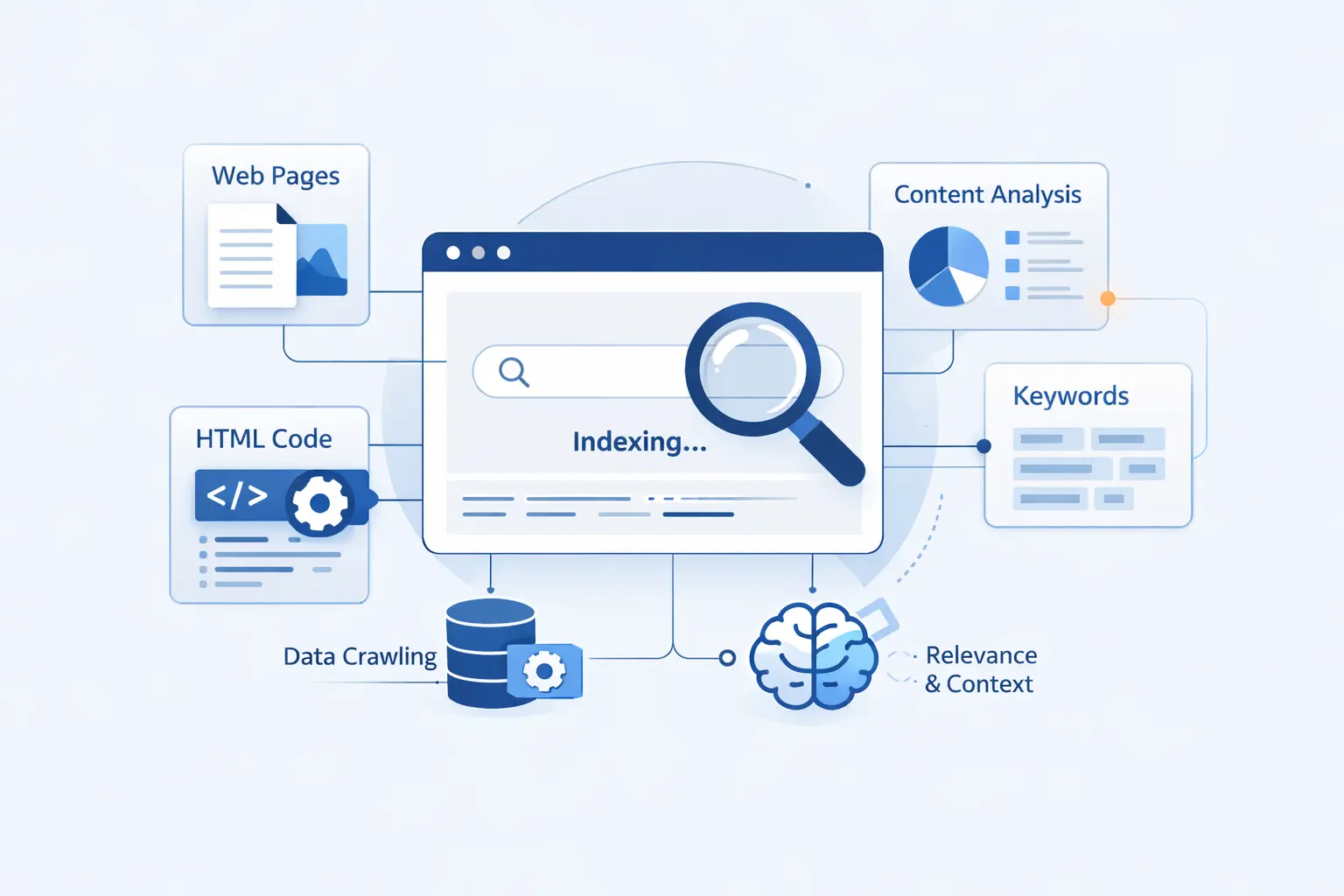
Indexing is where raw page data becomes usable search data. A page can be fetched successfully and still fail here if the content is weak, blocked from indexing, confusingly duplicated, or hard to interpret.
1. How Text, Images, Videos, and Metadata Are Processed
Search engines analyze the visible copy, headings, titles, image information, video information, and other descriptive elements. We tell beginners to think of metadata as context, not magic. A good title or alt attribute will not rescue a poor page, but it does help the engine understand what it is looking at.
2. How the Search Index Stores Topics, Freshness, and Other Signals
The index is more than a pile of saved pages. It stores organized signals about subject matter, canonical relationships, language, regional relevance, and other quality clues used later in ranking. Freshness also matters more for some queries than others. News and live events need newer pages than a definition or a basic how-to.
3. How Canonical Pages, Duplicates, and Alternate Versions Are Handled
When the same content exists on several URLs, search engines try to cluster those copies and choose a preferred version. That is why we push site owners to declare preferred canonical URLs for product variants, tracking-parameter pages, print versions, and mobile alternates when they live on separate addresses.
4. Why Crawled Pages May Still Be Left Out of the Index
Being crawled is not the finish line. Search engines may skip indexing because the content is low quality, blocked by noindex rules, hard to render, or simply not useful enough compared with other known pages. This is the painful part for site owners because the page feels “live,” yet the index does not agree.
How Search Engines Rank and Serve Results
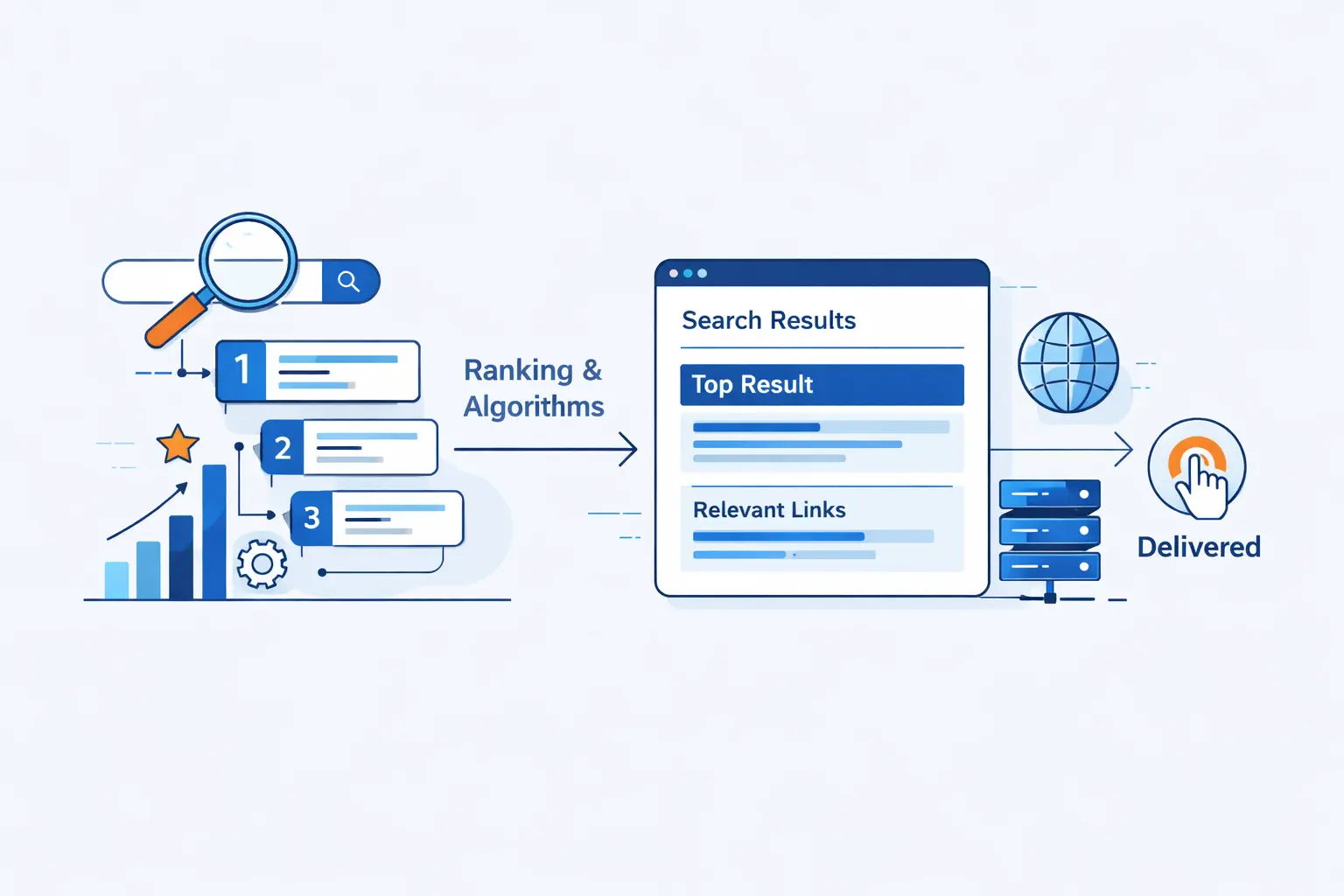
Ranking is where search becomes competitive. Once multiple pages are eligible, the engine has to decide which ones deserve the top spots, which result formats fit the query, and how personal context should influence what appears.
1. How Search Engines Interpret Intent and Match the Most Relevant Pages
Intent comes first. Search engines look at the wording of the query, likely meaning, local hints, spelling, synonyms, and past behavior patterns to estimate what the searcher wants. A search for “football” in Chicago can mean something different from the same search in London, and engines are built to make that call.
2. How Relevance, Quality, and Authority Influence Rankings
Relevant pages must still prove they are worth trusting. Engines weigh on-page relevance, source quality, usability, and signals that suggest other reputable pages refer to the content. We think this is why shallow pages that repeat keywords often lose to a page that actually answers the question with authority.
3. How Location, Language, Device, and Search History Shape Results
Results are not uniform for every person. Location, language, device type, and settings can all change what surfaces, and search history may shape the experience further. That is why one teammate can see a local pack, another sees image results, and a third sees neither for the same broad topic.
4. How Search Features and Result Types Change by Query
The result page itself is dynamic. Engines decide whether a query deserves standard blue links, images, local listings, video results, or other search features. A query with local intent may show maps and businesses, while a visual query may lean toward images instead.
5. Why Different Search Engines Can Return Different Results
In our view, different engines diverge for three main reasons. They do not have identical indexes, they do not weigh ranking signals the same way, and they do not make identical assumptions about intent or quality. Even when two engines know about the same page, they may judge usefulness differently.
Why Some Pages Are Not Crawled, Indexed, or Shown in Search Results
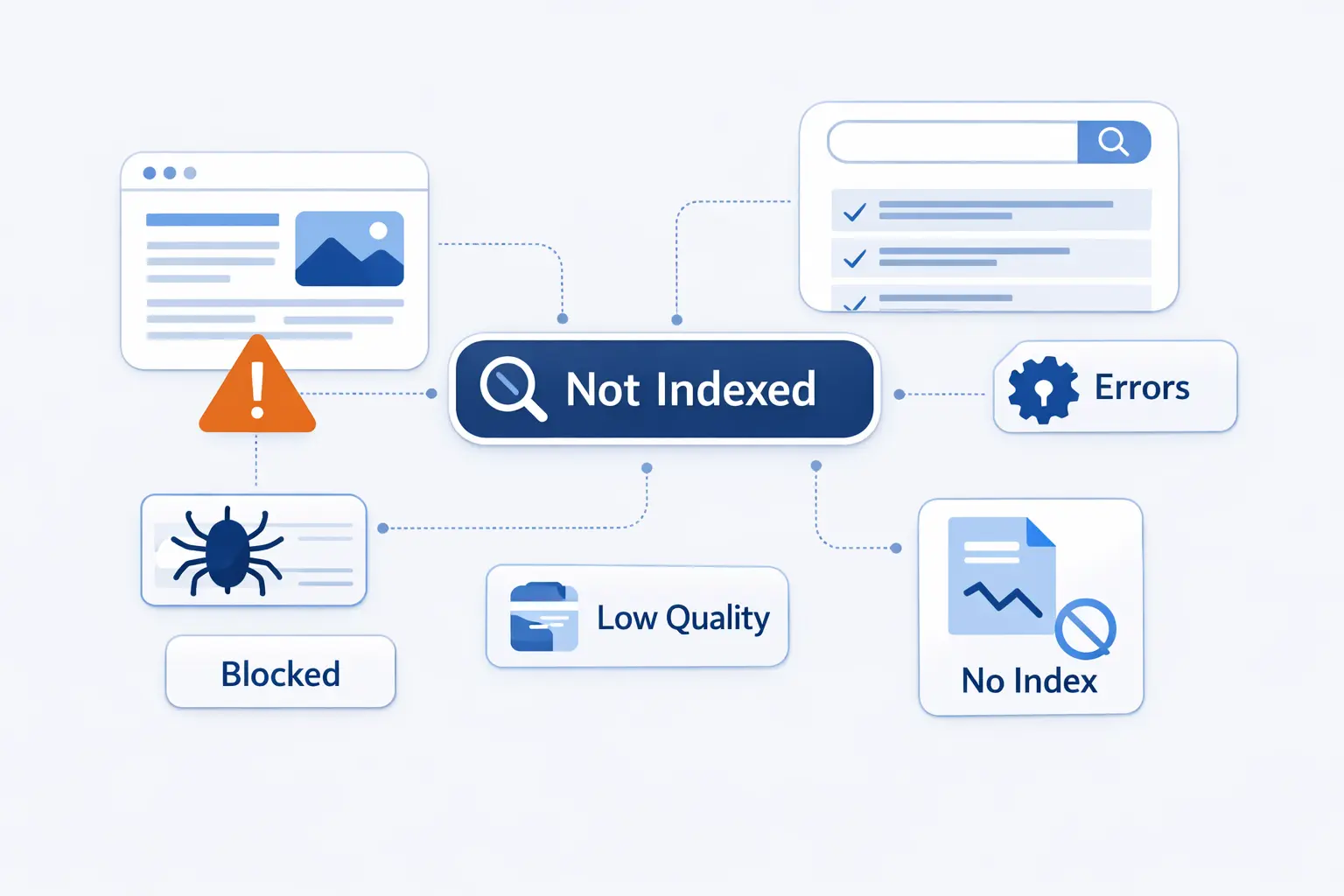
This is the section site owners usually care about most. A missing page is rarely a mystery once we separate discovery, crawling, indexing, and ranking into different checkpoints.
1. Why Discovery Does Not Guarantee Indexing or Ranking
A search engine can know a URL exists and still choose not to index or rank it. Eligibility is conditional at every stage, and Google says that meeting technical requirements still does not guarantee indexing. That distinction saves a lot of wasted debugging time because it keeps us from blaming the wrong layer.
2. Blocked Crawling From Robots.txt, Login Walls, or Technical Errors
If robots.txt blocks crawling, if the page requires a login, or if the server keeps failing, the crawler cannot get a reliable read on the content. One subtle trap is that a blocked page URL can still appear in results without a useful snippet, which surprises many beginners who assume blocking crawl access also blocks all search visibility.
3. Indexing Problems Caused by Noindex, Duplicate Content, or Thin Content
Noindex rules tell the engine to leave the page out. Duplicate pages can be folded into another canonical version. Thin pages often lose on quality grounds before they ever become useful search results. We see this with filtered category pages, empty tag archives, and location pages that only swap a city name.
4. Low Relevance or Low Quality That Keeps Pages Out of Results
Sometimes the page is indexed, yet it still does not show because it is not competitive for real queries. If the content does not match search intent, lacks depth, or offers little trust compared with other pages, the ranking systems have no reason to surface it. That is hard news, but it is usually the honest one.
How to Help Search Engines Understand Your Website
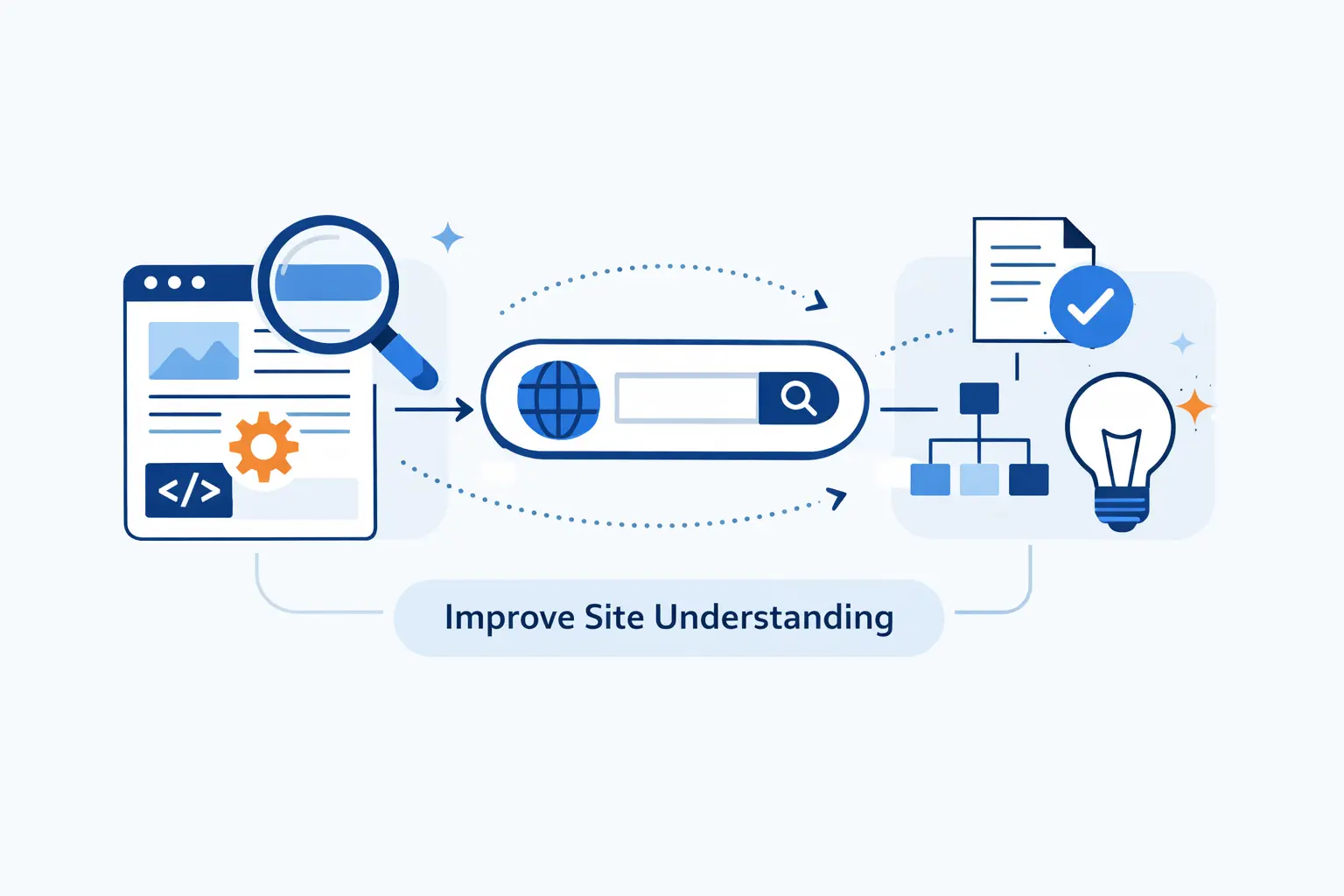
Good SEO basics are rarely glamorous. We find that most gains come from clear architecture, accessible content, honest metadata, and pages that work well on real devices. The fancy stuff comes later.
1. Use Internal Links and XML Sitemaps to Improve Discovery
Internal links tell crawlers what matters and how sections connect. Sitemaps reinforce that picture and help expose new or lightly linked URLs. If we had to pick one habit for small teams, we would choose this one because it fixes orphaned content more often than people think.
2. Use Titles, Meta Tags, Canonicals, and Structured Data to Add Context
Titles and meta elements set expectations. Canonicals reduce duplicate confusion. Structured data adds machine-readable context where supported. None of these replace solid content, but together they make interpretation cleaner and reduce avoidable ambiguity.
3. Make Content Easy to Render and Accessible to Crawlers
Important content should not depend on brittle scripts, blocked resources, or late-loading components. We prefer sites that expose core text in the initial response whenever possible, because render-heavy pages create extra opportunities for failure. If a human can see the message but the crawler cannot render it reliably, search visibility becomes a gamble.
4. Improve Speed, Mobile Usability, and Technical Performance
Usability matters during ranking. Faster, mobile-friendly pages are easier for people to use and easier for engines to treat as strong candidates when relevance is close. We do not think performance is a trick for rankings. We think it is table stakes for giving the result a fair chance.
Search Engines Versus Web Browsers
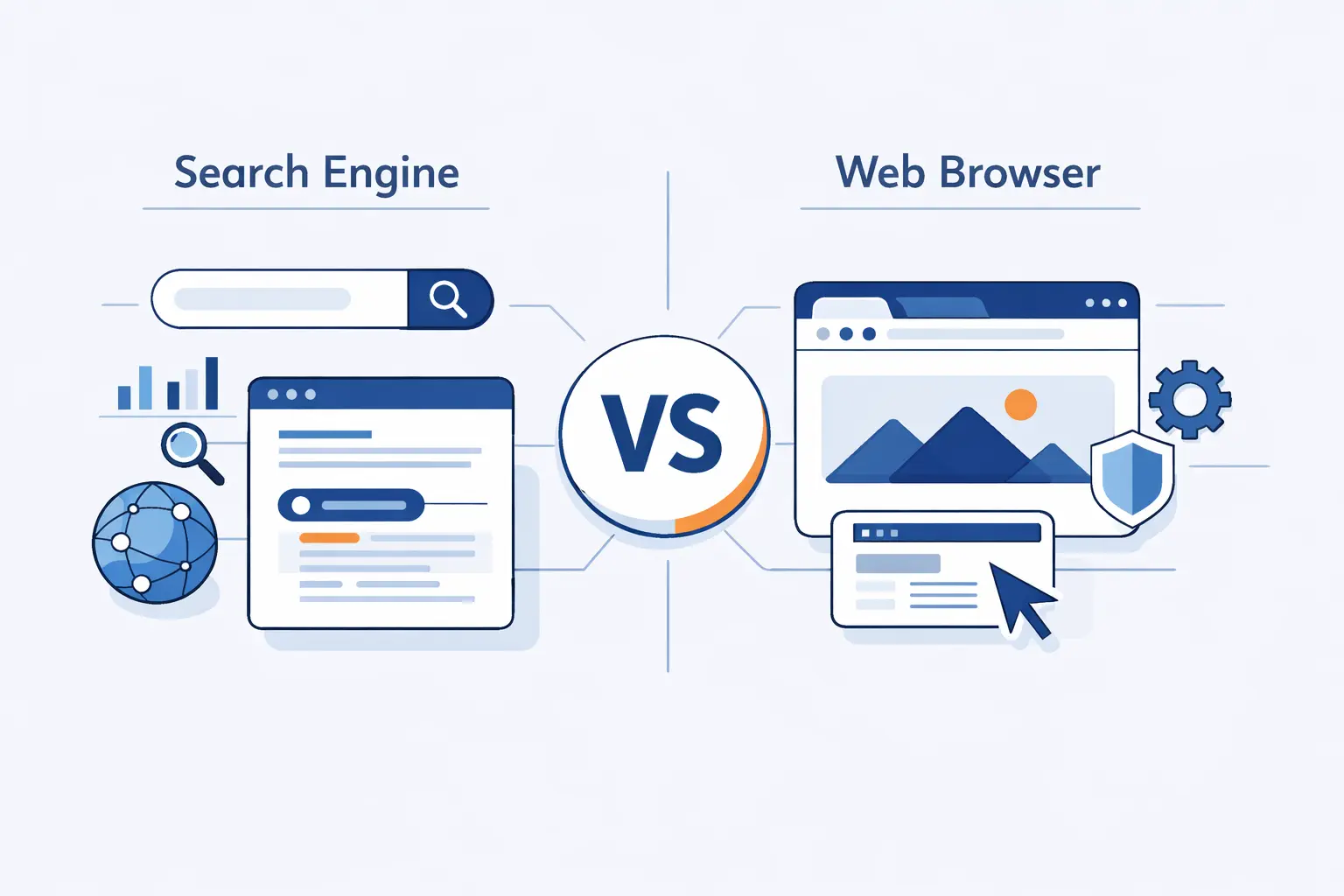
People mix these up all the time, and the modern address bar does not help. Still, the jobs are different, and the distinction matters if we want to understand the web clearly.
1. What a Browser Does When You Open a URL
A browser goes to a specific address, requests files from servers, and renders the response for the user. MDN notes that several HTTP requests are sent and the returned files are assembled into the page you see and interact with.
2. What a Search Engine Does When You Enter Keywords
A search engine does not open one known address right away. It interprets the words, searches its index for candidates, ranks them, and then offers a list of results or search features. In short, the browser fetches a destination, while the search engine helps choose one.
3. Why the Two Are Often Confused
We blame the interface more than the user. Modern browsers let people type either a URL or a query into the same box, so the line between navigation and search feels blurry. Under the hood, though, the jobs remain separate.
A Brief History of Search Engines
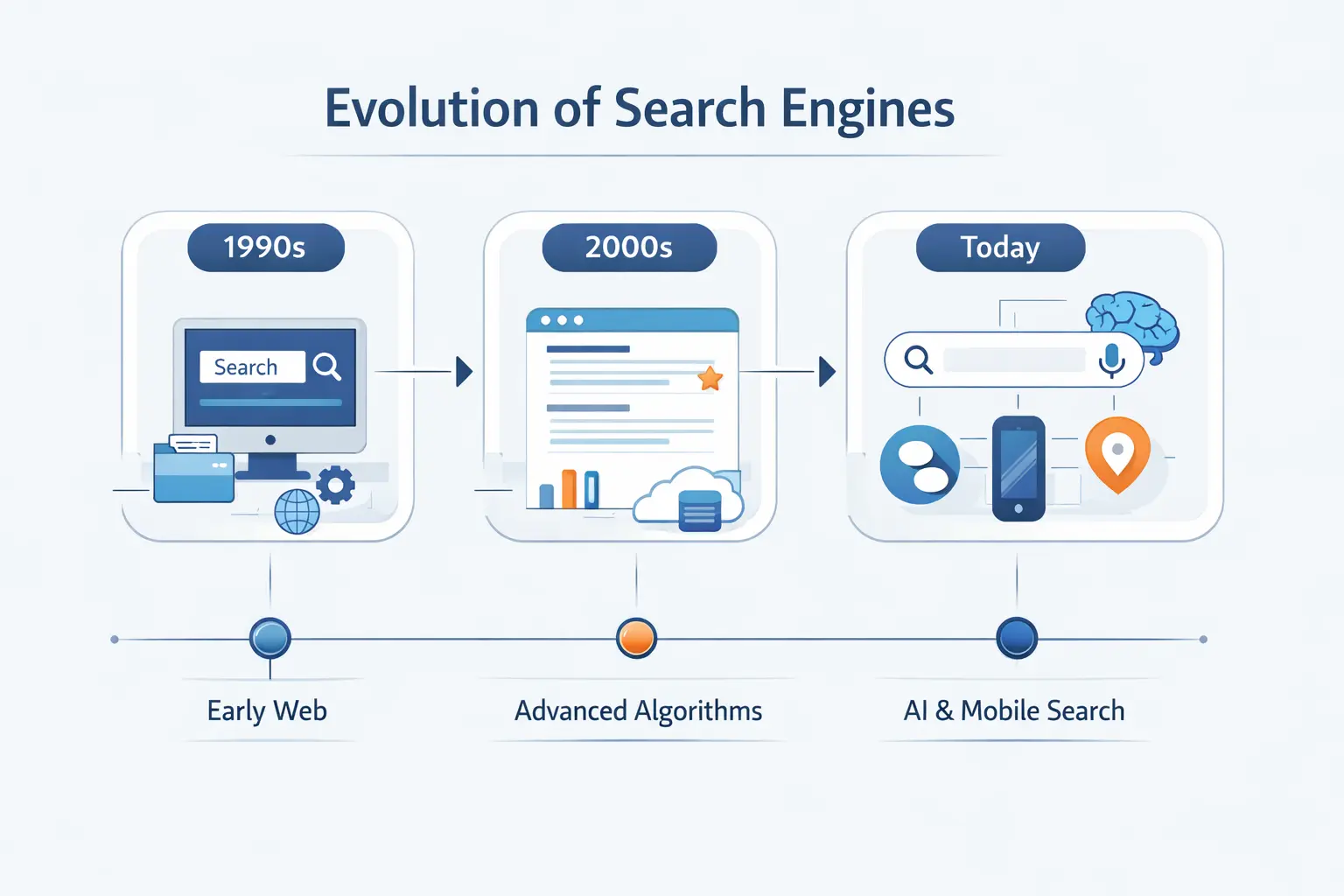
Search did not begin with Google, and we think that history is worth remembering. It explains why crawling, indexing, and ranking became separate disciplines in the first place.
1. From Archie and Early Web Directories to Modern Search
Britannica traces the first internet search engine back to Archie in 1990, before the web itself existed in the form we know today. Early systems were small enough to be browsed more directly, but web growth quickly forced search tools to crawl pages, build indexes, and automate retrieval at scale.
2. How Link Analysis and PageRank Changed Ranking
The big shift came when ranking moved beyond simple text matching. In the original Stanford paper, PageRank prioritized the results by using the web’s link structure as a quality signal, which helped search engines judge importance instead of just counting matching words.
3. How Google Changed Modern Search
Google’s early advantage was not only speed. It combined large-scale crawling, efficient indexing, link analysis, and better relevance judgments into one system. That combination made search feel far more usable, and the blueprint still shapes modern search engines even though today’s systems are much more complex.
Frequently Asked Questions About How Search Engines Work
These are the questions we hear most often from founders, marketers, and first-time site owners. The answers are short, but each one points back to the same fundamentals.
1. How Does a Search Engine Work Step by Step?
Step by step, it discovers URLs, crawls pages, renders content when needed, indexes useful information, and then ranks matching pages when a user searches. That is the whole pipeline in one sentence.
2. What Is the Difference Between Crawling, Indexing, and Ranking?
Crawling is fetching and exploring pages. Indexing is analyzing and storing what matters. Ranking is choosing which indexed pages best answer a query and in what order they should appear.
3. Why Is My Page Not Showing Up in Search Results?
The usual reasons are simple. The page was not discovered, could not be crawled, was excluded from the index, or was indexed but not competitive enough to rank. We always debug in that order because it keeps guesswork under control.
4. Do Search Engines Need a Sitemap to Find Pages?
No, not always. Strong internal linking can be enough for smaller sites, but sitemaps still help, especially on new, large, or media-heavy websites. We treat them as guidance, not as a substitute for architecture.
5. Do Search Engines Read JavaScript?
Yes, major engines can render JavaScript, but that does not mean every JavaScript setup is equally safe. If important content appears only after delayed rendering or script failures, visibility can still drop.
6. What Is the Oldest Search Engine on the Internet?
The oldest widely recognized internet search engine is Archie, created in 1990. It searched file listings on FTP servers rather than modern web pages, but it laid the groundwork for search as we know it.
How 1Byte Supports Search-Friendly Websites With Hosting and Cloud Services

At 1Byte, we see search visibility as a stack, not a slogan. A page cannot earn rankings if the site is unreachable, misconfigured, slow, or hard to render, which is why hosting choices and infrastructure basics matter more than many teams realize.
1. Start With Domain Registration and SSL Certificates
We usually begin with the obvious essentials. A public site needs a domain, working DNS, and HTTPS in place before search performance even becomes a serious conversation. Our own service catalog includes domains and SSL certificates because those basics shape trust, accessibility, and clean site launches from day one.
2. Grow With WordPress Hosting, Shared Hosting, and Cloud Hosting
As sites mature, the hosting model starts to matter more. We offer WordPress hosting, shared hosting, and cloud hosting because not every project has the same traffic pattern, update cycle, or maintenance needs. For many small businesses, the real win is getting onto a stable setup where pages render correctly and stay online consistently.
3. Scale With Cloud Servers and AWS Partner Support
When growth, customization, or migration demands more control, we move clients toward cloud servers and deeper cloud support. Our published service pages describe cloud servers as on-demand server resources, and our AWS partner page states that we support application and workload migration to AWS for organizations that need a more tailored environment.







What to Remember About How a Search Engine Works
If we strip everything down, the answer to how does a search engine work is this. It discovers pages, crawls them, indexes what it understands, and ranks what it believes will help the user most. Miss one stage, and search visibility suffers. Get all four working together, and the odds improve fast.
We think that is the healthiest way to approach SEO. Do not chase myths. Build pages that can be found, rendered, understood, and trusted. Search engines are complicated under the hood, but the path to helping them is still remarkably practical.