

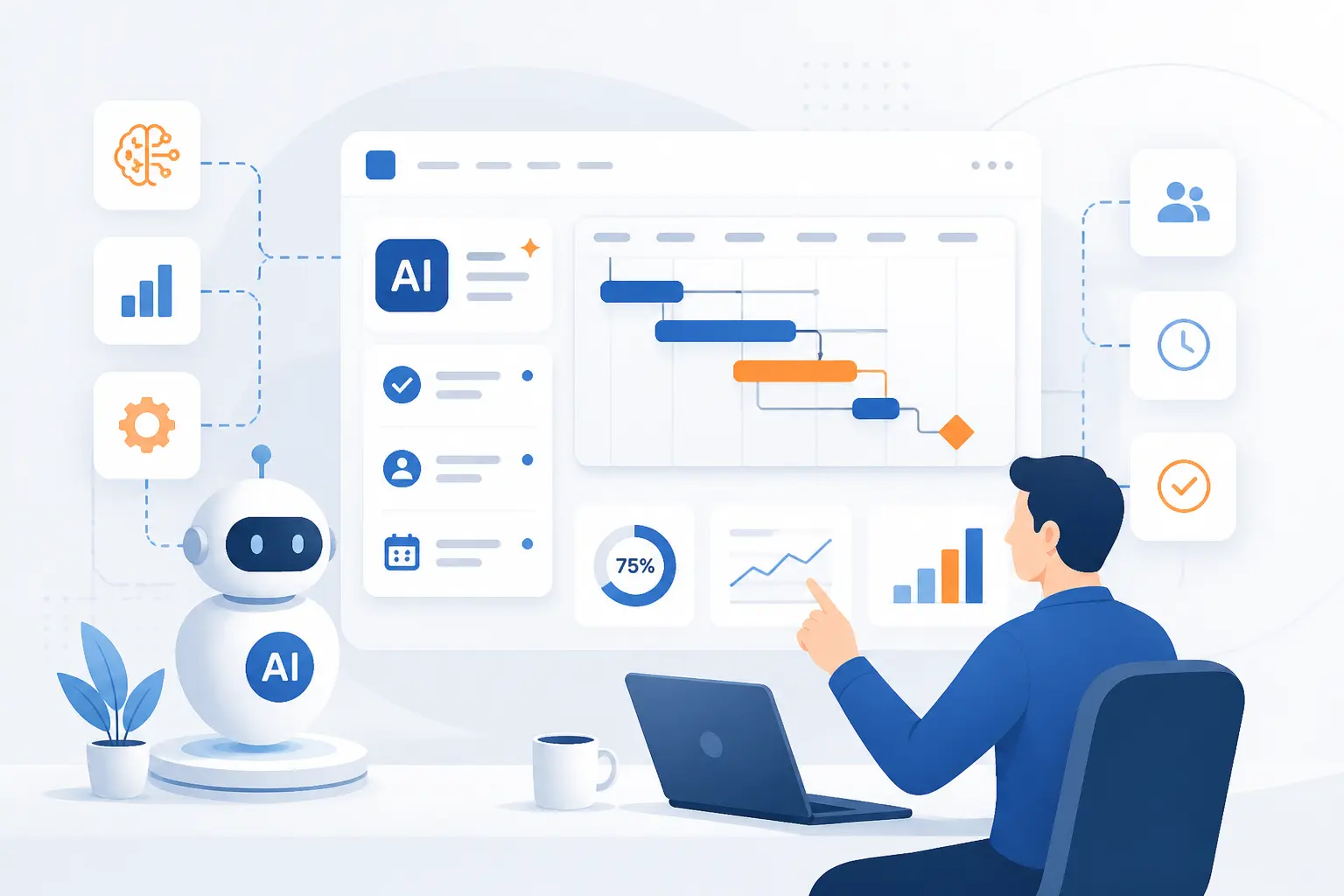
- AI in Project Management Uses Intelligent Tools to Plan, Track, and Improve Delivery
- The Problems AI Can Help Project Teams Solve
- Where AI in Project Management Adds Value
- AI-Integrated Tools to Evaluate First
- How to Roll Out AI in Project Work
- Best Practices and Limits to Plan For
- Skills That Keep Project Managers Valuable in an AI Era
- FAQ
- Conclusion
At 1Byte, we see AI in project management as a practical layer inside the tools teams already use to plan work, track progress, and keep delivery on course. Its real job is not to replace the project manager. Its job is to reduce admin drag, surface patterns earlier, and make live project data easier to act on. When it is used well, teams spend less energy hunting for context and more energy making sound decisions.
AI in Project Management Uses Intelligent Tools to Plan, Track, and Improve Delivery
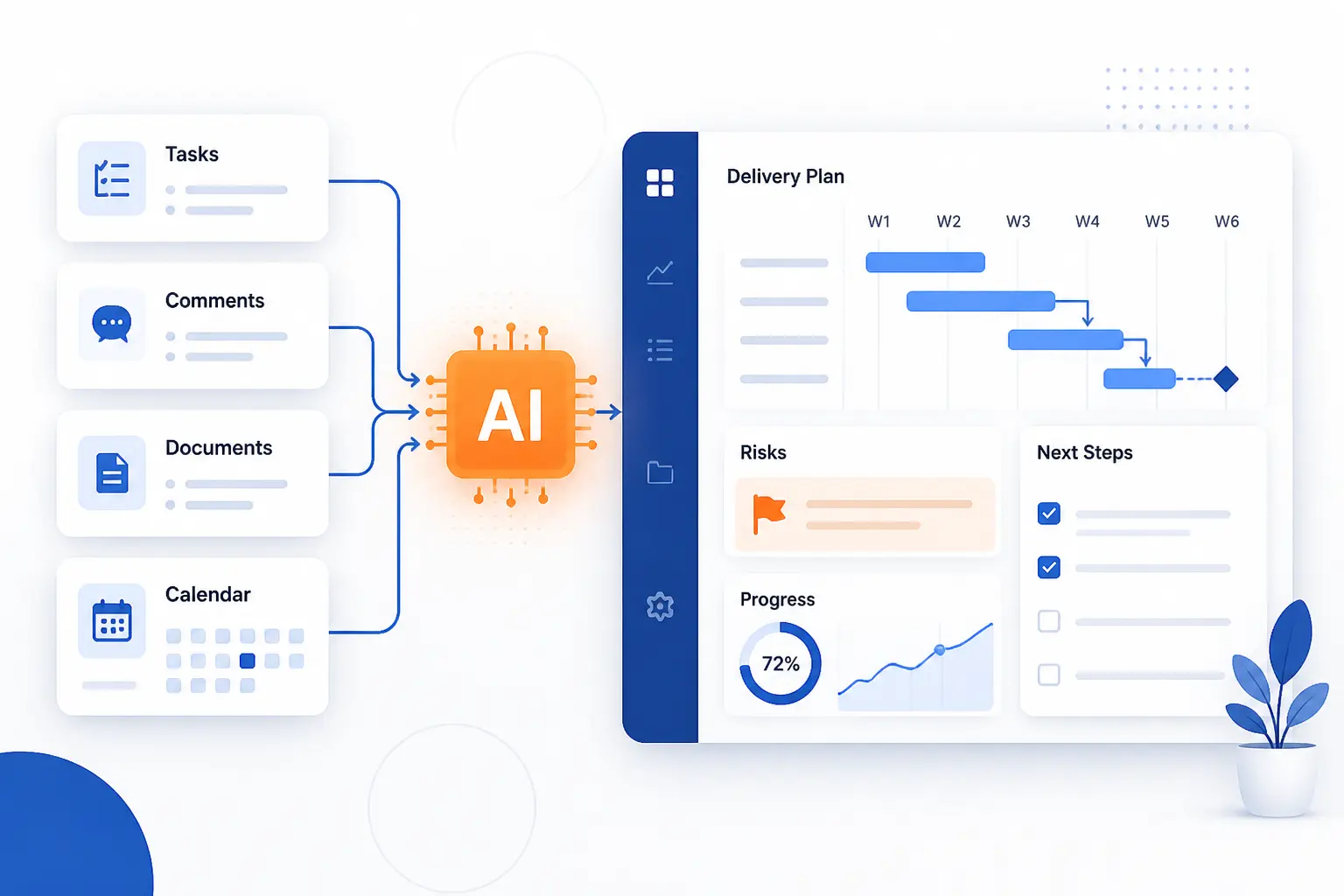
AI in project management means using machine learning and generative features inside work systems to help teams create plans, summarize activity, spot risk, and recommend next steps. In practice, that usually starts with the data you already have, such as tasks, comments, documents, schedules, and meeting transcripts. Modern platforms can summarize pages and turn chats into work items, which shows how quickly ordinary delivery systems are becoming decision support tools.
We think the most useful shift is simple. AI is moving project work from manual collection toward faster interpretation. A project manager can now ask a workspace what slipped, what is blocked, what changed since last week, or which decisions still lack owners, and many tools can answer from live context. Asana can draft status updates from current work, Microsoft Teams can generate recaps and follow-ups, and knowledge tools like Notion can search across connected apps, which makes AI in project management far more about grounded context than flashy chat boxes.
The Problems AI Can Help Project Teams Solve
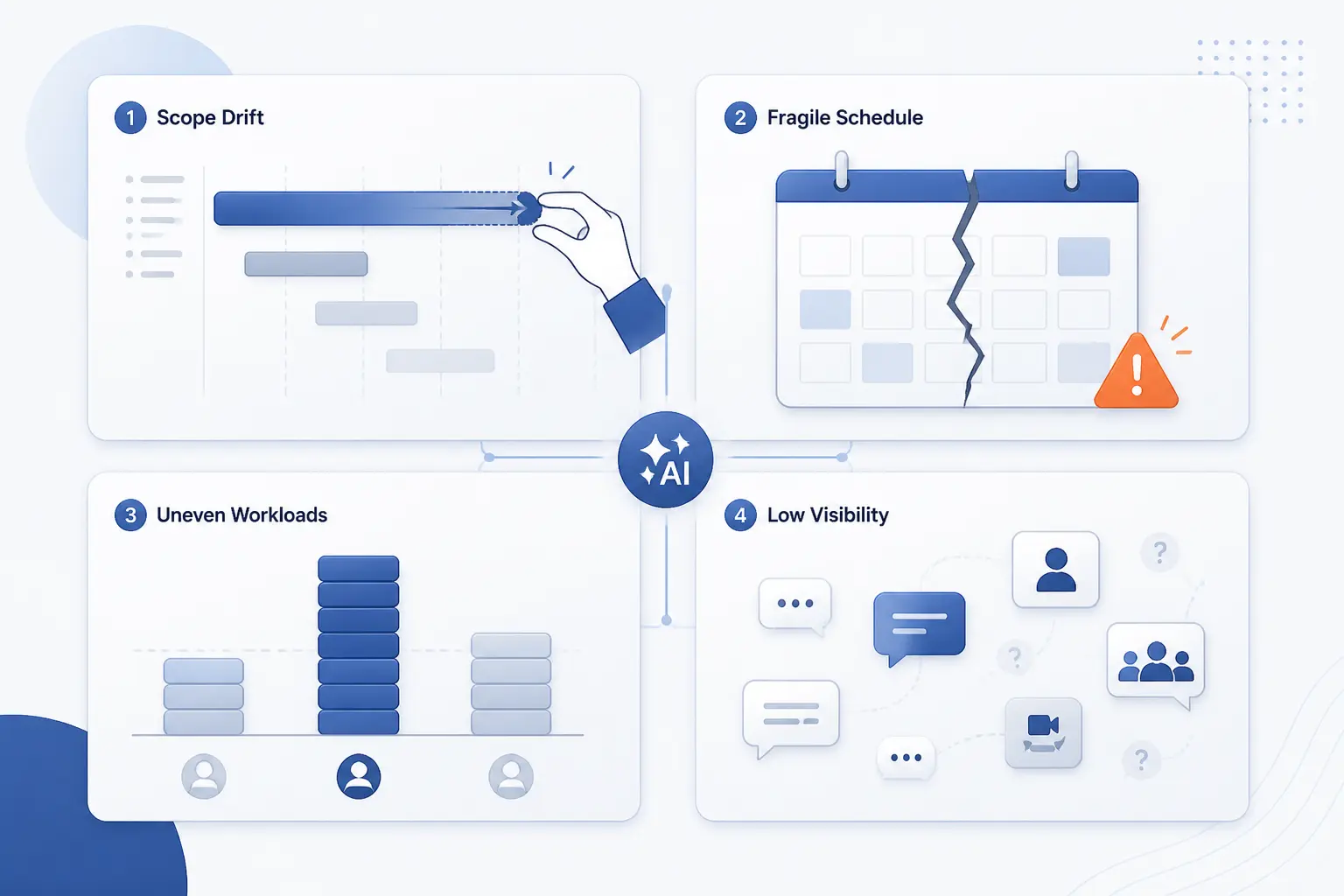
AI helps project teams most when work is already happening but clarity is missing. It is especially useful for scope drift, fragile schedules, uneven workloads, and weak visibility across meetings, chats, and trackers. That matters because work overload is now a mainstream problem, with 68% struggle with the pace and volume of work, so any tool that reduces coordination friction has real value.
1. Unclear Scope and Shifting Priorities
AI helps with scope drift by turning scattered requests, notes, and comments into a clearer working brief. It can compare fresh requests against existing tasks, surface similar work items, and pull key decisions from documents so the team sees what is new versus what is simply noise. We like this use case because it attacks confusion at the source. If the brief is clearer, downstream estimation, sequencing, and reporting all get easier.
2. Unrealistic Schedules and Dependency Delays
AI helps with schedule risk by spotting overdue predecessors, blocked work, and ripple effects earlier. Planning views in tools like Jira already roll up dates, highlight key dependencies, and surface blocked or overdue work, and AI layers can make those signals easier to interpret in plain language. We would still never let a model own the schedule alone, but it is very good at shouting, “this chain is about to break,” before a weekly status meeting does.
3. Resource Gaps and Workload Imbalances
AI helps with resource imbalance when it can see assignment data, dates, and actual workload patterns. Some platforms already summarize workload distribution and resource pressure, which gives AI enough structure to flag overbooked people, unassigned tasks, or teams carrying too much critical-path work. From our side at 1Byte, this is where disciplined data entry really pays off. If assignments, statuses, and effort signals are messy, the advice will be messy too.
4. Communication Breakdowns and Low Visibility
AI reduces communication failure by summarizing long threads and turning meetings into visible follow-up items. In Microsoft Teams, features are designed to focus during calls and save time on follow-ups, while meeting tools can extract action items and key points after the fact. That makes a real difference when the truth of a project is buried across ten comments, three chats, and one rushed call.
Where AI in Project Management Adds Value
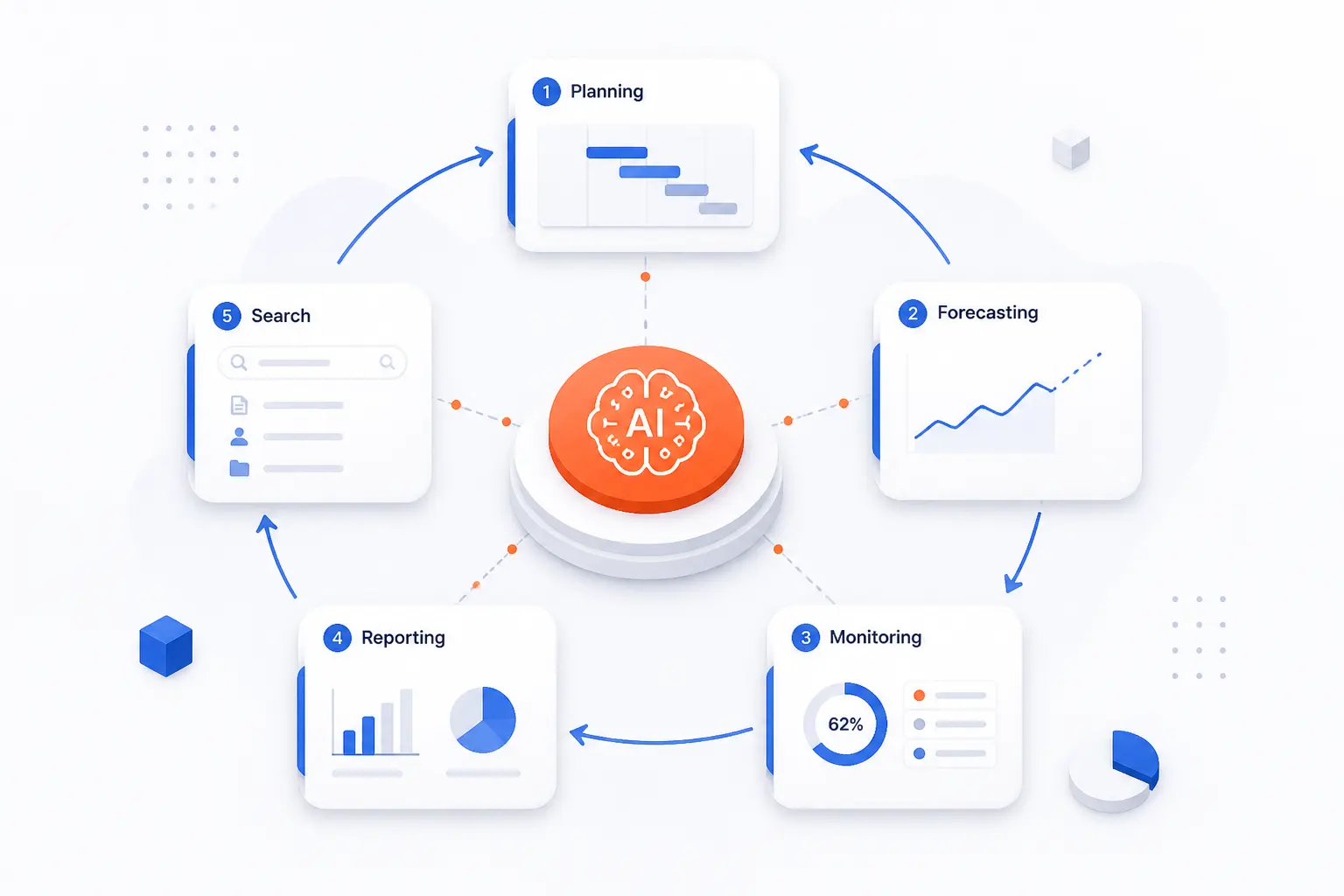
The strongest value of AI in project management shows up where teams repeat the same coordination work every week. Planning, forecasting, monitoring, reporting, and knowledge lookup all benefit because AI can read more context, faster, than a busy human can. We see the best results when teams use it to reduce friction around decisions, not when they expect it to run delivery on autopilot.
1. Planning, Scheduling, and Project Setup
AI adds value in planning by drafting the first version of work rather than the final version. It can suggest task breakdowns, identify similar past items, turn notes into issues, and help a PM move from kickoff discussion to a usable board much faster. That first draft still needs human review, but it removes the blank-page problem that slows many teams at the start.
2. Resource Allocation and Capacity Forecasting
AI adds value in resourcing by exposing where capacity assumptions and live demand no longer match. When platforms connect planning, assignments, and portfolio data, they can reveal overloaded roles, underused specialists, or initiatives that keep stealing the same scarce people. We like this area because it pushes better trade-offs. It shows whether a date problem is really a people problem.
3. Risk Prediction and Proactive Mitigation
AI adds value in risk work by detecting patterns humans often notice too late. Repeated blockers, late approvals, unstable requirements, weak ownership, or negative trend signals can all hint at delivery trouble before a milestone officially turns red. That does not make AI a fortune teller. It makes it a pattern scanner that helps the PM intervene earlier with clearer evidence.
4. Real-Time Monitoring and Performance Analysis
AI adds value in monitoring by translating raw activity into readable health signals. A dashboard full of statuses can tell you what changed, but an AI layer can explain why the change matters, which items are blocked, and which updates deserve attention first. That is a big improvement over manual report chasing, especially in cross-functional projects with many owners.
5. Scenario Modeling and Better Decisions
AI adds value in scenario work by making “what if” thinking faster and less painful. If a sponsor asks whether to cut scope, shift sequence, or add people, the system can help compare options against current capacity and known dependencies. In our view, this is where AI starts to feel genuinely strategic. It helps the PM discuss consequences, not just tasks.
6. Reporting, Meeting Summaries, and Documentation
AI adds value in reporting because it can draft status updates and flag blockers from live work data instead of forcing the PM to rewrite the week by hand. Pair that with meeting recaps and transcript-based action items, and routine reporting becomes lighter, faster, and usually more complete. We would still edit every stakeholder-facing update, but the first draft often does the boring part well.
7. Routine Task Automation and Workflow Orchestration
AI adds value in automation when it classifies, routes, and drafts the simple work that clogs delivery systems. Think request intake, triage, comment summaries, ticket creation, reminder messages, or first-pass documentation. The sweet spot is repeatable work with clear rules. Once the process gets politically sensitive or highly ambiguous, human review needs to stay close to the action.
8. Knowledge Sharing and Team Communication
AI adds value in knowledge sharing when it can search Slack, Jira, and Google Drive alongside the main workspace and return answers with citations. That matters because many delivery problems are not execution problems at all. They are retrieval problems. The team already decided something, but nobody can find it in time.
AI-Integrated Tools to Evaluate First
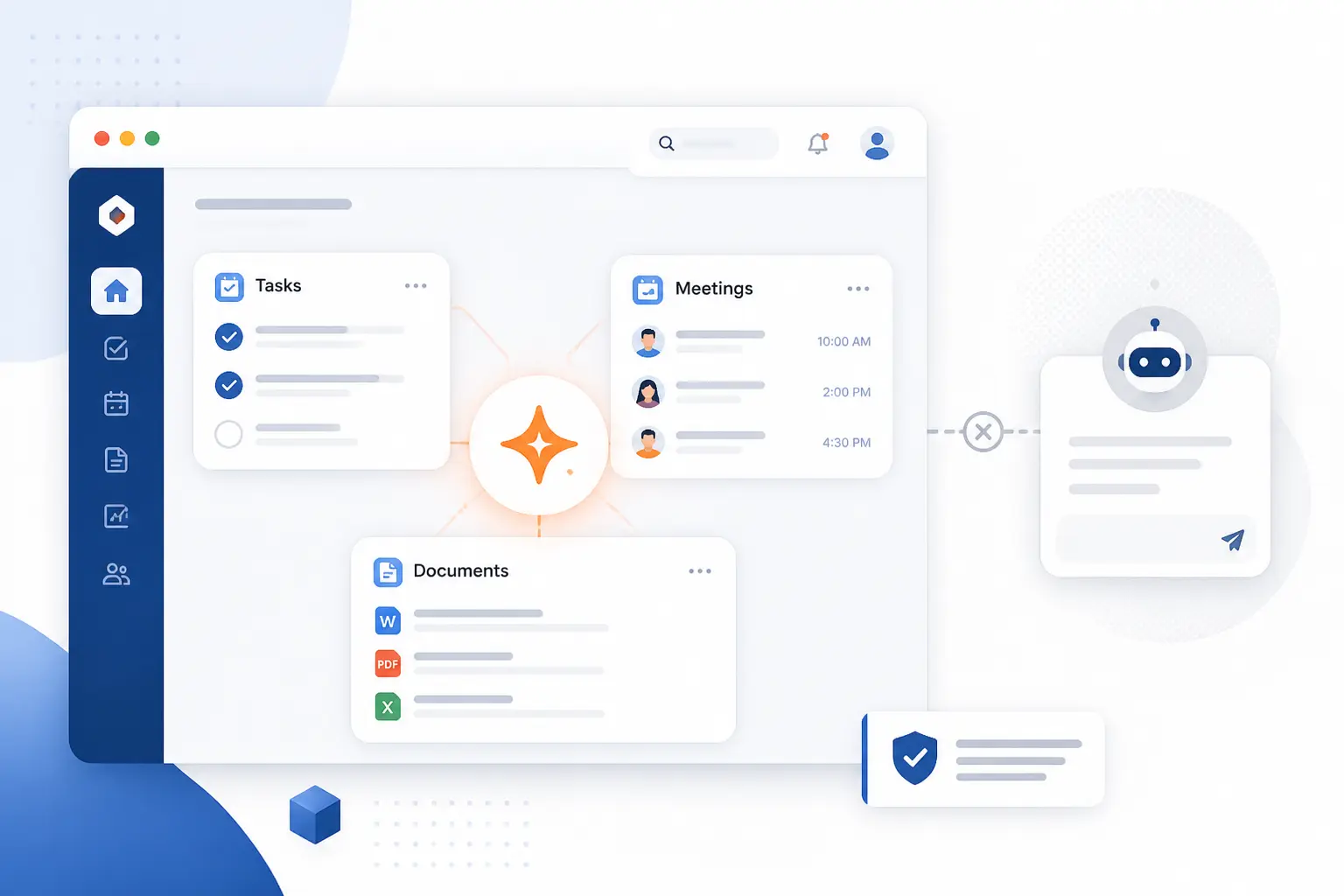
The first tools to evaluate should be the ones that already hold your work, meetings, and documents. Context beats novelty almost every time. A smart feature inside your current system usually has more practical value than a separate assistant that cannot see your tasks, comments, permissions, or dependencies.
1. Project Management Platforms With Built-In AI
Built-in platform features are the best starting point because they live next to the tasks and timelines you already trust. Jira, Asana, and similar suites increasingly combine summaries, drafting, issue creation, and workspace search inside the same system of record. That means less copy-paste, fewer context switches, and fewer chances for a model to hallucinate around missing data.
2. Digital Assistants, Copilots, and AI Agents
Copilots and agents are worth testing when the team needs guided help, not just static summaries. They are useful for asking natural-language questions, catching up mid-meeting, proposing next steps, or taking narrow actions with approval. Our advice is to keep their authority small at first. Let them suggest, draft, and route before you let them decide.
3. Meeting, Knowledge, and Reporting Tools
Meeting and knowledge tools are often the fastest win because they attack work that everybody hates and nobody wants to preserve manually. A tool that can transcribe meetings and pull out action items can turn a vague conversation into searchable follow-through, which is often more valuable than adding another dashboard. For many teams, this is the lowest-risk place to start.
4. Predictive Analytics and Portfolio Planning Tools
Portfolio tools deserve attention when the problem is not one project, but many competing ones. Mature platforms now offer scenario planning grounded in live capacity data, which helps PMOs compare options across resources, timing, and business priorities. If your delivery pain sits above the team level, this category is often where the bigger gains appear.
How to Roll Out AI in Project Work
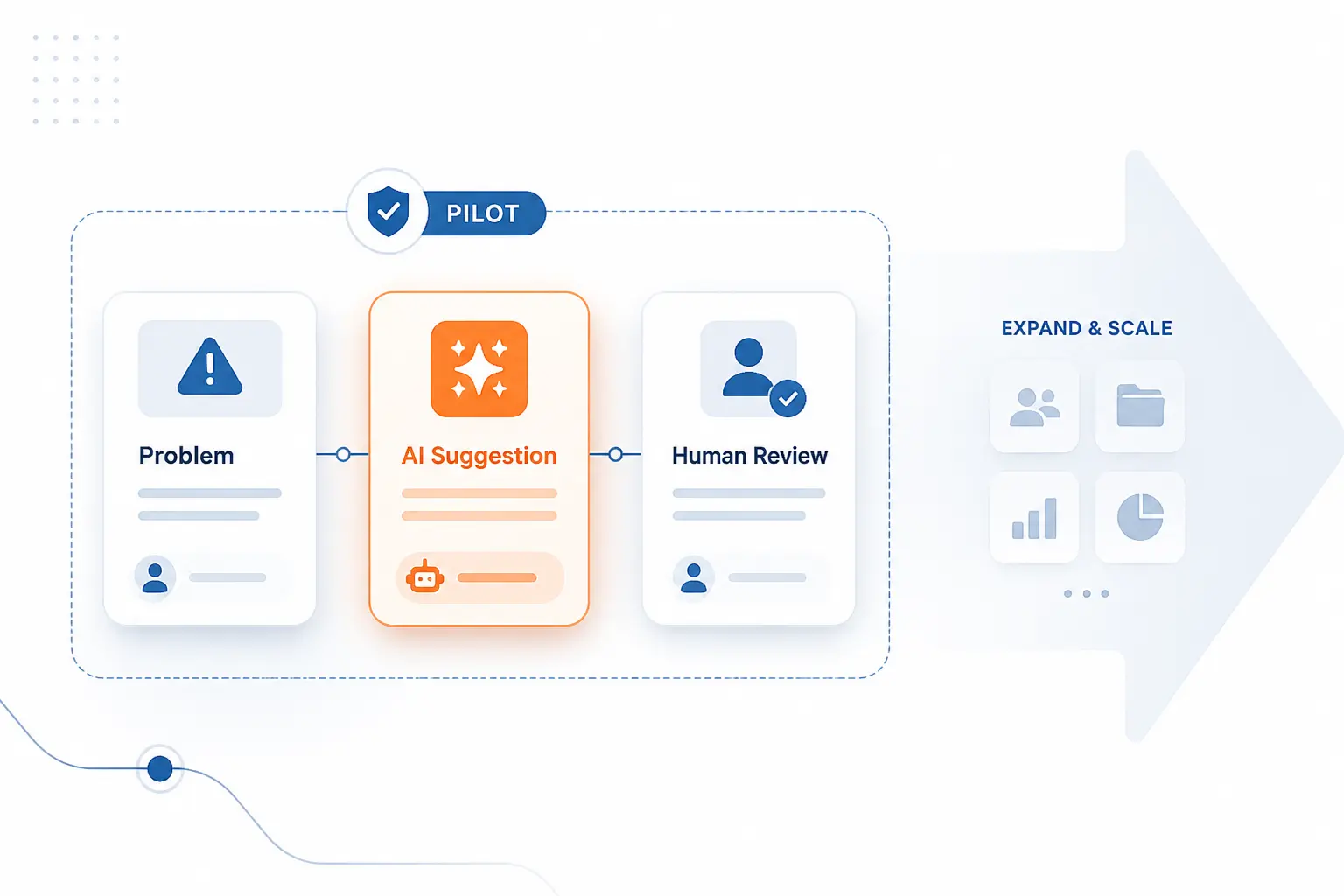
The safest rollout for AI in project management starts small, uses real delivery pain, and builds around existing systems. Good implementation is less about buying a powerful model and more about choosing one workflow that people will actually use. We recommend proving value in one narrow loop, then expanding only after the team trusts the output and the governance is clear.
1. Identify Repetitive Work and Set Clear Objectives
Start with repetitive work because that is where the return is easiest to see. Weekly status drafting, meeting action capture, intake triage, overdue follow-up, and stakeholder summaries are all strong candidates. The objective should be concrete. “Reduce manual status prep” is far better than “use AI more.”
2. Choose Tools That Match Your Team, Data, and Budget
Choose tools that fit your current operating model, not your imagined future one. Check where the data lives, what permissions exist, whether outputs can be audited, and how much setup the team can realistically sustain. At 1Byte, we think this is where many rollouts go sideways. Teams buy ambition before they buy fit.
3. Connect AI With Existing Systems and Workflows
Integration matters because isolated AI has shallow value. Once a tool can see the real board, the real docs, the real meetings, and the real comments, its outputs become more relevant and easier to verify. The opposite is also true. A disconnected assistant tends to sound confident while missing the actual state of work.
4. Train Teams to Prompt Well and Use Outputs Critically
Teams need prompt training because better instructions produce better work. The basics are straightforward. Define the goal, give context, state the expected format, and point the model to the right source material. We also teach one habit above all others: treat every answer as a draft that must earn your trust.
5. Track KPIs and Improve the System Over Time
Track a few delivery-centered KPIs so the rollout stays honest. Look at reporting effort, action-item follow-through, update lag, rework, schedule slippage, and decision turnaround. If those measures do not improve, the system is probably creating theater instead of value.
Best Practices and Limits to Plan For
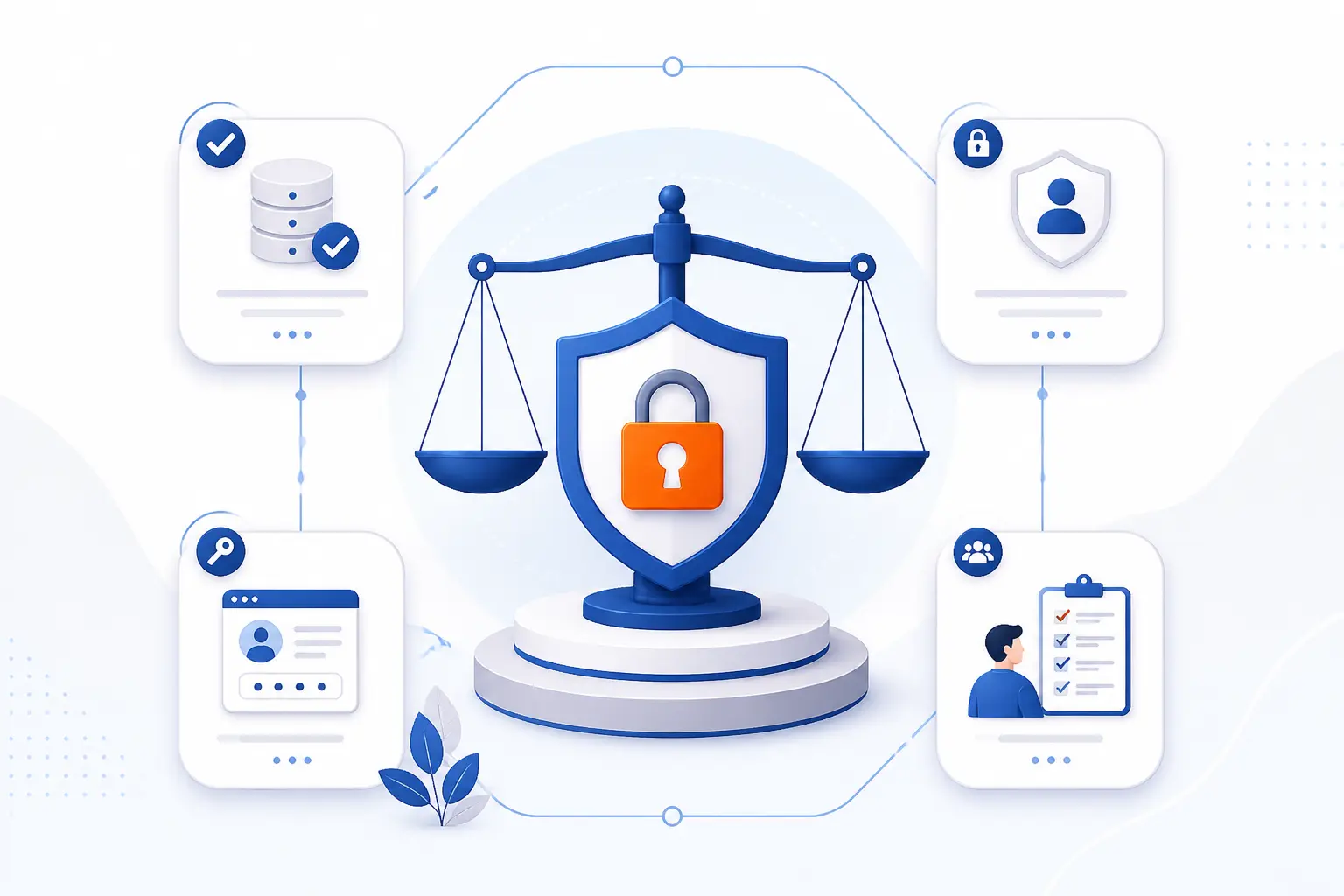
AI is useful in project work, but it has limits that teams should plan for early. Data quality, privacy controls, secure integration, trust, and human oversight all matter as much as the model itself. In our experience, the teams that get the most from AI are usually the teams that are most disciplined about process, access, and review.
1. Data Quality, Governance, and Business Alignment
Good outcomes depend on clean data and clear intent. If statuses are stale, owners are wrong, and priorities are political guesses, AI will simply package confusion faster. That is why frameworks for trustworthiness considerations keep stressing alignment with goals, risk tolerance, and lifecycle controls. AI in project management works best when the business question is crisp and the work data is reliable.
2. Privacy, Security, and Compliance Controls
Privacy and security controls are not optional because AI systems expand the attack surface and the data surface at the same time. Teams need to plan for consent, access control, retention, logging, output filtering, and threats like prompt injection and sensitive disclosure risks. Vendor behavior matters here too. For example, meeting-note tools may involve transcription subprocessors, retry retention windows, and consent obligations that the PMO should understand before broad rollout.
3. Change Management, Trust, and Team Adoption
Adoption rises when people can see what the tool used, edit what it produced, and reject bad output without friction. Draft status updates, editable summaries, and visible source context build trust far faster than mysterious “smart” scores. We have found that skepticism is healthy here. A careful team usually adopts AI better than an overexcited one.
4. Human Oversight for Ethics, Judgment, and Context
Human oversight stays essential because models do not own accountability, stakeholder relationships, or ethical trade-offs. A PM still has to judge whether a recommendation is politically workable, commercially sensible, and fair to the people doing the work. That is why we view AI as a strong co-pilot and a weak final approver.
5. Technical Limits, Integration Friction, and Model Uncertainty
Technical limits remain real, even when the demos look smooth. Models can miss hidden permissions, ignore missing context, overstate certainty, or answer from the wrong source if retrieval is weak. Integration friction also sneaks up fast when teams mix chat tools, trackers, docs, and meeting systems without a clean operating model. AI in project management gets stronger with structure, and shakier when the stack is fragmented.
Skills That Keep Project Managers Valuable in an AI Era
Project managers stay valuable by getting better at the things AI cannot safely own alone. That includes prompting, data judgment, stakeholder alignment, and decision quality under uncertainty. We think the PM role is becoming more interpretive, not less important, and that fits the broader shift toward orchestrating tools and reviewing their outputs with care.
1. Prompting and Natural-Language Workflows
Prompting matters because clear instructions shape output quality. Strong prompts define the goal, supply context, specify the format, and point to the right source, which is exactly how good PM communication already works. Teams that learn this quickly usually get better summaries, better drafts, and fewer misleading answers.
2. Data Literacy and Analytical Decision-Making
Data literacy matters because AI answers are only as useful as the evidence behind them. A strong PM needs to ask where the signal came from, what was excluded, whether the data is current, and how confident the team should be in the recommendation. In our view, this is the skill that separates real augmentation from expensive guesswork.
3. Courses, Learning Modules, and Certifications
Formal learning is worth it because the field is moving fast and casual experimentation only gets you so far. We like a mix of short self-paced modules on critical thinking and responsible use, followed by a more structured path around fundamentals, prompting, and governance. That combination gives PMs enough technical fluency to ask sharper questions without pretending they need to become model engineers.
FAQ
These are the questions we hear most often when teams first explore AI in project management. The short answers are reassuring. The longer answers usually come back to the same themes, which are judgment, governance, and good delivery habits.
1. Is PMP Still Relevant With AI?
Yes, PMP is still relevant with AI. The credential still reflects planning, stakeholder alignment, risk thinking, and delivery discipline, and those skills become more important when teams rely on automated drafts and recommendations. AI can reduce admin work, but it does not replace accountability for scope, trade-offs, and outcomes.
2. Why Do So Many AI Projects Fail?
Many AI projects fail because teams start with the tool instead of the problem. Weak data, vague objectives, poor governance, weak integration, and low user trust can sink a rollout even when the model itself is impressive. The fix is usually less glamorous than the demo. Define the business pain, secure the data path, and keep humans in the review loop.
3. Is AI Eliminating Project Management?
No, AI is not eliminating project management. It is changing the daily work by automating parts of coordination, reporting, and retrieval, while raising the value of judgment, governance, and communication. We expect strong PMs to work differently, but not to disappear.







Conclusion
At 1Byte, our view is clear. AI in project management is most useful when it helps teams read reality faster, not escape reality with prettier dashboards. The biggest wins usually come from cleaner reporting, better retrieval, faster follow-through, and earlier risk signals, all backed by strong governance and human review.
If you want to start well, pick one recurring delivery headache this week and test AI against that problem alone. Make it small, measurable, and easy to verify. Then ask the only question that matters: did the team make a better decision because of it?