

- Internal Linking Connects Pages on the Same Website
- Where Internal Links Show Up Across a Site
- Why the Benefits of Internal Linking Matter for SEO and Users
- Build an Internal Linking Strategy Around Your Key Pages
- Best Practices That Make Internal Links Useful and Search-Friendly
- Audit and Improve Your Internal Linking Over Time
- Common Mistakes That Weaken the Benefits of Internal Linking
- FAQ
- How 1Byte Supports Better Internal Linking Foundations
- Conclusion
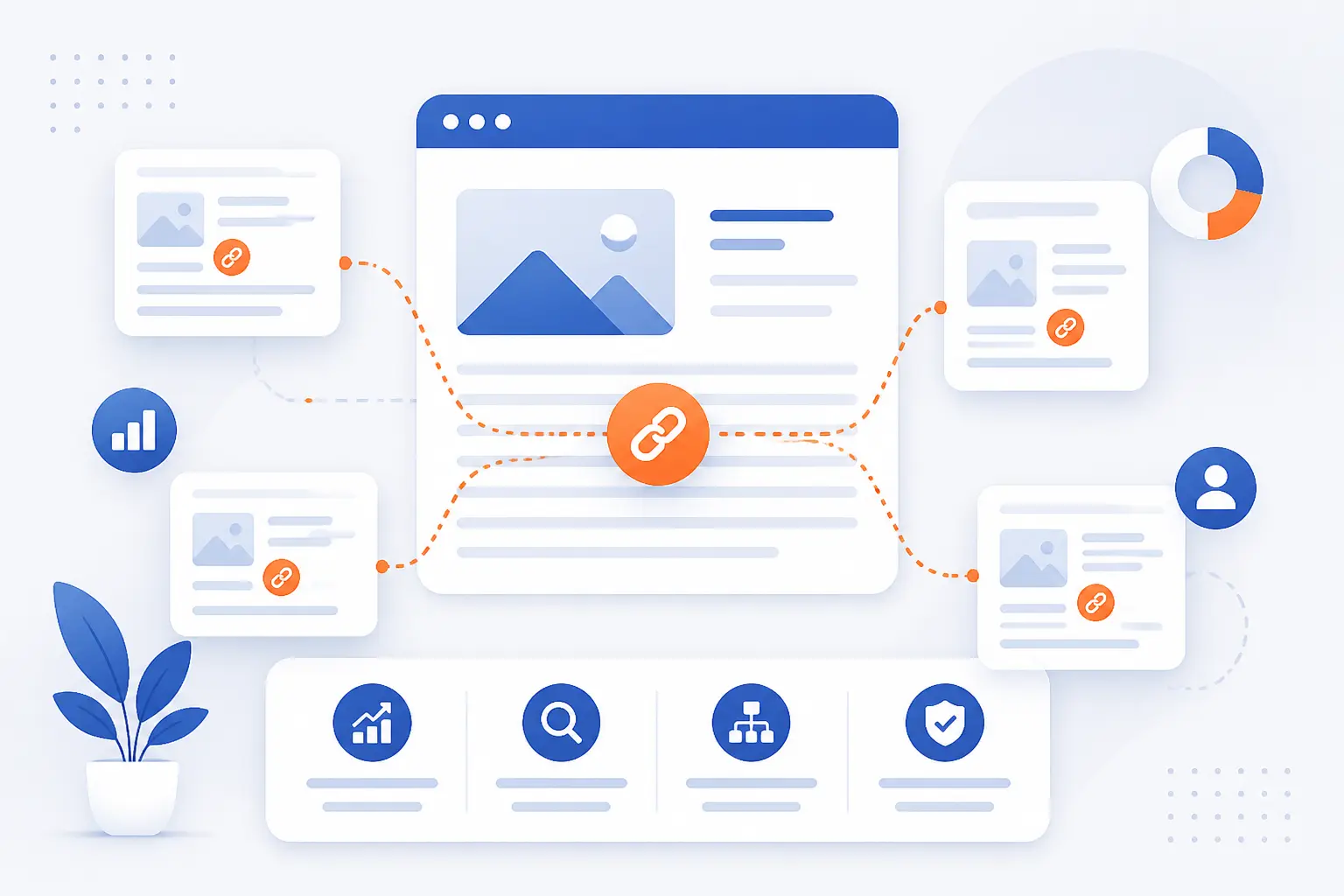
The Benefits of Internal Linking are practical: internal links help people move through your website, help search engines discover pages, and help important content earn more attention. An internal link is a hyperlink from one page on your site to another page on the same site. We see internal linking as the quiet wiring of a website. It rarely gets applause, but when it is weak, everything feels harder to find, harder to rank, and harder to trust.
At 1Byte, we think of internal linking as a planning discipline, not a last-minute SEO chore. A good internal linking strategy starts with knowing which pages matter most, how topics connect, and what next step a reader should take. It also respects the reader’s patience. Every link should answer a simple question: “Where would this person naturally want to go next?”
Internal Linking Connects Pages on the Same Website
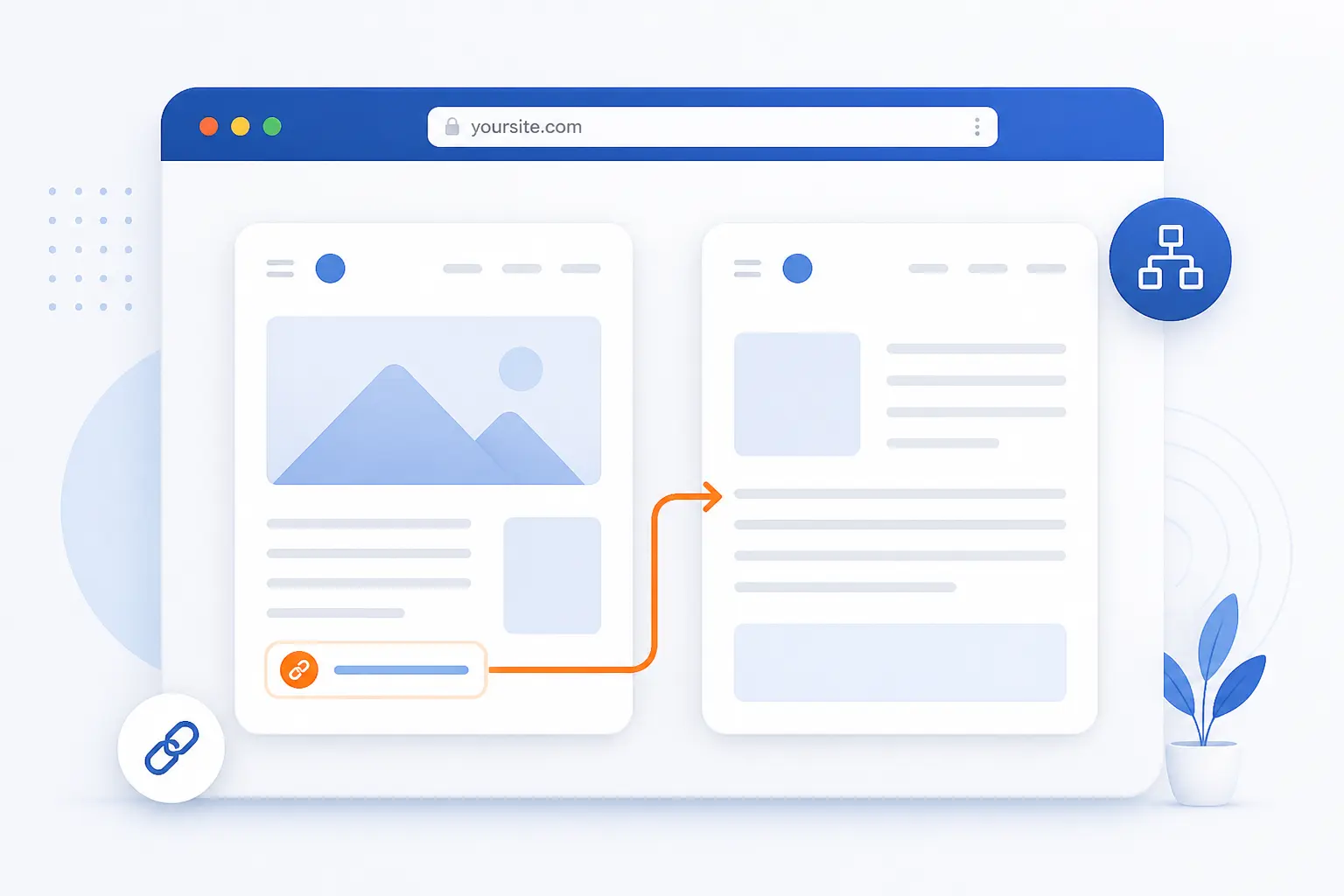
Internal linking means adding links from one page on your own website to another page on the same website. The basic goal is to connect related information so users and crawlers can move through your content with less friction. If a blog post explains website security and points to your SSL certificate page, that is an internal link. If a product category points to a product detail page, that is also an internal link.
The strategy matters because search engines discover pages partly by following paths from pages they already know. Google explains that it can find other pages when it extracts a connection from a known page to a new one, such as a category page pointing to a fresh article through known pages to new pages. That means a page with no meaningful path into it may exist, but still struggle to be found or understood. We have seen this often on growing sites: the content is useful, yet it sits like an unmarked door at the end of a hallway.
The cleanest mental model is simple. Your homepage and major category pages are roads. Your supporting articles, service pages, product pages, case studies, and help pages are destinations. Internal links are the signs that tell people where to go and tell search engines how those destinations relate.
FURTHER READING: |
| 1. How to Fix Keyword Cannibalization Step by Step |
| 2. How to Choose SEO Keywords That Can Actually Rank |
| 3. What Is a URL? Parts, Examples, and How It Works |
Where Internal Links Show Up Across a Site
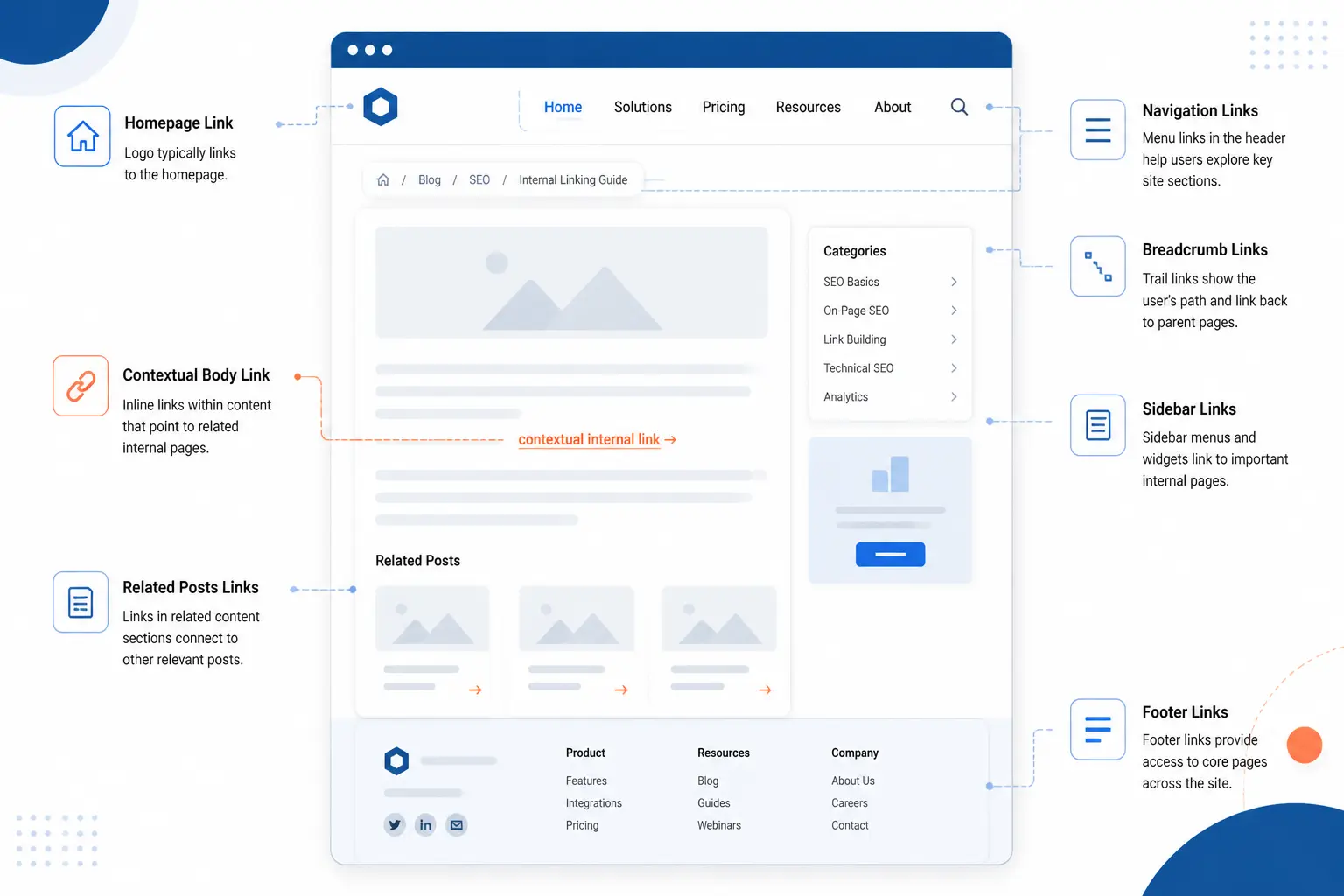
Internal links show up anywhere a website guides people from one page to another within the same domain. The most common places are navigation menus, category pages, breadcrumbs, body copy, sidebars, footers, related posts, and product recommendations. Each location has a different job. Navigation handles broad movement, while contextual links inside content handle precise next steps.
| Placement | Best use | Risk to avoid |
|---|---|---|
| Navigation and breadcrumbs | Show structure and parent pages | Too many menu choices |
| Contextual copy | Guide readers to a relevant next page | Forcing links where intent is weak |
| Related sections | Encourage deeper browsing | Automated suggestions with poor relevance |
Navigation Menus Categories and Breadcrumbs
Navigation menus, categories, and breadcrumbs define the main structure of a website. Menus usually point to primary pages such as services, pricing, resources, and contact pages. Categories group similar content, which helps users browse by topic. Breadcrumbs show the current page’s position inside the site hierarchy.
We like breadcrumbs because they reduce uncertainty. A reader who lands on a deep product page from search can quickly see where that page lives. Google’s documentation says a breadcrumb trail indicates a page’s position in the site hierarchy and can help users understand and explore a site through official search documentation. For a beginner-friendly site, this is especially useful. People should never feel trapped on a page.
Contextual Links Inside Articles Pages and Product Copy
Contextual links are usually the most persuasive internal links because they appear exactly where a reader needs more context. These links sit inside paragraphs, feature descriptions, tutorials, comparisons, FAQs, or product copy. They work best when the linked page helps the reader continue a task. A guide about choosing web hosting might naturally point to a deeper comparison of shared hosting and cloud hosting.
Our rule is to link at the point of curiosity. If the sentence creates a question, the link should answer it. Do not wait until the bottom of the page if the reader needs help in the middle. Contextual links also give search engines clearer clues about topic relationships because the surrounding words describe why the destination matters.
Related Posts Sidebars Footers and Product Recommendations
Related posts, sidebars, footers, and product recommendations support discovery after the main content has done its job. They are useful when the reader has finished a page and wants another option. A blog can show related guides. An ecommerce site can show compatible products. A SaaS site can suggest setup documentation beside a feature page.
The danger is lazy automation. “Related” should mean genuinely related, not merely recent or popular. Baymard’s ecommerce research shows how much browsing paths can affect purchase behavior, with mediocre product list usability tied to 67-90% abandonment in tested product-finding tasks. We take a practical lesson from that: discovery modules should help people narrow choices, not dump more noise onto the page.
Why the Benefits of Internal Linking Matter for SEO and Users
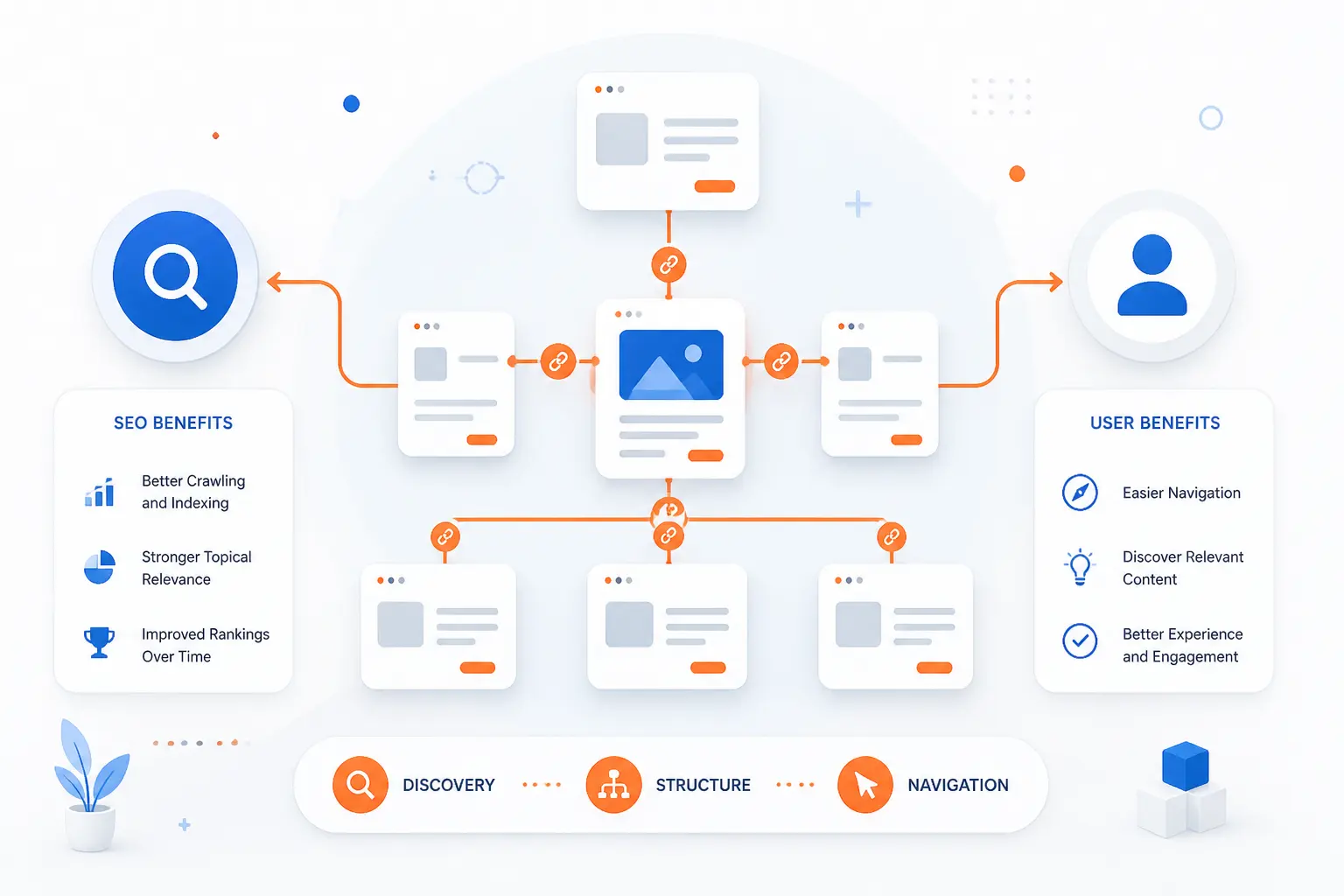
The Benefits of Internal Linking matter because they improve discovery, structure, authority flow, navigation, engagement, and conversion paths. SEO and user experience meet at the same point here. A search engine wants to understand which pages exist and how they relate. A visitor wants to know where to click next without thinking too hard.
Good internal linking also gives your website editorial discipline. It forces you to decide which pages are central and which pages support them. That decision prevents content sprawl. Without it, websites become archives, not experiences.
Better Crawlability and Faster Indexing
Internal links help crawlers find important pages more reliably. When a new page is linked from an existing page, it has a clearer route into the site. This does not guarantee instant indexing or ranking. Still, it gives search engines a path to follow.
Google says it uses connections between pages as a relevancy and discovery signal through official crawler guidance. That is why we prefer publishing workflows that include internal links before a page goes live. A new article should not sit alone. Link to it from a relevant hub, from older articles that mention the same topic, and from any page where it answers a natural follow-up question.
Clearer Site Structure Hierarchy and Topical Signals
Internal links help clarify which pages are broad guides, which pages are supporting details, and which pages are commercial priorities. Search engines infer relationships from site architecture, anchor text, surrounding copy, and repeated patterns. Users infer the same thing from menus, breadcrumbs, and in-page links. When those signals agree, the site feels coherent.
For example, a hosting website might have a main “WordPress hosting” page supported by articles about caching, plugin safety, backups, migration, and performance. Each support page should point back to the main page when relevant. The main page can also point outward to selected support guides. That two-way relationship creates a clear content family.
More Link Authority for Priority Pages
Internal links can help priority pages receive more of the authority that flows through a site. The idea is not magic. Pages that earn external mentions, traffic, or prominence can pass signals internally when they link to relevant destinations. Search systems are more complex than early ranking models, but links remain part of how the web is interpreted.
The historic PageRank model treated the web as a graph where references from one page to another helped estimate importance. The original authors described using the web’s structure to create a ranking measure in an early ranking research project. We should not pretend modern SEO is only PageRank. Yet the principle still teaches a useful habit: do not let strong pages become dead ends.
Easier Website Navigation and Stronger Engagement Metrics
Internal links make navigation easier when they reduce the effort needed to reach the next useful page. A visitor reading a beginner guide may need a glossary, a pricing page, or a setup tutorial. If those paths are visible, the visitor is more likely to continue. If the paths are hidden, the visitor may leave.
Better navigation can also improve behavior signals that matter to business teams, such as pages per session, engaged visits, and completed forms. We are careful here. Internal links do not “force” engagement. They earn it by being useful. A link placed at the right moment feels like a helpful hand on the shoulder.
Better Paths to Signups Leads and Sales
Internal links create clearer paths from education to action. Informational pages attract readers who may not be ready to buy. Good links help them move from learning to comparison, and from comparison to decision. This is especially useful for hosting, software, ecommerce, professional services, and B2B websites.
The key is to match intent. A beginner article should not shout for a sale in every paragraph. It might link to a checklist, then to a service page, then to a contact page when the topic naturally becomes practical. We prefer this patient approach. It respects the reader and still supports revenue.
Build an Internal Linking Strategy Around Your Key Pages
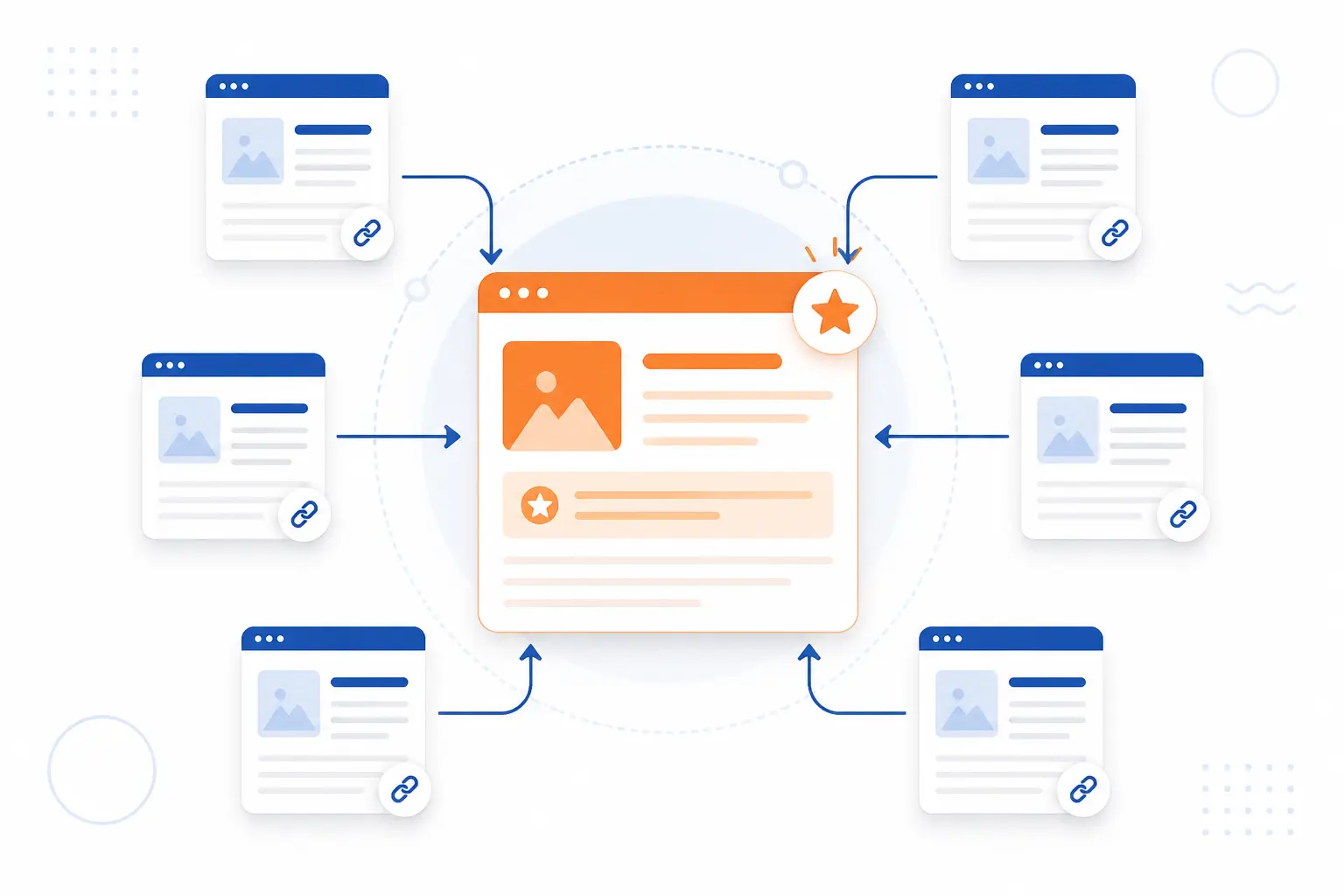
An internal linking strategy should start with your key pages, then organize supporting content around them. The goal is to make important pages easy to find, easy to understand, and strongly connected to relevant supporting pages. Do not begin by sprinkling random links across old articles. Begin by deciding which pages deserve attention.
We usually separate pages into three groups: main pages, supporting pages, and priority URLs. Main pages explain broad topics. Supporting pages answer narrower questions. Priority URLs are the pages tied most closely to leads, sales, signups, or brand trust. Once those groups are clear, internal linking becomes much less messy.
Identify Main Pages Supporting Pages and Priority URLs
Start by listing the pages that matter most to your business and your readers. These may include service pages, product pages, category pages, cornerstone guides, comparison pages, and high-converting landing pages. Then list the support content that explains related questions. A support article should have a reason to point toward a main page.
We recommend using a simple spreadsheet. Add columns for URL, page type, target audience, search intent, current traffic, current conversions, and internal link opportunities. This humble document does more than most expensive brainstorming sessions. It shows which pages are overfed with links and which pages are starving.
Organize Content Into Pillars Clusters and Thematic Silos
Organize related pages into pillar pages, topic clusters, and thematic silos so readers can move through one subject without getting lost. A pillar page covers a broad topic. Cluster pages answer narrower questions. A thematic silo keeps a group of related pages tightly connected.
For example, a site about cloud services could build one cluster around website hosting, another around server management, and another around domain security. Each cluster should have a central page that links to supporting pages. Supporting pages should link back when it helps the reader. Avoid connecting every page to every other page. That creates a spiderweb, not a structure.
Keep Important Pages Within a Few Clicks of Home
Keep your most important pages reachable through short, obvious paths from the homepage. This does not mean every page needs a homepage link. It means users should not need to dig through unrelated menus, old archive pages, or search boxes to find core content. Important pages deserve clear routes.
We use a practical test. Ask someone unfamiliar with the site to find a priority page from the homepage. Watch where they hesitate. If they need to guess, your structure is unclear. Menus, category pages, hub pages, and breadcrumbs can all shorten the path without crowding the homepage.
Use Strong Pages to Support New or Underperforming Content
Use pages that already earn traffic, external mentions, or engagement to support new or underperforming pages. These strong pages often have the attention your newer pages lack. A relevant link from a strong page can help users discover the weaker page. It can also help search engines understand where the newer page fits.
Do this with restraint. The link must belong in the paragraph. If an older article about website speed mentions server resources, it may naturally point to a cloud server guide. If it has no connection, leave it alone. Forced links are easy to spot, and they make copy feel cheap.
Add Links Between Older and Newer Pages
Add links in both directions when older and newer pages cover related ideas. New content should point to established resources. Older content should be refreshed to mention newer, more detailed pages. This keeps your library alive.
We like scheduling this as part of publishing. When you publish a new page, identify older pages that should link to it. Then identify pages the new page should link toward. This habit prevents orphan pages. It also keeps readers from landing on outdated material with no path to fresher guidance.
Best Practices That Make Internal Links Useful and Search-Friendly
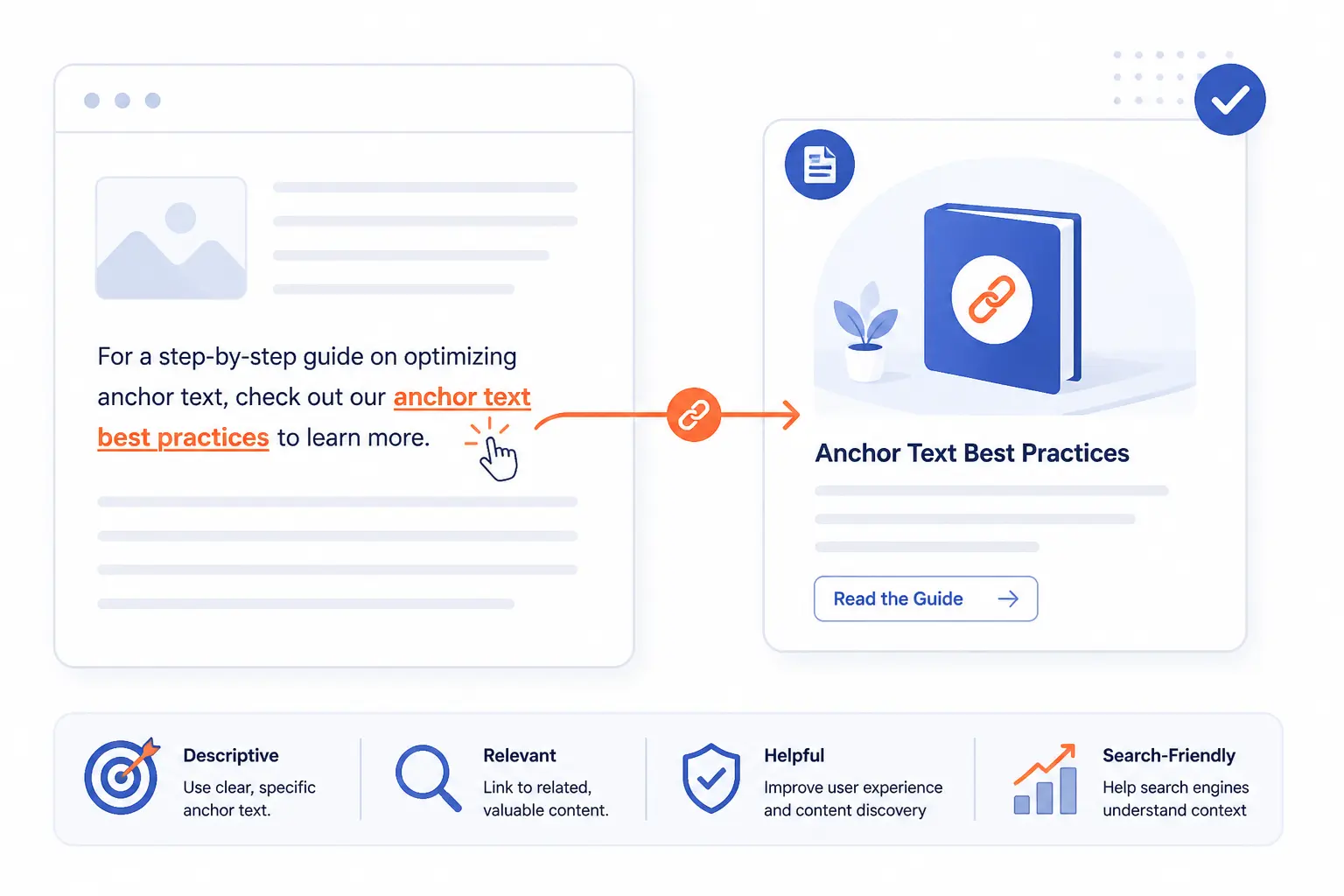
Best practices for internal linking are simple: use descriptive anchor text, link only where the destination fits, prioritize main-content links, and strengthen discovery with sensible site structures. A good internal link should make sense before and after the click. The reader should know why the link is there. Search engines should be able to infer what the destination page covers.
We do not treat internal linking as a keyword-stuffing exercise. The anchor should describe the destination naturally. The surrounding sentence should explain the relevance. The page should feel more helpful because the link exists.
Write Descriptive Anchor Text Without Keyword Cannibalization
Descriptive anchor text tells readers what they will get after they click. “Click here” is weak because it says nothing about the destination. “Compare WordPress plans” is stronger because it sets an expectation. The best anchor is short, accurate, and specific.
Accessibility standards support the same idea. WCAG explains that a destination’s purpose should be understandable from the text or context around a link through text or context. For SEO, avoid using the same anchor phrase for multiple competing pages. If two pages both receive the same anchor, search engines and users may struggle to know which page is the main answer.
Match Every Link to the Topic and User Intent
Every internal link should match the topic and the reader’s intent at that moment. A page about beginner domain setup should not suddenly push advanced server tuning unless the context calls for it. Relevance is the difference between guidance and distraction. The reader should feel that the next page is a natural continuation.
Before adding a link, ask three questions. Would a real reader want this next? Does the destination answer a related question? Is this the best page on our site for that need? If the answer is weak, skip the link. Fewer good links beat many shallow ones.
Place High-Value Links in the Main Content Area
High-value internal links usually belong in the main content area because that is where user intent is clearest. A contextual link inside a relevant paragraph carries more practical value than a repeated footer link. The surrounding copy explains why the destination matters. That context helps readers decide whether to click.
Menus and footers still matter, of course. They create stable paths. But if a page is strategically important, do not rely only on global navigation. Mention it where the topic genuinely comes up. We see this as editorial linking, not decorative linking.
Use Taxonomies HTML Sitemaps and Recent Posts to Strengthen Discovery
Taxonomies, HTML sitemaps, and recent-post sections help users and crawlers discover pages that may not fit naturally into every article. Categories and tags group content by theme. An HTML sitemap gives people a broad view of available pages. Recent-post modules can help fresh content get early visibility.
The warning is to keep these structures clean. Too many tags create thin archive pages. Poorly named categories confuse users. A recent-post widget can become irrelevant on evergreen pages. We prefer fewer, clearer groupings. If a taxonomy does not help people browse, it probably does not deserve to exist.
Audit and Improve Your Internal Linking Over Time
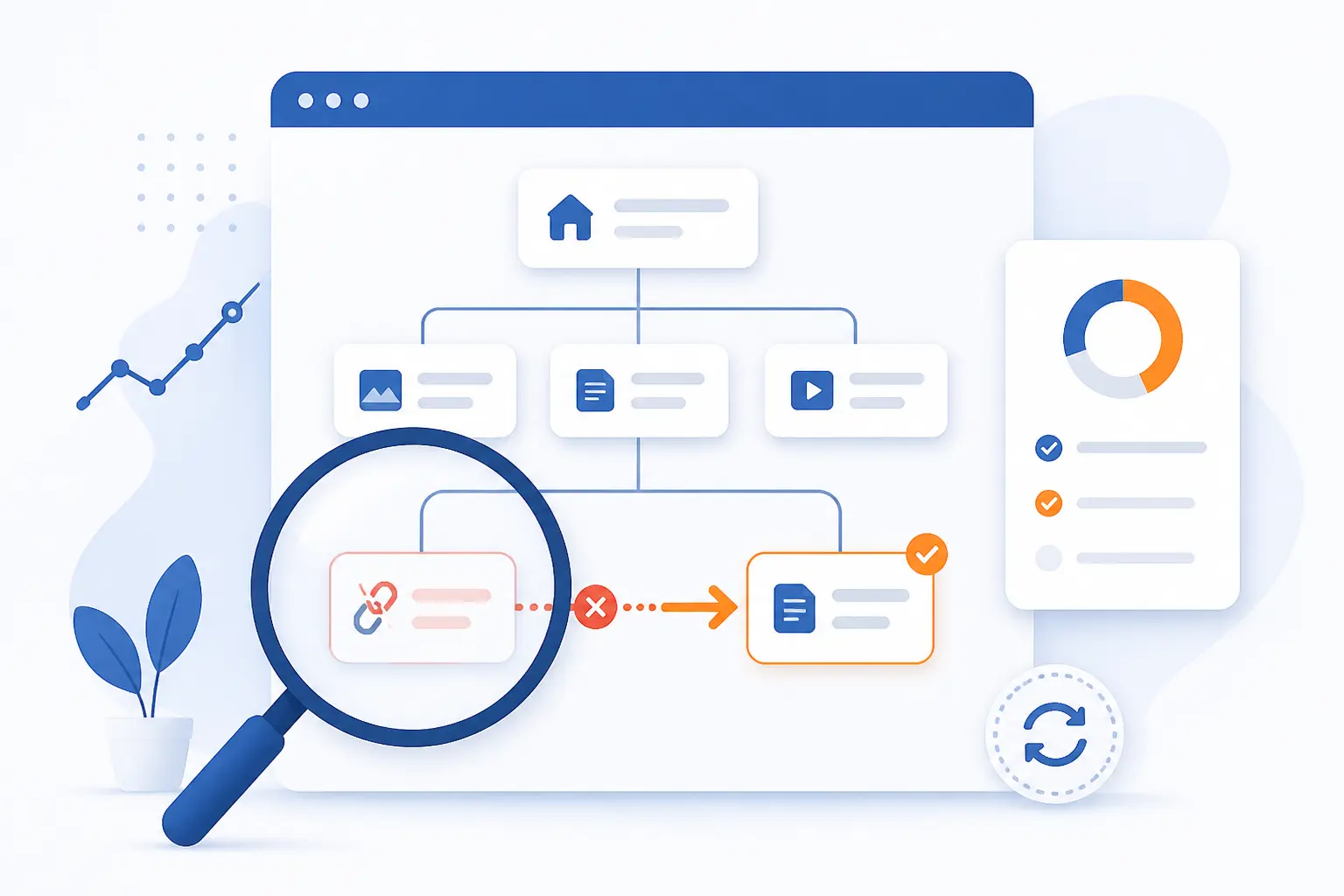
An internal linking audit finds weak paths, broken paths, outdated paths, and missed opportunities. Websites change constantly. Pages are deleted, slugs are updated, redirects pile up, and new content appears. A good audit keeps the structure honest.
We recommend treating internal linking as maintenance, not a one-off campaign. Review your site after major publishing pushes, redesigns, migrations, and product changes. Small fixes compound. A repaired broken link here and a better contextual link there can make the whole site easier to use.
Find Broken Links Redirects and Orphan Pages
Start every audit by finding broken links, redirect chains, and orphan pages. Broken links send users to dead ends. Redirect chains slow the path and can create confusion. Orphan pages have no meaningful internal route from the rest of the site.
Use crawling tools, your CMS, and Search Console together. Search Console’s URL Inspection tool shows what Google knows about a specific page and can help troubleshoot indexing problems through page-level diagnostics. A crawler gives a broader map of status codes and in-site paths. Fix the simplest issues first. Replace broken links with direct links to the best live destination.
Spot Underlinked Pages Weak Anchors and Missed Opportunities
Look for important pages that receive too few meaningful links from related content. These pages may be commercial pages, new guides, or valuable articles buried deep in the archive. Also review anchor text. Weak anchors often reveal weak editorial decisions.
We like exporting a list of top pages, then checking how many relevant internal paths point to each one. Search Console’s report can show a sampled view of site connection data through sampled connection data. Do not treat that sample as the whole truth. Use it as one lens, then compare it with a site crawl and your own content plan.
Review Click Paths Bounce Rate and Time on Page
Review behavior data to see whether your internal links match how people actually move through the site. Analytics can show which links get clicked, where users exit, and which pages lead to conversions. A page with heavy traffic and poor onward movement may need clearer next steps. A page with strong engagement may be a good source for supporting links.
Be careful with interpretation. A short visit is not always bad. Someone may find a phone number and leave satisfied. Look for patterns, not isolated numbers. If users often bounce from a guide that should lead to a setup page, the next step may be unclear or poorly placed.
Use Internal Linking Checkers Plugins and Site Audits
Use tools to speed up discovery, but use judgment to decide which links belong. WordPress plugins can suggest related content. SEO crawlers can reveal orphan pages, crawl depth, anchor text patterns, and broken URLs. Site audit platforms can flag technical problems at scale.
Still, a tool cannot fully understand your reader. It may suggest a link because two pages share a phrase, even when the intent differs. We use tools as scouts, not commanders. The final decision belongs to the editor, marketer, or site owner who understands the journey.
Common Mistakes That Weaken the Benefits of Internal Linking
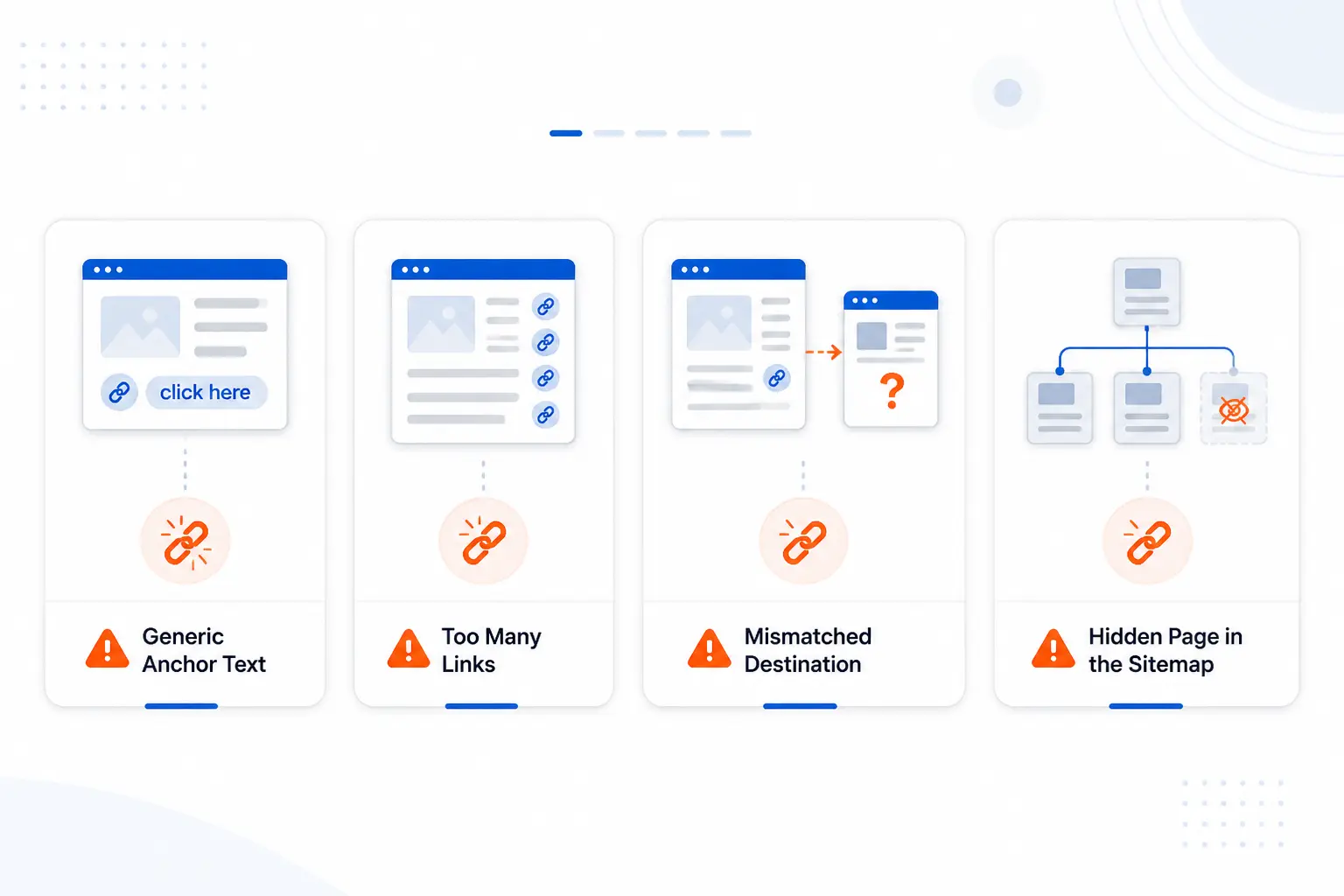
The most common internal linking mistakes are generic anchors, excessive links, inconsistent destinations, and hidden important pages. These mistakes weaken both SEO clarity and user trust. They usually happen when teams add links mechanically instead of thinking through intent. A good link feels earned by the sentence around it.
We have a bias here: a smaller number of useful links is better than a page covered in blue text. Readers notice clutter. Search engines also need clear signals. If everything is emphasized, nothing is emphasized.
Using Generic or Irrelevant Anchor Text
Generic or irrelevant anchor text makes internal links harder to understand. Phrases like “read more,” “this page,” and “learn more” give little context. They force readers to inspect surrounding copy. They also waste a chance to describe the destination.
Irrelevance is worse. A link about pricing should not point to a broad education guide unless the paragraph clearly explains why. Keep anchors specific, but natural. We prefer anchor text that could stand alone in a list and still make sense.
Adding Too Many Links to a Single Page
Too many internal links can dilute attention and make a page feel chaotic. A reader should not have to choose between dozens of next steps after every paragraph. Excessive linking also makes it harder to identify which destinations matter most. The page starts to feel like a directory instead of a guide.
There is no perfect universal count. The right number depends on page length, intent, and complexity. A long technical tutorial may need more links than a short landing page. The better question is this: does each link help the reader continue the job they came to do?
Sending the Same Anchor to Different Destinations
Sending the same anchor text to different destinations creates confusion. If “cloud server pricing” sometimes points to a pricing page and sometimes points to a general cloud server page, the signal becomes muddy. Readers expect consistent labels. Search engines also benefit from consistency.
Build a simple anchor map for priority pages. Decide which page is the main destination for a recurring phrase or concept. Then use variations naturally when the context calls for nuance. Consistency does not mean robotic repetition. It means the site has editorial discipline.
Leaving Important Content Hidden From Users and Crawlers
Important content loses value when it is hidden deep in the site with no clear paths. This can happen after migrations, redesigns, seasonal campaigns, or large content imports. A page may technically exist, but if users cannot reach it, it is practically invisible. Search engines may also have a harder time understanding its role.
Fix this by linking important pages from relevant hubs, menus, categories, and contextual passages. If a page supports revenue or trust, it deserves deliberate placement. Do not assume your sitemap will do all the work. Sitemaps help discovery, but internal paths help meaning.
FAQ
This FAQ gives short answers to the most common beginner questions about internal linking. The direct answer comes first in each response. Use these answers as a quick reference before you plan your own site structure.
What Does Internal Linking Mean?
Internal linking means linking from one page on your website to another page on the same website. These links can appear in menus, articles, sidebars, footers, breadcrumbs, category pages, and product recommendations. Their job is to connect related pages so users and crawlers can move through the site more easily.
Are Internal Links Important for SEO?
Yes, internal links are important for SEO because they help search engines discover pages and understand relationships between pages. They can also guide authority toward priority pages when used naturally. The best SEO value comes when internal links also help real users.
What Is the Difference Between an Internal and External Link?
An internal link points to another page on the same website, while an external link points to a page on a different website. Internal links shape your own site structure. External links connect your content to outside references, partners, tools, research, or examples.
What Are Common Examples of Internal Links?
Common examples include navigation menu links, breadcrumb links, category links, contextual article links, related posts, footer links, and product recommendation links. A blog post pointing to a service page is a common internal link. A category page pointing to a product page is another simple example.
How 1Byte Supports Better Internal Linking Foundations
1Byte supports better internal linking foundations by helping website owners build stable, organized sites where content can be structured clearly. Internal linking works best when the basics are in place: a clear domain, secure browsing, a suitable hosting environment, and room for growth. We offer domain registration, SSL certificates, WordPress hosting, shared hosting, cloud hosting, and cloud servers. 1Byte is also an AWS Partner, which matters for teams planning infrastructure with long-term growth in mind.
| Service area | How it supports site structure | Practical internal linking angle |
|---|---|---|
| Domain registration and SSL certificates | Creates a trusted base for the site | Keeps important pages under a clear, secure address |
| WordPress hosting and shared hosting | Supports organized content publishing | Makes blogs, pages, categories, and hubs easier to manage |
| Cloud hosting and cloud servers | Supports growing sites and more complex builds | Gives larger content libraries room to expand |
Domain Registration and SSL Certificates for a Strong Site Base
Domain registration and SSL certificates give your website a clear and secure foundation. Internal linking becomes cleaner when your content lives under a stable domain structure. A consistent domain helps users recognize where they are. SSL certificates support secure browsing, which is now a basic expectation for serious websites.
From an internal linking viewpoint, the goal is consistency. Avoid scattering important content across confusing subdomains or temporary addresses unless there is a clear technical reason. Keep your key pages easy to identify. A clean base makes every later structure decision easier.
WordPress Hosting and Shared Hosting for Organized Content Hubs
WordPress hosting and shared hosting can support organized content hubs for blogs, service pages, and resource libraries. WordPress is especially useful for beginners because pages, posts, categories, tags, and menus are familiar publishing tools. Those tools make it easier to build topic clusters and maintain navigation.
The practical work still belongs to the site owner. Hosting gives the site a place to live, but planning gives it shape. We recommend naming categories carefully, keeping menus focused, and reviewing older posts when new content is published. Good organization turns a growing content library into a useful resource instead of a pile of pages.
Cloud Hosting and Cloud Servers for Scalable Growth
Cloud hosting and cloud servers support websites that expect growth in content, traffic, or technical complexity. Larger sites often need more deliberate architecture because there are more pages, templates, media files, and user paths to manage. Internal linking becomes more strategic as the site expands. Random linking does not scale well.
For teams building larger portals, ecommerce catalogs, learning centers, or multi-service websites, infrastructure and information architecture should be planned together. We believe this is where many sites go wrong. They grow the server side and forget the content side. Both need structure.







Conclusion
The Benefits of Internal Linking are strongest when links serve both people and search engines. Good internal links help pages get discovered, clarify site structure, guide authority toward priority URLs, improve navigation, and create better paths to action. The work is not glamorous, but it is dependable. That is why we value it.
Start with your most important pages. Map the supporting content around them. Add links where the reader naturally needs a next step. Then audit the structure regularly, especially after publishing, redesigns, migrations, or product changes.
Our view at 1Byte is simple: a website should never feel like a maze. It should feel like a well-marked city, with clear roads, useful signs, and destinations that make sense. If you are planning your next content update, choose one priority page and ask: what five related pages should help readers reach it?