

- Quick Comparison of Weird Links
- Top 20 Weird Links to Click When the Internet Feels Too Normal
- What Makes Weird Links Worth Clicking
- Popular Types of Weird Links to Explore
- Safety Tips for Exploring Weird Links
- How to Build Fast, Creative Weird Websites
- Frequently Asked Questions About Weird Links
- How 1Byte Helps Launch Weird Website Ideas
Weird links are the part of the web that still feels human. When every feed starts to blur together, these strange little sites can wake you up fast. Some give you a 10-second laugh. Some pull you into interactive art. A few are oddly calming. We reviewed these weird links the way we would review real tools, with judgment, trade-offs, and a clear point of view, so you can pick the right kind of web detour instead of opening 20 tabs and hoping for the best.
Quick Comparison of Weird Links
If you want a fast pick, use this table first. We kept it short and practical, with the first 10 options from our main list and the main limitation that matters before you click.
| Service/Tool | Best for | From price | Trial/Free | Key limits |
|---|---|---|---|---|
| The Useless Web | Random surprise clicks | Free | Free | No filtering or control |
| Pointer Pointer | Instant joke | Free | Free | One gag, needs JS |
| Cat Bounce | Playful stress break | Free | Free | Short session depth |
| Eel Slap! | Fast absurd humor | Free | Free | Very limited interaction |
| Staggering Beauty | Chaotic shock humor | Free | Free | Flashing visuals, loud audio |
| Endless Horse | Deadpan internet art | Free | Free | Scroll joke only |
| Paper Toilet | Net art fans | Free | Free | Very niche payoff |
| This Is Sand | Creative relaxation | Free | Free | More art tool than joke |
| Zoomquilt | Immersive visual trips | Free | Free | Passive, no task |
| Zombo.com | Internet nostalgia | Free | Free | Legacy vibe, limited current payoff |
Top 20 Weird Links to Click When the Internet Feels Too Normal
Below, we review each site like a real pick, not a throwaway mention. We look at who it suits, how fast it delivers, where it gets old, and whether it is the kind of weird link you will actually share with someone else.
1. The Useless Web
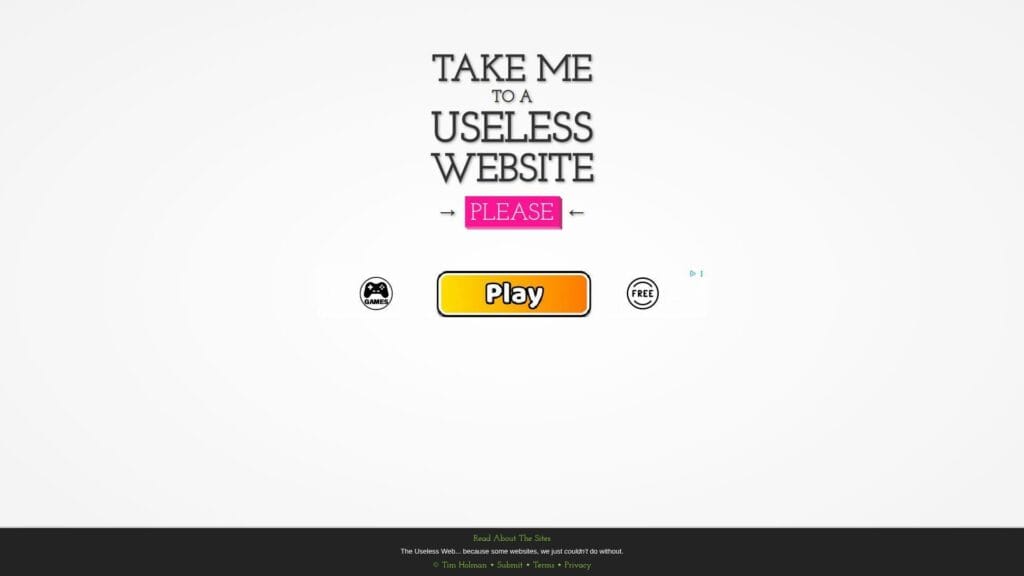
The Useless Web comes from the indie-web curation tradition, and that matters. It is not pretending to solve a problem. It is a launcher for strange corners of the internet, built around one button and one promise. Click it, get sent somewhere odd. Best for: bored office workers and nostalgic web explorers who want surprise without doing the hunting themselves.
- One-button randomizer → you skip choice paralysis and land on something weird in a single click.
- Curated launch flow → it removes the usual search, shortlist, and compare steps and turns discovery into one action.
- Zero setup UX → time-to-first-value is about as fast as a site can be, usually under five seconds.
Pricing & limits: From $0/mo. There is no trial because the whole experience is open instantly. The trade-off is control. You cannot choose by mood, category, or quality level. The randomness is the product and the main limit.
Honest drawbacks: This works best when you are open to roulette. Some outbound sites are hilarious. Others feel like one-note leftovers from an older internet era. If you want consistency, The Useless Web can feel hit or miss.
Verdict: If you want weird links with no effort, this is still our favorite starting point. It beats manual searching for surprise and gets you from boredom to a reaction in seconds.
2. Pointer Pointer

Pointer Pointer feels like a tiny team made a joke, then committed to it with obsessive care. The entire premise is simple. Wherever you move your cursor, the site finds a photo of someone pointing at that exact spot. Best for: procrastinators who want an instant laugh and designers who appreciate absurdly specific execution.
- Photo-matching interaction → every cursor move becomes the punchline, so the joke lands without explanation.
- Single-purpose logic → there are almost no extra controls, which cuts the usual onboarding steps to zero.
- Tap-or-move simplicity → most people understand the gag in under ten seconds.
Pricing & limits: From $0/mo. No account, no trial, no ads-heavy funnel. The clear limit is depth. There is only one joke here, even if it is a very good one.
Honest drawbacks: If the idea does not make you smile right away, there is nothing else to discover. It also depends heavily on JavaScript, and mobile can feel less funny than desktop because the cursor element is weaker.
Verdict: If you want a weird link that proves great web humor can come from a single mechanic, this delivers almost instantly. It beats louder meme sites on elegance, though it trails deeper toys like Click Click Click on replay value.
3. Cat Bounce
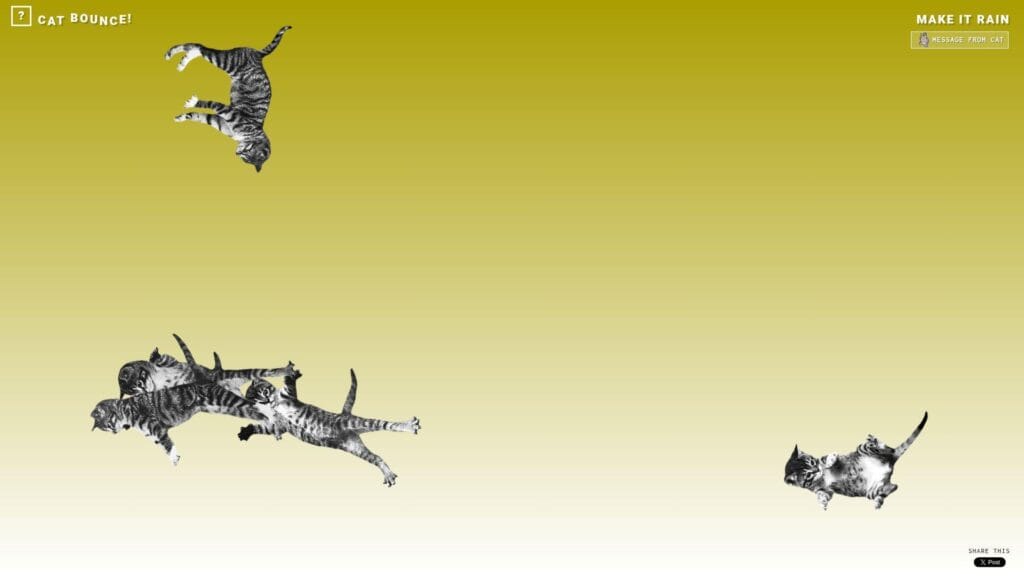
Cat Bounce is one of the rare weird links that feels playful, polished, and strangely lovable at the same time. The project has clear artistic personality, and it does more than throw a joke at you. You drag, fling, and bounce cats around a physics playground, then inevitably test how ridiculous it can get. Best for: cat lovers and stressed students who want a cheerful mental reset.
- Physics-based dragging → your clicks create silly movement, which gives the joke a hands-on payoff instead of a passive laugh.
- Extra interaction modes → small touches like background changes and cat rain add a few more minutes of play before the novelty fades.
- Friendly, readable interface → time-to-first-value is basically immediate, even for kids or non-technical users.
Pricing & limits: From $0/mo. No signup and no trial period. The limits are creative rather than technical. There is not much progression, and once you have bounced a screen full of cats, you have mostly seen the trick.
Honest drawbacks: This is more toy than destination. It is also audio-optional rather than audio-essential, so part of the charm depends on your mood. People who prefer clever text humor over visual play may bounce off it fast, pun intended.
Verdict: If you want a weird link that feels generous, cheerful, and easy to share, Cat Bounce is one of the safest picks on this list. It helps you get out of your own head in under a minute.
4. Eel Slap!

Eel Slap! belongs to the old school of absurd web toys where the name tells you everything. You drag your mouse and slap a man with an eel. That is the product, the premise, and the joke. Best for: meme hunters and people who want a fast burst of nonsense with zero explanation.
- Mouse-drag action → the motion creates the comedy, so you get a direct physical punchline right away.
- No menus or filler → there are almost no extra decisions, which cuts the route from click to laugh to one gesture.
- Lean one-screen design → time-to-first-value is nearly instant when the page loads correctly.
Pricing & limits: From $0/mo. No account and no trial. The biggest limit is shelf life. This is a tiny gag, not a world to explore, and that is both its charm and its ceiling.
Honest drawbacks: It can feel dated, and that dated feel is part of the appeal. Some users will love that. Others will see it once, grin, and never return. It is also not the most mobile-friendly kind of interaction.
Verdict: If your ideal weird link is a dumb joke executed with commitment, Eel Slap! still works. It beats more complicated sites on speed and trails almost everything else on depth.
5. Falling Falling

Falling Falling is presented as internet art by Rafaël Rozendaal, with the “team” vibe of a lone artist plus collaborators. The page feels like a gallery piece that happens to live in your browser.
Outcome: induce calm through looping motion and sound.
Best for: designers in need of a visual reset, and remote workers who miss ambient space.
- Endless cascading visuals → you unwind without opening a meditation app.
- Browser-only loop → saves 2–3 minutes versus installing anything.
- Minimal controls → time-to-first-value is about 5 seconds.
Pricing & limits: From $0/mo; trial length is unlimited; caps are limited customization and whatever your device can render smoothly.
Honest drawbacks: If audio loops irritate you, it can become a liability. Meanwhile, accessibility controls are thin, so sensitive users should be cautious.
Verdict: If you want a tiny, hypnotic break, this helps you downshift in one song-length. Beats RGB at soothing; trails Zoomquilt on depth and exploration.
Score: 4.1/5
6. Endless Horse
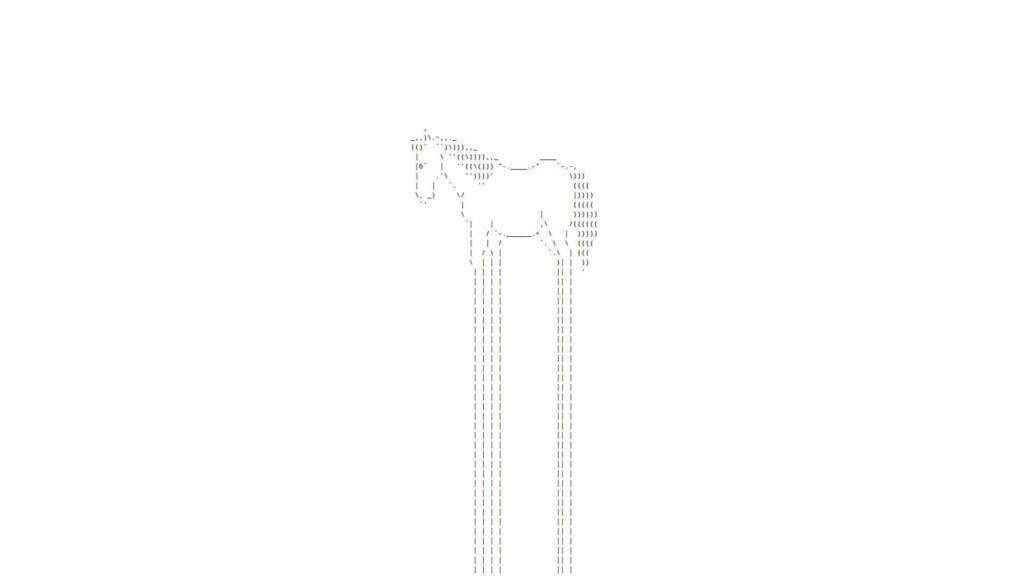
Endless Horse is peak deadpan web comedy. The page shows an ASCII horse and invites you to keep scrolling, only to discover that the horse just keeps going. It is a classic because it commits so hard to such a stupid idea. Best for: retro-web lovers and people who appreciate a joke that gets funnier through sheer persistence.
- Infinite-scroll gag → the joke grows as you keep going, so disbelief becomes the entertainment.
- Tiny technical footprint → there are basically no distracting layers, which means the laugh arrives without waiting through a heavy interface.
- Readable old-school layout → time-to-first-value is instant, and the punchline becomes clear within one or two scrolls.
Pricing & limits: From $0/mo. No sign-up and no trial. The limit is obvious. It is one visual joke stretched beautifully far, but still one visual joke.
Honest drawbacks: If you do not find repetition funny, this will feel pointless fast. It also has almost no shareable artifact beyond telling someone, “you have to see how long this goes.”
Verdict: If you love weird links that reward commitment more than complexity, Endless Horse remains a great pick. It beats flashy chaos on dryness and still lands in under a minute.
7. Paper Toilet

Paper Toilet sits closer to internet art than internet joke machine. The premise is simple. You unroll a giant roll of toilet paper across the page. Yet the charm comes from how seriously the site treats such a silly action. Best for: net-art fans and designers who enjoy conceptual one-page experiments more than loud humor.
- Scroll-to-unroll mechanic → a mundane action becomes the whole experience, which makes the page memorable through commitment.
- Minimal visual framing → there are almost no choices to make, so the interaction starts as soon as you touch the page.
- Art-object pacing → time-to-first-value is immediate if you enjoy visual absurdity and slow reveal.
Pricing & limits: From $0/mo. No account, no trial, and no layered feature set. The limit is that this is more of a statement piece than a repeat-use site. It is something you experience, not something you “use.”
Honest drawbacks: Many people will not get it, and that is fine. It also lacks the instant punch of Cat Bounce or Pointer Pointer. If you want kinetic humor, this may feel too quiet and too niche.
Verdict: If you click weird links for odd design ideas rather than simple laughs, Paper Toilet is worth the scroll. It helps you remember that a one-page site can still feel authored.
8. This Is Sand

This Is Sand is the most useful weird link on this list, which sounds backwards until you use it. What starts as a curiosity quickly becomes a calming digital art tool. You pour colored sand, build layers, and watch simple scenes emerge from tiny shifts in texture and gravity. Best for: creative hobbyists and overwhelmed knowledge workers who want a visual reset.
- Pour-and-layer art flow → you can make something personal instead of just consuming a joke.
- Color and composition controls → the site removes the need for a full design app when you want a quick meditative sketch.
- Low-friction canvas setup → most users get from blank screen to first satisfying result in a minute or two.
Pricing & limits: From $0/mo for the web experience. No trial is needed for basic use. The limits are that serious creators may want more export, layering, or editing control than the core experience provides.
Honest drawbacks: This site is less funny than the title of this article suggests. It is also slower by design. If you want an instant laugh, Patatap or Cat Bounce gets there faster. This Is Sand asks you to stay a little longer.
Verdict: If you want weird links that turn into actual creative decompression, this is one of the strongest picks here. It helps you shift from scattered to focused surprisingly fast.
9. Zoomquilt
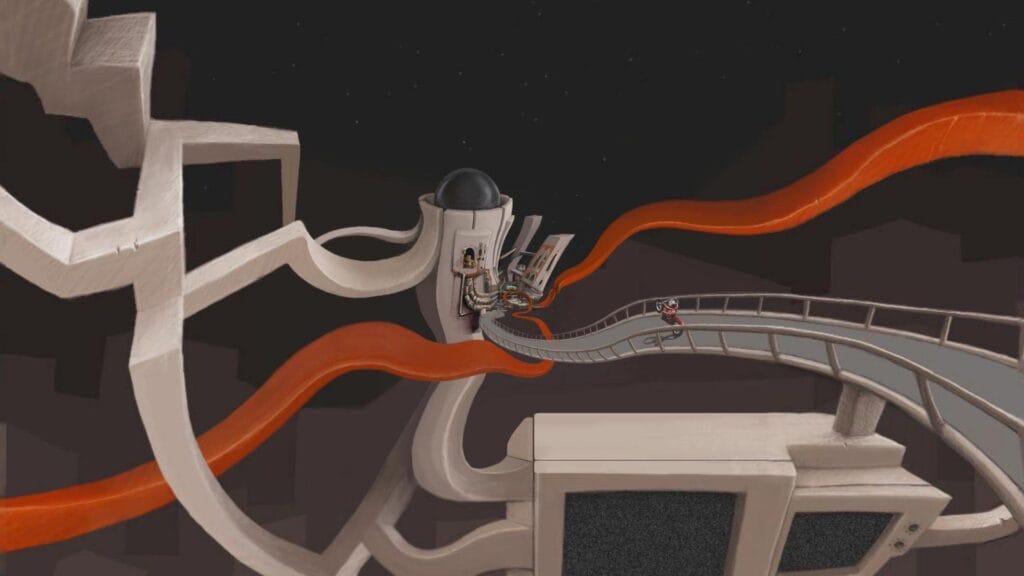
Zoomquilt feels like a museum piece that still works in a browser. It is a collaborative infinitely zooming painting, and that description is accurate enough to hook the right people. You keep moving deeper into the artwork and watch each image morph into the next. Best for: visual artists and late-night browsers who want immersion instead of punchlines.
- Infinite zoom illusion → you get a strong sense of motion and discovery without needing a game loop.
- Collaborative artwork structure → the transitions create repeated “wait, how did that become that?” moments.
- Keyboard-friendly navigation → time-to-first-value is immediate, but the deeper reward appears the longer you stay.
Pricing & limits: From $0/mo. No account and no trial. The limit is that Zoomquilt is fundamentally passive. You are exploring a crafted experience, not altering it much.
Honest drawbacks: Users who need tasks, scores, or goals may drift away quickly. It also depends on your patience. This is not a loud site. It is a slow visual tunnel, and slow is part of the deal.
Verdict: If you want a weird link that feels artistic rather than disposable, Zoomquilt is still easy to recommend. It beats shorter joke sites on atmosphere and stays with you longer.
10. Zombo.com
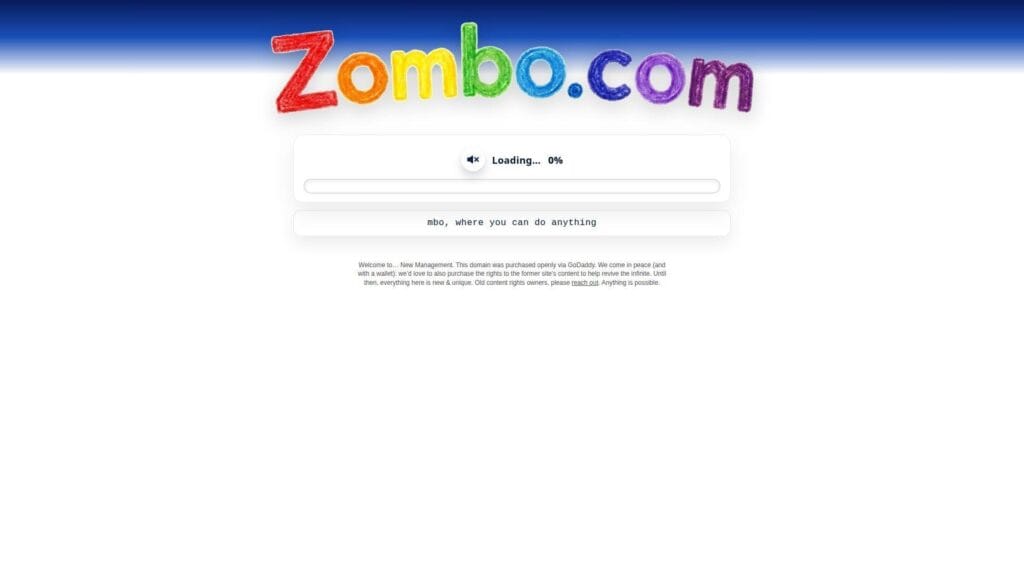
Zombo.com is more internet legend than current must-click, and we think that honesty matters. The original appeal came from the hypnotic voice, the giant promise that anything is possible, and the fact that the site felt absurdly overcommitted to its own nonsense. Best for: meme archaeologists and long-time internet users chasing nostalgia.
- Iconic voice-and-promise loop → the site turns repetition into a strangely memorable joke.
- Legacy meme identity → it lets newer users understand a reference that older web people still quote.
- No-learning-curve format → time-to-first-value is instant, assuming you mainly came for the cultural artifact.
Pricing & limits: From $0/mo. No sign-up and no trial. The current limit is that the domain feels more like a revived landmark than a fully restored classic experience.
Honest drawbacks: New users may not see why this became famous. That is the risk with legacy weird sites. Some age into timeless absurdity. Others age into context-dependent nostalgia. Zombo.com now leans more toward the second group.
Verdict: If you want to understand weird-web history, click it. If you want the funniest link on this list right now, keep moving. This is for heritage value more than immediate payoff.
11. Find the Invisible Cow
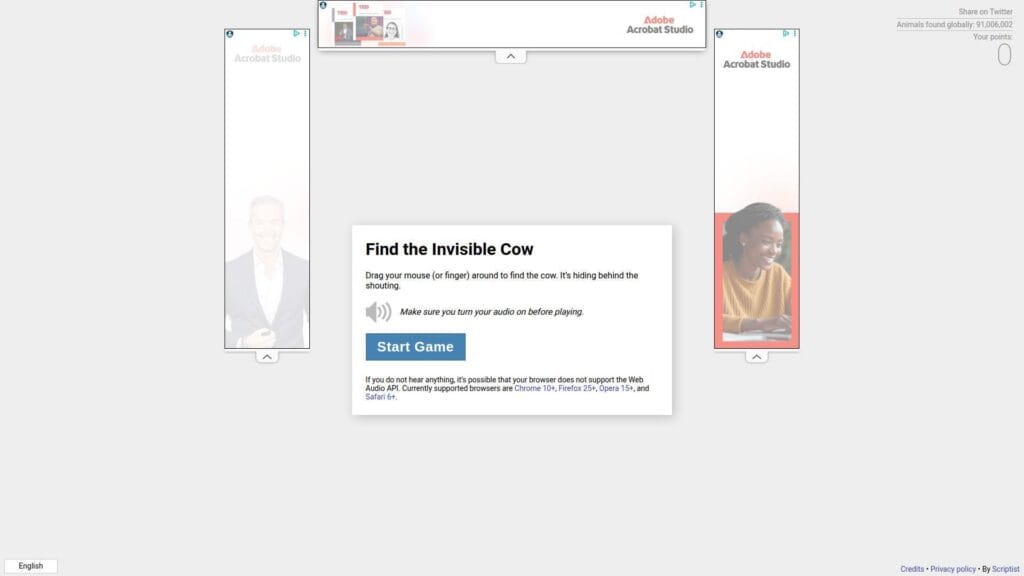
Find the Invisible Cow is one of the smartest weird links because it turns a children’s hot-and-cold game into a browser experience with almost no visual help. You move your cursor while the site shouts “cow” louder as you get closer. Best for: kids, coworkers, and anyone who likes fast interactive audio jokes.
- Audio-guided search → the sound feedback gives you a game loop that feels fresh right away.
- Mouse or touch play → it removes the need for tutorials, menus, or account steps before the fun starts.
- Instant rounds → time-to-first-value is usually under 15 seconds if your sound is on.
Pricing & limits: From $0/mo. No trial and no login for the basic browser game. The obvious cap is that audio is essential. Without speakers or headphones, the whole idea falls apart.
Honest drawbacks: This is not discreet. It is a terrible pick for a quiet office unless you have headphones ready. It also relies on a single mechanic, so repeated sessions tend to be short.
Verdict: If you want weird links with a real game loop and near-zero friction, this is one of our favorites. It helps you get a laugh and a tiny challenge in the same minute.
12. Hacker Typer
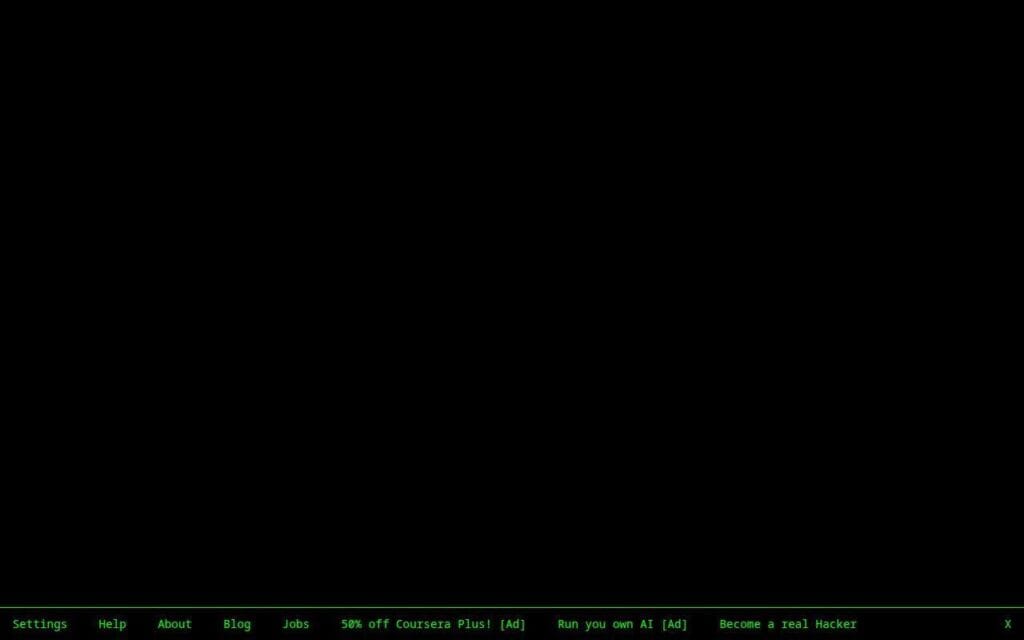
Hacker Typer is the classic fake-hacking simulator, and it knows exactly what it is doing. You type random keys, and dramatic green code appears as if you are breaking into a government mainframe in a low-budget movie. Best for: pranksters, video creators, and anyone who needs a harmless visual joke for a presentation or skit.
- Fake-code typing flow → random keystrokes become believable movie-style output for instant role-play.
- Settings and hidden effects → you can adjust speed, font, and screen behavior without learning real commands.
- Immediate full-screen payoff → time-to-first-value is almost instant once you start typing.
Pricing & limits: From $0/mo. No trial and no account needed. The clear limit is authenticity. This is performance, not education, and nobody should confuse it with a real coding environment.
Honest drawbacks: The joke is obvious to technical people. It can also wear thin after the first reveal. If you want a creative instrument, Patatap has more substance. If you want believable hacker atmosphere for 30 seconds, Hacker Typer wins.
Verdict: If your goal is to look busy, funny, or vaguely dangerous on a projector or stream, Hacker Typer delivers in seconds. Just do not pretend it teaches anything.
13. WindowSwap
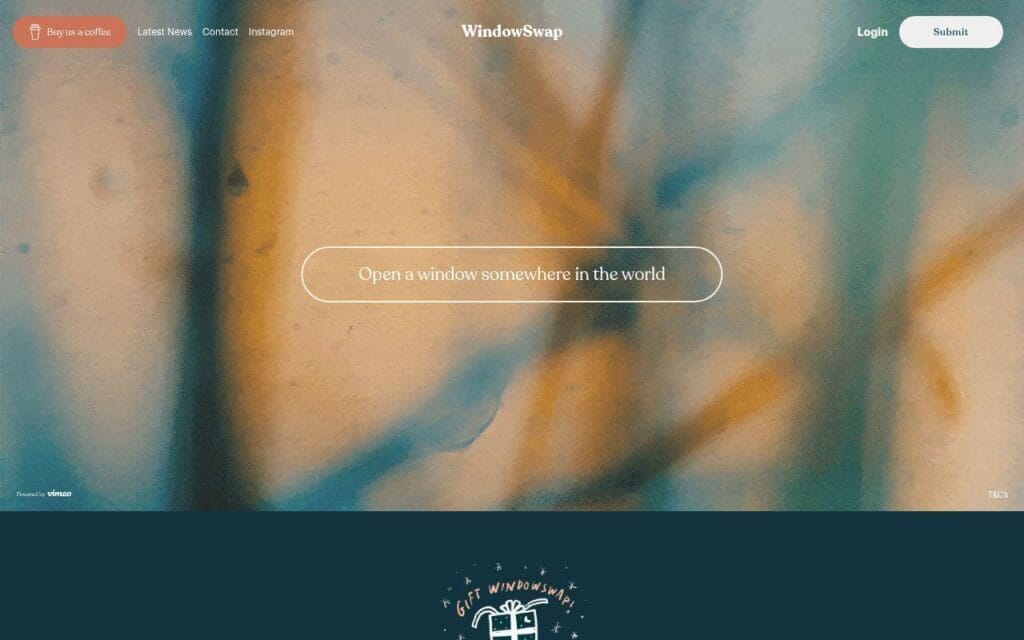
WindowSwap is one of the gentlest entries in this list. It is strange mostly because the idea is so specific and so warm. You open a random window view from somewhere else in the world and just sit with it for a moment. Best for: remote workers and anxious browsers who want calm, travel energy, and a break from noise.
- Random global window views → you get a quick mood shift without booking a trip or opening ten travel tabs.
- Light discovery model → the site cuts browsing effort by serving a view instantly, with extras available only if you want more control.
- Soft, low-pressure interface → time-to-first-value is under a minute, especially if you just want ambient atmosphere.
Pricing & limits: From $0/mo for the core experience. No trial is required to start. Free use is intentionally narrower than the paid version, so browsing control, revisiting favorites, and deeper exploration are limited.
Honest drawbacks: If you come here expecting chaos or jokes, you may find it too gentle. The free version can also feel restrictive once you realize you want to go back, skip around, or save views.
Verdict: If you want weird links that calm rather than shock, WindowSwap is a standout. It helps you reset your mood fast, especially during long workdays.
14. A Soft Murmur
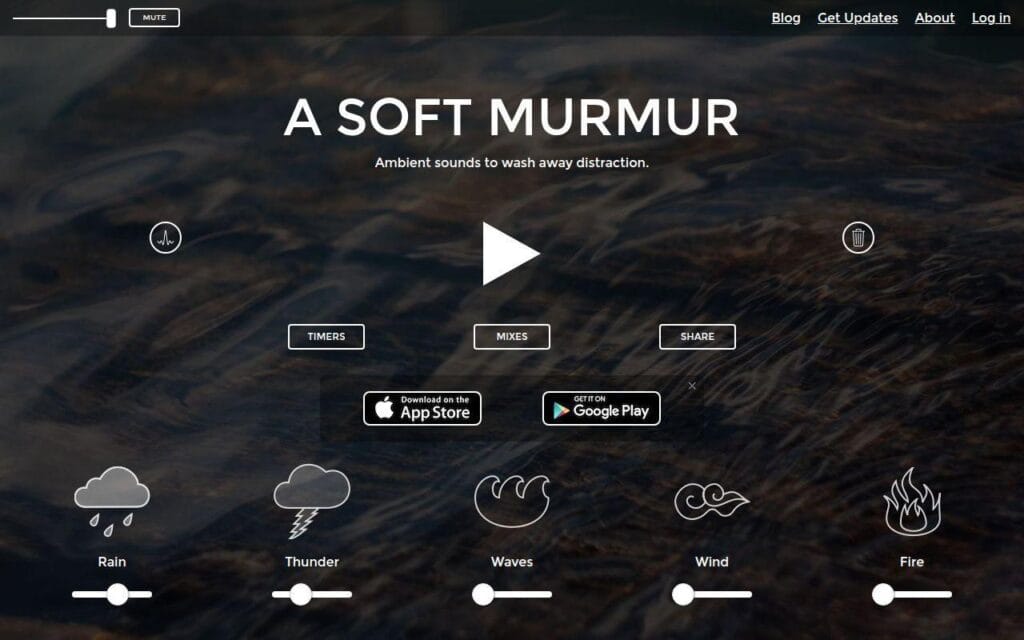
A Soft Murmur is less bizarre than most entries here, but it belongs because it is such a focused one-purpose web experience. Created as an ambient sound mixer, it lets you blend rain, thunder, coffee shop noise, waves, and more to build your own background atmosphere. Best for: students and open-office workers who need sound control without opening a full music app.
- Mix-your-own ambient layers → you can tailor noise to your room instead of settling for one canned track.
- Timer and meander controls → the site cuts manual tweaking and keeps the soundscape changing without constant input.
- Clear slider-based UX → time-to-first-value is usually under a minute, even for first-time users.
Pricing & limits: From $0/mo for the web version. No trial is needed for basic access. The main cap is that this is still a browser tool, so it is not as full-featured as a dedicated audio workstation or sleep app.
Honest drawbacks: It is not funny, so some readers may argue it is not “weird” enough. We disagree, but it is fair. It also works best when you know what kind of sound masking helps you. If you want random amusement, this is the wrong pick.
Verdict: If your goal is to turn a noisy room into something workable, A Soft Murmur is one of the most practical clicks here. It helps you settle into focus quickly.
15. Koalas to the Max
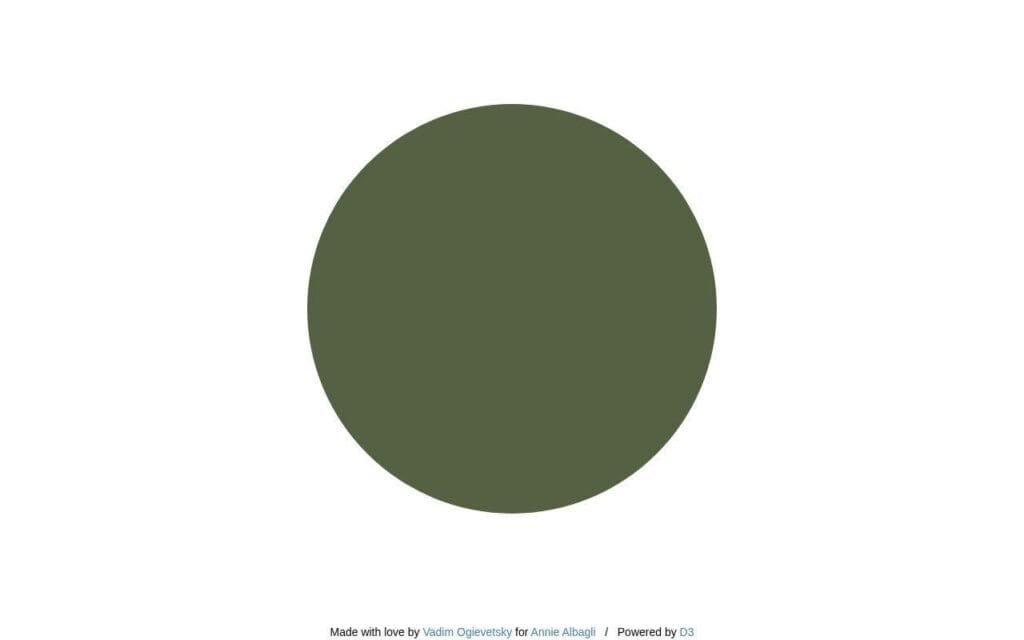
Koalas to the Max is a beautiful reminder that one elegant interaction can carry an entire site. You click or hover over circles that split into smaller circles until an image appears. The fact that you can use your own image makes it more than a novelty. Best for: teachers, designers, and anyone who wants a playful reveal effect.
- Progressive circle-reveal mechanic → simple clicks turn into a satisfying image reveal with almost no explanation.
- Custom image option → you can turn the site into a quick personalized surprise without learning design software.
- Minimal screen clutter → time-to-first-value is immediate, with the deeper payoff arriving as the picture emerges.
Pricing & limits: From $0/mo. No account, no trial, and no complex dashboard. The biggest limit is that the interaction is quiet and repetitive. Some users will love that rhythm. Others will want a stronger twist.
Honest drawbacks: It can feel more clever than laugh-out-loud. Performance may also depend on device and patience, especially if you push through a detailed image reveal with lots of clicks.
Verdict: If you want weird links with a bit of grace and a shareable output, this is an easy recommendation. It beats throwaway meme pages on charm and lasts longer than a 10-second gag.
16. Click Click Click
Click Click Click looks silly at first, but there is a sharper idea underneath it. The project tracks your browser behavior and turns those tiny monitored actions into achievements, exposing how much our online behavior can be watched and scored. Best for: interaction designers and curious internet nerds who like their jokes with a side of critique.
- Achievement-based browser tracking → ordinary clicks, hesitations, and movements become the game itself.
- Behavior-to-feedback loop → the site removes the need for tutorials because the system teaches you by reacting to what you do.
- Fast curiosity hook → time-to-first-value is under a minute, but deeper appreciation grows as you unlock patterns.
Pricing & limits: From $0/mo. No sign-up and no trial. The site is generous for a free art piece, but the limits are conceptual. If you do not care about the commentary, the experience may feel like a fancy button puzzle.
Honest drawbacks: The humor is more cerebral than obvious. Some people will bounce before the joke becomes clear. It is also a little more demanding than a casual weird link because it wants your attention, not just a reaction.
Verdict: If you want weird links that are smart enough to make you think after you laugh, Click Click Click is one of the strongest picks here. It rewards curiosity better than most.
17. Ever Dream This Man?
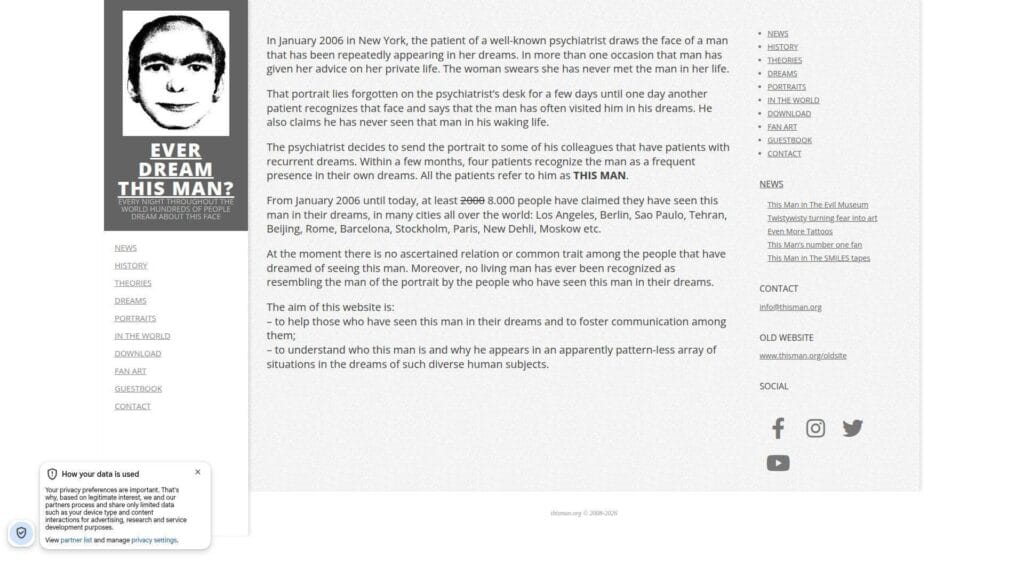
Ever Dream This Man? is less of a toy and more of an internet folklore archive. The site centers on the unsettling face tied to stories of recurring dreams and uses news, theories, and history pages to deepen the myth. Best for: horror fans and online-culture researchers who enjoy eerie rabbit holes more than interaction-heavy play.
- Myth-building structure → you get a fuller rabbit hole than a one-screen gag because the story extends across multiple pages.
- Archive-style navigation → the site cuts out search-engine hopping by keeping the lore, updates, and artifacts in one place.
- Immediate tension → time-to-first-value is instant because the face and premise do the work right away.
Pricing & limits: From $0/mo. No trial and no account needed. The limit is that this is a reading experience first. If you want motion, sound, or play, you will find more energy elsewhere on this list.
Honest drawbacks: The site works best if you enjoy ambiguity. Skeptical users may find the whole thing more marketing legend than mystery, which is a fair reaction. It is also one of the least share-safe links if your friends dislike creepy content.
Verdict: If your idea of weird links includes digital urban legends, this one still holds attention. It helps you fall into a mood fast, even if you never fully buy the premise.
18. The Million Dollar Homepage
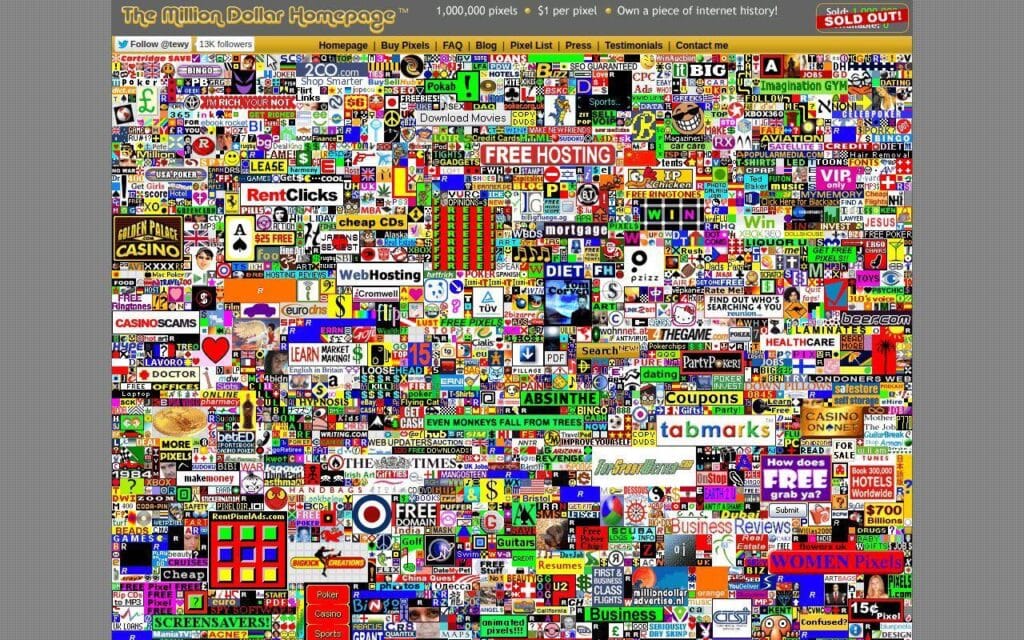
The Million Dollar Homepage is not a toy in the usual sense. It is a historic artifact, a business stunt, and a time capsule of early web ambition all at once. The whole appeal is seeing how crude, direct, and memorable the concept was. Best for: founders, marketers, and internet-history fans who want to study a legendary attention grab.
- Pixel-grid concept → one simple constraint turned a homepage into a memorable business story people still talk about.
- Browsable ad mosaic → the page compresses dozens of micro-destinations into one artifact instead of sending you through modern ad funnels.
- Instant historical payoff → time-to-first-value is immediate because the page explains itself visually in one glance.
Pricing & limits: From $0/mo to browse. No trial and no account needed. The limit is that this is more reference point than active entertainment. You come here to inspect internet culture, not to relax.
Honest drawbacks: A lot of the outbound texture feels frozen in time, and that is part of the point. Newer users may find it less funny than older users do. It is also visually noisy in a way many people now find exhausting.
Verdict: If you want weird links that prove a bizarre web idea can become iconic, this belongs on your shortlist. It is less fun than Cat Bounce, but far more instructive.
19. Patatap

Patatap is what happens when a weird link grows up into a genuinely polished creative instrument. Press keys, and the page turns each one into a burst of sound and animation. It is part toy, part performance surface. Best for: music hobbyists and creative professionals who want a playful break that still feels crafted.
- Keyboard-to-sound mapping → random key presses become rhythmic, visual feedback instead of meaningless tapping.
- Built-in audiovisual pairing → you skip editing tools, sound packs, and setup steps and get a complete experience from the browser alone.
- Very fast first reward → time-to-first-value is nearly instant once you press a key and hear the first hit.
Pricing & limits: From $0/mo. No account and no trial for the core experience. The limit is practical depth. This is expressive, but it is not a full DAW, sequencer, or composition tool.
Honest drawbacks: Flashing visuals make it a poor fit for some users. It also works best with a keyboard and speakers, so mobile is not where it shines. If you want joke-first weirdness, Patatap may feel almost too polished.
Verdict: If you want weird links that you can actually use for a creative reset, Patatap is one of the best on the list. It gives you a mood boost fast and stays enjoyable longer than most novelty pages.
20. CreepyLink
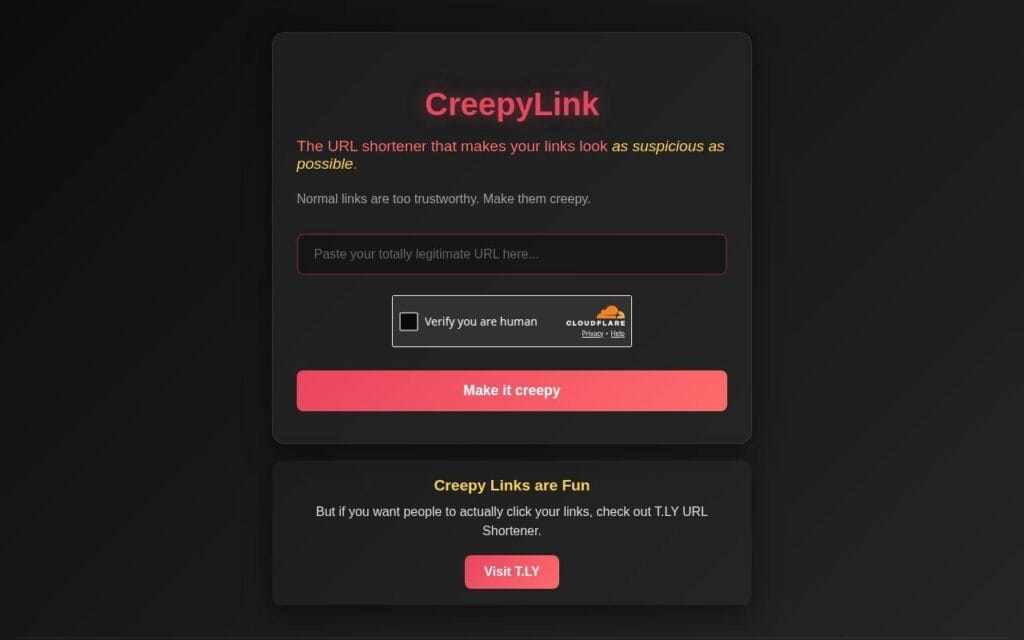
CreepyLink is a funny idea with obvious danger if used carelessly. It is a URL shortener designed to make links look suspicious on purpose. That makes it memorable, but also self-limiting. Best for: friend-group pranksters and seasonal campaign tinkerers who understand the difference between a joke and a trust problem.
- Suspicious-style short links → the site turns a plain URL into an instant gag with almost no effort.
- Clipboard-friendly flow → you go from paste to creepy-looking output in one quick step without account friction.
- Single-screen utility → time-to-first-value is under 30 seconds for most users.
Pricing & limits: From $0/mo. No trial and no required account for the basic gimmick. The biggest limit is trust. In real campaigns, support flows, or customer communications, this is the exact opposite of what you want.
Honest drawbacks: We would never use this for anything that depends on credibility. Spam filters, cautious users, and common sense all push against the idea. It is a joke tool, full stop.
Verdict: If you want one last weird link that feels a little mischievous, CreepyLink delivers the bit quickly. Just keep it in the realm of obvious fun and never near anything serious.
What Makes Weird Links Worth Clicking

The open web is still bigger and stranger than most people remember. The 2025 Web Almanac analyzed 17.2 million websites, and weird links matter because they remind us the web is not only made of stores, dashboards, and feeds.
1. Unexpected Purpose and Single-Use Design
The best weird links do one thing and do it on purpose. That is why they stick. There is no onboarding maze. No feature buffet. No fake productivity pitch. You click, you get the idea, and the idea lands or it does not. We think this single-use design is a strength, not a flaw. It forces creators to care about timing, input, and payoff. A site like Find the Invisible Cow lasting long enough to record 80,000,000+ animals found globally shows that even a tiny premise can build real staying power when the loop is clear.
2. Quirky Interactions, Humor, and Visual Surprise
Weird links earn attention through interaction, not just copy. Dragging cats feels different from reading a joke about cats. Wiggling a creature into chaos is more memorable than watching a meme clip. That tactile quality is why strong weird sites often outlast trend-chasing social posts. Cat Bounce even won a Webby Award in 2019, which tells us this category can cross from throwaway fun into recognized digital craft.
3. Creative Inspiration for Designers and Developers
Weird links are also case studies in constraints. Many of them start with one dumb question and follow it further than sensible people would. That is useful. It teaches restraint, identity, and memorable interaction design better than many polished product pages do. Few examples prove the point better than The Million Dollar Homepage and its 1,000,000 pixels – $1 per pixel concept, which turned a blunt limitation into one of the web’s most famous ideas.
Popular Types of Weird Links to Explore
Not every weird link scratches the same itch. Some are best when you want surprise. Others are better when you want to click, create, or calm down for a few minutes. We usually sort them by the type of payoff they deliver.
1. Random Launchers, Rabbit Holes, and Surprise Buttons
This bucket is for links that weaponize curiosity. The Useless Web is the cleanest example because it turns randomness into the whole point. This Man fits too, because it invites you into mood and lore rather than task completion. These are the weird links we open when we do not want control. We want to be nudged into somewhere stranger than we would have searched for ourselves.
2. Pointless but Satisfying Toys, Scrolls, and Mini Games
This is the most shareable category. Think Eel Slap!, Endless Horse, Koalas to the Max, or Find the Invisible Cow. These sites usually win on one mechanic. Scroll farther. Click faster. Reveal the image. Follow the sound. They are easy to recommend because the learning curve is tiny and the payoff is clear. When someone says, “show me something weird,” this is usually the safest place to start.
3. Interactive Art, Sound, and Relaxing Experiments
Some weird links age into lightweight products because people keep coming back. WindowSwap is a good example, with an optional tier priced at $5 monthly for more control, which tells us the original one-purpose idea had enough emotional value to support paid extras. This Is Sand, Patatap, Zoomquilt, and A Soft Murmur also sit in this lane. They are still weird, but they are weird in a way you can live with for longer than one joke.
Safety Tips for Exploring Weird Links
Most weird links are harmless fun, but “mostly harmless” is not the same thing as “worth clicking blindly.” We recommend a little common sense, especially when you are bouncing across random sites or sending links to other people.
1. Avoid Downloads, Passwords, and Payment Forms
A classic weird link should not need your login, card details, or a software download. If a so-called joke site asks for any of those, stop. The safest weird links are browser-native and self-contained. They load, they amuse or confuse you, and they ask for nothing serious in return.
2. Watch for Flashing Visuals and Sudden Audio
This is the big one. Sites like Staggering Beauty and audio-first toys can surprise people in the wrong way. If you are in a shared space, lower your volume first. If you are sending a link to a friend, warn them about flashing visuals, sudden sound, or creepy content. A two-word heads-up goes a long way.
3. Use Private Browsing for Random Click Sessions
If you are going down a rabbit hole, private browsing is a smart habit. It can cut down on saved cookies, odd autofill leftovers, and cluttered history. It will not make a bad site good, but it gives you a cleaner sandbox for casual exploration.
How to Build Fast, Creative Weird Websites
Weird links often look effortless, but the good ones are usually disciplined. They are short, focused, and light enough to load before the joke dies. If we were building one from scratch, these are the rules we would use.
1. Start With One Idea and One Page
The best weird sites are usually not feature rich. They are idea rich. If you are building one, begin with a single interaction and a single page. Do not overthink the stack either. Boring tools are fine. WordPress still powers 41.5% of all websites, and that is a useful reminder that memorable web ideas rarely depend on exotic infrastructure.
2. Keep JavaScript, Images, and Audio Lightweight
The joke has to land before the user gets impatient. That is why weight matters. HTTP Archive’s state-of-the-web report shows a median desktop page transfer of 3,030.3 KB, which is exactly the kind of bloat weird sites should resist. Compress images, trim scripts, lazy-load anything nonessential, and treat every extra asset like it needs to justify its place.
3. Choose Hosting for Caching and Traffic Spikes
Many weird sites are quiet until one share takes off, then traffic spikes hard. That means hosting choice matters more than creators think. We would look for fast caching, simple SSL, CDN support, and a clean path from tiny microsite to higher-capacity hosting if a post suddenly sends a wave of visitors your way. The weirdest part of a viral launch should be the idea, not the downtime.
Frequently Asked Questions About Weird Links
Readers usually ask the same few questions once they start collecting weird links. Here are the short, practical answers we would give.
1. What Are Some Weird Sites?
Some of our favorite weird sites are The Useless Web, Pointer Pointer, Cat Bounce, Endless Horse, Zoomquilt, Patatap, and Find the Invisible Cow. They cover different moods. Some are jokes. Some are art. Some are interactive toys you can send to a friend without much setup.
2. What Are Funny Websites?
Funny websites are sites where the main value is the laugh, the surprise, or the absurdity. Eel Slap!, Pointer Pointer, Hacker Typer, and CreepyLink fit that definition well. They do not try to be broadly useful. They try to be memorable fast, and that is the point.
3. Are Weird Links Safe to Click?
Many are safe, but not all deserve blind trust. We recommend sticking to browser-based sites that do not ask for downloads, passwords, or payment details. It is also smart to watch for flashing visuals, creepy themes, and sudden sound if you are sharing links with other people.
4. What Makes a Website Weird?
A website feels weird when it breaks normal expectations on purpose. That can mean a single absurd interaction, a strange visual concept, an unsettling story, or a page that exists for one oddly specific reason. Weird does not always mean funny. Sometimes it means playful, eerie, pointless, or unexpectedly creative.
5. Why Do People Create Weird Websites?
We think people build weird websites because the web still gives creators room to make something tiny, personal, and memorable without asking permission. It is a low-cost way to test an idea, make a joke, show a technical trick, or turn a passing thought into a shared experience.
How 1Byte Helps Launch Weird Website Ideas
At 1Byte, we think tiny web ideas deserve real infrastructure. Weird websites often start as one-page experiments, but if the idea works, the traffic can snowball fast. That is why we like setups that are easy to launch now and easy to grow later.
1. Domain Registration and SSL Certificates for New Website Ideas
When we launch a playful site, we want the basics handled first. A clean domain makes the idea easier to remember and easier to share. SSL matters too, even for silly projects, because modern browsers punish sites that look sketchy. If your whole concept is one memorable URL, the name and trust signals do a lot of the heavy lifting.
2. WordPress Hosting and Shared Hosting for Fast Launches
Not every weird website needs a custom stack on day one. If the project is mostly a landing page, a single interaction, or a content-led microsite, we usually prefer the fastest route to publishing. Shared hosting can be enough for small experiments. WordPress hosting makes sense when you want quick editing, a familiar admin area, and less friction between idea and launch.







3. Cloud Hosting, Cloud Servers, and AWS Partner Support for Growth
Once a weird site starts getting attention, the conversation changes. Now we care about caching, burst traffic, asset delivery, and room to scale without a messy rebuild. That is where cloud hosting, cloud servers, and AWS partner support become useful. We help teams move from “this joke might work” to “this page just got shared everywhere” without panicking. If you already have a strange one-page idea in mind, the next question is simple: what is the single click you want people to remember?