

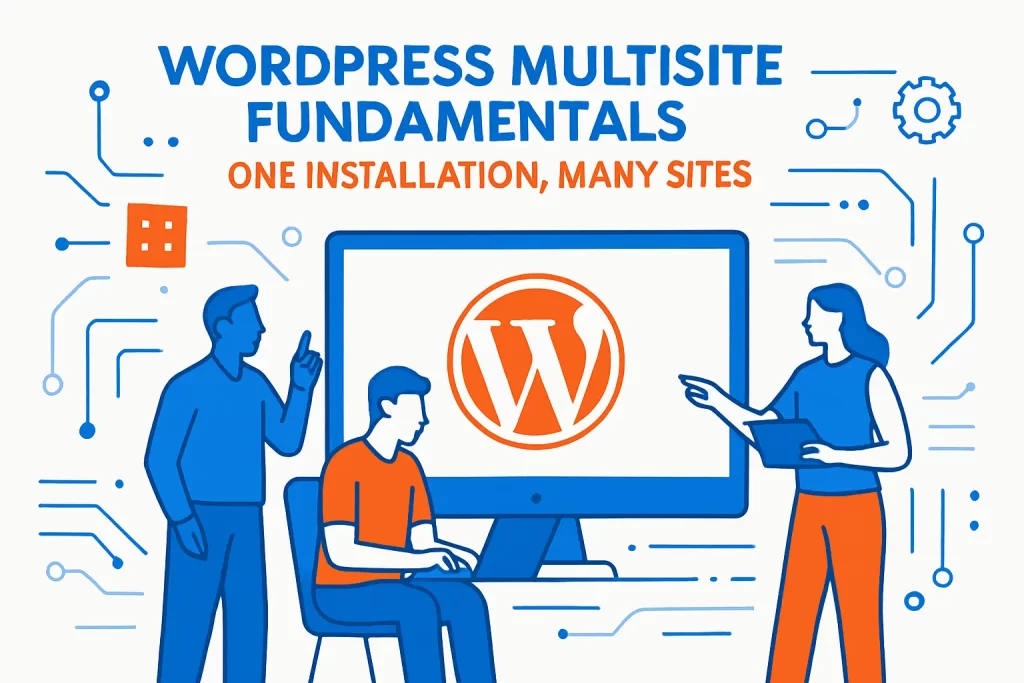
- WordPress multisite fundamentals: one installation, many sites
- When to use WordPress multisite and when to choose single sites
- WordPress multisite URL structures: subdirectories, subdomains, and domain mapping
- Pre launch checklist for enabling a WordPress multisite network
- Create a WordPress multisite network step by step
- Network administration in WordPress multisite: roles, settings, themes, and plugins
- Development and hosting workflows for WordPress multisite networks
- 1Byte cloud hosting for WordPress multisite networks
- Conclusion: next steps for your WordPress multisite network
We write this as 1Byte—a cloud hosting provider that spends an unreasonable amount of time inside other people’s WordPress estates—because multisite is one of those features that looks deceptively simple in the dashboard and then quietly rewires your entire operational reality.
On paper, a network is “one install, many sites.” In practice, it’s also: one governance model, one security posture, one performance envelope, one deployment pipeline, and one moment of truth when a bad plugin update hits every brand site at once. That’s not a scare tactic; it’s the bargain you’re striking for centralized control.
WordPress multisite fundamentals: one installation, many sites
The business context matters. WordPress remains the default choice for web publishing at scale—W3Techs reports that it is used by 42.8% of all the websites, and that prevalence shapes plugin ecosystems, hiring, and vendor support in a way that few platforms can match. Meanwhile, the infrastructure beneath “just a website” is growing up fast: Gartner forecasts worldwide public cloud end-user spending to total $675.4 billion in 2024, and that macro trend is why multisite decisions increasingly sit with platform teams, not just marketing.
So when we recommend multisite, we do it with our eyes open. We’ve watched universities standardize hundreds of departmental sites without re-inventing navigation on every subdomain, and we’ve also untangled networks that tried to force wildly different apps into one WordPress core out of habit. The difference is almost always architecture discipline, not tooling.
Let’s build the discipline together—starting with fundamentals, then moving through URL strategy, setup, governance, developer workflows, and finally how we host multisite networks responsibly at 1Byte.
1. What a multisite network is and how subsites relate to the main site
At the center of multisite is a simple promise: WordPress Multisite is a feature that enables you to create several instances of WordPress managed within one installation, and those instances behave like separate sites that happen to share a control plane. The “main site” becomes the network’s anchor: it holds the primary URL identity, exposes shared administrative surfaces, and acts as the default context for many network-wide settings.
Subsites, in turn, are not “folders on disk” or “separate WordPress installs.” Instead, they are logical sites that WordPress resolves at runtime based on the requested host and path. That resolution is why URL strategy is not a cosmetic decision; it’s part of the routing layer, your TLS plan, your cache keys, and your cookie behavior.
From an organizational perspective, we treat the main site like the network’s “platform homepage” and subsites like tenant workloads. Some tenants are marketing microsites, some are internal knowledge bases, and some are full-blown product documentation portals. The taxonomy changes, but the control plane does not—and that’s where multisite gets its leverage.
2. What is shared across the network and what stays separate per site
Multisite is a hybrid. On the one hand, content is separated so each site can publish independently. On the other hand, the network shares identity and code, which is why governance decisions travel farther than you expect.
At the data layer, a foundational fact drives many trade-offs: only the user table is shared between the instances by default, while each site has its own content tables. That means user lifecycle, authentication posture, and usermeta growth are network-wide concerns even when the sites themselves are editorially isolated.
At the code layer, a single WordPress core and a shared plugin/theme installation directory creates an operational coupling: one patch window, one PHP compatibility matrix, and one deployment mechanism. Editorial settings, menus, widgets, and most site configuration remain scoped per site, but the binaries that make those settings possible are network-level artifacts.
Why this matters to businesses
In business language, multisite changes your blast radius. Centralized updates can reduce cost and speed up security response, yet they also turn “a broken marketing form” into “a broken global form layer” if the plugin is network-activated. Operational maturity decides whether that’s efficient or dangerous.
3. Common multisite use cases for organizations and large site families
We see multisite shine when the organization has repeatable site patterns: similar templates, shared compliance requirements, and a need for controlled autonomy. University blogging networks are a classic case, and we like pointing to real deployments that explicitly describe themselves this way: VIUBlogs is a multisite WordPress installation used to support teaching, learning, and portfolios across a campus community.
Another common pattern is “centrally governed publishing.” When a team wants to standardize a theme library and plugin set, but allow departments to ship content at their own pace, multisite becomes a practical compromise. UBC’s documentation puts it plainly in their own service FAQ: UBC Blogs is a Multi User install of WordPress, and that “shared themes and plugins” reality drives how they evaluate and approve additions.
Corporate brand families, franchise networks, and multi-region rollouts fit the same mold. Wherever “site factory” is a recurring need, multisite is often cheaper than running dozens of separate WordPress stacks—provided the sites are actually similar enough to benefit from shared governance.
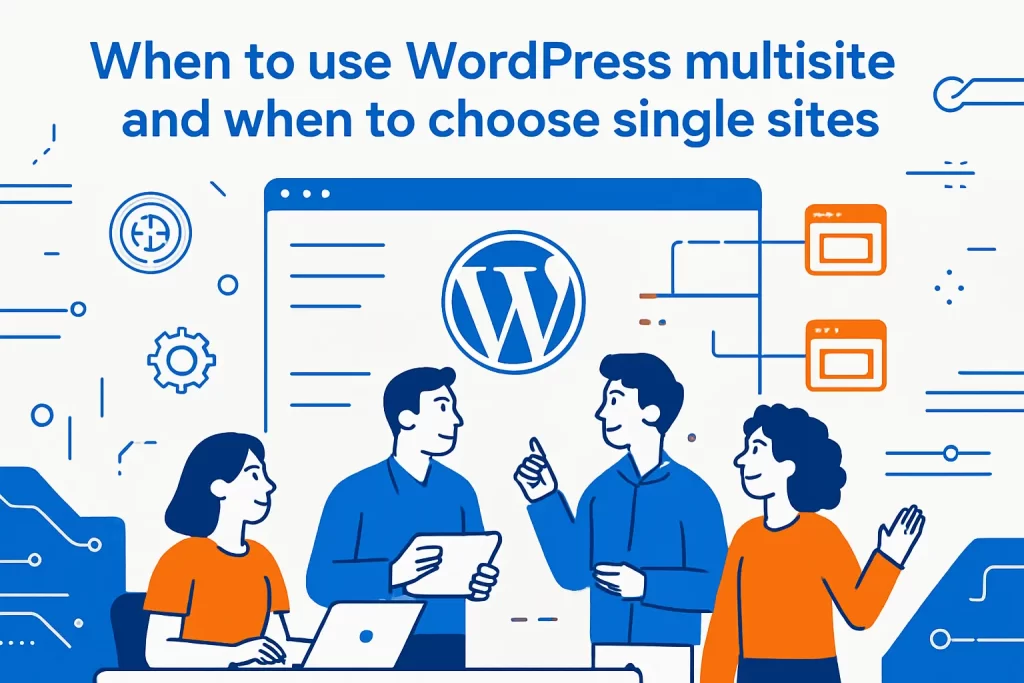
When to use WordPress multisite and when to choose single sites
1. Where multisite fits best: similar sites under one umbrella with centralized control
Multisite fits best when the organization wants one platform team to own core updates, baseline security, and platform reliability, while allowing content teams to own publishing and local customization. Put differently: multisite is a platform move, not just a CMS move.
In our 1Byte audits, the best candidates typically share:
- Consistent identity and access patterns across sites, especially if SSO or centralized user management is part of the roadmap.
- Similar performance envelopes, so a single caching and edge strategy can serve the whole network.
- Comparable compliance requirements, which makes shared logging, retention, and patch cadence a benefit rather than a constraint.
Architecturally, we like multisite when the “platform primitives” are stable: a theme system that can be reused, a plugin catalog that is curated, and a provisioning process that doesn’t require bespoke engineering every time a new site launches.
2. Trade offs to plan for: shared database, shared resources, and shared risk
The biggest trade-off is not technical complexity; it’s coupling. Your network shares core, plugins, and a portion of the database, so failures and slowdowns can cross boundaries that business stakeholders assume are independent.
Operationally, a shared database layer means the “noisy neighbor” problem becomes real even when the sites are editorially separate. A single subsite with an aggressive search plugin, a heavy form entry table, or a cron job that runs too often can pressure shared resources and degrade network-wide response times.
Security also changes shape. A vulnerable plugin that is network-activated becomes a network incident. A compromised admin account can be catastrophic if it is elevated to Super Admin. Even something as mundane as misconfigured cookies can create login loops across mapped domains, and that’s the kind of problem that eats an afternoon while executives refresh the homepage.
Our viewpoint at 1Byte
We’re comfortable with shared risk when the team invests in release discipline: staging that mirrors production, a clear rollback plan, and a minimum-privilege model for network administration. Without those, multisite becomes an attractive nuisance—convenient right up until it isn’t.
3. Compatibility checks: plugins, themes, and licensing across subsites
Before committing, we treat compatibility like a supply-chain exercise. A multisite network isn’t a place to discover that a plugin hardcodes a single-site assumption in its options storage or runs activation routines only when activated at the network level.
Licensing can be a hidden constraint. Gravity Forms is a good example because their own documentation is explicit: Gravity Forms licensing in multisite is supported only for specific license types and they recommend Network Activate to avoid multisite-specific issues in install/upgrade routines and background processing. That single sentence should change how you plan procurement and how you design your plugin governance.
The theme layer needs the same scrutiny. A network can “enable” themes network-wide without forcing them active on every site, but a theme bug is still a shared code risk. When we build multisite platforms, we prefer a small set of well-maintained parent themes and tightly controlled child themes, because that’s where maintainability lives.
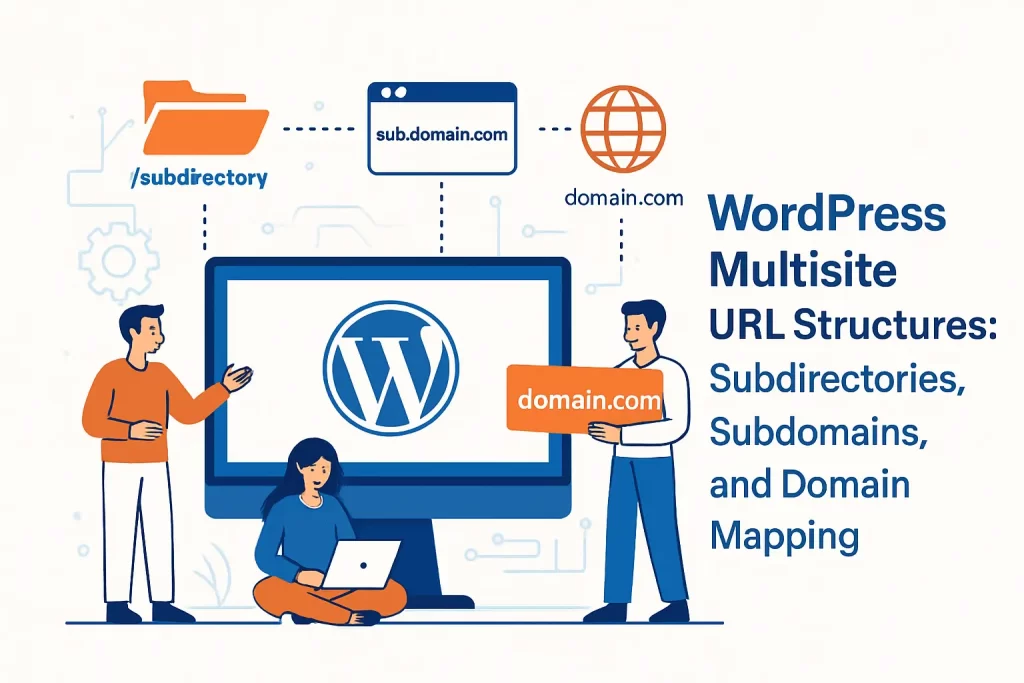
WordPress multisite URL structures: subdirectories, subdomains, and domain mapping
1. Subdirectory networks and path based site addresses
Subdirectory networks use a path segment to distinguish each site. Conceptually, this feels tidy: one host, many paths. Operationally, it reduces DNS complexity and can simplify certificate management because you’re largely dealing with a single hostname.
From a caching standpoint, path-based sites can be straightforward if you control your cache keys carefully. The sharp edges show up when you introduce aggressive “cache everything” behavior at the edge and forget that administrative and authenticated routes must be handled distinctly across subsites.
Branding is the most common reason teams outgrow pure subdirectories. When each subsite needs an independent identity—or when business units require distinct domains—domain mapping becomes the next step, and path-based versus domain-based stops being just an aesthetic debate.
2. Subdomain networks and wildcard DNS requirements
Subdomain networks assign each site a distinct host under a shared parent domain. This structure aligns well with how many enterprises already think about web properties: region.example.com, product.example.com, department.example.com. Isolation is still logical rather than physical, yet the hostname boundary often plays nicer with caches and certain third-party integrations.
Operationally, subdomain multisite tends to require wildcard DNS. The WordPress handbook is direct about this: wildcard subdomains are useful to allow end users of a domain-based multisite network to create new sites on demand, because you don’t want an ops ticket for every new site request.
On modern cloud infrastructure, wildcard DNS is only half the equation. TLS must also be designed to scale, and that’s where wildcard certificates or automated certificate issuance becomes a real architectural decision rather than an afterthought.
3. Domain mapping for unique domains across a multisite network
Domain mapping is where multisite stops looking like “a bunch of sites under one umbrella” and starts behaving like “a platform that can host distinct brands.” With domain mapping, a subsite can present as a completely separate domain while still being managed inside the same network.
In modern WordPress, domain mapping is a native multisite feature, which means you’re no longer forced into legacy plugins just to assign unique domains to subsites. That said, DNS and server routing still have to be configured correctly so every mapped domain reaches the same WordPress installation.
Cookie behavior and admin logins across mapped domains can also get interesting. The same handbook notes that COOKIE_DOMAIN may need to be set for mapped domains if login fails due to cookie issues, and we’ve seen that fix save teams from circular, hard-to-diagnose authentication problems.
Pre launch checklist for enabling a WordPress multisite network
1. Back up database and files, confirm pretty permalinks, and deactivate active plugins
We treat multisite enablement like a schema migration, because that’s what it is: WordPress will change the way it routes requests, store network metadata, and manage certain tables. A clean rollback is not optional.
Before touching configuration, we follow a checklist that’s opinionated but reliable:
- Capture a full database backup and a full filesystem backup, because restoring only one side often creates mismatched state.
- Verify that your permalink structure is already using “pretty” URLs, because routing assumptions matter once subsites enter the picture.
- Deactivate plugins temporarily so activation routines and rewrite interactions don’t interfere with network setup.
For teams converting an established site, the WordPress handbook explicitly frames this planning stage as essential: you should consider requirements and restrictions before you begin creating a multisite network, particularly when the existing URL structure and hosting constraints limit your available network types.
2. Decide network structure early and confirm you can support the chosen address format
Choosing subdirectories versus subdomains is not a “we can change it later” kind of decision. Routing rules, link structures, SEO assumptions, and even editorial expectations get anchored to that choice.
Organizationally, we encourage teams to decide based on governance and future domain needs, not on which option “feels simpler” during installation. If unique domains are on the roadmap, plan for domain mapping early and align DNS ownership, certificate strategy, and ownership boundaries before launch.
When the team expects end users to create sites on demand, wildcard DNS support becomes a prerequisite rather than a nice-to-have. That’s why we validate DNS capabilities with the registrar and hosting environment before we ever click “Install” in the dashboard.
3. Server considerations: Apache and .htaccess workflows vs nginx network creation requirements
Server choice changes the mechanics of multisite setup. Apache is often easier for self-service setup because WordPress can guide you toward rewrite rules that live in a per-directory config file. Nginx, by contrast, requires ops-level control of server configuration.
The WordPress server handbook puts the key constraint plainly: Nginx has no directory-level configuration file like Apache’s .htaccess, and WordPress cannot automatically modify the server configuration, so multisite rewrites must be implemented by an administrator in the Nginx config itself.
From a platform operations standpoint, that distinction has consequences. If a team cannot reliably change Nginx configuration in production, multisite might still be possible, but it won’t be maintainable. We’d rather choose a different architecture than build a network that depends on heroics for routine changes.
Create a WordPress multisite network step by step
1. Enable WP_ALLOW_MULTISITE in wp-config.php to unlock the Network Setup screen
The first step is deliberately manual, and we appreciate WordPress for that. Multisite is powerful enough that it should require intent, not a checkbox.
WordPress’s own wp-config handbook explains that WP_ALLOW_MULTISITE enables multisite functionality and defaults to false when absent, which is why you must define it explicitly in your configuration file.
Once that constant is added, the dashboard will expose the Network Setup workflow. From our operational lens, this is also a good moment to confirm you have filesystem access in the environment that matters (not just in a local clone) because the next steps require config edits too.
2. Run Tools Network Setup and install the network with the chosen URL structure
After enabling multisite, you’ll find the setup screen in the admin tools area. The WordPress documentation for that screen emphasizes that defining multisite in wp-config.php enables the Network menu item so you can configure your network, and the UI will prompt you to choose the URL structure and set basic network details.
At this point, we slow down. The URL structure choice influences DNS, certificates, caching strategy, and how you will communicate URLs internally. For subdomains, we also validate wildcard DNS readiness before proceeding, because “we’ll add DNS later” is how teams end up with a half-installed network and a confusing outage window.
When the install runs, WordPress will generate the network tables and provide configuration snippets tailored to your environment. Our strongest advice is boring but battle-tested: copy those snippets exactly, avoid “cleanup edits,” and commit them to version control if your deployment model supports it.
3. Enable the network by updating wp-config.php and .htaccess, then log in again as network admin
Once installation completes, WordPress asks you to add additional constants and rewrite rules. That is the moment the network becomes real from a routing standpoint.
The Learn WordPress training material describes this activation cleanly: after installation you enable the network by updating wp-config.php and .htaccess, then you log in again and access Network Admin. We follow that flow, and we also treat the re-login step as a verification checkpoint: the admin bar should now expose network-level navigation, and the super-admin-only menus should appear.
If anything goes sideways here, we don’t “poke around” randomly. Instead, we verify rewrite support, confirm file edits were applied in the correct document root, and ensure that the hosting platform is not caching stale redirects. Debugging multisite is rarely about WordPress magic; it’s usually about routing reality.
Network administration in WordPress multisite: roles, settings, themes, and plugins
1. Super Admin vs site Administrator capabilities and where to find Network Admin
Multisite governance begins with roles. A site Administrator can manage a single site; a Super Admin can manage the network and, by extension, everyone’s day. That asymmetry needs to be intentional.
WordPress’s roles documentation summarizes the split crisply: Super Admin has access to the site network administration features and all other features, while Administrator is scoped to a single site. In real operations, we treat Super Admin as a platform role—held by a small group, protected with strong authentication controls, and audited regularly.
Finding the Network Admin UI can trip up newcomers, especially when they only ever lived in single-site WordPress. The multisite handbook clarifies that the Network Admin screen is the central access point and is visible only to super admins after the network is created, typically accessible from the admin bar regardless of which subsite you’re currently viewing.
2. Network Settings essentials: registration, notifications, new site defaults, and upload limits
Network Settings is where multisite becomes a product. This is where you decide whether users can self-register, whether new sites can be created on demand, which emails get sent, and what default content and settings apply to newly provisioned sites.
From a platform standpoint, we think of Network Settings as guardrails. Registration settings determine who can create surface area; notification settings determine who hears about changes; and upload policies determine storage growth and risk. Even when the business wants “self-service,” we recommend building self-service inside constraints, because unbounded site creation often becomes an unbudgeted operations problem.
A pattern we like
At 1Byte, we prefer a request-and-provision workflow for most enterprise networks: teams request a site, the platform team provisions it with a baseline theme and plugin set, and then editorial ownership shifts to the site admins. That model preserves autonomy while keeping the platform coherent.
3. Theme and plugin governance: Network Enable vs Network Activate and plugin menu controls
Multisite flips the mental model for themes and plugins. Themes can be made available network-wide, but each site can still choose which available theme is active (depending on what the network allows). Plugins can be activated per site or forced across every site.
The multisite administration handbook describes this operational flexibility directly: plugins can be activated per-site or network activated for the entire network, and themes are installed for the entire network then enabled for use. We lean on that distinction heavily when we design governance.
Our rule of thumb is simple: network-activate only what must be consistent everywhere (security tooling, performance instrumentation, platform integrations), and keep business-specific plugins scoped to the sites that actually need them. This reduces risk, improves upgrade agility, and keeps the plugin surface area from turning into an unmaintainable tangle.
4. User and site provisioning with Gravity Forms multisite compatibility and registration based site creation
User and site provisioning is where multisite can either feel magical or feel like bureaucracy. Some networks allow open registration and let users create sites as part of onboarding; others centralize provisioning to maintain brand and compliance standards.
When forms are part of provisioning—requesting new sites, onboarding users, or collecting governance approvals—Gravity Forms often becomes the workflow engine. The catch is that multisite changes how Gravity Forms should be activated and supported, as their own documentation outlines. In practical terms, this means provisioning workflows should be designed with network activation and licensing already settled, rather than discovering constraints mid-rollout.
Beyond Gravity Forms, we also recommend documenting a “site birth certificate”: domain, intended audience, data sensitivity, required plugins, and an owner group. That metadata turns multisite from a pile of subsites into an actual managed platform.
Development and hosting workflows for WordPress multisite networks
1. Local development with Local: Router Mode Site Domains and creating a new multisite
Local development is where multisite reveals its operational friction. Developers want fast feedback loops, predictable URLs, and an environment that behaves like production. Multisite asks for all of that, plus correct routing across subsites.
Local (the desktop development tool) can support multisite, but with constraints. Their documentation explains that multisites require Local’s Router Mode to be set to Site Domains and Local Connect is not compatible with multisites, which affects how teams approach “push to staging” style workflows from a local environment.
Under the hood, the reason is routing: Local needs to intercept domain-based traffic and forward it to the right site container. Their Router Mode overview describes Router Mode as Local’s way of serving multiple sites while still using meaningful site domains, and multisite depends on that behavior to resolve subsites correctly.
2. Local subdomain networks: syncing multisite subdomains to the hosts file
Subdomain multisite adds an extra wrinkle in local dev: your machine needs to resolve subdomains to your local environment. Depending on your setup, that may mean editing a hosts file, using a DNS resolver, or standardizing on a development wildcard domain strategy.
In our experience, the teams that struggle here are the ones that treat local URLs as personal preference. The teams that succeed treat local routing as part of the engineering platform: consistent domain patterns, documented setup steps, and a shared troubleshooting playbook.
From a workflow point of view, we also encourage developers to test both anonymous and authenticated flows across subsites, because caching and cookie behavior can look perfect on the main site and still fail on a subsite when domains diverge.
3. WP Engine workflows: converting environments to multisite and how this affects routing and SSL
Managed WordPress hosts often wrap multisite in platform-level controls because routing and TLS have to be integrated with the host’s edge layer. WP Engine is explicit about this. Their support documentation notes that you must convert the environment to multisite in the User Portal and that setting impacts domain routing and SSL, which is exactly the kind of detail that matters when you’re coordinating platform changes across teams.
Operationally, we like this approach because it reduces configuration drift. When the host knows your environment is multisite, it can enforce sane routing behavior and help automate certificate issuance for new sites or mapped domains, depending on your plan and configuration.
Even with managed support, we still recommend treating multisite conversion like a release: capture a backup, schedule a change window, and validate post-conversion behavior across representative subsites. Platform automation is helpful; it’s not a substitute for verification.
4. WP VIP multisite considerations: single GitHub repository access, shared wp_users table, and unique domain mapping
WP VIP is an enterprise platform, and their workflows reflect that posture. Code deployment is repo-driven, and access controls are treated as a first-class operational concern. Their documentation states that every VIP Platform application has a dedicated GitHub repository for code development and deploy, which effectively standardizes how teams ship changes in a way many self-hosted multisite networks never formalize.
Multisite on VIP still carries the inherent WordPress multisite data model, including shared user identity at the network level. That shared identity is powerful for centralized access management, but it also means user governance needs to be designed intentionally—especially when multiple brands or business units share one network.
Domain operations are similarly integrated. VIP’s domain documentation explains that custom domains must be added and verified in the VIP Dashboard before DNS instructions are provided and a certificate can be installed, which is a solid model for reducing misconfigurations and ensuring TLS is consistently managed.
1Byte cloud hosting for WordPress multisite networks
1. Domain registration and DNS support for multisite subdomains and mapped domains
Multisite is only as clean as its DNS. When we host networks at 1Byte, we treat DNS as part of the application architecture, not as a separate “domain team problem.” That’s especially true for subdomain networks that need wildcard records, and for mapped-domain networks that need many distinct hostnames to reach the same WordPress origin.
Our approach emphasizes predictable patterns:
- Centralized DNS ownership with delegated access, so platform teams can enforce standards while business teams can still request changes efficiently.
- Documented naming conventions for subsites and environments, so staging and production do not become indistinguishable during incident response.
- Change control for DNS edits, because a single record mistake can masquerade as an “application outage” for hours.
Because multisite often grows gradually, we also design DNS to scale operationally. That means preparing for domain mapping early, even if you launch with subdirectories, so the eventual transition doesn’t require a hurried rework of registrar settings and ownership boundaries.
2. SSL certificates for WordPress multisite including wildcard SSL coverage options
TLS is where multisite architecture becomes tangible to end users, because certificate failures look like broken trust. Subdirectory networks can often rely on a single certificate for the primary domain, while subdomain networks frequently benefit from wildcard coverage or automated issuance per subdomain.
For mapped domains, the discipline is stricter: every mapped domain needs valid TLS, and renewals must be automated. We like certificate automation not because it’s trendy, but because manual certificate workflows don’t survive real multisite growth. When a network adds domains frequently, “remembering to renew” becomes a latent outage.
At 1Byte, we aim to make certificate strategy a design decision rather than a recurring ticket. Wildcard options can be appropriate in some cases; per-domain automation can be better in others. The right choice depends on how domains are governed and how much autonomy subsites have to introduce new hostnames.
3. WordPress hosting, shared hosting, cloud hosting, and cloud servers from an AWS Partner
Multisite can run on shared hosting, but “can” and “should” are not the same verb. Shared environments often restrict server-level configuration, limit PHP workers, and make it harder to implement network-wide performance patterns like object caching or advanced firewall rules.
Cloud hosting changes the operating model. With dedicated resources, predictable scaling, and infrastructure primitives that align with modern deployment workflows, multisite becomes easier to run as a platform rather than as a fragile pet. As an AWS Partner, we design WordPress multisite hosting with that mindset: isolate concerns, automate repeatable operations, and keep the performance envelope measurable.
From a business lens, this is about resilience and speed. A multisite network usually exists because the organization wants many sites; that implies ongoing change. Hosting that fights change becomes a hidden tax, while hosting that supports change becomes a competitive advantage—especially when marketing, product, and documentation teams all ship on the same platform.
Conclusion: next steps for your WordPress multisite network
1. Confirm your multisite architecture matches your URL strategy, governance model, and team structure
Multisite succeeds when architecture matches reality. If your teams are autonomous and your brands are distinct, you’ll need domain mapping and a governance model that supports independent publishing without allowing uncontrolled platform drift. If your sites are truly variations on a theme, tighter centralization will likely pay off.
Before expanding, we recommend writing down three things: who owns platform updates, who approves plugins/themes, and who is accountable for uptime when something breaks. Clear answers prevent the all-too-common scenario where “everyone can publish” becomes “nobody is responsible.”
2. Standardize network wide maintenance for core, themes, and plugins while validating multisite compatibility
Maintenance is where multisite earns its keep. A single update workflow, a single patch cadence, and a consistent policy for plugin activation can reduce operational cost dramatically—if you treat compatibility as a continuous concern rather than a one-time checklist.
Practically, we like a staged rollout model: test updates in a staging network that mirrors production, validate key subsites, and then deploy with a rollback plan. Compatibility is not just “does it activate”; it’s also “does it behave correctly when network-activated, cached, and used across different domains.”







3. Plan operations for performance, security, and growth before expanding the network
Growth is the default trajectory for multisite networks. New subsites appear, new domains get mapped, and new stakeholders arrive with urgent needs. Without an operational plan, that growth quietly turns into fragility.
From our perspective at 1Byte, the most valuable “next step” is to treat your multisite network like a product: define SLOs, define security boundaries, define who can do what, and define how new sites are provisioned. Once those rules exist, scaling the network becomes routine rather than risky.
If you’re deciding whether to build your next web platform as a multisite network, the question we’d leave you with is simple: are you optimizing for centralized control with shared responsibility, or for independent stacks with isolated risk—and do your teams have the operational maturity to make that choice pay off?