

- Dockerfile entrypoint overview and when to use ENTRYPOINT
- Dockerfile format and instruction basics that affect container startup
- Parser directives for consistent Dockerfile builds
- Environment replacement and variable substitution rules
- Exec form vs shell form for ENTRYPOINT and CMD
- Signal handling, PID 1, and clean shutdown behavior
- ENTRYPOINT and CMD interaction patterns you can rely on
- How 1Byte supports customers running containerized apps and websites
- Conclusion: choosing a Dockerfile entrypoint strategy that stays predictable and flexible
Running containers in production is rarely about “does it start?” and almost always about “does it start predictably, receive signals, log cleanly, and shut down without leaving a mess behind?” At 1Byte, we see Dockerfile startup design as the hinge between developer intent and operational reality: it’s where an application’s boot path becomes something schedulers can reason about, something on-call engineers can debug, and something finance can cost-model without surprises.
Industry momentum makes these details more than academic. Gartner forecasts worldwide public cloud end-user spending to total $723.4 billion in 2025, and that scale shows up in our inbox as container fleets that must behave like well-trained processes, not like improvised shell scripts taped together at the last minute. In that environment, small Dockerfile choices—exec form vs shell form, ENTRYPOINT vs CMD, and argument forwarding—compound into very real uptime and incident-response outcomes.
Concrete examples keep us honest. The “official image” ecosystem has largely converged on a pattern where an entrypoint script does a bit of setup and then replaces itself with the main process; the Postgres image, for instance, ultimately hands off control using exec “$@” so the server becomes the container’s true foreground process, and the Redis packaging does the same with exec “$@” after its lightweight argument normalization and privilege handling. That design choice is the heart of this guide.
In what follows, we’ll write as practitioners who host real workloads: we’ll explain what ENTRYPOINT and CMD really do, how Docker parses and builds images, why exec form changes signal delivery, and which patterns remain stable under debugging, orchestration, and cross-platform builds. Along the way, we’ll point out the small misconfigurations that tend to produce the biggest “why is this container stuck terminating?” moments.
Dockerfile entrypoint overview and when to use ENTRYPOINT
1. What a Dockerfile is and how Docker builds images from its instructions
From an operator’s perspective, a Dockerfile is not just a “recipe”; it’s a deterministic contract between build-time and runtime. Docker’s own reference describes that Docker can build images automatically by reading the instructions from a Dockerfile, and the sequence matters because each instruction contributes to the final filesystem and metadata the runtime will launch. That last part—metadata—often gets overlooked, even though ENTRYPOINT and CMD live there.
Operationally, we treat the Dockerfile as the first deployment artifact. Build layers determine cache behavior and supply-chain scanning surface area, while startup metadata determines whether “docker run” (and later, Kubernetes or any scheduler) can start the workload without additional wrapper tooling. Put differently: if the image does not declare a sensible default process, you force every environment to reinvent “how to run this thing,” and inconsistency is where outages like to hide.
2. How ENTRYPOINT defines the container runtime executable behavior
ENTRYPOINT is Docker’s way of saying, “this image behaves like an executable.” Instead of asking users to remember the correct binary, flags, and boot sequence, ENTRYPOINT pins the top-level program. In practice, we like ENTRYPOINT when the image is a productized runtime unit: a web server, a worker, a CLI tool, a migration job, or any container intended to be launched the same way every time.
Because ENTRYPOINT can be defined in exec form or shell form, it also becomes a choice about process structure. When we want the actual application process to sit in the foreground (and receive signals directly), we gravitate to exec form. When teams reach for shell form to “do a few things,” we usually recommend a deliberate entrypoint script instead, because it can do setup and still hand off cleanly with an exec.
3. How CMD sets the default command or default arguments for a running container
CMD is best understood as defaults, not destiny. Sometimes CMD names the executable (common in simple images), and other times CMD exists only to supply default arguments to a stable ENTRYPOINT. That second pattern is the one we see scale most cleanly in production because it separates concerns: the “what runs” stays fixed, and the “how it runs by default” remains easy to override per environment.
In our hosting world, that override-ability is more than developer convenience. Staging may need verbose logs, production may need different bind addresses, and a one-off debugging session may need a shell. CMD gives you those escape hatches without rebuilding images, which is exactly what we want when we’re trying to shorten incident resolution time without drifting from the artifact that actually shipped.
4. Baseline rule: define at least one of CMD or ENTRYPOINT for a runnable image
A runnable image needs a startup definition somewhere, or your users will supply a command every time—guaranteeing inconsistency across scripts, CI jobs, and orchestration manifests. Docker’s own guidance explicitly frames this as a baseline rule: an image should specify at least one of CMD or ENTRYPOINT so the runtime knows what to execute by default.
When we review customer Dockerfiles, we treat “no CMD and no ENTRYPOINT” as a smell that the image is either incomplete or implicitly depends on external tooling. If the goal is a base image for others to extend, the absence can be reasonable—but for application images, it usually means someone will eventually paste a “docker run …” line from memory, and that’s how drift becomes downtime.
Dockerfile format and instruction basics that affect container startup
1. Core structure: INSTRUCTION arguments and common uppercase convention
Dockerfile parsing is intentionally simple: each line is an instruction plus arguments. The instruction keywords are case-insensitive, yet the widespread uppercase convention isn’t just style—it makes audits and reviews faster, especially when you’re scanning for the few lines that define runtime behavior (ENTRYPOINT, CMD, USER, WORKDIR, STOPSIGNAL, HEALTHCHECK).
During platform reviews at 1Byte, we encourage teams to treat these runtime-related instructions as “interface declarations.” A Dockerfile that buries its startup logic in a long RUN chain or relies on implicit defaults is harder to reason about. Clear, conventional structure improves not only readability but also the speed at which a different engineer—often under pressure—can spot why a container behaves differently across environments.
2. Comment handling rules and how BuildKit treats lines beginning with #
BuildKit’s behavior around comments is deceptively important because parser directives are expressed as special comments. A plain “# …” line is removed before execution, while a directive-shaped comment is interpreted only if it appears at the top before other content. That creates a real footgun: a “helpful header comment” placed above directives can silently turn those directives into ordinary comments.
In our experience, the resulting failures are subtle: a Dockerfile might build locally (because the developer’s environment happens to match expectations) but fail in CI or produce a different outcome because the intended syntax frontend was never selected. Treating the top-of-file comment area as “reserved for directives” keeps builds reproducible, which is exactly what we want when a single image may flow from commit to production within minutes.
3. Whitespace and line continuation behavior for readable multi line instructions
Whitespace is mostly forgiving, but line continuation choices can change how humans interpret intent. Multi-line RUN instructions, in particular, are where we see configuration, package installs, and small scripts mingle—often with startup-critical side effects like installing an init system or adding an entrypoint script.
To keep readability high without losing determinism, we prefer a small number of long RUN steps rather than many tiny ones, and we prefer explicit line continuation rather than relying on accidental formatting. The key is to make “what changes the runtime contract” obvious: ENTRYPOINT, CMD, and the scripts they invoke should be easy to locate, easy to diff, and easy to test in isolation.
Parser directives for consistent Dockerfile builds
1. Directive format and placement requirements at the top of the Dockerfile
Parser directives exist to control how the Dockerfile itself is interpreted, so they must appear before the parser commits to normal instruction processing. That “top-of-file only” rule is strict enough that we treat directives as build infrastructure, not as documentation. If we want documentation, we place it below directives, where it can’t accidentally change how the build is parsed.
When our customers ask why their directive seems ignored, the answer is almost always placement: something else came first. Keeping directives grouped, minimal, and intentionally versioned (where appropriate) is one of those small hygiene moves that makes builds predictable across laptops, CI runners, and remote builders.
2. syntax directive for selecting and pinning the Dockerfile frontend
The syntax directive chooses the Dockerfile frontend, which is effectively the “language version” your build uses. Our pragmatic stance is simple: if you rely on newer features (advanced COPY options, here-doc conveniences, or specific check behaviors), declare the syntax explicitly so the build environment doesn’t have to guess.
Consistency matters most when multiple teams share base images. Without an explicit frontend selection, a platform upgrade can change build interpretation and surface new lint checks or new parsing behavior at inconvenient times. By pinning—or at least consciously selecting—the frontend, teams control when that change happens, which helps us coordinate upgrades without surprise outages.
3. escape directive for choosing the line continuation character, including Windows friendly settings
Windows-based Dockerfiles make the escape directive more than a niche feature because backslash is both a path separator and the default continuation character. Microsoft’s guidance explains that the default Dockerfile escape character is a backslash and shows how changing it can reduce ambiguity in multi-line PowerShell-heavy instructions.
In mixed fleets, we encourage teams to isolate OS-specific Dockerfiles rather than over-generalize. A Linux image with shell scripting expectations and a Windows image with PowerShell semantics differ not only in tooling but also in escaping rules. Choosing an escape strategy early prevents the kind of subtle “works on Linux, breaks on Windows” issues that are expensive to debug once images are embedded into delivery pipelines.
4. check directive to control build checks, including skip and error behaviors
Build checks are where the ecosystem has started to formalize “best practices” into actionable feedback. Docker documents that BuildKit has built-in support for analyzing your build configuration, and that matters because ENTRYPOINT/CMD correctness often shows up as lint-level guidance before it becomes a production incident.
From our perspective, the check directive is a governance tool. Mature teams decide which checks are non-negotiable (failing the build) and which are advisory (warnings), and they document exceptions explicitly rather than letting them accumulate as tribal knowledge. Used well, checks become the guardrails that keep a fast-moving organization from re-learning the same painful lessons about JSON args, signal forwarding, and shell pitfalls.
Environment replacement and variable substitution rules
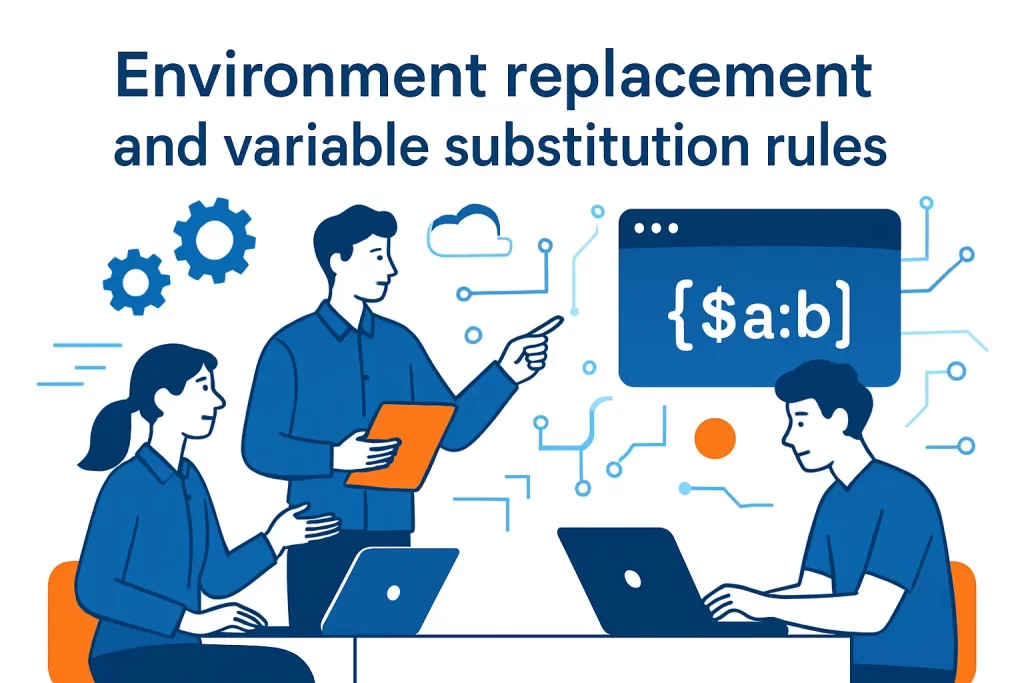
1. Builder managed environment replacement in supported instructions such as WORKDIR, COPY, and ADD
Environment replacement is two different systems that look similar. The builder can substitute ENV variables in certain Dockerfile instructions (like WORKDIR, COPY, and ADD), which makes paths configurable without involving a shell. That substitution is predictable because it happens at build time, and it’s visible in the resulting image metadata and filesystem layout.
In production, we like this builder-managed path substitution for things that should never vary at runtime: directory structure, install locations, and file copy destinations. When those choices depend on runtime environment variables, builds become harder to reproduce because the image no longer encodes the same structure everywhere it runs, and operational debugging becomes a hunt for “which value did this container start with?” instead of an inspection of a static artifact.
2. Escaping variable like syntax to keep literal values instead of replacements
Escaping is the difference between a literal string and a substituted value, which matters for configs, documentation strings, and templates that intentionally include “$FOO” syntax. The Dockerfile reference details ways to escape variable-like patterns so you can copy files that contain placeholders or emit text that should not be evaluated during the build.
We see this most often in entrypoint scripts that generate configuration on startup. If a template file is copied into an image and later processed at runtime, you generally want the placeholders to survive the build untouched. Making escaping explicit keeps intent legible: future maintainers can tell whether a “$VAR” was supposed to be expanded at build time, at runtime, or never expanded at all.
3. RUN, CMD, and ENTRYPOINT environment variables handled by the command shell, not by the builder
Shell-driven substitution is where many ENTRYPOINT/CMD surprises originate. Docker’s documentation clarifies that with RUN, CMD, and ENTRYPOINT, variable substitution is typically performed by the shell, not by the builder, and that exec-form instructions don’t automatically invoke a shell to do that work. That distinction is crucial because it determines whether “$PORT” becomes a value or remains a literal string.
In our operational playbooks, we encourage teams to choose one of two strategies. Either the application reads configuration from environment variables directly (ideal for twelve-factor style services), or an entrypoint script renders a config file and then execs the main process. Attempting to “half-expand” environment variables by mixing exec-form arrays with shell expectations tends to create brittle images that behave differently under docker run, Compose, and orchestrators.
Exec form vs shell form for ENTRYPOINT and CMD
1. Exec form as a JSON array and why it requires double quote characters around each token
Exec form is deceptively strict because it’s not “shell splitting”; it’s JSON array parsing. Each token is a discrete string, so quoting must satisfy JSON rules rather than shell rules. That strictness is precisely why we like it: ambiguity disappears, and the runtime receives an exact argv vector without an intermediary shell reinterpreting it.
From a production standpoint, exec form improves predictability in the same way typed APIs improve codebases. When a command is an array, you can reason about which argument goes where, you can append arguments cleanly at runtime, and you can avoid accidental injection through whitespace or special characters. The result is fewer “works locally, breaks in CI” startup bugs and fewer debugging sessions spent staring at a string that got re-tokenized unexpectedly.
2. Shell form behavior: automatic execution via a command shell such as /bin/sh -c
Shell form looks familiar because it resembles command lines you’d type in a terminal. Docker typically wraps shell form in a command shell invocation, which enables pipes, redirects, and inline variable expansion. That can be useful, but it also adds an extra process layer that changes signal handling and argument semantics.
In our view, shell form is appropriate when you truly need shell features and you’re consciously accepting the trade-offs. Unfortunately, many Dockerfiles use shell form by default, not by design, and then wonder why signals aren’t forwarded or why CMD arguments aren’t honored. If shell form is chosen, we recommend pairing it with an explicit “exec” handoff (or using a dedicated script) so the final application process behaves like a real foreground service.
3. Variable substitution differences: exec form does not automatically invoke a shell for processing
Exec form does not magically expand “$VAR” because there is no shell to do it. That’s a feature, not a bug, as long as the team understands where expansion should happen. If you need runtime expansion, either the application must read environment variables itself, or you must intentionally invoke a shell or script that performs the substitution and then replaces itself with the main executable.
We’ve seen teams attempt to embed “$HOSTNAME” and similar patterns into exec-form arrays and then spend hours debugging why the app receives a literal dollar-sign string. The fix is usually straightforward: move the expansion responsibility to the application or to an entrypoint script. What matters is clarity—every layer should have one job, and expansion rules should not be accidental side effects of whichever form a developer happened to type first.
4. Windows and escaping considerations: backslash escaping requirements in exec form
Windows adds a second source of confusion: backslash is common in paths, but JSON strings also treat backslash as an escape character. Docker’s documentation notes that exec form requires you to escape backslashes so the JSON remains valid; without that, Docker may misinterpret the instruction or treat it as shell form unexpectedly.
In a cross-platform organization, we recommend choosing conventions that minimize the “stringly-typed” surface area. For Windows images, that often means leaning into PowerShell with explicit quoting rules, or using scripts checked into the image and invoked via exec form. The goal stays the same: make the final argv vector and the final process tree obvious, so debugging doesn’t require guessing how many layers of parsing happened before your program even started.
Signal handling, PID 1, and clean shutdown behavior
1. Why exec form ENTRYPOINT helps the main process run as PID 1 and receive Unix signals
Signals are where container theory meets operational pain. The container runtime sends stop signals to the foreground process, and if your real application is not in that foreground slot, you may see slow shutdowns, forced kills, or corrupted state. Docker’s guidance explicitly connects exec form with better signal behavior because the primary executable can become the container’s init-slot process and receive signals directly.
In practice, we treat “clean shutdown” as part of application correctness, not as a nice-to-have. Web servers should stop accepting new connections and drain; workers should finish or requeue jobs; databases should flush and checkpoint safely. When ENTRYPOINT is exec form, those behaviors are far more likely to work as intended because SIGTERM lands where the app can actually handle it, rather than being absorbed by a shell wrapper.
2. How shell form ENTRYPOINT runs under /bin/sh -c and can break signal forwarding
Shell form commonly introduces a parent shell process, and many shells do not forward signals the way people intuitively expect. The result is a container that appears to “ignore” stop requests until the runtime’s grace period expires. From an on-call standpoint, that’s one of the most frustrating classes of bugs: everything is healthy until you need to deploy, scale down, or evacuate a node.
When customers tell us their containers “won’t terminate,” we often find a shell-form ENTRYPOINT running a long-lived service without an exec handoff. The fix tends to be mechanical, yet the impact is enormous: once signals reach the application directly, shutdown becomes predictable, rolling deploys become safer, and orchestration stops looking flaky. Better still, logs and exit codes become more meaningful because the top-level process is the one doing the real work.
3. Using exec at the start of a shell form ENTRYPOINT to improve stop behavior
If shell form is required, the best mitigation is to use exec so the shell replaces itself with the target process. Docker’s own examples show the pattern of starting the long-running executable with an exec prefix. That handoff collapses the process tree: the application becomes the foreground process, and signals no longer die at the shell boundary.
We’ve used this technique in emergency fixes where teams can’t immediately refactor into an entrypoint script but need a safer deployment path right away. Afterward, we still prefer migrating to exec-form arrays or dedicated scripts because those approaches make argument forwarding clearer. Still, adding exec is one of the highest ROI single-line changes we know for improving stop behavior without re-architecting the whole image.
ENTRYPOINT and CMD interaction patterns you can rely on
1. Common pattern: stable exec form ENTRYPOINT plus CMD for default arguments that users can override
The “stable ENTRYPOINT, flexible CMD” pattern is our default recommendation for service containers. ENTRYPOINT names the executable (and sometimes a small fixed set of flags), while CMD provides default arguments that are likely to vary between environments. Docker’s own best-practices guidance leans into this approach, recommending that CMD be used in exec form for service-based images as described in CMD should almost always be used in the form of CMD [“executable”,”param1″,”param2″] for predictable behavior.
Operationally, this pattern keeps the “shape” of the container constant while leaving room for runtime customization. Developers can ship one image, and operators can tune it via Compose, Kubernetes args, or “docker run” overrides. In our hosting environments, that consistency simplifies monitoring and alerting because the same process and ports exist across deployments, even when configuration differs.
2. Runtime behavior: docker run arguments append to an exec form ENTRYPOINT and override CMD
Exec form creates a reliable mental model: Docker composes a final argv by combining ENTRYPOINT with either CMD defaults or user-provided arguments. When users specify arguments at “docker run” time, those typically replace the CMD defaults while still being appended after the ENTRYPOINT. This is how an image can act like a CLI: you run the image name, and then you pass subcommands or flags naturally.
In production, the same behavior shows up in orchestrators that model “command” and “args” separately. A stable ENTRYPOINT maps cleanly to “command,” while CMD maps to “args.” We like that mapping because it reduces translation errors between local development and deployed manifests. The fewer semantic gaps we create, the fewer environment-specific bugs we have to chase at the worst possible time.
3. Shell form ENTRYPOINT limitation: ignores CMD and docker run command line arguments
Shell form ENTRYPOINT can short-circuit the flexibility you thought you had. Docker’s own reference notes that shell form prevents CMD and runtime arguments from being used the way most teams expect, because the shell wrapper becomes the real command boundary. That’s why shell-form ENTRYPOINT often feels “sticky”: you can’t easily override behavior without replacing the entrypoint entirely.
At 1Byte, we view this as a maintainability hazard. The moment you can’t override defaults at runtime, every environment-specific change tends to trigger a rebuild, which increases risk and slows response. If your image truly must be rigid, that may be acceptable; otherwise, it’s usually better to shift complexity into a script that forwards arguments correctly, preserving the operational “escape hatches” that make containers pleasant to run.
4. One takes effect rule: only the last CMD and only the last ENTRYPOINT in a Dockerfile apply
Dockerfile instructions are linear, and for CMD and ENTRYPOINT, the final occurrence wins. That rule sounds obvious, yet it frequently surprises teams who copy/paste snippets during iterative development. We’ve investigated incidents where a “temporary CMD” added during debugging quietly shipped to production because it was last in the file.
Our safeguard is simple: treat CMD and ENTRYPOINT as public API. Keep them near the end of the Dockerfile, keep them minimal, and avoid redefining them during intermediate build stages unless you’re very explicit about which stage produces the final runtime image. In code review, we also scan for multiple CMD/ENTRYPOINT lines as a quick heuristic for “someone may be experimenting, but the image contract isn’t settled yet.”
5. Base image edge case: setting ENTRYPOINT can reset an inherited CMD value, requiring CMD to be set in the current image
Inheritance is useful until it isn’t. A base image may define CMD, and a derived image might set a new ENTRYPOINT; Docker’s documentation warns that in this scenario, the inherited CMD can be reset, leaving you with an ENTRYPOINT but no default arguments. The outcome is a container that runs, but not the way you assumed, because the defaults you expected no longer exist.
When we build platform images for customers, we try to make inheritance explicit: if we set ENTRYPOINT, we also set CMD in the same Dockerfile layer so the final behavior is obvious without reading the parent image. This is especially important for internal base images used across teams, where a single change can ripple through dozens of downstream services. Clarity beats cleverness here, every time.
6. Overriding ENTRYPOINT for debugging with docker run –entrypoint and the binary only limitation
Debuggability is a first-class requirement in production, and “docker run –entrypoint” is one of the most direct tools we have to get a shell or a diagnostic binary inside the container environment. Docker’s reference notes that you can override ENTRYPOINT at runtime, which is invaluable when you need to inspect files, verify environment variables, or reproduce a startup failure interactively.
The limitation to keep in mind is that the override expects an executable, not an entire shell pipeline. In other words, you can swap the entrypoint to “sh” (or “bash” if present), but you can’t treat the flag as a mini shell script without explicitly invoking a shell. That’s another reason we prefer images that include a minimal debugging pathway—either via a shell, a small toolbox, or at least predictable filesystem locations—so operators aren’t forced to rebuild just to troubleshoot.
7. Entrypoint scripts: executable permissions, proper formatting, and forwarding arguments
An entrypoint script is often the best compromise between necessary setup and clean runtime behavior. The script can validate environment variables, generate configs, apply migrations, or drop privileges, and then it should forward control to the main process. The two official-image examples we referenced earlier are instructive precisely because they end with an exec handoff, ensuring the final process is the one Docker supervises.
To make scripts reliable, we insist on a few basics: the script must be executable, the shebang must match the interpreter present in the image, and argument forwarding must be explicit (typically via “exec “$@””). When those details are neglected, the container becomes fragile: signals may not arrive, arguments may be lost, and exit codes may be misleading. In our experience, well-written entrypoint scripts reduce operational drama, while sloppy ones manufacture it.
How 1Byte supports customers running containerized apps and websites
1. Domain registration and SSL certificates for production ready endpoints
Containers are only half the story; production workloads need trustworthy endpoints. On our side, we focus on smoothing the path from “service in a container” to “service on a domain with TLS,” because that’s where customer trust and browser security expectations converge. For teams that want one control plane for both hosting and identity at the edge, we provide domain registration and SSL certificate services as part of the same operational workflow.
Certificate lifecycle work is where small process details matter, much like ENTRYPOINT design. Issuance, validation, renewal, and installation need to be repeatable, or the organization eventually pays in emergency renewals and unexpected downtime. When customers ask us what “production-ready” means, we answer bluntly: if your deployment can’t renew certificates predictably and restart containers cleanly, you don’t have an application—you have a recurring incident.
2. WordPress hosting and shared hosting options for site and app deployments
Not every workload needs containers, and we try not to force a tool just because it’s fashionable. Many customer sites are still best served by managed application hosting or shared hosting, where the operational burden is intentionally low and the platform handles the “process management” equivalent of what ENTRYPOINT/CMD would do in a container image.
At the same time, container literacy still helps those customers. WordPress environments increasingly rely on background tasks, queues, cron-like scheduling, and auxiliary services, and the mental model of “one foreground process with clean start/stop semantics” maps surprisingly well to web hosting reliability. When teams grow into containerized deployments, we want them to bring good habits with them: explicit startup contracts, clear defaults, and a shutdown path that doesn’t depend on luck.
3. Cloud hosting and cloud servers with 1Byte as an AWS Partner for scalable infrastructure
Scaling containerized apps usually becomes a conversation about infrastructure primitives: networks, load balancers, storage, observability, and identity. On the cloud side, we position ourselves as a partner that can host workloads directly and also help customers integrate with hyperscaler ecosystems; our own positioning includes that 1Byte is an AWS Consulting Partner, which reflects the reality that many container platforms ultimately run atop AWS building blocks even when the application team prefers to think in Kubernetes objects.
From a technical standpoint, ENTRYPOINT and CMD best practices are part of “cloud maturity.” Autoscaling only works if processes start quickly and deterministically. Blue/green and rolling deploys only work if shutdown is graceful. Cost control only works if jobs exit when they’re done and don’t hang because signals got lost in a shell wrapper. If we had to summarize our philosophy, it would be this: infrastructure can be elastic, but your process model must be disciplined.
Conclusion: choosing a Dockerfile entrypoint strategy that stays predictable and flexible
1. Prefer exec form ENTRYPOINT for predictable argument handling and signal behavior
Predictability is the product we’re really selling, even when we think we’re selling compute. Exec form ENTRYPOINT gives you a stable argv boundary, cleaner signal delivery, and fewer surprises when your image crosses the border from “developer laptop” to “orchestrated production.” The Docker ecosystem’s own best-practice materials reinforce this, and the official image patterns we see in the wild have converged on the same design for good reasons.
In our operational experience, the payoff shows up during deploys and incidents. A container that responds immediately to stop signals enables fast rollouts, safer node maintenance, and cleaner recovery. When we’re helping customers debug weird lifecycle behavior, shifting to exec form is often the difference between chasing ghosts and fixing the root cause.
2. Use CMD for defaults that should be easy to override at runtime
Defaults are valuable, but rigidity is expensive. CMD shines when you want sane out-of-the-box behavior while keeping the door open for overrides in staging, production, and debugging. Separating “what runs” (ENTRYPOINT) from “how it runs by default” (CMD) gives teams a long-term maintenance advantage: they can evolve configuration without rebuilding images or inventing environment-specific wrappers.
Practically speaking, we recommend writing CMD in exec form as well, especially when it’s supplying default arguments to an exec-form ENTRYPOINT. That alignment reduces edge cases around tokenization and signal handling. If a team needs shell features, we’d rather see a small script with explicit exec than a stringly CMD that relies on implicit shells.







3. Validate substitutions and overrides to avoid surprises across environments
Environment substitution, quoting, and override behavior are the sharp edges that cut teams during migrations to containers. Testing should therefore include not just “docker build” but also real runtime scenarios: overriding CMD, overriding ENTRYPOINT, injecting environment variables, and stopping the container to confirm shutdown behavior. The AWS Open Source team has long emphasized practical clarity around these rules in ENTRYPOINT and CMD interaction guidance, and we share that bias toward testing the real composition behavior instead of trusting intuition.
As a next step, we suggest auditing one representative service image in your fleet: can you override its defaults without rebuilding, and does it stop cleanly when asked? If either answer is “no,” which single change—exec form, a forwarding entrypoint script, or a clearer CMD—would most quickly move your containers from “it runs” to “it runs like production deserves”?