

- Domain Vs. Hosting: The Plain-English Difference
- How Domain and Hosting Work Together Behind the Scenes
- A “Domain vs Hosting vs Website vs URL” Mini-Glossary
- Domains: What You Actually Buy (And What You Do Not)
- Hosting: The Parts That Affect Speed, Security, and Reliability
- The Practical Difference Between Domain and Hosting (With Examples)
- What You Need to Buy First (And What to Decide Before You Click Checkout)
- How to Connect a Domain to Hosting (Step by Step)
- Security and Performance: Where Hosting Choices Matter More Than Domains
- Common Myths About the Difference Between Domain and Hosting
- Buying Checklist: How to Choose a Domain and Hosting That Fit
- FAQ: Quick Answers About Domains and Hosting
- Conclusion
Starting a website feels simple until you hit two purchases that sound similar but do different jobs. This guide explains the difference between domain and hosting in plain English, shows how DNS connects them, and gives you a practical checklist to set everything up without losing ownership or breaking email later.
Quick answer: A domain is your website’s name. Hosting is the server space that stores your website and delivers it to visitors. DNS is the bridge that connects the name to the server.
- If you cancel the domain: people can’t reach your site using that name.
- If you cancel hosting: the domain still exists, but the website won’t load.
- If DNS is wrong: the name points to the wrong place, even if both services are active.
| Term | What It Is | What It Does | What Breaks If Misconfigured |
|---|---|---|---|
| Domain | Your name (example.com) | Gives people a memorable address | Users can’t reliably find you by name |
| Hosting | Your server space | Stores and serves your website files | Pages fail to load or show server errors |
| DNS | Your routing system | Points the domain to the correct server | Domain points to the wrong site or nowhere |
| SSL/TLS | Your encryption layer | Secures connections with HTTPS | Browsers show “Not secure” warnings |
| Email DNS (MX/SPF/DKIM/DMARC) | Your mail routing and trust records | Delivers email and reduces spoofing | Email bounces or lands in spam |
Domain Vs. Hosting: The Plain-English Difference
1. A Domain Is Your Website’s Address
A domain is the text people type to find you, like example.com.
It works like a contact card. It does not store your website files. Instead, it points visitors to where your site lives.
2. Hosting Is Where Your Website Lives
Hosting is the service that stores your website files and serves them to visitors.
When someone visits your domain, the browser still needs a server to send back pages, images, and scripts. Hosting provides that server space, plus the software stack that keeps it online.
3. Why People Mix Them Up (And Why That Causes Headaches)
People mix domains and hosting up because many providers bundle them in one checkout. However, you should treat them as separate levers. Keep your domain as your brand asset, and treat hosting as replaceable infrastructure that you can upgrade or switch when performance, support, or security needs change.
4. The Quick Test: “If I Cancel This, What Breaks?”
If you cancel your domain, people cannot reach your site using that name. Your hosting may still run, but visitors will not know how to find it.
If you cancel hosting, your domain still exists. Yet it will point to nothing useful, so visitors see errors or a parked page.
How Domain and Hosting Work Together Behind the Scenes
1. DNS Connects the Name to the Server
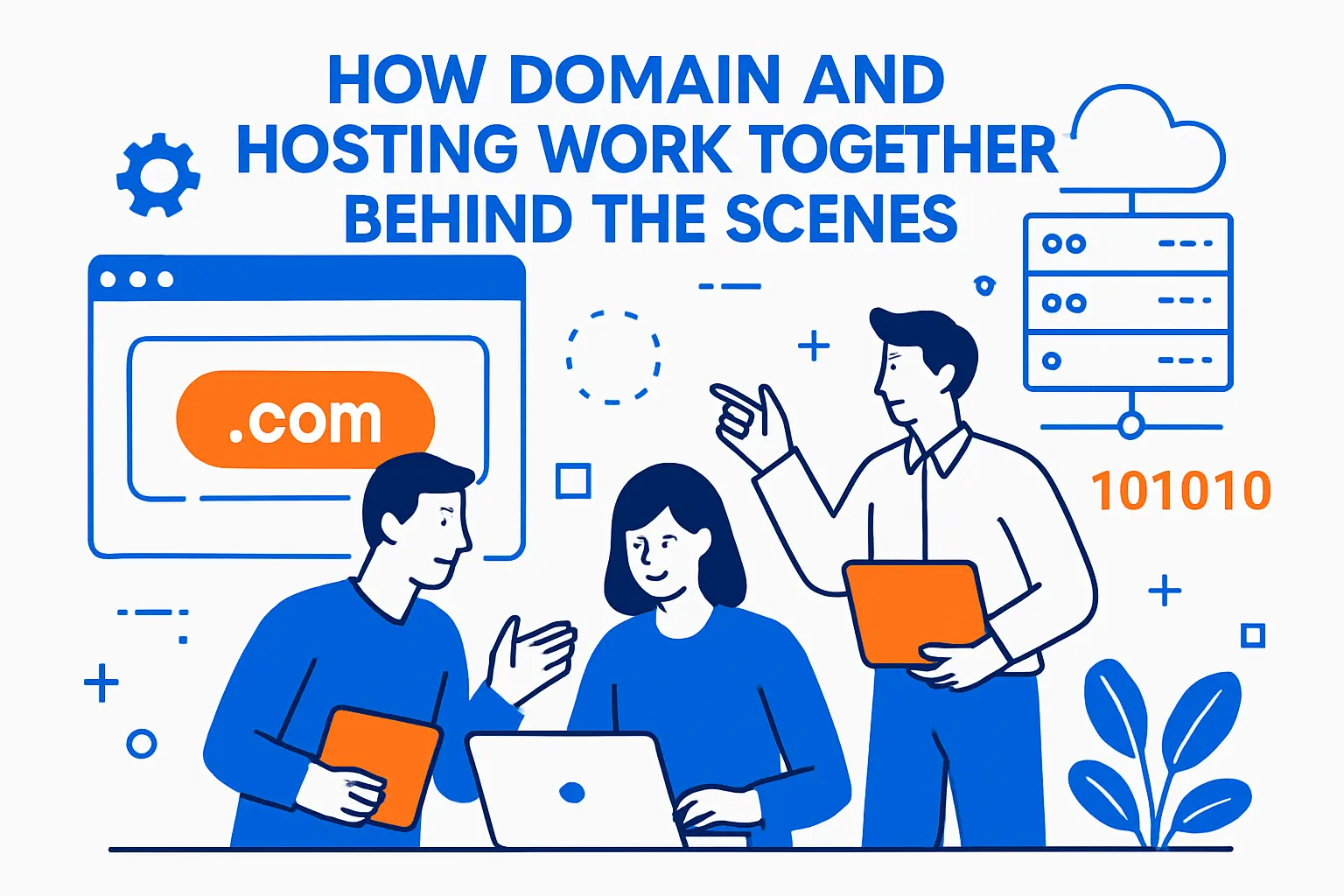
DNS (Domain Name System) is the directory that links a domain name to an IP address.
So, DNS answers a simple question: “Where should this domain go?” Then it sends browsers to your hosting server.
2. Your Hosting Server Answers With Website Files
After DNS routes the visitor to the correct server, your hosting environment responds.
It runs your CMS or app, reads databases, and returns HTML, images, and other assets. That is why hosting quality affects speed and stability.
3. A Real Example: Online Store Checkout
Imagine a customer types your domain into their phone, then taps “Buy.”
Your domain and DNS get them to the right server. Next, your hosting handles the heavy work: cart sessions, payment pages, inventory checks, and confirmation emails. If hosting struggles, checkout fails even if the domain works perfectly.
4. Scale Shows Why This Separation Matters
Domain demand stays high across the whole internet. For example, Verisign’s industry reporting shows 378.5 million domain name registrations across all TLDs at the end of Q3 2025, which means naming decisions keep getting more competitive.
At the same time, hosting has grown into a massive industry because every site still needs infrastructure, not just a name.
A “Domain vs Hosting vs Website vs URL” Mini-Glossary
| Concept | Simple Meaning | Beginner Mistake It Prevents |
|---|---|---|
| Website | The pages and content people use | Thinking “buying a name” publishes a site |
| URL | The full link to a specific page | Confusing the homepage with every page |
| Domain | The main name people remember | Assuming the domain stores the website |
| Hosting | The server that delivers the website | Assuming hosting controls your brand name |
| DNS | The settings that connect name to server | Updating hosting but forgetting DNS changes |
Domains: What You Actually Buy (And What You Do Not)
1. You Register a Right to Use a Name, Not a Physical Asset
When you buy a domain, you usually register it through a registrar for a time period.
You do not “own” the internet address forever. Instead, you hold the registration as long as you renew it and follow the rules.
2. TLD Choice Affects Perception and Flexibility
.com often feels familiar, while .org implies a mission, and newer options can signal a niche.
Pick a TLD that supports your brand and email strategy. Then lock it down before you print business cards.
3. Domain Privacy and WHOIS Still Matter
Many registrars offer privacy options that help limit public exposure of contact details.
This does not replace security. Yet it reduces spam and social engineering attempts that target domain owners.
4. Global Naming Keeps Expanding Beyond Latin Characters
If you serve a multilingual audience, internationalized domain names can help people type your brand more naturally. ICANN highlights that 151 IDN TLDs had been delegated as of June 2025, showing steady expansion in non-Latin options.
That said, you still need to test usability across browsers, devices, and email systems before you rely on an IDN alone.
Pricing And Renewals Reality Check
Pricing is where most beginners get surprised, especially at renewal time. A simple way to plan is to separate “name cost” from “infrastructure cost.”
- Many standard domains renew around $10-20/year in typical cases, so budgeting for renewals matters even before launch.
- Entry-level shared hosting often falls into $2 – $15 per month in general guidance, but the best fit depends on traffic, support needs, and how much you want managed for you.
- Behind the scenes, registrars pay ICANN a per-domain transaction fee of $0.18, which helps explain why domains have layered costs beyond “just buying a name.”
Hosting: The Parts That Affect Speed, Security, and Reliability

1. Hosting Is a Bundle of Resources
Hosting includes storage, CPU, memory, and bandwidth.
It also includes a control panel, a web server stack, and support tools. So, even “basic hosting” is more than just disk space.
2. Hosting Types Change What You Control
Shared hosting trades performance for low cost and simplicity.
VPS hosting gives you dedicated slices of a server. Dedicated hosting gives you the whole machine. Cloud hosting spreads workloads across multiple servers and can scale faster during spikes.
3. The Market Size Explains Why Options Keep Multiplying
Hosting providers keep adding features because the market keeps growing. Fortune Business Insights values the global web hosting services market at USD 126.41 billion in 2024 and projects growth to USD 527.07 billion by 2032, which helps explain the flood of “managed,” “optimized,” and “specialized” plans.
So, you should treat hosting as a strategic choice, not a commodity.
4. Uptime and Outages Affect Real Money
Even short downtime can break revenue, trust, and SEO momentum.
Industry outage research also shows high stakes at the infrastructure level. Data Center Dynamics reports that 54% of surveyed operators said their most recent significant outage exceeded $100,000 and 20% exceeded $1 million, which helps put “cheap hosting” tradeoffs into perspective.
The Practical Difference Between Domain and Hosting (With Examples)
1. Example: Restaurant Website With Online Menu
You buy a domain that matches your restaurant name. You buy a domain that matches your restaurant name.
Then you pick hosting that can handle image-heavy pages and fast mobile loading. After that, you connect the domain to hosting with DNS records. The domain makes you findable. The hosting makes the site usable.
2. Example: Freelancer Portfolio With Email
You register a domain so you can use a professional email address like you @yourname.com.
Next, you choose hosting for your portfolio site. Finally, you add DNS records for both the website and email service. This example shows an important point: DNS can route different services under the same domain.
3. Example: eCommerce Brand That Runs Campaign Landing Pages
Your domain stays stable across years. Your hosting may change as traffic grows.
Many brands keep the same domain registrar but switch hosting from shared to managed cloud to handle seasonal peaks. This flexibility is one reason the difference between domain and hosting matters operationally.
4. Example: WordPress Site and “Optimized Hosting” Claims
Many hosting plans market themselves as “WordPress hosting.” The reason is simple: WordPress dominates CMS usage. W3Techs reports 43.0% of all websites use WordPress, so providers compete to offer caching, staging, and updates that fit that ecosystem.
Still, you can run WordPress on many host types. So, prioritize performance and support over labels.
What You Need to Buy First (And What to Decide Before You Click Checkout)

1. Buy the Domain First When Naming Matters
Secure your brand name early. Good names disappear fast.
Also, buying the domain first lets you set up business email, even if the site launches later.
2. Buy Hosting First When You Need a Quick Prototype
If you already have a domain, you can start with hosting and build immediately.
This approach also works when you test multiple site concepts under temporary subdomains before you commit to a final name.
3. Decide Who Will Control Each Account
If a freelancer builds your site, you still want domain ownership under your email address.
Then you can grant access without losing control of the name. This one habit prevents painful disputes later.
Ownership And Control Checklist
- Keep the domain registered under an email you control.
- Use a shared password manager instead of sharing credentials in chat.
- Turn on two-factor authentication for registrar and hosting logins.
- Store DNS notes, hosting logins, and SSL renewal responsibilities in one internal doc.
4. Set a Simple Renewal and Backup Plan
Domains expire more often than people expect. So enable auto-renew and keep payment methods current.
For hosting, plan backups that you can restore without the host’s help. That way, you can migrate if service quality drops.
How to Connect a Domain to Hosting (Step by Step)
1. Choose Your Connection Method: Nameservers or DNS Records
Most beginners use nameservers. You point your domain to your host’s nameservers, and the host manages DNS.
More advanced users keep DNS with the registrar or a dedicated DNS provider. Then they add A records, AAAA records, and CNAMEs manually.
2. Map the Website Records First
Start with your root domain and “www” version.
Set your A record (or AAAA for IPv6) to your server IP, or set a CNAME if your host requires it. Then wait for DNS propagation.
3. Add SSL Early So Browsers Trust Your Site
HTTPS is no longer optional for most sites.
Many hosts offer free certificates, often through Let’s Encrypt. Let’s Encrypt states it provides TLS certificates to over 550 million websites and saw 42% growth in the last year, which shows just how standard encrypted traffic has become.
4. Confirm Email DNS Records If You Use the Domain for Mail
If you use Google Workspace or Microsoft 365, add MX records, SPF, DKIM, and DMARC.
These records reduce spam issues and improve deliverability. They also protect your brand from spoofing.
Fast troubleshooting: what the symptom usually means
- Domain shows a parked page: DNS is pointing to the wrong host, or the host has not attached your domain to the correct site.
- “Not secure” warning: SSL is missing, expired, or installed for the wrong hostname (often www vs non-www).
- Website works but email fails: MX records are missing or SPF/DKIM/DMARC are not aligned with your mail provider.
- Old site still loads after changes: DNS or browser caching is delaying visible updates.
- Site loads, but pages are broken: the hosting environment is missing dependencies, has wrong PHP/runtime settings, or the database connection is not configured.
Tip: Document where DNS is managed (registrar, host, or third-party DNS). This one note prevents most “I don’t know where to change it” delays.
Security and Performance: Where Hosting Choices Matter More Than Domains

1. Hosting Security Controls the Blast Radius
Your domain can stay safe while your hosting gets hacked, and the user experience still collapses.
So pick hosts that support strong isolation, malware scanning, patching, and account-level protections.
2. DDoS Protection Depends on Infrastructure, Not Naming
Attackers typically hit your server IP and hosting edge, not your domain registration.
Cloudflare’s reporting shows defenders now face huge volumes. Its threat report notes 21.3 million DDoS attacks blocked in 2024 and a record 5.6 Tbps attack during the week of Halloween 2024, which makes it clear why resilient hosting and CDN layers matter.
3. Speed Gains Usually Come From the Host Stack
Good hosting can shorten response times through caching, newer PHP versions, HTTP/2 or HTTP/3, and tuned databases.
Then a CDN can cache global assets closer to visitors. Your domain simply routes traffic; it does not speed up page rendering by itself.
4. Backups and Staging Reduce Risk During Changes
Many site failures start with a theme update, plugin conflict, or a rushed deploy.
So use a staging site when possible. Also schedule offsite backups so you can restore even if the hosting account fails.
Common Myths About the Difference Between Domain and Hosting
1. “I Bought a Domain, So My Website Is Live”
A domain alone does not publish a website.
You still need hosting or a platform that serves pages for that domain. Until then, visitors will see a placeholder or an error.
2. “My Host Owns My Domain Because I Bought Them Together”
Bundling can hide ownership details.
So check your registrar account and confirm your contact email. If you cannot transfer the domain out, you may not fully control it.
3. “Switching Hosting Means I Must Change My Domain”
You can keep the same domain and move hosting.
You simply update DNS to point to the new server. This is a key operational advantage once you understand the difference between domain and hosting.
4. “Domains Improve SEO More Than Hosting”
Your domain name can help with branding and click confidence.
However, hosting affects speed, uptime, and security hygiene. Those factors shape real user experience signals and crawl reliability over time.
Buying Checklist: How to Choose a Domain and Hosting That Fit
1. Domain Checklist
- Pick a name you can say out loud without spelling it twice.
- Avoid confusing hyphens and tricky plural forms.
- Plan for email from day one.
- Enable auto-renew and use a secure registrar login.
2. Hosting Checklist
- Choose a plan that matches your site type: brochure, blog, store, or app.
- Confirm backups, restore steps, and data export options.
- Look for clear resource limits and upgrade paths.
- Test support responsiveness before you depend on it.
3. “Both Together” Checklist
- Decide where DNS will live, then document it.
- Turn on HTTPS before you share the site publicly.
- Set reminders for renewals and certificate rotations.
- Write down your migration steps so you can switch hosts calmly later.
4. A Simple Rule That Prevents Most Beginner Mistakes
Keep your domain under your control. Then treat hosting as replaceable infrastructure.
This mindset makes upgrades and emergency moves much easier. It also protects your brand identity even if a vendor relationship changes.
FAQ: Quick Answers About Domains and Hosting
1. Can I Buy a Domain Without Hosting?
Yes. Many people do this to reserve a name first.
You can later connect it to hosting, a website builder, or even a landing page tool.
2. Can I Host a Website Without a Domain?
You can access a site by IP address or a temporary URL, but it feels unprofessional.
A domain also supports email and branding, so most public sites use one.
3. Does My Domain Provider Need to Match My Host?
No. You can mix and match.
In fact, separating them often improves control. It also makes migrations less stressful.
4. What Should I Do If I Already Bought the Wrong Thing?
If you bought only a domain, add hosting and connect it through DNS.
If you bought hosting without the right domain, register the domain you want and point it to your hosting. Then you can redirect old names if needed.







Conclusion
Understanding the difference between domain and hosting removes a lot of confusion. A domain gives your site a memorable identity, while hosting provides the engine that makes the site work. When you choose both intentionally, you get better speed, stronger security, and far fewer launch-day surprises.