

Game servers live or die by latency. Players feel lag fast, and they leave faster. That makes infrastructure a product decision, not a background chore.
Best cloud server for game hosting depends on what you run and how you run it. A modded survival server needs stable memory and easy backups. A session-based shooter needs fast spin-up, strict networking, and clean autoscaling. A studio launch needs both, plus clear observability and a plan for attacks.
Cloud adoption keeps rising, and it affects how game teams build. Gartner expects worldwide end-user spending on public cloud services will total $723.4 billion this year, so most modern backend work now assumes cloud primitives. Player spending also stays strong. Newzoo projects the global games market will reach $188.8B in revenue this year, which keeps the bar high for launch-day reliability and ongoing live ops.
Security matters just as much as performance. Cloudflare says its autonomous defenses blocked 8.3 million DDoS attacks in a recent quarter, and public game servers often attract that kind of noise. Akamai also reports that gaming represented 18% of network and transport layer DDoS attacks, which makes mitigation planning a launch prerequisite.
Latency still decides the experience. A controlled cloud gaming study found that for every 100 ms of added latency, players reduced their QoE ratings by 14% on average during play sessions, so region choice and routing strategy belong in your design docs.
This guide compares major hyperscalers, developer-friendly clouds, regional providers, and game-first hosting platforms. Use each “Best for” section to shortlist quickly, then use the “Quick start checklist” to launch without missing core ops steps.
How to Pick the Best Cloud Server for Game Hosting

Start with your players, not your provider. Map where your active community lives, then pick regions close to them. After that, match infrastructure to your game’s behavior.
Match the platform to your hosting style
- Full control teams tend to prefer raw virtual machines or bare metal because they can tune the OS, networking, and runtime.
- Small teams often win with simpler clouds that reduce cognitive load and ship features faster.
- Community admins usually benefit from managed game panels that handle updates, backups, and basic security.
Prioritize these practical criteria
- Latency and routing: Pick regions near players and validate routes with real client tests.
- Scaling model: Decide if you scale by adding more servers (horizontal) or upgrading servers (vertical).
- Security posture: Confirm firewall tooling, DDoS posture, and how you rate-limit abusive traffic.
- Operational workflow: Favor platforms that match how your team works (console, API, IaC, or control panel).
- Cost control: Watch for egress, idle capacity, backups, and log volume.
- Support and incident response: Know how to reach humans when something breaks during a live event.
Top Cloud Server and Game Hosting Platforms
1. Amazon EC2
Amazon’s core compute service fits teams that want maximum control over their multiplayer stack. You can run almost any dedicated server binary, tune the operating system, and build custom deployment pipelines. That flexibility helps when you run competitive servers, custom anti-cheat agents, or specialized telemetry collectors. It also works well when you already run other parts of your product in the same ecosystem.
Best for
Studios and hosting businesses that need fine-grained control over networking, images, scaling, and automation. It also suits teams that want to standardize on infrastructure-as-code across environments.
Key workflows to configure
- Design a VPC layout that separates public endpoints from internal services.
- Lock inbound rules to only the ports your game actually needs.
- Create a reusable machine image for consistent deployments and faster rollbacks.
- Use autoscaling for session servers and keep state in external services.
- Centralize logs and metrics so ops can diagnose spikes quickly.
Sales growth lever
Multi-region rollouts let you offer “closest server” experiences and reduce churn from poor ping. Strong automation also lets you run promotions and content drops without betting everything on a fragile manual process.
Watch outs
Billing can drift when you leave resources running, over-allocate disks, or ignore outbound traffic. The platform also rewards teams that understand cloud networking, so plan time for design reviews and runbooks.
Quick start checklist
- Pick a launch region near your first community cluster.
- Harden admin access and restrict management ports.
- Install the server as a managed service with automatic restart.
- Add alerts for crashes, CPU saturation, and network anomalies.
- Back up configs and player state to durable storage on a schedule.
2. Google Cloud Compute Engine
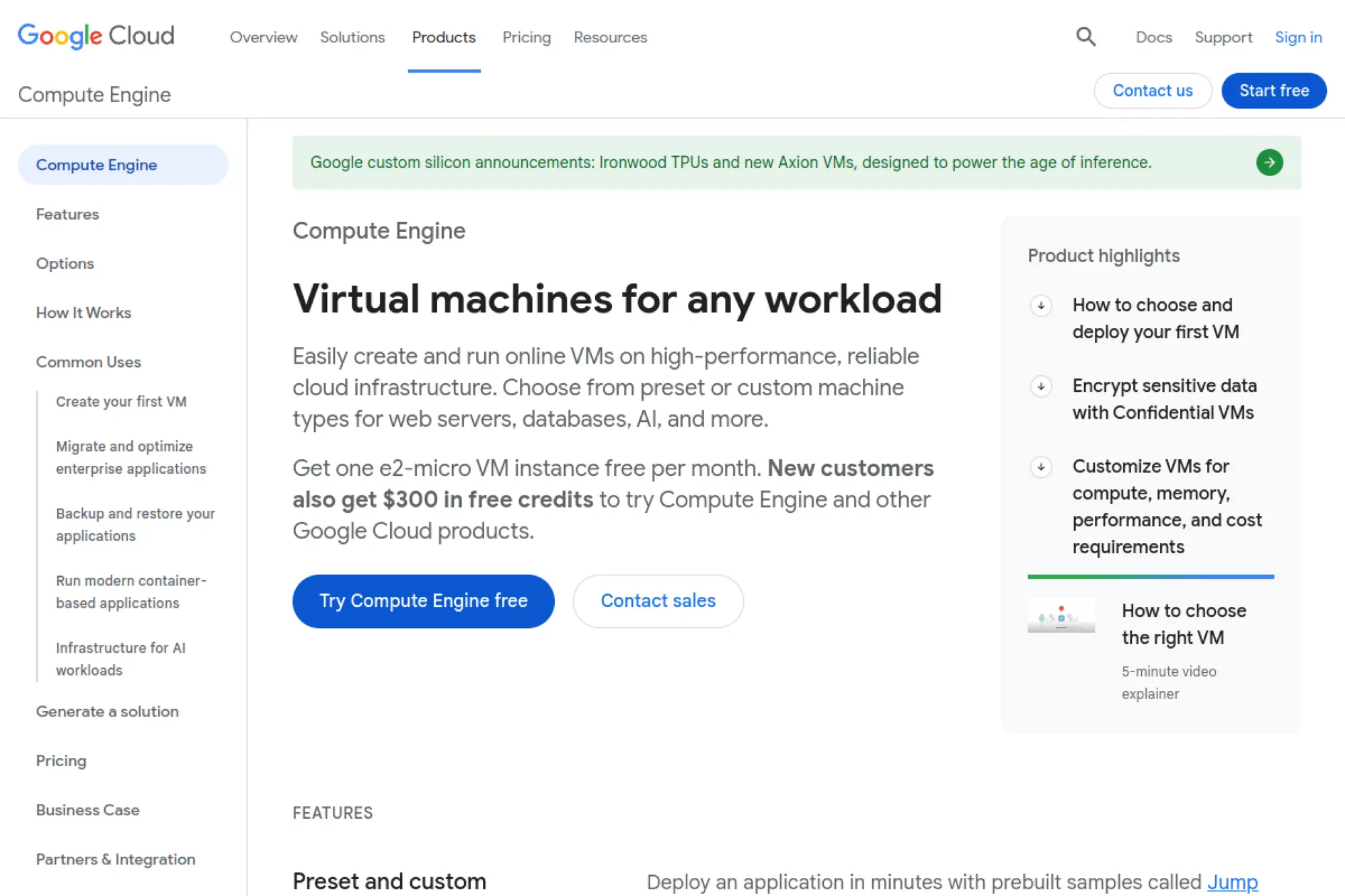
Compute Engine gives you flexible virtual machines backed by Google’s network and cloud tooling. Many teams like it for global routing patterns, container-first workflows, and clean integration with logging and monitoring. It can support everything from always-on community servers to elastic session fleets, as long as you design around stateless scaling where possible. If your team already uses Google’s developer tooling, the workflow feels cohesive.
Best for
Teams that want strong networking, clean automation, and easy integration with container workflows. It also fits studios that run analytics-heavy pipelines alongside their multiplayer backend.
Key workflows to configure
- Set up a VPC with firewall rules that match your game’s ports and protocols.
- Create instance templates and managed instance groups for repeatable fleets.
- Use startup scripts to bootstrap servers consistently at boot.
- Protect public entry points with rate limits and edge filtering where appropriate.
- Stream logs and metrics into centralized dashboards for incident response.
Sales growth lever
Global routing and traffic management help you expand into new regions with less operational friction. Better geographic reach usually translates into higher retention for latency-sensitive game modes.
Watch outs
Quotas and default limits can surprise you during a viral moment. Plan capacity ahead of marketing beats. Also track network egress and log volume so costs do not creep upward.
Quick start checklist
- Choose regions based on where your players actually connect from.
- Define firewall rules before you ever open the server to the public.
- Automate bootstrapping with scripts or images to reduce manual work.
- Set health checks and automatic replacement for unhealthy instances.
- Validate performance with real clients and realistic load profiles.
3. 1Byte (1byte.com)
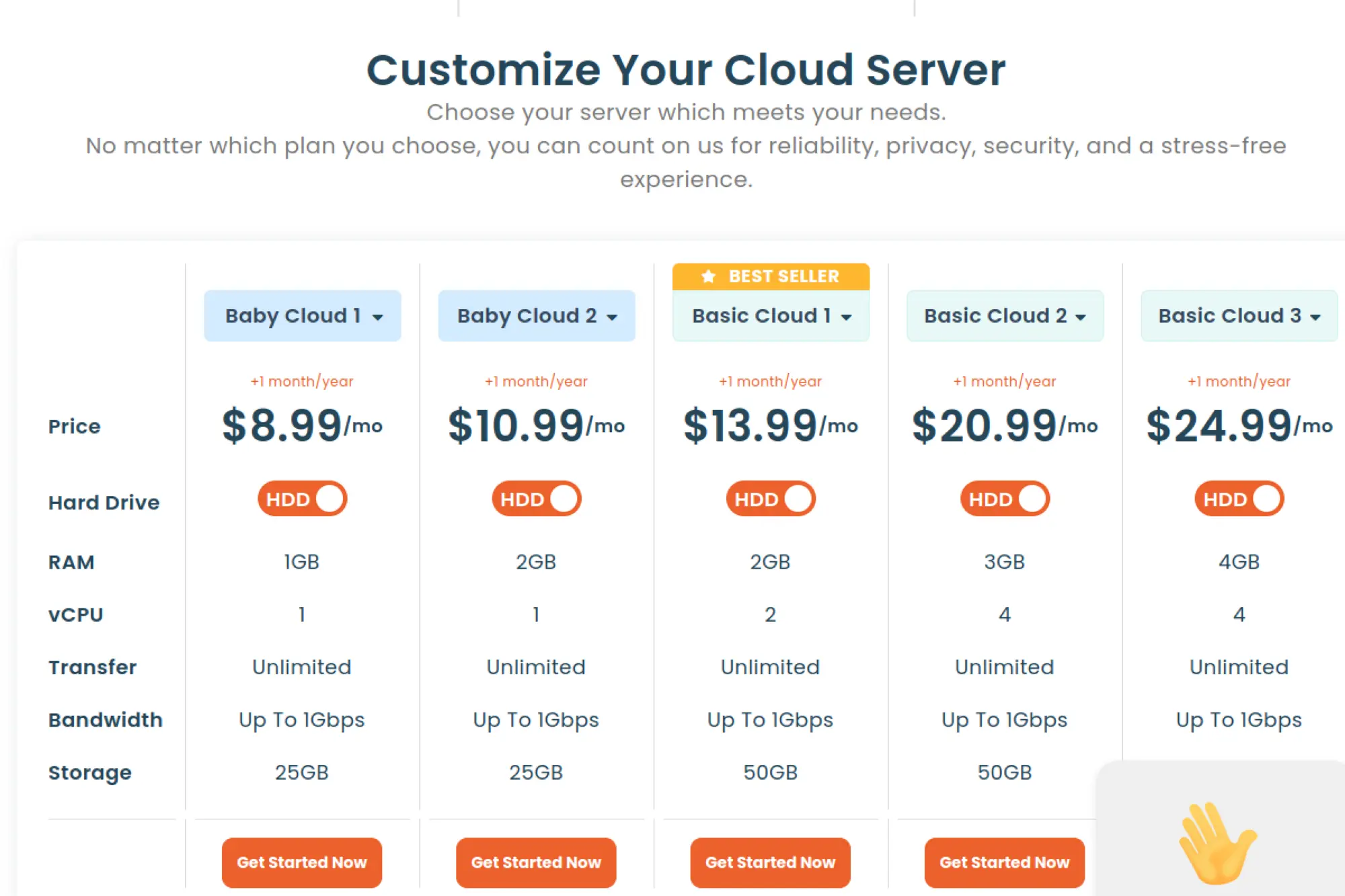
1Byte positions itself as a cloud and hosting provider with a straightforward, web-driven approach to provisioning. That matters when you want to stand up servers fast without building a deep automation pipeline on day one. It can also be a practical pick when your players cluster in regions that benefit from local connectivity and local support expectations. When you run community servers, simplicity often beats feature sprawl.
Best for
Community hosts and small teams that want an easier control experience and a regional option for players in nearby markets. It also fits early-stage projects that need predictable workflows more than advanced managed services.
Key workflows to configure
- Select an operating system that matches your server stack and tooling.
- Harden remote access and limit admin entry points immediately.
- Open only the game ports you need and keep everything else closed.
- Install your game server runtime and set up automatic restarts on crashes.
- Schedule backups for configs, worlds, and player data.
Sales growth lever
Regional hosting can become a differentiator when competitors only target major metro areas. If your community values “close to home” servers, you can grow via better ping and smoother sessions.
Watch outs
Smaller providers often offer fewer managed add-ons, so you may need to bring your own monitoring, DDoS posture, and deployment automation. Validate peering and routing with real client tests before you commit.
Quick start checklist
- Launch a small staging server and test with players in your target region.
- Lock down firewall rules before sharing the server address publicly.
- Automate restarts and log rotation to avoid slow performance over time.
- Back up state off the server so a rebuild stays painless.
- Write a simple runbook for updates, rollbacks, and incident response.
4. Microsoft Azure Virtual Machines
Azure Virtual Machines work well for studios that want a broad cloud platform with strong enterprise-grade management options. Many game teams like Azure when they run Windows-based server stacks, integrate with Microsoft identity, or already deploy other services in the same environment. You can also build elastic fleets using scale-oriented primitives while keeping control over images and patching. When you plan for live ops, Azure’s monitoring and governance tooling can help you stay organized.
Best for
Teams that need Windows-friendly hosting options, structured governance, and a mature ecosystem for monitoring and access control. It also fits organizations that need hybrid connectivity for tooling or data pipelines.
Key workflows to configure
- Organize resources with resource groups and a clear naming convention.
- Build a VNet layout and use NSGs to enforce least-privilege networking.
- Create reusable VM images for consistent server deployments.
- Use scale sets for fleets that expand and shrink with session demand.
- Configure centralized monitoring, logging, and alert routing for ops.
Sales growth lever
Scale sets and automation help you handle spikes from streamer attention without long outages. When your uptime improves, word-of-mouth improves too, and that directly supports community growth.
Watch outs
Azure’s flexibility comes with many knobs. If you skip a clear standard for networking, images, and deployments, teams can drift into inconsistent setups. Cost controls also need discipline, especially for storage and outbound traffic.
Quick start checklist
- Define a network baseline with strict inbound rules.
- Create an image from a clean, patched server build.
- Automate deployments with templates or infrastructure-as-code.
- Turn on monitoring dashboards and page alerts for crashes.
- Test rollback paths before you roll a major update to production.
5. Oracle Cloud Infrastructure Compute
Oracle Cloud Infrastructure (OCI) can be a strong choice for teams that want compute flexibility and solid networking options while staying cost-aware. It supports both virtual machines and bare metal styles of deployment, which helps when you run CPU-bound servers or want consistent performance for busy hubs. OCI also works well when you pair game servers with supporting services like storage and load balancing in the same environment. If you care about predictable infrastructure patterns, OCI can fit nicely.
Best for
Teams that want a mix of VM and bare metal options, plus straightforward network design for dedicated server fleets. It also suits studios that want to protect margin with careful cost planning.
Key workflows to configure
- Model your VCN and subnets around public entry points and private services.
- Use security lists and NSGs to enforce tight inbound access rules.
- Create images for repeatable builds and rapid rollbacks.
- Deploy instance pools for consistent capacity across regions or zones.
- Centralize logs and metrics so ops can debug session failures quickly.
Sales growth lever
When you keep infrastructure predictable, you ship updates faster and reduce downtime. That reliability helps retention, and retention supports monetization through seasonal content and community expansion.
Watch outs
Some teams find the ecosystem smaller than the biggest hyperscalers, so you may rely more on internal documentation and repeatable templates. Validate service availability in your target regions before you finalize architecture.
Quick start checklist
- Define compartments and access rules before the team deploys anything.
- Build a hardened base image for game servers and admin tools.
- Set alerts for crashes, network drops, and CPU saturation.
- Back up state to object storage and test restores.
- Run a staged rollout process for game updates and config changes.
6. DigitalOcean Droplets

DigitalOcean stays popular because it keeps cloud hosting simple. Droplets make it easy to launch a Linux server, install your game stack, and start inviting players without building a heavy enterprise platform. That simplicity helps indie teams and community admins who want control over files and mods but do not want to learn every detail of hyperscaler networking. When you combine compute with basic storage and monitoring, you can run many small-to-medium multiplayer projects comfortably.
Best for
Indie studios, modded communities, and prototypes that need fast setup, straightforward billing, and a clean developer experience. It also fits small hosting businesses that want a simple baseline to automate.
Key workflows to configure
- Create a Droplet close to your players and add SSH keys at launch.
- Configure cloud firewalls so only game ports and admin ports are open.
- Install your server runtime and set a process manager for auto-restarts.
- Enable snapshots and backups for quick recovery after bad updates.
- Push logs to a central place so you can debug player reports faster.
Sales growth lever
Speed wins early. Faster provisioning means you can spin up seasonal servers, community events, or creator servers quickly. That helps you capture demand while the hype is active.
Watch outs
You may need extra planning for DDoS posture and advanced traffic management. Also, game servers that need heavy single-core performance may require careful droplet sizing and tuning.
Quick start checklist
- Launch a staging server and verify latency with real clients.
- Apply OS updates and lock down SSH access immediately.
- Set up scheduled backups and confirm restore steps work.
- Add monitoring for CPU, memory, disk, and packet loss symptoms.
- Document update steps so others can maintain the server later.
7. Linode
Linode (Akamai Connected Cloud) offers a clean, developer-oriented compute experience that many teams find easier than a hyperscaler. It works well when you want root access, predictable workflows, and a platform that encourages automation through APIs and tooling. For game hosting, that usually means running dedicated servers, building your own mod distribution, and managing backups without too much ceremony. If you want control without complexity overload, Linode often feels like a good middle ground.
Best for
Developers who want a straightforward cloud experience for Linux game servers, plus enough tooling to automate provisioning and rebuilds. It also fits small businesses that deploy repeatable templates for customers.
Key workflows to configure
- Deploy compute instances with SSH keys and hardened base configs.
- Use firewalls and private networking to isolate internal services.
- Automate server bootstrap with scripts so rebuilds stay painless.
- Set up load balancing for web endpoints like login or launcher services.
- Schedule backups and export critical data off-host for resilience.
Sales growth lever
Automation enables fast turnarounds. When you can provision a new community server quickly, you can say “yes” to more partnerships, creators, and regional groups without overloading your team.
Watch outs
As with any VM-first platform, you own patching and runtime maintenance. Plan maintenance windows, keep a rollback image, and validate storage performance for world-heavy or mod-heavy servers.
Quick start checklist
- Create a hardened base image and reuse it for every server.
- Restrict inbound ports and limit admin access to trusted IPs.
- Set up automated backups and test a restore in staging.
- Implement basic monitoring and alerting before you open to the public.
- Write a repeatable update playbook for mods and server binaries.
8. Vultr Game Server
Vultr appeals to game hosts that care about geographic flexibility and fast provisioning. Many communities want “a server near us,” and Vultr’s location spread helps you meet that expectation without negotiating enterprise contracts. The platform also supports both general-purpose compute and higher-performance options, which can help when you run CPU-sensitive dedicated servers. If you plan to expand region-by-region, Vultr can make those steps easier.
Best for
Community admins and small hosting businesses that want broad location choice and a simple path to multi-region hosting. It also fits studios that run smaller fleets and want to avoid heavy platform complexity.
Key workflows to configure
- Deploy instances near player clusters and standardize images across regions.
- Use VPC networking to keep internal services off the public internet.
- Configure firewall rules that match your game’s port and protocol needs.
- Automate builds and updates with scripts to reduce human error.
- Set up snapshots and offsite backups for worlds and player state.
Sales growth lever
Regional expansion improves retention. When players get lower ping and fewer disconnects, communities grow naturally. That makes it easier to upsell premium servers or event hosting.
Watch outs
VM-based hosting still requires disciplined maintenance and patching. Also validate bandwidth and routing quality for your target ISP mix, because “nearby” does not always mean “well routed.”
Quick start checklist
- Pick a region based on real player geography and route testing.
- Create a standard server image to keep deployments consistent.
- Harden access, then open only the ports required for gameplay.
- Enable monitoring and alerts before you advertise the server.
- Back up worlds and configs, and practice restoring from backups.
9. OVHcloud Public Cloud
OVHcloud is a known option for teams that care about hosting in Europe and want a provider with a strong reputation around network defense. For game hosting, that can translate into fewer disruptions when attackers target popular community servers. OVHcloud also offers a mix of cloud instances and more traditional hosting options, so you can choose what matches your workload. If your game attracts competitive communities, resilience becomes a feature.
Best for
Game servers that operate in public listings, run competitive events, or attract attention from attackers. It also fits teams that want a European provider with both cloud and dedicated options.
Key workflows to configure
- Launch instances with a hardened baseline and minimal open services.
- Segment networks so databases and internal tools stay private.
- Configure firewall rules to match your game protocol and admin workflows.
- Set up backups and snapshots for fast recovery after bad updates.
- Monitor packet loss and jitter indicators, not just CPU and memory.
Sales growth lever
“Stay online” sells itself. When you keep servers reachable during community drama or attack attempts, you protect your reputation. That supports organic growth and reduces churn for subscription-style communities.
Watch outs
Provider portals and terminology can differ from hyperscalers, so onboarding may take time. Also check regional availability for the exact resources you need before standardizing your stack.
Quick start checklist
- Deploy a staging server and test stability during peak hours.
- Lock down ports and restrict admin access to trusted networks.
- Set a backup cadence for configs, saves, and player databases.
- Enable monitoring that captures network quality and crash loops.
- Document a rebuild workflow so recovery stays fast under pressure.
10. Hetzner Cloud
Hetzner Cloud is widely used for budget-conscious hosting, especially when your player base sits in Europe. For many dedicated game servers, you mainly need consistent CPU performance, solid networking, and easy snapshots. Hetzner delivers a straightforward experience that works well for Linux-based servers and community hosting. If your goal is to run stable servers without paying for a massive ecosystem, it often makes the shortlist.
Best for
Community servers and indie studios that want strong value, simple provisioning, and EU-focused hosting. It also fits teams that run many small servers rather than a complex microservice platform.
Key workflows to configure
- Create servers from standard images and keep configs in version control.
- Use firewalls to keep only required game ports exposed.
- Attach volumes for persistent data and snapshot before big updates.
- Use private networking for internal services like metrics and databases.
- Set monitoring for CPU, memory, disk, and network quality signals.
Sales growth lever
Lower infrastructure costs can translate into better pricing for your community or higher margin for a hosting business. That flexibility helps you experiment with new modes and servers without financial stress.
Watch outs
Hetzner does not try to be an all-in-one enterprise platform, so you may bring your own tooling for advanced traffic management. Also plan around region coverage if you have players outside Europe.
Quick start checklist
- Pick a region close to your core community and validate routes.
- Harden access and keep admin services off public ports when possible.
- Automate backups and confirm you can restore quickly.
- Set a patch cadence for the OS and dependencies.
- Run a load test that reflects your modpack or gameplay style.
11. UpCloud Cloud Servers
UpCloud focuses on performance-oriented cloud servers with a relatively clean operational experience. That makes it attractive when your game server load leans CPU-heavy or storage-heavy, and you want predictable control without a massive service catalog. For multiplayer hosting, you typically care about consistent tick stability and reliable storage for saves and configs. UpCloud can fit that profile when you keep your architecture simple and your automation disciplined.
Best for
Teams that need strong VM performance and want a provider that stays focused on compute fundamentals. It also fits hosting businesses that prefer a smaller surface area to standardize and automate.
Key workflows to configure
- Deploy servers from a hardened baseline and keep user access minimal.
- Set firewall policies to limit inbound access to game ports only.
- Attach persistent storage for worlds, configs, and logs.
- Automate provisioning with API tooling for repeatable environments.
- Centralize monitoring so you catch performance drift early.
Sales growth lever
Consistent performance reduces rage quits and negative reviews. That helps you keep communities stable, which makes it easier to grow through referrals and content creator partnerships.
Watch outs
As with most VM-first providers, you own updates, security hardening, and runtime tuning. Plan for DDoS posture and traffic management if your servers sit in public listings.
Quick start checklist
- Test latency from your target player ISPs before committing.
- Lock down firewall rules and disable unused services.
- Automate updates and restarts so maintenance stays consistent.
- Back up state off-host and practice recovery once.
- Set alerts for crash loops and sustained performance degradation.
12. Kamatera
Kamatera offers flexible cloud servers that can work well for game hosting when you want configurable resources and a wide range of deployment choices. It suits teams that like building their own stack while still wanting a provider that focuses on straightforward compute. If you run different games with different performance profiles, the ability to tailor server shapes can make operations easier. It also works for hosting businesses that need to match plans to customer needs.
Best for
Hosting providers and technical teams that want configurable servers and the freedom to tune OS-level settings. It also fits multi-game communities that need different server profiles for different titles.
Key workflows to configure
- Standardize a base OS image and keep configuration in code.
- Configure firewalls so only required inbound traffic reaches the host.
- Automate provisioning and updates to reduce manual drift.
- Set up monitoring that tracks both compute and network quality.
- Back up game state to an off-host location for quick recovery.
Sales growth lever
Customizable plans let you match price to value. That helps you offer “starter” servers for small groups and premium servers for large events, without forcing one-size-fits-all infrastructure.
Watch outs
You still own most operational concerns, including patching and incident response. Also validate region options and routing quality for the specific player geographies you care about.
Quick start checklist
- Create a standard server blueprint for repeatable builds.
- Lock down inbound rules and limit admin entry points.
- Install monitoring and log shipping from day one.
- Back up saves and configs, then verify restores work.
- Stress test under realistic player patterns and mod loads.
13. Scaleway Virtual Instances
Scaleway is a European cloud provider that can be attractive when you want EU-oriented hosting, clear control over compute, and a platform that supports modern infrastructure patterns. For game hosting, Scaleway can run dedicated server binaries well, especially when you keep a clean baseline image and automate updates. It is also useful when you want to keep certain workloads in European jurisdictions for business or policy reasons. Teams that like lean platforms often enjoy the experience.
Best for
EU-hosted games, communities with European player clusters, and teams that prefer a focused cloud provider. It also fits studios that want to pair compute with modern infrastructure tooling without adopting a giant ecosystem.
Key workflows to configure
- Deploy instances from a hardened base image and control access via keys.
- Use security groups to restrict inbound traffic to game ports only.
- Automate deployments and updates with repeatable scripts or IaC.
- Store assets and backups in object storage to decouple from instances.
- Implement monitoring and alerting that includes network quality signals.
Sales growth lever
EU residency and regional performance can become a clear differentiator. If your community cares about hosting location or low ping in Europe, that focus can improve retention and trust.
Watch outs
Service breadth may not match hyperscalers, so plan where you will run databases, queues, and analytics. As always, validate routing with real players and avoid assuming proximity guarantees performance.
Quick start checklist
- Pick a region based on player geography and real latency tests.
- Lock down ports and remove unused services from the OS image.
- Automate backups of configs and player state off the instance.
- Set alerts for crash loops, CPU spikes, and packet loss symptoms.
- Run staged rollouts for updates so you can rollback safely.
14. Leaseweb Cloud
Leaseweb is a long-standing hosting provider with cloud and infrastructure offerings that can support game hosting at multiple maturity levels. That range helps when you want a blend of self-serve cloud servers and more managed infrastructure choices. For game hosts, Leaseweb can be a practical option when you need dependable hosting, private networking, and business-grade support expectations. It often appeals to teams that want a provider with traditional hosting DNA.
Best for
Hosting businesses and studios that need a mix of cloud servers and more traditional infrastructure options. It also suits teams that want structured service agreements and predictable operational processes.
Key workflows to configure
- Choose a deployment model that fits your game: cloud VMs or dedicated-style nodes.
- Set private networking for internal services and keep public exposure minimal.
- Apply firewall rules that map to your game’s port and admin requirements.
- Build a standard deployment pipeline for updates and config changes.
- Set monitoring and escalation paths for incidents during peak play windows.
Sales growth lever
Hybrid infrastructure options let you offer multiple tiers. You can run premium hubs on dedicated-style performance while using cloud servers for bursty event capacity, which can improve margin and customer satisfaction.
Watch outs
Depending on your plan, you may encounter more “hosting provider” workflows than hyperscaler-style self-serve experiences. Clarify support expectations, upgrade paths, and operational responsibilities before you standardize.
Quick start checklist
- Define a baseline for networks, firewalls, and server images.
- Back up player data to an off-host target and validate restores.
- Implement monitoring for crashes, latency spikes, and resource saturation.
- Document update and rollback steps for game patches and mods.
- Run a live-fire incident drill before launch.
15. Equinix Metal
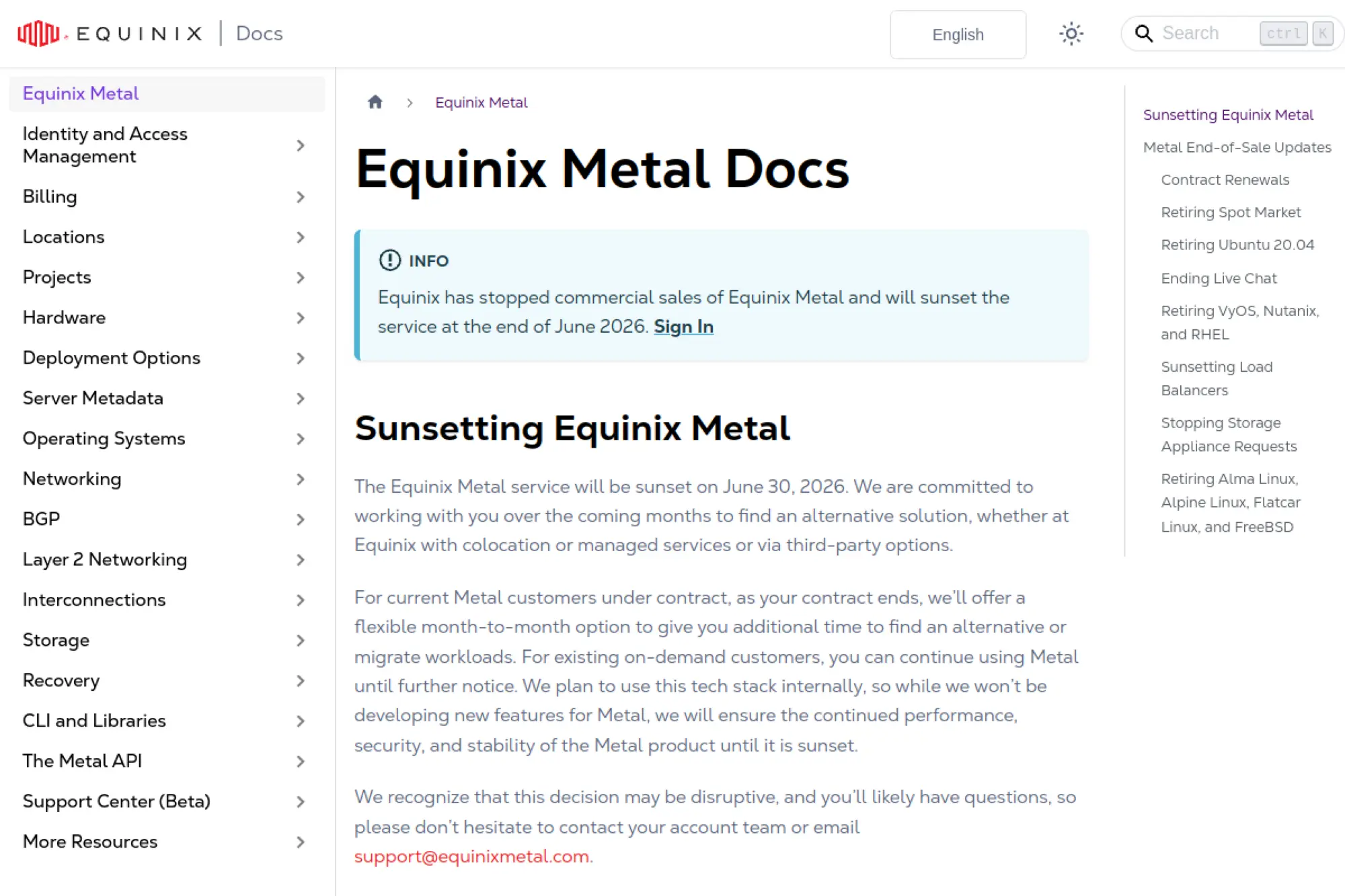
Equinix Metal delivers on-demand bare metal, which can be a big deal for performance-sensitive multiplayer hosting. Bare metal helps when you want consistent CPU behavior, stable network performance, and full control over the OS without hypervisor overhead tradeoffs. It also suits teams that run custom networking stacks, specialized anti-cheat systems, or high-throughput gateway services. If you build a premium hosting tier, bare metal can help you justify it with real operational benefits.
Best for
Performance-critical dedicated servers, high-throughput gateways, and hosting businesses that want premium “no noisy neighbor” infrastructure. It also fits teams that already automate provisioning through APIs and IaC.
Key workflows to configure
- Provision servers with standardized OS images and locked-down access.
- Design networking that separates public ingress from internal services.
- Automate installs for game binaries, agents, and configuration updates.
- Implement centralized logging and monitoring from day one.
- Set a rebuild-and-replace workflow so recovery stays fast under stress.
Sales growth lever
Consistent performance reduces player complaints and server “feel” issues that kill competitive communities. When competitive players trust your servers, they stick around and bring others with them.
Watch outs
Bare metal shifts more responsibility to your team. You must handle patching, imaging, and security hardening carefully. Scaling also requires thoughtful capacity planning since bare metal provisioning is not the same as a small VM spin-up.
Quick start checklist
- Define a hardened baseline image and an automated provisioning script.
- Keep admin access private and audit it regularly.
- Set up monitoring and log shipping before your first players join.
- Back up persistent state off the server and validate restores.
- Load test with realistic tick and player behavior patterns.
16. Tencent Cloud CVM

Tencent Cloud’s compute platform can be a strong option when you need a serious presence in Asia, especially if you plan to reach players where regional providers and compliance realities matter. For game hosting, the core value lies in being closer to players and building within an ecosystem that supports local expectations. That matters for matchmaking quality, patch delivery speed, and overall session stability. If your roadmap includes Asian expansion, Tencent can be worth careful evaluation.
Best for
Studios targeting players in Asia, especially when you want regional infrastructure and an ecosystem aligned with local market needs. It also fits teams that plan multi-region rollouts beyond North America and Europe.
Key workflows to configure
- Create VPC networks and security groups that enforce least-privilege access.
- Standardize server images for repeatable deployments across regions.
- Place public endpoints behind traffic management and rate limiting.
- Centralize monitoring and logs so your ops team can act quickly.
- Back up state to durable storage that survives server rebuilds.
Sales growth lever
Regional presence unlocks new markets. Better routing and closer servers can improve retention, which supports monetization through season content, cosmetics, and community-driven expansion.
Watch outs
Cross-border networking and compliance requirements can complicate rollout plans. Treat expansion as a product project, not a last-minute ops task. Also plan language, billing, and support workflows for your team.
Quick start checklist
- Validate region availability and compliance requirements early.
- Deploy a test server and measure latency from real local ISPs.
- Lock down inbound access and restrict admin entry points.
- Set backup and restore processes for player state.
- Document incident response workflows across time zones.
17. Alibaba Cloud ECS

Alibaba Cloud ECS provides compute infrastructure with strong relevance for teams that want to reach players in China and broader Asia-Pacific markets. For game hosting, that regional reach often matters more than exotic features. When you place servers closer to players, you reduce delay and improve session stability, especially for fast-twitch modes. Alibaba Cloud also supports modern deployment approaches, which can help you standardize rollout processes across regions.
Best for
Studios expanding into China or broader Asia-Pacific markets that need regional infrastructure options. It also works for teams that want to align game hosting with local cloud ecosystems.
Key workflows to configure
- Design VPC networks and security rules that match your game’s attack surface.
- Standardize images and bootstrapping scripts for consistent deployments.
- Place matchmaking and login behind traffic management and filtering.
- Centralize logs, metrics, and alerts for faster incident handling.
- Back up player state and configs into durable storage off the VM.
Sales growth lever
Entering new regions expands addressable audience. If you combine regional hosting with localized community support, you can build momentum faster and reduce churn from poor connectivity.
Watch outs
Cross-region operations can get complex, especially with compliance, account structure, and routing differences. Treat region expansion as a staged rollout and validate every step with real player tests.
Quick start checklist
- Confirm region readiness and any required compliance steps.
- Deploy a pilot server and measure real-world latency.
- Harden firewalls and limit admin access from day one.
- Back up state off-server and rehearse restore workflows.
- Build a repeatable deployment pipeline before you scale out.
18. Contabo VPS
Contabo often attracts game hosts who want budget-friendly VPS options for smaller communities, testing environments, or “always-on” servers that do not need hyperscaler tooling. For many dedicated game servers, the basics win: consistent resources, decent network routes, and backups you control. If you keep your setup simple and maintain a disciplined update process, a VPS like this can run community servers reliably. It is especially useful when you want low-cost staging and experimentation.
Best for
Budget-focused community servers, staging environments, and hobby projects that still need root access and stable uptime. It also fits small groups that want full file control for mods and configs.
Key workflows to configure
- Harden the OS: updates, minimal services, and secure remote access.
- Configure host firewall rules for the game ports you actually use.
- Install your server runtime and enforce automatic restarts on failure.
- Set up off-host backups for worlds, configs, and databases.
- Add lightweight monitoring so you detect crashes quickly.
Sales growth lever
Low baseline cost enables experimentation. You can host multiple small communities, test new game modes, and offer entry-level hosting tiers without large overhead, which can help you grow gradually.
Watch outs
Budget VPS hosting varies by region and hardware generation. Test performance under load before you commit long-term. Also plan for DDoS posture if your server appears in public listings.
Quick start checklist
- Deploy, patch, and harden the OS before opening ports publicly.
- Restrict SSH and use strong authentication practices.
- Set automated backups and verify a restore once.
- Configure monitoring for uptime and crash loops.
- Document update steps so you do not rely on memory under stress.
19. IONOS Cloud Servers
IONOS offers cloud servers that can work well for teams that want a more traditional hosting experience combined with cloud flexibility. For game hosting, this can be helpful when you want clear server management, predictable workflows, and support options that feel closer to classic hosting providers. It can run dedicated servers for many games, especially when you keep a stable Linux baseline and automate the update process. If your team prefers a hosting-first approach, IONOS can fit.
Best for
Small businesses and community hosts that want cloud servers with a hosting-provider feel and support expectations. It also suits teams that prefer simpler management over a massive ecosystem of services.
Key workflows to configure
- Deploy servers from a standard image and keep configuration consistent.
- Enforce firewall rules that limit inbound traffic to game ports only.
- Set up automated updates and maintenance windows for stability.
- Back up persistent game state off-host for rebuild safety.
- Implement basic monitoring and alerting for crashes and resource pressure.
Sales growth lever
Clear management and predictable ops reduce time spent on firefighting. That gives you more time to build community, run events, and create content that grows your player base.
Watch outs
Cloud features and regional choices differ by provider, so test routing and performance with your real player base. Also keep DDoS planning in scope if your servers attract competitive attention.
Quick start checklist
- Deploy a staging server and validate ping from key player locations.
- Harden access and restrict admin endpoints.
- Set backups and confirm restores work before launch.
- Enable monitoring for uptime, crashes, and sustained resource saturation.
- Write a simple runbook for updates, mods, and emergencies.
20. Hostinger VPS
Hostinger VPS hosting can work for game hosting when you want an affordable server with root access and a relatively guided management experience. Many community admins use VPS hosting to run dedicated servers when they outgrow shared game hosts or want to install custom tooling. A VPS also gives you flexibility for mods, custom maps, and automation scripts. If you are comfortable managing a Linux box, a VPS can be a practical stepping stone into more advanced cloud patterns.
Best for
Admins who want more control than a typical managed game host, but do not need hyperscaler-level complexity. It also fits communities that want custom mod stacks and full file access.
Key workflows to configure
- Secure the OS and lock down remote access immediately.
- Configure a firewall and expose only the required game ports.
- Install the game server runtime and a process manager for restarts.
- Automate backups to an external destination you control.
- Set monitoring for uptime and resource pressure during peak play times.
Sales growth lever
Control enables differentiation. You can build a unique modded experience, custom rules, or community tooling. That uniqueness helps you grow through word-of-mouth and creator-driven discovery.
Watch outs
You carry more responsibility for patching, security, and incident handling than you would with a game-first host. Plan for DDoS posture if you run public servers, and keep backups disciplined.
Quick start checklist
- Patch the OS and disable unused services right after provisioning.
- Restrict admin access and enforce strong authentication.
- Automate backups and test restore steps.
- Set alerts for crashes, CPU spikes, and memory pressure.
- Document update and rollback steps for mods and server builds.
21. InMotion Hosting
InMotion Hosting can be a practical choice when you want a hosting-provider approach with support resources that help less experienced admins get moving. For game hosting, many teams use managed or VPS-style offerings to run dedicated servers with more control than a typical game panel provides. This approach can work well for Minecraft-style community servers where you want full access to files, plugins, and automation scripts. If you value guided documentation and a more “hosting-first” experience, it can be worth evaluating.
Best for
Community hosts who want help-oriented documentation and support while still maintaining server-level control. It also fits admins who want to standardize a repeatable VPS workflow for their community.
Key workflows to configure
- Choose a server plan that matches your game’s CPU and memory profile.
- Secure remote access and enforce least-privilege admin accounts.
- Configure firewalls and open only game ports plus required admin access.
- Set automated backups for worlds, configs, and plugin data.
- Add monitoring and log review so you can respond to issues quickly.
Sales growth lever
Clear onboarding reduces friction for new admins and staff. When your team spends less time stuck on setup, you can focus on community building, events, and content that attracts new players.
Watch outs
VPS-style game hosting still requires active maintenance. Plan for OS patches, plugin updates, and security hardening. Also validate network routing to your player base, because hosting geography matters.
Quick start checklist
- Harden SSH access and disable unused services.
- Set firewall rules for game ports and restrict admin endpoints.
- Install the server runtime with automatic restarts enabled.
- Back up state off-host and rehearse a restore.
- Run a peak-hour test with real players before public launch.
22. ScalaCube
ScalaCube is a game-first hosting platform designed to reduce operational overhead. Instead of building your own fleet automation, you typically pick a game, choose a configuration, and manage settings through a control panel. That makes it appealing for community owners who want to focus on gameplay, mods, and moderation rather than infrastructure. If you run multiple servers for different titles, a hosted panel approach can also save time.
Best for
Minecraft-style communities, mod-friendly servers, and admins who want a hosted control panel instead of running their own infrastructure tooling. It also fits groups that want to spin up servers quickly for short-lived events.
Key workflows to configure
- Select a game and region that aligns with your player base.
- Configure server settings, world options, and access controls in the panel.
- Install mods or plugins through supported workflows and test in staging.
- Set automated backups so you can recover from corruption or bad updates.
- Review logs and performance indicators so you can tune before peak hours.
Sales growth lever
Faster setup helps you capitalize on trends. You can launch themed servers, creator servers, or seasonal modpacks quickly, which helps grow your community while the interest window stays open.
Watch outs
Managed hosting limits low-level customization compared with raw cloud servers. Also, hosted platforms vary in support speed and resource contention behavior, so test performance with your actual mod load.
Quick start checklist
- Launch a test server and invite a small group to validate performance.
- Configure backups and confirm you can restore a previous world state.
- Apply whitelists or access controls before public advertising.
- Document mod and plugin update steps for your staff.
- Set basic monitoring habits: logs, crash reports, and player feedback loops.
23. GPORTAL
GPORTAL focuses on managed game server hosting with a consumer-friendly management experience. You typically choose a supported game, pick a region, and configure settings through a web interface. This model works well for friends-and-family servers, creator communities, and admins who want to avoid OS-level maintenance. If you host multiple titles over time, managed game switching and fast provisioning can also save effort.
Best for
Players and communities that want a managed control panel, fast setup, and supported games without building a cloud stack. It also fits short-lived servers for events, launches, and weekend play cycles.
Key workflows to configure
- Pick a game and region based on where your players connect from.
- Configure server rules, access settings, and admin roles in the panel.
- Apply mods or supported customizations and test them before going public.
- Set backup routines and verify restore steps after major changes.
- Monitor performance and adjust settings to reduce lag and rubber-banding.
Sales growth lever
Ease of use helps community growth. When new admins can manage the server without deep technical skills, you can recruit moderators and helpers more easily. That keeps the community healthy and growing.
Watch outs
Managed panels may not expose every low-level knob. If you need custom binaries, deep OS tuning, or exotic networking, you may outgrow managed hosting. Also validate mod support for your specific game version.
Quick start checklist
- Launch a private test server and validate stability with your core group.
- Enable backups and confirm you can roll back a broken update.
- Set access rules and moderation workflows before public listing.
- Document your baseline settings so changes stay consistent over time.
- Plan a simple update cadence and communicate it to players.
24. Nitrado
Nitrado is a long-running managed game server host that emphasizes flexibility for common community hosting needs. Many admins use it because it reduces setup time, offers game switching workflows, and keeps management inside a panel rather than a full operating system. That approach works well when you run several games across the year and want to reuse the same hosting relationship. For communities, the biggest value often comes from reduced ops burden.
Best for
Communities that rotate between games, admins who want a mobile-friendly management approach, and groups that prefer hosted panels over root access. It also fits servers that need quick changes without rebuilding infrastructure.
Key workflows to configure
- Select a game and region based on where your players live.
- Configure server settings, player access controls, and admin permissions.
- Manage updates and mods through supported panel workflows.
- Set backups and practice restoring after config changes.
- Use logs and server console output to debug player reports.
Sales growth lever
Game switching helps you keep community momentum. When interest shifts to a new title, you can follow it quickly. That keeps your players together, which supports long-term retention across multiple games.
Watch outs
Managed hosting can limit deep customization, and game support varies by title and version. Confirm that the exact game edition and mod approach you want fits the host’s workflow before committing.
Quick start checklist
- Start private, test performance, then open the server to the wider community.
- Enable backups and confirm rollback steps work.
- Set moderation rules and access controls early.
- Document update procedures so staff can maintain consistency.
- Monitor performance during peak hours and tune settings gradually.
25. BisectHosting
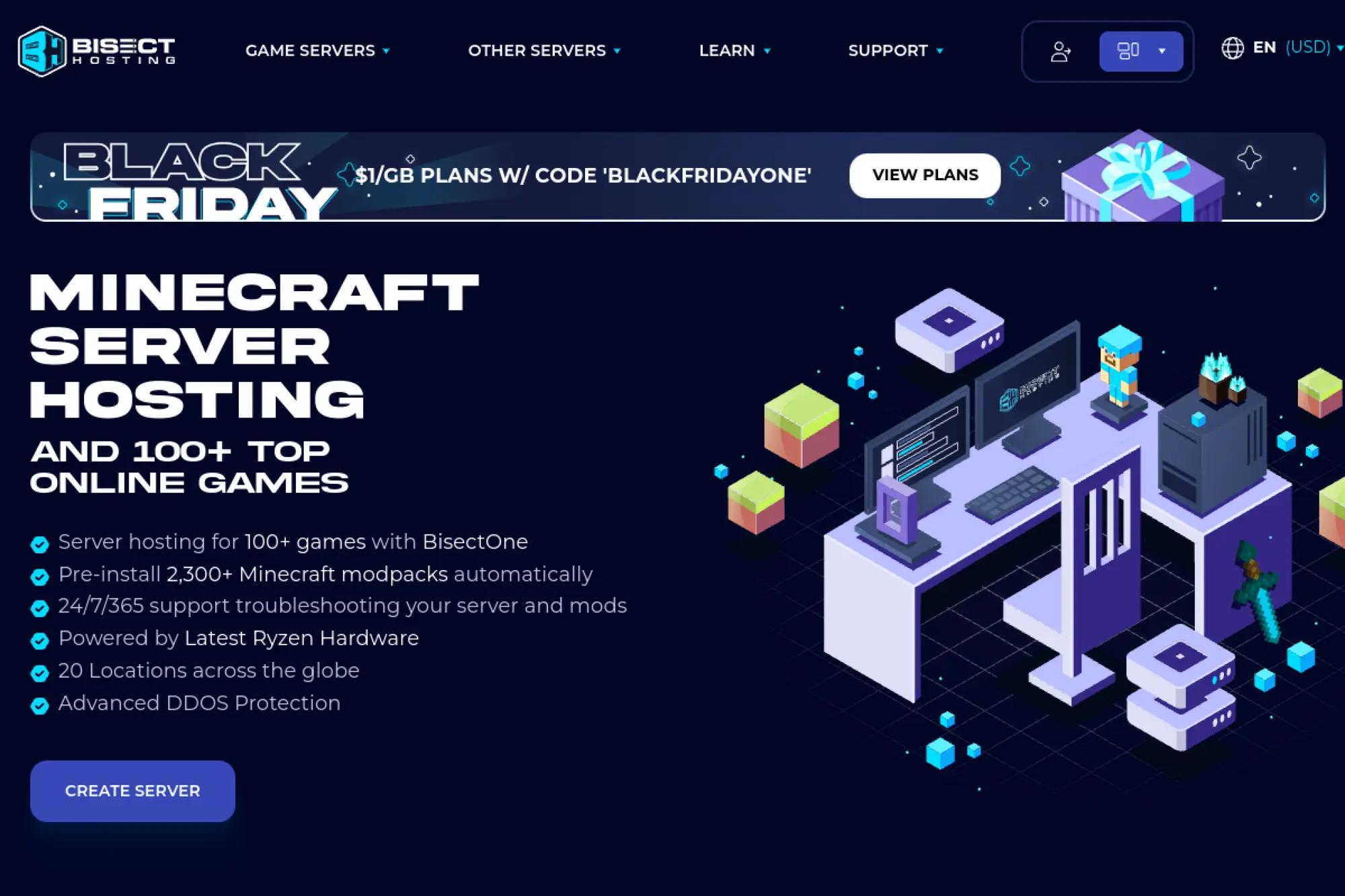
BisectHosting is well-known in the Minecraft ecosystem and also supports other game hosting needs through its platform. The main appeal for many admins is the combination of a control panel, modpack-friendly workflows, and support that understands common server issues. If you run a mod-heavy community, you usually need reliable backups, easy file access, and a workflow that reduces “configuration chaos.” A game-first host can save you a lot of maintenance time.
Best for
Modded Minecraft communities, servers that need frequent modpack changes, and admins who want a hosted panel with support that understands common game server problems.
Key workflows to configure
- Choose a server location that matches where most players connect from.
- Configure world settings, whitelists, and permission layers for staff.
- Install and update mods/modpacks through supported workflows and test first.
- Schedule backups and validate rollback after major configuration edits.
- Use logs and console access to diagnose lag, tick issues, and crashes.
Sales growth lever
Modded experiences drive differentiation. When you can offer curated modpacks, themed seasons, or creator-driven servers, you give players a reason to join your community instead of a generic public server.
Watch outs
Modded servers can become resource-hungry quickly, especially with many plugins or automation-heavy packs. Test your intended mod stack before you open the doors widely, and keep backup discipline tight.
Quick start checklist
- Install your baseline modpack, then test with a small group.
- Enable backups and confirm you can restore a clean state quickly.
- Set staff permissions and access controls to reduce accidental damage.
- Document mod update steps and a rollback plan.
- Monitor performance and tune view distance and simulation settings carefully.
26. Shockbyte
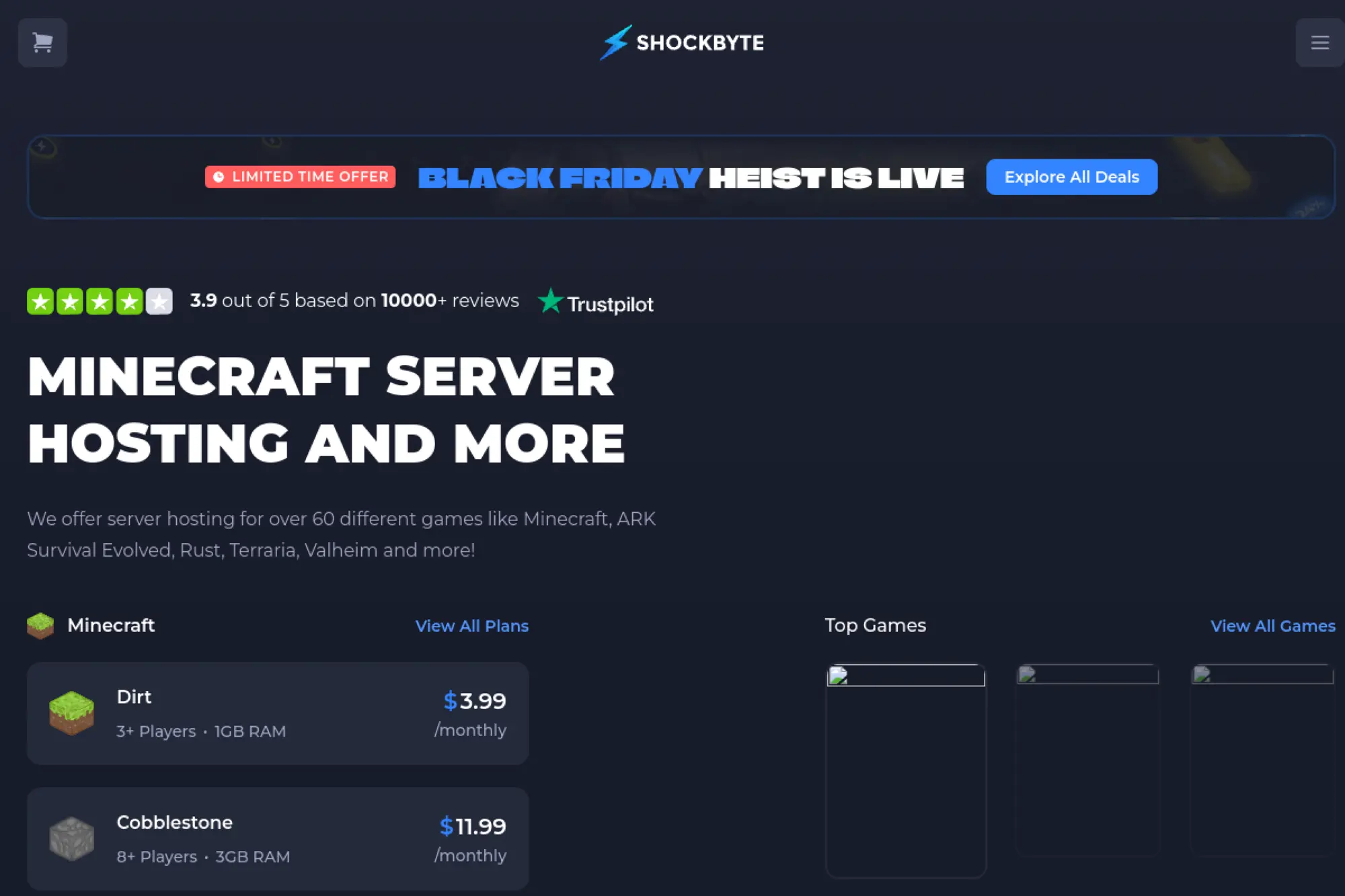
Shockbyte is a popular managed game hosting provider that targets affordability and ease of use. For many communities, the value lies in getting a server online quickly with a control panel, rather than maintaining a VPS from scratch. This model can work well for casual servers, new communities, and small groups that want mods and configuration access without learning cloud networking. If you prioritize getting started fast, managed hosting can shorten the path.
Best for
Budget-conscious communities, casual servers, and new admins who want a control panel workflow. It also fits groups that prefer to outsource infrastructure maintenance and focus on gameplay and moderation.
Key workflows to configure
- Select a server region close to your players and verify stability in testing.
- Configure access rules: whitelist, operator permissions, and moderation tools.
- Install plugins or mods through supported workflows, then validate compatibility.
- Set backup routines and practice restoring after configuration changes.
- Review logs and crash output regularly so issues do not pile up unnoticed.
Sales growth lever
Managed hosting reduces admin friction. When the barrier to entry stays low, more players volunteer to help run events, build worlds, and create content. That “community energy” becomes a real growth engine.
Watch outs
Managed hosts vary in support responsiveness and performance consistency. Do a realistic test with your intended plugin set and peak-hour player count. Keep your own backups as an extra safety net.
Quick start checklist
- Start private, configure permissions, and test before public advertising.
- Turn on backups and verify you can restore a prior state.
- Install mods/plugins incrementally and test after each change.
- Set up a simple incident process for crashes and lag spikes.
- Write a short “server rules + update schedule” post for your community.
27. Apex Hosting
Apex Hosting is a well-known name in Minecraft hosting, especially among communities that want a polished management experience and strong support. For many admins, the biggest win is the mix of panel-driven management, mod and plugin workflows, and the ability to scale from a small friend group into a larger public community. If you run a long-term world, you also care about backups, stable performance, and predictable maintenance. A specialized host can reduce the ops burden significantly.
Best for
Minecraft communities that want a mature hosting experience, easy configuration, and support that can help troubleshoot common mod and plugin issues. It also suits creators who want reliable servers for ongoing content.
Key workflows to configure
- Pick a location close to your players and test ping and stability.
- Configure server rules, permissions, and community access controls.
- Install plugins/modpacks through supported workflows and stage changes safely.
- Enable backups and confirm restores work before major updates.
- Monitor logs and performance, then tune settings to reduce lag.
Sales growth lever
A stable server supports consistent content. When your server stays online and performs well, creators stream more reliably and communities stick around longer. That consistency turns into growth through social sharing and referrals.
Watch outs
Modded Minecraft can grow complex quickly, and performance depends heavily on your chosen pack and server settings. Add changes gradually, keep backups frequent, and test peak-hour performance before you promote heavily.
Quick start checklist
- Create a baseline world and test with a small trusted group.
- Enable backups and practice restoring a previous snapshot.
- Set staff roles and permissions to avoid accidental damage.
- Install mods/plugins incrementally and document changes.
- Plan a consistent update window and communicate it to players.
28. Nodecraft
Nodecraft targets game hosting with a strong emphasis on a modern panel experience and workflows that support multiple games. That can be useful when your community shifts between titles or when you want to host different game servers under a single operational routine. Instead of building your own orchestration stack, you rely on the platform’s management layer for common tasks like configuration, file access, and server lifecycle handling. For community admins, that can reduce the “ops tax” significantly.
Best for
Communities that host multiple games, admins who want a modern control panel, and groups that value streamlined workflows for backups and configuration. It also fits creator communities that need quick server changes.
Key workflows to configure
- Select a game and region, then validate latency with your core players.
- Configure server settings, access controls, and moderation workflows.
- Manage files, mods, and configs through supported tools and safe staging.
- Set backups and confirm you can roll back after a bad update.
- Use console and logs to diagnose performance issues and player reports.
Sales growth lever
Flexibility keeps communities together. When you can pivot to new games quickly, you retain your social group instead of losing players to other communities. That continuity supports long-term growth.
Watch outs
Managed platforms limit deep OS-level customization. If you require specialized binaries or custom networking, you may need raw cloud servers instead. Also test your heaviest mod scenarios before committing to a single plan.
Quick start checklist
- Spin up a test server and invite a small group for validation.
- Enable backups and verify a restore process end-to-end.
- Set permissions and access controls before public promotion.
- Document your mod/plugin update steps for staff.
- Monitor logs after every major change and roll back quickly if needed.
29. PingPerfect

PingPerfect provides managed game server hosting with a focus on wide game support and a control panel experience that aims to keep configuration approachable. For many communities, managed hosting removes the need to patch an OS, tune kernel settings, or build custom automation. Instead, you focus on server rules, community management, and game-specific tuning. If your goal is to host public servers across multiple titles, a game-first host can reduce the workload.
Best for
Admins who want a managed host for many different game types, with an emphasis on ease of management and quick configuration changes. It also suits communities that want to run public servers without running their own cloud stack.
Key workflows to configure
- Pick a server location based on your player geography and route quality.
- Configure server settings, admin roles, and access controls.
- Install mods or configuration changes through the panel, then test carefully.
- Set backups and validate recovery steps after major updates.
- Review logs and performance indicators to spot issues before players complain.
Sales growth lever
Managed workflows make it easier to run more servers with the same admin effort. That lets you expand into new game modes and new communities, which can grow your brand across multiple titles.
Watch outs
Performance varies by game and configuration, especially for mod-heavy workloads. Validate stability with your heaviest expected load. Also keep your own copy of critical backups to reduce risk.
Quick start checklist
- Launch a staging server and test with your core group.
- Enable backups and confirm you can restore a clean state quickly.
- Set access controls and moderation rules before public listing.
- Document configuration changes and keep a rollback plan.
- Monitor peak-hour performance and tune settings gradually.
30. GameServers.com
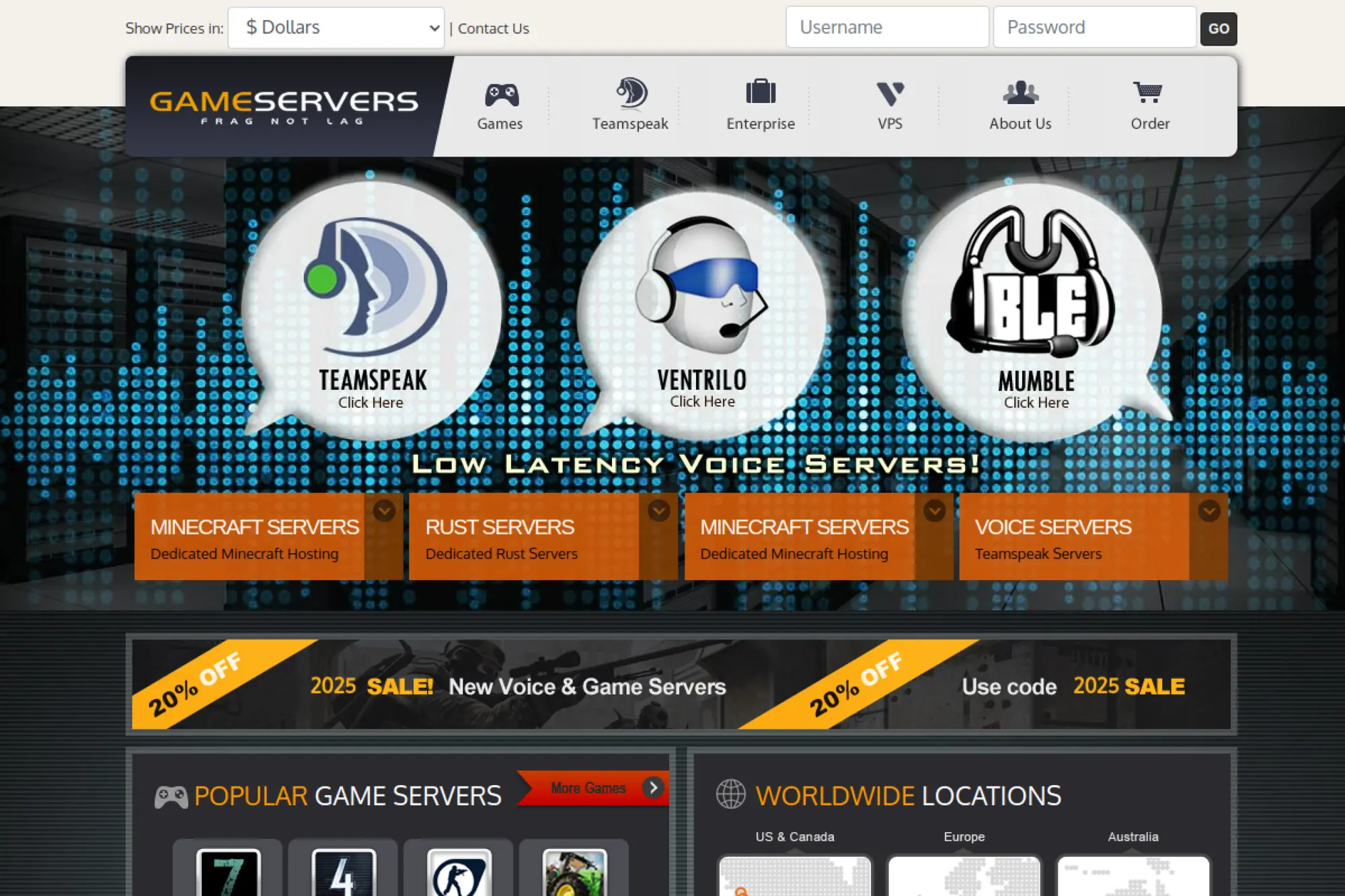
GameServers.com is a long-standing provider in the managed game hosting space. It targets communities that want game servers online quickly without building infrastructure themselves. For many admins, the appeal comes from getting a supported game, a reachable location, and a panel workflow that covers the basics. If you want to run public servers for popular titles with minimal setup friction, a dedicated game host can be a practical route.
Best for
Communities that want managed game servers, a provider with a long history in the space, and a workflow that focuses on quick provisioning and simple management.
Key workflows to configure
- Select the game and location that best matches your player base.
- Configure server settings, admin access, and community rules.
- Apply supported mods or settings changes and validate stability after changes.
- Set backup routines and confirm you can restore after mistakes.
- Monitor logs and server performance so issues do not linger unnoticed.
Sales growth lever
Quick provisioning helps you capture demand during content updates and new releases. When you can spin up event servers rapidly, you can build community momentum while interest stays high.
Watch outs
Managed hosting typically offers less low-level customization than raw cloud compute. If you need custom binaries, deep tuning, or specialized routing, consider a cloud provider where you control the full stack.
Quick start checklist
- Start with a private test server and validate gameplay stability.
- Enable backups and verify a restore workflow end-to-end.
- Set moderation tools and access controls before public listing.
- Document settings and update procedures for your admin team.
- Observe performance during peak play windows and tune iteratively.
FAQ: Common Game Hosting Decisions

Should you choose raw cloud servers or a managed game host?
Pick raw cloud servers when you need deep control, custom binaries, or specialized networking. Choose a managed host when you want faster setup, fewer operational responsibilities, and a panel-driven workflow. Many teams start managed, then move to cloud when the server becomes core business infrastructure.
Do you need multi-region hosting right away?
Not always. Start where your core community lives, then expand based on real demand and player feedback. Expansion works best when you already have automated deployment, backups, and monitoring, because those systems keep multi-region operations sane.
What is the most common failure mode for new game servers?
Teams often underestimate operational basics: backups, log visibility, and rollback workflows. A single bad update can wipe out trust if you cannot restore quickly. Start simple, document changes, and practice recovery before you need it.
How do you reduce DDoS impact without becoming a security expert?
Start with tight firewall rules and do not expose admin ports publicly. Use rate limiting where your platform supports it. Keep a plan for “what we do during an attack,” including how you communicate with players. Also separate public endpoints from internal services so one flooded port does not topple everything.
How do you keep costs predictable on cloud compute?
Use small staging environments and scale deliberately. Clean up unused resources. Store logs and backups with retention policies. Most importantly, treat cost monitoring as an operational signal, not an accounting chore.







Conclusion

The best cloud server for game hosting is the one that matches your game’s runtime profile, your players’ geography, and your team’s operational maturity. Hyperscalers give maximum control and scaling options, but they demand good cloud hygiene. Developer clouds often ship faster and feel simpler. Game-first hosts reduce ops work and help communities launch quickly.
Shortlist a few platforms from the entries above, launch a small test server, and measure real player experience. Then lock down security, automate backups, and document updates before you scale. When you treat hosting as part of your product, players feel the difference.